 ManualGo.com
AVH-P6000DVD - Car DVD player PIONEER - Free user manual and instructions
Find the device manual for free AVH-P6000DVD PIONEER in PDF.


Download the instructions for your Car DVD player in PDF format for free! Find your manual AVH-P6000DVD - PIONEER and take your electronic device back in hand. On this page are published all the documents necessary for the use of your device. AVH-P6000DVD by PIONEER.
USER MANUAL AVH-P6000DVD PIONEER
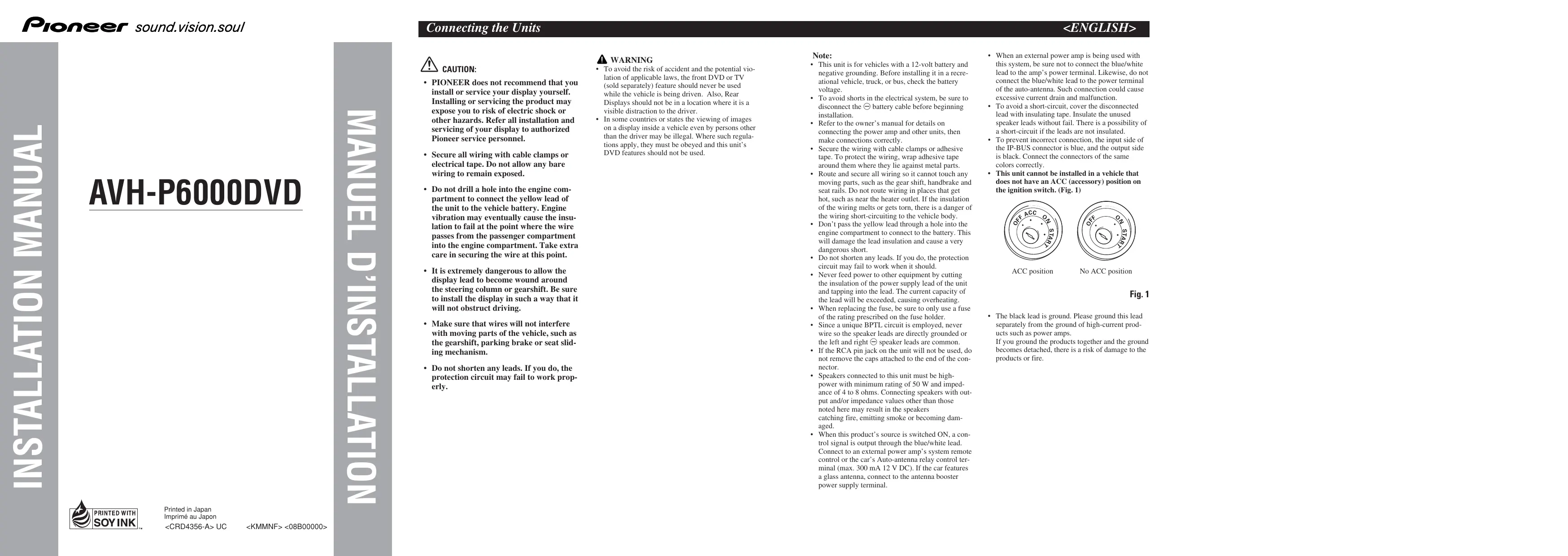
VAN CAUTION: + PIONEER does not recommend that you install or service your display yourself. Installing or servicing the product may expose you to risk of electric shock or other hazards. Refer all installation and servicing of your display to authorized Pioneer service personnel. Secure all wiring with cable clamps or electrical tape. Do not allow any bare wiring to remain exposed. Do not drill a hole into the engine com- partment to connect the yellow lead of the unit to the vehicle battery. Engine vibration may eventually cause the insu- lation to fail at the point where the wire passes from the passenger compartment into the engine compartment. Take extra care in securing the wire at this point. Itis extremely dangerous to allow the display lead to become wound around the steering column or gearshift. Be sure to install the display in Such a way that it will not obstruct driving. Make sure that wires will not interfere with moving parts of the vehicle, such as the gearshif, parking brake or seat slid- ing mechanism. Do not shorten any leads. If you do, the protection circuit may fail to work prop- erly. À WARNING + To avoid the risk of accident and the potential vio- lation of applicable laws, the front DVD or TV (sold separately) feature should never be used while the vehicle is being driven. Also, Rear Displays should not be in a location where it is a visible distraction to the driver. In some countries or states the viewing of images on a display inside a vehicle even by persons other than the driver may be illegal. Where such regula- tions apply, they must be obeyed and this units DVD features should not be used. Note: . This unit is for vehicles with a 12-volt battery and negative grounding. Before installing it in a recre- ational vehicle, truck, or bus, check the battery voltage. To avoid shorts in the electrical system, be sure 10 disconnect the © battery cable before beginning installation. Refer to the owners manual for details on connecting the power amp and other units, then make connections correctly. Secure the wiring with cable clamps or adhesive tape. To protect the wiring, wrap adhesive tape around them where they lie against metal parts. Route and secure all wiring so it cannot touch any moving parts, such as the gear shift, handbrake and seat rails. Do not route wiring in places that get hot, such as near the heater outlet. If the insulation of the wiring melts or gets torn, there is a danger of the wiring short-circuiting to the vehicle body. Don't pass the yellow lead through a hole into the engine compartiment to connect to the battery. This will damage the lead insulation and cause a very dangerous short. Do not shorten any leads. If you do, the protection circuit may fail to work when it should. Never feed power to other equipment by cutting. the insulation of the power supply lead of the unit and tapping into the lead. The current capacity of the lead will be exceeded, causing overheating. When replacing the fuse, be sure to only use a fuse of the rating prescribed on the fuse holder. Since a unique BPTL circuit is employed, never wire so the speaker leads are directly grounded or the left and right © speaker leads are common. If the RCA pin jack on the unit will not be used, do not remove the caps attached to the end of the con- nector. Speakers connected to this unit must be high- power with minimum rating of 50 W and imped- ance of 4 to 8 ohms. Connecting speakers with out- put and/or impedance values other than those noted here may result in the speakers catching fire, emitting smoke or becoming dam- aged. When this product’s source is switched ON, a con- wol signal is output through the blue/vhite lead. Connect to an external power amp's system remote control or the car”s Auto-antenna relay control ter- minal (max. 300 mA 12 V DC). If the car features à glass antenna, connect to the antenna booster power supply terminal. When an extemal power amp is being used with this system, be sure not to connect the blue/vhite lead to the amp’s power terminal. Likewise, do not connect the blue/white lead to the power terminal of the auto-antenna. Such connection could cause excessive current drain and malfunction. To avoid a short-cireuit, cover the disconnected lead with insulating tape. Insulate the unused speaker leads without fail. There is a possibility of a short-circuit if the leads are not insulated. To prevent incorrect connection, the input side of the IP-BUS connector is blue, and the output side is black. Connect the connectors of the same colors correctly. This unit cannot be installed in a vehicle that does not have an ACC (accessory) position on the ignition switch. (Fig. 1) ACC position No ACC position Fig. 1 The black lead is ground. Please ground this lead separately from the ground of high-current prod- ucts such as power amps. If you ground the products together and the ground becomes detached, there is a risk of damage 10 the products or fire.
Connecting the Units <ENGLISH> Connecting the power cord 20cm AUX input jack IP-BUS input (Blue) 16 cm (6-1/4 in.) (7-78 in.) mr Violetwhite Refer to Fig. d. Le: ntenna cable IP-BUS cable Multi-CD player sold separately) Connection method Yellow/black If you use equipment with Mute function, wire this lead to the Audio Mute lead on that piece of equipment. If not, Keep the Audio Mute lead free of any connections
1. Clamp the lead. 2. Clamp firmly with
needle-nosed pliers. Red To electric terminal controlled by ignition switch (12 V DC) ON/OFF. Fuse resistor Note: + The position of the parking brake switch depends on the vehicle model. For details, consult the vehicle Owner's Manual or dealer. À warNiNG LIGHT GREEN LEAD AT POWER CONNECTOR IS DESIGNED TO Orange/white To lighting switch terminal Yellow Fuse (10 A) To terminal always supplied with power regardless of ition switch position: Fuse resistor DETECT PARKED STATUS AND MUST BE CONNECTED TO THE POWER SUPPLY SIDE OF THE PARKING BRAKE SWITCH. IMPROPER CONNECTION OR USE OF THIS LEAD MAY VIOLATE APPLICABLE LAW AND MAY RESULT IN SERIOUS INJURY OR DAMAGE. Light green Used to detect the ON/OFF status of the parking brake. This lead must be connected to the power supply side of the parking brake switch Power supply side Parking brake switch
Black (ground) To vehicle (metal) body. White White/black Gray/black Violet Green Green/black Violet/black Ground side Blue/white To system control terminal of the power amp or Auto-antenna relay control terminal (max. 300 mA 12 V DC)
Front speaker With a 2 speaker system, do not connect anything
Right ! LT to the speaker leads that are not connected to speakers.
When you connect the separately sold multi-channel processor (DEQ-P8000) to this unit, do not connect anything 10 the speaker leads and system remote control (blue/white).
This product EL ? NE Rear output (REAR OUTPUT) 15 cm (5-7/8 in.) TE [Poveramp
sold separately) Connecting cords with RCA pin plugs (sold separately) Power amp = Cey
Co | (old separately)
Blue/white To system control terminal of the power amp or Auto-antenna relay control terminal (max. 300 mA 12 V DO). When you connect the separately sold multi-channel processor (e.8. DEQ-P8000) to this unit, do not connect anything 10 the speaker leads and system remote control (blue/white). Note When you connect the multi-channel processor to this unit, a separately sold power amp must be connected to the multi-channel processor. Note Change the initial setting of this product {refer to the Operation Manual). The subwoofer output of this unit is monaural.
Rear speaker D Left Right Subwoofer D Rear speaker Perform these connections when using the optional amplifier. Fig.3
Connecting the Units <ENGLISH> When connecting with a rear view camera When this product is used with a rear view camera, it is possible to automatically switch from the video to rear view image when the gear shift is moved to REVERSE (R). À WARNING USE INPUT ONLY FOR REVERSE OR MIRROR IMAGE REAR VIEW CAMERA. OTHER USE MAY RESULT IN INJURY OR DAMAGE. À CAUTION «The screen image may appear reversed. «The rear view camera function is to use this product as an aid to keep an eye on trailers, or backing into a tight parking spot. Do not use this function for entertainment purposes. «The object in rear view may appear closer or more distant than in reality
=, + À caurioN = You must use a camera which outputs mirror reversed images. product D Sarpcmerimpu © [ (BACKUPCAMERAIN) — — Rear view camera 20 cm To video output (G-TI8 in.) RCA cable (sold separately) 15 em (5-7/8 in.) Violet/white Fuse resistor J. Of the two lead wires connected to the back lamp, connect the one in which the voltage changes when the gear shift is in the REVERSE {R) position. This connection enables the unit to sense whether the car is moving forwards or backwards. Connection method
1. Clamp the lead. 2. Clamp firmly with
needle-nosed pliers. Note: +_Itis necessary to set BLCAMERA to ON in SETUP when connecting the rear view camera Fig. 4 When connecting with a multi-channel processor Not used. / 43 cm (1 ft Sin.) _ u 16cm Æ « IP-BUS input À (G1Ain) = (Blue) Blue (@) IP-BUS cable lied with Guppred wi This product multi-channel processor) ri Subwoofer output or non fading output (SUBWOOFER OUTPUT or NON-FADING OUTPUT) Optical cable (supplied with multi-channel processor)
Multi-channel processor (DEQ-P8000) EE)
28 cm (11 in.) Video L input (VIDEO 1 INPUT) 23cm 1 RCA cable (supplied with (9in) multi-channel processor) RCA cable (old separately) Optical cable (sold separately) To vil eo output | External unit with optical output sold separately) output (Black) IP-BUS cable IP-BUS :) Blue Multi-CD Player sold separately) When you connect External unit with optical output (sold separately) to the multi-channel processor (sold separately), the optical cable from the External unit must be connected to the optical cable 2 input (OPT. IN2) on the multi-channel processor. Fig.5 s Processor and iPod adapter When connecting with Vehicle Dynamics Processor and Bluetooth adapter 26 pin cable input This product Vehicle Dynamics Processor (.g. AVG-VDP1) sold separately) 16cm (6-1l4in) 26 pin cable (supplied with Vehicle IP-BUS input (Blue) 7 Dynamics Processor) IP-BUS cable IP-BUS cable (Supplied with the iPod adapter) iPod adapter (e.g. CD-IB10011) iPod with dock connector Multi-CD player sold separately) Dock connector pért
Dock connector (Supplied with the iPod adapter) Fig. 6 26 pin cable input s PA: EN This product 16cm ellow Vehicle Dynamics Processor (6-14 in) PA (e.g. AVG-VDPI) 26 pin cable (sold separately) IP-BUS input (Blue) Gupplied with Vehicle 7 Dynamics Processor) Microphone for hands-free phoning (supplied with the Bluetooth adapter) 4 Blue 15m (4ft. lin.) Bluetooth adapter {e.g. CD-BTB200) IP-BUS cable (Supplied with the Bluetooth adapter) Multi-CD player sold separately) Fig. 7
Thif product A « “Mr 2semGlin) Audio 1 input (AUDIO 1 INPUT) 15cm (5-7/8in.) RCA cables (sold separately) To audio outputs Extemal video << — | component sold separately) To video output Video 1 input (VIDEO 1 INPUT) Video output RCA cable (VIDEO OUTPUT) (sold separately) NE > Z = Display with RCA input jacks To video input Fig. 8 +_Itis necessary to set AV INPUT to VIDEO on the SETUP menu when connecting to external video component. + _Itis necessary to set AV INPUT to EXT-V on the SETUP menu when connecting to DVD player. When using a display connected to video output This product’s video output is for connection of a display to enable passengers in the rear seats to watch the DVD or Video CD. play in a location that enables the Driver to watch the DVD or Video CD while Driving. Note: Before finally installing the unit, connect the wiring temporarily, making sure it is all connected up properly, and the unit and the system work properly. Use only the parts included with the unit to ensure proper installation. The use of unauthorized parts can cause malfunctions Consult with your nearest dealer if installation requires the drilling of holes or other modifications of the vehicle. Install the unit where it does not get in the drivers way and cannot injure the passenger if there is a sudden stop, like an emergency stop. Do not install the display where it may (i) obstruct the drivers vision, (ii) impair the performance of any of the vehicle's operating systems or safety features, including air bags, hazard lamp buttons or
ii) impair the drivers ability to safely operate the
vehicle. The semiconductor laser will be damaged if it overheats, so don't install the unit anywhere hot — for instance, near a heater outlet. If installation angle exceeds 30° from horizontal, the unit might not give its optimum performance Fig. 9) Fig. 9 The cords must not cover up the area shown in the figure below. This is ary to allow the ampli- fires to radiate freely. (Fig. 10)
Leave this space Fig. 10 Installing the remote control u Installation using the screw holes on the side of this unit When not using the remote control unit, secure it with velcro tape to prevent it from moving. + Thoroughly wipe off the surface before affixing the velcro tape. , Remote control unit IN? _ Velcro tape (small)
(hard) &— Velcro tape (small) (soft) Fig.11 Remove the frame. Fastening this unit to the factory radio mounting bracket. Position this unit so that the brackets screw holes and its screw holes are aligned (are fitted), and tighten the screws at 3 or 4 locations on each side. Use either the binding screws (5 mm X 6 mm) or flush surface screws (5 mm X 6 mm), depending on the shape of the bracket’s screw holes. Fig. 12 If the pawl gets in the way, bend it down
\ Z Binding Screw or Æ flush surface screw LE Be sure to use the screws supplied with this product. Dashboard or console Fig. 13 Note: +_ In some types of automobiles, descrepancy may occur between the main unit and the dashboard. If this happens, use the supplied panel to fill the gap . +_ To some types of automobiles, ths unit cannot be properly installed. In such case, use the installa- tion kit ADT-VA133 (sold separately).