
IAN 281487 - Clock AURIOL - Free user manual and instructions
Find the device manual for free IAN 281487 AURIOL in PDF.


| Product Type | Radio-Controlled Wall Clock |
| Model | IAN 281487 |
| Brand | Auriol |
| Power Supply | 1 x 1.5V AA battery (included) |
| Time Signal | DCF radio time signal (range approx. 1500 km around Frankfurt/Main) |
| Display | Analog clock face with hour, minute, and second hands |
| Controls | RESET, WAVE, SET buttons |
| Dimensions | Approx. 25 cm diameter, 5 cm depth |
| Weight | Approx. 200 g |
| Material | Plastic case, glass lens |
| Intended Use | Indoor use only, normal room temperature |
| Safety Features | Battery polarity indication, insulation strip, non-rechargeable battery warning |
| Cleaning | Wipe with a soft dry cloth; no liquids or detergents |
| Battery Disposal | Dispose of spent batteries at designated collection points |
| Certification | CE, EMC, complies with 1999/5/EC |
| Included Items | Wall clock, 1.5V AA battery, operating instructions |
Frequently Asked Questions - IAN 281487 AURIOL
User questions about IAN 281487 AURIOL
0 question about this device. Answer the ones you know or ask your own.
Ask a new question about this device
Download the instructions for your Clock in PDF format for free! Find your manual IAN 281487 - AURIOL and take your electronic device back in hand. On this page are published all the documents necessary for the use of your device. IAN 281487 by AURIOL.
USER MANUAL IAN 281487 AURIOL
AURIOL®
3
Introduction
Proper Use Page 5
Description of Parts Page 5
Technical details Page 6
Included items Page 6
Safety
General Safety Information Page 6
Safety Instructions for Batteries Page 7
Preparing the product for use ......Page 8
Operation
Receiving the DCF radio time signal ......Page 9
Setting the time manually....Page 9
Reset the functions (RESET) Page 10
Cleaning and Maintenance Page 10
Disposal Page 10
Information
Declaration of Conformity Page 11
4 GB/IE
AURIOL®
Radio-Controlled Wall Clock
- Introduction

Familiarise yourself with the product before using it for the first time. In addition please refer carefully to the operating instructions below and the safety advice. Use the product only as described and for the indicated purpose. Keep these instructions in a safe place. If you pass the product on to anyone else, please ensure that you also pass on all the documentation.
- Proper Use
The wall clock shows the time by using Radio time signal (DCF). The device is intended for use indoors at normal room temperatures only. Any other use or modification of the device constitute improper use and may result in injury and / or damage to the device. The manufacturer is not liable for damage caused by improper use. The device is not intended for commercial use.
- Description of Parts
1 RESET button
2 WAVE button
3 Battery compartment
4 Battery insulation strip
5 SET button
AURIOL®
5 GB/IE
● Technical details
Radio time signal (DCF)
Battery type: 1.5 V ——, AA
Included items
1 Wall clock
1 Battery 1.5 V---, AA
1 Operating instructions

Safety
WARNING: Please read all safety information and instructions.
Failure to comply with the safety information and instructions may result in, fire and / or severe injuries.
KEEP ALL THE SAFETY ADVICE AND INSTRUCTIONS IN A SAFE PLACE FOR FUTURE REFERENCE!

General Safety Information
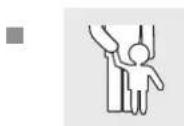
WARNING! DANGER TO LIFE AND ACCIDENT HAZARD FOR TODDLERS AND SMALL CHILDREN! Never allow children to play unsupervised
with the packaging material. There is a danger of suffocation from
6 GB/IE
AURIOL®
the packaging material. Children frequently underestimate the dangers. Children should be kept away from the product at all times. This is not a toy.
Children or persons who lack the knowledge or experience to use the device or whose physical, sensory or intellectual capacities are limited must never be allowed to use the device without supervision or instruction by a person responsible for their safety. Children must never be allowed to play with the device.
WARNING: DANGER TO LIFE! Batteries can be swallowed, which may represent a danger to life. If a battery has been swallowed, medical help is required immediately.
■ Do not use the device if it is damaged.

Safety Instructions for Batteries
■ Remove the battery from the device if it is not going to be used for a prolonged period.
CAUTION! DANGER OF EXPLOSION! The batteries must never be recharged!
- When inserting the battery, ensure the correct polarity! This is shown in the battery compartment.
If necessary, clean the battery and device contacts before inserting the battery.
■ Remove a spent battery immediately from the device. There is an increased danger of leaks!
If the above instructions are not complied with, the battery may discharge itself beyond its end voltage. There is then a danger of leaking. If the battery has leaked inside your device, you should remove it immediately in order to prevent damage to the device!
AURIOL®
7 GB/IE
■ Batteries must not be disposed of in the normal domestic waste!
■ Every consumer is legally obliged to dispose of batteries in the proper manner!
- Keep batteries away from children; do not throw them in the fire, short-circuit them or take them apart.
- Avoid contact with the skin, eyes and mucous membranes. Any parts of the body coming into contact with battery acid should be rinsed off with copious amounts of water and / or a doctor contacted if necessary!
● Preparing the product for use
☐ Remove the battery insulation strip 4 from between the battery and the contact. The wall clock starts to operate and begins to receive the radio time signal immediately after the battery isolation strip has been removed.
Note: Reception may be considerably reduced by obstructions (e.g. concrete walls) or sources of interference (e.g. other electrical devices). In the event of reception problems, change the position of the wall clock (e.g. to somewhere near a window).
Radio Signal (DCF):
The DCF signal (time signal transmitter) consists of time pulses emitted by one of the most accurate clocks in the world close to Frankfurt / Main, Germany – this varies by 1 second in a million years.
Your radio-controlled clock receives these signals under ideal conditions up to a distance of approx. 1,500 km around Frankfurt / Main. Reception of the radio signal generally takes approx. 3-10 minutes.
8 GB/IE
AURIOL®
Operation
● Receiving the DCF radio time signal
The wall clock automatically starts to search for the DCF radio time signal. This process takes about 3-10 minutes to complete.
The reception of the DCF radio time signal by the wall clock can also be started manually.
☐ Press and keep pressed the WAVE button 2 at least 5 seconds. The wall clock attempts to receive the DCF radio time signal. This process takes a few minutes to complete.
Note: If the wall clock was not able to receive the DCF radio time signal because of errors, e.g. due your location to being at too great a distance from the transmitter or for other reasons, you can set the time manually. The manually set value is overwritten as soon as reception of the DCF radio time signal is successful.
HINTS: Press the button by using a pointed object (e.g. pencil).
- Setting the time manually
☐ Press and keep pressed the SET button 5 at least 4 seconds. The wall clock switches into manual mode.
☐ Press and keep pressed the SET button 5 again until the hands reach the correct position for you to set the time.
Briefly pressing the SET button 5 moves the hands forward in one minute steps to enable you to set the current time manually.
Note: After 7 seconds without pressing the SET5 button, the wall clock switches out of manual mode and keeps the time as
AURIOL®
9 GB/IE
normal. The manually set value is overwritten as soon as reception of the DCF radio time signal is successful.
- Reset the functions (RESET)
☐ If the wall clock does not react, you can press the RESET button to reset all the settings back to the default values. You can then start again from the beginning.
● Cleaning and Maintenance
☐ The device should only be cleaned on the outside with a soft dry cloth.
☐ Under no circumstances should you use liquids or detergents, as these will damage the device.
☐ If the wall clock is not going to be used, remove the battery.
- Disposal

The packaging is made entirely of recyclable materials, which you may dispose of at local recycling facilities.
Contact your local refuse disposal authority for more details of how to dispose of your worn-out product.
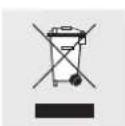
To help protect the environment, please dispose of the product properly when it has reached the end of its useful life and not in the household waste. Information on collection points
10 GB/IE
AURIOL®
and their opening hours can be obtained from your local authority.
Faulty or used batteries must be recycled in accordance with Directive 2006 / 66 / EC. Please return the batteries and / or the device to the available collection points.
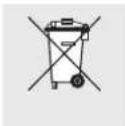
Environmental damage through incorrect disposal of the batteries!
Batteries may not be disposed of with the usual domestic waste. They may contain toxic heavy metals and are subject to hazardous waste treatment rules and regulations. The chemical symbols for heavy metals are as follows: Cd = cadmium, Hg = mercury, Pb = lead. That is why you should dispose of used batteries at a local collection point.
Information
● Declaration of Conformity
We, Milomex Ltd., c / o Milomex Services, Hilltop Cottage, Barton Road, Pulloxhill, Bedfordshire, MK45 5HP, UK, hereby declare under our sole responsibility that the product: Radio-Controlled Wall Clock, Model No.: Z30300 A, Z30300B, Version: 06 / 2011, to which this declaration refers, complies with the standards / normative documents of 1999 / 5 / EC.
Heavener Stirling
AURIOL®
11 GB/IE
The full Declaration of Conformity is available on the Internet at www.milomex.com.
CE EMC
Product description:
Radio-Controlled Wall Clock
Model No.: Z30300 A, Z30300B
Version: 06 / 2011
12 GB/IE
AURIOL®
Johdanto
1 RESET-painike
2 WAVE-painike
3 Paristotila
4 Pariston eristys
5 SET-painike
14 FI
AURIOL®
Tekniset tiedot
Radiosignaali (DCF)

- Introduction
- Safety
- Preparing the product for use ......Page 8
- Operation
- Cleaning and Maintenance Page 10
- Disposal Page 10
- Information
- Radio-Controlled Wall Clock
- - Introduction
- - Proper Use
- - Description of Parts
- AURIOL®
- ● Technical details
- Included items
- General Safety Information
- Safety Instructions for Batteries
- ● Preparing the product for use
- Radio Signal (DCF):
- ● Receiving the DCF radio time signal
- - Setting the time manually
- - Reset the functions (RESET)
- ● Cleaning and Maintenance
- - Disposal
- Environmental damage through incorrect disposal of the batteries!
- ● Declaration of Conformity
- CE EMC
- Product description:
- Johdanto
- Tekniset tiedot
Brand : AURIOL
Model : IAN 281487
Category : Clock