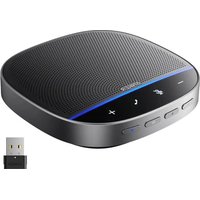
PowerConf S500 - Speaker Anker - Free user manual and instructions
Find the device manual for free PowerConf S500 Anker in PDF.


| Product Type | Conference Speaker |
| Brand | Anker |
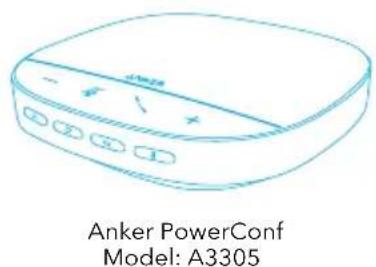
| Model | PowerConf S500 |
| Connectivity | Bluetooth 5.0, USB-C, Bluetooth Dongle |
| Bluetooth Range | 10 meters |
| Voice Pickup Range | 5 meters |
| Microphones | 4 stereo microphones |
| Nominal Output Power | 10 W |
| Frequency Response | 20 Hz - 20 kHz |
| Power Supply | 5V 2A input via USB-C |
| Battery Capacity | 6700 mAh |
| Charging Time | 4 hours |
| Talk Time | 16 hours |
| Bluetooth Version | 5.0 |
| Main Functions | Answer/end call, volume control, mute, link between two speakers, standard and broadcast modes, AnkerWork app |
| LED Indicators | Battery, connection, mute, call, mode |
| Maintenance | Dry the USB-C port before charging, use certified cable and charger |
Frequently Asked Questions - PowerConf S500 Anker
User questions about PowerConf S500 Anker
0 question about this device. Answer the ones you know or ask your own.
Ask a new question about this device
Download the instructions for your Speaker in PDF format for free! Find your manual PowerConf S500 - Anker and take your electronic device back in hand. On this page are published all the documents necessary for the use of your device. PowerConf S500 by Anker.
USER MANUAL PowerConf S500 Anker
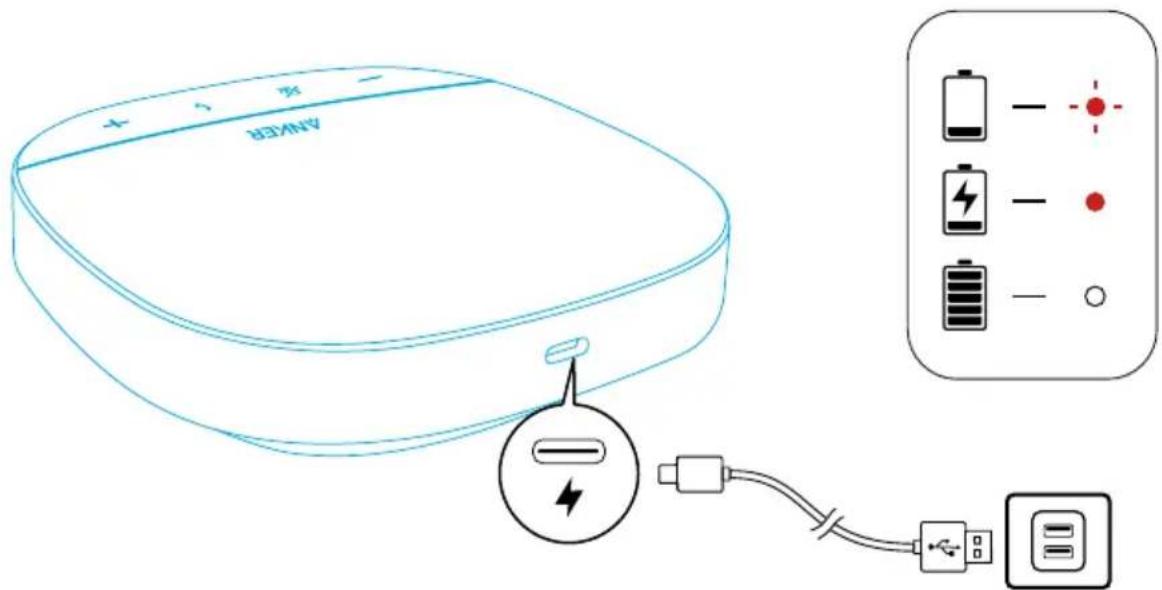
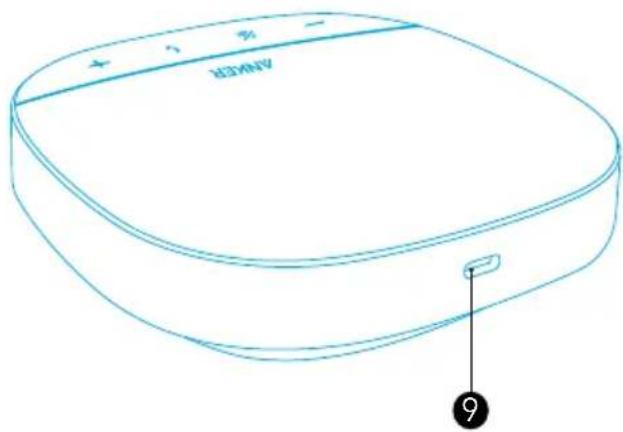
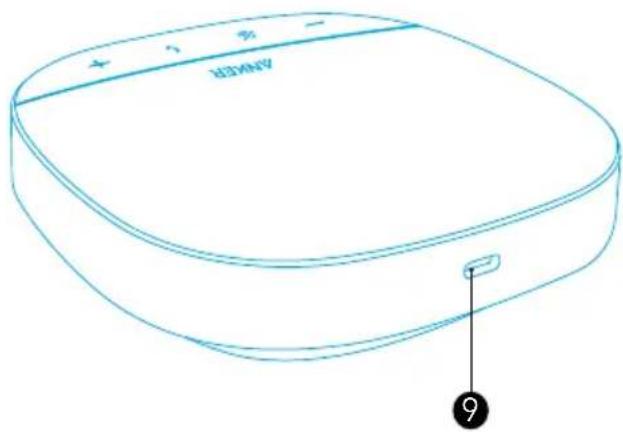
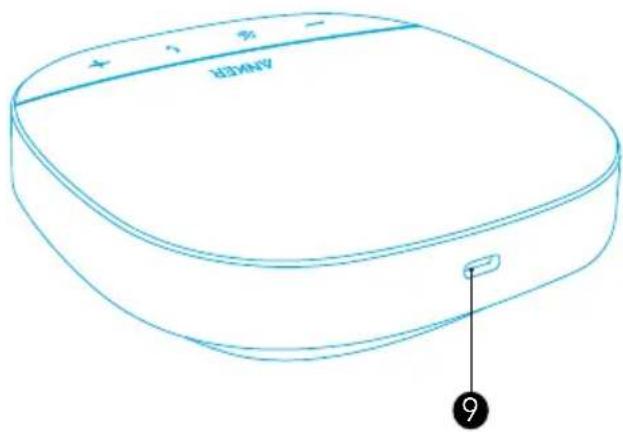
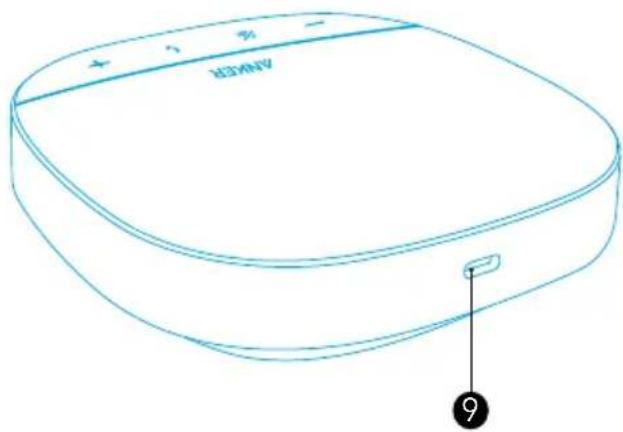
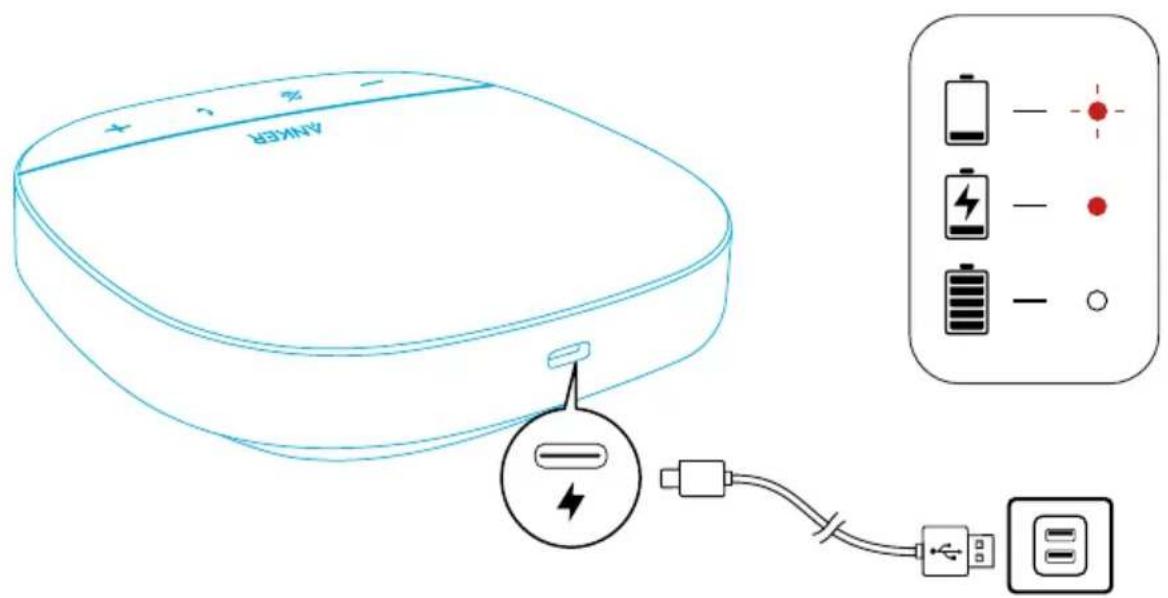
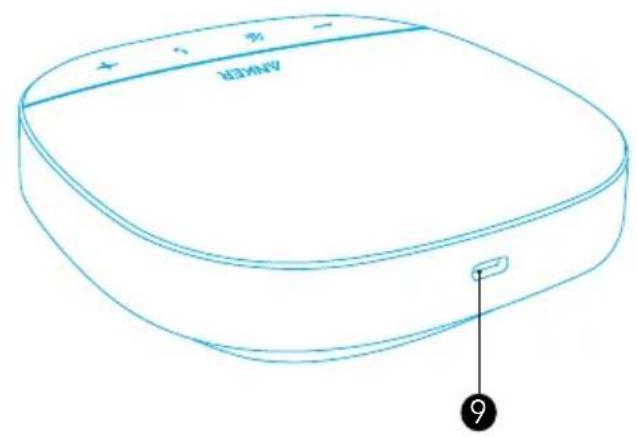
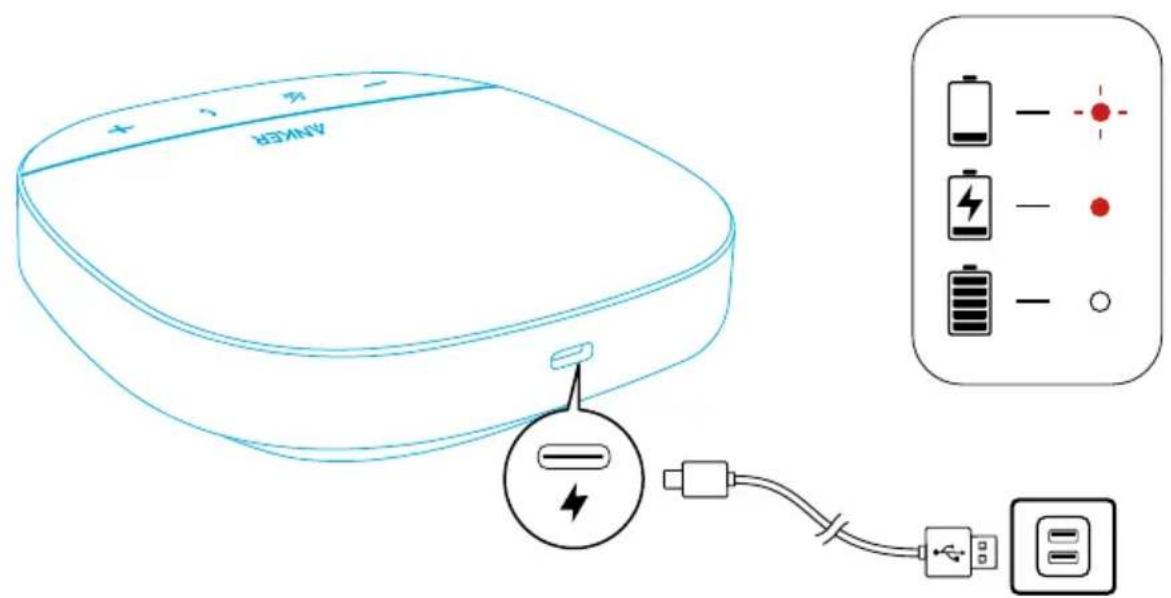
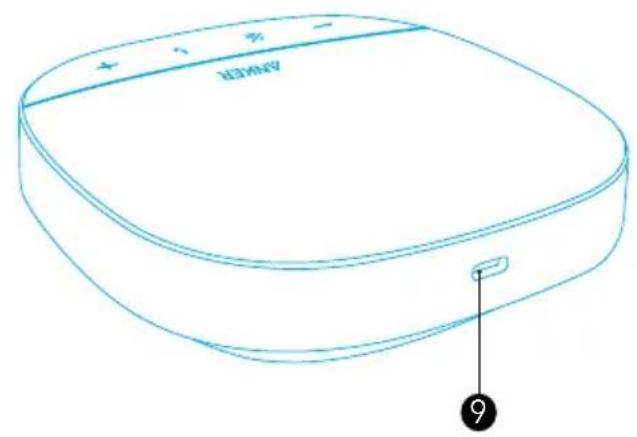
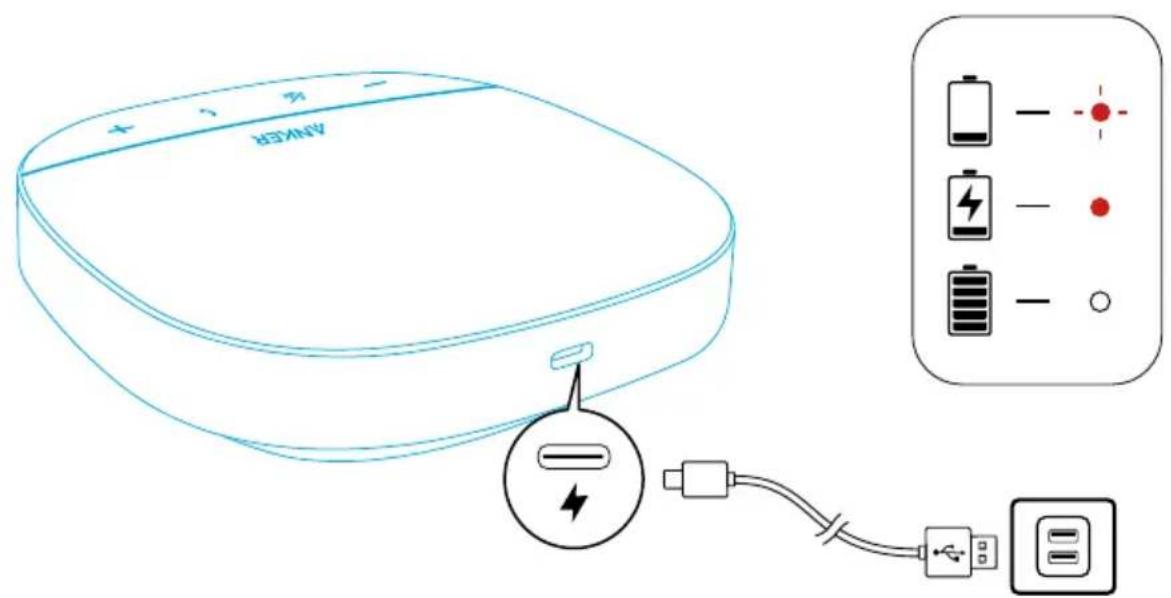
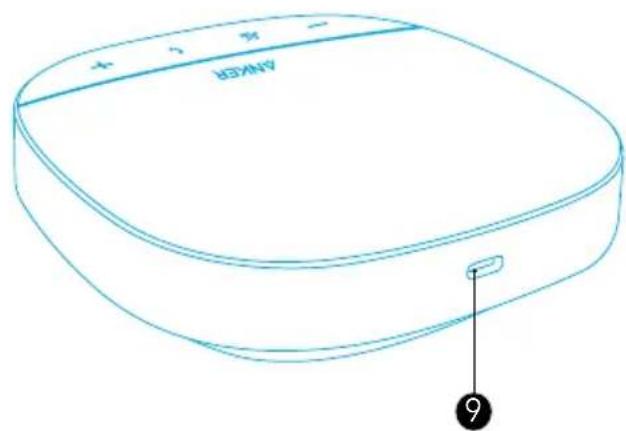
- Fully dry off the USB-C charging port before charging.
- Fully charge the speakerphone before the first use to extend the lifespan.
- Use a certified USB-C charging cable and charger to prevent any damage.
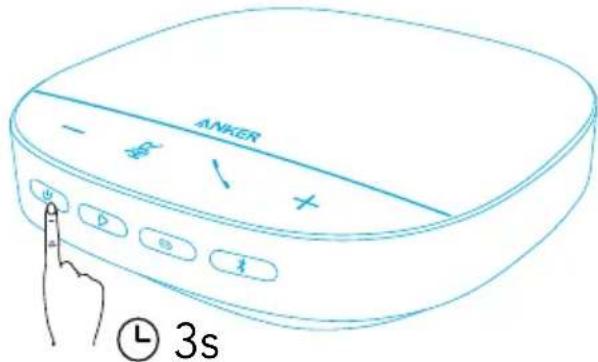
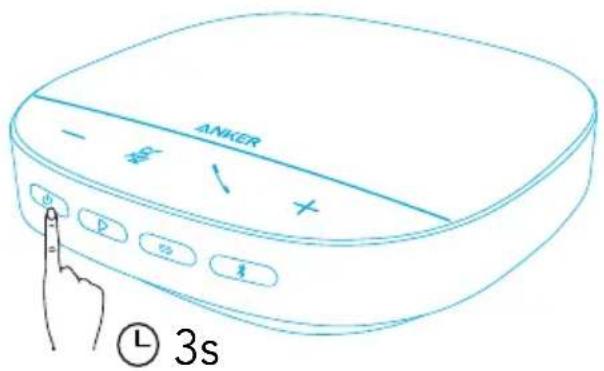
Powering On / Off
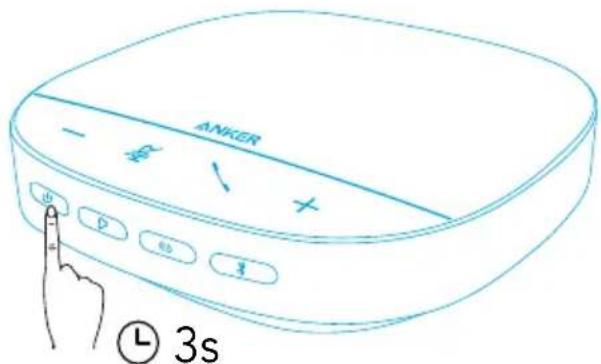
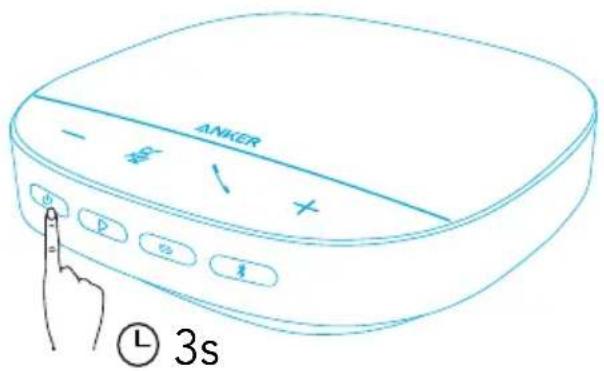
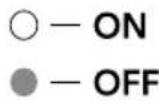
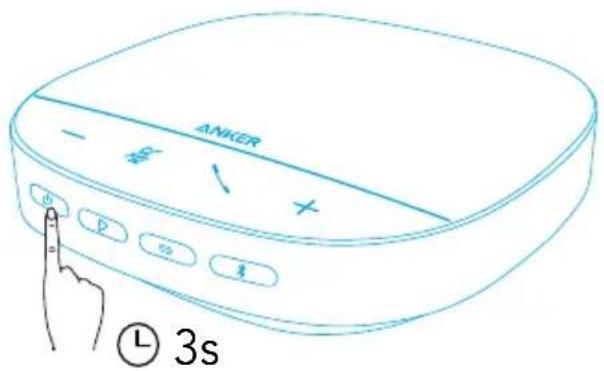
Press and hold the power button for three seconds to power on or off.
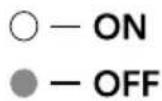

- The PowerConf speakerphone will automatically power on once connected to your PC by using the USB-C cable.
- The PowerConf speakerphone will automatically power off after 30 minutes in the case of no signal input or output.
- To check the battery level, press the power button again when powered on.
Connecting
There are 3 ways that you can connect the PowerConf speakerphone to your devices.
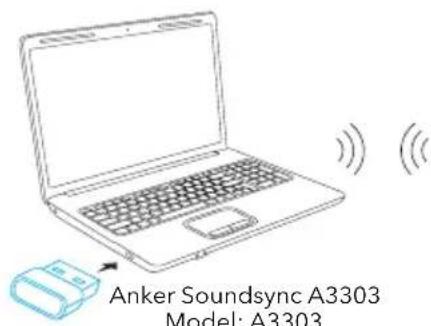
Option A: Connect to PC (Bluetooth Dongle)
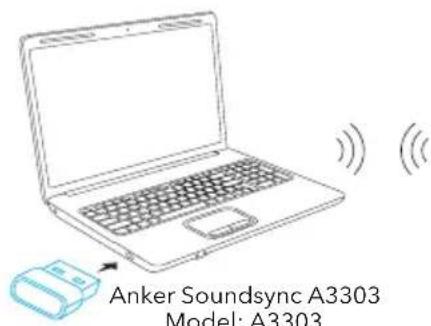
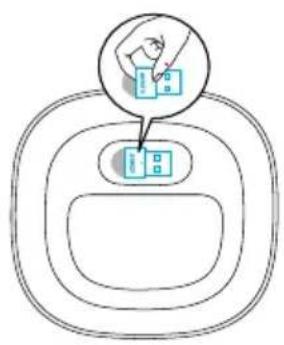
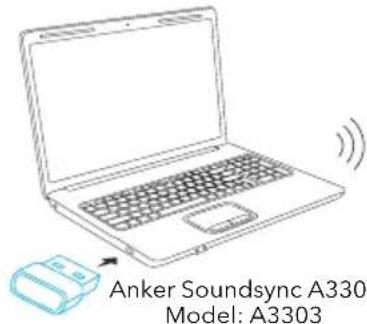
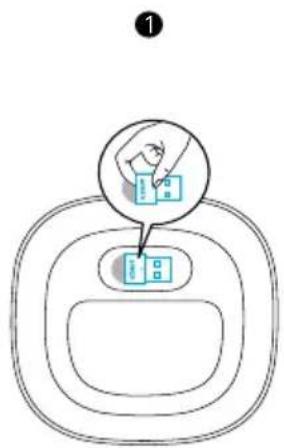
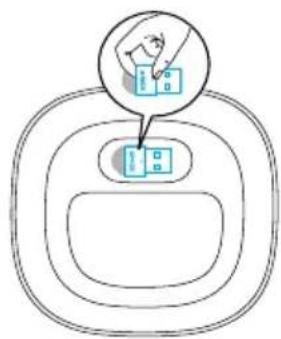
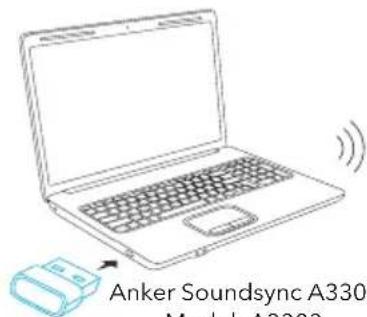
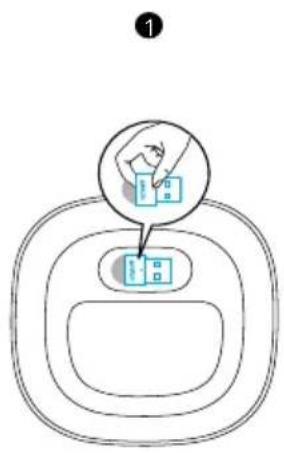
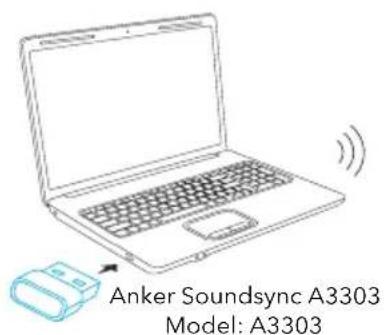
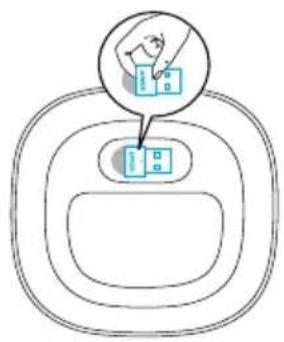
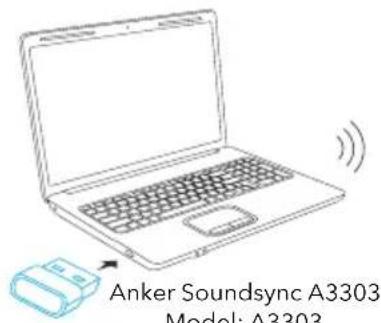
- Plug the provided Bluetooth dongle into a USB port on your PC. PowerConf S500 will be ready to use when it is powered on.
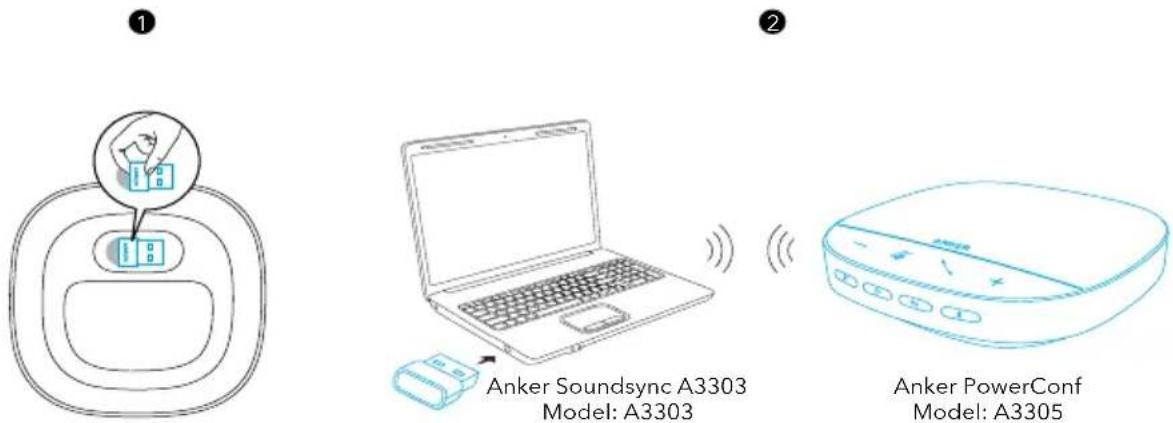
- You might need to manually set PowerConf S500 as the audio device for your PC system or conference software.
- macOS
System Preferences > Sound > Sound Effects / Output / Input
- Windows
Right-click on the sound icon > Open Sound settings > Choose your output device / Choose your input device
- Software (Zoom, Skype or more)
Settings > Audio > Speaker / Microphone
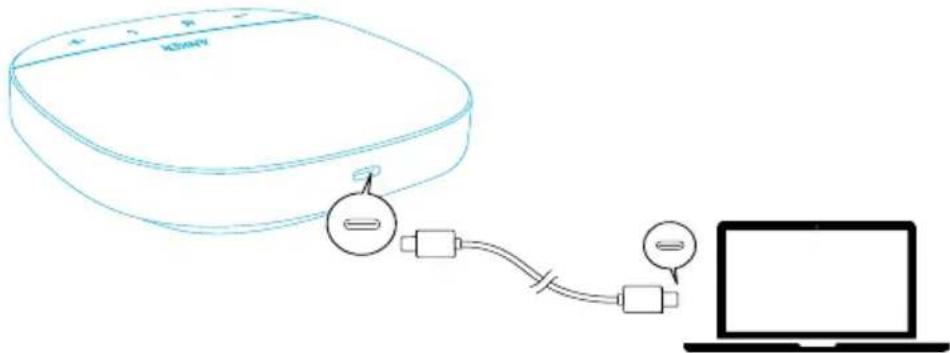
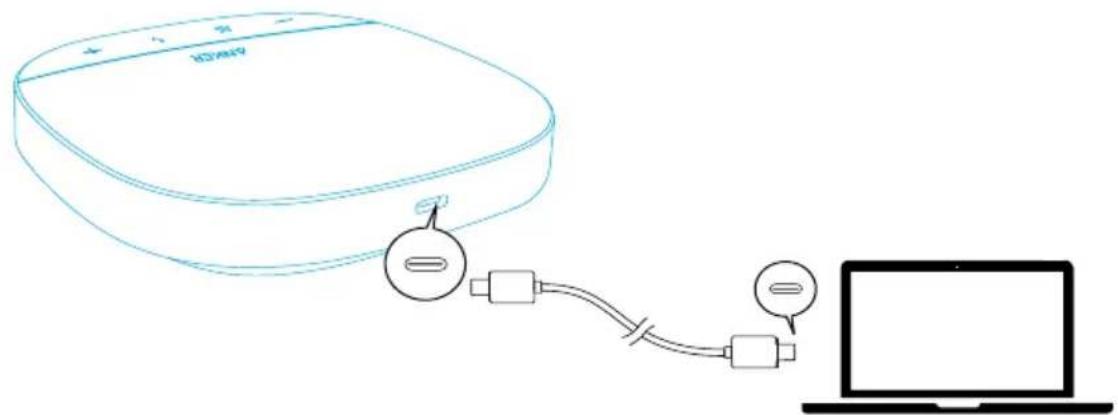
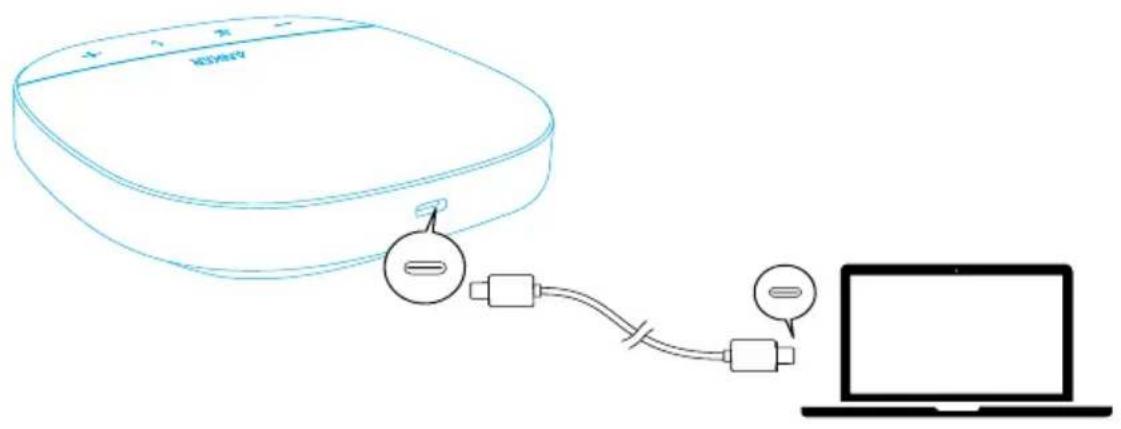
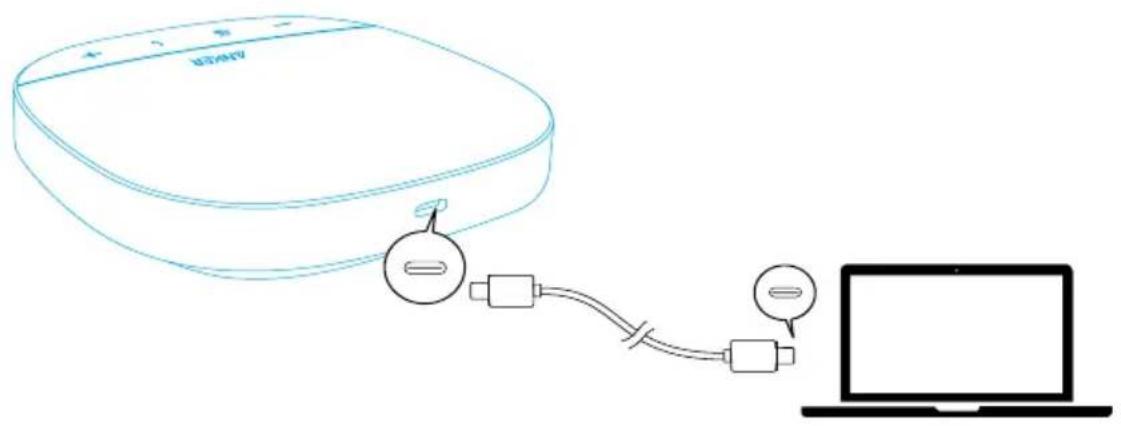
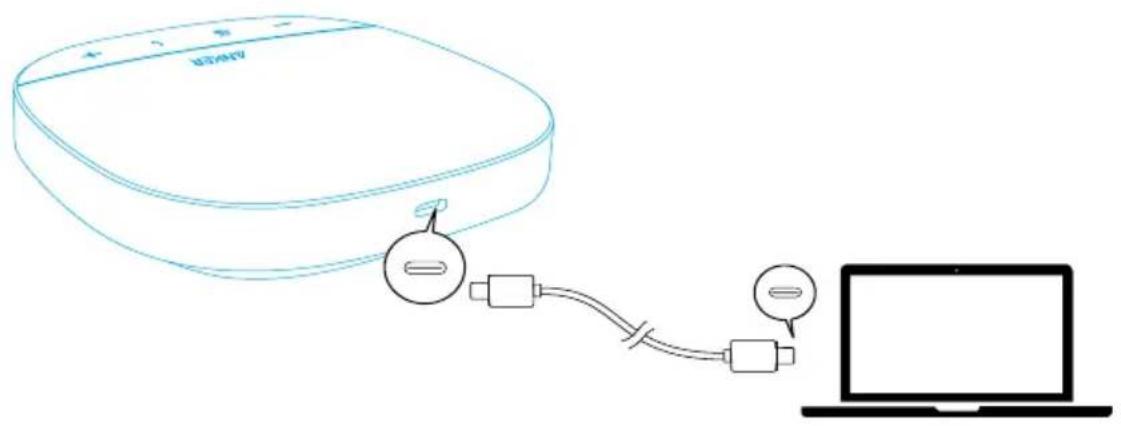
Option B: Connect to PC (USB-C Cable)
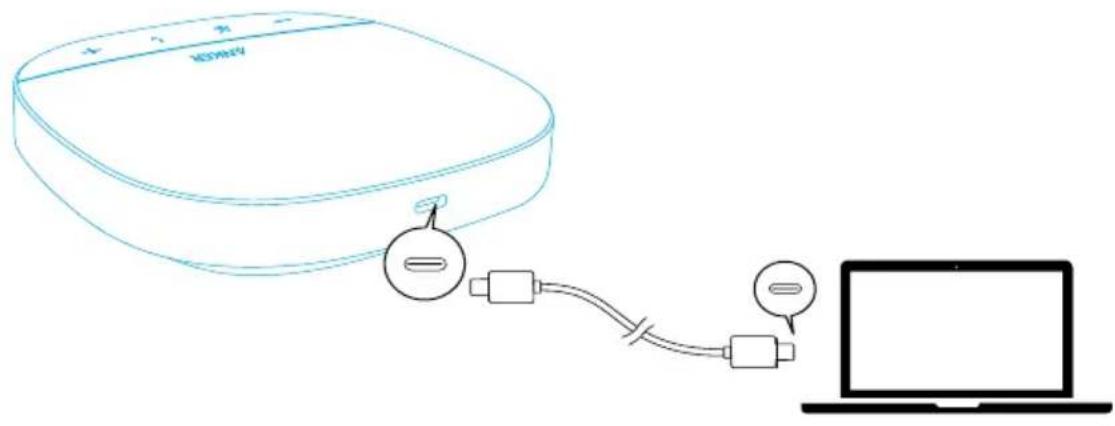
Connect PowerConf S500 to a PC using the provided USB-C cable. It will be ready to use when it's powered on.
Option C: Connect to Smartphone or Tablet (Bluetooth)
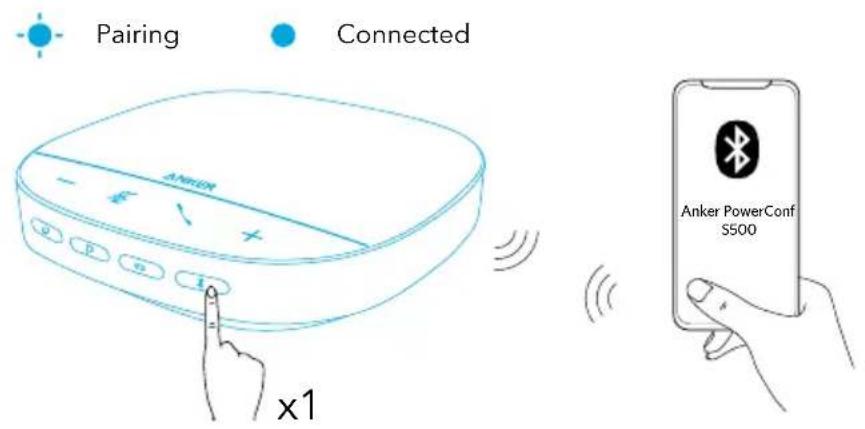
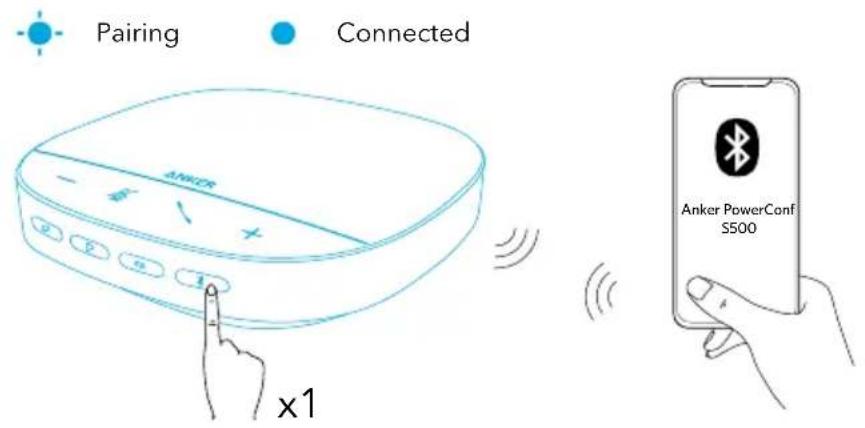
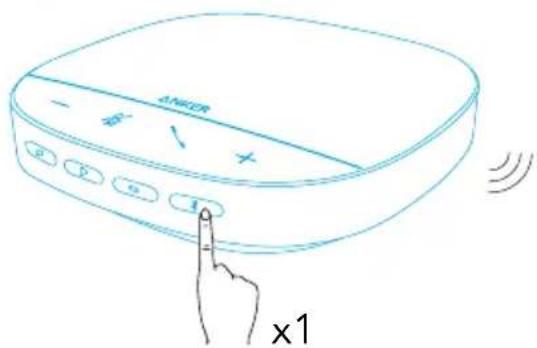
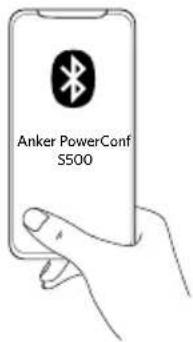
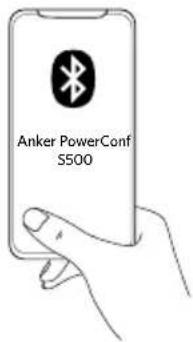
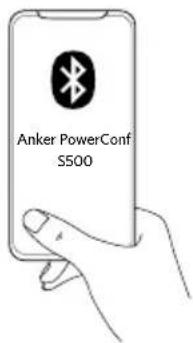
- When powered on, PowerConf S500 will automatically enter Bluetooth pairing mode. Alternatively, press the Bluetooth button to enter Bluetooth pairing mode.
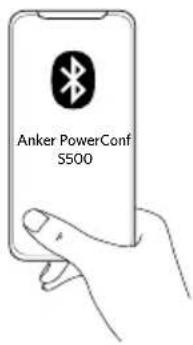
- Select "Anker PowerConf S500" on your smartphone's Bluetooth list to connect.
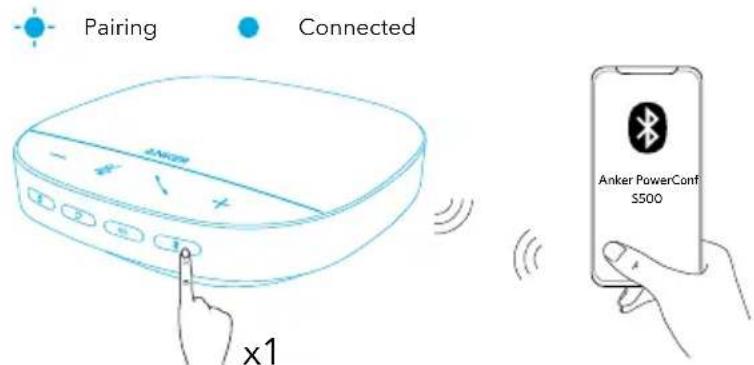
| Press Enter Bluetooth pairing mode | ||
| Flashing blue Pairing | ||
| Steady blue Connected |

- Each time you power on PowerConf S500, it will automatically connect with the last successfully connected device if available. If not, press the Bluetooth button to enter Bluetooth pairing mode.
- This speakerphone can pair up with two mobile devices via Bluetooth at a time. To pair with another Bluetooth device, press the Bluetooth button to re-enter Bluetooth pairing mode.
- When the speakerphone is connected to two devices via USB and Bluetooth at the same time, press and hold the play button for two seconds to switch between Bluetooth and USB modes.
- To disconnect the Bluetooth from one device, press the Bluetooth button again on the device that's currently active.
- If connection via the Bluetooth dongle fails, plug it into a USB port on your PC and then press the PC mute button four times. The light on the dongle will flash quickly. This indicates that the dongle has been reset with all pairing history cleared. The dongle will then connect with the speakerphone automatically.
Using Your PowerConf
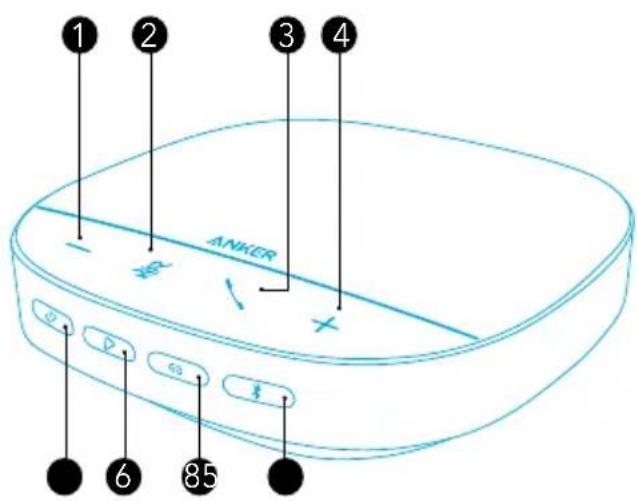
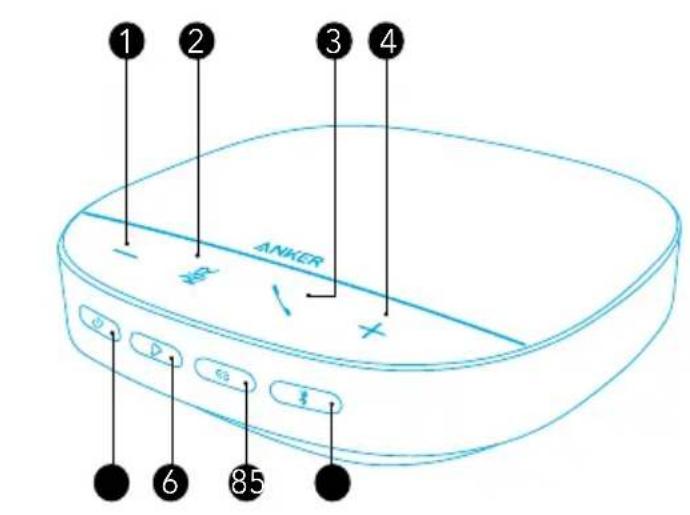
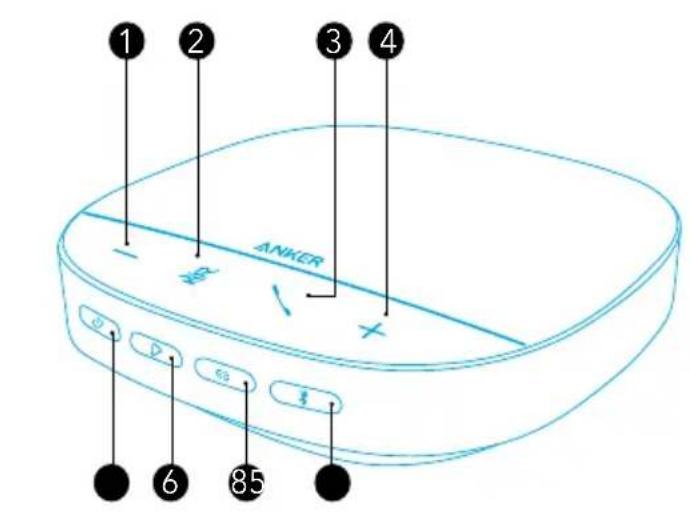
| Press and hold for 3 seconds Power on / off | ||
| Press (when powered on) Check | the battery level | |
| Press | Enter Bluetooth pairing mode or disconnect Bluetooth | |
| Press Answer / End a call | ||
| Press and hold for 2 seconds Reject a call or activate Siri | ||
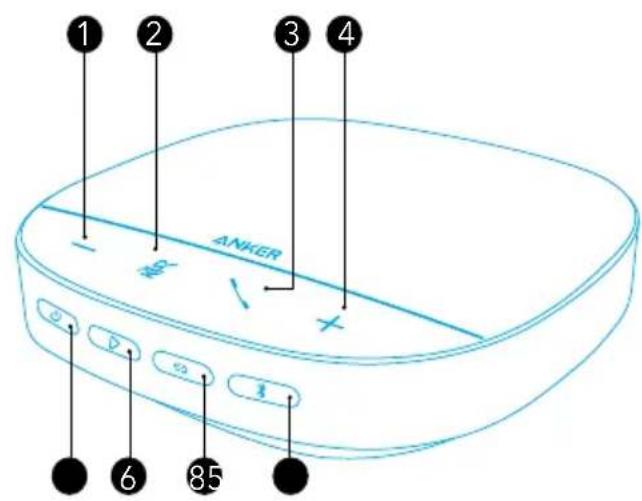
| +/- | Press or press and hold Volume up / down | |
| Press Mute or restore the microphone | ||
| Press Play / Pause / Resume music | ||
| Press twice | Switch between USB and Bluetooth modes when both are available | |
| Press and hold for 2 seconds Activate Siri or other voice assistant software | ||
| Press Link with another PowerConf S500 | ||
LED Light Bar
| Lights up blue then turns off Powered on | |
| Lights up green (battery level >10%) | Check the battery level |
| Lights up red then flashes (battery level <10%) | |
| Flashes blue Incoming call | |
| Lights up cyan (Standard mode) | Sound direction detected |
| Lights up purple (Broadcasting mode) | |
| Lights up blue then turns off Adjust volume | |
| Turns red Muted | |
| Lights up cyan Enter linking mode |
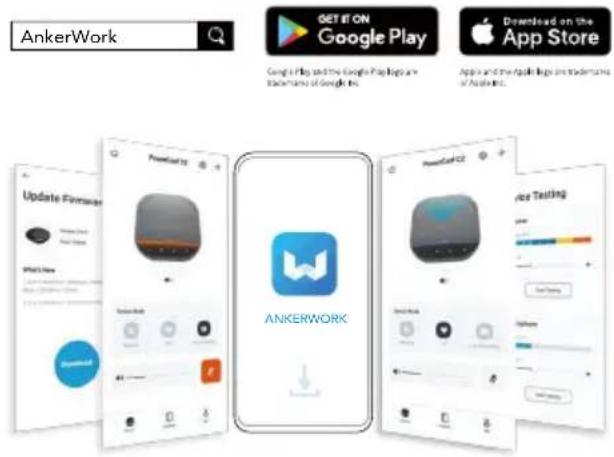
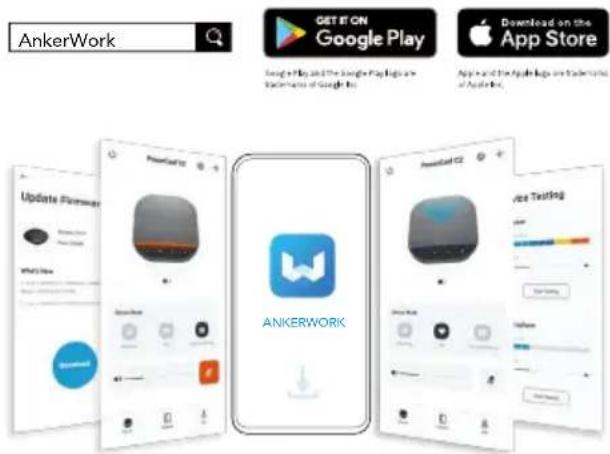
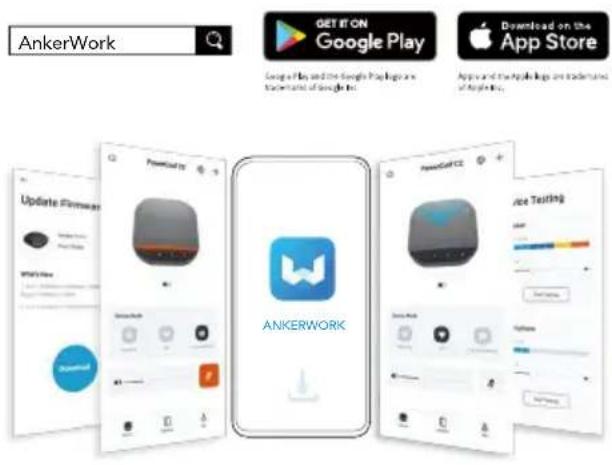
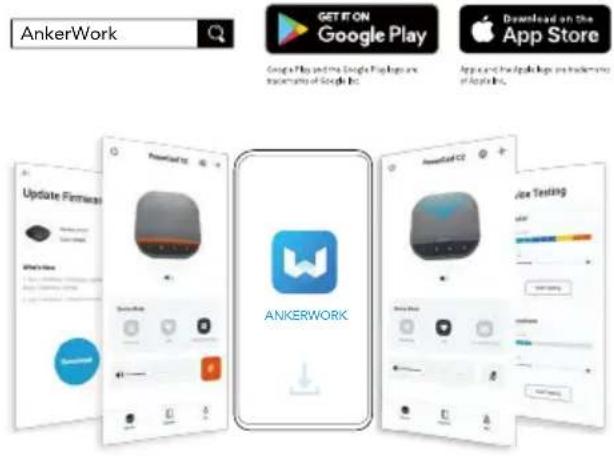
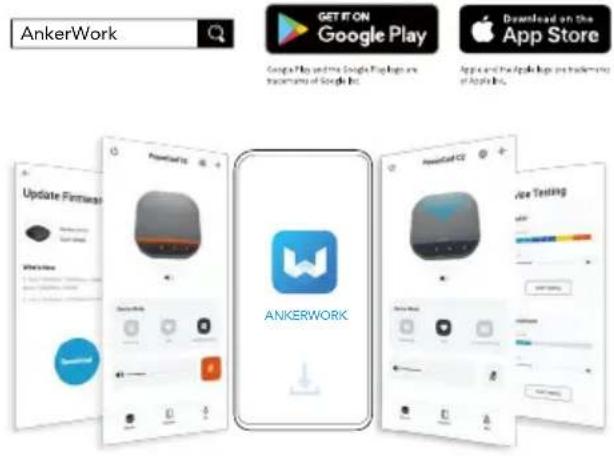
AnkerWork App
Download the AnkerWork app to enhance your experience.
- Check product information
- Read user manual
- Check battery level
- Check for the latest firmware updates
- Adjust volume
- Set auto-power off
- Manage devices
- Turn LED light bar off
- Set voice pickup modes
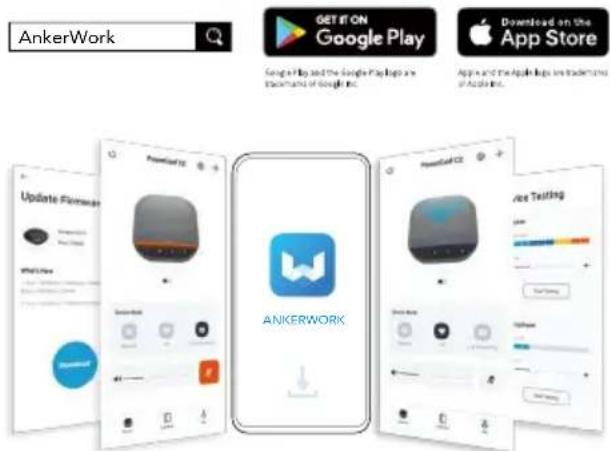

There are two voice pickup modes you can choose from in the AnkerWork app.
- Standard mode: Pick up all sounds from the near end.
- Broadcasting mode: Restore and deliver original sounds by turning the speaker off. You will not hear the far end anymore when in this mode. (You are strongly suggested to use this mode via USB connection).
Linking Mode
Linking mode is available only when you connect one PowerConf S500 with your PC using the USB-C cable. It is not available when connected via Bluetooth.
- Connect one PowerConf S500 with your PC using the provided USB-C cable.
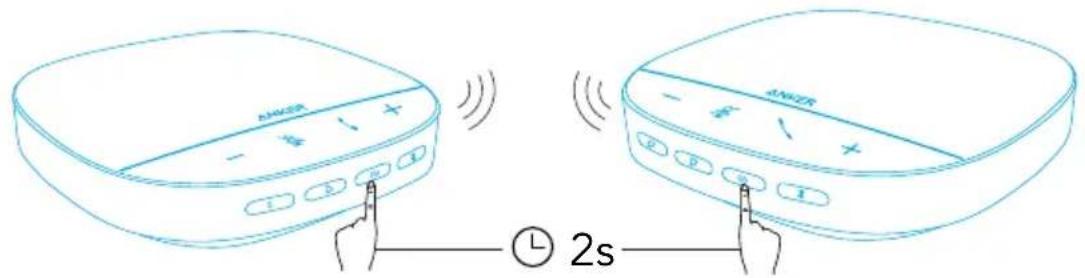
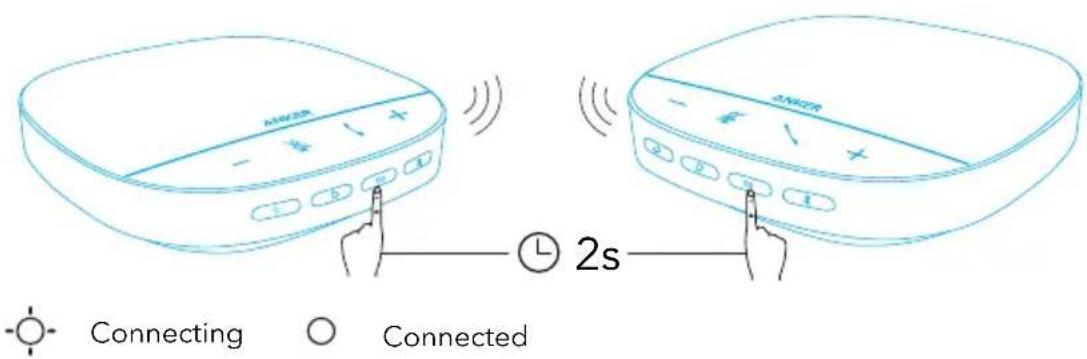
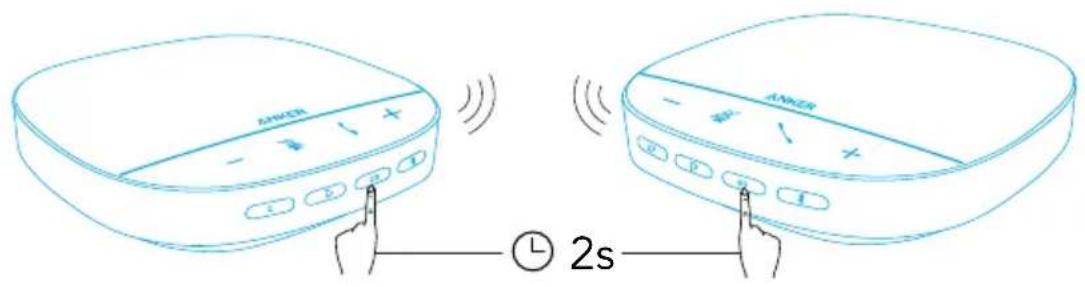
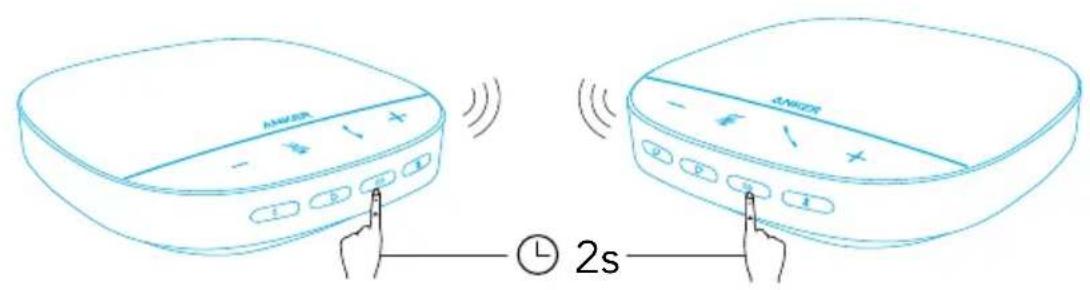
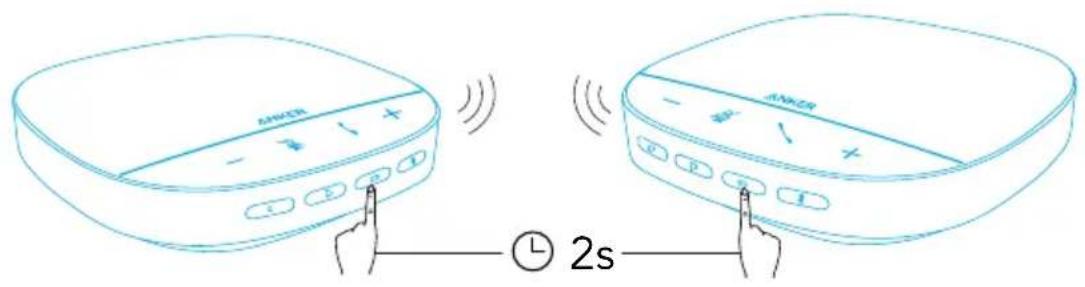
- Power on another PowerConf S500, then press the link button on both PowerConf S500 speakerphones simultaneously to enter linking mode.
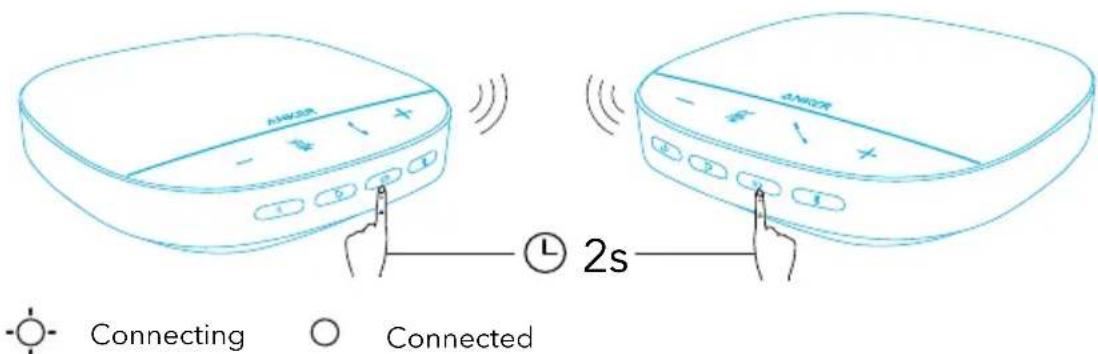
| Press Enter linking mode | ||
 | Flashing cyan Connecting | |
 | Steady cyan Connected |

- This mode is not available when both PowerConf S500 speakerphones are connected via a USB cable.
- The recommended distance between the two PowerConf S500 speakerphones is about 3 m.
- To exit linking mode, press and hold the link button for 2 seconds simultaneously on both PowerConf S500 speakerphones.
Specifications
≡ Specifications are subject to change without notice.
Input 5V 2A ---
Rated output power 10W
Battery capacity 6700 mAh
Charging time 4 hours
Talktime 16 hours
Driver size 1 x 1.75" (full range)
Frequency response 20 Hz - 20 kHz
Voice pickup range 5 m / 16 ft
Microphone 4 stereo microphones
Bluetooth version 5.0
Bluetooth range 10 m / 33 ft
Přehled
Zapnutí/Vypnutí
natural_image
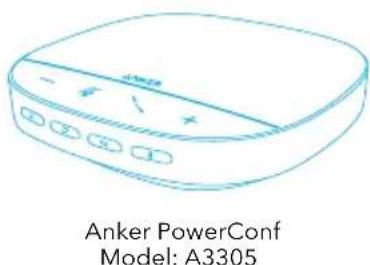
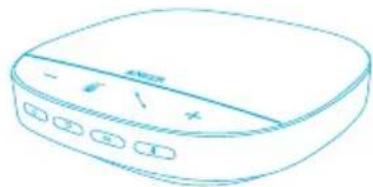
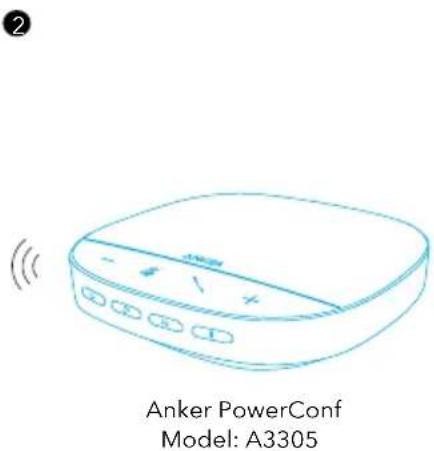
Line drawing of a portable electronic device with control buttons (no text or symbols)Anker PowerConf Model: A3305
Tænde/slukke

| Tryk Gå til Bluetooth-parringstilstand | ||
| Blinker blåt Parring | ||
| Lyser blåt Tilsluttet |


Connecting

Connected
Virta päälle/pois

flowchart
graph TD
    A["User Icon"] --> B["Box 1"]
    B --> C["Box 2"]
2

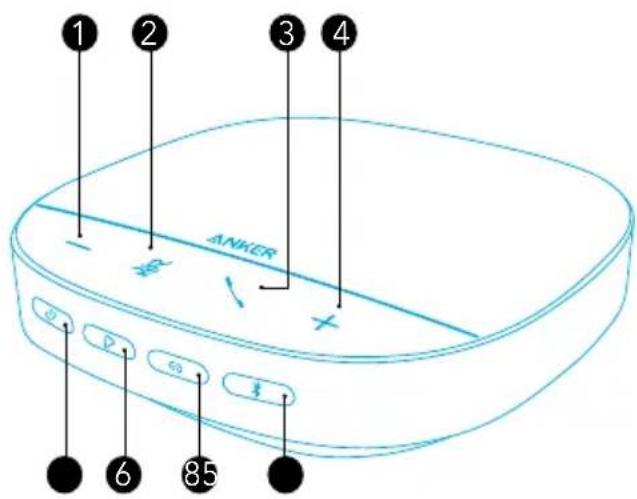
1 Bouton de volume bas
6 Bouton Lecture
② Bouton Muet
7 Bouton de liaison

Application AnkerWork



Dimensioni driver 1 x 1,75" (full range)
In-/uitschakelen

Slå på/av


Du kan velge blant 2 stemmehentingsmoduser i AnkerWork-appen.


Ligando/desligando

| Pressione | Acesse o modo de emparelhamentoBluetooth | |
| piscando na cor azul Emparelhamento | ||
| Luz azul constante Yhdistetty |

- Aina, kun kytket PowerConf S500:n päälle, se muodostaa automaattisesti yhteyden viimeiseen onnistuneesti yhdistettyyn laitteeseen, jos se on käytettävissä.Se não estiver disponível, pressione o botão Bluetooth para entrar no modo de emparelhamento Bluetooth.
- Tämä kaiutinpuhelin voi muodostaa laiteparin Bluetoothilla kahden mobiililaitteen kanssa samanaikaisesti. Para emparelhar com outro dispositivo Bluetooth, pressione o botão Bluetooth para acessar o modo de emparelhamento Bluetooth novamente.
- Quando o viva-voz estiver conectado a dois dispositivos via USB e Bluetooth ao mesmo tempo, pressione e segure o botão de reprodução por 2 segundos para alternar entre os modos Bluetooth e USB
- Jos haluat katkaista yhden laitteen Bluetooth-yhteyden, paina Bluetooth-painiketta uudelleen sillä hetkellä aktiivisessa laitteessa.
- Se a conexão via dongle Bluetooth falhar, conecte-o a uma porta USB do seu PC e pressione o botão de mudo do PC quatro vezes. A luz no dongle piscará rapidamente. Isso indica que o dongle foi redefinido com todo o histórico de pareamento apagado. O dongle então conectará automaticamente ao viva-voz.
Como usar o PowerConf

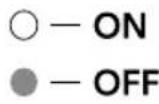
○ - ON
- OFF

flowchart
graph TD
    A["Person pointing to box"] --> B["Box labeled 'i'"]
    style A fill:#f9f,stroke:#333
    style B fill:#bbf,stroke:#333
2
(
natural_image
Line drawing of a portable electronic device with buttons and ports (no text or symbols)Anker PowerConf
Model: A3305
| * | ||

| 山 | ||
| * | ||
| # | ||
| +/- | ||
| # | ||
| △ | ||
| # |


Connecting

Connected


Överblick

| Tryck Aktivera Bluetooth-parkopplingsläge | ||
| Blinkar blått Parkoppling | ||
| Lyser blått Ansluten |



| * | ||

| 山 | ||
| * | ||
| # | ||
| +/- | ||
| # | ||
| △ | ||

1
6
2
7
3
8
4
9
5
三

1
flowchart
graph TD
    A["Person"] --> B["Block 1"]
    B --> C["Block 2"]
2
natural_image
Line drawing of a portable electronic device with buttons and indicator lights (no text or symbols)Anker PowerConf Model: A3305

Pairing

Connected


| 山 | ||
| * | ||
| 电话 | ||
| +/- | ||
| # | ||
| △ | ||
| # |
LED
AnkerWork App
Long a Plan and the Google Playlog is
Machratic of Google Inc.
Approve the Apple logo are standardized of Apple logo.


Connecting

Connected


三
1
6
2
7
3
8
4
9
5



flowchart
graph TD
    A["Input"] --> B["Box 1"]
    B --> C["Output"]


| 山 | ||
| * | ||
| +/- | ||
| △ | ||
| ∅ |

 | ||


三
1
6
2
7
3
8
4
9
5


1
flowchart
graph TD
    A["Person Select"] --> B{Box 1}
    B --> C["Box 2"]
2
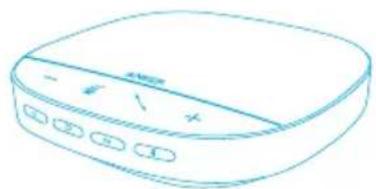
natural_image
Line drawing of a portable electronic device with buttons and ports (no text or symbols)Anker PowerConf Model: A3305


| 山 | ||
| * | ||
| +/- | ||
| 山 |
LED
AnkerWork
GET IT ON Google Play
Download on the App Store
Google Play and the Google Play logo are trademarks of Google Inc.
app.csc@pckp.pctukwnt e@ppk


Connecting

Connected


三
natural_image
Line drawing of a portable electronic device with buttons and ports (no text or symbols)Anker PowerConf Model: A3305


natural_image
Line drawing of a portable electronic device with buttons and ports (no text or symbols)Anker PowerConf Model: A3305
• אַרְשׁ
• אַרְק'
• בַלְר
• D'JF
• 717
• 'un
• אַרְשׁ
• LED
• 717
