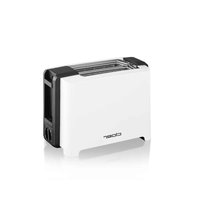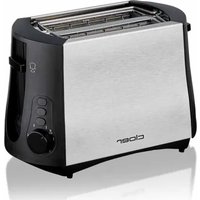
3419 - Toaster Cloer - Free user manual and instructions
Find the device manual for free 3419 Cloer in PDF.


User questions about 3419 Cloer
0 question about this device. Answer the ones you know or ask your own.
Ask a new question about this device
Download the instructions for your Toaster in PDF format for free! Find your manual 3419 - Cloer and take your electronic device back in hand. On this page are published all the documents necessary for the use of your device. 3419 by Cloer.
USER MANUAL 3419 Cloer
natural_image
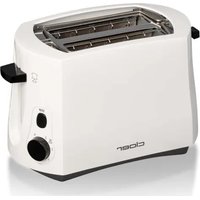
Two cloer brand cookers, Cloer-3210 and Cloer-3211, shown in black and white designs (no text or symbols on the devices themselves)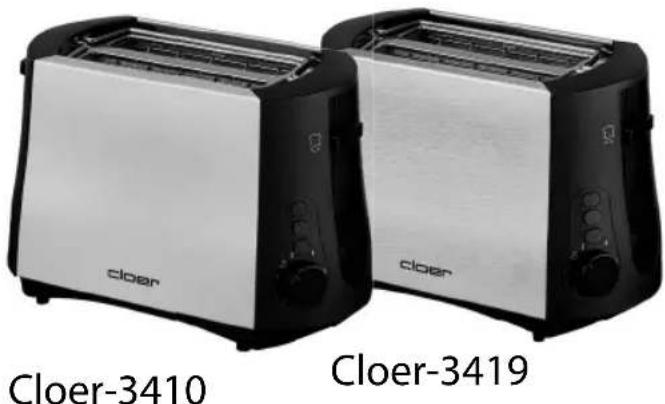
natural_image
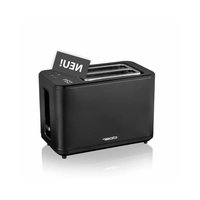
Two Cloer-3410 and Cloer-3419 brand cooktop models (no text or symbols on the devices themselves)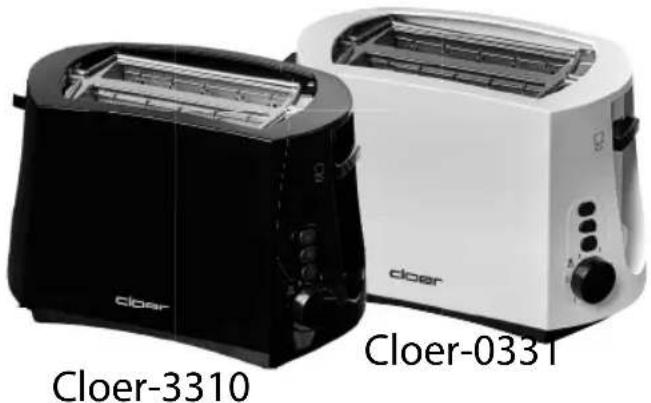
natural_image
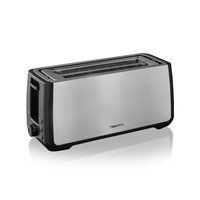
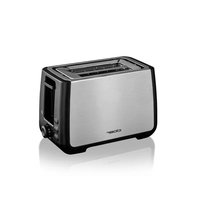
Two Cloer brand cookers, Cloer-3310 and Cloer-0331, shown in black and white with no visible text or symbols on the devices themselves.natural_image
Close-up of a single rectangular bread slice, possibly a kernel or parchment, enclosed in a circular frame (no text or symbols visible)SPRACHEN - LANGUAGES
text_image
cloer STARTERS PUBLICS GROUPS MANUTBasic safety instructions
- The appliance is intended to be used in household only and using in:
– staff kitchen areas in shops, offices and other working environments
– in farm houses
— by clients in hotels, motels and other residential type environments
– on bed and breakfast type environments.
- Have repairs of Cloer electronic appliances carried out only by authorized Cloer specialist dealers or by the Cloer customer service. Improper repairs can involve substantial dangers for the user. Furthermore, this will void your warranty claims.
- Only operate the appliance at household-usual power sockets. Check if the mains voltage stated on the type plate is up to that of your power supply network.
- If the supply cord is damaged, it must be replaced by Cloer, its service agent or similarly qualified persons in order to avoid a hazard.
- Pull power plug of the power socket
– in case of a defect.
- if the appliance is not used for a longer time.
– before any cleaning.
- Only pull at the plug, never at the feed cable.
- Do not tighten the feed cable too tight as otherwise the appliance is likely to tip over.
- Do not stretch the feed cable over sharp edges.
- Do not use the feed cable for carrying and protect it from heat (hotplate / open flame).
- This appliance can be used by children aged from 8 years and above and persons with reduced physical, sensory or mental capabilities or lack of experience and knowledge if they have been given supervision or instruction concerning use of the appliance in a safe way and understand the hazards involved.
• Children may not play with the device.
- Cleaning and user maintenance shall not be made by children unless they are older than 8 and supervised.
- Keep the appliance and its cord out of reach of children less than 8 years.
- Do not use the appliance in outdoor.
- Protect your appliance from humidity (splash water / rain).
- Let the appliance cool off before cleaning or stowing away.
- This appliance should not be operated due to an external timer or separate remote control system.
- The bread may burn, therefore do not use the toaster near or below combustible material, such as curtains.
- Regularly remove the bread crumbs in the toaster, by pulling out and empty the crumb tray.
- Do not immerse the appliance in water.
- Please note the cleaning instructions on the following pages.
- Please use the re-elevation device of the toast lift with small toast slices (lift the toast lift until the stop). The risk of burning at the hot housing is lowered thereby.
Technical Data
| type volt hz watt | |||
| 321 | 220-240 50 | 82533 | |
| 34 | |||
Before the first use

Read these operating instructions carefully before using the appliance for the first time.
- Remove all packaging parts and, if applicable, stickers, not the identification plate.
- Put the toaster on a dry, anti-grip and even base.
- The first operation can cause a slight development of smell. This is why we recommend you to operate the appliance in a well-aired room at the beginning without toasting material three times at highest level.
- Attention! Appliance becomes hot
EC Label / Safety information
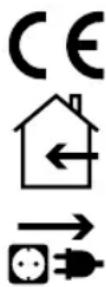
The appliance meets the requirements of the applicable EC directives.
The appliance is designed for indoor domestic use only.
ATTENTION! Always unplug the appliance when not in use and before cleaning.
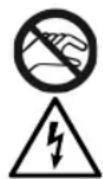
ATTENTION! The heating wires inside are electrically active during operation! Do not reach into the toaster or insert any objects, especially any metal (fork, spoon) into it. Risk of electric shock when touching it!
- Never leave your toaster unattended if it is in operation.
- Do not let mains cable hang down e.g. at corners or edges.
- Never put your fingers in the bread grooves.
- If a piece of bread gets caught in your toaster, the appliance switches automatically off.
- Unplug the power plug and remove the caught toasting material out of the interior of the appliance after cooling down.
- Therefore, always see to it that your toaster is never put near objects of paper, fabric or similar.
- Please note that your toaster has a heavy upwards heat emission.
- The bread grooves must not be covered up.
- Never use the toaster without crumb tray.
- This toaster is not suitable for toasting bread such as crispbread, rusk, etc.
- Assure that the cable never comes into contact with
hot areas.
- The browning control serves for the individual setting of the browning degree.
- If toasting only one slice of bread you should choose a low browning degree.
- If the lever key is stuck, the toaster cannot automatically switch off. See to it that the lift key is freely moving.
- Never use the toaster lying on its side.
Start-up and operating instructions
- Plug mains plug into power socket.
- Place slices of toast or bread in the toast compartments. Do not use slices that are too large or too thick. The slice of toast must not get stuck in the shaft.
- Set the required degree of browning.
- Try browning setting at first as the degree of browning depends on the toast bread and its humidity.
- Press the toast lever down until it clicks. Your toaster is in operation.
- Note: If the toaster is not plugged into the mains, the bread lever does not click into place as it is electromagnetically retained.
- The browning process can be interrupted at any time by pressing the "STOP" button.
- Should a slice of bread get caught in the toaster, the appliance switches off.
- After cooling down disconnect the mains and carefully remove the slice of bread without touching the heating elements.
- Advice: Please postion each slice of toast always in the middle of the bread slots to allow the slice of toast being consistently toasted from all sides.
Integrated attachment for buns
- The attachment for buns makes buns of the previous day oven-fresh and crispy again.
- Fold out the attachment for buns by means of the slide and toast both sides of your buns.
- Turn regulator to the sign between browning degree 2 and 3.
- Finally fold the attachment for buns again.
Reheat function

Select the reheat function to reheat stale bread or toast. To do this, press the lift button downwards and then press the button. The reheating function always lasts 30 seconds, regardless of the degree of browning.
Stop button

The toasting process can be interrupted at any time by pressing the stop button.
Defrost button

With the defrost button, you can toast still frozen bread. Insert the slice of bread into the slot, press the ON/OFF switch down and confirm the defrost button. The toasting time takes longer, since the bread needs to be defrosted first before it can be toasted. It is not necessary to change the toasting degree.
Anti-Jam function
The recessed toast lift prevents the toast lift from getting stuck, for example, due to roller shutter cabinets.
Cleaning
- Unplug power plug before cleaning and let appliance cool down.
- Clean appliance with a damp cloth, but never under running water. Do not use any aggressive cleaning agents. The heating elements must not get in contact with sharp objects (e.g. knife, fork or similar).
- Crumbs fall down into the crumb tray. Pull out the crumb tray, clean it and finally put it in again. Before pulling out the crump tray, let toaster cool down completely.
Environmentally friendly disposal
We use environmentally friendly packaging for the transport of our appliances. Please recycle cardboard/paper and plastic packaging appropriately.
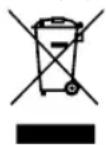
ATTENTION!
Electrical appliances should not be disposed of with the household trash.
Electrical appliances contain valuable raw materials. When an appliance is worn-out, please take it to a recognised recycling facility. Consult the local authorities for information on recycling appliances.
Warranty
Cloer electrical appliances are in conformity with the currently required EC-guidelines and safety regulations. If your Cloer electrical appliance has a defect or it does not work properly, contact your specialist dealer.
Registered clients have at their disposal our technical customer service.
Manufacturer warranty
Please register your appliances in the period of 6 months since the purchase in order to benefit from our manufacturer warranty. The published conditions of warranty in the moment of the registration are valid. You will find conditions of warranty and product registration here:
Manufacturer warranty
https://cloer.eu/guarantee
© 2025 by Cloer Germany GmbH&CoKG
https://cloer.com/contact
We reserve the right to make technical changes, we are not liable for any errors or printing errors.