USER MANUAL NN-CD58RS PANASONIC
Operating Instructions
Operating Instructions
Operating Instructions
Operating Instructions
For household use only
Scan the QR code for more recipes
IMPORTANT SAFETY INSTRUCTIONS:
Before operating this oven, please read these instructions carefully and keep for future reference.
IMPORTANT SAFETY INSTRUCTIONS
Safety Instructions....2-6
Disposal of Old Equipment......7
Installation and Connection ....7
Placement of Your Oven......8
Important User Instructions .....9-11
Parts of your Oven....12
Oven Accessories ......13
Cooking Modes....14-15
Control Panel....16
Beep Choice....17
Setting the Clock 17
Child Lock 18
Operation Guide Setting....18
Word Prompting....19
Microwave Cooking and
Defrosting 20-21
Defrost....22-23
Defrosting Guidelines ....24
Defrosting Chart Using Defrost
Microwave and Time....25
Using the Quick 30 Function .....26
Using the Add Time Function......26
Grilling 27-28
Convection Cooking .....29-30
Air Fry Cooking 31-32
Air Fry Cooking Chart....33-35
Combination Cooking ....36-37
Combination (Convection and Microwave) 38-39
Combination (Grill and
Microwave)....40-41
Multi-stage Cooking ....42
Using the Timer 43-44
Auto Programs 45-51
Cleaning Setting 51
Questions and Answers ....52-53
Care of Your Oven 53-54
Technical Specifications ....55
IMPORTANT SAFETY INSTRUCTIONS.
PLEASE READ CAREFULLY AND KEEP FOR FUTURE REFERENCE.
■ Before operating this oven, please read these instructions carefully and keep for future reference. ■ This appliance can be used by children aged from 8 years and above and persons with reduced physical, sensory or mental capabilities or lack of experience and knowledge if they have been given supervision or instruction by a person responsible for their safety concerning the use of the appliance in a safe way and understand the hazards involved. Children shall not play with the appliance. Cleaning and user maintenance shall not be made by children without supervision. Keep the appliance and its cord out of reach of children less than 8 years. ■ When this oven is installed, it should be easy to isolate the appliance from the electricity supply by pulling out the plug or operating a circuit breaker. ■ If the supply cord is damaged, it must be replaced by the manufacturer or its service agent or a similarly qualified person in order to avoid a hazard. ■ WARNING! The appliance should be inspected for damage to the door seals and door seal areas and if these areas are damaged the appliance should not be operated until it has been repaired by a service technician trained by the manufacturer. ■ WARNING! Do not attempt to tamper with or make any adjustments or repairs to the door, control panel housing, safety interlock switches or any other part of the oven. Do not remove the outer panel from the oven which gives protection against exposure to microwave energy.
Safety Instructions
■ Repairs should only be by a qualified service person. ■ WARNING! Do not place this oven near an electric or gas cooker range. ■ WARNING! Liquids and other foods must not be heated in sealed containers since they are liable to explode. ■ WARNING! Only allow children to use the oven without supervision when adequate instructions have been given so that the child is able to use the oven in a safe way and understands the hazards of improper use. Ensure that children do not touch the hot outer casing after operation of the oven. ■ The appliance must not be installed behind a decorative door in order to avoid overheating. ■ This oven is intended for Counter-top use only. It is not intended for built-in use or for use inside a cupboard. The appliance shall not be placed in a cabinet.
For Countertop use:
■ Oven must be placed on a flat, stable surface 85 cm above floor level, with rear of oven placed against a back wall. For proper operation, the oven must have sufficient air flow. i.e. 5 cm at one side, the other being open; 15 cm clear over the top; 10 cm at the rear.
■ When heating food in plastic or paper containers, check the oven frequently as these types of containers ignite if overheated.
■ If smoke is emitted or a fire occurs in the oven, press Stop/Cancel button and leave the door closed in order to stifle any flames. Disconnect the power cord, or shut off power at fuse or circuit breaker panel.
■ This appliance is intended to be used in household applications only. ■ Microwave heating of beverages can result in delayed eruptive boiling, therefore care must be taken when handling the container. ■ The contents of feeding bottles and baby food jars are to be stirred or shaken. The temperature has to be checked before consumption to avoid burns. ■ Do not cook eggs in their shells and whole hard-boiled eggs by microwave. Pressure may build up and the eggs may explode, even after the microwave heating has ended. ■ The oven should be cleaned regularly and any food deposits removed. ■ Clean the inside of the oven, door seals and door seal areas regularly. When food splatters or spilled liquids adhere to the oven walls, door seals and door seal areas wipe off with a damp cloth. Mild detergent may be used if they get very dirty. The use of harsh detergent or abrasive is not recommended. ■ Do not use commercial oven cleaners. - When using the grill, convection, air fry or combination mode, some foods may inevitably splatter grease on to the oven walls. If the oven is not cleaned occasionally, it may start to “smoke” during use. ■ Failure to maintain the oven in a clean condition could lead to deterioration of surfaces that could affect the life of the appliance and possibly result in a hazardous situation.
■ WARNING! The appliance and its accessible parts become hot during use. Care should be taken to avoid touching heating elements. Children less than 8 years of age shall be kept away unless continuously supervised. ■ A steam cleaner is not to be used for cleaning the appliance. ■ Do not use harsh, abrasive cleaners or sharp metal scrapers to clean the oven door glass since they can scratch the surface, which may result in shattering of the glass. ■ Exterior oven surfaces and the oven door will get hot during grill, convection, air fry and combination functions, take care when opening or closing the door and when inserting or removing food and accessories. ■ This appliance is not intended to be operated by means of an external timer or separate remote-control system. ■ Only use utensils that are suitable for use in microwave ovens. ■ The oven has a heating element situated in the top of the oven. After using the grill, convection, air fry, or combination functions, the inside surfaces of the oven will be very hot. Care should be taken to avoid touching any of the inside surfaces near the heating element inside the oven. N.B. after cooking by these functions, the oven accessories will be very hot. ■ In case of electronic failure, the oven can only be turned off at the wall socket.
This combination oven is intended for heating food and beverages only. Take care when heating foods low in moisture, e.g., bread items, chocolate, biscuits, and pastries. These can easily burn, dry out, or catch fire if cooked too long. We do not recommend heating foods low in moisture such as popcorn or poppadoms. The microwave oven is intended for heating food and beverages. Drying of food, newspapers, or clothing and heating of warming pads, slippers, sponges, damp cloths, wheat bags, hot water bottles, and similar may lead to risk of injury, ignition, or fire. Users are advised to avoid downward pressure on the microwave oven door when it is in the open position. There is a safety risk that the oven will tilt forward. The oven lamp must be replaced by a service technician trained by the manufacturer. Do not attempt to remove the outer casing from the oven. Caution! In order to avoid a hazard due to inadvertent resetting of the thermal cut-out, this appliance must not be supplied through an external switching device, such as a timer, or connected to a circuit that is regularly switched on and off by the utility. Care should be taken not to displace the glass tray when removing containers from the appliance. Metallic containers for food and beverages are not allowed during microwave cooking.
Disposal of Old Equipment
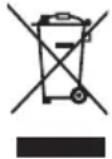
Only for European Union and countries with recycling systems
This symbol on the products, packaging, and/or accompanying documents means that used electrical and electronic products must not be mixed with general household waste.
For proper treatment, recovery, and recycling of old products, please take them to applicable collection points in accordance with your national legislation.
By disposing of them correctly, you will help to save valuable resources and prevent any potential negative effects on human health and the environment. For more information about collection and recycling, please contact your local municipality.
Penalties may be applicable for incorrect disposal of this waste, in accordance with national legislation.
Installation and Connection
Examine Your Oven
Unpack the oven, remove all packing material, and examine the oven for any damage such as dents, broken door latches, or cracks in the door. If you find any damage, notify your dealer immediately. Do not install a damaged oven.
Earthing Instructions
If your AC outlet is not grounded, it is the personal responsibility of the customer to have it replaced with a properly grounded wall socket.

Important! This unit has to be properly earthed for personal safety.
Operation Voltage
The voltage has to be the same as specified on the label on the oven. If a higher voltage than specified is used, it may cause a fire or other damages.
Placement of Your Oven
This oven is intended for counter-top use only. It is not intended for built-in use or for use inside a cupboard. The appliance shall not be placed in a cabinet.
Countertop use:
- Place the oven on a flat and stable surface more than 85 cm above the floor level, with the rear of the oven placed against a back wall.
- When this oven is installed, it should be easy to isolate the appliance from the electricity supply by pulling out the plug or operating a circuit breaker.
- For proper operation, ensure sufficient air circulation for the oven.
a. Allow 5 cm on one side, the other side being open; 15 cm clear over the top; 10 cm at the rear.
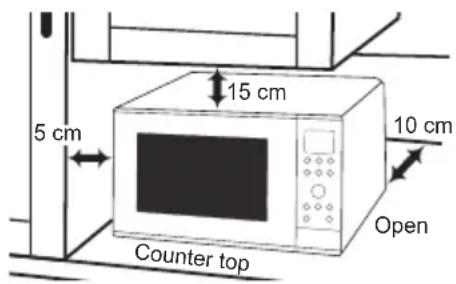
b. If one side of the oven is placed flush to a wall, the other side or top must not be blocked.
- Do not place this oven near an electric or gas cooker range.
- The feet should not be removed.
- This oven is only for household usage. Do not use outdoors.
- Avoid using the oven in high humidity.
- The power cord should not touch the outside of the oven. Keep the cord away from hot surfaces. Do not let the cord hang over the edge of a table or work top. Do not immerse the cord, plug, or oven in water.
- Do not block the air vents on the sides and back of the oven. If these openings are blocked during operation, the oven may overheat. In this case, the oven is protected by a thermal safety device and resumes operation only after cooling down.
Important User Instructions
- Do not use the oven for any reason other than the preparation of food. This oven is specifically designed to heat or cook food. Do not use this oven to heat chemicals or other non-food products.
- Before use, check that utensils/containers are suitable for use in microwave ovens.
- Do not operate this appliance if it has a damaged cord or plug, if it is not working properly, or if it has been damaged or dropped. It is dangerous for anyone other than a service technician trained by the manufacturer to perform repair service.
- It is hazardous for anyone other than a competent person to carry out any service or repair operation that involves the removal of a cover which gives protection against exposure to microwave energy.
- When the oven is not being used, do not store any objects inside the oven in case it is accidentally turned on.
- The appliance must not be operated by microwave, air fry 4-5, or combination without food in the oven. Operation in this manner may damage the appliance. Exception to this is point 1 under heater operation.
- The microwave oven is intended for heating food and beverages only. Take care when heating foods low in moisture, e.g. bread items, chocolate, biscuits and pastries. These can easily burn, dry out or catch fire if cooked too long. We do not recommend heating foods low in moisture such as popcorn or poppodums. Drying of food, newspapers or clothing and heating of warming pads, slippers,
sponges, damp cloth, wheat bags, hot water bottles and similar may lead to risk of injury, ignition or fire.
- If smoke is emitted or a fire occurs in the oven, press Stop/Cancel and leave the door closed in order to stifle any flames. Disconnect the power cord, or shut off power at fuse or circuit breaker panel.
Heater operation
- Before using convection, air fry, combination or grill function for the first time, wipe excessive oil off in the oven cavity and operate the oven without food and accessories on convection 220 °C for 5 minutes. This will allow the oil that is used for rust protection to be burned off. This is the only time the oven is used empty.

Caution! Hot surfaces Exterior oven surfaces and the oven door will get hot during Combination/Grill/Convection/Air Fry.
- Exterior oven surfaces and the oven door will get hot during convection, air fry, combination and grilling, take care when opening or closing the door and when inserting or removing food and accessories.
- The oven has a heating element situated in the top of the oven.

Caution!
After using the convection, air fry, combination and grill functions, the inside surfaces of the oven will be very hot. Care should be taken to avoid touching the heating elements inside the oven.
Important User Instructions
- WARNING: The accessible parts may become hot in convection, air fry, combination and grill use. Young children less than 8 years of age should be kept away, and children should only use the oven under adult supervision due to the temperatures generated.

Caution!
After cooking by these modes, the oven accessories will be very hot.
Oven Light
When it becomes necessary to replace the oven light, please consult your dealer.
Cooking Times
The cooking times given in the cookbook are approximate. The cooking time depends on the condition, temperature, amount of food and on the type of cookware.
Begin with the minimum cooking time to help prevent overcooking. If the food is not sufficiently cooked you can always cook it for a little longer.

Important!
If the recommended cooking times are exceeded the food will be spoiled and in extreme circumstances could catch fire and possibly damage the interior of the oven.
Small Quantities of Foods
Small quantities of food or foods with low moisture content can burn, dry out or catch on fire if cooked too long. If materials inside the oven should ignite, keep the oven door closed, turn the oven off and remove the plug from the socket.
Piercing Skin
Food with non porous skins, such as potatoes, egg yolks and sausages must be pierced before cooking by microwave to prevent bursting.
Meat Thermometer
Use a meat thermometer to check the degree of cooking of roasts and poultry only when the meat has been removed from the oven. Do not use a conventional meat thermometer in the oven because it may cause sparking.
Eggs
Do not cook eggs in their shells and whole hard-boiled eggs by microwave. Pressure may build up and the eggs may explode, even after the microwave heating has ended.
Important User Instructions
Liquids
When heating liquids, e.g. soup, sauces and beverages in your oven, overheating the liquid beyond boiling point can occur without evidence of bubbling. This could result in a sudden boil over of the hot liquid.
To prevent this possibility the following steps should be taken:
a Avoid using straight-sided containers with narrow necks. b Do not overheat. c Stir the liquid before placing the container in the oven and again halfway through the cooking time. d After heating, allow it to stand in the oven for a short time, stir again before carefully removing the container.
Paper/Plastic
When heating food in plastic or paper containers, keep an eye on the oven due to the possibility of ignition.
Do not use recycled paper products (e.g. kitchen roll) unless the paper product is labelled as safe for microwave oven use. Recycled paper products may contain impurities which may cause sparks and/or fires during use.
Remove wire twist-ties from roasting bags before placing the bags in the oven.
Utensils/Foil
Do not heat any closed cans or bottles because they might explode.
Metal containers or dishes with metallic trim should not be used during microwave cooking. Sparking will occur.
Feeding Bottles/Baby Food Jars
The top and teat or lid must be removed from feeding bottles or baby food jars before placing in the oven.
The contents of feeding bottles and baby food jars are to be stirred or shaken.
The temperature has to be checked before consumption to avoid burns.
Fan Motor Operation
After using the oven the fan motor may rotate for a few minutes to cool the electric components. This is normal and you can take out food even though the fan motor operates. You can continue using the oven during this time.
Parts of your Oven
1. Door release
Press to open the door. When you open the oven door during cooking, the cooking is stopped temporarily without clearing earlier made settings. The cooking is resumed as soon as the door is closed and Start button pressed.
2. See-through oven window
3. Door safety lock system
4. Oven lamp
The oven lamp will turn on during cooking and also when the door is opened. It will turn off after 1 minute if the door is left open.
5. Waveguide cover (do not remove)
- External oven air vents
- Control panel
- Power supply cord
- Plug
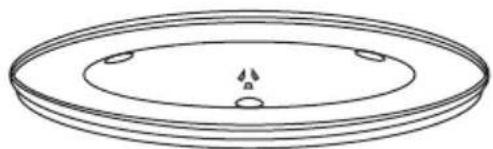
10. Glass tray
The glass tray and roller ring are the only accessories used for microwave cooking.
11. Roller ring
(i). The roller ring and oven floor should be cleaned frequently to prevent excessive noise. (ii). The roller ring must always be used together with the glass tray for cooking.
12. Heating elements
13. Wire rack
Spacers: Do not remove when cooking.
14. Enamel tray
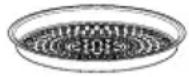
15. Air Fry Basket
16. Door hinges
To prevent injury when opening or closing the door, keep fingers away from the door hinges.
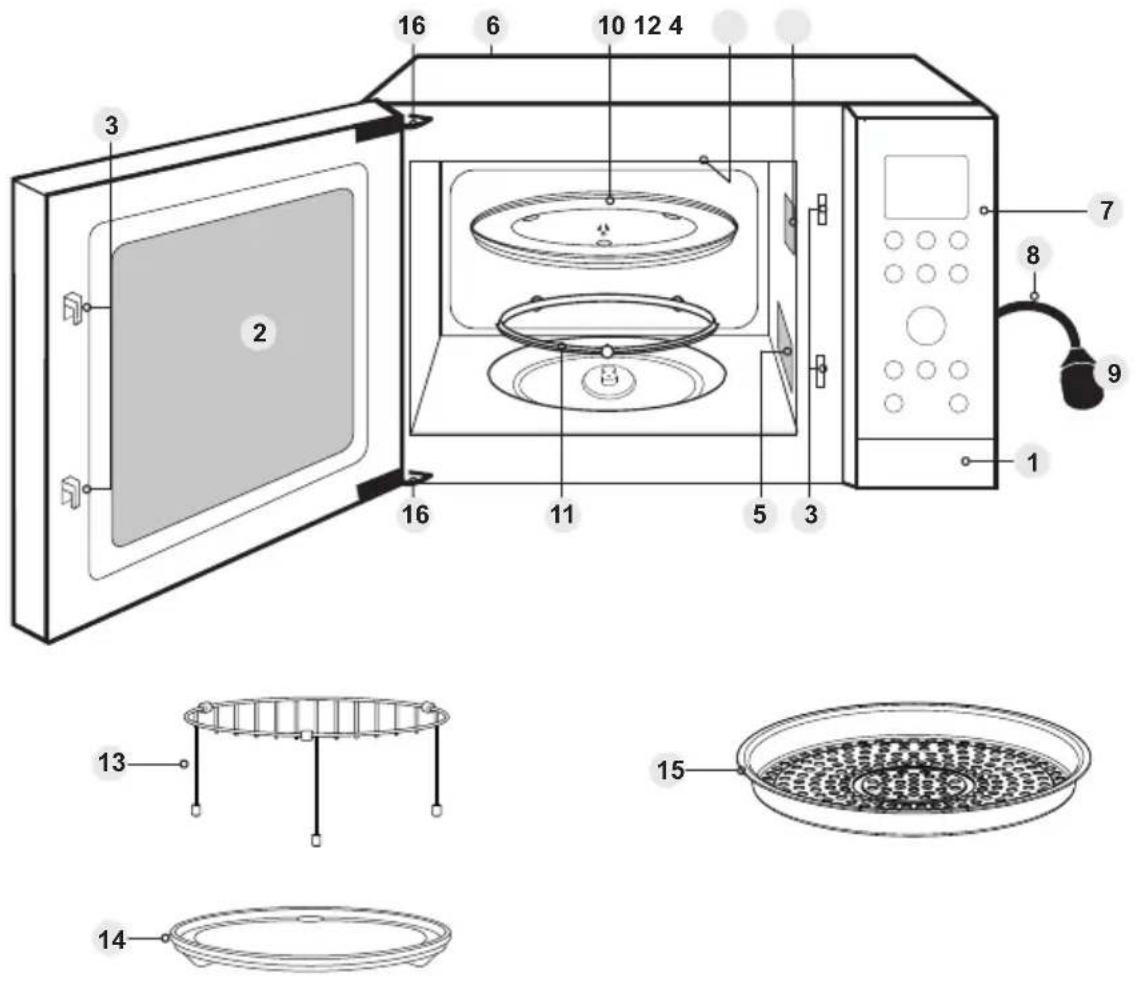

Note
- The illustration is for reference only.
- The glass tray, wire rack, enamel tray and Air Fry Basket are the only accessories with this oven. All other cooking utensils mentioned in this manual must be purchased separately.
Oven Accessories
Accessories
The oven comes equipped with a variety of accessories. Always follow the instructions given for use of the accessories.
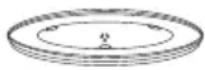
Glass Tray
- Do not operate the oven without the roller ring and the glass tray in place.
- Never use another type of glass tray than the one specially designed for this oven.
- If the glass tray is hot, let it cool before cleaning or placing in water.
- The glass tray can turn in either direction.
- If the food or cooking vessel on the glass tray touches the oven walls and stops the tray rotating, the tray will automatically rotate in the opposite direction. This is normal.
- Do not cook foods directly on the glass tray, except when cooking jacket potatoes in microwave mode.
Air Fry Basket
- The Air Fry Basket cannot be used in the microwave and combination 5-6 modes.
- The Air Fry Basket must always be in place on the wire rack on the enamel tray, and glass tray (unless stated).
Roller Ring
- The roller ring and the oven floor should be cleaned frequently to prevent noise and build-up of remaining food.
- The roller ring must always be used for cooking together with the glass tray.
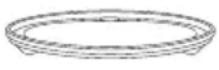
Enamel Tray
- The enamel tray is for cooking on grill, convection, air fry, and combination modes.
- Do not use the enamel tray in microwave mode only.
- Always place the enamel tray in the centre when using it directly on the glass tray.
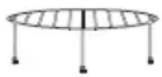
Wire Rack
- The wire rack is used to facilitate browning of small dishes and help with the good circulation of the heat.
- Do not use any metal container directly on the wire rack in combination with microwave.
- Do not use the wire rack in microwave mode only.
- Always place the wire rack in the centre when using it directly on the glass tray.
The following chart shows correct use of the accessories in the oven.
| Glass tray Enamel tray Wire rack | Air Fry Basket |
 |  |  |  |
| Microwave Yes | No No No | | | |
| Grill Yes Yes Yes | | | | |
| Convection/Air Fry | Yes Yes Yes Yes | | | |
| Combination 1-4 | Yes Yes Yes Yes | | | |
| Combination 5-6 | Yes Yes Yes No | | | |
Cooking Modes
The diagrams shown below are examples of the accessories. They may vary depending on the recipe or dish used. Further information can be found in the Cookbook.
| Cooking modes Uses | Recommended accessories | Containers |
Microwave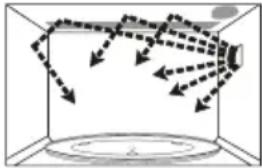 | DefrostingReheatingMelting: butter, chocolate, cheese.Cooking fish, vegetables, fruits, eggs.Preparing: stewed fruits, jam, sauces, custards, choux, pastry, caramel, meat, fish.Baking cakes without colour.No Preheating | - | Use your own Microwaveable dishes, plates or bowls |
Grill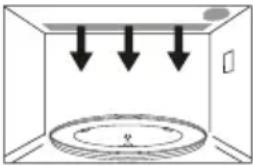 | Grilling of meat or fish.Toast grilling.Colouring of gratin dishes or meringue pies.No preheating | Enamel tray, Wire rack, Air fry basket | Heatproof containers on the accessory you need to use.Do not place dishes directly on glass tray. |
Convection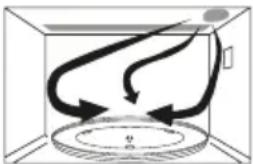 | Baking of small items with short cooking times: puff pastry, cookies, roll cakes.Special baking: bread rolls or brioches, sponge cakes.Baking of pizzas and tarts.Preheating advised | Enamel tray, Wire rack, Air fry basket | Heatproof, metal tin can be used on the accessory you need to use.Do not place dishes directly on glass tray. |
Cooking Modes
| Cooking modes Uses | | Recommended accessories | Containers |
| Combination 1-4 | Convection + microwave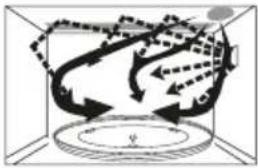 | Baking cakesPuff pastry tartsPreheating if necessary | Enamel tray, Wire rack, Air fry basket | Microwaveable and heatproof dishes can be used on the accessory you need to use.Do not place dishes directly on glass tray. |
| Combination 5-6 | Grill + microwave | Cooking lasagne, meat, potatoes or vegetable gratins.No Preheating | Enamel tray, Wire rack | Microwaveable and heatproof dishes placed directly on the accessory you need to use.No metal. |
| Air fry 1-3 | Convection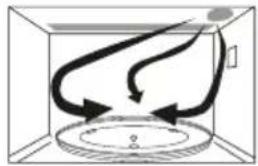 | Fry vegetables, fish fillets, sausages, frozen breaded foods, frozen potato products, chicken pieces and etc.No preheating | Enamel tray, Wire rack, Air fry basket | Heatproof, metal tin can be used on the accessory you need to use.Do not place dishes directly on glass tray. |
| Air fry 4-5 | Convection + microwave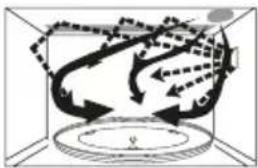 | Large pieces of fries food, jacket potatoes, whole chicken or having special demand for accelerating the airfry effect.No preheating | Enamel tray, Wire rack, Air fry basket | Microwaveable and heatproof dishes can be used on the accessory you need to use.Do not place dishes directly on glass tray. |
Control Panel
NN-CD58RS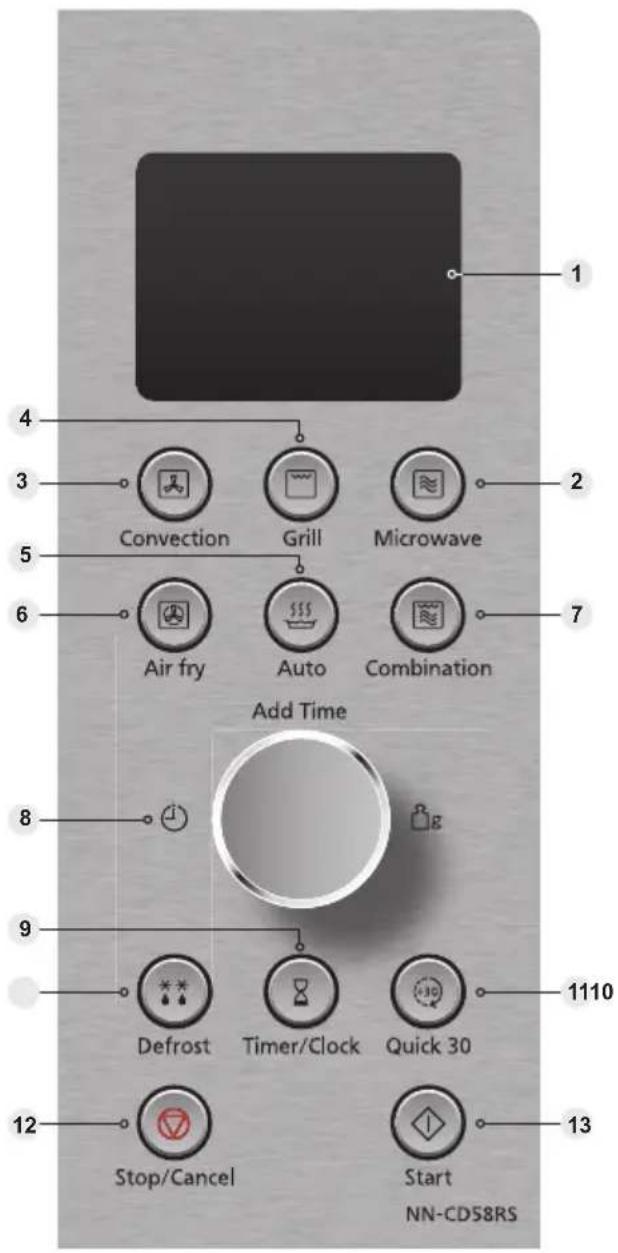

Beep Sound
A beep sounds when a button is pressed. If this beep does not sound, the setting is incorrect. When the oven changes from one function to another, two beeps sound. After completion of cooking, five beeps sound. After the completion of the preheating on Convection or Combination mode, three beeps sound.
- Display window
- Microwave button (pages 20-21)
- Convection button (pages 29-30)
- Grill button (pages 27-28)
- Auto button (pages 45-51)
- Air fry button (pages 31-35)
- Combination button (pages 36-41)
- Dial
Enter time or weight of food by turning the dial. Use the dial for the Add Time function. (page 26)
- Timer/Clock button (pages 17, 43-44)
- Defrost button (pages 22-23)
- Quick 30 button (page 26)
- Stop/Cancel button: Before cooking: One press clears your instructions. During cooking: one press temporarily stops the cooking program. Another press cancels all your instructions and the time of day will appear in the display. Press to start operating the oven. If during cooking the door is opened or Stop/Cancel is pressed once, Start has to be pressed again to continue cooking.
This oven is equipped with an energy saving function.

Note
When in stand-by mode the brightness of the display will be reduced. The oven will enter stand-by mode when first plugged in and immediately after the last operation has completed.
If an operation is set and the Start button is not pressed, after 6 minutes the oven will automatically cancel the operation. The display will revert back to clock mode.
Beep Choice
The oven has both "Beep On" and "Beep Off" mode. This unique feature of your Panasonic microwave oven allows you to establish the initial non-cooking features of your oven.
Start
Turn dial.

Stop/Cancel
Press Start twice after first plugging in.
"BEEP ON/OFF" scrolls across the display window. The default mode is "ON".
After setting, press Stop/Cancel to exit.

Note
- The choice can be selected only when you plug in the oven.
- Turning the dial again during step 2 will revert back to the initial "On" mode.
Setting the Clock
Example of how to set 11:25 am.
![graph LR A["Timer/Clock"] --> B["Add Time"] B --> C["Timer/Clock"]](/content/2026/05/751450/images/bccf81c4611050954e0702a5b09644cb8229296e5b838f49f7be38f84075ee9b.jpg)
Press Timer/Clock twice
"SET TIME" will appear in the display window, and the colon starts to blink.
Turn dial
Enter the time by turning the dial. The time appears in the display.
Press Timer/Clock
The colon stops blinking. Time of day is now locked into the display.

Note
- To reset time of day, repeat steps 1 through 3, as above.
- The clock will keep the time of day as long as the oven is plugged in and electricity is supplied.
- This is a 24 hour clock, i.e. 2 pm = 14:00 not 2:00.
Child Lock
Using this system will make the oven controls inoperable; however, the door can be opened. Child lock can be set when the display shows a colon or the time.
To set: To cancel:
Start
Stop/Cancel
Press Start three times
The time of day will disappear. Actual time will not be lost. 🔗 is indicated in the display.
Press Stop/Cancel three times
The time of day will reappear in the display.

Note
To set or cancel child lock, Start or Stop/Cancel must be pressed 3 times within 10 seconds.
Operation Guide Setting
To assist you in programming your oven, the following operation will appear in the display window. When you become familiar with your oven, the operation guide can be turned off.
To turn off:
Timer/Clock

OPERATION GUIDE OFF

Colon or time of day appears in the display window.
Press Timer/Clock four times. Display window
To turn on:
Timer/Clock

OPERATION GUIDE ON

Colon or time of day appears in the display window.
Press Timer/Clock four times. Display window
Word prompting![graph TD A["LINKS"] --> B["Language"] B --> C["DEUTSCH"] C --> D["FRANCAIS"] D --> E["ITALIANO"] E --> F["ESPAÑOL"] F --> G["NEDERLANDS"] G --> H["ENGLISH"] style A fill:#f9f,stroke:#333 style B fill:#ccf,stroke:#333 style C fill:#cfc,stroke:#333 style D fill:#fcc,stroke:#333 style E fill:#cff,strok…](/content/2026/05/751450/images/4b8d2194c18d4e31ee46fd212a1b6cc1166f11a65342aa0bb46dcef91dee39ca.jpg)
These models have a unique function “Word Prompting” which guides you through the operation of your microwave. After plugging in the oven, press the Start and then turn the Dial until you locate your language. As you turn the dial, the display will scroll the next instruction eliminating the opportunities for mistakes. If for any reason you wish to change the language displayed, unplug the oven and repeat this procedure.
If Timer/Clock is tapped 4 times, this will turn off the operation guide. To turn the operation guide back on, tap Timer/Clock 4 times.
Microwave Cooking and Defrosting
There are 7 different microwave power levels available.
| Press Level Wattage Max. time available |
| Once High 1000 W 30 minutes | |
| Twice Medium-High 800 W 1 hour and 30 minutes |
| 3 times Medium 600 W 1 hour and 30 minutes |
| 4 times Low 440 W 1 hour and 30 minutes |
| 5 times Simmer 300 W 1 hour and 30 minutes |
| 6 times Defrost 270 W 1 hour and 30 minutes |
| 7 times Warm 100 W 1 hour and 30 minutes |
![graph LR A["Microwave"] --> B["Add Time"] B --> C["Start"]](/content/2026/05/751450/images/299c628d97fa90237444ece4130d1f41567de23d4d100974ec171a308a5c929d.jpg)
Press Microwave
Press this button until the power you require appears in the display window. The microwave symbol ≈ will also appear. When you select 270 W, ** will also appear.
Set time
Select cooking time by turning the dial. (Max. time available, see above chart.)
Press Start
The cooking program will start and the time in the display will count down.
Microwave Cooking and Defrosting

Note
- Maximum time that can be set on 1000 W microwave is 30 minutes.
- On all power levels, except 1000 W microwave, the maximum time that can be set is 1 hour and 30 minutes.
- You can change the cooking time during cooking if required. Turn dial to increase or decrease the cooking time. Time can be increased/decreased in 1 minute increments, up to 10 minutes. Turning the dial to zero will end cooking.
- For manual defrosting times, please refer to defrost chart on page 25.
- For multi-stage cooking refer to page 42.
- Stand time can be programmed after microwave power and time setting. Refer to using the timer on pages 43-44.
Accessory to Use
When using your oven on microwave only, the glass tray provided must always be in position. Do not attempt to use microwave only with any metal accessory in the oven.
Do not place food directly onto the glass tray except in the case of jacket potatoes cooked by microwave only.
Foods reheated or cooked by microwave only are normally covered with a lid or cling film, unless otherwise stated.
Defrost
With this feature you can defrost frozen foods according to the weight. Select the category and set the weight of the food. The weight starts from the minimum weight for each category.
Select the desired program by pressing button once, twice or three times. The microwave, auto menu and defrost symbols will also appear.

Select the weight of the food by turning the dial.
Turning the dial slowly will count up in 10 g steps. Turning the dial quickly will speed up this process.
Press Start
Remember to stir or turn the food during defrosting.
| Program Weight Range Suitable Food |
| 1. Bread 100 g - | 900 g | Bread and rolls. Turn at beep. Standing time 10-15 minutes. |
| 2. Small Pieces | 200 g - 1200 g | Small pieces of meat, minced meat, chicken portions, steaks, chops. Turn at beeps. Standing time 15-30 minutes. |
| 3. Big Piece 400 | g - 2000 g | Whole chicken, meat joints. Turn at beeps. Standing time of at least 1 hour. |
This feature allows you to defrost minced meat, chops, chicken portions, meat joints and bread.
The Defrost button should be pressed to select the correct category and then enter in the weight of the food in grams using the dial.
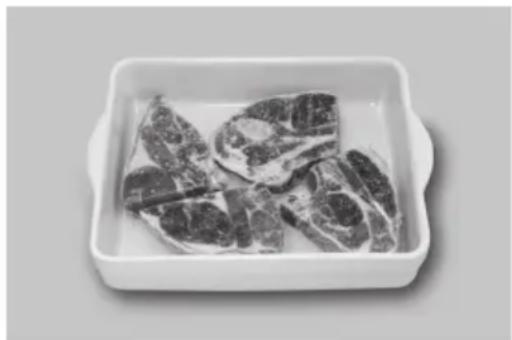
Foods should be placed in a suitable dish, whole chickens and joints of meat should be on an upturned saucer or on a rack. Chops, chicken portions and slices of bread should be placed in a single layer. It is not necessary to cover the foods.
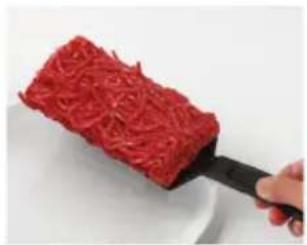
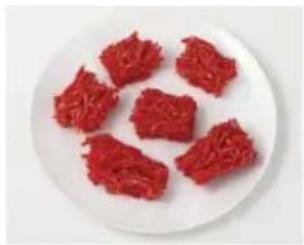
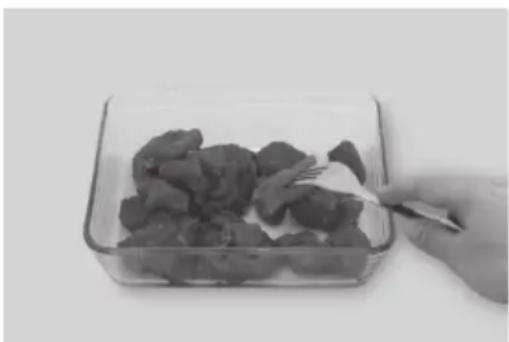
The Chaos Theory principle is used in Auto Weight defrost programs to give you a quick and more even defrost. The Chaos system uses a random sequence of pulsing microwave energy which speeds up the defrosting process. During the program the oven will beep to remind you to check the food. It is essential that you turn and stir the food frequently if necessary (See pages 23-24). On hearing the first beep you should turn (if possible). On the second beep you should turn the food or break it up.
Defrost
1st Beep
Turn
2nd Beep
Turn or break up
Category 1 Bread
The Bread Program is suitable for defrosting small items e.g. rolls, buns and slices of bread which are required for immediate use. Small items may feel warm immediately after defrosting. Loaves can also be defrosted on this program but these will require standing time to allow the centre to thaw out. Standing time can be shortened if slices are separated and buns and loaves cut in half. Items should be turned halfway during defrosting. This program is not suitable for cream cakes or desserts e.g. cheesecake.
Category 2 Small Pieces (mince/chops/chicken portions)
It is necessary for mince to be broken up frequently during defrosting and this is best carried out in a large shallow dish. Chops and chicken portions should be arranged in a single layer and turned frequently.
Category 3 Big Piece (Meat joints/whole chickens)
Back fat of joints, legs, wings and breast bones need. Standing time of at least 1 hour should be allowed (rolled joints may require longer) before cooking to ensure the centre is fully defrosted.
Defrosting Guidelines
Tips for Defrosting
Check the defrosting several times, even if you use the auto programs. Observe the standing times.
Standing Times
Individual portions of food may be cooked almost immediately after defrosting. It is normal for large portions of food to be frozen in the centre. Before cooking, allow to stand for a minimum of one hour. During this standing time, the temperature becomes evenly distributed and the food is defrosted by conduction. N.B. If the food is not going to be cooked immediately, store it in the refrigerator. Never refreeze defrosted food without first cooking it.
Joints and Poultry
It is preferable to place the joints on an upturned plate or plastic rack so that they are not resting in the juices.
Minced Meat or Cubes of Meat and Seafood
Since the outside of these foods quickly defrosts, it is necessary to separate them, break the blocks into pieces frequently while defrosting and remove them when they have defrosted.
Small Portions of Food
Chops and chicken pieces must be separated as soon as possible so that they defrost evenly throughout. Fatty parts and the ends defrost more quickly. Place them near the centre of the glass tray.
Bread
Loaves will require a standing time of 5-30 minutes to allow the centre to thaw. Standing time can be shortened if slices are separated and rolls and loaves cut in half.
Beep Sounds
Beeps will sound during the defrost programs. The beeps are to remind you to check, stir, separate the pieces. Failure to do this may result in uneven defrosting.
Defrosting Chart Using Defrost Microwave and Time
Select Defrost microwave. The times given below are a guideline only. Always check the progress of the food by opening the oven door and then re-starting. For larger quantities adjust times accordingly. Food should not be covered during defrosting.
| Food | Defrosting Time | Method | Standing Time |
| Meat |
| Beef/Lamb/Pork joint 450 g (1 lb) | 16-18 mins | Place in a suitable dish or on an upturned saucer or use a microwave safe rack. Turn 3-4 times. | 60 mins |
| Minced beef 450 g (1 lb) | 12 mins | Place in a suitable dish. Break up and turn 3-4 times. | 15 mins |
| Chops 450 g (1 lb) | 12-14 mins | Place in a suitable dish in a single layer. Turn twice. | 15 mins |
| Sausages 450 g (1 lb) | 13 mins | Place in a suitable dish in a single layer. Turn twice. | 15 mins |
| Bacon rashers 450 g (1 lb) | 7-9 mins | Place in a suitable dish. Turn and separate twice. | 10 mins |
| Stewing steak 450 g (1 lb) | 13 mins | Place in a suitable dish. Break up frequently. | 15 mins |
| Whole chicken 450 g (1 lb) | 13-15 mins | Place in a suitable dish on an upturned saucer or use a microwave safe rack. Turn 3-4 times. | 60 mins |
| Chicken portions 450 g (1 lb) | 11-13 mins | Place in a suitable dish in a single layer. Turn twice. | 30 mins |
| Fish |
| Whole 450 g (1 lb) | 11-13 mins | Place in a suitable dish. Turn twice. | 15 mins |
| Fillets/Steak 450 g (1 lb) | 10-12 mins | Place in a suitable dish. Turn twice, separate. | 15 mins |
| Prawns 450 g (1 lb) | 8-10 mins | Place in a suitable dish. Stir twice during defrosting. | 15 mins |
| General |
| Bread sliced 400 g (14 oz) | 6 mins | Place on a plate. Separate and rearrange during defrosting. | 10 mins |
| Slice of bread 30 g (1 oz) | 40 secs - 50 secs | Place on a plate. 1-2 mins | |
| Pastry 500 g (1 lb) | 6 mins 30 secs | Place on a plate. Turn halfway. | 15-30 mins |
| Soft fruit 450 g (1 lb) | 10-11 mins | Place in a suitable dish. Stir twice during defrosting | 15 mins |
Using the Quick 30 Function
This function allows you to quickly set cooking time in 30 second increments.
Quick 30
Start
Press Quick 30 to set the desired cooking time (up to 5 minutes). Each press is 30 seconds. Time appears in the display. Power level is pre-set at 1000 W microwave.
Press Start
The cooking will start and the time in the display will count down. At the end of cooking, five beeps will sound.

Note
- This function is only available for Microwave. If desired, you can use other Microwave levels. Select desired power level before pressing Quick 30.
- After setting the time by Quick 30, you can not use the dial.
Using the Add Time Function
This feature allows you to add cooking time at the end of previous cooking.
![graph LR A["Add Time"] --> B["Edit Icon"] B --> C["Start"]](/content/2026/05/751450/images/16dfd592ccca59d0c19c67c936f70ec29ae16e78fcaf737397899e2345d69d4f.jpg)
After cooking, turn dial to select Add Time function. Maximum cooking time:
Microwave: 1000 W up to 30 minutes; other microwave powers up to 1 hour and 30 minutes; Grill: 1 hour and 30 minutes, Convection, Air Fry, Combination and timer: 9 hours.
Press Start
Time will be added.
The time in the
display window will
count down.

Note
- This function is only available for Microwave, Grill, Convection, Air Fry, Combination and Timer functions and it is not available for Auto programs.
- The Add Time function will not operate after 1 minute cooking.
- The Add Time function can be operated when "0" flashes in the display.
- The Add Time function can be used after multi-stage cooking.
- The power level is the same as the last stage.
Grilling
The Quartz Grill system in the oven provides fast, efficient cooking for a wide variety of foods, such as chops, sausages, steak, toast, oven chips, etc.
Do not preheat the grill before use.
The enamel tray must be on the glass tray when using.
![graph LR A["Grill"] --> B["Add Time"] B --> C["Start"]](/content/2026/05/751450/images/ea05fc0cb0fc5144a8a42b1cceaf2539272f6e40cd82f4cc540188d88c7075d6.jpg)
| Press Power Level |
| Once Grill | 3 (High) |
| Twice Grill | 2 (Medium) |
| 3 Times Grill | 1 (Low) |
Select Grill power
Press once for Grill 3 (High), twice for Grill 2 (Medium), or three times for Grill 1 (Low). The grill symbol will also appear.
Set Time
Select cooking time by turning the dial. The maximum time can be set up to 1 hour and 30 minutes.
Press Start
The cooking program will start and the time in the display will count down.

Note
- The Grill will only operate with the oven door closed, and there is no microwave power on the grill-only program.
- You can change the cooking time during cooking if required. Turn dial to increase or decrease the cooking time. Time can be increased/decreased in 1 minute increments, up to 10 minutes. Turning the dial to zero will end cooking.
Grilling Times
When using the grill to cook foods, the cooking times will be similar to traditional grilling. Most foods will require turning halfway through the cooking time (see section on oven accessories page 28).
The Grill has three variable settings, Grill 3 (High), Grill 2 (Medium) and Grill 1 (Low). Grill 3 will be the hottest.

Caution!
The accessories and surrounding oven will get very hot. Use oven gloves.
Grilling
Oven Accessories to Use
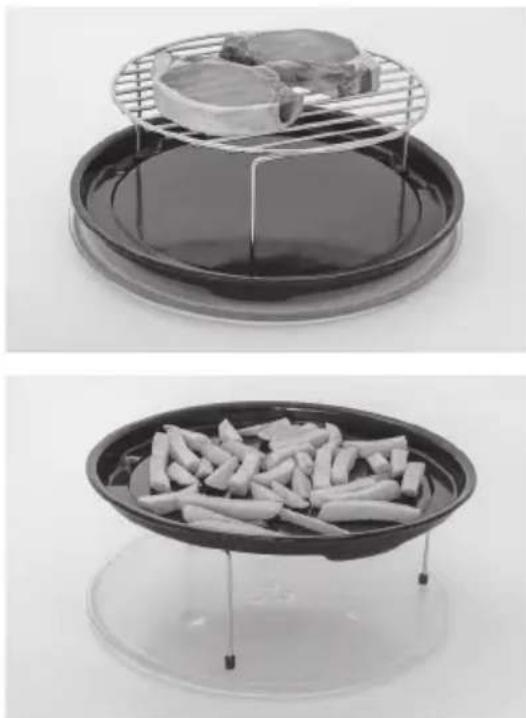
When grilling foods the glass tray should be in position, with the enamel tray and the wire rack on top.
Place food on wire rack on the enamel tray on the glass tray. The wire rack will allow fat to drip through into the enamel tray to reduce excess splatter and smoke when grilling steaks, chops and other fatty foods.
Most foods require turning halfway during cooking. When turning food, open oven door and carefully remove the enamel tray and wire rack by holding the accessories firmly. Use oven gloves when removing accessories as they will be very hot, and so will the roof and walls of the oven.
After turning, return food to the oven, close door and press Start. The oven will continue to count down the remaining cooking time. It is quite safe to open the oven door at any time to check the progress of the food as it is grilling.
If grilling fish or small items, place the enamel tray on top of the wire rack.
Guidelines
- There is no microwave power on the Grill only program.
- Use the accessories provided, as explained.
- The Grill will only operate with the oven door closed.
- Most meat items e.g. bacon, sausages, chops can be cooked on the hottest setting - Grill 3. This setting is also suitable for toasting bread, muffins and teacakes etc.
- Grill 2 and Grill 1 are used for more delicate foods or those that require a longer grill time e.g. fish or chicken portions.
- Do not preheat the grill.
- Never cover the food when grilling.
- Always use oven gloves when removing the food and accessories after grilling as the oven and accessories will be very hot.
- After grilling it is important that the grill accessories are removed for cleaning before reuse and that the oven walls and floor are wiped with a cloth squeezed in hot soapy water to remove any grease.
Convection Cooking
Your microwave oven can be used in convection mode which incorporates a heating element with a fan. For best results always place food in a preheated oven. The enamel tray must be on the glass tray when preheating.
Convection

Start

Press to select oven temperature. There is a choice of convection temperatures 30°C - 220°C.
For quick selection of the most commonly used cooking temperatures, the oven starts at 150°C and then for each press the temperature will count up in 10°C stages to 220°C, then to 30°C, 40°C etc. The convection symbol will also appear.
Press Start to preheat
A "P" will appear in the display window. When the oven is preheated the oven will beep and the "P" will flash. Then open the door and place the food inside.*
(Skip this step when preheating is not required)




Start
Set time
Select cooking time by turning dial.
30°C - 220°C: Maximum cooking time is 9 hours.
Press Start
Note: Check that only the convection symbol is still in the display. If the microwave symbol is displayed this is incorrect and the program should be cancelled. Reselect the convection setting.

Note
- * Open the door using the door release, because if the Stop/Cancel button is pressed the program may be cancelled.
- The oven will maintain the selected temperature for approximately 30 minutes. If no food has been placed inside the oven, then it will automatically cancel the cooking program "OPEN DOOR" will appear in the display window. If no cooking time is set, oven will revert to time of day after 6 minutes.
- You can change the cooking time during cooking if required. Turn dial to increase or decrease the cooking time. Time can be increased/decreased in 1 minute increments, up to 10 minutes. Turning the dial to zero will end cooking.

Caution!
The accessories and the surrounding oven will get very hot. Use oven gloves.
Convection Cooking

Note
- After pressing Start, the selected temperature can be recalled and changed (30 °C - 60 °C: just can be recalled). Press Convection button once to indicate the temperature in the display window. While the temperature is recalled in the display window, you can change the temperature by pressing Convection button.
- The oven cannot preheat to 30°C - 60°C.
- When using Convection, the glass tray should be in position and must have the enamel tray placed on top.
- When the selected cooking time is less than one hour, the time counts down second by second.
- When the selected cooking time is over one hour, the time counts down minute by minute until only "1H 00" (1 hour) remains. The display then indicates minutes and seconds and counts down second by second.

Caution!
The accessories and the surrounding oven will get very hot. Use oven gloves.
Oven Accessories to Use
When using the Convection oven, the glass tray should be in position and must have the enamel tray placed on top.
The food is then placed onto the enamel tray. Follow your individual recipe guidelines.
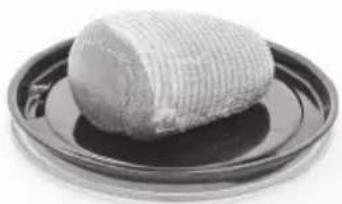
Roasting meat: glass tray, enamel tray.
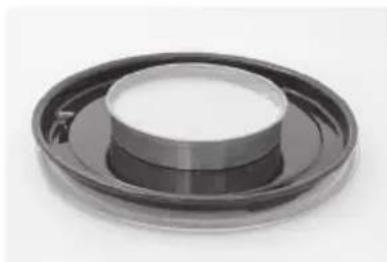
Baking: glass tray, enamel tray.
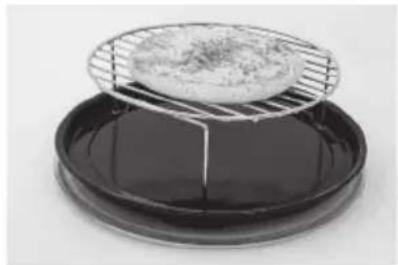
Baking: glass tray, enamel tray, wire rack.
When using the oven as a convection oven, there is no microwave power, i.e. the oven is operating as a conventional oven and you can use all your standard metal baking tins and ovenware.
It is not recommended to cook on more than one level when using the convection oven. When cooking 2 trays of buns etc, cook in two batches.
Air Fry Cooking
The Air Fry function combines intense heat and maximized airflow to cook food crispy and brown. No need to preheat; turn the Dial to set the cooking time up to 9 hours after selecting Air Fry function.
Air fry

| Press | Air Fry Level | Air Fry Type | Uses |
| Once Air fry 1 180 °C | | Prawn, Cauiflower, Asparagus, Mushroom |
| Twice Air fry 2 200 °C | | Whole fish, Spring rolls, Sausages |
| 3 times Air fry 3 220 °C | | Kiev, Scampi, Chicken breast |
| 4 times Air fry 4 180 °C + MW 300 W | | Part-baked rolls, Shortcrust flan case, French bread |
| 5 times Air fry 5 200 °C + MW 300 W | | Jacket potatoes, Fish and chips, Frozen chicken nuggets, Frozen potato fries |
Select cooking time by turning dial.
Time can be set up to 9 hours.
Press Start

Note
- Ensure to use the proper accessories. Put the small food on the Air Fry Basket on the Wire Rack on the Enamel Tray for dripping oil. DO NOT remove the spacer on the Wire Rack. For big pieces or foods with a lot of juice or grease, it can be placed on the Enamel Tray directly.
- Arrange food evenly in the Air Fry Basket. For best results, place food in a single layer and leave space between pieces. For large amount of food, stir or re-arrange the food several times during cooking.
- When the selected cooking time is less than one hour, the time counts down second by second.
- When the selected cooking time is over one hour, the time counts down minute by minute until only "1H 00" (1 hour) remains. The display then indicates minutes and seconds and counts down second by second.
- You can change the cooking time during cooking if required. Turn dial to increase or decrease the cooking time. Time can be increased/decreased in 1 minute increments, up to 10 minutes. Turning the dial to zero will end cooking.
Air Fry Cooking

Caution!
The accessories and the surrounding oven will get very hot. Use oven gloves.
Always use oven gloves when removing dishes from the oven - Especially when turning or stirring foods, as the accessories and surrounding oven will get very hot.
Oven Accessories to Use
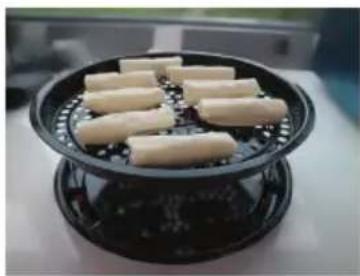
When using the Air Fry function, place the accessories in the oven with the enamel tray on top of the glass tray, then the wire rack with the Air Fry Basket on top containing the food. For big pieces or food with a lot of juice or grease, place the Enamel Tray on the glass tray.

Note
- Food is usually cooked uncovered.
- After cooking it is important that the accessories are removed for cleaning before re-use and that the oven walls and floor are wiped with a cloth squeezed in hot soapy water to remove any grease.
- Foods should always be cooked until browned and piping hot.
Air Fry Cooking Chart
| Food Weight range | Air Fry Level | Recommended time (minute) | Hints |
| Fresh |
| Breaded prawn | 250-350 g | Air Fry 1 | 8-10 mins | Coat the shrimp with egg ,then cover with a mixture of breadcrumbs and oil. Turn over at 2/3 of total time. |
| Prawn 300-500 g | Air Fry 1 | 8-12 mins | Seasoned with oil, salt &black pepper. Turn over at 1/2 of total time. |
| Cauliflower 310-500 g | Air Fry 1 | 14-18 mins | Seasoned with oil, salt black pepper &chili powder. Turn over/stir at 2/3 of total time. |
| Brusselsprouts | 310-500 g | Air Fry 1 | 14-18 mins | Seasoned with oil, salt &black pepper. Turn over/stir at 2/3 of total time. |
| Asparagus 200-310 g | Air Fry 1 | 10-14 mins | Seasoned with oil, salt &black pepper. |
| Mushroom 340-500 g | Air Fry 1 | 10-14 mins | Seasoned with oil, salt &black pepper. |
| Whole fish 310-450 g | Air Fry 2 | 18-22 mins | Seasoned with oil, salt &black pepper,cut the fish in half and put on aluminum foil or baking sheet. Turn over at 1/2 of total time. |
| Carrot 500-800 g | Air Fry 2 | 20-25 mins | Seasoned with oil, salt &black pepper. Turn over/stir at 1/2 of total time. |
Air Fry Cooking Chart
| Food Weight range | Air Fry Level | Recommended time (minute) | Hints |
| Roast potatoes | 500-900 g | Air Fry 3 | 24-28 mins | Seasoned with oil, salt &black pepper. Turn over/stir at 1/2 of total time. |
| Steak ( 1/2 inch of thickness) | 2 - 4 pcs (340 - 670 g) | Air Fry 3 | 12-15 mins | Seasoned, turn over at 2/3 of total time |
| Pork chops | 2 - 4 pcs (225 - 450 g) | Air Fry 3 | 16-22 mins | Seasoned, turn over at 2/3 of total time |
| Hamburger | 2 - 4 pcs (280 - 560 g) | Air Fry 3 | 14-18 mins | Seasoned, turn over at 2/3 of total time |
| Chicken wings | 450 - 1000 g | Air Fry 3 | 20-26 mins | Seasoned, turn over at 2/3 of total time |
| Drumsticks | 4 - 8 pcs (450 - 1000 g) | Air Fry 3 | 30-35 mins | Cut open the surface of drumsticks with a knife; seasoned, turn over at 2/3 of total time |
| Chicken breast | 2 - 4 pcs (340 - 670 g) | Air Fry 3 | 24-28 mins | Seasoned, turn over at 2/3 of total time |
| Fish fillets | 2 - 4 pcs (225 - 450 g) | Air Fry 3 | 12-16 mins | Seasoned, less than 11/2 inch of thickness |
| Jacket potato | 4 pcs (800 - 1000 g) | Air Fry 3 | 40-50 mins | Choose medium sized potatoes 200 g - 250 g, Wash and dry potatoes and prick with a fork several times. Turn over at 1/2 of total time. |
| Homemade fries | 450 - 900 g | Air Fry 4 | 20-30 mins | Soak in cold water for 1 hour in the refrigerator, dry and mix with oil, stir at 2/3 of total time for over 450 g. |
| Jacket potato | 4 pcs (800 - 1000 g) | Air Fry 5 | 25-30 mins | Choose medium sized potatoes 200 g - 250 g, Wash and dry potatoes and prick with a fork several times. |
Air Fry Cooking Chart
| Food Weight range | Air Fry Level | Recommended time (minute) | Hints |
| Frozen |
| Thin frozen fries | 225 - 450 g | Air Fry 3 | 14-18 mins | Stir at 2/3 of total time for over 450 g. |
| 450 - 800 g | 18-28 mins |
| Frozen cheese sticks | 450 - 1000 g | Air Fry 4 | 12-16 mins | - |
| Frozen fish sticks | 450 - 1000 g | Air Fry 4 | 16-25 mins | Stir at 2/3 of total time for over 450 g. |
| Breaded chicken fillets | 3-5 pcs (300 - 500 g) | Air Fry 4 | 14-18 mins | Turn over at 2/3 of total time. |
| Thick frozen fries | 450 - 800 g | Air Fry 5 | 18-26 mins | Stir at 2/3 of total time for over 450 g. |
| Frozen potato steak fries/wedges | 450 - 800 g | Air Fry 5 | 18-28 mins | Stir at 2/3 of total time for over 450 g. |
| Frozen chicken nuggets | 450 - 1000 g | Air Fry 5 | 16-26 mins | Stir at 2/3 of total time for over 450 g. |
| Chilled |
| Spring rolls 300-450 g | Air Fry 2 | 10-15 mins | Brush oil. Turn over at 2/3 of total time. |
Combination Cooking
Your oven has two methods of cooking by Combination.
- Convection and Microwave (with and without preheat)
- Grill and Microwave (preheat is not possible)
Combination cooking is ideal for many foods. The microwave power cooks them quickly, whilst the convection or grill gives the traditional browning and crispness.
All this happens simultaneously resulting in most foods being cooked in 1/2 to 2/3 of the conventional cooking time.
There is no need to preheat on combination programs, except when cooking pastry. It is possible to use smooth seamed metal tins and foil containers on combination but they must be placed directly onto the enamel tray on the glass tray. They must not be placed directly onto the wire rack, or arcing will occur.
If you experience arcing, which is when you see blue sparks or hear crackling noises, the metal container is unsuitable or you have insufficient food in the oven. You should stop the program immediately and change the container or re-program to convection only.
To cook successfully by combination you should always use a minimum of 200 g (7 oz) food. Small quantities should be cooked by Convection or Grill.
Preheat if necessary (convection and microwave combination only)
Combination

| Press | Combination Level | Combination Type | Uses |
| Once | Combination 1 | Convection 160 °C + MW 100 W | Casseroles, Stewing |
| Twice | Combination 2 | Convection 190 °C + MW 300 W | Fish pie, Shepherd's pie, Sirloin |
| 3 times | Combination 3 | Convection 200 °C + MW 300 W | Meat pie, Quiche, Cottage pie, Lasagne, Vegetale bake |
| 4 times | Combination 4 | Convection 220 °C + MW 100 W | Apple pie, Bread and butter pudding, Fruit crumble, Chilled pizza |
| 5 times | Combination 5 | Grill 2 (Medium) + MW 440 W | Chicken legs, Breasts, Beaded fish fillets, Fish cake |
| 6 times | Combination 6 | Grill 3 (High) + MW 600 W | Whole chicken, Frozen potato products |
![graph LR A["Start"] --> B["Add Time"] B --> C["g"] C --> D["Start"]](/content/2026/05/751450/images/2f5adcc8ab14c45785ce6b19e6b717e6abf4fe0f32c164a40e1615b41be1f89a.jpg)
Press if preheating *. Combination 1-4 only.
Set Time
Select cooking time by turning dial.
Time can be set up to 9 hours.
Press Start
Combination Cooking

Caution!
Take care to use oven gloves when removing dishes from the oven - especially when turning or stirring foods as the oven walls and roof will be very hot.

* Note
- When placing food in the oven after preheating, just open the door using the door release button, because if Stop/Cancel button is pressed the program may be cancelled.
- You can change the cooking time during cooking if required. Turn dial to increase or decrease the cooking time. Time can be increased/decreased in 1 minute increments, up to 10 minutes. Turning the dial to zero will end cooking.
- The wire rack is designed to be used for combination and grilling. Never attempt to use any other metal accessory except the one provided with the oven. Place the enamel tray underneath to catch any fat or drips.
Containers to Use
Do not use plastic microwave containers on Combination programs (unless suitable for combination cooking). Dishes must be able to withstand the heat of the top grill. Do not put dishes on wire rack directly under the grill, place on enamel tray on glass tray.
Oven Accessories
When using any Combination cooking program the glass tray should be in position and must have the enamel tray placed on top, unless otherwise stated.
Combination (Convection and Microwave)
This is the most popular combination mode combining Convection heat with Microwave. Casseroles, meat joints, jacket potatoes and pastries are very successful using this combination. Unsuitable foods are those which contain whisked eggs, meringues, rich fruit cakes, biscuits and yorkshire puddings.
It is not necessary to preheat on combination except when cooking pastry dishes. For pastry dishes preheat oven to 210 °C on Convection so that the oven is hot, and then select the desired combination program or follow recipe guidelines.
| Press | Combination Level | Combination Type |
| Once | Combination 1 Convection | 160 °C + MW 100 W |
| Twice | Combination 2 Convection | 190 °C + MW 300 W |
| 3 times | Combination 3 Convection | 200 °C + MW 300 W |
| 4 times | Combination 4 Convection | 220 °C + MW 100 W |
![graph LR A["Start"] --> B["Add Time"] B --> C["g"] C --> D["Start"]](/content/2026/05/751450/images/bd71cddf362819a2289d8b8c683be645bfa6ef5ac181ad799c94ba219fc75717.jpg)
Press if preheating.
Set Time
Select cooking time by turning dial. Time can be set up to 9 hours.
Press Start
Combination (Convection and Microwave)
Oven Accessories to Use
When using Combination cooking the glass tray should be in position and must have the enamel tray on top, unless otherwise stated.
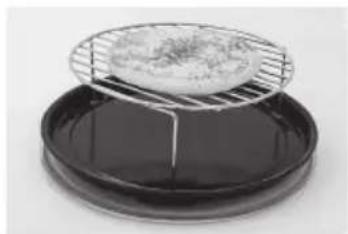
Items of food can be placed onto the wire rack on the enamel tray on the glass tray. Heatproof dishes of food should be placed directly onto the enamel tray on the glass tray.
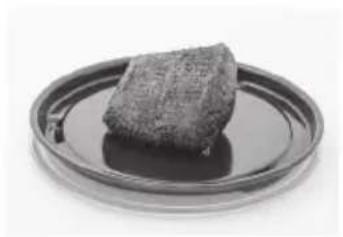
Joints and portions of meat should be placed on an upturned saucer on the enamel tray on the glass tray. Alternatively they can be placed in a heatproof dish on the enamel tray on the glass tray.
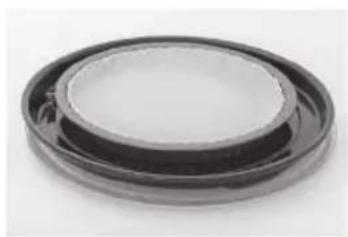
Recipes using foil or metal containers e.g. cakes and pastries should be placed directly onto the enamel tray on glass tray.

Note
- Food is usually cooked uncovered.
- After cooking, it is important to remove the accessories for cleaning before reuse and to wipe the oven walls and floor with a cloth wrung out in hot soapy water to remove any grease.
- Foods should always be cooked until browned and piping hot.

Caution!
Always use oven gloves when removing dishes from the oven - especially when turning or stirring foods, as the accessories and surrounding oven will get very hot.
Combination (Grill and Microwave)
This combination mode is suitable for foods that are normally grilled and for reheating small savory items.
Do not use this program with less than 200 g (7 oz) of food.
It is not necessary to preheat when using this combination mode, and food should always be cooked uncovered.
The grill will glow on and off during cooking - this is normal.
| Press | Combination Level | Combination Type |
| 5 times | Combination 5 Grill 2 (Medium) + MW 440 W | |
| 6 times | Combination 6 Grill 3 (High) + MW 600 W | |
![graph LR A["Add Time"] --> B["g"] B --> C["Start"]](/content/2026/05/751450/images/764b6eeedbfc5b7d6b421fba4d648f5844736e7cb7f3f83e2deafc39a06c0aa2.jpg)
Set Time
Select cooking time by turning the dial.
Time can be set up to 9 hours.
Press Start
Combination (Grill and Microwave)
Oven Accessories to Use
When using Combination cooking, the glass tray should be in position and must have the enamel tray on top, unless otherwise stated.
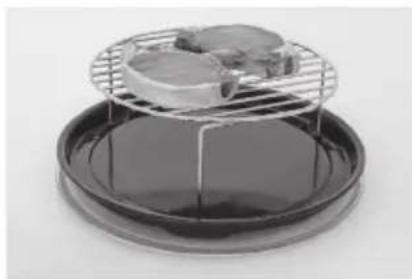
Food should be placed directly onto the wire rack on the enamel tray. This is then placed on the glass tray.
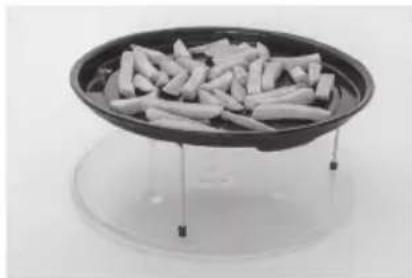
When cooking fish or small items, food can be placed directly on the enamel tray on top of the wire rack.
Guidelines
- Food is usually cooked uncovered.
- To turn food, just press the door release, remove the enamel tray and wire rack, turn the food, return to the oven, close the door, and press the Start button. The oven will continue to countdown the remaining cooking time.
- After grilling, it is important that the grill accessories are removed for cleaning before reuse and that the oven walls and floor are wiped with a cloth squeezed in hot soapy water to remove any grease.
For advice on cooking times, refer to the cooking charts and recipes in this book. Foods should always be cooked until browned and piping hot.

Caution!
Always use oven gloves when removing dishes from the oven - especially when turning or stirring foods, as the accessories and surrounding oven will get very hot.
Containers to Use
Do not use plastic microwave containers on Combination programs (unless suitable for combination cooking). Dishes must be able to withstand the heat of the top grill. Do not put dishes on the wire rack directly under the grill; use the enamel tray.
Multi-stage Cooking
2 or 3 Stage Cooking
Example:
To cook on 600 W microwave for 2 minutes, cook on 180 °C for 15 minutes and cook on Grill 3 for 10 minutes.
![graph LR A["Microwave"] --> B["Add Time"] B --> C["Convection"] C --> D["Add Time"]](/content/2026/05/751450/images/0a2b86460bed5f4785623a56633016f97d07cc1673dae3c27630799c5243c3f3.jpg)
Press Microwave 3 times to select 600 W microwave. Set the cooking time to 2 minutes using the dial. Press Convection button 4 times to select 180 °C. Set the cooking time to 15 minutes using the dial.
![graph LR A["Start"] --> B["Add Time"] B --> C["Grill"]](/content/2026/05/751450/images/2b2da3fe2e61e6d99b3b3328f098f476ef26c9a2ed80b6fd44e887b55e35c326.jpg)
Press Grill button once to select Grill 3. Set the cooking time to 10 minutes using the dial.
Press Start
The cooking program will start and the time in the display will count down.

Note
- For 3 stage cooking, enter another cooking program before pressing Start.
- During cooking, one press on Stop/Cancel stops the operation. You can re-start it by pressing Start. A second press of Stop/Cancel will cancel the selected program.
- Whilst not operating, one press of Stop/Cancel cancels the selected program.
- Auto programs and preheating cannot be used with multi-stage cooking.
- Delay/stand feature can be used with multi-stage cooking.
Using the Timer
The timer can be used either before or after a cooking program. This feature can be used to set a standing time after cooking or to delay the start of your cooking.
1. To Set a Standing Time:
Set the desired cooking
program, by selecting power level and time required (up to 2 stages).



![graph LR A["Add Time"] --> B["Start"] style A fill:#f9f,stroke:#333 style B fill:#ccf,stroke:#333](/content/2026/05/751450/images/fbca7ff7476c6dfb3c1552dfdba605f25a43e9eb0a3b79f6989344601a623c43.jpg)
Press
Timer/Clock
Set desired standing time using the dial (max 9 hours). An "H" will appear in the display to denote hours.
Press Start
Cooking program will commence after which the standing time will count down.
Note

- Three stage cooking can be programmed including standing time.
- If the oven door is opened during the standing time or minute timer, the time in the display window will continue to count down.
- This feature may also be used as a minute timer. In this case press Timer/Clock, set time and press Start.
- Standing time cannot be programmed after an auto program and preheating.
- If the programmed stand time exceeds one hour, the time will count down in units of minutes. If less than one hour, the time will count down in units of seconds.
2. To Set a Kitchen Timer
![graph LR A["Timer/Clock"] --> B["Add Time"] B --> C["Start"]](/content/2026/05/751450/images/3b270350dfc8668efb9701af75962d90789475d6c07c7425de78bb62b61e2b66.jpg)
Press
Timer/Clock
Set desired kitchen time using the dial (max 9 hours). An “H” will appear in the display to denote hours.
Press Start
Time will count down.
Using the Timer
3. To Set a Delay Start:
![graph LR A["Timer/Clock"] --> B["Add Time"] B --> C["Set the desired cooking program, by selecting power level and time required (up to 2 stages)."] C --> D["Start"]](/content/2026/05/751450/images/7e936d47e9329ce0d344b9b2f111c589410e245d98cdbf4554ad87628421f35a.jpg)
Press Timer/Clock, set desired standing time using the dial (max 9 hours). An "H" will appear in the display to denote hours. Press Start. Delayed time will count down, then the cooking program will start.

Note
- Three stage cooking can be programmed including delay start cooking.
- If the programmed delay time exceeds one hour, the time will count down in units of minutes. If less than one hour, the time will count down in units of seconds.
- Delay start cannot be programmed before an auto program and preheating.
- If the oven door is opened during the delay time, the time in the display window will continue to count down.
Auto Programs
It is not necessary to preheat the oven for the remaining auto programs. Operate as below:
Auto Programs Without Preheating
![graph LR A["Auto"] --> B["Add Time"] B --> C["Start"]](/content/2026/05/751450/images/4c19af07c6cd90adb6dc02ab3cd91bc01666d90d80b32c5b6c93fce9ecc9c475.jpg)
To allow auto program operation, ensure the oven is in Clock mode. Select the desired program by pressing the Auto button. Refer to pages 45-51.
Set weight using dial.
Press Start. Place the food.
When you select an automatic program, symbols will appear in the display to show the cooking mode that will be used and the accessories that are needed, in addition to the glass tray. These are what they mean:

Microwave

Convection

Enamel tray

Grill

Frozen food

Wire rack

Auto menu

Air fry

Air Fry Basket

Note
The auto weight programs are designed to take the guesswork out of cooking or reheating your food. They must only be used for the foods described.
- Only cook foods within the weight ranges described (see pages 46).
- Only use the accessories as indicated on pages 47-51.
- Do not cover food unless stated, when using a Combination, Air fry or Convection program, it will prevent the food browning. The heat will also melt any plastic covering.
- Most foods benefit from a standing time after cooking on an auto program, to allow heat to continue conducting to the centre.
- To allow for some variations that occur in food, check that food is thoroughly cooked and piping hot before serving.
- Always weigh the food rather than relying on the package weight information.
Auto Programs
Minimum/Maximum Weights for Auto Weight Programs
| Program Minimum weight Maximum weight |
| 4. Jacket Potatoes 200 g 1500 g | | |
| 5. Frozen Pizza 130 g 450 g | | |
| 6. Frozen Potato Products 200 g 500 g | | |
| 7. Fish and Chips 200 g 500 g | | |
| 8. Roast Vegetable 100 g 500 g | | |
| 9. Roast Chicken 900 g 2000 g | | |
| 10. Roast Beef-Rare 500 g 2000 g | | |
| 11. Roast Beef-Medium 500 g 2000 g | | |
| 12. Roast Beef-Well Done 500 g 2000 g | | |
| 13. Roast Lamb-Medium | 1000 g | 2000 g |
| 14. Roast Lamb-Well Done | 1000 g | 2000 g |
| 15. Curry | 300 g 800 g | |
| 16. Pasta | 300 g 1600 g | |
| 17. Casserole | 300 g 900 g | |
| 18. Fresh Vegetables | 100 g 800 g | |
| 19. Fresh Fish | 200 g 800 g | |
| F1. DEODORIZATION Cleaning function, see page 51. |
Auto Programs
| Program Weight Accessory Instructions |
4. Jacket Potatoes Autoonce Autoonce | 200 g - 1500 g | 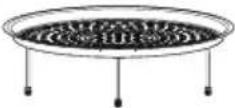 | To cook jacket potatoes with a crisper drier skin. Choose medium sized potatoes 200 g - 250 g, for best results. Wash and dry potatoes and prick with a fork several times. Place on air fry basket on wire rack on glass turntable. Press the Auto button once. Enter total weight of potatoes, then press Start. When cooking more than 0.69 kg, rearrange the potatoes at the beeps. |
5. Frozen Pizza Autotwice Autotwice | 130 g - 450 g | 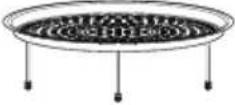 | For reheating and browning frozen, purchased pizza. Remove all packaging and place pizza on air fry basket on wire rack on glass tray. Press the Auto button twice. Enter weight and press Start. |
6. Frozen Potato Products Auto3 Presses Auto3 Presses | 200 g - 350 g | 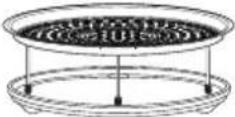 | To cook frozen potato products, e.g. chips, croquettes, etc., that are suitable for grilling. Spread potato products out on air fry basket on wire rack on enamel tray on glass tray. Press the Auto button 3 times. Enter the weight. Press Start. Turn at the beeps. For best results cook in a single layer.Note: Potato products vary considerably. We suggest checking a few minutes before the end of cooking to assess levels of browning. |
| 360 g - 500 g |
Auto Programs
| Program Weight Accessory Instructions |
7. Fish and Chips Auto4 Presses Auto4 Presses | 200 g - 500 g | 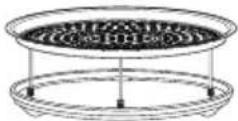 | This program is suitable for pre-purchased frozen battered or breaded fish and pre-purchased frozen oven chips. This program is suitable for 1 portion of fish and chips. The fish must weigh between 100 g - 250 g and the chips must weigh between 100 g - 300 g. Spread the fish and chips out on the air fry basket on wire rack on enamel tray on glass tray. Press Auto button 4 times. Enter the weight of the fish and chips. Press Start. Turn fish and chips at the beeps. For best results cook in a single layer. |
8. Roast Vegetable Auto5 Presses Auto5 Presses | 100 g - 500 g | 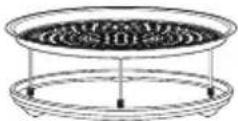 | For preparing fresh vegetable fries such as sweet potato, white potato, carrots, parsnips and courgettes. Peel and cut the vegetables into baton shapes. Toss in a tablespoon of vegetable oil. Place the vegetables on the air fry basket on wire rack on enamel tray on glass tray. Press Auto button 5 times.Enter weight of food and press Start. |
9. Roast Chicken Auto6 Presses Auto6 Presses | 900 g - 2000 g | 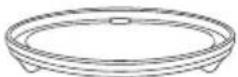 | To cook whole fresh unstuffed chickens. Cook stuffing separately. Place chicken on enamel tray and place on glass tray. Press Auto button 6 times. Enter in the weight of the chicken, then press Start. Start cooking breast side down and turn total time, a beep will sound to turn, taking care with hot juices. Stand for 5 minutes. |
10. Roast Beef-Rare Auto7 Presses Auto7 Presses | 500 g - 2000 g |  | For cooking rare fresh roast beef (top side, rump or silverside). Place on enamel tray on the glass tray. Press the Auto button 7 times, enter the weight of the food and press Start. After cooking stand for 10 to 20 minutes. |
≈ = Microwave = ConnectGrill

= Air fry
Auto Programs
| Program Weight Accessory Instructions | |
11. Roast Beef-Medium Auto8 Presses Auto8 Presses | 500 g - 2000 g |  | For cooking medium fresh roast beef (top side, rump or silverside). Place on enamel tray on the glass tray. Press the Auto button 8 times, enter the weight of the food and press Start. After cooking stand for 10 to 20 minutes. |
12. Roast Beef-Well Done Auto9 Presses Auto9 Presses | 500 g - 2000 g |  | For cooking well done fresh roast beef (top side, rump or silverside). Place on enamel tray on the glass tray. Press the Auto button 9 times, enter the weight of the food and press Start. After cooking stand for 10 to 20 minutes. |
13. Roast Lamb-Medium Auto10 Presses Auto10 Presses | 1000 g - 2000 g |  | For cooking medium fresh roast leg of lamb with bone. Place on enamel tray on the glass tray. Press the Auto button 10 times, enter the weight of the food and press Start. After cooking stand for 10 to 20 minutes. |
14. Roast Lamb-Well Done Auto11 Presses Auto11 Presses | 1000 g - 2000 g |  | For cooking well done fresh roast leg of lamb with bone. Place on enamel tray on the glass tray. Press the Auto button 11 times, enter the weight of the food and press Start. After cooking stand for 10 to 20 minutes. |
Auto Programs
| Program Weight Accessory Instructions |
15. Curry Auto12 Presses Auto12 Presses | 300 g -800 g | - | This program is for reheating a chilled curry ready meal that can be stirred *. Food must be in a suitable microwaveable container and have the film pierced. Place on glass tray, press the Auto button 12 times. Enter the weight then press Start. Stir halfway. Allow to stand for 1 minute. Ensure that the food is piping hot. Stir the food before serving. |
16. Pasta Auto13 Presses Auto13 Presses | 300 g -1600 g | - | This program is for reheating a chilled pasta ready meal that can be stirred *. Food must be in a suitable microwaveable container and have the film pierced. Place on glass tray, press the Auto button 13 times. Enter the weight then press Start. Stir halfway. Allow to stand for 1 minute. Ensure that the food is piping hot. Stir the food before serving. |
17. Casserole Auto14 Presses Auto14 Presses | 300 g -900 g | - | This program is for reheating a chilled casserole ready meal *. Food must be in a suitable microwaveable container and have the film pierced. Press the Auto button 14 times. Enter the weight. Press Start. Stir halfway. Allow to stand for 1 minute. Ensure food is piping hot. Stir again before serving. |

* Note
These programs are not suitable for foods that cannot be stirred e.g. lasagne / shepherds pie.
≡ = Microwave = ConveetGrill

= Air fry
Auto Programs
| Program Weight Accessory Instructions |
18. Fresh Vegetables Auto15 Presses Auto15 Presses | 100 g - 800 g | - | To cook fresh vegetables. Place prepared vegetables into a shallow container on glass tray. Add 15 ml (1 tbsp) of water per 100 g vegetables. Cover with pierced cling film or lid. Press the Auto button 15 times. Enter the weight. Press Start. Stir halfway. |
19. Fresh Fish Auto16 Presses Auto16 Presses | 200 g - 800 g | - | To cook fresh fish. Place in a shallow container on glass tray.Add 15-45 ml (1-3 tbsp) water. Cover with pierced cling film or lid. Press the Auto button 16 times. Enter the weight. Press Start. |
≈ = Microwave
= Grill
= Convection
= Air fry
Cleaning Setting
F1. Deodorization
This feature is recommended for eliminating any odours from the oven.
Auto

Start
To allow auto program operation, ensure the oven is in Clock mode. Select "F1 DEODORIZATION" by pressing the Auto button 17 times.
Press Start
Questions and Answers
Q: Why won't my oven turn on?
A: When the oven does not turn on, check the following:
- Is the oven plugged in securely? Remove the plug from the outlet, wait 10 seconds and reinsert.
- Check the circuit breaker and the fuse. Reset the circuit breaker or replace the fuse if it is tripped or blown.
- If the circuit breaker or fuse is all right, plug another appliance into the outlet. If the other appliance works, there probably is a problem with the oven. If the other appliance does not work, there probably is a problem with the outlet.
If it seems that there is a problem with the oven, contact an authorised Service Center.
Q: My microwave oven causes interference with my TV. Is this normal?
A: Some radio, TV, Wi-Fi, cordless telephone, baby monitor, bluetooth or other wireless equipment interference might occur when you cook with the microwave oven. This interference is similar to the interference caused by small appliances such as mixers, vacuums, blow dryers, etc. It does not indicate a problem with your oven.
Q: The oven won't accept my program. Why?
A: The oven is designed not to accept an incorrect program. For example, the oven will not accept a fourth stage of cooking.
Q: Sometimes warm air comes from the oven vents. Why?
A: The heat given off from the food whilst cooking warms the air in the oven cavity. This warmed air is carried out of the oven by the air flow pattern in the oven. There are no microwaves in the air. The oven vents should never be blocked during cooking.
Q: Can I use a conventional oven thermometer in the oven?
A: Only when you are using Grill and Convection, Air fry 1-3 cooking mode. The metal in some thermometers may cause arcing in your oven and should not be used on microwave, Air fry 4-5 and Combination cooking functions.
Q: There are humming and clicking noises from my oven when I cook by Combination. What is causing these noises?
A: The noises occur as the oven automatically switches from microwave power to Convection/Grill to create the combination setting. This is normal.
Q: My oven has an odour and generates smoke when using the Convection, Air Fry, Combination and Grill function. Why?
A: After repeated use, it is recommended to clean the oven and then run the oven without food, glass tray, and roller ring on grill for 5 minutes. This will burn off any food, residue or oil which may cause an odour and/or smoking.
Questions and Answers
Q: The oven stops cooking by microwave and 'H97' or 'H98' appears in the display. Why?
A: This display indicates a problem with the microwave generation system. Please contact an authorised Service Centre.
Q: The fan continues to rotate after cooking. Why?
A: After using the oven, the fan motor may rotate to cool the electrical components. This is normal and you can continue using the oven at this time.
Q: "DEMO MODE PRESS ANY KEY" or "D" appears in the display and the oven does not cook. Why?
A: The oven has been programmed in demo mode. This mode is designed for retail store display. Deactivate this mode by pressing Microwave once and Stop/Cancel 4 times.
Q: Can I check the pre-set oven temperature while cooking or preheating by Convection?
A: Yes. Press Convection button and the oven temperature will appear in the display window for 2 seconds.
Q: The operation guide has disappeared on my display, I can only see numbers. Why?
A: The operation guide was turned off by pressing Timer/Clock 4 times. When colon or time of day is displayed, press Timer/Clock 4 times to turn the operation guide back on.
Care of Your Oven

Important
It is essential for the safe operation of the oven that it is kept clean and wiped out after each use. Failure to maintain the oven in a clean condition could lead to deterioration of a surface that could adversely affect the life of the appliance and possibly result in a hazardous situation.
- Switch the oven off before cleaning and unplug at socket if possible.
- Keep the inside of the oven, door seals and door seal areas clean.
When food splatters or spilled liquids adhere to oven walls, door seals and door seal areas wipe off with a damp cloth. Mild detergent may be used if they get very dirty. The use of harsh detergent or abrasives is not recommended. Take care when cleaning around the waveguide cover.
Care of Your Oven
- After using grill, convection, air fry or combination cooking, the walls of the oven should be cleaned with a soft cloth and soapy water. Particular care should be taken to keep the window area clean especially after cooking by grill, convection, air fry or combination. Stubborn spots inside the oven can be removed by using a small amount of conventional oven-cleaner sprayed onto a soft damp cloth. Wipe onto problem spots, leave for recommended time and then wipe off. Do not spray directly inside the oven.
- After use, the oven interior should be wiped out to remove any remaining water in order to reduce the risk of corrosion to the cavity and door. The cavity and door can be damaged by abrasive cleaners and sharp objects so care must be taken to avoid damage caused in this way. If the cavity or door become damaged the lining may begin to corrode. Providing the above precautions are taken regarding the cleaning and care of your oven the life of the cavity and door may be extended.
- The outside oven surface should be cleaned with a damp cloth. To prevent damage to the operating parts inside the oven, water should not be allowed to seep into the ventilation openings.
- If the control panel becomes dirty, clean with a soft, dry cloth. Do not use harsh detergents or abrasives on the control panel. When cleaning the control panel, leave the oven door open to prevent the oven from accidentally turning on. After cleaning press Stop/Cancel button to clear display window.
- Do not use harsh abrasive cleaners or sharp metal scrapers to clean the oven door glass since they can scratch the surface, which may result in shattering of the glass.
- Keep air vents clear at all times
Check that no dust or other material is blocking any of the air vents on the top, bottom or rear of the oven. If air vents become blocked this could cause overheating which would affect the operation of the oven and possibly result in a hazardous situation.
- If steam accumulates inside or around the outside of the oven door, wipe with a soft cloth. This may occur when the microwave oven is operated under high humidity conditions and in no way indicates a malfunction of the unit or microwave leakage.
- It is occasionally necessary to remove the glass tray for cleaning. Wash the glass tray in warm soapy water. Do not place in the dishwasher.
- The roller ring and oven cavity floor should be cleaned regularly to avoid excessive noise. Simply wipe the bottom surface of the oven, particularly the glass tray spindle and the area surrounding this, with mild detergent and hot water then dry with a clean cloth. The roller ring may be washed in mild soapy water.
After removing the roller ring from cavity floor for cleaning, be sure to replace it in the proper position.
- Wash the enamel tray and the air fry basket in warm soapy water or in the dishwasher.
- When grilling or cooking by convection, air fry or combination, some foods may splatter grease onto the oven walls. If the oven is not cleaned to eliminate this grease, it can accumulate and cause the oven to 'smoke' during use. These marks will be more difficult to clean later.
- A steam cleaner is not to be used for cleaning.
- Users are advised to avoid any downward pressure on the microwave door when in the open position. There is a safety risk that the oven will tilt forward.
Technical Specifications
| Manufacturer Panasonic | |
| Model | NN-CD58RS |
| Power Supply 230 V~, 50 Hz | |
| Operating Frequency: 2450 MHz | |
| Input Power: | Maximum 2260 W |
| Microwave 1100 W |
| Grill 1330 W |
| Convection 1340 W |
| Combination 2260 W |
| Output Power: | Microwave 1000 W (IEC-60705) |
| Grill 1300 W |
| Convection 1300 W |
| External DimensionsW x D x H (mm) | 520 (W) x 391 (D) x 310 (H) |
| Overall Interior Cavity DimensionsW x D x H (mm) | 359 (W) x 352 (D) x 217 (H) |
| Net weight 13.3 kg | |
| Noise 60 dB(A) | |
Power consumption in standby mode (0.8 W)
Default time to switch to standby mode (1 minute)
Weight and Dimensions shown are approximate.
This product is an equipment that fulfills the European standard for EMC disturbances (EMC = Electromagnetic Compatibility) EN 55011. According to this standard this product is an equipment of group 2, class B and is within required limits. Group 2 means that radio-frequency energy is intentionally generated in the form of electromagnetic radiation for purpose of warming or cooking food. Class B means that this product may be used in normal household areas.
Manufactured by: Panasonic Kitchen Appliances Technology (Jiaxing) Co., Ltd. No.369 Chenggong Road, Economic and Technological Development Zone, Jiaxing, Zhejiang Province, China.
Imported by: Panasonic Marketing Europe GmbH
EU REP: Panasonic Marketing Europe GmbH
Panasonic Testing Centre
Winsbergring 15, 22525 Hamburg, Germany
Content
Defrosting
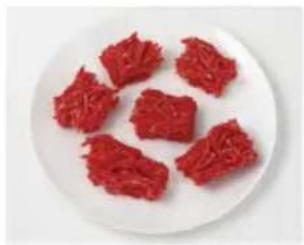
Category 1 Bread
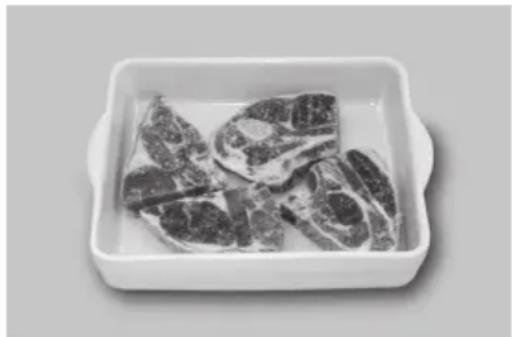
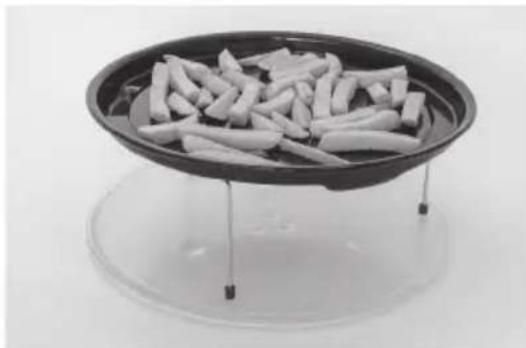
Guidelines
Roasting meat:
Glass turntable,
enamel bowl.
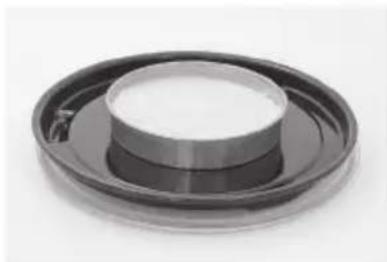
Baking: glass turntable, enamel bowl.
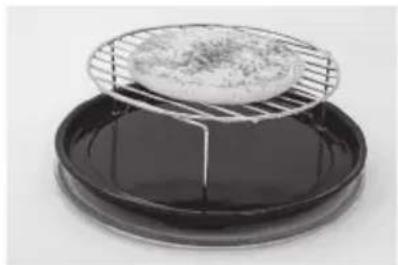

Note
Panasonic Kitchen Appliances Technology (Jiaxing) Co., Ltd.
No.369 Chenggong Road, Economic and Technological Development
Zone, Jiaxing, Zhejiang Province, China

Note:
Defrosting
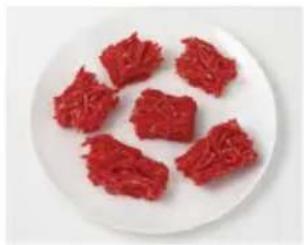
Category 1 Bread
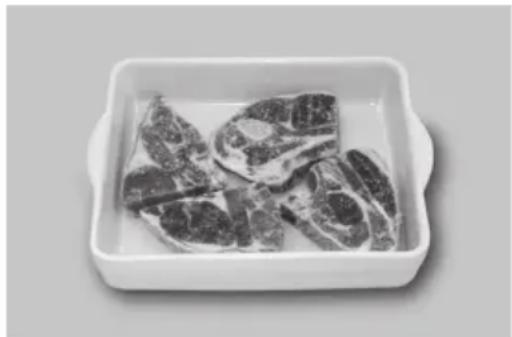
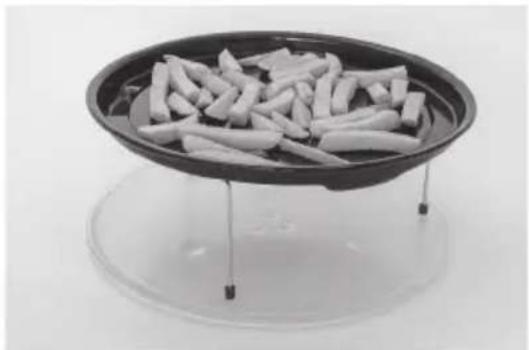
Guidelines

Note:
Panasonic Kitchen Appliances Technology (Jiaxing) Co., Ltd.
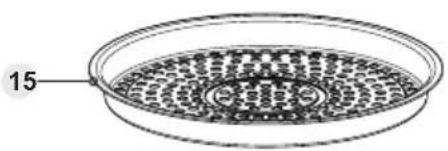
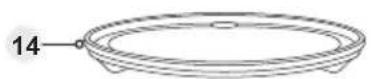

Note
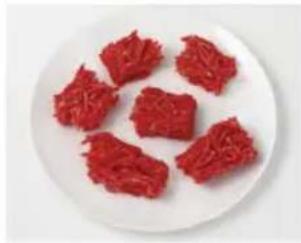
Category 1 - Bread
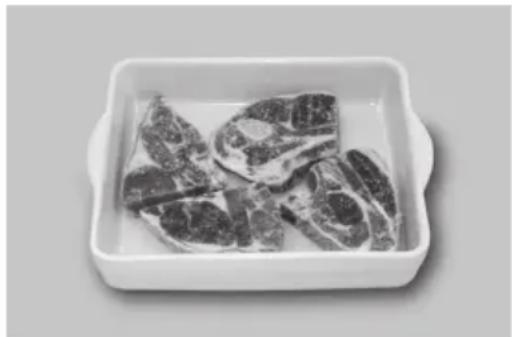
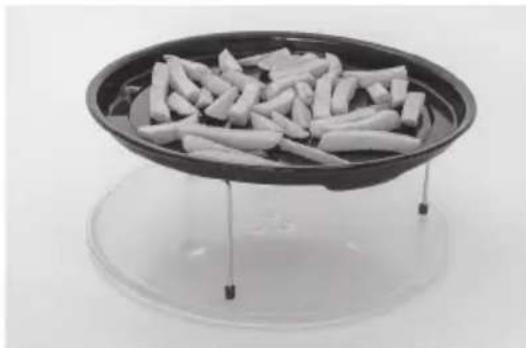
Guidelines

Note
Panasonic Kitchen Appliances Technology (Jiaxing) Co., Ltd.
No.369 Chenggong Road, Economic and Technological Development
Zone, Jiaxing, Zhejiang Province, China
Panasonic Testing Centre
Winsbergring 15, 22525 Hamburg, Germany
Contents

Note
Defrost
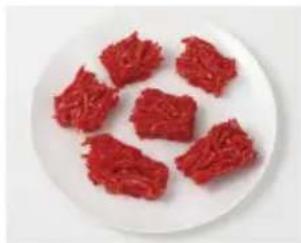
Category 1: bread
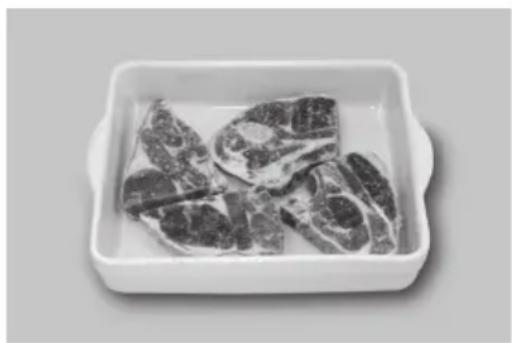
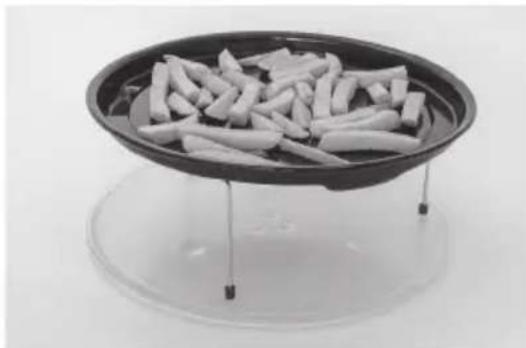
Guidelines
Baking: glass dish, enameled tray.
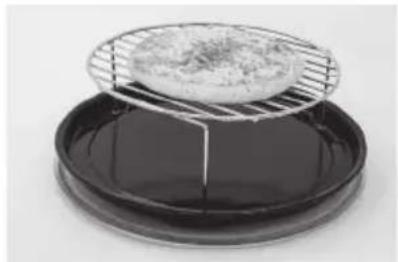

Note
Panasonic Kitchen Appliances Technology (Jiaxing) Co., Ltd.
No.369 Chenggong Road, Economic and Technological Development
Zone, Jiaxing, Zhejiang Province, China
Imported by: Panasonic Marketing Europe GmbH
EU REP: Panasonic Marketing Europe GmbH
Panasonic Testing Centre
Airfry cooking table....33-35
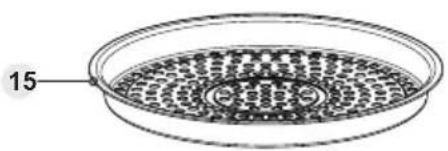
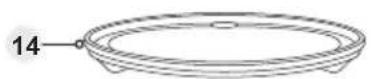

Note
Turn the dial.
Defrost
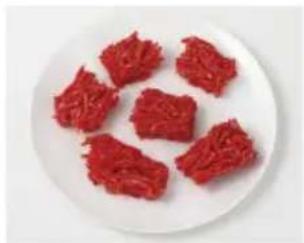
Category 1 Bread
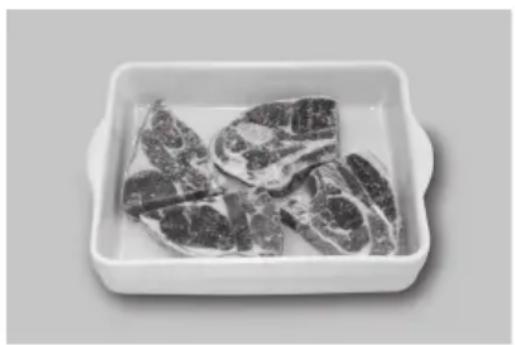
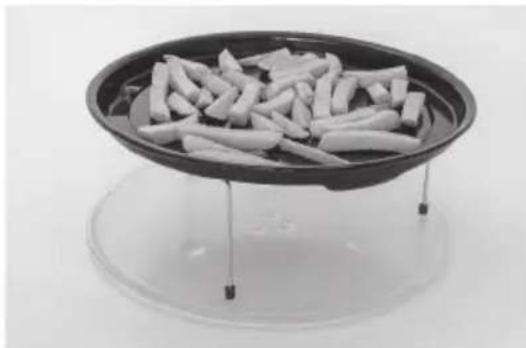
Guidelines

Note
Panasonic Kitchen Appliances Technology (Jiaxing) Co., Ltd.
No.369 Chenggong Road, Economic and Technological Development
Zone, Jiaxing, Zhejiang Province, China
Panasonic Testing Centre
Scan the QR code for more recipes.
https://www.panasonic.com/nn-cd58rs/
FR