
NN-SB64QS - Microwave PANASONIC - Free user manual and instructions
Find the device manual for free NN-SB64QS PANASONIC in PDF.
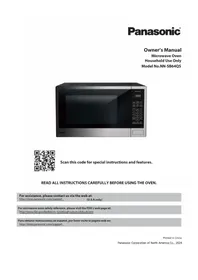


Pick your language and provide your email: we'll send you a specifically translated version.
| Product Type | Microwave Oven |
| Brand | Panasonic |
| Model | NN-SB64QS |
| Capacity | 1.2 cu ft (34 liters) |
| Power Output | 1200 Watts |
| Power Supply | 120V, 60Hz |
| Inverter Technology | Yes, for precise power control |
| Turntable | 13.5 inches (34.3 cm) glass |
| Control Type | Digital touch panel with LED display |
| Sensor Cooking | Genius Sensor for automatic adjustments |
| Defrost Function | Inverter Turbo Defrost |
| Quick Min | One-touch start on 1100W high |
| Timer | 99 minutes 99 seconds maximum |
| Child Safety Lock | Yes |
| Dimensions (W x H x D) | 20.8 x 12.3 x 16.1 inches (52.8 x 31.2 x 40.9 cm) |
| Weight | 32.6 lbs (14.8 kg) |
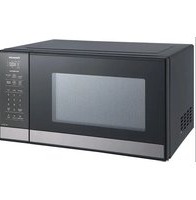
| Material | Stainless steel exterior, easy-clean interior |
| Cleaning | Removable turntable and interior wipe-down |
| Spare Parts & Repairability | Turntable, roller ring, and fuses are user-replaceable |
| Accessories Included | Glass turntable, roller ring, and instruction manual |
Frequently Asked Questions - NN-SB64QS PANASONIC
How do I set the clock on the Panasonic NN-SB64QS?
Press the Clock button. Use the number pads to enter the current time (for example, 1:30 for 1:30 PM). Then press Clock again to confirm. With the 12-hour display, make sure the correct AM/PM is selected.
Can I use metal containers in this microwave?
No. Metal containers, foil, or utensils can cause arcing and damage the magnetron. Use only microwave-safe dishes, glass, or ceramic containers unless specifically labeled for metal use.
How does the sensor cooking function work?
The Genius Sensor measures humidity released by the food and automatically adjusts cooking time and power. Press the sensor cooking button (e.g., Popcorn or Reheat), then start; the microwave will stop when the food is perfectly cooked.
How do I perform the Inverter Turbo Defrost?
Press the Turbo Defrost button, then enter the weight of the frozen food in pounds and ounces. The microwave will automatically compute a defrosting time with alternating high and low power for even results.
Why is my microwave not heating, but the light and turntable work?
This may indicate a faulty magnetron or high-voltage diode. Check if the power cord is loose, but if the issue persists, contact a qualified technician. The child lock could also be accidentally enabled.
How do I clean the interior without damaging it?
Wipe the interior with a damp cloth and mild soap. Avoid abrasive cleaners that can scratch the surface. The glass turntable can be removed and washed in warm soapy water. Ensure the microwave is unplugged before deep cleaning.
What is the child lock function and how do I set it?
The child lock prevents accidental operation. Press and hold the Cancel button for 3 seconds until the display shows a padlock icon. To unlock, repeat the same press-and-hold sequence.
Can I replace the turntable plate myself?
Yes, the turntable is a user-replaceable part. If it cracks or breaks, order a genuine Panasonic turntable (part number may be in the manual) and simply set it on the roller ring. No tools are required.
What does 'E2' error code mean on the display?
An E2 code usually indicates a sensor malfunction or a short circuit in the control board. Unplug the microwave for 5 minutes to reset, then try again. If the error persists, professional service is needed.
How can I reduce cooking time for small items?
Use the Quick Min button to add 1 minute of high power with each press. For lighter heating, adjust the power level by pressing Power and entering a percentage from 10% to 100%.
User questions about NN-SB64QS PANASONIC
0 question about this device. Answer the ones you know or ask your own.
Ask a new question about this device
No questions yet. Be the first to ask one.
Download the instructions for your Microwave in PDF format for free! Find your manual NN-SB64QS - PANASONIC and take your electronic device back in hand. On this page are published all the documents necessary for the use of your device. NN-SB64QS by PANASONIC.
USER MANUAL NN-SB64QS PANASONIC
Manual assistant
Powered by Anthropic
Waiting for your message
Product information
Brand : PANASONIC
Model : NN-SB64QS
Category : Microwave