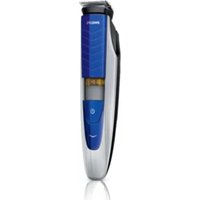
BT5275 - Beard trimmer PHILIPS - Free user manual and instructions
Find the device manual for free BT5275 PHILIPS in PDF.


| Product type | Beard trimmer |
| Brand | Philips |
| Model | BT5275 |
| Power supply | Built-in rechargeable battery, mains charging (adapter included, input 100-240 V) |
| Charging time | Approximately 60 minutes for a full charge |
| Battery life | Approximately 60 minutes (estimated based on charge time, typical for similar models) |
| Corded use | Yes, possible even with empty battery |
| Cutting heights (with comb) | From 0.4 mm to 10 mm (17 adjustable settings) |
| Minimum cutting height (without comb) | 0.4 mm |
| Cutting head | Double-sided: 32 mm side for standard trimming, 15 mm side for precise contours |
| Cutting comb | Included, adjustable via wheel |
| Charge indicator | Yes, orange/white flashing then steady white |
| Sound level | 65 dB(A) |
| Cleaning | Washable under warm water (cutting head and comb), cleaning brush included |
| Maintenance | Clean the head connector every 3 months; no lubrication required |
| Safety | Do not use in bath or shower; keep adapter dry |
| Operating temperature | 5 °C to 35 °C |
| Warranty | International warranty (see leaflet) |
| Included accessories | Comb, mains adapter, cleaning brush |
| Weight | Approximately 200 g (estimated) |
Frequently Asked Questions - BT5275 PHILIPS
User questions about BT5275 PHILIPS
0 question about this device. Answer the ones you know or ask your own.
Ask a new question about this device
Download the instructions for your Beard trimmer in PDF format for free! Find your manual BT5275 - PHILIPS and take your electronic device back in hand. On this page are published all the documents necessary for the use of your device. BT5275 by PHILIPS.
USER MANUAL BT5275 PHILIPS
Always here to help you
Register your product and get support at www.philips.com/welcome

BT5275
BT5270
BT5260
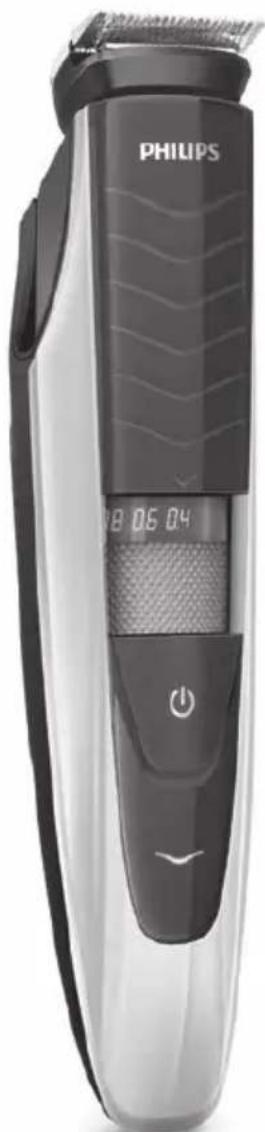
natural_image
Black Philips 3.000 electric toothbrush with digital display and power button (no text or symbols on body)User manual
PHILIPS

natural_image
Simple line drawing of an open book with a grid on the left and a closed page on the right (no text or symbols)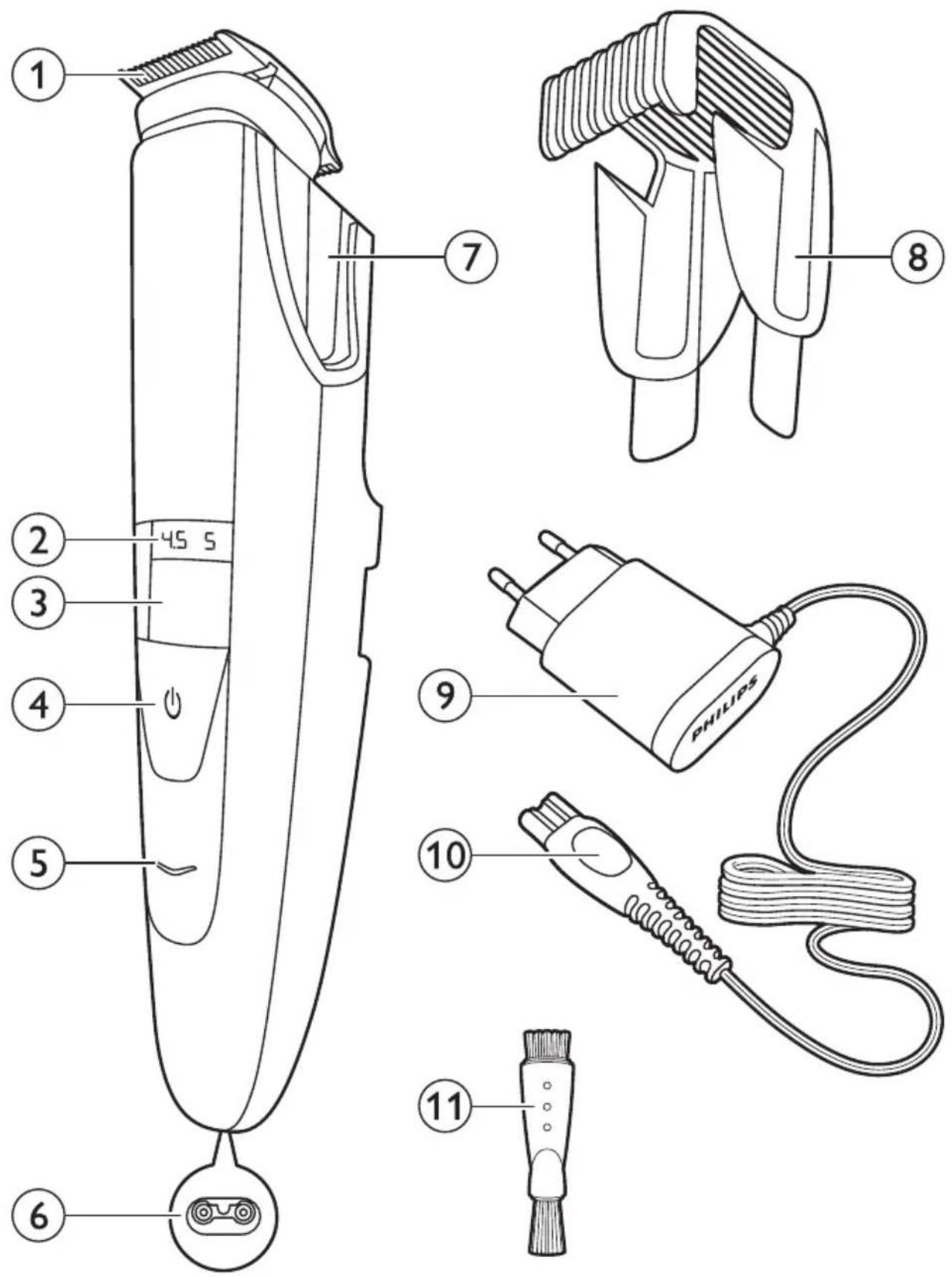
ENGLISH 6
DANSK 14
DEUTSCH 23
ΕΛΛΗΝΙΚΑ 32
ESPAÑOL 41
SUOMI 50
FRANÇAIS 58
ITALIANO 67
NEDERLANDS 76
NORSK 85
PORTUGUÊS 93
SVENSKA 102
TÜRKÇE 111
Introduction
Congratulations on your purchase and welcome to Philips! To fully benefit from the support that Philips offers, register your product at
www.philips.com/welcome.
General description (Fig. 1)
1 Turnable trimming head
2 Length setting
3 Zoom wheel
4 On/off button
5 Battery light
6 Socket for small plug
7 Guiding groove for trimming comb
8 Trimming comb
9 Adapter
10 Small plug
11 Cleaning brush
Important
Read this user manual carefully before you use the appliance and save it for future reference.
Danger
- Keep the adapter dry.
Warning
- Check if the voltage indicated on the adapter corresponds to the local mains voltage before you connect the appliance.
- The adapter contains a transformer. Do not cut off the adapter to replace it with another plug, as this causes a hazardous situation.
- This appliance is not intended for use by persons (including children) with reduced physical, sensory or mental capabilities, or lack of experience and knowledge, unless they have been given supervision or instruction concerning use of the appliance by a person responsible for their safety.
- Keep the appliance and its cord out of the reach of children.
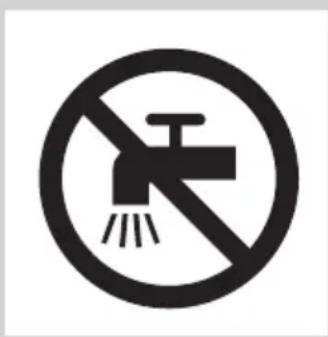
- Do not use the appliance in the bath or in the shower.
natural_image
No smoking sign with a faucet symbol (no text or numbers present)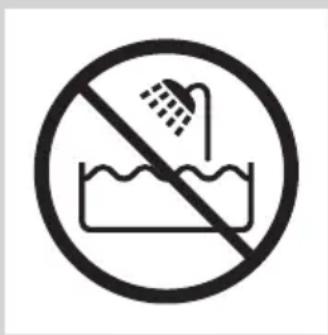
Caution
- Always check the appliance before you use it. Do not use the appliance if any of its parts is damaged or broken, as this may cause injury.
- Only use this appliance for its intended purpose as shown in the user manual.
- Use, charge and store the appliance at a temperature between 5^ C and 35^ C.
- Only use the adapter supplied to charge the appliance.
- Make sure the appliance is switched off and disconnected from the mains before you clean it under the tap.
- If the appliance is subjected to a major change in temperature, pressure or humidity, let the appliance acclimatise for 30 minutes before you use it.
- If the adapter is damaged, always have it replaced with one of the original type in order to avoid a hazard.

natural_image
Black and white icon of a faucet with radiating lines indicating water or fire (no text or symbols)- Never use compressed air, scouring pads, abrasive cleaning agents or aggressive liquids such as petrol or acetone to clean the appliance.
- Noise level: Lc= 65dB(A)
Compliance with standards
- The appliance complies with the internationally approved IEC safety regulations and can be safely cleaned under the tap.
- This Philips appliance complies with all applicable standards and regulations regarding exposure to electromagnetic fields.
Preparing for use
Charging
Charge the appliance fully before you use it for the first time and after a long period of disuse.
Charging takes about 60 minutes if the appliance is completely empty.
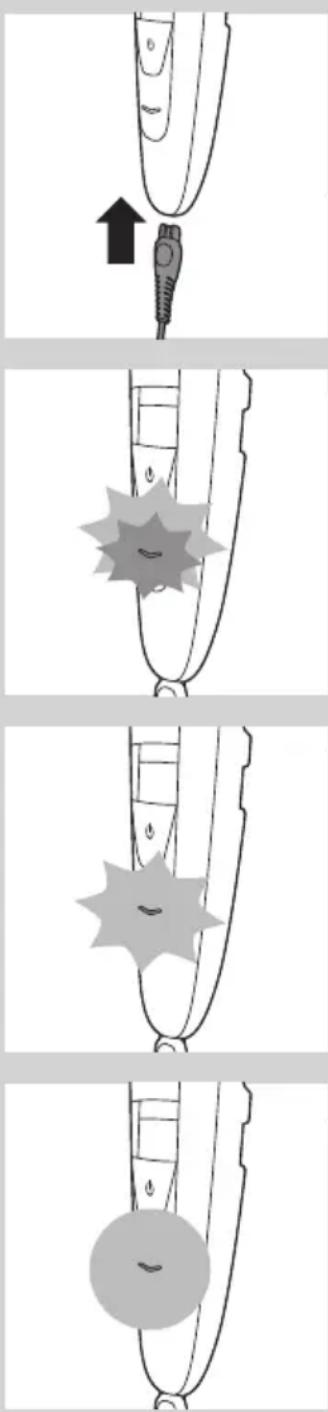
1 Make sure the appliance is switched off.
2 Insert the small plug into the appliance and put the adapter in the wall socket.
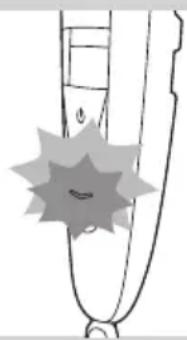
The battery light flashes orange and white alternately.
natural_image
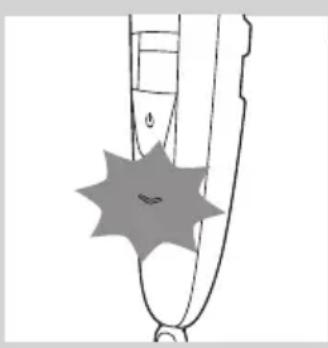
Simple line drawing of a stylized object resembling a pen or tool with a starburst effect (no text or symbols)After about 3 minutes, the battery light flashes white only. At this point, the battery contains enough energy for one cordless trimming session.

natural_image
Simple line drawing of a curved object with a starburst shape overlay (no text or symbols)The battery light continues to flash white and when the appliance is fully charged, it lights up solid white.
If the fully charged appliance is still connected to the mains after 1 hour, the battery light goes out after 30 minutes.
ENGLISH8
natural_image
Simple line drawing of a pen tip with a starburst shape on the left (no text or symbols)Battery low and battery empty signals
When the battery is almost empty, the battery light starts flashing orange. When you switch off the appliance, the battery light continues to flash orange for a few seconds.
The battery light flashes orange at a higher frequency if the battery is empty and if you press the on/off button.
Corded trimming
natural_image
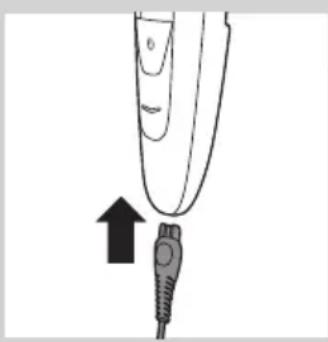
Illustration of a finger pointing to a medical device with an arrow indicating upward motion (no text or symbols)You can also operate the appliance from the mains.
1 Insert the small plug into the appliance.
2 Put the adapter in a wall socket.
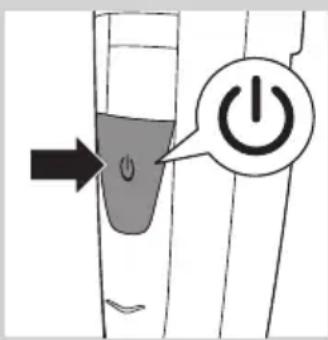
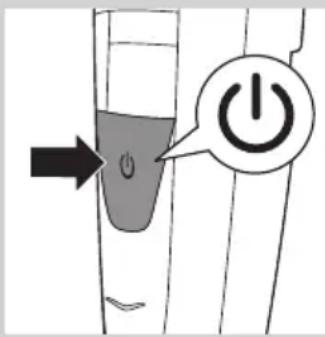
3 Press the on/off button to switch on the appliance.
Using the appliance
You can use the appliance to trim facial hair (beard, moustache and sideburns). This appliance is not intended for trimming lower body parts or scalp hair.
Trimming with comb
natural_image
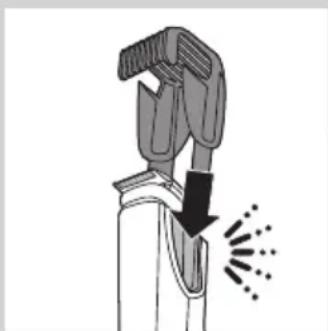
Illustration of a hand gripping a tool with a downward arrow and radiating lines indicating motion (no text or symbols)The appliance comes with a comb that keeps the trimming head at a certain distance from your skin. This distance determines the remaining hair length and can be adjusted by turning the zoom wheel.
1 Slide the comb into the guiding grooves on both sides of the appliance ('click').

natural_image
Illustration of a person inserting a device into a device with a magnified inset showing internal components (no text or symbols)Note: The comb does not fit on the trimming head when the 15mm (0.6in) side is pointing towards the front of the appliance. If this is the case, turn the trimming head before you slide the comb onto the trimming head.
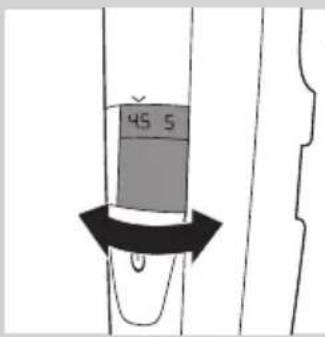
2 Turn the zoom wheel to select a length setting.
- The length setting selected is the one right below the indicator on the front of the appliance.
- You can select a length from 0.4mm to 10mm (see table in section 'Length settings' below).
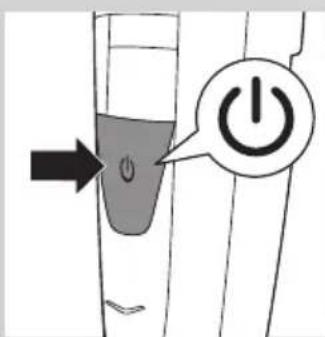
3 Press the on/off button to switch on the appliance.

natural_image
Illustration of a person applying a hairdryer to their face (no text or symbols)4 To trim your beard, move the comb through the hair slowly.
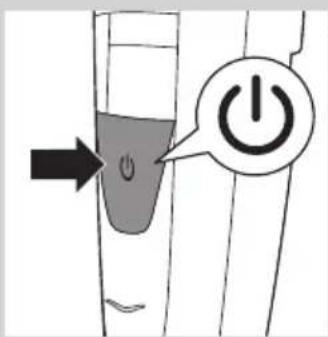
5 When you are finished, press the on/off button to switch off the appliance.
Tips
- Always make sure that the tips of the comb point in the direction in which you move the appliance.
- Make sure that the flat part of the comb is always in full contact with the skin to obtain an even hair length result.
- Since hair grows in different directions, you need to move the appliance in different directions (upward, downward or across).
- Trimming is easier when skin and hair are dry.
Length settings
mm
0.4 0.6 0.8 1 1.5
2 2.5 3 3.5 4
4.5 5 6 7 8
9 10
Trimming without comb
natural_image
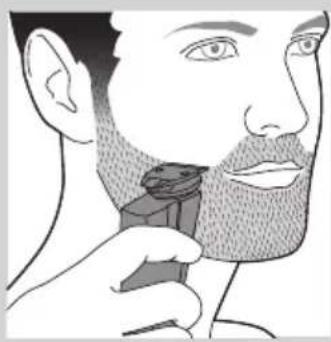
Illustration of a person applying a hair product to their beak (no text or symbols)If you trim without the comb, your hair is cut off close to the skin. The trimming head has a 32mm(1.25in) side and a 15mm (0.6in) side.
- The 32mm (1.25in) side is for regular trimming and contouring.
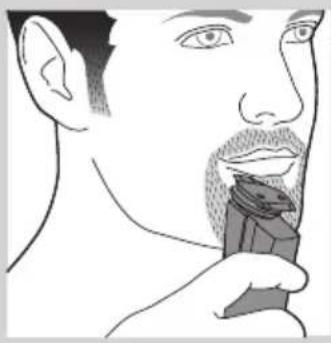
natural_image
Line drawing of a person applying makeup to their face (no text or symbols)- The 15mm (0.6in) side of the trimming head allows more precise styling and contouring than the 32mm(1.25in) side.
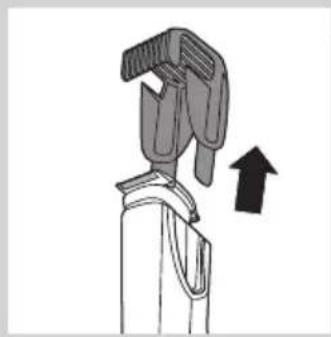
natural_image
Diagram of a hand gripping a device with an upward arrow indicating motion (no text or symbols present)1 If the comb is still on the trimming head, pull it off.
Never pull at the flexible top of the comb. Always pull at the sides.
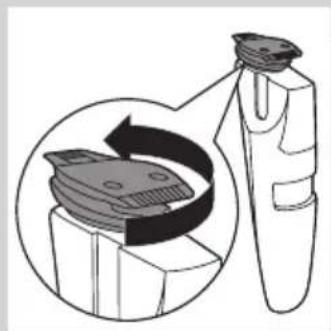
natural_image
Diagram of a mechanical component with a magnified inset showing internal components (no text or symbols)2 Turn the trimming head until the side you want to use points to the front of the appliance.
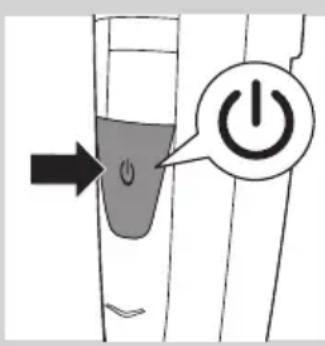
3 Press the on/off button to switch on the appliance.
4 Hold the appliance in the position that is most convenient for the area you want to trim and make upward or downward strokes.
Tip: For a comfortable trim close to your skin, place the flat side of the trimming head against your skin and make strokes in the desired direction.
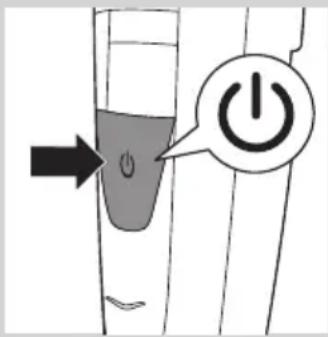
5 When you are finished, press the on/off button to switch off the appliance.
Cleaning and maintenance
Clean the appliance after every use.
Never use compressed air, scouring pads, abrasive cleaning agents or aggressive liquids such as petrol or acetone to clean the appliance.
Note: The trimming head does not need any lubrication.
Cleaning the appliance and the comb
1 Switch off the appliance.
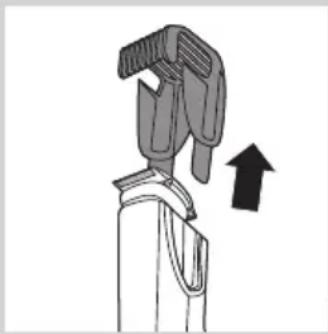
2 Pull the comb off the trimming head.
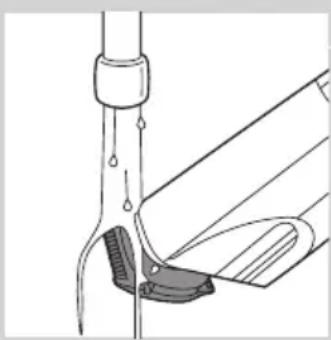
3 Clean the trimming head under the tap with lukewarm water or clean it with the cleaning brush supplied.
natural_image
Diagram of a hand holding a tool with an arrow indicating upward motion (no text or symbols)4 Clean the comb under the tap or clean it with the cleaning brush supplied.
natural_image
Diagram of a laboratory procedure showing a pipette inserted into a container with liquid, and a partially submerged object (no text or labels)Cleaning the trimming head connector
Note: Make sure you clean the trimming head connector at least once every three months.
1 Switch off the appliance.
natural_image
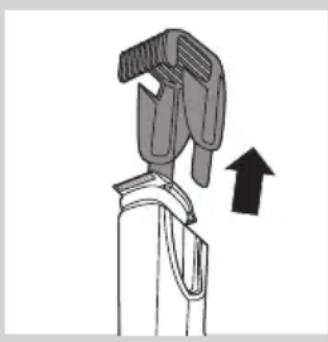
Diagram of a mechanical clamp or tool with an upward arrow indicating motion (no text or symbols present)2 Pull the comb off the trimming head.
natural_image
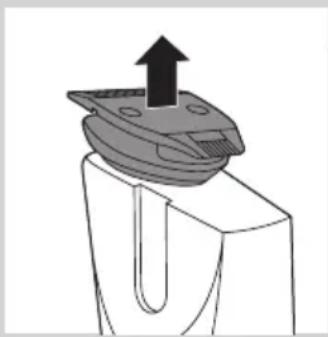
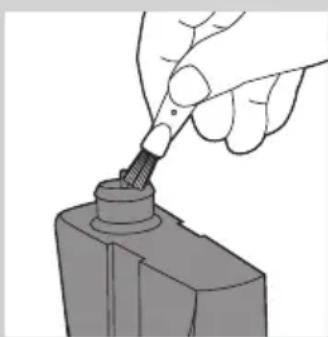
Diagram of a mechanical component with an upward arrow indicating motion (no text or symbols)3 Pull the trimming head off the appliance.
natural_image
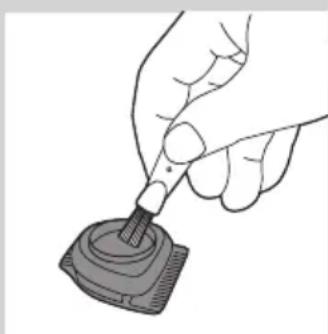
Hand using a tool to adjust or install a mechanical component (no text or symbols visible)4 Clean the trimming head connector with the cleaning brush supplied.
natural_image
Hand holding a small electronic component with a probe inserted (no text or symbols visible)5 Clean the inside of the trimming head with the cleaning brush supplied.
6 After cleaning, put the trimming head back onto the appliance.
Ordering accessories
To buy accessories or spare parts, visit www.shop.philips.com/service or go to your Philips dealer. You can also contact the Philips Consumer Care Centre in your country (see the worldwide guarantee leaflet for contact details).
Guarantee and support
If you need information or support, please visit the Philips website at www.philips.com/support or read the worldwide guarantee leaflet.
Environment
natural_image
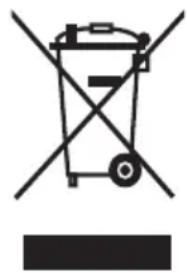
Symbol of a waste bin with crossed lines indicating no waste or restriction, plus a solid black rectangle below (no text or symbols)- Do not throw away the appliance with the normal household waste at the end of its life, but hand it in at an official collection point for recycling. By doing this, you help to preserve the environment.
- The built-in rechargeable battery contains substances that may pollute the environment. Always remove the battery before you discard and hand in the appliance at an official collection point. Dispose of the battery at an official collection point for batteries. If you have trouble removing the battery, you can also take the appliance to a Philips service centre. The staff of this centre will remove the battery for you and will dispose of it in an environmentally safe way.
Troubleshooting
This chapter summarises the most common problems you could encounter with the appliance. If you are unable to solve the problem with the information below, contact the Consumer Care Centre in your country.
Problem Possible cause Solution
| The appliance does not work when it is switched on. | The battery is empty. | Charge the appliance fully (see chapter ‘Charging’). It takes approximately 60 minutes to charge the appliance fully. You can also operate the appliance from the mains. |
| The appliance does not trim as well as it used to. | The cutting element of the trimmer head is dirty. | Thoroughly clean the trimming head (see chapter ‘Cleaning and maintenance’). |
| You do not move the appliance in the optimal direction. | For the best possible trimming and suction performance, we advise you to move the trimmer upwards, against the direction of hair growth, making smooth and gentle strokes. See chapter ‘Using the appliance’. |
Introduktion
natural_image
No smoking sign with a faucet symbol (no text or numbers present)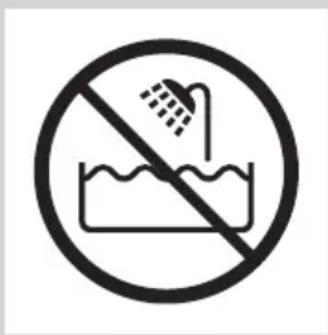
Forsigtig
natural_image
Simple black-and-white icon of a faucet with raindrops, no text or symbols present.natural_image
Diagram of a finger pointing to a plug with an arrow indicating upward motion (no text or symbols)natural_image
Simple line drawing of a stylized object resembling a pen or tool with a starburst effect (no text or symbols)natural_image
Simple line drawing of a curved object with a starburst shape on the left (no text or symbols)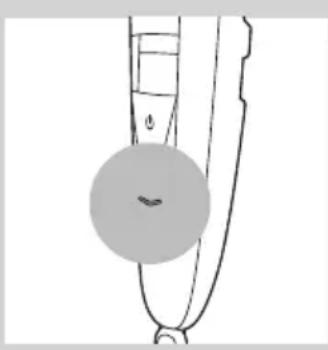
natural_image
Simple line drawing of a curved object with a circular mark and a small circle, no text or symbols present.natural_image
Simple line drawing of a stylized object with a starburst shape and a small smile (no text or symbols)natural_image
Illustration of a finger pointing to a medical device with an arrow indicating upward motion (no text or symbols)natural_image
Illustration of a tool emitting heat or vibration, showing mechanical components and motion direction (no text or symbols)natural_image
Illustration of a person cleaning a wall-mounted device with a magnified inset showing the device's internal structure (no text or symbols)natural_image
Illustration of a person applying a hairdryer to their face (no text or symbols)natural_image
Illustration of a person applying a hair product to their face (no text or symbols)natural_image
Line drawing of a person's face with a toothbrush near the mouth (no text or symbols)natural_image
Diagram of a mechanical device with an upward arrow indicating motion or force (no text or symbols present)natural_image
Diagram showing a device interacting with a mechanical component, with no visible text or symbols.natural_image
Illustration of a mechanical device with an upward arrow indicating motion (no text or symbols)natural_image
Diagram of a laboratory procedure showing liquid transfer from a bottle to a pipette (no text or labels)natural_image
Diagram of a mechanical clamp or clamp device with wires and a handle, no text or symbols presentnatural_image
Illustration of a hand gripping a device with an upward arrow indicating motion (no text or symbols)natural_image
Mechanical component diagram showing a bracket with an upward arrow and mounting base (no text or symbols)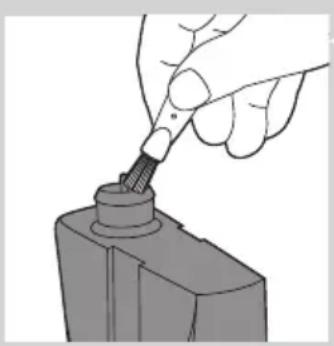
natural_image
Hand using a screwdriver to insert a cylindrical component (no text or symbols visible)natural_image
Illustration of a hand using a tool to apply a small electronic component (no text or symbols visible)natural_image
Symbol of a trash bin crossed with no text or labels, accompanied by a black rectangular block below (no readable text or symbols)natural_image
No smoking sign with faucet symbol (no text or numbers)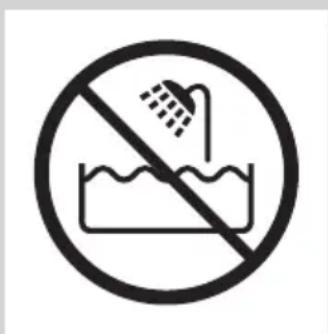
Achtung
natural_image
Black and white icon of a faucet with raindrops, enclosed in a square frame (no text or symbols)natural_image
Simple line drawing of a curved object with a circular mark and a small circle, no text or symbols present.natural_image
Simple line drawing of a pen-like object with a starburst shape on the handle (no text or symbols)natural_image
Illustration of a finger pointing to a medical device with an arrow indicating upward motion (no text or symbols)natural_image
Illustration of a mechanical device with a downward arrow and radiating lines indicating motion or force (no text or symbols)natural_image
Illustration of a person cleaning a garment with a magnified inset showing the fabric detail (no text or symbols)natural_image
Illustration of a person applying a hairdryer to their face (no text or symbols)natural_image
Illustration of a person applying a hair product to their face (no text or symbols)natural_image
Line drawing of a person's face with a toothbrush touching the mouth (no text or symbols)natural_image
Diagram of a mechanical device with an upward arrow indicating motion or force (no text or symbols present)natural_image
Diagram showing a device interacting with a mechanical component, with no visible text or symbols.natural_image
Diagram of a mechanical device with an upward arrow indicating motion or force (no text or symbols present)natural_image
Diagram of a laboratory procedure showing liquid transfer from a pipette to a container (no text or labels)natural_image
Diagram of a mechanical clamp or clamp device with a suspended rod and connecting rods (no text or symbols)natural_image
Illustration of a hand gripping a mechanical component with an upward arrow (no text or symbols)natural_image
Diagram of a mechanical component with an upward arrow indicating force or direction (no text or symbols)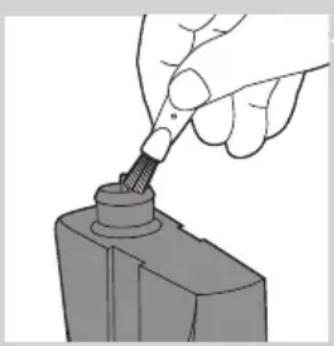
natural_image
Hand using a tool to apply a component to a cylindrical object (no text or symbols visible)natural_image
Illustration of a hand using a tool to apply a small electronic component (no text or symbols visible)natural_image
Symbol of a trash bin crossed with no text or labels, accompanied by a black rectangular block below (no readable text or symbols)natural_image
No sign depicting a faucet prohibition symbol (no text present)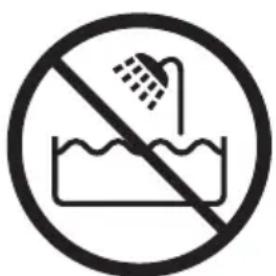
Προσοχή
natural_image
Simple black-and-white icon of a faucet with radiating lines, no text or symbols present.natural_image
Simple line drawing of a curved object with a circular highlight (no text or symbols)natural_image
Simple line drawing of a stylized object with a starburst shape and a small smile (no text or symbols)natural_image
Diagram of a finger pointing to a plug with an arrow indicating upward motion (no text or symbols)natural_image
Diagram of a mechanical device with a downward arrow and radiating lines indicating motion or force (no text or symbols)natural_image
Illustration of a hairdryer with a magnified inset showing the fabric being filled (no text or symbols)natural_image
Illustration of a person applying a hairdryer to their face (no text or symbols present)natural_image
Illustration of a person applying a hair product to their face (no text or symbols)natural_image
Line drawing of a person's face with a hairpin, showing detailed facial features (no text or symbols)natural_image
Diagram of a mechanical device with an upward arrow indicating motion or force (no text or symbols present)natural_image
Illustration of a toothbrush applying material to a tooth, showing a magnified view of the tooth (no text or symbols present)natural_image
Illustration of a mechanical clamp or bracket with an upward arrow indicating motion (no text or symbols)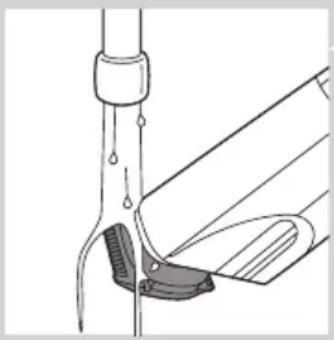
natural_image
Diagram of a laboratory procedure showing a pipette inserted into a container with liquid, and a partially assembled tube or clamp (no text or labels)natural_image
Diagram of a mechanical clamp or clip assembly with a suspended rod and spring (no text or symbols)natural_image
Illustration of a hand gripping a device with an upward arrow indicating motion (no text or symbols)natural_image
Mechanical component diagram showing a mechanical assembly with an upward arrow (no text or symbols)natural_image
Illustration of a hand using a tool to apply a screwdriver to a mechanical component (no text or symbols visible)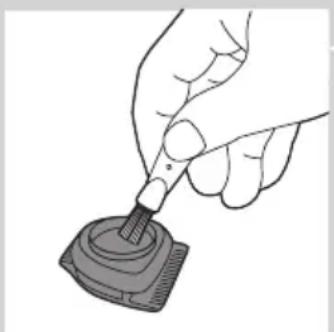
natural_image
Illustration of a hand using a pipette to apply liquid into a digital device (no text or symbols visible)natural_image
Prohibition sign with a faucet and diagonal line, no text or symbols present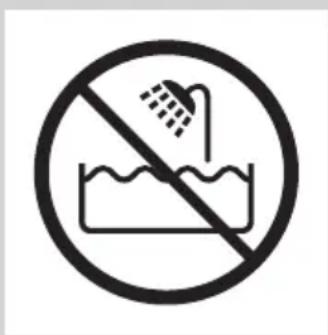
Precaución
natural_image
Simple black-and-white icon of a faucet with raindrops, no text or symbols present.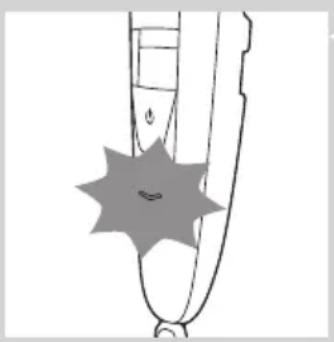
natural_image
Simple line drawing of a pen-like object with a starburst shape on the tip (no text or symbols)natural_image
Diagram of a finger pointing to a medical device with an arrow indicating upward motion (no text or symbols present)natural_image
Illustration of a hairpin with a black downward arrow indicating compression or compression process (no text or symbols)natural_image
Illustration of a person inserting a CD into a device, showing the device's internal structure and its magnified view (no text or symbols)natural_image
Illustration of a person applying a hair accessory to their face (no text or symbols)natural_image
Illustration of a person applying a hair accessory to their beak (no text or symbols present)natural_image
Line drawing of a person applying a toothbrush to their face (no text or symbols)natural_image
Diagram of a mechanical device with an upward arrow indicating motion or force (no text or symbols present)natural_image
Diagram showing a device being inserted into a component, with no visible text or symbols.natural_image
Diagram of a hand holding a tool or device with an arrow indicating upward motion (no text or symbols present)natural_image
Diagram of a laboratory procedure showing a pipette inserted into a container with liquid, and a partially submerged object (no text or labels)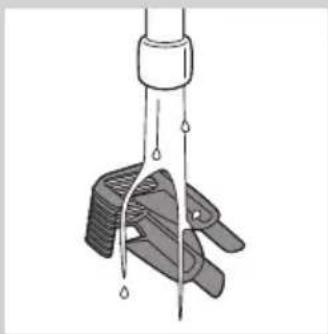
natural_image
Diagram of a mechanical clamp or clamp device with liquid droplets, no text or symbols presentnatural_image
Illustration of a mechanical device with a handle and arrow indicating upward motion (no text or symbols)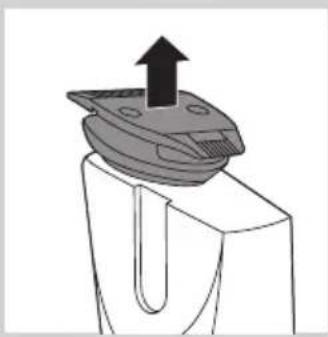
natural_image
Mechanical component diagram showing a U-shaped groove with an upward arrow indicating force or direction (no text or symbols)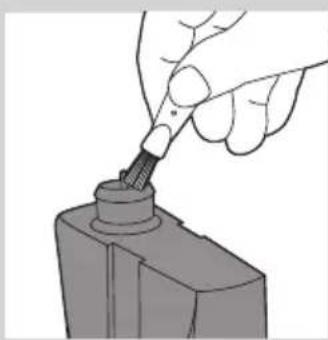
natural_image
Hand holding a screwdriver inserted into a mechanical component (no text or symbols visible)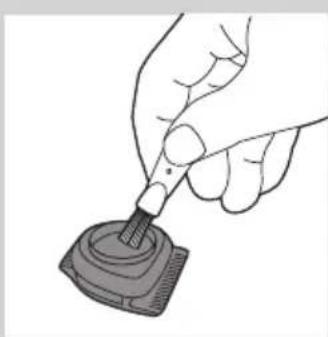
natural_image
Hand holding a pen tip touching a small electronic component (no text or symbols visible)natural_image
Symbol of a waste bin with crossed lines indicating no waste or restriction, and a solid black rectangle below (no text or symbols)natural_image
No smoking sign with faucet symbol (no text or numbers)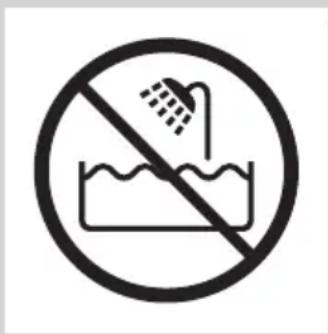
Varoitus
natural_image
Simple black-and-white icon of a faucet with radiating lines, no text or symbols present.natural_image
Simple line drawing of a curved object with a starburst shape on the left (no text or symbols)natural_image
Diagram of a finger pointing to a plug with an arrow indicating upward motion (no text or symbols)natural_image
Diagram of a mechanical device with a downward arrow and radiating lines indicating motion or force (no text or symbols)natural_image
Illustration of a person inserting a device into a box, showing internal components (no text or symbols)natural_image
Illustration of a person applying a hairdryer to their face (no text or symbols present)natural_image
Illustration of a person applying a hair product to their beak (no text or symbols)natural_image
Line drawing of a person applying a hairbrush to their face (no text or symbols)natural_image
Diagram of a hand gripping a device with an upward arrow indicating motion (no text or symbols)natural_image
Diagram showing a mechanical component being inserted into a housing, with no visible text or symbols.natural_image
Diagram of a mechanical device with an arrow indicating upward motion (no text or symbols present)natural_image
Diagram of a mechanical device with a handle and arrow indicating upward motion (no text or symbols)natural_image
Mechanical component diagram showing a U-shaped groove with an upward arrow indicating force or direction (no text or symbols)natural_image
Hand using a tool to adjust a mechanical component (no text or symbols visible)natural_image
Hand holding a small electronic device with a probe inserted (no text or symbols visible)natural_image
Symbol of a waste bin with crossed lines indicating no waste, and a solid black rectangle below (no text or labels)natural_image
Prohibition sign of a faucet crossed out, no text or symbols present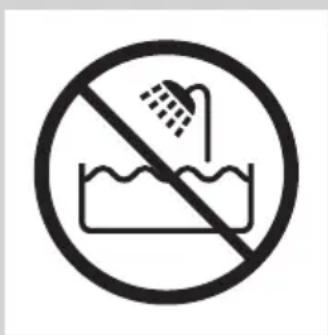
Attention
natural_image
Simple black-and-white icon of a faucet with raindrops falling (no text or symbols)natural_image
Illustration of a finger pointing to a plug with an arrow indicating upward motion (no text or symbols)natural_image
Simple line drawing of a curved object with a starburst shape at the center (no text or symbols)natural_image
Simple line drawing of a curved object with a starburst shape overlay (no text or symbols)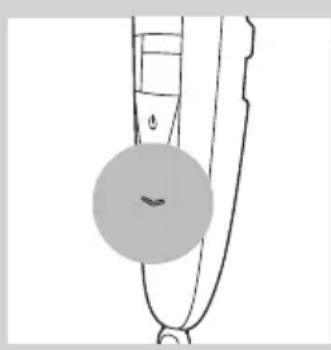
natural_image
Simple line drawing of a curved object with a circular highlight (no text or symbols)natural_image
Simple line drawing of a stylized object with a starburst shape and a small smile (no text or symbols)natural_image
Illustration of a finger pointing to a medical device with an arrow indicating upward motion (no text or symbols)natural_image
Diagram of a mechanical device with a downward arrow and radiating lines indicating motion or force (no text or symbols)natural_image
Illustration of a person cleaning a wall-mounted device with a magnified inset showing the device's internal structure (no text or symbols)natural_image
Illustration of a person applying a hairdryer to their face (no text or symbols)natural_image
Illustration of a person applying a hair product to their face (no text or symbols)Tonte sans sabot
natural_image
Line drawing of a person applying a toothbrush to their face (no text or symbols)natural_image
Diagram of a mechanical device with an upward arrow indicating motion or force (no text or symbols present)natural_image
Diagram showing a toothbrush cleaning a tooth with a magnified inset illustrating the process (no text or symbols present)natural_image
Diagram of a mechanical device with an upward arrow indicating motion or force (no text or symbols present)natural_image
Diagram of a laboratory procedure showing a pipette and tubing with liquid droplets (no text or labels)natural_image
Diagram of a mechanical clamp or clamp device with wires and droplets, no text or symbols presentnatural_image
Illustration of a hand gripping a device with an upward arrow indicating motion (no text or symbols)natural_image
Mechanical component diagram showing a mechanical assembly with an upward arrow (no text or symbols)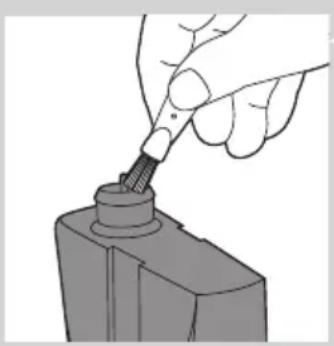
natural_image
Hand using a tool to apply a component to a cylindrical object (no text or symbols visible)natural_image
Illustration of a hand using a pen to apply liquid to a small electronic component (no text or symbols visible)natural_image
No smoking sign with faucet symbol (no text or numbers)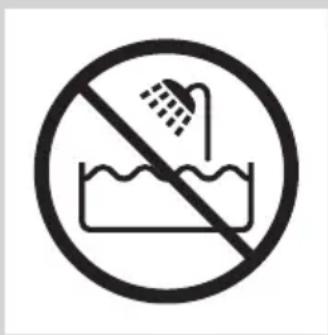
Attenzione
natural_image
Simple black-and-white icon of a faucet with raindrops falling (no text or symbols)natural_image
Diagram of a finger pointing to a plug with an arrow indicating upward motion (no text or symbols)natural_image
Simple line drawing of a curved object with a starburst shape and a small smile (no text or symbols)natural_image
Simple line drawing of a curved object with a starburst shape and a small circular mark on the surface (no text or symbols)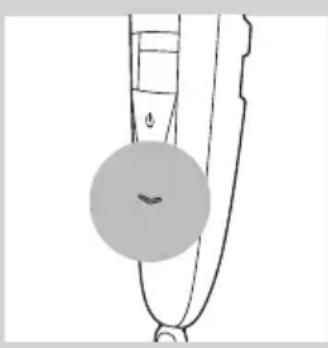
natural_image
Simple line drawing of a curved object with a circular mark and a small circle, no text or symbols present.natural_image
Simple line drawing of a pen-like object with a starburst shape on the handle (no text or symbols)natural_image
Illustration of a finger pointing to a medical device with an arrow indicating upward motion (no text or symbols)natural_image
Diagram of a mechanical device with a downward arrow and radiating lines indicating motion or force (no text or symbols)natural_image
Illustration of a person inserting a device into a box, showing the device being inserted (no text or symbols present)natural_image
Illustration of a person applying a hairdryer to their face (no text or symbols present)natural_image
Illustration of a person applying a hair product to their face (no text or symbols)natural_image
Line drawing of a person applying a toothbrush to their face (no text or symbols)natural_image
Diagram of a mechanical device with a handle and arrow indicating upward motion (no text or symbols)natural_image
Diagram showing a toothbrush cleaning a tooth with a magnified inset illustrating the process (no text or symbols present)natural_image
Diagram of a robotic arm with a handle and arrow indicating motion (no text or symbols)natural_image
Diagram of a laboratory procedure showing liquid transfer from a pipette to a container (no text or labels)natural_image
Diagram of a mechanical clamp or clamp device with no visible text or symbolsnatural_image
Illustration of a hand gripping a device with an upward arrow indicating motion (no text or symbols)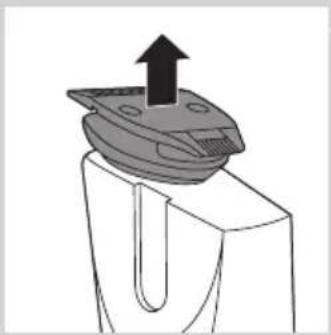
natural_image
Diagram of a mechanical component with an upward arrow indicating force or direction (no text or symbols)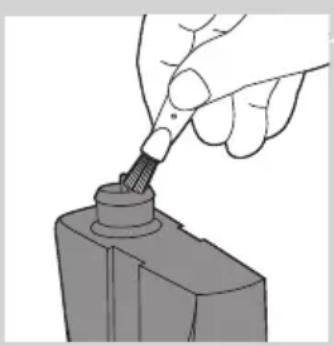
natural_image
Hand using a tool to apply a component to a cylindrical object (no text or symbols visible)natural_image
Illustration of a hand using a pen to apply liquid onto a small electronic device (no text or symbols visible)natural_image
No smoking sign with faucet symbol (no text or numbers)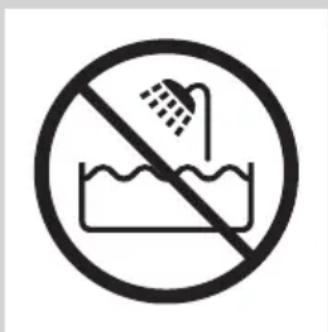
Let op
natural_image
Black and white icon of a faucet with raindrops, enclosed in a square frame (no text or symbols)natural_image
Simple line drawing of a curved object with a circular mark and a small circle, no text or symbols present.natural_image
Simple line drawing of a stylized object with a starburst shape and a small smile (no text or symbols)natural_image
Illustration of a finger pointing to a medical device with an arrow indicating upward motion (no text or symbols)natural_image
Diagram of a mechanical device with a downward arrow and radiating lines indicating motion or force (no text or symbols)natural_image
Illustration of a person inserting a device into a box, showing the device being inserted (no text or symbols present)natural_image
Illustration of a person applying a hairdryer to their face (no text or symbols)natural_image
Illustration of a person applying a hair product to their face (no text or symbols)natural_image
Line drawing of a person's face with a hairpin, showing detailed facial features (no text or symbols)natural_image
Diagram of a mechanical device with an upward arrow indicating motion or force (no text or symbols present)natural_image
Diagram showing a toothbrush cleaning a tooth with a magnified inset illustrating the process (no text or symbols present)natural_image
Illustration of a mechanical device with an upward arrow indicating motion (no text or symbols)natural_image
Diagram of a laboratory procedure showing a pipette inserted into a container with liquid, and a partially submerged object (no text or labels)natural_image
Diagram of a mechanical clamp or clamp device with wires and droplets, no text or symbols presentnatural_image
Illustration of a mechanical device with an upward arrow indicating motion (no text or symbols)natural_image
Mechanical component diagram showing a U-shaped groove with an upward arrow indicating force or direction (no text or symbols)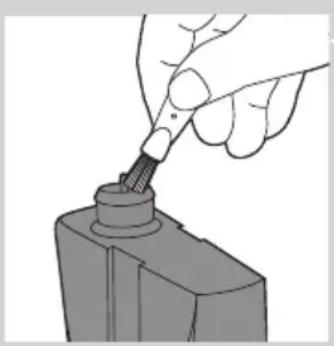
natural_image
Hand using a tool to insert or mark a component on a base (no text or symbols visible)natural_image
Illustration of a hand using a tool to apply a small electronic component (no text or symbols visible)natural_image
Symbol of a trash bin crossed with no visible text or labelsnatural_image
No smoking sign with faucet symbol (no text or numbers)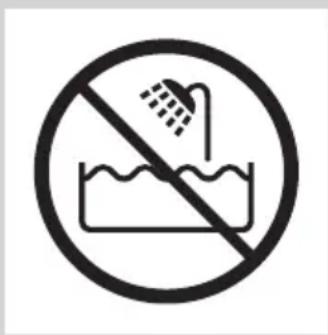
Forsiktig
natural_image
Simple black-and-white icon of a faucet with raindrops falling (no text or symbols)natural_image
Simple line drawing of a stylized object with a starburst shape and a small mouth, no text or symbols present.natural_image
Illustration of a finger pointing to a medical device with an arrow indicating upward motion (no text or symbols)Bruke apparatet
natural_image
Illustration of a hand holding a tool with a downward arrow and radiating lines indicating motion or force (no text or symbols)Apparatet leveres med en kam som holder trimmehodet på en viss avstand fra huden. Denne avstanden bestemmer den gjenværende hårlengden og kan justeres ved å vri på zoomhjulet.
natural_image
Illustration of a medical device with a magnified inset showing internal components (no text or symbols)natural_image
Illustration of a person applying a hairdryer to their face (no text or symbols)natural_image
Illustration of a person applying a hairbrush to their beak (no text or symbols present)Hvis du trimmer uten kam, blir håret klippet av nær huden. Trimmehodet har en side på 32 mm og en side på 15 mm.
natural_image
Line drawing of a person applying a hairbrush to their face (no text or symbols)natural_image
Diagram of a hand gripping a device with an upward arrow indicating motion (no text or symbols)natural_image
Diagram showing a device being processed into a cylindrical component, with an inset close-up highlighting the mechanical component (no text or symbols present)2 Vri på trimmehodet til den siden du vil bruke, peker mot fremsiden av apparatet.
3 Trykk på av/på-knappen for å slå på apparatet.
4 Hold apparatet i den stillingen som er mest praktisk for området du vil trimme, og beveg apparatet oppover eller nedover.
natural_image
Diagram of a hand gripping a device with an arrow indicating upward motion (no text or symbols present)natural_image
Diagram of a laboratory procedure showing a pipette inserted into a container with liquid, and a partially assembled tube with a stopper (no text or labels)
natural_image
Diagram of a mechanical clamp or clamp device with liquid droplets, no text or symbols presentnatural_image
Illustration of a mechanical device with a handle and arrow indicating upward motion (no text or symbols)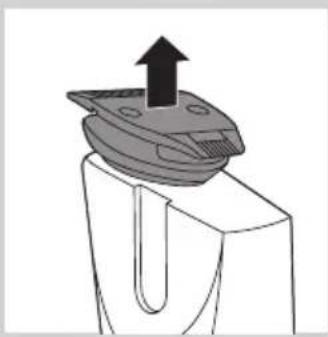
natural_image
Mechanical component diagram showing a U-shaped groove with an upward arrow indicating force or direction (no text or symbols)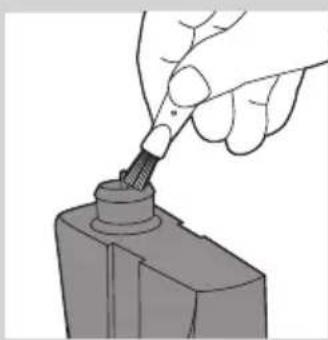
natural_image
Hand holding a screwdriver inserted into a mechanical component (no text or symbols visible)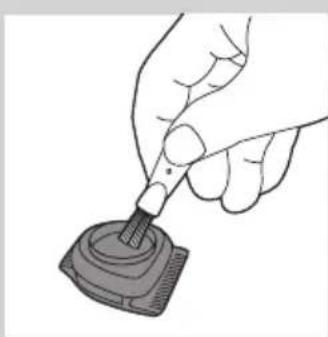
natural_image
Illustration of a hand using a pipette to apply liquid onto a small mechanical component (no text or symbols visible)Bestille tilbehør
natural_image
Symbol of a trash bin with crossed lines indicating no waste or restriction, and a solid black rectangle below (no text or labels)natural_image
Prohibition sign of a faucet crossed out, no text or symbols present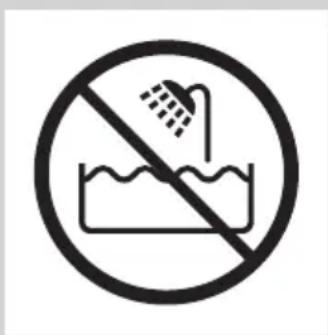
Cuidado
natural_image
Simple black-and-white icon of a faucet with raindrops falling (no text or symbols)natural_image
Illustration of a finger pointing to a plug with an arrow indicating upward motion (no text or symbols)natural_image
Simple line drawing of a curved object with a starburst shape and a small smile (no text or symbols)natural_image
Simple line drawing of a curved object with a starburst shape overlay (no text or symbols)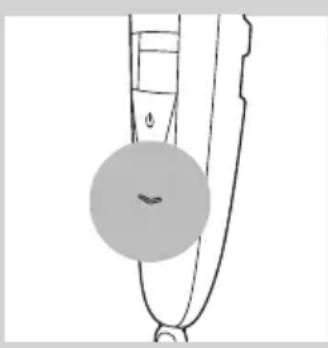
natural_image
Simple line drawing of a curved object with a circular mark and a small wavy line, no text or symbols present.natural_image
Diagram of a finger pointing to a plug with an arrow indicating upward motion (no text or symbols)Utilizar o aparelho
natural_image
Diagram of a mechanical device with a downward arrow and radiating lines indicating motion or force (no text or symbols)natural_image
Illustration of a person cleaning a garment with a magnified inset showing the fabric detail (no text or symbols)natural_image
Illustration of a person applying a hairdryer to their face (no text or symbols)natural_image
Illustration of a person applying a hair product to their face (no text or symbols)Aparar sem pente
natural_image
Line drawing of a person's face with a toothbrush touching the mouth (no text or symbols)natural_image
Diagram of a mechanical device with an upward arrow indicating motion or force (no text or symbols present)natural_image
Diagram showing a device interacting with a mechanical component, with no visible text or symbols.natural_image
Diagram of a robotic arm with a handle and arrow indicating motion (no text or symbols)natural_image
Diagram of a laboratory procedure showing liquid transfer from a pipette to a container (no text or labels)natural_image
Diagram of a mechanical clamp or clamp device with a suspended rod and connecting rods (no text or symbols)natural_image
Illustration of a hand gripping a device with an upward arrow indicating motion (no text or symbols)natural_image
Mechanical component diagram showing a bracket with an upward arrow and mounting base (no text or symbols)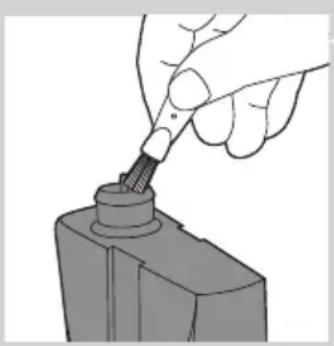
natural_image
Hand using a tool to insert or mark a component on a base (no text or symbols visible)natural_image
Illustration of a hand using a pipette to apply liquid onto a small electronic component (no text or symbols visible)Encomendar acessórios
natural_image
Symbol of a waste bin with crossed lines indicating no waste, and a solid black rectangle below (no text or labels)natural_image
No smoking sign with faucet symbol (no text or numbers)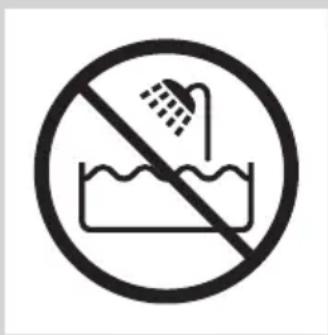
Försiktighet
natural_image
Simple black-and-white icon of a faucet with raindrops falling (no text or symbols)natural_image
Simple line drawing of a curved object with a circular mark and a small circle, no text or symbols present.natural_image
Simple line drawing of a stylized object with a starburst shape and a small smile (no text or symbols)natural_image
Illustration of a finger pointing to a medical device with an arrow indicating upward motion (no text or symbols)natural_image
Diagram of a mechanical device with a downward arrow and radiating lines indicating motion or force (no text or symbols)natural_image
Illustration of a person cleaning a wall-mounted device with a magnified inset showing the device's internal structure (no text or symbols)natural_image
Illustration of a person applying a hairdryer to their face (no text or symbols)natural_image
Illustration of a person applying a hair product to their face (no text or symbols)natural_image
Line drawing of a person's face with a toothbrush touching the lower lip (no text or symbols)natural_image
Diagram of a mechanical device with an upward arrow indicating motion or force (no text or symbols present)natural_image
Diagram showing a device interacting with a mechanical component, with no visible text or symbols.natural_image
Illustration of a mechanical device with an upward arrow indicating motion (no text or symbols)natural_image
Diagram of a laboratory procedure showing liquid transfer from a bottle to a pipette (no text or labels)natural_image
Diagram of a mechanical clamp or clamp device with wires and a handle, no text or symbols presentnatural_image
Illustration of a mechanical device with a black arrow indicating upward motion (no text or symbols)natural_image
Mechanical component diagram showing a bracket with an upward arrow and mounting base (no text or symbols)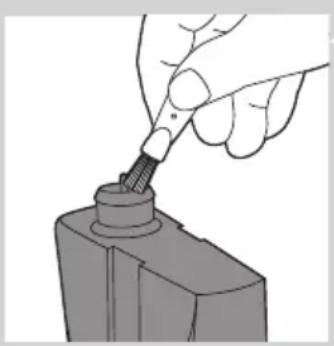
natural_image
Hand using a screwdriver to insert a cylindrical component (no text or symbols visible)natural_image
Illustration of a hand using a pipette to apply liquid into a digital device (no text or symbols visible)natural_image
Symbol of a waste sorting machine with no text or labelsnatural_image
No smoking sign with faucet symbol (no text or numbers)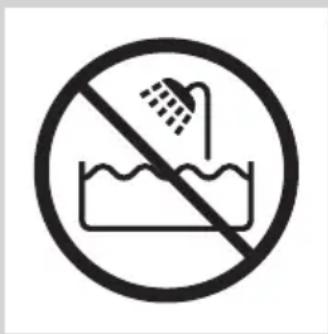
Dikkat
natural_image
Black and white icon of a faucet with raindrops falling (no text or symbols)natural_image
Simple line drawing of a pen tip with a starburst shape on the left (no text or symbols)natural_image
Diagram of a finger pointing to a plug with an arrow indicating upward motion (no text or symbols)natural_image
Illustration of a hand gripping a tool with a downward arrow and radiating lines indicating motion (no text or symbols)natural_image
Illustration of a person holding a device with a magnified inset showing internal components (no text or symbols)natural_image
Illustration of a person applying a hairdryer to their face (no text or symbols present)natural_image
Illustration of a person applying a hair product to their beak (no text or symbols)natural_image
Line drawing of a person applying a hairbrush to their face (no text or symbols)natural_image
Diagram of a hand holding a tool with an arrow indicating upward motion (no text or symbols present)natural_image
Diagram showing a device with a magnified view of its internal components (no text or symbols present)natural_image
Diagram of a mechanical clamp or tool with an upward arrow indicating motion (no text or symbols present)natural_image
Diagram of a mechanical device with an upward arrow indicating motion or force (no text or symbols present)natural_image
Mechanical component diagram showing a U-shaped housing with an upward arrow indicating motion (no text or symbols)natural_image
Hand using a tool to apply a screwdriver to a mechanical component (no text or symbols visible)natural_image
Illustration of a hand using a pipette to apply liquid into a digital device (no text or symbols visible)natural_image
Symbol of a waste bin with crossed lines indicating no waste, and a solid black rectangle below (no text or labels)
- Always here to help you
- User manual
- PHILIPS
- Introduction
- General description (Fig. 1)
- Important
- Danger
- Warning
- Caution
- Compliance with standards
- Preparing for use
- Charging
- ENGLISH8
- Battery low and battery empty signals
- Corded trimming
- Using the appliance
- Trimming with comb
- Tips
- Length settings
- Trimming without comb
- Cleaning and maintenance
- Cleaning the appliance and the comb
- Cleaning the trimming head connector
- Ordering accessories
- Guarantee and support
- Environment
- Troubleshooting
- Introduktion
- Forsigtig
- Achtung
- Προσοχή
- Precaución
- Varoitus
- Attention
- Tonte sans sabot
- Attenzione
- Let op
- Forsiktig
- Bruke apparatet
- Bestille tilbehør
- Cuidado
- Utilizar o aparelho
- Aparar sem pente
- Encomendar acessórios
- Försiktighet
- Dikkat
Brand : PHILIPS
Model : BT5275
Category : Beard trimmer