
OneBlade QP2526 - Beard trimmer PHILIPS - Free user manual and instructions
Find the device manual for free OneBlade QP2526 PHILIPS in PDF.


| Product Type | Beard Trimmer / Styler |
| Model | OneBlade QP2526 |
| Brand | Philips |
| Dimensions | Approximately 17 x 4 x 3 cm |
| Weight | Approximately 180 g (including battery) |
| Power Source | Rechargeable lithium-ion battery |
| Battery Life | Up to 45 minutes of cordless use |
| Charging Time | 8 hours for full charge |
| Blade Type | Dual-sided stainless steel blade |
| Cutting Length Settings | 5 adjustable length settings with comb (1-5 mm) |
| Functions | Trimming, edging, and shaving |
| Water Resistance | IPX4 splash-proof, washable under running water |
| Maintenance | Rinse blade under water after use |
| Blade Replacement | Replace blade every 4 months for optimal performance |
| Safety Features | Skin-friendly design with rounded tips |
| Included Accessories | 1 adjustable comb, 1 blade guard, 1 cleaning brush |
Frequently Asked Questions - OneBlade QP2526 PHILIPS
User questions about OneBlade QP2526 PHILIPS
0 question about this device. Answer the ones you know or ask your own.
Ask a new question about this device
Download the instructions for your Beard trimmer in PDF format for free! Find your manual OneBlade QP2526 - PHILIPS and take your electronic device back in hand. On this page are published all the documents necessary for the use of your device. OneBlade QP2526 by PHILIPS.
USER MANUAL OneBlade QP2526 PHILIPS
natural_image
PHILIPS OneBlade digital hairbrush with power button (no text or symbols on body)
natural_image
Illustration of an open book with a grid pattern on the left and a black arrow pointing to it, no text or symbols present.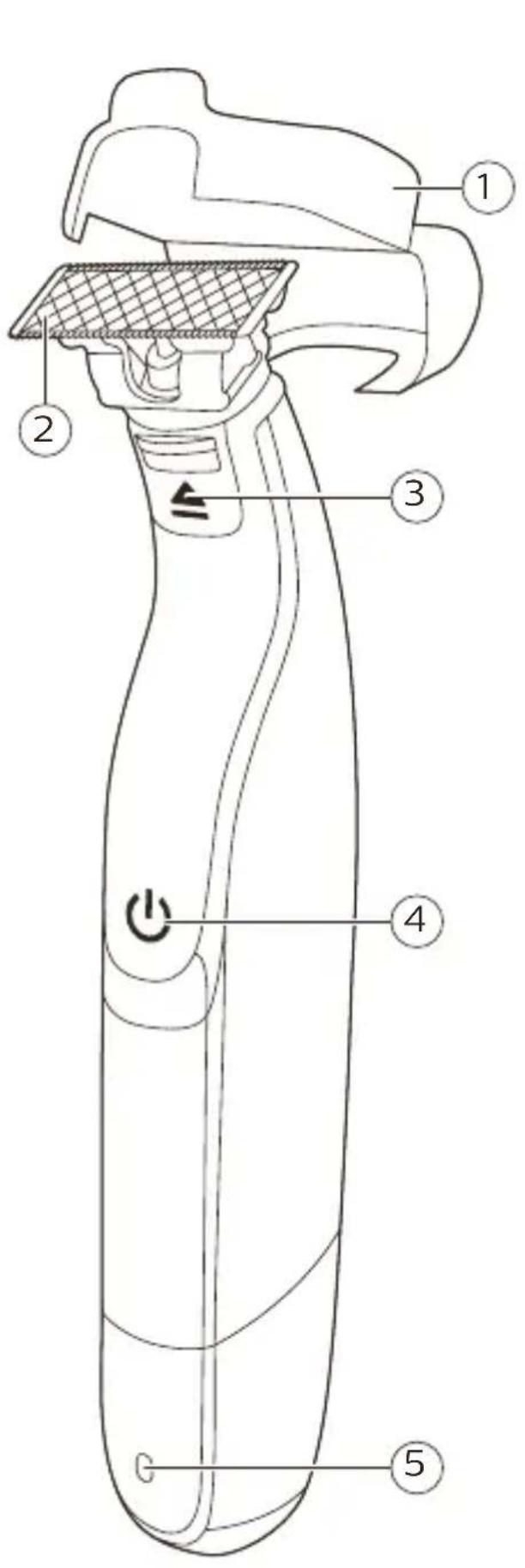

English 6
Bahasa Indonesia 23
Bahasa Melayu 40
Congratulations on your purchase and welcome to Philips! To fully benefit from the support that Philips offers, register your product at www.philips.com/welcome.
General description (Fig. 1)
1 Protection cap
2 Blade
3 Blade release slide
4 On/off button
5 Battery status indicator (QP2531, QP2530 only)
6 Small plug
7 Battery charging indicator (QP2526, QP2525, QP2522, QP2521, QP2520 only)
8 Supply unit (QP2531, QP2530: type HQ850.
QP2526, QP2525, QP2522, QP2521, QP2520: type A00390)
9 Replacement blade (QP2531, QP2526, QP2522 only)
10 Click-on stubble comb 5 mm
11 Click-on stubble comb 3 mm (QP2531, QP2530, QP2526, QP2525, QP2520 only)
12 Click-on stubble comb 2 mm (QP2531, QP2530 only)
13 Click-on stubble comb 1 mm
Important safety information
Read this important information carefully before you use the appliance and its accessories and save it for future reference. The accessories supplied may vary for different products.
Danger

natural_image
No sign depicting a faucet crossed out by a diagonal line, indicating no pollution or leakage (no text present)Warning
- Keep the supply unit dry.
- To charge the battery, only use the detachable supply unit provided with the appliance. For the type number of the original supply unit, please see 'General description' in the manual.
- The supply unit contains a transformer. Do not cut off the supply unit to replace it with another plug, as this causes a hazardous situation.
- This appliance can be used by children aged from 8 years and above and persons with reduced physical, sensory or mental capabilities or lack of experience and knowledge if they have been given supervision or instruction concerning use of the appliance in a safe way and understand the hazards involved. Children shall not play with the appliance. Cleaning and user maintenance shall not be made by children without supervision.
- Always unplug the appliance before you clean it under the tap.
- Always check the appliance before you use it. Do not use the appliance if it is damaged, as this may cause injury. Always replace a damaged part with one of the original type.
- This appliance contains batteries that are non-replaceable.
- Do not open the appliance to replace the rechargeable battery.
Caution

natural_image
No sign depicting a faucet without any text or symbols- Never immerse the charging stand in water and do not rinse it under the tap.
- Do not use the supply unit in or near wall sockets that contain an electric air freshener to prevent irreparable damage to the supply unit.
- Only use this appliance for its intended purpose as shown in the user manual.
- For hygienic reasons, the appliance should only be used by one person.
- Never use water hotter than 60^ C to rinse the appliance.
- Never use compressed air, scouring pads, abrasive cleaning agents or aggressive liquids such as petrol or acetone to clean the appliance.
Electromagnetic fields (EMF)
This Philips appliance complies with all applicable standards and regulations regarding exposure to electromagnetic fields.
General
- This appliance is waterproof. It is suitable for use in the bath or shower and for cleaning under the tap. For safety reasons, the appliance can therefore only be used without cord.
- The supply unit is suitable for mains voltages ranging from 100 to 240 volts.
- The supply unit transforms 100-240 volts to a safe low voltage of less than 24 volts.
Charging
Note: This appliance can only be used without cord.
QP2531, QP2530: Charging normally takes approx. 4 hours.
QP2526, QP2525, QP2522, QP2521, QP2520:
Charging normally takes approx. 8 hours.
A fully charged appliance has an operating time of up to 60 minutes (QP2531, QP2530) or 45 minutes (QP2526, QP2525, QP2522, QP2521, QP2520).
Charge the appliance before you use it for the first time and when the battery charge indicator indicates that the battery is almost empty.
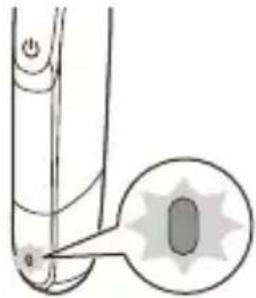
Battery status indicator QP2531, QP2530:
natural_image
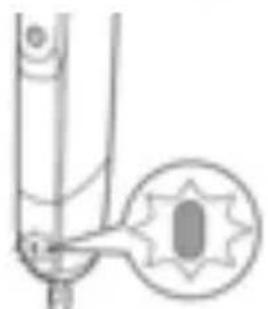
Diagram of a handheld device with a highlighted circular component (no text or symbols)When the battery status indicator flashes orange, the battery is almost empty.

natural_image
Pure mechanical component diagram without any text, numbers, or symbolsWhen the appliance is charging, the battery status indicator light flashes green.
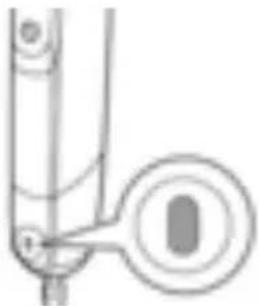
natural_image
Pure mechanical component diagram without any text, numbers, or symbolsWhen the battery is fully charged, the battery status indicator lights up green continuously.
Approx. 30 minutes after the battery is fully charged or when you disconnect the appliance from the mains, the light of the battery status indicator switches off automatically.
Battery status indicator QP2526, QP2525, QP2522, QP2521, QP2520:
The battery status is indicated by the performance of the appliance. When the appliance starts working more slowly, the battery is almost empty and needs to be charged for optimal performance.
Charging with the supply unit

natural_image
Simple line drawing of a medical device connected to a wall-mounted power outlet (no text or symbols)1 Insert the small plug into the appliance and put the supply unit in the wall socket.
2 QP2526, QP2525, QP2522, QP2521, QP2520 only: The battery charging indicator on the adapter lights up continuously when the appliance is connected to the wall socket.
3 After charging, remove the supply unit from the wall socket and pull the small plug out of the appliance.
Using the appliance
You can use the appliance to trim, edge or shave facial hair (beard, moustache and sideburns).
Shave for a smooth result, trim to obtain a certain length and edge to create perfect edges and sharp lines. This appliance is not intended for shaving, edging or trimming hairs on lower body parts or scalp hair. Take your time when you first start to use the appliance. You have to acquire practice with the appliance.
Note: This appliance can only be used without cord.

natural_image
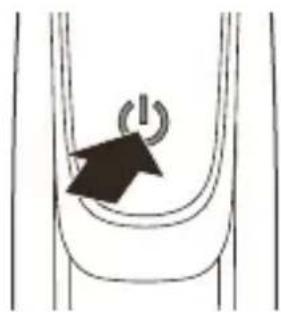
Illustration of a person applying facial care to the ear with a medical device (no text or symbols present)Switching the appliance on and off
natural_image
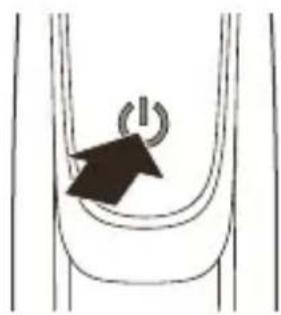
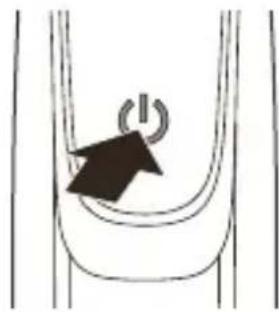
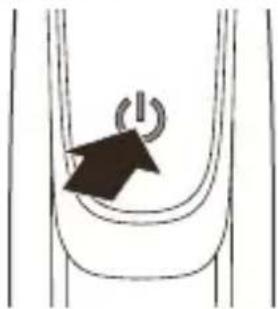
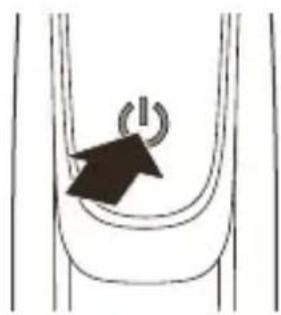
Simple line drawing of a curved pipe with a power button and arrow indicating leftward motion (no text or symbols)1 To switch on the appliance, press the on/off button once.
2 To switch off the appliance, press the on/off button once.
Shaving
Warning: Before you use the appliance, always check the blade for damage or wear. If the blade is damaged or worn, do not use the appliance, as injury may occur. Replace a damaged blade before you use the appliance (see 'Replacement').
Shaving tips and tricks
- Make sure that the blade is in full contact with the skin by placing it flat on the skin.
- For the best result, move the appliance against the grain.
- Make long strokes while pressing lightly.
- You can use the appliance dry or wet with gel or foam. You can even use the appliance in the shower.
- Shaving a clean beard and face gives the best results.
Shaving
1 Switch on the appliance.
2 Place the blade on the skin and move the appliance up or against the grain in long strokes while you press it lightly.
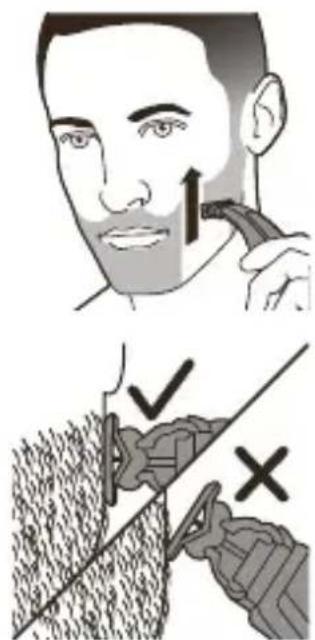
Note: Make sure you hold the surface of the blade flat against your skin.
3 Switch off and clean the appliance after every use (see ‘Cleaning and maintenance’).
Edging
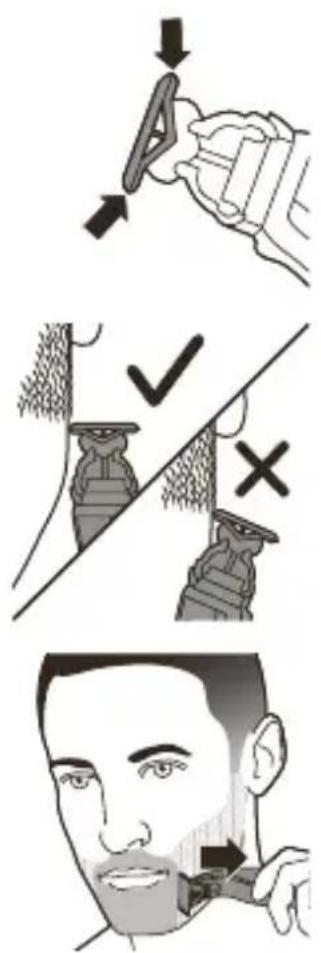
Trimming
You can also use both edges of the blade to create sharp lines and perfect edges. Hold the appliance in such a way that the blade is perpendicular to the skin and one of its edges touches the skin. This allows more precise detailing of sideburns and the area around the mouth and nose.
1 To create sharp edges and lines, you can use either edge of the blade.
2 Switch on the appliance.
3 Place the edge of the blade perpendicular onto the skin.
- Make straight strokes while applying gentle pressure.
4 Switch off and clean the appliance after every use (see ‘Cleaning and maintenance’).
Trimming tips
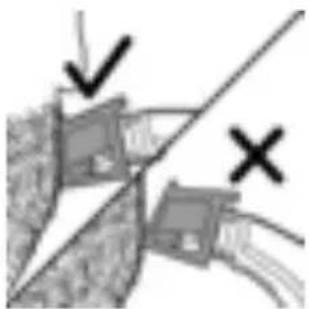
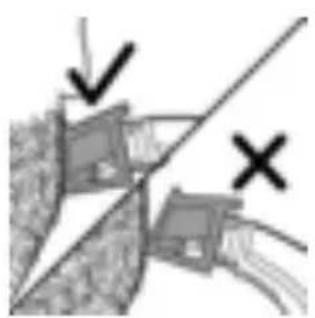
- Always make sure that the tips of the click-on stubble comb point in the direction in which you move the appliance.
natural_image
Diagram showing two mechanical components with directional arrows and a diagonal line, no readable text or symbols present.- Make sure that the flat part of the comb is always in full contact with the skin to obtain an even trimming result.
- Since hair grows in different directions, you need to move the appliance in different directions as well (upward, downward or across).
- Trimming is easier when the skin and hair are dry.
Trimming combs
The click-on stubble combs allow you to trim hair to different lengths.
- QP2531 and QP2530 come with 4 click-on stubble combs: 5 mm, 3 mm, 2 mm and 1 mm.
- QP2526, QP2525 and QP2520 come with 3 click-on stubble combs: 5 mm, 3 mm and 1 mm.
- QP2522 and QP2521 come with 2 click-on stubble combs: 5 mm and 1 mm.
Start with the 5 mm comb to acquire practice with this appliance.
The indication on each comb corresponds to the hair length in millimeters.
Trimming with comb
1 Place the comb onto the blade, with the teeth of the comb pointing upwards.
Note: Always trim in the direction of the teeth of the comb. This will give you the best results.
2 Switch on the appliance.

natural_image
Simple line drawing of a mechanical device with a handle and lever (no text or symbols)
natural_image
Illustration of a person applying a toothbrush to their face (no text or symbols)3 Place the comb onto the skin and move the appliance in the direction of the teeth of the comb.
Note: For the best result, move it against the grain.
4 Switch off and clean the appliance after every use (see 'Cleaning and maintenance').
5 To remove the comb, hold it on both sides and pull it off the blade.

natural_image
Illustration of a hand holding a container with a dark object inside (no text or symbols visible)Cleaning and maintenance
Clean the appliance after every use.
Caution: Never use compressed air, scouring pads, abrasive cleaning agents or aggressive liquids such as petrol or acetone to clean the appliance.
natural_image
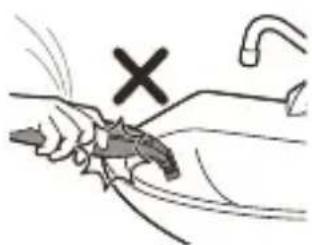
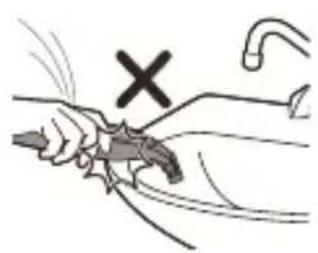
Illustration of a hand holding a tool with a cross mark above, no text or symbols presentCaution: Do not tap the appliance against a surface to remove water from it, as this may cause damage. Replace the blade if it is damaged.
Cleaning the appliance

natural_image
Illustration of a hand holding a small object, possibly a container or tool, with no visible text or symbols.1 Remove the comb from the blade. Always switch off the appliance before putting on or taking off combs.
natural_image
Illustration of four different hand tools or devices, including a handheld device and a handheld device, with no visible text or symbols.Storage
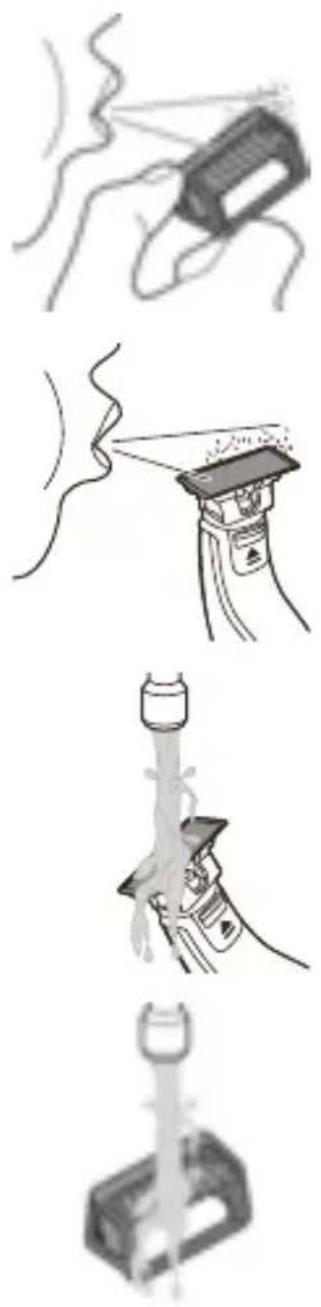
2 If a lot of hairs have accumulated on the comb, first blow them off.
3 If a lot of hairs have accumulated on the appliance, first blow them off.
4 Switch on the appliance and rinse the blade with lukewarm water.
Caution: Do not dry the blade with a towel or a tissue as this may cause damage.
5 Rinse the combs with lukewarm water.
6 Carefully shake off excess water and let all parts air dry completely.
Note: The blade is fragile. Handle it carefully. Replace the blade if it is damaged.
Always attach the protection cap on the blade to protect the blade from damage during travelling or storage.
We advise you to let the appliance and its attachments dry before you store them for the next use.

1 Place the protection cap onto the edge of the blade.
2 Close the protection cap.
Replacement
Usage indicator
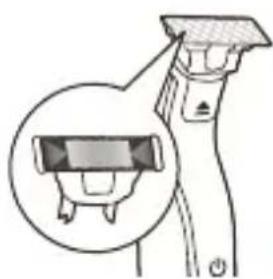
For optimal cutting and gliding performance, we advise you to replace the blade every 4 months, when it no longer provides the shaving or trimming results you expect.
natural_image
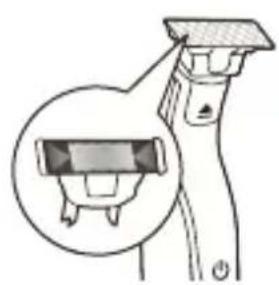
Diagram of a hairdryer with a magnified inset showing the blade structure (no text or symbols)The blade is equipped with a usage indicator. A green bar will gradually appear on the blade as you use it. When it is highly visible, it is recommended to replace your blade for the best OneBlade experience. Always replace the blade with an original Philips blade.
Depending on your usage behavior, the exact lifetime of the blade could be longer or shorter. Similar to a manual blade, the blade becomes blunt over time, which results in increased hair pulling and reduced cutting performance.
Replacing the blade
1 Switch off the appliance.
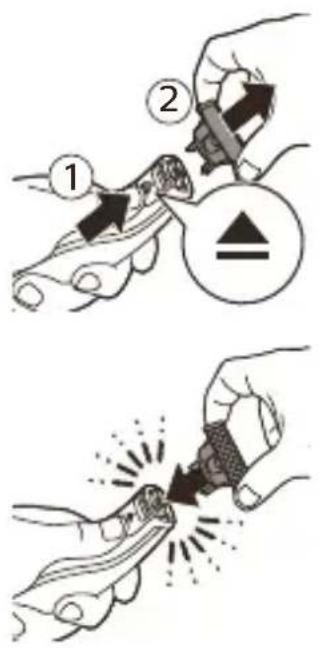
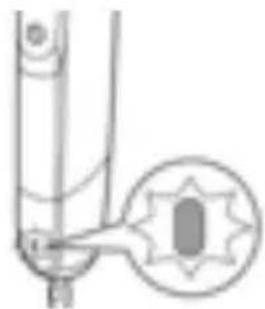
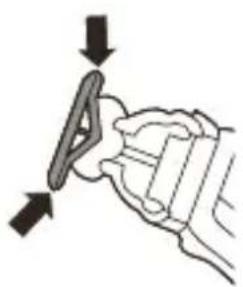
2 Push the blade release slide upwards carefully, and hold the blade on both sides to remove the blade. This will prevent the blade from flying off the handle.
3 Hold the new blade on its sides and press it onto the handle ('click').
Note: When you hear a click, the new blade is placed correctly and ready for use.
Ordering accessories
To buy accessories or spare parts, visit www.philips.com/parts-and-accessories or go to your Philips dealer. You can also contact the Philips Consumer Care Center in your country (see the international warranty leaflet for contact details).
The following parts are available:
- QP210 Blade 1-pack
- QP220 Blade 2-pack
- QP610 Replacement blade 1-pack
- QP620 Replacement blade 2-pack
Recycling
- Do not throw away the product with the normal household waste at the end of its life, but hand it in at an official collection point for recycling. By doing this, you help to preserve the environment.
- This product contains a built-in rechargeable battery which shall not be disposed of with normal household waste. Please take your product to an official collection point or a Philips service center to have a professional remove the rechargeable battery.
- Follow your country's rules for the separate collection of electrical and electronic products and rechargeable batteries. Correct disposal helps prevent negative consequences for the environment and human health.
Removing the rechargeable battery
Only remove the rechargeable battery when you discard the product.
Before you remove the battery, make sure that the product is disconnected from the wall socket and that the battery is completely empty.
Take any necessary safety precautions when you handle tools to open the product and when you dispose of the rechargeable battery.
1 Disconnect the appliance from the mains and let the appliance run until the motor stops.
2 Remove the blade from the appliance.
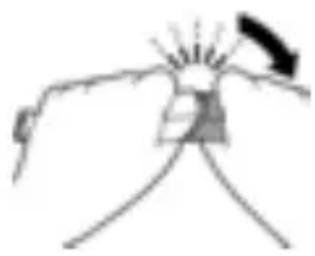
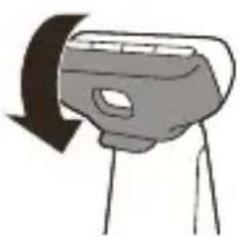
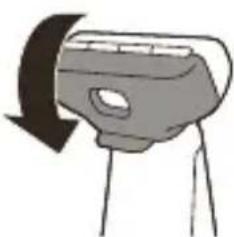
3 Remove the bottom of the appliance by bending it downwards and pulling it off.
natural_image
Simple line drawing of a hand holding a bell with rays, no text or symbols present
natural_image
Simple line drawing of a mechanical component with an arrow indicating direction (no text or symbols)4 Take out the battery compartment by separating the bottom part from the top part.

natural_image
Mechanical component diagram with arrow indicating direction (no text or symbols)5 Separate the battery section from the bottom part.

natural_image
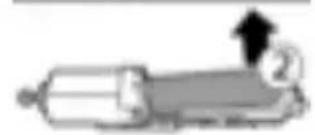
Pure mechanical component diagram without any text, numbers, or symbols6 Lift the battery out of the inner body with a screwdriver. The battery is connected with double-sided tape.
natural_image
Simple line drawing of a cylindrical object with an arrow and number 2, no text or symbols present.Warning: Be careful, the battery strips are very sharp.
Warranty and support
If you need information or support, please visit www.philips.com/support or read the international warranty leaflet.
Warranty restrictions
The blade is not covered by the terms of the international warranty because it is subject to wear.
Troubleshooting
This chapter summarizes the most common problems you could encounter with the appliance. If you are unable to solve the problem with the information below, visit www.philips.com/support for a list of frequently asked questions or contact the Consumer Care Center in your country.
| Problem Possible cause | Solution | |
| The appliance does not charge when it is connected to the mains. | The appliance has to be switched off when you charge it. | Switch off the appliance. |
| I cannot switch on the appliance when it is connected to the mains. | You cannot use the appliance when it is charging. You can only use the appliance without cord. | Disconnect the appliance from the mains before use. |
| The appliance does not work anymore. | Therechargeable battery is empty. | Charge the appliance (see 'Charging'). QP2531, QP2530: During charging, the battery status indicator flashes. QP2526, QP2525, QP2522, QP2521, QP2520: During charging, the charging indicator on the supply unit lights up. If the battery status indicator on the appliance does not flash or if the battery charging indicator on the supply unit does not light up, check whether there is a power failure or if the wall socket is live. If there is no power failure and the wall socket is live but the battery charge indicator still does not flash or light up, take the appliance to your dealer or a Philips service center. |
| The blade is blocked by dirt. | Switch on the appliance and rinse the blade under the tap with warm water. | |
Problem Possible cause
| Hold the blade in a cup with warm water (60 °C and no hotter) for approx. 30 seconds. | ||
| The appliance doesn't cut hairs anymore. | The blade is placed on the handle incorrectly. | Push the blade onto the appliance until you hear a click. |
| The blade is damaged or worn. | Replace the blade with a new one (see 'Replacement'). | |
| The appliance makes a strange noise. | The blade is damaged or worn. | Replace the blade with a new one (see 'Replacement'). |
| The blade is placed onto the handle incorrectly. | Remove and reattach the blade. Push it onto the appliance until you hear a click. | |
| The blade is blocked by dirt. | Remove the blade and clean it thoroughly. | |
| The appliance doesn't function optimally anymore. | The blade is blocked by dirt. | Remove the blade and clean it thoroughly. |
| The blade is subject to wear and therefore its performance decreases over time. | Replace the blade with a new one (see 'Replacement'). | |
| Problem | Possible cause | Solution |
| The blade is a delicate part of the appliance and can easily be damaged. If the blade is damaged, it may not function optimally anymore. | Replace the blade with a new one (see 'Replacement'). |
Pendahuluan
natural_image
Prohibition sign showing a faucet without raindrops, enclosed in a circle (no text)natural_image
Prohibition sign showing a faucet without raindrops, enclosed in a circle (no text)natural_image
Diagram of a device with a highlighted circular component and power button, no text or symbols presentKetika indikator status baterai berkedip oranye, berarti baterai hampir habis.
natural_image
Pure mechanical diagram showing a lever and gear assembly without any text or symbolsnatural_image
Pure mechanical component diagram without any text, numbers, or symbolsnatural_image
Simple line drawing of a plug connected to a cylindrical device with an arrow indicating cable (no text or symbols)natural_image
Illustration of a person using a medical or cosmetic tool to apply eye examination (no text or symbols present)natural_image
Simple line drawing of a curved pipe with a power button symbol (no text or labels)natural_image
Illustration of a hand holding a mechanical component with two arrows indicating direction (no text or symbols)3 Letakkan tepi mata pisau secara tegak lurus terhadap kulit.
natural_image
Diagram showing two labeled objects with checkmark and cross symbols, no readable text or labels presentSisir pemangkas
natural_image
Illustration of a hand holding a tool with a cross mark and pipe, no text or symbols presentnatural_image
Illustration of a hand pouring liquid into a container (no text or symbols visible)natural_image
Illustration of a hand holding a flashlight with radiating lines (no text or symbols)natural_image
Simple line drawing of a spray gun spraying liquid onto a surface (no text or symbols)natural_image
Illustration of a hand holding a bottle with liquid, no text or symbols presentnatural_image
Pure mechanical component diagram without any text, numbers, or symbolsnatural_image
Simple line drawing of a person holding a chair with a downward arrow indicating motion (no text or symbols)natural_image
Simple line drawing of a device with a curved arrow indicating rotation or change (no text or symbols)Penggantian
natural_image
Diagram of a spray gun with a magnified inset showing internal components (no text or symbols)natural_image
Illustration of hands using a tool to apply material to a small object (no text or symbols present)natural_image
No sign depicting a faucet with a showerhead, enclosed in a circle (no text or symbols)Amaran
- Pastikan unit bekalan sentiasa kering.
natural_image
No sign depicting a faucet with a showerhead, enclosed in a circle (no text or symbols)natural_image
Diagram of a device with a magnified inset showing a circular feature (no text or symbols)Apabila penunjuk status bateri berkelip jingga, bateri hampir kosong.
natural_image
Pure mechanical diagram showing a lever and pivot point without any text or symbolsnatural_image
Pure mechanical component diagram without any text, numbers, or symbolsnatural_image
Simple line drawing of a plug connected to a cylindrical device with an arrow indicating cable (no text or symbols)natural_image
Illustration of a person applying facial hair to the lower face using a tool (no text or symbols present)natural_image
Simple line drawing of a curved pipe with a power button symbol (no text or labels)Merapi
natural_image
Diagram showing two mechanical components with a diagonal line and checkmark indicators (no text or symbols)natural_image
Illustration of a hand holding a device with a black arrow pointing to the handle (no text or symbols visible)
natural_image
Illustration of a person applying a toothbrush to their face (no text or symbols)natural_image
Illustration of a hand holding a container with liquid, no text or symbols visiblenatural_image
Illustration of a hand holding a tool with a cross mark above, no text or symbols presentnatural_image
Illustration of a hand holding a small object with a dark rectangular shape inside, possibly a container or tool (no text or symbols visible)natural_image
Diagram of a spray gun with a magnified inset showing the internal components (no text or symbols)natural_image
Simple line drawing of a hand holding a device with a pointer and screen (no text or symbols)
natural_image
Simple line drawing of a mechanical component with an arrow indicating direction (no text or symbols)natural_image
Mechanical component diagram with arrow indicating direction (no text or symbols)natural_image
Pure mechanical component diagram without any text, numbers, or symbolsnatural_image
Simple line drawing of a cylindrical object with an arrow pointing to it, no text or symbols present.Amaran: Berhati-hati, jalur bateri sangat tajam.
Jaminan dan sokongan
natural_image
No sign depicting a faucet crossed out by a diagonal line, indicating no pollution or leakage (no text present)natural_image
Prohibition sign showing a faucet without a shower, enclosed in a circle (no text or symbols)natural_image
Diagram of a mechanical component with a highlighted circular feature and arrow, no text or symbols presentnatural_image
Pure mechanical component diagram without any text, numbers, or symbolsnatural_image
Pure mechanical component diagram without any text, numbers, or symbolsnatural_image
Simple line drawing of a plug connected to a cylindrical device with an arrow indicating cable (no text or symbols)natural_image
Illustration of a person applying facial hair to the ear with a medical device (no text or symbols)natural_image
Simple line drawing of a curved pipe with a power button symbol (no text or labels)Contornos
natural_image
Illustration of a hand holding a mechanical component with directional arrows indicating motion (no text or symbols)natural_image
Diagram showing two labeled objects with checkmark and cross symbols, no readable text or labels presentnatural_image
Illustration of a hand holding a tool with a cross mark above, no text or symbols presentnatural_image
Illustration of a hand holding a container with a lid, no text or symbols visiblenatural_image
Illustration of a hand holding a device with a lit fuse (no text or symbols visible)natural_image
Simple line drawing of a spray gun spraying liquid onto a surface, with no text or symbols present.natural_image
Illustration of a hand pouring liquid from a bottle into a container (no text or symbols)natural_image
Pure mechanical component diagram without any text, numbers, or symbolsnatural_image
Simple line drawing of a chair with a downward arrow indicating motion (no text or symbols)natural_image
Simple line drawing of a mechanical device with a curved arrow indicating rotation (no text or symbols)natural_image
Diagram of a spray gun with a magnified inset showing internal components (no text or symbols)natural_image
Illustration of hands using a tool to apply material to a small object (no text or symbols present)natural_image
Simple line drawing of a hand holding a small object with radiating lines, no text or symbols presentnatural_image
Simple line drawing of a tool or device with an arrow indicating direction (no text or symbols)natural_image
Pure mechanical component diagram without any text, numbers, or symbolsnatural_image
No sign depicting a faucet with a showerhead, enclosed in a circle (no text or symbols)natural_image
Prohibition sign showing a faucet without raindrops, enclosed in a circle (no text)natural_image
Diagram of a device with a magnified inset showing a circular feature (no text or symbols)natural_image
Pure mechanical component diagram without any text, numbers, or symbolsnatural_image
Pure mechanical component diagram without any text, numbers, or symbolsnatural_image
Simple line drawing of a medical device connected to a wall-mounted electrical outlet (no text or symbols)Bật và tắt thiết bị
natural_image
Simple line drawing of a curved pipe with a power button symbol (no text or labels)natural_image
Illustration of a person applying a hair to their face with a brush (no text or symbols)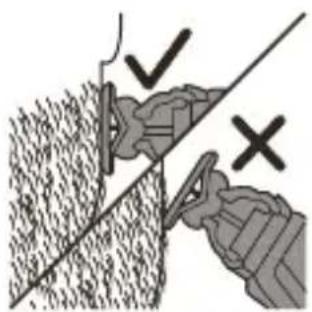
natural_image
Diagram showing two hands operating a tool with checkmark and cross symbols (no readable text or labels)Cắt tĩa
natural_image
Diagram showing two mechanical components with directional arrows and a diagonal line, no readable text or symbols present.natural_image
Illustration of a handheld device with a lever and screen (no text or symbols visible)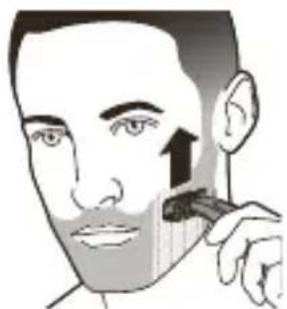
natural_image
Illustration of a person applying a toothbrush to their face, showing the brush tip and facial features (no text or symbols)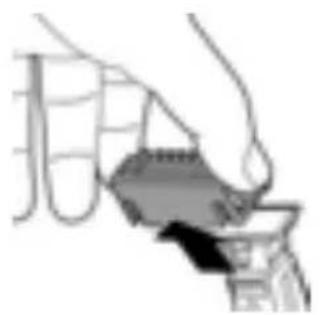
natural_image
Illustration of a hand holding a small object, possibly a container or tool, with no visible text or symbols.natural_image
Illustration of a hand holding a tool with a cross mark and pipe, no text or symbols presentnatural_image
Illustration of a hand holding a small object, possibly a container or tool, with no visible text or symbols.natural_image
Illustration of a hand holding a flashlight with radiating lines, no text or symbols presentnatural_image
Three technical illustrations showing a hand holding a spray gun, a handheld device, and a mechanical clamp (no text or symbols present)natural_image
Simple line drawing of a person's head with a downward arrow indicating motion (no text or symbols)natural_image
Simple line drawing of a hand holding a device with a curved arrow indicating rotation (no text or symbols)Thay thế phụ kiện
Chỉ báo sử dụng
natural_image
Diagram of a spray gun with a magnified inset showing internal components (no text or symbols)
natural_image
Illustration of hands using a tool to tighten or adjust a component (no text or symbols present)natural_image
Simple line drawing of a hand holding a device with a pointer and screen (no text or symbols)natural_image
Simple line drawing of a tool with an arrow indicating direction (no text or symbols)natural_image
Mechanical component diagram showing a shaft and housing with an arrow indicating direction (no text or symbols)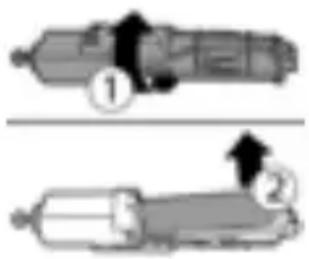
natural_image
Prohibition sign showing a faucet without raindrops, enclosed in a circle (no text)natural_image
Prohibition sign showing a faucet without raindrops, enclosed in a circle (no text)natural_image
Diagram of a handheld device with a highlighted circular component (no text or symbols)natural_image
Technical line drawing of two mechanical components with no visible text or symbolsnatural_image
Simple line drawing of a plug connected to a cylindrical device with an arrow indicating direction (no text or symbols)natural_image
Simple line drawing of a curved pipe with a circular arrow indicating clockwise rotation (no text or symbols)natural_image
Illustration of a person applying a toothbrush to their face (no text or symbols)การกันจอง
natural_image
Diagram showing two mechanical components with checkmark and cross symbols (no readable text or labels)natural_image
Illustration of a hand holding a tool with a cross mark above, no text or symbols presentnatural_image
Illustration of a hand holding a small object, possibly a container or tool, with no visible text or symbols.natural_image
Illustration of a hand holding a handheld device with a lit fuse (no text or symbols visible)natural_image
Simple line drawing of a spray gun spraying liquid onto a surface, with no text or symbols present.natural_image
Hand holding a bottle with liquid flowing from a glass container (no text or symbols visible)natural_image
Pure mechanical component diagram without any text, numbers, or symbolsnatural_image
Diagram of a spray gun with a magnified inset showing internal components (no text or symbols)ไฟแสดงการใช้งาน
natural_image
Illustration of hands using a tool to interact with a small object, no text or symbols presentnatural_image
Simple line drawing of a hand holding a bell with rays, no text or symbols presentnatural_image
Simple line drawing of a syringe with an arrow indicating direction (no text or symbols)natural_image
Pure mechanical component diagram without any text, numbers, or symbols

natural_image
Simple line drawing of a cylindrical object with an arrow and number 2, no text or symbols present.natural_image
Prohibition sign showing a faucet crossed out by a diagonal line, indicating no pollution or leakage (no text present)natural_image
Prohibition sign showing a faucet without raindrops, enclosed in a circle (no text)natural_image
Diagram of a medical or laboratory procedure showing a tool interacting with a vertical rod, with an inset highlighting a circular feature (no text or symbols present)natural_image
Pure mechanical component diagram without any text, numbers, or symbolsnatural_image
Pure mechanical component diagram without any text, numbers, or symbolsnatural_image
Simple line drawing of a plug connected to a cylindrical device with an arrow indicating cable (no text or symbols)启动或关闭产品
natural_image
Simple line drawing of a curved pipe with a power button symbol (no text or labels)注意:确保将刀片表面平放在皮肤上。
修发
natural_image
Diagram showing two labeled components with checkmark and cross symbols, no readable text or labels presentnatural_image
Simple line drawing of a handheld device with a black arrow pointing to the handle (no text or symbols)
natural_image
Illustration of a person applying a toothbrush to their face, showing the brush tip and facial features (no text or symbols)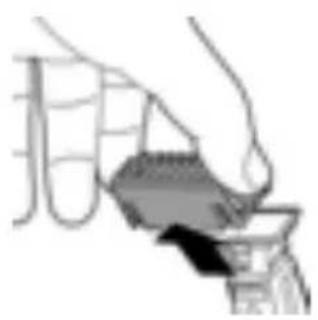
natural_image
Illustration of a hand pouring liquid into a container with a dark object inside (no text or symbols)清洁和保养
natural_image
Illustration of a hand holding a tool with a cross mark and pipe, no text or symbols present清洁产品

natural_image
Illustration of a hand holding a small object, possibly a container or tool, with no visible text or symbols.natural_image
Illustration of four different hand tools or devices, including a handheld device and a handheld device, with no visible text or symbols.natural_image
Illustration of a spray gun with a magnified inset showing internal components (no text or symbols)更换刀片
natural_image
Simple line drawing of a hand holding a small object with radiating lines (no text or symbols)4 使底部与顶部分离,从而取出电池盒。

natural_image
Simple line drawing of a mechanical component with an arrow indicating direction (no text or symbols)5 从底部取出电池部分。
natural_image
Mechanical component diagram showing a shaft with an arrow indicating direction (no text or symbols)natural_image
Simple line drawing of a cylindrical object with an arrow and number 2, no text or symbols present.保修和支持
natural_image
Prohibition sign showing a faucet without raindrops, enclosed in a circle (no text)- 電源供應裝置請保持乾燥。
警示
natural_image
Prohibition sign of a faucet without any text or symbols電磁波 (EMF)
natural_image
Diagram of a device with a magnified inset showing a circular feature (no text or symbols)natural_image
Pure mechanical component diagram without any text, numbers, or symbolsnatural_image
Pure mechanical component diagram without any text, numbers, or symbolsnatural_image
Simple line drawing of a plug connected to a cylindrical device with an arrow indicating direction (no text or symbols)開啟及關閉本產品
natural_image
Simple line drawing of a mechanical component with a power button and arrow indicator (no text or symbols)natural_image
Illustration of a person applying a toothbrush to their face (no text or symbols)
注意:刀面務必平貼皮膚。
修剪

natural_image
Diagram showing two buildings with a diagonal line and two marked points (✓ and ×), no readable text or symbols present.natural_image
Illustration of a hand holding a tool with a cross mark and pipe, no text or symbols present清潔產品
natural_image
Illustration of a hand holding a small object, possibly a container or tool, with no visible text or symbols.natural_image
Illustration of a hand holding a device with radiating lines, no text or symbols presentnatural_image
Simple line drawing of a spray gun spraying liquid onto a surface (no text or symbols)natural_image
Illustration of a hand pouring liquid from a bottle onto a surface, with no visible text or symbols.4 開啟產品,以常溫的水沖洗刀片。
natural_image
Pure mechanical component diagram without any text, numbers, or symbolsnatural_image
Illustration of a person's arm holding a chair with a downward arrow indicating motion (no text or symbols)natural_image
Simple line drawing of a camera with an arrow indicating rotation (no text or symbols)2 蓋上保護蓋。
更换
natural_image
Illustration of a hairdryer with a magnified inset showing the blade and handle (no text or symbols)使用指示器
更換刀片
natural_image
Illustration of hands using a tool to interact with a device (no text or symbols visible)natural_image
Simple line drawing of a hand holding a small object with radiating lines, no text or symbols present.4 將底部從頂部拆下,即可取出電池盒。
natural_image
Simple line drawing of a syringe with an arrow indicating direction (no text or symbols)5 拆下底部的電池部分。
natural_image
Pure mechanical component diagram without any text, numbers, or symbols
natural_image
Prohibition sign showing a faucet without raindrops, enclosed in a circle (no text)natural_image
Prohibition sign with a faucet and diagonal line, no text or symbols presentnatural_image
Diagram of a device with a highlighted circular feature and power button, no text or symbols presentnatural_image
Pure mechanical diagram showing a lever and pivot point without any text or symbolsnatural_image
Pure mechanical diagram showing a lever and pivot (no text or symbols)natural_image
Simple line drawing of a medical device connected to a wall-mounted electrical outlet (no text or symbols)natural_image
Illustration of a person applying facial hair to the lower face using a tool (no text or symbols present)제품 전원 켜기/끄기
natural_image
Simple line drawing of a curved pipe with a power button symbol (no text or labels)다듬기
natural_image
Diagram showing two mechanical components with a diagonal line and checkmark indicators (no text or symbols)natural_image
Illustration of a hand holding a tool with a cross mark above, no text or symbols presentnatural_image
Illustration of a hand holding a container with a handle, no visible text or symbolsnatural_image
Illustration of a hand holding a flashlight with radiating lines (no text or symbols)natural_image
Simple line drawing of a spray gun spraying liquid onto a surface, no text or symbols presentnatural_image
Two technical illustrations of a hand holding a tool and a mechanical device (no text or symbols visible)natural_image
Illustration of a person performing a neck massage or exercise with a downward arrow (no text or symbols)2 보호용 캡을 닫으십시오.
natural_image
Simple line drawing of a camera with an arrow indicating rotation (no text or symbols)교체

natural_image
Diagram of a hairdryer with a magnified inset showing the blade and crown (no text or symbols)사용 표시등
1 제품 전원을 끄십시오.
natural_image
Illustration of hands using a tool to apply material to a small object (no text or symbols present)natural_image
Simple line drawing of a hand holding a device with a pointer and fan (no text or symbols)natural_image
Simple line drawing of a mechanical component with an arrow indicating direction (no text or symbols)natural_image
Pure mechanical component diagram without any text, numbers, or symbolsnatural_image
Simple line drawing of a hand holding a small object with radiating lines, no text or symbols present.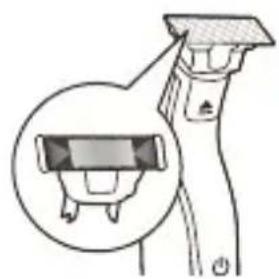
natural_image
Illustration of a spray gun with a magnified inset showing the internal components (no text or symbols)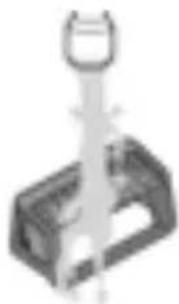
natural_image
Pure electrical circuit lines without any symbolsثوييد.5
60 اجازه
natural_image
Simple line drawing of a person's head with a downward arrow indicating motion (no text or symbols)- بندید
natural_image
Simple line drawing of a camera with a curved arrow indicating rotation (no text or symbols)تعويض
natural_image
Illustration of a hand holding a tool with a cross mark and pipe, no text or symbols present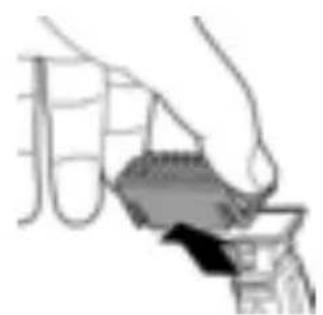
natural_image
Illustration of a hand holding a small object with a dark arrow pointing to it, no visible text or symbols
natural_image
Illustration of a person using a handheld device to interact with another person (no text or symbols visible)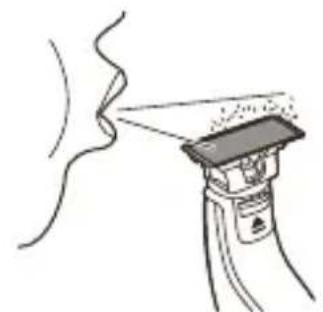
natural_image
Simple line drawing of a spray gun spraying liquid onto a surface, with no text or symbols present.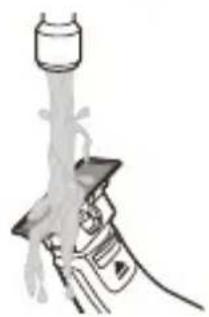
natural_image
Illustration of a hand holding a syringe with liquid flowing from a bottle (no text or symbols)تميز کردن دستگاه
شانه 1
- كنید
- كنید
دلهید.
natural_image
Diagram showing two mechanical components with a diagonal line and checkmark annotations (no readable text or symbols)
natural_image
Simple line drawing of a curved pipe with a power button icon (no text or symbols)natural_image
Diagram of a mechanical component with a highlighted circular feature (no text or symbols)natural_image
Pure mechanical diagram showing a lever and pivot point without any text or symbolsnatural_image
Pure mechanical component diagram without any text, numbers, or symbolsnatural_image
Simple line drawing of a plug connected to a cylindrical device with an arrow indicating cable (no text or symbols)ديواری 1
بزئيد.
29 QP:
natural_image
Prohibition sign showing a faucet without raindrops, enclosed in a circle (no text)- ثوييد.
- است
natural_image
Prohibition sign showing a faucet crossed out by a diagonal line, indicating no leakage or anti-poaching (no text present)خطر
- دارید.
هشدار
ه کنید-
. تكون 6
natural_image
Simple line drawing of a hand holding a device with a pointer and fan (no text or symbols)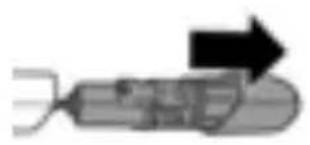
natural_image
Simple line drawing of a syringe with an arrow indicating direction (no text or symbols)
natural_image
Diagram of a vehicle with an arrow indicating direction (no text or symbols present)natural_image
Simple line drawing of a person's head with a curved object above their head, no text or symbols present.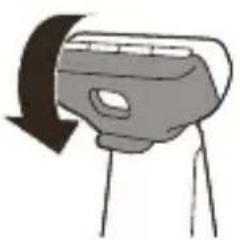
natural_image
Simple line drawing of a device with a curved arrow indicating rotation (no text or symbols)- لوافي
الاستبidal
Yeurov Restaurant
natural_image
Illustration of a spray gun with a magnified inset showing internal components (no text or symbols)natural_image
Simple line drawing of a handheld device with a handle and screen (no text or symbols)- مشط

natural_image
Illustration of a person applying a toothbrush to their face (no text or symbols present)natural_image
Illustration of a hand holding a container with a bag, no text or symbols presentالاتنظيف والاصيانة
natural_image
Illustration of a hand holding a tool with a cross mark above, no text or symbols presentnatural_image
Illustration of a person applying a toothbrush to their face (no text or symbols)natural_image
Diagram showing two mechanical components with a diagonal line and checkmark indicators (no text or symbols)- حدي
الثفرة.
- لجهاز
3.الجلد
استخدام الجهاز

natural_image
Simple line drawing of a curved pipe with a power button icon (no text or symbols)natural_image
Diagram of a device with a highlighted circular feature and power button, no text or symbols presentnatural_image
Pure mechanical component diagram without any text, numbers, or symbolsnatural_image
Pure mechanical component diagram without any text, numbers, or symbolsnatural_image
Simple line drawing of a plug connected to a vertical tube with an arrow indicating direction (no text or symbols)نوصيل 1
الحائط.
يضى 2
natural_image
Prohibition sign showing a faucet crossed out by a diagonal line, indicating no leakage or anti-poaching (no text present)تحذیر
- إيفصل
natural_image
Prohibition sign of a faucet without any text or symbols- General description (Fig. 1)
- Important safety information
- Danger
- Warning
- Caution
- Electromagnetic fields (EMF)
- General
- Charging
- Battery status indicator QP2531, QP2530:
- Battery status indicator QP2526, QP2525, QP2522, QP2521, QP2520:
- Charging with the supply unit
- Using the appliance
- Switching the appliance on and off
- Shaving
- Shaving tips and tricks
- Edging
- Trimming tips
- Trimming combs
- Trimming with comb
- Cleaning and maintenance
- Cleaning the appliance
- Storage
- Replacement
- Usage indicator
- Replacing the blade
- Ordering accessories
- Recycling
- Removing the rechargeable battery
- Warranty and support
- Warranty restrictions
- Troubleshooting
- Pendahuluan
- Sisir pemangkas
- Penggantian
- Amaran
- Jaminan dan sokongan
- Bật và tắt thiết bị
- Thay thế phụ kiện
- Chỉ báo sử dụng
- 启动或关闭产品
- 清洁和保养
- 清洁产品
- 更换刀片
- 保修和支持
- 警示
- 電磁波 (EMF)
- 開啟及關閉本產品
- 修剪
- 更换
- 使用指示器
- 更換刀片
- 제품 전원 켜기/끄기
- 교체
- 사용 표시등
- هشدار
- الاتنظيف والاصيانة
- استخدام الجهاز
Brand : PHILIPS
Model : OneBlade QP2526
Category : Beard trimmer