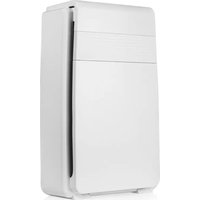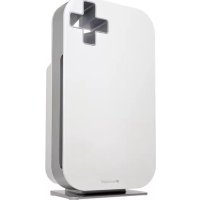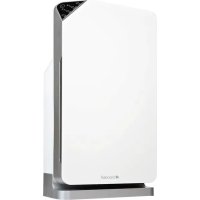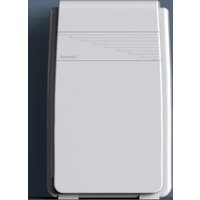
Horizon P200 - Air purifier Brondell - Free user manual and instructions
Find the device manual for free Horizon P200 Brondell in PDF.


| Product type | HEPA Air Purifier |
| Model | P200-W |
| Dimensions | 30 cm x 15 cm x 53 cm |
| Net weight | 5 kg |
| Power supply | 120 V ~ 60 Hz, 55 W |
| Noise level | 37.7 – 55.43 dB |
| Coverage area | 52 m² (1 air change/h) |
| CADR | 218 |
| Warranty | Limited 2 years |
| Filtration | 5 stages: pre-filter, HEPA (98.45% of particles ≥ 0.3 µm), activated carbon, cold catalyst, smart ionization |
| Fan speeds | 3 (Low, Medium, High) |
| Timer | 1, 2, or 4 hours |
| Sleep mode | Yes, with lights off |
| Filter replacement | Every 4 to 6 months (or 3,500 h) |
| Pre-filter and catalyst maintenance | Vacuum every 2 to 4 weeks |
| Replacement filter | Available at Brondell.com |
| Certifications | Intertek, compliant with federal ozone limit (ARB) |
| Safety instructions | Polarized plug, auto shut-off, do not immerse, etc. |
Frequently Asked Questions - Horizon P200 Brondell
User questions about Horizon P200 Brondell
0 question about this device. Answer the ones you know or ask your own.
Ask a new question about this device
Download the instructions for your Air purifier in PDF format for free! Find your manual Horizon P200 - Brondell and take your electronic device back in hand. On this page are published all the documents necessary for the use of your device. Horizon P200 by Brondell.
USER MANUAL Horizon P200 Brondell
natural_image
Simple line drawing of a rectangular container with horizontal lines inside, no text or symbols present.Read this Owner's Manual for correct installation, use, and maintenance of this product. After reading and completing installation, keep this manual in a place that is easily accessible.
GENERAL INFO
03 Safety Information
PRODUCT FEATURES
05 Main Features
06 Control Panel Detail
07 Five-Stage Air Purification
OPERATION
08 Preparing for First Use
09 Control Panel
MAINTENANCE
10 Cleaning Schedule
11 Replacing the Filter
TECHNICAL INFORMATION
12 Troubleshooting
13 Product Specifications
14 Warranty
15 Contact Information
TRANSLATIONS
16 Spanish
30 French
SAFETY INFORMATION (IMPORTANT SAFEGUARDS)
Be careful to keep this safety information. Please read this information to prevent property loss and ensure the safety.

DANGER: If not observed, serious injury or even death may occur as a result.
- Do not use a damaged power plug or plug into a loose electric outlet.
- Please connect the power plug to a grounded electrical outlet rated for 120 V \~ 60 Hz.
- Do not move the product by pulling on the power cord.
- Do not handle the product or power plug with wet hands.
- Do not forcefully bend the power cord or place heavy objects on it to prevent it from being damaged or deformed.
- Do not connect and pull out the power plug or cord repeatedly.
- If the electric outlet is wet, carefully unplug the product and let the electric outlet dry completely before subsequent use.
- Unplug the product before cleaning, repairing, inspecting, or replacing parts.
- Remove any dust or water from the power plug prior to plugging in.
- Do not plug the product into an electrical outlet or power strip that is being used by too many other products. Use an electrical outlet adequate for the wattage of the product.
- Unplug the system if it is not going to be used for a long time.
- If the power cord is damaged – do not operate the product and do not attempt to repair, modify, or replace the cord yourself. Contact Brondell Customer Support at 888-542-3355 or at brondell.com/support.
- If the product produces a strange noise, a burning smell, or emits smoke, unplug it immediately from the electrical outlet and contact Brondell. Failure to do so may result in electric shock or fire.
- Do not insert any wires or sharp objects into any product gaps. This may result in electric shock, fire, or product damage.
- Do not place an electronic or gas heater near the product or place near heating vent. This may result in fire or product deformation. Do not place any containers filled with water or other liquids, food, metallic objects, or any flammable material on top of the product. If foreign material enters the product, this may result in electric shock or fire.
- Do not use the product in locations exposed to excessive moisture or rain and do not splash water onto the product. Never place the product in or near water.
- Do not use the product in areas where flammable gases or combustible materials are used or stored.
- Do not spray any flammable materials such as insecticides or air fragrances near or into the air inlet.
- Do not disassemble, repair, or modify the product yourself. If repair is needed please contact Brondell Customer Support at 888-542-3355 or at brondell.com/support.
- Clean the exterior with a damp cloth. Do not clean the product using benzene, thinner, or abrasives.
- Do not use the air cleaner in a factory or industrial setting where machine oil may be present in the air.
SAFETY INFORMATION (IMPORTANT SAFEGUARDS)

WARNING: To reduce the risk of fire, electric shock or injury, read and understand this user guide before operating this appliance.
- Do not insert fingers or foreign objects into the air inlet or air outlet.
- Do not let children play with the product or climb on it. Children should be supervised to ensure that they do not play with the appliance.
- When removing the front cover, exercise caution that no clothing or body parts become stuck in the top vent of the product.
- This appliance can be used by children, age 8 years and up, and persons with reduced physical or mental capabilities if they have been given supervision or instruction concerning use of the appliance in a safe way and understand the hazards involved.
- Cleaning and user maintenance shall not be performed by children without supervision.
- Do not run cord under carpeting. Do not cover cord with throw rugs, runners, or similar coverings. Do not route cord under furniture or appliances. Arrange cord away from traffic area and where it will not be tripped over.
- Lack of proper cleaning and maintenance may result in fire, electric shock, or injury.
- Unplug or disconnect the appliance from the power supply before servicing.
- This appliance has a polarized plug (one blade is wider than the other). To reduce the risk of electric shock, this plug is intended to fit in a polarized outlet only one way. If the plug does not fit fully in the outlet, reverse the plug. If it still does not fit, contact a qualified electrician. Do not attempt to defeat this safety feature.

CAUTION: If not observed, minor physical injury or property damage may occur as a result.
- Do not install the product on a sloped or uneven surface.
- Do not apply force or impact to the product.
• Install the product so that no obstacles block the circulation of air around the product. - Install the air cleaner away from strong artificial lighting or direct sunlight. Do not install the air cleaner in a location exposed to direct sunlight.
- Replace the filter according to the filter replacement cycle.
text_image
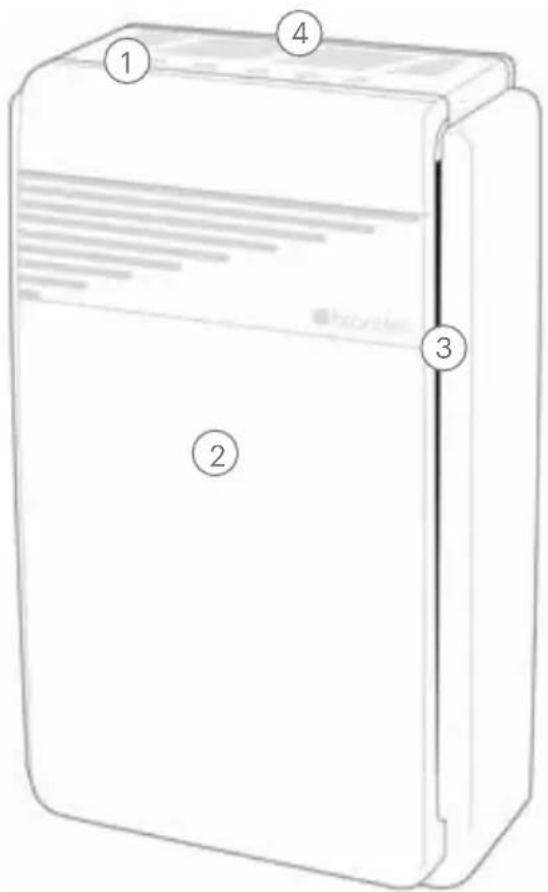
Diagram of a refrigerator with numbered labels pointing to different sections1. Control Panel
Allows user to control all of Horizon's features (see next page for details).
2. Front Panel
Remove this to change the filter.
3. Air Intake
Air from the room is taken into the unit through either side of the front panel.

natural_image
Line drawing of a rectangular electronic device with labeled pins (6 and 5), no text or symbols present.4. Air Outlet
Filtered air is expelled from the unit through this grille.
5. Power Cord
Must be plugged into a polarized (grounded) outlet.
6. Handle
Allows the user to carry Horizon from room to room as needed.
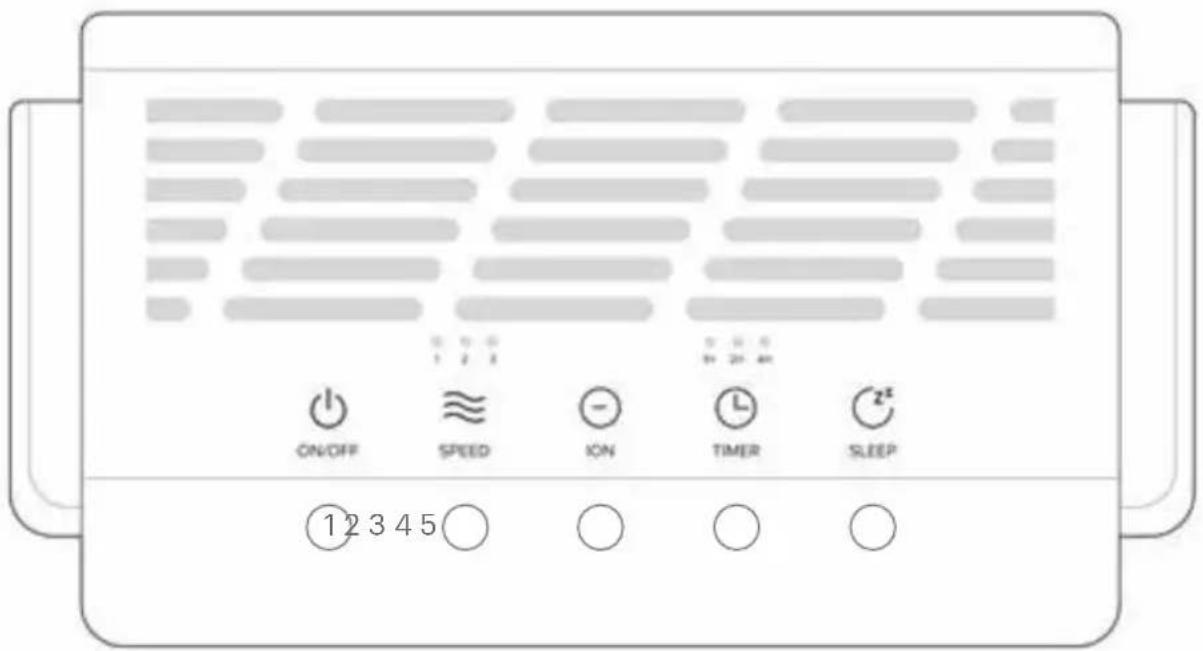
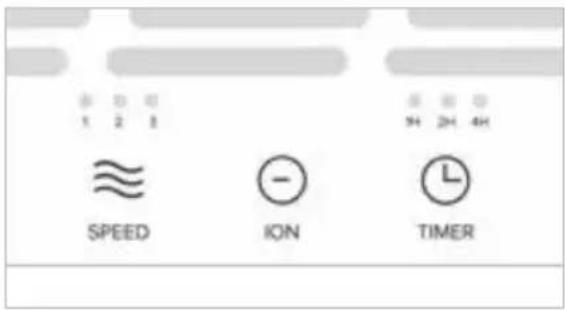
Touch to turn power on/off.
2. Air Speed Selector
Touch to select between three air speed modes: LOW, MEDIUM, HIGH.
3. Intelligent Ion Mode
Touch to engage Intelligent Ion Mode.
4. Timer
Touch to activate the Timer Mode.
User can set the unit to stay on for 1, 2, or 4 hours.
5. Sleep Mode
Touch to engage Sleep Mode.
Five-Stage Air Purification
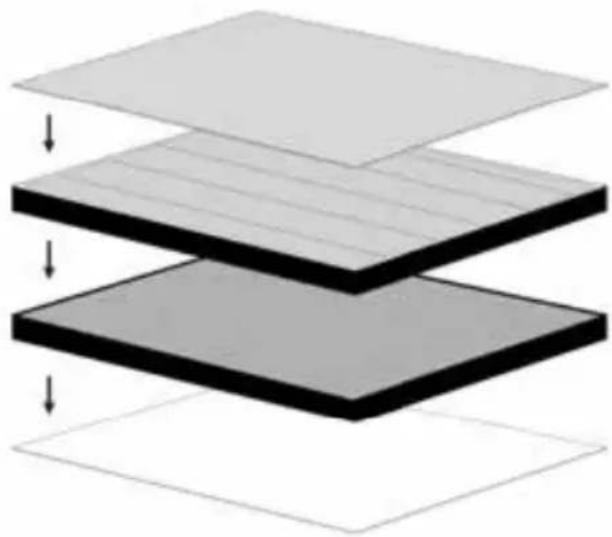
Horizon's composite filter combines four filtration layers plus ionization to create a five-stage filtration system.
4-In-1 Composite Filter Includes
- Pre-Filter
Extracts large particles such as dust, hair, and lint. - HEPA-Type Woven Core
Captures 98.45% of particles above 0.3 microns in size. - Granular Activated Carbon Filter
Traps odors, harmful gases, VOCs, and decomposes formaldehyde. - Cold Catalyst Filter
Reduces formaldehyde, benzene, xylene, ammonia, VOCs and other harmful gases.
natural_image
Stacked 3D diagram of layered materials with arrows indicating downward flow (no text or symbols)Intelligent Ion Technology
Horizon's Intelligent Ion Technology can be activated by pressing the Ion button on the control panel. This will prompt the unit to emit negatively charged ions into the air. These negatively charged ions attract and remove positively charged ions from the air, including irritants such as dust.
text_image
1 2 3 SPEED ION TIMER
Be sure to remove all plastic packaging from the filter before turning the Horizon on.
-
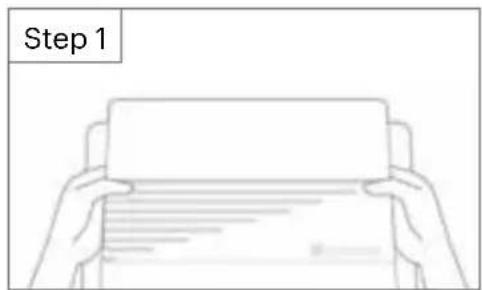
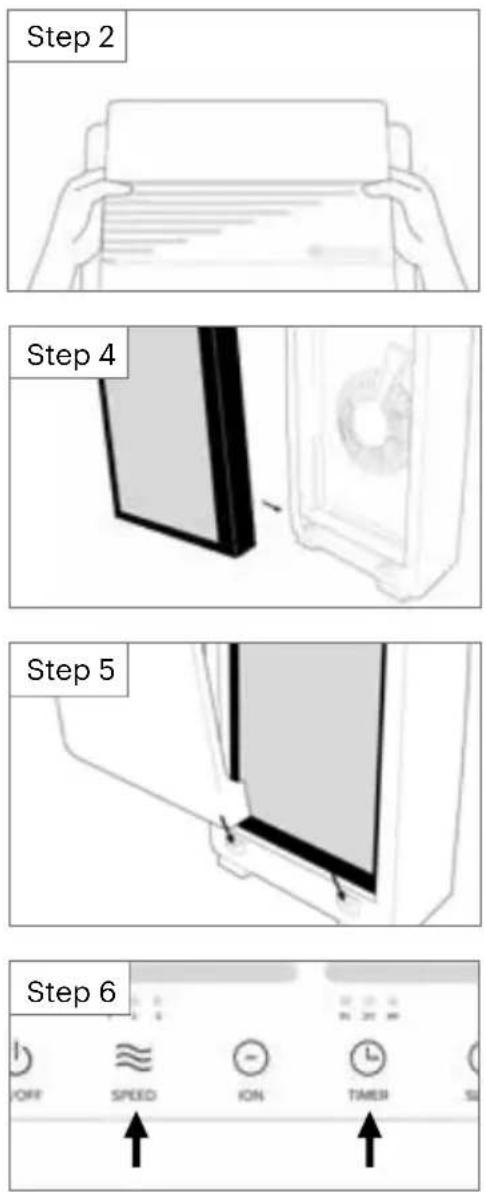
Remove the front panel by grasping both sides of the upper front cover with both hands. Pull the front panel away to remove it from the unit.
-
Remove all plastic packaging from the filter.
-
With the front tabs facing out, install the filter by laying its bottom edges flush against the filter cabinet then pushing the top of the filter firmly in place.
-
Re-attach the front panel by inserting the tabs on the bottom of the front panel into the slots in the bottom of the body. Then, push the top of the panel towards the unit, the front panel clicks securely in place.
text_image
Step 1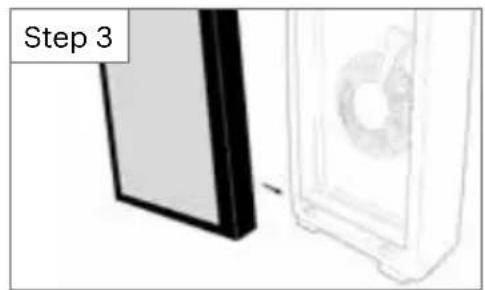
natural_image
Diagram showing a device with a fan and a panel, labeled 'Step 3' (no text or symbols on the diagram itself)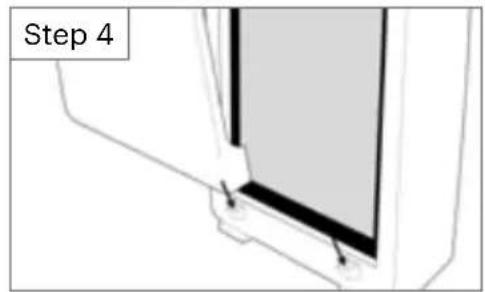
natural_image
Diagram of a window frame with labeled Step 4 (no other text or symbols)
Place the horizon on a flat, solid surface. Do not block the air outlet with objects, and remove any heat sources and/or open flames near the unit.
Turning the Horizon On / Off
- Plug Horizon into the nearest power outlet that accepts a polarized (grounded) plug. An extension cord may be used, so long as the cord accepts a polarized (grounded) plug and is rated for a current of 120v. The unit will chime to indicate that power is running to the unit, but it will not power on automatically.
- Touch the power button at the top of the control panel. Horizon will chime, the fan will come on, and a fan speed indicator light will illuminate. If the unit does not power on, please see our troubleshooting section on page 12.
- To turn Horizon off, press the power button. The unit will chime and power off.
text_image
ON/OFFSelecting the Operating Mode
1. Air Speed
Touch the Air Speed Selector button to toggle between three fan speeds: LOW, MEDIUM, HIGH.
2. Sleep Mode
Touch the Sleep button to enter Sleep Mode. Fan speed will power down to its lowest level and all lights on the control panel, except the sleep button, will turn off.
3. Intelligent Ion
Touch to engage Intelligent Ion Mode.
text_image
SPEED
text_image
z² SLEEP
text_image
- IONSetting the Timer
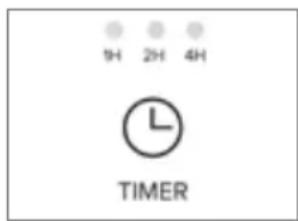
- Press the Timer button to toggle between the three preset timer durations: 1, 2, or 4 hours.
- The current timer duration will be illuminated when the Timer button is pressed. When there are no numbers illuminated, the timer function is off.
- Once the timer has expired, Horizon will power off.
text_image
1H 2H 4H L TIMERProper care and cleaning of Horizon is critical to performance. The following chart shows the recommended cleaning intervals and methods for each part of the unit.
| Part Time Method | ||
| Filter Cabinet As needed | Wipe with damp cloth | first. If needed,follow with a mild, non-abrasive cleaner. |
| Woven Pre-Filter (blue front panel of the filter) | Every 2-4 weeks Vacuum using an attachment to the vacuum hose or a handheld mini-vac. | |
| Cold Catalyst (white rear panel of the filter) | Every 2-4 weeks Vacuum using an attachment to the vacuum hose or a handheld mini-vac. | |
| 4-in-1 Filter Every 4-6 months* Replace the filter. | ||
* Filters are effective for 3500 hours. Filter life may vary according to use and environment. Replace filter when performance decreases or when filter change indicator activates.
Replacement filters are available at brondell.com.

Always remove the protective plastic packaging before installing the filter.
All three timer lights will flash to indicate it's time to change the filter and reset the filter change indicator. Follow these instructions for new filter installation:
- Unplug Horizon.
- Remove the front panel by grasping both sides of the upper front cover with both hands. Pull the front panel away to remove it from the unit.
- Using the two tabs at the top of the filter, pull the filter straight out of the filter cabinet to remove.
- Remove all plastic packaging from the replacement filter. With the front tabs facing out, install the filter by laying its bottom edges flush against the filter cabinet then pushing the top of the filter firmly in place.
- Re-attach the front panel by inserting the tabs on the bottom of the front panel into the slots in the bottom of the body. Then, push the top of the panel towards the unit, the front panel clicks securely in place.
- Press and hold down the Speed and Timer buttons simultaneously for approximately three seconds until the machine chimes, signaling the filter change indicator has been reset.
If the air purifier appears to be operating abnormally, please review the troubleshooting tips before calling Brondell Customer Support as most issues are easily resolved with a few simple steps. If you are unable to resolve the issue after checking the following items, please contact Brondell Customer Support at 888-542-3355 or at brondell.com/support.
| Problem Possible Cause(s) Solution(s) | ||
| Unit cannot be switched on | 1. Power plug is not properly inserted into the electrical outlet.2. Power plug or cord is damaged. | 1. Unplug the unit and plug it back into the electrical outlet.2. Contact Brondell Customer Support. |
| Fan not working | 1. Unit is not switched on.2. Motor requires servicing. | 1. Ensure that the unit is properly plugged into the electrical outlet.2. Contact Brondell Customer Support. |
| All 3 timer lights are flashing | Filter needs to be changed and the filter change indicator reset. | Refer to filter replacement instructions on page 11. |
| Poor filtration performance | 1. Filter is due for replacement.2. Blockage at air inlet or air outlet.3. Plastic wrap on filter not removed.4. Clearance around appliance is not adequate for air ventilation.5. Missing filter or filter was inserted incorrectly.6. Room exceeds expected room coverage area. | 1. Replace with new filter.2. Contact Brondell Customer Support.3. Remove the plastic bag and place the filter back into the unit.4. Ensure that there is clearance of 20" on each side and 4" in the back of the appliance.5. Ensure the filter is inserted correctly (see page 8 of this manual).6. Room coverage area is approximately 560 square feet. |
| Product name | Horizon HEPA-Type Air Purifier |
| Model | P200-W |
| Voltage / Frequency: | 120V 60 Hz |
| Power Consumption: | 55 Watts |
| Noise Level: | 37.7-55.43dB |
| Dimensions: | 12.0" x 6.5" x 21.2" |
| Net Weight: | 11 Lbs. |
| Warranty: | 2-year limited warranty |
| CADR: | 218 |
| Room Size: | 140 Sq Feet at 4 air exchanges per hour280 Sq Feet at 2 air exchanges per hour560 Sq Feet at 1 air exchange per hour |

CONFORMS TO UL STD. 867
Intertek
5012425
This air cleaner complies with the Federal Ozone Emissions Limit.
ARB CERTIFIED
Brondell products are backed by some of the most comprehensive warranties in the industry. Brondell warrants that the Horizon O2+ Air Purifier shall be free from defects in material and workmanship under normal use and service.
Horizon HEPA-Type Air Purifier Limited Warranty
100% Coverage of defects or malfunctions of all electronic parts and labor for the entire product excluding consumable filters for the first two years from original date of purchase.
Exclusions and Limitations
- BRONDELL warrants its products to be free from manufacturing defects under normal use and service. This warranty is extended only to the ORIGINAL PURCHASER.
- BRONDELL's obligations under this warranty are limited to repairs or replacement, at BRONDELL's option, of products or parts found to be defective, provided that such products were properly installed and used in accordance with instructions. BRONDELL reserves the right to make such inspections as may be necessary in order to determine the cause of the defect. BRONDELL will not charge for labor or parts in connection with warranty repairs for the two years from date of purchase on all products except those that may be subject to commercial use limitations.
- BRONDELL is not responsible for the cost of removal, return (shipping) and/or reinstallation of products. This warranty does NOT apply to:
- Damage or loss which occurs during shipment.
- Damage or loss sustained through any natural or man-made causes beyond the control of BRONDELL, including but not limited to fire, earthquake, floods, etc.
- Damage or loss resulting from negligent or improper installation including installation of a unit in a harsh or hazardous environment.
- Damage or loss resulting from removal, improper repair, modification of the product, or improper maintenance.
-
Damage or loss resulting from acts which are not the fault of Brondell or which the product is not specified to tolerate.
-
This warranty gives you specific legal rights. You may have other rights which vary from state to state.
THIS WRITTEN WARRANTY IS THE ONLY WARRANTY MADE BY BRONDELL. REPAIR OR REPLACEMENT AS PROVIDED UNDER THIS WARRANTY SHALL BE THE EXCLUSIVE REMEDY AVAILABLE TO THE PURCHASER. BRONDELL SHALL NOT BE RESPONSIBLE FOR LOSS OF USE OF THE PRODUCT OR FOR OTHER INCIDENTAL, SPECIAL, FOR CONSEQUENTIAL DAMAGES OR EXPENSES INCURRED BY THE PURCHASER OR FOR LABOR OR OTHER COSTS DUE TO INSTALLATION OR REMOVAL OR COSTS OF REPAIRS BY OTHERS, OR FOR ANY OTHER EXPENSE NOT SPECIFICALLY STATED ABOVE. EXCEPT TO THE EXTENT PROHIBITED BY APPLICABLE LAW, ANY IMPLIED WARRANTIES, INCLUDING THAT OF MERCHANTABILITY, ARE EXPRESSLY LIMITED TO THE DURATION OF THIS WARRANTY. SOME STATES DO NOT ALLOW LIMITATIONS, SO THE ABOVE LIMITATION AND EXCLUSION MAY NOT APPLY TO YOU.
How to Obtain Service
To initiate a Brondell Warranty Claim, please visit Brondell.com/Support and complete our online Support Request form or call our Customer Support team for assistance at 1-888-542-3355. Our dedicated Customer Support specialists will work with you to troubleshoot the issue, and depending on the results, will provide you with a Return Merchandise Authorization (RMA) number and a pre-paid shipping label, if applicable, for you to ship your Brondell product to our Service Center.
When returning your item to our Service Center, please ensure to include the RMA number and a copy of the original receipt as proof of purchase for proper identification and processing.
Brondell®
Feels better already.
Brondell, Inc.
PO Box 470085
San Francisco, CA
94147-0085
www.brondell.com
For questions and additional resources, contact:
Brondell Customer Support
1-888-542-3355
www.brondell.com/support
Manufactured By
Brondell, Inc.
PO Box 470085
San Francisco, CA
94147-0085
Made in China
Please retain receipt records for any warranty claims.
text_image
Diagram of a rectangular device with numbered labels pointing to different sections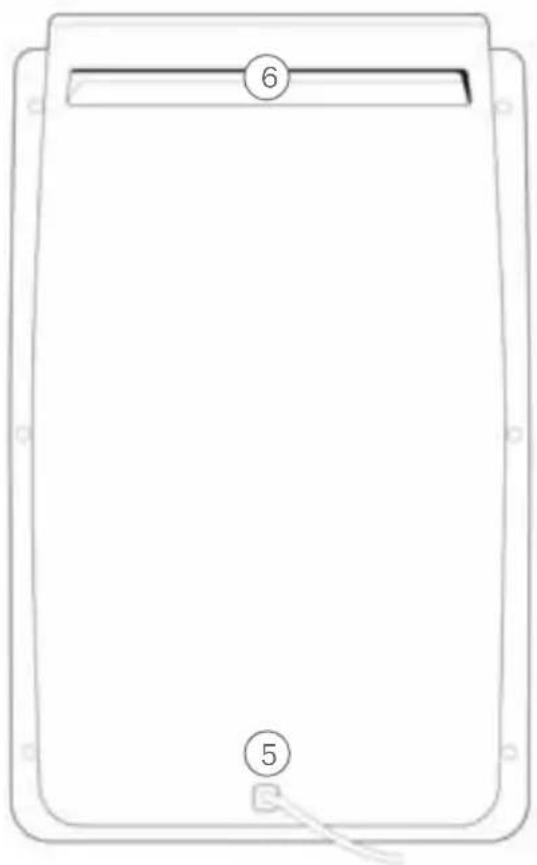
natural_image
Line drawing of a rectangular electronic device with labeled parts (6 and 5), no text or symbols present.- Panel de control
natural_image
Stacked 3D diagram of layered materials with arrows indicating downward flow (no text or symbols)lon inteligente
natural_image
Illustration of a door frame and a speaker with a circular dial, labeled 'Paso 3' (no other text or symbols)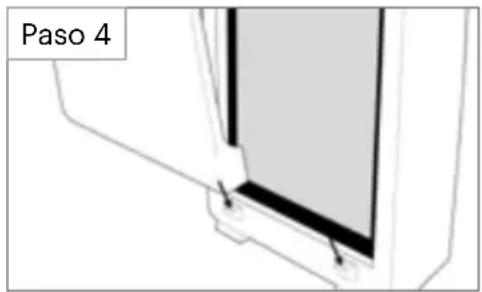
text_image
Paso 4
CONFORMS TO UL STD. 867
Intertek
5012425
Feels better already.
Brondell, Inc.
PO Box 470085
San Francisco, CA
94147-0085
www.brondell.com
CARACTÉRISTIQUES DU PRODUIT
text_image
Diagram of a refrigerator with numbered labels pointing to different sections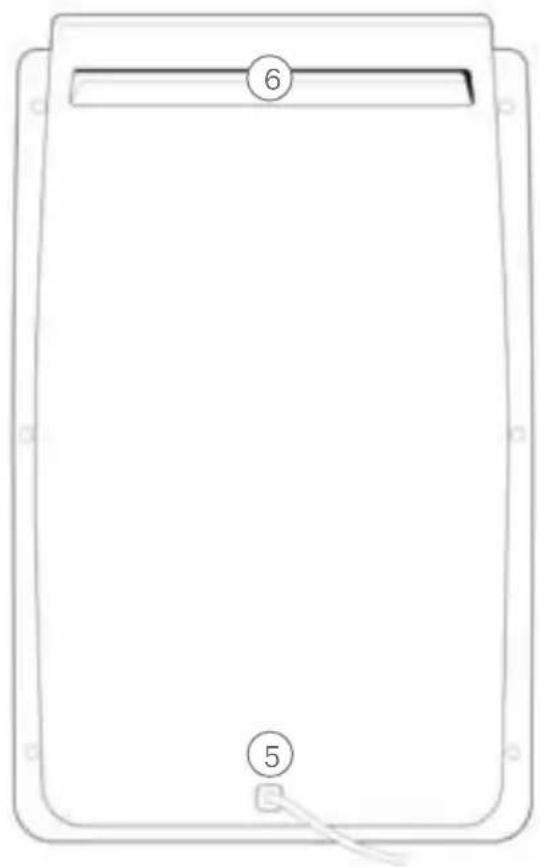
natural_image
Simple line drawing of a rectangular device with labeled parts (6 and 5), no text or symbols present.natural_image
Stacked 3D diagram of layered materials with arrows indicating downward flow (no text or symbols)Ion intelligent
CONFORMS TO UL STD. 867
Feels better already.
Brondell, Inc.
PO Box 470085
San Francisco, CA
94147-0085
www.brondell.com
Feels better already.