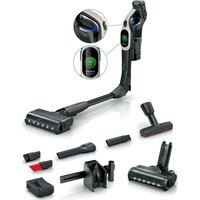
Unlimited 10 BBS1041GQCB - Vacuum Cleaner BOSCH - Free user manual and instructions
Find the device manual for free Unlimited 10 BBS1041GQCB BOSCH in PDF.


User questions about Unlimited 10 BBS1041GQCB BOSCH
0 question about this device. Answer the ones you know or ask your own.
Ask a new question about this device
Download the instructions for your Vacuum Cleaner in PDF format for free! Find your manual Unlimited 10 BBS1041GQCB - BOSCH and take your electronic device back in hand. On this page are published all the documents necessary for the use of your device. Unlimited 10 BBS1041GQCB by BOSCH.
USER MANUAL Unlimited 10 BBS1041GQCB BOSCH
| [de] | Scannen Sie den QR-Code oder besuchen Sie die Webseite, um die erweiterten Hinweise zur Benutzung zu öffnen. Dort finden Sie zusätzliche Informationen zu Ihrem Gerät oder Zubehör. |
| [en] | Scan the QR code or visit the website to open the Further Notices for Use. You can find additional information about your appliance or accessory here. |
| [fr] | Scanner le code QR ou visiter le site Web pour ouvrir les informations d'utilisation complémentaires. Vous y trouverez des informations supplémentaires concernant votre appareil ou accessoire. |
| [it] | Scansionare il codice QR oppure visitare il sito Web per indicazioni dettagliate sull'uso. Si trovano informazioni aggiuntive sull'apparecchio o gli accessori. |
| [nl] | Scan de QR-code of bezoek de website om de uitgebreide gebruiksinstructies te openen. Hierin vindt u meer informatie over het apparaat of toebehoren. |
| [da] | Scan QR-koden, eller besøg hjemmesiden, for at åbne de udvidede anvisninger om anvendelse. Der kan der findes yderligere oplysninger om apparatet eller tilbehøret. |
| [no] | Skann QR-koden eller besøk nettstedet for å åpne mer informasjon om bruken. Der finner du mer informasjon om apparatet eller tilbehøret. |
| [sv] | Scanna QR-koden eller gå till webbplatsen och öppna de utökade användningsanvisningarna. Där finns mer information om din apparat eller dina tillbehör. |
| [fi] | Skannaa QR-koodi tai vieraile internet-sivustollamme, jotta voit avata laajennetut käyttötiedot. Sieltä löydät laitetta tai varustetta koskevia lisätietoja. |
| [es] | Para abrir las indicaciones ampliadas sobre el uso, visite la página web o escanee el código QR. Allí encontrará más información sobre el aparato o los accesorios. |
| [pt] | Leia o código QR ou visite a página web para abrir as indicações avançadas relativas à utilização. Aí encontra informações adicionais sobre o seu aparelho ou acessório. |
| [el] | Σαρώστε τον κωδικό QR ή επισκεφτείτε την ιστοσελίδα, για να ανοίξετε τις διευρυμένες υποδείξεις για τη χρήση. Εκεί θα βρείτε πρόσθετες πληροφορίες για τη συσκευή σας ή τα εξαρτήματα. |
| [tr] | Ayrıntılı kullanım bilgilerine ulaşmak için QR kodu taratın veya web sayfasını ziyaret ediniz. Cihaz ve aksesuarlar ile ilgili ayrıntılı bilgileri bu şekilde edinebilirsiniz. |
| [pl] | Aby uzyskać rozszerzone informacje na temat zastosowań urządzenia, należy zeskanować kod QR albo wejść na stronę internetową. Można tam znaleźć dodatkowe informacje na temat posiadanego urządzenia i akcesoriów. |
| [hu] | Olvassa be a QR-kódot vagy keresse fel a weboldalt a kibővített használati utasítás megnyitásához. Ott ki-egészítő információkat talál a készülékkel vagy tartozékkal kapcsolatban. |
| [ru] | Чтобы узнать больше о пользовании, отсканируйте QR-код или зайдите на сайт. Там вы найдете более подробные сведения о приборе и принадлежностях. |
| [ro] | Scanați codul QR sau accesăți site-ul web pentru a obține mai mult recomandări privind utilizarea. Acolo veți găsi mai multe informații privind aparatul dumneavoastră sau accesoriiile. |
| [cs] | Pro další informace k používání načtěte QR kód nebo navštivte webovou stránku. Tam najdete další informace ke spotřebiči nebo příslušenství. |
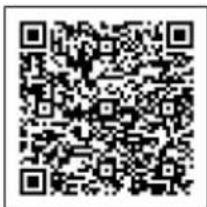
https://digitalguide.bsh-group.com?mat-no=8001293734

3
4
5
6
7
8

9
10
11
12
13
14
15
natural_image
Two-step illustration showing a device being inserted into a device, with arrows indicating the process (no text or symbols present)16
17
18
19
20
21
22
23
natural_image
Line drawing of a robotic vacuum cleaner next to a cabinet (no text or symbols)24
25
26
natural_image
Illustration of a person's foot using a medical or surgical tool to lift a patient's foot (no text or symbols present)27
The image is too blurry to recognize any text content.
natural_image
Line drawing of a blue vacuum cleaner placed on an armchair, with no text or symbols present.29
30
natural_image
Illustration of a person using a handheld vacuum cleaner to clean or clean a wall (no text or symbols visible)31
32
33
The image is too blurry to recognize any text content.
35
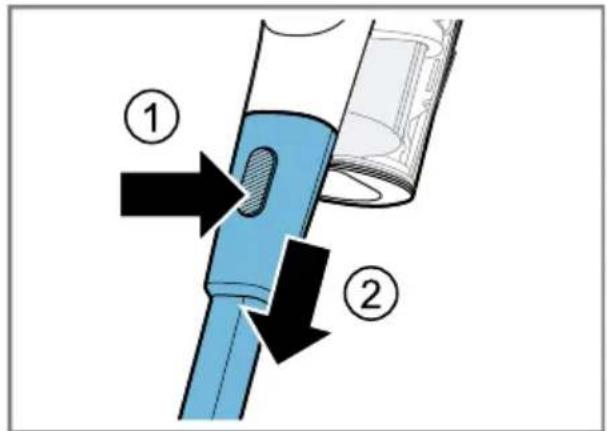
36
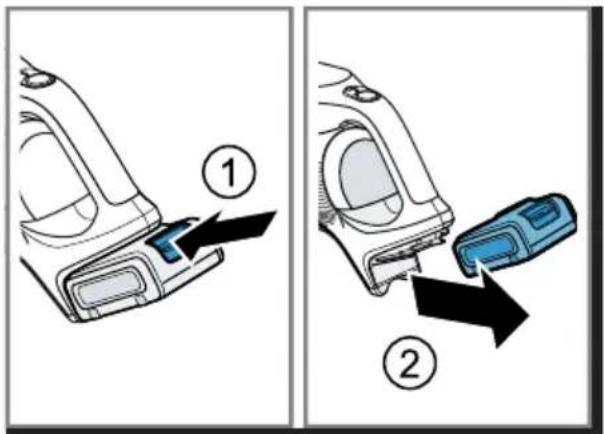
37
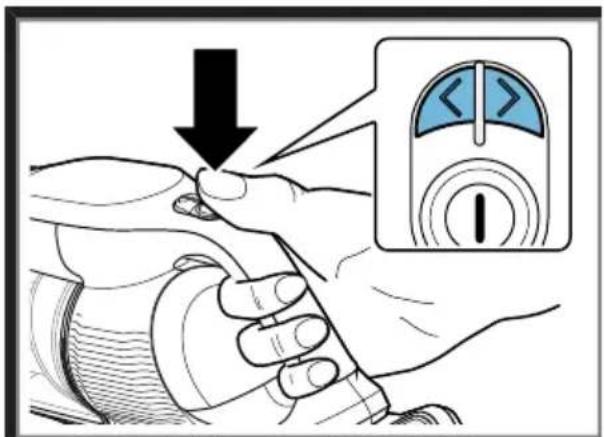
38
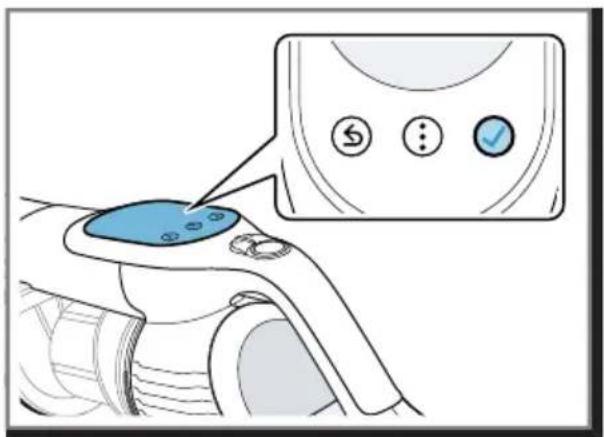
39
40
41
42
natural_image
Illustration of a hand pressing down on a blue mechanical component with a curved arrow indicating rotation (no text or symbols)43
natural_image
Illustration of a hand inserting a component into a device (no text or symbols visible)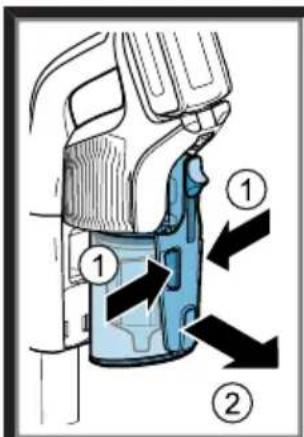
45
natural_image
Illustration of a hand inserting a component into a device (no text or symbols visible)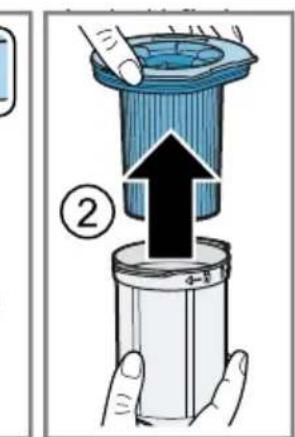
47
natural_image
Illustration of hands cleaning a blue plastic container with a cloth (no text or symbols)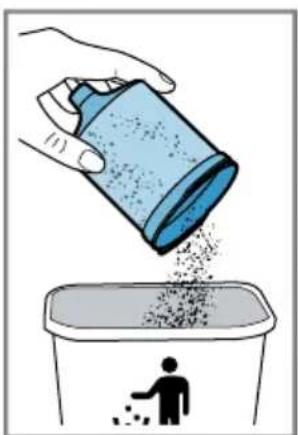
natural_image
Illustration of a hand pouring liquid into a trash bin with a person emitting particles (no text or symbols)49
natural_image
Illustration of hands holding a blue container with granular material, no text or symbols present
natural_image
Illustration of hands cleaning a blue plastic container with a cloth (no text or symbols)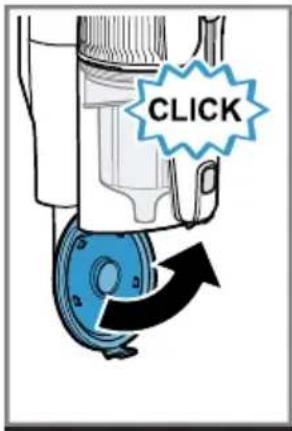
44
natural_image
Illustration of a hand pouring liquid into a container with a hand holding a tool, showing waste or residue (no text or symbols)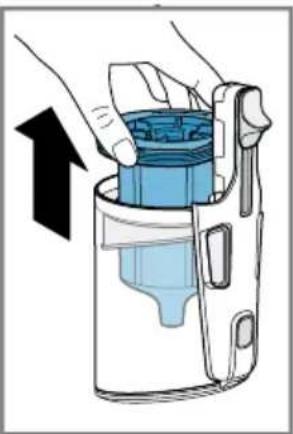
natural_image
Illustration of hands holding a blue container with an arrow indicating upward motion (no text or symbols)46
The image is too blurry to recognize any text content.
50
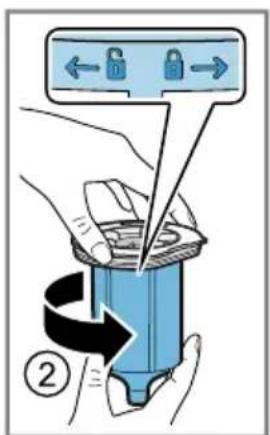

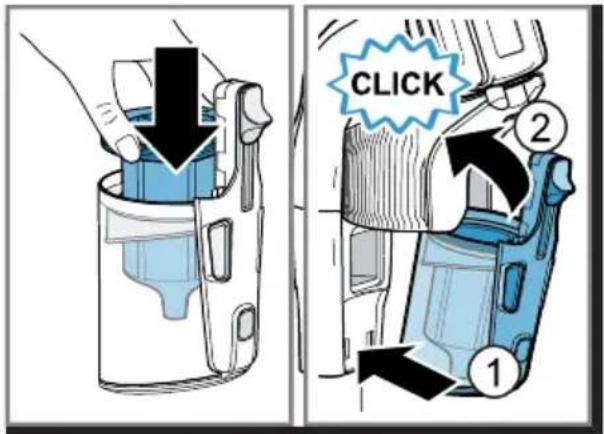
51
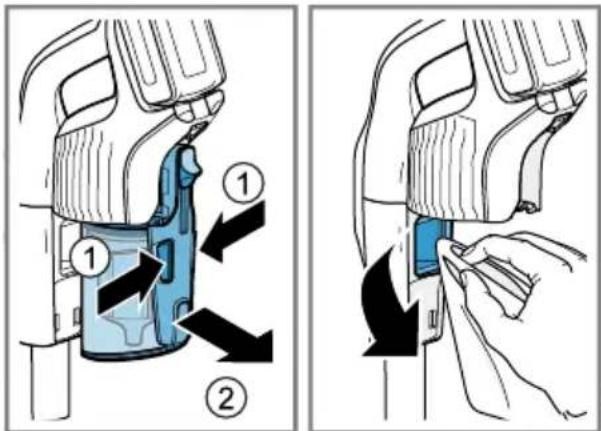
52
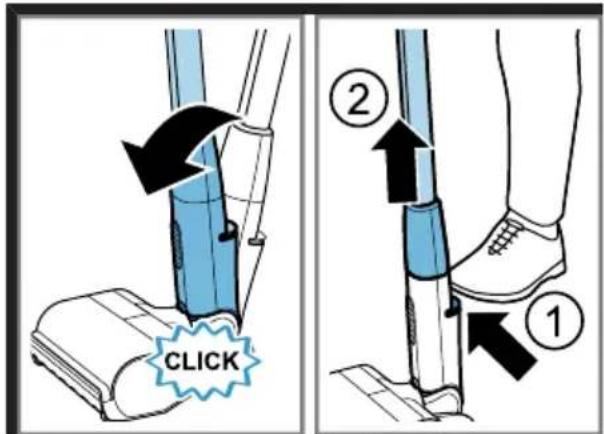
53
54
natural_image
Illustration of scissors cutting through a cylindrical pipe with visible fibers and a small component inserted (no text or symbols)55
56
57
natural_image
Illustration of scissors cutting a cylindrical object with visible fibers (no text or symbols)58
59
60
natural_image
Illustration of a hand holding a cylindrical object with visible internal fibers and blue lines, no text or symbols present.61
62

Sicherheit
- Read this instruction manual carefully.
- Keep the instruction manual and the product information safe for future reference or for the next owner.
■ Do not connect the appliance if it has been damaged in transit. Only use this appliance:
■ with genuine parts and accessories. Damage caused by using third-party products is not covered under the warranty.
■ for cleaning surfaces.
■ in private households and in enclosed spaces in a domestic environment at room temperature.
■ up to an altitude of max. 2000 m above sea level.
Do not use the appliance:
■ for vacuum-cleaning persons or animals.
■ for vacuuming up harmful, sharp-edged, hot or burning substances.
■ for vacuuming up damp substances or liquids.
■ for vacuuming up highly flammable or explosive materials and gases.
■ for vacuuming up ash or soot from stoves and central heating systems.
■ for vacuuming up toner dust from printers and photocopiers.
■ for vacuuming up building rubble.
Disconnect the appliance from the power supply when:
■ cleaning the appliance.
This appliance may be used by children aged 8 or over and by people who have reduced physical, sensory or mental abilities or inadequate experience and/or knowledge, provided that they are supervised or have been instructed on how to use the appliance safely and have understood the resulting dangers.
Do not let children play with the appliance.
Cleaning and user maintenance must not be performed by children unless they are being supervised.
- Repairs to the appliance should only be carried out by trained specialist staff.
▶ Only use genuine spare parts when repairing the appliance.
▶ Never operate a damaged appliance.
en Safety
▶ Never operate an appliance with a cracked or fractured surface.
▶ Call customer services. → Page 27
▶ Only use the appliance in enclosed spaces.
▶ Never expose the appliance to intense heat or humidity.
- Do not use steam- or high-pressure cleaners to clean the appliance.
▶ Never let the power cord come into contact with hot appliance parts or heat sources.
▶ Never let the power cord come into contact with sharp points or edges.
▶ Never kink, crush or modify the power cord.
- Connect and operate the charging cable ^1 and the quick charger ^1 only in accordance with the specifications on the rating plate.
- Connect the charging cable ^1 and the quick charger ^1 to a power supply with alternating current only via a properly installed socket with earthing.
- Do not apply flammable substances or substances containing alcohol to the filter.
- When cleaning the appliance, do not use flammable substances or substances that contain alcohol.
- Keep clothing, hair, fingers and other body parts away from the openings on the appliance and the moving parts.
▶ Never point the pipe or the nozzles towards eyes, hair, ears or mouths.
Before attempting any maintenance or cleaning of the appliance, remove the battery and disconnect the appliance from the power supply.
▶ Only store the appliance lying on the floor or in the base station
- Ensure that children do not play with the appliance, even when it is in the base station ^1 .
▶ Never use the free-standing function of the floor nozzle with the appliance attached.
▶ Persons with electronic implants must stand at least 10 cm away from the appliance.
- Keep packaging material away from children.
▶ Do not let children play with packaging material.
▶ Protect the battery against fire, heat and constant sunlight.
▶ Protect the battery against water and penetrating moisture.
▶ Never open the battery.
- When not in use, keep the battery away from metal objects, e.g. paper clips, coins, keys, nails or screws.
▶ If fumes are escaping from a damaged battery, supply fresh air.
▶ If there are any problems, seek medical advice from a doctor.
▶ If liquids are escaping from a damaged battery and they come into contact with the skin, rinse immediately with water.
▶ If these come into contact with the eyes, seek medical help.
Preventing material damage
▶ Check and clean any wet objects.
▶ Replace damaged objects.
▶ Regularly check the running surfaces of the nozzles for wear.
▶ Replace worn nozzles.
▶ Never use the nozzle without the brush roller in place.
▶ Never operate the appliance without the filter unit.
▶ Never lean the appliance against walls or the edges of tables.
- Retain the packaging material for transport purposes.
Included with the appliance
After unpacking all parts, check for any damage in transit and completeness of the delivery.
Note: The appliance comes with additional accessories depending on its features.
→ Fig. 1
| A | Hand-held cordless vacuum cleaner |
| B | Base station ^1 |
| C | Accessory holder ^1 with rail ^1 for base station |
| D | Universal floor nozzle ^1 |
| E | Hard floor nozzle ^1 |
^1 Depending on the appliance specifications
| F | Flexible suction pipe |
| G | Crevice nozzle and adapter for other accessories |
| H | Extension for long, flexible crevice nozzle ^1 |
| I | Extension for keyboard and drawer nozzle ^1 |
| J | Extension for narrow furniture brush ^1 |
| K | Rotatable furniture brush ^1 |
| L | Battery ^1 |
| M | Charging cablePower supply model identifier■ S018BUz2350065 for 650 mA charging cable■ S023BUz2350100 for 1 mA charging cable |
| N | Rotating XXL upholstery nozzle ^1 |
| O | Mini electro-nozzle ^1 |
| P | Quick charger ^1 |
^1 Depending on the appliance specifications
Overview
You can find an overview of the parts of your appliance here.
→ Fig. 2
1 Universal floor nozzle with freestanding function
| 2 | Floor nozzle release button |
| 3 | Flexible suction pipe |
| 4 | Suction pipe release button |
| 5 | Display with control panel |
| 6 | Operating buttons |
| 7 | Battery |
| 8 | MicroClean and status display |
| 9 | Dust container |
| 10 | RotationClean |
| 11 | Cartridge filter |
| 12 | Fluff filter |
| 13 | Sliding switch |
| 14 | Dust container release |
| 15 | Release button for dust container lid |
| 16 | Dust container lid |
| 17 | Foot release |
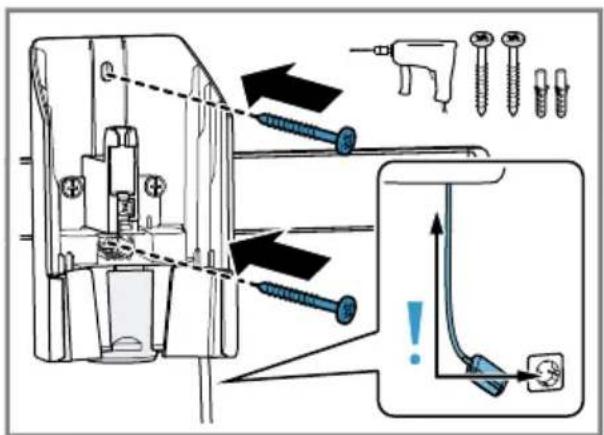
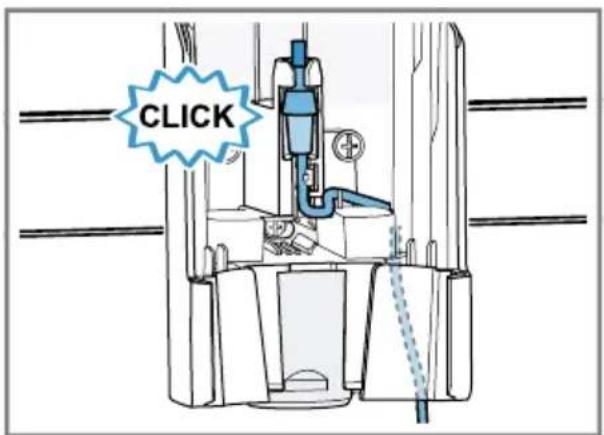
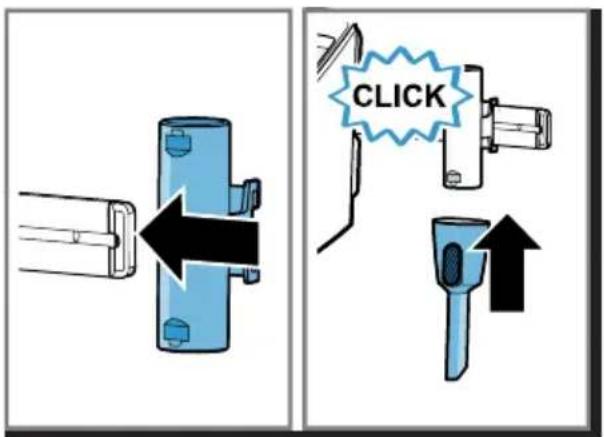
Installing the base station
▶ Check whether any household wiring could be damaged in the installation area.
- Do not install the base station horizontally or vertically above, below or next to a socket.
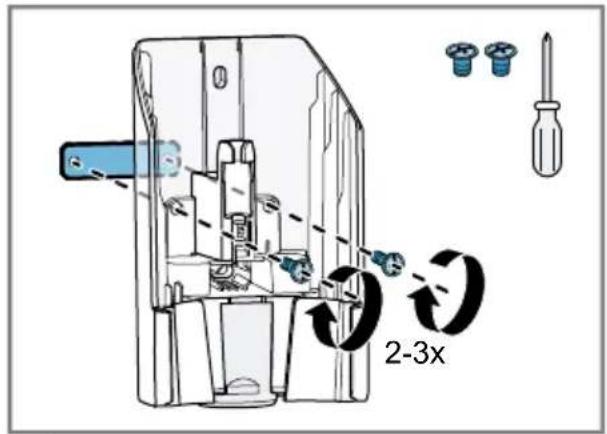
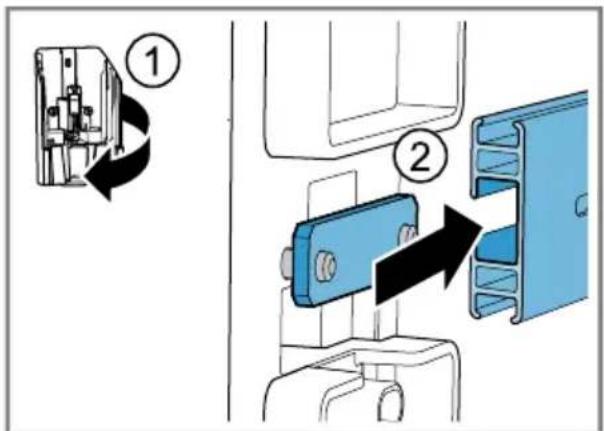
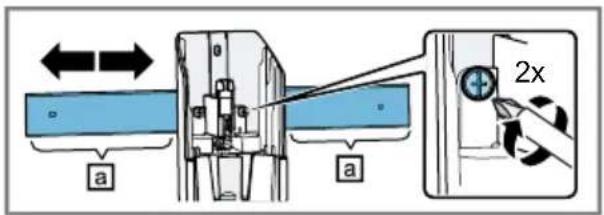
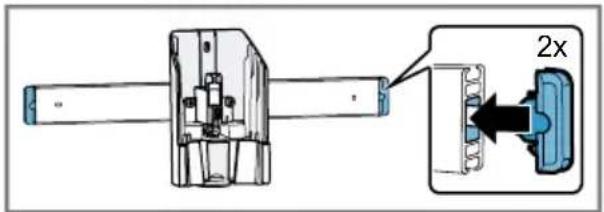
→ Fig. 3 - 10
Operation
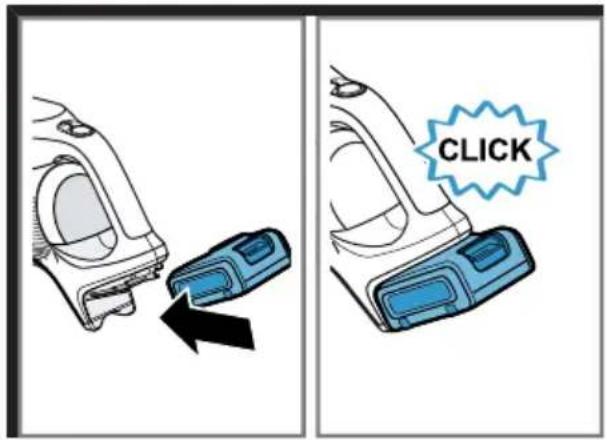
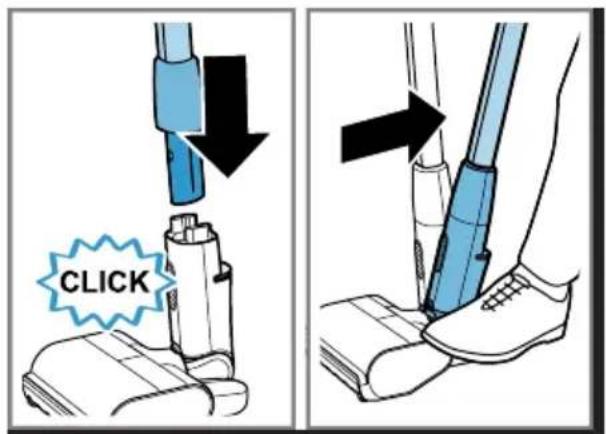
Installing the appliance
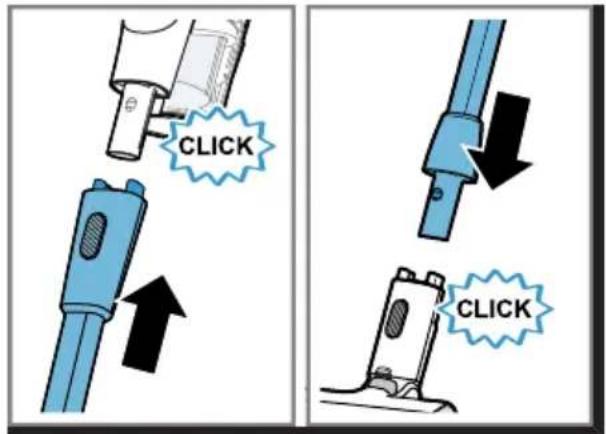
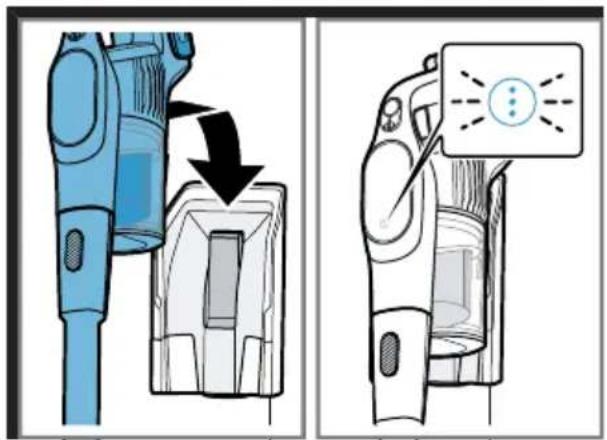
→ Fig. 11 - 12
Charging the appliance
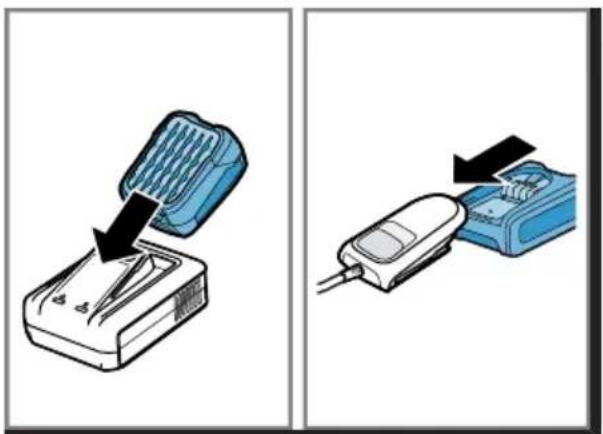
▶ Only use the battery in connection with the Bosch appliance.
▶ Only charge the battery using the original charging cable.
▶ Only use batteries from the Power for ALL 18 V series.
- Ensure that children do not play with the appliance, even when it is in the base station ^1 .
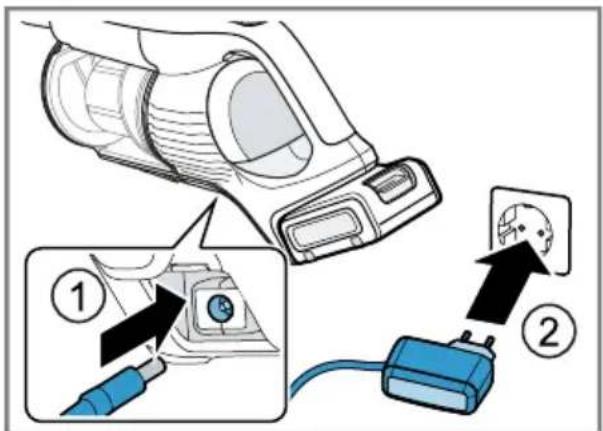
Note: For a rapid charge, use the quick charger.
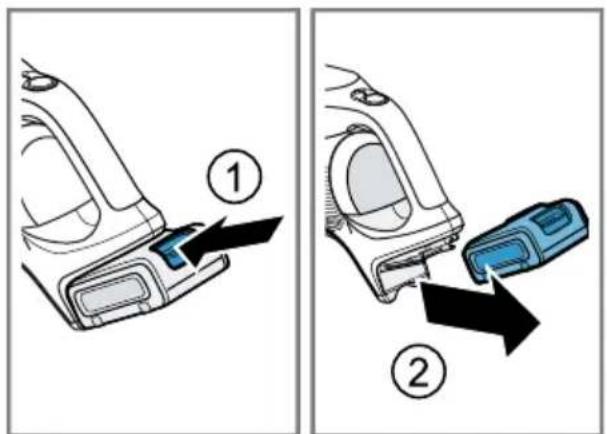
→ Fig. 13 - 16
Battery runtimes
Here you can find information about battery runtimes depending on the battery that is in use.
Note: The maximum battery runtimes refer to operation in Eco mode with non-electric accessories.
The use of other vacuuming modes and accessories reduce the appliance's battery runtime.
Battery Maximum battery runtime
| 3,0 Ah 60 min |
| 4,0 Ah Power+ 80 min |
| 5,0 Ah 100 min |
Notes
■ The display shows the battery charge level in per cent and the resulting remaining appliance runtime in minutes. Actual values may vary.
■ Like every Li-ion battery, the batteries from the Power for ALL 18 V series wear out over time, meaning that the battery capacity and the runtime decrease. This is a natural aging process and not the result of a material error, manufacturing error or material defect.
■ You can delay natural wear by taking the following measures:
- Activate the battery protection function on your appliance.
- Do not store the battery for an extended period of time if it is fully charged or fully discharged.
Operating the appliance
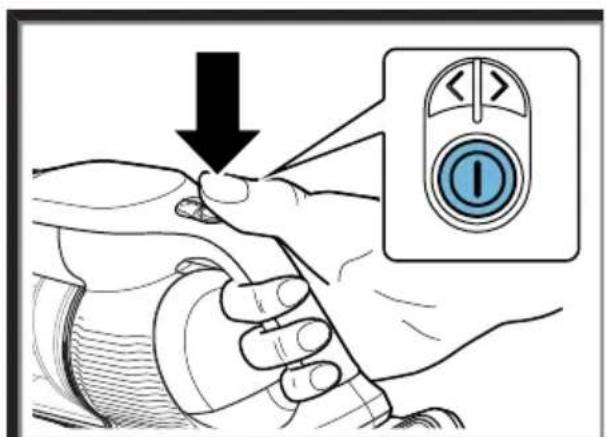
Note: Use Turbo mode (normal mode) for best results when cleaning hard floors and deep cleaning rugs and carpets. Switch to Auto mode or Eco mode when it is too difficult to push the nozzle on rugs or carpets.
$$ \rightarrow \text { Fig. } 1 7 - 2 2 $$
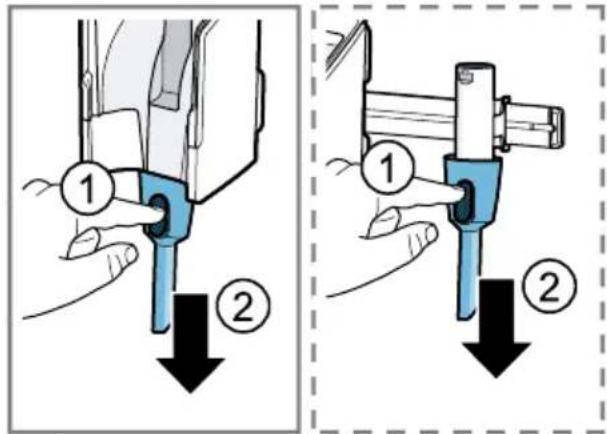
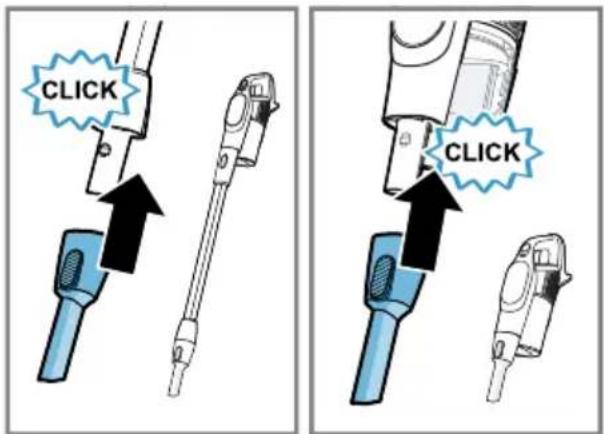
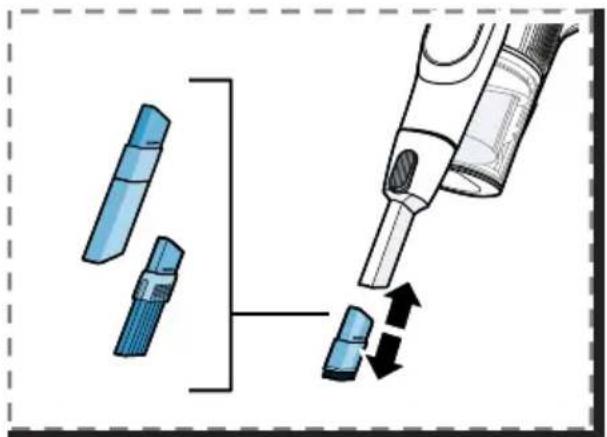
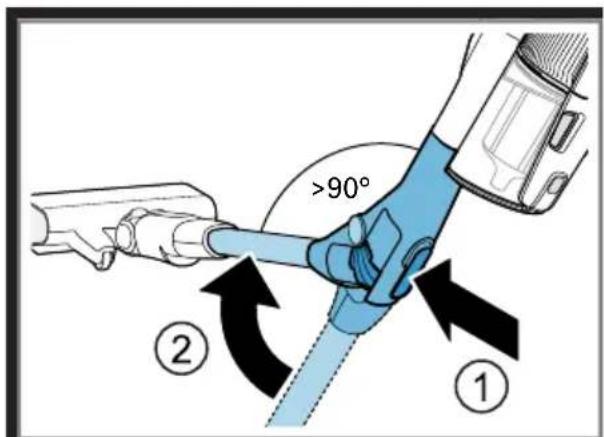
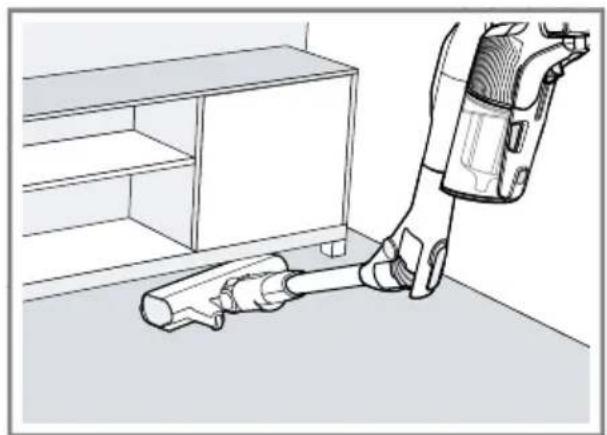
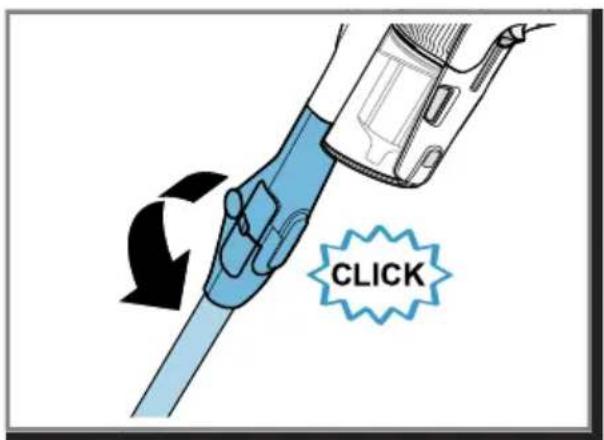
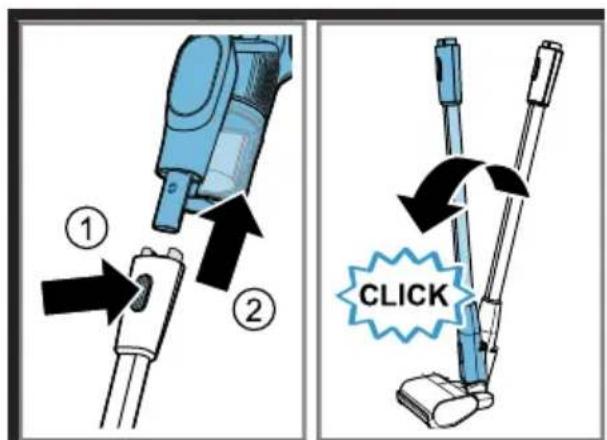
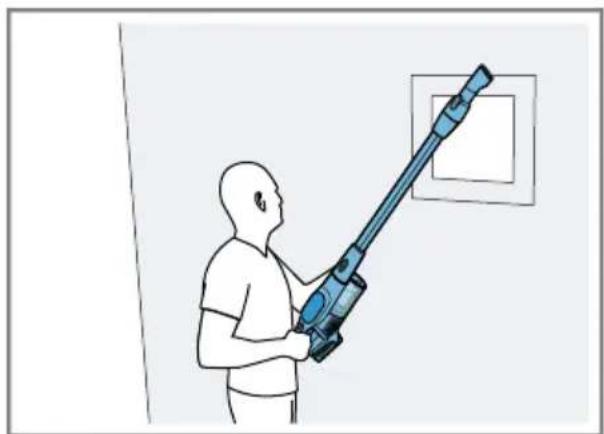
Using the flexible suction pipe
$$ \rightarrow \text { Fig. } \boxed {2 3} - \boxed {2 5} $$
Using the free-standing function
Note: Never use the free-standing function of the floor nozzle with the appliance attached.
$$ \rightarrow \text { Fig. } \boxed {2 6} - \boxed {2 7} $$
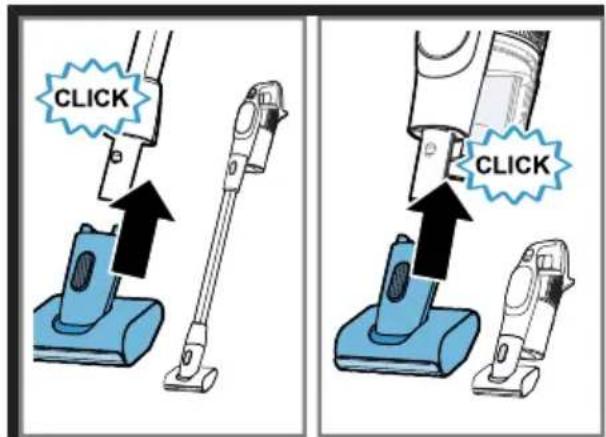
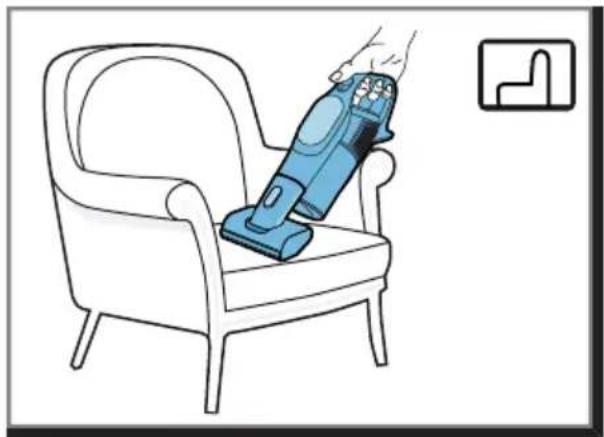
Vacuuming with the mini electro-nozzle ^1
$$ \rightarrow \text { Fig. } \boxed {2 8} - \boxed {2 9} $$
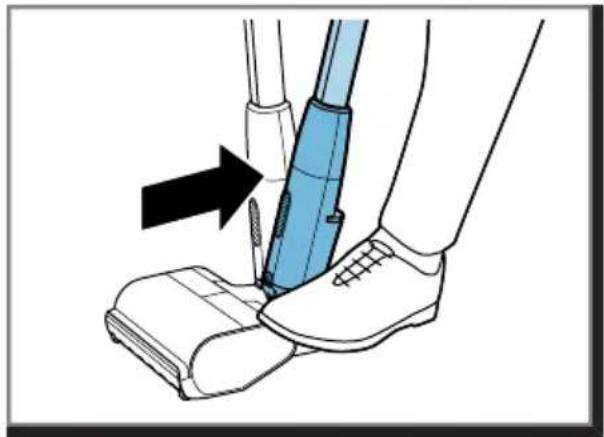
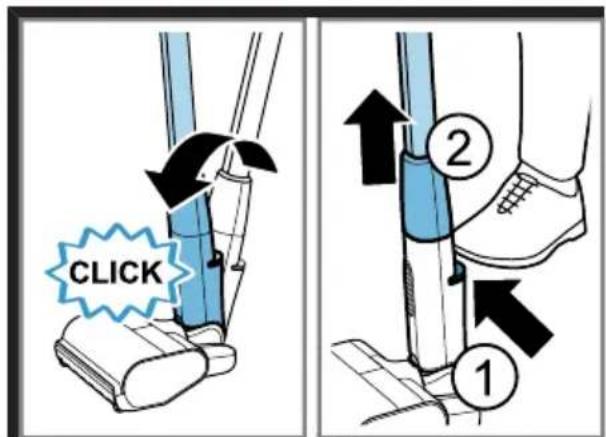
Using the foot release
$$ \rightarrow \text {Fig.} \boxed {3 0} - \boxed {3 2} $$
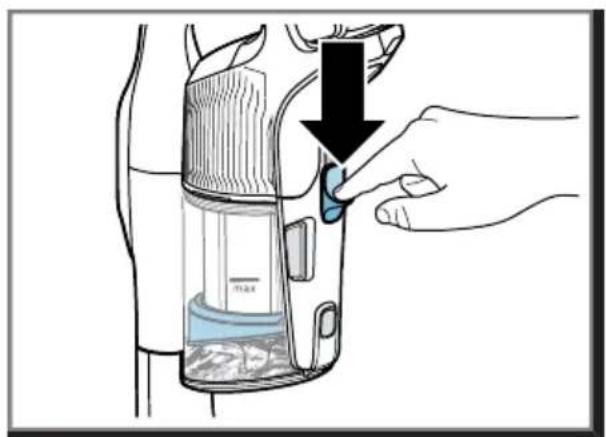
Compressing the dust
$$ \rightarrow \text { Fig. } \boxed {3 3} - \boxed {3 4} $$
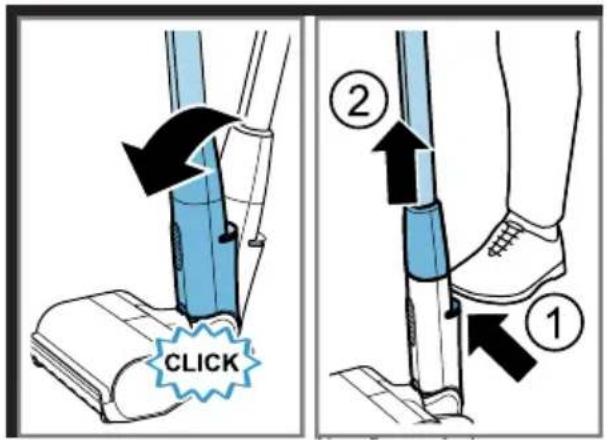
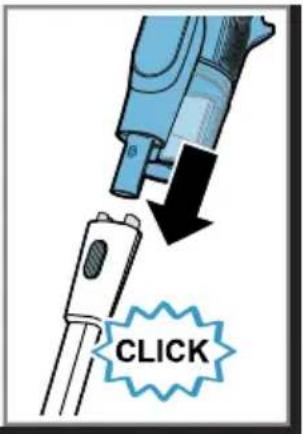
Removing the appliance
$$ \rightarrow \text { Fig. } \boxed {3 5} - \boxed {3 7} $$
Basic settings
You can configure the basic settings for your appliance to meet your needs and call up additional functions.
Changing the setting
Note: If no display language is available in your national language, select a display language that is available, e.g. English.
Requirement: The appliance is switched on.
- Touch ⏻.
√ Vacuuming stops.
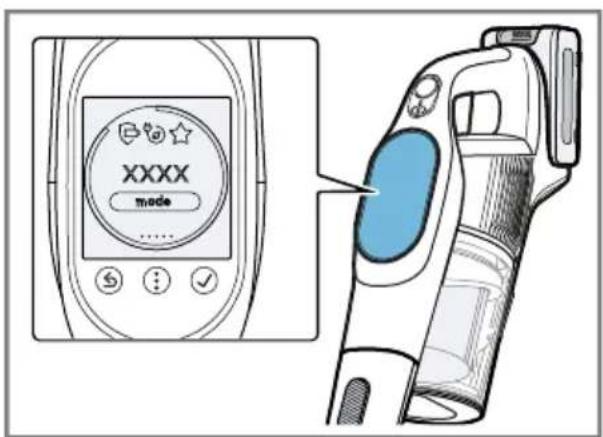
√ The display shows the menu with basic settings and additional functions.
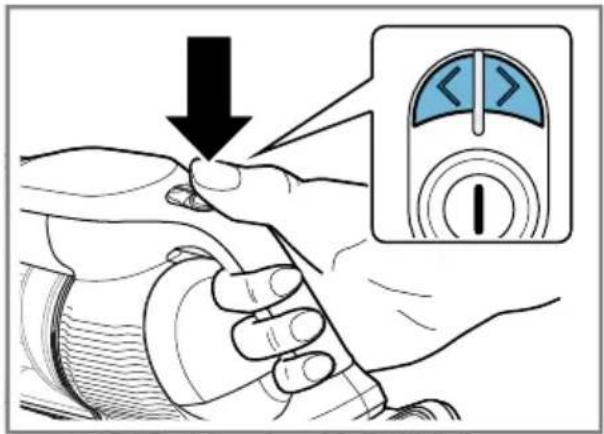
- Press < and > to navigate through the menu.
$$ \rightarrow \text { Fig. } \boxed {3 8} $$
- Touch √ to confirm the selection.
$$ \rightarrow \text { Fig. } \boxed {3 9} $$
- Change and confirm the setting or call up additional functions.
- Touch Ⓧ to return to the menu or to continue vacuuming.
Cleaning and servicing
To keep your appliance working efficiently for a long time, it is important to clean and maintain it carefully.
Cleaning the appliance
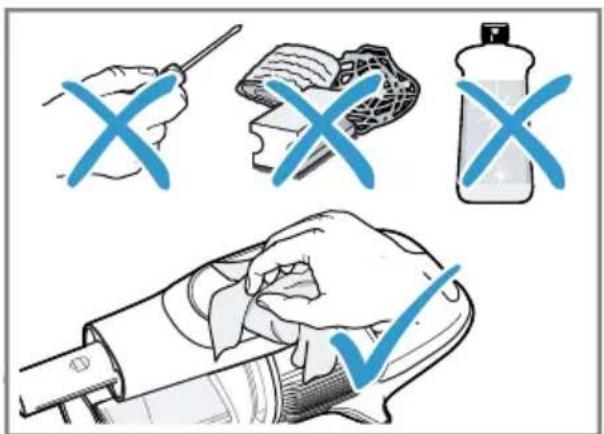
- Clean the appliance with a soft, dry cloth only.
$$ \rightarrow \text { Fig. } 4 0 $$
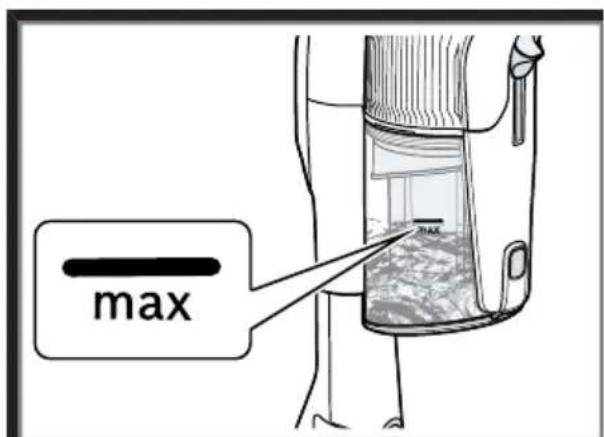
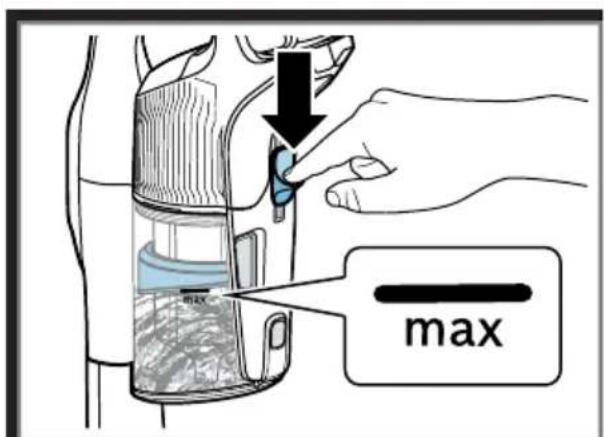
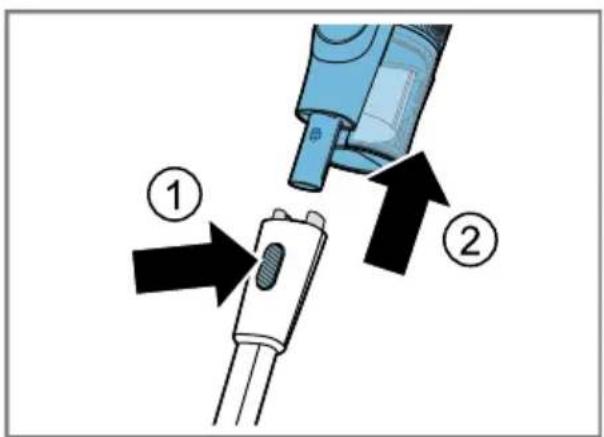
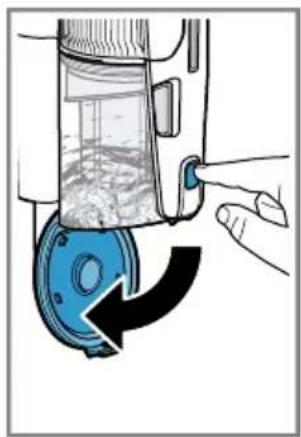
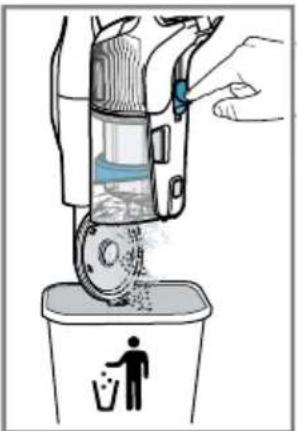
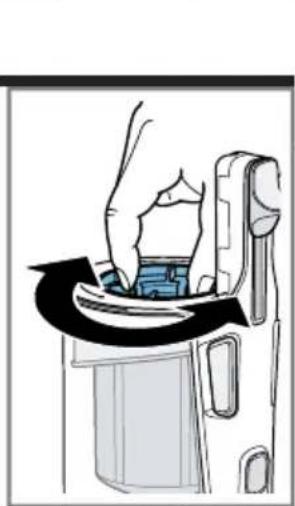
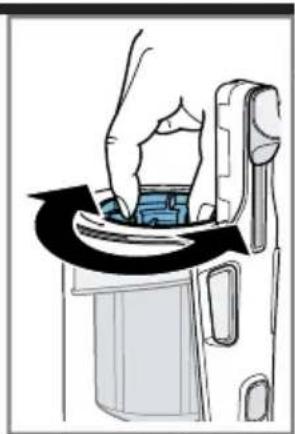
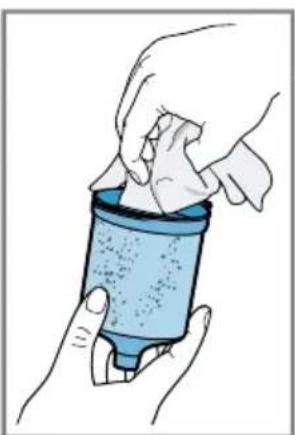
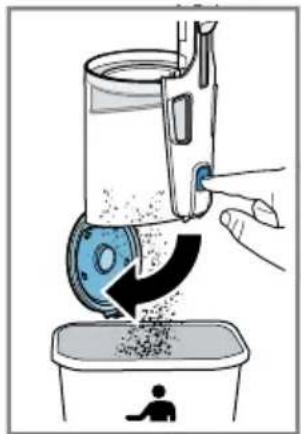
Emptying the dust container
$$ \rightarrow \text { Fig. } \boxed {4 1} - \boxed {4 4} $$
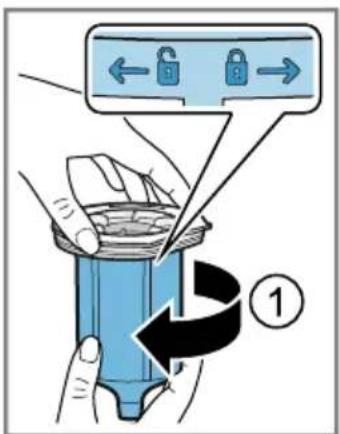
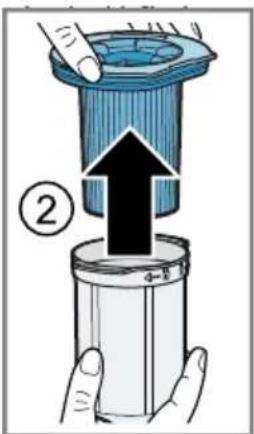
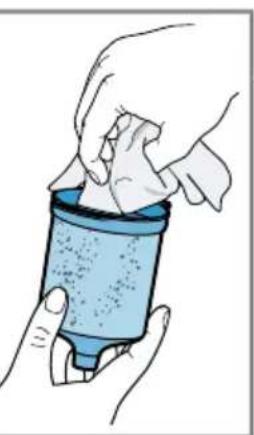
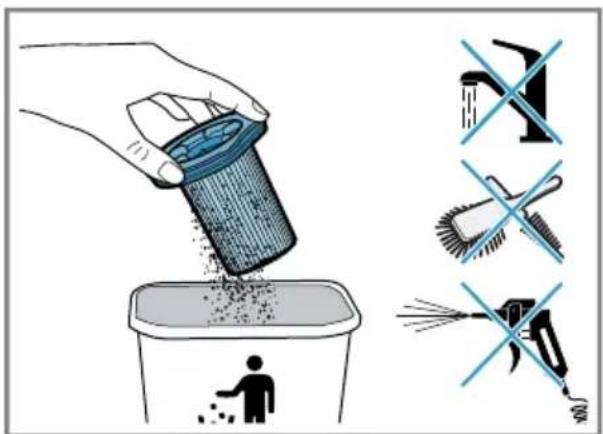
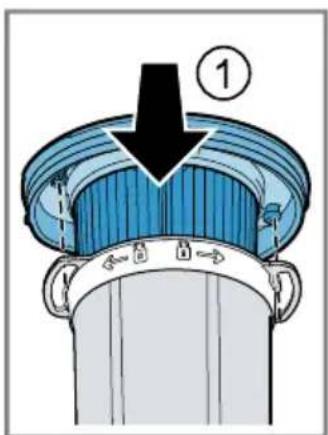
Cleaning the filter unit
▶ Never allow the filters to come into contact with liquids.
Note: It is recommended that you clean the dust container filter when it is heavily soiled and the suction power decreases.
Tip: Wipe off any dust particles on the fluff filter with a slightly damp cloth.
$$ \rightarrow \text { Fig. } \boxed {4 5} - \boxed {5 1} $$
Cleaning the sensor
Note: The sensor surface must be clean for the MicroClean display to work properly. Clean the sensor if the LED ring for the MicroClean display no longer works or does not work correctly.
- Wipe the sensor thoroughly with a soft, clean and lint-free cloth.
$$ \rightarrow \text { Fig. } \boxed {5 2} $$
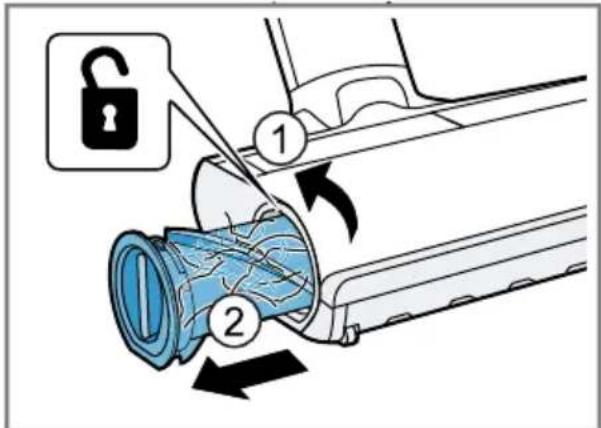
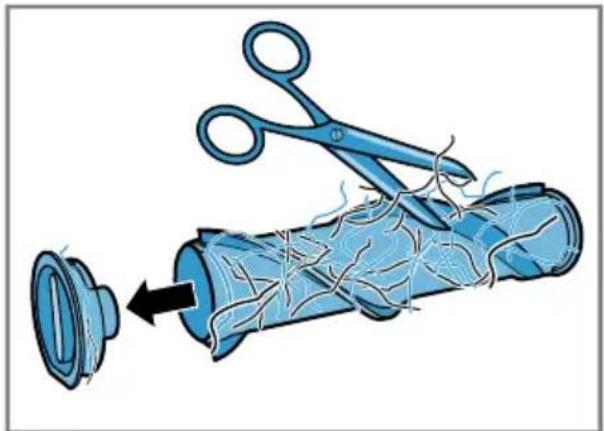
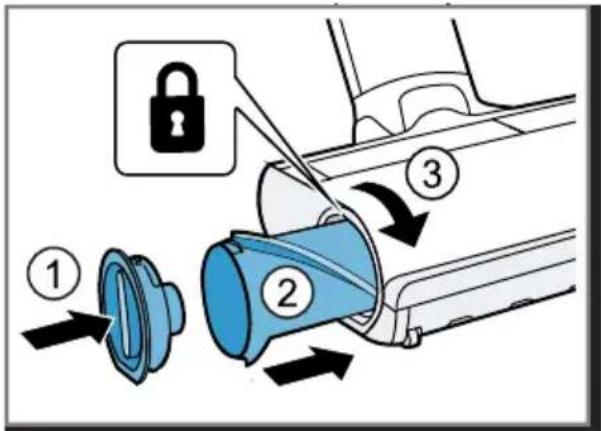
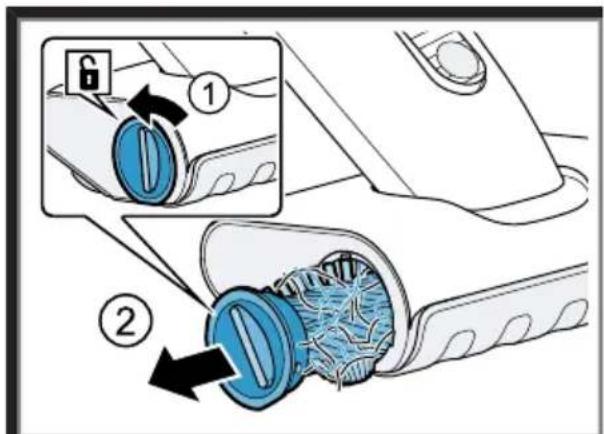
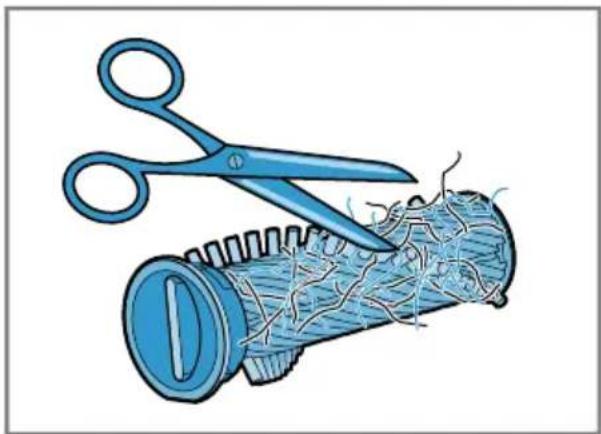
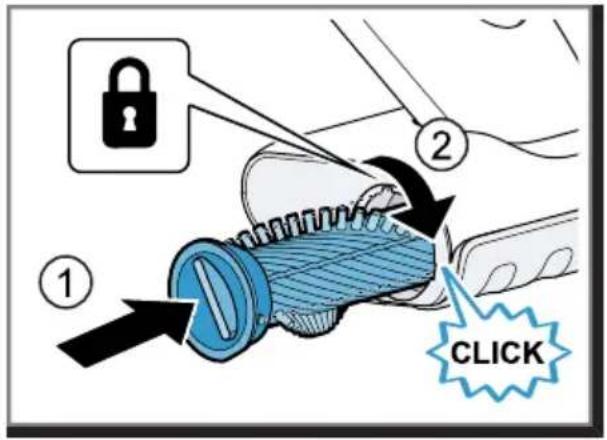
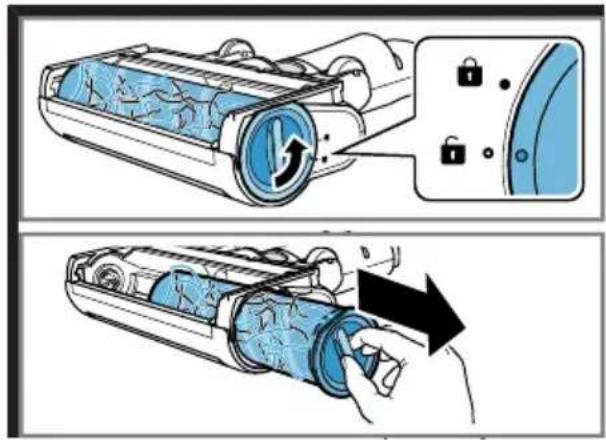
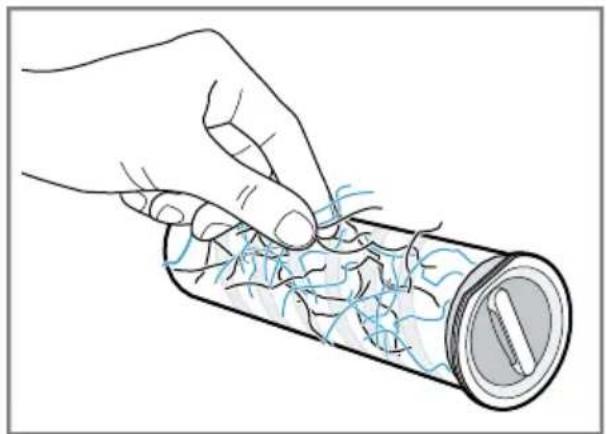
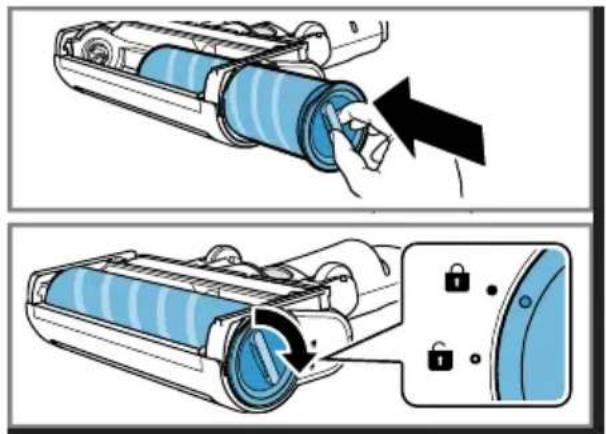
Cleaning the universal floor nozzle
Requirement: The appliance is switched off.
→ Fig. 53 - 56
Note: The brush roller features a cleaning function. When operating the brush roller on carpet, your appliance automatically vacuums the cut threads and hairs after more than 30 seconds.
Cleaning the mini electro-nozzle ^1
Requirement: The appliance is switched off.
→ Fig. 57 - 59
Cleaning the hard floor nozzle ^1
Requirement: The appliance is switched off.
→ Fig. 60 - 62
Troubleshooting
Tip: You can find further information and explanations on troubleshooting online by scanning the QR code on page 2 and on our website www.bosch-home.com.
▶ Repairs to the appliance should only be carried out by trained specialist staff.
▶ Only use genuine spare parts when repairing the appliance.
The appliance is not working.
The battery has not been inserted correctly.
- Insert the battery correctly.
The battery has not been charged.
▶ Charge the battery.
The nozzle cannot be moved.
The nozzle is stuck.
Too much suction power.
▶ Change the cleaning mode.
No charging function.
Incorrect charger was used.
▶ Only use the charger that is included.
Information in the display
Message E2 - "Take a look at the instruction manual" appears in the display The safety shut-off has been activated.
- Switch off the appliance and disconnect the appliance from the power supply.
- Wait until battery has reached room temperature or use a spare battery.
- Switch the appliance back on again.
- If this fault occurs repeatedly, please call → "Customer Service", Page 27.
Message E3 - "Cool down device" appears on the display
The thermal safety switch-off function has been activated.
- Switch off the appliance and disconnect the appliance from the power supply.
- Check whether the air channel from the nozzle to the appliance is blocked.
- Empty the dust container.
- Clean the filter unit.
- Once the appliance has cooled down, switch the appliance back on.
Message "Air channel blocked" appears on the display
The thermal safety shut-off on the fan has been activated.
- Switch off the appliance and disconnect the appliance from the power supply.
- Check whether the air channel from the nozzle to the appliance is blocked.
- Empty the dust container.
- Once the appliance has cooled down, switch the appliance back on.
Message E5 - "Take a look at the instruction manual" appears in the display A motor fault has been detected.
-
Switch the appliance off and then on again.
-
If this fault occurs repeatedly, please call
→ "Customer Service", Page 27.
① and a notification appear on the display.
A fault has been detected and vacuuming is continued.
- To rectify the fault, call up the tutorial in the menu.
→ "Changing the setting", Page 25
- Follow the instructions on the display.
Disposing of old appliance
- Dispose of the appliance in an environmentally friendly manner.
Information about current disposal methods are available from your specialist dealer or local authority.

This appliance is labelled in accordance with European Directive 2012/19/EU concerning used electrical and electronic appliances (waste electrical and electronic equipment - WEEE). The guideline determines the framework for the return and recycling of used appliances as applicable throughout the EU.
Disposing of batteries
Batteries should be recycled in an environmentally friendly manner. Do not dispose of the batteries in the household rubbish.
- Dispose of batteries in an environmentally friendly manner.
Customer Service
Detailed information on the warranty period and terms of warranty in your country is available from our after-sales service, your retailer or on our website.
The contact details for Customer Service can be found in the enclosed Customer Service directory or on our website.
Information regarding Free and Open Source Software
This product includes software components that are licensed by the copyright holders as free software or open source software. You can download the licence information on the brand product website. (Please search for your appliance model and additional documents on the product website.)

Sécurité
| 3,0 Ah 60 perc |
| 4,0 Ah Power+ 80 perc |
| 5,0 Ah 100 perc |
Megjegyzések
e-mail: ala-infokz@bshg.com

- Sicherheit
- en Safety
- Preventing material damage
- Included with the appliance
- Overview
- Installing the base station
- Operation
- Installing the appliance
- Charging the appliance
- Battery runtimes
- Notes
- Operating the appliance
- Using the flexible suction pipe
- Using the free-standing function
- Vacuuming with the mini electro-nozzle 1
- Using the foot release
- Compressing the dust
- Removing the appliance
- Basic settings
- Changing the setting
- Requirement: The appliance is switched on.
- Cleaning and servicing
- Cleaning the appliance
- Emptying the dust container
- Cleaning the filter unit
- Cleaning the sensor
- Cleaning the universal floor nozzle
- Cleaning the mini electro-nozzle 1
- Cleaning the hard floor nozzle 1
- Troubleshooting
- The appliance is not working.
- The nozzle cannot be moved.
- No charging function.
- Information in the display
- Disposing of old appliance
- Disposing of batteries
- Customer Service
- Information regarding Free and Open Source Software
- Sécurité
- Megjegyzések
Brand : BOSCH
Model : Unlimited 10 BBS1041GQCB
Category : Vacuum Cleaner