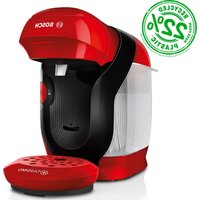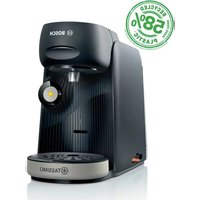
Tassimo Finesse TAS1620 - Coffee machine BOSCH - Free user manual and instructions
Find the device manual for free Tassimo Finesse TAS1620 BOSCH in PDF.


User questions about Tassimo Finesse TAS1620 BOSCH
0 question about this device. Answer the ones you know or ask your own.
Ask a new question about this device
Download the instructions for your Coffee machine in PDF format for free! Find your manual Tassimo Finesse TAS1620 - BOSCH and take your electronic device back in hand. On this page are published all the documents necessary for the use of your device. Tassimo Finesse TAS1620 by BOSCH.
USER MANUAL Tassimo Finesse TAS1620 BOSCH
natural_image
Black Bosch BOSCH self-service milk pump with TASSIMO branding (no visible text or symbols on device body)TAS16x
https://digitalguide.bsh-group.com/?mat-no=8001359492
[de] Weitere Informationen und Erklärungen finden Sie online. Scannen Sie den QR-Code auf der Titelseite.
[en] You can find additional information and explanations online. Scan the QR code on the title page.
[fr] Vous pouvez trouver d'autres informations et explications en ligne. Scannez le code QR sur la page de titre.
[es] Se puede encontrar información y explicaciones adicionales online. Escanear el código QR en la página de título.
[el] Μπορείτε να βρείτε επιπλέον πληροφορίες και εξηγήσεις στο διαδίκτυο (online). Σαρώστε τον κωδικό QR στη σελίδα τίτλου.
[pl] Dodatkowe informacje i objaśnienia są dostępne online. Zeskanuj kod QR na stronie tytułowej.
[cs] Další informace a vysvětlení najdete on-line. Naskenujte QR kód na titulní straně.
[sk] Ďalšie informácie a vysvetlenia nájdete online. Naskenujte QR kód na titulnej strane.
[ro] Informații și explicații suplimentare pot fi găsite online. Scanați codul QR de pe pagina de pornire.
[da] Der findes yderligere oplysninger og forklaringer online. Skan QR-koden på forsiden.
[no] Du kan finne mer informasjon og forklaringer på Internett. Skann QR-koden på tittelsiden.
[sv] Det finns mer information och förklaringar online. Scanna QR-koden på omslaget.
text_image
8 7 6 5 4 max 3 2 1 calc TASSIMO 9 10 11 12 13 14 TASSIMO 16 15 finesse classic friendly finesse / finesse friendly1
natural_image
Illustration of a blue open box with black arrows indicating rotation or movement (no text or symbols)2
natural_image
Illustration of a hand using a blue tool to press down a white appliance (no text or symbols visible)3
text_image
finesse classic friendly finesse / finesse friendly4
text_image
max5
text_image
calc o6
natural_image
Illustration of a hand using a digital brush to press or clean a blue liquid into a white machine (no text or symbols)7
text_image
Diagram illustrating a washing machine operation with checkmarks and X/XX labels indicating selection or confirmation steps.8
text_image
CLICK9
text_image
min. 250 ml 9 fl.oz.10
flowchart
graph TD
    A["1: calc φ"] --> B["2: 3x speed"]
    B --> C["3x speed"]
    C --> D["4: Steaming cup with warning symbol"]
    D --> E["5: 3x speed"]
The image is too blurry to recognize any text content.
text_image
o calc o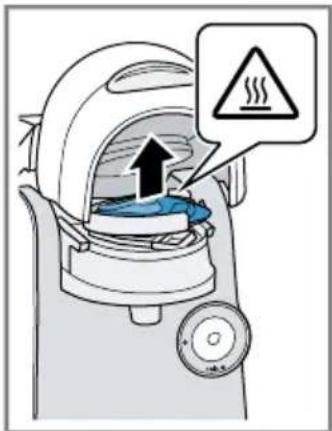
text_image
Diagram of a steam cooker with warning sign indicating heat release12
text_image
www.bosch-home.com No 17001491 CLICK13
natural_image
Line drawing of a coffee maker with a checkmark indicating inspection (no text or symbols present)14
text_image
Safety warning diagram showing a drink and plug with a warning symbol, alongside a magnified image of a cup and plug.15
text_image
max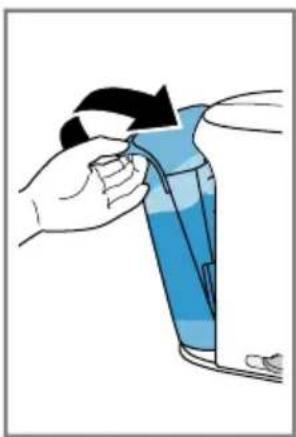
natural_image
Illustration of a hand holding a blue container with a black arrow, no text or symbols present16
text_image
Diagram illustrating the process of adding a blue liquid into a white blender, with three views showing different devices.17
natural_image
Illustration of a hand pouring liquid into a blue mug using a digital washing machine (no text or symbols)18
text_image
Illustration showing a hand using a coffee machine to adjust or remove a coffee maker's lid, with checkmarks indicating cancellation.The image is too blurry to recognize any text content.
text_image
CLICK calc o20
text_image
a IntensityBoost b 3 sThe image is too blurry to recognize any text content.
text_image
Diagram of a coffee maker with warning sign indicating heat release22
text_image
calc oThe image is too blurry to recognize any text content.
text_image
Diagram illustrating the equivalence between a hand pressing a circular component and a coffee maker using a stop button.24
text_image
Diagram showing a finger pressing a circular button to select one of five pie charts, with one chart also displaying the same icons.The image is too blurry to recognize any text content.
text_image
calc o steaming26
text_image
Illustration showing a hand dropping a trash bin into a cup and then to a washing machine with a checkmark.27
text_image
Diagram showing various household appliances and food items with checkmark and cross symbols28
text_image
Safety warning diagram showing a hairbrush and a warning sign with lightning inside an electric vehicle plug29
text_image
Diagram showing a handwashing device with a blue lid and directional arrows indicating cleaning steps.30
text_image
Diagram illustrating a washing machine operation with numbered steps and a blue plastic clamp device.The image is too blurry to recognize any text content.
text_image
CLICK32
text_image
Safety warning illustration showing a blue mechanical component being adjusted to a valve with an exclamation mark and warning symbol.33
text_image
CLICK CLICK34
natural_image
Illustration showing two steps of cleaning a kitchen appliance, one being cleaned with blue cloth and the other holding a bowl (no text or symbols)35
text_image
CLICK CLICK36
text_image
Diagram showing a hand inserting a device into a device with labeled parts 1 and 2, indicating a process or operation.m = 311
text_image
Illustration showing a hand operating a blender with a close-up of its lid and a checkmark indicating removal or disassembly.38
text_image
maxThe image is too blurry to recognize any text content.
text_image
Diagram showing a hand inserting a blue plastic component into a battery, and a warning symbol indicating hazard.40
text_image
Diagram illustrating a washing machine operation with checkmarks and X/XX labels indicating selection or status.41
text_image
CLICK min. 250 ml 9 fl.oz.42
text_image
calc o calc oThe image is too blurry to recognize any text content.
text_image
calc o44
text_image
Illustration showing a steaming machine with warning symbol and hand holding a blue mug, indicating heat dissipation or safety.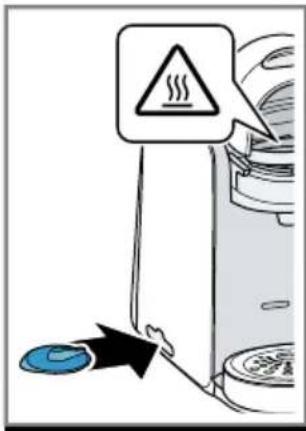
text_image
Diagram showing a warning sign with a warning symbol and a blue circular icon pointing to a device, likely indicating a hazard or hazard.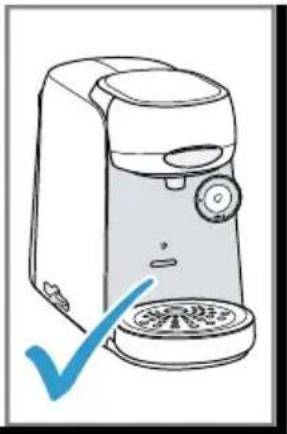
natural_image
Line drawing of a hand washing machine with a blue checkmark indicating inspection (no text or symbols present)45
text_image
calc calc46
natural_image
Illustration of a hand holding a blue tool with a black arrow indicating direction (no text or symbols)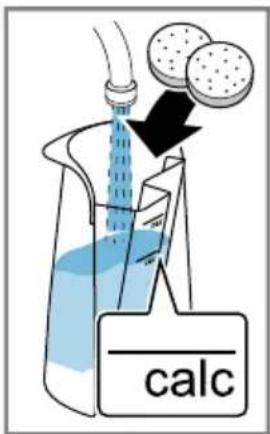
text_image
calc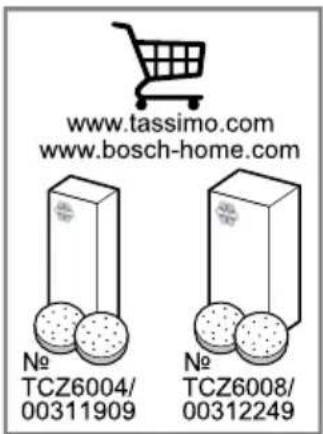
text_image
www.tassimo.com www.bosch-home.com No TCZ6004/ 00311909 No TCZ6008/ 0031224947
natural_image
Illustration of a hand washing a white appliance with blue liquid, showing mechanical components and a circular component (no text or symbols)48
natural_image
Line drawing of a hand washing machine with a blue circular base (no text or symbols)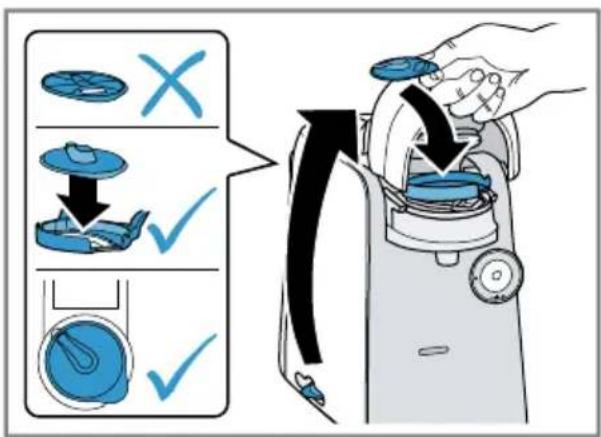
text_image
Diagram illustrating a washing machine operation with checkmarks and X/√ symbols indicating selection or confirmation steps.49
text_image
CLICK min. 500 ml 17 fl.oz.50
text_image
CLICK min. 500 ml 17 fl.oz.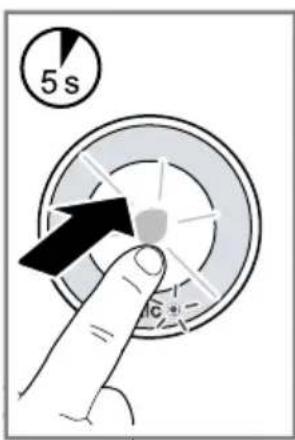
text_image
5 s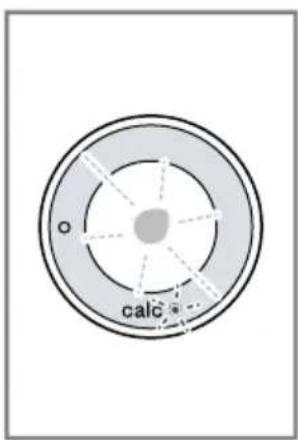
text_image
calc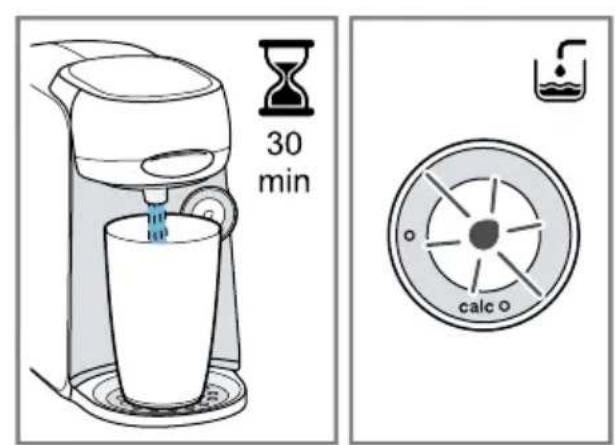
text_image
30 min calc o52
text_image
Diagram showing a steaming machine pouring liquid into a blue cup, with warning symbol indicating heat.The image is too blurry to recognize any text content.
text_image
max54
natural_image
Illustration showing a hand holding a blue liquid bottle being dispensed into a white water dispenser, with no text or symbols present.55
flowchart
graph TD
    A["1: calc"] --> B["2: 3x"]
    B --> C["3x"]
    C --> D["Warning symbol: 3x"]
    D --> E["Product with blue liquid"]
56
text_image
calc ↑ ↑ ↑ →The image is too blurry to recognize any text content.
text_image
CLICK58
text_image
max59
natural_image
Line drawing of a modern coffee maker with a blue checkmark indicating inspection or certification (no text or symbols on the device itself)You can find additional information and explanations online. Scan the QR code on the title page.
Table of contents
Safety 19
Overall view 21
Performing initial start-up 22
Operation 22
IntensityBoost ^1 22
Cleaning and servicing 22
Troubleshooting 22
Technical specifications 24
Disposing of old appliance 24
Customer Service 24
Safety
- Read this instruction manual carefully.
- Keep the instruction manual and the product information safe for future reference or for the next owner.
■ Do not connect the appliance if it has been damaged in transit.
Only use this appliance:
■ for preparing hot drinks.
■ in private households and in enclosed spaces in a domestic environment.
■ up to an altitude of max. 2000 m above sea level.
This appliance may be used by children aged 8 or over and by people who have reduced physical, sensory or mental abilities or inadequate experience and/or knowledge, provided that they are supervised or have been instructed on how to use the appliance safely and have understood the resulting dangers.
Do not let children play with the appliance.
Children must not perform cleaning or user maintenance unless they are at least 8 years old and are being supervised.
Keep children under the age of 8 years away from the appliance and power cable.
- Keep packaging material away from children.
▶ Do not let children play with packaging material. - Keep small parts away from children.
▶ Do not let children play with small parts. - Connect and operate the appliance only in accordance with the specifications on the rating plate.
en Safety
- Connect the appliance to a power supply with alternating current only via a properly installed socket with earthing.
- The protective conductor system of the domestic electrical installation must be properly installed.
▶ Never operate a damaged appliance.
▶ Never operate an appliance with a cracked or fractured surface.
▶ Never pull on the power cord to unplug the appliance. Always unplug the appliance at the mains.
▶ If the appliance or the power cord is damaged, immediately unplug the power cord or switch off the fuse in the fuse box.
▶ Call customer service.→Page 24
▶ Repairs to the appliance should only be carried out by trained specialist staff.
▶ Only use genuine spare parts when repairing the appliance.
If the power cord of this appliance is damaged, it must be replaced by the manufacturer, the manufacturer's Customer Service or a similarly qualified person in order to prevent any risk.
▶ Never immerse the appliance or the power cord in water. - Liquids must not be spilled on the appliance plug connection.
▶ Only use the appliance in enclosed spaces.
▶ Never expose the appliance to intense heat or humidity. - Do not use steam- or high-pressure cleaners to clean the appliance.
▶ Ventilate the appliance adequately.
▶ Never operate the appliance in a cabinet.
▶ Never leave the appliance unattended while it is switched on. - Do not use extension cables or multiple socket strips.
- Only use adapters and power cords approved by the manufacturer.
- If the power cord is too short and a longer one is not available, please contact an electrician to have the domestic installation adapted.
▶ Never open the brewing system during operation.
▶ Only use the original Tassimo T DISCs.
▶ Never use a damaged T DISC.
▶ Never use a drinks T DISC more than once.
▶ Never touch hot appliance parts.
▶ After use, allow hot appliance parts to cool down before touching.
Leave drinks to cool down if necessary.
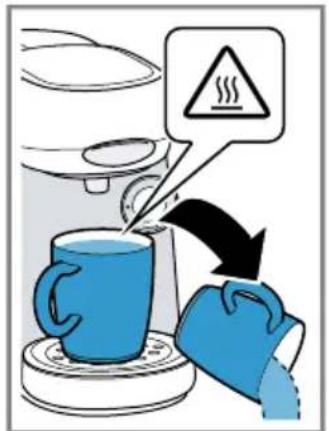
- Do not let escaping liquids or steam come into contact with your skin.
▶ To avoid injuries, only use the appliance for its intended purpose.
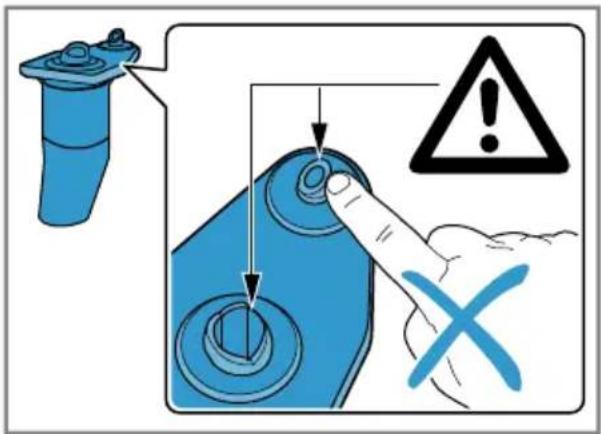
▶ Be careful of your fingers when inserting or cleaning the T DISC.
▶ People with electronic implants must stand at least 10 cm away from the appliance.
- This minimum distance of 10 cm must also be observed for the water tank when removed.
- To ensure hygiene, follow the cleaning instructions for the appliance.
▶ Only ever use the appliance with fresh, cold, non-carbonated drinking water.
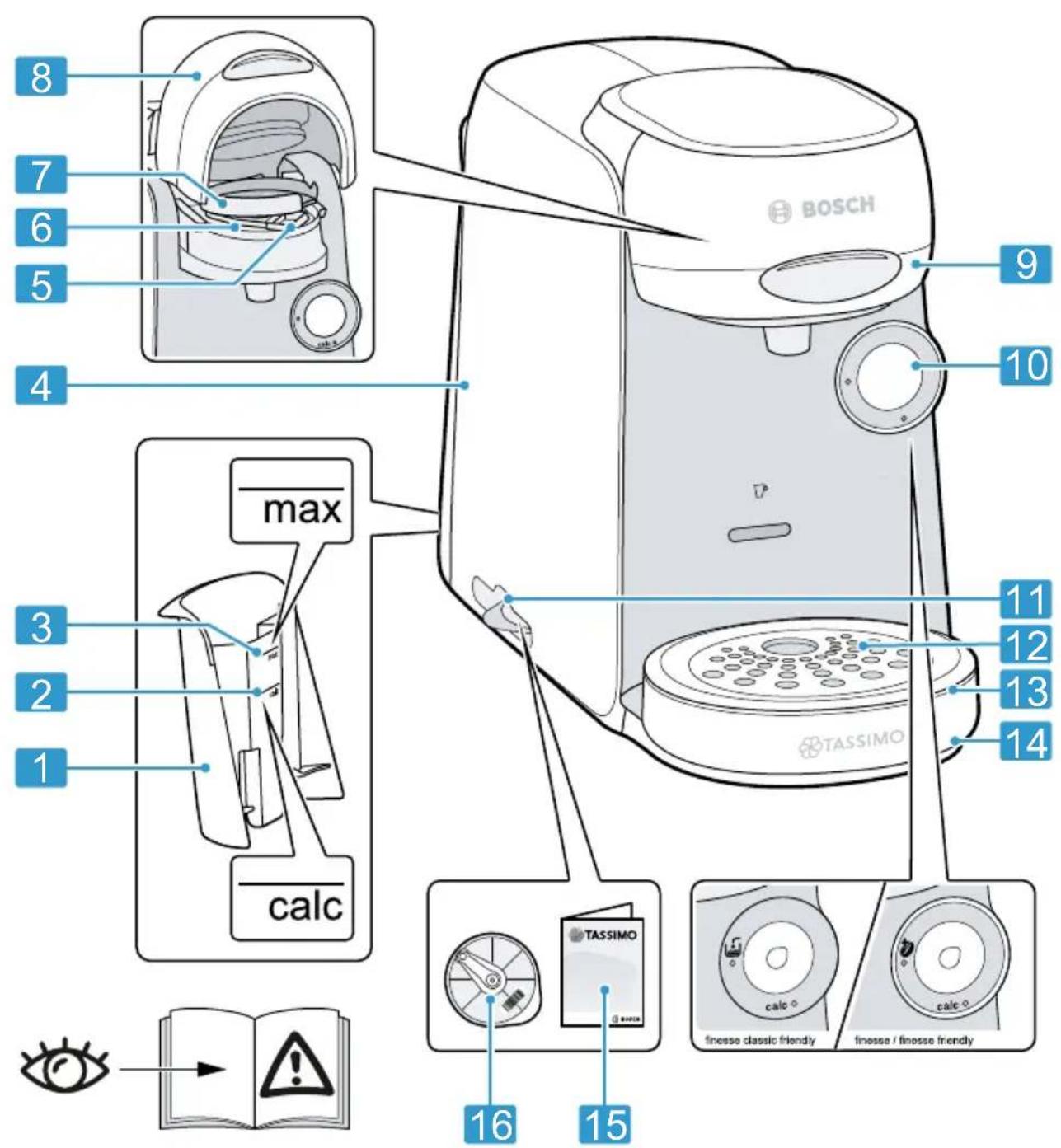
Overall view
You can find an overview of the parts of your appliance here.
Notes
■ This manual covers 2 versions: finesse / finesse friendly and finesse classic friendly.
■ Individual details and colours may differ, depending on the appliance model.
→Fig. 1
| 1 | Float |
| 2 | Calc mark |
| 3 | Max mark |
| 4 | Water tank |
| 5 | T DISC reading window |
| 6 | T DISC piercing unit |
| 7 | T DISC holder |
| 8 | Lock |
| 9 | Brewing system |
| 10 | Control panel |
| 11 | Storage compartment |
| 12 | Drip grate |
| 13 | Cup stand |
| 14 | Bowl |
| 15 | Brief cleaning / descaling instructions |
| 16 | Service T DISC |
Control panel
You can use the control panel to configure all functions of your appliance and to obtain information about the operating status.
Appliances with IntensityBoost: finesse / finesse friendly
| ■ Activate the appliance.■ Start drinks dispensing.■ Start drinks dispensing with IntensityBoost.■ Stop drinks dispensing.■ Prolong drinks dispensing.■ Start service programme. | |
| LED lights up yellow, appliance is ready for use. | |
| LED flashes yellow, drinks dispensing is running. | |
| LED lights up red, fill water tank. | |
| LED lights up yellow, Intensity-Boost is activated. | |
| calc | Descale appliance. |
| Appliances without IntensityBoost: finesse classic friendly | |
| ■ Start, stop and prolong dispensing of drinks.■ Start service programme. | |
| LED lights up yellow, appliance is ready for use. | |
| LED flashes yellow, drinks dispensing is running. | |

Fill water tank.

Descale appliance.
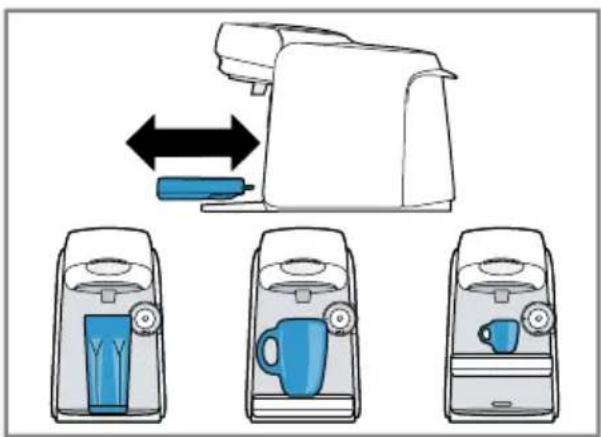
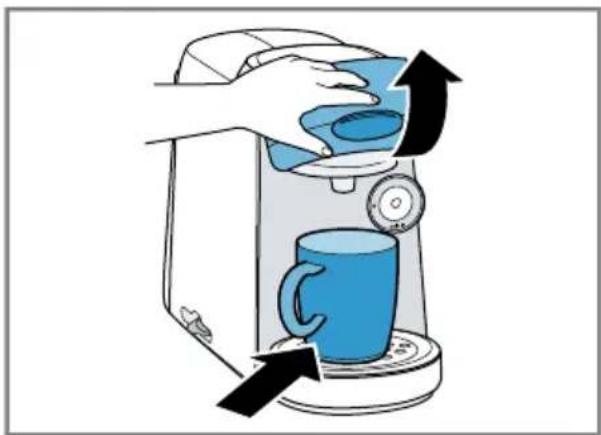
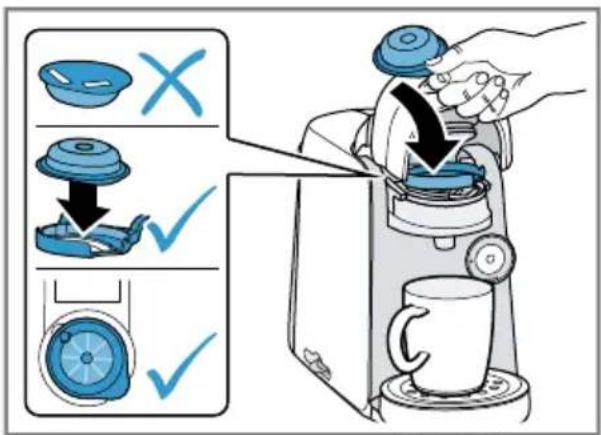
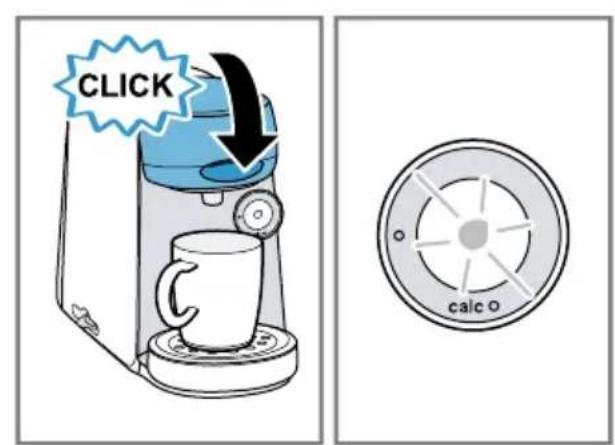
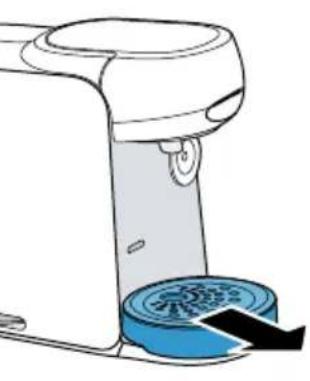
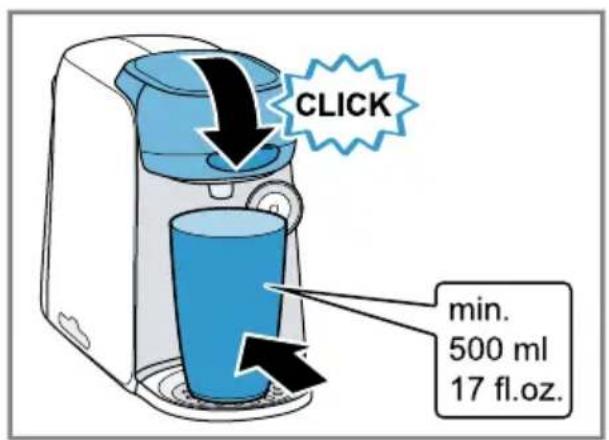
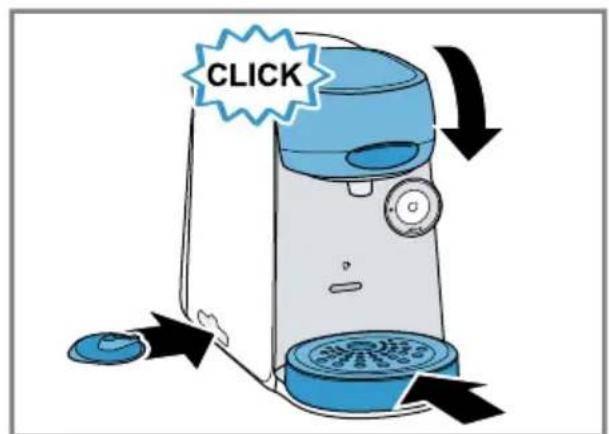
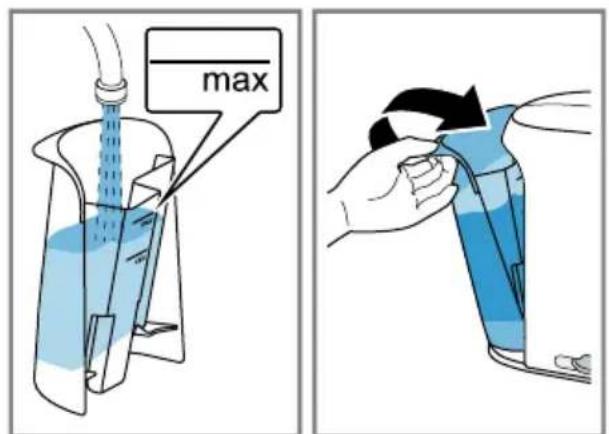
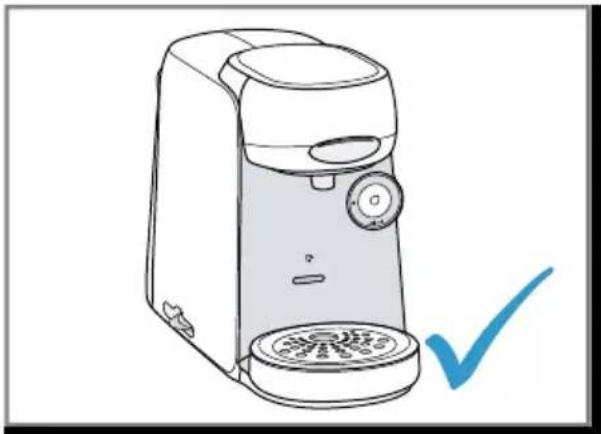
Performing initial start-up
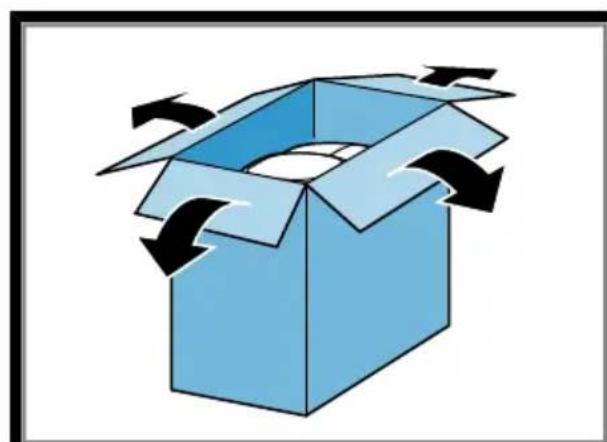
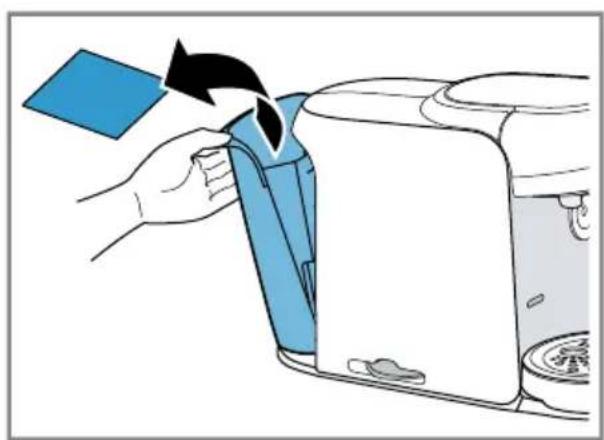
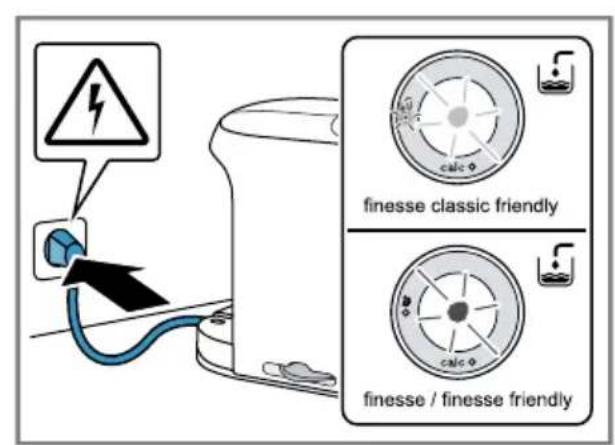
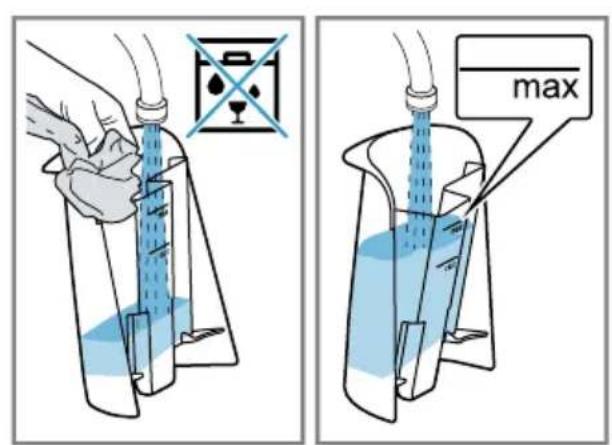
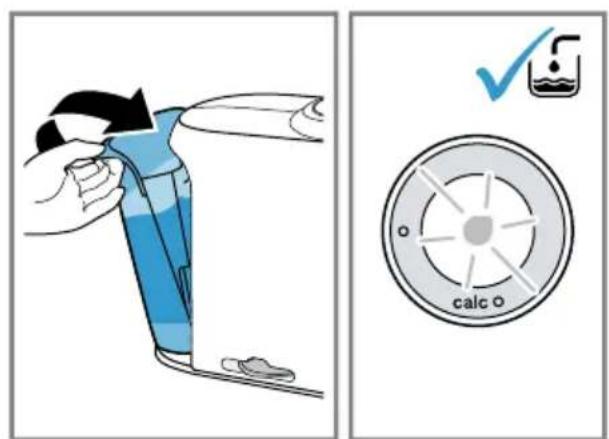
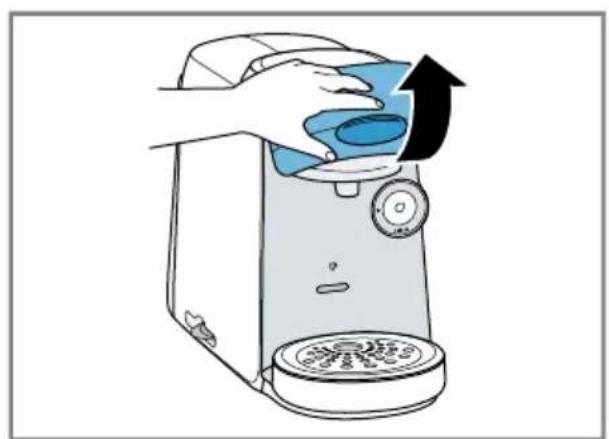
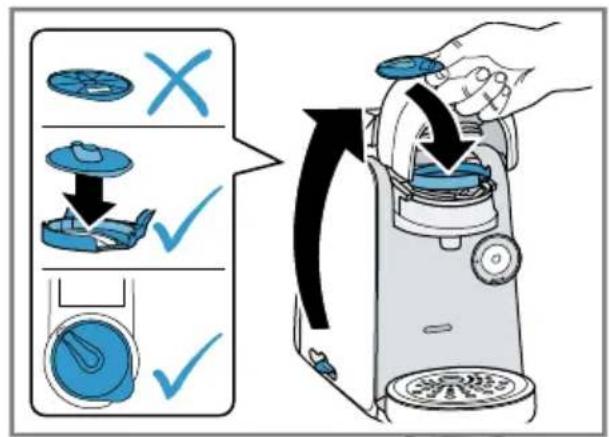
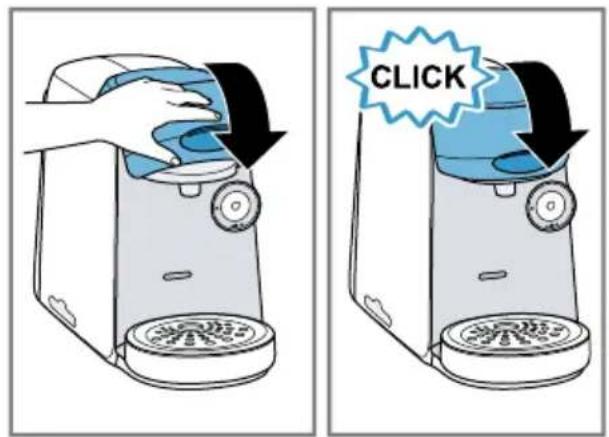
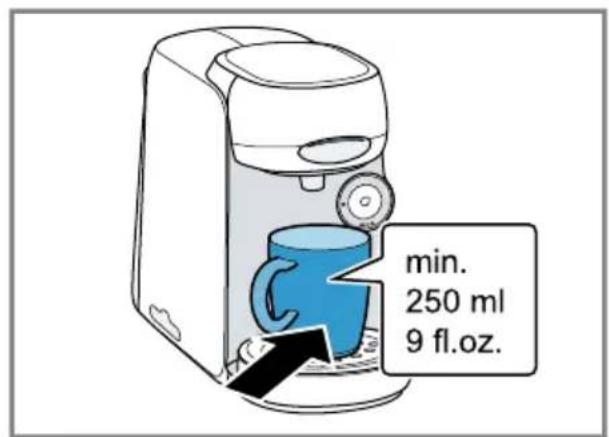
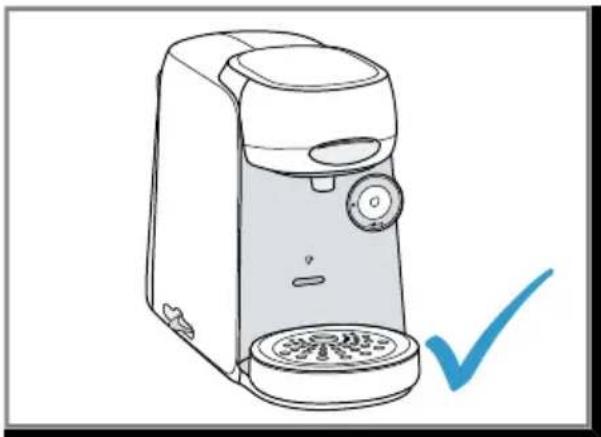
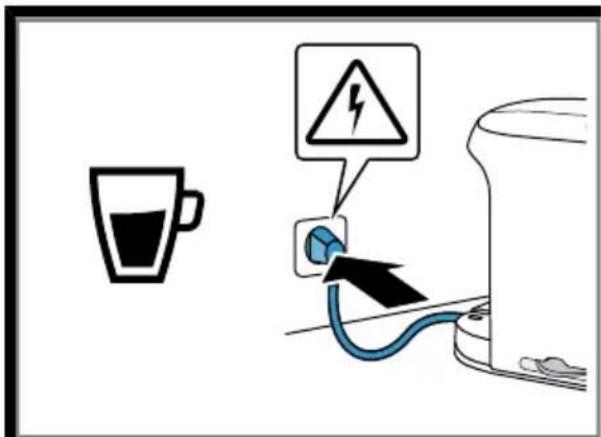
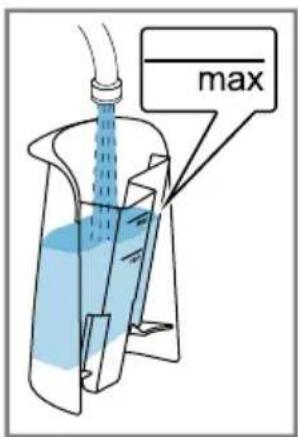
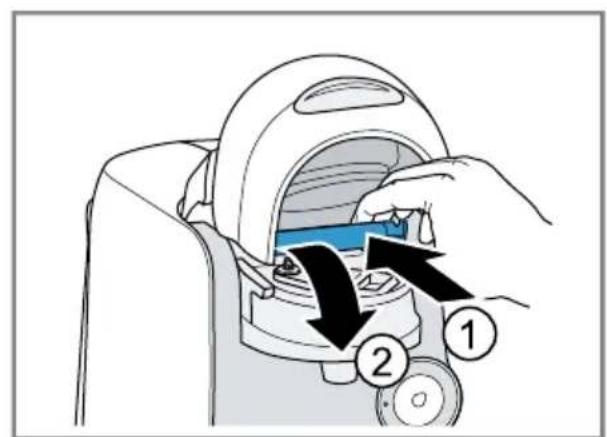
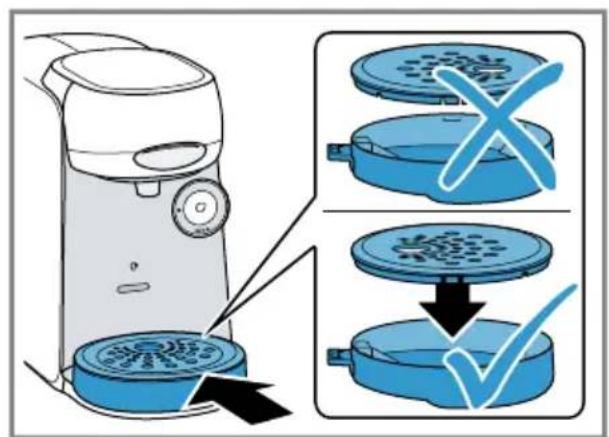
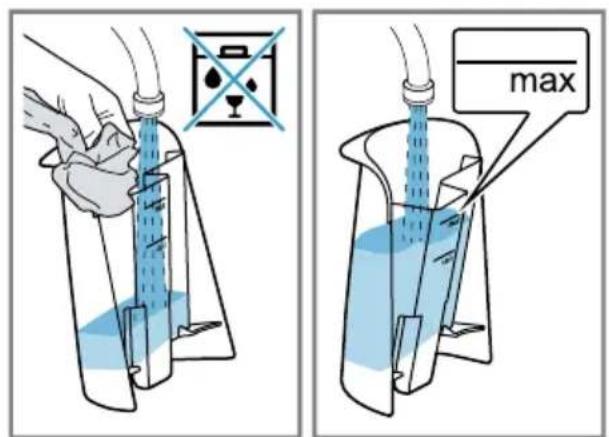
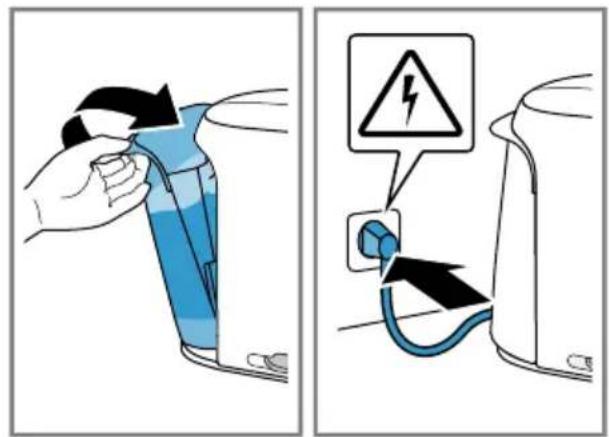
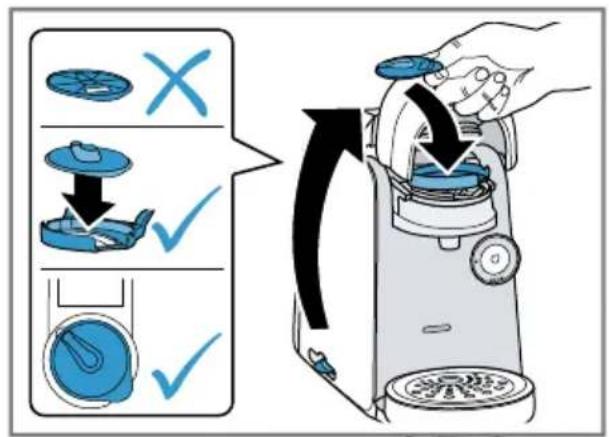
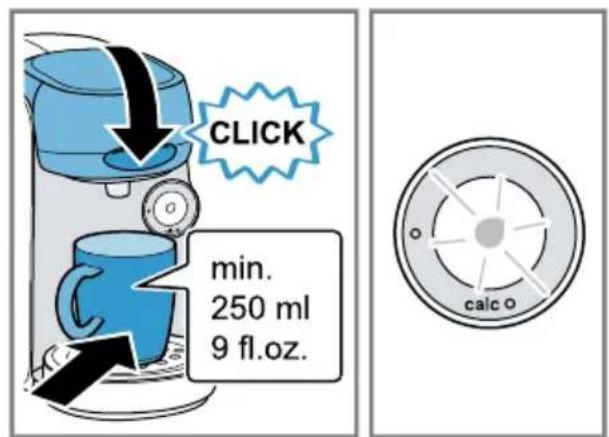
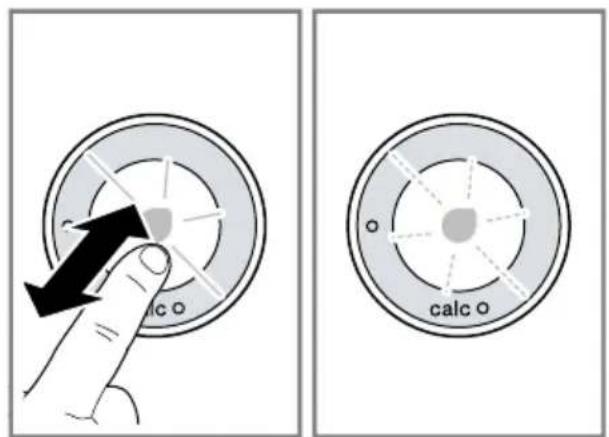
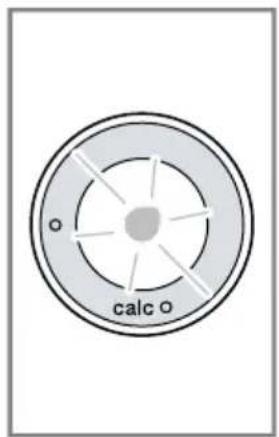
Follow the pictorial instructions at the start of these instructions.
→Fig. 2 - 14
Note: You can prepare a wide range of hot beverages with the appliance. When you insert a T DISC, the IntelliBrew ^TM system reads the barcode on the T DISC and automatically sets the ideal amount of water, brewing temperature and brewing time for that beverage.
Operation
Preparing a drink
Find out how to prepare a drink of your choice. Follow the pictorial instructions at the start of these instructions.
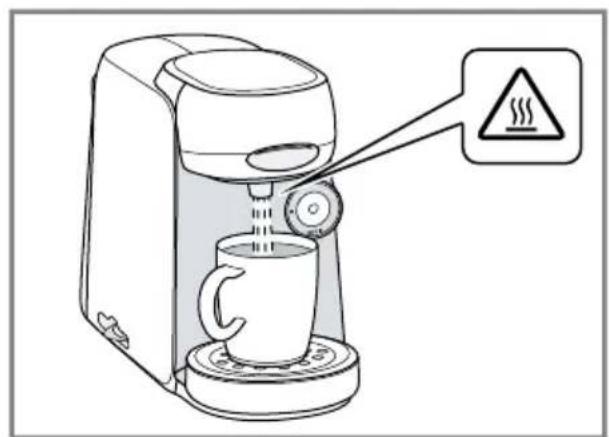
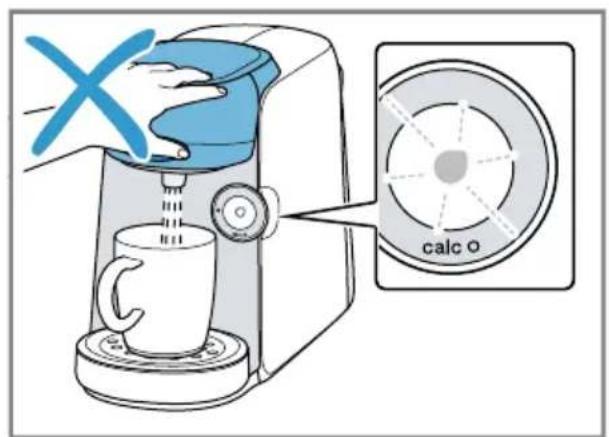
→Fig. 15 - 27
Note: Fill the water tank with fresh, cold, non-carbonated drinking water every day.
Tips
- You can also pre-heat cups before dispensing using hot water.
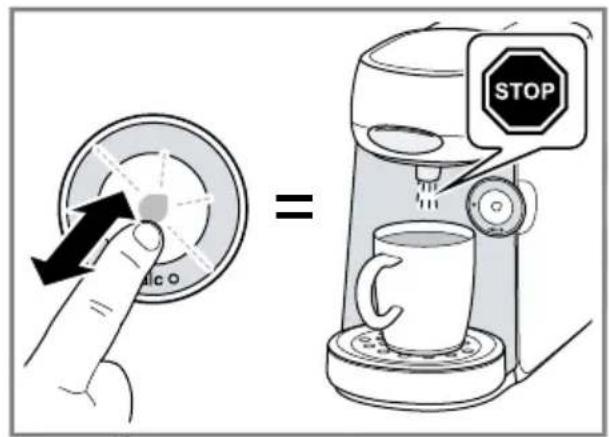
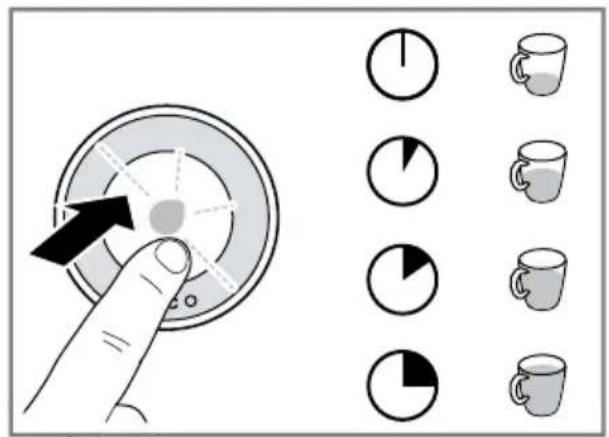
■ To interrupt the dispensing process, briefly press - To prolong dispensing, press and hold ⓞ until the required quantity is reached.
IntensityBoost ^1
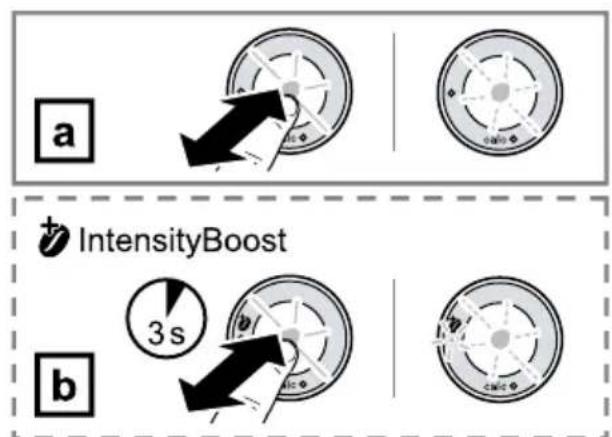
To obtain coffee with a stronger flavour, press ⓞ button for 3 seconds. The LED lights up and your appliance automatically adjusts the brewing process.
Cleaning and servicing
To keep your appliance working efficiently for a long time, it is important to clean and maintain it carefully.
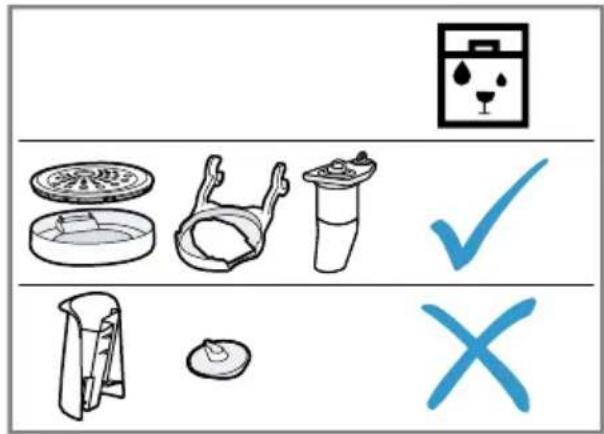
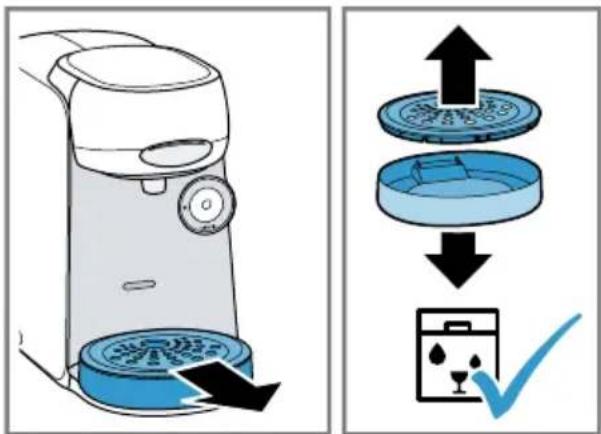
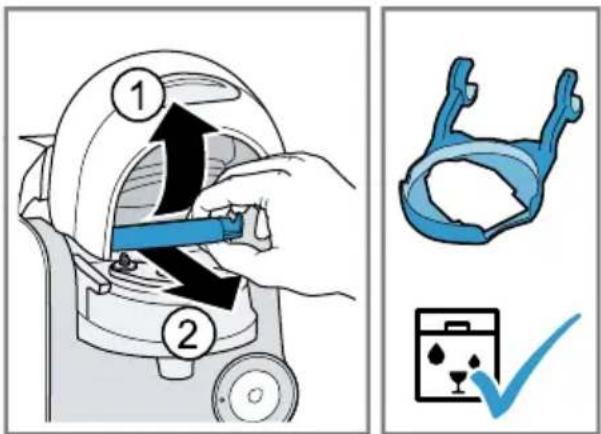
Dishwasher-safe components
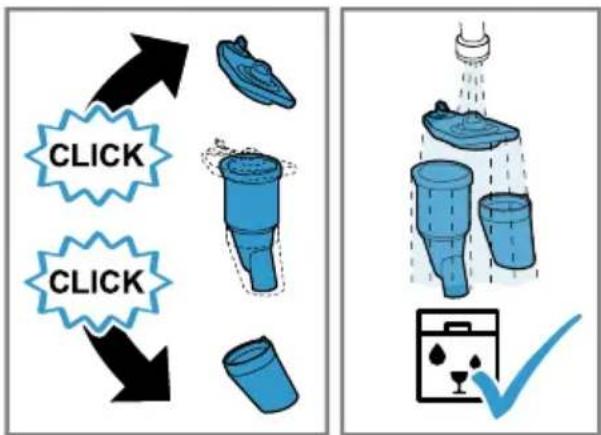
Here you can find an overview of the components you can clean in the dishwasher.
→Fig. 28
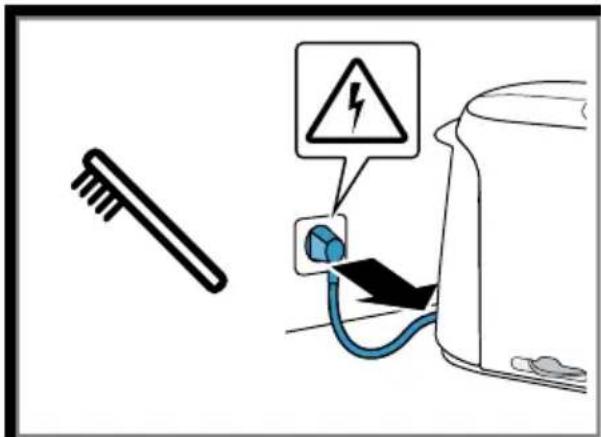
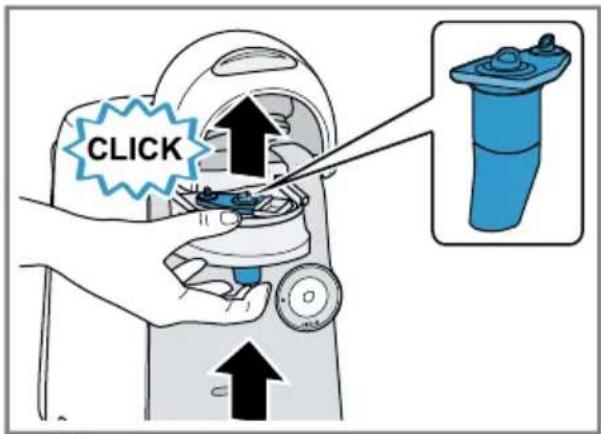
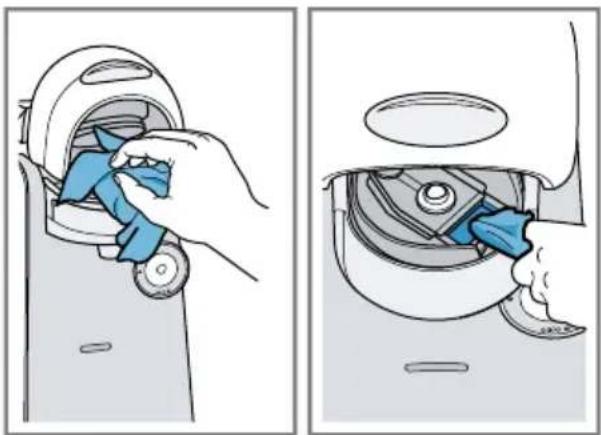
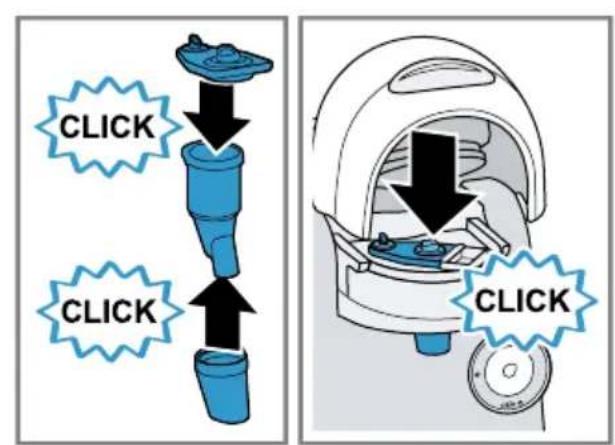
Cleaning the appliance
Follow the pictorial instructions at the start of these instructions.
→Fig. 29 - 45
Descale the appliance
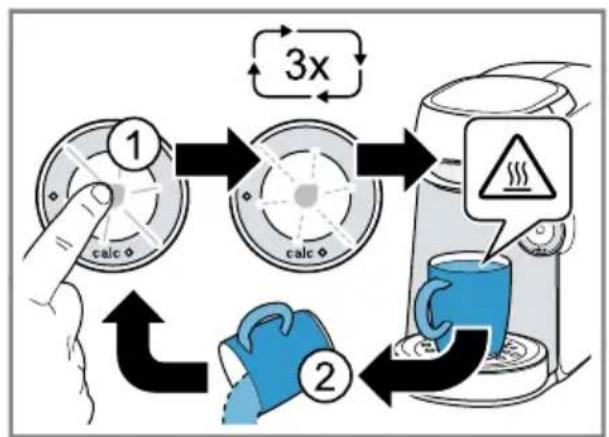
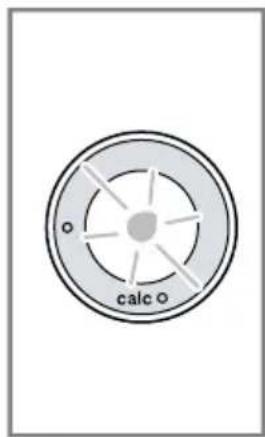
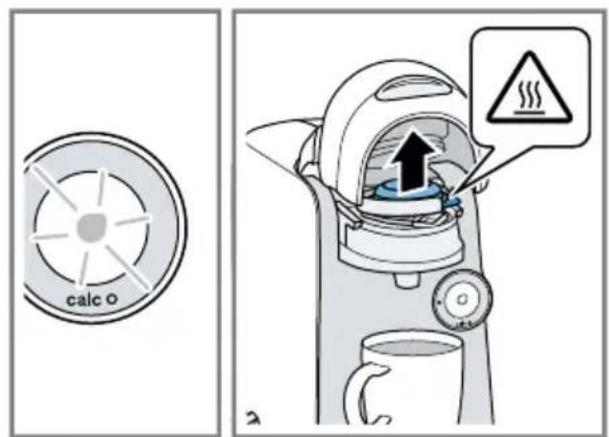
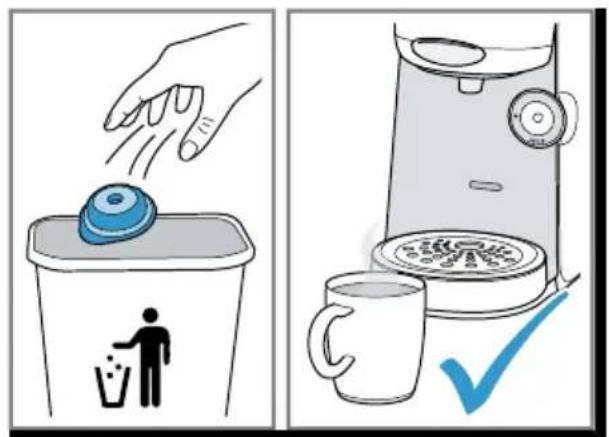
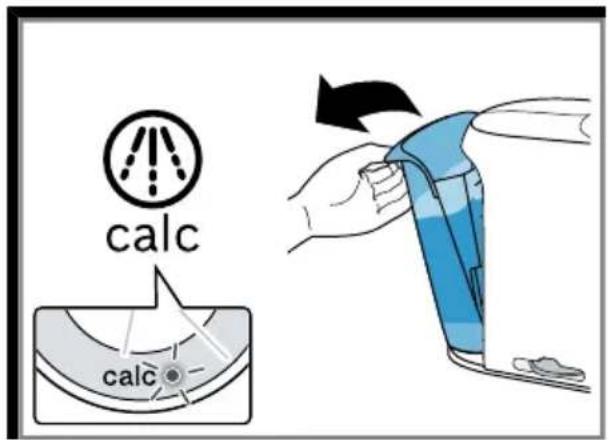
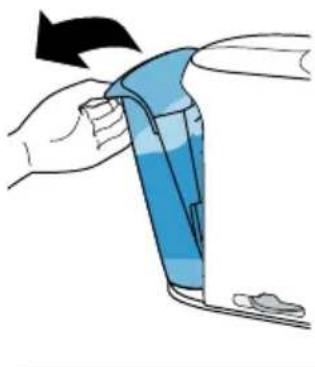
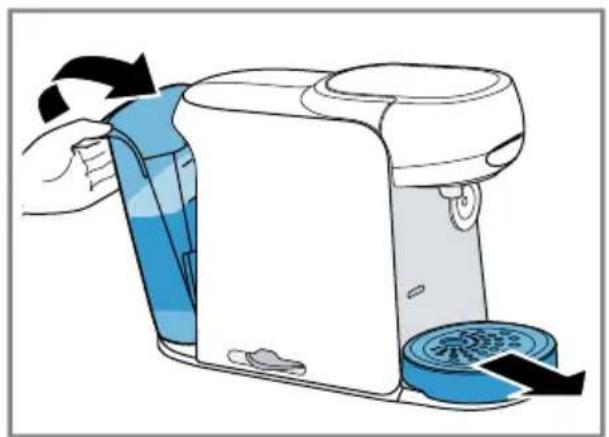
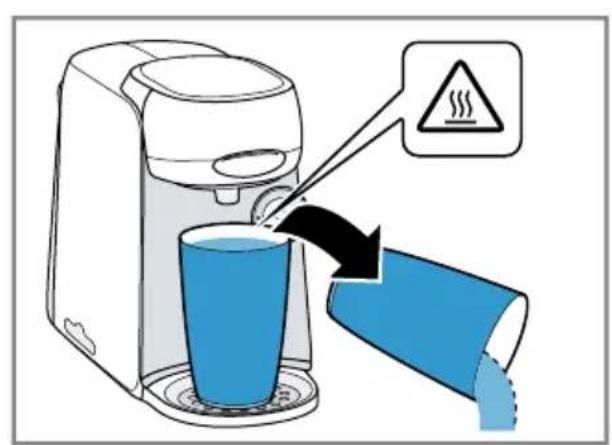
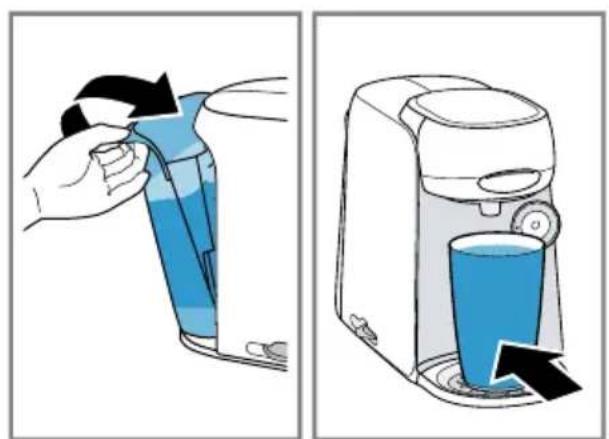
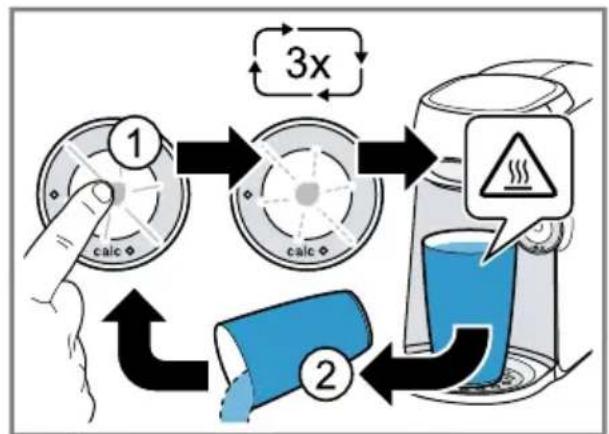
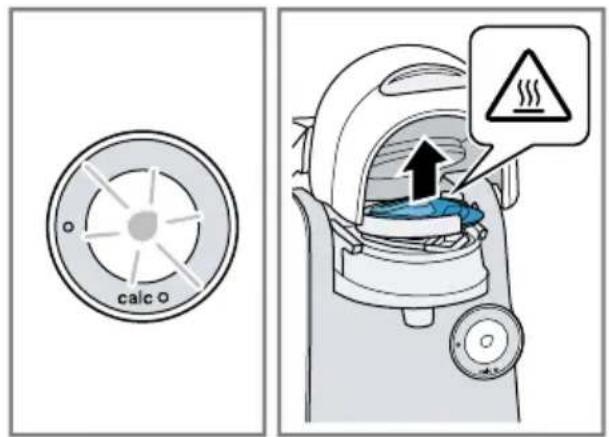
If the caled lights up, run the descaling programme. Follow the illustrated instructions at the beginning of this manual.
▶ Immediately perform the descaling process in accordance with the instructions.
- Do not use descaling agent with phosphoric acid.
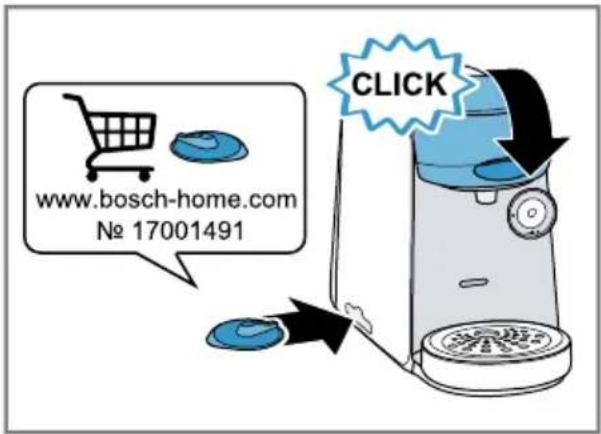
→Fig. 46 - 60
Troubleshooting
▶ Repairs to the appliance should only be carried out by trained specialist staff.
▶ Only use genuine spare parts when repairing the appliance.
If the power cord of this appliance is damaged, it must be replaced by the manufacturer, the manufacturer's Customer Service or a similarly qualified person in order to prevent any risk.
The appliance is not working.
LEDs do not light up.
The appliance has no power supply.
▶ Check to see whether the appliance is connected to the mains.
Brewing process starts, drink is not dispensed.
Water tank was removed during brewing and inserted again or appliance has not been used for a long time.
▶ Start cleaning with the Service T DISC.
Float is stuck in the water tank.
- Descale the appliance.
→ "Descale the appliance", Page 22 - Reach into the water tank and move the float up and down.
Brewing process does not start. ^1
Water tank has not been sufficiently filled.
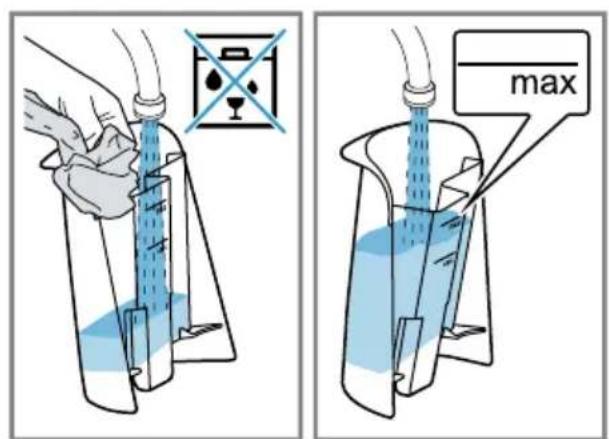
- Fill the water tank with fresh, cold water up to the mark max
- Insert the water tank.
Brewing process does not start, status display lights up red. ^2
Water tank has not been sufficiently filled.
- Fill the water tank with fresh, cold water up to the mark max
- Insert the water tank.
Brewing process does not start, status display lights up red. ^1
T DISC has not been correctly inserted.
▶ Check whether the T DISC is inserted.
The T DISC bar code is not recognised.
- Clean the T DISC reading window with a soft, damp cloth.
▶ Smooth out the film of the T DISC. - Contact the TASSIMO careline if the problem persists.
The appliance not connected to the power supply when the T DISC was inserted.
- Connect the appliance to the power supply before inserting the T DISC.
Brewing process does not start, status display flashes red. ^2
T DISC has not been correctly inserted.
▶ Check whether the T DISC is inserted.
The T DISC bar code is not recognised.
- Clean the T DISC reading window with a soft, damp cloth.
▶ Smooth out the film of the T DISC.
▶ Remove the used T DISC. - Contact the TASSIMO careline if the problem persists.
The appliance not connected to the power supply when the T DISC was inserted.
- Connect the appliance to the power supply before inserting the T DISC.
Brewing unit cannot be closed.
T DISC piercing unit or T DISC holder is not correctly inserted.
- Press the T DISC piercing unit into the holder until it clicks audibly into place.
-
Check the position of the T DISC holder. T DISC has not been correctly inserted.
-
Insert the T DISC with the printed side facing downwards.
- Check whether the tab of the T DISC is in the recess.
Brewing unit cannot be opened.
Brewing unit is locked.
▶ Only open the brewing unit when the status display remains lit continuously.
▶ If the brewing unit remains locked, contact the TASSIMO careline.
Water is dripping from the brewing unit.
T DISC is damaged or not correctly inserted.
▶ Use a new T DISC.
T DISC piercing unit is not correctly inserted.
- Press the T DISC piercing unit into the holder until it clicks audibly into place.
There is water under the cup stand.
Condensation has formed due to technical reasons or valves are clogged with limescale.
▶ Descale the appliance.
→ "Descale the appliance", Page 22
No LED is lit.
The appliance is switched off.
- Press ☉ or open or close the brewing system.
All LEDs flashing.
There are problems with the power supply.
- Pull out the mains plug, wait 5 minutes and plug it back in.
- If the problem persists, contact the TASSIMO careline.
calc LED lights up although softened water has been used.
Decalcified water still contains small amounts of lime.
▶ Descale the appliance.
→ "Descale the appliance", Page 22
Quality of beverages has deteriorated, e.g. crema or volume.
Beverage outlet is soiled.
▶ Clean the beverage outlet.
- Clean the brewing unit with the T DISC.
Build-up of limescale in the appliance.
▶ Descale the appliance.
→ "Descale the appliance", Page 22
Drink volume has reduced.
Drink dispensing halts.
Water tank has not been sufficiently filled.
- Fill the water tank with fresh, cold water up to the mark max
- Keep Ⓞpressed until the desired fill volume is reached.
LED lights up even though there is enough water in the water tank. ^1
Float is stuck in the water tank.
- Descale the appliance.
→ "Descale the appliance", Page 22 - Reach into the water tank and move the float up and down.

LED lights up red even though there is enough water in the water tank. ^2
Float is stuck in the water tank.
- Descale the appliance.
→ "Descale the appliance", Page 22 - Reach into the water tank and move the float up and down.
calc LED and LED are simultaneously lit and the brewing process is not possible. ^1
Appliance has a fault.
- Unplug the mains plug.
- Contact the TASSIMO careline.
LED and LED flash, brewing is not possible. ^2
Appliance has a fault.
- Unplug the mains plug.
- Contact the TASSIMO careline.
Technical specifications
Voltage 220-240 V \~
Frequency 50 Hz
Power rating 1400 W
Disposing of old appliance
- Dispose of the appliance in an environmentally friendly manner.
Information about current disposal methods are available from your specialist dealer or local authority.
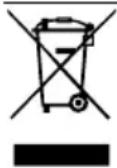
This appliance is labelled in accordance with European Directive 2012/19/EU concerning used electrical and electronic appliances (waste electrical and electronic equipment - WEEE).
The guideline determines the framework for the return and recycling of used appliances as applicable throughout the EU.
Customer Service
Detailed information about the warranty period and the warranty conditions in your country is available via the QR code on the enclosed document on service contacts and warranty conditions, from our customer service or on our website.
You can find the contact details for our customer service via the QR code on the enclosed document on service contacts and warranty conditions or on our website.
You can find the information required as per Regulation (EU) 2023/826 online at www.bosch-home.com on the product and service pages for your appliance, in the area of user manuals and additional documents.
text_image
Diagram showing a hand holding a plug with a checkmark indicating a confirmation or status.text_image
Diagram showing three steps of an electrical plug: holding a bulb, replacing a plug, and adjusting a socket with a checkmark.Apparater uten IntensityBoost: finesse classic friendly
| ■ Start, stopp og forleng tilberedningen.■ Start serviceprogrammet. | |
| LED lyser gult, apparatet er klar til bruk. | |
| LED blinker gult, tilberedning av drikk pågår. | |
| Fyll vanntanken. | |
| calc | Avkalk apparatet. |
Looking for help? You'll find it here.
Expert advice for your Bosch home appliances, need help with problems or a repair from Bosch experts.
Find out everything about the many ways Bosch can support you:
www.bosch-home.com/service
Contact data of all countries are listed in the attached service directory.
Visit tassimo.com for registration, accessories and more.