
LJY120-2-1L - Blender Vevor - Free user manual and instructions
Find the device manual for free LJY120-2-1L Vevor in PDF.
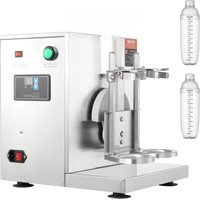


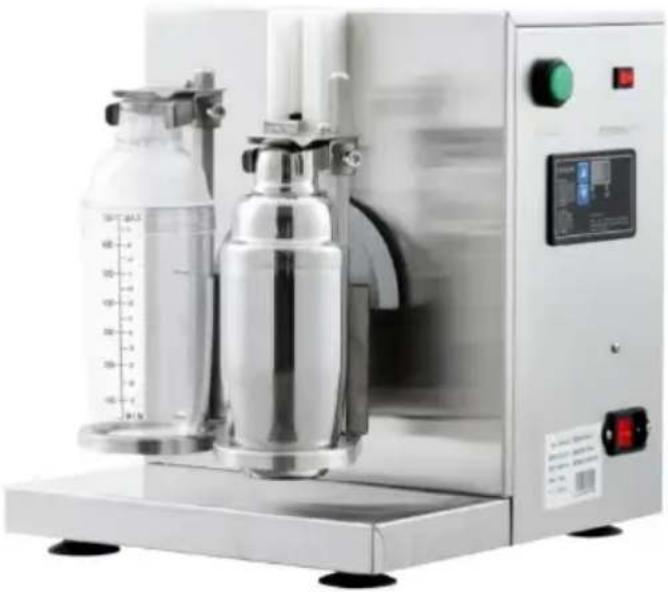
| Product Type | Milk Tea Shaker Machine |
| Brand | Vevor |
| Model | LJY120-2-1L (also LJY120-1, LJY120-2) |
| Power Supply | 110 V or 220 V, selectable before use; grounded plug |
| Power | 120 W (estimated) |
| Dimensions (L × W × H) | Approx. 25 × 30 × 40 cm (estimated) |
| Weight | Approx. 5 kg (estimated) |
| Capacity | Suitable for standard cups; adjustment with shrapnel |
| Timer | Adjustable from 1 to 120 seconds (default 15 s) |
| Main Functions | Shake and mix milk tea; push-to-start cup; emergency stop |
| Safety | Emergency stop; safety switch; do not immerse; keep out of reach of children |
| Maintenance and Cleaning | Unplug before cleaning; wipe body after use; do not rinse with water |
| Spare Parts and Repairability | Original spare parts available; replacement by a professional |
| General Information | Made in China; technical support: www.vevor.com/support |
Frequently Asked Questions - LJY120-2-1L Vevor
User questions about LJY120-2-1L Vevor
0 question about this device. Answer the ones you know or ask your own.
Ask a new question about this device
Download the instructions for your Blender in PDF format for free! Find your manual LJY120-2-1L - Vevor and take your electronic device back in hand. On this page are published all the documents necessary for the use of your device. LJY120-2-1L by Vevor.
USER MANUAL LJY120-2-1L Vevor
MILK TEA SHAKER MACHINE
MODEL: LJY120-1, LJY120-2, LJY120-2-1L
We continue to be committed to providing you with tools at competitive prices. "Save Half", "Half Price", or any other similar expressions used by us only represent savings you might benefit from buying certain tools with us compared to top brands, and do not necessarily mean to cover all categories of tools offered. We kindly remind you to verify carefully when placing an order with us that you are actually saving half in comparison with the top major brands.
VEVOR®
TOUGH TOOLS, HALF PRICE
MILK TEA SHAKER MACHINE
MODEL: LJY120-1, LJY120-2, LJY120-2-1L
NEED HELP? CONTACT US!
Have product questions? Need technical support? Please feel free to contact us:
This is the original instruction. Please read all manual instructions carefully before operating. VEVOR reserves the right to interpret the user manual. The appearance of the product shall be subject to the product you received. Please forgive us that we won't inform you of any technology or software updates on our product.
 | Warning-To reduce the risk of injury, user must re instructions manual carefully. |
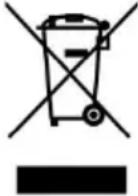 | CORRECT DISPOSALThis product is subject to the provision of european D 2012/19/EU. The symbol showing a wheelie bin cross through indicates that the product requires separate re collection in the European Union. This applies to the and all accessories marked with this symbol. Products as such may not be discarded with normal domestic w must be taken to acollection point for recycling electric electronic devices. |
Important
- Please read this manual carefully before using this product, and retain the
instructions for future reference.
- Do not immerse in water or other liquid, nor rinse it directly under a tap.
Warning
- Before connecting the power, please check that the power supply voltage is equal to
the supply voltage marked on the product.
- This product is not intended for use by persons (including children) with
reduced physical, sensory or mental capabilities, or lack of experience and
knowledge, unless they have been given supervision or instruction concerning use of the appliance by a person responsible for their safety.
- When the machine is running, do not close it, to avoid danger.
- If the supply cord is damaged, it must be replaced by a special cord or assembly available from the manufacturer or its service agent.
- Never dip the machine into any liquid. Do not use the appliance with wet hands. If the appliance is humid or wet, unplug it immediately.
- Keep your fingers away from moving parts and fitted tools. Never put fingers etc. in the hinge mechanism.
- Use only original spare parts.
- To ensure your children's safety, please keep all packaging (plastic bags, boxes, polystyrene etc.) out of their reach.
- Do not interfere with any safety switches.
- Place the machine on a smooth, flat and stable working surface.
Security and maintenance
- The voltage could be 110V or 220V. Please adjust the shrapnel to the appropriate location before using.
- This product has a three-core plug wire, one of which is a ground
wire, so please make sure the socket has a ground wire to avoid electric shock.
The ways of cleaning
- When cleaning, please turn off the power and pull the plug.
- After use, please clean and wipe the body immediately.
Parts description
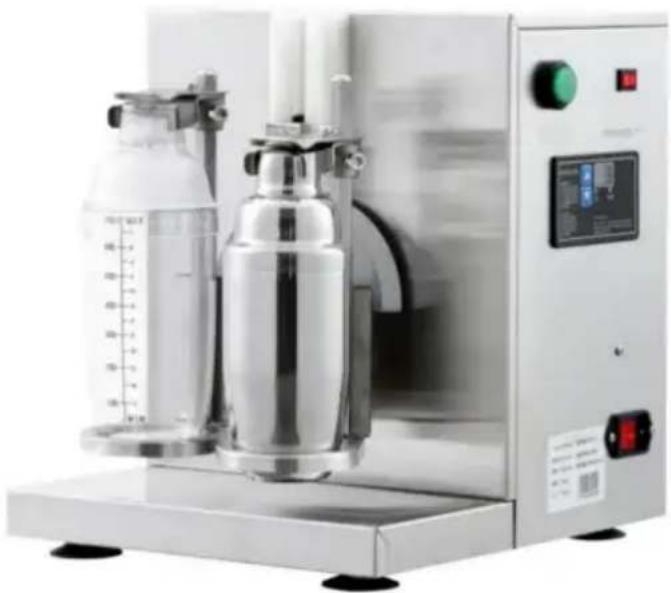
The parts' names for single and double cups are the same. Images are for reference only; please subject to the actual product.
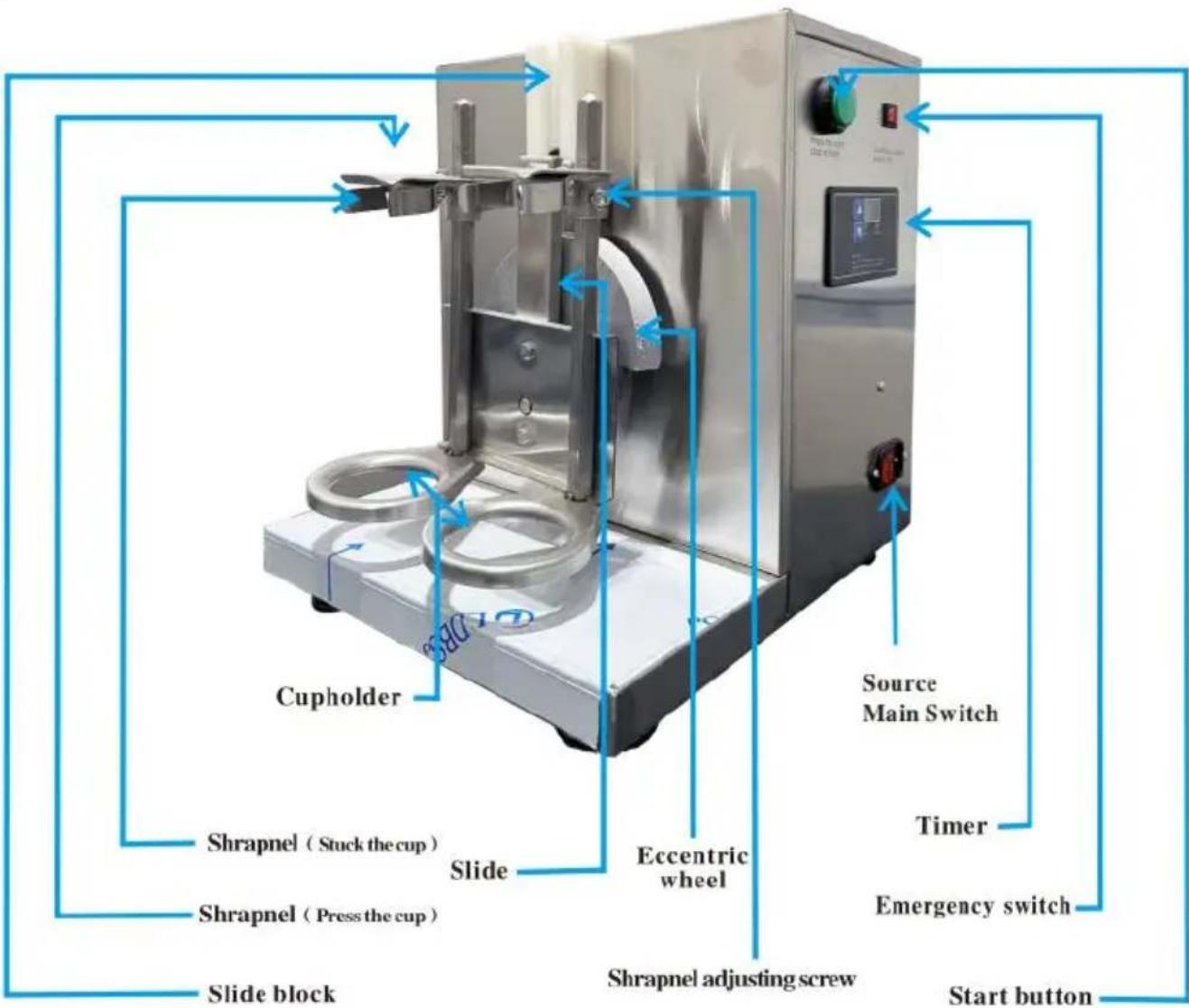
Operating Instructions: Adjustment and placement of the cup
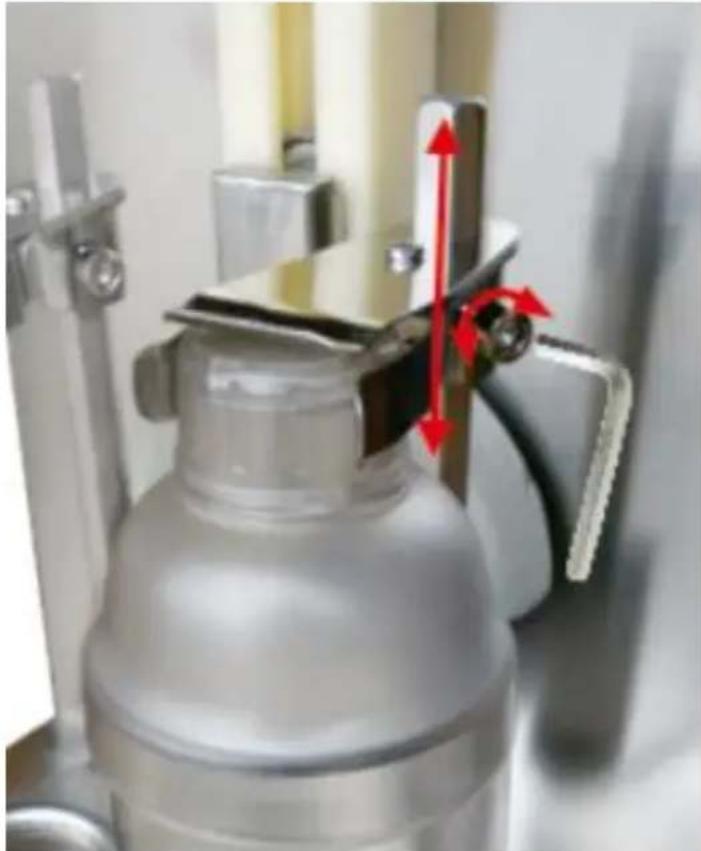
A: Adjust the shrapnel to an appropriate location by using the M6 L-type wrench. (Place the cup on the cup holder, then push the cup forward. If the shrapnel can press the cup tightly, then the shrapnel is at
the appropriate location)
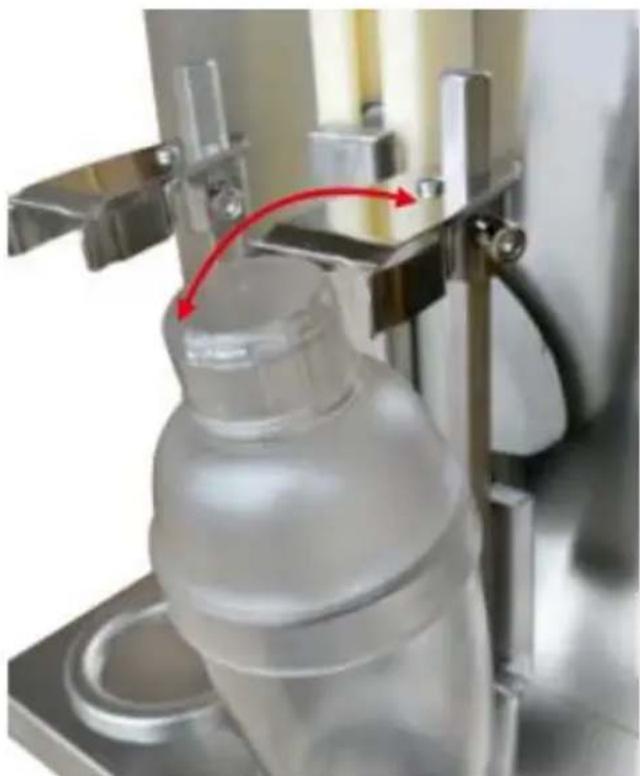
A: When placing the cup, align the cup bottom with the cup holder.
B: Push the cup (with the cap) forward.
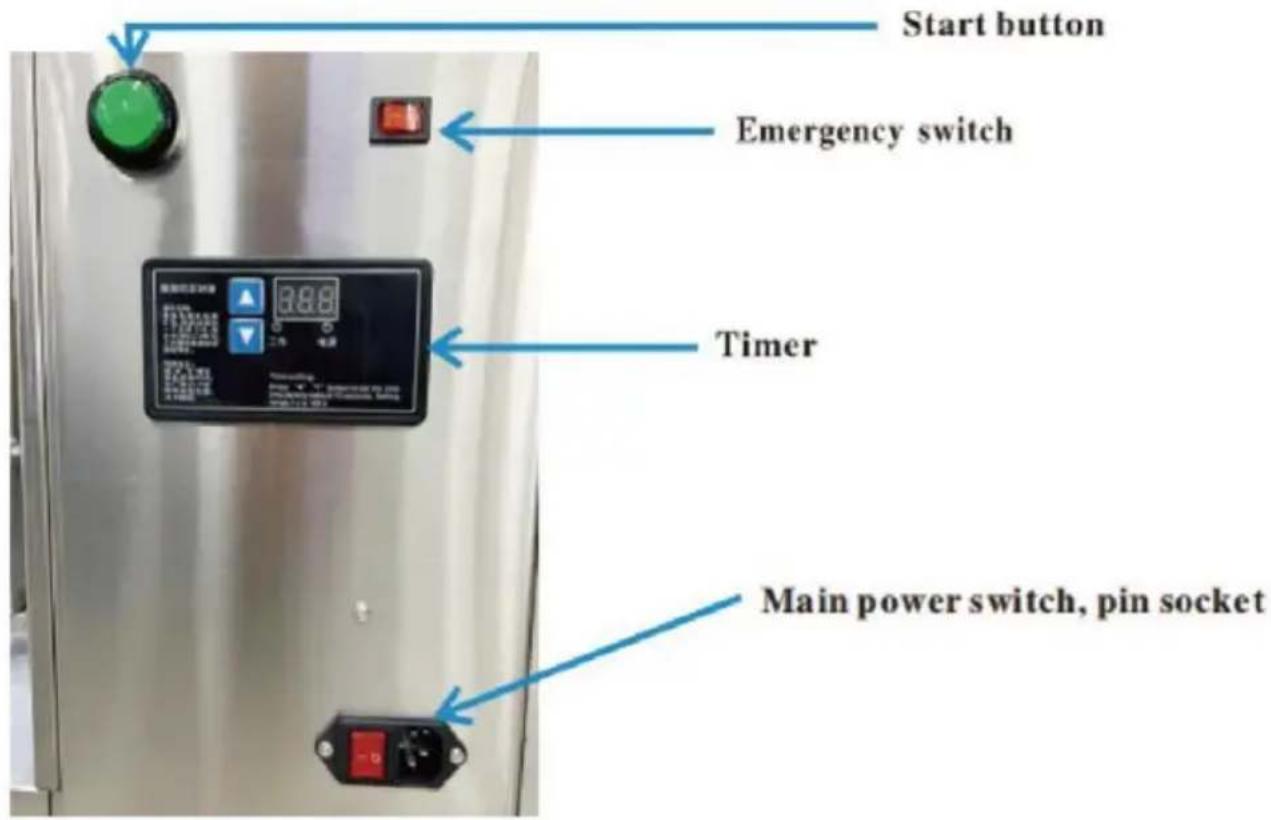
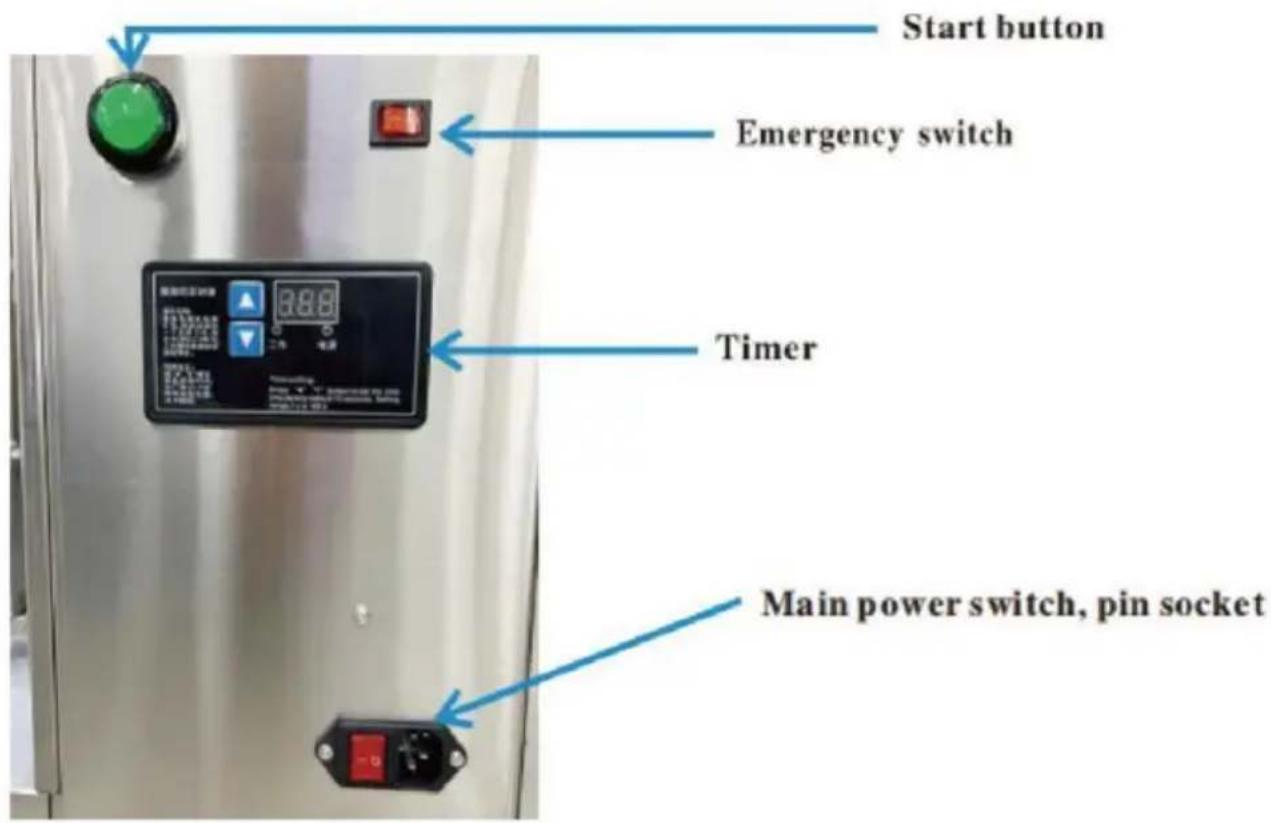
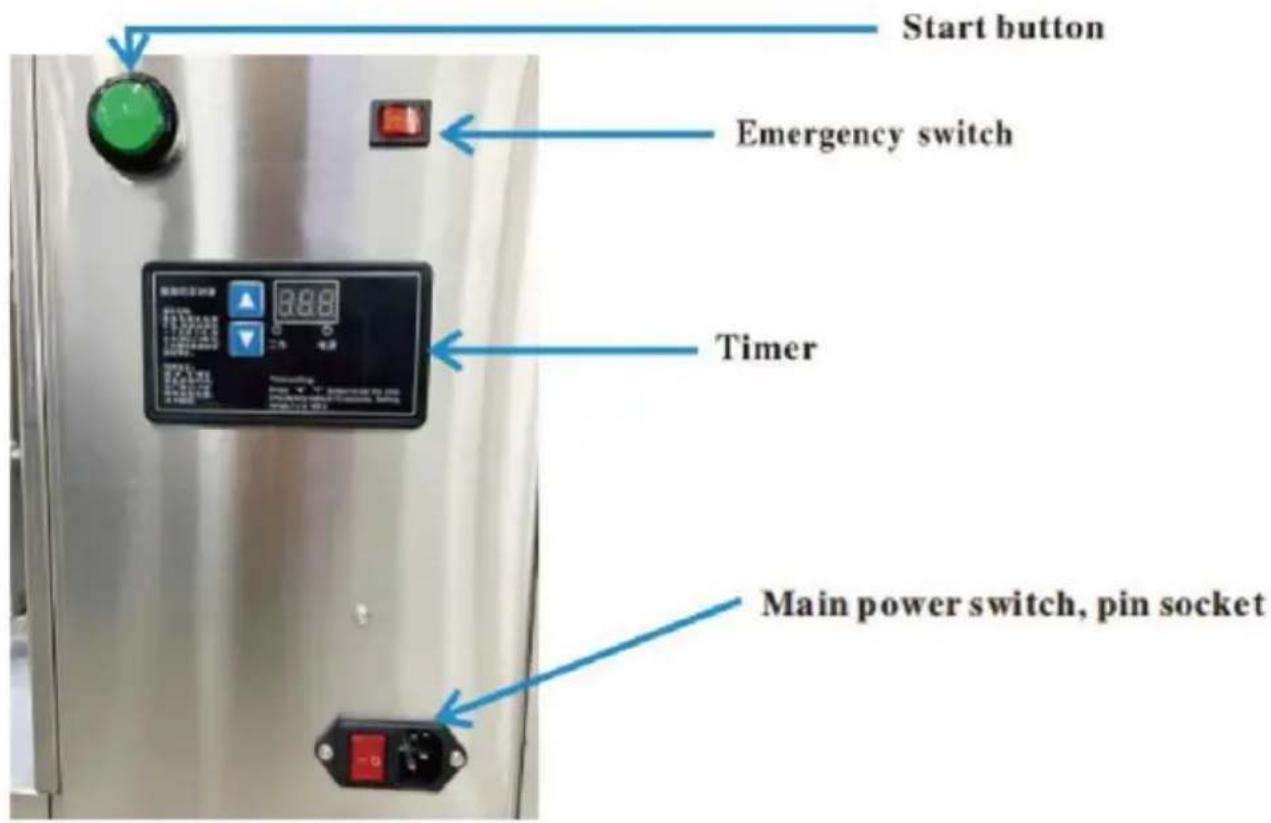
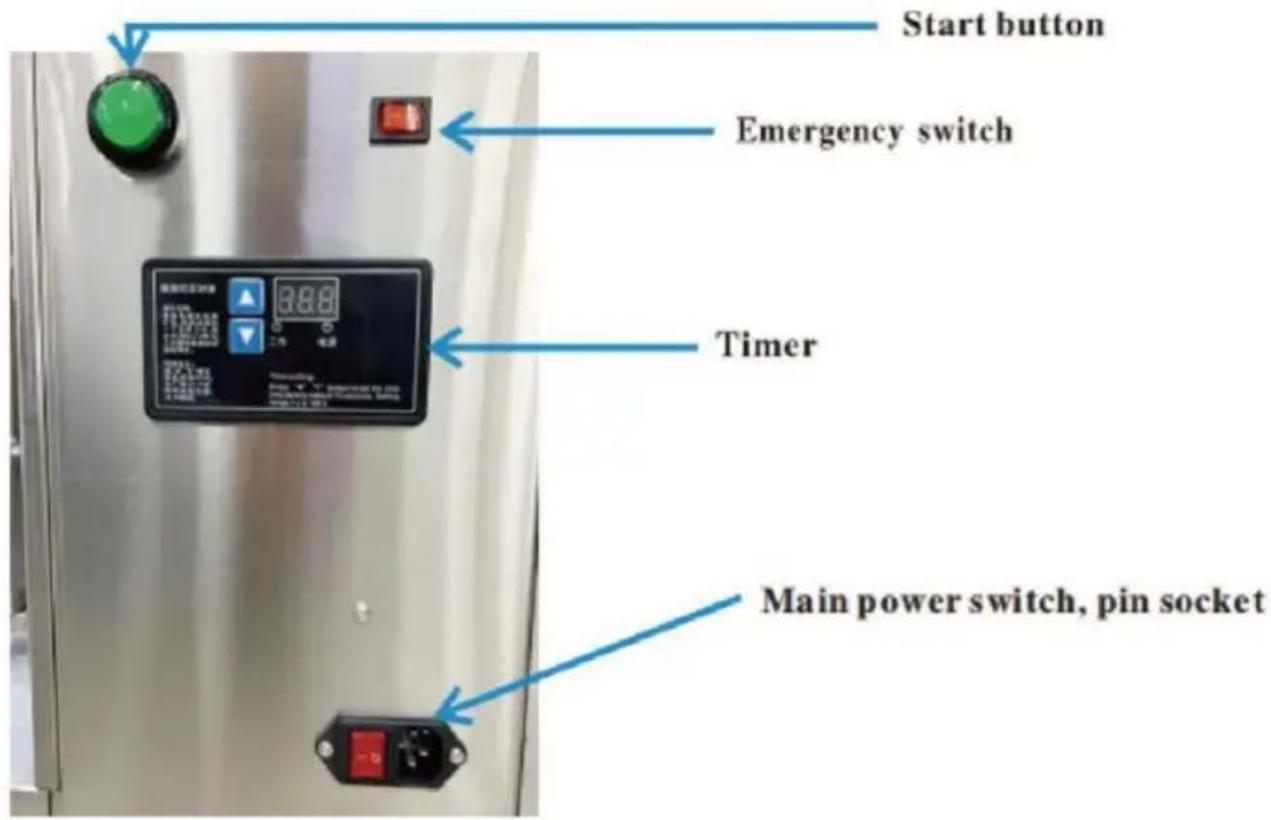
Start and stop
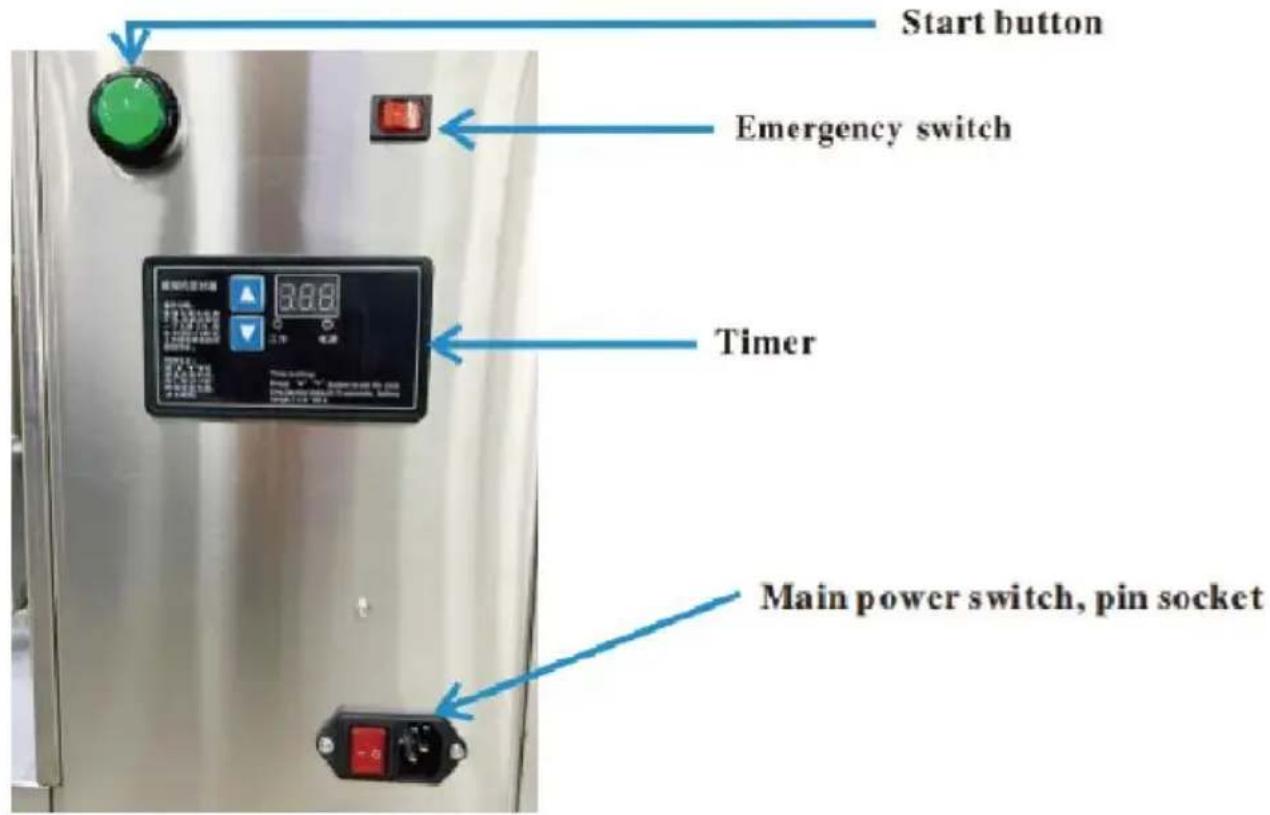
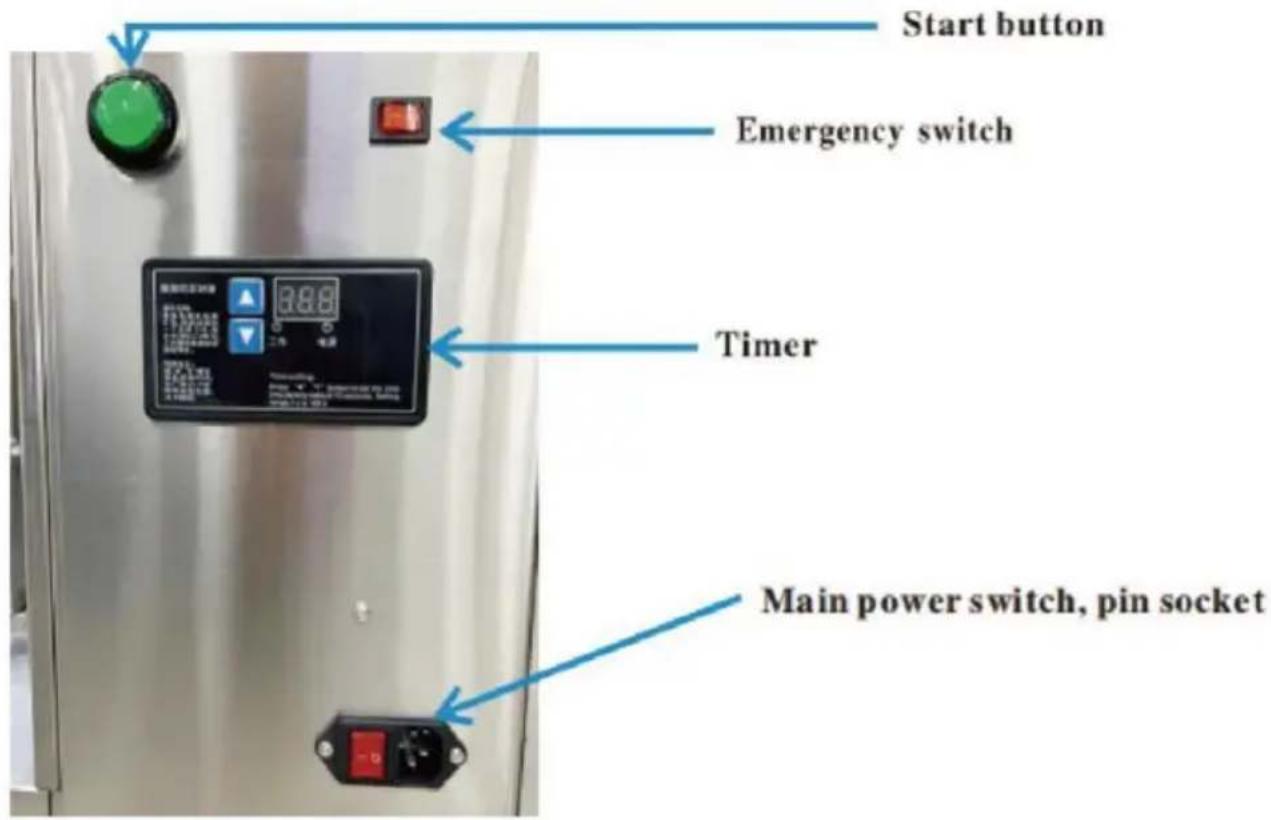
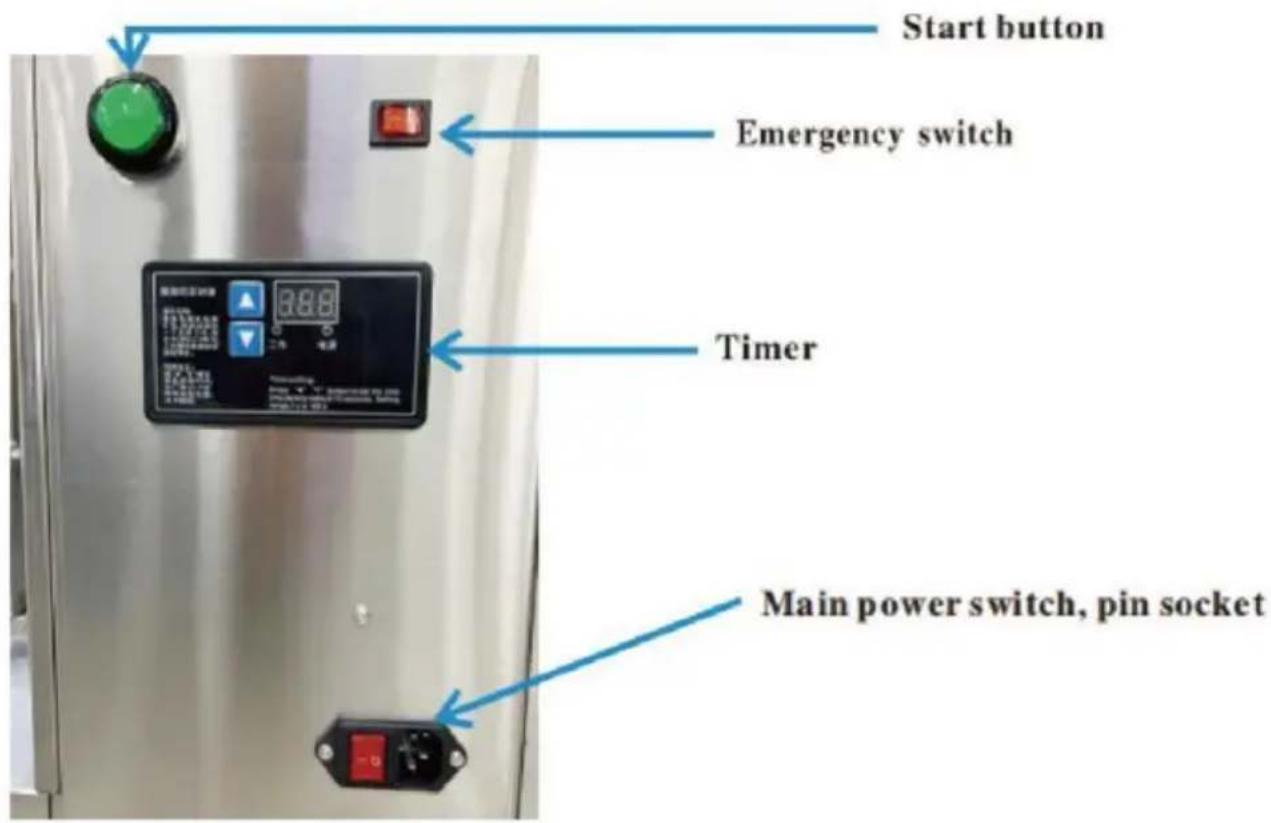
- After turning on the power supply, the power light is on, and the indicator
shows the stop time. (Factory default 15 seconds)
- Put the cup (with liquid and cover the lid) on the cup holder, put toward the machine.
- The machine starts working after pressing the start button, and it will stop when counting down to 000. Please press the start button once again if you want to stop the machine during working.
Press (aaa) button to set the stop time, time setting range 1-120 s. Please keep the emergency switch OFF in the normal working condition. Warning: Please check the emergency switch for the first time. The emergency switch should be OFF, (If the machine starts working after turning on the power supply, please turn off the emergency switch)
Note: please check the emergency switch for the first use of the machine. The emergency switch should be in the OFF state. (If the machine starts working when it is on the power supply, please turn off the emergency switch)
Fault Analysis and Treatment
| Cases | Cause of issue | Check the contents | Approach | Remark |
| After pressed the start button.the machine did not work | Power problems | Check the power | Replacing the power outlet | Electrician Repair If necessary |
| Plug and socket Connection is bad | Check the plug i loose or not | Replace the plug wire or socket | ||
| After pressed the start button.the timer lights but the machine did not work | The wiring was loose inside the machine | Open the machine rear plate to check the wiring. | Reconnect the loose wire | |
| The belts was loose | Open the machine rear plate to check the wiring | Tighten the belt or replace the belt | ||
| After pressed the start button. The machine work but can not stop working. | The Timer bad | Timer | Replace the Timer | |
| Machine working noise | Machine was put instability | Check whether the table and the machine is flat | Replace the table | |
| Shrapnel loose | Shrapnel should be in close conta with the cup | Adjust the shrapnel | ||
| Cup was thrown off | Shrapnel loose | Check the shrapnel. | Tighten or replace the shrapnel |
Made In China
VEVOR®
TOUGH TOOLS, HALF PRICE
Technical Support and E-Warranty Certificate
www.vevor.com/support
VEVOR®
TOUGH TOOLS, HALF PRICE
BESOIN D'AIDE? CONTACTEZ-NOUS!
User manual
Starting and stopping
NEED HELP? CONTACT US!
Operating instructions
Starting and stopping
www.vevor.com/support
VEVOR®
TOUGH TOOLS, HALF PRICE
NEED HELP? CONTACT US!
Starting and stopping
electronics www.vevor.com/support
VEVOR®
TOUGH TOOLS, HALF PRICE
Starting and stopping
NEED HELP? CONTACT US!
Instruction manual
Start and stop
www.vevor.com/support
VEVOR®
TOUGH TOOLS, HALF PRICE
Technical support and e-warranty certificate www.vevor.com/support
MILK TEA SHAKER MACHINE
MODEL: LJY120-1, LJY120-2, LJY120-2-1L
MILK TEA SHAKER MACHINE
MODEL: LJY120-1, LJY120-2, LJY120-2-1L
NEED HELP? CONTACT US!
Instruction manual
Start and stop
NEED HELP? CONTACT US!
Instruction manuals
Start and stop
www.vevor.com/support



- MILK TEA SHAKER MACHINE
- VEVOR®
- NEED HELP? CONTACT US
- IMPORTANT
- WARNING
- SECURITY AND MAINTENANCE
- THE WAYS OF CLEANING
- PARTS DESCRIPTION
- OPERATING INSTRUCTIONS: ADJUSTMENT AND PLACEMENT OF THE CUP
- START AND STOP
- MADE IN CHINA
- TOUGH TOOLS, HALF PRICE
- BESOIN D'AIDE? CONTACTEZ-NOUS
- USER MANUAL
- STARTING AND STOPPING
- OPERATING INSTRUCTIONS
- INSTRUCTION MANUAL
- INSTRUCTION MANUALS
Brand : Vevor
Model : LJY120-2-1L
Category : Blender