
MD200F-P - Musical instrument Vevor - Free user manual and instructions
Find the device manual for free MD200F-P Vevor in PDF.



| Product Type | Electronic Drum Kit |
| Brand | Vevor |
| Model | MD200F-P |
| Power Supply | DC 9V (100-240 V) power adapter |
| Drum Kits | 32 preset kits |
| Tones | 480 tones |
| Demo Songs | 30 songs |
| Metronome | 9 beat types, tempo adjustment 30-250 BPM |
| Training Modes | 3 Coach modes (accuracy, silent stroke, endurance) |
| Recording | Recording and playback function |
| Connectivity | USB-MIDI, AUX audio input, audio output, headphone, cymbal expansion port |
| Display | Three-digit LED |
| Bluetooth | Yes (BT mode) |
| Package Contents | Sound module, stands, 4 cymbals, 3 toms, snare drum, bass drum pedal, hi-hat pedal, cables, adapter, screwdriver, drum key |
| Maintenance | Clean with a soft, damp cloth; avoid heat, humidity, direct sunlight, and chemicals |
| Safety | Read precautions, avoid interference, FCC compliant, WEEE directive |
| Warranty | Technical support and electronic warranty certificate at www.vevor.com/support |
Frequently Asked Questions - MD200F-P Vevor
User questions about MD200F-P Vevor
0 question about this device. Answer the ones you know or ask your own.
Ask a new question about this device
Download the instructions for your Musical instrument in PDF format for free! Find your manual MD200F-P - Vevor and take your electronic device back in hand. On this page are published all the documents necessary for the use of your device. MD200F-P by Vevor.
USER MANUAL MD200F-P Vevor
Technical Support and E-Warranty Certificate
www.vevor.com/support
ELECTRONIC DRUM SET USER MANUAL
MODEL: MD200F-P
We continue to be committed to provide you tools with competitive price. "Save Half", "Half Price" or any other similar expressions used by us only represents an estimate of savings you might benefit from buying certain tools with us compared to the major top brands and does not necessarily mean to cover all categories of tools offered by us. You are kindly reminded to verify carefully when you are placing an order with us if you are actually Saving Half in comparison with the top major brands.
MODEL: MD200F-P
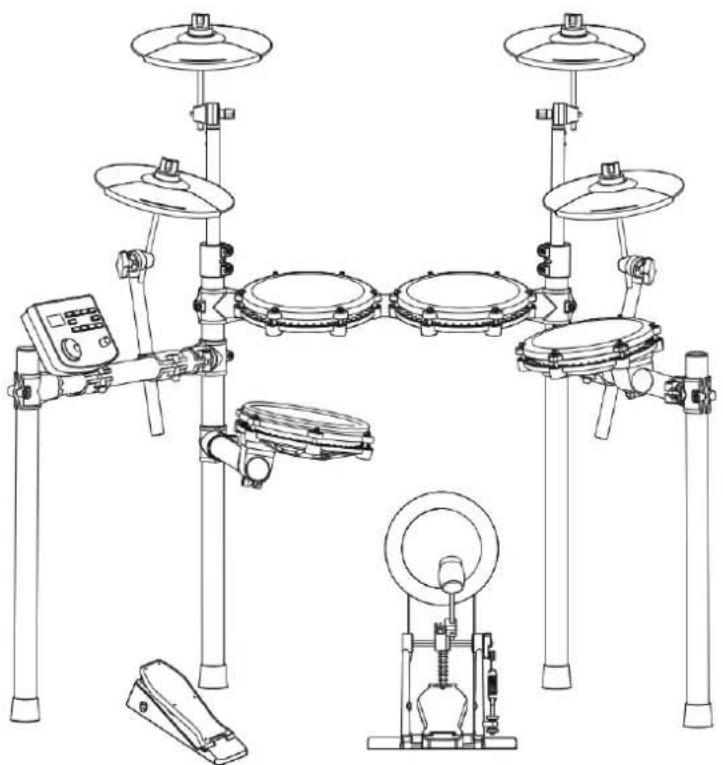
(The picture is for reference only, please refer to the actual object)
NEED HELP? CONTACT US!
Have product questions? Need technical support? Please feel free to contact us:
Technical Support and E-Warranty Certificate www.vevor.com/support
This is the original instruction, please read all manual instructions carefully before operating. VEVOR reserves a clear interpretation of our user manual. The appearance of the product shall be subject to the product you received. Please forgive us that we won't inform you again if there are any technology or software updates on our product.
Thank you for choosing our electronic drum. Elegant and delicate electronic drum is the perfect combination of modern new electronic technology.
◆Before using this product, you must read the instructions in detail.
• 32 sets of drums, 480 timbres • 30 songs - Support the adjustment of sensitivity parameters of each drum - Three teaching modes • Speed control: 30 \~ 250 beats / min • Metronome: 1-9 types - Other functions: parameter storage, reset and recording; - three digit led display; - interface: power supply dc, usbmidi, earphone, audio input, audio output
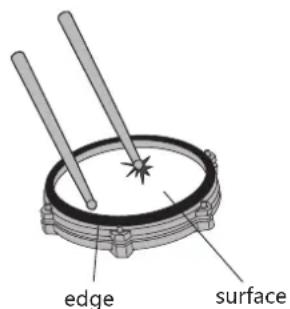
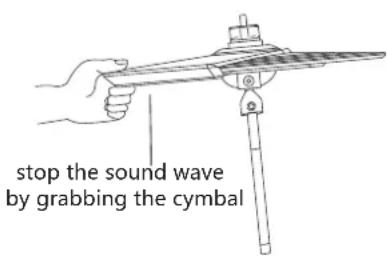
REMARK!
- This product is an electro-acoustic instrument. It is normal to hear a slight current sound from the speaker or earphone after power-on. Keep away from sources of RF electrical interference such as radio, TV, antenna receivers, routers, refrigerators, motors, and other similar devices during use.
CONTENTS
FUNCTION INTRODUCTION 1
CONTENTS 2
INSTALLATION GUIDE 3
CHECK THE ATTACHED ITEMS 3
IRON PIPE HOLDER 4
TYMPANIC INTUBATION 4
MOUNTING STAND 5
INSTALL THE DRUM MODULE 5
INSTALL HITTING PARTS AND SOUND MODULE 6
INSTALL THE KICK DRUM 7
INSTALL THE HAMMER BAR 7
THE KICK DRUM IS FIXED WITH THE STEP HAMMER ----7
PLUG IN THE STRIKING PART CONNECTION CABLE----7
ILLUSTRATION OF SOUND MODULE PORT 8
POWER CORD CONNECTION 8
USB MIDI PORT 8
AUDIO OUTPUT PORT 8
AUDIO INPUT PORT 8
EARPHONE PORT 8
INCREASE PORT 8
BT MODE 8
OPERATION GUIDE 9
POWER 9
DRUM KIT SELECTION 9
METRONOME 9
PRACTICE FUNCTION 9
COACH MODE 9
DEMO SONGS 10
DRUM PARAMETERS 10
RECORDING FUNCTION 10
SAVE / RESET 10
USB MIDI 11
APPENDIX 11
TIMBRE 11
PRESET DRUM KITS 11
USER DEFINED DRUM KITS 11
DEMONSTRATION SONG 11
PRODUCT MAINTENANCE 12
SAFETY PRECAUTIONS----13
REMARK!
- Please follow the instructions and read the "safety precautions" in the User Manual carefully before using.
- This product must be installed by an adult; please do not let minors install it independently.
01
Check the attached items
After opening the package, please check immediately whether it contains all the items. If there are any omissions, please contact your dealer.
Sound module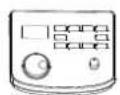
Module bracket
Cymbal *4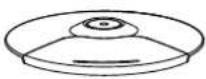
Tom (3pcs)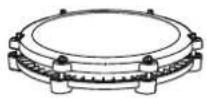
Snare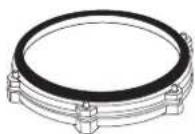
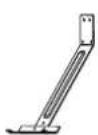

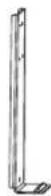
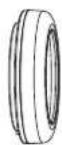
2PCS 2PCS 6PCS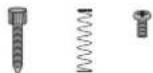
KickFront bracketConnecting bracketRear support pedal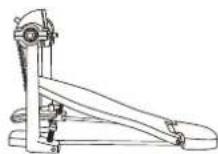
Cymbal arm (4pcs)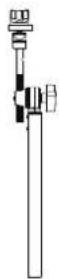
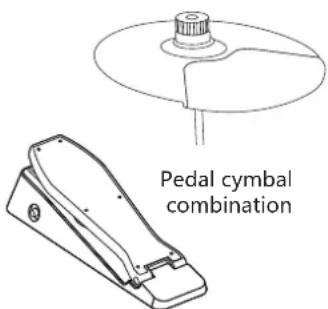
Hi hat pedal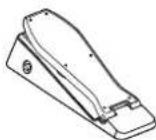
Bolt driver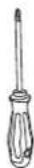
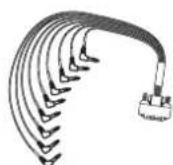
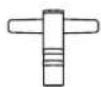
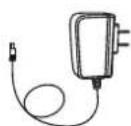
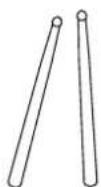
Signal Connection cable Power adapterDrum key Drum stick Stick hammer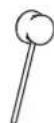
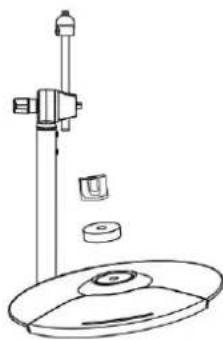
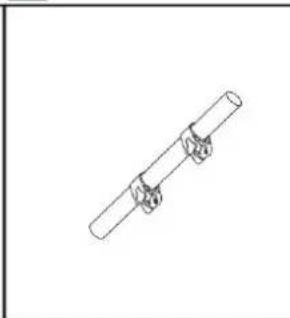
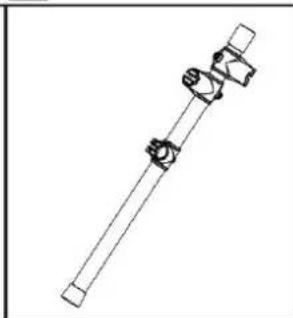
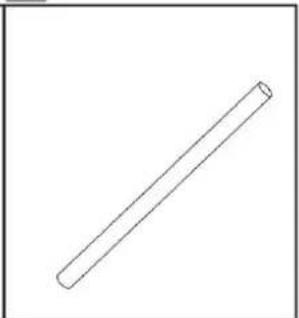
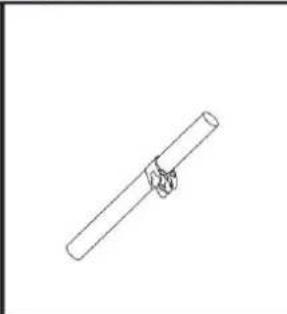
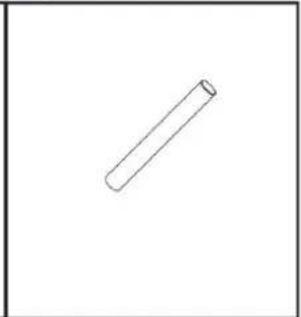
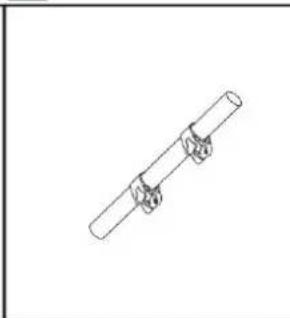
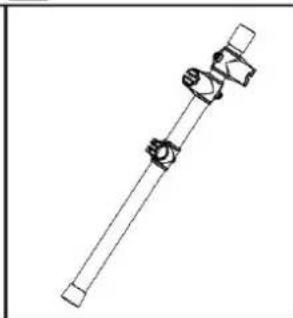
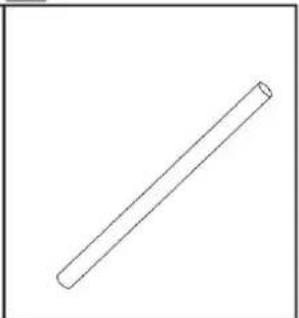
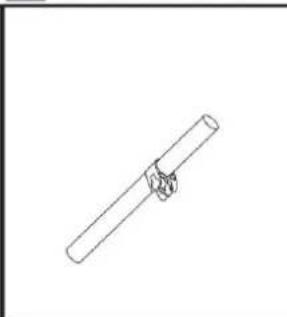
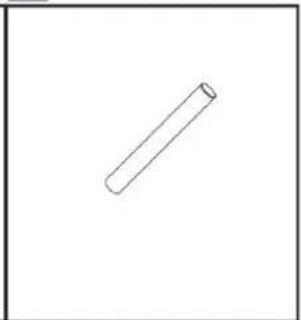
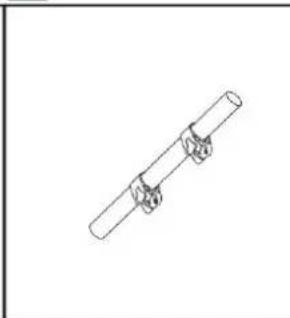
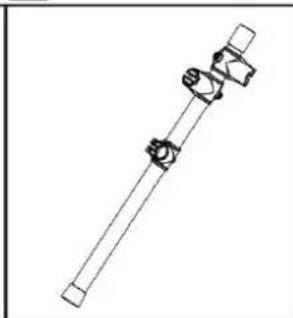
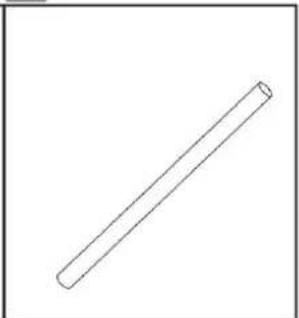
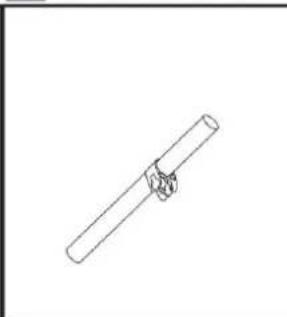
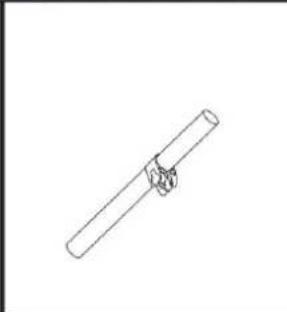
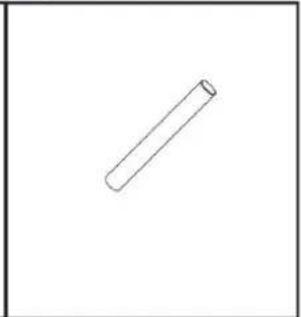
02 Iron pipe holder
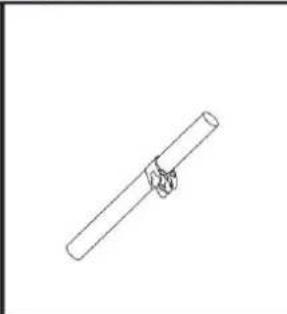
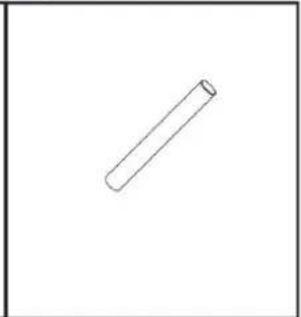
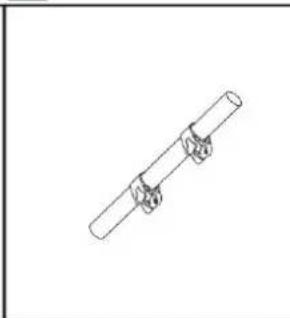
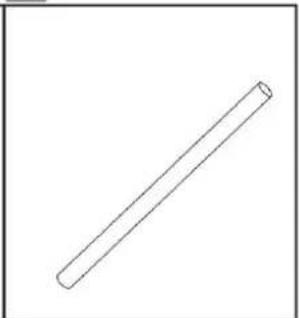
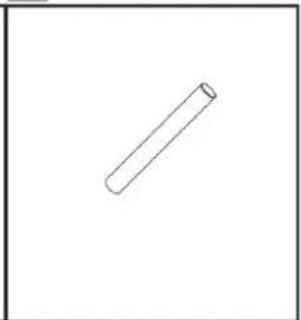
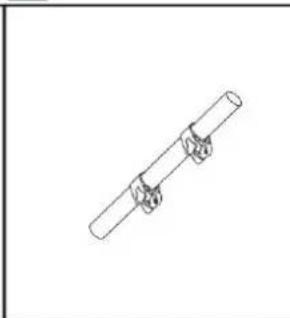
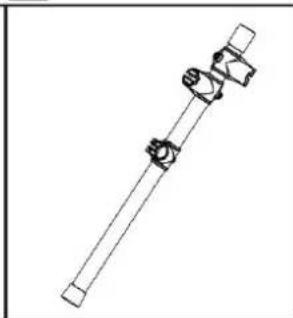
- The stand is located in a small individual package inside the box.
A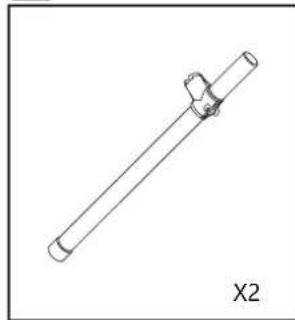
C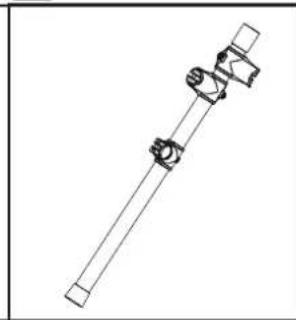
D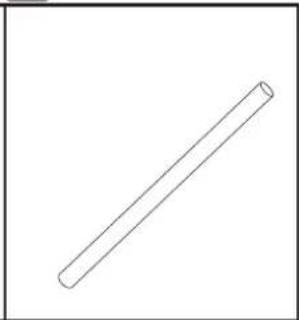
E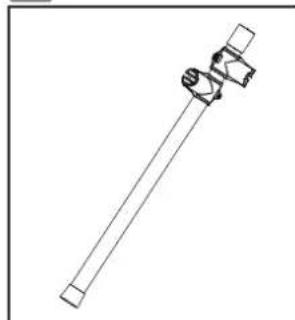
F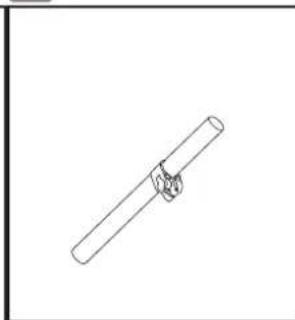
G
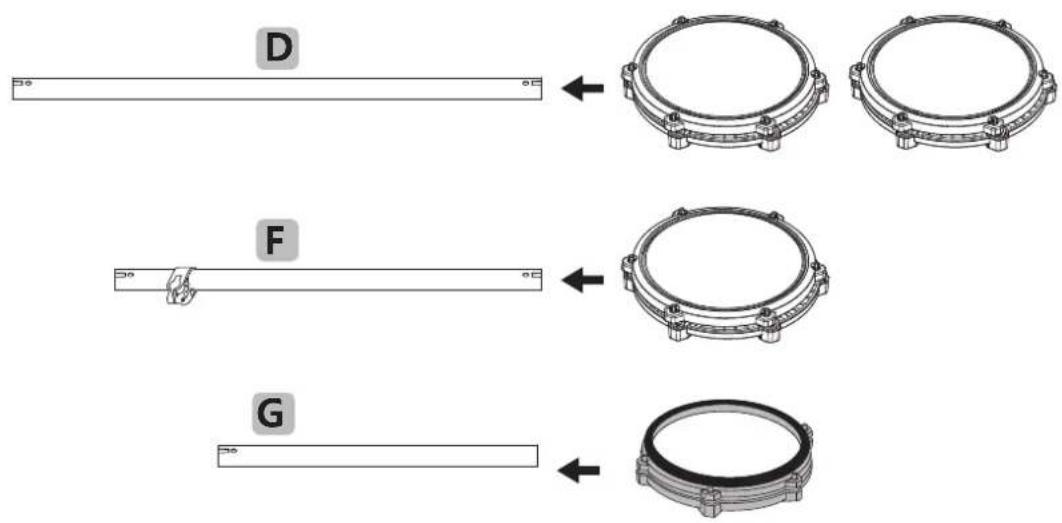
03 Tympanic intubation
Install the drum on the drum support bar.
04
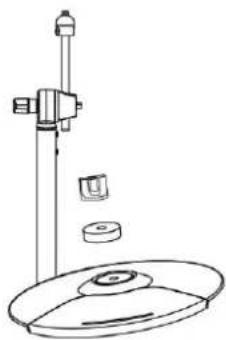
Mounting stand
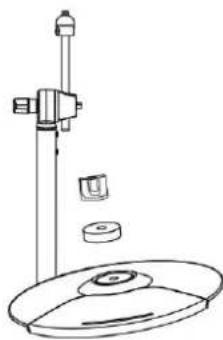
- During the installation, tighten the screws and please be careful to pinch your fingers.
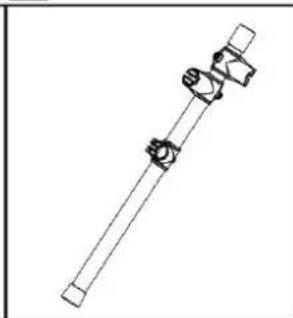
- Assemble the bracket as the specified direction
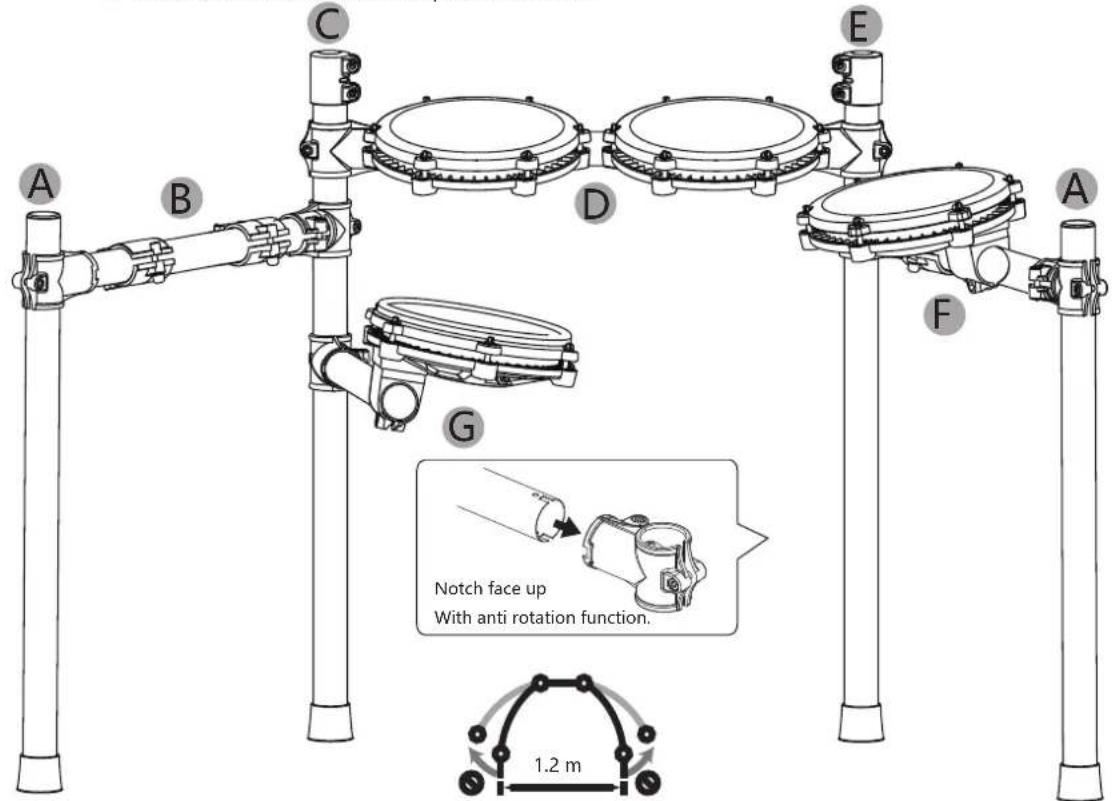
For safety reasons, the expansion width of the support should not be greater than 1.2 meters.
05
Install the Drum module
- Please insert it in place during installation.
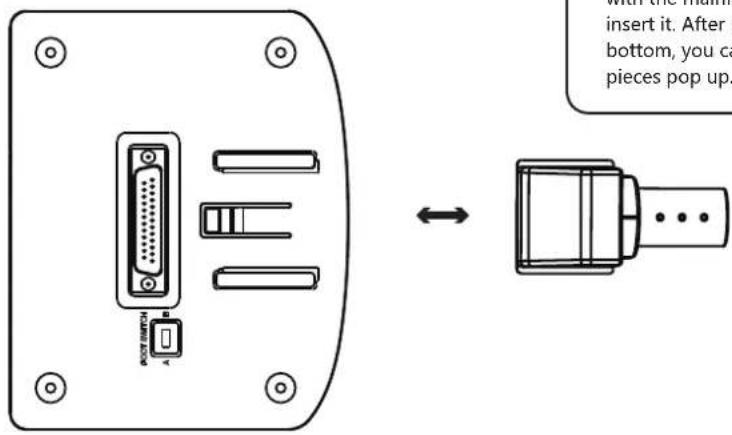
Align the mainframe drum module with the mainframe box track and insert it. After inserting it to the bottom, you can hear the snap pieces pop up.
06
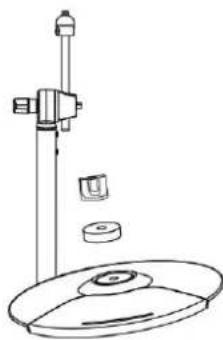
Install hitting parts and sound module
- Tighten the screws after the drum is inserted to avoid loosening.
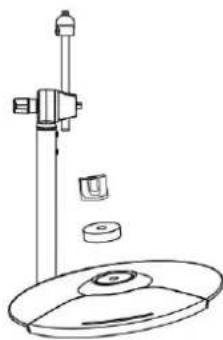
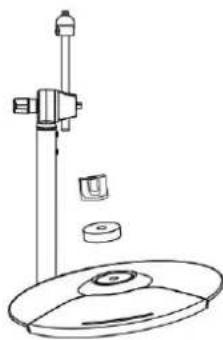
- Be sure not to tighten the cymbal too tightly, leave some space for them to snake up and down.
Withdraw the nuts and circle cushions of the three cymbal arms, put the three cymbals into the corresponding arms, and screw on the nuts. Put 3 drums and 1 drum into the corresponding support rods respectively, and tighten the screws. Note: the functions of each cymbal, Tom drum and snare drum are different, so it is necessary to refer to the accessory identification for correct installation!
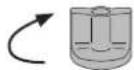
Crash

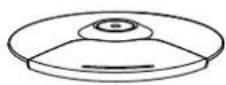

Ride

Hi-hat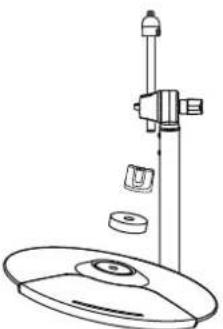
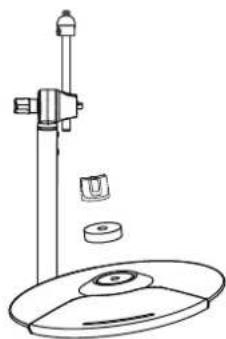
Crash 2
Sound Module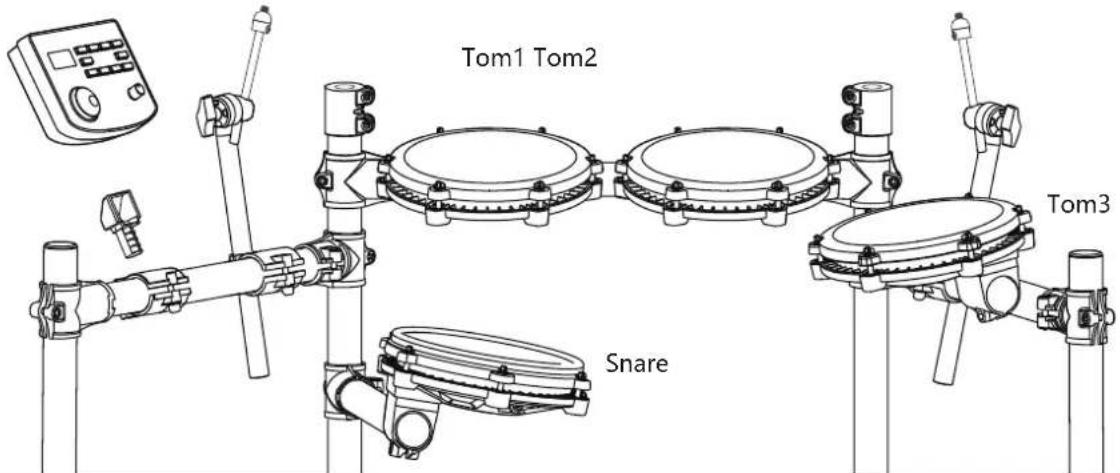
07
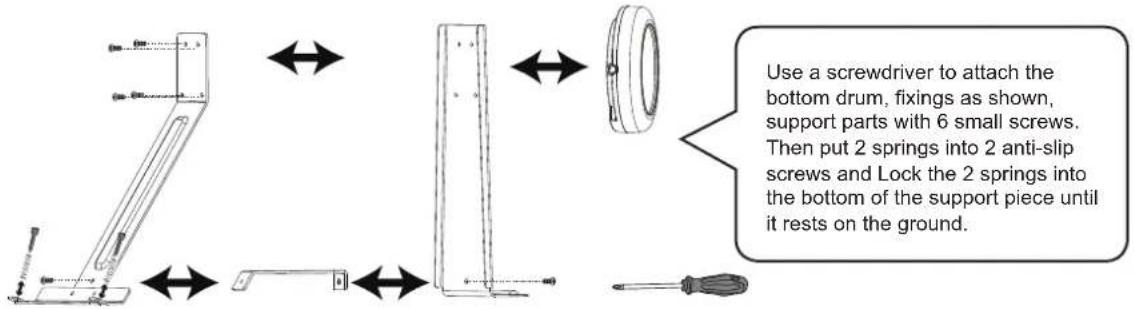
Install the kick drum
- When installing, tighten the screws and be careful not to pinch your fingers.
08
Install the hammer bar
- The pole should be inserted in place and the screws should be tightened to avoid loosening.
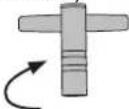
Insert the hammer rod into the round hole as shown in the figure, rotate the wool hammer to align it with the drum surface, and then tighten it with the drum key.
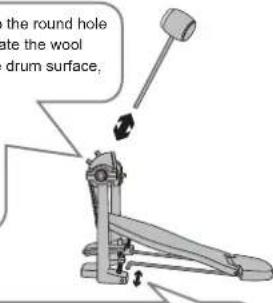
Insert the fixed iron bar into the hole as shown in the figure.
09
The kick drum is fixed with the step hammer
- The bottom drum and the step hammer should be fixed and tightened to avoid falling off.
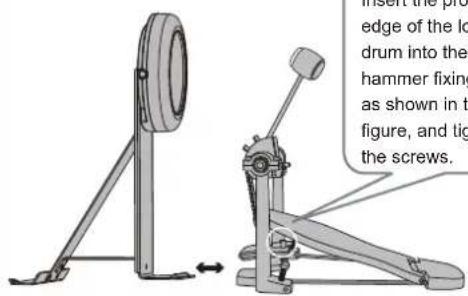
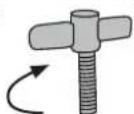
10
Plug in the striking part connection cable
- Please insert the connection cable in place to avoid poor contact and insert it correctly as shown in the diagram.
Please check whether the bottom drum makes sound. If there is no sound, please turn the switch: Switch in A: mechanical kick drum mode; Switch in B: pedal mode.
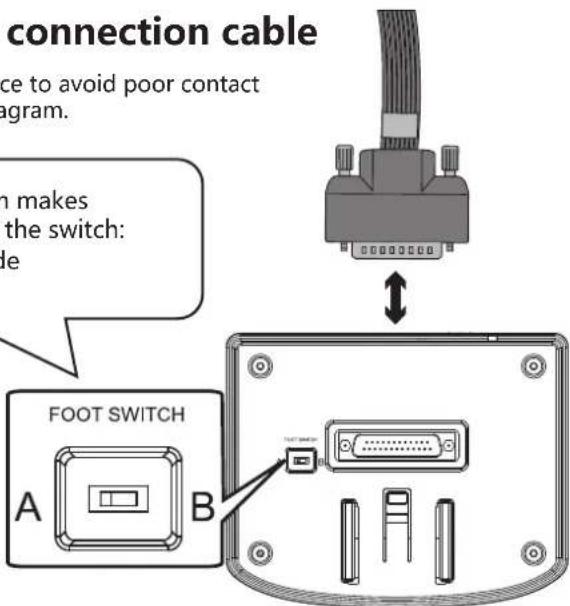

ILLUSTRATION OF SOUND MODULE PORT
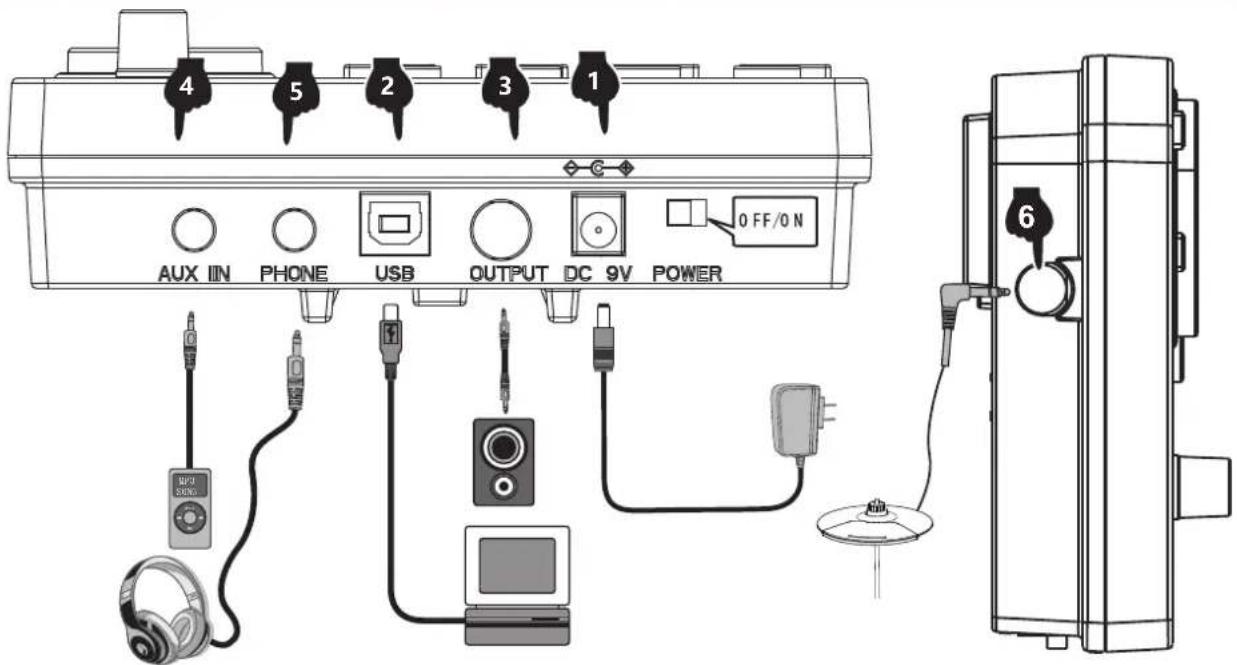
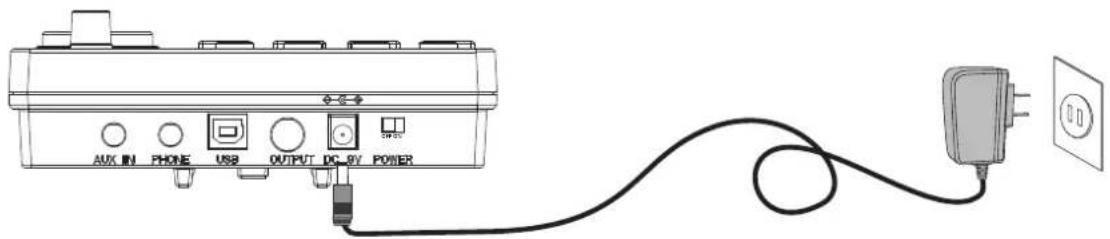
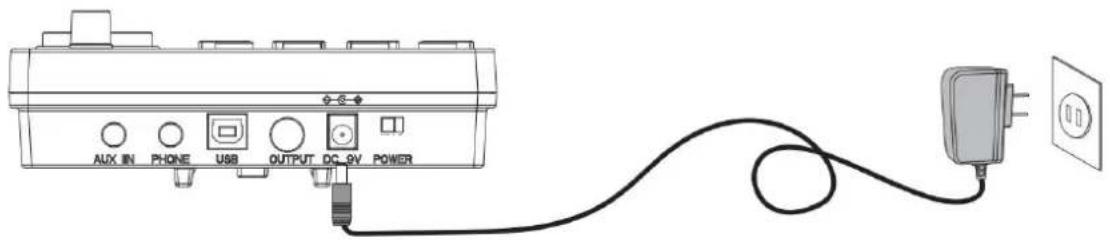
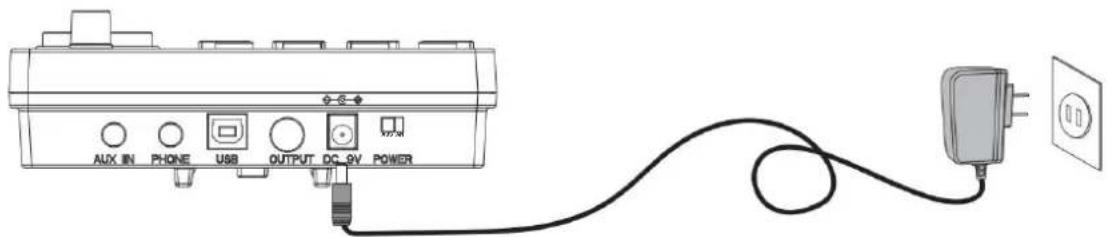
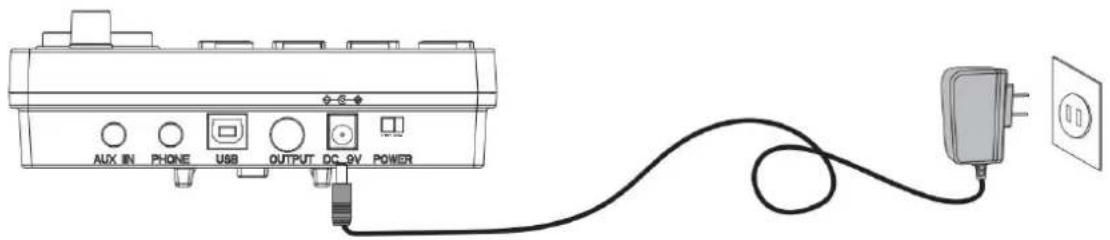
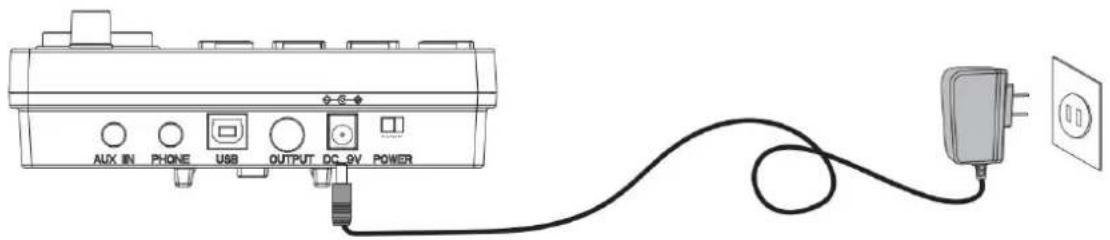
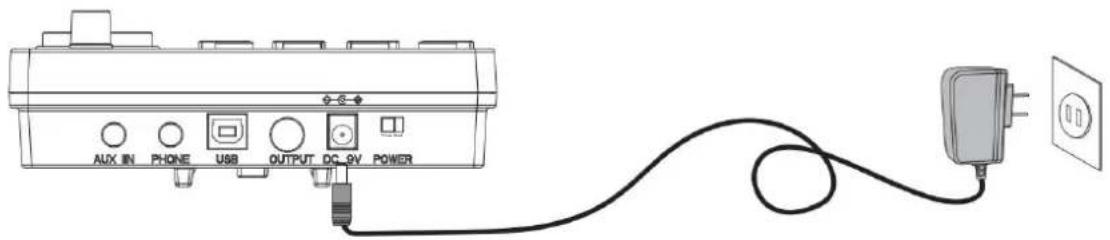
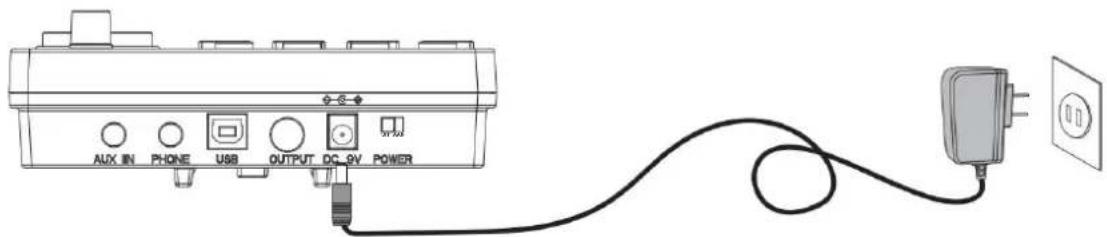
1 POWER CORD CONNECTION
- When in use, connect the power terminal according to the diagram, insert the power outlet of the sound module at one end and 100-240V household power outlet at the other end. (Fig. 1)
- If you do not use this product for a long time, please pull out the power plug and keep it properly.
2 USB MIDI PORT
The use of electronic drum MIDI USB interface can interact with music devices with MIDI.
- Through the pre-installed Music software on computers and mobile phones, we can learn to play, compose music, store and other functions. (Fig. 2)
- When connected to a computer or mobile phone, the audio output of the device needs to be connected to the audio input socket of the module box in order to synchronize the sound effects on the device. (Fig. 5)
3 AUDIO OUTPUT PORT
Audio output port can be connected with active speaker (special electronic drum speaker) and large audio equipment. (Fig. 3)
4 AUDIO INPUT PORT
Audio input port can connect the sound source playback device to the module box for playback (such as MP3. mobile phone and other audio signal input). (Fig. 4)
5 EARPHONE PORT
Connecting headphones monitors the details of percussion and does not disturb others when playing without connecting speakers. (Fig. 5)
6 INCREASE PORT
This port allows you to add a cymbal for easy expansion. (Figure 6)
1 POWER
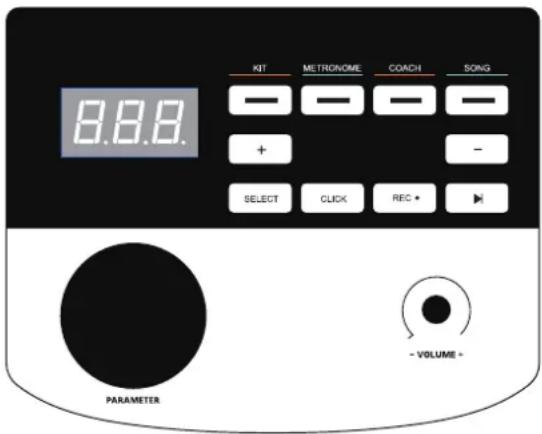
Insert the DC plug into the DC 9V port on the top of the control unit. Slide the POWER switch to the right (viewed from the front) to power up the drum kit. To turn the drum kit off slide the switch to the left.
2 DRUM KIT SELECTION
Press the KIT button to show the current drum kit. Turn the parameter wheel or use the <- /+ > buttons to select the desired drum kit. There are 32 drum kits to choose from - see drum kit list on page 11.
3 METRONOME
- Press the METRONOME button to enter the metronome mode.
- The screen will display the speed value (120 BPM default speed). Turn the parameter wheel or use the +/- buttons to change the metronome speed. Press the CLICK button to start the metronome.
- Press the SELECT button in metronome mode, and the screen will jump to the metronome parameter adjustment interface. You can press the +/- buttons to select the parameter you want to adjust:
A. r (beat type: 2, 4, 8, 16) B. b (beat number: 01-09) C. L (metronome volume: 00 (off) -31), and then turn the parameter wheel to adjust the parameter settings.
- Once the parameters have been adjusted, press the SELECT button to confirm and exit the parameter interface. Then use the CLICK button to start and stop the metronome as desired.
4 PRACTICE FUNCTION
The "coach" coach mode of this product can help establish speed, accuracy and endurance, and help cultivate the practice function of a better sense of rhythm. Make progress under the supervision of the "coach" coach mode! Press the "coach" button to enter the coach mode. In this mode, there are three practice modes. Select the practice mode through the data wheel or < + > < - > button.
- Exercise mode 1: C-1 beat detection exercise: beat the drum at a fixed speed to train the accuracy of the blow.
- Practice mode 2: C-2 silent strike mode: the metronome will sound one section and mute one section to train the strike accuracy without metronome prompt. It is an advanced version of practice mode 1.
- Practice mode 3: C-3 speed strike practice: the metronome will automatically change the speed, increasing from the slowest to the fastest, and then decreasing from the fastest to the slowest, so as to practice strike endurance.
5 COACH MODE
- The "coach" training mode of this product can help establish speed, accuracy, and endurance. Press the COACH button to enter the coach mode. In this mode, there are three practice modes. Use the parameter wheel to select which practice mode.
A. Exercise mode 1: C-1 beat detection exercise - beat the drum at a fixed speed to train the accuracy of the blow. B. Practice mode 2: C-2 silent strike mode - the metronome will sound one section and mute one section to train when there is no beat. C. Practice mode 3: C-3 speed strike practice - the metronome will automatically change the speed from the slowest to the fastest and then from the fastest to the slowest.
- Once the coaching mode has been chosen, press the CLICK button. The metronome beats will start and you can play along on the drum for practice.
- After four preliminary beats, the display will show:
(too slow)
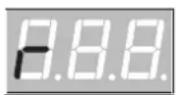
(good)
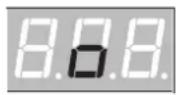
(too fast)
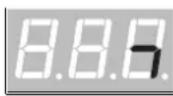
- Once you have completed the coaching mode, a score will be displayed from 0-100 evaluating the accuracy of the exercise.
C-1 mode: Press the SELECT button to enter the parameter setting interface. You can adjust the number of practice sessions as required (01-32). The number of sessions to practice determines the length of this exercise. C-2 mode: Press the SELECT button to enter the parameter setting interface. You can adjust the number of practice sessions as required (04-32). The number of sessions to practice determines the length of this exercise. C-3 mode: Press the SELECT button to enter the parameter setting interface. You can adjust the rate at which the BPM changes (01-09 BPM). 5. Press the CLICK button again to end the coach mode.
6 DEMO SONGS
- Press the SONG button to enter demo mode. There are 30 demos to choose from. The screen will display the current demo song number (01-30).
- Press the ▶ button to start playing the demo songs. To stop playing, press the ▶ button again.
- Turn the parameter wheel or press the +/- buttons to select a demo song.
- Press the SELECT button in song mode to jump to the song parameter setting interface. You can turn the drum sound on or off by turning the parameter wheel (the drum sound is on by default).
- Press the SELECT button to confirm and exit the parameter interface.
7 DRUM PARAMETERS
- Press the KIT button and the screen will display 01 (drum kit number). Press SELECT to enter the drum parameter adjustment mode.
- Tap the drum you want to adjust, and then press the +/- buttons to select the parameter for adjustment. Sensitivity
A. S (01-06). Trigger threshold t (01-32). Crosstalk threshold c (01-32) B. Repeated trigger r (01-32) Drum Force V (01-03). Drum volume L (00-31).
- Change the parameters by rotating the parameter wheel and long press the - button to save. The screen will display SAV to indicate the parameter adjustment has been saved successfully.
- To restore the drum parameters back to factory settings, long press the + button until the screen displays RES.
- PLEASE NOTE: The parameters for the 3 tom drums cannot be set individually.
- Press the button when the indicator light is in the "KIT" and "CLICK" states, and the screen displays the words "REC" in the breathing flashing state, entering the recording preparation state.
- Tap any drum and the metronome sounds. At this time, the screen displays "---" in the flashing state of breathing and starts recording.
- Press the < REC > key or < PLAY > key again, the recording stops and "A-1" is displayed on the screen.
- Press < ➤ to start playing the current recording, and press again to stop playback.
- If you enter the recording preparation state again without any knocking, the "A-1" recorded last time is played back.
9 SAVE / RESET
- To save parameters long press the <-> button and the screen will display SAV.
- To reset parameters long press the <+> button and the screen will display RES res.
10 USB MIDI
To use the drum kits MID function plug aUSB-B data cable (not included with this drum kit) into the control unit and connect to PC/Smartphone.
Timbre
Kick.
- Pop Kick
- Fuck Kick
- Puck Rick
- Hard Kick
- Original Kick
- PopRock Kick
- Rock Kick
- Metal Kick
- PowerMetal Kick
- SpeedMetal Kick
- PopJazz Kick
- Jazz Kick
12.808
13.909
- Songo Kick
- Standard Kick
- Acoustic Kick
- Session Kick
- Modern Kick
- Blues Kick
- Classic Kick
- Synthgaze Kick
22. Freak Kick
- Sticks Kick
- Grunge Kick
25. 70's Kick
26. 80's Kick
- Popular Kick
- Slam Kick
- Attack Kick
- Old Kick
- Fairfax Kick
- Military Kick
Snare.
- Pop Snare
34 . Fuck Snare
- Hard Snare
- Original Snare
- PopRock Snare
- Rock Snare
- Metal Snare
- PowerMetal Snare
- SpeedMetal Snare
- PopJazz Snare
- Jazz Snare
44.808
45.909
- Songo Snare
- Standard Snare
- Acoustic Snare
- Session Snare
- Modern Snare
- Blues Snare
- Classic Snare
- Synthgaze Snare
- Freak Snare
- Sticks Snare
56. Grunge Snare
57. 70's Snare
58. 80's Snare
- Popular Snare
- Slam Snare
- Attack Snare
- Old Snare
- Fairfax Snare
- Military Snare
- Pop Snare Rim
66 . Fuck Snare Rim
- Hard Snare Rim
- Original Snare Rim
- PopRock Snare Rim
- Rock Snare Rim
- Metal Snare Rim
- PowerMetal Snare Rim
- SpeedMetal Snare Rim
- PopJazz Snare Rim
75. Jazz Snare Rim
76.808
77.909
- Songo Snare Rim
- Standard Snare Rim
- Acoustic Snare Rim
- Session Snare Rim
- Modern Snare Rim
- Blues Snare Rim
- Classic Snare Rim
- Synthgaze Snare Rim
86. Freak Snare Rim
- Sticks Snare Rim
- Grunge Snare Rim
89. 70's Snare Rim
90. 80's Snare Rim
- Popular Snare Rim
- Slam Snare Rim
- Attack Snare Rim
- Old Snare Rim
95. Fairfax Snare Rim
- Military Snare Rim
Tom
- Pop Tom1
98. Fuck Tom1
- Hard Tom1
- Original Tom1
- PopRock Tom1
- Rock Tom1
- Metal Tom1
- PowerMetal Tom1
- SpeedMetal Tom1
- PopJazz Tom1
- Jazz Tom1
108.808
109.909
- Songo Tom1
- Standard Tom1
- Acoustic Tom1
- Session Tom1
- Modern Tom1
- Blues Tom1
- Classic Tom1
- Synthgaze Tom1
118. Freak Tom1
- Sticks Tom1
120. Grunge Tom1
121. 70's Tom1
122. 80's Tom1
- Popular Tom1
- Slam Tom1
- Attack Tom1
- Old Tom1
- Fairfax Tom1
- Military Tom1
- Pop Tom2
130. Fuck Tom2
- Hard Tom2
- Original Tom2
- PopRock Tom2
- Rock Tom2
- Metal Tom2
- PowerMetal Tom2
- SpeedMetal Tom2
- PopJazz Tom2
- Jazz Tom2
140.808
141.909
- Songo Tom2
- Standard Tom2
- Acoustic Tom2
- Session Tom2
- Modern Tom2
- Blues Tom2
- Classic Tom2
- Synthgaze Tom2
- Freak Tom2
- Sticks Tom2
152. Grunge Tom2
153.70's Tom2
154.80's Tom2
- Popular Tom2
- Slam Tom2
- Attack Tom2
- Old Tom2
159. Fairfax Tom2
- Military Tom2
- Pop Tom3
- Original Tom3
- PopRock Tom3
- Rock Tom3
- Metal Tom3
- PowerMetal Tom3
- SpeedMetal Tom3
- PopJazz Tom3
- Jazz Tom 3
172.808
173.909
- Songo Tom 3
- Standard Tom 3
- Acoustic Tom 3
- Session Tom 3
- Modern Tom 3
- Blues Tom3
- Classic Tom3
- Synthgaze Tom3
- Freak Tom3
- Sticks Tom3
184. Grunge Tom3
185. 70's Tom3
186. 80's Tom3
- Popular Tom3
- Slam Tom3
- Attack Tom3
- Old Tom3
191. Fairfax Tom3
- Military Tom3
Crash.
194. Fuck Crash1 195. Hard Crash1 196. Original Crash1 197. PopRock Crash1
- Rock Crash1
- Metal Crash1
- PowerMetal Crash1
- SpeedMetal Crash1
- PopJazz Crash1
- Jazz Crash1
204.808
205.909
- Songo Crash1
- Standard Crash1
- Acoustic Crash1
- Session Crash1
- Modem Crash1
- Blues Crash1
- Classic Crash1
- Synthgaze Crash1
214. Freak Crash1
- Sticks Crash1
- Grunge Crash1
217.70's Crash1
218.80's Crash1
- Popular Crash1
- Slam Crash1
- Attack Crash1
- Old Crash1
223. Fairfax Crash1
- Military Crash1
- Pop Crash1 Rim
226. Fuck Crash1 Rim
- Hard Crash1 Rim
- Original Crash1 Rim
- PopRock Crash1 Rim
- Rock Crash1 Rim
- Metal Crash1 Rim
- PowerMetal Crash1 Rim
- SpeedMetal Crash1 Rim
- PopJazz Crash1 Rim
- Jazz Crash1 Rim
236.808
237.909
- Songo Crash1 Rim
- Standard Crash1 Rim
- Acoustic Crash1 Rim
- Seesion Crash1 Rim
- Modem Crash1 Rim
- Blues Crash1 Rim
- Classic Crash1 Rim
- Synthgaze Crash1 Rim
246. Freak Crash1 Rim
- Sticks Crash1 Rim
248. Grunge Crash1 Rim
249. 70's Crash1 Rim
250. 80's Crash1 Rim
- Popular Crash1 Rim
- Slam Crash1 Rim
- Attack Crash1 Rim
- Old Crash1 Rim
- Fairfax Crash1 Rim
- Military Crash1 Rim
Ride.
- Pop Ride
258 . Fuck Ride
- Hard Ride
- Original Ride
- PopRock Ride
- Rock Ride
- Metal Ride
- PowerMetal Ride
- SpeedMetal Ride
- PopJazz Ride
- Jazz Ride
268.808
269.909
- Songo Ride
- Standard Ride
- Acoustic Ride
- Session Ride
- Modern Ride
- Blues Ride
- Classic Ride
- Synthgaze Ride
- Freak Ride
- Sticks Ride
- Grunge Ride
281.70's Ride
282.80's Ride
- Popular Ride
- Slam Ride
- Attack Ride
- Old Ride
- Fairfax Ride
- Military Ride
- Pop Ride Rim
290 . Fuck Ride Rim
- Hard Ride Rim
- Original Ride Rim
- PopRock Ride Rim
- Rock Ride Rim
- Metal Ride Rim
- PowerMetal Ride Rim
- SpeedMetal Ride Rim
- PopJazz Ride Rim
- Jazz Ride Rim

APPENDIX
| 400 . Acoustic Hi-Hat Pedal | 433 . Seesion Crash2 | 450 . Fuck Crash2 Rim | 467 . Blues Crash2 Rim | |
| 401 . Seesion Hi-Hat Pedal | 417 . Pop Crash2 | 434 . Modern Crash2 | 451 . Hard Crash2 Rim | 468 . Classic Crash2 Rim |
| 402 . Modern Hi-Hat Pedal | 418 . Fuck Crash2 | 435 . Blues Crash2 | 452 . Original Crash2 Rim | 469 . Synthgaze Crash2 Rim |
| 403 . Blues Hi-Hat Pedal | 419 . Hard Crash2 | 436 . Classic Crash2 | 453 . PopRock Crash2 Rim | 470 . Freak Crash2 Rim |
| 404 . Classic Hi-Hat Pedal | 420 . Original Crash2 | 437 . Synthgaze Crash2 | 454 . Rock Crash2 Rim | 471 . Sticks Crash2 Rim |
| 405 . Synthgaze Hi-Hat Pedal | 421 . PopRock Crash2 | 438 . Freak Crash2 | 455 . Metal Crash2 Rim | 472 . Grunge Crash2 Rim |
| 406 . Freak Hi-Hat Pedal | 422 . Rock Crash2 | 439 . Sticks Crash2 | 456 . PowerMetal Crash2 Rim | 473 . 70's Crash2 Rim |
| 407 . Sticks Hi-Hat Pedal | 423. Metal Crash2 | 440 . Grunge Crash2 | 457 . SpeedMetal Crash2 Rim | 474 . 80's Crash2 Rim |
| 408 . Grunge Hi-Hat Pedal | 424 . PowerMetal Crash2 | 441 . 70's Crash2 | 458 . PopJazz Crash2 Rim | 475 . Popular Crash2 Rim |
| 409 . 70's Hi-Hat Pedal | 425 . SpeedMetal Crash2 | 442 . 80's Crash2 | 459 . Jazz Crash2 Rim | 476 . Slam Crash2 Rim |
| 410 . 80's Hi-Hat Pedal | 426 . PopJazz Crash2 | 443 . Popular Crash2 | 460 . 808 | 477 . Attack Crash2 Rim |
| 411 . Popular Hi-Hat Pedal | 427 . Jazz Crash2 | 444 . Slam Crash2 | 461 . 909 | 478 . Old Crash2 Rim |
| 412 . Slam Hi-Hat Pedal | 428 . 808 | 445 . Attack Crash2 | 462 . Songo Crash2 Rim | 479 . Fairfax Crash2 Rim |
| 413 . Attack Hi-Hat Pedal | 429 . 909 | 446 . Old Crash2 | 463 . Standard Crash2 Rim | 480 . Military Crash2 Rim |
| 414 . Old Hi-Hat Pedal | 430 . Songo Crash2 | 447 . Fairfax Crash2 | 464 . Acoustic Crash2 Rim | |
| 415 . Fairfax Hi-Hat Pedal | 431 . Standard Crash2 | 448 . Military Crash2 | 465 . Seesion Crash2 Rim | |
| 416 . Military Hi-Hat Pedal | 432 . Acoustic Crash2 | 449 . Pop Crash2 Rim | 466 . Modern Crash2 Rim |
Drum combination timbre
| 01 | Pop | 09 | SpeedMetal | 17 | Seesion | 25 | 70's |
| 02 | Fuck | 10 | PopJazz | 18 | Modern | 26 | 80's |
| 03 | Hard | 11 | Jazz | 19 | Blues | 27 | Popular |
| 04 | Original | 12 | 808 | 20 | Classic | 28 | Slam |
| 05 | PopRock | 13 | 909 | 21 | Synthgaze | 29 | Attack |
| 06 | Rock | 14 | Songo | 22 | Freak | 30 | Old |
| 07 | Metal | 15 | Standard | 23 | Sticks | 31 | Fairfax |
| 08 | PowerMetal | 16 | Acoustic | 24 | Grunge | 32 | Military |
Demonstration music
| Song 001 | Song 007 | Song 013 | Song 019 | Song 025 |
| Song 002 | Song 008 | Song 014 | Song 020 | Song 026 |
| Song 003 | Song 009 | Song 015 | Song 021 | Song 027 |
| Song 004 | Song 010 | Song 016 | Song 022 | Song 028 |
| Song 005 | Song 011 | Song 017 | Song 023 | Song 029 |
| Song 006 | Song 012 | Song 018 | Song 024 | Song 030 |
PRODUCT MAINTENANCE
Careful maintenance and protection of this product plays a very important role in prolonging the service life of the product and reducing faults.
1 Avoid heat, moisture or direct sunlight
Do not over expose the product to direct sunlight, or place it near the air conditioner or extremely hot place.
2 Do not use near TV or radio
This product may cause video or audio interference to the reception of TV and radio. If this happens, remove the product from the TV or radio.
PRODUCT MAINTENANCE
3 Do not use paint, thinner or similar chemicals for cleaning
Please use a soft and dirt free cleaning cloth dipped in a small amount of water or special detergent to clean the surface stains of this product.
4 Do not shake to avoid collision
The product should be handled with care when moving. Violent vibration and collision are strictly prohibited to avoid damage to the shell or internal electronic components.

SAFETY PRECAUTIONS
POWER SUPPLY
This product can be powered by standard indoor wall sockets. Please only use the power cord specified in this product. When not in use, please turn off the power supply. When not in use for a long time, pull out the power cord and keep it properly.
To ensure that you use this product safely and correctly, to prevent harm to users and others and financial damage, this manual and products are marked with a series of safety signs. The various signs and their meanings are as follows:

WARNING
This sign indicates that there is a potential risk of death or serious injury if this mark is ignored and the product is mishandled.

BE CAREFUL
This sign indicates that there is a potential danger of injury to personnel or other financial damage if this sign is ignored and the product is operated incorrectly.
EXAMPLE OF LOGO

This triangle sign ( ) indicates what users should pay attention to. (The left example is careful shocks)

A circular sign (⊗) with an oblique line indicates prohibitions. The icons in or beside the logo indicate the contents specifically prohibited. (The example on the left is no disassembly)

The round black bottom sign (€) indicates what must be observed. The diagrams in this sign indicate the contents of the specific matters that must be observed. (The example on the left is that the power plug must be pulled out of the socket)

WARNING
Smoke, odor, overheating
When the product smokes, smells or overheats, there is a danger of fire and electric shock when it is used continually. In case of the above situation, the following operations should be performed immediately:
- Turn off the power supply.
- Pull the plug out of the power outlet.
- Contact your dealer.
Power cord
- The improper use of power cord may cause fire and electric shock. The following precautions must be observed:
- The special power cord designated for this product must be used.
- The AC power supply with output voltage within the rated voltage range for household use must be used.
- Do not overload power sockets and extension lines.
- The improper treatment of power line will lead to its damage or breakage, which will cause fire and electric shock hazards. The following precautions must be observed:
- Do not place or heat heavy objects on power lines.
- Do not attempt to alter or bend the power cord too much.
- Do not twist or pull the power cord.
- If the power cord or plug is damaged, please replace it with the same type of power cord.
- Do not touch the power cord or plug with wet hands, as this may cause electric shock.
- Use the power cord in a location where water will not splash on it. Water can cause fire and electric shock.
- Never place vases or any other containers holding water on this product. Water can cause fire and electric shock.
- Do not allow minors to unplug or touch power cords or connection boards. Minors may not understand electrical safety and could suffer electric shock.


CAUTION
Improper use of the power cord may cause fire or electric shock. The following precautions must be observed:
- Never place the power cord near an oven or other heat source.
- Do not pull the cable when unplugging from the power socket. Grasp the plug body firmly.
- Insert the power cord plug fully into the socket.
- Ensure the power supply is off before connecting or disconnecting the power cord.
- During thunderstorms, or before traveling or other long-term absences, disconnect the power cord from the wall outlet.
- At least once a year, remove the power cord from the wall outlet and clean the dust accumulated around the plug.
Do not burn this product.
Do not put this product in the fire, otherwise it will lead to product combustion and explosion of internal electronic components, which will cause fire and personnel injury.
Water and foreign bodies
Water, other liquids and (metal sheets, etc.) entering this product are in danger of causing fire and electric shock. In case of the above situation, the following operations shall be performed immediately:
- Turn off the power supply.
- If you are using a power cord for power supply, unplug it from the wall outlet.
- Contact your distributor.
Disassembly and transformation
Do not disassemble or transform the product in any way, otherwise there is a risk of electric shock, scald or other personal injury. All internal inspection, adjustment and maintenance operations should be entrusted to your distributor.


SAFETY PRECAUTIONS
Falling or colliding
If the product falls or is damaged by strong impact, it will be in danger of causing fire and electric shock. In case of the above situation, the following operations shall be performed immediately:
- Turn off the power supply.
- If you are using a power cord for power supply, you need to unplug it from the wall outlet.
- Contact your distributor.
Plastic bag
Do not let anyone put plastic bags for this product on his head or in his mouth. Otherwise, there is a risk of asphyxia. Families with young children should pay special attention to it.
Keep a distance from the product and the bracket
Climbing the bracket is dangerous of overturning or damage. Families with young children should pay special attention to it.
Put
Avoid placing the product on an uneven surface or any other unstable place. Otherwise, it will cause the product to fall down, which will lead to the risk of injury.
Product Mobility
Before moving this product, you must unplug the power cord plug from the wall outlet and pull out all other cables and connecting wires. Otherwise, it will lead to damage of power or connection wires, resulting in fire and electric shock.
clean
Before cleaning this product, you must unplug the power cord plug from the wall outlet, otherwise there is a risk of fire and electric shock.
Jack
The socket of this product can only be connected to the designated equipment and devices. Connecting non-designated equipment or devices is dangerous of causing fire and electric shock.


Location selection
It should be avoided to place the product in the following places, otherwise there is a risk of fire and electric shock.
• High temperature or dusty places. - Kitchen or other places with lampblack. - Where the product is exposed to direct sunlight, or any other place where the product will produce high temperature.
Volume
Don't play music long and loud. Pay special attention when using headphones. Excessive volume can damage your hearing.


Heavy
Do not place heavy objects on this product. Otherwise, the top of the product will be overweight, causing the product to overturn or drop objects on it, which will lead to the risk of injury.
Correct assembly of scaffolds
The incorrect assembly of the bracket may overturn, causing the product to fall off and posing a risk of injury to personnel. Therefore, it must be assembled according to the instructions in the attached installation guide to ensure that the product is properly mounted on its bracket.
 | Warning-To reduce the risk of injury, user must read instructions manual carefully. |
 | This device complies with Part 15 of the FCC Rules. Operation is subject to the following two conditions:(1)This device may not cause harmful interference, and (2)this device must accept any interference received, including interference that may cause undesired operation. |
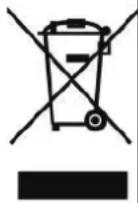 | This product is subject to the provision of European Directive 2012/19/EC. The symbol showing a wheelie bin crossed through indicates that the product requires separate refuse collection in the European Union. This applies to the product and all accessories marked with this symbol. Products marked as such may not be discarded with normal domestic waste, but must be taken to a collection point for recycling electrical and electronic devices |
Manufacturer: Shanghaimuxinmuyeyouxiangongsi
Address: Shuangchenglu 803nong11hao1602A-1609shi, baoshanqu, shanghai 200000 CN.
Imported to AUS: SIHAO PTY LTD, 1 ROKEVA STREETEASTWOOD NSW 2122 Australia
Imported to USA: Sanven Technology Ltd., Suite 250, 9166 Anaheim Place, Rancho Cucamonga, CA 91730
| REPB |
E-CrossStu GmbH
Mainzer Landstr.69, 60329 Frankfurt am Main.
| REPU |
YH CONSULTING LIMITED.
K/O YH Consulting Limited Office 147, Centurion House,
London Road. Staines-upon-Thames. Surrey. TW18 4AX
VEVOR®
TOUGH TOOLS, HALF PRICE
Technical Support and E-Warranty Certificate
www.vevor.com/support
VEVOR®
TOUGH TOOLS, HALF PRICE
www.vevor.com/support
INTRODUCTION OF FUNCTIONS
Accident 2
Sound module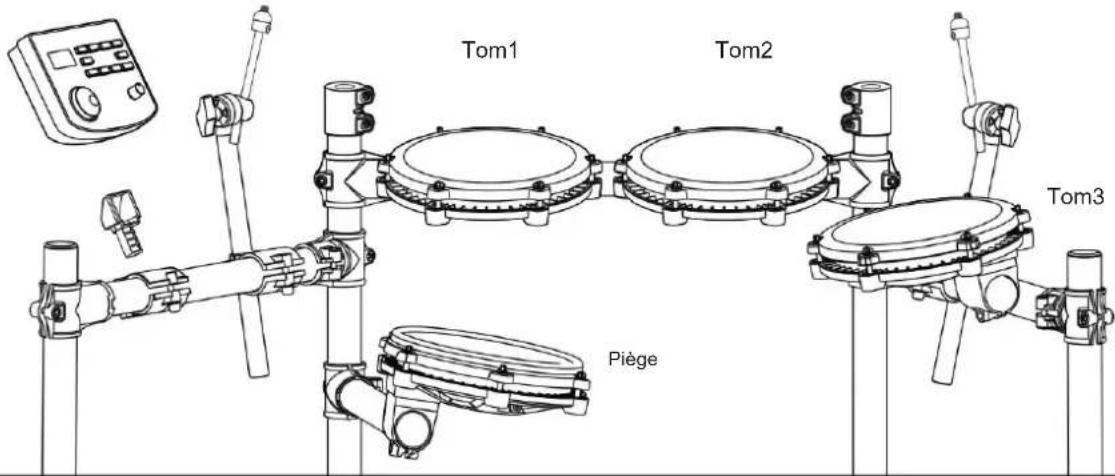
INSTALLATION GUIDE
07
Install the bass drum
- Tom Stanford
- A new copy of
- Tom's business
- Focus 10mm
- Classic Tom1
- Synthgaze Tam1
- Monster Tomi
- [Batox Trap]
- Tom1 prnce
- Tum1 des arreises 70
- Tem1 dos arondos 50
- D. L. T. 1
- T. 1
- Vives, Toot
- Potant Metal Tom2
- SuperMetal Tom2 138
Pop Jazz Tom2
- JazzTcm2
140.000
141.909
- Bittera, Creek7, Jansu
472 Japin Grunge Crash2
This product can be powered by standard indoor wall sockets. Please only use the power cord specified in this product. When not in use, please turn off the power supply. When not in use for a long time, pull out the power cord and keep it properly.
SIGN
To ensure that you use this product safely and correctly, to prevent harm to users and others and financial damage, this manual and products are marked with a series of safety signs. The various signs and their meanings are as follows:

WARNING
This sign indicates that there is a potential risk of death or serious injury if this mark is ignored and the product is mishandled.

BE CAREFUL
This sign indicates that there is a potential danger of injury to personnel or other financial damage if this sign is ignored and the product is operated incorrectly.
EXAMPLE OF LOGO

This triangle sign ( ) indicates what users should pay attention to. (The left example is careful shocks)

A circular sign (⊗) with an oblique line indicates prohibitions. The icons in or beside the logo indicate the contents specifically prohibited. (The example on the left is no disassembly)

The round black bottom sign (✗) indicates what must be observed. The diagrams in this sign indicate the contents of the specific matters that must be observed. (The example on the left is that the power plug must be pulled out of the socket)
SAFETY PRECAUTIONS

WARNING
Smoke, odor, overheating
When the product smokes, smells or overheats, there is a danger of fire and electric shock when it is used continually. In case of the above situation, the following operations should be performed immediately:
- Turn off the power supply.
- Pull the plug out of the power outlet.
- Contact your dealer.
Power cord
- The improper use of power cord may cause fire and electric shock. The following precautions must be observed:
- The special power cord designated for this product must be used.
- The AC power supply with output voltage within the rated voltage range for household use must be used.
- Do not overload power sockets and extension lines.
- The improper treatment of power line will lead to its damage or breakage, which will cause fire and electric shock hazards. The following precautions must be observed:
- Do not place or heat heavy objects on power lines.
- Do not attempt to alter or bend the power cord too much.
- Do not twist or pull the power cord.
- If the power cord or plug is damaged, please replace the same type of power cord.
- Do not touch the power cord and plug with wet hands, otherwise there is a danger of electric shock.
- Please use the power cord where water will not splash. Water is dangerous and may cause fire and electric shock.
- Never place vases or any other container containing water on this product. Water is dangerous and may cause fire and electric shock.
- Do not allow minors to unplug and touch power lines or connection boards. Minors have no common sense of electricity safety, which may cause electric shock.


BE CAREFUL
The improper use of power cord may cause fire and electric shock. The following precautions must be observed:
- Never put the power cord near the oven or other heat source.
- Do not pull the cable when pulling out of the power socket. The main body of the plug must be grasped.
- The power cord plug must be inserted in the socket to the end.
- Make sure the power supply is off before connecting or disconnecting it.
- When thunderstorms occur or before traveling or other long-term departure, disconnect the power cord from the wall outlet.
- At least once a year, remove the power cord from the wall outlet and clean the dust accumulated around the plug.
Do not burn this product
Do not put this product in the fire, otherwise it will lead to product combustion and explosion of internal electronic components, which will cause fire and personnel injury.
Water and foreign bodies
Water, other liquids, and foreign objects (such as metal sheets) entering this product can cause fire and electric shock. If this happens, take the following actions immediately:
- Turn off the power supply.
- If you are using a power cord for power supply, unplug it from the wall outlet.
- Contact your distributor.
Disassembly and modification
Do not disassemble or modify the product in any way, as this may result in electric shock, burns, or other personal injury. All internal inspections, adjustments, and maintenance should be entrusted to your distributor.


SAFETY PRECAUTIONS
Falling or collision
If the product falls or is damaged by a strong impact, it may cause fire or electric shock. If this happens, take the following actions immediately:
- Turn off the power supply.
- If you are using a power cord for power supply, unplug it from the wall outlet.
- Contact your distributor.
Plastic bag
Do not allow anyone to place the plastic bags used for this product over their head or in their mouth. This could cause suffocation. Families with young children should pay special attention to this.
Keep a distance from the product and the bracket.
Climbing the bracket is dangerous and may cause overturning or damage. Families with young children should pay special attention to this.
Put
Avoid placing the product on an uneven surface or any other unstable place. Otherwise, it may fall down, leading to the risk of injury.
Product Mobility
Before moving this product, you must unplug the power cord from the wall outlet and pull out all other cables and connecting wires. Otherwise, it may cause damage to the power or connection wires, resulting in fire and electric shock.
Clean
Before cleaning this product, you must unplug the power cord from the wall outlet, otherwise there is a risk of fire and electric shock.
Jack
The socket of this product can only be connected to the designated equipment and devices. Connecting non-designated equipment or devices is dangerous and may cause fire and electric shock.


Location selection
It should be avoided to place the product in the following places, otherwise there is a risk of fire and electric shock.
• High temperature or dusty places. - Kitchen or other places with lampblack. - Where the product is exposed to direct sunlight, or any other place where the product will produce high temperature.
Volume
Don't play music long and loud. Pay special attention when using headphones. Excessive volume can damage your hearing.


Heavy
Do not place heavy objects on this product. Otherwise, the top of the product will be overweight, causing the product to overturn or drop objects on it, which will lead to the risk of injury.
Correct assembly of scaffolds
The incorrect assembly of the bracket may overturn, causing the product to fall off and posing a risk of injury to personnel. Therefore, it must be assembled according to the instructions in the attached installation guide to ensure that the product is properly mounted on its bracket.
C/O YH Consulting Limited Bureau 147, Centurion House,
London Road, Staines-upon-Thames, Surrey, TW18 4AX
VEVOR®
TOUGH TOOLS, HALF PRICE
www.vevor.com/support
G
03
- Hector Tom
- Original Kick 5.
PopRock Kick 6. Rock
Kick
- Metallkick
- PowerMetal Kick
- SecondMetal Kick 10.
Ren Jones, Kirk 11
Jazz Kick
12.808
13 909
- Songo-Kick 15.
Standard-Kick
Synthgaze Hi-Hat-Pedal
- Freak Hi-Hat-Pedal
- Sticks Hi-Hat-Pedal
- Grunge Hi-Hat-Pedal
409.70er Hi-Hat-Pedal
- B0er Hi-Hat-Pedal
- Beliebtes Hi-Hat-Pedal
- Slam Hi-Hat Pedal
- Attack Hi-Hat Pedal
- Old Hi-Hat Pedal
- Fairfax Hi-Hat Pedal
- Military Hi-Hat Pedal
- Pop Crash 2
- Shit on Crash 2
- Harlos, Alceburn?
- Original Crash2
- PopRock Crash2
- Folsturz2
- Metall Crash2
- PowerMetal Crash2
- SpeedMetal Crash2
- PopJazz Crash2
This product can be powered by standard indoor wall sockets. Please only use the power cord specified in this product. When not in use, please turn off the power supply. When not in use for a long time, pull out the power cord and keep it properly.
To ensure that you use this product safely and correctly, to prevent harm to users and others and financial damage, this manual and products are marked with a series of safety signs. The various signs and their meanings are as follows:

WARNING
This sign indicates that there is a potential risk of death or serious injury if this mark is ignored and the product is mishandled.

BE CAREFUL
This sign indicates that there is a potential danger of injury to personnel or other financial damage if this sign is ignored and the product is operated incorrectly.
EXAMPLE OF LOGO

This triangle sign ( ) indicates what users should pay attention to. (The left example is careful shocks)

A circular sign (⊗) with an oblique line indicates prohibitions. The icons in or beside the logo indicate the contents specifically prohibited. (The example on the left is no disassembly)

The round black bottom sign (✗) indicates what must be observed. The diagrams in this sign indicate the contents of the specific matters that must be observed. (The example on the left is that the power plug must be pulled out of the socket)
SAFETY PRECAUTIONS

WARNING
Smoke, odor, overheating
When the product smokes, smells, or overheats, there is a danger of fire and electric shock if it is used continuously. In such a situation, the following operations should be performed immediately:
- Turn off the power supply.
- Pull the plug out of the power outlet.
- Contact your dealer.
Power cord
- Improper use of the power cord may cause fire and electric shock. The following precautions must be observed:
- The special power cord designated for this product must be used.
- The AC power supply with output voltage within the rated voltage range for household use must be used.
- Do not overload power sockets and extension lines.
- Improper handling of the power cord can lead to damage or breakage, which may cause fire or electric shock. The following precautions must be observed:
- Do not place heavy objects on the power cord or expose it to heat.
- Do not attempt to modify or excessively bend the power cord.
- Do not twist or pull the power cord.
- If the power cord or plug is damaged, replace it with the same type of power cord.
- Do not touch the power cord or plug with wet hands, as this may cause electric shock.
- Use the power cord in areas where water will not splash. Water can cause fire and electric shock.
- Never place vases or any other containers holding water on this product. Water can cause fire and electric shock.
- Do not allow minors to unplug or touch power cords or connection boards. Minors lack awareness of electrical safety, which may lead to electric shock.


CAUTION
The improper use of power cord may cause fire and electric shock. The following precautions must be observed:
- Never put the power cord near the oven or other heat source.
- Do not pull the cable when pulling out of the power socket. The main body of the plug must be grasped.
- The power cord plug must be inserted in the socket to the end.
- Make sure the power supply is off before connecting or disconnecting it.
- When thunderstorms occur or before traveling or other long-term departure, disconnect the power cord from the wall outlet.
- At least once a year, remove the power cord from the wall outlet and clean the dust accumulated around the plug.
Do not burn this product
Do not put this product in the fire, otherwise it will lead to product combustion and explosion of internal electronic components, which will cause fire and personnel injury.
Water and foreign bodies
Water, other liquids and (metal sheets, etc.) entering this product are in danger of causing fire and electric shock. In case of the above situation, the following operations shall be performed immediately:
- Turn off the power supply.
- If you are using a power cord for power supply, unplug it from the wall outlet.
- Contact your distributor.
Disassembly and transformation
Do not disassemble or transform the product in any way, otherwise there is a risk of electric shock, scald or other personal injury. All internal inspection, adjustment and maintenance operations should be entrusted to your distributor.


SAFETY PRECAUTIONS
Falling or colliding
If the product falls or is damaged by strong impact, it will be in danger of causing fire and electric shock. In case of the above situation, the following operations shall be performed immediately:
- Turn off the power supply.
- If you are using a power cord for power supply, you need to unplug it from the wall outlet.
- Contact your distributor.
Plastic bag
Do not let anyone put plastic bags for this product on his head or in his mouth. Otherwise, there is a risk of asphyxia. Families with young children should pay special attention to it.
Keep a distance from the product and the bracket
Climbing the bracket is dangerous of overturning or damage. Families with young children should pay special attention to it.
Put
Avoid placing the product on an uneven surface or any other unstable place. Otherwise, it will cause the product to fall down, which will lead to the risk of injury.
Product Mobility
Before moving this product, you must unplug the power cord plug from the wall outlet and pull out all other cables and connecting wires. Otherwise, it will lead to damage of power or connection wires, resulting in fire and electric shock.
clean
Before cleaning this product, you must unplug the power cord plug from the wall outlet, otherwise there is a risk of fire and electric shock.
Jack
The socket of this product can only be connected to the designated equipment and devices. Connecting non-designated equipment or devices is dangerous of causing fire and electric shock.


Location selection
It should be avoided to place the product in the following places, otherwise there is a risk of fire and electric shock.
• High temperature or dusty places. - Kitchen or other places with lampblack. - Where the product is exposed to direct sunlight, or any other place where the product will produce high temperature.
Volume
Don't play music long and loud. Pay special attention when using headphones. Excessive volume can damage your hearing.


Heavy
Do not place heavy objects on this product. Otherwise, the top of the product will be overweight, causing the product to overturn or drop objects on it, which will lead to the risk of injury.
Correct assembly of scaffolds
The incorrect assembly of the bracket may overturn, causing the product to fall off and posing a risk of injury to personnel. Therefore, it must be assembled according to the instructions in the attached installation guide to ensure that the product is properly mounted on its bracket.
C/O YH Consulting Limited Office 147, Centurion House, London Road, Staines-upon-Thames, Surrey, TW18 4AX
VEVOR®
TOUGH TOOLS, HALF PRICE
electronics www.vevor.com/support
ELECTRONIC DRUM KIT USER MANUAL
MODEL: MD200F-P
www.vevor.com/support
G
E F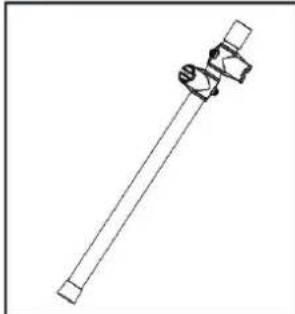
03
Crash 2
Sound module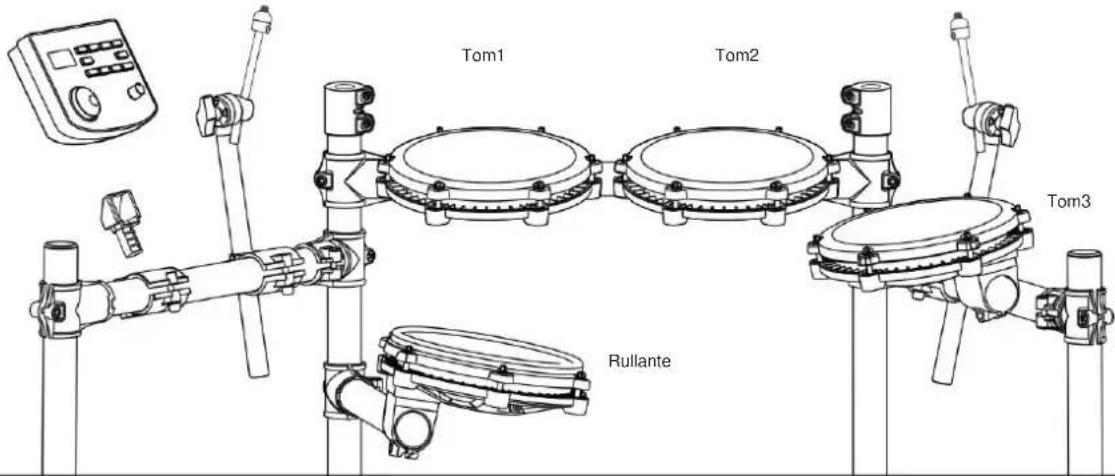
This product can be powered by standard indoor wall sockets. Please only use the power cord specified in this product. When not in use, please turn off the power supply. When not in use for a long time, pull out the power cord and keep it properly.
SIGN
To ensure that you use this product safely and correctly, to prevent harm to users and others and financial damage, this manual and products are marked with a series of safety signs. The various signs and their meanings are as follows:

WARNING
This sign indicates that there is a potential risk of death or serious injury if this mark is ignored and the product is mishandled.

BE CAREFUL
This sign indicates that there is a potential danger of injury to personnel or other financial damage if this sign is ignored and the product is operated incorrectly.
EXAMPLE OF LOGO

This triangle sign ( ) indicates what users should pay attention to. (The left example is careful shocks)

A circular sign (⊗) with an oblique line indicates prohibitions. The icons in or beside the logo indicate the contents specifically prohibited. (The example on the left is no disassembly)

The round black bottom sign (✗) indicates what must be observed. The diagrams in this sign indicate the contents of the specific matters that must be observed. (The example on the left is that the power plug must be pulled out of the socket)
SAFETY PRECAUTIONS

WARNING
Smoke, odor, overheating
When the product smokes, smells or overheats, there is a danger of fire and electric shock when it is used continually. In case of the above situation, the following operations should be performed immediately:
- Turn off the power supply.
- Pull the plug out of the power outlet.
- Contact your dealer.
Power cord
- The improper use of power cord may cause fire and electric shock. The following precautions must be observed:
- The special power cord designated for this product must be used.
- The AC power supply with output voltage within the rated voltage range for household use must be used.
- Do not overload power sockets and extension lines.
- The improper treatment of power line will lead to its damage or breakage, which will cause fire and electric shock hazards. The following precautions must be observed:
- Do not place or heat heavy objects on power lines.
- Do not attempt to alter or bend the power cord too much.
- Do not twist or pull the power cord.
- If the power cord or plug is damaged, please replace the same type of power cord.
- Do not touch the power cord and plug with wet hands, otherwise there is a danger of electric shock.
- Please use the power cord where the water will not splash. Water is in danger of causing fire and electric shock.
- Never place vases or any other container containing water on this product. Water is dangerous of causing fire and electric shock.
- Do not allow minors to unplug and touch power lines or connection boards. Minors have no common sense of electricity safety, which may cause electric shock.


BE CAREFUL
The improper use of power cord may cause fire and electric shock. The following precautions must be observed:
- Never put the power cord near the oven or other heat source.
- Do not pull the cable when pulling out of the power socket. The main body of the plug must be grasped.
- The power cord plug must be inserted in the socket to the end.
- Make sure the power supply is off before connecting or disconnecting it.
- When thunderstorms occur or before traveling or other long-term departure, disconnect the power cord from the wall outlet.
- At least once a year, remove the power cord from the wall outlet and clean the dust accumulated around the plug.
Do not burn this product
Do not put this product in the fire, otherwise it will lead to product combustion and explosion of internal electronic components, which will cause fire and personnel injury.
Water and foreign bodies
Water, other liquids, and foreign objects (such as metal sheets) entering this product can cause fire and electric shock. If such a situation occurs, take the following steps immediately:
- Turn off the power supply.
- If you are using a power cord for power supply, unplug it from the wall outlet.
- Contact your distributor.
Disassembly and modification
Do not disassemble or modify the product in any way, as this may result in electric shock, burns, or other personal injury. All internal inspection, adjustment, and maintenance should be entrusted to your distributor.


SAFETY PRECAUTIONS
Falling or collision
If the product falls or is damaged by a strong impact, it may cause fire or electric shock. If such a situation occurs, take the following steps immediately:
- Turn off the power supply.
- If you are using a power cord for power supply, unplug it from the wall outlet.
- Contact your distributor.
Plastic bag
Do not allow anyone to place the plastic bags used for this product over their head or in their mouth. Otherwise, there is a risk of suffocation. Families with young children should pay special attention to this.
Keep a distance from the product and the bracket.
Climbing the bracket is dangerous and may cause overturning or damage. Families with young children should pay special attention to this.
Put
Avoid placing the product on an uneven surface or any other unstable place.
Otherwise, it may cause the product to fall, leading to the risk of injury.
Product Mobility
Before moving this product, you must unplug the power cord from the wall outlet and pull out all other cables and connecting wires. Otherwise, it may lead to damage of power or connection wires, resulting in fire and electric shock.
Cleaning
Before cleaning this product, you must unplug the power cord from the wall outlet; otherwise, there is a risk of fire and electric shock.
Socket
The socket of this product can only be connected to the designated equipment and devices. Connecting non-designated equipment or devices is dangerous and may cause fire and electric shock.


Location Selection
It should be avoided to place the product in the following places; otherwise, there is a risk of fire and electric shock.
• High temperature or dusty places. - Kitchen or other places with lampblack. - Where the product is exposed to direct sunlight, or any other place where the product will produce high temperature.
Volume
Don't play music long and loud. Pay special attention when using headphones.
Excessive volume can damage your hearing.


Heavy
Do not place heavy objects on this product. Otherwise, the top of the product will be overweight, causing the product to overturn or drop objects on it, which will lead to the risk of injury.
Correct assembly of scaffolds
The incorrect assembly of the bracket may overturn, causing the product to fall off and posing a risk of injury to personnel. Therefore, it must be assembled according to the instructions in the attached installation guide to ensure that the product is properly mounted on its bracket.
Imported in AUS: SIHAO PTY LTD, 1 ROKEVA STREETEASTWOOD NSW 2122 Australia
YH CONSULTING LIMITED. C/O YH Consulting Limited Office 147, Centurion House, London Road, Staines-upon-Thames, Surrey, TW18 4AX
VEVOR®
TOUGH TOOLS, HALF PRICE
www.vevor.com/support
Y F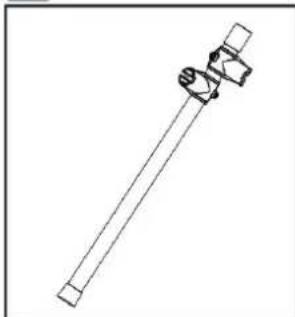
03
Choque 2
Sound module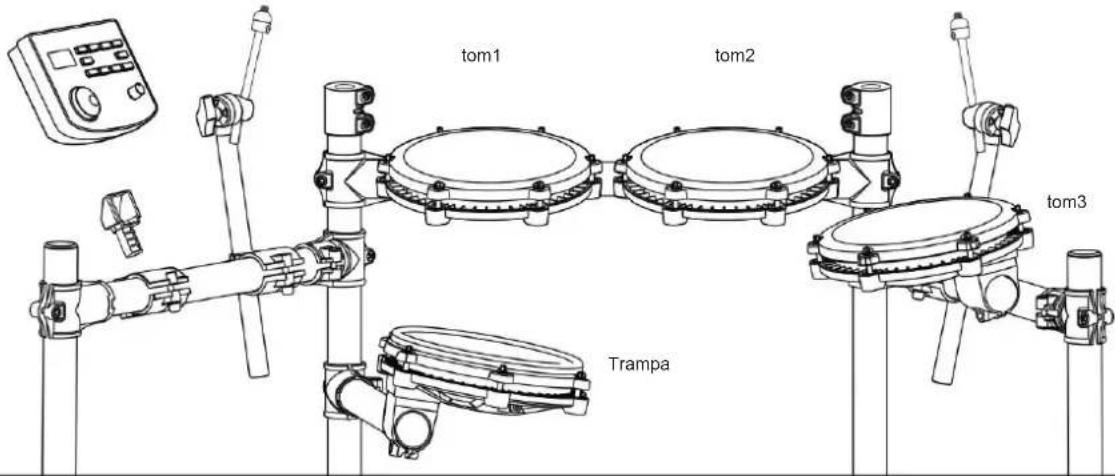
INSTALLATION GUIDE
07
Install the drum
- Escalln, Tom
- Top 1 series
- Home roof
UNITED STATES
Drum combination timbre User drum group
This product can be powered by standard indoor wall sockets. Please only use the power cord specified for this product. When not in use, turn off the power supply. If the product will not be used for an extended period, unplug the power cord and store it properly.
To ensure that you use this product safely and correctly, and to prevent harm to users and others as well as financial damage, this manual and the product are marked with a series of safety signs. The various signs and their meanings are as follows:

WARNING
This sign indicates that there is a potential risk of death or serious injury if this mark is ignored and the product is mishandled.

CAUTION
This sign indicates that there is a potential danger of injury to personnel or other financial damage if this sign is ignored and the product is operated incorrectly.
EXAMPLE OF LOGO

This triangle sign ( ) indicates what users should pay attention to. (The left example is caution for electric shock)

A circular sign (⊗) with an oblique line indicates prohibitions. The icons in or beside the logo indicate the contents specifically prohibited. (The example on the left is no disassembly)

The round black bottom sign (✗) indicates what must be observed. The diagrams in this sign indicate the contents of the specific matters that must be observed. (The example on the left is that the power plug must be pulled out of the socket)
SAFETY PRECAUTIONS

WARNING
Smoke, odor, overheating
When the product smokes, smells, or overheats, there is a danger of fire and electric shock if it is used continually. In case of the above situation, the following operations should be performed immediately:
- Turn off the power supply.
- Pull the plug out of the power outlet.
- Contact your dealer.
Power cord
- The improper use of power cord may cause fire and electric shock. The following precautions must be observed:
- The special power cord designated for this product must be used.
- The AC power supply with output voltage within the rated voltage range for household use must be used.
- Do not overload power sockets and extension lines.
- The improper treatment of power line will lead to its damage or breakage, which will cause fire and electric shock hazards. The following precautions must be observed:
- Do not place or heat heavy objects on power lines.
- Do not attempt to alter or bend the power cord too much.
- Do not twist or pull the power cord.
- If the power cord or plug is damaged, please replace it with the same type of power cord.
- Do not touch the power cord and plug with wet hands, otherwise there is a danger of electric shock.
- Please use the power cord where water will not splash. Water is dangerous and may cause fire and electric shock.
- Never place vases or any other container containing water on this product. Water is dangerous and may cause fire and electric shock.
- Do not allow minors to unplug and touch power lines or connection boards. Minors have no common sense of electricity safety, which may cause electric shock.


BE CAREFUL
The improper use of power cord may cause fire and electric shock. The following precautions must be observed:
- Never put the power cord near the oven or other heat source.
- Do not pull the cable when pulling out of the power socket. The main body of the plug must be grasped.
- The power cord plug must be inserted in the socket to the end.
- Make sure the power supply is off before connecting or disconnecting it.
- When thunderstorms occur or before traveling or other long-term departure, disconnect the power cord from the wall outlet.
- At least once a year, remove the power cord from the wall outlet and clean the dust accumulated around the plug.
Do not burn this product.
Do not put this product in the fire, otherwise it will lead to product combustion and explosion of internal electronic components, which will cause fire and personnel injury.
Water and foreign bodies
Water, other liquids and (metal sheets, etc.) entering this product are in danger of causing fire and electric shock. In case of the above situation, the following operations shall be performed immediately:
- Turn off the power supply.
- If you are using a power cord for power supply, unplug it from the wall outlet.
- Contact your distributor.
Disassembly and transformation
Do not disassemble or transform the product in any way, otherwise there is a risk of electric shock, scald or other personal injury. All internal inspection, adjustment and maintenance operations should be entrusted to your distributor.


SAFETY PRECAUTIONS
Falling or colliding
If the product falls or is damaged by strong impact, it will be in danger of causing fire and electric shock. In case of the above situation, the following operations shall be performed immediately:
- Turn off the power supply.
- If you are using a power cord for power supply, you need to unplug it from the wall outlet.
- Contact your distributor.
Plastic bag
Do not let anyone put plastic bags for this product on his head or in his mouth. Otherwise, there is a risk of asphyxia. Families with young children should pay special attention to it.
Keep a distance from the product and the bracket
Climbing the bracket is dangerous of overturning or damage. Families with young children should pay special attention to it.
Put
Avoid placing the product on an uneven surface or any other unstable place. Otherwise, it will cause the product to fall down, which will lead to the risk of injury.
Product Mobility
Before moving this product, you must unplug the power cord plug from the wall outlet and pull out all other cables and connecting wires. Otherwise, it will lead to damage of power or connection wires, resulting in fire and electric shock.
clean
Before cleaning this product, you must unplug the power cord plug from the wall outlet, otherwise there is a risk of fire and electric shock.
Jack
The socket of this product can only be connected to the designated equipment and devices. Connecting non-designated equipment or devices is dangerous of causing fire and electric shock.


Location selection
It should be avoided to place the product in the following places, otherwise there is a risk of fire and electric shock.
• High temperature or dusty places. - Kitchen or other places with lampblack. - Where the product is exposed to direct sunlight, or any other place where the product will produce high temperature.
Volume
Don't play music long and loud. Pay special attention when using headphones. Excessive volume can damage your hearing.


Heavy
Do not place heavy objects on this product. Otherwise, the top of the product will be overweight, causing the product to overturn or drop objects on it, which will lead to the risk of injury.
Correct assembly of scaffolds
The incorrect assembly of the bracket may overturn, causing the product to fall off and posing a risk of injury to personnel. Therefore, it must be assembled according to the instructions in the attached installation guide to ensure that the product is properly mounted on its bracket.
Imported to AUS: SIHAO PTY LTD, 1 ROKEVA STREETEASTWOOD NSW 2122 Australia
Imported to USA: Sanven Technology Ltd., Suite 250, 9166 Anaheim Place, Rancho Cucamonga, CA 91730
| REPRESENTANTE DE LA CE |
C/O YH Consulting Limited Office 147, Centurion House, London Road, Staines upon Thames, Surrey, TW18 4AX
VEVOR®
TOUGH TOOLS, HALF PRICE
G
Fault 2
Sound module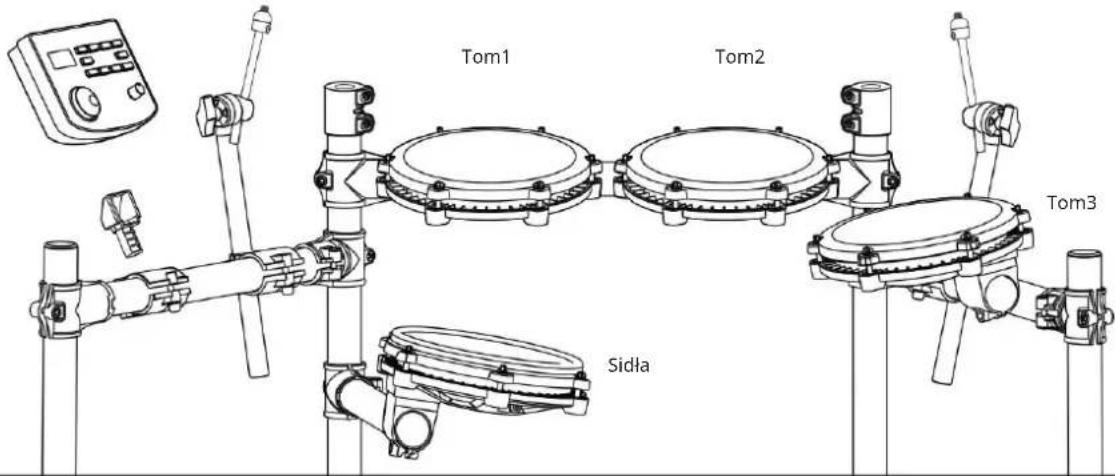
INSTALLATION INSTRUCTIONS
07
Standard fault 1
hat 405. Pedal Hi-Hat Synthgaze
- Freak Hi-Hat pedal
- Hi-Hat pedal sticks 408.
Grunge hi-hat pedal 409
70s Hi-Hat pedal 410.
80s Hi-Hat pedal 411.
Popular Hi-Hat pedal 412.
Pedal Hi-Hat 413. Pedal
Pedal Hi-Hat 414. Stary pedal
Pedal Hi-Hat 415. Pedal Fairfax
Drum combination timbre User drum group
This product can be powered by standard indoor wall sockets. Please only use the power cord specified in this product. When not in use, please turn off the power supply. When not in use for a long time, pull out the power cord and keep it properly.
SIGN
To ensure that you use this product safely and correctly, to prevent harm to users and others and financial damage, this manual and products are marked with a series of safety signs. The various signs and their meanings are as follows:

WARNING
This sign indicates that there is a potential risk of death or serious injury if this mark is ignored and the product is mishandled.

BE CAREFUL
This sign indicates that there is a potential danger of injury to personnel or other financial damage if this sign is ignored and the product is operated incorrectly.
EXAMPLE OF LOGO

This triangle sign (△) indicates what users should pay attention to. (The left example is careful shocks)

A circular sign (⊗) with an oblique line indicates prohibitions. The icons in or beside the logo indicate the contents specifically prohibited. (The example on the left is no disassembly)

The round black bottom sign (✗) indicates what must be observed. The diagrams in this sign indicate the contents of the specific matters that must be observed. (The example on the left is that the power plug must be pulled out of the socket)
SAFETY PRECAUTIONS

WARNING
Smoke, odor, overheating
When the product smokes, smells, or overheats, there is a danger of fire and electric shock if it is used continuously. In case of the above situation, the following operations should be performed immediately:
- Turn off the power supply.
- Pull the plug out of the power outlet.
- Contact your dealer.
Power cord
- Improper use of the power cord may cause fire and electric shock. The following precautions must be observed:
- The special power cord designated for this product must be used.
- The AC power supply with output voltage within the rated voltage range for household use must be used.
- Do not overload power sockets and extension lines.
- Improper handling of the power cord can lead to damage or breakage, which may cause fire or electric shock. The following precautions must be observed:
- Do not place heavy objects on the power cord or expose it to heat.
- Do not attempt to modify or excessively bend the power cord.
- Do not twist or pull the power cord.
- If the power cord or plug is damaged, replace it with a power cord of the same type.
- Do not touch the power cord or plug with wet hands, as this may cause electric shock.
- Use the power cord in areas where water will not splash. Water can cause fire and electric shock.
- Never place vases or any other containers holding water on this product. Water can cause fire and electric shock.
- Do not allow minors to unplug or touch power cords or connection boards. Minors may not understand electrical safety, which could lead to electric shock.


CAUTION
The improper use of power cord may cause fire and electric shock. The following precautions must be observed:
- Never put the power cord near the oven or other heat source.
- Do not pull the cable when pulling out of the power socket. The main body of the plug must be grasped.
- The power cord plug must be inserted in the socket to the end.
- Make sure the power supply is off before connecting or disconnecting it.
- When thunderstorms occur or before traveling or other long-term departure, disconnect the power cord from the wall outlet.
- At least once a year, remove the power cord from the wall outlet and clean the dust accumulated around the plug.
Do not burn this product
Do not put this product in the fire, otherwise it will lead to product combustion and explosion of internal electronic components, which will cause fire and personnel injury.
Water and foreign bodies
Water, other liquids and (metal sheets, etc.) entering this product are in danger of causing fire and electric shock. In case of the above situation, the following operations shall be performed immediately:
- Turn off the power supply.
- If you are using a power cord for power supply, unplug it from the wall outlet.
- Contact your distributor.
Disassembly and transformation
Do not disassemble or transform the product in any way, otherwise there is a risk of electric shock, scald or other personal injury. All internal inspection, adjustment and maintenance operations should be entrusted to your distributor.


SAFETY PRECAUTIONS
Falling or colliding
If the product falls or is damaged by strong impact, it will be in danger of causing fire and electric shock. In case of the above situation, the following operations shall be performed immediately:
- Turn off the power supply.
- If you are using a power cord for power supply, you need to unplug it from the wall outlet.
- Contact your distributor.
Plastic bag
Do not let anyone put plastic bags for this product on his head or in his mouth. Otherwise, there is a risk of asphyxia. Families with young children should pay special attention to it.
Keep a distance from the product and the bracket
Climbing the bracket is dangerous of overturning or damage. Families with young children should pay special attention to it.
Put
Avoid placing the product on an uneven surface or any other unstable place. Otherwise, it will cause the product to fall down, which will lead to the risk of injury.
Product Mobility
Before moving this product, you must unplug the power cord plug from the wall outlet and pull out all other cables and connecting wires. Otherwise, it will lead to damage of power or connection wires, resulting in fire and electric shock.
clean
Before cleaning this product, you must unplug the power cord plug from the wall outlet, otherwise there is a risk of fire and electric shock.
Jack
The socket of this product can only be connected to the designated equipment and devices. Connecting non-designated equipment or devices is dangerous of causing fire and electric shock.


Location selection
It should be avoided to place the product in the following places, otherwise there is a risk of fire and electric shock.
• High temperature or dusty places. - Kitchen or other places with lampblack. - Where the product is exposed to direct sunlight, or any other place where the product will produce high temperature.
Volume
Don't play music long and loud. Pay special attention when using headphones. Excessive volume can damage your hearing.


Heavy
Do not place heavy objects on this product. Otherwise, the top of the product will be overweight, causing the product to overturn or drop objects on it, which will lead to the risk of injury.
Correct assembly of scaffolds
The incorrect assembly of the bracket may overturn, causing the product to fall off and posing a risk of injury to personnel. Therefore, it must be assembled according to the instructions in the attached installation guide to ensure that the product is properly mounted on its bracket.
Import to AUS: SIHAO PTY LTD, 1 ROKEVA STREETEASTWOOD NSW 2122 Australia
Import to USA: Sanven Technology Ltd., Suite 250, 9166 Anaheim Place, Rancho Cucamonga, CA 91730
| REPREZENT KE |
C/O YH Consulting Limited Office 147, Centurion House, London Road, Staines-upon-Thames, Surrey, TW18 4AX
VEVOR®
TOUGH TOOLS, HALF PRICE
www.vevor.com/support
VEVOR®
TOUGH TOOLS, HALF PRICE
Technical support and e-warranty certificate www.vevor.com/support
ELECTRONIC DRUM SET USER MANUAL
MODEL: MD200F-P
NEED HELP? CONTACT US!
SAVE / RESET 10
USB-MIDI 11
APPENDIX 11
TIMBRE 11
PRESET DRUM KITS 11
USER-DEFINED DRUM KITS 11
DEMONSTRATION NUMBER 11
PRODUCT MAINTENANCE 12
SAFETY PRECAUTIONS---- 13
INSTALLATION GUIDE
NOTE!
G
EN F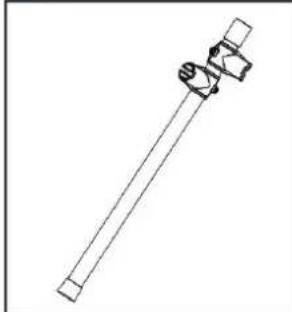
03
Drum intubation
Crash 2
Sound module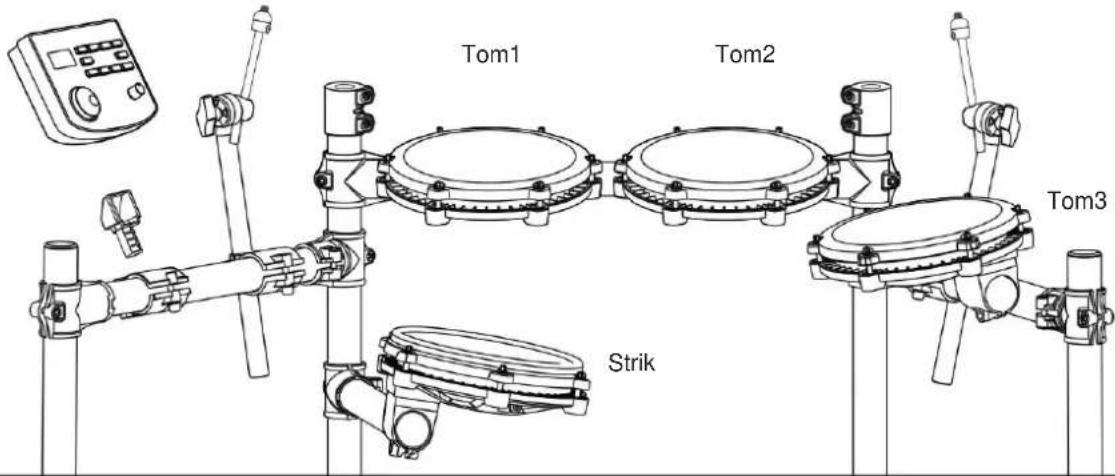
INSTALLATION GUIDE
07
Install the kick drum
9 STORING / RESETTING
R1 Session, Spectrum
B2 Modern snare
B3. Blues snare sound
- Classic snare sound
- Synthgaze, slate sound
- Freak snare sound
- Slicks: space sound
B8. Group snare sound
95 Fairday snare sound
93 Military, snare sound
Tom.
- PapTom1
- Fuck Tom1
- Moellijke Tom1
- Origincle Tom1
- PopBookTpm1
- Bots Tom 1
- Metalen Tom1
- PowerMetal Tom1
- SperdMetal Tom1
- Pop JazzTom1
- Jazztom1
- 908
- 909
- Sanga Tom1
- Standaard Tom
- Acoustic Tone 1
- See Tone 1
- Modern Tone 1
- Blues Tone 1
- Classical Tone 1
- Synthgaze Tone 1
- Freak Tone 1
- Plakt Tom1
- GrungeTom1
- Icm1 al de june 70
- Tomt uit de juren 80
- Populaire Tom1
- Sla Tom1
- Val Tom1 aan
- Cude Toml
- Rats Tom2
- Metalen Tom2
- PowerMetal Tom2
- SpeedMetal Tcm2 138.
PopJazz Tom2
- Jazzipm2
140.808
141.909
- Songo Tom2
- Standaard Tom2
- Acoustic Tom2
- See Tom2
- Modern Tom2
- Blues Tom2
- Classic Tom2
- Sunlbrava Tom2
- Freek Tom2
Attack hi-hat pedal 413.
Old hi-hat pedal 414.
Fairfax hi-hat pedal 415.
Military hi-hat pedal 416.
- Pop crash 2
- Fuck crash 2
- Hard crash 2
- Original crash 2
- PopRock-crash2
- Rotscrash2
- Metaalcrash2
- PowerMetal-crash2
- SpeedMetal Crash2
- PopJazz Crash2
- Jazzcrash2
428.808
429.909
- Songo-crash 2
- Standard crash 2
- Acoustic crash 2
- Ziesie crash 2
- Modern crash 2
- Blues crash 2
- Classic crash 2
- Synthgaze-crash 2
- Freakcrash2
- Sticks-crash2
- Grunge-crash 2
- Crash all de jaren 702
- Crash ail de jansen 802
- Populaire Crash2
- Slam-crash 2
- Attack crash 2
- Old crash 2
447 Fairfax-oresh?
Guangliyun Smart Retail Cashier System
1.2.3 January 1, 2017
- Fuck Crash2 Rim
- Hard Crash2 rim
- Original Crash2 rim
- BoxRock Crash2 Film
454 Rock Crash2-rand
- Melalen Crash2 velg
- PowerMetal Crash2 veig
- SpeedMetal Crash2 velg
- PopJazz Crash2 Rim
- Jazz Crash2-rand
460.808
461.909
This product can be powered by standard indoor wall sockets. Please only use the power cord specified in this product. When not in use, please turn off the power supply. When not in use for a long time, pull out the power cord and keep it properly.
SIGN
To ensure that you use this product safely and correctly, to prevent harm to users and others and financial damage, this manual and products are marked with a series of safety signs. The various signs and their meanings are as follows:

WARNING
This sign indicates that there is a potential risk of death or serious injury if this mark is ignored and the product is mishandled.

BE CAREFUL
This sign indicates that there is a potential danger of injury to personnel or other financial damage if this sign is ignored and the product is operated incorrectly.
EXAMPLE OF LOGO

This triangle sign (△) indicates what users should pay attention to. (The left example is careful shocks)

A circular sign (⊗) with an oblique line indicates prohibitions. The icons in or beside the logo indicate the contents specifically prohibited. (The example on the left is no disassembly)

The round black bottom sign (✗) indicates what must be observed. The diagrams in this sign indicate the contents of the specific matters that must be observed. (The example on the left is that the power plug must be pulled out of the socket)
SAFETY PRECAUTIONS

WARNING
Smoke, odor, overheating
When the product smokes, smells or overheats, there is a danger of fire and electric shock when it is used continually. In case of the above situation, the following operations should be performed immediately:
- Turn off the power supply.
- Pull the plug out of the power outlet.
- Contact your dealer.
Power cord
- The improper use of power cord may cause fire and electric shock. The following precautions must be observed:
- The special power cord designated for this product must be used.
- The AC power supply with output voltage within the rated voltage range for household use must be used.
- Do not overload power sockets and extension lines.
- The improper treatment of power line will lead to its damage or breakage, which will cause fire and electric shock hazards. The following precautions must be observed:
- Do not place or heat heavy objects on power lines.
- Do not attempt to alter or bend the power cord too much.
- Do not twist or pull the power cord.
- If the power cord or plug is damaged, replace it with the same type of power cord.
- Do not touch the power cord or plug with wet hands, as this may cause electric shock.
- Use the power cord in a location where water will not splash on it. Water can cause fire and electric shock.
- Never place vases or any other containers holding water on this product. Water can cause fire and electric shock.
- Do not allow minors to unplug or touch power cords or connection boards. Minors lack awareness of electrical safety, which may lead to electric shock.


CAUTION
Improper use of the power cord may cause fire and electric shock. The following precautions must be observed:
- Never place the power cord near an oven or other heat source.
- Do not pull the cable when unplugging from the power socket. Grasp the plug body firmly.
- Insert the power cord plug fully into the socket.
- Ensure the power supply is off before connecting or disconnecting the power cord.
- When thunderstorms occur or before traveling or other long-term departure, disconnect the power cord from the wall outlet.
- At least once a year, remove the power cord from the wall outlet and clean the dust accumulated around the plug.
Do not burn this product.
Do not put this product in the fire, otherwise it will lead to product combustion and explosion of internal electronic components, which will cause fire and personnel injury.
Water and foreign bodies
Water, other liquids and (metal sheets, etc.) entering this product are in danger of causing fire and electric shock. In case of the above situation, the following operations shall be performed immediately:
- Turn off the power supply.
- If you are using a power cord for power supply, unplug it from the wall outlet.
- Contact your distributor.
Disassembly and transformation
Do not disassemble or transform the product in any way, otherwise there is a risk of electric shock, scald or other personal injury. All internal inspection, adjustment and maintenance operations should be entrusted to your distributor.


SAFETY PRECAUTIONS
Falling or colliding
If the product falls or is damaged by strong impact, it will be in danger of causing fire and electric shock. In case of the above situation, the following operations shall be performed immediately:
- Turn off the power supply.
- If you are using a power cord for power supply, you need to unplug it from the wall outlet.
- Contact your distributor.
Plastic bag
Do not let anyone put plastic bags for this product on his head or in his mouth. Otherwise, there is a risk of asphyxia. Families with young children should pay special attention to it.
Keep a distance from the product and the bracket
Climbing the bracket is dangerous of overturning or damage. Families with young children should pay special attention to it.
Put
Avoid placing the product on an uneven surface or any other unstable place. Otherwise, it will cause the product to fall down, which will lead to the risk of injury.
Product Mobility
Before moving this product, you must unplug the power cord plug from the wall outlet and pull out all other cables and connecting wires. Otherwise, it will lead to damage of power or connection wires, resulting in fire and electric shock.
clean
Before cleaning this product, you must unplug the power cord plug from the wall outlet, otherwise there is a risk of fire and electric shock.
Jack
The socket of this product can only be connected to the designated equipment and devices. Connecting non-designated equipment or devices is dangerous of causing fire and electric shock.


Location selection
It should be avoided to place the product in the following places, otherwise there is a risk of fire and electric shock.
• High temperature or dusty places. • Kitchen or other places with lampblack. - Where the product is exposed to direct sunlight, or any other place where the product will produce high temperature.
Volume
Don't play music long and loud. Pay special attention when using headphones. Excessive volume can damage your hearing.


Heavy
Do not place heavy objects on this product. Otherwise, the top of the product will be overweight, causing the product to overturn or drop objects on it, which will lead to the risk of injury.
Correct assembly of scaffolds
The incorrect assembly of the bracket may overturn, causing the product to fall off and posing a risk of injury to personnel. Therefore, it must be assembled according to the instructions in the attached installation guide to ensure that the product is properly mounted on its bracket.
C/O YH Consulting Limited Kantoor 147, Centurion House, London Road, Staines-upon-Thames, Surrey, TW18 4AX
VEVOR®
TOUGH TOOLS, HALF PRICE
Technical support and e-warranty certificate www.vevor.com/support
VEVOR®
TOUGH TOOLS, HALF PRICE
www.vevor.com/support
ELECTRONIC DRUM SET
USER MANUAL
MODEL: MD200F-P
NOTE!
INSTALLATION GUIDE 3
CHECK INCLUDED ITEMS 3
IRON ROD HOLDER 4
TYMPANIC INTUBATION 4
MOUNTING STAND 5
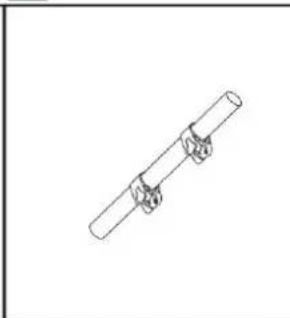
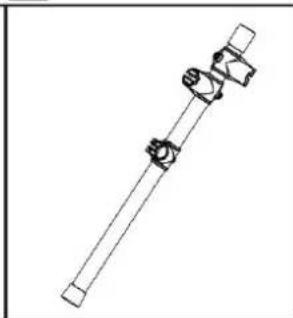
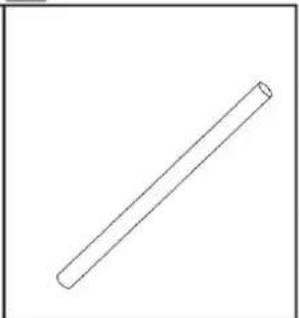
G
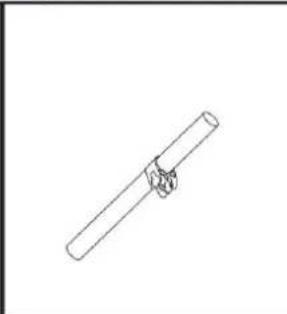
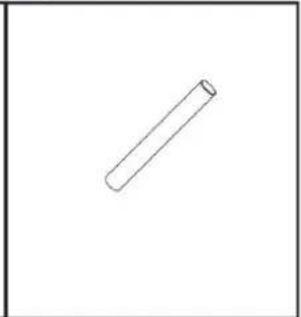
03 Tympanic intubation
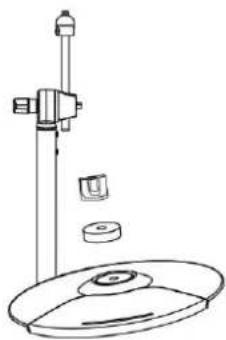
Crash 2
Sound module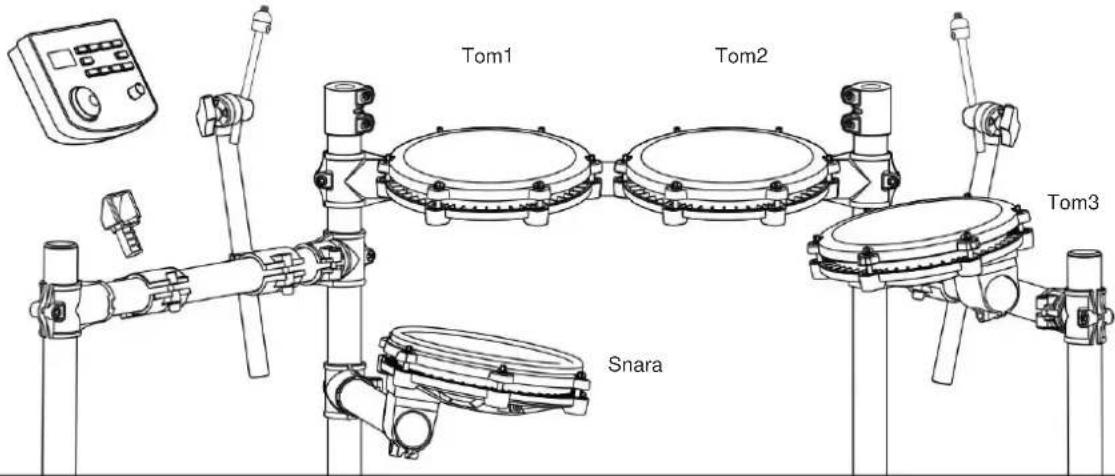
INSTALLATION GUIDE
07
Install the kick drum
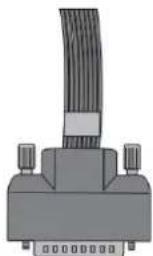

ILLUSTRATION OF SOUND MODULE PORT
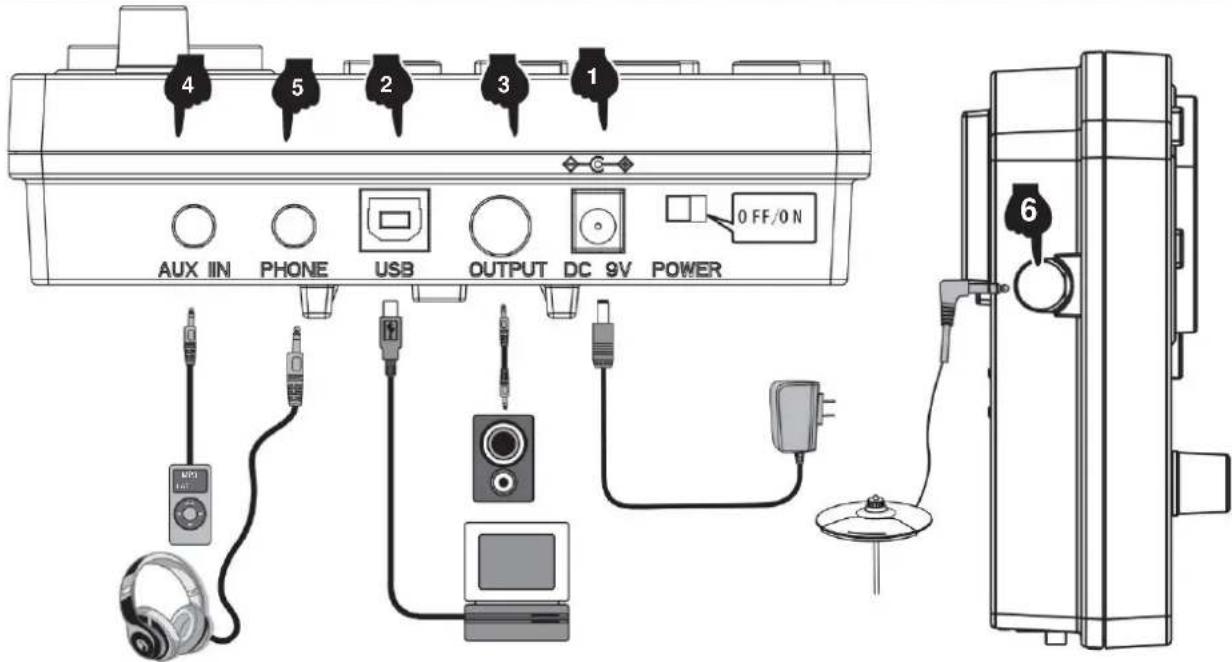
1 CONNECTION OF POWER CORD
- Acoustic Hi-Hat pedal
- Session Hi-Hat Pedal
- Modern hi-hat pedal
- Blues Hi-Hat Pedal
- Classic Hi-Hat Pedal
- Synthgaze Hi-Hat Pedal
- Freak Hi-Hat Pedal
- Sticks Hi-Hat Pedal
- Grunge Hi-Hat Pedal
409.70-tals Hi-Hat Pedal
- 80-tals Hi-Hat Pedal
- Popular Hi-Hat Pedal 412.
Slam Hi-Hat Pedal 413.
Attack Hi-Hat Pedal 414.
Gammal Hi-Hat Pedal
- Fairfax Hi-Hat Pedal
- Military Hi-Hat Pedal
- Pop Crash 2
- Funk Crash 2
- Hard Crash 2
- Original Crash 2
- Pop Rock Crash 2
- Rock Crash 2
- Metal Crash2
- PowerMetal Crash2
- SpeedMetal Crash2
- PopJazz Crash2
- Jazz Crash2
428.80B
429.909
- Songo Crash2
- Standard Crash2
- Acoustic Crash2
- Session Crash2
- Modem Crash2
- Blues Crash2
- Classic Crash2
- Synthgaze Crash2
- Freak Crash2
- Slicks Crash2
- Grunge Crash2
- 70s Crash2
- BD Crash2
- Popular Crash2
- Slam Crash2
- Attack Crash2
- Gammal Crash2
- Fairfax Crash2
- Military Crash2
- Pop Crash2 Rim
450 . Fuck Crash2 Rim
- Hard Crash2 Rim
- Original Crash2 Rim
- PopRock Crash2 Rim
- Rock Crash2 fällg
- Metal Crash2 fällg
- PowerMetal Crash2 fällg
- SpeedMetal Crash2 fällg
- PopJazz Crash2 Rim
- Jazz Crash2 fällg
460.808
461.909
- Songo Crash2 Rim
- Standard Crash2 Rim
- Acoustic Crash2 Rim
- Session Crash2 Rim
- Modern Crash2 Rim
- Blues Crash2 Rim
- Classic Crash2 Rim
- Synthgaze Crash2 Rim
- Freak Crash2 Rim
- Sticks Crash2 Rim
- Grunge Crash2 Rim
- 70s Crash2 Rim
- 80s Crash2 Rim
- Popular Crash2 Rim
- Slam Crash2 Rim
- Attack Crash2 Rim
- Gammal Crash2 Rim
- Fairfax Crash2 Rim
- Military Crash2 Rim
Crash 2
Drum combination timbre
| 01 Pop | 09 SpeedMetal | 17 Sesion | 25 70-talet |
| 02 Fan | 10 PopJazz | 18 Modern | 26 80-talet |
| 03 Svårt | 11 Jazz | 19 Blues | 27 Populär |
| 04 Original | 12 808 | 20 Klassisk | 28 Slam |
| 05 Poprock | 13 909 | 21 Synthgaze | 29 Attack |
| 06 Rock | 14 Songo | 22 Freak | 30 gammal |
| 07 Metall | 15 Standard | 23 pinnar | 31 Fairfax |
| 08 PowerMetal | 16 Akustisk | 24 Grunge | 32 Militär |
Demonstration music
This product can be powered by standard indoor wall sockets. Please only use the power cord specified in this product. When not in use, please turn off the power supply. When not in use for a long time, pull out the power cord and keep it properly.
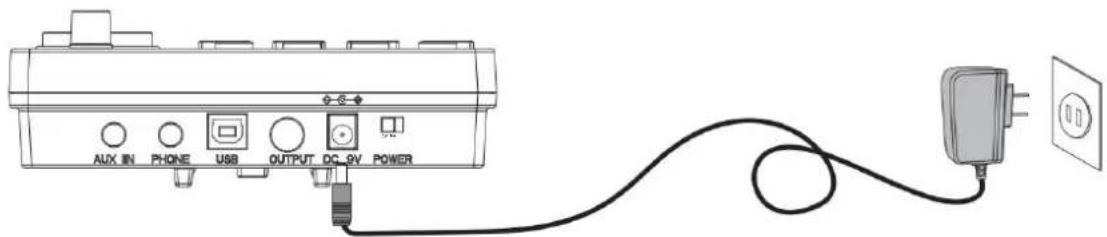
SIGN
To ensure that you use this product safely and correctly, to prevent harm to users and others and financial damage, this manual and products are marked with a series of safety signs. The various signs and their meanings are as follows:

WARNING
This sign indicates that there is a potential risk of death or serious injury if this mark is ignored and the product is mishandled.

BE CAREFUL
This sign indicates that there is a potential danger of injury to personnel or other financial damage if this sign is ignored and the product is operated incorrectly.
EXAMPLE OF LOGO

This triangle sign ( ) indicates what users should pay attention to. (The left example is careful shocks)

A circular sign (⊗) with an oblique line indicates prohibitions. The icons in or beside the logo indicate the contents specifically prohibited. (The example on the left is no disassembly)

The round black bottom sign (✗) indicates what must be observed. The diagrams in this sign indicate the contents of the specific matters that must be observed. (The example on the left is that the power plug must be pulled out of the socket)
SAFETY PRECAUTIONS

WARNING
Smoke, odor, overheating
When the product smokes, smells or overheats, there is a danger of fire and electric shock when it is used continually. In case of the above situation, the following operations should be performed immediately:
- Turn off the power supply.
- Pull the plug out of the power outlet.
- Contact your dealer.
Power cord
- The improper use of power cord may cause fire and electric shock. The following precautions must be observed:
- The special power cord designated for this product must be used.
- The AC power supply with output voltage within the rated voltage range for household use must be used.
- Do not overload power sockets and extension lines.
- The improper treatment of power line will lead to its damage or breakage, which will cause fire and electric shock hazards. The following precautions must be observed:
- Do not place or heat heavy objects on power lines.
- Do not attempt to alter or bend the power cord too much.
- Do not twist or pull the power cord.
- If the power cord or plug is damaged, please replace the same type of power cord.
- Do not touch the power cord and plug with wet hands, otherwise there is a danger of electric shock.
- Please use the power cord where the water will not splash. Water is in danger of causing fire and electric shock.
- Never place vases or any other container containing water on this product. Water is dangerous of causing fire and electric shock.
- Do not allow minors to unplug and touch power lines or connection boards. Minors have no common sense of electricity safety, which may cause electric shock.


BE CAREFUL
The improper use of power cord may cause fire and electric shock. The following precautions must be observed:
- Never put the power cord near the oven or other heat source.
- Do not pull the cable when pulling out of the power socket. The main body of the plug must be grasped.
- The power cord plug must be inserted in the socket to the end.
- Make sure the power supply is off before connecting or disconnecting it.
- When thunderstorms occur or before traveling or other long-term departure, disconnect the power cord from the wall outlet.
- At least once a year, remove the power cord from the wall outlet and clean the dust accumulated around the plug.
Do not burn this product
Do not put this product in the fire, otherwise it will lead to product combustion and explosion of internal electronic components, which will cause fire and personnel injury.
Water and foreign bodies
Water, other liquids, and metal objects (such as metal sheets) entering this product can cause fire and electric shock. If such a situation occurs, immediately take the following steps:
- Turn off the power supply.
- If you are using a power cord for power supply, unplug it from the wall outlet.
- Contact your distributor.
Disassembly and modification
Do not disassemble or modify the product in any way, as this may result in electric shock, burns, or other personal injury. All internal inspections, adjustments, and maintenance should be entrusted to your distributor.


SAFETY PRECAUTIONS
Falling or impact
If the product falls or is damaged by a strong impact, it may cause fire or electric shock. If such a situation occurs, immediately take the following steps:
- Turn off the power supply.
- If you are using a power cord for power supply, unplug it from the wall outlet.
- Contact your distributor.
Plastic bags
Do not allow anyone to place the plastic bags used for this product over their head or in their mouth. This could cause suffocation. Families with young children should pay special attention to this.
Keep a distance from the product and the bracket.
Climbing the bracket is dangerous and may cause overturning or damage. Families with young children should pay special attention to this.
Put
Avoid placing the product on an uneven surface or any other unstable place. Otherwise, it may fall down, leading to the risk of injury.
Product Mobility
Before moving this product, you must unplug the power cord plug from the wall outlet and pull out all other cables and connecting wires. Otherwise, it may damage the power or connection wires, resulting in fire and electric shock.
Cleaning
Before cleaning this product, you must unplug the power cord plug from the wall outlet; otherwise, there is a risk of fire and electric shock.
Socket
The socket of this product can only be connected to designated equipment and devices. Connecting non-designated equipment or devices is dangerous and may cause fire and electric shock.


Location Selection
Avoid placing the product in the following places; otherwise, there is a risk of fire and electric shock.
• High temperature or dusty places. - Kitchen or other places with lampblack. - Where the product is exposed to direct sunlight, or any other place where the product will produce high temperature.
Volume
Don't play music long and loud. Pay special attention when using headphones. Excessive volume can damage your hearing.


Heavy
Do not place heavy objects on this product. Otherwise, the top of the product will be overweight, causing the product to overturn or drop objects on it, which will lead to the risk of injury.
Correct assembly of scaffolds
The incorrect assembly of the bracket may overturn, causing the product to fall off and posing a risk of injury to personnel. Therefore, it must be assembled according to the instructions in the attached installation guide to ensure that the product is properly mounted on its bracket.
C/O YH Consulting Limited Office 147, Centurion House, London Road, Staines-upon-Thames, Surrey, TW18 4AX
VEVOR®
TOUGH TOOLS, HALF PRICE
www.vevor.com/support




- ELECTRONIC DRUM SET USER MANUAL
- MODEL: MD200F-P
- NEED HELP? CONTACT US
- REMARK
- CONTENTS
- FUNCTION INTRODUCTION
- INSTALLATION GUIDE
- CHECK THE ATTACHED ITEMS
- IRON PIPE HOLDER
- TYMPANIC INTUBATION
- MOUNTING STAND
- INSTALL THE DRUM MODULE
- INSTALL HITTING PARTS AND SOUND MODULE
- INSTALL THE KICK DRUM
- INSTALL THE HAMMER BAR
- THE KICK DRUM IS FIXED WITH THE STEP HAMMER
- PLUG IN THE STRIKING PART CONNECTION CABLE
- ILLUSTRATION OF SOUND MODULE PORT
- POWER CORD CONNECTION
- USB MIDI PORT
- AUDIO OUTPUT PORT
- AUDIO INPUT PORT
- EARPHONE PORT
- INCREASE PORT
- BT MODE
- OPERATION GUIDE
- POWER
- DRUM KIT SELECTION
- METRONOME
- PRACTICE FUNCTION
- COACH MODE
- DEMO SONGS
- DRUM PARAMETERS
- RECORDING FUNCTION
- SAVE / RESET
- USB MIDI
- APPENDIX
- TIMBRE
- PRESET DRUM KITS
- USER DEFINED DRUM KITS
- DEMONSTRATION SONG
- PRODUCT MAINTENANCE
- SAFETY PRECAUTIONS
- KICK
- SNARE
- TOM
- CRASH
- RIDE
- AVOID HEAT, MOISTURE OR DIRECT SUNLIGHT
- DO NOT USE NEAR TV OR RADIO
- DO NOT USE PAINT, THINNER OR SIMILAR CHEMICALS FOR CLEANING
- DO NOT SHAKE TO AVOID COLLISION
- POWER SUPPLY
- WARNING
- BE CAREFUL
- EXAMPLE OF LOGO
- SMOKE, ODOR, OVERHEATING
- POWER CORD
- CAUTION
- DO NOT BURN THIS PRODUCT
- WATER AND FOREIGN BODIES
- DISASSEMBLY AND TRANSFORMATION
- FALLING OR COLLIDING
- PLASTIC BAG
- KEEP A DISTANCE FROM THE PRODUCT AND THE BRACKET
- PUT
- PRODUCT MOBILITY
- CLEAN
- JACK
- LOCATION SELECTION
- VOLUME
- HEAVY
- CORRECT ASSEMBLY OF SCAFFOLDS
- VEVOR®
- TOUGH TOOLS, HALF PRICE
- INTRODUCTION OF FUNCTIONS
- SIGN
- DISASSEMBLY AND MODIFICATION
- FALLING OR COLLISION
- ELECTRONIC DRUM KIT USER MANUAL
- CLEANING
- SOCKET
- INSTALL THE DRUM
- INSTALLATION INSTRUCTIONS
- USB-MIDI
- USER-DEFINED DRUM KITS
- DEMONSTRATION NUMBER
- NOTE
- DRUM INTUBATION
- STORING / RESETTING
- ELECTRONIC DRUM SET
- USER MANUAL
- CHECK INCLUDED ITEMS
- IRON ROD HOLDER
- CONNECTION OF POWER CORD
- FALLING OR IMPACT
- PLASTIC BAGS
Brand : Vevor
Model : MD200F-P
Category : Musical instrument