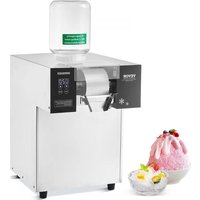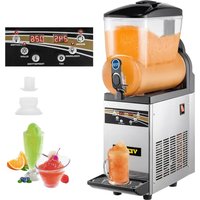
X-150 - Ice machine Vevor - Free user manual and instructions
Find the device manual for free X-150 Vevor in PDF.


| Product Type | Ice Crusher / Slush Machine |
| Brand | Vevor |
| Model | X-150 |
| Tank Capacity | Approx. 5.5 L (min) to 12 L (max) |
| Approximate Dimensions (L × W × H) | 400 × 400 × 700 mm |
| Approximate Net Weight | 28 kg |
| Power Supply | 220-240 V ~ 50/60 Hz |
| Rated Power | 600 W |
| Refrigerant | R134a or R290 (depending on version) |
| Ambient Operating Temperature | 10 °C to 32 °C |
| Adjustable Temperature Range (Cold Drink) | 5 °C by default |
| Adjustable Temperature Range (Slush) | -2 °C by default (adjustable from -15 °C to 0 °C) |
| Main Functions | Mixing, Cooling, Slush Making, LED Lighting |
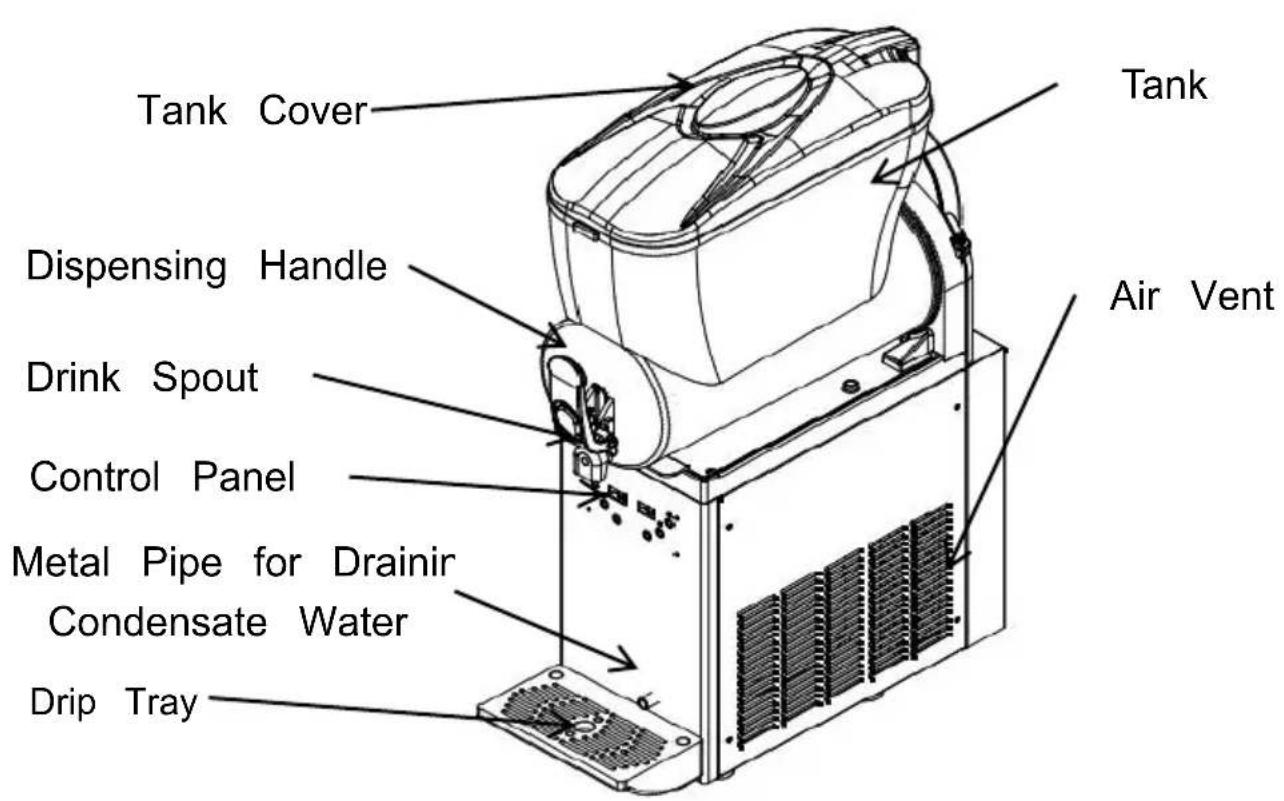
| Control Type | Digital control panel with buttons and LED display |
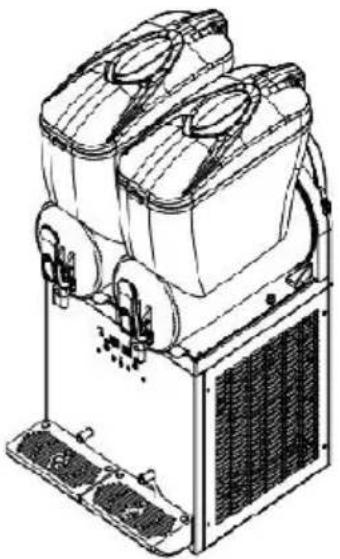
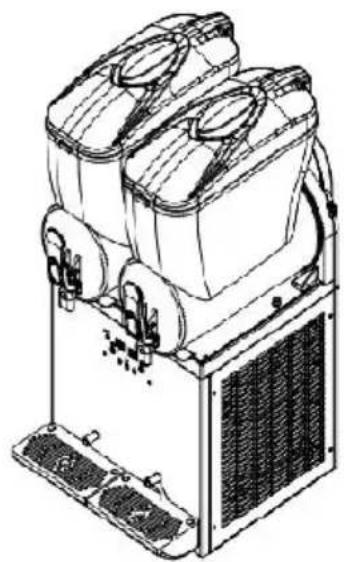
| Number of Tanks | 1 |
| Dispenser | Front dispensing handle |
| Drip Tray | 1 included |
| Tank Material | Food-grade plastic |
| Maintenance and Cleaning | Daily cleaning of the tank and food-contact parts; descaling and cleaning of the condenser monthly |
| Safety | Low voltage protection, compressor protection, automatic shut-off in case of freezing |
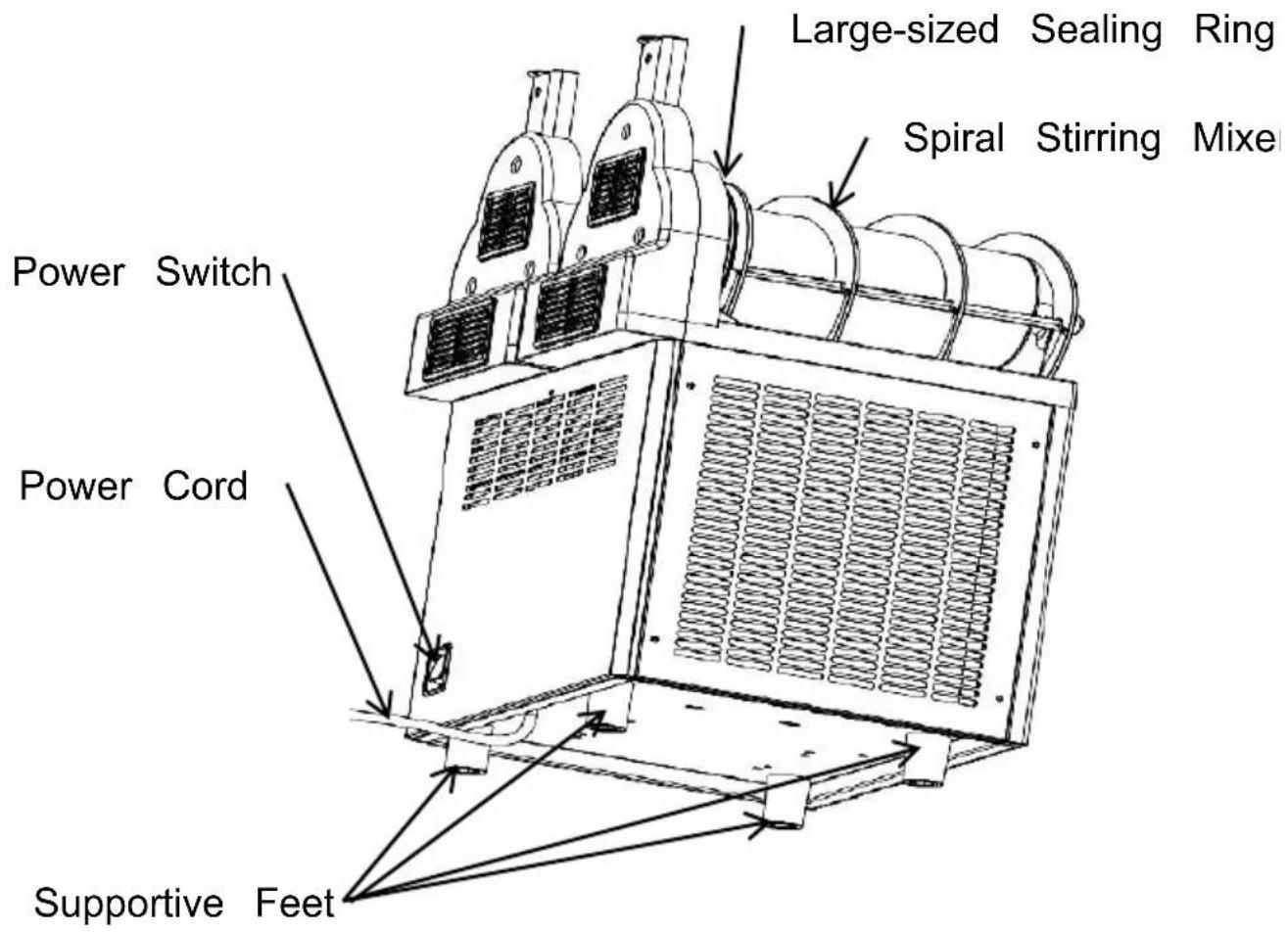
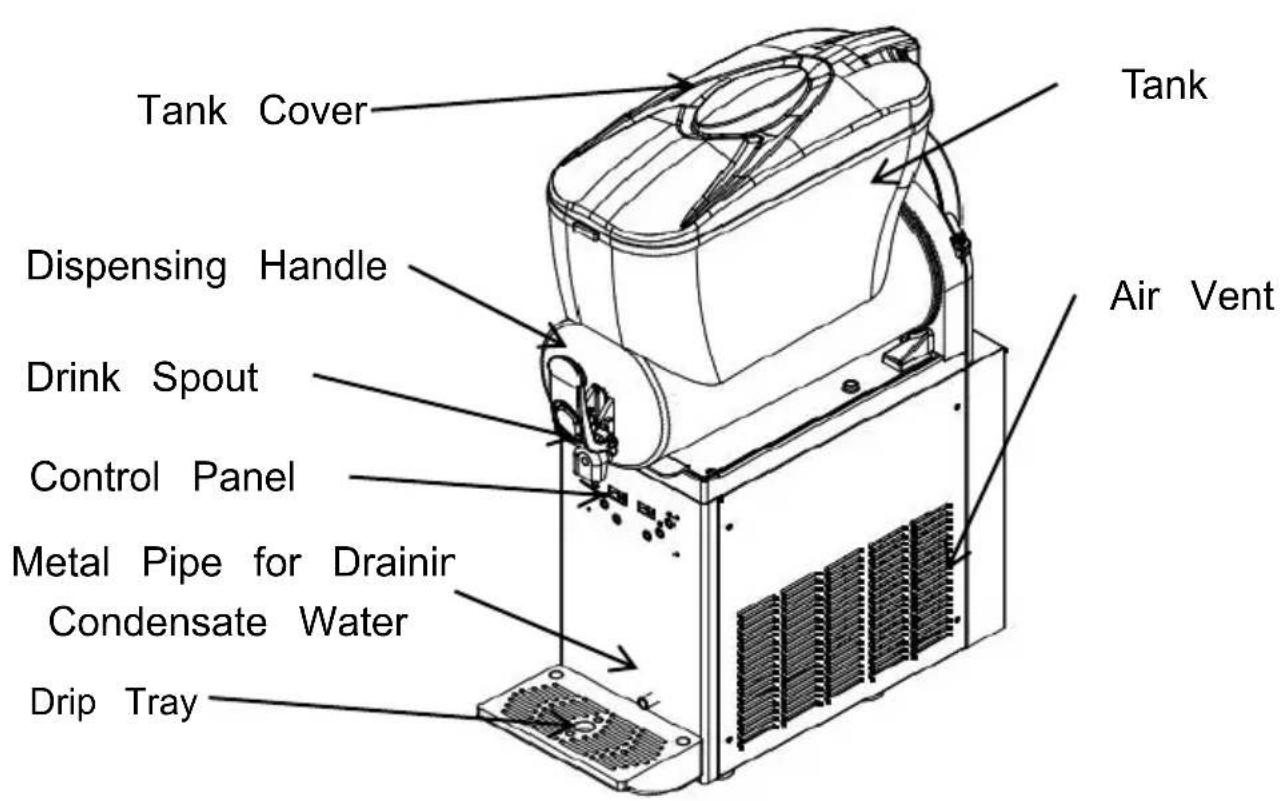
| Available Spare Parts | Seal gasket, spiral stirrer, tank, dispensing handle |
| Warranty | Manufacturer's warranty (electronic certificate provided) |
Frequently Asked Questions - X-150 Vevor
User questions about X-150 Vevor
0 question about this device. Answer the ones you know or ask your own.
Ask a new question about this device
Download the instructions for your Ice machine in PDF format for free! Find your manual X-150 - Vevor and take your electronic device back in hand. On this page are published all the documents necessary for the use of your device. X-150 by Vevor.
USER MANUAL X-150 Vevor
Technical Support and E-Warranty Certificate www.vevor.com/support
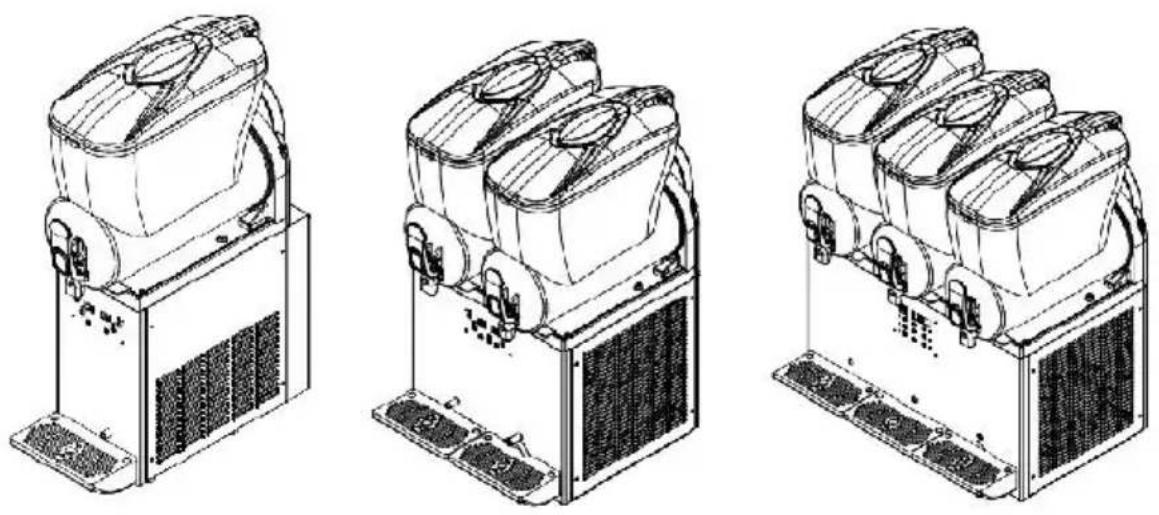
SLUSH MACHINE
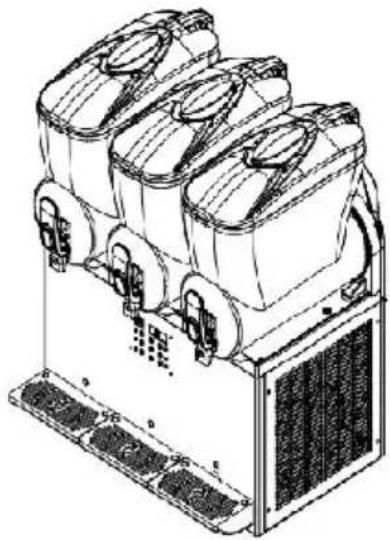
MODEL:X-150 X-300 X-450
We continue to be committed to provide you tools with competitive price. "Save Half", "Half Price" or any other similar expressions used by us only represents an estimate of savings you might benefit from buying certain tools with us compared to the major top brands and does not necessarily mean to co all categories of tools offered by us. You are kindly reminded to verify carefully when you are placing an order with us if you are actually Saving Half in comparison with the top major brands.
MODEL:X-150 X-300 X-450
NEED HELP? CONTACT US!
Have product questions? Need technical support? Please feel free to contact us:
Technical Support and E-Warranty Certificate www.vevor.com/support
This is the original instruction, please read all manual instructions carefully before operating. VEVOR reserves a clear interpretation of user manual. The appearance of the product shall be subject to product you received. Please forgive us that we won't inform you and there are any technology or software updates on our product.
 | Warning-To reduce the risk of injury, user must read instructions manual carefully. |
  | CAUTION: Changes or modifications not expressly appro by the party responsible for compliance could void the authority to operate the equipment!This device complies with Part 15 of the FCC Rules. is subject to the following two conditions:1) This product may cause harmful interference.2)This product must accept any interference received, including interference that may cause undesired operation WARNING: Changes or modifications to this product no expressly approved by the party.responsible for compliant could void the user's authority to operate the product. Note: This product has been tested and found to comply the limits for a Class B digital device pursuant to Part FCC Rules, These limits are designed to provide reason protection against harmful interference in a residential installation.This product generates, uses and can radiate radio free energy, and if not installed and used in accordance with instructions, may cause harmful interference to radio communications. However, there is no guarantee that interference will not occur in a particular installation. If product does cause harmful interference to radio or tele reception,which can be determined by turning the product and on, the user is encouraged to try to correct the interference by one or more of the following measures.Reorient or relocate the receiving antenna.Increase the distance between the product and receive Connect the product to an outlet on a circuit differen that to which the receiver is connected.Consult the dealer or an experienced radio/TV technie assistance.This product is subject to the provision of European D 2012/19/EC. The symbol showing a wheelie bin crossed through indicates that the product requires separate refu collection in the European Union. This applies to the p and all accessories marked with this symbol. Products as such may not be discarded with normal domestic w must be taken to a collection point for recycling electri electronic devices. |
IMPORTANT SAFETY CAUTIONS
1. General Safety Precautions
Please read these instructions carefully before using the product.
①Avoid using the product outdoors. Exposure to rain could potentially cause electrical leakage or electric shock.
②Never place the product where it can get wet or splashed with water, the insulation material gets damaged, it might cause electrical leakage of even electric shock.
③Never directly spray water onto the product.Moisture on the product could lead to electric shock or a short circuit.
④Make sure you don't pour any volatile or flammable liquids into the of the product. Containers or areas where these substances are kept lead to explosions or fires.
⑤Only trained engineers or maintenance staff should install the product. Trying it yourself could cause gas or liquid leaks, electric shocks, or
⑥Never insert metal objects like iron needles or wires into any vents product. Doing so could result in electric shock or personal injury from accidental contact with moving parts.
⑦Make sure to place the product on a stable, solid surface. Unstable ground could cause damage if the product tips over or falls.
⑧Always use the designated power supply stated on the product label. Using extension sockets could cause a fire.
⑨Make sure to firmly plug the power plug into the socket after remc
any dust. Dusty sockets or improper insertion could result in a fire.
⑩Use a socket with a ground connection to avoid electric shock. In there is no grounded socket, the grounding device must be assembled qualified engineers and technicians, and the socket should be easily accessible.
⑪Avoid using the product in areas with high sulfuric acid content, such hot springs, or in high-salt environments like bays, as this may lead internal corrosion and potential product failure.
⑫Do not damage the cooling circuit.
⑬If any malfunction occurs with the product, please disconnect the po plug. Continued abnormal operation may result in electric shock or fire ⑭Please avoid damaging, processing, bundling, stretching, bending, or twisting the power cord forcibly. Otherwise, it may lead to damage, e shock, or a fire hazard.
⑮Make sure there are no obstructions near the appliance and avoid blocking the ventilation openings.
⑯Before cleaning, maintaining, or inspecting the product, disconnect the power supply to prevent electric shock or personal injury.
⑰If certain models use combustible refrigerants and flammable foaming agents, caution should be taken to prevent fire hazards. In case of p abnormalities, it must be repaired by qualified personnel or institutions.
⑱This product is not intended for use by individuals with physical weaknesses, slow responses, or mental disorders (including children), unless under the guidance or supervision of a guardian. Children show supervised to prevent them from playing with the product.
2. Electrical Safety Precautions
①Please check the recommended voltage range from the renowned bit for the slush machine. If your power voltage is not within this range, purchase a voltage regulator of more than 2000W by yourself.
②Ensure proper grounding; avoid connecting the ground wire to a wa pipe or a gas pipe.
③To protect the compressor, wait 10 minutes after a power outage b
restarting the slush machine.
④Avoid using the same socket for other electrical appliances.
⑤For damaged power cords, rely on manufacturer-assigned personnel qualified professionals for replacement to prevent hazards.
⑥The electric control system of this product operates above 36V; please do not access or touch the control system when the machine is in U Seek manufacturer assistance or qualified technicians for maintenance.
3.Warnings
①Avoid operating the product if there's a gas leak in its location. Sp from unplugging or starting/stopping the machine could ignite a fire. C the power, open windows, and allow for proper air circulation in such situations.
②Always use a grounded plug for the product to prevent electric sho case of leaks.
③Avoid using water pipes as grounding terminals since plastic pipes are commonly used in plumbing and may not provide proper grounding.
④Do not ground the product through gas pipes as this may lead to significant risks.
⑤Never ground the product through telephone lines or lightning protec During thunderstorms, the potential for generating high currents makes grounding method extremely hazardous.
⑥When placing the product in a damp environment, it's essential to i a circuit breaker and ground the machine. The circuit breaker should installed in the power cord. For further guidance, it's advisable to see advice from the retailer or an electrical technician.
⑦Ensure to install a disconnect switch.
⑧Ensure that nothing falls into the area where the product is stored.
4.Environmental Conditions
This product is designed in accordance with the following conditions:
①Intended for indoor use.
②Operable at elevations not exceeding 2000 meters.
③Operating within an ambient temperature range of 10^ C/50°F to 32^ C/89.6°F.
④When the temperature is not higher than 31^ C/87.8°F, the maximum relative humidity is 80%. The maximum relative humidity decreases linearly with the increase of temperature.
⑤The main power supply's voltage fluctuation should not exceed ±10% the rated voltage.
⑥In line with the equipment installation level (over voltage level) trans over voltage.
This apparatus is used for similar purposes such as:
-The kitchen area of a store, office or other workplace.
-Customers of farms and hotels, motels and residential
-Catering and similar non-retail applications.
5. Installation Precautions
①Requirements for transportation and movement:
Maintain the box upright and limit the inclination to a maximum of 45 avoid inverting or laying it horizontally.
②To operate the product correctly and get the best performance, please place it in an environment that meets the following conditions:
- On a solid and level surface
- Stay away from the place where the heat source is generated. Avoid putting the machine near the heat sources, such as gas flames or s as the heat can diminish the machine's cooling efficiency.
- Avoid direct sunlight. Prevent direct exposure to sunlight, which can to operational abnormalities and shorten the machine's lifespan.
- In a dry area. Keep the machine in a dry area and avoid placing wet areas, such as faucets or sinks.
SAVE THESE INSTRUCTIONS
WHAT 'S IN THE BOX
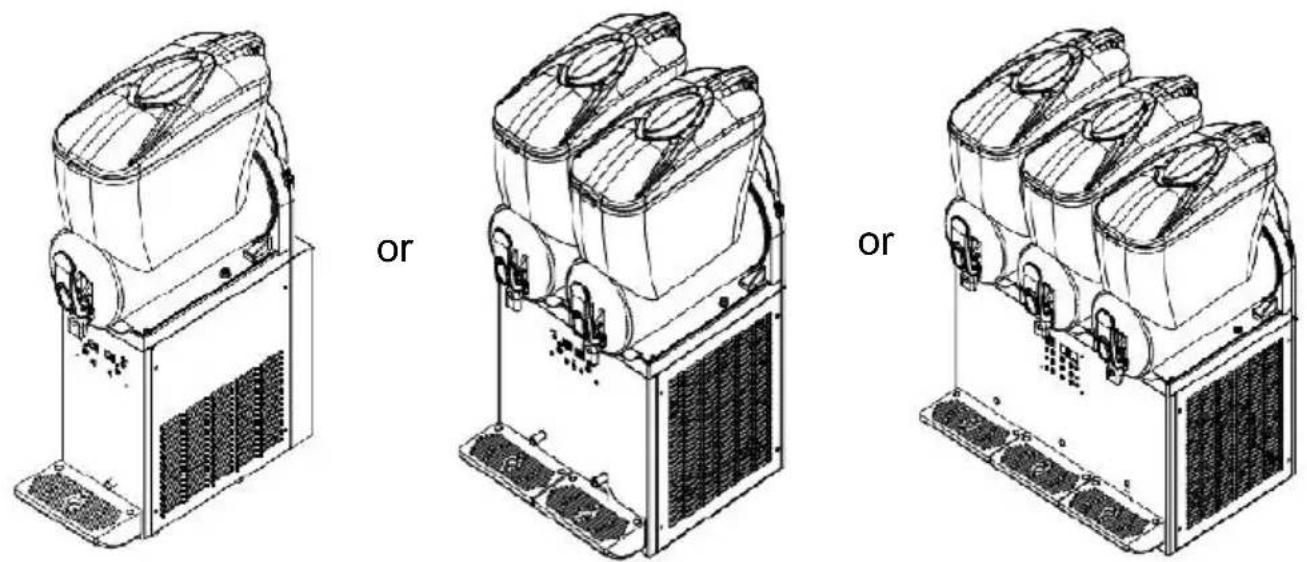
X-150 X-300 X-450
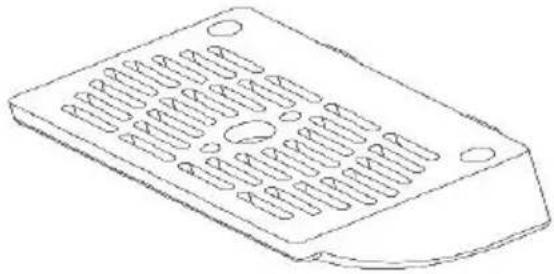 | 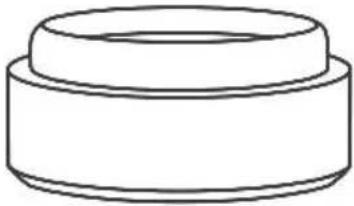 | |
| Drip Tray(1 for X-150, 2 for X 3 for X-450) | Spare Mini-sized Sealing Ring (1 for X-150, 2 for X-300, 3 X-450) | |
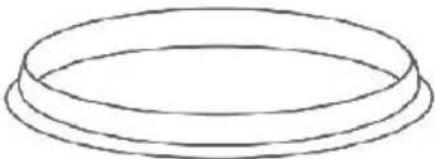 |  | |
| Spare Large-sized Sealing Ring (1 for X-150, 2 for X-300, 3 X-450) | User Manual | |
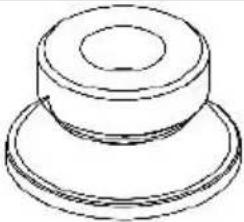 | Spare Medium-sized Sealing Ring (1 for X-150, 2 for X-300, 3 for X | |
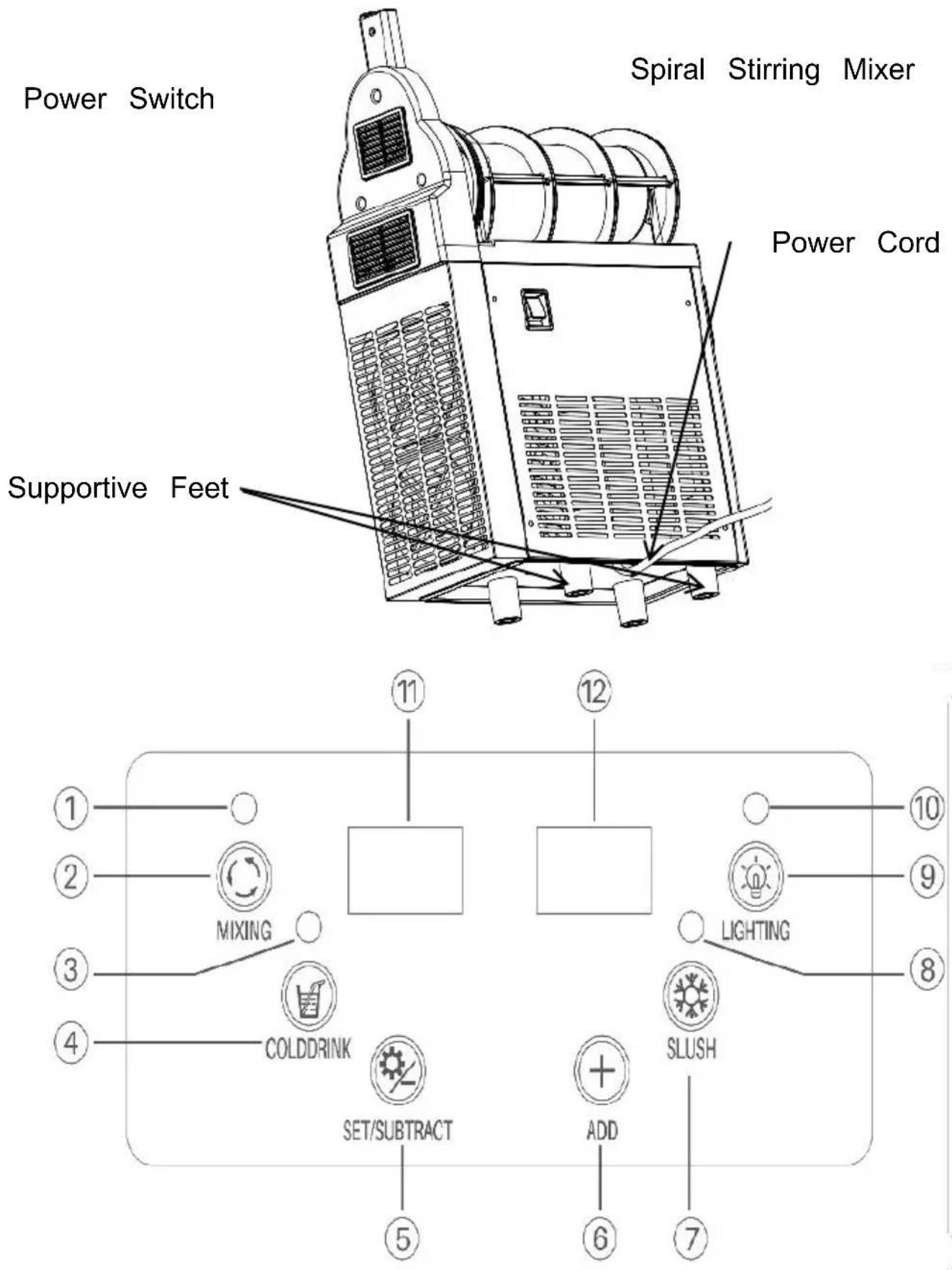
KNOW YOUR SLUSH MACHINE
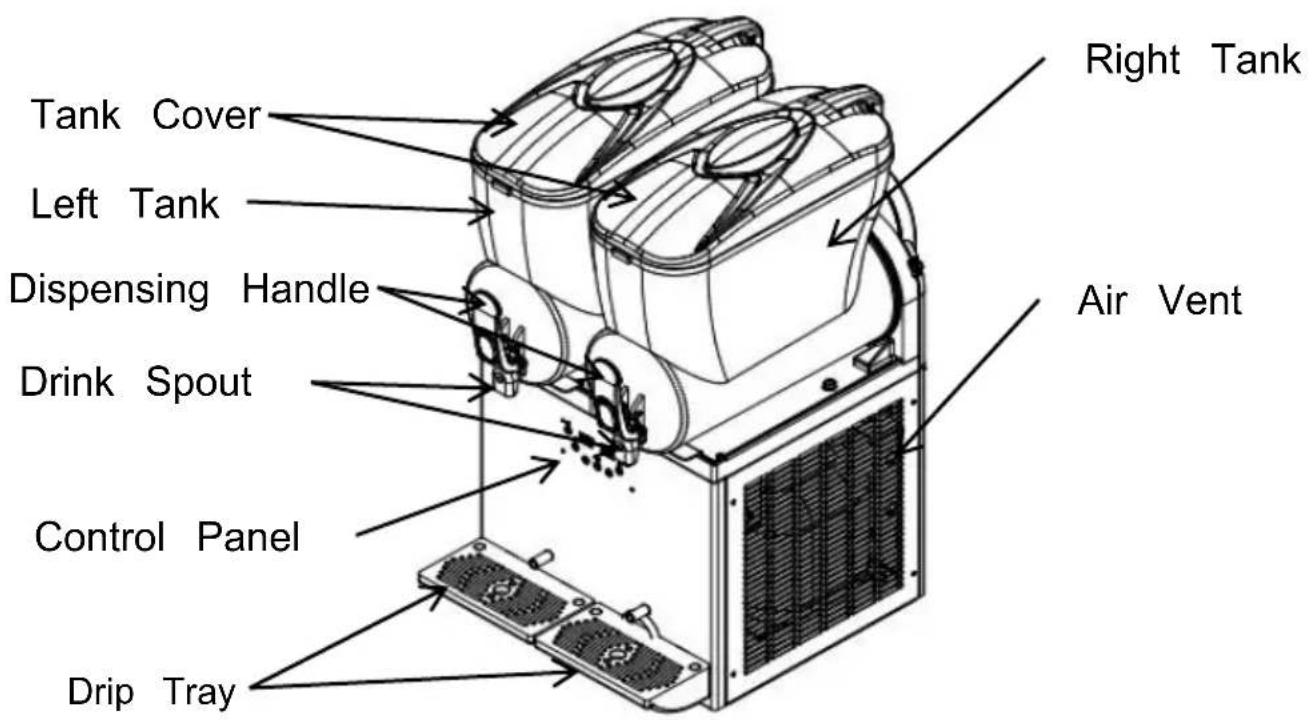
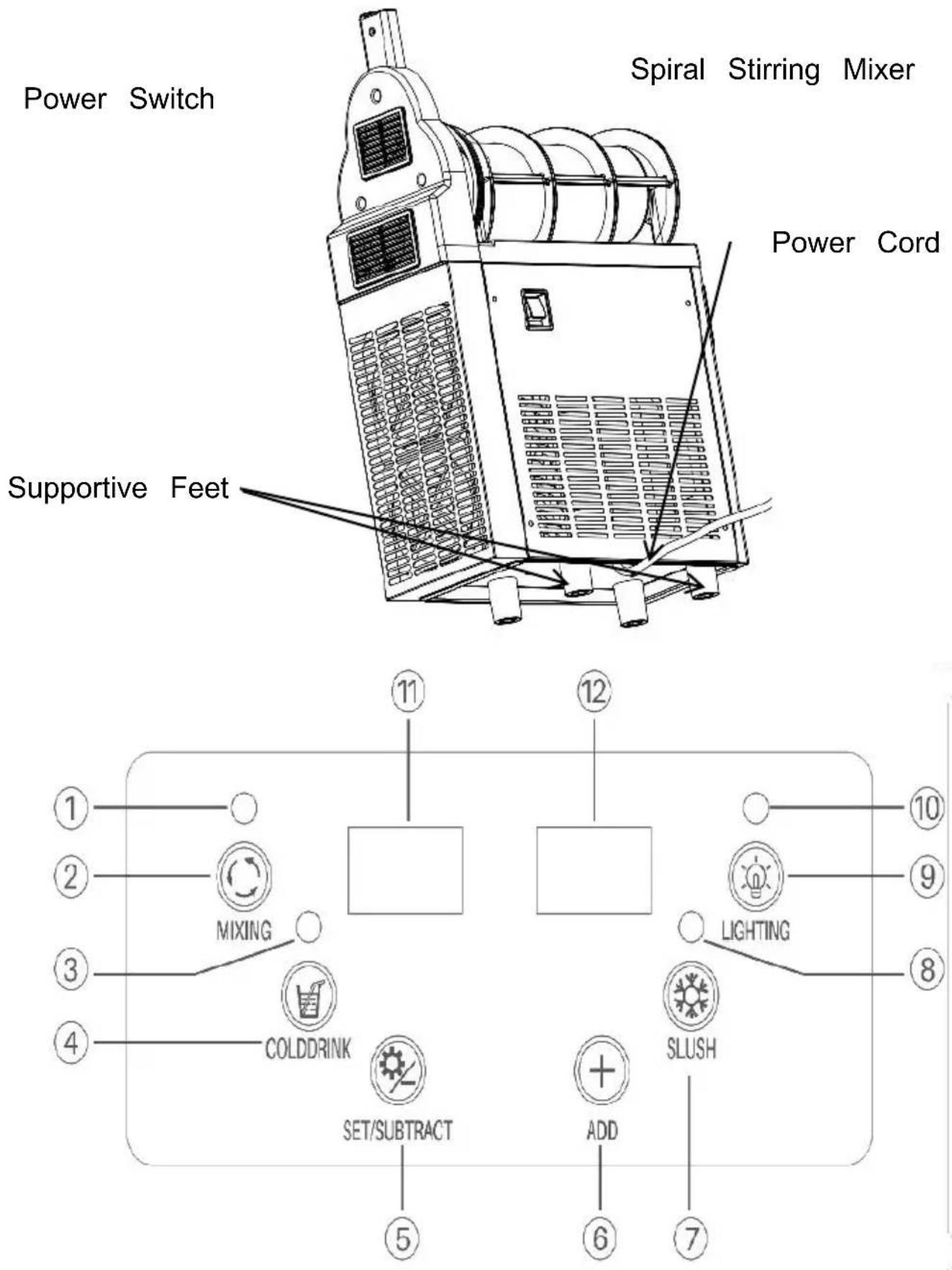
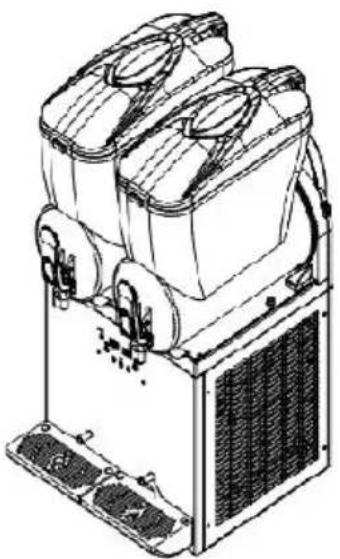
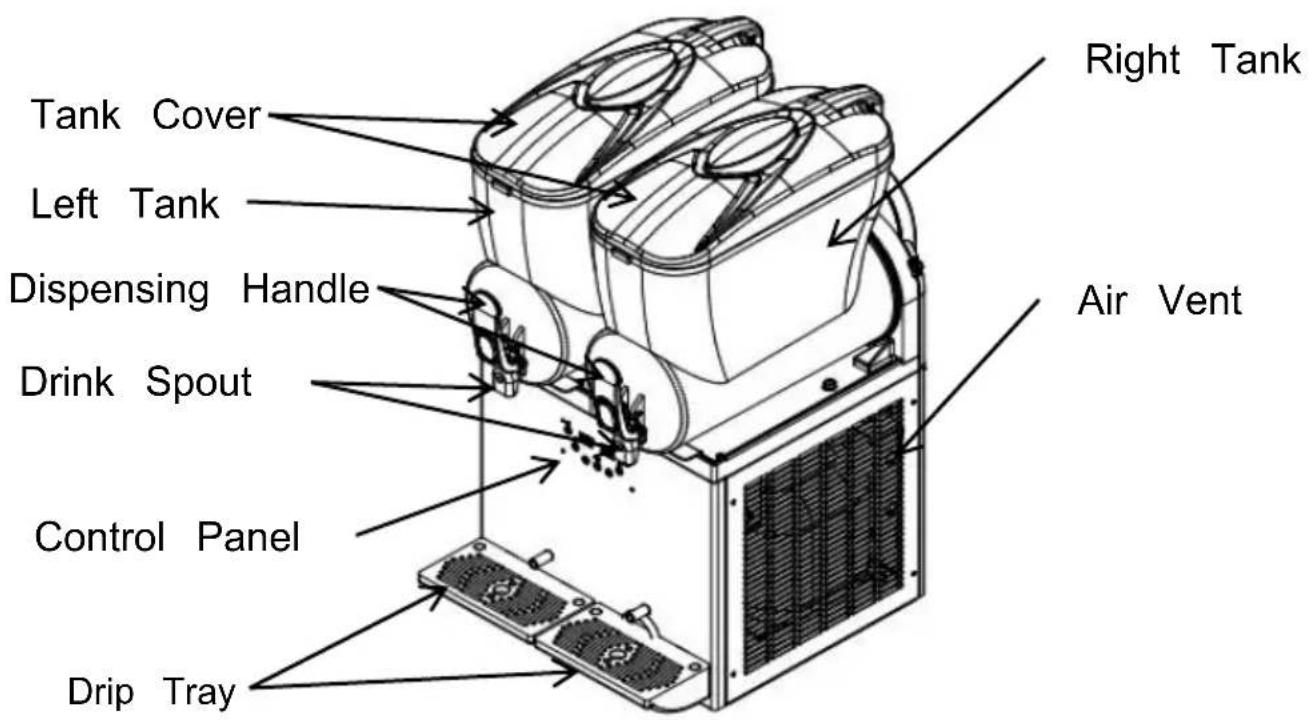
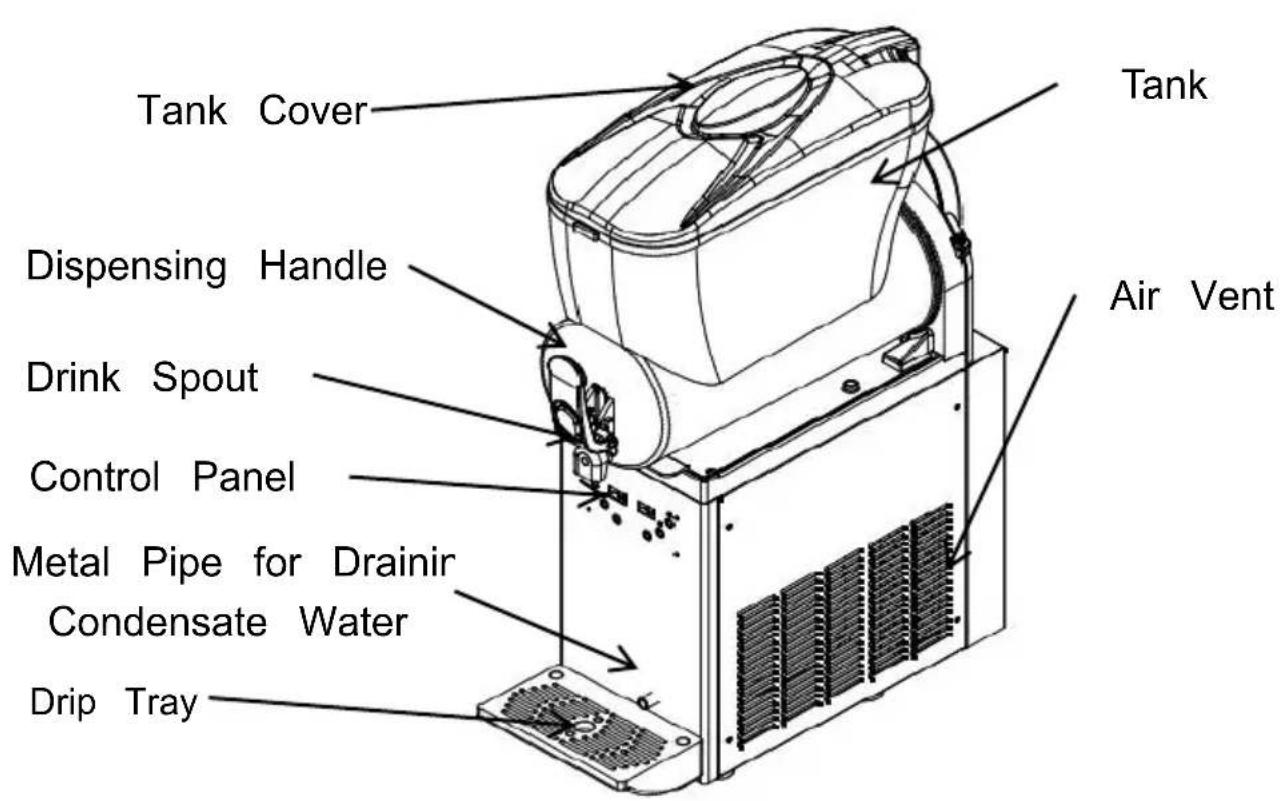
1.X-150
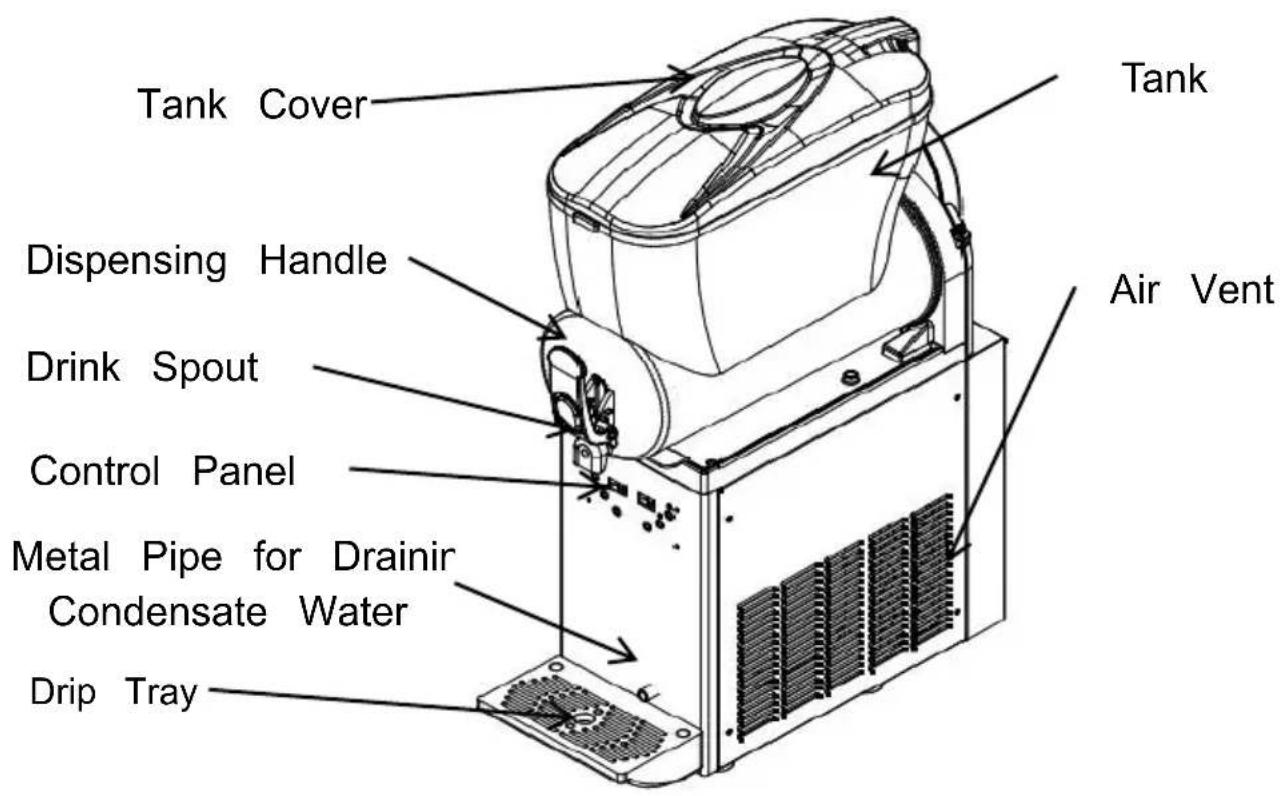
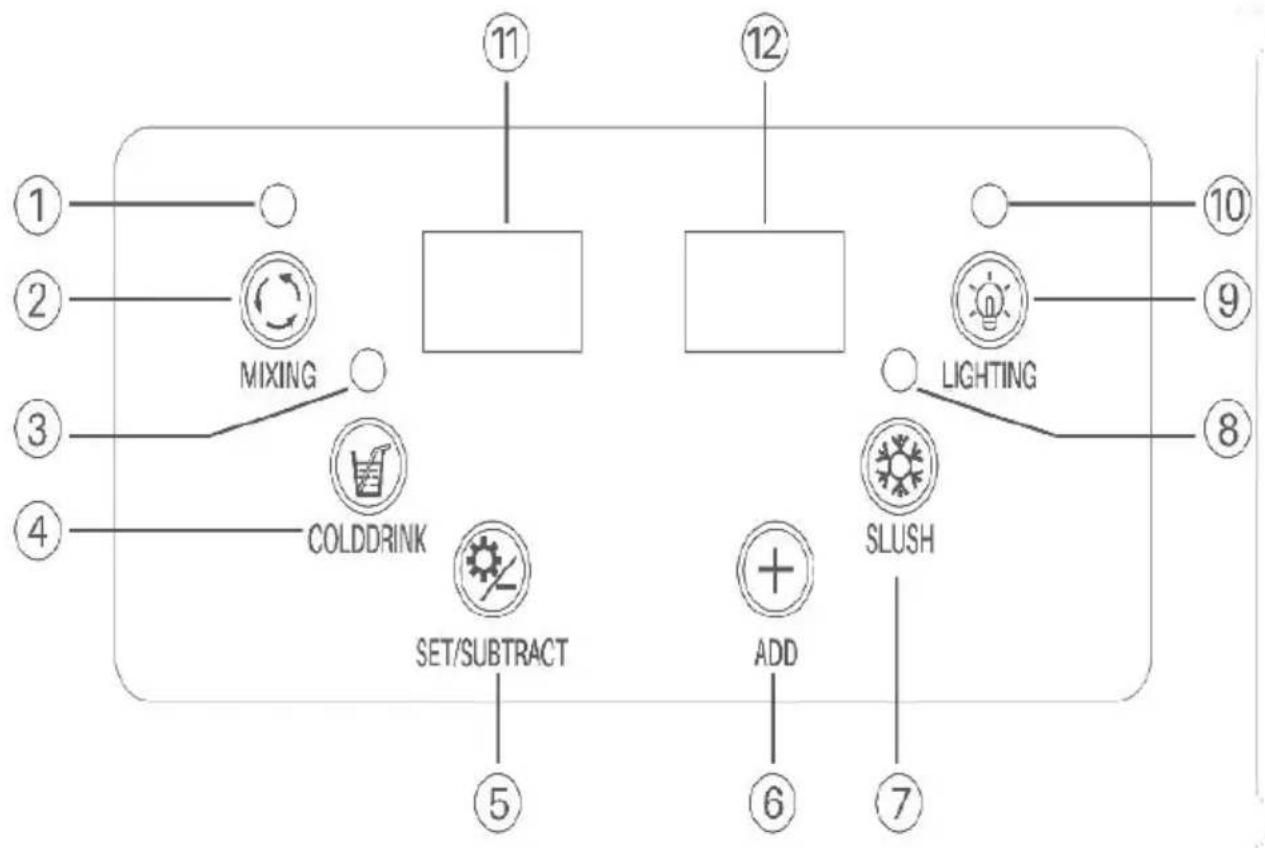
flowchart
graph TD
    A["1"] --> B["MIXING"]
    C["2"] --> B
    D["3"] --> E["COLDDRINK"]
    F["4"] --> E
    G["5"] --> H["SET/SUBTRACT"]
    I["6"] --> J["ADD"]
    K["7"] --> L["SLUSH"]
    M["8"] --> N["LIGHTING"]
    O["9"] --> N
    P["10"] --> N
    Q["11"] --> R["Block"]
    S["12"] --> T["Block"]
    U["13"] --> V["Block"]
    W["14"] --> X["Block"]
    Y["15"] --> Z["Block"]
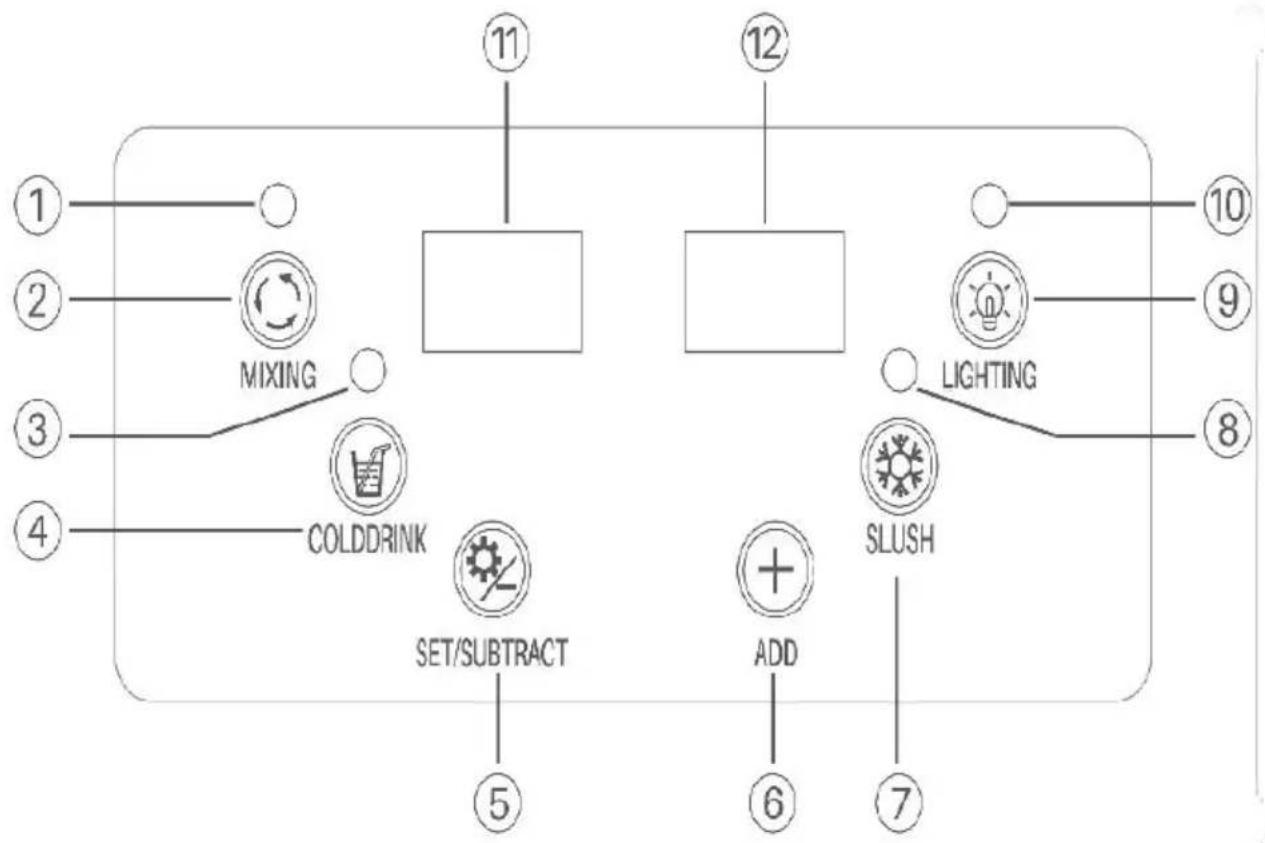
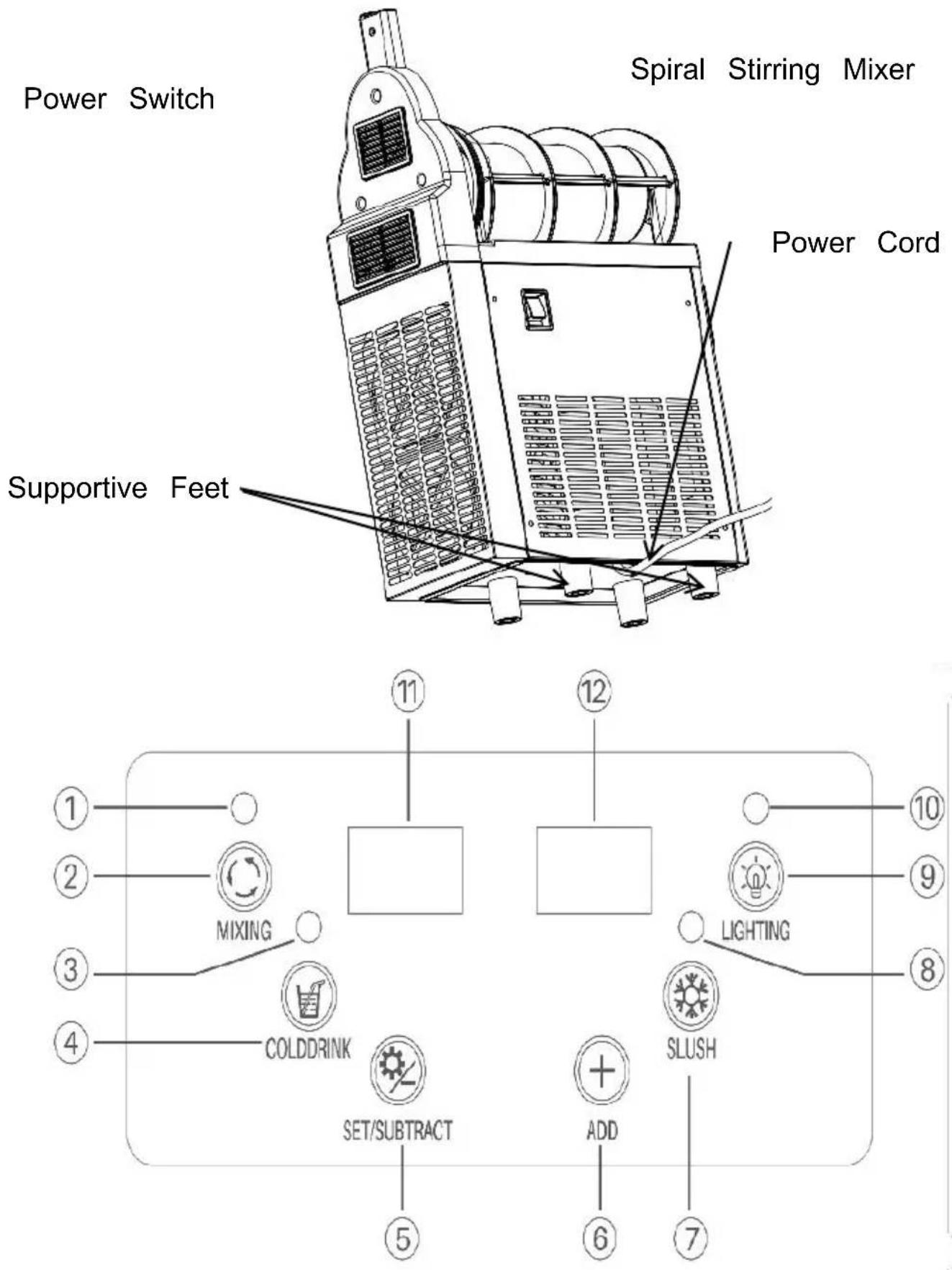
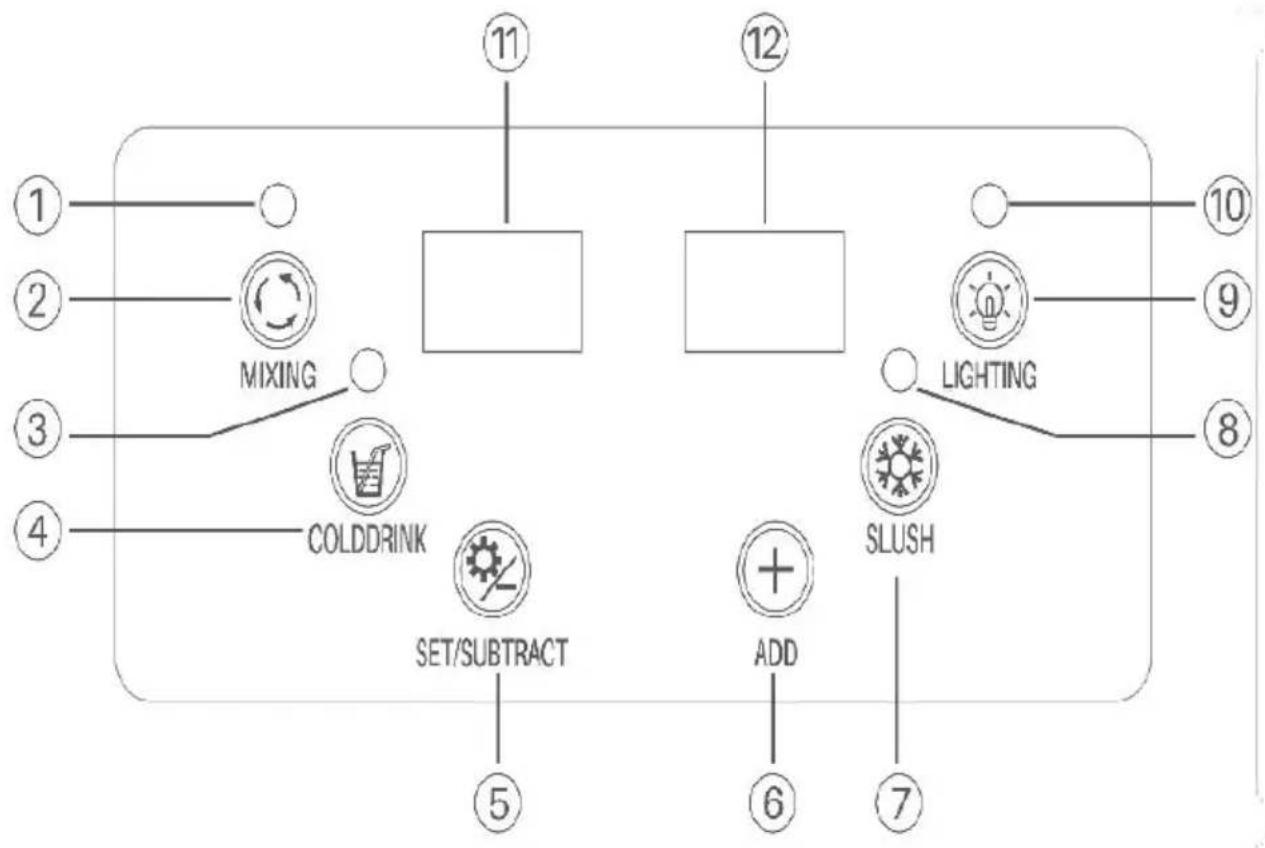
| 1 Mixing Indicato | 2 Mixing Button | 3 Cooling Indicator |
| 4 Cooling Button | 5 Setting Button | 6 Adjusting Button |
| 7 Slush Making Button | 8 Slush Making Indicator | 9 Lightning On/Off Button |
| 10 Light Indicator | 11 Left LED Pan | 12 Right LED Panel |
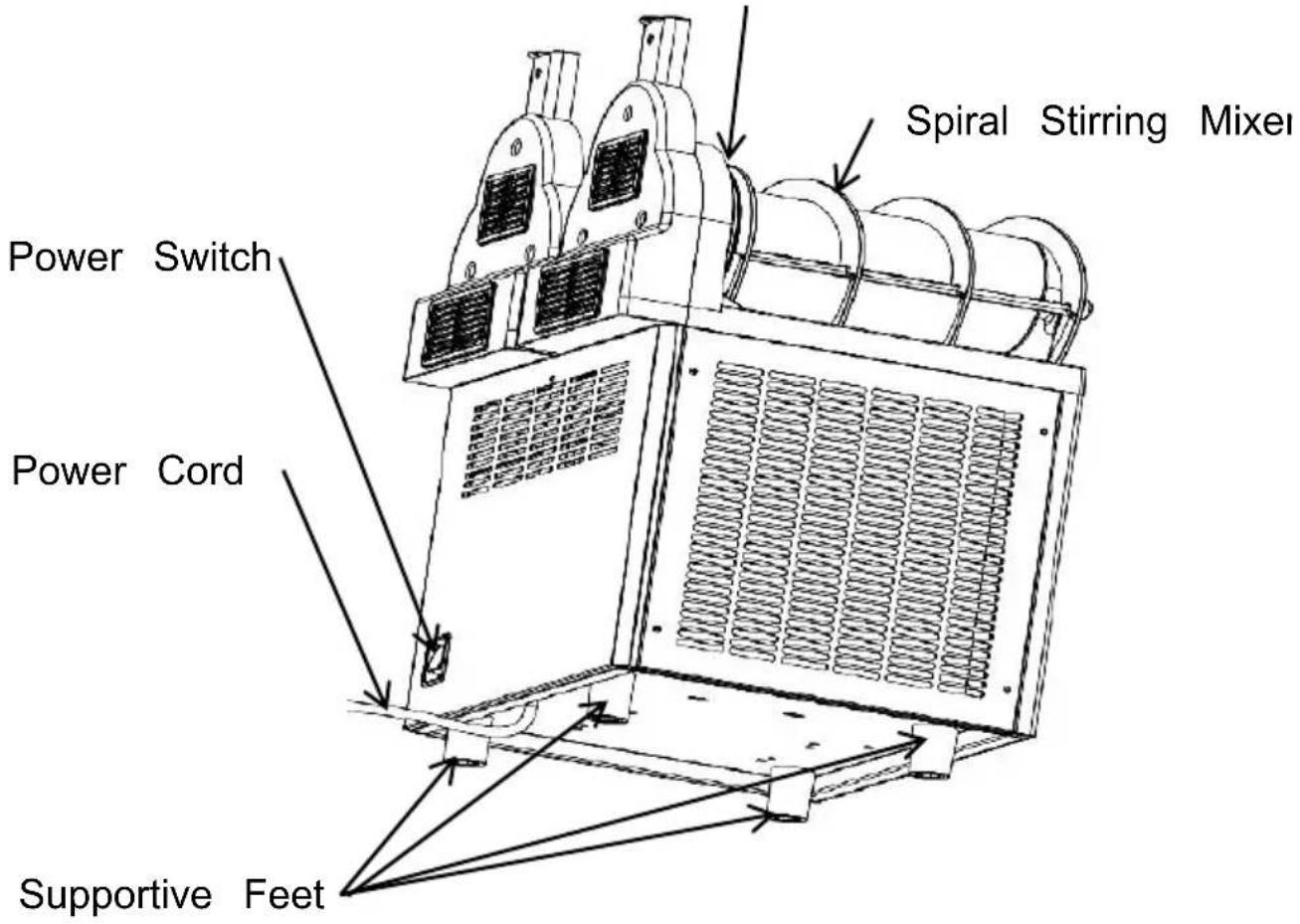
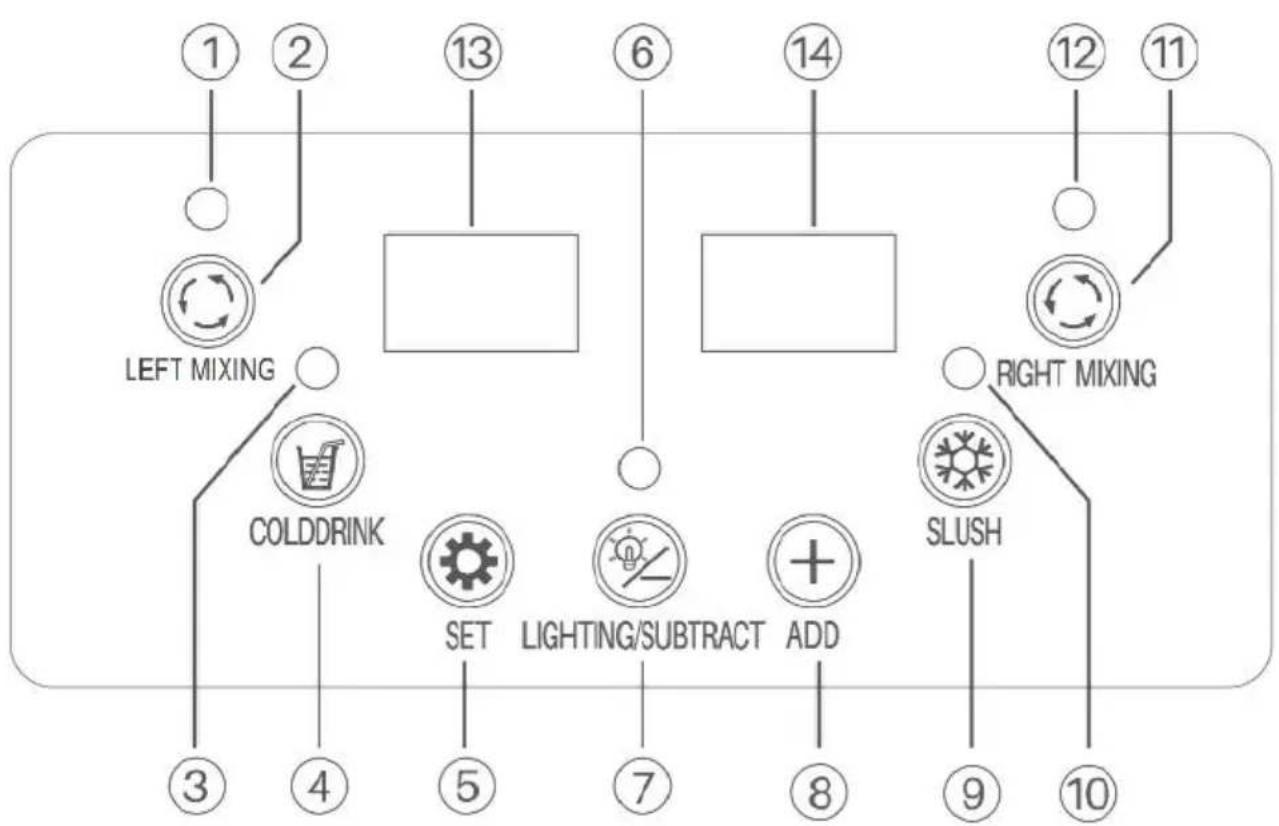
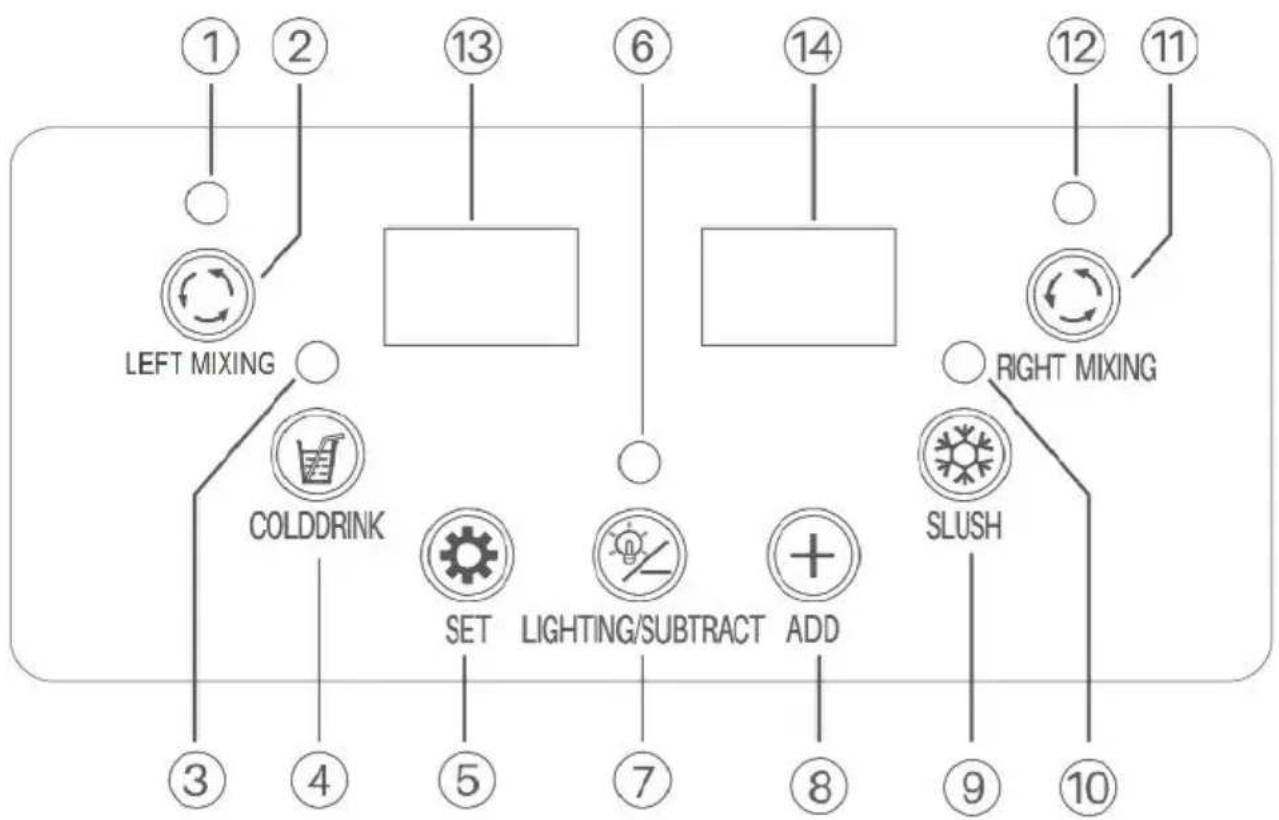
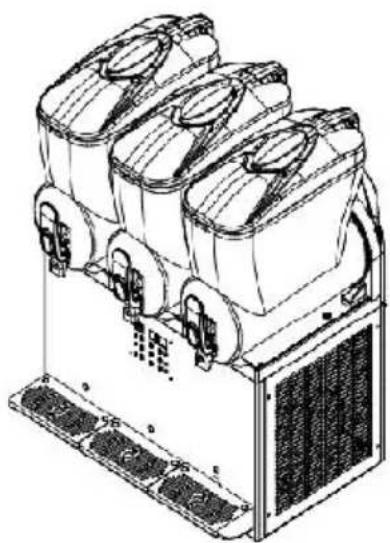
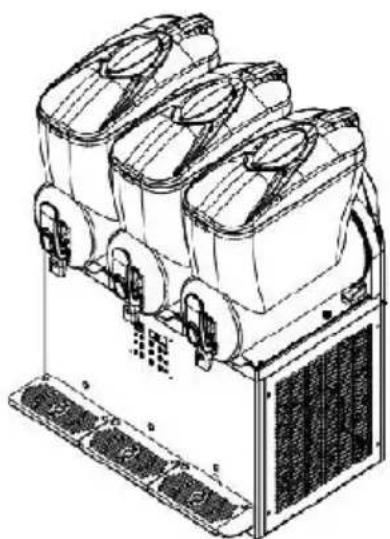
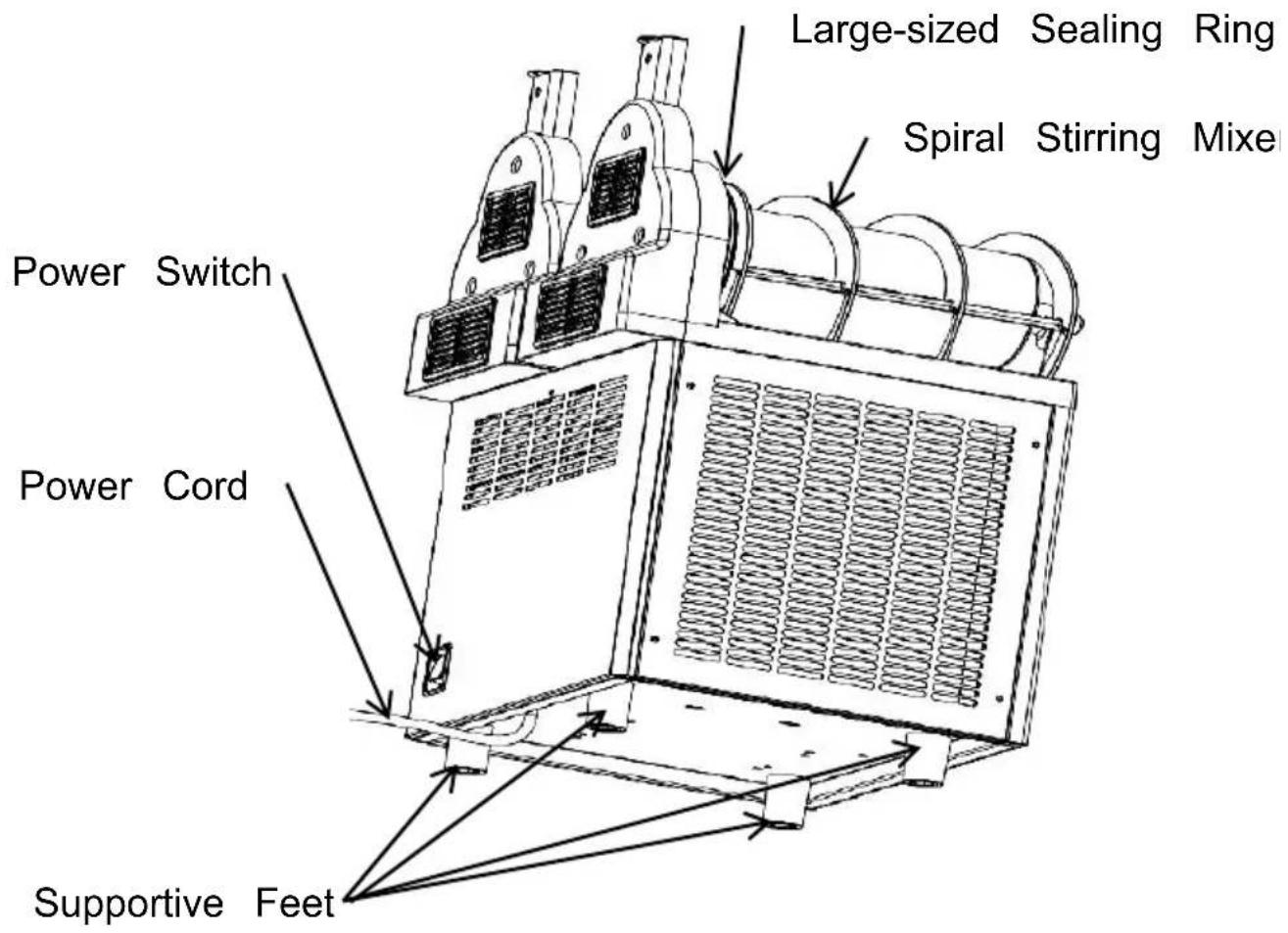
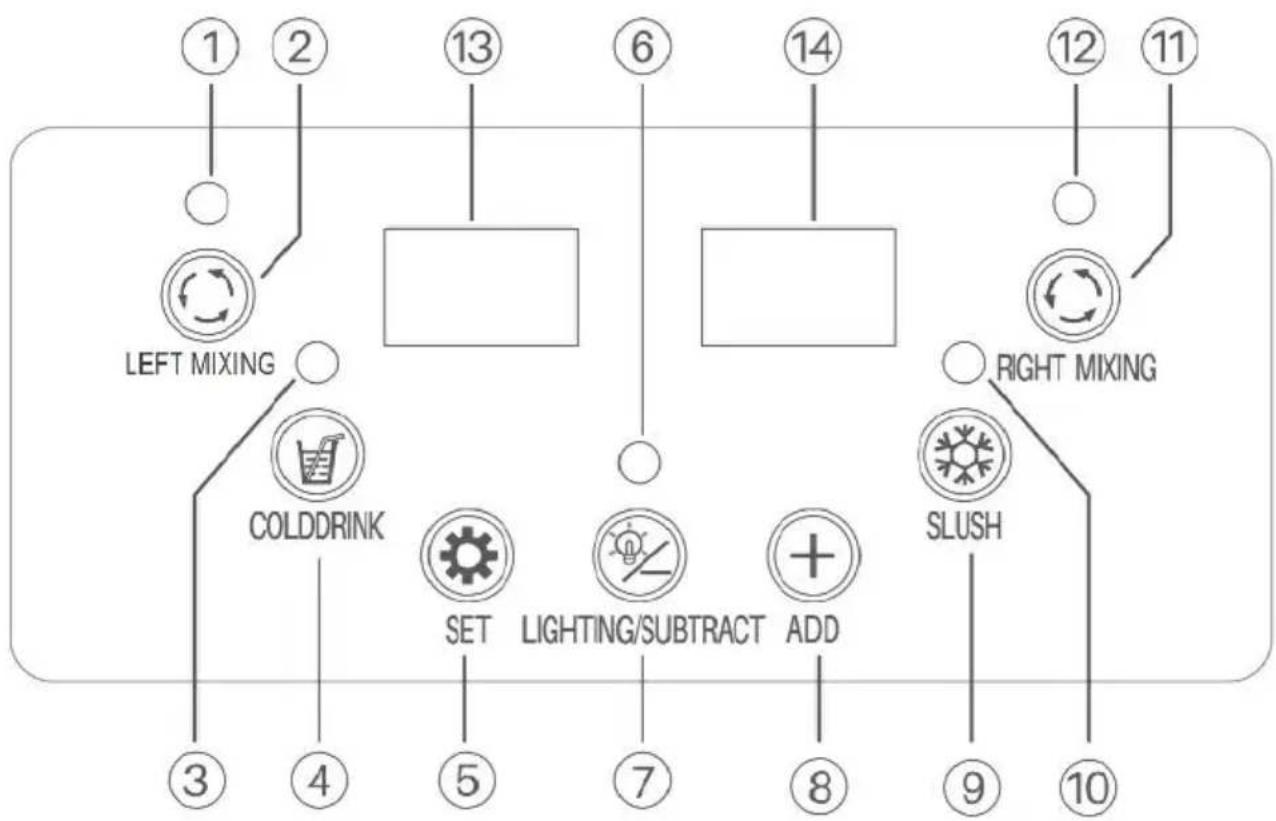
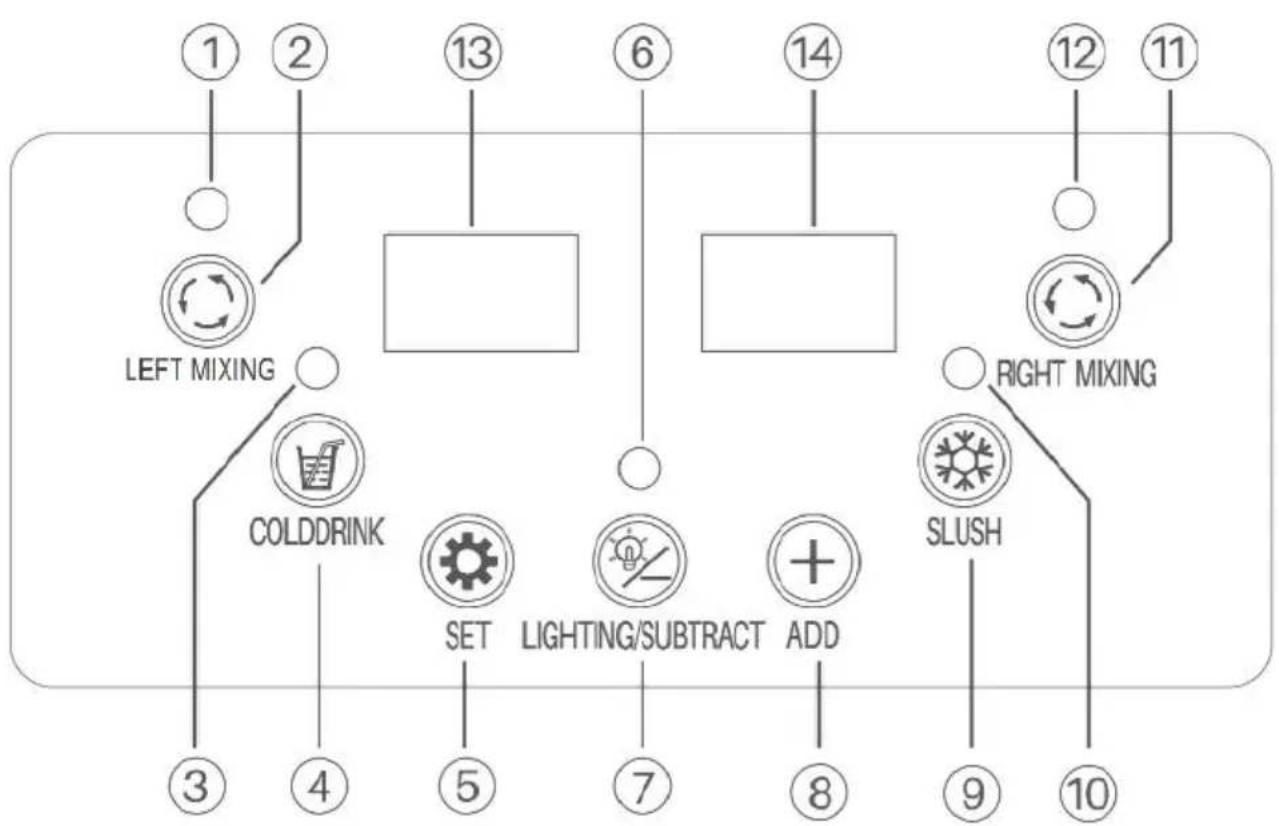
2.X-300
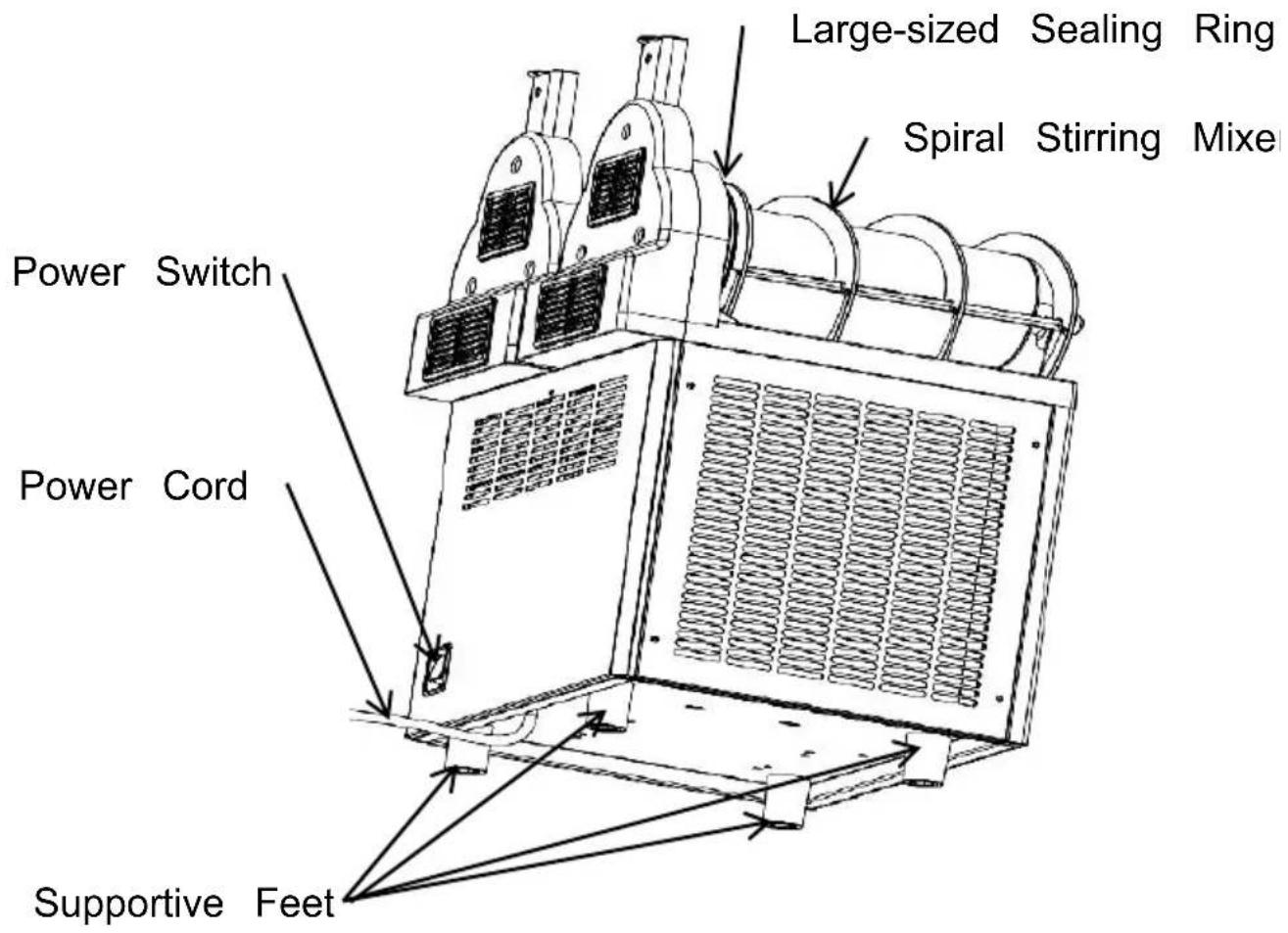
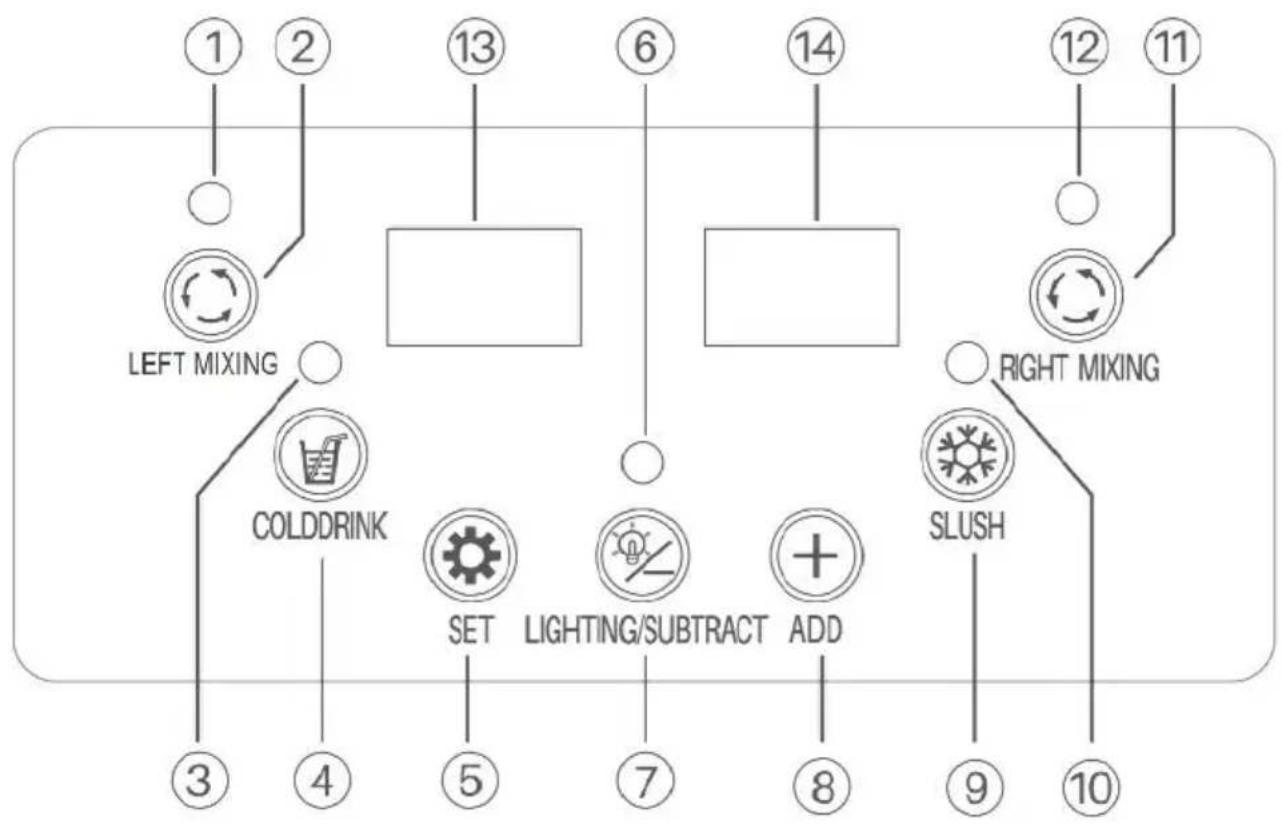
flowchart
graph TD
    A["1"] --> B["LEFT MIXING"]
    C["2"] --> B
    D["3"] --> E["COLDDRINK"]
    F["4"] --> E
    G["5"] --> H["SET"]
    I["6"] --> J["LIGHTING/SUBTRACT"]
    K["7"] --> L["ADD"]
    M["8"] --> L
    N["9"] --> O["SLUSH"]
    P["10"] --> O
    Q["11"] --> R["RIGHT MIXING"]
    S["12"] --> R
    T["13"] --> U[" "]
    V["14"] --> W[" "]
    X["15"] --> Y[" "]
    Z["16"] --> AA[" "]
    AB["17"] --> AC[" "]
    AD["18"] --> AE[" "]
    AF["19"] --> AG[" "]
    AH["20"] --> AI[" "]
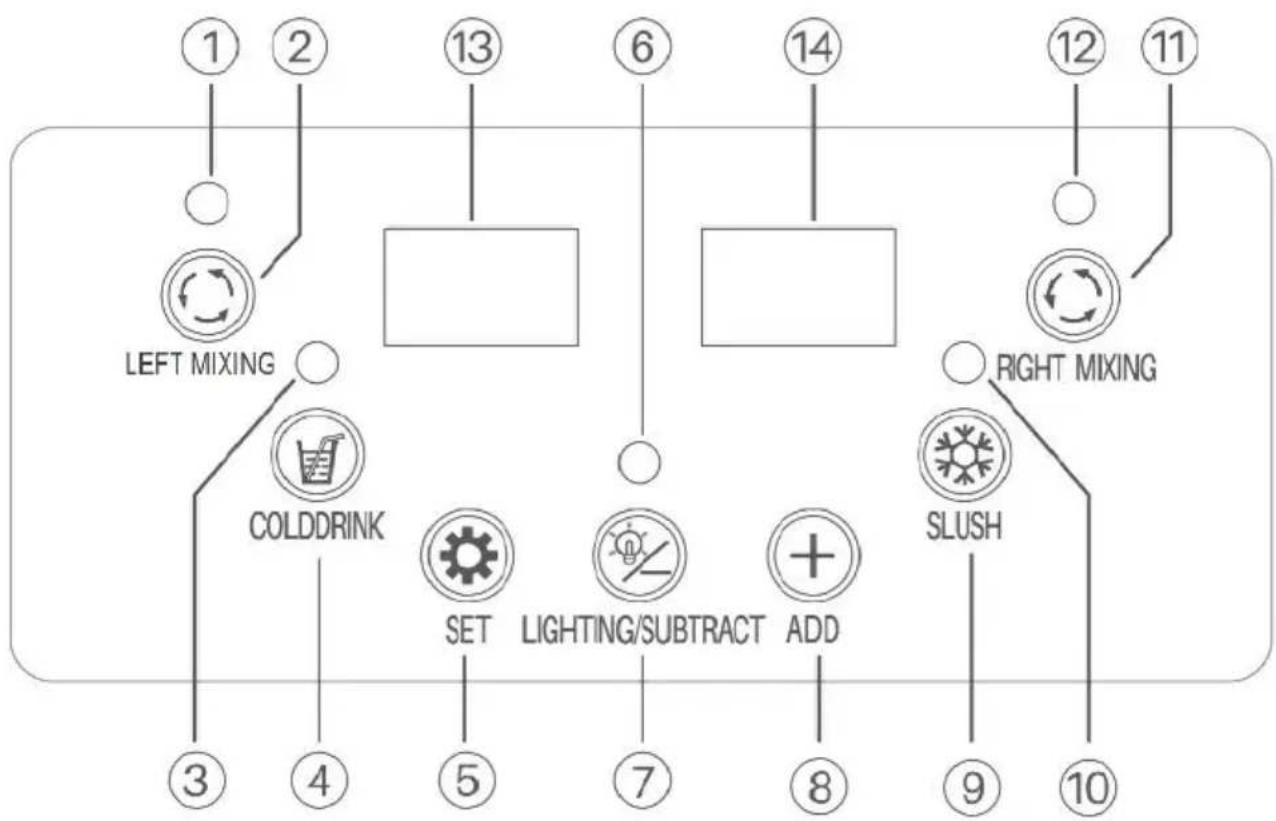
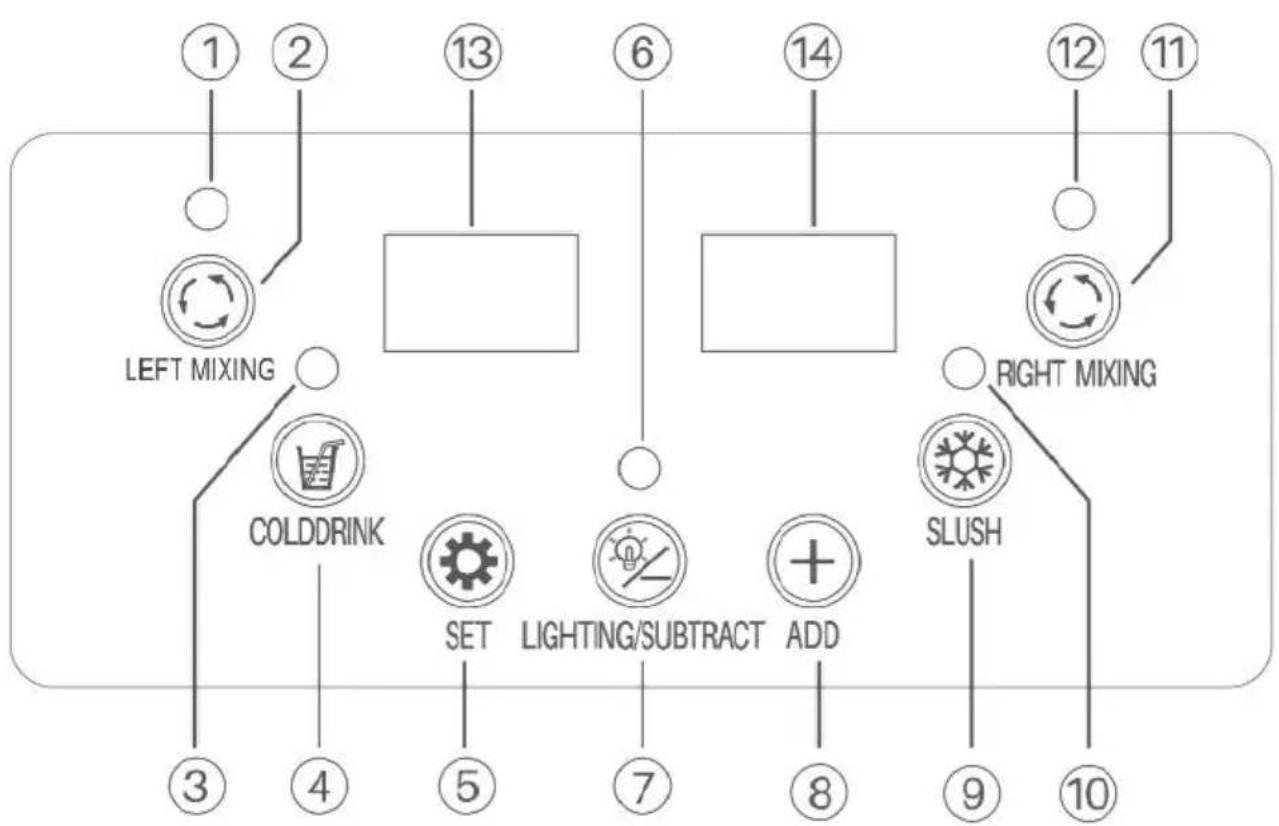
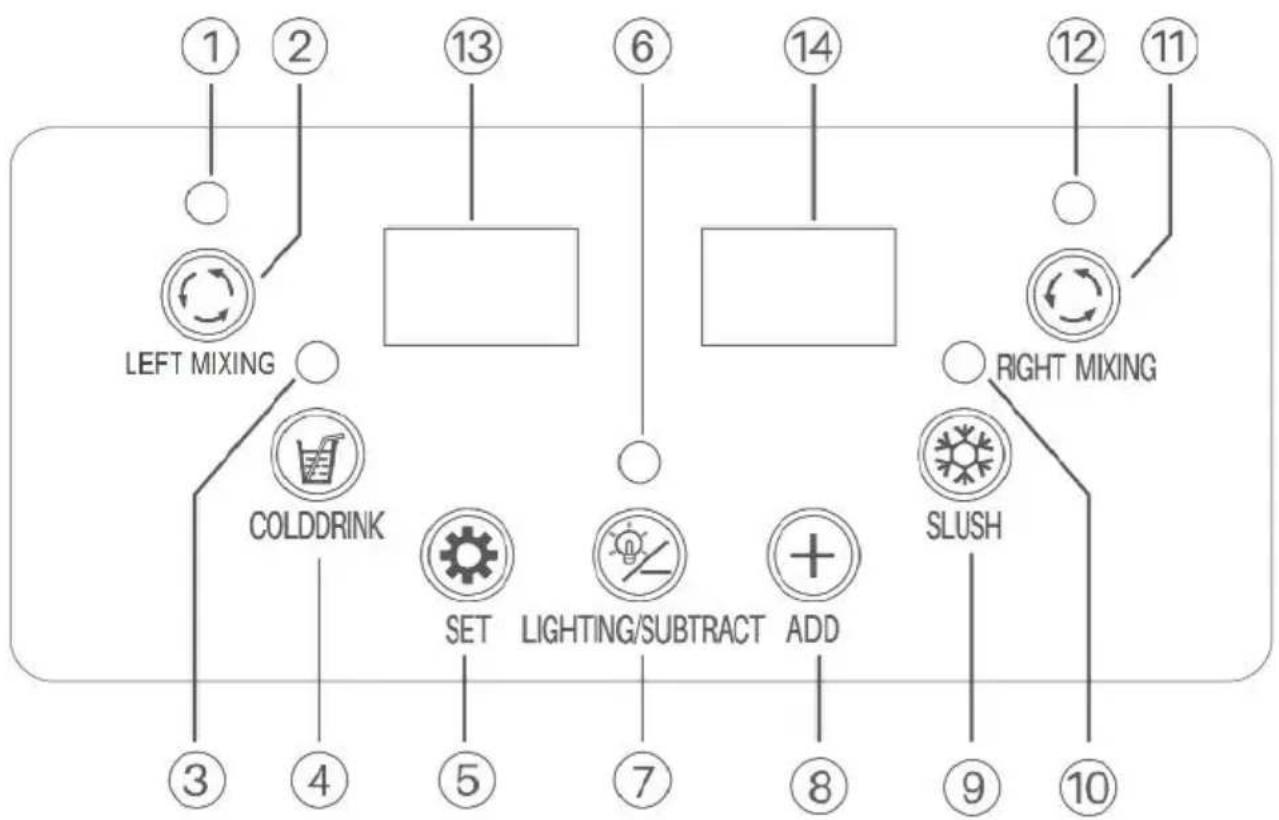
| 1 Mixing Indicator of the Left Tank | 2 Mixing Button for Left Tank | 3 Cooling Indicator for Both Tanks |
| 4 Cooling Button for Both Tanks | 5 Setting Button | 6 Light Indicator |
| 7 Lightning On/Off Button | 8 Adjusting Button | 9 Slush Making Button for Both Tan |
| 10 Slush Making Indicator for Both Tanks | 11 Mixing Button for Right Tank | 12 Mixing Indicator for the Right Tank |
| 13 Left LED Panel | 14 Right LED Panel | |
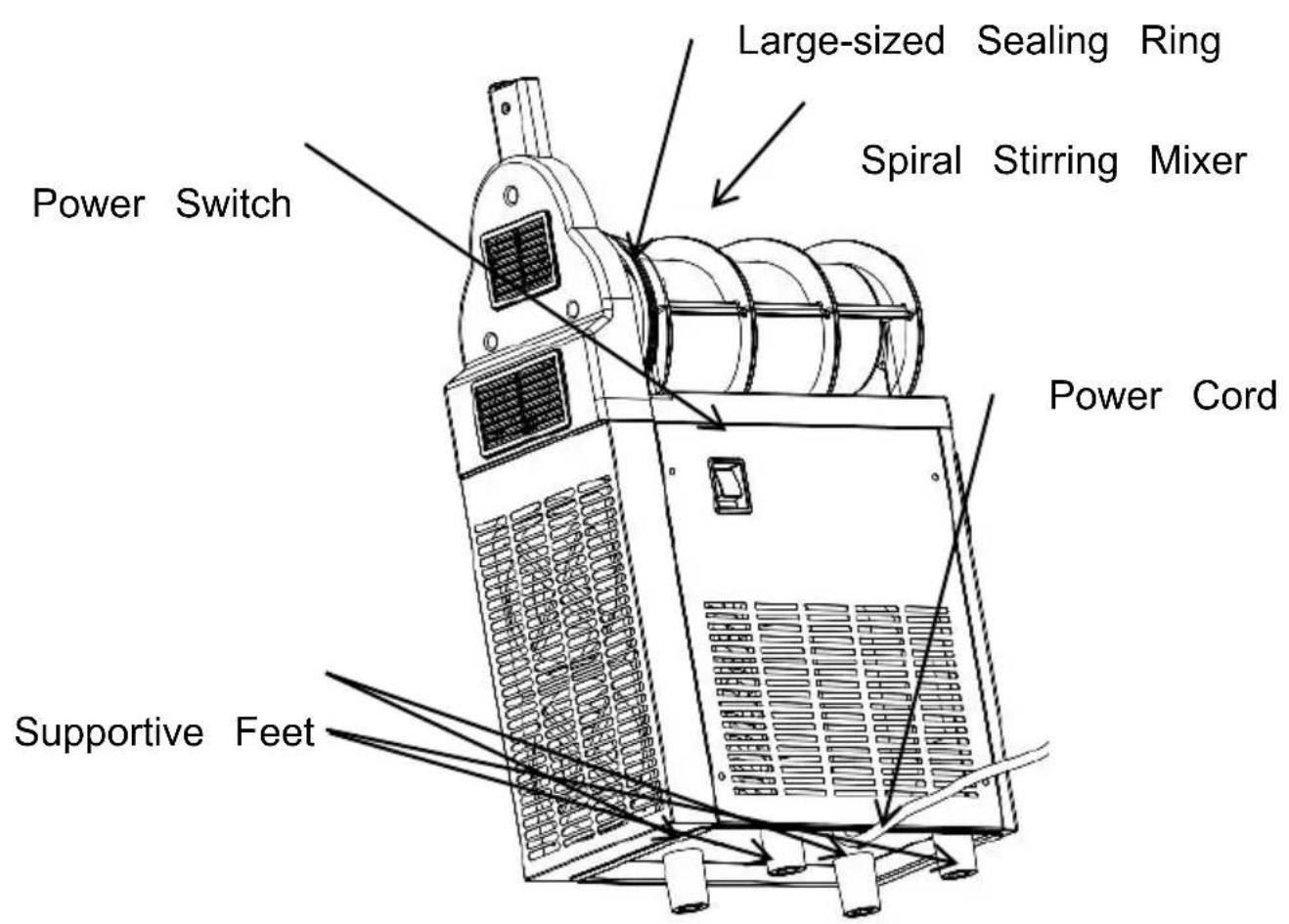
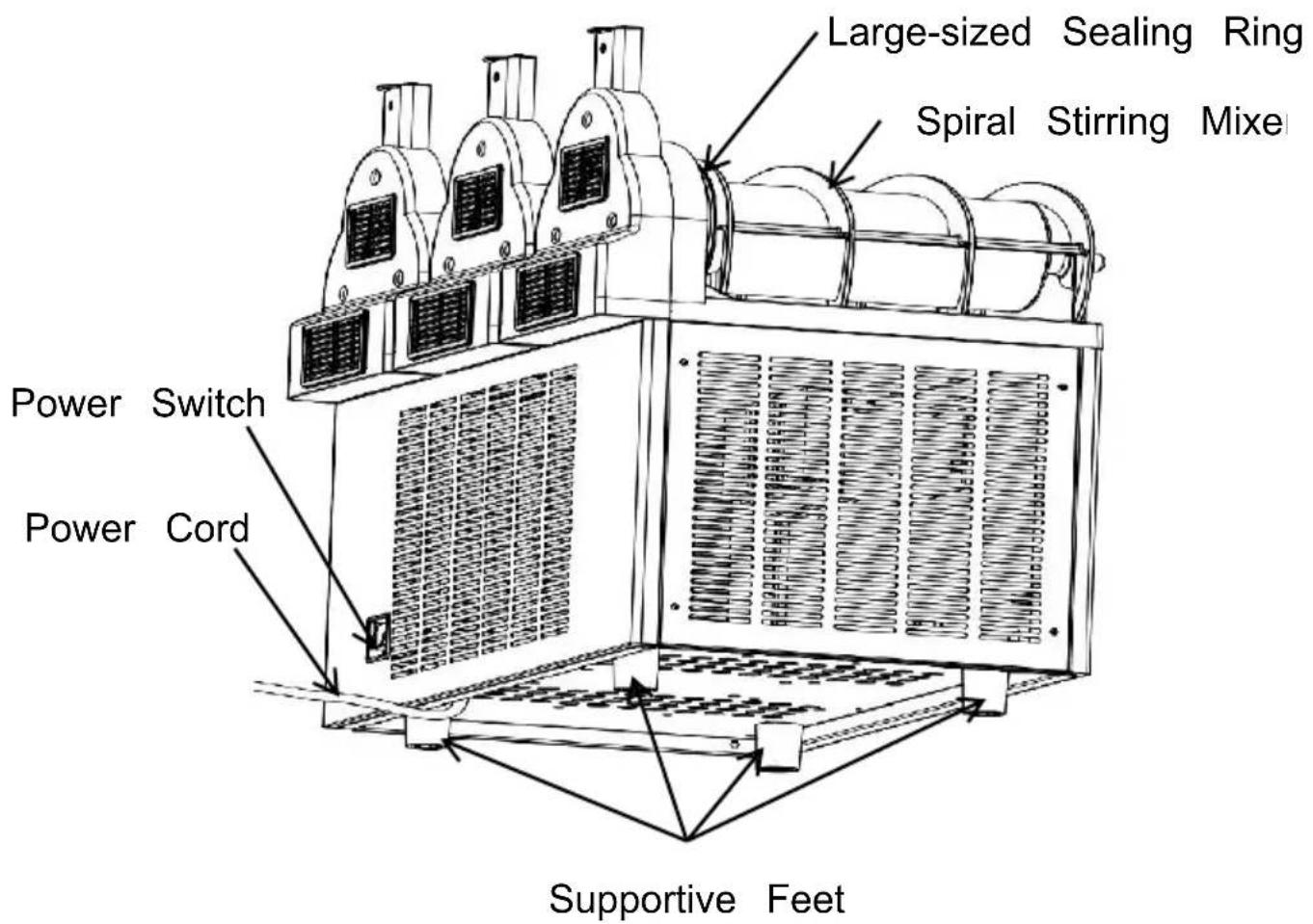
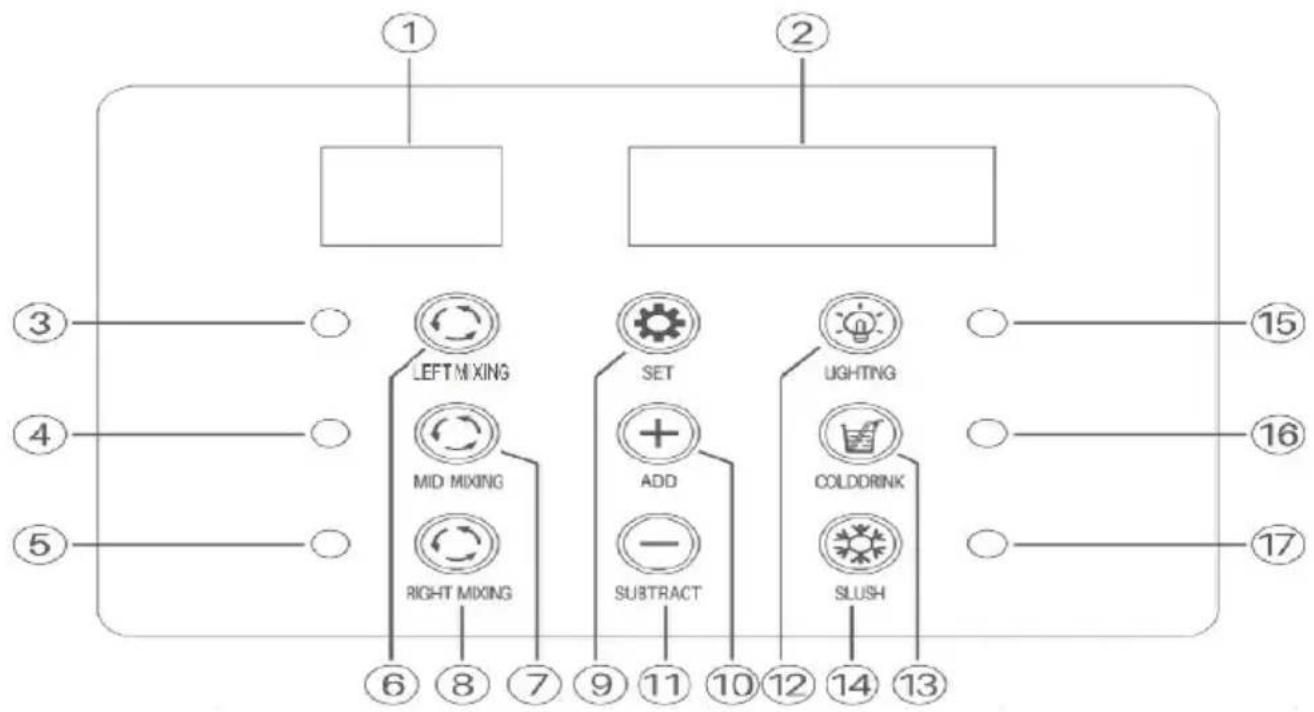
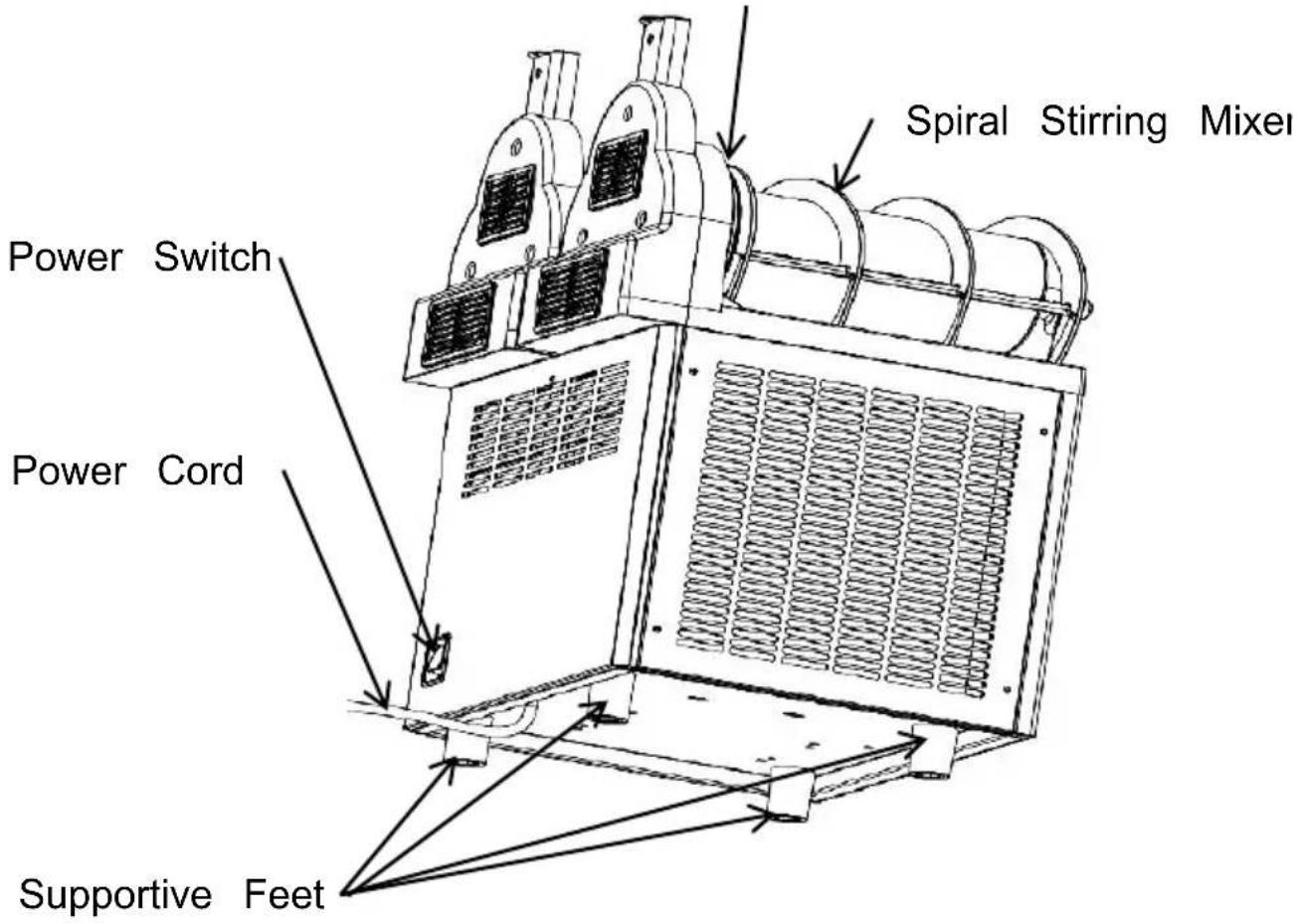
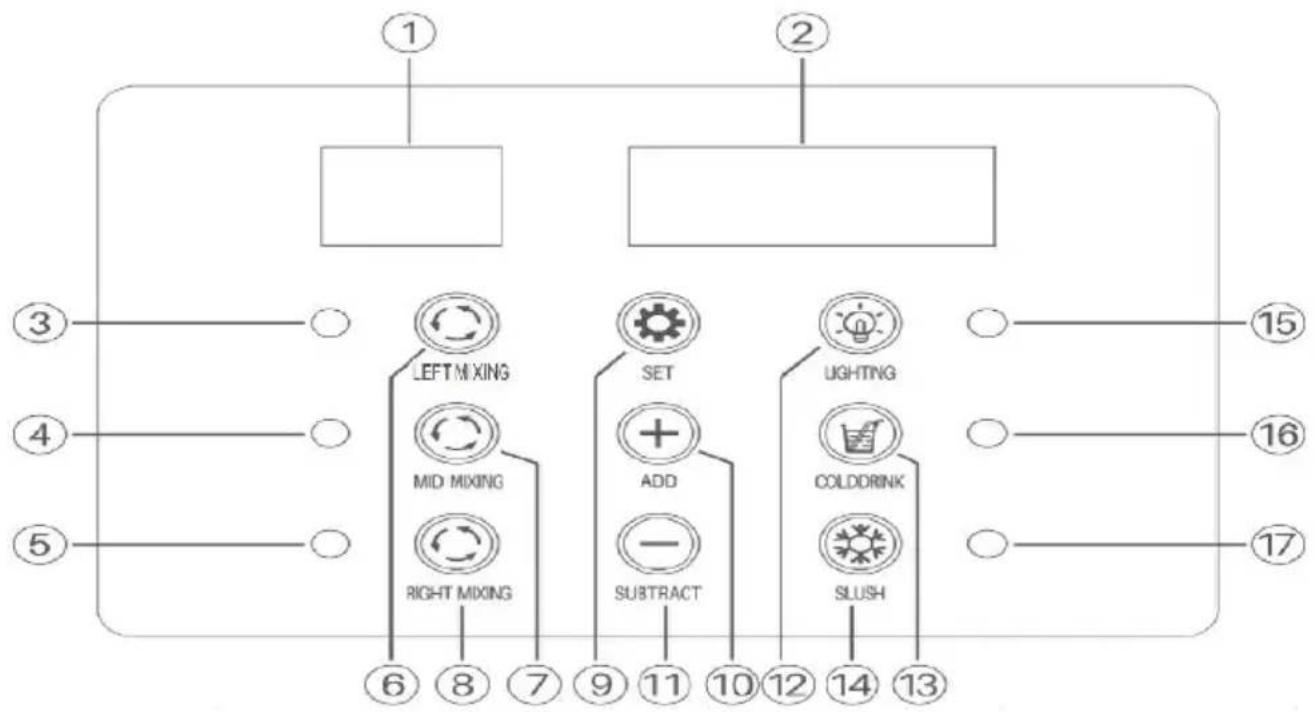
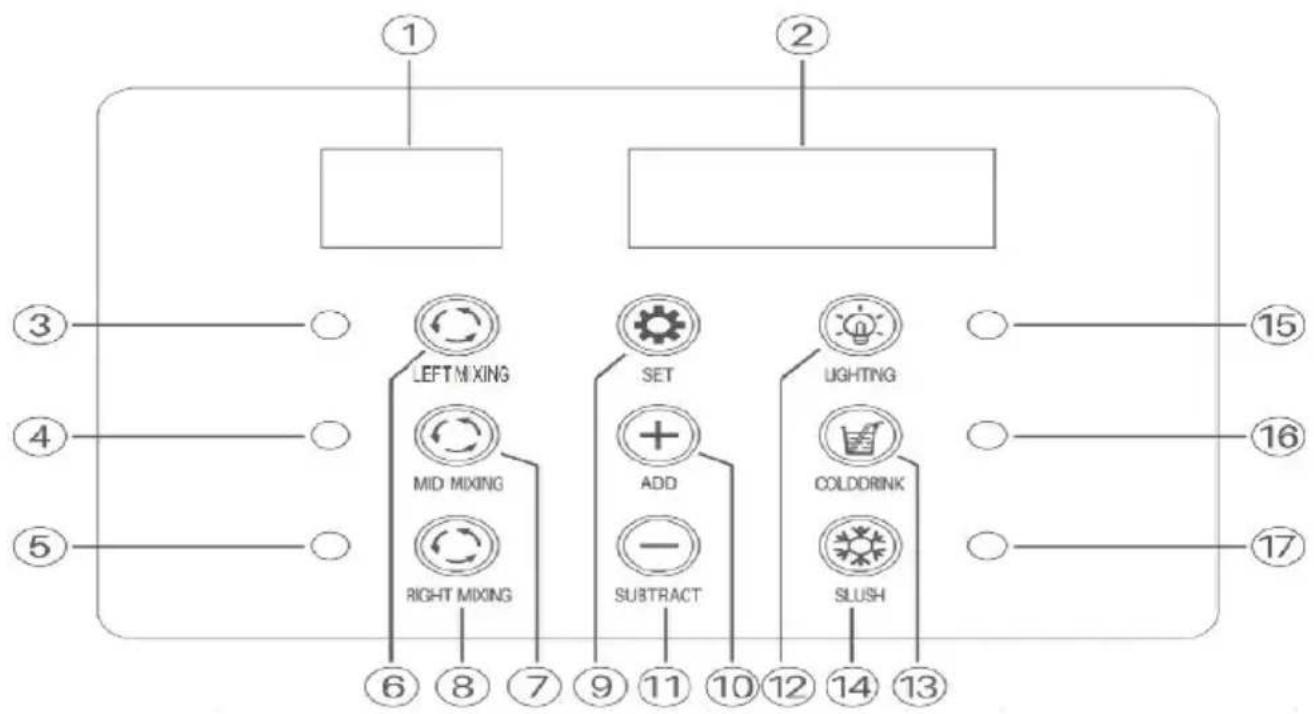
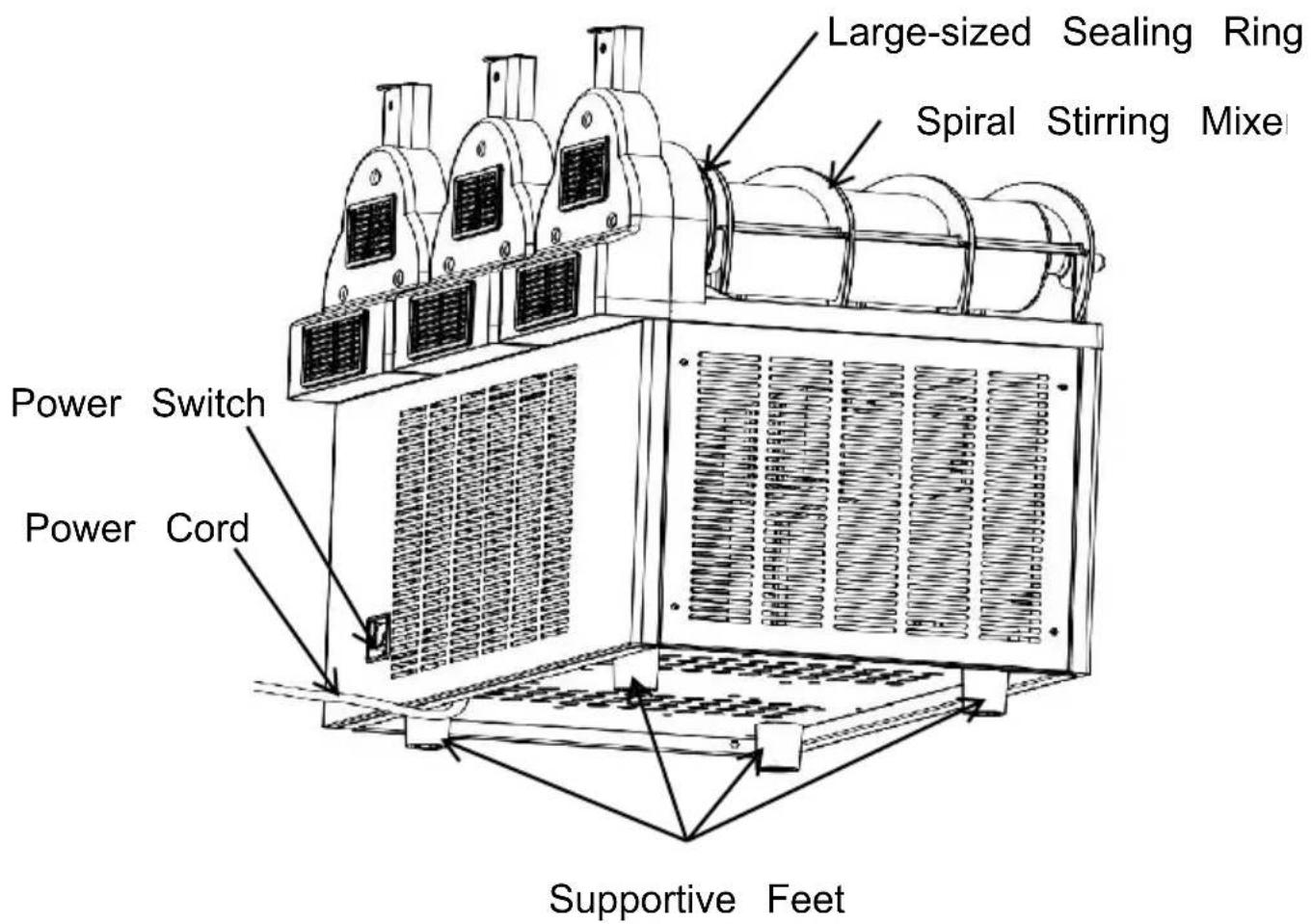
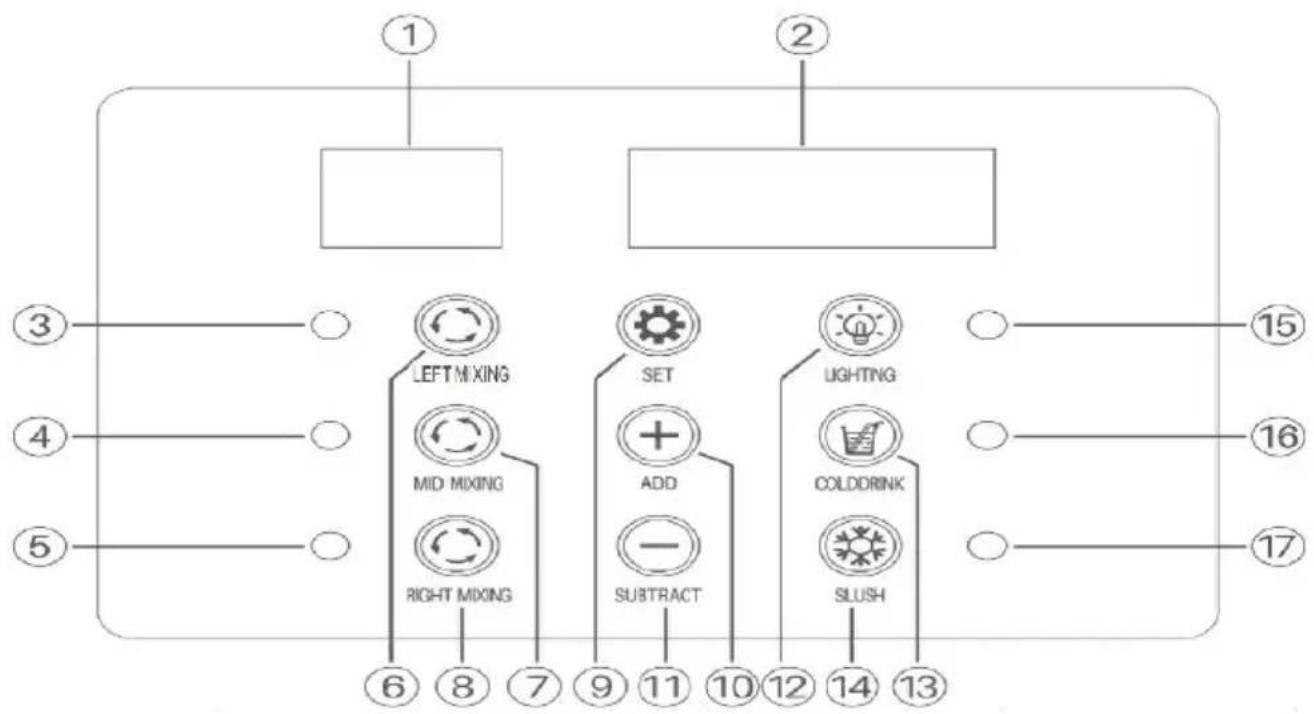
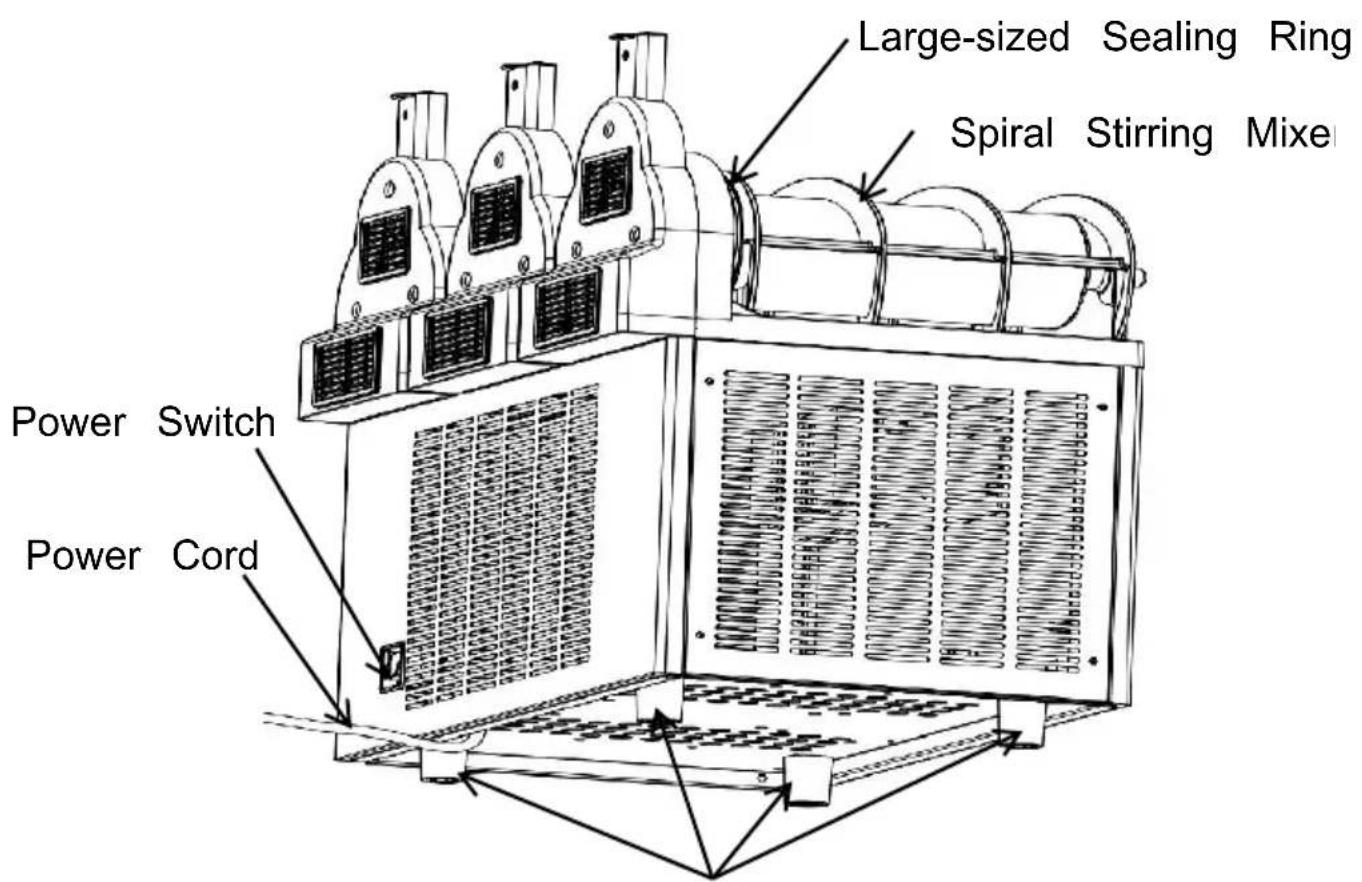
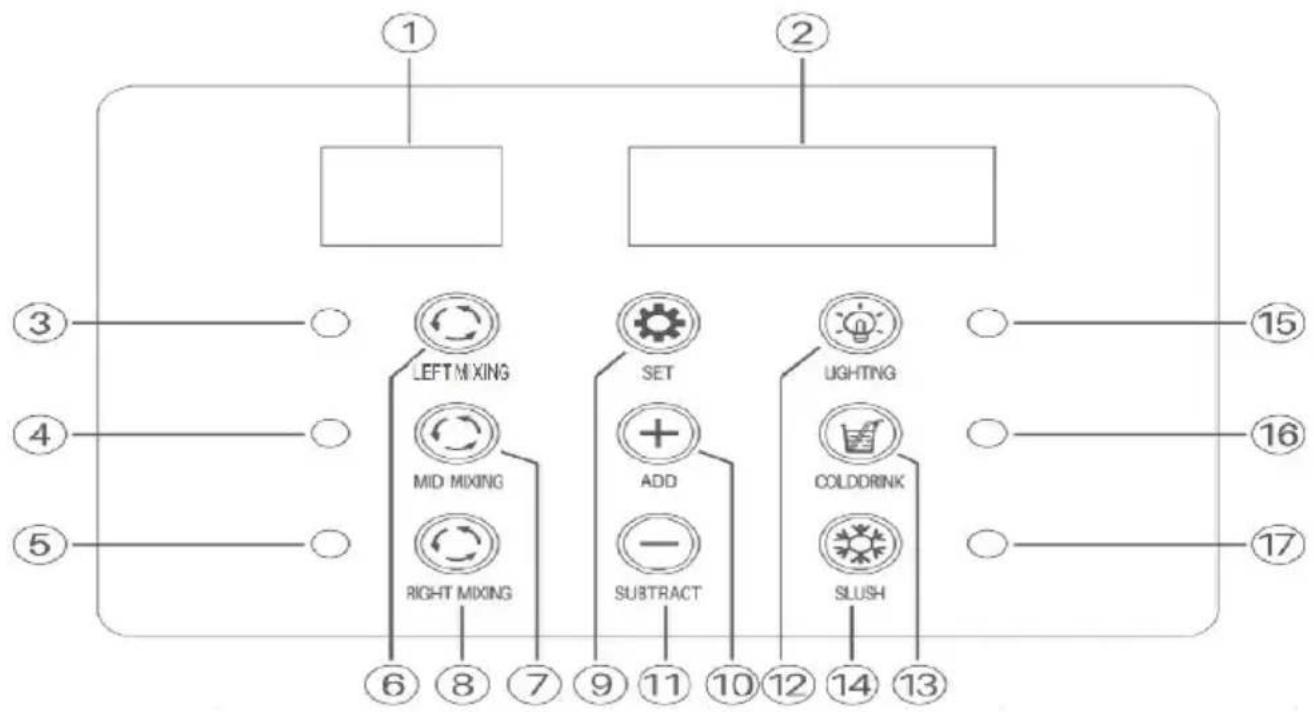
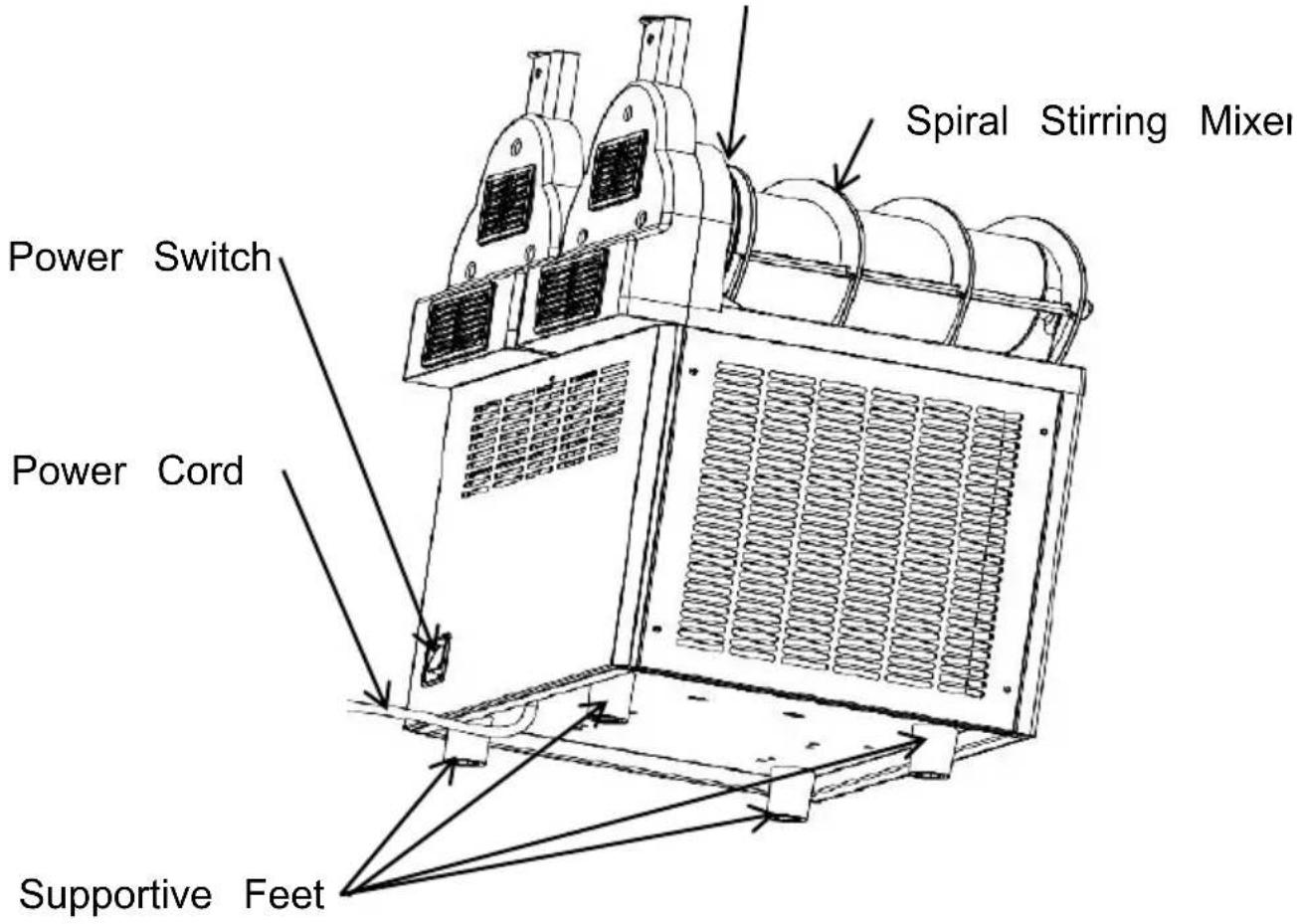
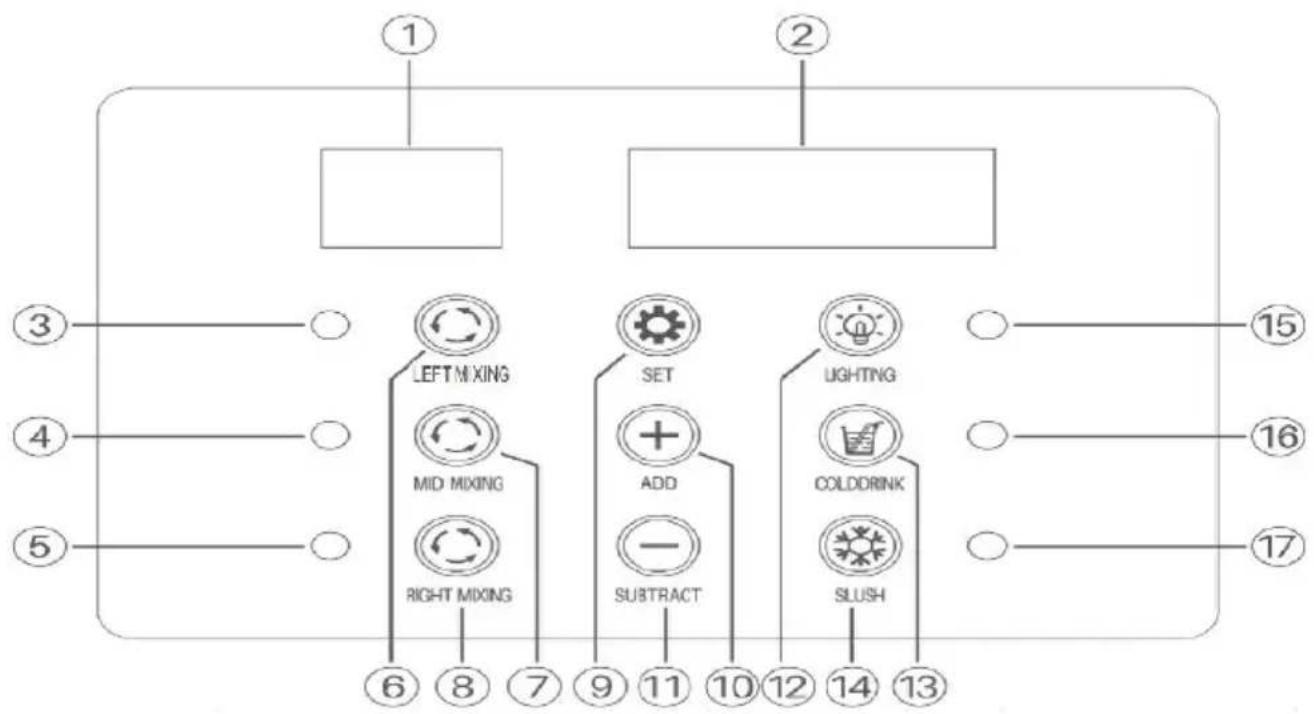
3.X-450
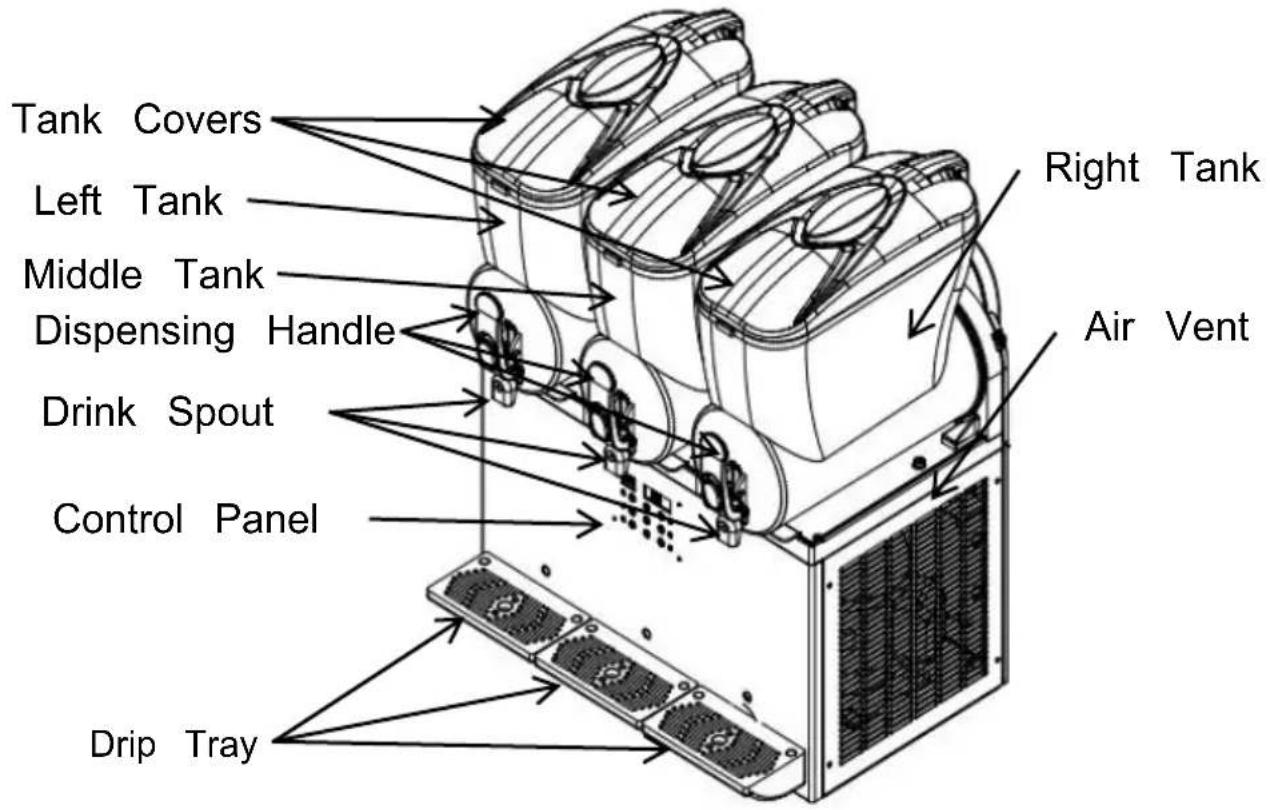
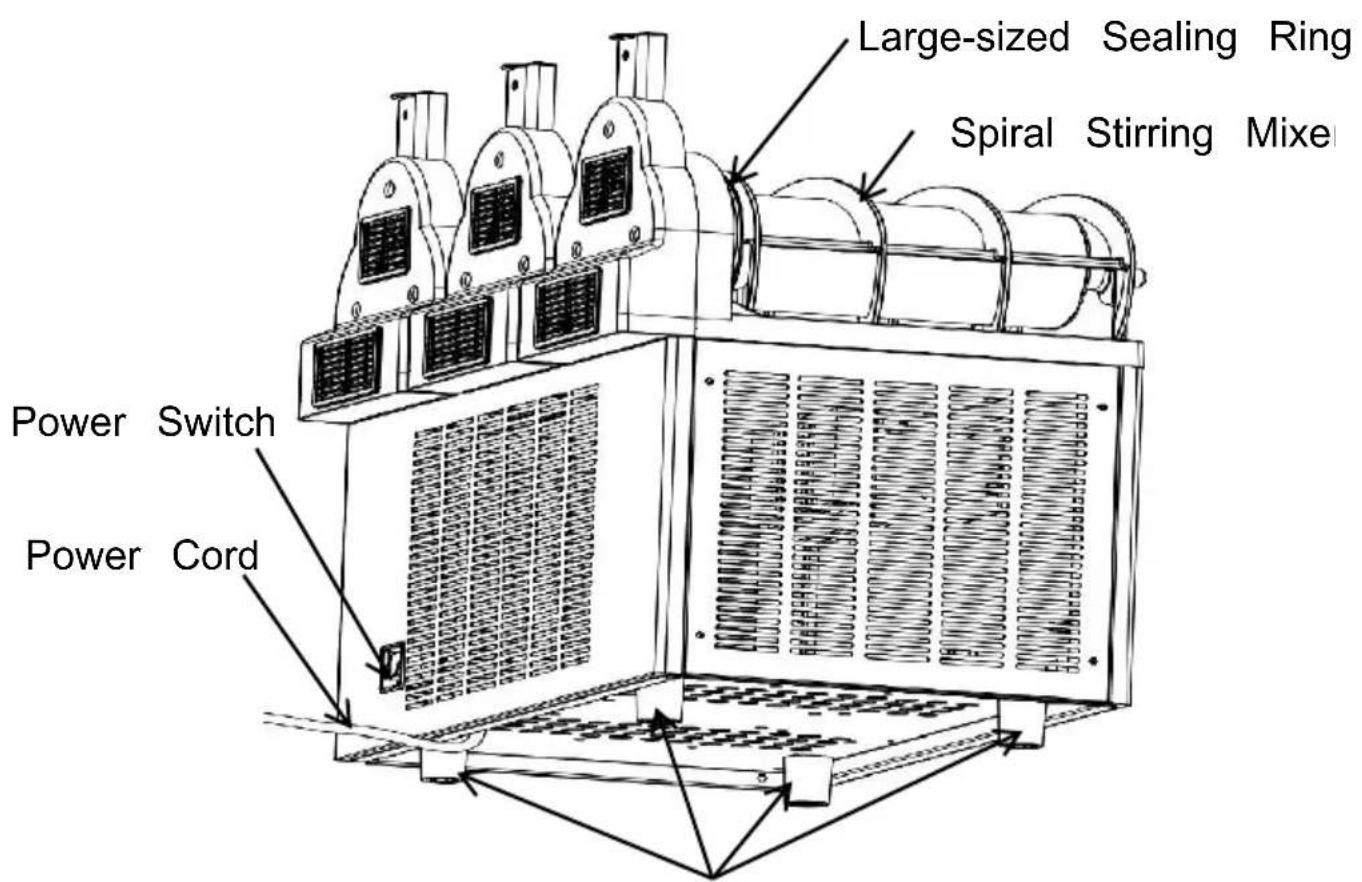
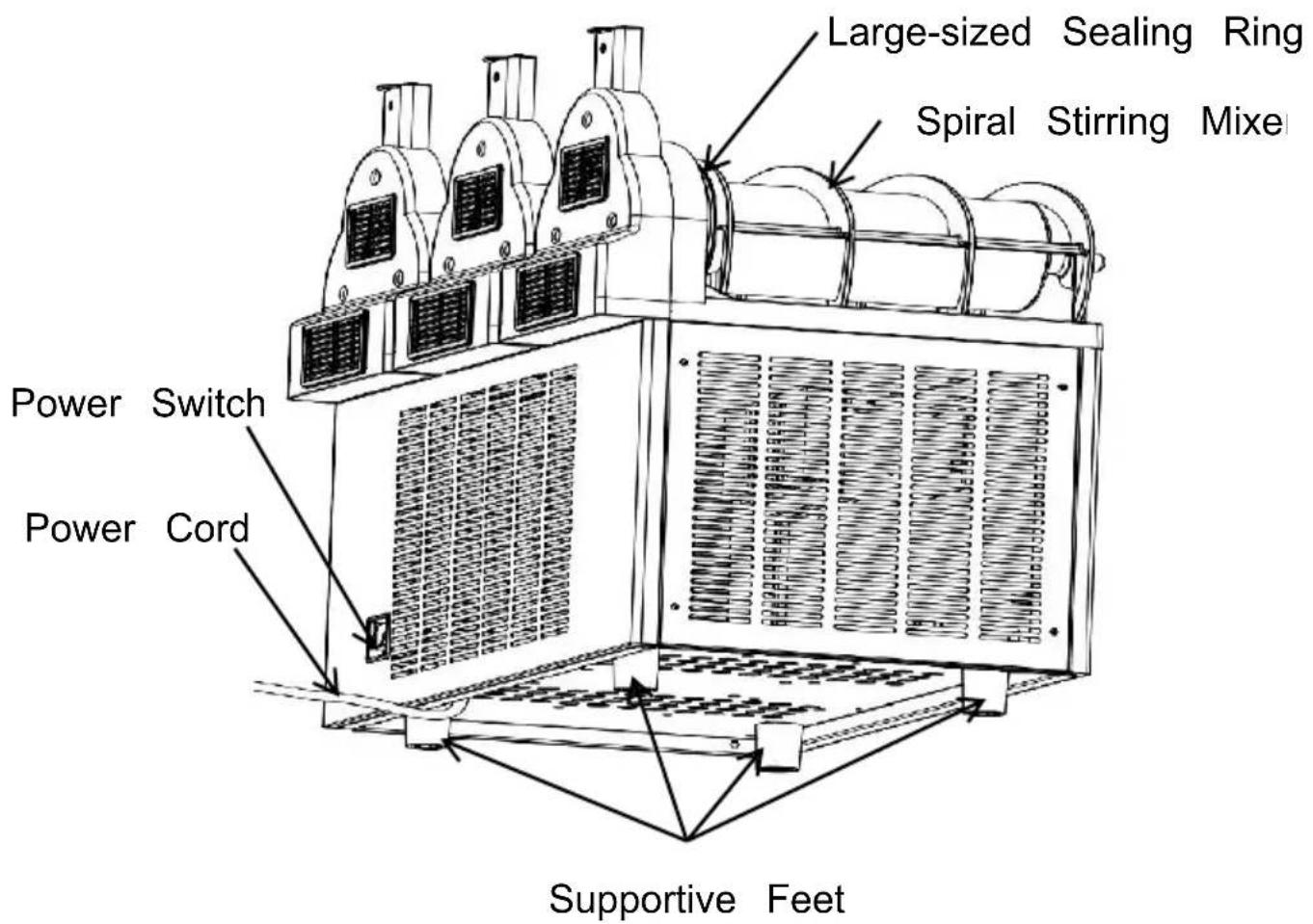
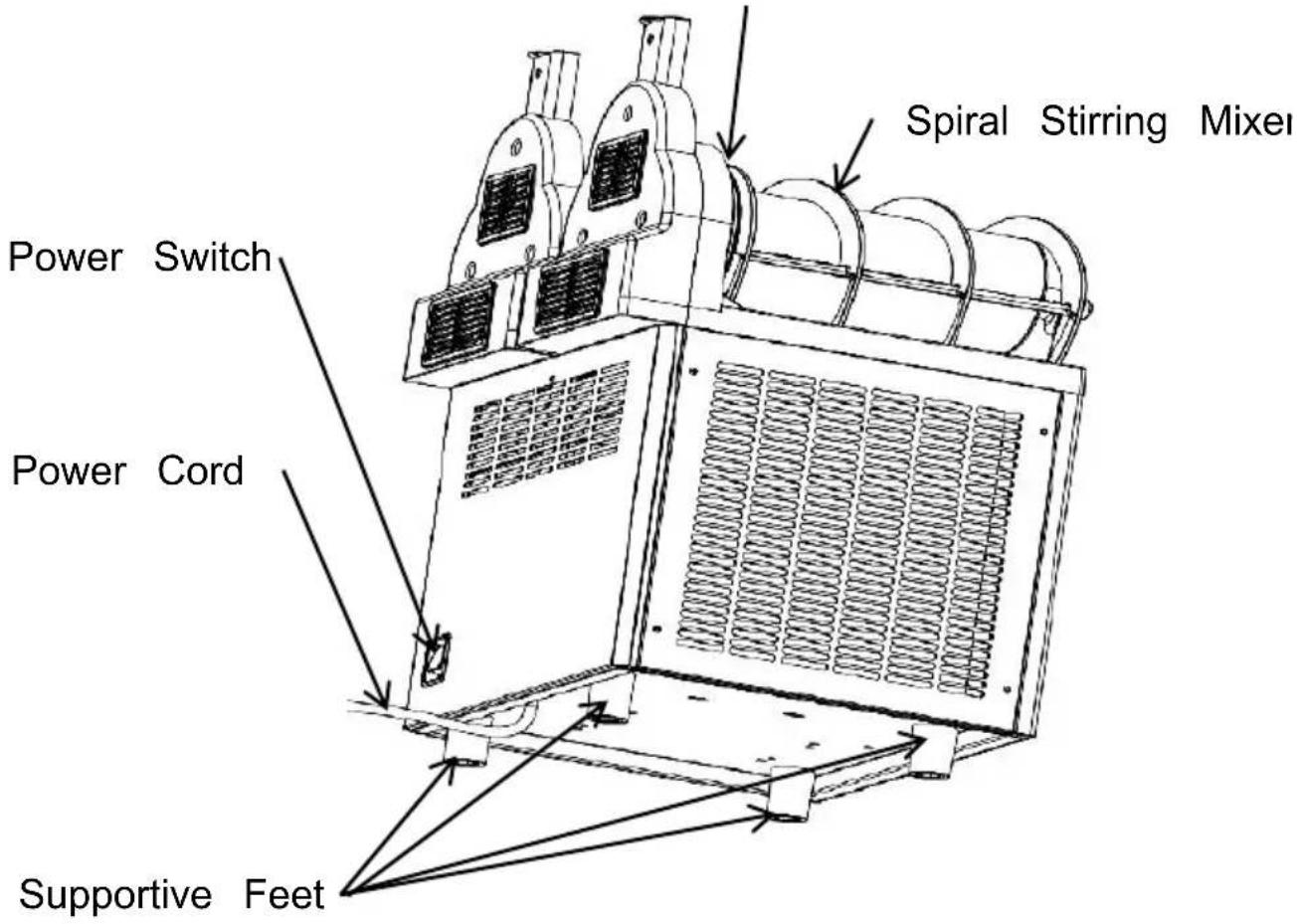
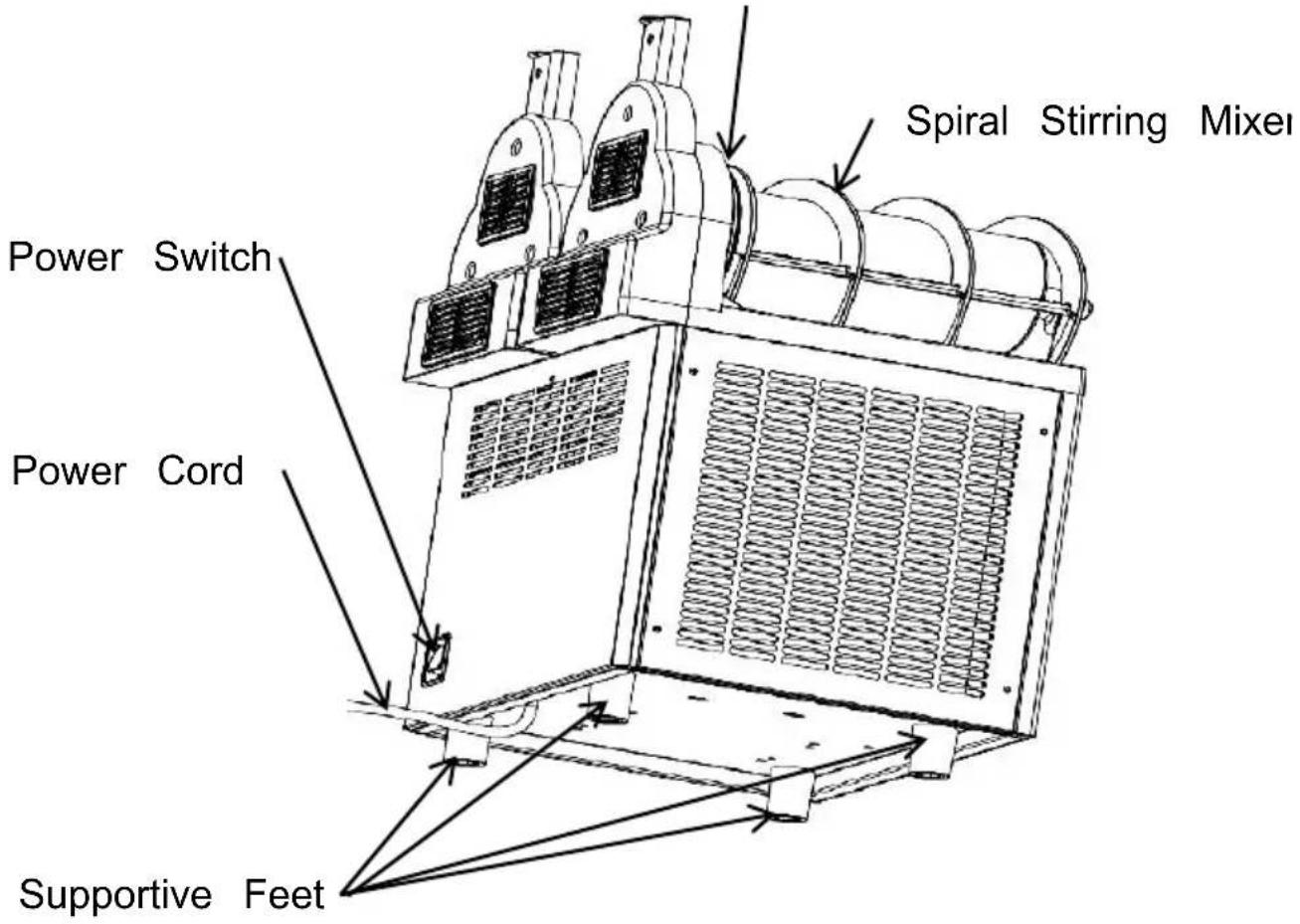
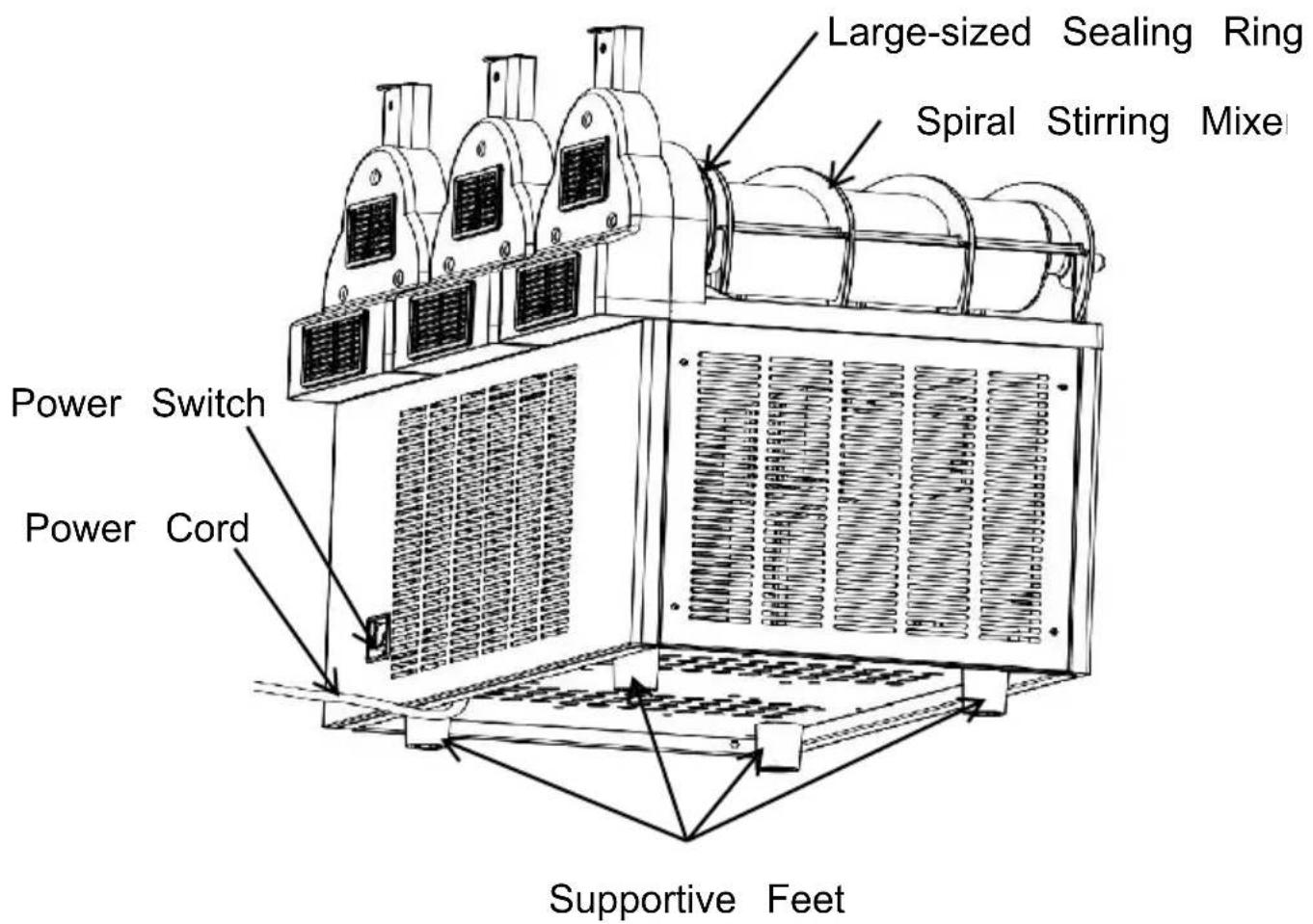
Supportive Feet
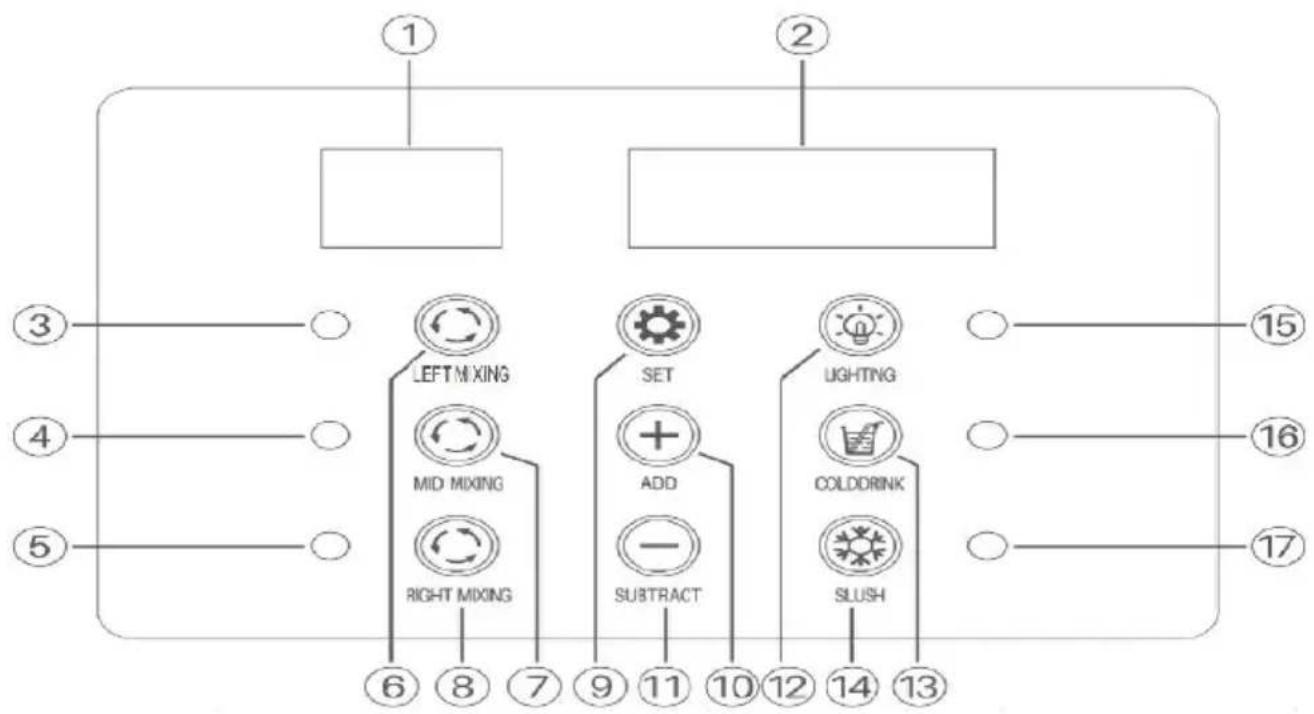
flowchart
graph TD
    A["①"] --> B[" "]
    C["②"] --> D[" "]
    E["③"] --> F["LEFT MIXING"]
    G["④"] --> H["MID MIXING"]
    I["⑤"] --> J["RIGHT MIXING"]
    K["⑥"] --> L["SET"]
    M["⑦"] --> N["ADD"]
    O["⑧"] --> P["SUBTRACT"]
    Q["⑨"] --> R["LIGHTING"]
    S["⑩"] --> T["COLDDRINK"]
    U["⑪"] --> V["SLUSH"]
    W["⑫"] --> X[" "]
    Y["⑬"] --> Z[" "]
    AA["⑭"] --> AB[" "]
    AC["⑮"] --> AD[" "]
    AE["⑯"] --> AF[" "]
    AG["⑰"] --> AH[" "]
    AI["⑱"] --> AJ[" "]
    AK["㉑"] --> AL[" "]
    AM["㉒"] --> AN[" "]
    AO["㉔"] --> AP[" "]
    AQ["㉕"] --> AR[" "]
    AS["㉖"] --> AT[" "]
    AU["㉗"] --> AV[" "]
    AW["㉒"] --> AX[" "]
    AY[" "] --> AZ[" "]
    BA[" "] --> BB[" "]
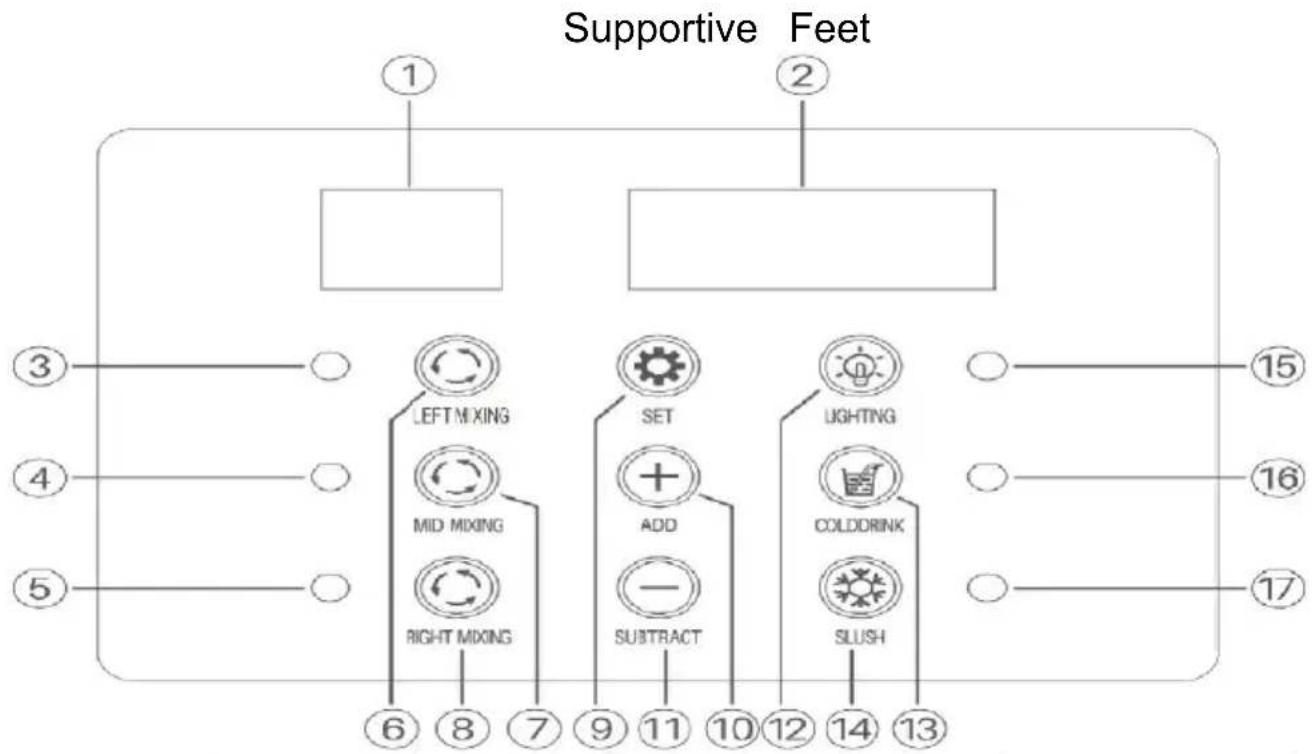
| 1 Left LED Panel | 2 Right LED Panel | 3 Mixing Indicator for the Left Tank |
| 4 Mixing Indicator of the Middle Tank | 5 Mixing Indicator of the Right Tank | 6 Mixing Button of the Left Tank |
| 7 Mixing Button for the Middle Tank | 8 Mixing Button for the Right Tank | 9 Setting Button |
| 10 Adjusting Button + | 11 Adjusting Button - | 12 Lightning On/Off Button |
| 13 Cooling Button for Three Tanks | 14 Slush Making Button for Three Tan | 15 Light Indicator |
| 16 Cooling Indicator Three Tanks | 17 Slush Making Indicator for Three Ta | |
PREPARATION
- Upon arrival of the slush machine, remove all the packaging material and place it on a flat level surface. Let it sit quietly for 24 hours to compressor's lubricating oil to settle before use. Failure to do so may in easy damage to the compressor.
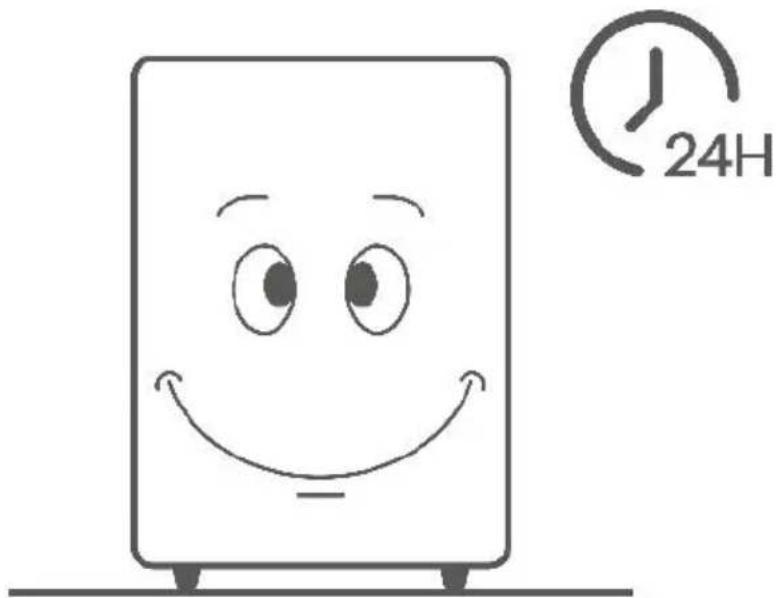
*Ensure the slush machine is positioned on a flat and level surface.

natural_image
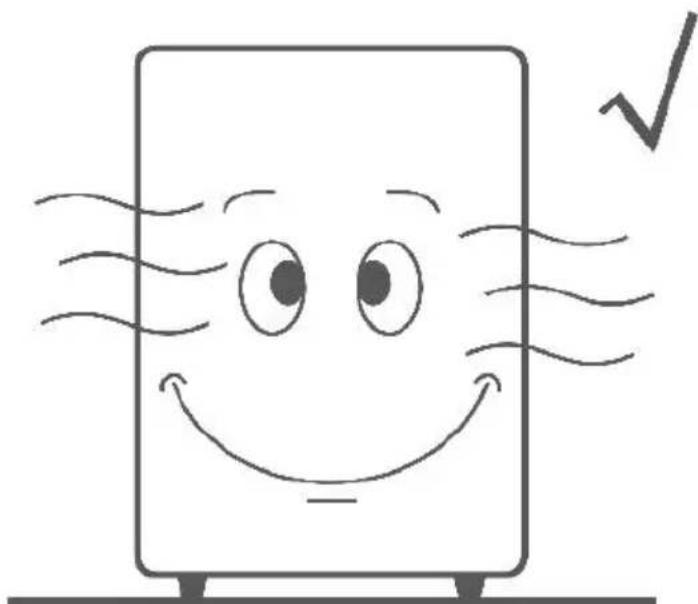
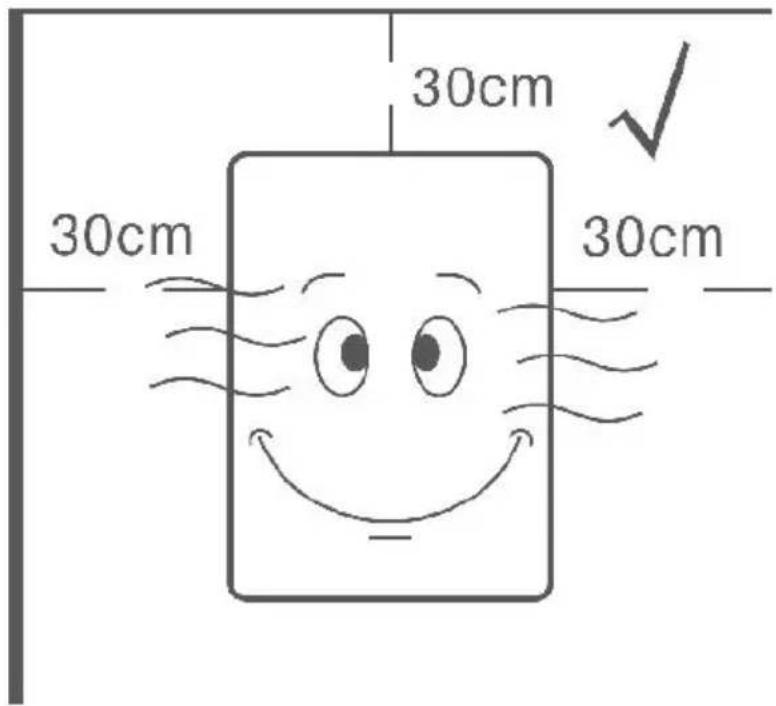
Cartoon illustration of a smiling document with a wavy line and a cross symbol (no text or labels)*Place the machine in a well-ventilated room to facilitate air circulation its cooling system.
natural_image
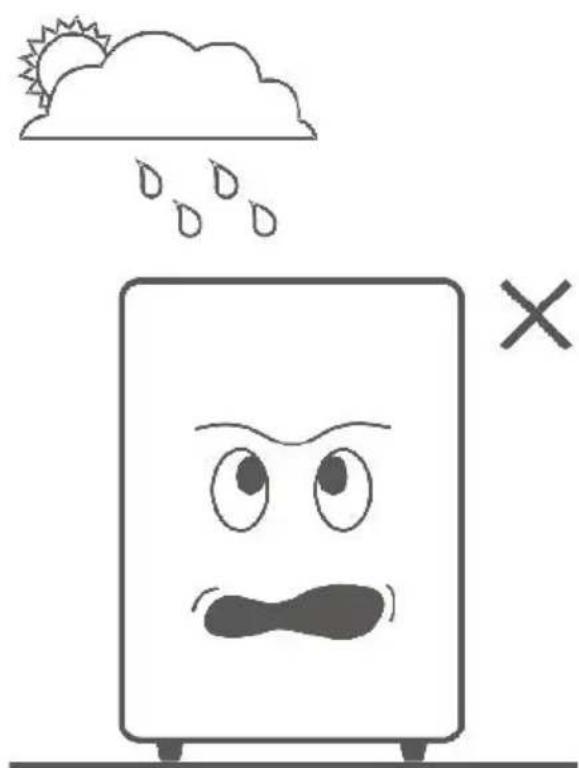
Simple line drawing of a smiling document with eyes and a smile, emitting steam lines (no text or symbols)*Avoid exposure to direct sunlight, rain, extreme temperatures, or heat sources.
natural_image
Simple line drawing of a sad, distressed book with raindrops above and an 'X' symbol below (no text or symbols)*Maintain at least 30cm of space around all sides of the machine for ventilation.
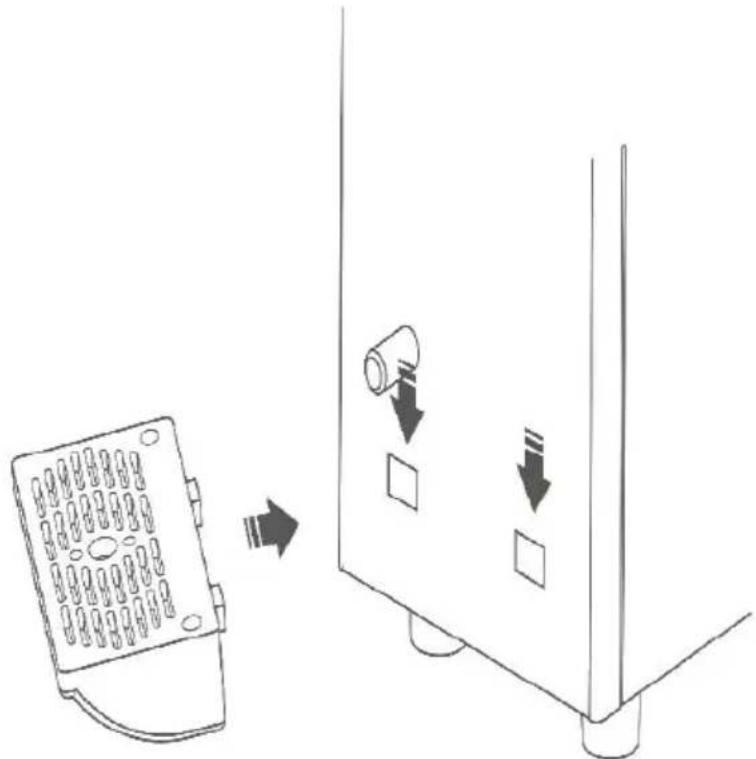
- Install the drip tray(s) into the designated slots in the slush machine
- Clean the slush machine before the initial use.
Step 1:
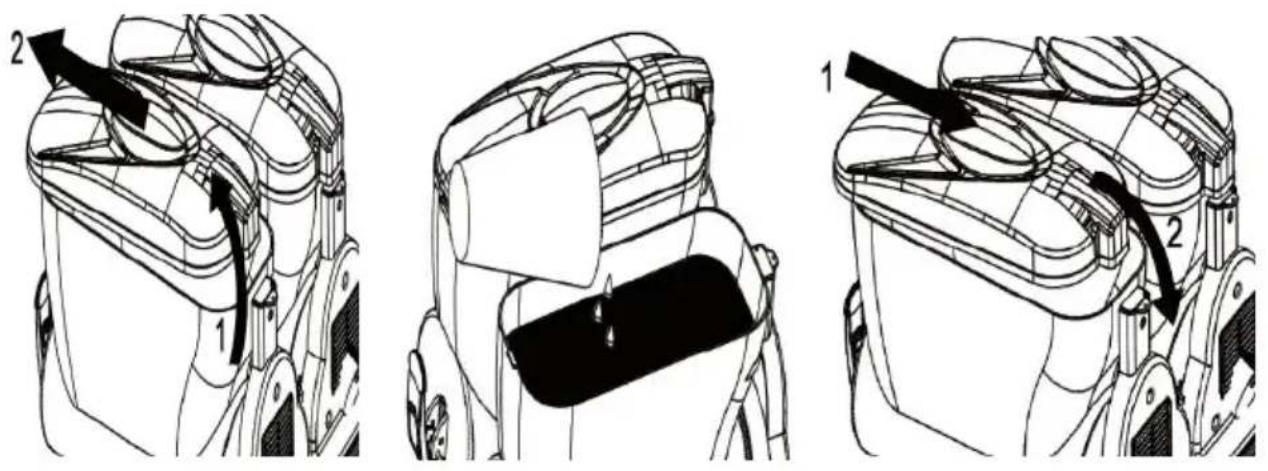
Open the tank cover(s), pour an adequate amount of cleaning water the tank(s)using a container, and securely close the tank cover(s). En the water level does not exceed the indicated maximum level marked the tank(s).
Step 2:
Connect the slush machine's power cord and turn on the power switch
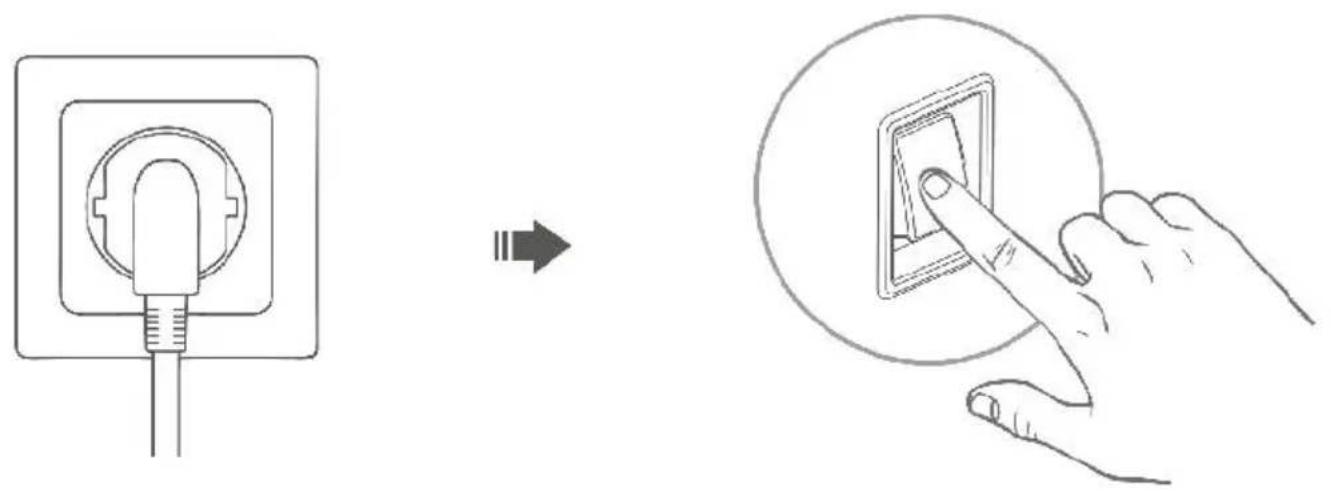
Step 3:
Press the mixing button to allow the machine to stir for approximately 5 minutes. Then use a container to drain the water by pulling the dis handle.

★ Tips:
*Avoid pouring water directly onto the machine to prevent damage.
*If the machine remains unused for an extended period, run it for 4 to hours monthly.
Step 4:
Turn off the power switch and unplug the machine to make it ready slush making.
Note:
Repeat steps 1 to 4 at least 2-4 times to thoroughly clean the slush machine.
OPERATION GUIDE
Never power on the slush machine before pouring the ingredients into tank(s).
1.X-150
Preparing Ingredients
Step 1:
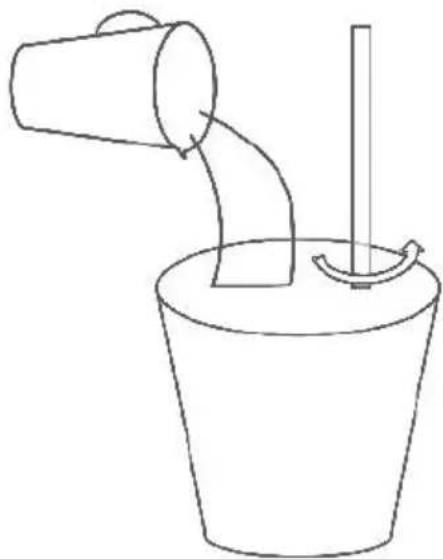
Dilute the concentrate as per the manufacturer's instructions in a suite container.Ensure a minimum sugar content of 13 % to prevent potential
machine damage.
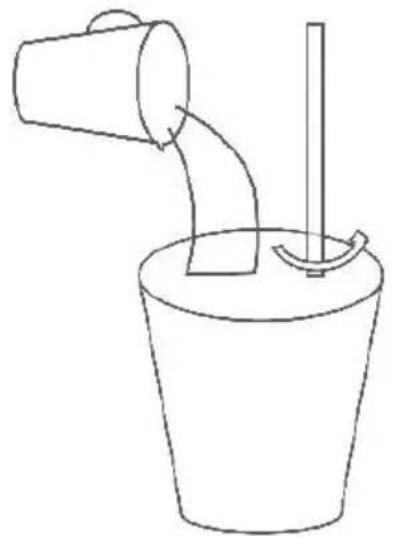
natural_image
Simple line drawing of a bucket pouring liquid into a container with a stirring rod (no text or symbols)13% Sugar
Step 2:
Open the tank cover, pour the diluted concentrate into the tank (Minim Level 5.5L), and securely close the cover.
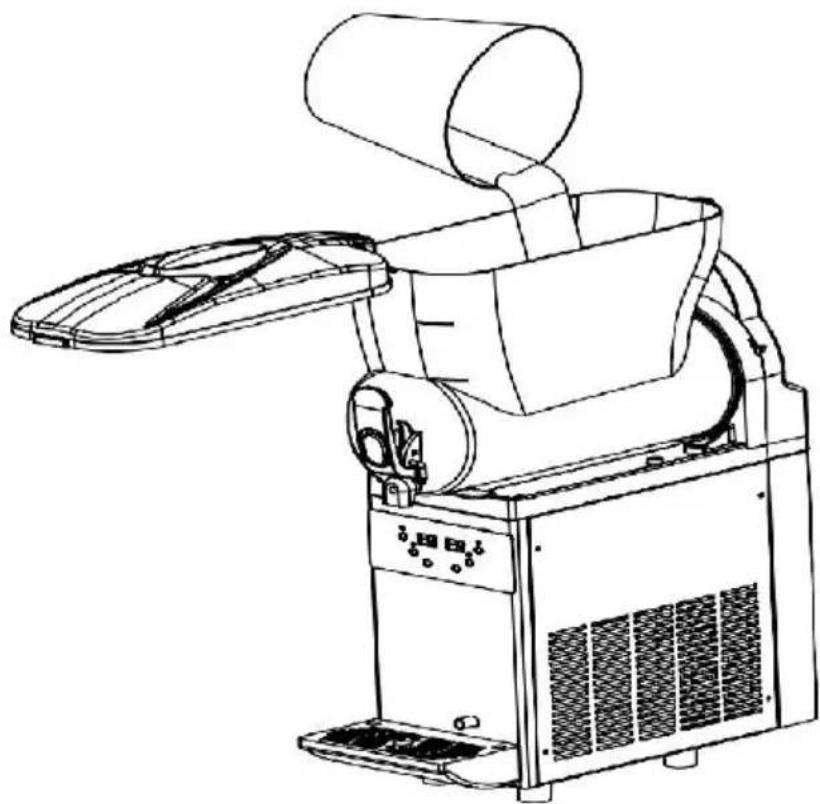
natural_image
Line drawing of a mechanical device with a cylindrical top and fan blade, no text or symbols presentNotes:
①Pour concentrate only when the machine is turned off or unplugged
②Avoid pouring hot liquids exceeding 24^ C/75.2°F into the tank.
③Maintain the liquid volume within the indicated minimum and maximum levels on the tank.
④Avoid inserting any body parts into the machine while it's operationa
Power Connection
Plug the power cord into a suitable socket, then turn on the power. The LED panels will indicate the tanks current temperature.
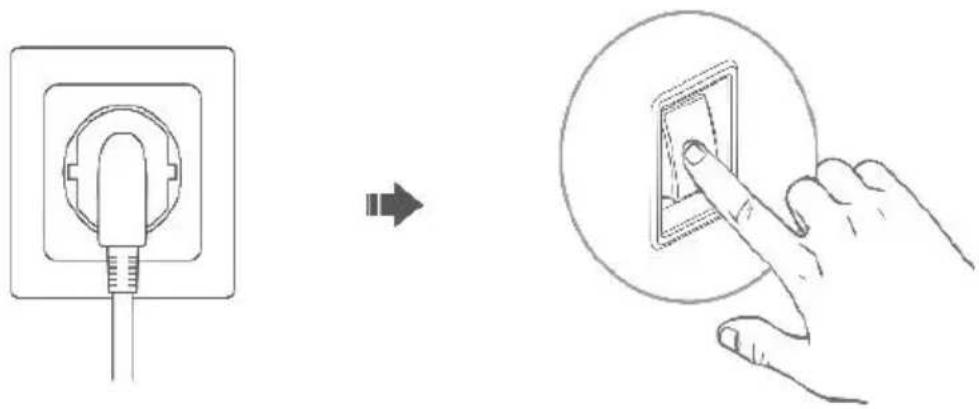
Mixing Function(Must-do)
Press the MIXING button on the control panel to initiate mixing the ingredients within the tank.
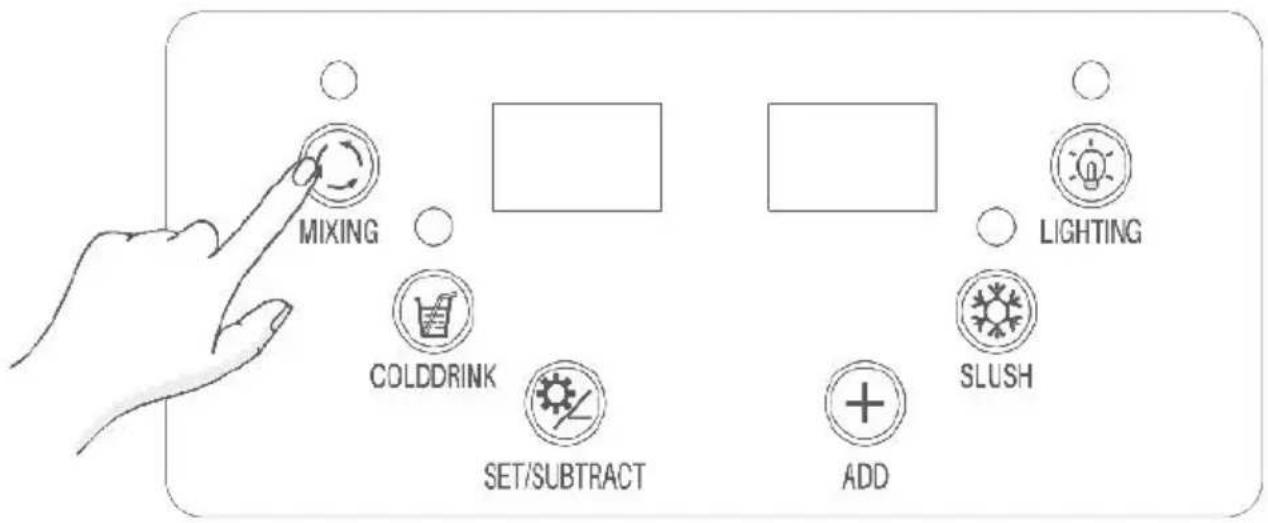
Cooling Function
Once the mixing function is active, press the COLDDRINK button to the ingredients.
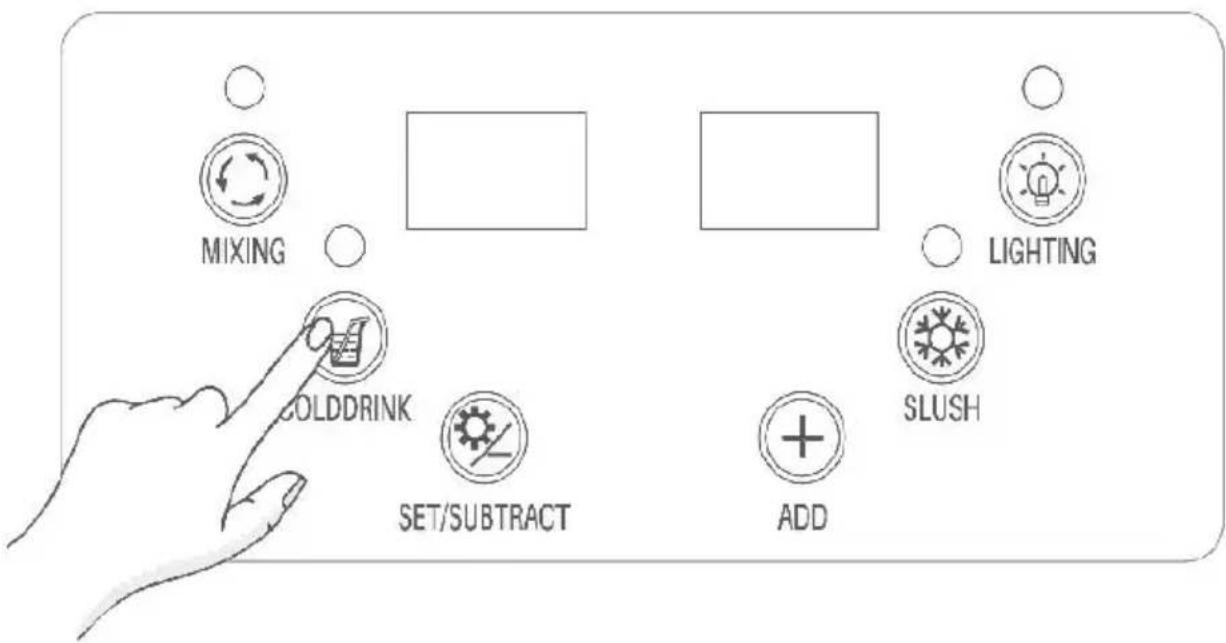
Slush Making Function
While the mixing function is active, press the SLUSH button to create as desired.
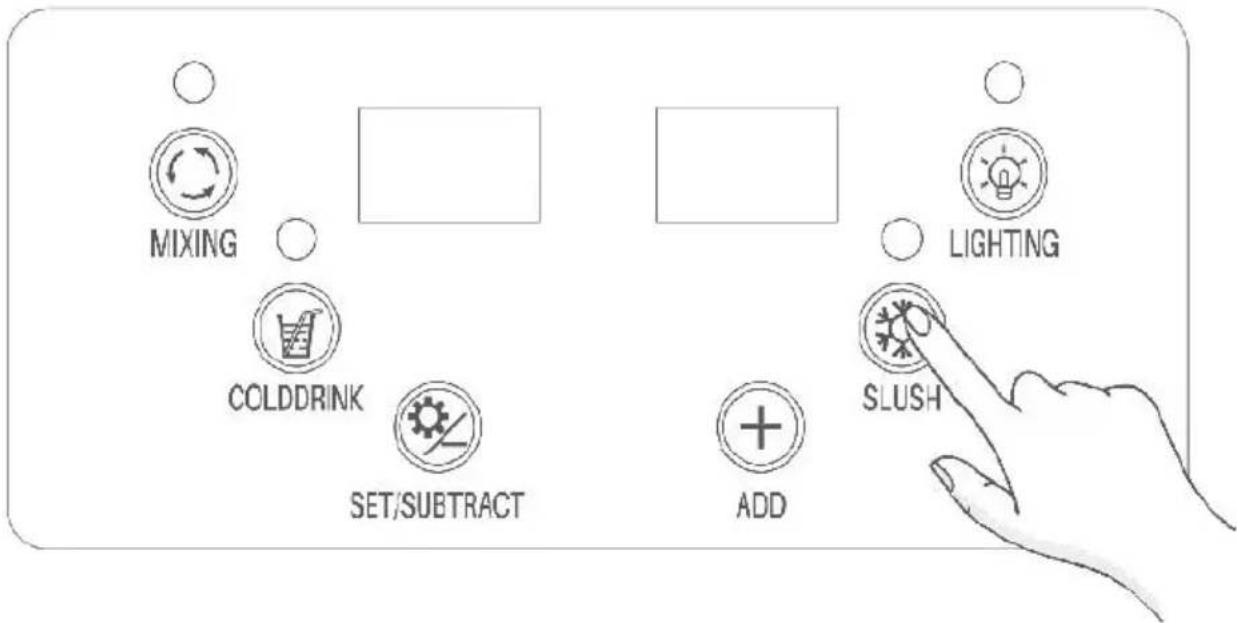
Lighting Control
Briefly press the LIGHTING button to toggle the tank's lighting.
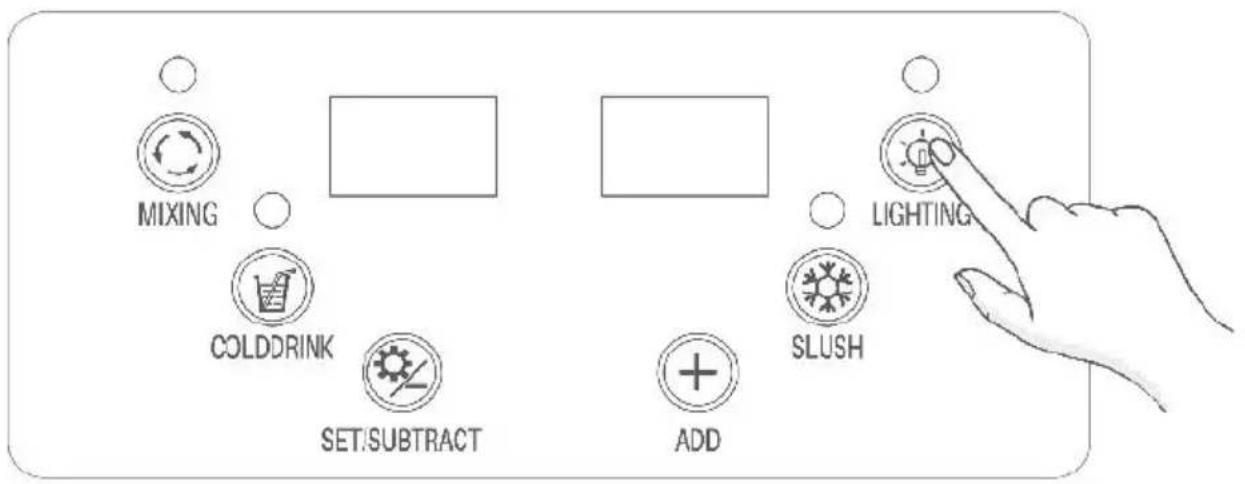
Settings
Press the SET/SUBTRACT button to access parameter settings.
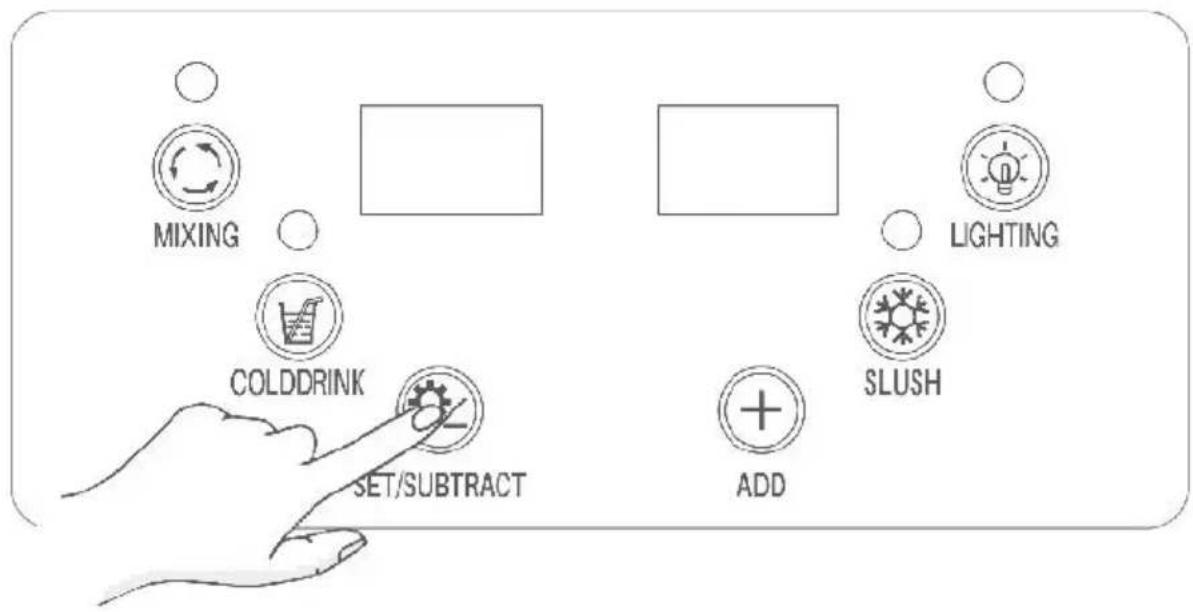
- If the left LED panel displays SL1, it represents the slush temperature setting for the tank. Use the ADD or SET/SUBTRACT button to adjust temperature (the default temperature is -2^ / 28.4^ , and is displayed on the right LED panel) for slush making.
- If the left LED panel shows Cd1, it represents the cooling temperature setting for the tank. Use the ADD or SET/SUBTRACT button to adjust temperature (the default temperature is 5^ C / 41^ F , and is displayed on right LED panel) for making cold drink.
★ Tips:
① Activating a function will illuminate its corresponding indicator. ② When the slush making function is active, the indicator can display statuses: Solid On: The machine's compressor is running.
Flashing:The machine's compressor is of.
Both statuses are normal.
Get Cold Drink or Slush
To dispense your cold drink or slush, simply pull or push the dispense handles.
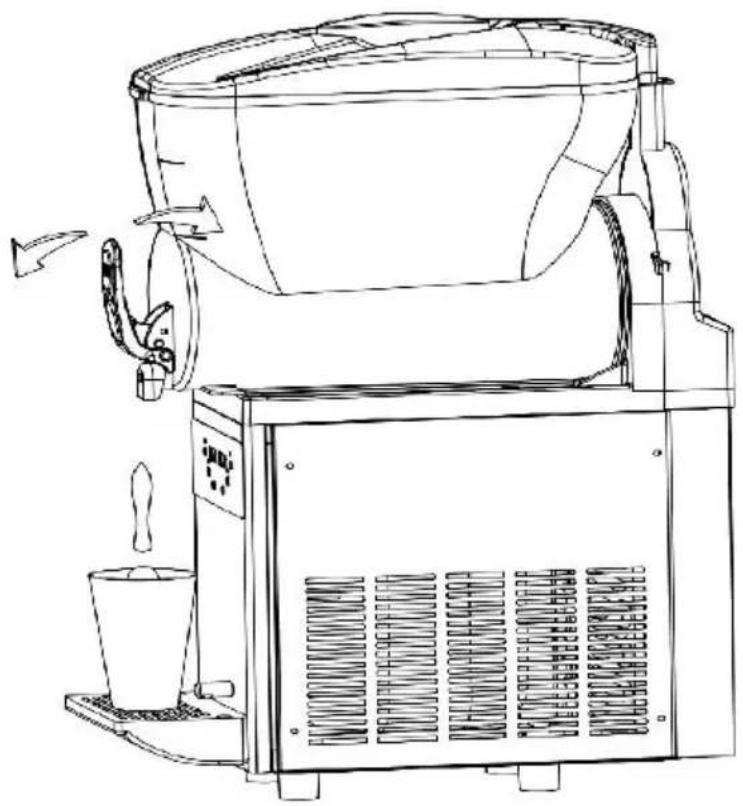
natural_image
Line drawing of a coffee maker with lid, side arm, and side cup (no text or symbols)2.X-300
Preparing Ingredients
Step 1:
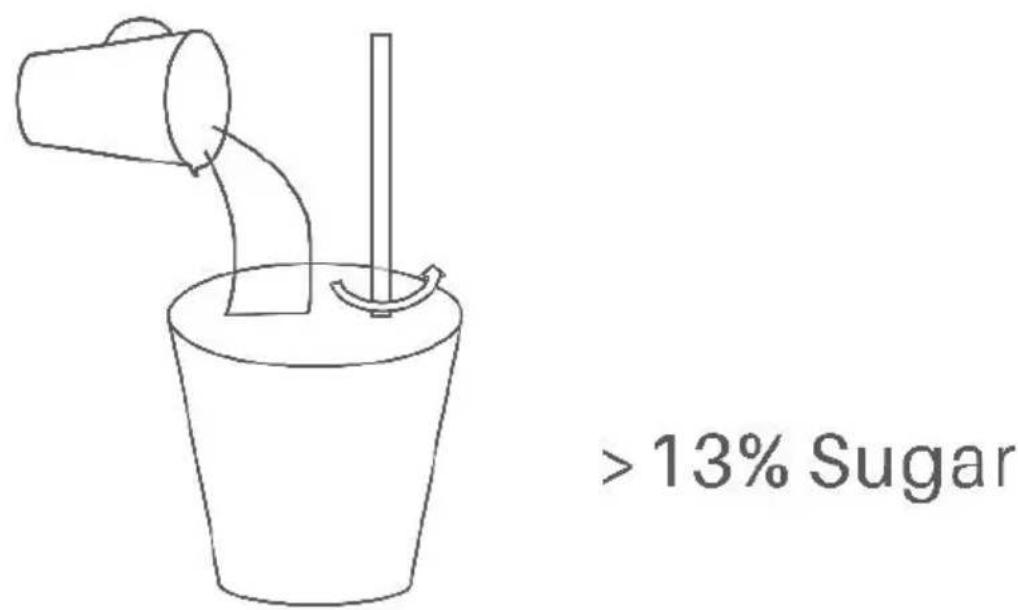
Dilute the concentrate as per the manufacturer's instructions in a suitable container. Ensure a minimum sugar content of 13% to prevent potential machine damage.
natural_image
Simple line drawing of a bucket pouring liquid into a container with a stirring rod (no text or symbols)13% Sugar
Step 2:
Open both tank covers, pour the diluted concentrate into each tank (Minimum Level 5.5L), and securely close the covers.
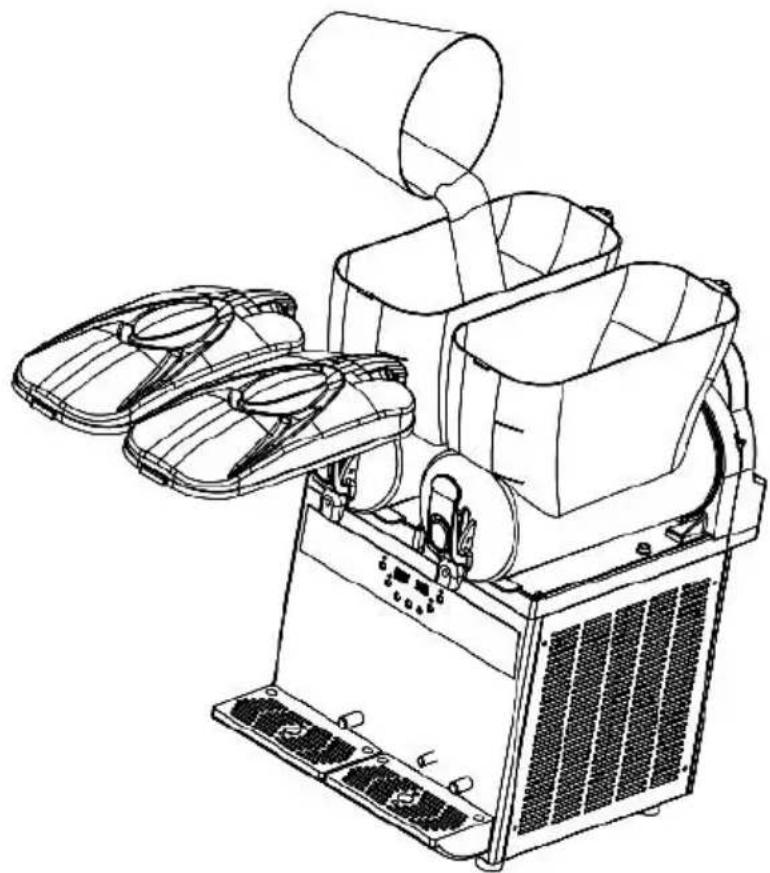
natural_image
Line drawing of a mechanical device with fan and impeller components (no text or symbols)Notes:
①Pour concentrate only when the machine is turned off or unplugged
②Avoid pouring hot liquids exceeding 24^ C/75.2°F into the tanks.
③Maintain the liquid volume within the indicated minimum and maximum levels on the tanks.
④Avoid inserting any body parts into the machine while it's operational
Power Connection
Plug the power cord into a suitable socket, then turn on the power switch. The LED panels will indicate the current temperature in the tanks.
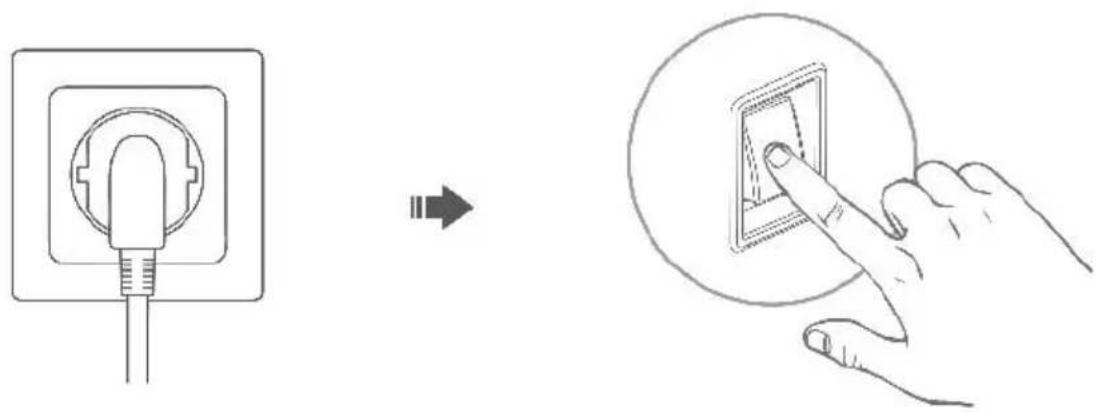
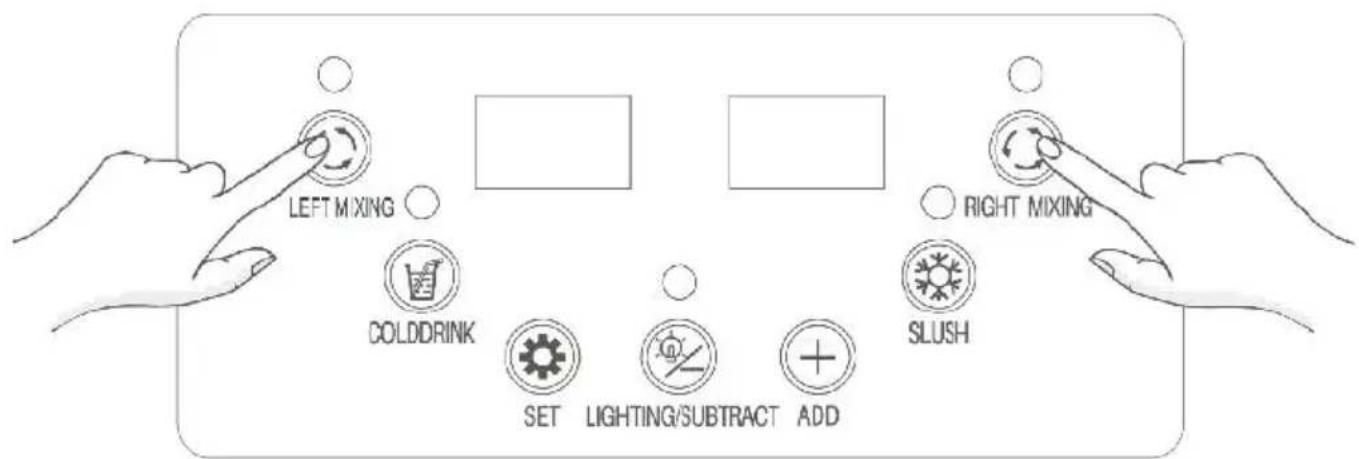
Mixing Function(Must-do)
Press the mixing buttons on the control panel to initiate mixing the ingredients in both tanks.
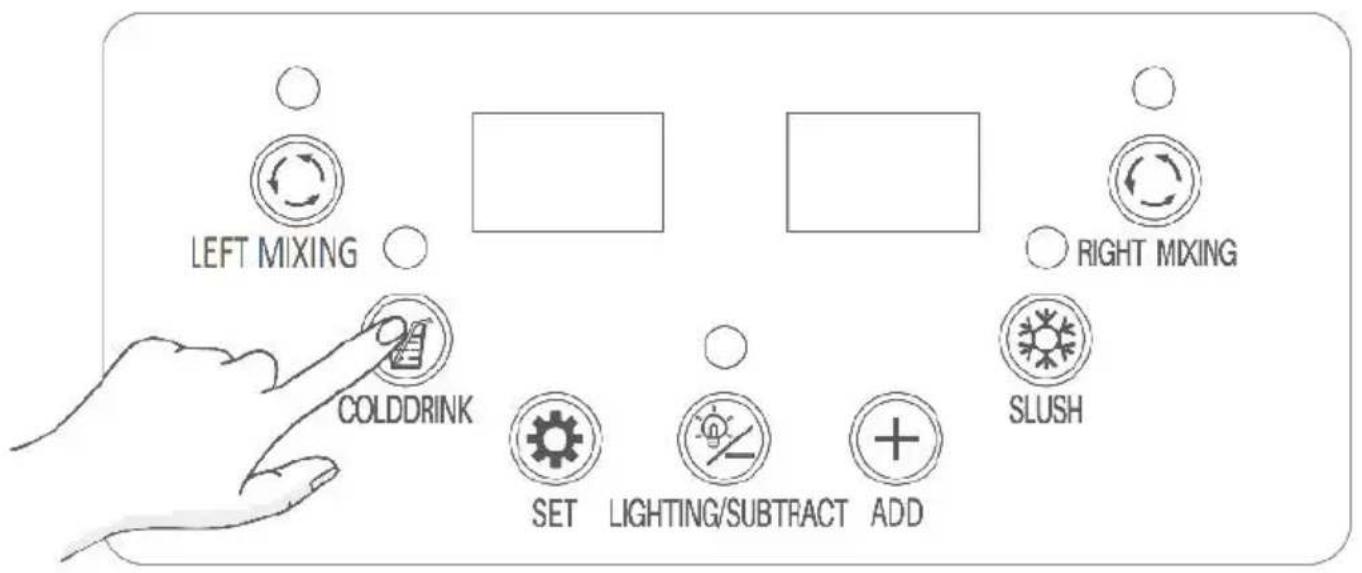
Cooling Function
Once the mixing function is active, press the COLDDRINK button to the ingredients in both tanks
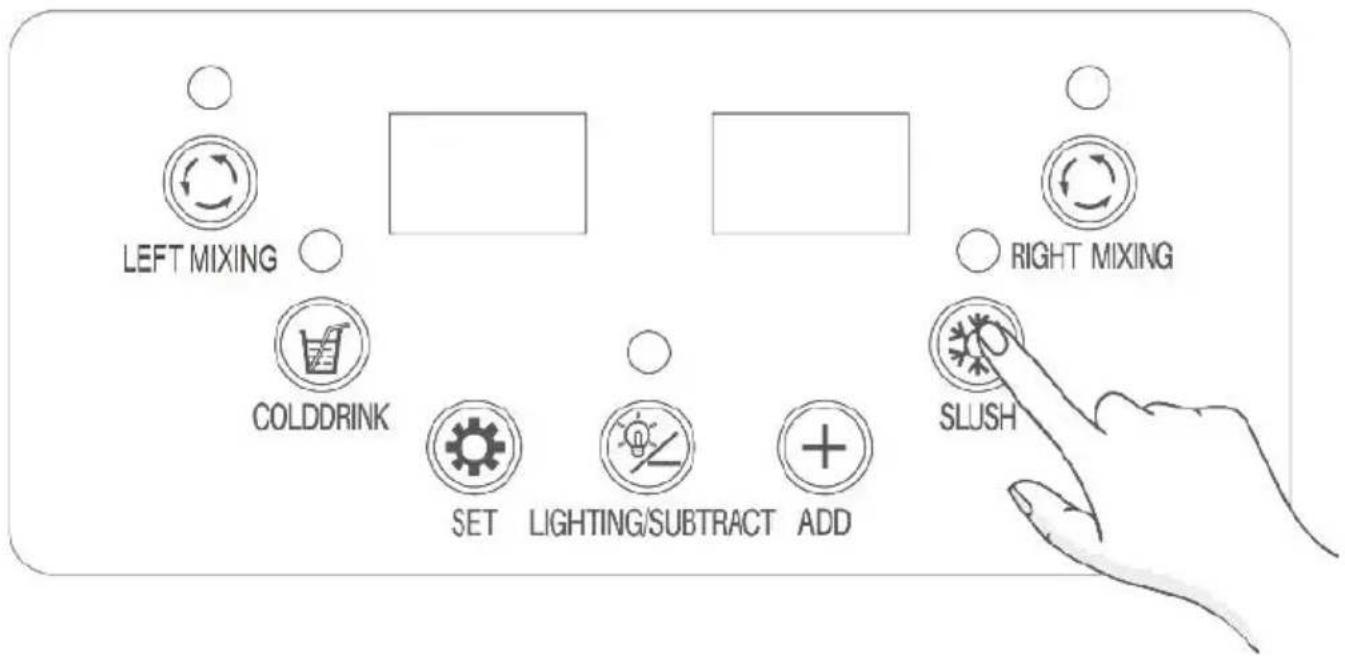
Slush Making Function
While the mixing function is active, press the SLUSH button to create as needed.
Lighting Control
Briefly press the LIGHTING/SUBSTRACT button to toggle the tanks' lighting.
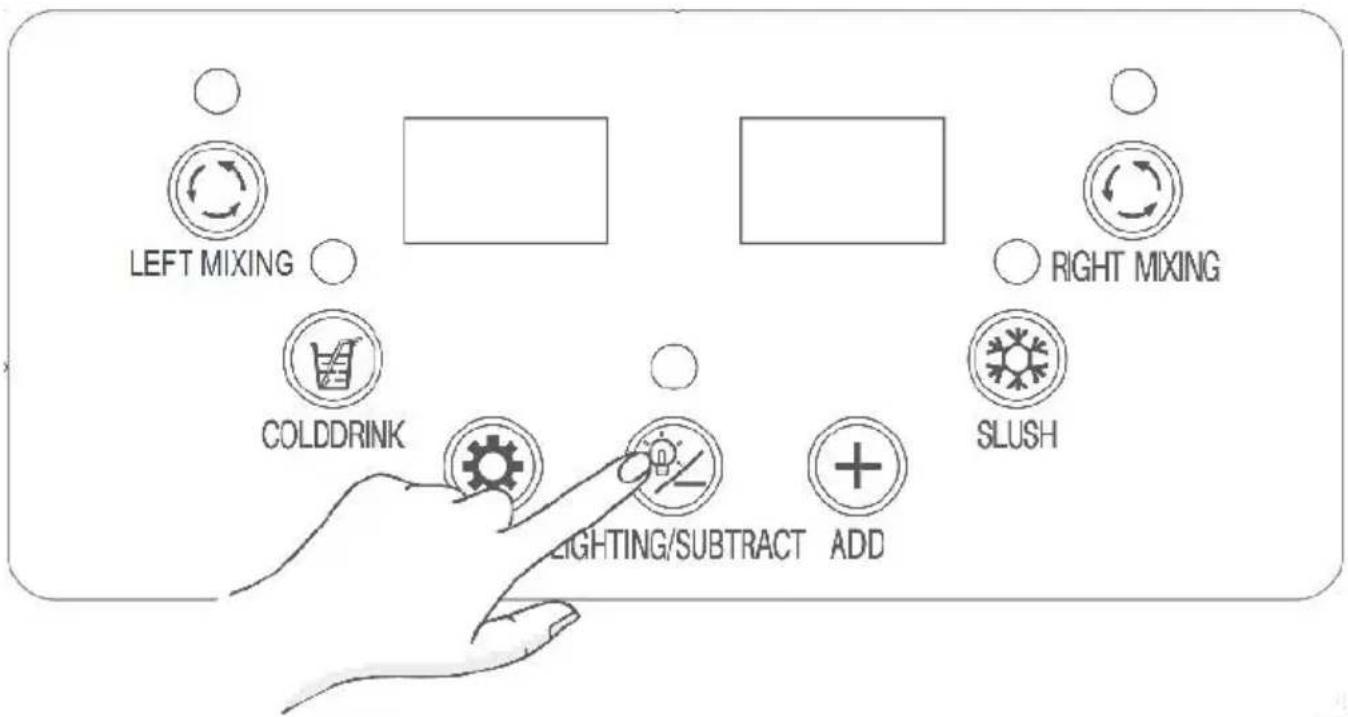
Settings
Press the SET button to access the cold drink and slush temperature settings.
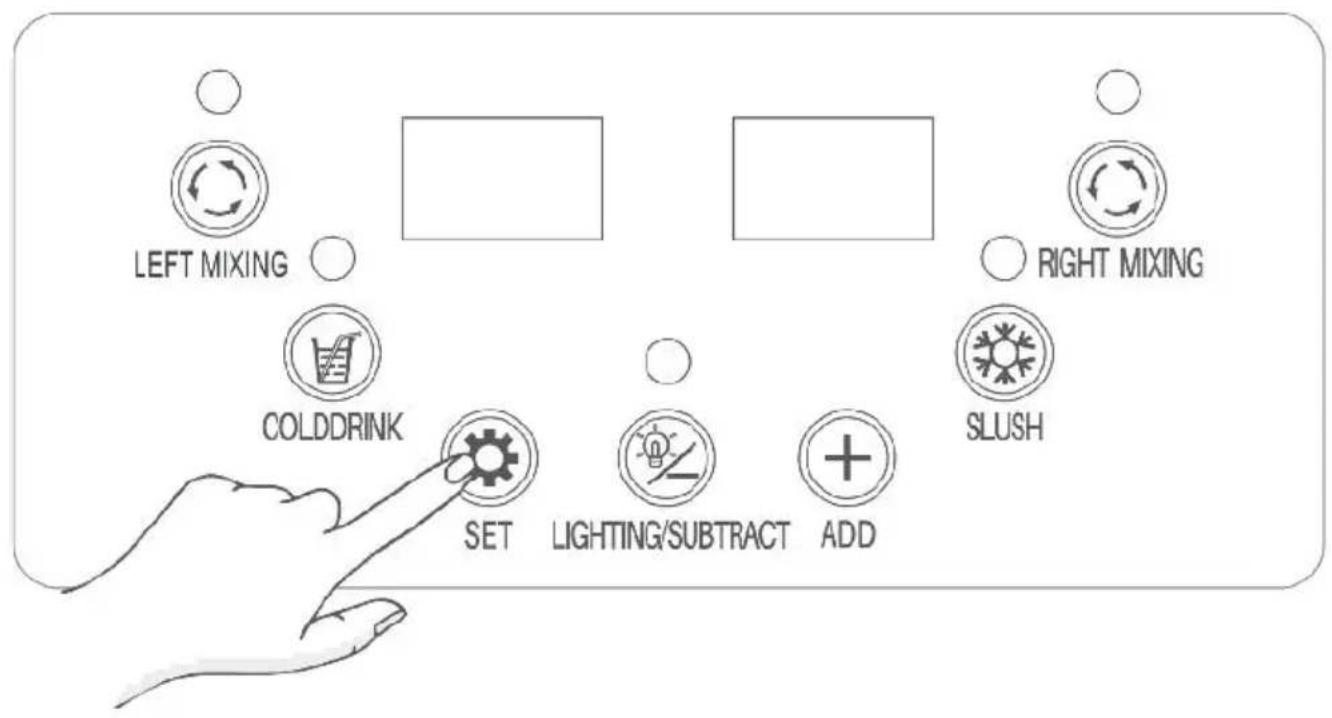
- If the left LED panel displays SL1, it signifies the slush temperature
setting for the left tank. Use the ADD or LIGHTING/SUBTRACT button adjust the temperature (the default temperature is-2°C/28.4°F, and is displayed on the right LED panel) for slush making.
- If the left LED panel displays Cd1, it signifies the cooling temperature setting for the left tank. Use the ADD or LIGHTING/SUBTRACT button adjust the temperature (the default temperature is 5^ / 41^ , and is displayed on the right LED panel) for making cold drink.
- If the left LED panel displays SL2, it signifies the slush temperature for the right tank. Use the ADD or LIGHTING/SUBTRACT button to adjust the temperature (the default temperature is -2°C/28.4°F, and is displayed the right LED panel) for slush making.
- If the left LED panel displays Cd2, It signifies the cooling temperature setting for the right tank. Use the ADD or LIGHTING/SUBTRACT button adjust the temperature (the default temperature is 5^ / 41^ , and is displayed on the right LED panel) for making cold drink.
★Tips:
① Activating a function will illuminate its corresponding indicator.
②When the slush making function is active, the indicator can display statuses.
Solid On: The machine's compressor is running.
Flashing: The machine's compressor is off.
Both statuses are normal.
Get Cold Drink or Slush
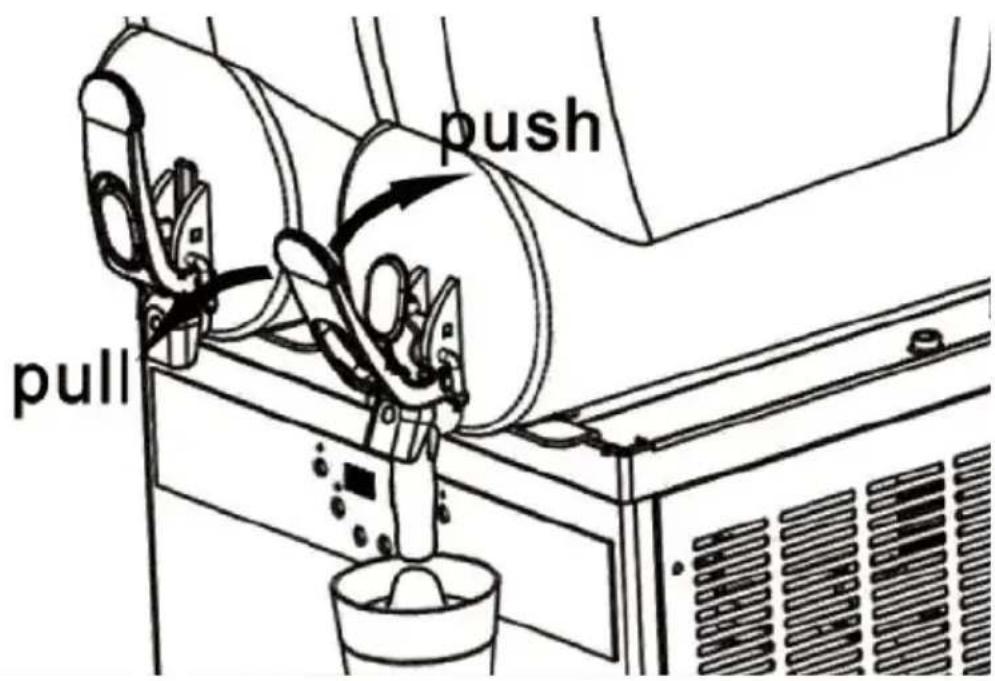
To dispense your cold drink or slush, simply pull or push the dispensing handles.
3.X-450
Preparing Ingredients
Step 1:
Dilute the concentrate as per the manufacturer's instructions in a suite container. Ensure a minimum sugar content of 13% to prevent potential machine damage.
Step 2:
Open the tank covers and pour the diluted concentrate into each tanl (Minimum Level 5.5L). Then securely close the tank covers.
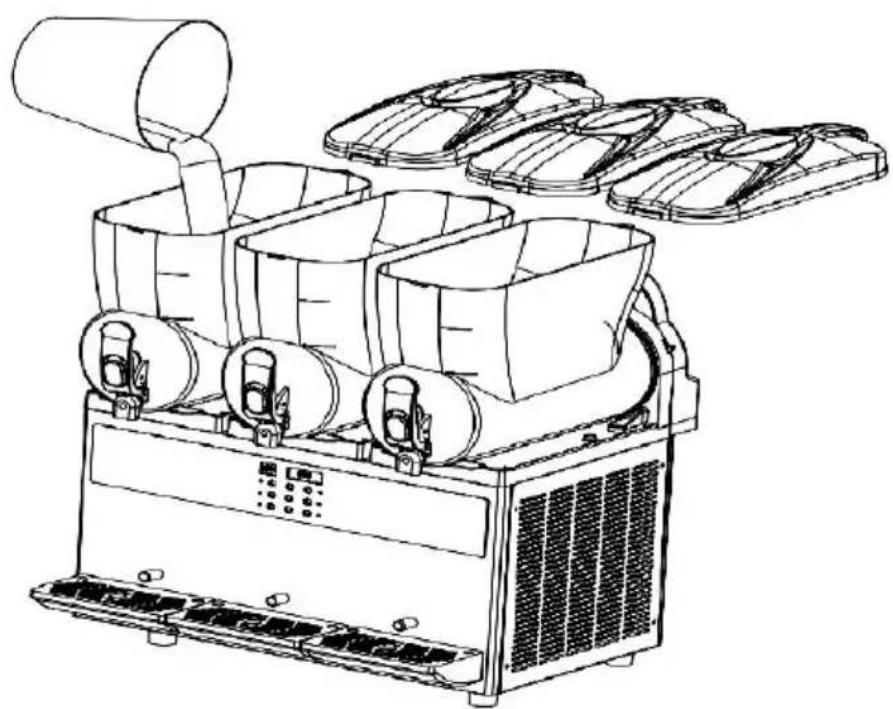
natural_image
Line drawing of an industrial air purifier with multiple fans and cooling fans (no text or symbols)Notes:
① Only pour the concentration into the tanks when the machine is off or unplugged
② Do not pour hot liquid which is more than 24^ C / 75.2^ F into the t
③ The volume of the liquid should be within the minimum and maxi levels marked on the tanks.
④ Never put your hand or fingers or any parts of your body into machine when it's working.
Power Connection
Plug the power cord into an appropriate socket, then turn on the power switch. The LED panels will indicate the current temperature in the tan
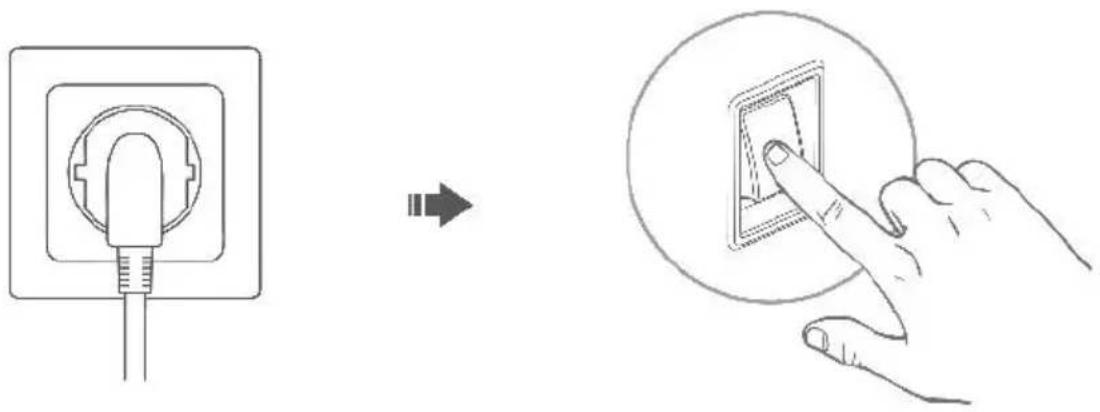
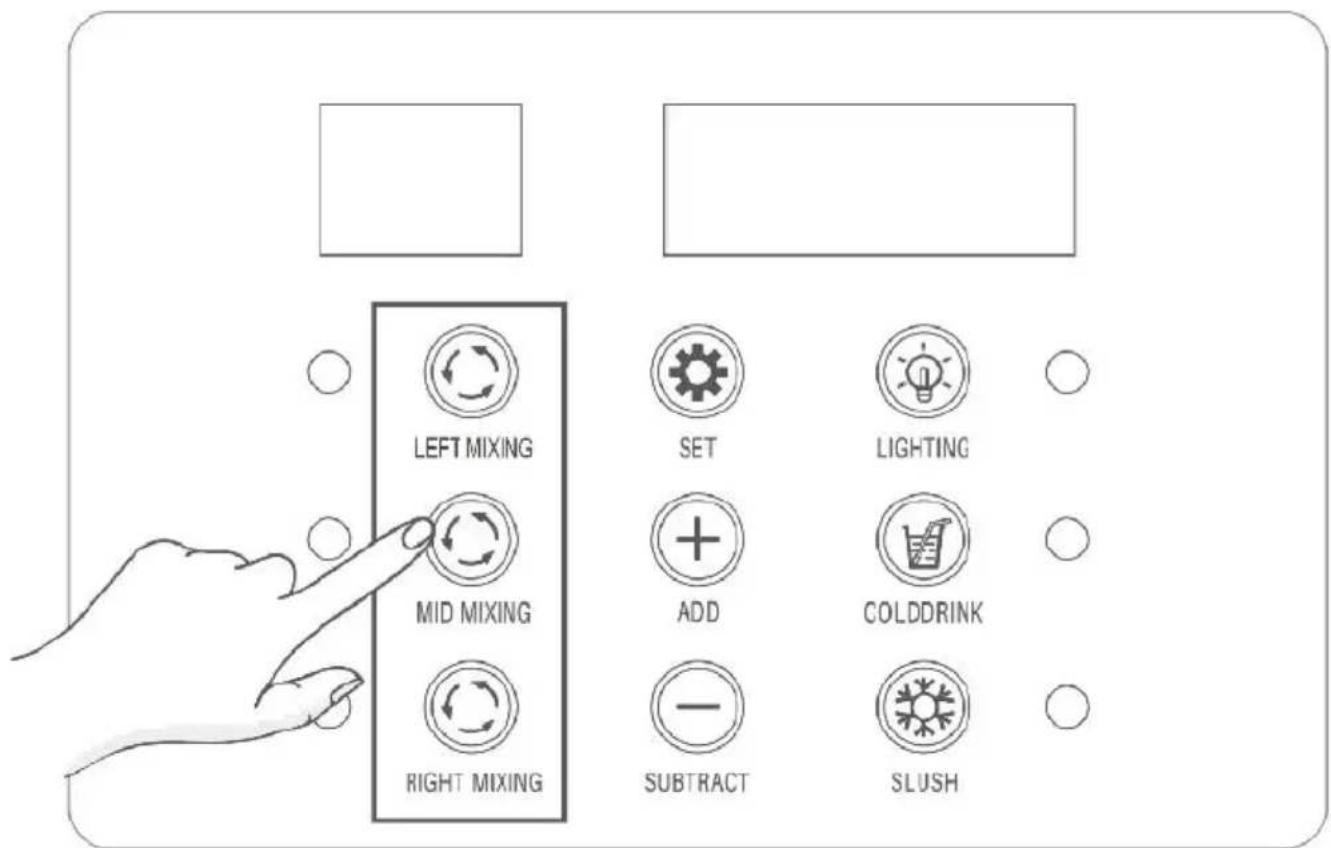
Mixing Function(Must-do)
Press the mixing buttons on the control panel to initiate mixing the ingredients in the tanks.
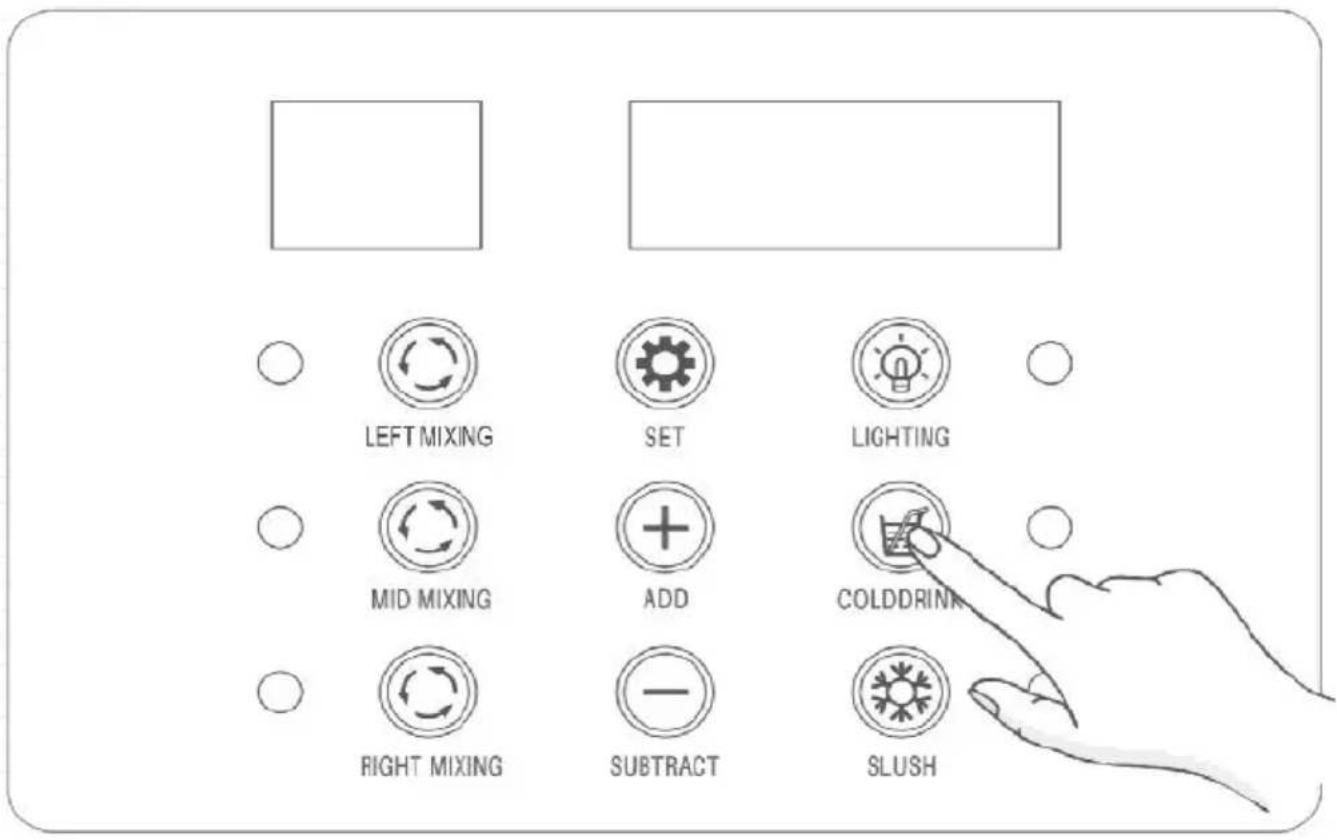
Cooling Function
Once the mixing function is active, press the COLDDRINK button to cc the ingredients in all tanks.
Slush Making Function
While the mixing function is active, press the SLUSH button to create as needed.
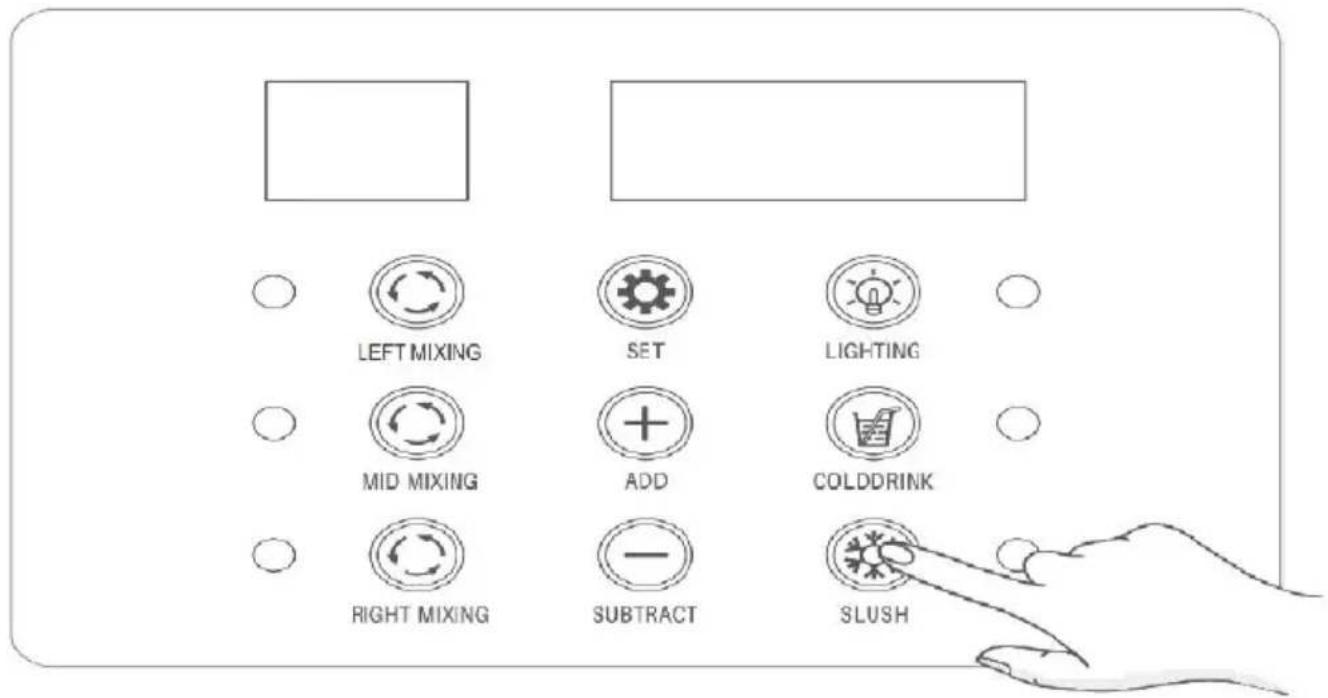
Lighting On/Off
Briefly press the LIGHTING button to toggle the tanks lighting.
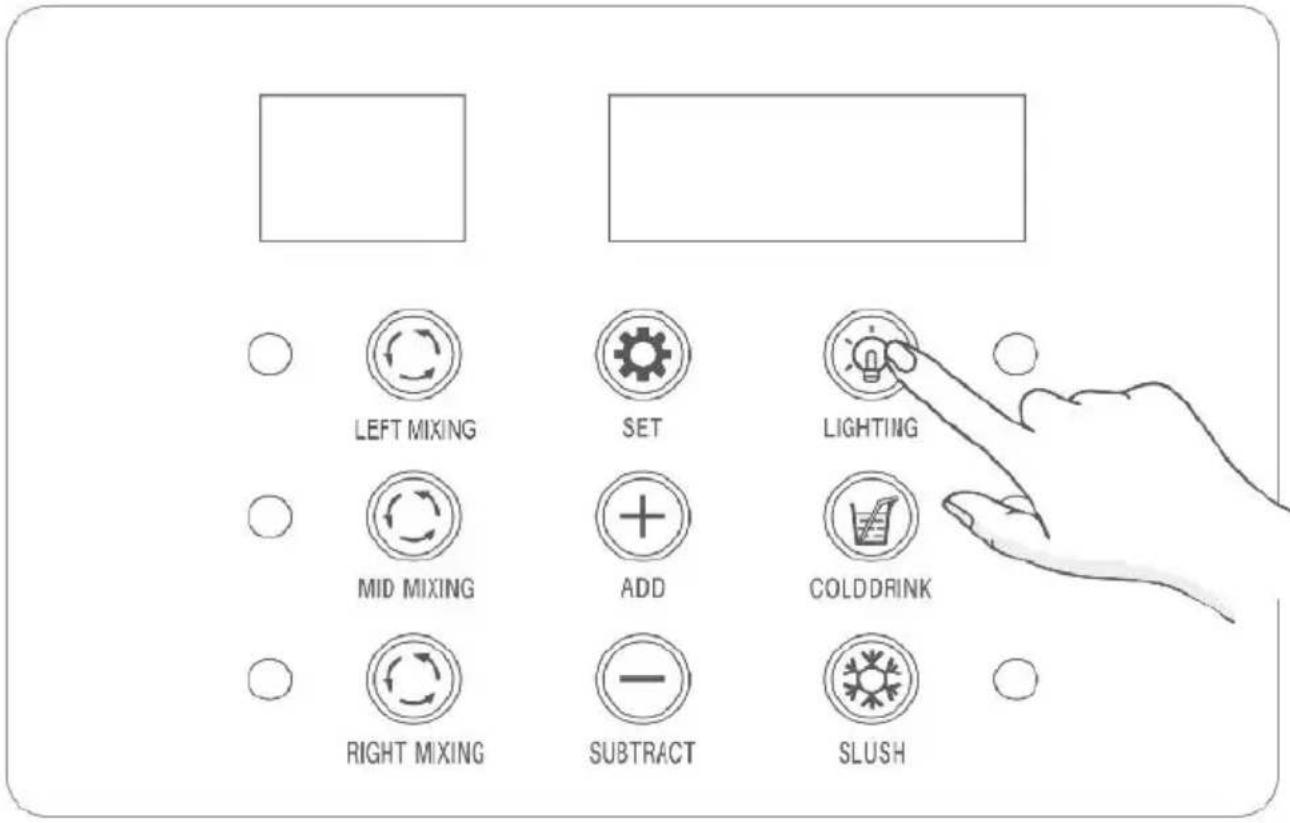
Settings
Press the SET button to access the settings for adjusting the cold d slush temperatures.
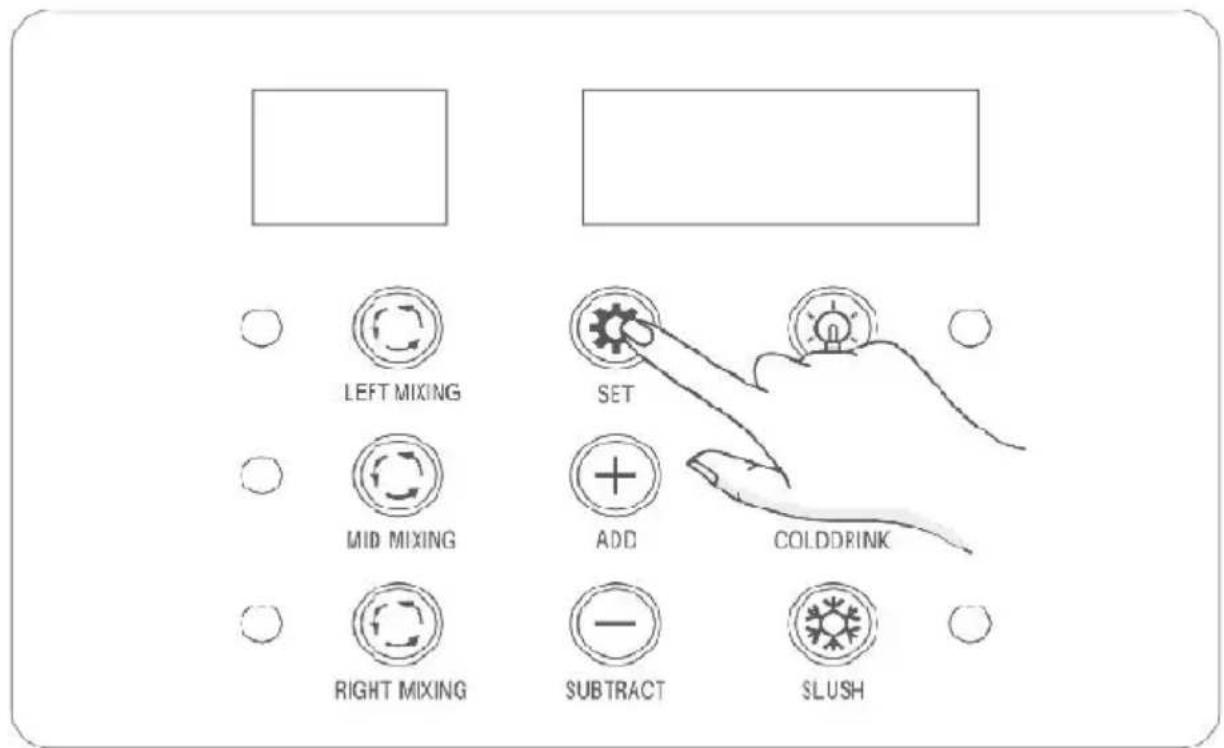
- If the left LED panel displays S1, it stands for the slush temperature setting of the left tank. Use the ADD or SUBTRACT button to adjust temperature (the default temperature is 2^ / 28.4^ , and is displayed on the right LED panel) for slush making.
- If the left LED panel displays C1, it stands for the cooling temperature setting of the left tank. Use the ADD or SUBTRACT button to adjust temperature the default temperature is 5^ / 41^ , and is displayed on the right LED panel) for making cold drink.
- If the left LED panel shows S2, it stands for the slush temperature of the middle tank. Use the ADD or SUBTRACT button to adjust the temperature (the default temperature is -2°C/28.4°F, and is displayed on the right LED panel) for slush making.
- If the left LED panel displays C2, it stands for he cooling temperature setting of the middle tank. Use the ADD or SUBTRACT button to adjust temperature (the default temperature is 5^ / 41^ , and is displayed on the right LED panel) for making cold drink.
- If the left LED panel displays S3, it stands for the slush temperature setting of the right tank. Use the ADD or SUBTRACT button to adjust temperature (the default temperature is -2°C/28.4°F, and is displayed on the right LED panel) for slush making.
- If the left LED panel displays C3, it stands for the cooling temperature setting of the left tank. Use the ADD or SUBTRACT button to adjust temperature (the default temperature is 5^ / 41^ , and is displayed on the right LED panel) for making cold drink.
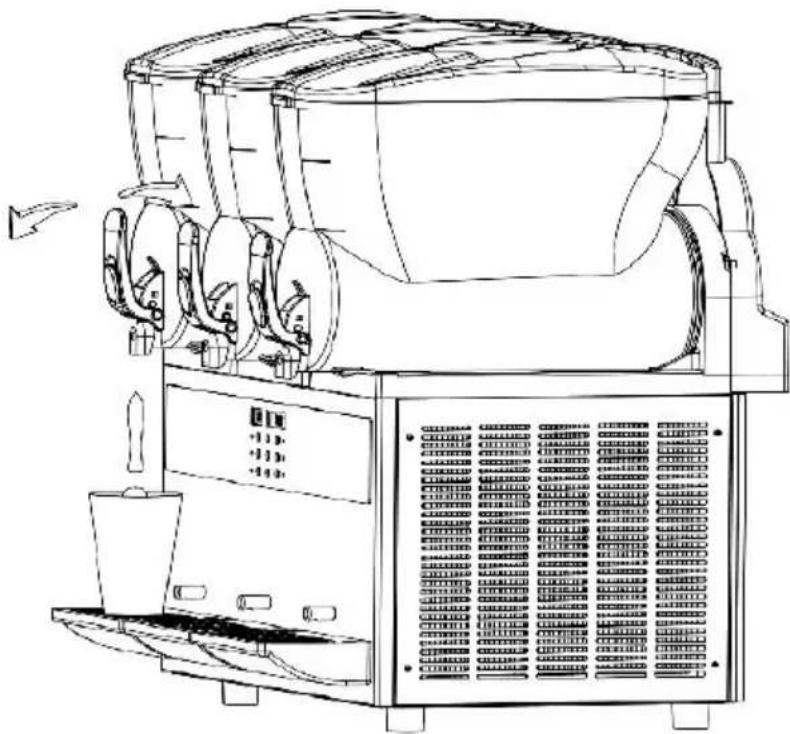
Get Cold Drink or Slush
To dispense your cold drink or slush, simply pull or push the dispensing handles.
natural_image
Technical line drawing of a large industrial machine with control panel and fan (no text or symbols)★Tips:
①Activating a function will illuminate its corresponding indicator. ②When the slush making function is active, the indicator can display the statuses: Solid On: The machine's compressor is running.
Flashing: The machine's compressor is off.
Both statuses are normal.
CLEANING AND MAINTENANCE
Important Notes Before Cleaning
*Before cleaning or maintaining any components of the machine, ensure the power switch is turned off, and the power cord is unplugged. When performing cleaning and maintenance, follow these instructions:
*Preparation before cleaning:
-Clean utensils (container,soft brushes,soft rags).
-The temperature of clear water and hot water doesn't exceed 50^ / 12
-Food-grade neutral detergent.
-Food-grade disinfectant.
-Food-grade lubricant(e.g.,vaseline).
\*Operations during cleaning and maintenance:
-Wear protective gloves.
-Avoid using strong acids, bases, or flammable substances.
-Refrain from using abrasive objects or metal sponges for cleaning machine parts. -Take care not to spill cleaning liquids in the surrounding area.
-Avoid cleaning internal parts of the tank.
-Do not submerge the entire machine in water.
-After cleaning, ensure that all parts are correctly placed back to ensure safety and functionality.
-Maintaining cleanliness and upholding hygiene standards are essential guarantee drink quality and comply with health regulations.
\*Clean the removed parts according to local health standards. Follow these instructions:
-Dilute neutral cleaning agent with water in a container.
-Use a soft cloth soaked in the diluted agent to clean the parts. Rinse water.
-Dilute food-grade disinfectant with water in another container.
-Soak the parts in the diluted disinfectant for 30minutes, then rinse with clean water.
-Air-dry the disinfected parts in a clean area.
Note:
Clean the tank(s)at least once daily or as per the health standards of country. You can adjust cleaning frequency based on actual usage. Inadequate cleaning can promote bacterial growth.
If the machine isn't in constant use,wipe the exterior with a soft cloth
1. Cleaning the Dispenser Parts
① Activate the mixing function and position a container under the dispenser.Pull the dispenser handle to drain the ingredients or liquid in
tank.Once drained, power off the machine and unplug it.
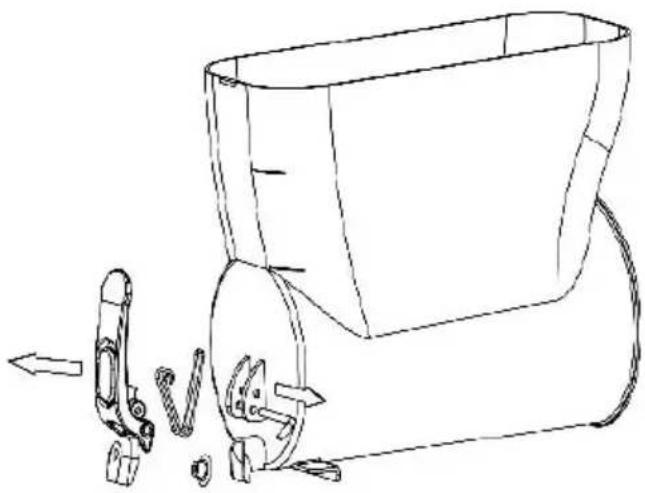
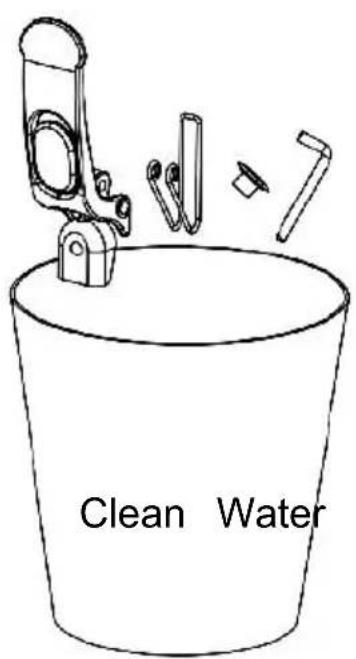
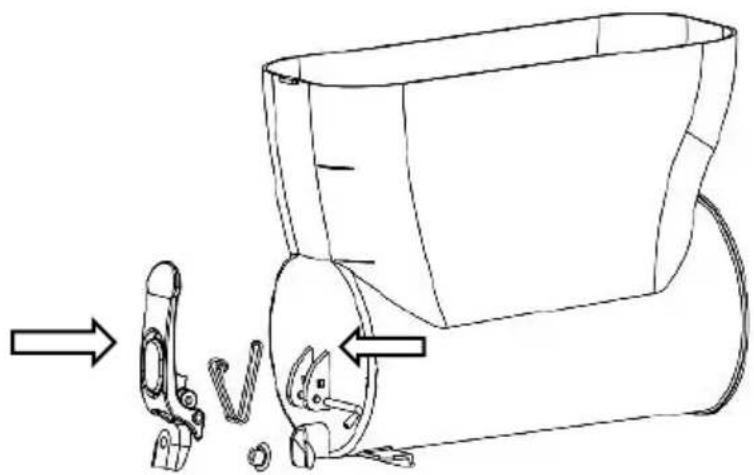
② Loosen the nut counterclockwise on the handle pin, then remove the followed by the handle. Next, take off the upper cover of the spring an spring itself. Finally, remove the valve stem.
natural_image
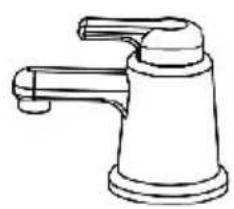
Line drawing of a mechanical device with a tool and gear assembly (no text or symbols)③ Rinse the detached parts in clean water, adhering to the guidelines provided in the section of Important Notes Before Cleaning.
natural_image
Line drawing of a faucet with handle and base (no text or symbols)Note:
If there's a lot of ingredients or liquid residue in the tank(s), don't disr the dispenser or tank parts.
Please drain them before proceeding.
2. Clean the Tank and the Stirring Mixer
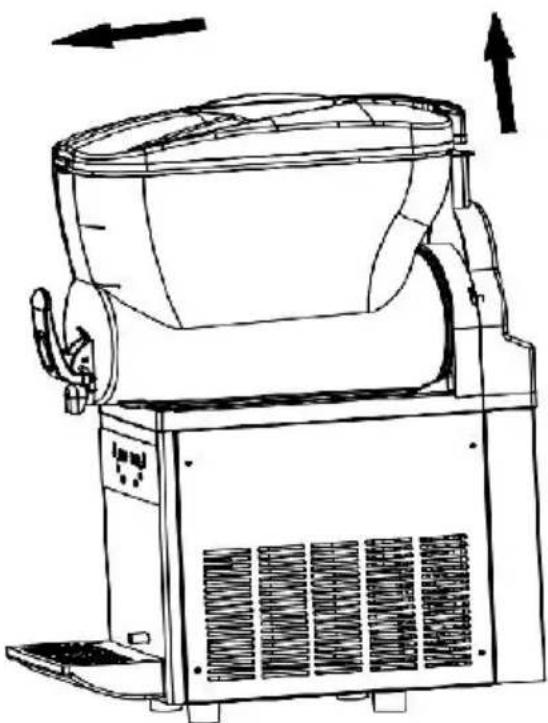
① Pull the plastic protruding part located at the back of the tank can push the cover forward to remove it.
natural_image
Line drawing of a mechanical device with fan and cooling unit (no text or symbols)② Lift the tank upward, then pull it out with force.
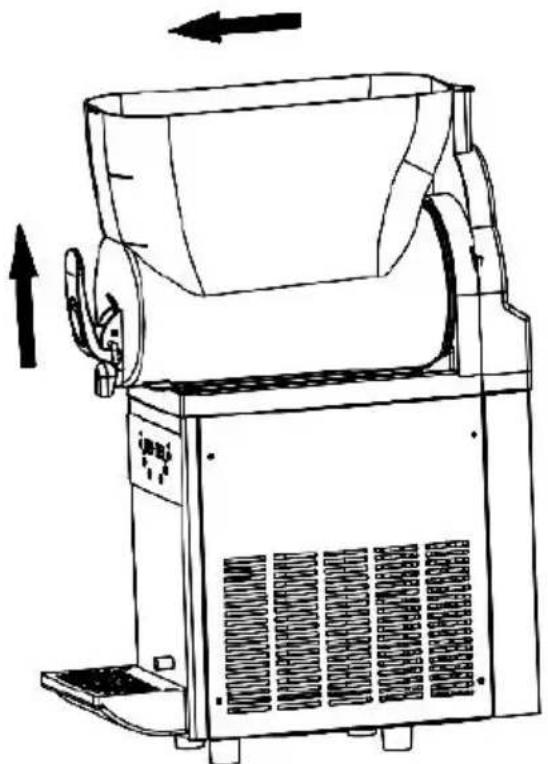
natural_image
Line drawing of a mechanical device with directional arrows indicating motion (no text or symbols)③ Remove the white spiral stirring mixer and take of the large sizes
sealing ring.
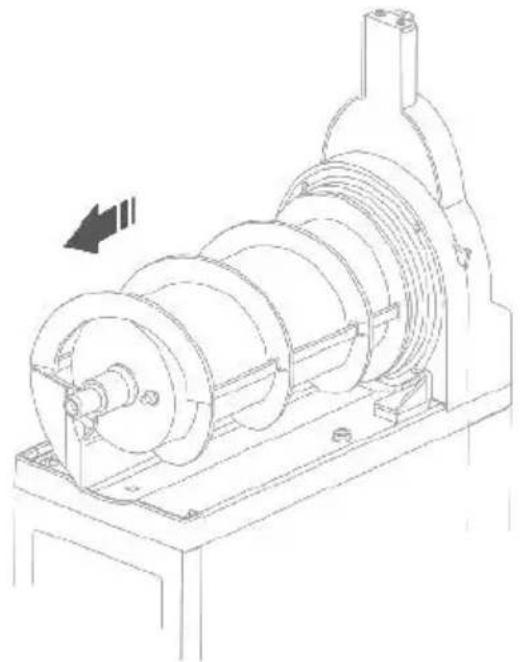
natural_image
Technical line drawing of a mechanical pump assembly (no text or symbols visible)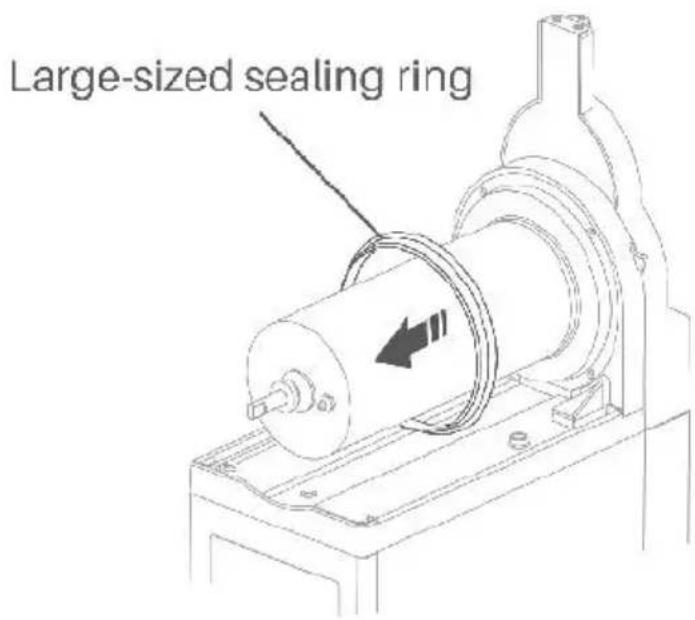
④ Rinse the detached parts in clean water, adhering to the guidelines provided in the section of Important Notes Before Cleaning.
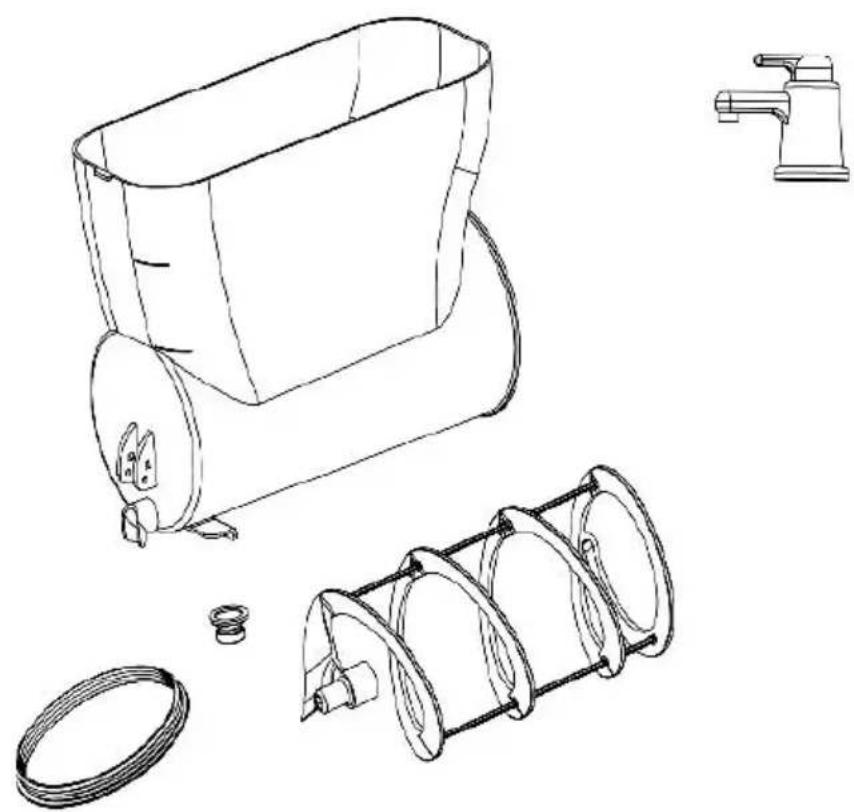
natural_image
Technical line drawing of a kitchen mixer with coiled spring and water pump (no text or labels)3. Clean the Tank Cover
①Clean the outer surface of the tank cover using a damp cloth.
②Wipe the bottom surface of the tank lid multiple times with a cloth in diluted disinfectant, leaving it on for 30 minutes.
③ Afterward, thoroughly wipe the bottom surface of the tank cover with wet cloth then dry it with a dry cloth.
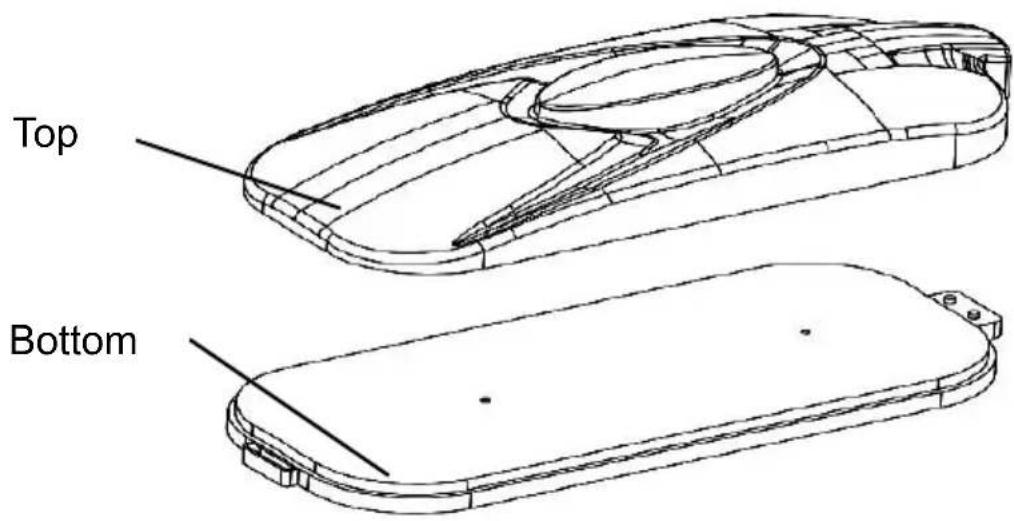
4. Clean Drip Tray
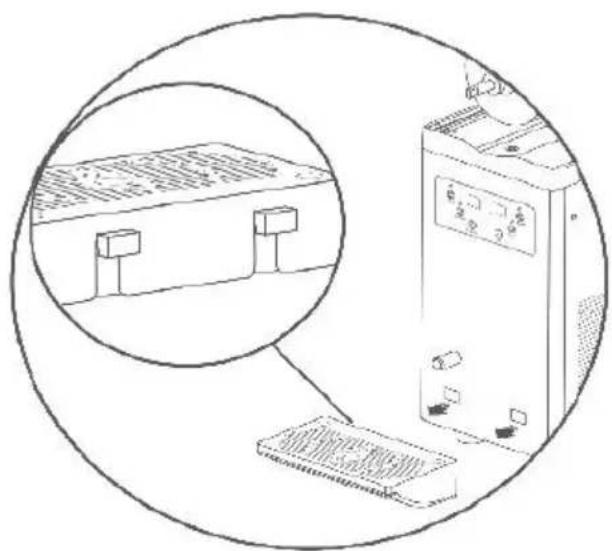
①Gently lift the drip tray and then remove it. Inside, you'll notice a designed to secure it to the hole on the machine.
natural_image
Illustration of a computer setup with an open screen and a close-up view of a device (no text or symbols visible)When taking apart the drip tray, avoid pulling the leftover pipe in the carelessly to prevent damage. Empty and clean the drip tray daily.
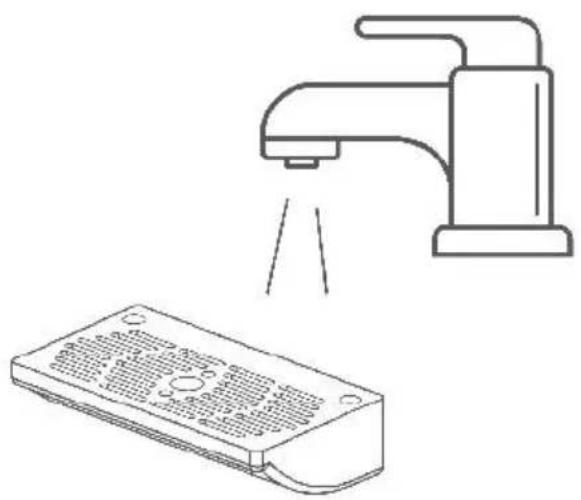
②Rinse the detached parts in clean water, adhering to the guidelines provided in the section of Important Notes Before Cleaning.
natural_image
Line drawing of a faucet spraying water onto a device (no text or symbols)5. Clean the Evaporator
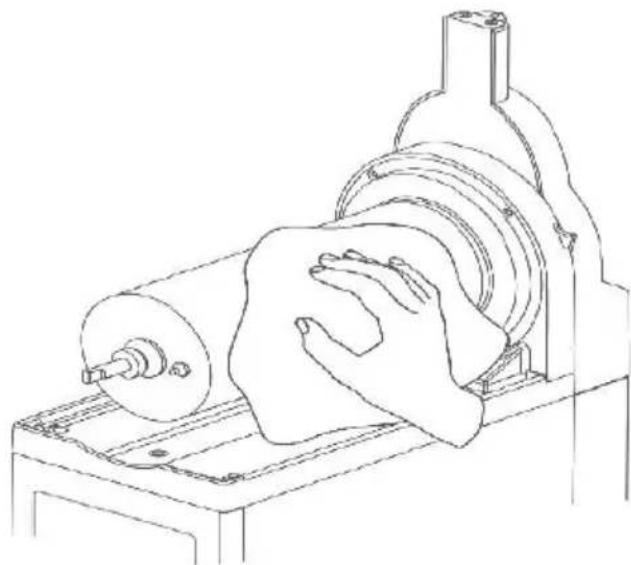
① After removing the white spiral stirring mixer and the large sized ring.clean the evaporator surface and the base with a soft cloth soak diluted cleaning solution.
② Wipe these surfaces 2-3 times using a clean wet dishcloth.
③ Then, use a soft cloth soaked in diluted disinfectant, allowing the disinfectant to remain on the surfaces.
④ After 30 minutes, thoroughly wipe the evaporator surface and base a clean wet dishcloth.
natural_image
Technical line drawing of a mechanical device with a hand pressing a circular component (no text or symbols)6.Clean the Main Body
①Use a clean,damp soft cloth with diluted cleaning agent to wipe the
② Wipe the body using a soft damp cloth soaked in clean water.
③ Dry the body with a clean, dry cloth.
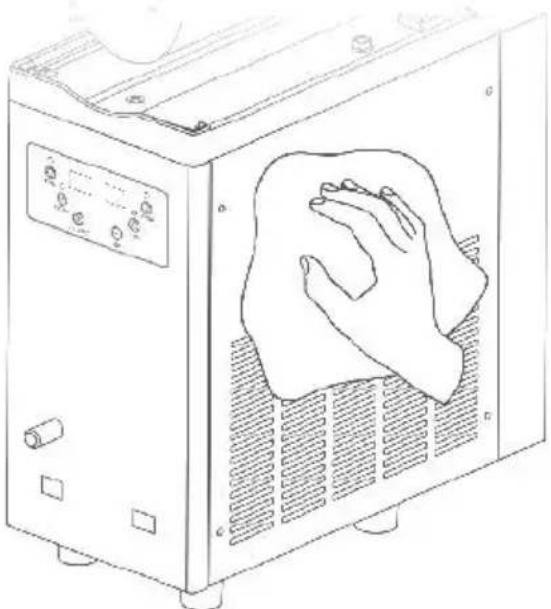
natural_image
Line drawing of a kitchen appliance with a cloth cleaning the interior (no text or symbols)7. Clean the Condenser
* After a period of operation, dust can accumulate on the condenser, impacting heat dissipation and cooling efficiency(e.g., reduced slush out or difficulty in shaping).
* It's recommended to clean monthly or more often in harsh environment by a professional.
* Turn off the power before cleaning, and take care not to damage condenser fins.
For X-300
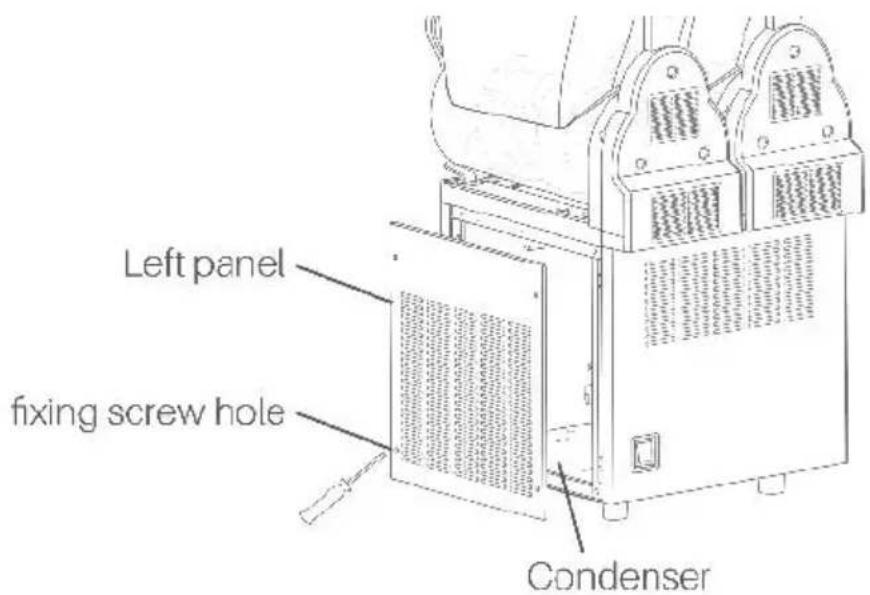
For other models. if you have any questions regarding the condenser, free to reach out to us.
8.Reassemble All Parts
①Place the large sized sealing ring on the evaporator.
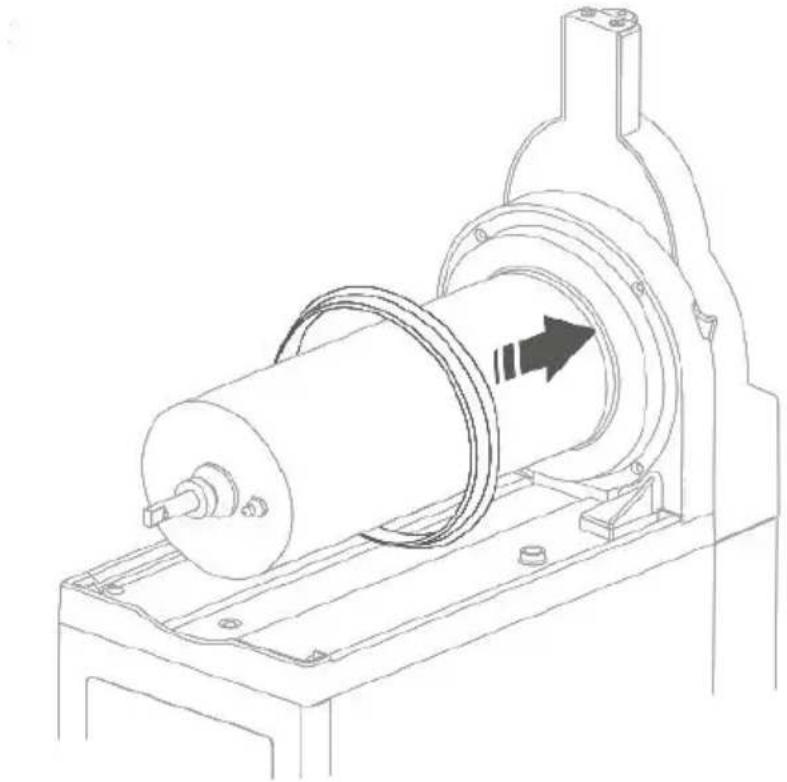
natural_image
Technical line drawing of a mechanical device with a cylindrical component and mounting base (no text or symbols)② Align the medium-sized sealing ring with the metal stick on the evaporator to insert the white spiral stirring mixer. Once inserted, rotat clockwise slightly to ensure a secure fit.
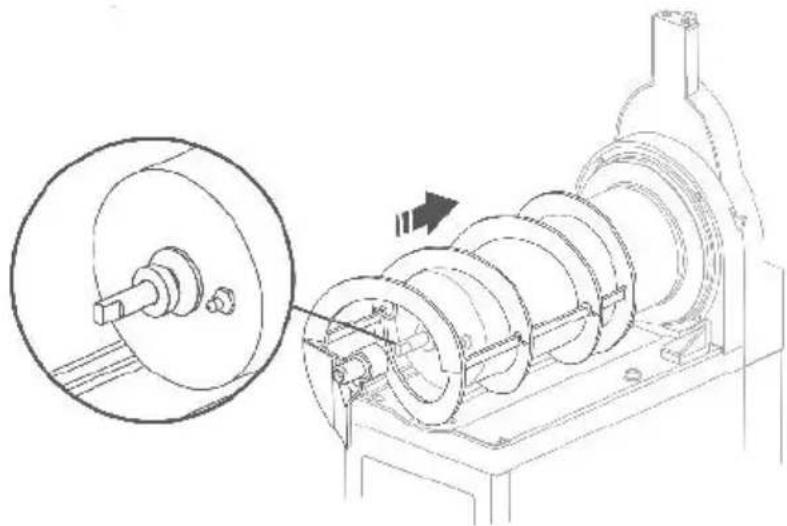
natural_image
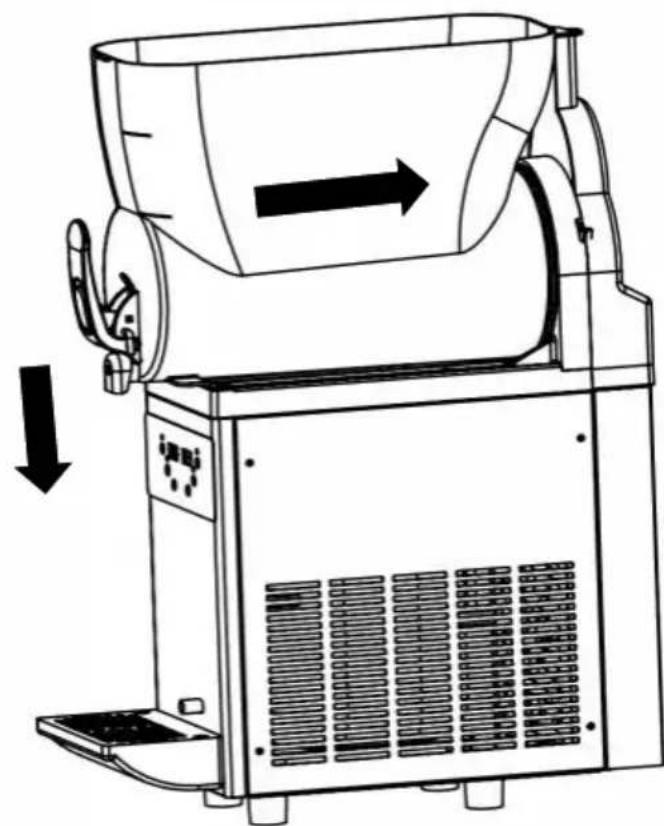
Technical line drawing of a mechanical assembly with a magnified inset showing a circular component and a rotating shaft (no text or symbols)③Put the tank on to the evaporator, then lift it and push it in until the buckle at the bottom of the tank is insert in the evaporator base.
natural_image
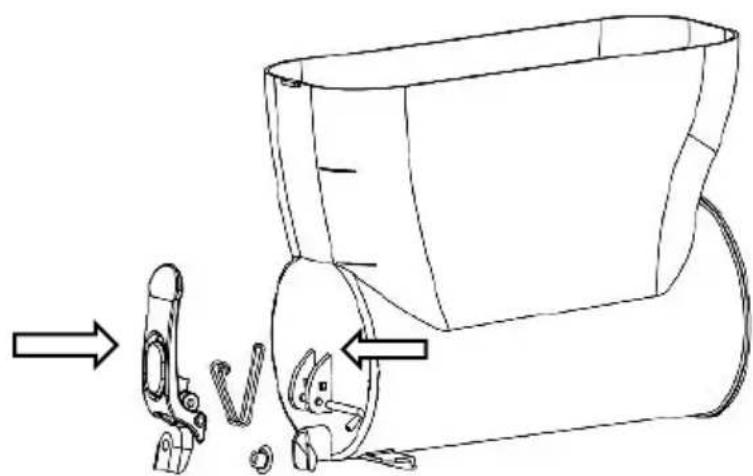
Technical line drawing of a mechanical device with directional arrows indicating motion (no text or symbols)④Reassemble the dispenser parts.
natural_image
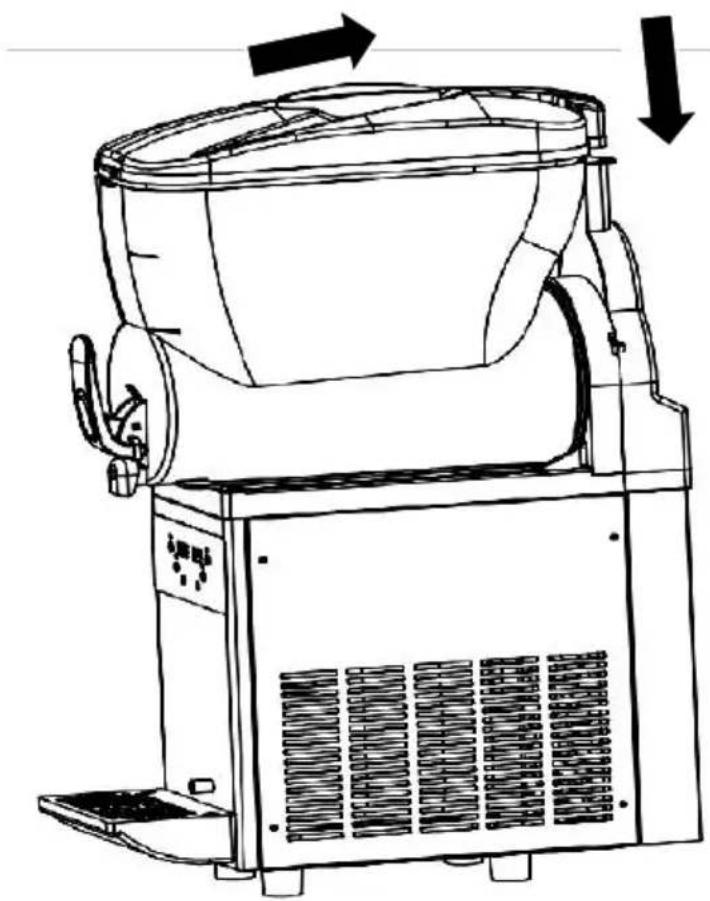
Line drawing of a mechanical device with a tool and bracket, showing a step-by-step assembly (no text or symbols)⑤Place the tank cover at the front of the tank, aligning the plastic protruding part at the back with the tank then reinstall the tank cove
natural_image
Line drawing of a mechanical device with directional arrows indicating motion (no text or symbols)⑥Once the condenser has been cleaned, reassemble it following the reverse order of disassembly.
FACTORY CODES EXPLANATIONS
When the slush machine is functioning well please to not alter the d factory settings. If you wish to make changes, please refer to the follo table for adjustments.
For X-150
①Simultaneously hold the SET/SUBTRACT and ADD buttons for 5 seconds to access the factory setting mode.
②Use the LIGHTING button to alter the code, and utilize the SET/SUBTRACT or ADD button to modify the value. The system will automatically exit and save the settings if there's no operation for above 2-3 seconds.
For X-300
①Simultaneously hold the SET and ADD buttons for 5 seconds to act the factory setting mode.
②Use the SET button to alter the code, and utilize the
LIGHTING/SUBTRACT or ADD button to modify the value. The system automatically exit and save the settings if there's no operation about seconds.
For X-450
①Simultaneously hold the SUBTRACT and ADD buttons for 5 seconds access the factory setting mode.
②Use the SET button to alter the code, and utilize the SUBTRACT or button to modify the value. The system will automatically exit and save settings if there's no operation about 2-3 seconds.
| Code | Explanation | Default Value | Note |
| P00 | Slush Making Temperature Control Differential | 0.1°C | When the slush making temperat is set to -2°C, With a 0.2 differ the compressor restarts once The temperature hits-1.8°C. The defaufactory setting, however, features 0.1 differential |
| P01 | Maximum Slush Making Temperature | 0°C | The upper limit for the slush ma temperature is °0 |
| P02 | Minimum Slush Making Temperature | -15°C | The lower limit for the slush set temperature is -15 |
| P03 | Interval Time of Compressor Restarting | 10s | Adjustment for the time interval the compressors operation |
| P04 | Low Voltage Protection Value for Compressor | 85V | The compressor won't initiate operation if the voltage drops be 85V, ensuring the compressors safety |
| P05 | Low Voltage Protection for Compressor | 0 | 0:Disabled,1:Enabled |
| P06 | 1st Tank Temperature Correction | 0°C | No Adjustment |
| P07 | 2nd Tank Temperature Correction | 0°C | No Adjustment (not for X-150) |
| P08 | 3rd Tank Temperature Correction | 0°C | No Adjustment (not for X-150 or X-300) |
| P09 | Cold Drink Temperature Control Differential | 2.0°C | If the cold drink temperature is 2°C, with a differential of 2°C, the compressor restarts when the temperature hits 4°C. The default factory setting. However, features 0.2 differential. |
| P0A | Current Value for Frozen Tank Protection | 1.4A | When the motor current exceeds1.4A,either the compressor stops working or the tank fails to chill |
| P0B | Current Value for Motor Protection | 1.8A | When the motor current exceeds1.8A,it triggers the motor stop working for protection purposes. |
ERROR CODES EXPLANATIONS
| Error Code | Explanation | Note |
| -- | Frozen Tank(s) | Ensure the sugar ratio is no less than If the sugar ratio is adequate, increase temperature. |
| RH | Temperature Sensor Issue | The cooling function will be deactivated while the slush making function remains unaffected. Please contact us for more help. |
| LLL | Low Voltage Warning | The slush machine will cease operation Please switch off the power and verify power supply. Once the voltage stabilizes restart the machine. If LLL is frequently displayed, consider using a voltage stabilizer. |
| LLH | High Voltage Warning | The slush machine will cease operation Please switch off the power and verify power supply. Once the voltage stabilizes restart the machine. If LLH is frequently displayed, consider using a voltage stabilizer. |
TROUBLESHOOTING GUIDE
Please troubleshoot according to the following table first. If the issue persists after attempting these steps, please contact us.
| Issues | Possible Causes | Solutions |
| The machine won't power on | No power input | Plug the power co into a suitable socket or try another one |
| The power switch isn't turn on | Turn on the power switch | |
| Leakage of slusl or drink from the back of the tank(s) | The tank(s) is (are) not installed properly | Reinstall the tank(s securely |
| The sealing ring(s) is (are) securely installed | Replace the sealing ring(s) | |
| The white spiral stirring mixer(s) is (are) not rotating | The tank(s) is (are) not installed properly | Reinstall the tank(s securely |
| The evaporator surface(s) is (are) frozen | Turn off the power and allow the ice melt | |
| Inability of the machine to produce slush | The ratio of the sugar is than 13% | Please add more sugar |
| The power switch isn't turn on | Turn on the power switch | |
| The slush button was not pressed | Activate the slush-making function | |
| The condenser is (are) excessively dirty | Clean the condenser(s) | |
| The machine is near a he source with poor heat dissipation | Position the machine correctly | |
| Excessive noise from the white spiral stirring mixer(s) | The sealing ring(s) in the white spiral stirring mixer is (are) not installed properly | Ensure proper installation of the sealing ring(s) |
| The slush is overly solid | Turn off the power and allow the ice melt | |
| The sealing ring(s) in the white spiral stirring mixer is (are) either unlubricated or damaged | Apply lubricant or replace with new seal ring(s) | |
| The sugar ratio is less than 13% | Adjust the ratio; avoid substituting sugar with a sweeter alternative | |
| Dispenser(s) malfunction unable to dispense slush or drink | Too much ice in the tank( | Remove excess ice from the tank(s) |
| Presence of black stains in the slush | The tank(s) is (are) not cl | Clean the tank(s) following the instructions |
| Dirty sealing ring(s) in the dispenser(s) or the white spiral stirring mixer(s) | Clean the sealing ring(s) | |
| Damaged sealing ring(s) in the dispenser(s) or the white spiral stirring mixer(s) | Replace the damaged one(s) with new seal ring(s) |
EXPLOSIVE DRAWINGS
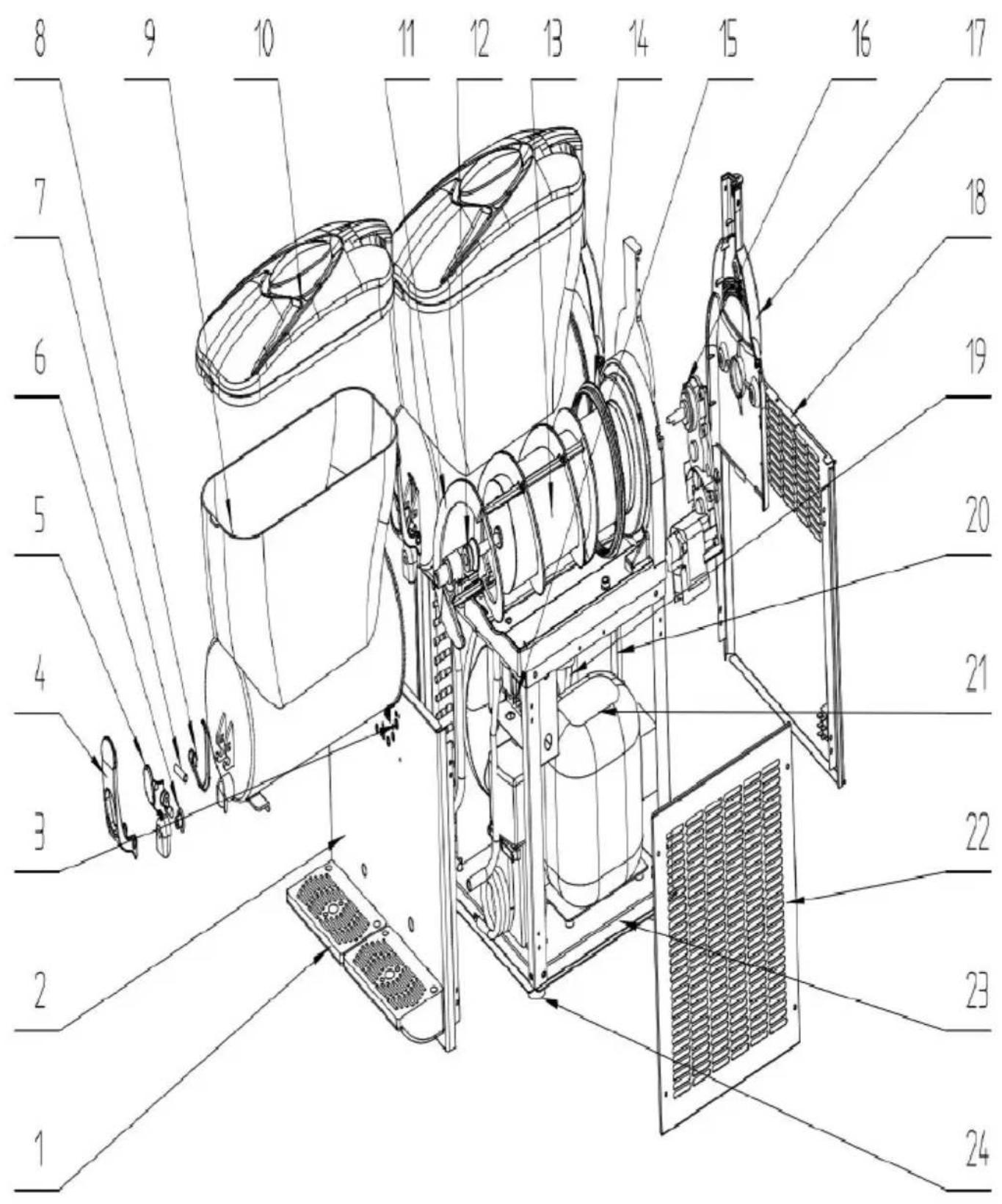
| No. | Part Name | Qty |
| 1 | Drip Tray | 1 |
| 2 | Front Panel | 1 |
| 3 | Control Panel | 1 |
| 4 | Handle parts A | 1 |
| 5 | Handle parts B | 1 |
| 6 | Mini-sized Sealing Ring for Handle | 1 |
| 7 | Bolt for Handle | 1 |
| 8 | Spring for Handle | 1 |
| 9 | Tank | 1 |
| 10 | Tank Cover | 1 |
| 11 | Spiral Stirring Mixer | 1 |
| 12 | Medium-sized Sealing Ring | 1 |
| 13 | Evaporator | 1 |
| 14 | Large-sized Sealing Ring | 1 |
| 15 | Main Board | 1 |
| 16 | Motor | 1 |
| 17 | Back Cover for Evaporator | 1 |
| 18 | Back Panel | 1 |
| 19 | Fan | 1 |
| 20 | Condenser | 1 |
| 21 | Compressor | 1 |
| 22 | Side Panel | 1 |
| 23 | Baseboard | 1 |
| 24 | Feet | 1 |
VEVOR®
TOUGH TOOLS, HALF PRICE
Technical Support and E-Warranty Certificate
www.vevor.com/support
VEVOR®
TOUGH TOOLS, HALF PRICE
IMPORTANT SAFETY CAUTIONS
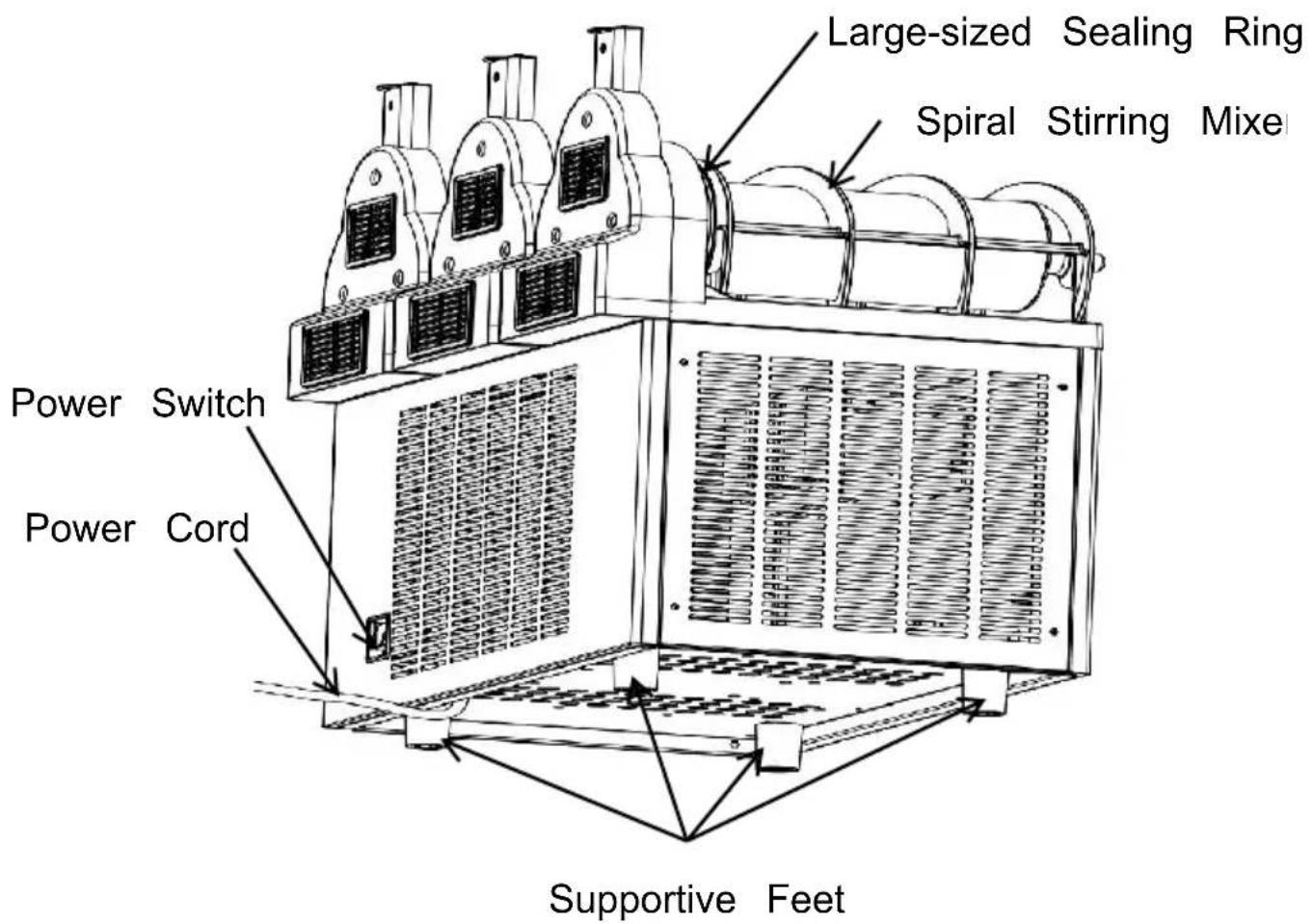
Large-sized Sealing Ring
flowchart
graph TD
    A["1"] --> B["LEFT MIXING"]
    C["2"] --> B
    D["3"] --> E["COLDDRINK"]
    F["4"] --> E
    G["5"] --> H["SET"]
    I["6"] --> J["LIGHTING/SUBTRACT"]
    K["7"] --> L["ADD"]
    M["8"] --> L
    N["9"] --> O["SLUSH"]
    P["10"] --> O
    Q["11"] --> R["RIGHT MIXING"]
    S["12"] --> R
    T["13"] --> U[" "]
    V["14"] --> W[" "]
    X["15"] --> Y["+"]
    Z["16"] --> AA["○"]
    AB["17"] --> AC["○"]
    AD["18"] --> AE["○"]
    AF["19"] --> AG["○"]
    AH["20"] --> AI["○"]
flowchart
graph TD
    A["①"] --> B[" "]
    C["②"] --> D[" "]
    E["③"] --> F["LEFT MIXING"]
    G["④"] --> H["MID MIXING"]
    I["⑤"] --> J["RIGHT MIXING"]
    K["⑥"] --> L["SET"]
    M["⑦"] --> N["ADD"]
    O["⑧"] --> P["SUBTRACT"]
    Q["⑨"] --> R["LIGHTING"]
    S["⑩"] --> T["COLDDRINK"]
    U["⑪"] --> V["SLUSH"]
    W["⑫"] --> X[" "]
    Y["⑬"] --> Z[" "]
    AA["⑭"] --> AB[" "]
    AC["⑮"] --> AD[" "]
    AE["⑯"] --> AF[" "]
    AG["⑰"] --> AH[" "]
    AI["⑱"] --> AJ[" "]
    AK["㉑"] --> AL[" "]
    AM["㉒"] --> AN[" "]
    AO["㉔"] --> AP[" "]
    AQ["㉕"] --> AR[" "]
    AS["㉖"] --> AT[" "]
    AU["㉗"] --> AV[" "]
    AW["㉘"] --> AX[" "]
    AY[" "] --> AZ[" "]
    BA[" "] --> BB[" "]
    BC[" "] --> BD[" "]
    BE[" "] --> BF[" "]
    BG[" "] --> BH[" "]
    BI[" "] --> BJ[" "]
    BK[" "] --> BL[" "]
    BM[" "] --> BN[" "]
    BO[" "] --> BP[" "]
    BQ[" "] --> BR[" "]
    BS[" "] --> BT[" "]
    BU[" "] --> BV[" "]
    BW[" "] --> BX[" "]
    BY[" "] --> BYB[" "]
    BZ[" "] --> BZB[" "]
    CA[" "] --> CAB[" "]
    CB[" "] --> CBB[" "]
    CC[" "] --> CCB[" "]
    CD[" "] --> CDB[" "]
    CE[" "] --> CEB[" "]
    CF[" "] --> CFB[" "]
    CG[" "] --> CGB[" "]
    CH[" "] --> CHB[" "]
    CI[" "] --> CJ[" "]
    CK[" "] --> CKB[" "]
    CL[" "] --> CLB[" "]
    CM[" "] --> CMB[" "]
    CN[" "] --> CNB[" "]
    CO[" "] --> COB[" "]
    CP[" "] --> CPB[" "]
    CEY[" "] --> CYC[" "]
    CEZ[" "] --> CEZB[" "]
    CEYX[" "] --> CEYZC[" "]
    CEYZCX[XEDITION/ORDERING/ORDERING/ORDERING/ORDERING/ORDERING/ORDERING/ORDERING/ORDERING/ORDERING/ORDERING/ORDERING/ORDERING/ORDERING/ORDERING/ORDERING/ORDERING/ORDERING/ORDERING/ORDERING/ORDERING/ORDERING/ORDERING/ORDERING/ORDERING/ORDERING/ORDERING/ORDERING/ORDERING/ORDERING/ORDERING/ORDERING/ORDERING/ORDERING/ORDERING / ORDERING / ORDERING / ORDERING / ORDERING / ORDERING / ORDERING / ORDERING / ORDERING / ORDERING / ORDERING / ORDERING / ORDERING / ORDERING / ORDERING / ORDERING / ORDERING / ORDERING / ORDERING / ORDERING / ORDERING / ORDERING / ORDERING / ORDERING / ORDERING / ORDERING / ORDERING / ORDERING / ORDERING / ORDERING / ORDERING / ORDERING / ORDERING / ORDERING / ORDERIN / ORDERIN / ORDERIN / ORDERIN / ORDERIN / ORDERIN / ORDERIN / ORDERIN / ORDERIN / ORDERIN / ORDERIN / ORDERIN / ORDERIN / ORDERIN / ORDERIN / ORDERIN / ORDERIN / ORDERIN / ORDERIN / ORDERIN / ORDERIN / ORDERIN / ORDERIN / ORDERIN / ORDERIN / ORDERIN / ORDERIN / ORDERIN / ORDERIN / ORDERIN / ORDERIN / OrderIN / OrderIN / OrderIN / OrderIN / OrderIN / OrderIN / OrderIN / OrderIN / OrderIN / OrderIN / OrderIN / OrderIN / OrderIN / OrderIN / OrderIN / OrderIN / OrderIN / OrderIN / OrderIN / OrderIN / OrderIN / OrderIN / OrderIN / OrderIN / OrderIN / OrderIN / OrderIN / OrderIN / OrderIN / OrderIN / OrderIN / OrderIN / OrderIN / OrderIn / OrderIn / OrderIn
    style A fill:#f9f,stroke:#333
    style B fill:#ccf,stroke:#333
    style C fill:#ccf,stroke:#333
    style D fill:#ccf,stroke:#333
    style E fill:#cfc,stroke:#333
    style F fill:#fcc,stroke:#333
    style G fill:#fcc,stroke:#333
    style H fill:#fcc,stroke:#333
    style I fill:#fcc,stroke:#333
    style J fill:#fcc,stroke:#333
    style K fill:#fcc,stroke:#333
    style L fill:#fcc,stroke:#333
    style M fill:#fcc,stroke:#333
    style N fill:#fcc,stroke:#333
    style O fill:#fcc,stroke:#333
    style P fill:#fcc,stroke:#333
    style Q fill:#fcc,stroke:#333
    style R fill:#fcc,stroke:#333
    style S fill:#fcc,stroke:#333
    style T fill:#fcc,stroke:#333
    style U fill:#fcc,stroke:#333
    style V fill:#fcc,stroke:#333
    style W fill:#fcc,stroke:#333
    style X fill:#fcc,stroke:#333
    style Y fill:#fcc,stroke:#333
    style Z fill:#fcc,stroke:#333
natural_image
Cartoon illustration of a smiling document character with a wavy line, next to a cross symbol (no text or labels)natural_image
Simple line drawing of a smiling document with eyes and mouth, emitting steam lines (no text or symbols)natural_image
Simple line drawing of a sad document with raindrops and a cloud above, no text or symbols present.natural_image
Diagram showing a remote control device transforming into a server rack with directional arrows (no text or symbols)Étape 2 :
natural_image
Illustration showing a plug inserted into a socket and then being adjusted to a wall-mounted switch (no text or symbols present)Étape 3:
natural_image
Simple line drawing of a bucket pouring liquid into a container with a stirring rod (no text or symbols)13% Sugar
Étape 2:
natural_image
Line drawing of a mechanical device with a cylindrical top and fan blade, no text or symbols presentRemarques :
natural_image
Line drawing of a modern kitchen mixer with control panel and side arm (no text or symbols)2.X -300
natural_image
Simple line drawing of a bucket pouring liquid into a container with a stirring rod (no text or symbols)13% Sugar
Étape 2 :
natural_image
Line drawing of a mechanical device with fan and cooling unit (no text or symbols)Remarques :
3.X -450
natural_image
Simple line drawing of a bucket pouring liquid into a container with a stirring rod (no text or symbols)13% Sugar
Étape 2 :
natural_image
Line drawing of an industrial air purifier with multiple fans and a hopper (no text or symbols)Remarques :
natural_image
Technical line drawing of a large industrial machine with cooling fans and control panel (no text or symbols)★Conseils :
CLEANING AND MAINTENANCE
natural_image
Line drawing of a mechanical device with a tool and bracket, showing no text or symbolsNote:
natural_image
Line drawing of a mechanical device with fan and vent, showing airflow direction (no text or symbols)natural_image
Line drawing of a mechanical device with directional arrows indicating motion or flow (no text or symbols)natural_image
Technical line drawing of a mechanical pump assembly (no text or symbols)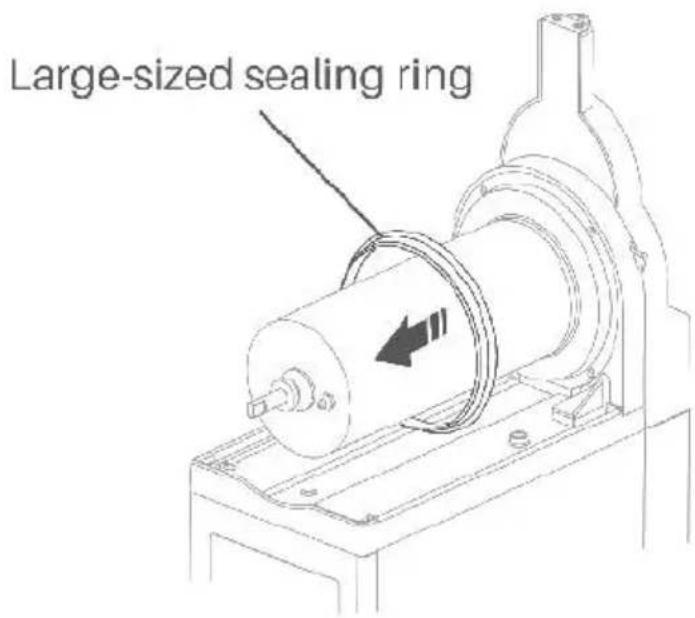
natural_image
Technical line drawing of a kitchen mixer with coiled cable and washers (no text or labels)natural_image
Illustration of a computer setup with an open panel and a close-up view of its screen (no text or symbols visible)natural_image
Line drawing of a faucet spraying water onto a device (no text or symbols)natural_image
Technical line drawing of a mechanical assembly with a hand pressing a circular component (no text or symbols)natural_image
Line drawing of a kitchen appliance with a cloth cleaning the interior (no text or symbols)natural_image
Technical line drawing of a mechanical device with a cylindrical component and mounting base (no text or symbols)natural_image
Technical line drawing of a mechanical assembly with a magnified inset showing a circular component and a rotating shaft (no text or symbols)natural_image
Line drawing of a mechanical device with directional arrows indicating motion or flow (no text or symbols)natural_image
Line drawing of a mechanical device with a tool and bracket, showing a step from left to right (no text or symbols)natural_image
Line drawing of a mechanical device with directional arrows indicating motion (no text or symbols)www.vevor.com/support
VEVOR®
TOUGH TOOLS, HALF PRICE
IMPORTANT SAFETY CAUTIONS
natural_image
Line drawing of a modern industrial machine with fan and cooling unit (no text or symbols)or
natural_image
Technical line drawing of a mechanical device with multiple ports and mounting brackets (no text or symbols)or
natural_image
Technical line drawing of a multi-tiered industrial air conditioning unit (no text or symbols)X-150 X-300 X-450
natural_image
Simple line drawing of a mechanical component with concentric circles and a flanged base (no text or symbols)Spare Medium-sized Sealing Ring (1 for X-150, 2 for X-300, 3 for X
KNOW YOUR SLUSH MACHINE
1.X-150
Large-sized Sealing Ring
flowchart
graph TD
    A["1"] --> B["LEFT MIXING"]
    C["2"] --> B
    D["3"] --> E["COLDDRINK"]
    F["4"] --> E
    G["5"] --> H["SET"]
    I["6"] --> J["LIGHTING/SUBTRACT"]
    K["7"] --> L["ADD"]
    M["8"] --> L
    N["9"] --> O["SLUSH"]
    P["10"] --> O
    Q["11"] --> R["RIGHT MIXING"]
    S["12"] --> R
    T["13"] --> U[" "]
    V["14"] --> W[" "]
    X[" "] --> Y[" "]
    Z[" "] --> AA[" "]
flowchart
Diagram showing 17 labeled components (① to ⑦) connected via directional arrows and circular icons, with a central 'LEFT MIXING' node.natural_image
Cartoon illustration of a smiling document character with a wavy line, next to a cross symbol (no text or labels)natural_image
Simple line drawing of a smiling document with eyes and mouth, emitting steam lines (no text or symbols)natural_image
Simple line drawing of a sad document with raindrops and a cloud above, no text or symbols present.natural_image
Diagram showing a remote control device transforming into a server rack with directional arrows (no text or symbols)Schritt 2:
Schritt 3:
natural_image
Simple line drawing of a bucket pouring liquid into a container with a stirring rod (no text or symbols)13% Sugar
Schritt 2:
natural_image
Line drawing of a mechanical device with a cylindrical top and fan blade, no text or symbols presentHinweise:
natural_image
Line drawing of a coffee maker with handle, spout, and side panel (no text or symbols)2.X -300
Zutaten vorbereiten
Schritt 1:
natural_image
Simple line drawing of a bucket pouring liquid into a container with a stirring rod (no text or symbols)13% Sugar
Schritt 2:
natural_image
Line drawing of a mechanical device with fan and motor components (no text or symbols)Hinweise:
3.X -450
Zutaten vorbereiten
Schritt 1:
natural_image
Simple line drawing of a bucket pouring liquid into a container with a stirring rod (no text or symbols)13% Sugar
Schritt 2:
natural_image
Line drawing of a portable air conditioner unit with multiple fans and cooling fans (no text or symbols)Hinweise:
natural_image
Illustration showing a plug-in socket transforming into a circular button with a finger, illustrating electrical switch mechanism (no text or symbols)natural_image
Technical line drawing of a large industrial machine with control panel and fan (no text or symbols)★Tipps:
CLEANING AND MAINTENANCE
natural_image
Line drawing of a mechanical device with a tool and bracket, showing no text or symbols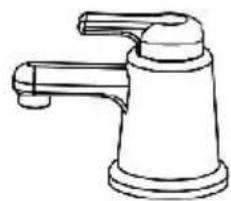
natural_image
Line drawing of a faucet with handle and base (no text or symbols)Notiz:
natural_image
Line drawing of a mechanical device with fan and vent, showing airflow direction (no text or symbols)natural_image
Line drawing of a mechanical device with directional arrows indicating motion (no text or symbols)natural_image
Technical line drawing of a mechanical pump assembly (no text or symbols)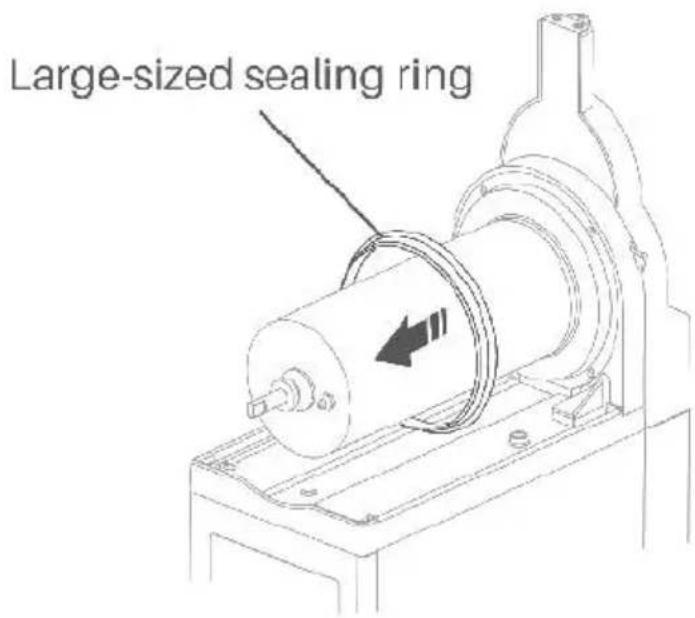
natural_image
Technical line drawing of a kitchen mixer with coiled cable and washers (no text or labels)natural_image
Illustration of a server unit with a magnified inset showing two hardware components (no text or symbols visible)natural_image
Line drawing of a faucet spraying water onto a device (no text or symbols)natural_image
Technical line drawing of a mechanical device with a hand pressing a circular component (no text or symbols)natural_image
Line drawing of a kitchen appliance with a hand cleaning the interior (no text or symbols)natural_image
Technical line drawing of a mechanical assembly with a cylindrical component and mounting base (no text or symbols)natural_image
Technical line drawing of a mechanical assembly with a magnified inset showing a circular component and a rotating shaft (no text or symbols)natural_image
Technical line drawing of a mechanical device with directional arrows indicating motion (no text or symbols)natural_image
Technical line drawing of a mechanical device with an arrow indicating assembly or disassembly (no text or symbols present)natural_image
Line drawing of a mechanical device with no visible text or symbolswww.vevor.com/support
VEVOR®
TOUGH TOOLS, HALF PRICE
IMPORTANT SAFETY CAUTIONS
natural_image
Technical line drawing of a mechanical device with fan and cooling fins (no text or symbols)or
natural_image
Technical line drawing of a mechanical device with multiple ports and a cooling panel (no text or symbols)or
natural_image
Technical line drawing of a three-tiered industrial fan or condenser unit (no text or symbols visible)X-150 X-300 X-450

flowchart
graph TD
    A["①"] --> B["MIXING"]
    C["②"] --> B
    D["③"] --> E["COLDDRINK"]
    F["④"] --> E
    G["⑤"] --> H["SET/SUBTRACT"]
    I["⑥"] --> J["ADD"]
    K["⑦"] --> L["SLUSH"]
    M["⑧"] --> N["LIGHTING"]
    O["⑨"] --> N
    P["⑩"] --> Q["Lighting"]
    R["⑪"] --> S["Set/SUBTRACT"]
    T["⑫"] --> U["SET/SUBTRACT"]
flowchart
graph TD
    A["1"] --> B["LEFT MIXING"]
    C["2"] --> B
    D["3"] --> E["COLDDRINK"]
    F["4"] --> E
    G["5"] --> H["SET"]
    I["6"] --> J["LIGHTING/SUBTRACT"]
    K["7"] --> L["ADD"]
    M["8"] --> L
    N["9"] --> O["SLUSH"]
    P["10"] --> O
    Q["11"] --> R["RIGHT MIXING"]
    S["12"] --> R
    T["13"] --> U[" "]
    V["14"] --> W[" "]
    X["15"] --> Y[" "]
    Z["16"] --> AA[" "]
    AB["17"] --> AC[" "]
    AD["18"] --> AE[" "]
    AF["19"] --> AG[" "]
    AH["20"] --> AI[" "]
flowchart
graph TD
    A["Supportive Feet"] --> B["1"]
    A --> C["2"]
    B --> D["3"]
    B --> E["4"]
    B --> F["5"]
    C --> G["15"]
    C --> H["16"]
    C --> I["17"]
    D --> J["LEFT MIXING"]
    D --> K["MID MIXING"]
    D --> L["RIGHT MIXING"]
    E --> M["SET"]
    E --> N["ADD"]
    E --> O["SUBTRACT"]
    E --> P["LIGHTING"]
    E --> Q["COLDDRINK"]
    E --> R["SLUSH"]
    J --> S["6"]
    J --> T["8"]
    K --> U["7"]
    L --> V["9"]
    L --> W["11"]
    M --> X["10"]
    N --> Y["12"]
    O --> Z["14"]
    P --> AA["13"]
natural_image
Cartoon illustration of a smiling document with a wavy line and a cross symbol (no text or labels)natural_image
Simple line drawing of a smiling document with eyes and a smile, no text or symbols presentnatural_image
Simple line drawing of a sad, distressed object with raindrops above and a cross symbol below (no text or symbols)natural_image
Diagram showing a remote control device transforming into a server rack with directional arrows (no text or symbols)natural_image
Simple line drawing of a bucket pouring liquid into a container with a stirring rod (no text or symbols)13% Sugar
Fare un passo 2:
natural_image
Line drawing of a mechanical device with a fan blade and cylindrical top (no text or symbols)Note:
natural_image
Line drawing of a coffee maker with lid, side arm, and side cup (no text or symbols)2.X -300
natural_image
Simple line drawing of a bucket pouring liquid into a container with a stirring rod (no text or symbols)13% Sugar
Fase 2:
natural_image
Line drawing of a mechanical device with fan and motor components (no text or symbols)Note:
3.X -450
natural_image
Simple line drawing of a bucket pouring liquid into a container with a stirring rod (no text or symbols)13% Sugar
Fase 2:
natural_image
Line drawing of an industrial air purifier with multiple fans and a hopper (no text or symbols)Note:
natural_image
Technical line drawing of a large industrial machine with cooling fans and control panel (no text or symbols)★Suggerimenti:
CLEANING AND MAINTENANCE
natural_image
Line drawing of a mechanical device with exploded view and internal components (no text or symbols)Nota:
natural_image
Line drawing of a mechanical device with fan and vent, showing airflow direction (no text or symbols)natural_image
Line drawing of a mechanical device with directional arrows indicating motion or flow (no text or symbols)natural_image
Technical line drawing of a mechanical pump assembly (no text or symbols)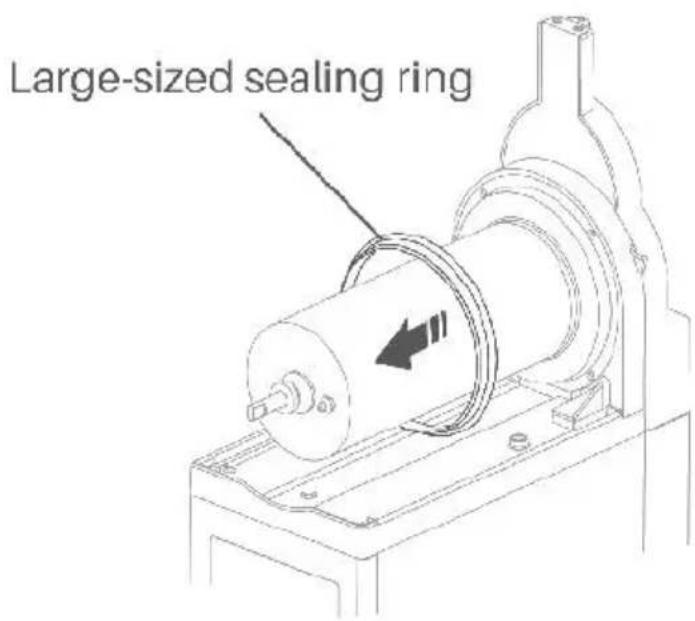
natural_image
Technical line drawing of a kitchen tool and mechanical components (no text or symbols)natural_image
Line drawing of a server rack with a magnified inset showing two hardware units (no text or symbols present)natural_image
Line drawing of a faucet spraying water onto a device (no text or symbols)natural_image
Technical line drawing of a mechanical device with a hand pressing a circular component (no text or symbols)natural_image
Line drawing of a kitchen appliance with a cloth resting on it, no text or symbols presentnatural_image
Technical line drawing of a mechanical device with a cylindrical component and mounting base (no text or symbols)natural_image
Technical line drawing of a mechanical assembly with a magnified inset showing a circular component and a rotating shaft (no text or symbols)natural_image
Technical line drawing of a mechanical device with directional arrows indicating motion (no text or symbols)④Rimontare le parti del distributore.
natural_image
Line drawing of a mechanical device with a tool and bracket, showing a step from left to right (no text or symbols)natural_image
Line drawing of a mechanical device with directional arrows indicating motion (no text or symbols)www.vevor.com/support
VEVOR®
TOUGH TOOLS, HALF PRICE
IMPORTANT SAFETY CAUTIONS
Large-sized Sealing Ring
flowchart
graph TD
    A["1"] --> B["LEFT MIXING"]
    C["2"] --> B
    D["3"] --> E["COLDDRINK"]
    F["4"] --> E
    G["5"] --> H["SET"]
    I["6"] --> J["LIGHTING/SUBTRACT"]
    K["7"] --> L["ADD"]
    M["8"] --> L
    N["9"] --> O["SLUSH"]
    P["10"] --> O
    Q["11"] --> R["RIGHT MIXING"]
    S["12"] --> R
    T["13"] --> U[" "]
    V["14"] --> W[" "]
    X["15"] --> Y[" "]
    Z["16"] --> AA[" "]
    AB["17"] --> AC[" "]
    AD["18"] --> AE[" "]
    AF["19"] --> AG[" "]
    AH["20"] --> AI[" "]
flowchart
Diagram showing 17 labeled components (① to ⑦) connected via directional arrows and circular icons, with a central 'LEFT MIXING' node.natural_image
Cartoon illustration of a smiling document character with a wavy line and a cross symbol (no text or symbols present)natural_image
Simple line drawing of a smiling document with eyes and a smile, emitting steam lines (no text or symbols)natural_image
Simple line drawing of a sad, distressed document with raindrops and a cloud above (no text or symbols)natural_image
Diagram showing a remote control device transforming into a server rack with directional arrows (no text or symbols)Paso 2:
Paso 3:
natural_image
Simple line drawing of a bucket pouring liquid into a container with a straw (no text or symbols)13% Sugar
Paso 2:
natural_image
Line drawing of a mechanical device with a cylindrical top and fan blade, no text or symbols presentNotas:
natural_image
Line drawing of a modern kitchen mixer with control panel and side arm (no text or symbols)2.X -300
natural_image
Simple line drawing of a bucket pouring liquid into a container with a stirring rod (no text or symbols)13% Sugar
Paso 2:
natural_image
Line drawing of a mechanical device with multiple fans and a cylindrical top, no text or symbols presentNotas:
3.X -450
natural_image
Simple line drawing of a bucket pouring liquid into a container with a stirring rod (no text or symbols)13% Sugar
Paso 2:
natural_image
Line drawing of an industrial air purifier with multiple fans and a hopper (no text or symbols)Notas:
natural_image
Technical line drawing of a large industrial machine with cooling fans and control panel (no text or symbols)★Consejos:
CLEANING AND MAINTENANCE
natural_image
Line drawing of a mechanical device with a tool and bracket, showing no text or symbolsNota:
natural_image
Line drawing of a mechanical device with fan and vent, showing airflow direction (no text or symbols)natural_image
Line drawing of a mechanical device with directional arrows indicating motion (no text or symbols)natural_image
Technical line drawing of a mechanical pump assembly (no text or symbols)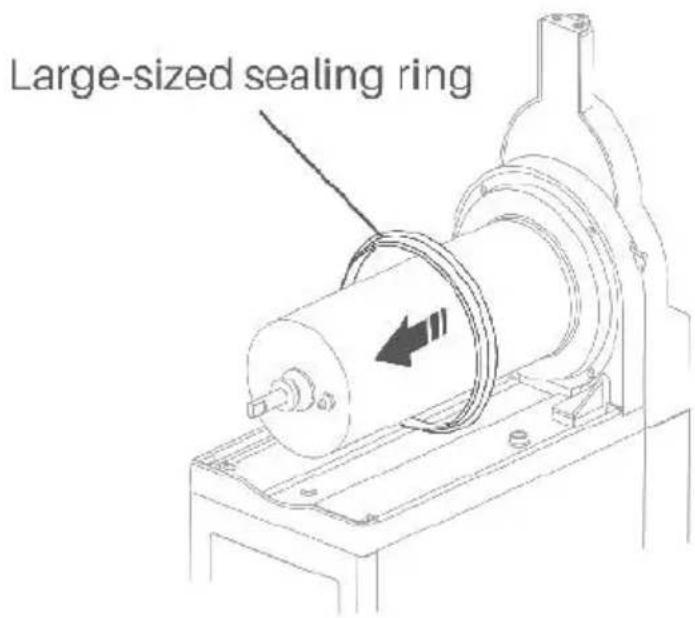
natural_image
Technical line drawing of a kitchen mixer with coiled cable and washers (no text or labels)natural_image
Illustration of a computer monitor with a magnified inset showing its front panel and screen (no text or symbols present)natural_image
Line drawing of a faucet spraying water onto a device (no text or symbols)natural_image
Technical line drawing of a mechanical assembly with a hand pressing a component on a workbench (no text or symbols)natural_image
Line drawing of a kitchen appliance with a cloth cleaning the interior (no text or symbols)natural_image
Technical line drawing of a mechanical device with a cylindrical component and mounting base (no text or symbols)natural_image
Technical line drawing of a mechanical assembly with a magnified inset showing a circular component and a rotating shaft (no text or symbols)natural_image
Technical line drawing of a mechanical device with directional arrows indicating motion (no text or symbols)natural_image
Line drawing of a mechanical device with a tool and bracket, showing a step from left to right (no text or symbols)natural_image
Line drawing of a mechanical device with directional arrows indicating motion (no text or symbols)www.vevor.com/support
VEVOR®
TOUGH TOOLS, HALF PRICE
IMPORTANT SAFETY CAUTIONS
natural_image
Simple line drawing of a mechanical component with concentric circles and a flanged base (no text or symbols)Spare Medium-sized Sealing Ring (1 for X-150, 2 for X-300, 3 for X
KNOW YOUR SLUSH MACHINE
1.X-150
Large-sized Sealing Ring
flowchart
graph TD
    A["1"] --> B["LEFT MIXING"]
    C["2"] --> B
    D["3"] --> E["COLDDRINK"]
    F["4"] --> E
    G["5"] --> H["SET"]
    I["6"] --> J["LIGHTING/SUBTRACT"]
    K["7"] --> L["ADD"]
    M["8"] --> L
    N["9"] --> O["SLUSH"]
    P["10"] --> O
    Q["11"] --> R["RIGHT MIXING"]
    S["12"] --> R
    T["13"] --> U[" "]
    V["14"] --> W[" "]
    X["15"] --> Y["+"]
    Z["16"] --> AA["×"]
    AB["17"] --> AC["●"]
    AD["18"] --> AE["○"]
    AF["19"] --> AG["○"]
    AH["20"] --> AI["○"]
    AJ["21"] --> AK["○"]
    AL["22"] --> AM["○"]
    AN["23"] --> AO["○"]
    AP["24"] --> AQ["○"]
    AR["25"] --> AS["○"]
    AT["26"] --> AU["○"]
    AV["27"] --> AW["○"]
    AX["28"] --> AY["○"]
    AZ["29"] --> BA["○"]
    BB["30"] --> BC["○"]
flowchart
graph TD
    A["①"] --> B[" "]
    C["②"] --> D[" "]
    E["③"] --> F["LEFT MIXING"]
    G["④"] --> H["MID MIXING"]
    I["⑤"] --> J["RIGHT MIXING"]
    K["⑥"] --> L["SET"]
    M["⑦"] --> N["ADD"]
    O["⑧"] --> P["SUBTRACT"]
    Q["⑨"] --> R["LIGHTING"]
    S["⑩"] --> T["COLDDRINK"]
    U["⑪"] --> V["SLUSH"]
    W["⑫"] --> X[" "]
    Y["⑬"] --> Z[" "]
    AA["⑭"] --> AB[" "]
    AC["⑮"] --> AD[" "]
    AE["⑯"] --> AF[" "]
    AG["⑰"] --> AH[" "]
    AI["⑱"] --> AJ[" "]
    AK["㉑"] --> AL[" "]
    AM["㉒"] --> AN[" "]
    AO["㉔"] --> AP[" "]
    AQ["㉕"] --> AR[" "]
    AS["㉖"] --> AT[" "]
    AU["㉗"] --> AV[" "]
    AW["㉘"] --> AX[" "]
    AY[" "] --> AZ[" "]
    BA[" "] --> BB[" "]
    BC[" "] --> BD[" "]
    BE[" "] --> BF[" "]
    BG[" "] --> BH[" "]
    BI[" "] --> BJ[" "]
    BK[" "] --> BL[" "]
    BM[" "] --> BN[" "]
    BO[" "] --> BP[" "]
    BQ[" "] --> BR[" "]
    BS[" "] --> BT[" "]
    BU[" "] --> BV[" "]
    BW[" "] --> BX[" "]
    BY[" "] --> BYB[" "]
    BZ[" "] --> BZB[" "]
    CA[" "] --> CAB[" "]
    CB[" "] --> CBB[" "]
    CC[" "] --> CCB[" "]
    DD[" "] --> DDB[" "]
    DB[" "] --> DBB[" "]
    BEH[" "] --> BEH
    BFH[" "] --> BFH
    BGIB[" "] --> BGIB
    BHIB[" "] --> BHIB
    BIIB[" "] --> BIIB
    BIBIB[" "] --> BIBIB
    BHBIB[" "] --> BHBIB
    BHBII["BHIBIB"] --> BHBII
    BHBIII["BHIBIII"] --> BHBIII
    BHBIV["BHIBIII"] --> BHBIV
    BHBV["BHIBV"] --> BHBV
    BHBX["BHIBX"] --> BHBX
    BHBY["BHIBY"] --> BHBY
    BHBZ["BHIBZ"] --> BHBZ
    BHBXII["BHIBXII"] --> BHBXII
    BHBXIII["BHIBXIII"] --> BHBXIII
    BHBXIV["BHIBXIV"] --> BHBXIV
    BHBXV["BHIBXV"] --> BHBXV
    BHBXVI["BHIBXVI"] --> BHBXVI
    BHBXVII["BHIBXVII"] --> BHBXVII
    BHBXVIII["BHIBXVIII"] --> BHBXVIII
    BHBXVIIII["BHIBXVIIII"] --> BHBXVIIII
    BHBXVIIIII["BHIBXVIIIII"] --> BHBXVIIIII
    BHBXVIIIIII["BHIBXVIIIIII"] --> BHBXVIIIIII
    BHBXVIIIIIII["BHIBXVIIIIIII"] --> BHBXVIIIIIII
    BHBXVIIIIIII["BHIBXVIIIIIII"] --> BHBXVIIIIIIII
    BHBXVIIIIIII["BHIBXVIIIIIII"] --> BHBXVIIIIIIII
    BHBXVIIIIIIII["BHIBXVIIIIII"]
natural_image
Cartoon illustration of a smiling document character with a wavy line and a cross symbol (no text or symbols present)natural_image
Simple line drawing of a smiling document with eyes and a smile, emitting steam lines (no text or symbols)natural_image
Simple line drawing of a sad document with raindrops and a cloud above, no text or symbols present.natural_image
Diagram showing a remote control device transforming into a server rack with directional arrows (no text or symbols)Krok 2:
Krok 3:
natural_image
Simple line drawing of a bucket pouring liquid into a container with a stirring rod (no text or symbols)13% Sugar
Krok 2:
natural_image
Line drawing of a mechanical device with a cylindrical top and fan blade, no text or symbols presentUwagi:
natural_image
Line drawing of a coffee maker with lid, side arm, and side cup (no text or symbols)2.X -300
natural_image
Simple line drawing of a bucket pouring liquid into a container with a stirring rod (no text or symbols)13% Sugar
Krok 2:
natural_image
Line drawing of a mechanical device with fan and pump components (no text or symbols)Uwagi:
3.X -450
natural_image
Simple line drawing of a bucket pouring liquid into a container with a stirring rod (no text or symbols)13% Sugar
Krok 2:
natural_image
Line drawing of an industrial air purifier with multiple fans and a central fan (no text or symbols)Uwagi:
natural_image
Technical line drawing of a large industrial machine with control panel and fan (no text or symbols)★Wskazówki:
CLEANING AND MAINTENANCE
natural_image
Line drawing of a mechanical device with a tool and bracket, showing no text or symbols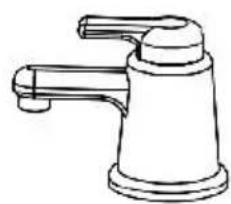
natural_image
Line drawing of a faucet with handle and base (no text or symbols)Notatka:
natural_image
Line drawing of a mechanical device with fan and vent, showing airflow direction (no text or symbols)natural_image
Line drawing of a mechanical device with directional arrows indicating motion or flow (no text or symbols)natural_image
Technical line drawing of a mechanical pump assembly (no text or symbols)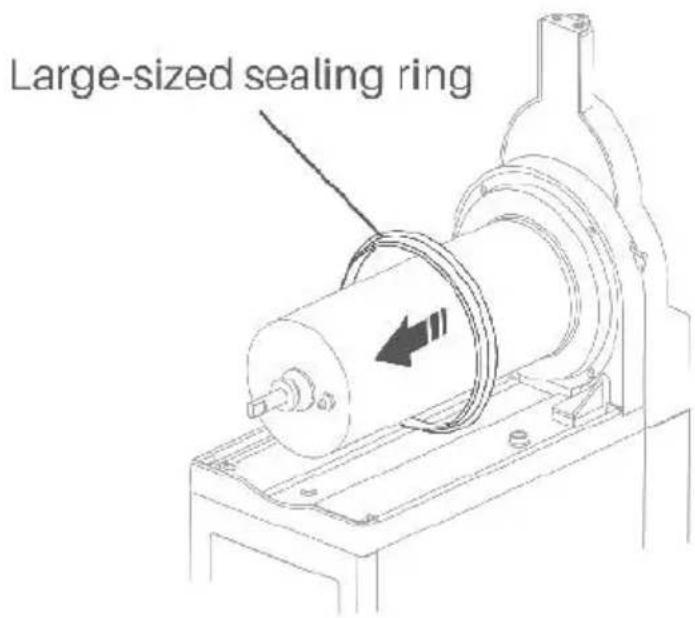
natural_image
Technical line drawing of a kitchen mixer with coiled cable and washers (no text or labels)natural_image
Illustration of a computer setup with an open panel and a close-up view of its screen (no text or symbols visible)natural_image
Line drawing of a faucet spraying water onto a device (no text or symbols)5. Wyczyść parownik
natural_image
Technical line drawing of a mechanical device with a hand operating the base (no text or symbols)natural_image
Line drawing of a kitchen appliance with a hand cleaning the interior (no text or symbols)natural_image
Technical line drawing of a mechanical assembly with a cylindrical component and mounting base (no text or symbols)natural_image
Technical line drawing of a mechanical assembly with a magnified inset showing a circular component and a rotating shaft (no text or symbols)natural_image
Technical line drawing of a mechanical device with directional arrows indicating motion (no text or symbols)natural_image
Line drawing of a mechanical device with a gear shift and component assembly (no text or symbols)natural_image
Line drawing of a mechanical device with no visible text or symbolswww.vevor.com/support
VEVOR®
TOUGH TOOLS, HALF PRICE
Technische ondersteuning en e-garantiecertificaat www.vevor.com/support
SLUSHMACHINE
MODEL: X-150 X-300 X-450
HULP NODIG? NEEM CONTACT MET ONS OP!
IMPORTANT SAFETY CAUTIONS
natural_image
Technical line drawing of a mechanical device with fan and control panel (no text or symbols)or
natural_image
Technical line drawing of a mechanical device with multiple ports and mounting brackets (no text or symbols)or
natural_image
Technical line drawing of a multi-tiered industrial fan or condenser unit (no text or symbols visible)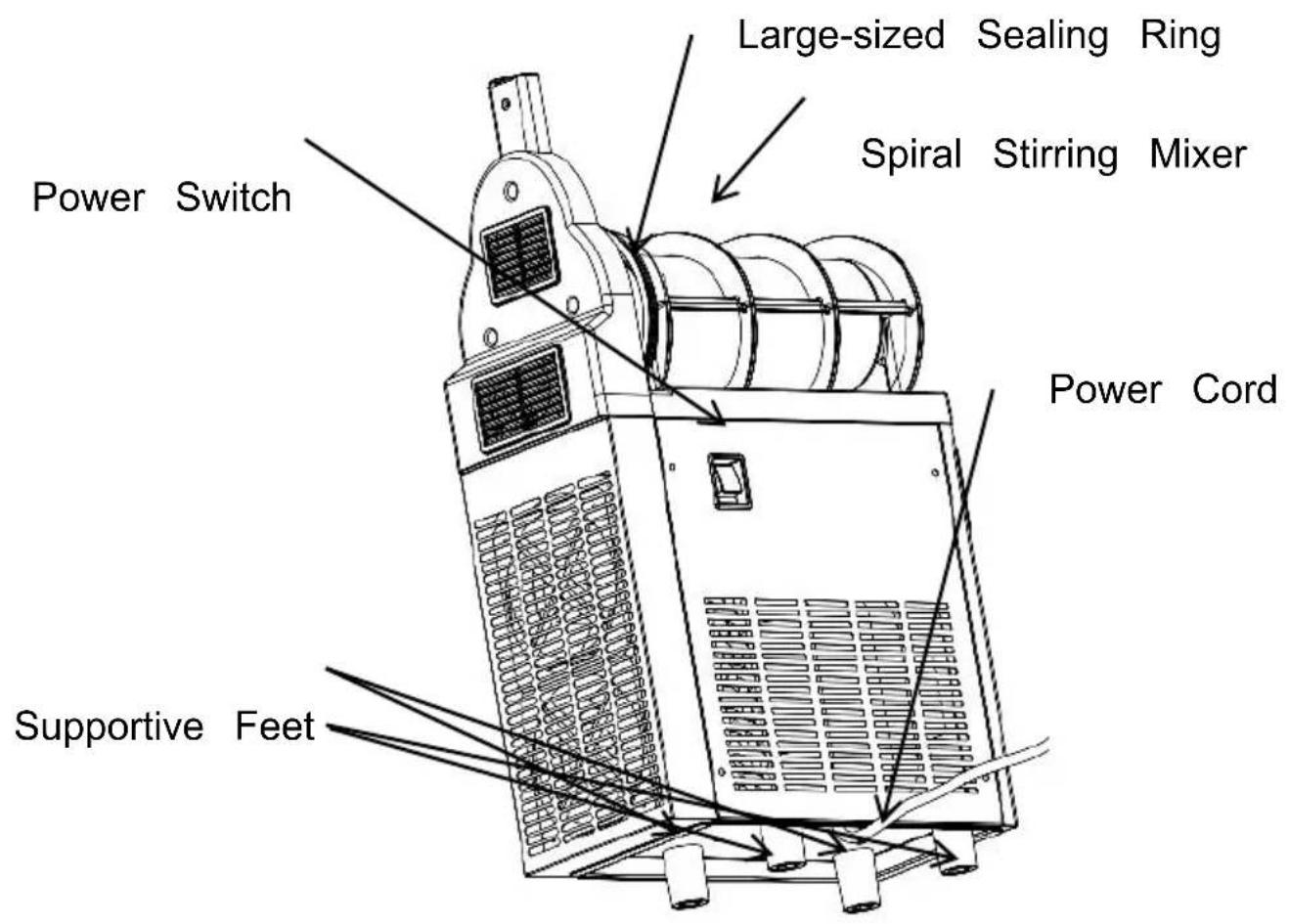
flowchart
graph TD
    A["1"] --> B["MIXING"]
    C["2"] --> B
    D["3"] --> E["COLDDRINK"]
    F["4"] --> E
    G["5"] --> H["SET/SUBTRACT"]
    I["6"] --> J["ADD"]
    K["7"] --> L["SLUSH"]
    M["8"] --> N["LIGHTING"]
    O["9"] --> N
    P["10"] --> Q["Lighting"]
    R["11"] --> S["Block"]
    T["12"] --> U["Block"]
    V["11"] --> W["Block"]
    X["12"] --> Y["Block"]
    Z["10"] --> AA["Block"]
| 1 Mengindicator | 2 Mengknop | 3 Koelindicator |
| 4 Koelknop | 5 Instelknop | 6 Verstelknop |
| 7 Slush Knop maken | 8 Slush maken Indicator | 9 Bliksem aan/uit Kno |
| 10 Lichtindicator | 11 Linker LED-paneel | 12 Rechter LED-panee |
2.X-300
flowchart
graph TD
    A["1"] --> B["LEFT MIXING"]
    C["2"] --> B
    D["3"] --> E["COLDDRINK"]
    F["4"] --> E
    G["5"] --> H["SET"]
    I["6"] --> J["LIGHTING/SUBTRACT"]
    K["7"] --> L["ADD"]
    M["8"] --> L
    N["9"] --> O["SLUSH"]
    P["10"] --> O
    Q["11"] --> R["RIGHT MIXING"]
    S["12"] --> R
    T["13"] --> U[" "]
    V["14"] --> W[" "]
    X["15"] --> Y[" "]
    Z["16"] --> AA[" "]
    AB["17"] --> AC[" "]
    AD["18"] --> AE[" "]
    AF["19"] --> AG[" "]
    AH["20"] --> AI[" "]
Supportive Feet
flowchart
graph TD
    A["①"] --> B[" "]
    C["②"] --> D[" "]
    E["③"] --> F["LEFT MIXING"]
    G["④"] --> H["MID MIXING"]
    I["⑤"] --> J["RIGHT MIXING"]
    K["⑥"] --> L["SET"]
    M["⑦"] --> N["ADD"]
    O["⑧"] --> P["SUBTRACT"]
    Q["⑨"] --> R["LIGHTING"]
    S["⑩"] --> T["COLDDRINK"]
    U["⑪"] --> V["SLUSH"]
    W["⑫"] --> X[" "]
    Y["⑬"] --> Z[" "]
    AA["⑭"] --> AB[" "]
    AC["⑮"] --> AD[" "]
    AE["⑯"] --> AF[" "]
    AG["⑰"] --> AH[" "]
    AI["⑱"] --> AJ[" "]
    AK["㉑"] --> AL[" "]
    AM["㉒"] --> AN[" "]
    AO["㉔"] --> AP[" "]
    AQ["㉕"] --> AR[" "]
    AS["㉖"] --> AT[" "]
    AU["㉗"] --> AV[" "]
    AW["㉒"] --> AX[" "]
    AY[" "] --> AZ[" "]
    BA[" "] --> BB[" "]
natural_image
Cartoon illustration of a smiling document character with a wavy line and a cross symbol (no text or symbols present)natural_image
Simple line drawing of a smiling document with eyes and a smile, emitting steam lines (no text or symbols)natural_image
Simple line drawing of a sad, distressed document with raindrops and a cloud above (no text or symbols)natural_image
Diagram showing a remote control device transforming into a server rack with directional arrows (no text or symbols)Stap 2:
Stap 3:
natural_image
Simple line drawing of a bucket pouring liquid into a container with a stirring rod (no text or symbols)13% Sugar
Stap 2:
Open de tank dek af, giet de verdunde concentreren in de tank
natural_image
Line drawing of a mechanical device with a cylindrical top and fan blade, no text or symbols presentOpmerkingen:
Slush-maakfunctie
natural_image
Line drawing of a coffee maker with lid, side arm, and side cup (no text or symbols)2.X -300
natural_image
Simple line drawing of a bucket pouring liquid into a container with a stirring rod (no text or symbols)13% Sugar
Stap 2:
natural_image
Line drawing of a mechanical device with fans and a cylindrical component (no text or symbols)Opmerkingen:
3.X -450
natural_image
Simple line drawing of a bucket pouring liquid into a container with a stirring rod (no text or symbols)13% Sugar
Stap 2:
natural_image
Line drawing of an industrial air purifier with multiple fans and a hopper (no text or symbols)Opmerkingen:
natural_image
Technical line drawing of a large industrial machine with control panel and fan (no text or symbols)★Tips:
CLEANING AND MAINTENANCE
-Dompel de hele machine in water.
natural_image
Line drawing of a mechanical device with clamps and a handle, showing no text or symbolsOpmerking:
natural_image
Line drawing of a mechanical device with fan and vent, showing airflow direction (no text or symbols)natural_image
Line drawing of a mechanical device with directional arrows indicating motion (no text or symbols)natural_image
Technical line drawing of a mechanical pump assembly (no text or symbols)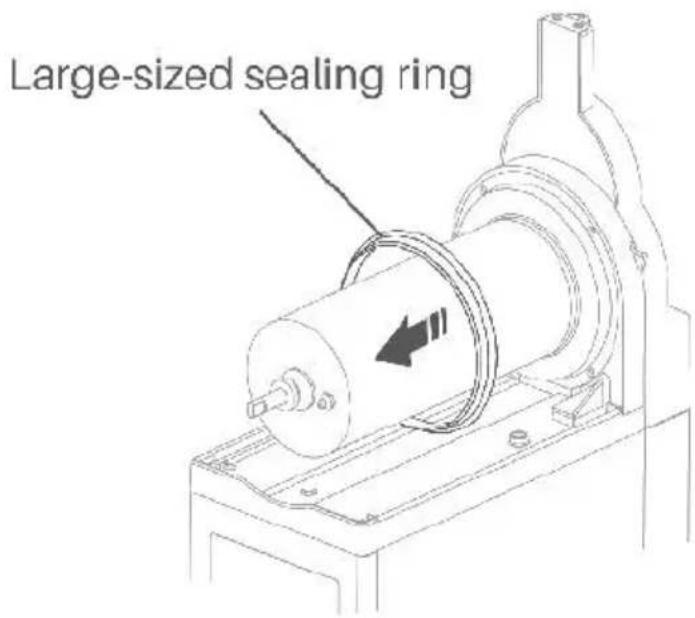
natural_image
Technical line drawing of a kitchen tool and its internal components (no text or labels)natural_image
Line drawing of a server unit with an inset showing its front panel and control panel (no text or symbols present)natural_image
Line drawing of a faucet spraying water onto a device (no text or symbols)5. Reinig de verdamper
natural_image
Technical line drawing of a mechanical assembly with a hand pressing a component on a base (no text or symbols)natural_image
Line drawing of a kitchen appliance with a cloth resting on it, no text or symbols present7. Reinig de condensor
natural_image
Technical line drawing of a mechanical assembly with a cylindrical component and mounting base (no text or symbols)natural_image
Technical line drawing of a mechanical assembly with a magnified inset showing a circular component and a rotating shaft (no text or symbols)natural_image
Line drawing of a mechanical device with directional arrows indicating motion or flow (no text or symbols)natural_image
Line drawing of a mechanical device with a tool and bracket, showing a step from left to right (no text or symbols)natural_image
Line drawing of a mechanical device with directional arrows indicating motion (no text or symbols)PROBLEEMOPLOSSINGSGIDS
www.vevor.com/support
VEVOR®
TOUGH TOOLS, HALF PRICE
IMPORTANT SAFETY CAUTIONS
natural_image
Line drawing of a rectangular electronic device with slots and mounting holes (no text or symbols)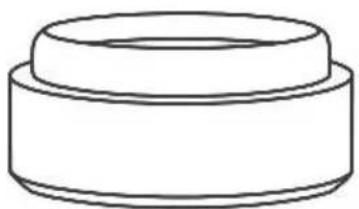
natural_image
Simple line drawing of a cylindrical mechanical part (no text or symbols)natural_image
Simple line drawing of a circular ring or washer (no text or symbols)
natural_image
Blank white rectangular document with no visible text, symbols, or markingsnatural_image
Simple line drawing of a mechanical component with concentric circles and a flanged base (no text or symbols)Spare Medium-sized Sealing Ring (1 for X-150, 2 for X-300, 3 for X
KNOW YOUR SLUSH MACHINE
1.X-150
Large-sized Sealing Ring
flowchart
graph TD
    A["1"] --> B["LEFT MIXING"]
    C["2"] --> B
    D["3"] --> E["COLDDRINK"]
    F["4"] --> E
    G["5"] --> H["SET"]
    I["6"] --> J["LIGHTING/SUBTRACT"]
    K["7"] --> L["ADD"]
    M["8"] --> L
    N["9"] --> O["SLUSH"]
    P["10"] --> O
    Q["11"] --> R["RIGHT MIXING"]
    S["12"] --> R
    T["13"] --> U[" "]
    V["14"] --> W[" "]
    X["15"] --> Y[" "]
    Z["16"] --> AA[" "]
    AB["17"] --> AC[" "]
    AD["18"] --> AE[" "]
    AF["19"] --> AG[" "]
    AH["20"] --> AI[" "]
flowchart
graph TD
    A["①"] --> B[" "]
    C["②"] --> D[" "]
    E["③"] --> F["LEFT MIXING"]
    G["④"] --> H["MID MIXING"]
    I["⑤"] --> J["RIGHT MIXING"]
    K["⑥"] --> L["SET"]
    M["⑦"] --> N["ADD"]
    O["⑧"] --> P["SUBTRACT"]
    Q["⑨"] --> R["LIGHTING"]
    S["⑩"] --> T["COLDDRINK"]
    U["⑪"] --> V["SLUSH"]
    W["⑫"] --> X["15"]
    Y["⑬"] --> Z["16"]
    AA["⑭"] --> AB["17"]
natural_image
Cartoon illustration of a smiling document character with a wavy line, next to a cross symbol (no text or labels)natural_image
Simple line drawing of a smiling document with eyes and a smile, no text or symbols presentnatural_image
Simple line drawing of a sad, distressed document with raindrops and a cloud above (no text or symbols)natural_image
Diagram showing a remote control device transforming into a server rack with directional arrows (no text or symbols)Steg 2:
natural_image
Illustration showing a plug-in socket transforming into a wall-mounted switch, with a hand adjusting the switch (no text or symbols present)Steg 3:
natural_image
Simple line drawing of a bucket pouring liquid into a container with a stirring rod (no text or symbols)13% Sugar
Steg 2:
natural_image
Line drawing of a mechanical device with a cylindrical top and fan blade, no text or symbols presentAnteckningar:
Blandningsfunktion (Obligatorisk)
Inställningar
natural_image
Line drawing of a modern kitchen mixer with fan and side arm (no text or symbols)2.X -300
natural_image
Simple line drawing of a bucket pouring liquid into a container with a stirring rod (no text or symbols)13% Sugar
Steg 2:
natural_image
Line drawing of a mechanical device with fan and housing components (no text or symbols)Anteckningar:
Blandningsfunktion (Obligatorisk)
3.X -450
Steg 2:
natural_image
Line drawing of a portable air conditioner unit with multiple cooling fans and heat exchangers (no text or symbols)Anteckningar:
natural_image
Simple line drawing of a plug socket with a bulb inside, no text or symbols present
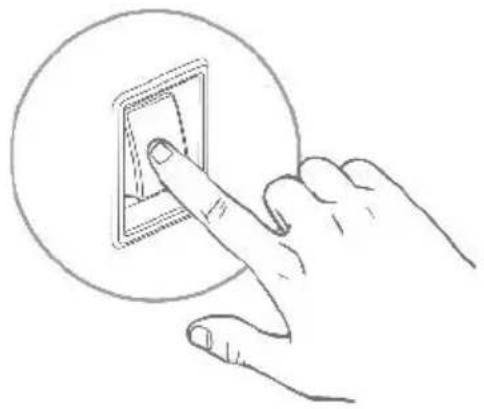
natural_image
Hand inserting a small rectangular component into a circular socket (no text or symbols)Blandningsfunktion (Obligatorisk)
natural_image
Empty white rectangle with a thin gray border (no text or symbols)
SET

ADD

SUBTRACT
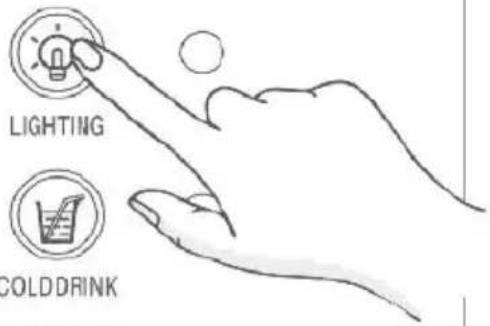

SLUSH

Inställningar
natural_image
Technical line drawing of a large industrial machine with cooling fans and control panel (no text or symbols)★Tips:
CLEANING AND MAINTENANCE
natural_image
Line drawing of a mechanical device with a tool and bracket, showing no text or symbolsNotera:
natural_image
Line drawing of a mechanical device with fan and vent, showing airflow direction (no text or symbols)natural_image
Line drawing of a mechanical device with directional arrows indicating motion (no text or symbols)natural_image
Technical line drawing of a mechanical pump assembly (no text or symbols)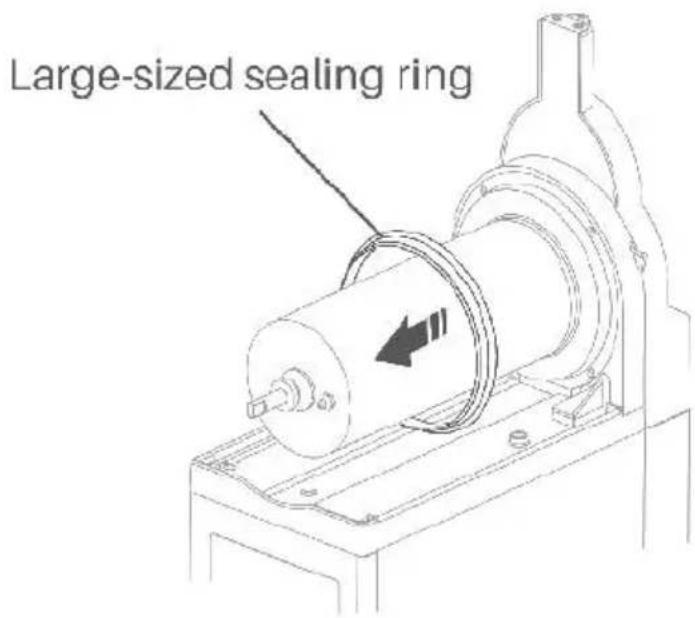
natural_image
Technical line drawing of a kitchen mixer with coiled spring and water pump (no text or labels)natural_image
Illustration of a server unit with an inset showing its front panel and control panel (no text or symbols visible)natural_image
Line drawing of a faucet spraying water onto a device (no text or symbols)natural_image
Technical line drawing of a mechanical device with a hand pressing a circular component (no text or symbols)natural_image
Line drawing of a washing machine with a hand cleaning its interior (no text or symbols)natural_image
Technical line drawing of a mechanical device with a cylindrical component and mounting base (no text or symbols)natural_image
Technical line drawing of a mechanical assembly with a magnified inset showing a circular component and a rotating shaft (no text or symbols)natural_image
Line drawing of a mechanical device with directional arrows indicating motion or flow (no text or symbols)natural_image
Line drawing of a mechanical device with a tool and bracket, showing a step from left to right (no text or symbols)natural_image
Line drawing of a mechanical device with directional arrows indicating motion (no text or symbols)www.vevor.com/support