Vevor RFS-050 - Engraving machine

RFS-050 - Engraving machine Vevor - Free user manual and instructions

Find the device manual for free RFS-050 Vevor in PDF.
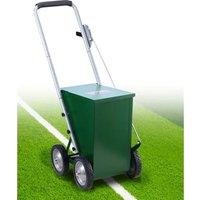
📄 96 pages English EN Download 💬 AI Question
Notice Vevor RFS-050 - page 3
Pick your language and provide your email: we'll send you a specifically translated version.

User questions about RFS-050 Vevor

0 question about this device. Answer the ones you know or ask your own.

Ask a new question about this device

The email remains private: it is only used to notify you if someone responds to your question.

No questions yet. Be the first to ask one.

Download the instructions for your Engraving machine in PDF format for free! Find your manual RFS-050 - Vevor and take your electronic device back in hand. On this page are published all the documents necessary for the use of your device. RFS-050 by Vevor.

USER MANUAL RFS-050 Vevor

Technical Support and E-Warranty Certificate www.vevor.com/support

LINE SCRIBING MACHINE

RFS-065/RFS-050

We continue to be committed to provide you tools with competitive price.

"Save Half", "Half Price" or any other similar expressions used by us only represents estimate of savings you might benefit from buying certain tools with us compared to the brands and does not necessarily mean to cover all categories of tools offered by us. Y kindly reminded to verify carefully when you are placing an order with us if you are actual half in comparison with the top major brands.

VEVOR®

TOUGH TOOLS, HALF PRICE

RFS-065/RFS-050
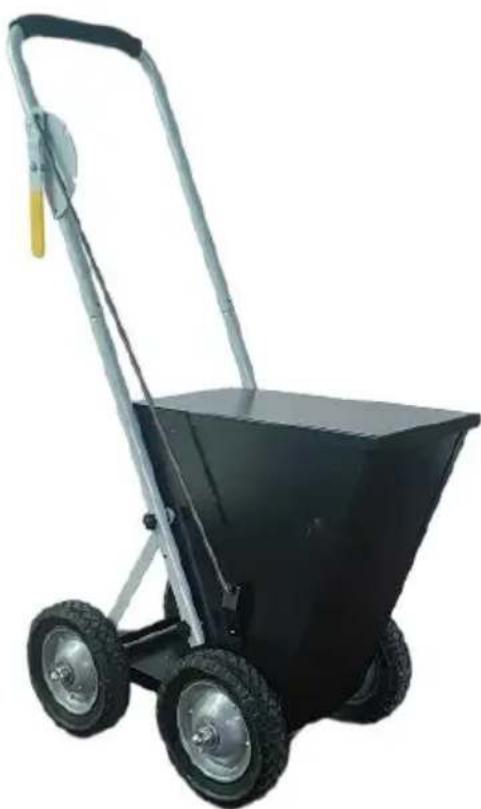
Vevor RFS-050 - VEVOR® - 1

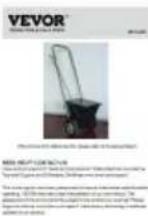
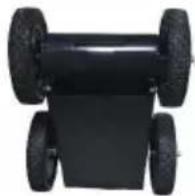
natural_image Black pushrower with two wheels and metal handle, no visible text or symbols

(The picture is for reference only; please refer to the actual object)

NEED HELP? CONTACT US!

Have product questions? Need technical support? Please feel free to contact Technical Support and E-Warranty Certificate www.vevor.com/support

This is the original instruction, please read all manual instructions carefully be operating. VEVOR reserves a clear interpretation of our user manual. The appearance of the product shall be subject to the product you received. Please forgive us that we won't inform you again if there are any technology or soft updates on our product.

SymbolSymbol Description
Vevor RFS-050 - NEED HELP? CONTACT US! - 1Warning: To reduce the risk of injury, the user must read the instructions manual carefully.
Vevor RFS-050 - NEED HELP? CONTACT US! - 2This symbol, placed before a safety comment, indicates a precaution, warning, or danger. Ignoring this warning may an accident. To reduce the risk of injury, fire, or electro please always follow the recommendations shown below.

Vevor RFS-050 - NEED HELP? CONTACT US! - 3

WARNING: To reduce the risk of injury, the user must read th

instructions manual carefully.

  1. Use as intended only. The product is not a toy, and it cannot be played by children to prevent children from hurting themselves by mistake.
  2. The product cannot be used to injure people maliciously.
  3. Keep away from open flame.
  4. Keep away from sharp points, blades and other items, so as not to scratch the product.

SAVE THESE INSTRUCTIONS

PART LIST

ITEMQTYPICITEMQTYPIC
A-User manual1Vevor RFS-050 - PART LIST - 1J-wheel4Vevor RFS-050 - PART LIST - 2
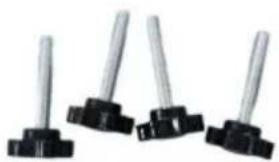
B-M6x35 screws6Vevor RFS-050 - PART LIST - 3K-support pole2[3Y7T]
C-gear lever1L-armrest (including pre-installed control module)1Vevor RFS-050 - PART LIST - 4
D-split pin3Vevor RFS-050 - PART LIST - 5M-armrest link4
E-M4x12 screws2Vevor RFS-050 - PART LIST - 6N-wheel axle2
F-cover1Vevor RFS-050 - PART LIST - 7O-mixer1Vevor RFS-050 - PART LIST - 8
G-short spring4Vevor RFS-050 - PART LIST - 9P-powder baffle1Vevor RFS-050 - PART LIST - 10
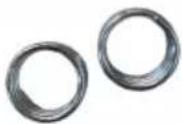
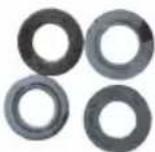
H-gasket8Vevor RFS-050 - PART LIST - 11Q-main framework1Vevor RFS-050 - PART LIST - 12
I-M12x12 round head nut4Vevor RFS-050 - PART LIST - 13

(The picture is for reference only; please refer to the actual object)

INSTALLATION

STEP1: Install the wheels

Prepare the following items.
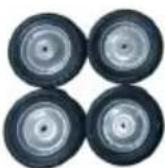
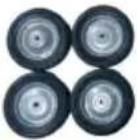
Vevor RFS-050 - STEP1: Install the wheels - 1Vevor RFS-050 - STEP1: Install the wheels - 2Vevor RFS-050 - STEP1: Install the wheels - 3Vevor RFS-050 - STEP1: Install the wheels - 4Vevor RFS-050 - STEP1: Install the wheels - 5
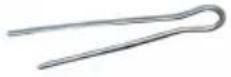
D-split pin*2G-short spring*4H-gasket*8I-M12x12 round head nut*4J-wheel*4
Vevor RFS-050 - STEP1: Install the wheels - 6Vevor RFS-050 - STEP1: Install the wheels - 7Vevor RFS-050 - STEP1: Install the wheels - 8Vevor RFS-050 - STEP1: Install the wheels - 9Vevor RFS-050 - STEP1: Install the wheels - 10
K-support pole*2N-wheel axle*2O-mixer*1P-powder baffle*1Q-main framework*1

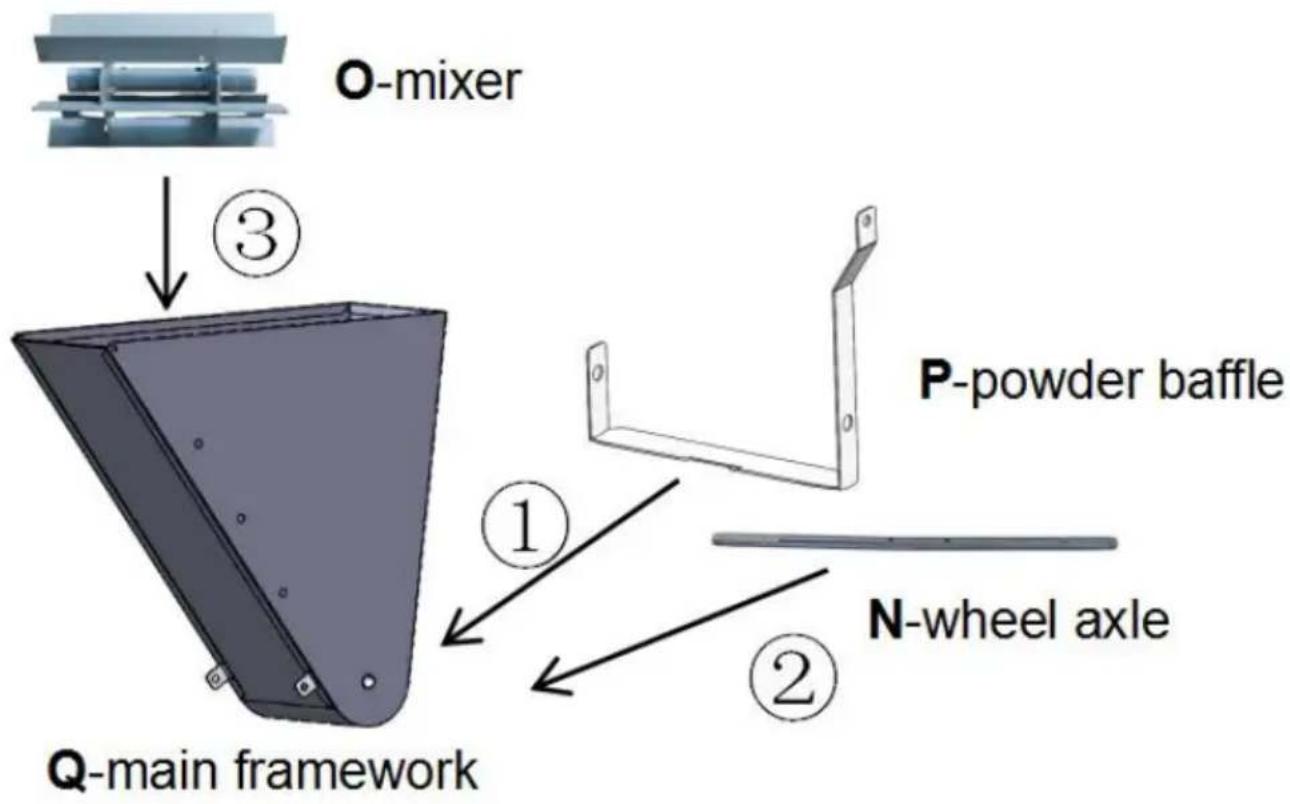
Firstly, align the holes of the P-powder shuffle and Q-main framework. Paying attention to the orientation of the P-powder baffle as shown in the figure. Then thread the N-wheel axle through the P-powder baffle, Q-main framework, and O-mixer in sequence.
Vevor RFS-050 - STEP1: Install the wheels - 11

text_image O-mixer ③ P-powder baffle ① N-wheel axle ② Q-main framework

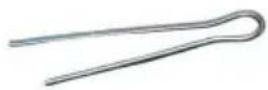
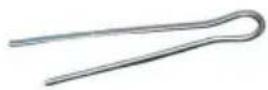
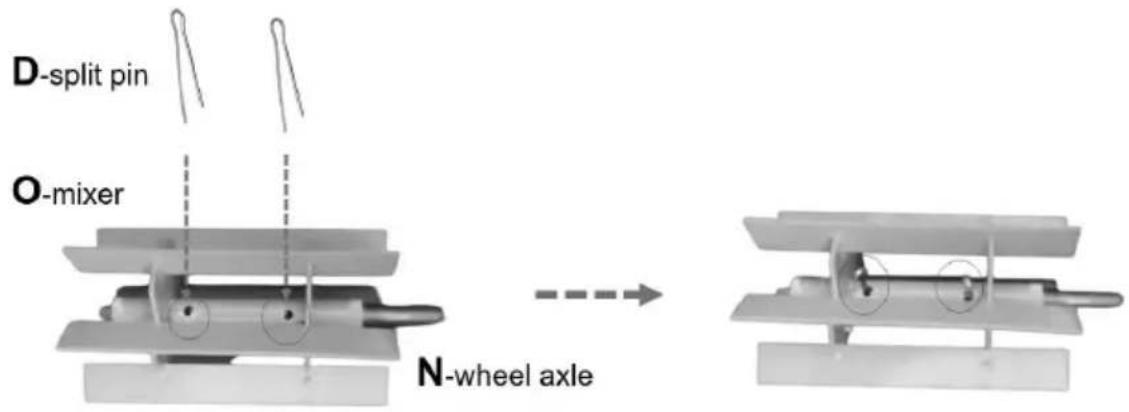
Align the holes of the O-mixer and N-wheel axle, and then insert the D-split pin. Fold the split pin if necessary.
Vevor RFS-050 - STEP1: Install the wheels - 12

text_image D-split pin O-mixer N-wheel axle

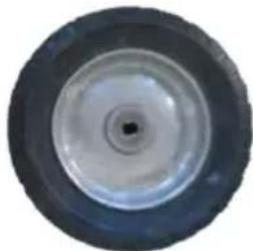
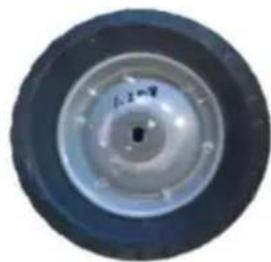
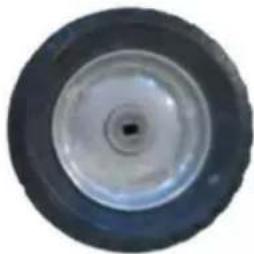
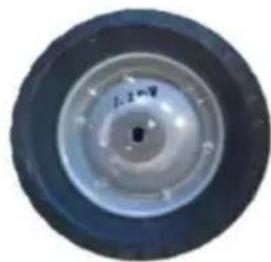
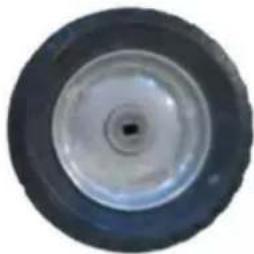
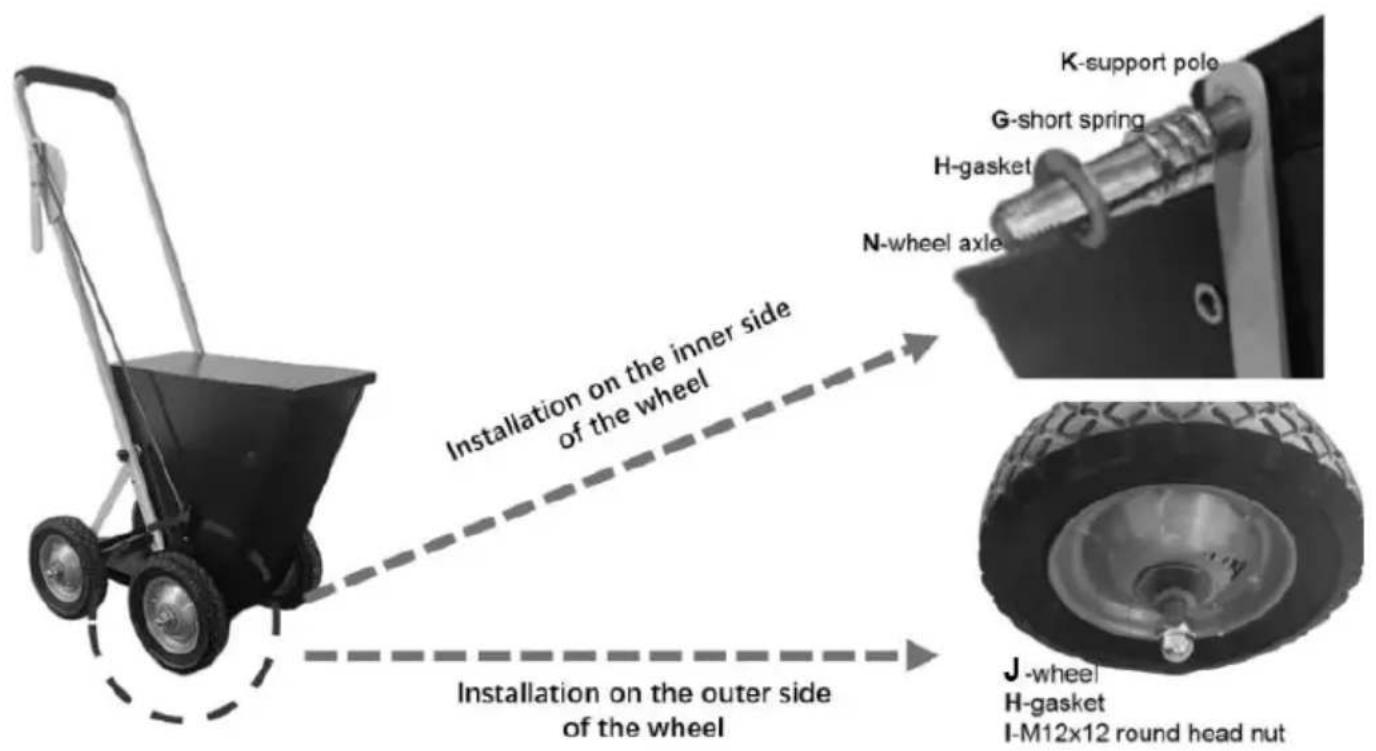
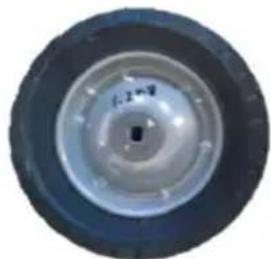
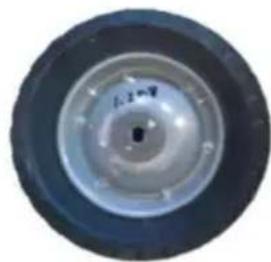
Install one K-support pole, one G-short spring, one H-gasket, one J-wheel, and one H-gasket into one side of the axle in order, and then lock them with I-M12 nut. Pay attention to the orientation of the J-wheel. Repeat the steps for another The steps for the rest wheels are similar (not having the O-mixer and K-support pole).
Vevor RFS-050 - STEP1: Install the wheels - 13

text_image Installation on the inner side of the wheel Installation on the outer side of the wheel K-support pole G-short spring H-gasket N-wheel axle J-wheel H-gasket I-M12x12 round head nut

Vevor RFS-050 - STEP1: Install the wheels - 14

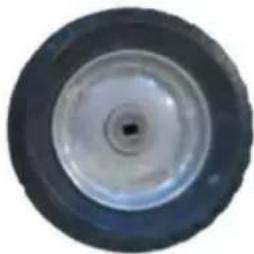
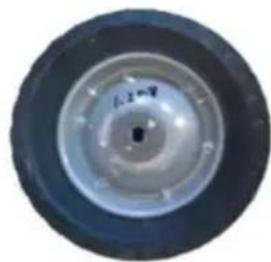
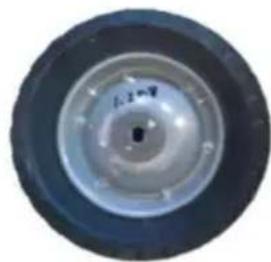
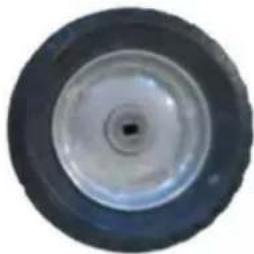
natural_image Close-up of a mechanical wheel or tire component with concentric rings and a small square hole at the center (no visible text or symbols)

Outward have a drum shape

Vevor RFS-050 - STEP1: Install the wheels - 15

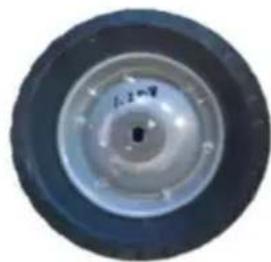
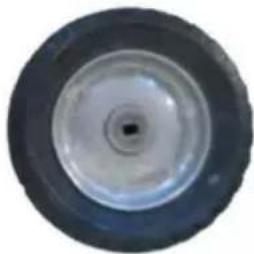
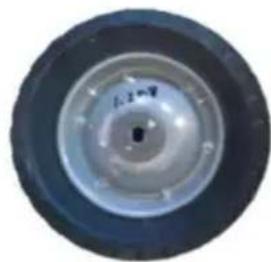
natural_image Top-down view of a black and white wheel rim with a central hole (no text or symbols visible)

Inward Concave in shape

STEP2: Install the cover

Prepare the following items.

Vevor RFS-050 - STEP2: Install the cover - 1
F-cover*1

Vevor RFS-050 - STEP2: Install the cover - 2
E-M4x12 screws*2

Vevor RFS-050 - STEP2: Install the cover - 3
Installed parts

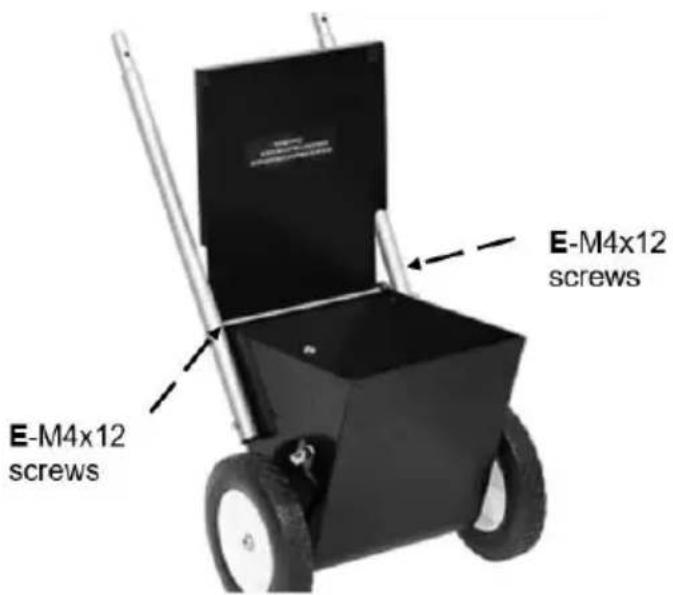
Align the holes on the F-cover and Q-main framework, and tighten them with E-M4x12 screws.
Vevor RFS-050 - STEP2: Install the cover - 4

text_image E-M4x12 screws E-M4x12 screws

STEP3: Install the adjustment component Prepare the following items.

Vevor RFS-050 - STEP3: Install the adjustment component Prepare the following items. - 1

natural_image Metal mechanical component with curved and straight sections, no visible text or symbols

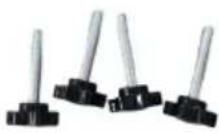
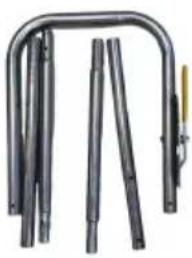
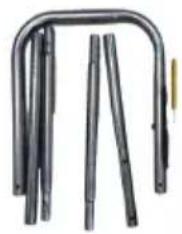
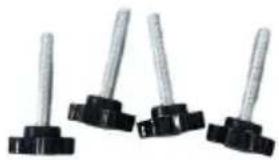
L-armrest (including pre-installed control module) B-M6x35 screws*6

M-armrest link*4

C-gear lever*1
Vevor RFS-050 - STEP3: Install the adjustment component Prepare the following items. - 2

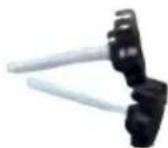
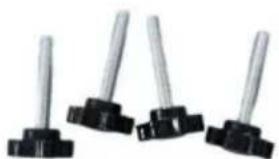
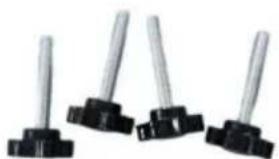
natural_image Four identical mechanical clips with black bases and metallic rods, arranged horizontally (no text or symbols visible)

B-M6x35 screws*6

Vevor RFS-050 - STEP3: Install the adjustment component Prepare the following items. - 3

D-split pin*1

Connect the M-armrest links in pairs and then connect them to the L-armrest. Align the holes of the M-armrest links, K-support pole and Q-main framework, and tighten them with B-M6x35 screws.

Vevor RFS-050 - STEP3: Install the adjustment component Prepare the following items. - 4

text_image M-armrest link L-armrest B-M6x35 screws Q-main framework

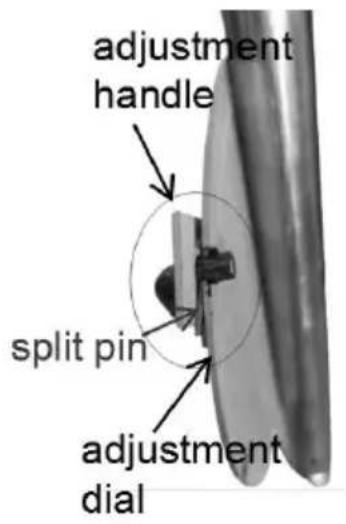
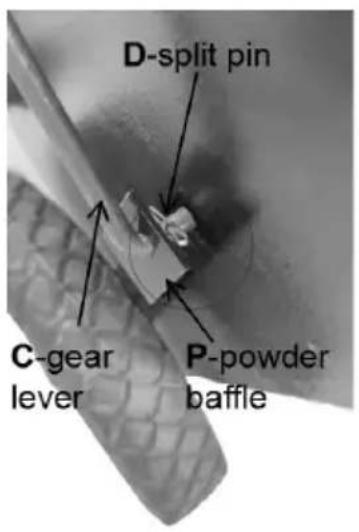
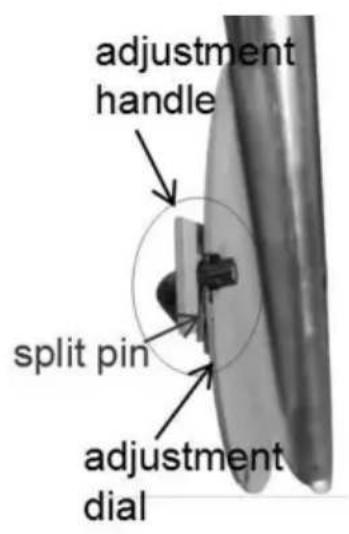
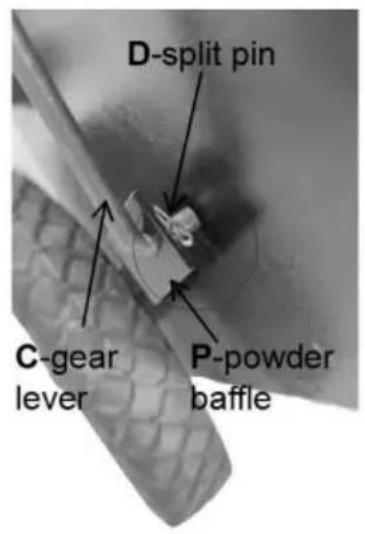
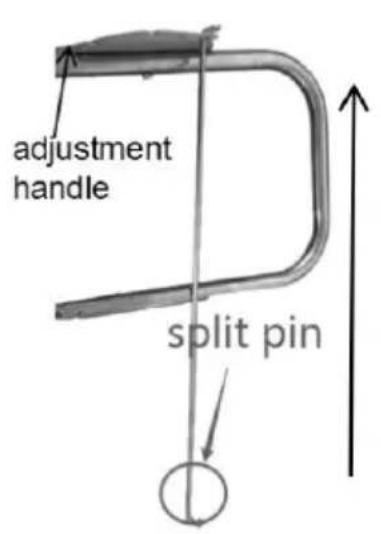
Insert the C-gear lever without a pin into the hole of the adjustment handle, clamp the pin between the adjustment handle and the adjustment dial. Then, the C-gear lever into the hole of the P-powder baffle and fix it with the D-split pin.
Vevor RFS-050 - STEP3: Install the adjustment component Prepare the following items. - 5

text_image adjustment handle split pin

Vevor RFS-050 - STEP3: Install the adjustment component Prepare the following items. - 6

text_image adjustment handle split pin adjustment dial

Vevor RFS-050 - STEP3: Install the adjustment component Prepare the following items. - 7

text_image D-split pin C-gear lever P-powder baffle

STEP4:Adjust the line width
Vevor RFS-050 - STEP3: Install the adjustment component Prepare the following items. - 8

natural_image Close-up of a metal wire tool with a curved blade and handle (no text or symbols visible)

Vevor RFS-050 - STEP3: Install the adjustment component Prepare the following items. - 9

natural_image Mechanical tool with a black handle and metallic lever (no visible text or symbols)

Vevor RFS-050 - STEP3: Install the adjustment component Prepare the following items. - 10

natural_image Close-up of a mechanical tool with a blue handle and metallic blade, no visible text or symbols

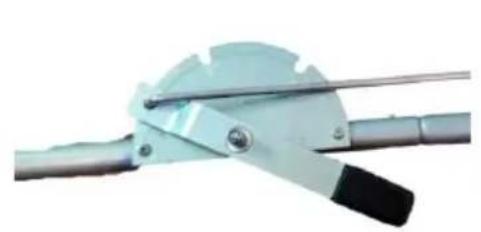
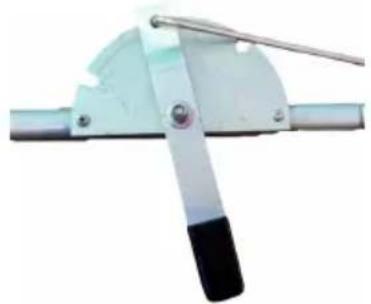
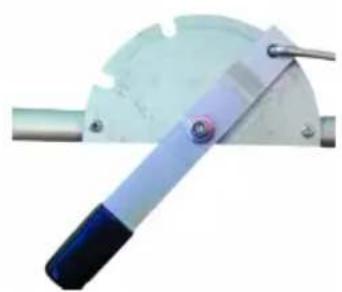
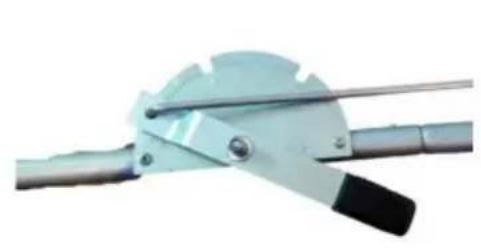
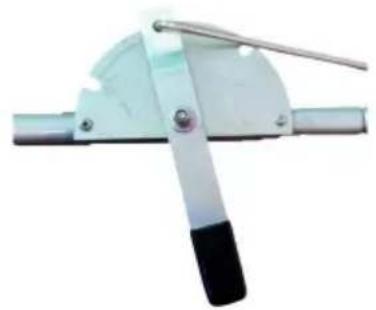
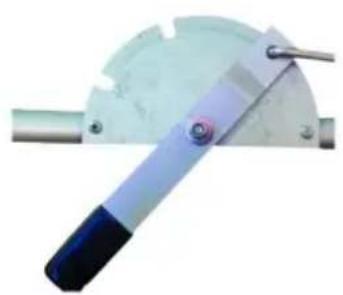
As shown in the figure, there are three gears (off, 2", 4") on the adjustment. Insert the gear lever into different positions to obtain the corresponding line v

TIPS

  1. Before Line Striping, make sure to clean the ground and keep it down.
  2. The effect is related to the forward speed. We recommend a forward speed of 0.15m/s. Adjustments can be made according to the actual situation.

VEVOR®

TOUGH TOOLS, HALF PRICE

Technical Support and E-Warranty Certificate www.vevor.com/support

VEVOR®

TOUGH TOOLS, HALF PRICE
natural_image Black and silver push cart with two wheels and handle, no visible text or symbols
text_image O-mixer ③ P-powder baffle ① N-wheel axle ② Q-main framework
text_image D-split pin O-mixer N-wheel axle
text_image Installation on the inner side of the wheel Installation on the outer side of the wheel K-support pole G-short spring H-gasket N-wheel axle J-wheel H-gasket I-M12x12 round head nut

Vevor RFS-050 - TOUGH TOOLS, HALF PRICE - 1

natural_image Close-up of a mechanical wheel or pulley component with concentric rings and central hole (no visible text or symbols)

Outward have a drum shape

Vevor RFS-050 - TOUGH TOOLS, HALF PRICE - 2

natural_image Close-up of a dark, circular mechanical component with a central hole (no text or symbols visible)

Inward Concave in shape

text_image E-M4x12 screws E-M4x12 screws
natural_image Pure mechanical component diagram without any text, numbers, or symbols
natural_image Four identical mechanical components with metallic rods and black caps, arranged horizontally (no text or symbols visible)

Vevor RFS-050 - TOUGH TOOLS, HALF PRICE - 3
Perno diviso a D*1

natural_image Black and silver push cart with two wheels and handle, no visible text or symbols
text_image O-mixer ③ P-powder baffle ① N-wheel axle ② Q-main framework
text_image D-split pin O-mixer N-wheel axle
text_image K-support pole G-short spring H-gasket N-wheel axle Installation on the inner side of the wheel Installation on the outer side of the wheel J-wheel H-gasket I-M12x12 round head nut

Vevor RFS-050 - TOUGH TOOLS, HALF PRICE - 4

natural_image Close-up of a mechanical wheel or pulley with concentric rings and central hole (no visible text or symbols)

Outward have a drum shape

Vevor RFS-050 - TOUGH TOOLS, HALF PRICE - 5

natural_image Close-up of a dark, circular mechanical component with a central hole (no text or symbols visible)

Inward Concave in shape

text_image E-M4x12 screws E-M4x12 screws
natural_image Metal pipe bundle with multiple vertical rods, no visible text or symbols

Vevor RFS-050 - TOUGH TOOLS, HALF PRICE - 6

natural_image Four identical metal tools with black bases, arranged horizontally (no text or symbols visible)
natural_image Black and silver push cart with two wheels and handle, no visible text or symbols
text_image O-mixer ③ P-powder baffle ① N-wheel axle ② Q-main framework
text_image D-split pin O-mixer N-wheel axle
text_image K-support pole G-short spring H-gasket N-wheel axle Installation on the inner side of the wheel Installation on the outer side of the wheel J-wheel H-gasket I-M12x12 round head nut

Vevor RFS-050 - TOUGH TOOLS, HALF PRICE - 7

natural_image Close-up of a mechanical wheel or pulley component with concentric rings and central hole (no visible text or symbols)

Outward have a drum shape

Vevor RFS-050 - TOUGH TOOLS, HALF PRICE - 8

natural_image Close-up of a dark, circular mechanical component with a central hole (no text or symbols visible)

Inward Concave in shape

text_image E-M4x12 screws E-M4x12 screws
natural_image Pure mechanical component diagram without any text, numbers, or symbols
natural_image Four identical metal rod tips arranged in a row (no text or symbols visible)

Vevor RFS-050 - TOUGH TOOLS, HALF PRICE - 9

D-Splintstift*1

natural_image Black and silver push cart with two wheels and handle, no visible text or symbols
text_image O-mixer ③ P-powder baffle ① N-wheel axle ② Q-main framework
text_image D-split pin O-mixer N-wheel axle
text_image K-support pole G-short spring H-gasket N-wheel axle Installation on the inner side of the wheel Installation on the outer side of the wheel J-wheel H-gasket I-M12x12 round head nut

Vevor RFS-050 - TOUGH TOOLS, HALF PRICE - 10

natural_image Close-up of a mechanical wheel or pulley component with concentric rings and central hole (no visible text or symbols)

Outward have a drum shape

Vevor RFS-050 - TOUGH TOOLS, HALF PRICE - 11

natural_image Close-up of a dark, circular mechanical component with a central hole (no text or symbols visible)

Inward Concave in shape

text_image E-M4x12 screws E-M4x12 screws
natural_image Pure mechanical component diagram without any text, numbers, or symbols

Vevor RFS-050 - TOUGH TOOLS, HALF PRICE - 12

natural_image Four identical metal rod-like components with black bases, arranged horizontally (no text or symbols visible)
natural_image Three mechanical tool illustrations showing different types of metal clamping or cutting tool (no text or symbols visible)
natural_image Black and silver push cart with two wheels and handle, no visible text or symbols

HULP NODIG? NEEM CONTACT MET ONS OP!

text_image O-mixer ③ P-powder baffle ① N-wheel axle ②

Q-main framework

text_image D-split pin O-mixer N-wheel axle
text_image Installation on the inner side of the wheel Installation on the outer side of the wheel J-wheel H-gasket I-M12x12 round head nut K-support pole G-short spring H-gasket N-wheel axle

Vevor RFS-050 - HULP NODIG? NEEM CONTACT MET ONS OP! - 1

natural_image Close-up of a mechanical wheel or pulley component with concentric rings and central hole (no visible text or symbols)

Outward have a drum shape

Vevor RFS-050 - HULP NODIG? NEEM CONTACT MET ONS OP! - 2

natural_image Close-up of a dark, circular mechanical component with a central hole (no text or symbols visible)

Inward Concave in shape

STAP 2: De afdekking installeren

text_image E-M4x12 screws E-M4x12 screws
natural_image Pure mechanical component diagram without any text, numbers, or symbols

Vevor RFS-050 - STAP 2: De afdekking installeren - 1

natural_image Four identical metal rod-like components with black bases, arranged horizontally (no text or symbols visible)
natural_image Three sequential illustrations of a metal tool with black and blue components, shown from different angles (no text or symbols visible)
natural_image Black and silver push cart with two wheels and handle, no visible text or symbols
text_image O-mixer ③ P-powder baffle ① N-wheel axle ②

Q-main framework

text_image D-split pin O-mixer N-wheel axle
text_image Installation on the inner side of the wheel Installation on the outer side of the wheel K-support pole G-short spring H-gasket N-wheel axle J-wheel H-gasket I-M12x12 round head nut

Vevor RFS-050 - STAP 2: De afdekking installeren - 2

natural_image Close-up of a mechanical wheel or pulley with concentric rings and central hole (no visible text or symbols)

Outward have a drum shape

Vevor RFS-050 - STAP 2: De afdekking installeren - 3

natural_image Close-up of a dark, circular mechanical component with a central hole (no text or symbols visible)

Inward Concave in shape

STEG 2: Montera käpan

text_image E-M4x12 screws E-M4x12 screws
natural_image Pure mechanical component diagram without any text, numbers, or symbols
natural_image Four identical metal rod tips arranged in a row (no text or symbols visible)

Vevor RFS-050 - STEG 2: Montera käpan - 1
D-delad stift*1

text_image adjustment handle split pin

Vevor RFS-050 - STEG 2: Montera käpan - 2

text_image adjustment handle split pin adjustment dial

Vevor RFS-050 - STEG 2: Montera käpan - 3

text_image D-split pin C-gear lever P-powder baffle

STEG4:Justera linjebredden
Vevor RFS-050 - STEG 2: Montera käpan - 4

natural_image Close-up of a metal tool with a curved blade and handle, no visible text or symbols

Vevor RFS-050 - STEG 2: Montera käpan - 5

natural_image Mechanical tool with a curved blade and handle, no visible text or symbols

Vevor RFS-050 - STEG 2: Montera käpan - 6

natural_image Close-up of a mechanical tool with a curved blade and handle, no visible text or symbols
natural_image Black and silver push cart with two wheels and handle, no visible text or symbols
text_image O-mixer ③ P-powder baffle ① N-wheel axle ②

Q-main framework

text_image D-split pin O-mixer N-wheel axle
text_image K-support pole G-short spring H-gasket N-wheel axle Installation on the inner side of the wheel Installation on the outer side of the wheel J-wheel H-gasket I-M12x12 round head nut

Vevor RFS-050 - STEG 2: Montera käpan - 7

natural_image Close-up of a mechanical wheel or pulley component with concentric rings and central hole (no visible text or symbols)

Outward have a drum shape

Vevor RFS-050 - STEG 2: Montera käpan - 8

natural_image Close-up of a dark, circular mechanical component with a central hole (no text or symbols visible)

Inward Concave in shape

PASO 2: Instale la cubierta

text_image E-M4x12 screws E-M4x12 screws
natural_image Pure mechanical component diagram without any text, numbers, or symbols
natural_image Four identical mechanical components with metallic rods and black caps, arranged horizontally (no text or symbols visible)
Manual assistant
Powered by Anthropic
Waiting for your message
Product information

Brand : Vevor

Model : RFS-050

Category : Engraving machine