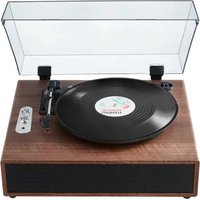
JBC-02 - Turntable Vevor - Free user manual and instructions
Find the device manual for free JBC-02 Vevor in PDF.


| Product Type | Vinyl turntable with built-in speaker |
| Model | Vevor JBC-02 |
| Dimensions (approx.) | 36 × 30 × 12 cm |
| Weight (approx.) | 2.5 kg |
| Power supply | AC/DC adapter 100-240 V, 50/60 Hz to DC 5 V, 5 W |
| Output power | 5 W |
| Speaker | 1 × 2 inches, 2 Ω, 3 W |
| Speeds | 33 ⅓ RPM (30 cm), 45 RPM (18 cm), 78 RPM (25 cm) |
| Connectivity | Bluetooth (name: JBC-02), AUX input (3.5 mm jack), RCA line output (LINE OUT) |
| Functions | Vinyl playback, Bluetooth streaming, auxiliary input, line output |
| Drive type | Belt drive |
| Tonearm | Straight tonearm with counterweight, lift lever |
| Cartridge and stylus | Ceramic cartridge, replaceable stylus (sapphire) |
| Equalization | Built-in RIAA equalization |
| Care and cleaning | Clean with a soft, dry cloth. Do not use solvents. Protect from dust. |
| Safety | Unplug before cleaning. Do not expose to moisture. Use only the supplied adapter. |
| Spare parts and repairability | Replaceable stylus and belt. Technical support via www.vevor.com/support. |
| Package contents | Turntable, power adapter, user manual |
Frequently Asked Questions - JBC-02 Vevor
User questions about JBC-02 Vevor
0 question about this device. Answer the ones you know or ask your own.
Ask a new question about this device
Download the instructions for your Turntable in PDF format for free! Find your manual JBC-02 - Vevor and take your electronic device back in hand. On this page are published all the documents necessary for the use of your device. JBC-02 by Vevor.
USER MANUAL JBC-02 Vevor
Technical Support and E-Warranty Certificate
www.vevor.com/support
GRAMOPHONE MANUAL
MODEL: JBC-01 / JBC-02 / JBC-03
We continue to be committed to provide you tools with competitive price. "Save Half", "Half Price" or any other similar expressions used by us only represent estimate of savings you might benefit from buying certain tools with us compared top brands and does not necessarily mean to cover all categories of tools offered are kindly reminded to verify carefully when you are placing an order with us actually saving half in comparison with the top major brands.
VEVOR®
TOUGH TOOLS, HALF PRICE
GRAMOPHONE

natural_image
Vintage gramophone with open blue cover and black vinyl record on wooden base (no visible text or symbols)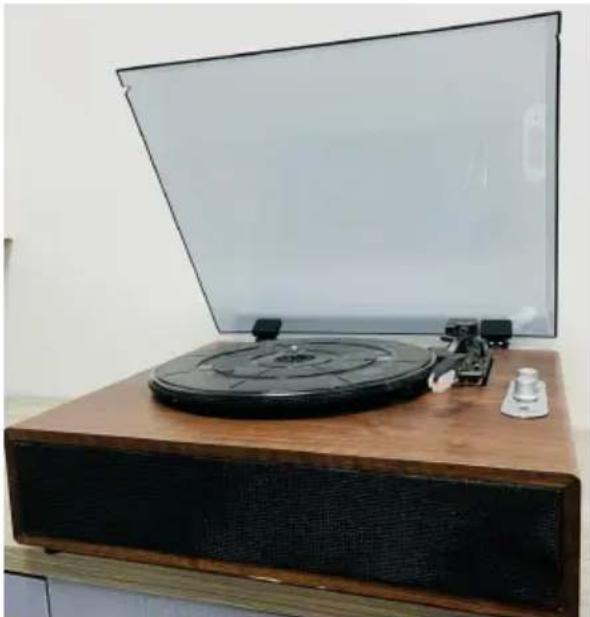
natural_image
Vintage rotary ticker with open lid and wooden base, no visible text or symbolsMODEL: JBC-01 /JBC-02 MODEL: JBC-03
NEED HELP? CONTACT US!
Have product questions? Need technical support? Please feel from contact us:
Technical Support and E-Warranty Certificate www.vevor.com/support
This is the original instruction, please read all manual instruction carefully before operating. VEVOR reserves a clear interpretation user manual. The appearance of the product shall be subject to product you received. Please forgive us that we won't inform you there are any technology or software updates on our product.
Warning-To reduce the risk of injury, user must read instructions manual carefully.
PRODUCT PARAMETER
| Model | JBC-01 | JBC-02 | JBC-03 |
| Input voltage | AC100-240V 50/60Hz | ||
| Output voltage | DC5V | ||
| Power | 3 W | 5 W | 10 W |
| Number of speaker | A speaker | Two speaker | Two speaker |
| Speaker specification | 2" 2Ω 3W | 2" 2Ω 3W | 2.5" 3Ω 5W |
| Playback speed | 3 playback speeds30cm---33RPM/18cm---45RPM/25cm---78RPM | ||
| Bluetooth name | JBC-01 | JBC-02 | JBC-03 |
PRODUCT PRESENTATION
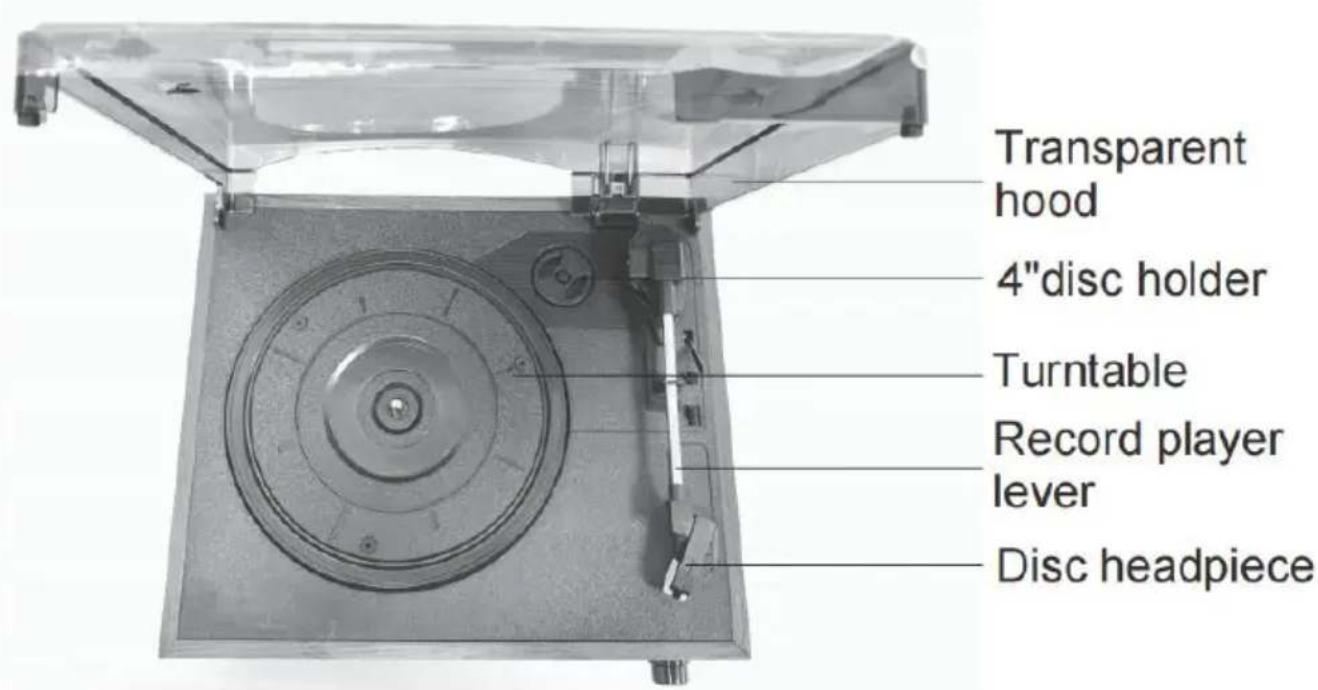
text_image
Transparent hood 4"disc holder Turntable Record player lever Disc headpieceDescription of panel function
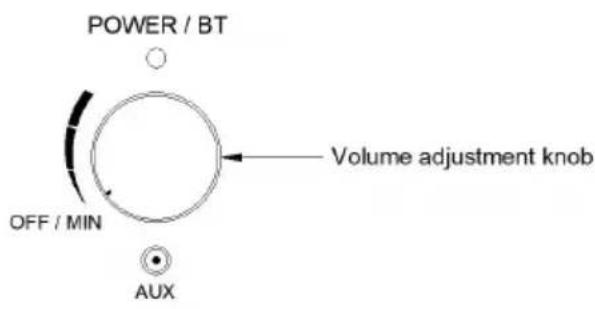
text_image
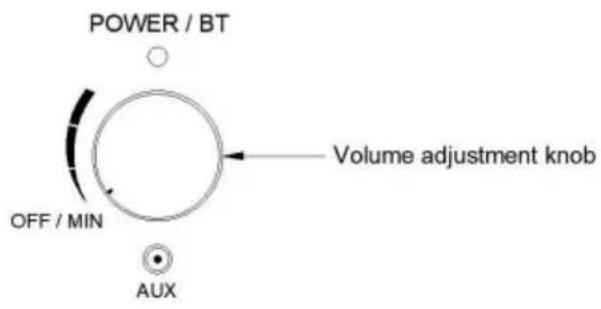
POWER / BT OFF / MIN Volume adjustment knob AUXJBC-01 / JBC-02
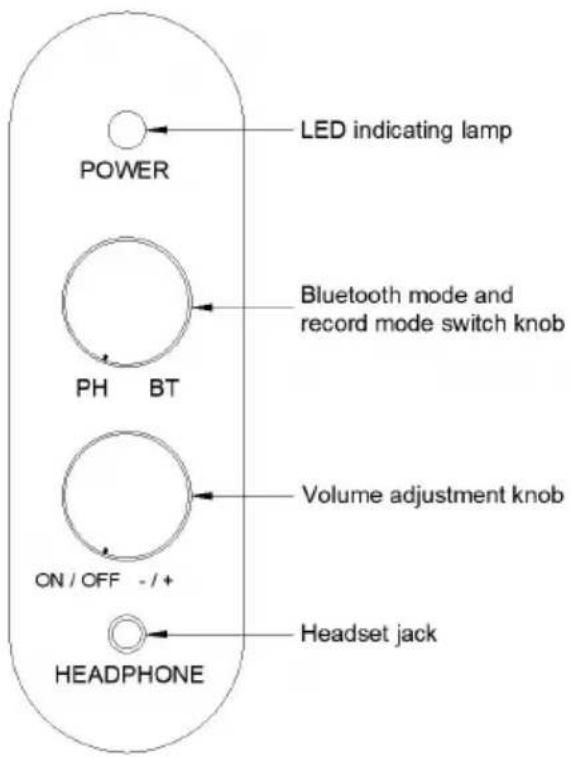
text_image
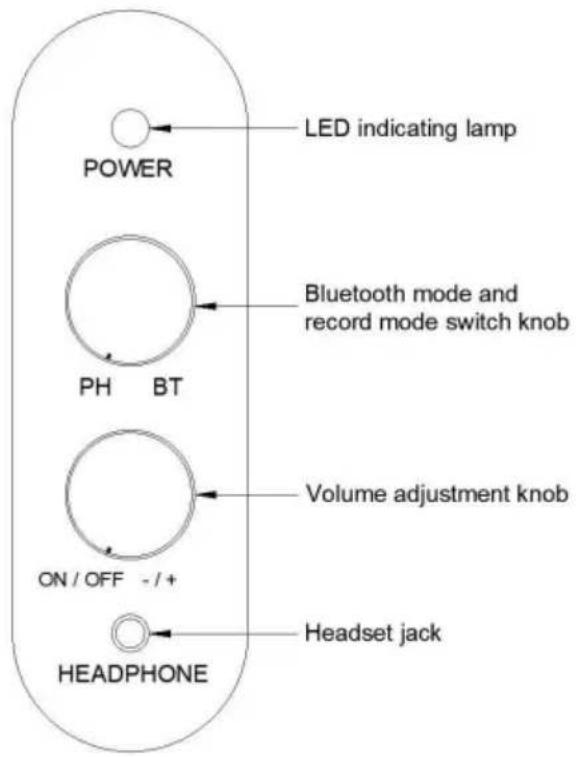
POWER LED indicating lamp PH BT Bluetooth mode and record mode switch knob ON / OFF -/+ Volume adjustment knob HEADPHONE Headset jackJBC-03
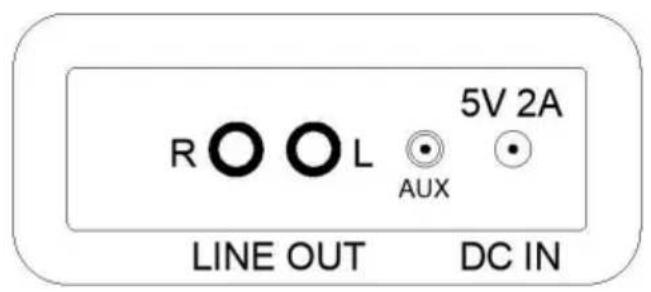
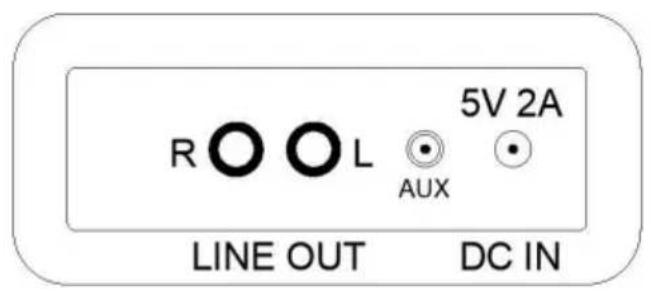
Port function description
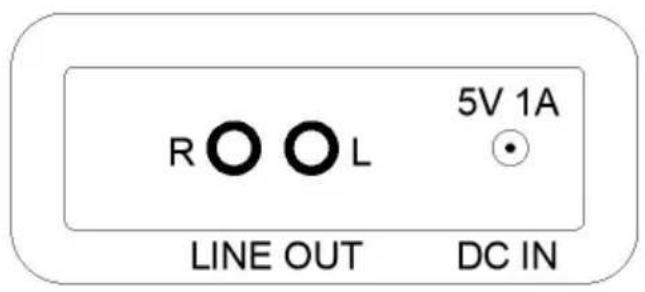
text_image
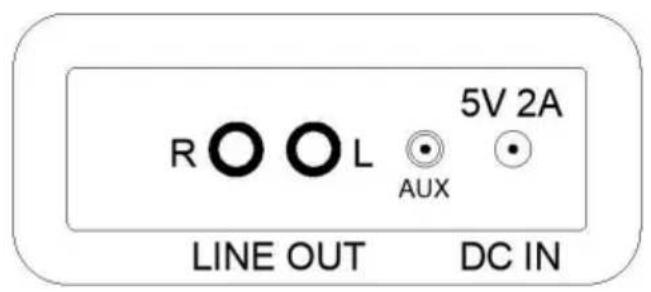
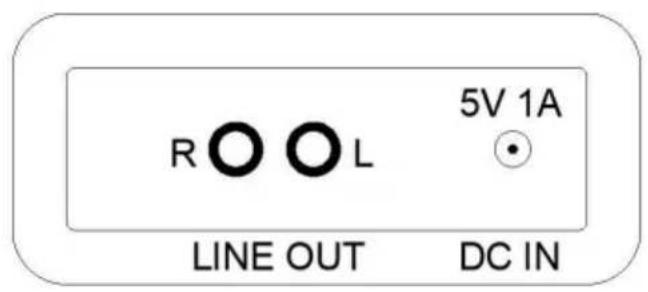
R O L 5V 1A LINE OUT DC INJBC-01 / JBC-02
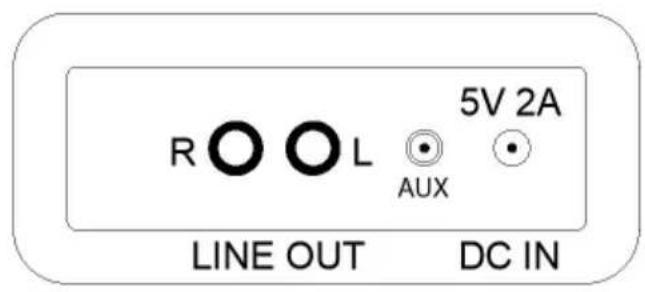
text_image
R O L 5V 2A AUX LINE OUT DC INJBC-03
MODE DECLARATION
- Record mode LED blue light long bright.
- Bluetooth playback mode (BT) blue light flashing - pairing mode. E light on - Pairing successful.
- AUX IN mode (access to other audio devices to play music) purp is steady on.
- LINE OUT(RCA record player audio source synchronous transmission the speaker equipment requires audio cable).
- The DC IN jack is a power input jack.
OPERATING INSTRUCTIONS
- Connect the adapter to the DC IN port.

natural_image
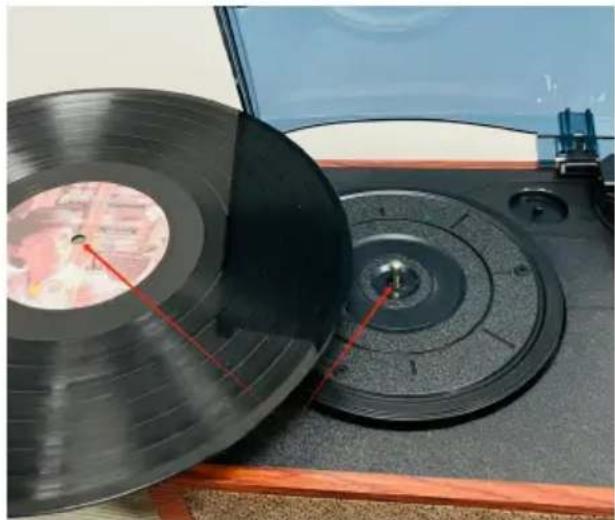
Close-up of a wooden audio jack with two connected audio ports and a black cable inserted, no visible text or symbols.- Put in the vinyl record and insert the round hole in the middle of record into the metal cylinder of the case.
natural_image
Close-up of a vintage CD or DVD disc with red measurement lines, placed on a wooden surface (no visible text or symbols)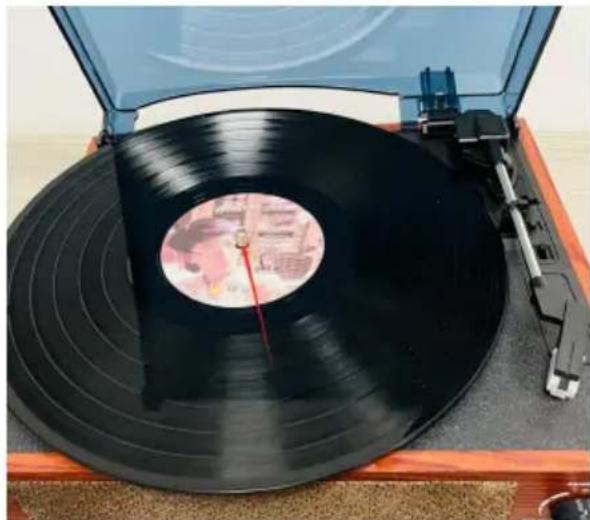
natural_image
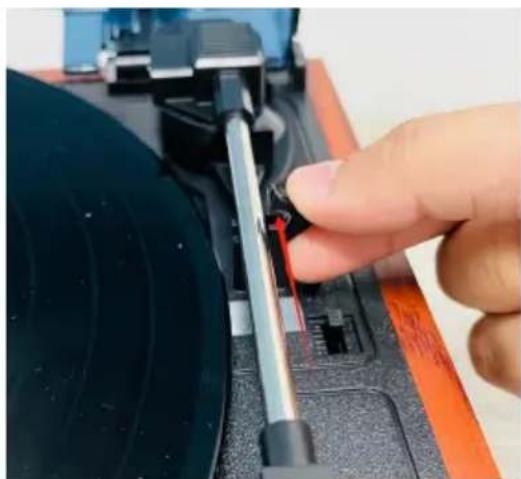
Top view of a vintage vinyl record on a wooden stand, showing black bands and a red dial (no visible text or symbols)- Open the record player stick guard.Remove the record player need cover.
natural_image
Close-up of a hand adjusting a mechanical component with a tool, no visible text or symbols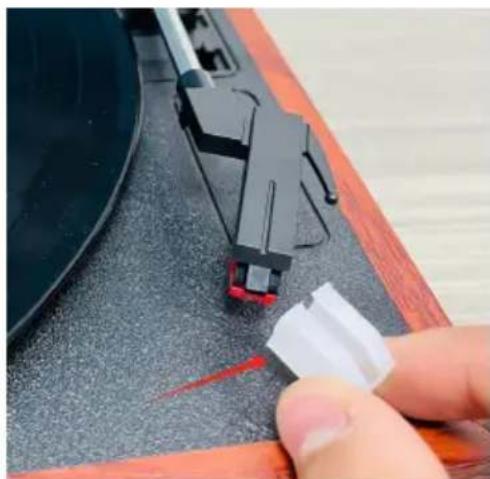
natural_image
Close-up of a hand pressing down on a mechanical component with red arrows indicating motion (no visible text or symbols)- Turn the stylus lever toward the back of the case, as shown by circular arrow in the following figure.
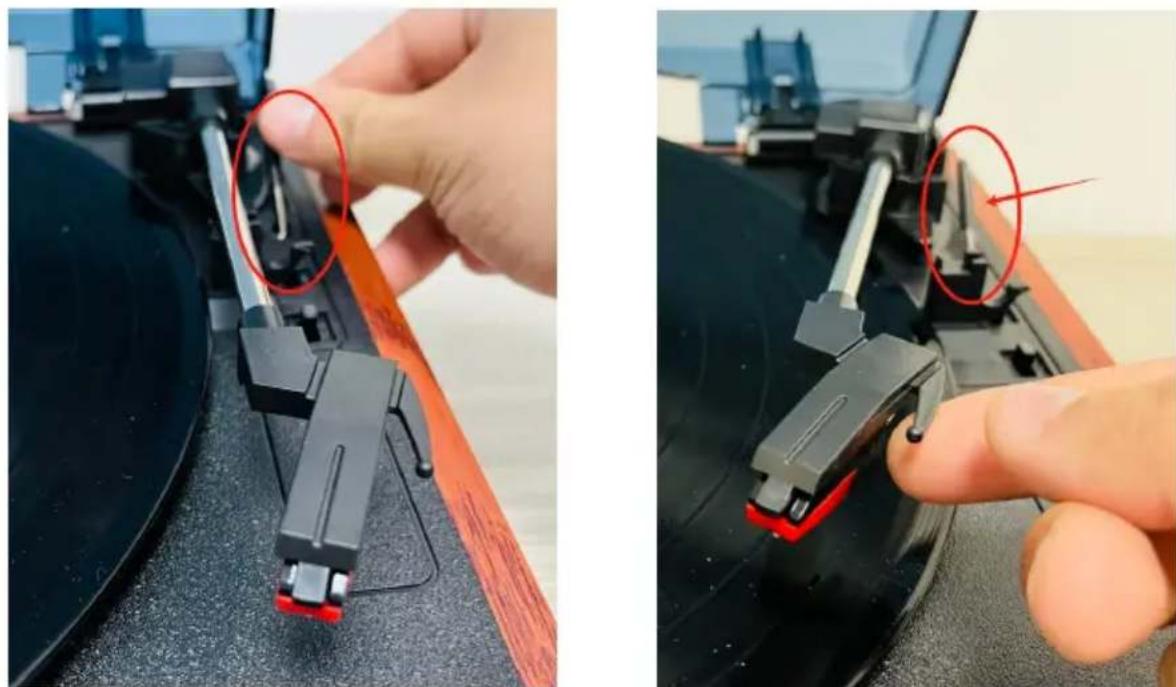
natural_image
Close-up of a hand adjusting mechanical components on a black surface, with red circles highlighting specific parts (no text or symbols visible)- Turn the stylus lever towards the front knob of the case, as show the circular arrow in the following figure. Adjust the speed switch to the turntable to the corresponding speed.
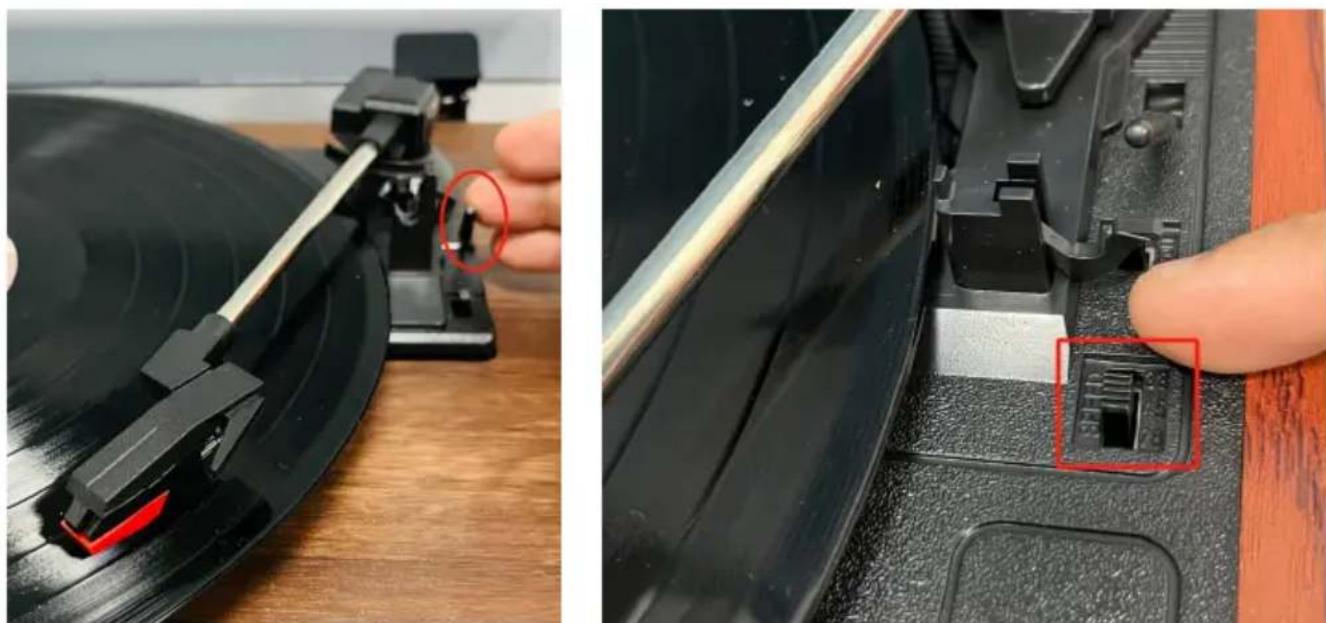
natural_image
Close-up of a vinyl record being inserted into a CD, showing the blade and keyway (no text or symbols visible)- Turn the knob to increase, decrease and turn off the volume.
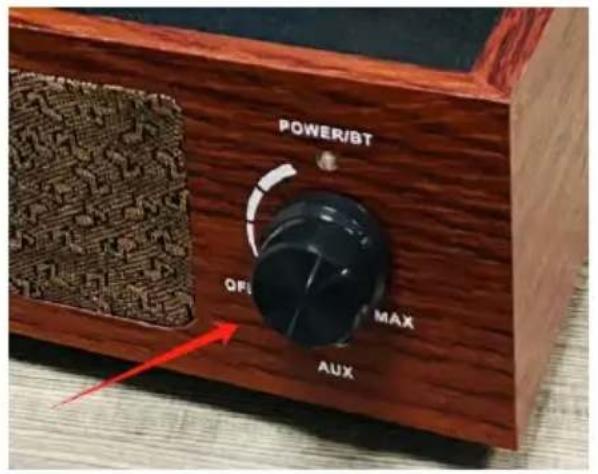
text_image
POWER/BT QF MAX AUX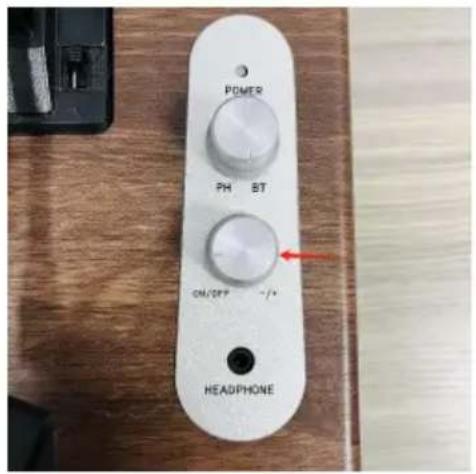
text_image
POWER PH ST CM/OP HEADPHONEMODEL: JBC-01 /JBC-02 MODEL: JBC-03
Note:
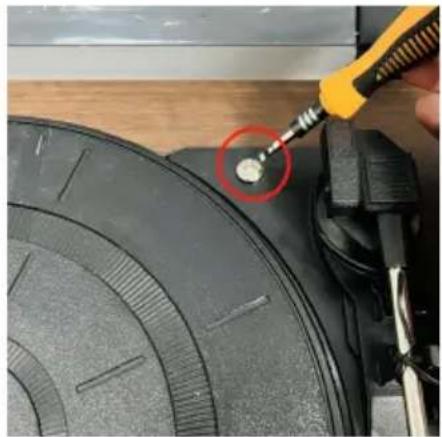
When playing model JBC-03 you need to loosen the screws in the red circle on right picture by 0.5-1 turns.
natural_image
Close-up of a sewing machine tool inserting a small component into a black circular component (no visible text or symbols)45 RPM small record instructions
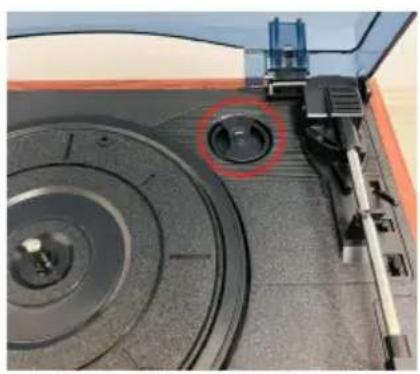
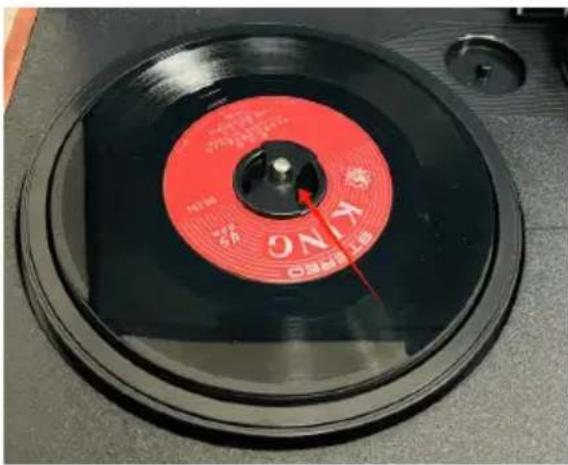
- Remove the record locator card and place the locator card on the cylinder fitted into the turntable.
natural_image
Close-up of a mechanical device with circular components and a red circle highlighting a specific part (no visible text or symbols)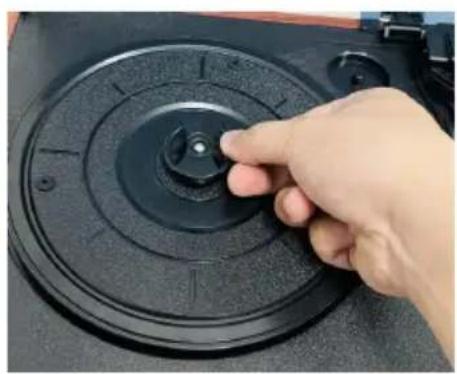
natural_image
Hand pressing a button on a black circular mechanical component (no visible text or symbols)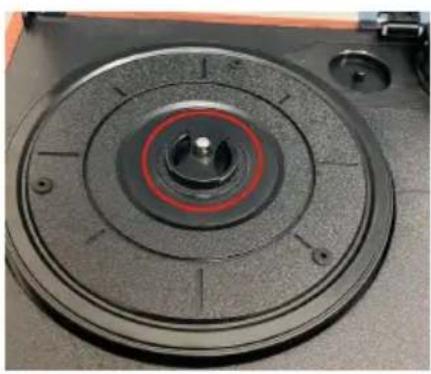
natural_image
Close-up of a mechanical component with concentric circular features and a central hub (no visible text or symbols)- Put the 45 speed small record on the turntable, put the stylus, and speed gear to the appropriate position, adjust the volume to play non-
text_image
ON K ON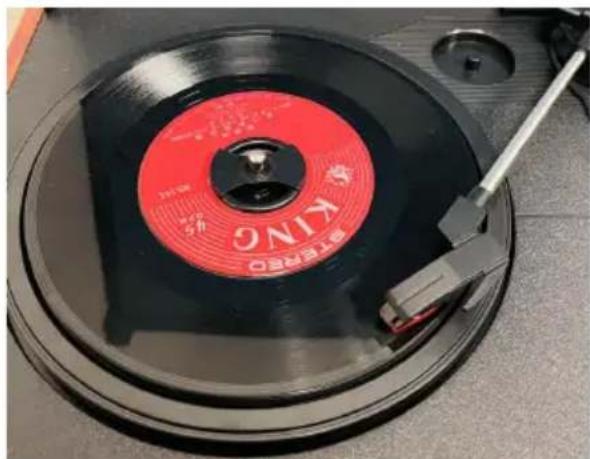
natural_image
Close-up of a vintage CD or DVD disc with red and black bands, featuring the brand name 'KING' and a small mechanical tool inserted (no readable text beyond label)- Bluetooth input function
Switch to BT light flashing, search and select Bluetooth name, when connected to Bluetooth. The BT light is on.
NOTE: The Bluetooth name can be found in the Product Parameter 1
- AUX IN mode
Switch to the AUX IN function, the record player enters "AUX IN mo default, and when the audio device plays music, the speaker music p
- LINE OUT function
Connect the external speaker and use the red and white audio cable connect to the device jack to sound the record player.
Frequency data is transmitted to the external speaker device, and the sound of the record player speaker is normal.
At this time, the power button can adjust the volume of the speaker, external speaker is not controlled by the power button of the record
Note: (The wire fittings should be purchased by oneself.)
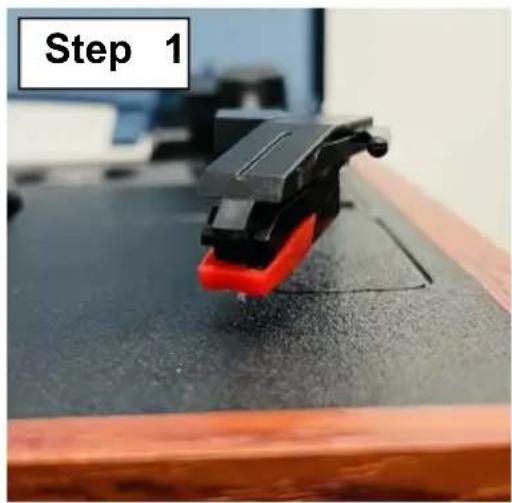
CHANGE THE NEEDLE
Use a fingernail or flake tool to pry open the red plastic cover, so stylus falls off, and then fasten the new stylus on according to the position, and finally press the aluminum arm head and the red plastic to fasten.
natural_image
Close-up of a black and red 3D-printed clip on a wooden surface, labeled 'Step 1' in the top-left corner (no other text or symbols)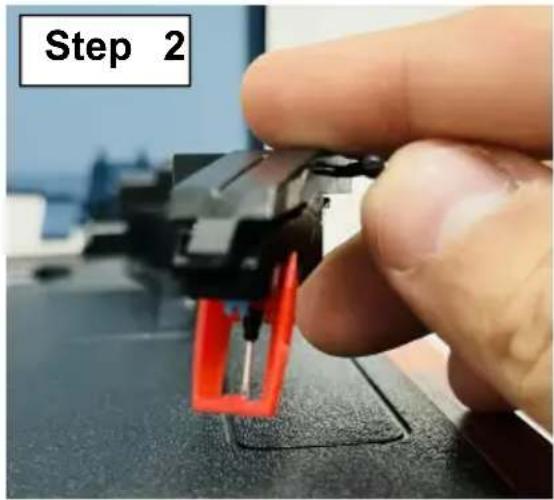
text_image
Step 2
text_image
Step 3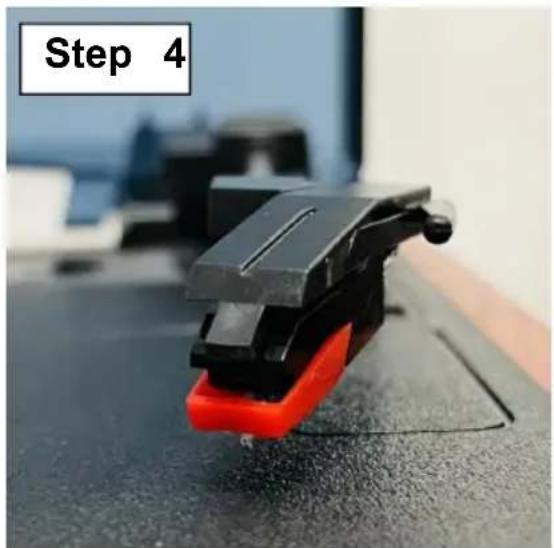
natural_image
Close-up of a black and red 3D-printed mechanical clamp or clip on a dark surface, labeled 'Step 4' in the top-left corner (no other text or symbols)FAILURE RECOVERY
| Questions | Analysis of causes | Countermeasure |
| The power indicator is not o | The input power interface is not inserted well. | Please insert the DC in position plug in place. |
| Sound speed or abnormal tone. | The speed gear is adjusted to the correct position. | Please adjust the speed gear to the corresponding position. |
| There is no sour when the product is played. | The volume adjustment knob is closed. | Please open the volume adjustment knob switch and adjust the sound to appropriate size. |
| The turntable does not turn aft the power is turned on. | The turntable conveyor belt fell of making it impossible to read the record data. | Reinstall the conveyor be that has fallen off. If the conveyor belt is severely worn, it needs to be returned to the factory fo repair. |
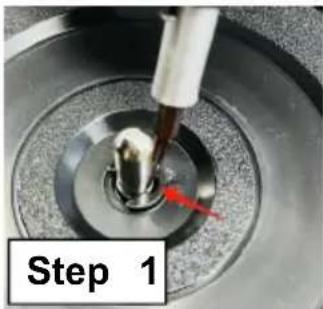
Note: The conveyor belt is installed as follows.
text_image
Step 1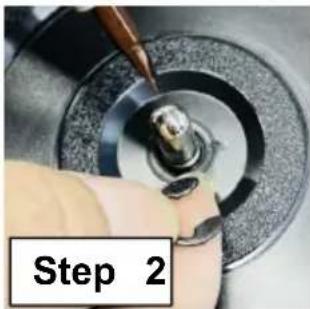
text_image
Step 2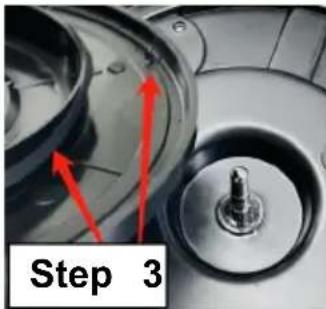
natural_image
Close-up of a mechanical component with red arrows pointing to features, labeled 'Step 3' (no readable text or symbols beyond label)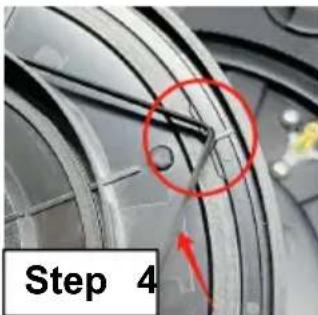
text_image
Step 4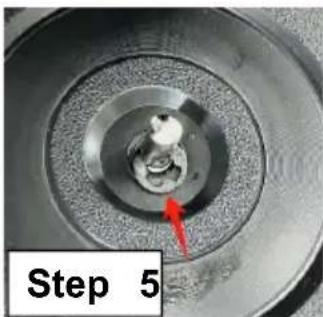
natural_image
Close-up of a mechanical component with concentric rings and a red arrow pointing to a small feature, labeled 'Step 5' (no other text or symbols)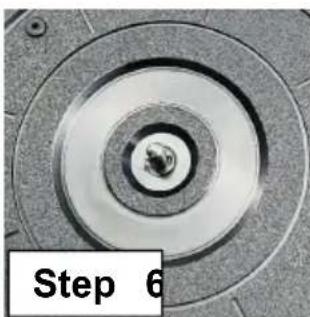
natural_image
Close-up of a mechanical component with concentric circular grooves and central bore (no text or symbols visible)Pry open the buckle next to cylinder, remove the buckle a disc, and insert the conveyor into the side pillar as in step. Align the triangular hole formed the middle of the conveyor b with the metal bearing and p the disc back in place. Put t clasp back in place.
VEVOR®
TOUGH TOOLS, HALF PRICE
Technical Support and E-Warranty Certificate www.vevor.com/support
VEVOR®
TOUGH TOOLS, HALF PRICE
natural_image
Vintage gramophone with open lid and wooden base, showing black vinyl record and speaker (no visible text or symbols)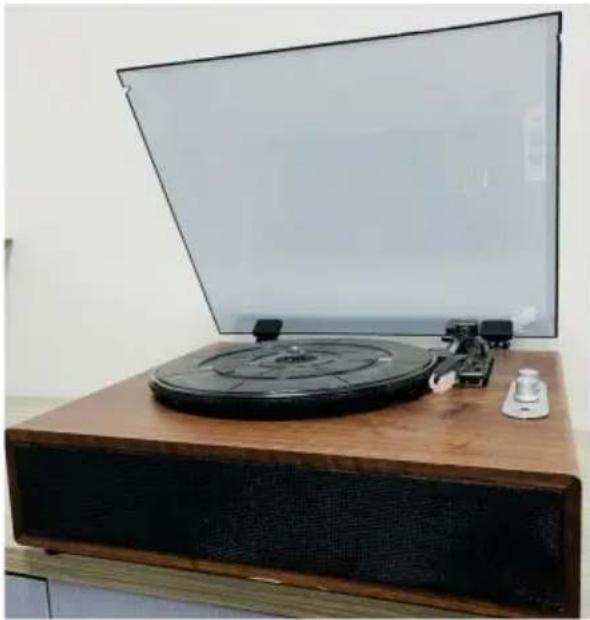
natural_image
Vintage radio generator on a wooden stand with a flat screen in the background (no visible text or symbols)MODÈLE : JBC-03MODÈLE : JBC-01 / JBC-
BESOIN D'AIDE? CONTACTEZ-NOUS!
text_image
Transparent hood 4"disc holder Turntable Record player lever Disc headpiecetext_image
LED indicating lamp POWER PH BT Bluetooth mode and record mode switch knob Volume adjustment knob ON / OFF -/+ - HEADPHONE Headset jackJBC-03
text_image
R O L 5V 1A LINE OUT DC INJBC-01 / JBC-02
text_image
R O L 5V 2A AUX LINE OUT DC INJBC-03
DÉCLARATION DE MODE
natural_image
Close-up of a wooden audio jack with two connected buttons and a black cable inserted, showing no visible text or symbols.natural_image
Close-up of two black vinyl record discs on a wooden surface, one with red measurement lines and the other showing a circular pattern (no visible text or symbols)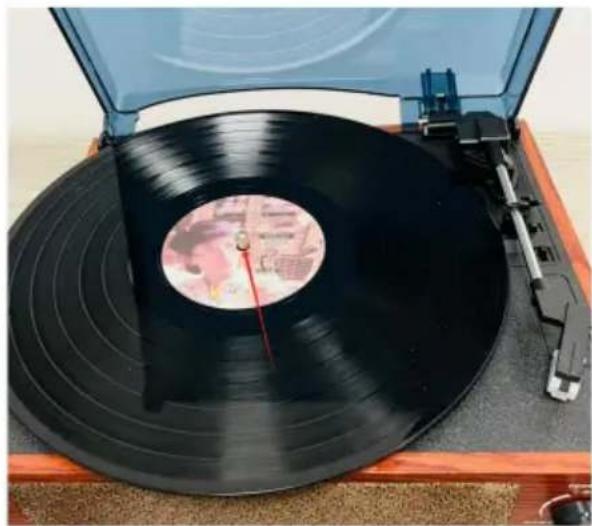
natural_image
Top view of a vintage black vinyl record on a wooden stand, with no visible text or symbols.natural_image
Close-up of a hand adjusting a mechanical component with a tool (no visible text or symbols)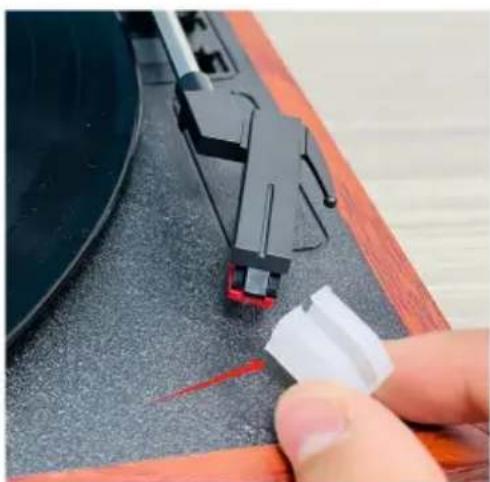
natural_image
Close-up of a hand pressing down on a black electronic device component (no visible text or symbols)natural_image
Close-up of a hand adjusting a mechanical component with red circular annotations highlighting the parts (no text or symbols present)natural_image
Close-up of a vinyl record being adjusted for a CD, showing the blade and keyway (no text or symbols visible)natural_image
Close-up of a tool applying material to a black circular component, no visible text or symbolsnatural_image
Close-up of a mechanical device with concentric rings and a highlighted circular component (no visible text or symbols)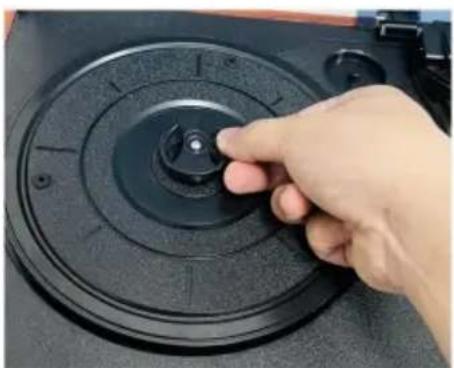
natural_image
Hand pressing a button on a black circular device component (no visible text or symbols)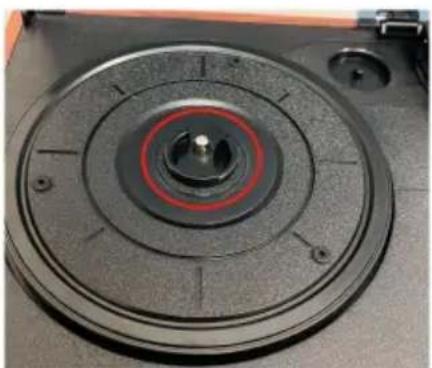
natural_image
Close-up of a mechanical component with concentric circular features and central hub (no visible text or symbols)natural_image
Close-up of a red CD or DVD disc with visible serial number 90 and 'ONC' marking, placed on a black circular surface (no readable text beyond label)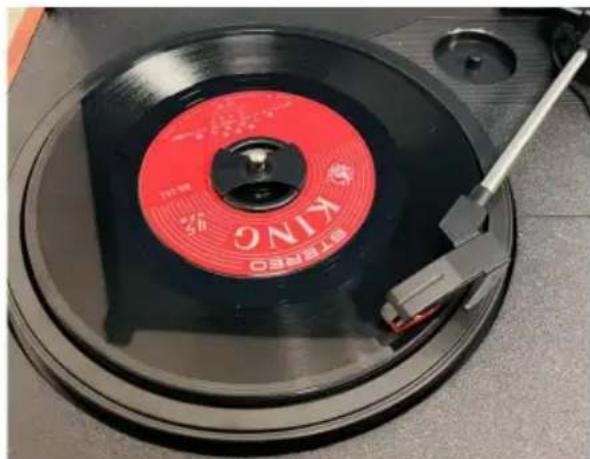
natural_image
Close-up of a red and black KNO CD with a metal clip, no visible text or symbols on the disc itself.natural_image
Close-up of a mechanical component with concentric rings and a red arrow pointing to a small feature (no visible text or symbols)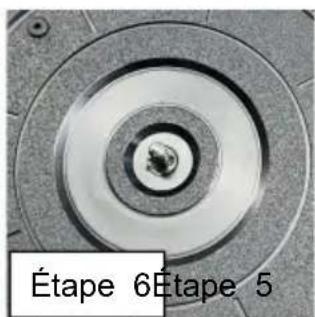
natural_image
Vintage wooden radio with open lid and cover, showing black vinyl record and speaker (no visible text or symbols)
natural_image
Vintage radio generator on a wooden stand with a blank screen, no visible text or symbolsMODELL: JBC-03MODELL: JBC-01 /JBC-02
text_image
Transparent hood 4"disc holder Turntable Record player lever Disc headpiecenatural_image
Close-up of a wooden audio jack with two connected audio buttons and a black cable inserted into the socket (no visible text or symbols)natural_image
Close-up of two black vinyl record discs on a wooden surface, one with red measurement lines and the other showing a circular pattern (no visible text or symbols)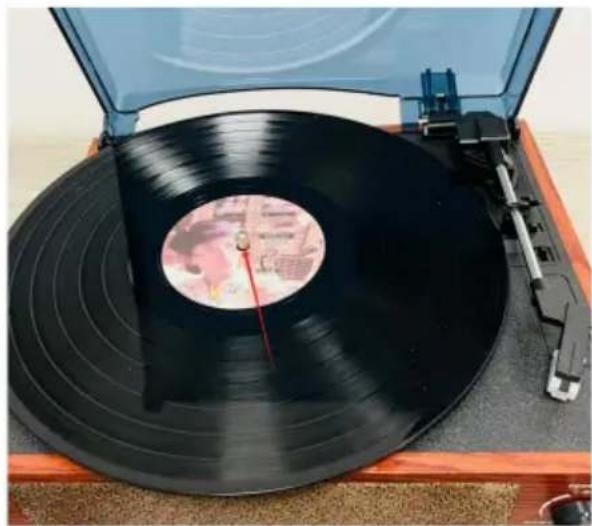
natural_image
Top view of a vintage black vinyl record on a wooden stand, with no visible text or symbols.natural_image
Close-up of a hand using a tool to adjust or install a black circular component on a mechanical device (no visible text or symbols)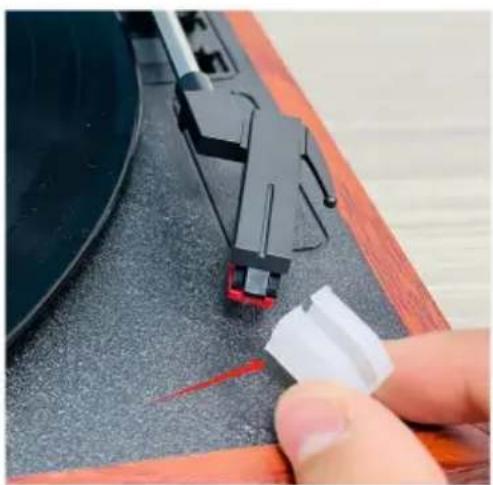
natural_image
Close-up of a hand pressing a small white plastic clip onto a black mechanical component (no text or symbols visible)natural_image
Close-up of a black vinyl record being held by a hand using a handheld device, with a red circle highlighting the disc (no text or symbols visible)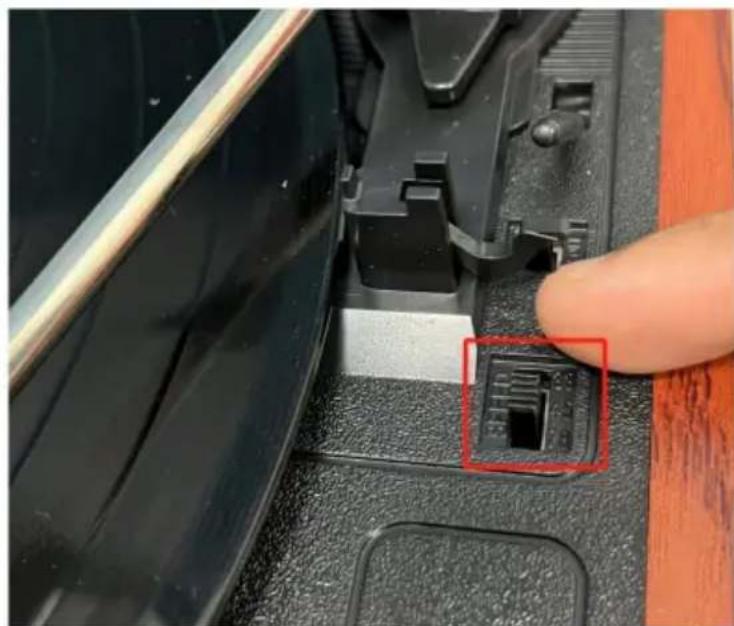
natural_image
Close-up of a finger pressing a black plastic component with a red annotation highlighting a small internal component (no text or symbols visible)natural_image
Close-up of a hand using a tool to adjust a small circular component, with no visible text or symbols.natural_image
Close-up of a mechanical device with circular components and a red-circled feature (no visible text or symbols)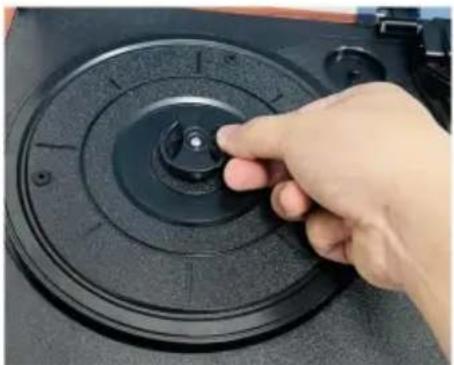
natural_image
Hand pressing a button on a black circular device (no visible text or symbols)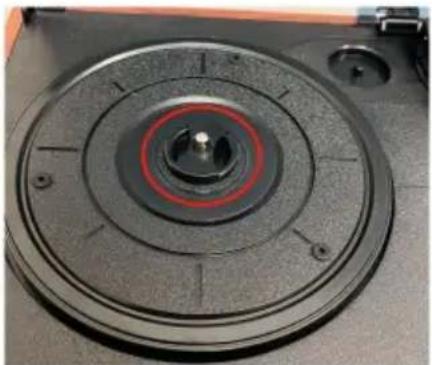
natural_image
Close-up of a mechanical component with concentric circular features and central hub (no visible text or symbols)natural_image
Close-up of a red CD or DVD disc with visible serial number 90 and 'ONC' marking, placed on a black circular surface (no readable text beyond label)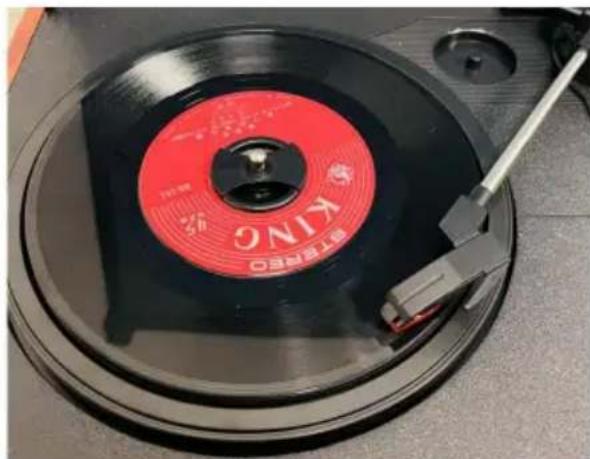
natural_image
Close-up of a red and black KNO CD with a metal clip, no visible text or symbols on the disc itself.natural_image
Close-up of a mechanical component with red arrows pointing to features, labeled 'Schritt 3' (no other text or symbols)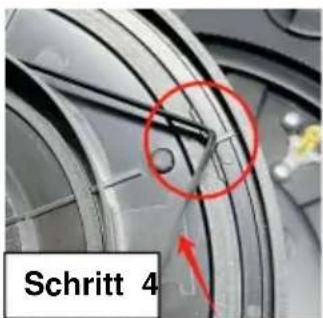
text_image
Schritt 4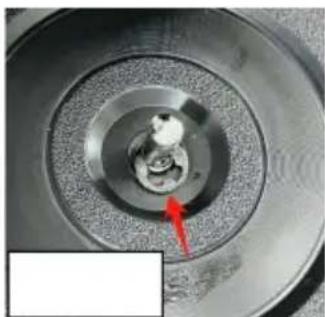
natural_image
Close-up of a mechanical component with concentric rings and a red arrow pointing to a small feature (no text or symbols visible)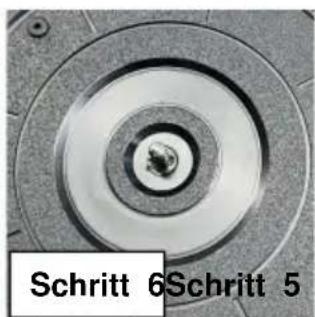
natural_image
Close-up of a circular mechanical component with concentric rings and central bore (no text or symbols visible)natural_image
Vintage wooden radio with open lid and cover, showing black vinyl record and speaker (no visible text or symbols)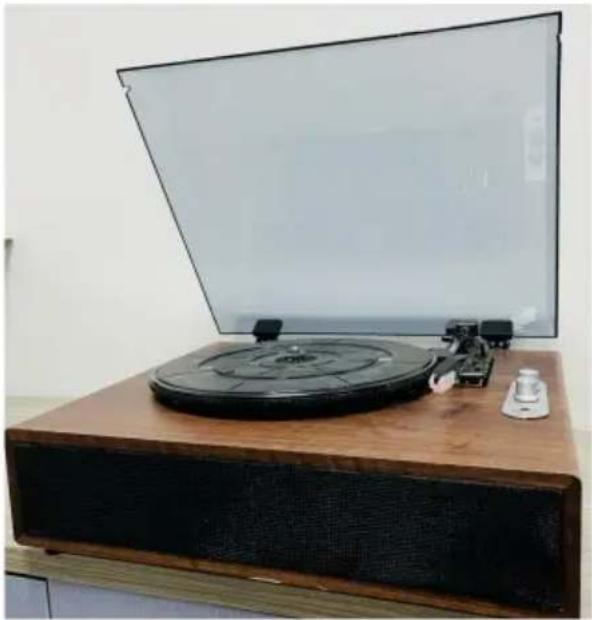
natural_image
Vintage radio generator on a wooden stand with a blank screen, no visible text or symbolsMODELLO: JBC-03MODELLO: JBC-01 /JBC
text_image
Transparent hood 4"disc holder Turntable Record player lever Disc headpiecenatural_image
Close-up of a wooden audio jack with two connected buttons and a black cable inserted, no visible text or symbols.natural_image
Close-up of two black vinyl record discs on a wooden surface, one with red measurement lines and the other showing a circular pattern (no visible text or symbols)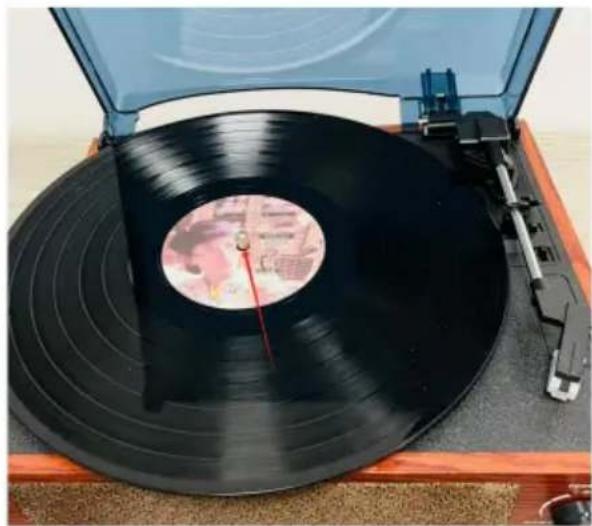
natural_image
Top view of a vintage black vinyl record on a wooden stand, with no visible text or symbols.natural_image
Close-up of a hand using a tool to adjust or install a black circular object on a mechanical component (no visible text or symbols)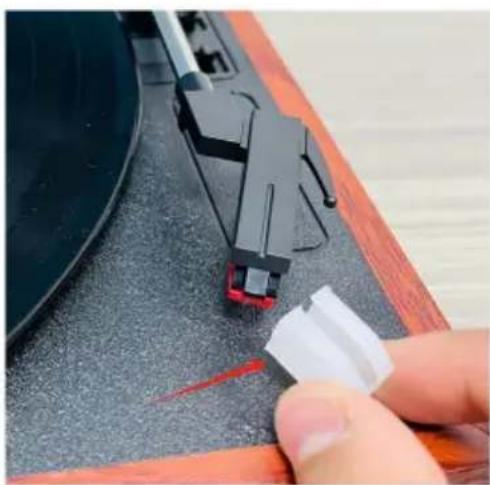
natural_image
Close-up of a hand pressing down on a black electronic device component (no visible text or symbols)©
natural_image
Close-up of a hand using a tool to adjust a small circular component, with no visible text or symbols.natural_image
Close-up of a mechanical device with concentric rings and a highlighted circular component (no visible text or symbols)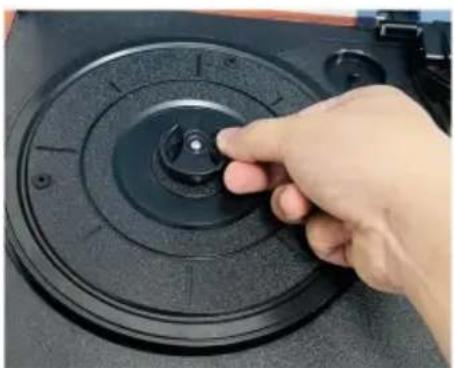
natural_image
Hand pressing a button on a black circular device component (no visible text or symbols)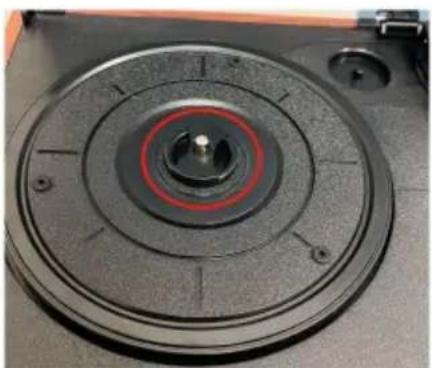
natural_image
Close-up of a mechanical component with concentric circular features and a central hub (no visible text or symbols)natural_image
Close-up of a red CD or DVD disc with visible serial number 90 and 'ONC' marking, placed on a black circular surface (no readable text beyond label)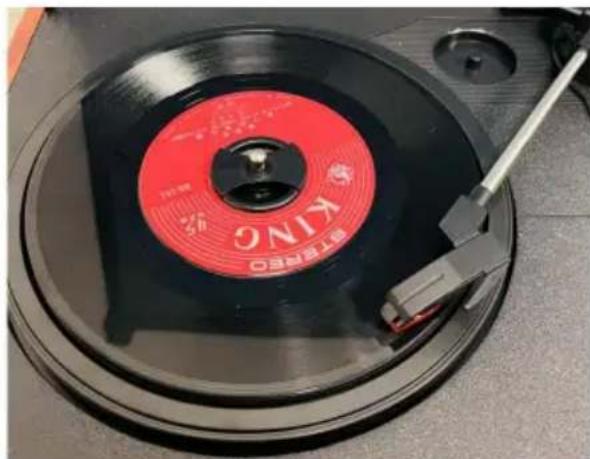
natural_image
Close-up of a red and black KNO CD with a metal clip, no visible text or symbols on the disc itself.natural_image
Close-up of a mechanical component with concentric rings and a red arrow pointing to a small feature (no text or symbols visible)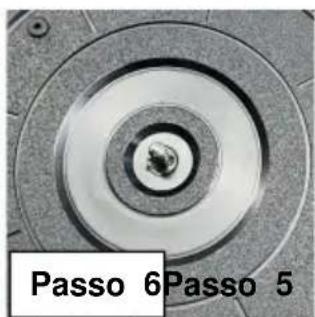
text_image
Passo 6Passo 5natural_image
Vintage gramophone with open lid and wooden base, showing black vinyl record and speaker (no visible text or symbols)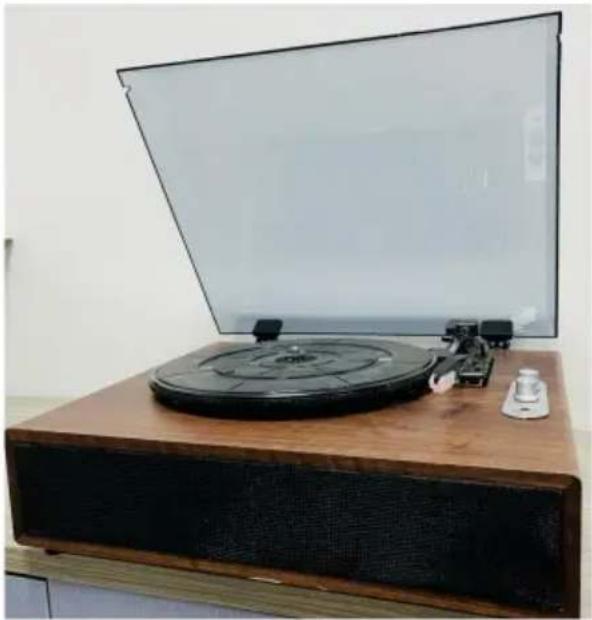
natural_image
Vintage radio generator on a wooden stand with a blank screen, no visible text or symbolsMODELO: JBC-03MODELO: JBC-01 /JBC-02
text_image
Transparent hood 4"disc holder Turntable Record player lever Disc headpiecetext_image
LED indicating lamp POWER PH BT Bluetooth mode and record mode switch knob Volume adjustment knob ON / OFF -/+ - HEADPHONE Headset jackJBC-03
text_image
R O L 5V 1A LINE OUT DC INJBC-01 / JBC-02
text_image
R O L 5V 2A AUX LINE OUT DC INJBC-03
DECLARACIÓN DE MODO
natural_image
Close-up of a wooden audio jack with two connected audio buttons and a black cable inserted, showing no visible text or symbols.natural_image
Close-up of two black vinyl record discs on a wooden surface, one with red measurement lines and the other showing a circular pattern (no visible text or symbols)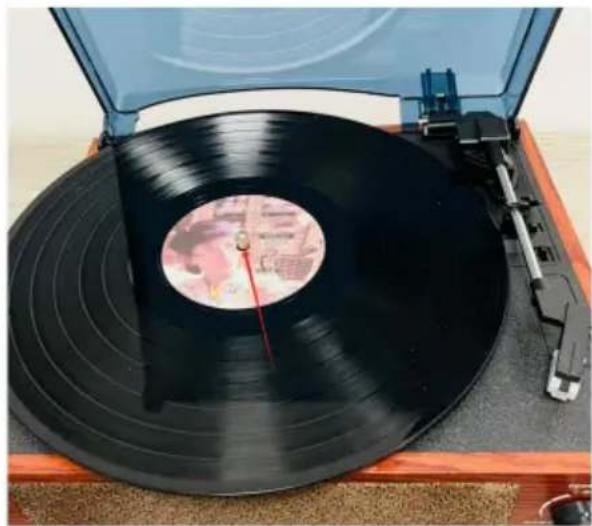
natural_image
Top view of a vintage vinyl record on a wooden stand, showing black bands and a red dial (no visible text or symbols)natural_image
Close-up of a hand adjusting a mechanical component with a tool (no visible text or symbols)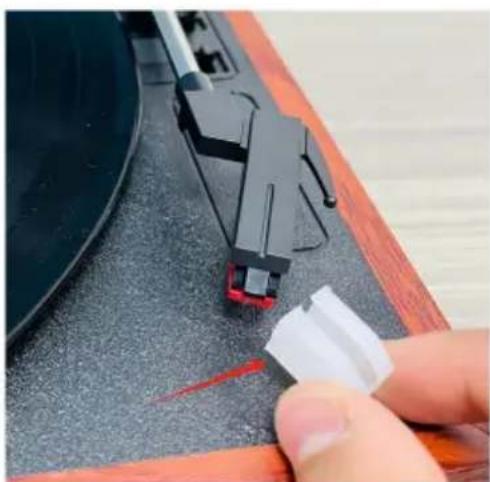
natural_image
Close-up of a hand pressing down on a black electronic device component (no visible text or symbols)natural_image
Close-up of a hand adjusting a mechanical component with red circular annotations highlighting the parts (no text or symbols present)natural_image
Close-up of a vinyl record being inserted into a CD, showing the blade and keyway (no text or symbols visible)natural_image
Close-up of a hand using a tool to adjust a small circular component, with no visible text or symbols.natural_image
Close-up of a mechanical device with concentric rings and a highlighted circular component (no visible text or symbols)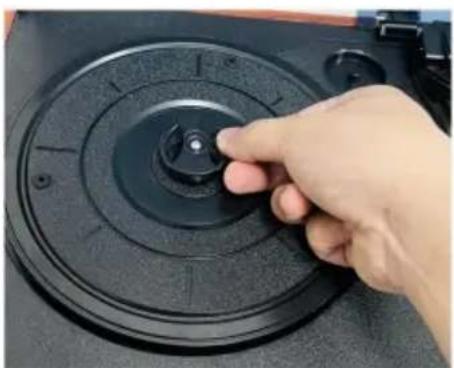
natural_image
Hand pressing a button on a black circular device component (no visible text or symbols)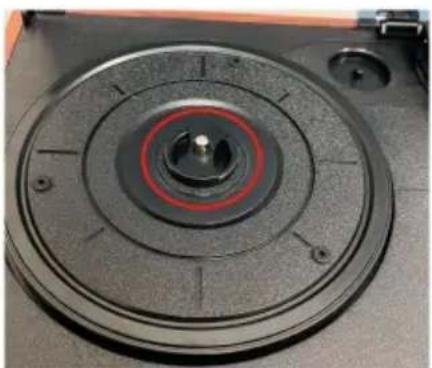
natural_image
Close-up of a mechanical component with concentric circular features and central hub (no visible text or symbols)natural_image
Close-up of a red CD or DVD disc with visible serial number 90 and 'ONC' marking, placed on a black circular surface (no readable text beyond label)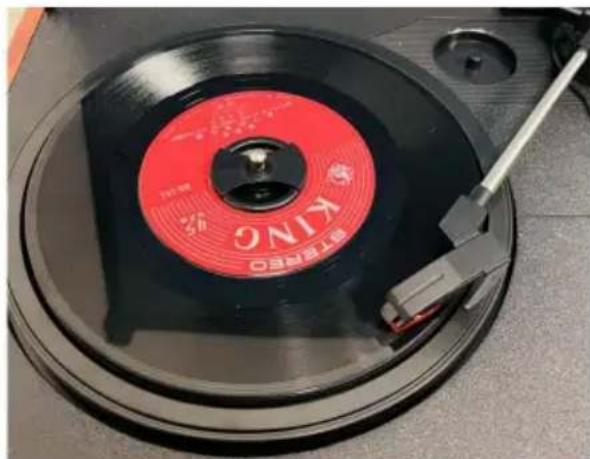
natural_image
Close-up of a red and black KNO CD with a metal clip, no visible text or symbols on the disc itself.natural_image
Close-up of a mechanical component with concentric rings and a red arrow pointing to a small feature (no text or symbols visible)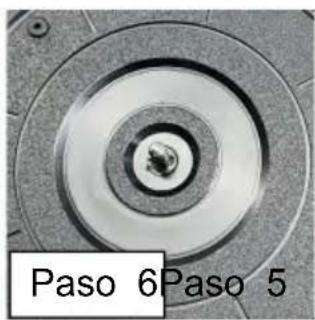
text_image
Paso 6 Paso 5natural_image
Vintage wooden radio with open lid and cover, showing black vinyl record and speaker (no visible text or symbols)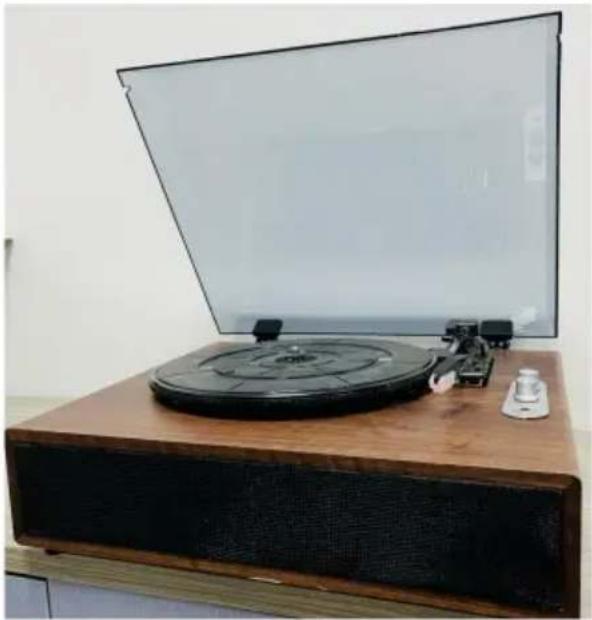
natural_image
Vintage radio generator on a wooden stand with a blank screen, no visible text or symbolsMODEL: JBC-03MODEL: JBC-01 /JBC-02
POTRZEBUJESZ POMOCY? SKONTAKTUJ SIĘ Z NAMI!
text_image
Transparent hood 4"disc holder Turntable Record player lever Disc headpieceOpis funkcji panelu
text_image
POWER / BT OFF / MIN Volume adjustment knob AUXJBC-01 / JBC-02
text_image
LED indicating lamp POWER PH BT Bluetooth mode and record mode switch knob Volume adjustment knob ON / OFF -/+ - HEADPHONE Headset jackJBC-03
Opis funkcji portu
text_image
R O L 5V 1A LINE OUT DC INJBC-01 / JBC-02
text_image
R O L 5V 2A AUX LINE OUT DC INJBC-03
DEKLARACJA TRYBU
natural_image
Close-up of a wooden audio jack with two connected audio buttons and a black cable inserted, showing no visible text or symbols.natural_image
Close-up of two black vinyl record discs on a wooden surface, one with red measurement lines and the other showing a circular pattern (no visible text or symbols)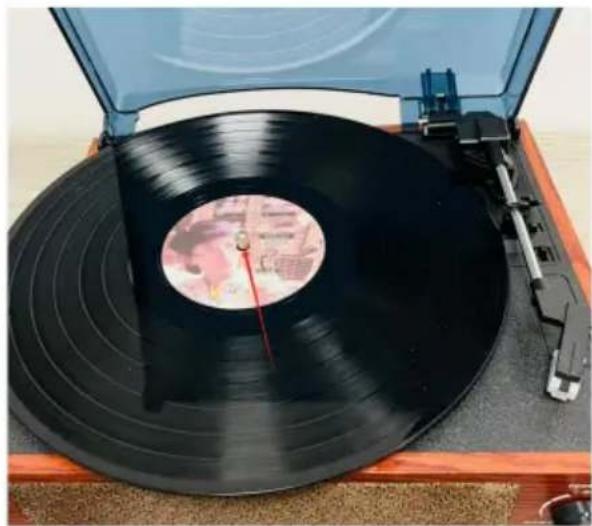
natural_image
Top view of a vintage vinyl record on a wooden stand, showing black bands and a red dial (no visible text or symbols)natural_image
Close-up of a hand adjusting a mechanical component with a tool (no visible text or symbols)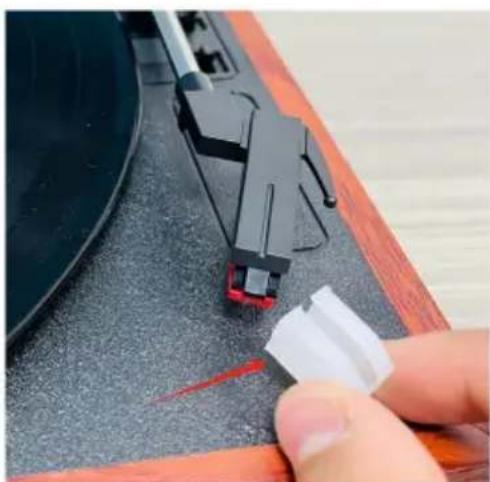
natural_image
Close-up of a hand pressing a small white object on a dark textured surface next to a black electronic device (no visible text or symbols)natural_image
Close-up of a hand adjusting a mechanical component with red circular annotations highlighting the parts (no text or symbols present)natural_image
Close-up of a vinyl record being adjusted for a CD, showing the blade and keyway (no text or symbols visible)natural_image
Close-up of a tool applying material to a black circular component, no visible text or symbolsnatural_image
Close-up of a mechanical device with concentric circular components and a highlighted circular component (no visible text or symbols)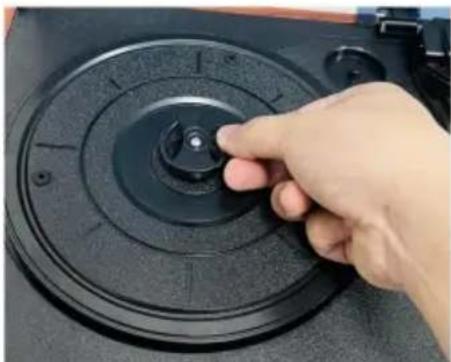
natural_image
Hand pressing a button on a black circular device (no visible text or symbols)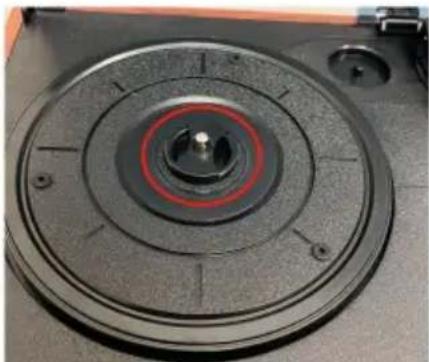
natural_image
Close-up of a circular mechanical component with concentric rings and central hub (no visible text or symbols)natural_image
Close-up of a red CD or DVD disc with visible serial number 90 and 'ONC' marking, placed on a black circular surface (no readable text beyond label)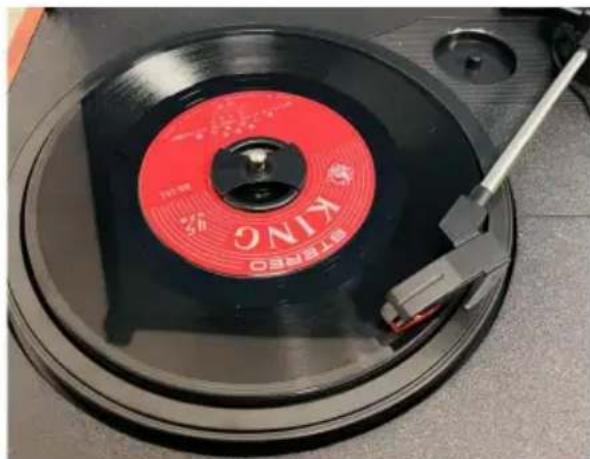
natural_image
Close-up of a red and black KNO CD with a metal clip, no visible text or symbols on the disc itself.natural_image
Close-up of a mechanical component with red arrows pointing to a circular feature, labeled 'Krok 3' (no other text or symbols)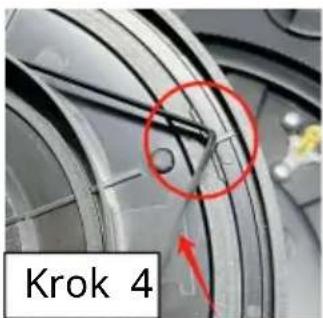
text_image
Krok 4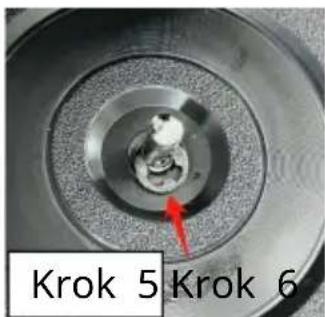
text_image
Krok 5 Krok 6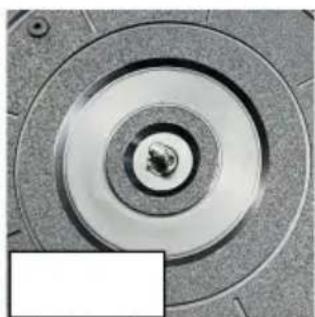
natural_image
Close-up of a mechanical component with concentric circular grooves and central bore (no text or symbols visible)natural_image
Vintage wooden radio with open lid and cover, showing black vinyl record and speaker (no visible text or symbols)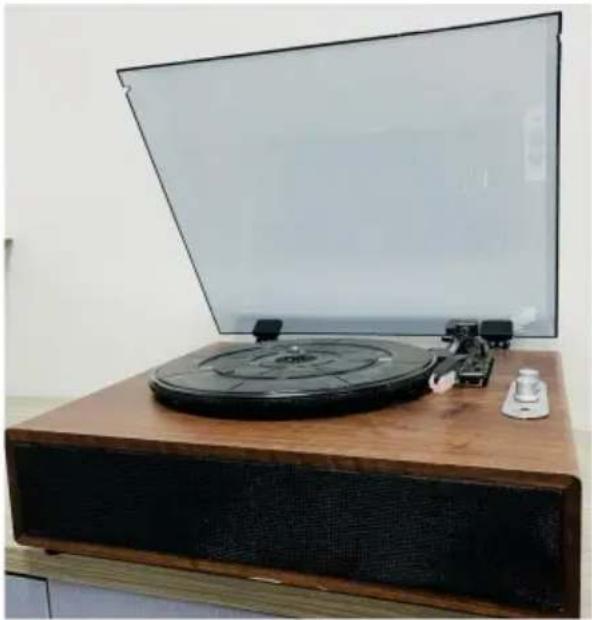
natural_image
Vintage radio generator on a wooden stand with a blank screen, no visible text or symbolsMODEL: JBC-03MODEL: JBC-01 /JBC-02
HULP NODIG? NEEM CONTACT MET ONS OP!
text_image
Transparent hood 4"disc holder Turntable Record player lever Disc headpiecenatural_image
Close-up of a wooden audio jack with two connected audio buttons and a black cable inserted, showing no visible text or symbols.natural_image
Close-up of a vintage CD or DVD disc with red measurement lines, placed on a wooden surface (no visible text or symbols)
natural_image
Top-down view of a vintage vinyl record on a wooden stand, showing black bands and a red dial (no visible text or symbols)natural_image
Close-up of a hand adjusting a mechanical component with a tool, no visible text or symbols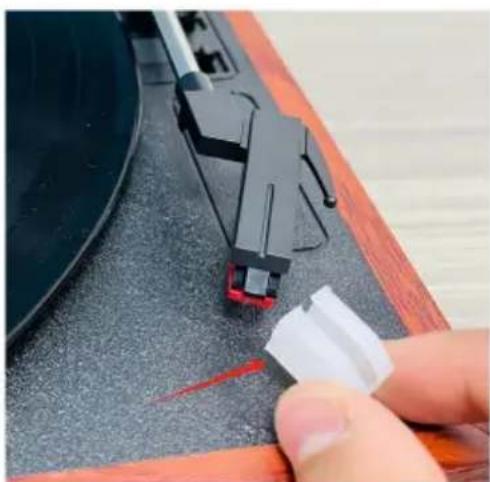
natural_image
Close-up of a hand pressing down on a black electronic device component (no visible text or symbols)natural_image
Close-up of a hand adjusting a mechanical component with red circular annotations highlighting the parts (no text or symbols present)natural_image
Close-up of a vinyl record being adjusted for a CD, showing the blade and keyway (no text or symbols visible)natural_image
Close-up of a hand using a tool to adjust a small circular component, with no visible text or symbols.natural_image
Close-up of a mechanical device with concentric rings and a highlighted circular component (no visible text or symbols)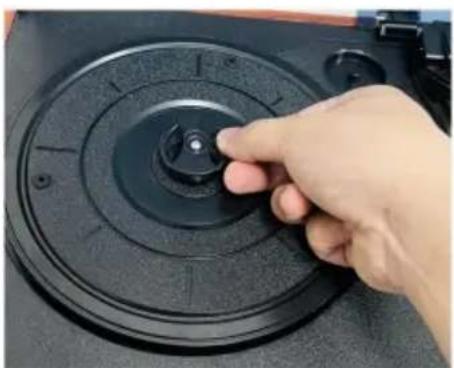
natural_image
Hand pressing a button on a black circular device component (no visible text or symbols)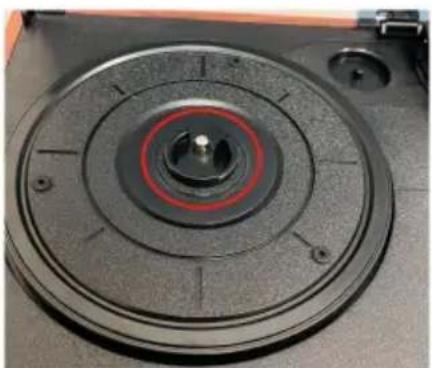
natural_image
Close-up of a mechanical component with concentric circular features and central hub (no visible text or symbols)natural_image
Close-up of a red CD or DVD disc with visible serial number 90 and 'ONC' marking, placed on a black circular surface (no readable text beyond label)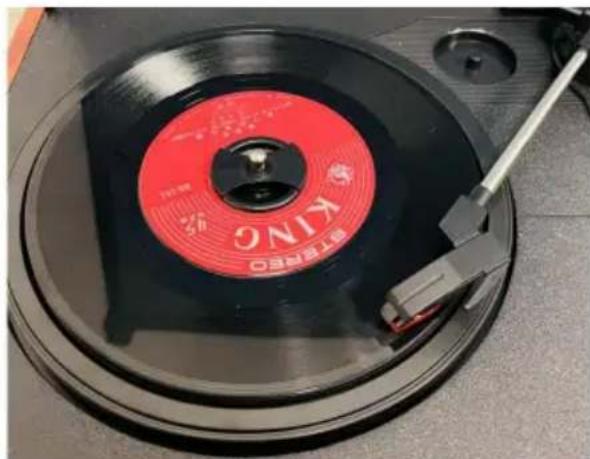
natural_image
Close-up of a red and black KNO CD with a metal clip, no visible text or symbols on the disc itself.natural_image
Close-up of a mechanical component with concentric rings and a red arrow pointing to a small feature (no text or symbols visible)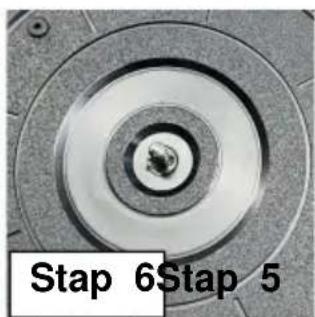
text_image
Stap 6Stap 5natural_image
Vintage wooden radio with open lid and cover, showing black vinyl record and speaker (no visible text or symbols)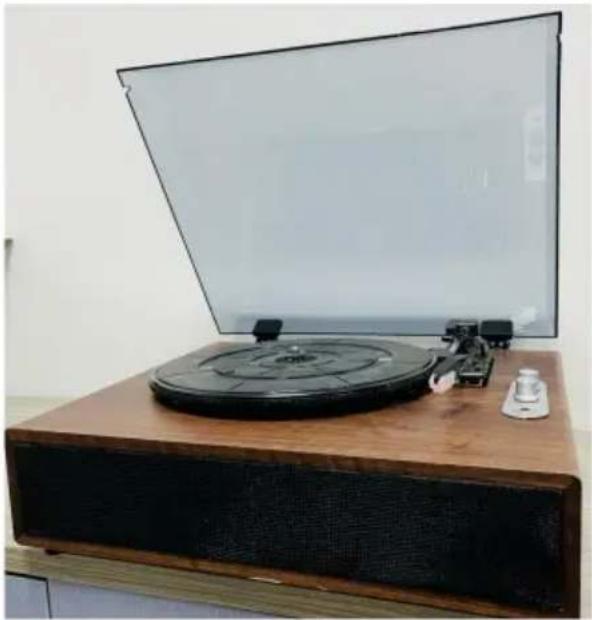
natural_image
Vintage radio generator on a wooden stand with a blank screen, no visible text or symbolsMODELL: JBC-03MODELL: JBC-01 /JBC-02
BEHÖVER HJÄLP? KONTAKTA OSS!
text_image
Transparent hood 4"disc holder Turntable Record player lever Disc headpiecenatural_image
Close-up of a wooden audio jack with two audio buttons and a black cable inserted, no visible text or symbols on the device itself.natural_image
Close-up of a CD or DVD disc with red measurement lines, placed on a wooden surface next to a circular target (no visible text or symbols)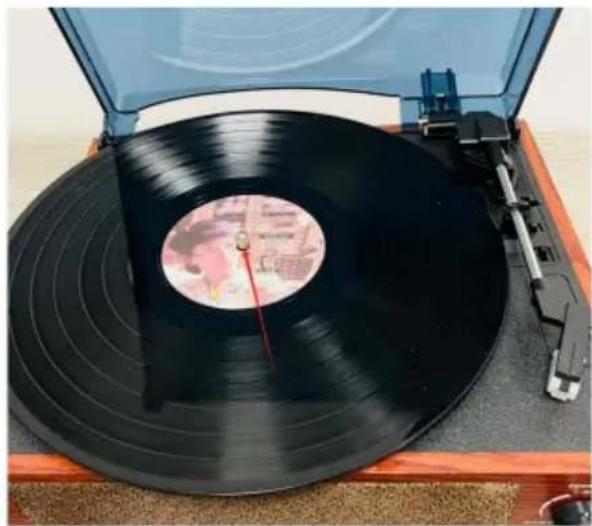
natural_image
Top view of a vintage vinyl record on a wooden stand, showing black bands and a red dial (no visible text or symbols)natural_image
Close-up of a hand using a tool to adjust or install a black circular object on a mechanical component (no visible text or symbols)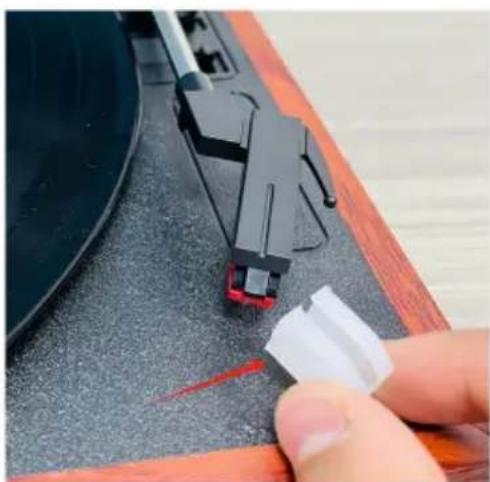
natural_image
Close-up of a hand pressing down on a black electronic device component (no visible text or symbols)natural_image
Close-up of a hand adjusting a mechanical component with red circular annotations highlighting the parts (no text or symbols present)natural_image
Close-up of a vinyl record being inserted into a CD, showing the disc and keyway (no text or symbols visible)natural_image
Close-up of a tool applying material to a black circular component, no visible text or symbolsnatural_image
Close-up of a mechanical device with concentric rings and a highlighted circular component (no visible text or symbols)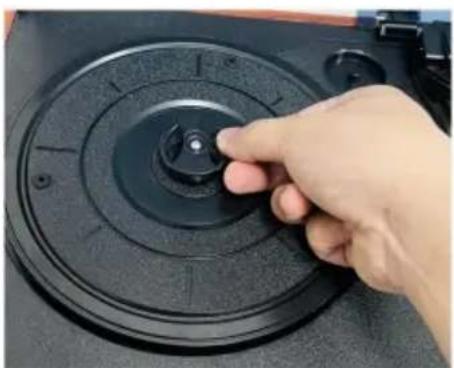
natural_image
Hand pressing a button on a black circular device component (no visible text or symbols)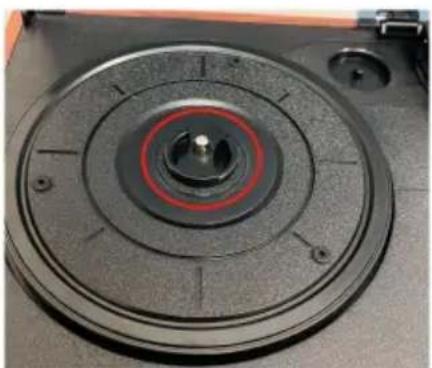
natural_image
Close-up of a mechanical component with concentric circular features and central hub (no visible text or symbols)natural_image
Close-up of a red CD or DVD disc with visible serial number 90 and 'ONC' marking, placed on a black circular surface (no readable text beyond label)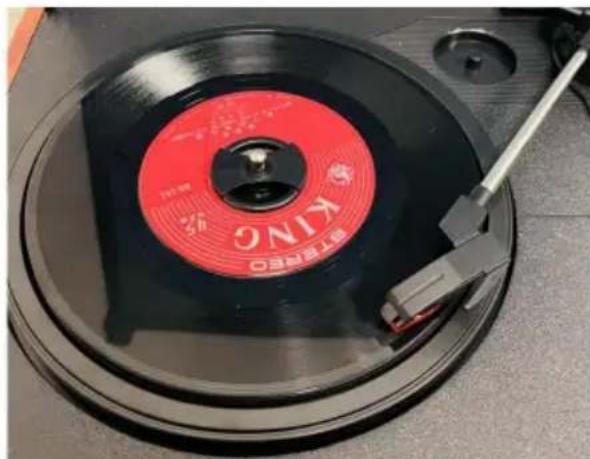
natural_image
Close-up of a red and black KNO CD with a metal clip, no visible text or symbols on the disc itself.natural_image
Close-up of a mechanical component with red arrows pointing to features, labeled 'Steg 3' (no other text or symbols)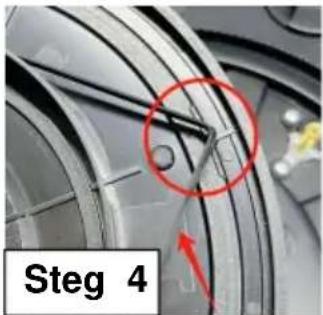
text_image
Steg 4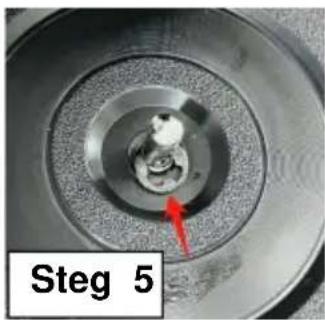
natural_image
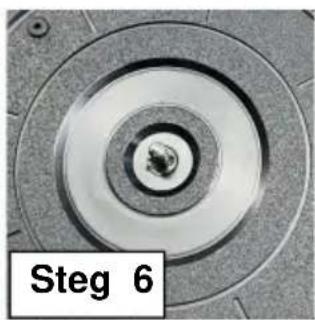
Close-up of a mechanical component with concentric rings and a red arrow pointing to a small feature, labeled 'Steg 5' (no other text or symbols)