
BRL-1000 - Red light therapy device Vevor - Free user manual and instructions
Find the device manual for free BRL-1000 Vevor in PDF.
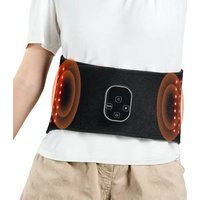


| Product Type | Red and infrared light therapy belt |
| Brand | Vevor |
| Model | BRL-1000 (also BRL-1150, BRL-1180) |
| Wavelengths | Red 660 nm, Near infrared 850 nm |
| Number of LEDs | Not specified (estimated: around 100-200 LEDs) |
| Light intensity (peak) | 4000 (660 nm), 4200 (850 nm) |
| Operating modes | ALL (red+infrared) and Pulse 10 Hz |
| Power levels | P1, P2, P3 (cycle) |
| Vibration | 3 levels (L1-L3) + off (LOFF) |
| Timer | 10, 20 or 30 minutes |
| Screen lock | Yes, lock button |
| Power supply | Built-in rechargeable battery, 5V/3A adapter (USB) |
| Battery life | 1 to 2 hours depending on level |
| Charging time | Approximately 4 hours |
| Charge indication | Flashing red light (charging), steady blue (charged) |
| Low battery level | Red light at ~20% charge remaining |
| Use during charging | Not allowed |
| Maintenance and cleaning | Wipe the LED surface with a dry towel after use; do not immerse in water |
| Safety | Do not look directly at the light; avoid metal accessories; do not use with heating ointments; do not disassemble; keep out of reach of children |
| Repairability | Not modifiable; contact technical support for any issues |
| Manufacturer | Shanghaimuxinmuyeyouxiangongsi, Shanghai, China |
| Importer (Australia) | SIHAO PTY LTD, NSW |
| Importer (USA) | Sanven Technology Ltd, Suite 250, 9166 Anaheim |
| Compliance | FCC Part 15, Class B |
Frequently Asked Questions - BRL-1000 Vevor
User questions about BRL-1000 Vevor
0 question about this device. Answer the ones you know or ask your own.
Ask a new question about this device
Download the instructions for your Red light therapy device in PDF format for free! Find your manual BRL-1000 - Vevor and take your electronic device back in hand. On this page are published all the documents necessary for the use of your device. BRL-1000 by Vevor.
USER MANUAL BRL-1000 Vevor
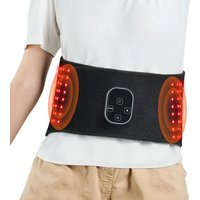
RED LIGHT THERAPY BELT
MODEL: BRL-1000 BRL-1150 BRL-1180
We continue to be committed to provide you with tools at competitive prices. "Save Half", "Half Price" or any other similar expressions used by us only represent an estimate of savings you might benefit from buying certain tools with us compared to the major top brands and does not necessarily mean to cover all categories of tools offered by us. You are kindly reminded to verify carefully when you are placing an order with us if you are actually saving half in comparison with the top major brands.
MODEL: BRL-1000 BRL-1150 BRL-1180
NEED HELP? CONTACT US!
Have product questions? Need technical support? Please feel free to contact us:
This is the original instruction. Please read all manual instructions carefully before operating. VEVOR reserves a clear interpretation of the user manual. The appearance of the product shall be subject to the product you received. Please forgive us that we won't inform you again if there are any technology or software updates on our product.
CORRECT DISPOSAL
This product is subject to the provisions of European Directive 2012/19/EU. The symbol showing a wheel crossed through indicates that the product requires separate refuse collection in the European Union. It applies to the product and all accessories marked with this symbol. Products marked as such may not be discarded with normal domestic waste, but must be taken to a collection point for recycling electrical and electronic devices.
Red Light Therapy Belt User Manual

INTRODUCTION
Red light therapy has a wide variety of applications and health benefits. It stimulates cells in the target area non-invasively, promoting blood circulation and alleviating pain and discomfort.
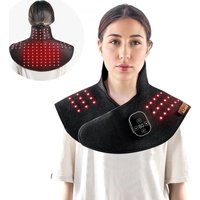
Our belt is designed for targeted treatment of various body areas. Whether you seek muscle recovery, improved skin texture, or enhanced energy levels, this product meets your needs. It's a multi-functional solution for holistic well-being, helping you revitalize your entire body. With our Light Therapy Belt, you can experience myriad therapeutic benefits from the comfort of your own home.
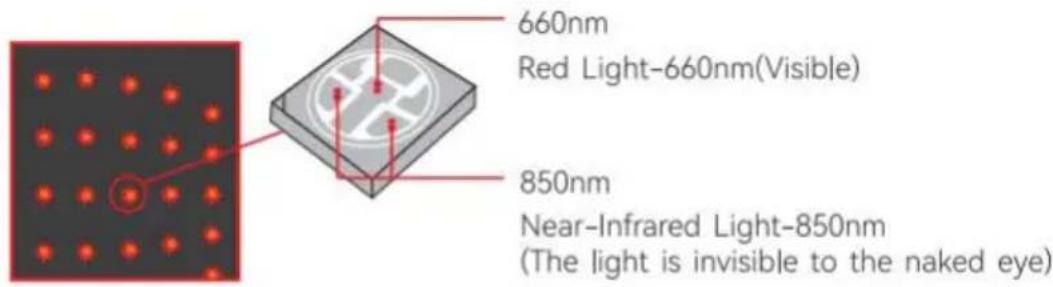
- Red light therapy mode: 660nm red light is absorbed by the skin at a high rate, making it especially effective for improving blood circulation and stimulating collagen and elastin production, which reduces the appearance of fine lines and wrinkles. Red light therapy tightens and smooths skin tone, and reduces symptoms of eczema and psoriasis such as redness, itching, flaking, and swelling.
- Near infrared therapy mode: 850nm infrared (IR) light penetrates deeply into tissue, organs, and joints to decrease inflammation, relieve pain, and repair cells. Use it every day for 15-20 minutes and see results within three weeks. It is lightweight, folds up small, and supports multiple power options, making it perfect to take with you on the go. Enjoy performance recovery and pain relief anytime, anywhere!
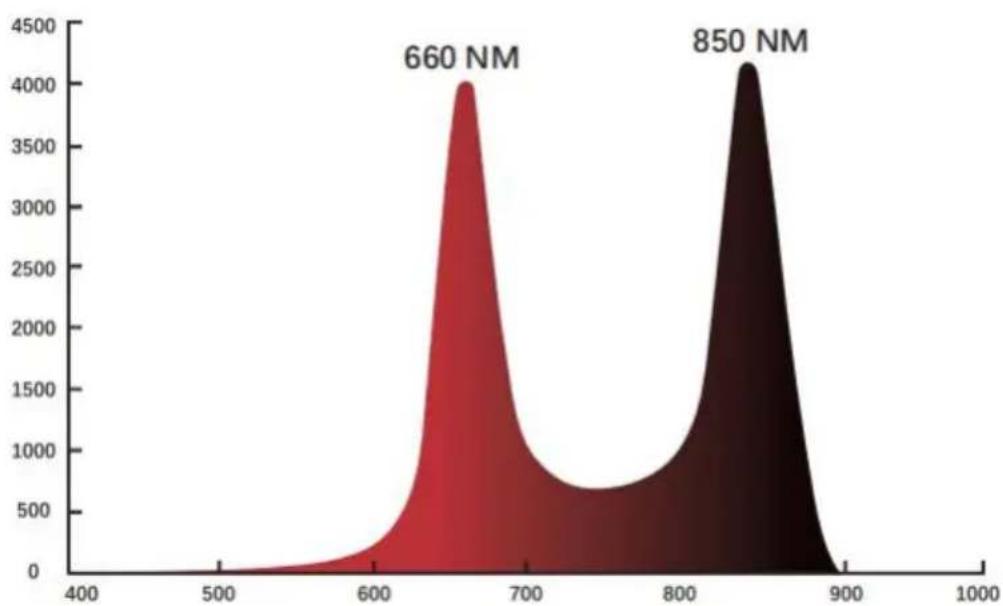
Fig 1. Red and near-infrared spectrometer
Many of these benefits are due to the fact that the red and near-infrared light activates various metabolic pathways that lead to increased production of ATP (adenosine triphosphate).
The production of ATP enhances cellular signaling and improves protein synthesis. Red and NIR light therapy has been shown to be effective for a wide range of health issues, including but not limited to, the following:
- Repairing skin
- Reducing the formation of scars
- Promoting blood circulation
- Boosting cellular activity ● Enhancing fitness results
- Accelerating wound healing ● Relieving muscle soreness and fatigue
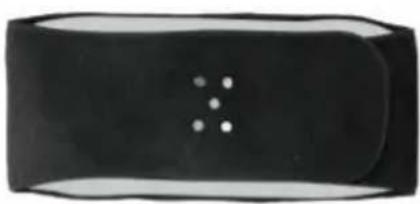
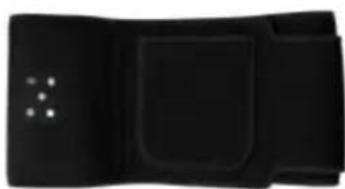
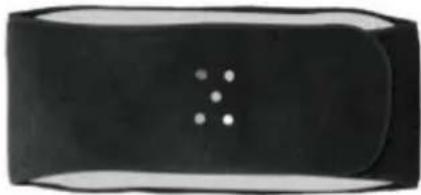
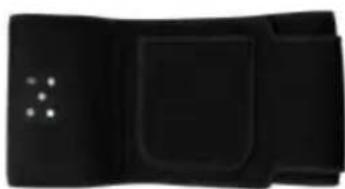
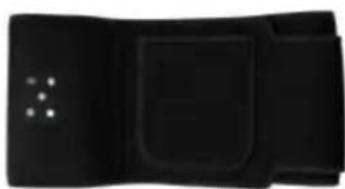
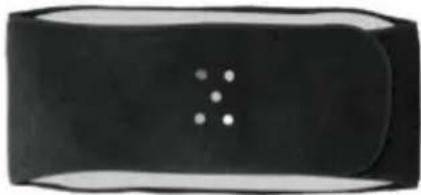
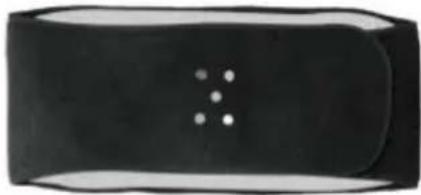
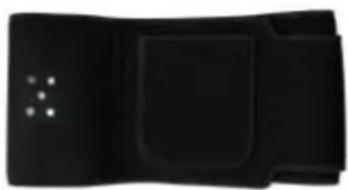
80pcs LED
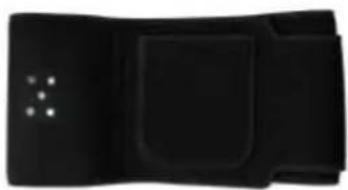
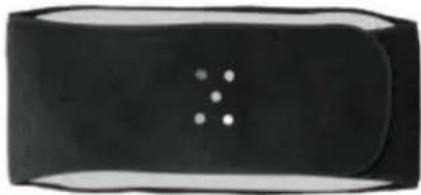
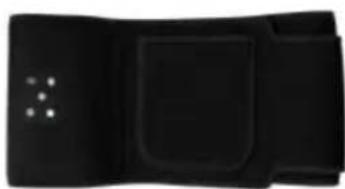
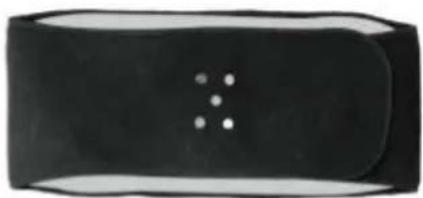
105pcs LED
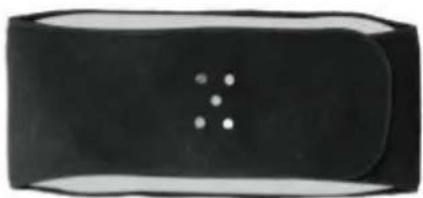
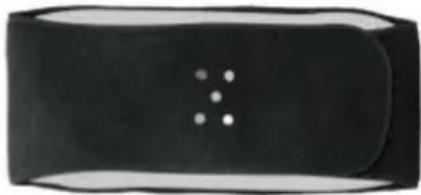
112pcs LED
PACKING LIST
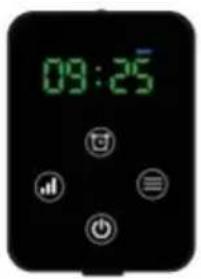
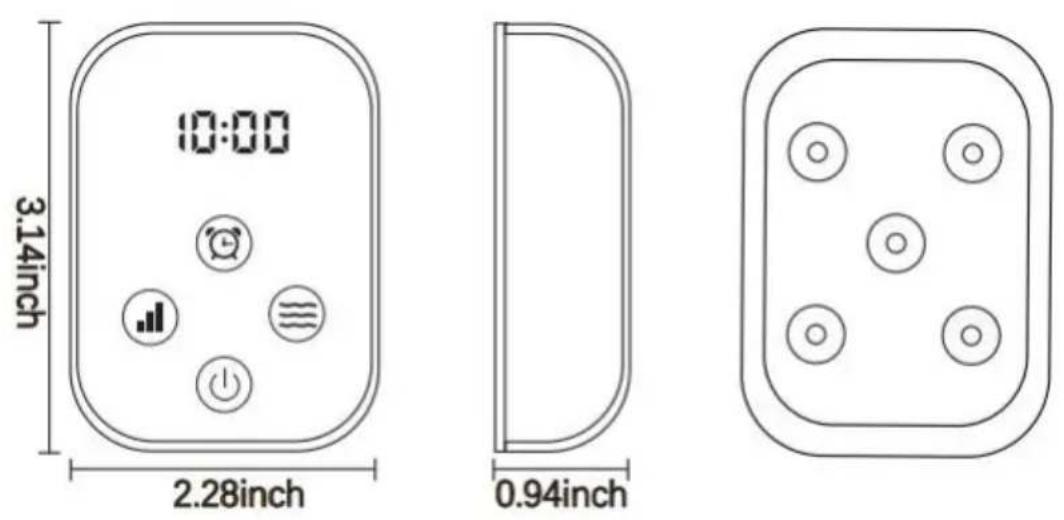
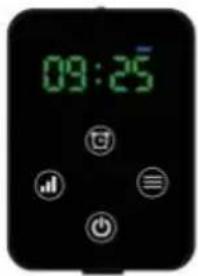
Power controller*1
USB-C power cord*1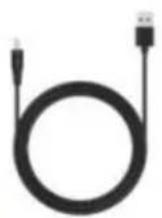
SPECIFICATIONS
| 80PCS Belt | 105PCS Belt | 112PCS Belt | |
| Size | 125*22cm | 125*18cm | 125*22cm |
| Led qty | 80PCS | 105PCS | 112PCS |
| Power | 8W | 9W | 10W |
| Mode | 660nm:850nm | 660nm:850nm | 660nm:850nm |
| Battery capacity | 3000mAh | 3000mAh | 3000mAh |
| Timer | 10/20/30min | 10/20/30min | 10/20/30min |
| Charging parameters | USB-C 5V2A | USB-C 5V2A | USB-C 5V2A |
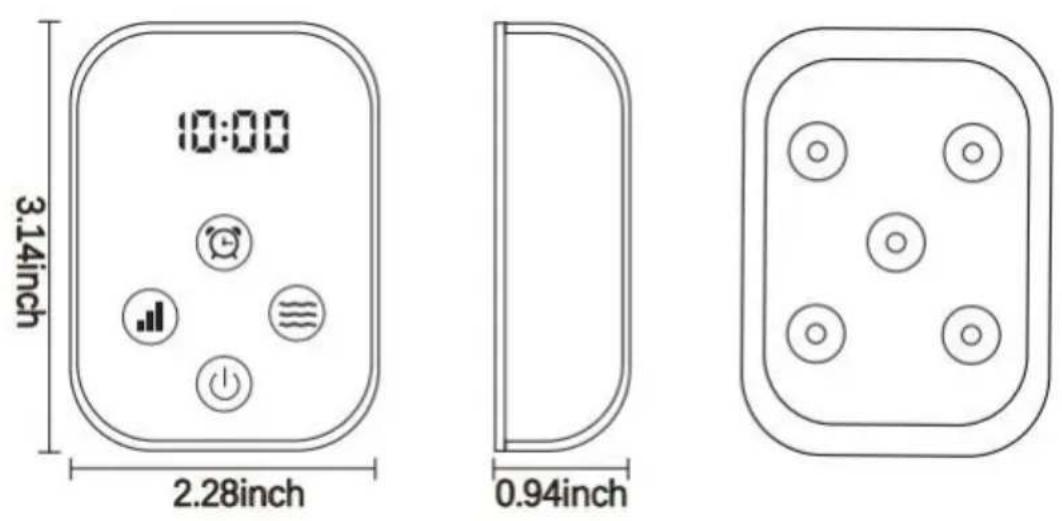
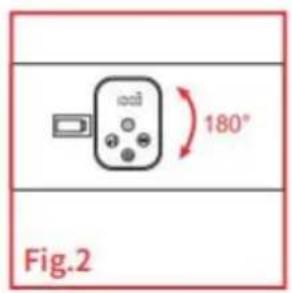
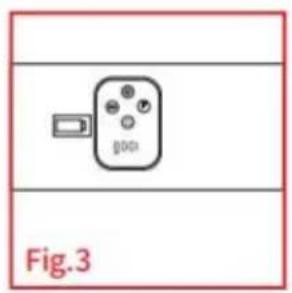
Instructions for Use
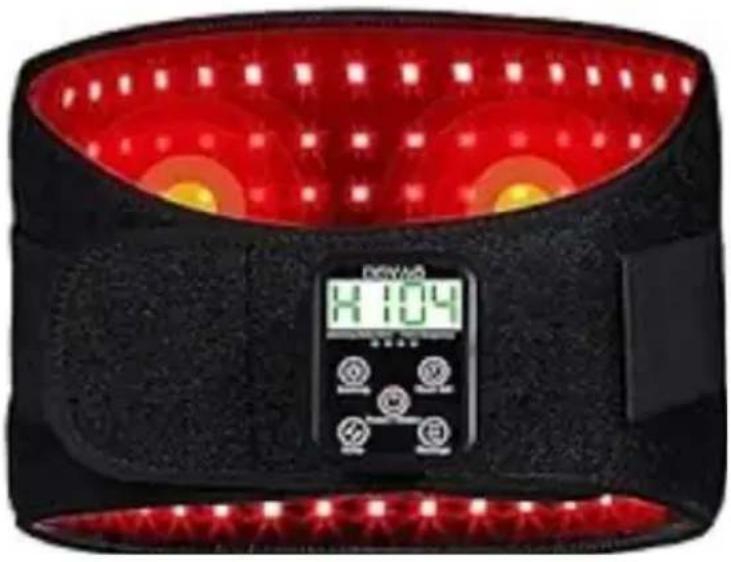
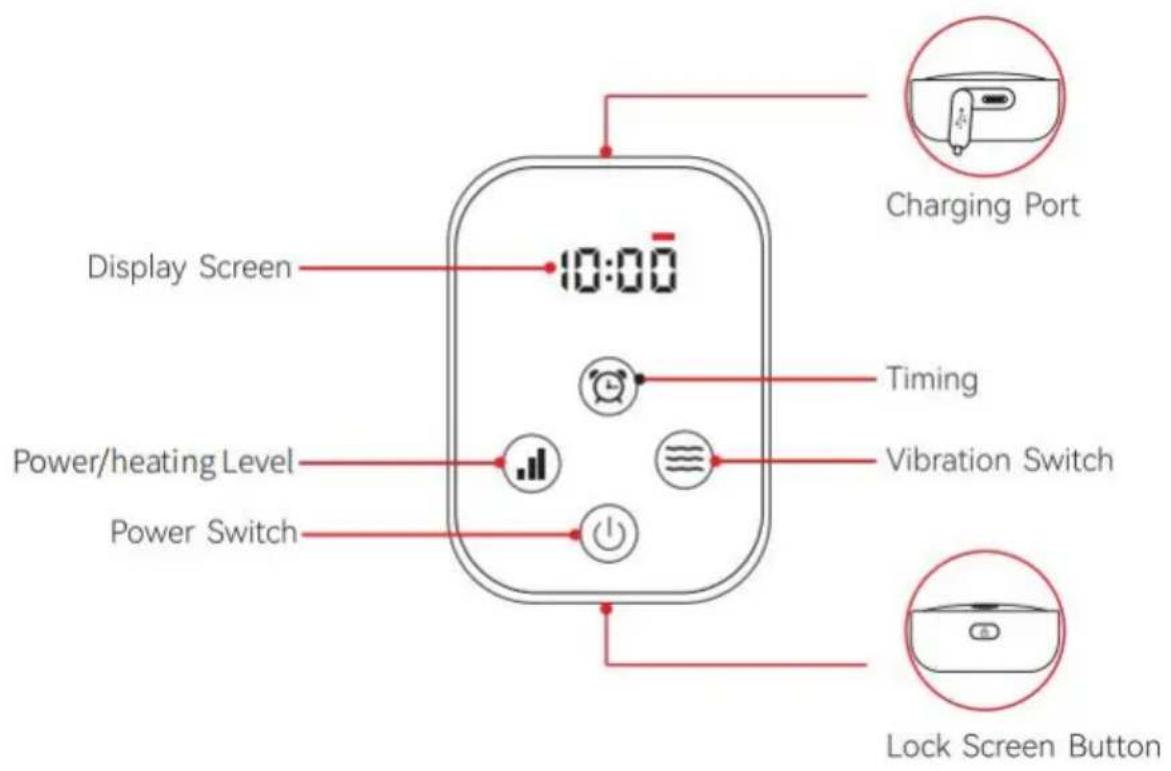
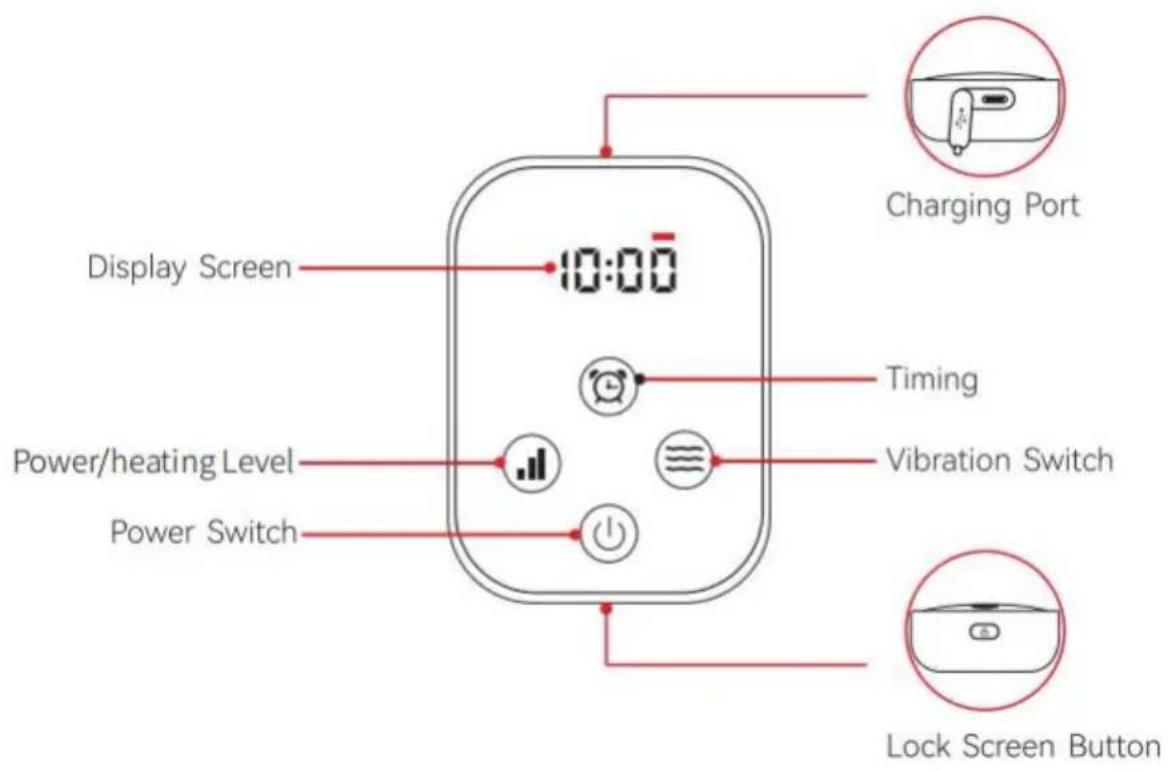
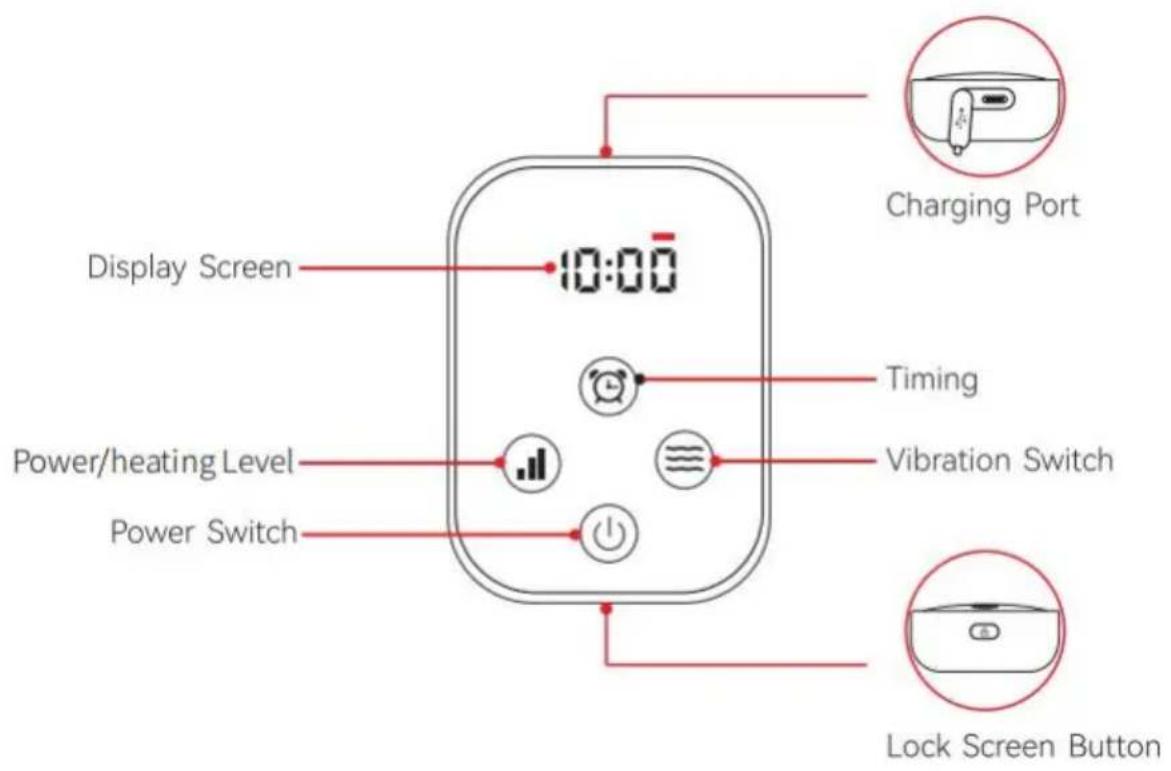
- Before using the device for the first time, please use the included power cord with the 5V/3A adapter to fully charge the device (the red light flashes during charging and turns blue when fully charged).
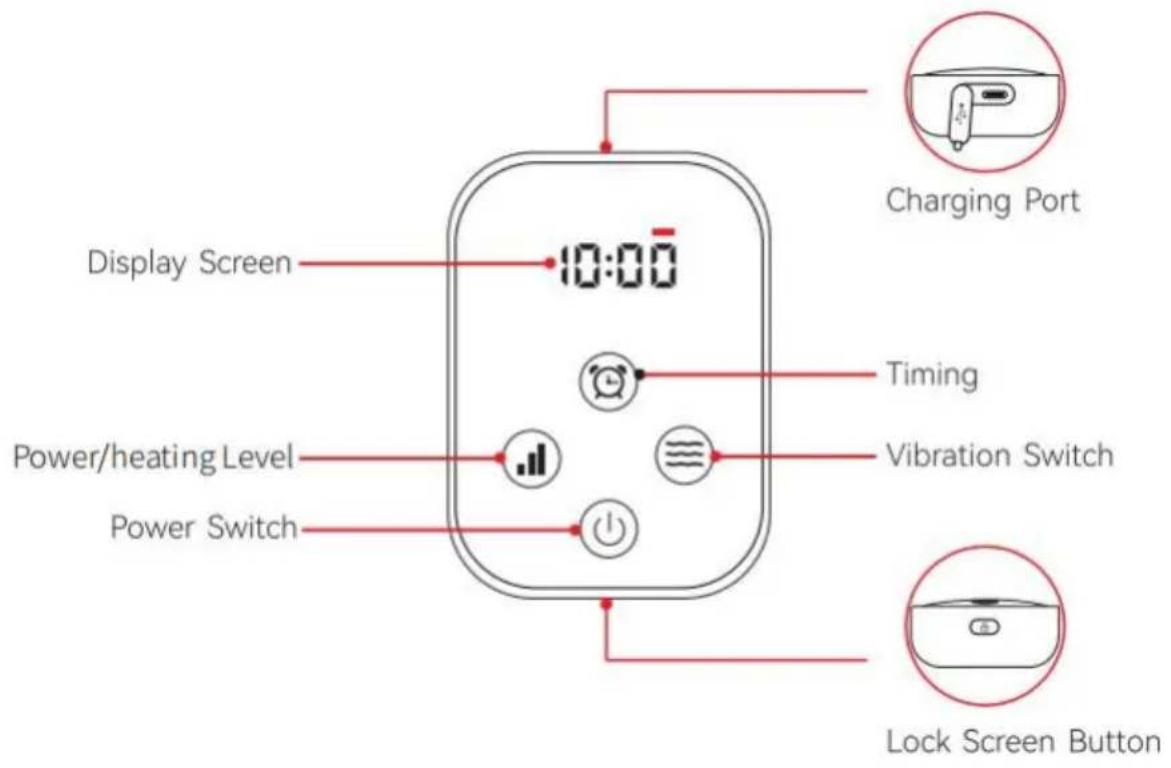
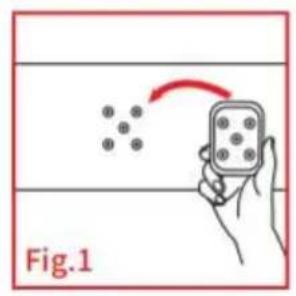
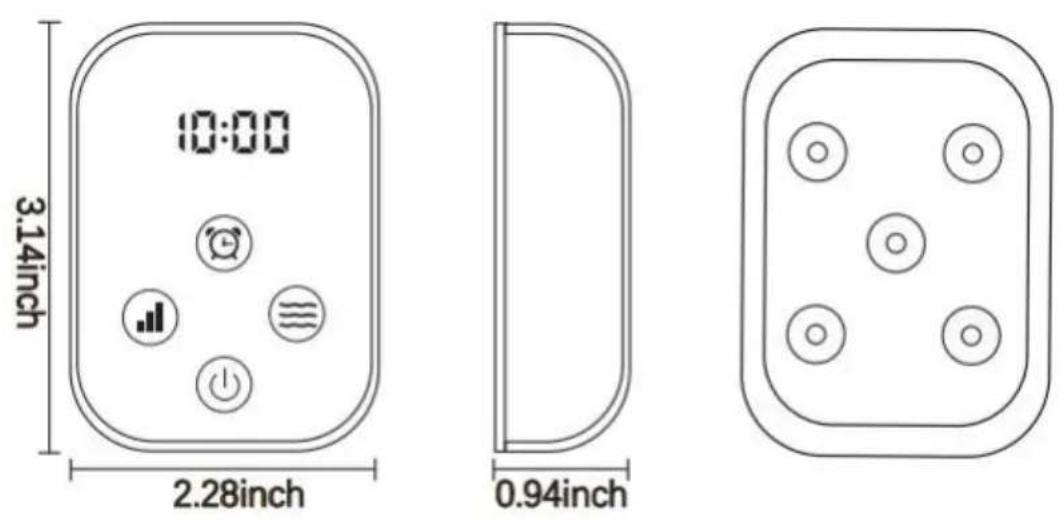
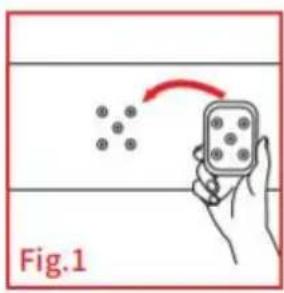
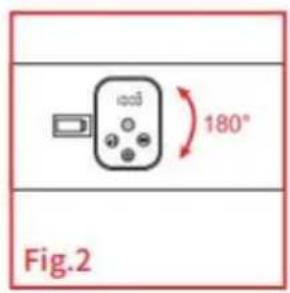
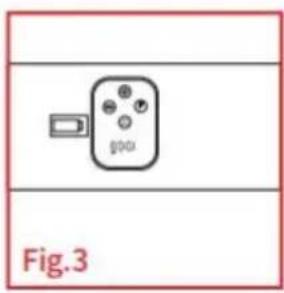
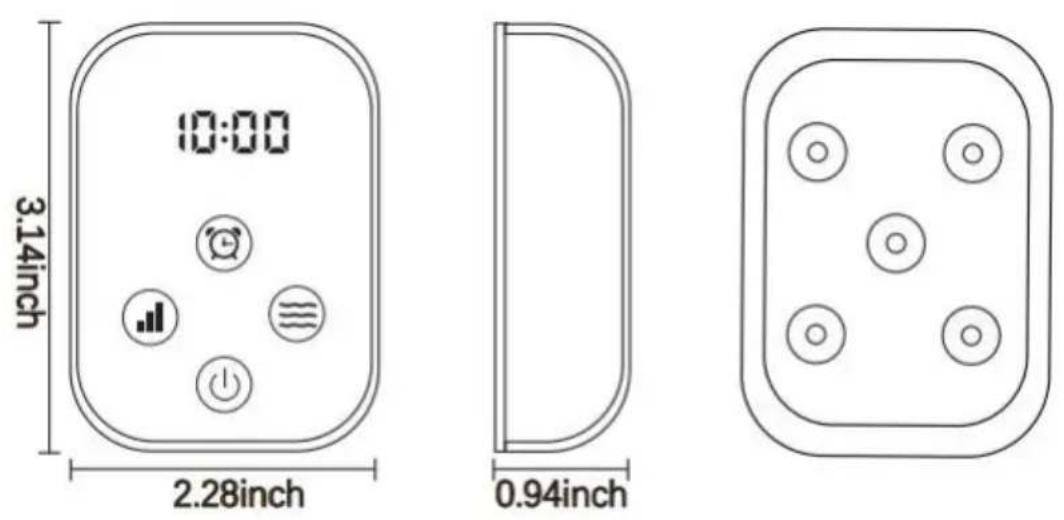
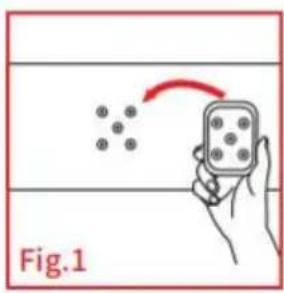
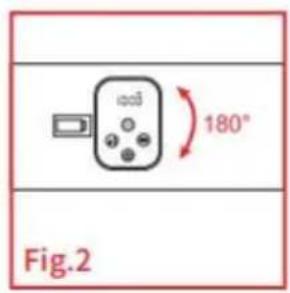
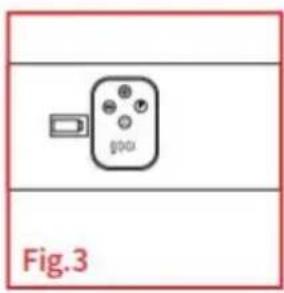
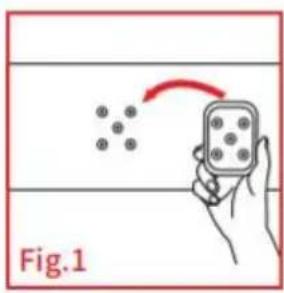
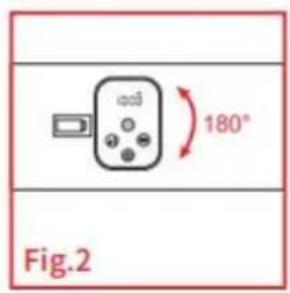
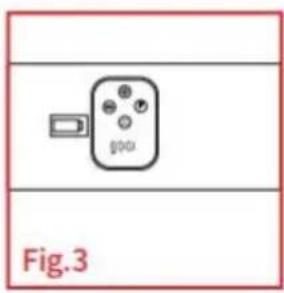
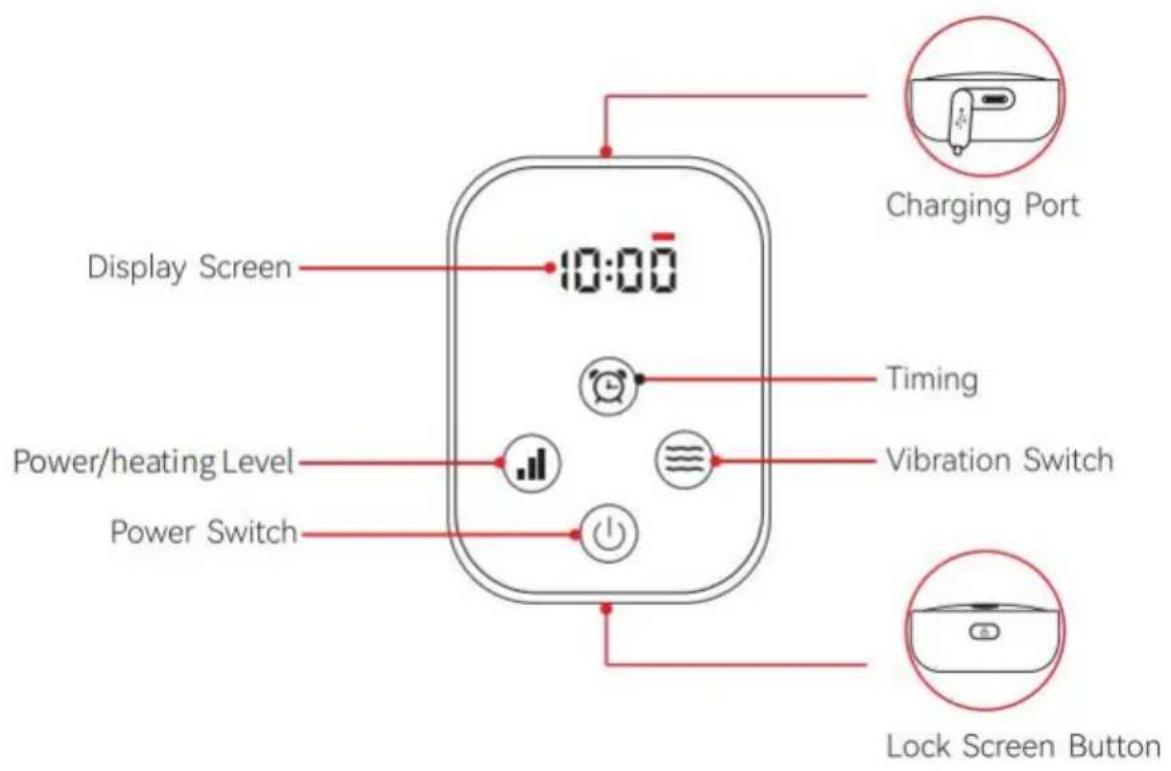
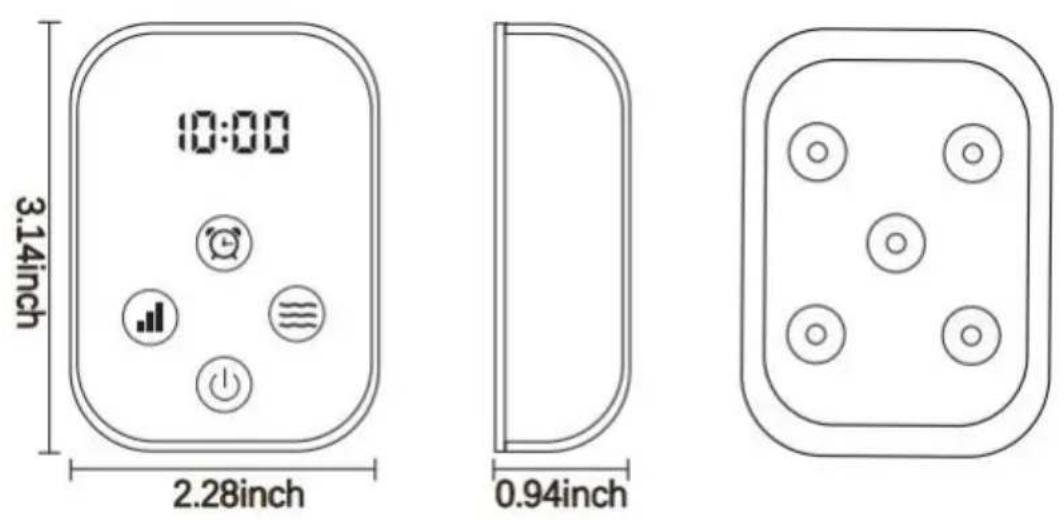
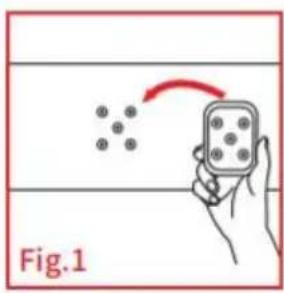
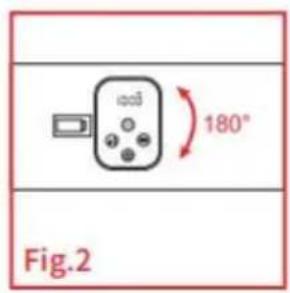
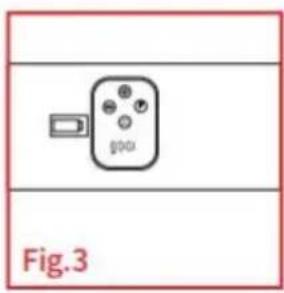
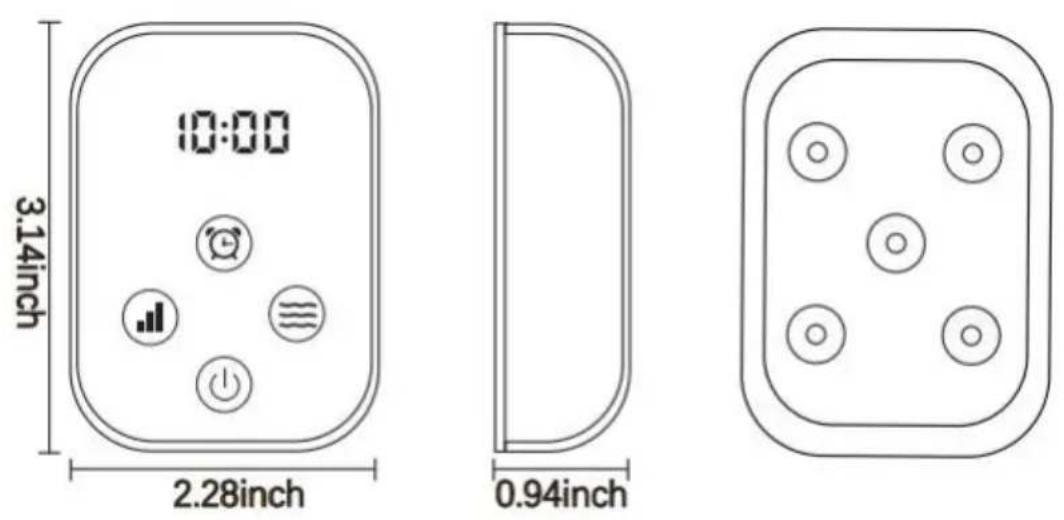
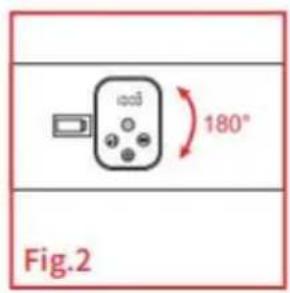
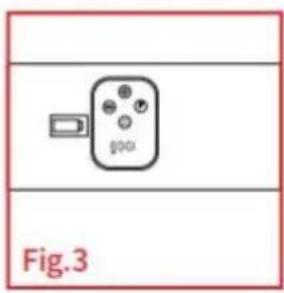
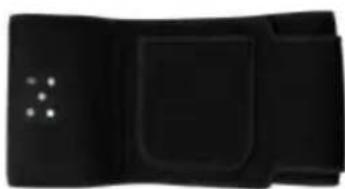
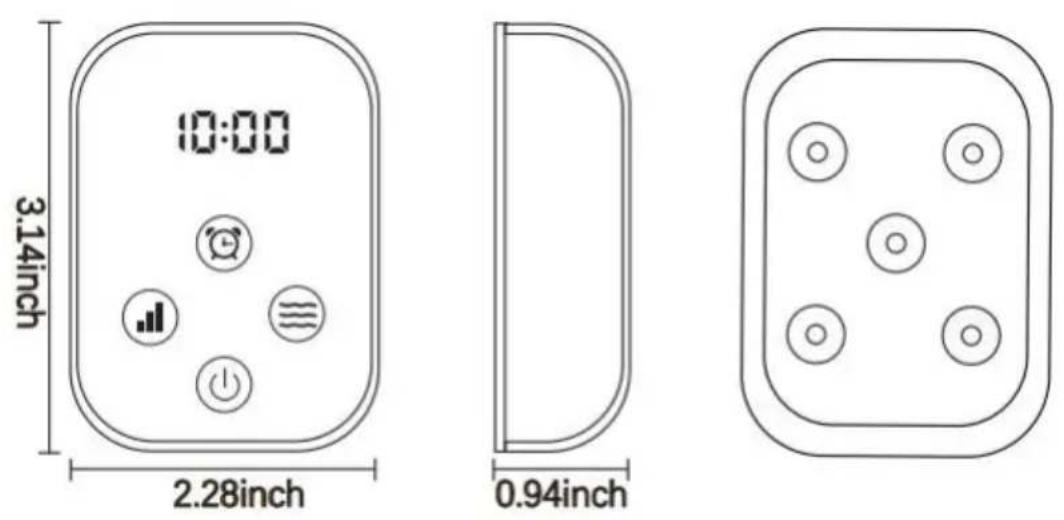
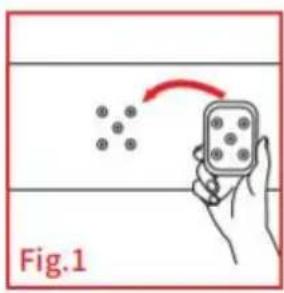
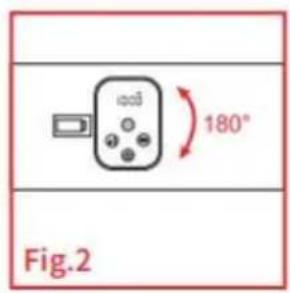
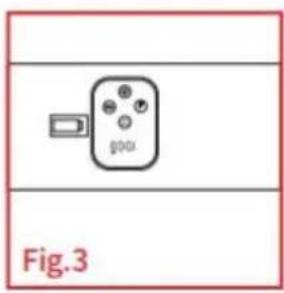
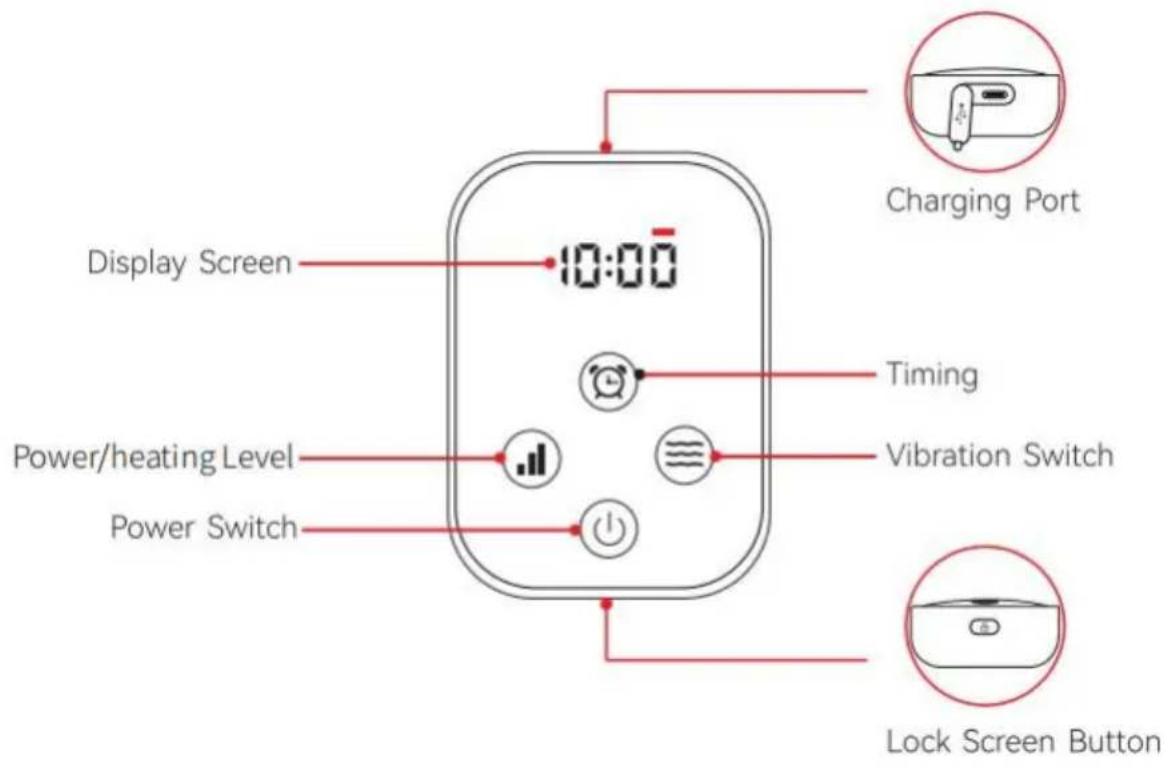
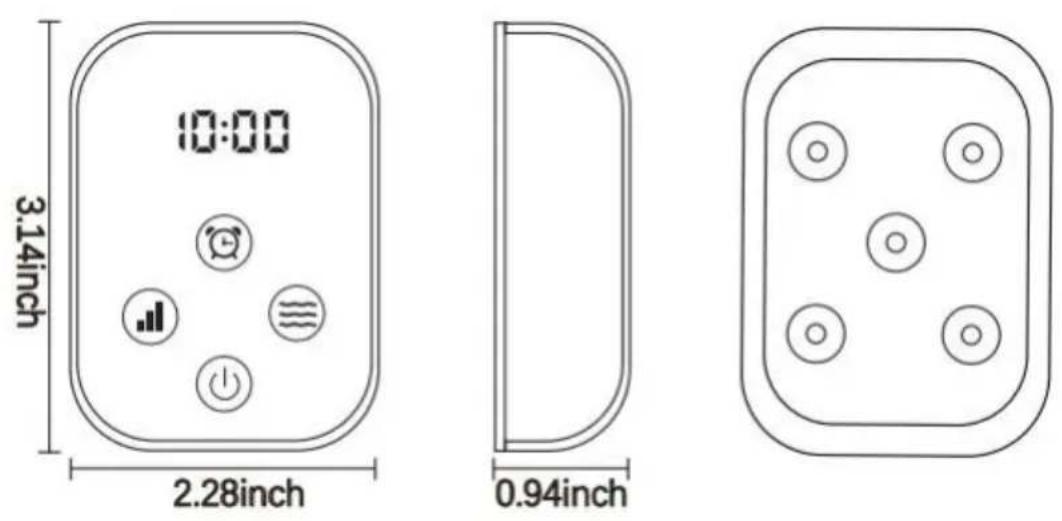
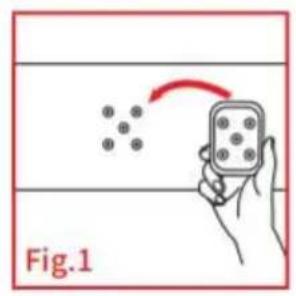
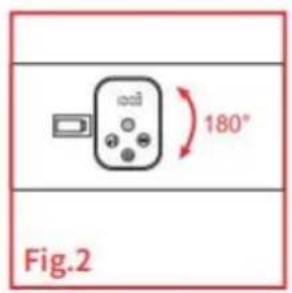
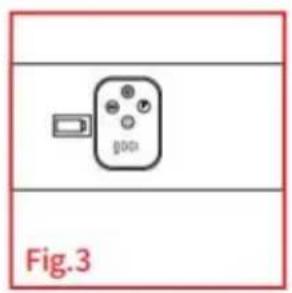
- Connect the power controller to the six magnetic buckles on the device and secure them in place.
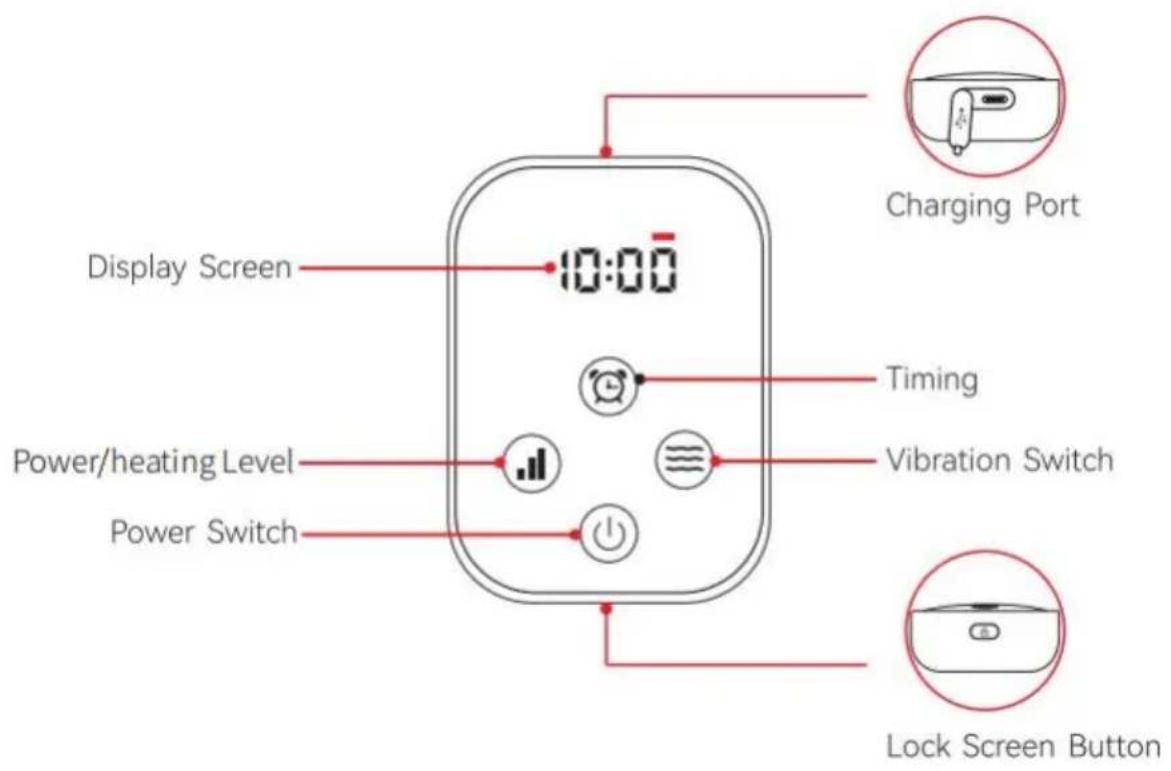
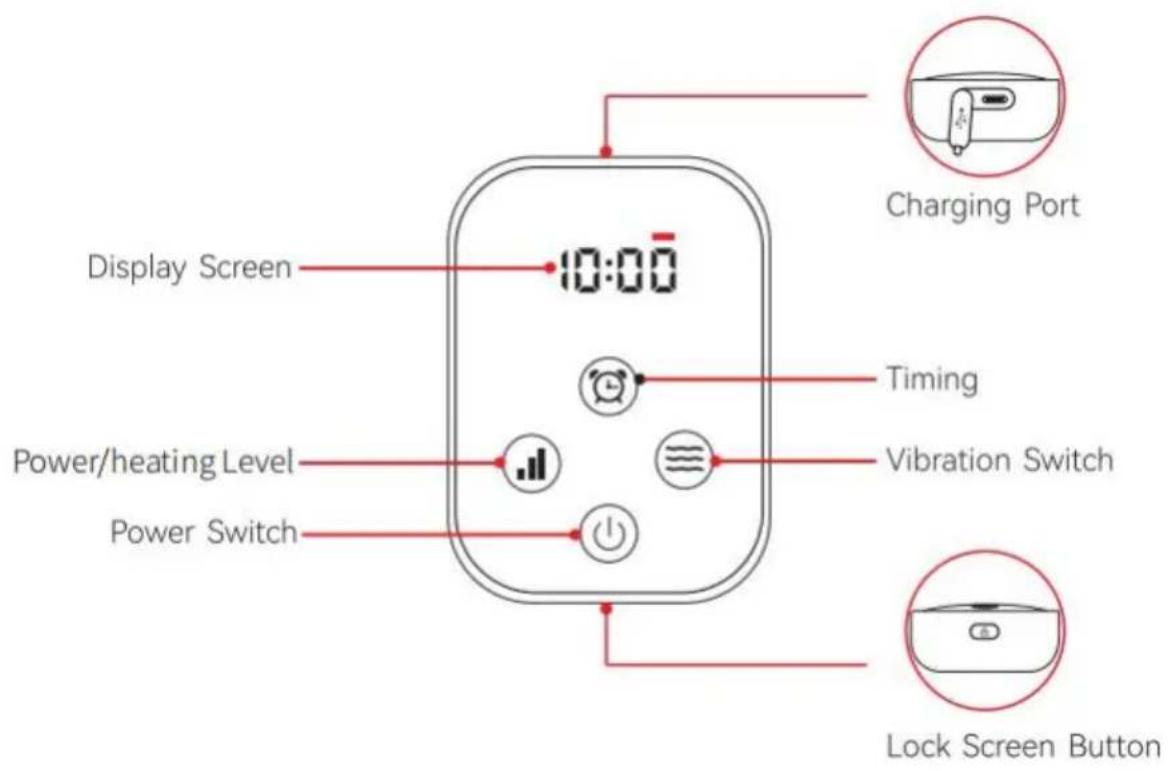
- Press and hold the power switch for 2 seconds to turn on the device. The device enters ALL Mode by default and the screen shows ALL. (ALL 660nm+850nm LEDs on at the same time, and the default timer turns off after 10 minutes in ALL Mode).
- Press the level button to adjust the power level. It cycles through P1-P3.
- Press the mode button to switch the operating mode, which is divided into two modes: ALL/10 Hz pulse. The light intensity cannot be adjusted when the device is in 10 Hz mode.
- Press the vibration button to adjust the intensity of vibration: L1-L2-L3-LOFF (vibration off).
- Press the timing adjustment button to adjust the timer according to requirements (10-20-30 minutes).
- Press and hold the power switch for 2 seconds to turn off the device. The device will turn off automatically after the timer ends. You can restart the device if needed.
- The screen can be locked by pressing the lock screen button during use and pressing it again to unlock the screen. If the touch screen fails during use, you can press and hold this button for more than 5 seconds to reset the device.
Benefits of the Red Light Therapy
Red Light (660nm):
Red light penetrates the skin, stimulating cellular activity and enhancing blood circulation. It is known for promoting skin health, reducing inflammation, and aiding in wound healing.
Near-Infrared Light (850nm):
Near-infrared light penetrates deeper into the body's tissues, reaching muscles and joints. It helps alleviate muscle pain and stiffness and improves joint health.
Notice
The display screen will automatically switch to the timer after 5 seconds without operation.
The screen will turn off if there is no operation for 10 seconds.
The power indicator remains lit, and the device continues working.
The power controller can light up the screen by pressing any button when the screen is off, and pressing a specific button will display the current mode.
The average running time of the device is 1-2 hours, depending on the level you use. Charging time is about 2 hours.
The power indicator turns red when the remaining power is about 20%. Please charge the device promptly.
This device cannot be used during charging.
Fully charge the device before long-term non-use to protect the battery.
Daily Maintenance
The device will generate a lot of heat energy during use, which can cause sweating with long-term skin contact.
To facilitate cleaning and prevent sweat from eroding the LEDs and
shortening their lifespan, it is recommended to simply wipe the surface of the LEDs with a dry towel after use. (Please keep the LED panel and power controller out of water.)
Cautions
- Do not look directly into the red light when the device is working. Prolonged exposure to the red light may harm your eyes.
- Do not wear metal accessories in the use area to avoid metal heat which can burn the skin.
- Do not use the device in combination with ointments, creams or topical pain relievers that contain febrifuge ingredients.
- Do not expose the equipment to sunlight and keep it away from heat and water sources.
- Do not use equipment other than those provided by us. For adult use only. Children should not play with the device without adult supervision.
- Please follow the recommendations in the user manual.
- Do not disassemble or alter the device in any way. Improper disassembly or reassembly may result in the risk of short-circuiting, electric shock, or exposure to battery chemicals. Do not leave the device working unattended.
- For storage and travel, please keep the power off and keep out of reach of children.
To protect the environment, please dispose of this product properly in accordance with local laws and regulations.
Troubleshooting
You may encounter the following problems. If the device still does not work after troubleshooting, please contact customer service or the seller for technical support. Please do not attempt to repair it yourself.
| Issue | Possible Reason | Solution |
| Unable to charge | The charger is not compatible. | Make sure to use the original power cord with a 5V/2A adapter. |
| The power cord is not plugged in tightly. | Ensure the power cord is securely attached. | |
| Don’t turn on | The battery runs out. | Please charge the device. |
| The power controller is not installed properly. | Please check the power controller and ensure it is installed correctly. | |
| Stop working during use | The battery runs out. | Please charge the device. |
| The Smart timer turns off the device automatically. | Please turn it on again and adjust to the time you need. | |
| The power controller contact surface is loose. | Please check the power controller and ensure it is installed correctly. | |
| Battery runs out quickly. | Insufficient battery before use. | Please charge the device. |
| The device works under the highest power for a long time. | This is due to the different voltage and current outputs of the battery pack at different power levels. The device lasts for 1 hour at the highest power and up to about 2 hours at the lowest power. Please refer to the suggestions in (Photobiomodulation Guidance) and use it in a reasonable way for better performance. |
| Some LEDs do not work. | Turn on the ALL (660nm+850nm) modes. | The 850nm wavelengths is invisible to the naked eye in normal environments. It is only a faint red dot at most that can be seen within darker environments. It can actually provide a lot of energy, please feel free to use it. |
| Button does not respond. | Not pressed correctly. | Make sure to press the button firmly. |
| The device crashes. | Please press and hold the lock screen button for 5s to shut down the device forcibly and turn it on again. |
FCC Information
CAUTION: Changes or modifications not expressly approved by the party responsible for compliance could void the user's authority to operate the equipment!
This device complies with Part 15 of the FCC Rules. Operation is subject to the following two conditions:
1) This product may cause harmful interference. 2) This product must accept any interference received, including interference that may cause undesired operation.
WARNING: Changes or modifications to this product not expressly approved by the party responsible for compliance could void the user's authority to operate the product.
Note: This product has been tested and found to comply with the limits for a Class B digital device pursuant to Part 15 of the FCC Rules. These limits are designed to provide reasonable protection against harmful interference in a residential installation.
This product generates, uses and can radiate radio frequency energy, and if not installed and used in accordance with the instructions, may cause harmful interference to radio communications. However, there is no guarantee that interference will not occur in a particular installation. If this product does cause harmful interference to radio or television reception, which can be determined by turning the product off and on, the user is encouraged to try to correct the interference by one or more of the following measures.
- Reorient or relocate the receiving antenna.
- Increase the distance between the product and receiver.
- Connect the product to an outlet on a circuit different from that to which the receiver is connected.
- Consult the dealer or an experienced radio/TV technician for assistance.
Manufacturer: Shanghaimuxinmuyeyouxiangongsi
Address: Shuangchenglu 803nong11hao1602A-1609shi, baoshanqu, shanghai 200000 CN.
Imported to AUS: SIHAO PTY LTD. 1 ROKEVA STREETEASTWOOD NSW 2122 Australia
Imported to USA: Sanven Technology Ltd. Suite 250, 9166 Anaheim Place, Rancho Cucamonga, CA 91730
| UK | REP |
YH CONSULTING LIMITED. C/O YH Consulting Limited Office 147, Centurion House, London Road, Staines-upon-Thames, Surrey, TW18 4A>
| EC | REP |
Technical Support and E-Warranty Certificate
www.vevor.com/support
VEVOR®
TOUGH TOOLS, HALF PRICE
NEED HELP? CONTACT US!
INTRODUCTION
Fig 1. Red and near-infrared spectrometer
80pcs LED
105pcs LED
112pcs LED
PACKING LIST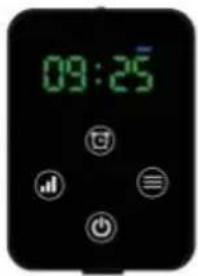
Power controller*1
USB-C power cord*1
SPECIFICATIONS
| 80PCS Belt | 105PCS Belt | 112PCS Belt | |
| Size | 125*22cm | 125*18cm | 125*22cm |
| Led qty | 80PCS | 105PCS | 112PCS |
| Power | 8W | 9W | 10W |
| Mode | 660nm:850nm | 660nm:850nm | 660nm:850nm |
| Battery capacity | 3000mAh | 3000mAh | 3000mAh |
| Timer | 10/20/30min | 10/20/30min | 10/20/30min |
| Charging parameters | USB-C 5V2A | USB-C 5V2A | USB-C 5V2A |
OPERATING INSTRUCTIONS
User manual
Notice
| Issue | Possible Reason | Solution |
| Unable to charge | The charger is not compatible. | Make sure to use the original power cord with a 5V/2A adapter. |
| The power cord is not plugged in tightly. | Ensure the power cord is securely attached. | |
| Don’t turn on | The battery runs out. | Please charge the device. |
| The power controller is not installed properly. | Please check the power controller and ensure it is installed correctly. | |
| Stop working during use | The battery runs out. | Please charge the device. |
| The Smart timer turns off the device automatically. | Please turn it on again and adjust to the time you need. | |
| The power controller contact surface is loose. | Please check the power controller and ensure it is installed correctly. | |
| Battery runs out quickly. | Insufficient battery before use. | Please charge the device. |
| The device works under the highest power for a long time. | This is due to the different voltage and current outputs of the battery pack at different power levels. The device lasts for 1 hour at the highest power and up to about 2 hours at the lowest power. Please refer to the suggestions in (Photobiomodulation Guidance) and use it in a reasonable way for better performance. |
| Some LEDs do not work. | Turn on the ALL (660nm+850nm) modes. | The 850nm wavelengths is invisible to the naked eye in normal environments. It is only a faint red dot at most that can be seen within darker environments. It can actually provide a lot of energy, please feel free to use it. |
| Button does not respond. | Not pressed correctly. | Make sure to press the button firmly. |
| The device crashes. | Please press and hold the lock screen button for 5s to shut down the device forcibly and turn it on again. |
FCC Information
Place, Rancho Cucamonga, CA 91730
| UK | REP |
YH CONSULTING LIMITED. C/O YH Consultin Limited Office 147, Centurion House, London Road, Staines-upon-Thames, Surrey, TW18 4A>
| EC | REP |
www.vevor.com/support
VEVOR®
TOUGH TOOLS, HALF PRICE
INTRODUCTION
Fig 1. Red and near-infrared spectrometer
80pcs LED
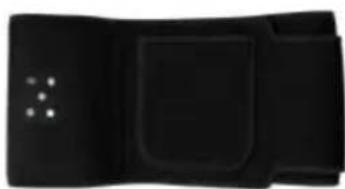
105pcs LED
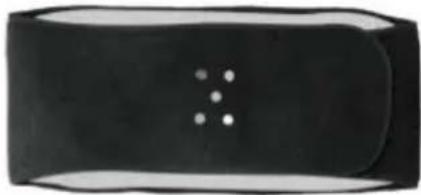
112pcs LED
PACKING LIST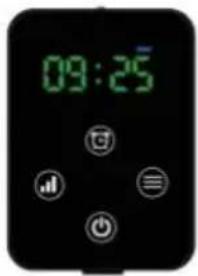
Power controller*1
USB-C power cord*1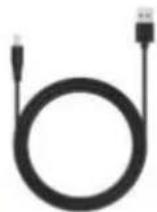
SPECIFICATIONS
| 80PCS Belt | 105PCS Belt | 112PCS Belt | |
| Size | 125*22cm | 125*18cm | 125*22cm |
| Led qty | 80PCS | 105PCS | 112PCS |
| Power | 8W | 9W | 10W |
| Mode | 660nm:850nm | 660nm:850nm | 660nm:850nm |
| Battery capacity | 3000mAh | 3000mAh | 3000mAh |
| Timer | 10/20/30min | 10/20/30min | 10/20/30min |
| Charging parameters | USB-C 5V2A | USB-C 5V2A | USB-C 5V2A |
OPERATING INSTRUCTIONS
INSTRUCTIONS FOR USE
NOTE
| Issue | Possible Reason | Solution |
| Unable to charge | The charger is not compatible. | Make sure to use the original power cord with a 5V/2A adapter. |
| The power cord is not plugged in tightly. | Ensure the power cord is securely attached. | |
| Don’t turn on | The battery runs out. | Please charge the device. |
| The power controller is not installed properly. | Please check the power controller and ensure it is installed correctly. | |
| Stop working during use | The battery runs out. | Please charge the device. |
| The Smart timer turns off the device automatically. | Please turn it on again and adjust to the time you need. | |
| The power controller contact surface is loose. | Please check the power controller and ensure it is installed correctly. | |
| Battery runs out quickly. | Insufficient battery before use. | Please charge the device. |
| The device works under the highest power for a long time. | This is due to the different voltage and current outputs of the battery pack at different power levels. The device lasts for 1 hour at the highest power and up to about 2 hours at the lowest power. Please refer to the suggestions in (Photobiomodulation Guidance) and use it in a reasonable way for better performance. |
| Some LEDs do not work. | Turn on the ALL (660nm+850nm) modes. | The 850nm wavelengths is invisible to the naked eye in normal environments. It is only a faint red dot at most that can be seen within darker environments. It can actually provide a lot of energy, please feel free to use it. |
| Button does not respond. | Not pressed correctly. | Make sure to press the button firmly. |
| The device crashes. | Please press and hold the lock screen button for 5s to shut down the device forcibly and turn it on again. |
FCC INFORMATION
YH CONSULTING LIMITED. C/O YH Consulting Limited Office 147, Centurion House, London Road, Staines-upon-Thames, Surrey, TW18 4AX
| EC | REP |
www.vevor.com/support
VEVOR®
TOUGH TOOLS, HALF PRICE
NEED HELP? CONTACT US!
INTRODUCTION
Fig 1. Red and near-infrared spectrometer
80pcs LED
105pcs LED
112pcs LED
PACKING LIST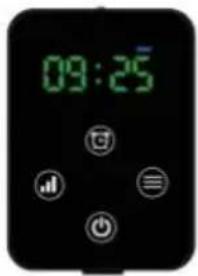
Power controller*1
USB-C power cord*1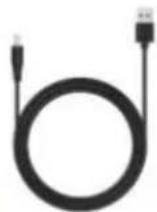
SPECIFICATIONS
| 80PCS Belt | 105PCS Belt | 112PCS Belt | |
| Size | 125*22cm | 125*18cm | 125*22cm |
| Led qty | 80PCS | 105PCS | 112PCS |
| Power | 8W | 9W | 10W |
| Mode | 660nm:850nm | 660nm:850nm | 660nm:850nm |
| Battery capacity | 3000mAh | 3000mAh | 3000mAh |
| Timer | 10/20/30min | 10/20/30min | 10/20/30min |
| Charging parameters | USB-C 5V2A | USB-C 5V2A | USB-C 5V2A |
OPERATING INSTRUCTIONS
Red light (660 nm):
Warning
| Issue | Possible Reason | Solution |
| Unable to charge | The charger is not compatible. | Make sure to use the original power cord with a 5V/2A adapter. |
| The power cord is not plugged in tightly. | Ensure the power cord is securely attached. | |
| Don’t turn on | The battery runs out. | Please charge the device. |
| The power controller is not installed properly. | Please check the power controller and ensure it is installed correctly. | |
| Stop working during use | The battery runs out. | Please charge the device. |
| The Smart timer turns off the device automatically. | Please turn it on again and adjust to the time you need. | |
| The power controller contact surface is loose. | Please check the power controller and ensure it is installed correctly. | |
| Battery runs out quickly. | Insufficient battery before use. | Please charge the device. |
| The device works under the highest power for a long time. | This is due to the different voltage and current outputs of the battery pack at different power levels. The device lasts for 1 hour at the highest power and up to about 2 hours at the lowest power. Please refer to the suggestions in (Photobiomodulation Guidance) and use it in a reasonable way for better performance. |
| Some LEDs do not work. | Turn on the ALL (660nm+850nm) modes. | The 850nm wavelengths is invisible to the naked eye in normal environments. It is only a faint red dot at most that can be seen within darker environments. It can actually provide a lot of energy, please feel free to use it. |
| Button does not respond. | Not pressed correctly. | Make sure to press the button firmly. |
| The device crashes. | Please press and hold the lock screen button for 5s to shut down the device forcibly and turn it on again. |
FCC Information
Imported in AUS: SIHAO PTY LTD. 1 ROKEVA STREETEASTWOOD NSW 2122Australia
YH CONSULTING LIMITED. C/O YH Consultin Limited Office 147, Centurion House, London Road, Staines-upon-Thames, Surrey, TW18 4A>
| EC | REP |
www.vevor.com/support
VEVOR®
TOUGH TOOLS, HALF PRICE
INTRODUCTION
Fig 1. Red and near-infrared spectrometer
80pcs LED
105pcs LED
112pcs LED
PACKING LIST
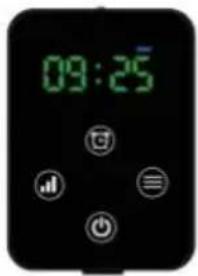
Power controller*1
USB-C power cord*1
SPECIFICATIONS
| 80PCS Belt | 105PCS Belt | 112PCS Belt | |
| Size | 125*22cm | 125*18cm | 125*22cm |
| Led qty | 80PCS | 105PCS | 112PCS |
| Power | 8W | 9W | 10W |
| Mode | 660nm:850nm | 660nm:850nm | 660nm:850nm |
| Battery capacity | 3000mAh | 3000mAh | 3000mAh |
| Timer | 10/20/30min | 10/20/30min | 10/20/30min |
| Charging parameters | USB-C 5V2A | USB-C 5V2A | USB-C 5V2A |
OPERATING INSTRUCTIONS
Note
| Issue | Possible Reason | Solution |
| Unable to charge | The charger is not compatible. | Make sure to use the original power cord with a 5V/2A adapter. |
| The power cord is not plugged in tightly. | Ensure the power cord is securely attached. | |
| Don’t turn on | The battery runs out. | Please charge the device. |
| The power controller is not installed properly. | Please check the power controller and ensure it is installed correctly. | |
| Stop working during use | The battery runs out. | Please charge the device. |
| The Smart timer turns off the device automatically. | Please turn it on again and adjust to the time you need. | |
| The power controller contact surface is loose. | Please check the power controller and ensure it is installed correctly. | |
| Battery runs out quickly. | Insufficient battery before use. | Please charge the device. |
| The device works under the highest power for a long time. | This is due to the different voltage and current outputs of the battery pack at different power levels. The device lasts for 1 hour at the highest power and up to about 2 hours at the lowest power. Please refer to the suggestions in (Photobiomodulation Guidance) and use it in a reasonable way for better performance. |
| Some LEDs do not work. | Turn on the ALL (660nm+850nm) modes. | The 850nm wavelengths is invisible to the naked eye in normal environments. It is only a faint red dot at most that can be seen within darker environments. It can actually provide a lot of energy, please feel free to use it. |
| Button does not respond. | Not pressed correctly. | Make sure to press the button firmly. |
| The device crashes. | Please press and hold the lock screen button for 5s to shut down the device forcibly and turn it on again. |
FCC Information
YH CONSULTING LIMITED. C/O YH Consulting
Limited Office 147, Centurion House, London
Road, Staines-upon-Thames, Surrey, TW18 4AX
| EC | REP |
E-CrossStu GmbH
Mainzer Landstr.69,
60329 Frankfurt am Main.
VEVOR®
TOUGH TOOLS, HALF PRICE
NEED HELP? CONTACT US!
INTRODUCTION
Fig 1. Red and near-infrared spectrometer
80pcs LED
105pcs LED
112pcs LED
PACKING LIST
Power controller*1
USB-C power cord*1
SPECIFICATIONS
| 80PCS Belt | 105PCS Belt | 112PCS Belt | |
| Size | 125*22cm | 125*18cm | 125*22cm |
| Led qty | 80PCS | 105PCS | 112PCS |
| Power | 8W | 9W | 10W |
| Mode | 660nm:850nm | 660nm:850nm | 660nm:850nm |
| Battery capacity | 3000mAh | 3000mAh | 3000mAh |
| Timer | 10/20/30min | 10/20/30min | 10/20/30min |
| Charging parameters | USB-C 5V2A | USB-C 5V2A | USB-C 5V2A |
OPERATING INSTRUCTIONS

INSTRUCTIONS FOR USE
ANNOUNCEMENT
| Issue | Possible Reason | Solution |
| Unable to charge | The charger is not compatible. | Make sure to use the original power cord with a 5V/2A adapter. |
| The power cord is not plugged in tightly. | Ensure the power cord is securely attached. | |
| Don’t turn on | The battery runs out. | Please charge the device. |
| The power controller is not installed properly. | Please check the power controller and ensure it is installed correctly. | |
| Stop working during use | The battery runs out. | Please charge the device. |
| The Smart timer turns off the device automatically. | Please turn it on again and adjust to the time you need. | |
| The power controller contact surface is loose. | Please check the power controller and ensure it is installed correctly. | |
| Battery runs out quickly. | Insufficient battery before use. | Please charge the device. |
| The device works under the highest power for a long time. | This is due to the different voltage and current outputs of the battery pack at different power levels. The device lasts for 1 hour at the highest power and up to about 2 hours at the lowest power. Please refer to the suggestions in (Photobiomodulation Guidance) and use it in a reasonable way for better performance. |
| Some LEDs do not work. | Turn on the ALL (660nm+850nm) modes. | The 850nm wavelengths is invisible to the naked eye in normal environments. It is only a faint red dot at most that can be seen within darker environments. It can actually provide a lot of energy, please feel free to use it. |
| Button does not respond. | Not pressed correctly. | Make sure to press the button firmly. |
| The device crashes. | Please press and hold the lock screen button for 5s to shut down the device forcibly and turn it on again. |
FCC Information
YH CONSULTING LIMITED. C/O YH Consulting Limited Office 147, Centurion House, London Road, Staines-upon-Thames, Surrey, TW18 4A
| EC | REP |
www.vevor.com/support
VEVOR®
TOUGH TOOLS, HALF PRICE
Technical Support and e-warranty certificate www.vevor.com/support
RED LIGHT THERAPY BELT
MODEL: BRL-1000 BRL-1150 BRL-1180
NEED HELP? CONTACT US!
INTRODUCTION
Fig 1. Red and near-infrared spectrometer
80pcs LED
105pcs LED
112pcs LED
PACKING LIST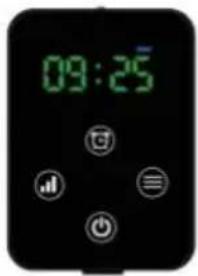
Power controller*1
USB-C power cord*1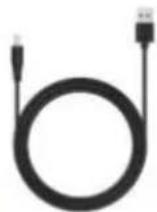
SPECIFICATIONS
| 80PCS Belt | 105PCS Belt | 112PCS Belt | |
| Size | 125*22cm | 125*18cm | 125*22cm |
| Led qty | 80PCS | 105PCS | 112PCS |
| Power | 8W | 9W | 10W |
| Mode | 660nm:850nm | 660nm:850nm | 660nm:850nm |
| Battery capacity | 3000mAh | 3000mAh | 3000mAh |
| Timer | 10/20/30min | 10/20/30min | 10/20/30min |
| Charging parameters | USB-C 5V2A | USB-C 5V2A | USB-C 5V2A |
OPERATING INSTRUCTIONS
User manual
Notice
| Issue | Possible Reason | Solution |
| Unable to charge | The charger is not compatible. | Make sure to use the original power cord with a 5V/2A adapter. |
| The power cord is not plugged in tightly. | Ensure the power cord is securely attached. | |
| Don’t turn on | The battery runs out. | Please charge the device. |
| The power controller is not installed properly. | Please check the power controller and ensure it is installed correctly. | |
| Stop working during use | The battery runs out. | Please charge the device. |
| The Smart timer turns off the device automatically. | Please turn it on again and adjust to the time you need. | |
| The power controller contact surface is loose. | Please check the power controller and ensure it is installed correctly. | |
| Battery runs out quickly. | Insufficient battery before use. | Please charge the device. |
| The device works under the highest power for a long time. | This is due to the different voltage and current outputs of the battery pack at different power levels. The device lasts for 1 hour at the highest power and up to about 2 hours at the lowest power. Please refer to the suggestions in (Photobiomodulation Guidance) and use it in a reasonable way for better performance. |
| Some LEDs do not work. | Turn on the ALL (660nm+850nm) modes. | The 850nm wavelengths is invisible to the naked eye in normal environments. It is only a faint red dot at most that can be seen within darker environments. It can actually provide a lot of energy, please feel free to use it. |
| Button does not respond. | Not pressed correctly. | Make sure to press the button firmly. |
| The device crashes. | Please press and hold the lock screen button for 5s to shut down the device forcibly and turn it on again. |
FCC Information
YH CONSULTING LIMITED. C/O YH Consultin Limited Office 147, Centurion House, London Road, Staines-upon-Thames, Surrey, TW18 4A>
| EC | REP |
www.vevor.com/support
VEVOR®
TOUGH TOOLS, HALF PRICE
NEED HELP? CONTACT US!
INTRODUCTION
Fig 1. Red and near-infrared spectrometer
80pcs LED
105pcs LED
112pcs LED
PACKING LIST
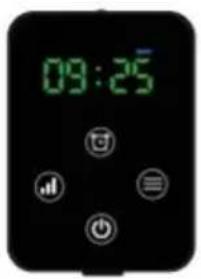
Power controller*1
USB-C power cord*1
SPECIFICATIONS
| 80PCS Belt | 105PCS Belt | 112PCS Belt | |
| Size | 125*22cm | 125*18cm | 125*22cm |
| Led qty | 80PCS | 105PCS | 112PCS |
| Power | 8W | 9W | 10W |
| Mode | 660nm:850nm | 660nm:850nm | 660nm:850nm |
| Battery capacity | 3000mAh | 3000mAh | 3000mAh |
| Timer | 10/20/30min | 10/20/30min | 10/20/30min |
| Charging parameters | USB-C 5V2A | USB-C 5V2A | USB-C 5V2A |
Note
| Issue | Possible Reason | Solution |
| Unable to charge | The charger is not compatible. | Make sure to use the original power cord with a 5V/2A adapter. |
| The power cord is not plugged in tightly. | Ensure the power cord is securely attached. | |
| Don’t turn on | The battery runs out. | Please charge the device. |
| The power controller is not installed properly. | Please check the power controller and ensure it is installed correctly. | |
| Stop working during use | The battery runs out. | Please charge the device. |
| The Smart timer turns off the device automatically. | Please turn it on again and adjust to the time you need. | |
| The power controller contact surface is loose. | Please check the power controller and ensure it is installed correctly. | |
| Battery runs out quickly. | Insufficient battery before use. | Please charge the device. |
| The device works under the highest power for a long time. | This is due to the different voltage and current outputs of the battery pack at different power levels. The device lasts for 1 hour at the highest power and up to about 2 hours at the lowest power. Please refer to the suggestions in (Photobiomodulation Guidance) and use it in a reasonable way for better performance. |
| Some LEDs do not work. | Turn on the ALL (660nm+850nm) modes. | The 850nm wavelengths is invisible to the naked eye in normal environments. It is only a faint red dot at most that can be seen within darker environments. It can actually provide a lot of energy, please feel free to use it. |
| Button does not respond. | Not pressed correctly. | Make sure to press the button firmly. |
| The device crashes. | Please press and hold the lock screen button for 5s to shut down the device forcibly and turn it on again. |
FCC Information
YH CONSULTING LIMITED. C/O YH Consulting Limited Office 147, Centurion House, London Road, Staines-upon-Thames, Surrey, TW18 4A
| EC | REP |
www.vevor.com/support
- RED LIGHT THERAPY BELT
- MODEL: BRL-1000 BRL-1150 BRL
- NEED HELP? CONTACT US
- CORRECT DISPOSAL
- RED LIGHT THERAPY BELT USER MANUAL
- INTRODUCTION
- PACKING LIST
- INSTRUCTIONS FOR USE
- BENEFITS OF THE RED LIGHT THERAPY
- RED LIGHT (660NM)
- NEAR-INFRARED LIGHT (850NM)
- NOTICE
- DAILY MAINTENANCE
- CAUTIONS
- TROUBLESHOOTING
- FCC INFORMATION
- VEVOR®
- TOUGH TOOLS, HALF PRICE
- OPERATING INSTRUCTIONS
- USER MANUAL
- NOTE
- RED LIGHT (660 NM)
- WARNING
- SPECIFICATIONS
- ANNOUNCEMENT
Brand : Vevor
Model : BRL-1000
Category : Red light therapy device