
6601 - Power tool Vevor - Free user manual and instructions
Find the device manual for free 6601 Vevor in PDF.
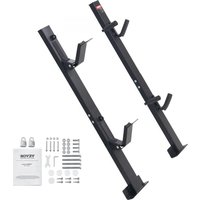


| Brand | Vevor |
| Model | 6601 |
| Product Type | Upright mower carrier |
| Load capacity per slot | 22 lb (approx 10 kg) |
| Number of slots | 2 |
| Total product height | 770 ± 10 mm |
| Main material | Steel |
| Mounting type | Upright mounted on trailer |
| Included components | Upper and lower locking posts, upper and lower compression posts, M10x30 bolts (4), M10x75 bolts (4), M10 nuts (4), M6x60 bolts (4), M6 nuts (4), combination locks (2), user manual |
| Combination lock | Yes, adjustable code (factory code 0-0-0) |
| Maintenance and cleaning | Check the tightness of screws every 2 months; repaint chipped areas to prevent rust |
| Safety | Wear safety goggles; check location of brake lines and wiring before drilling; do not overload |
| Warranty | Electronic warranty via www.vevor.com/support |
| Technical support | Available at www.vevor.com/support |
Frequently Asked Questions - 6601 Vevor
User questions about 6601 Vevor
0 question about this device. Answer the ones you know or ask your own.
Ask a new question about this device
Download the instructions for your Power tool in PDF format for free! Find your manual 6601 - Vevor and take your electronic device back in hand. On this page are published all the documents necessary for the use of your device. 6601 by Vevor.
USER MANUAL 6601 Vevor
Technical Support and E-Warranty Certificate www.vevor.com/support
TRIMMER RACK
MODEL: 6601
We continue to be committed to providing you with tools at competitive prices. "Save Half", "Half Price", or any other similar expressions used by us only represent the savings you might benefit from buying certain tools with us compared to top brands and do not necessarily mean to cover all categories of tools offered. We kindly remind you to verify carefully when placing an order with us whether you are actually saving half in comparison with the top major brands.
VEVOR®
TOUGH TOOLS, HALF PRICE
TRIMMER RACK
MODEL: 6601
NEED HELP? CONTACT US!
Have product questions? Need technical support? Please feel free to contact us:
Technical Support and E-Warranty Certificate www.vevor.com/support
This is the original instruction. Please read all manual instructions carefully before operating. VEVOR reserves the right to interpret the user manual. The appearance of the product shall be subject to the product you received. Please forgive us that we won't inform you of any technology or software updates on our product.
SAFETY INSTRUCTIONS
- Always wear safety glasses when using power tools.
- Check under the trailer and/or fender for locations of brake lines and electrical wiring etc., before drilling any holes. Any damage to the trailer during installation is the installer's sole responsibility.
- Due to the many different ways trailers are built, the hardware required to attach the rack is not included and must be supplied by the user.
- Prepare the tools required for the installation by yourself.
MODEL AND PARAMETERS
| Model | 6601 |
| Mounting Type | Standing Mounted |
| Slot | 2 |
| Maximum Load Capacity | 22 lbs / slot |
| Total Product Height | 770±10mm |
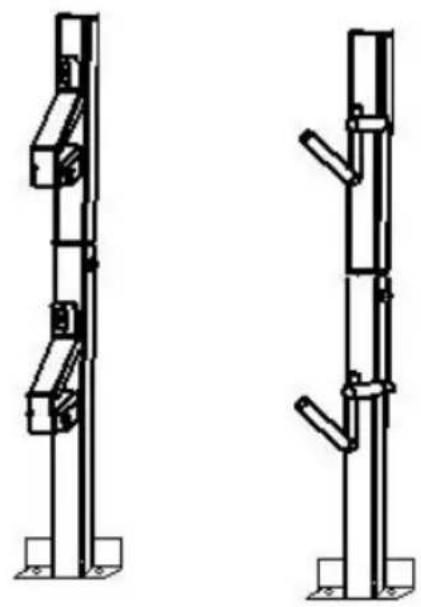
STRUCTURE DIAGRAM
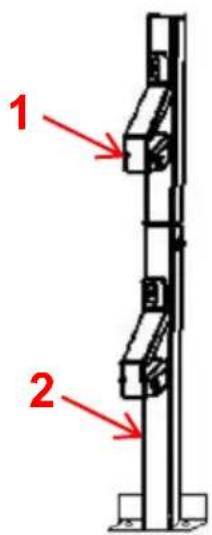
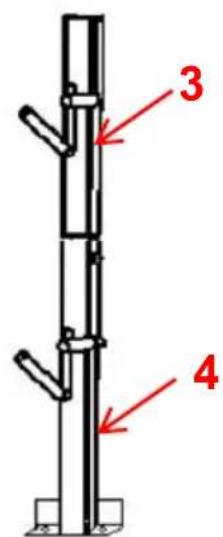
- Locking Pole-Up
- Locking Pole-Down
COMPONENTS
| No. | Picture | Name | Qty |
| 1 | 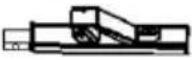 | Locking Pole- Up | 1 |
| 2 | 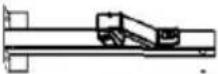 | Locking Pole- Down | 1 |
| 3 | 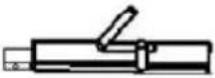 | Compression Pole- Up | 1 |
| 4 | 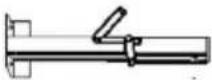 | Compression Pole- Down | 1 |
| 5 |  | Bolts(M10*30) | 4 |
| 6 |  | Bolts(M10*75) | 4 |
| 7 |  | Nut(M10) | 4 |
| 8 |  | Bolts(M6*60) | 4 |
| 9 |  | Nut(M6) | 4 |
| 10 |  | Coded Lock | 2 |
| 11 |  | User Manual | 1 |
Step 1: Assemble the Bracket.
Bolts (M6*60)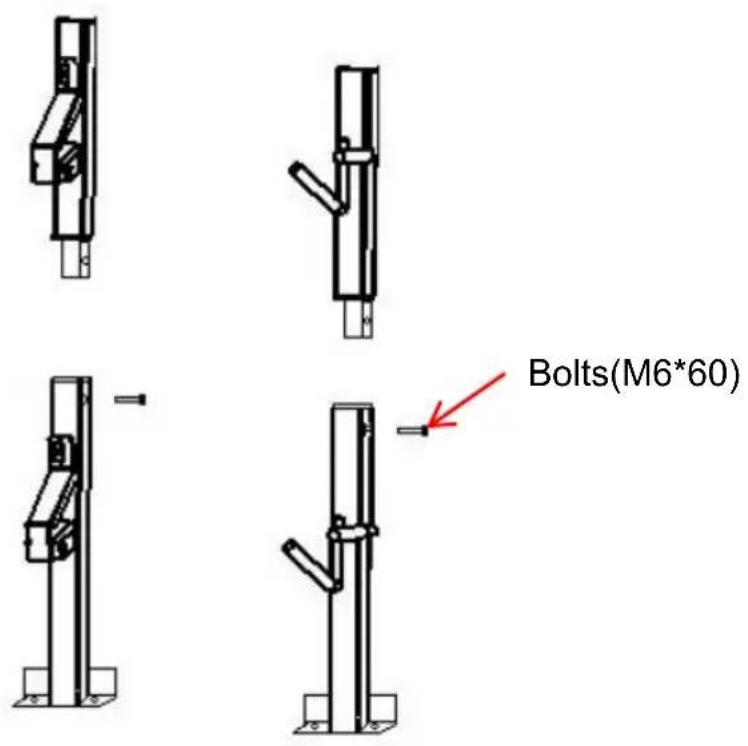
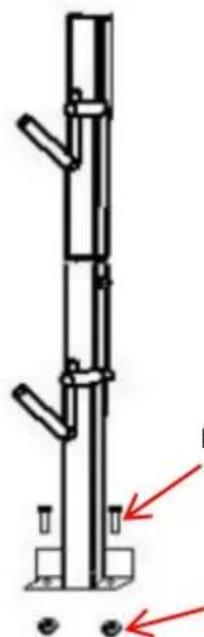
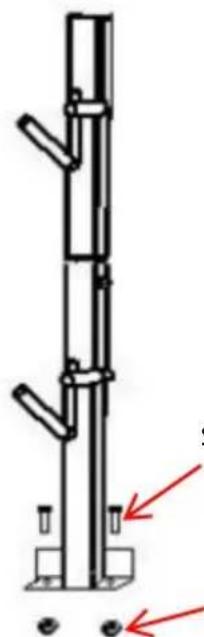
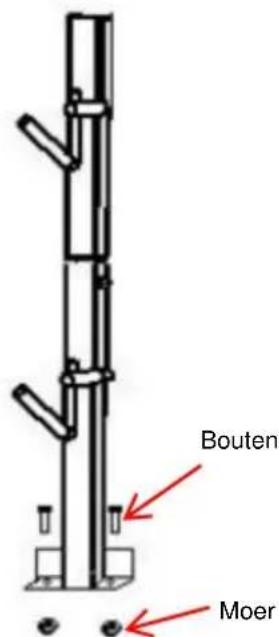
Step 2: Mounting to the trailer.
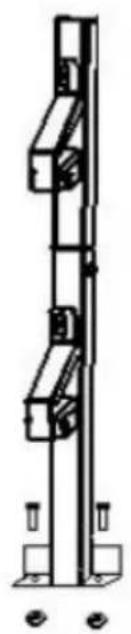
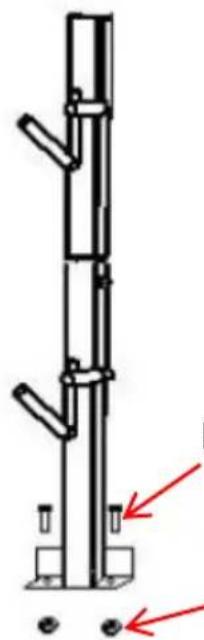
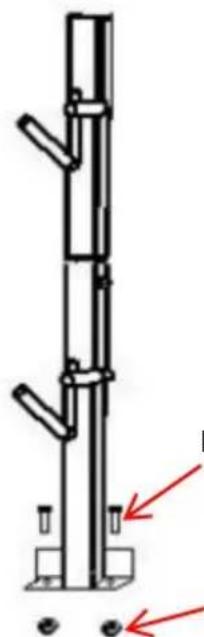
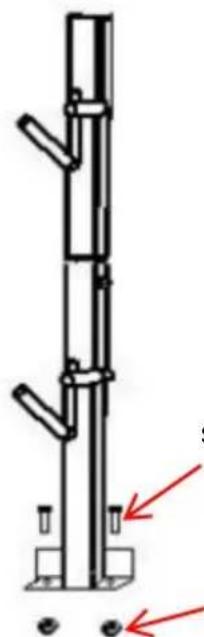
Bolts (M10*30) or (M10*75 Nut)
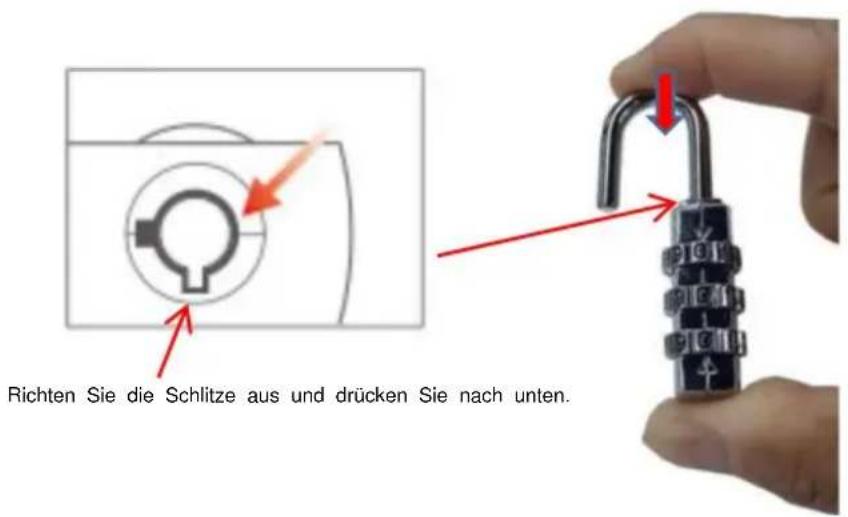
INSTRUCTIONS FOR THE CODED LOCK
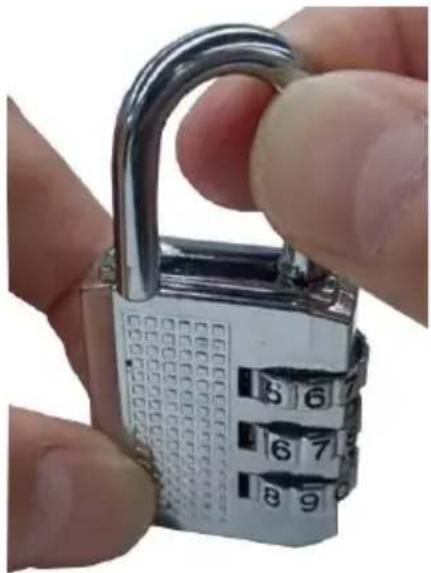
The lock is opened at the original number 0-0-0, aligned with the inc line. (Even though dials may be positioned at different numbers.)
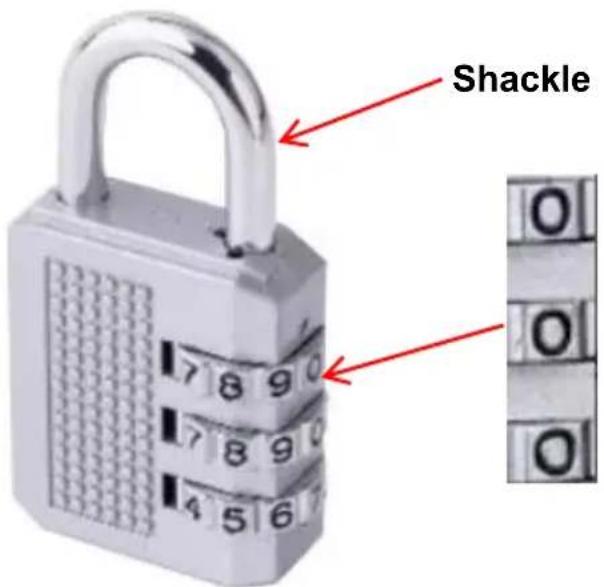
To set your personal combination, follow these steps:
- Pull up the shackle to open the lock.
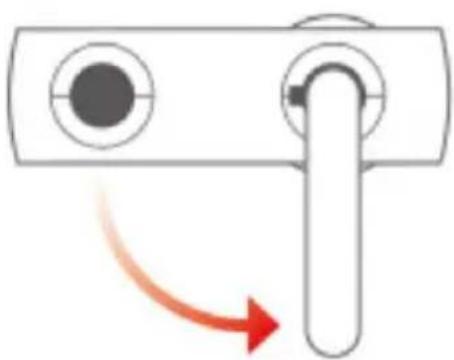
- Rotate the shackle 90° counterclockwise and press all the way down (Note: Keep pressing until the password is changed.)
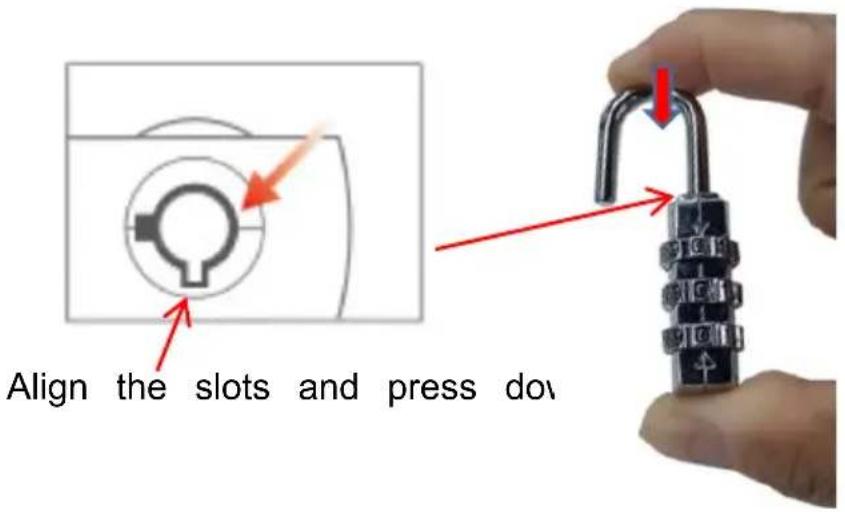
- Set your own combination by turning dials.
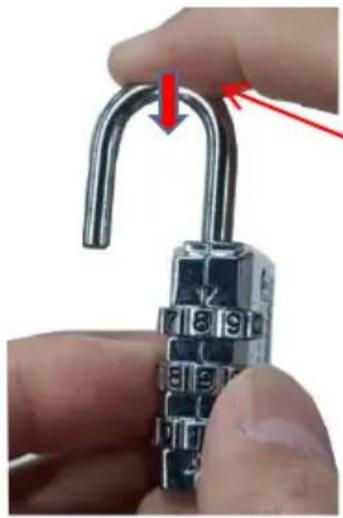
Keep pressing until the password is changed.
- Turn the shackle back as normal. Then the setting is completed.
MAINTENANCE
- Do not overload.
- Please check and confirm whether the screws are loose every two months.
- If any part of the paint is broken, please repair the paint as soon as possible to prevent rust.
VEVOR®
TOUGH TOOLS, HALF PRICE
Technical Support and E-Warranty Certificate
www.vevor.com/support
VEVOR®
TOUGH TOOLS, HALF PRICE
MAINTENANCE
Machine Translated by Google
MAINTENANCE
www.vevor.com/support
VEVOR®
TOUGH TOOLS, HALF PRICE

Bolts (M10*30) or (M10*75)
INSTRUCTIONS FOR THE CODED LOCK The
MAINTENANCE
electronics www.vevor.com/support
VEVOR®
TOUGH TOOLS, HALF PRICE
Bolts (M10*30) or (M10*75)
MAINTENANCE
NEED HELP? CONTACT US!
MAINTENANCE
NEED HELP? CONTACT US!
Bolts (M10*30) or (M10*75)
MAINTENANCE
warranty certificate www.vevor.com/support
VEVOR®
TOUGH TOOLS, HALF PRICE
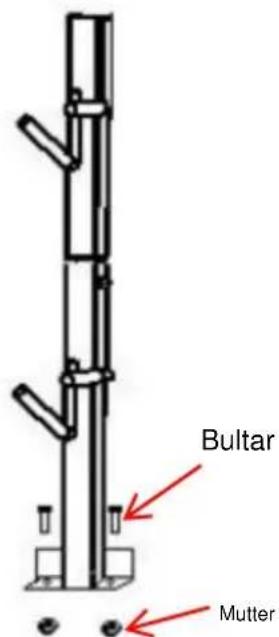
Bolts (M10*30) or (M10*75)
MAINTENANCE
www.vevor.com/support

Brand : Vevor
Model : 6601
Category : Power tool