
JRWD6010 - Wheelchair Vevor - Free user manual and instructions
Find the device manual for free JRWD6010 Vevor in PDF.
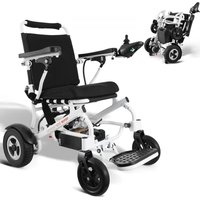


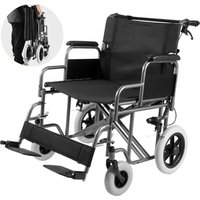
| Brand | Vevor |
| Model | JRWD6010 |
| Product type | Electric wheelchair |
| Maximum load | 136 kg |
| Maximum speed | 6 km/h (adjustable from 20 to 100%) |
| Battery | Li-ion 24V 20Ah |
| Maximum range | 20 km |
| Motor | 2 x DC 24V 250W |
| Front wheels | 8 inches |
| Rear wheels | 10 inches |
| Obstacle climbing | 50 mm |
| Maximum climbing angle | 6° (max slope 9° safely) |
| Static stability | 9° |
| Seat width | 17.7 or 20 inches (depending on model) |
| Charger | AC 100-240V 50/60Hz, output 24V DC 3A |
| Charging time | 8 to 10 hours (max 24h) |
| Driving mode | Electric joystick and manual mode (clutch lever) |
| Brakes | Electromagnetic brakes |
| Protection rating | IPX3 (wheelchair), IPX1 (charger) |
| Service life | 5 years from date of manufacture |
| Warranty | 1 year (excluding wear parts) |
| Maintenance | Regular cleaning, checking tires and battery, recommended annual service |
| Storage temperature | -40°C to +55°C, humidity ≤80% |
Frequently Asked Questions - JRWD6010 Vevor
User questions about JRWD6010 Vevor
0 question about this device. Answer the ones you know or ask your own.
Ask a new question about this device
Download the instructions for your Wheelchair in PDF format for free! Find your manual JRWD6010 - Vevor and take your electronic device back in hand. On this page are published all the documents necessary for the use of your device. JRWD6010 by Vevor.
USER MANUAL JRWD6010 Vevor
Technical Support and E-Warranty Certificate www.vevor.com/support
ELECTIRC WHEEL CHAIRS
OPERATING INSTRUCTIONS
MODEL: JRWD6010
We continue to be committed to provide you tools with competitive price. "Save Half", "Half Price" or any other similar expressions used by us only represent estimate of savings you might benefit from buying certain tools with us compared top brands and does not necessarily mean to cover all categories of tools offered are kindly reminded to verify carefully when you are placing an order with us actually saving half in comparison with the top major brands.
VEVOR®
TOUGH TOOLS, HALF PRICE
MODEL: JRWD6010

NEED HELP? CONTACT US!
Have product questions? Need technical support? Please feel fr contact us:
Technical Support and E-Warranty Certificate www.vevor.com/support
This is the original instruction, please read all manual instruction carefully before operating. VEVOR reserves a clear interpretation user manual. The appearance of the product shall be subject to product you received. Please forgive us that we won't inform you there are any technology or software updates on our product.
Preface
Please read the user manual carefully before taking the product into This manual contains operations, assembly methods, and simple fault solutions.
This manual applies to our model : JRWD6010.
This manual contains wheelchair maintenance and self-checking methods please put it in proper place.
Please provide this manual for reference when other people are going use this wheelchair.
The annotations and illustrations in this manual might be slightly differ with the real parts due to quality improvement or changing design. in kind prevail.
Contact with your dealer if there is any ambiguity or question.
Improper use of any vehicle may lead to injury. Unsafe driving could yourselves and others.
The electric wheelchair is intended to comfortably transport persons with walking difficulties or no walking abilities.
This electric wheelchair is designed to transport 1 person only.

Warning symbol
Follow the instructions next to this symbol closely.
Please pay attention to these instructions, otherwise it would result in physical injury or damage to the wheelchair or the environment.
Product Introduction
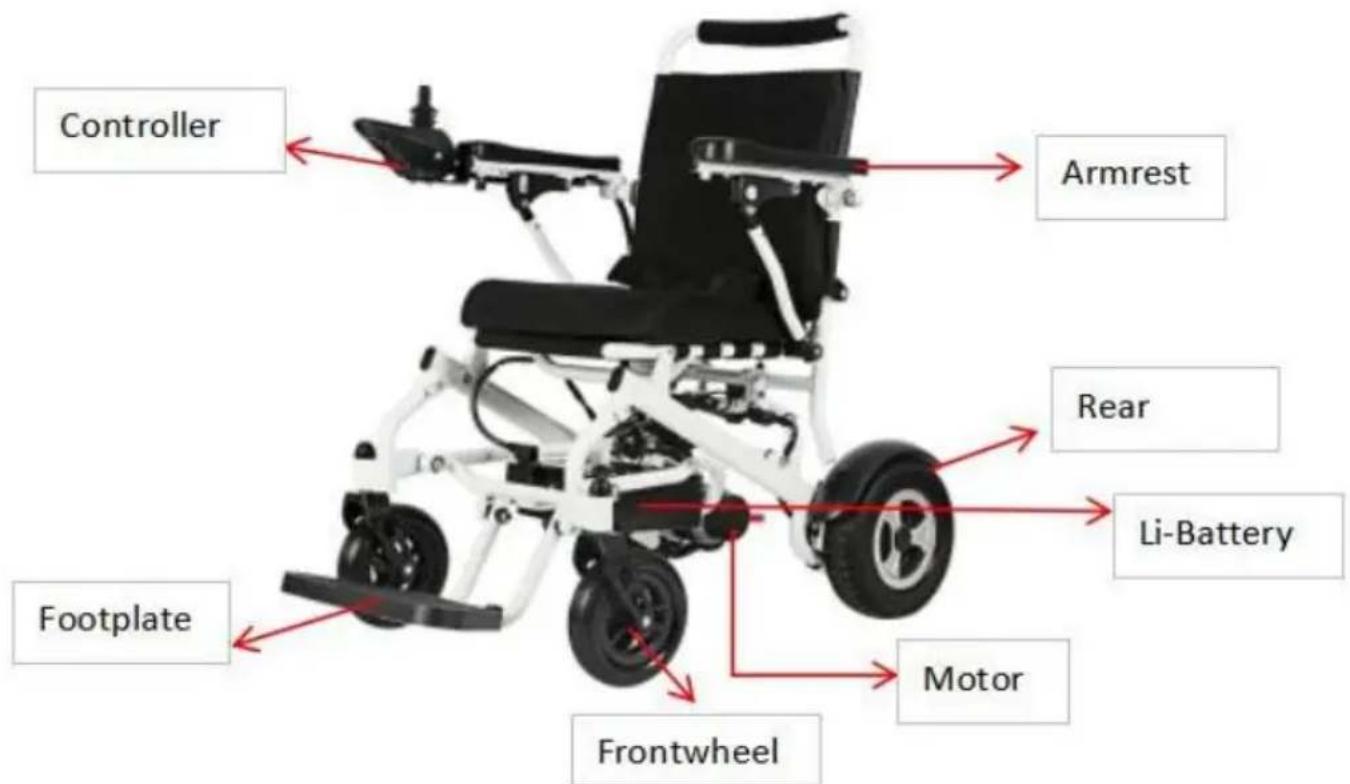
Product Performance
This series of electric wheelchairs are powered by Li-ion battery, drive DC motor. Users control direction and adjust speed by joystick control suitable for application of low speed, good road condition and small s
Safety Instructions
1.Main Security Features
Classified according to the type of protection electric shock: Internal p Classified according to the type of protection against electric shock: T application.
Classified according to the degree of inlet liquid protection: IPX3.
Classified according to the safety of use in a flammable anesthetic m with air or gas mixed with oxygen or nitrous oxide flammable anesthe gases occurs: Non AP/APG type.
Classified according to operation mode: Continuous operation.
Rating voltage: DC.24V.
Have no protective effect on the application of defibrillator discharge section.
No signal output or input part.
Non-permanently installed equipment.
2. Driving Notice
General Driving Cautions
Please keep your hands on the armrest to control the wheelchair.
Please practice in parks or other safe open places until you can use wheelchair skillfully.
Fully practice driving in a safe place, to master principle of moving fast stopping and turning circles.
Before driving to the road, please be accompanied by caregivers and confirm it is safe.
Please strictly follow traffic rules of the pedestrian, do not regard you as vehicle driver.
Please drive on the sidewalk and the zebra crossing. Do not drive o vehicle lane.
Steadily drive, to avoid driving in ‘Z’ line or sharp turn.
Accompanied by Caregivers or Avoid Driving in These Conditions
Drive in bad weather, such as rainy day, heavy fog, strong wind, snow. In case of wheelchair is wet out, wipe the water immediately.
Drive on the bad road condition, such as muddy, trail, sand road, gr etc.
Drive on crowed road.
Drive on no fence side ditch, pond, etc.
Across the railway.
When you have to across railway, pause at turnoff to confirm it is s make sure that the tires
will not be stuck by railway.
The electric wheelchair is only for personal use, do not carry people
goods, and do not for a traction purposes.
Precautions for Uphill and Downhill
Avoid driving on following places: steep hills, tilt places, high steps, channels etc.
Avoid driving on steep slopes, the slope range should be less than 9 degrees. Please carefully operate the controller when drive on slopes.
Keep moving forward during uphill or downhill.
Slow down speed during downhill.
Avoid driving sideways on the steep.
Forbid driving on the stairs place and avoid crossing high steps.
Avoid crossing wide ditches.
During crossing ditches, keep 90° angel between tires and the ditches.

Do not set the wheelchair to manual mode during uphill and
downhill.
When the wheelchair is malfunction at traffic crossing, please immediate ask passerby for help. And set wheelchair to manual mode, then push wheelchair to leave the scene, or user to get away from the site to place immediately.
Precautions for the Caregivers
Caregivers should confirm that the users ‘feet are on the footrests’ proposition and ensure clothes do not attach to the wheels.
Caregivers should push the wheelchair to move forward to keep safe steep slope or long slope.
Other Notice
Repair and Refit
If it has to repair or refit the wheelchair, please contact seller or sell department. Do not modify by self. It may cause accident or wheelch malfunction.
Keep Dry
Do not put the wheelchair in wet place. If the wheelchair is wet, ple it immediately.

Without our company's confirmation, don't modify the assembly o materials of this wheelchair.
In order not to cause imbalance, don't add weight arbitrarily. When someone is sitting on the wheelchair or the clutch is not in manual do not use other
vehicles to pull or push the wheelchair.
Service Life
The service life of this product is 5 years after the date of product. Please use the product within the limited period. Please do not use beyond the validity period for more than one year to avoid accidents. Date of manufacture: see the label.
Electromagnetic Compatibility
The wheelchair should away from strong magnetic fields and large inductive electrical equipment, such as radio station, TV station, underground radio station, cell phone transmitting radio station. Pay attention to that if there are sources of electromagnetic interference ne as far as away from those sources to avoid electromagnetic interferen. The electric wheelchair should avoid electromagnetic interference.
Note:
Electric wheelchair should meet electromagnetic compatibility requirement of YY0505 standard.
User should install and use electric wheelchair based on the electromagnetic compatibility information provided.
Portable and mobile RF communication device shall affect performance electric wheelchair. There fore, please avoid strong electromagnetic
disturbance, like near mobile phone or microwave.
Please refer to attachment for notice and manufacturer's statement. Cut-off voltage of battery is 23V.
Electric wheelchair belongs to D class in GB/T 18029.21-2012, a wheelchair with electronic differential steering and manual brake.

Electric wheelchair shouldn't be put or used together with other devices. If have to, please verify that electric wheelchair can work no under the circumstances.
Usage and Operation
Adjustment of Wheelchair
Unfold wheelchair
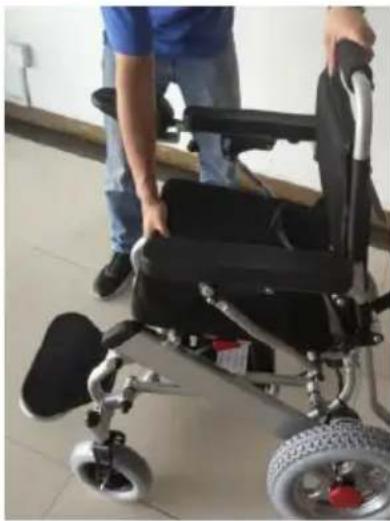
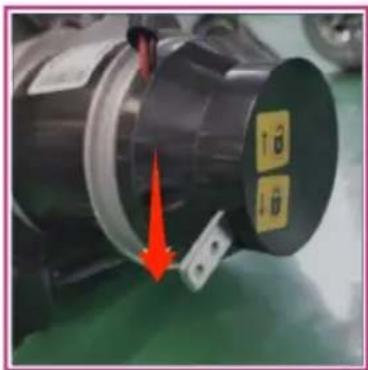
One hand hold the backrest, another hand hold the seat and open b (picture 1). Fully unfold the wheelchair, and then fasten the lock which under the backrest (picture 2). Before use, please make sure that the is well locked. Otherwise it will cause fold danger when driving.
Picture 1 Picture 2
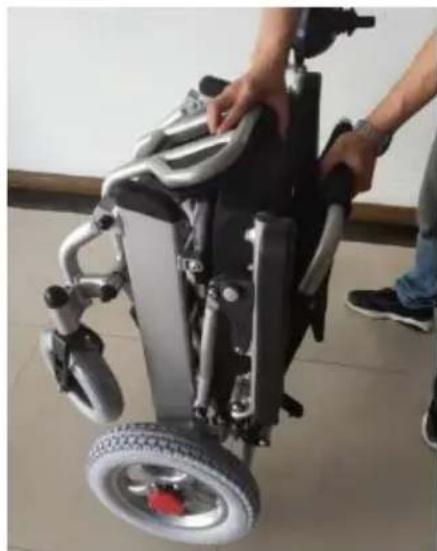
Fold Wheelchair
Loose the lock (picture 3), then one hand hold backrest, another han the seat, fold it (picture 4).
Picture 3 Picture 4
Install Controller
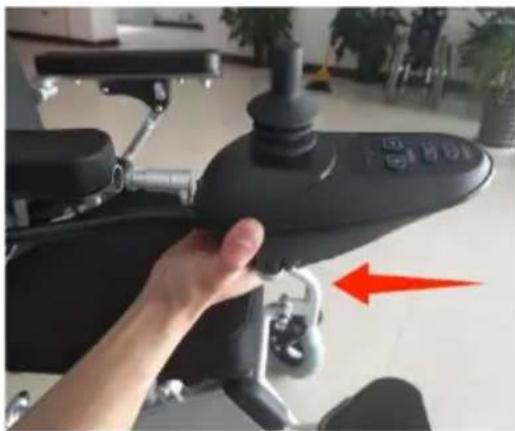
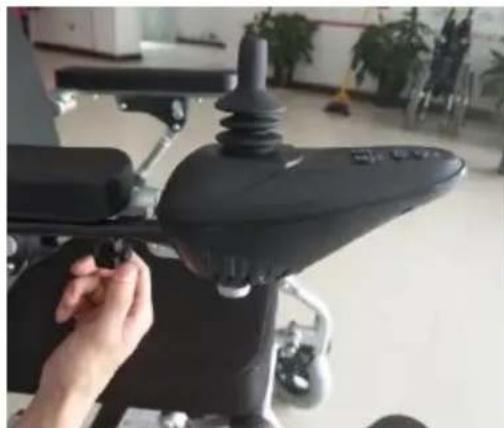
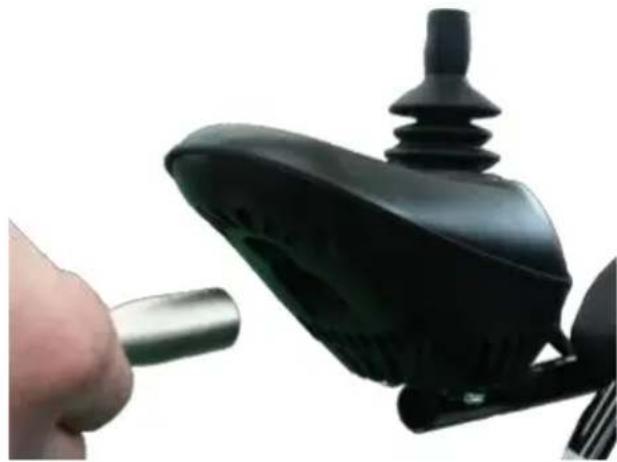
Insert the controller into armrest tube. Please note to keep the control horizontal (picture 5). And then lock the screw (picture 6).
Picture 5 Picture 6
Install and Replace Battery
Dismantle battery
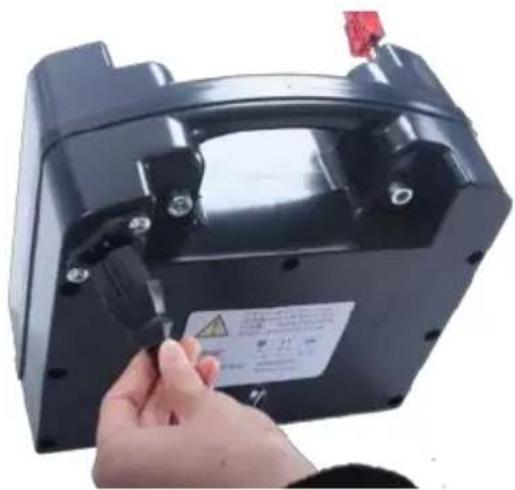
Disconnect the battery plug and controller plug (picture 7), and then I the screw (picture 8).
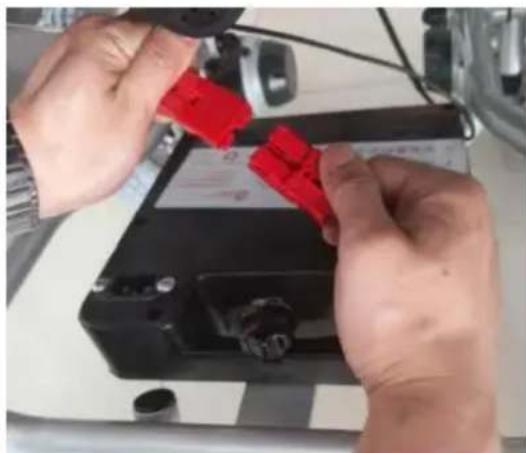
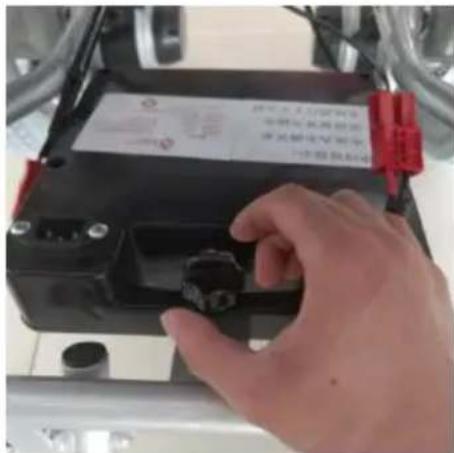
Picture 7 Picture 8
Install battery
Put battery groove in the back tube (picture 9), loosen the screw (picture 10). Then connect the battery plug with controller plug (picture 11).
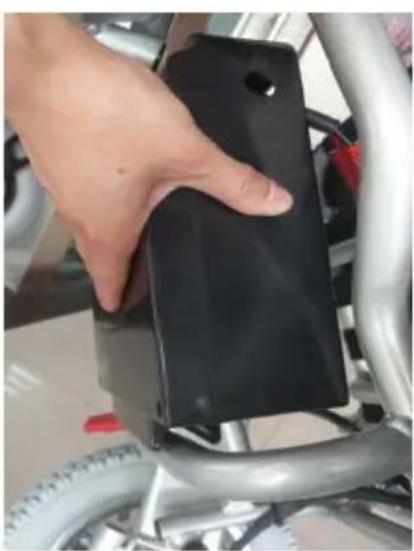
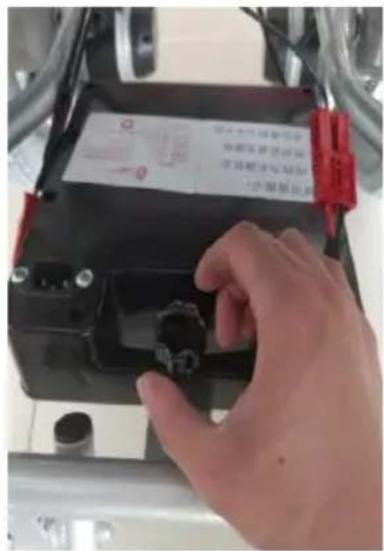
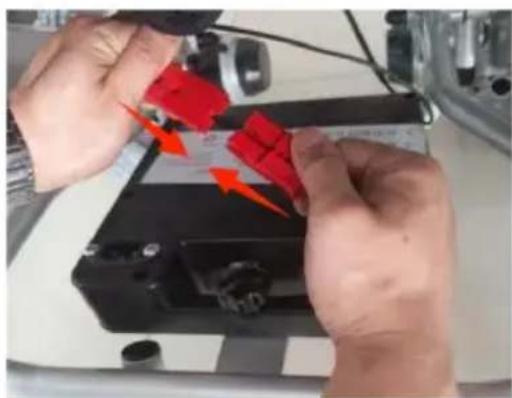
Picture 9 Picture 10 Picture 11
Footplate
The footplate can be pulled up or down (picture 12).
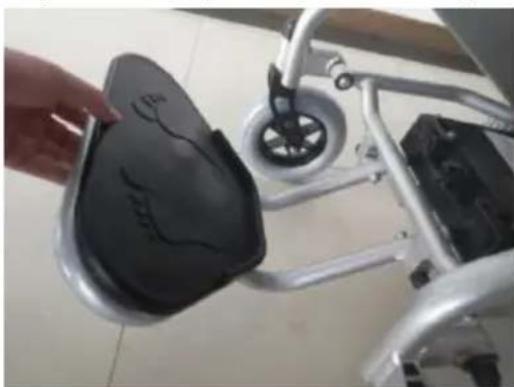
Picture 12
Install and Dismantle Anti-tipper
Press the button to install/dismantle the anti-tipper (picture 13-14)
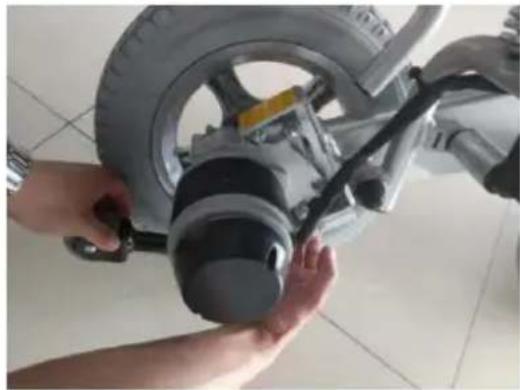
Picture 13 Picture 14
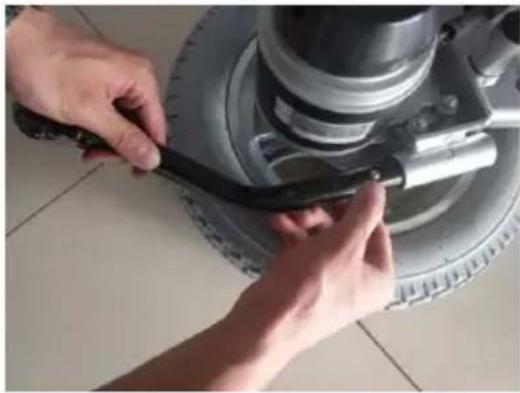
Armrest Flip-up
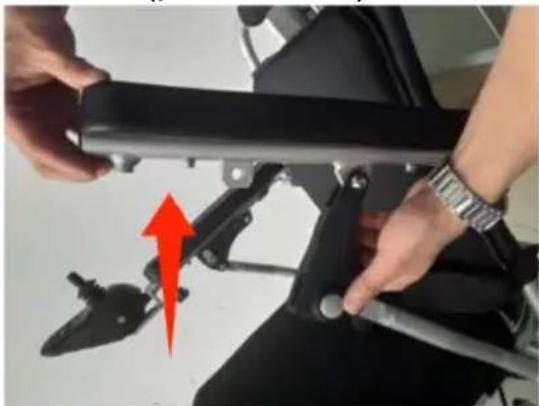
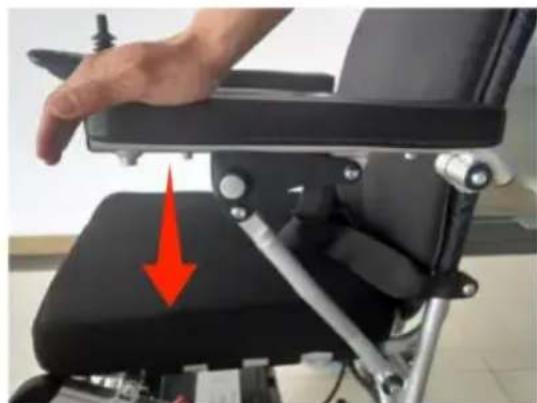
One hand press the armrest button, another hand flip up the armrest (picture 15). And press down the armrest to the proper position to fix armrest(picture 16).
Picture 15 Picture 16
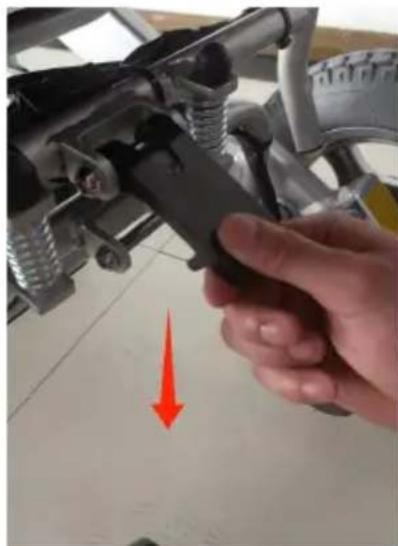
Switch between Manual Mode and Electric Mode
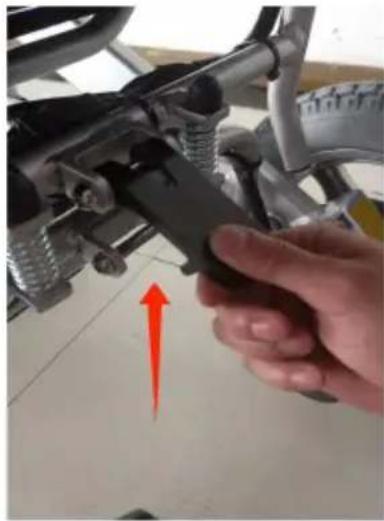
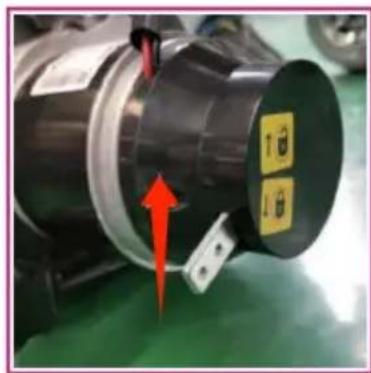
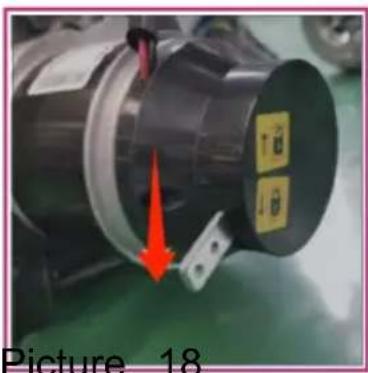
Manual mode: pull up the switch lever on left & right motor ( picture Electric mode: pull down the switch lever on left & right motor ( pict
Picture

When changing wheelchair from manual mode to electric mode please make sure both left and right switches are in same mode. If may cause rollover.
Battery and Charger
Charger Requirements
The charger is used for battery charging. During electric wheelchair is charging, do not use it.
Charger Technical Data
Input voltage: AC100-240V 50/60Hz
Output voltage: 24V/DC
Output current: 3.0A
Ingress protection level is IPX1. The charger should meet the required of GB 4706.1-2005 and GB 4706.18-2005.
Usage of Charger
Type 1 (charge directly in battery)
In order to charge the battery, connect the charger with power supply battery box's plug. Do as following instructions to complete charging process:
Step 1: Make sure the charger groove is not blocked.
Step 2: Make sure the electric wheelchair is power off.
Step 3: Unplug the plugs which connect the battery box and control
Step 4: Connect the charger's output plug to the battery box's power
Step 5: Connect the charger's main plug to the power supply and th light
will be alight. Fully charging needs 8 to 10 hours, do not overcharge than 24 hours.
Step 6: As to prevent cut short battery life, please charge the battery least once per month when the wheelchair is not being used.
Type 2 (charge through controller)
In order to charge the battery, connect the charger with power supply controller socket. Do as following instructions to complete charging process:
Step 1: Make sure the charger groove is not blocked.
Step 2: Make sure the electric wheelchair is power off.
Step 3: Make sure the battery and controller are connected.
Step 4: Connect the charger's output plug to the socket below the controller.
Step 5: Connect the charger's main plug to the power supply and the light will be alight. Fully charging needs 8 to 10 hours, do not over more than 24 hours.
Step 6: As to keep the battery life from being shortened, please charge battery at least once per month when the wheelchair is not being us

Do not stop charging until charge process is finished. Repeat us battery which is not fully charged will shorten the battery life, so the should be fully charged as much as possible. When battery is fully charged the power indicator will turn to green. Do not stop charging before full charged.
After finish charging, turn off the power supply, otherwise the battery discharge slowly. Do not charge more than 24 hours. Over-charging is dangerous.

Users should follow the following rules to avoid charging dangers
The electric wheelchair doesn't include the charger, please use national standard charger that the output voltage is 24V/DC 1.5A\~5A.
It should be well ventilated when charging. Do not expose the wheel to sunlight and humid environment.
The charging environment temperature range is from 10° C to 50° C. If it is
out of the environment temperature range, the battery is unable to fu well, and can easily make battery damaged.
It's normal for the fan making a sound during charging. It is for coo charger, please do not worry about it.
Prevent liquid go into the charger during charging. And do not place charger on the flammable items, such as: fuel, footrest or seat cushion. Please stay away from the flames when charging the battery. The flame may cause battery fire or explosion.
Charging makes hydrogen, do not smoke while charging.
Do not unplug the power supply when the socket or your hands are may cause electric shock. In case of unpredictable accident will happen and hurt the user, do not use or sit on the electric wheelchair when charging.
The Usage and Maintenance of Battery
Wrong operation of replacing battery may cause danger of explosion. the same or recommended type of battery is suitable for replacement. please make sure the battery poles are correct. Key points for prolong battery life: charge frequently, to keep battery power full. It's better to charge the battery if the wheelchair is not being used. If stop using long time, it's better to charge twice per month.
System Diagnose
When the indicator LED lights are blinking, it means the wheelchair r abnormalities. The abnormalities may occur in following parts: motors, brakes, battery, wire connections, etc. Through the product's inner information consultation, the property of the abnormal condition can be detected by the diagnosis signal. The abnormal situation can be detected without other service tools.
Audio Signal Indication
| Description of LED light | The meaning of LED light | Explanation & Solution |
| All LED lights are unlit with no sound | The power is off, wheelchair is in standby or sleep mode. Power is poor contacte Fuse is tripping or burned out. | |
| All LED lights are | The power is turned o and self diagnose is working, the electric wheelchair can work well. | Less LED lights lit, less battery power remaining. |
| The leftmost red LED light is lit | The battery power is extremely inadequate. | To charge immediately. Or battery is malfunction that not able to charge. |
| Two short beeps, LED lights blink twice | The left motor is malfunction. | The left motor is po connected or the wir is disconnected. |
| Three short beeps, LED lights blink thrice | The left magnetic brake is malfunction. | The left magnetic brake is poor connected or the wir is disconnected |
| Four short beeps, LED lights blink fo times | The right motor is malfunction. | The right motor is poor connected or th wire is disconnected. |
| Five short beeps, LED lights blink fiv times | The right magnetic bra is malfunction. | The right magnetic brake is poor connected or the wir is disconnected |
| Six short beeps, LED lights blink si times | controller is in over-current protection status. | Check the brakes, a check if the motor drive mechanism is stuck.Check the current by ammeter, if it is not excessive current, maybe the controller is malfunction. |
| Seven short beepsLED lights blink seven times | Joystick is malfunction | Joystick doesn’t reset or the connector is loose. |
| Eight short beeps, LED lights blink eight times | controller is malfunction | Please consult your dealer for maintenance. |
| Nine short beeps, LED lights blink nine times | controller is malfunction | Please consult servic center for maintenance. |
Controller
Controller Panel
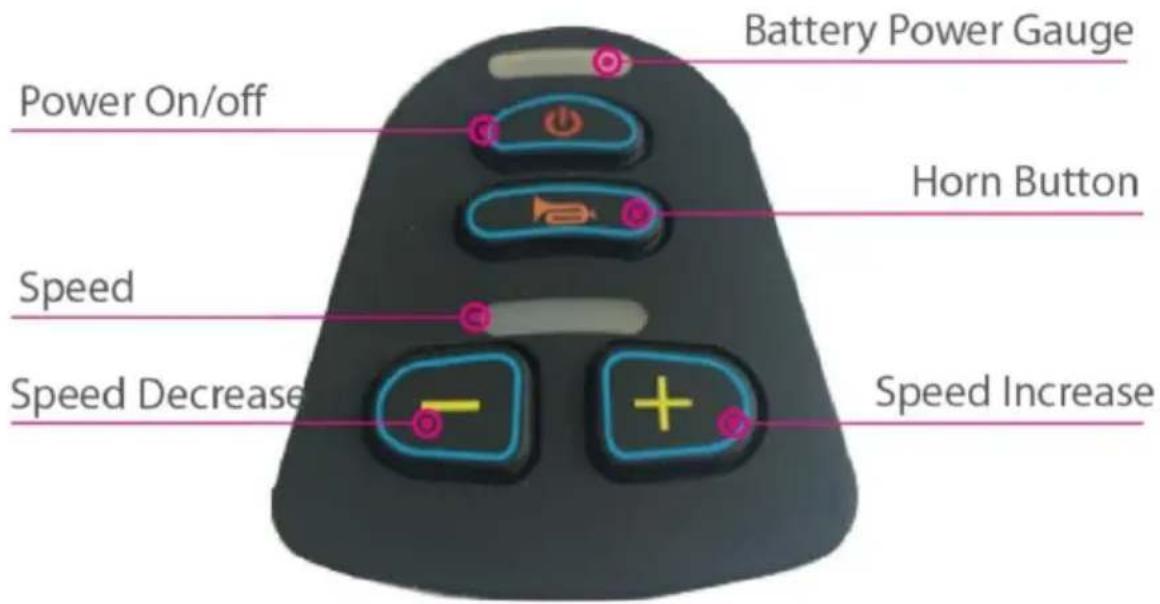
Controller Usage
Power Switch
Press this button, the battery power gauge lights will turn on from le right. Press again, all the LED lights are off.

In some emergency, you can directly turn off power by press po
button.
Sleep Mode
If the joystick has no operation more than 20 minutes, the power turn automatically, and the system in the sleep mode, system will be woke from sleep mode by press power button.
Speed adjustment
According to user's habits and the circumstances, the wheelchair drivir speed is adjustable. Adjust speed by press decrease button or increase button.
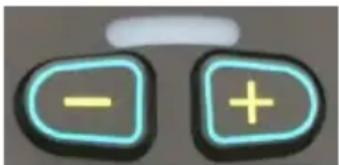
Speed is divided into five sections, ranged by 20%, 40%, 60%, 80%, of the max speed. First gear of speed: 20% of the max speed. Fifth speed: 100% of the max speed.
Horn Button
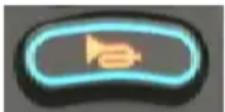
Press the horn button, the horn will sounds until you release the but
Battery Power Gauge

After turn on the power, the battery power gauge is working. The ba power gauge also shows the battery remaining power capacity. As the picture shown, the battery power is full.
When there is only the red or yellow LED light lit, the battery should be charged. And for a long distance driving, the battery should be fully charged. If only the red LED light is lit, the battery power is extremely inadequate, users need to charge battery as soon as possible.
Use of joystick
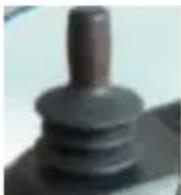
The wheelchair moving direction is controlled by joystick. The moving extent of joystick also controls the moving speed.
⚠️Please turn on or turn off the power when the joystick is in the position. Otherwise the controller will let out wrong operation signal. Release the joystick to middle, this mistake will stop. If the mistake is continuing, perhaps this part is malfunction, do not use it and contact your dealer for maintenance.
Maintenance
Maintenance of wheelchair includes clean wheelchair, check wheel and battery, and charge battery.
For further maintenance please contact with your dealer. Our suggesti checking the wheelchair every half year, annually overhaul.
Clean and Battery Maintenance
Clean Wheelchair
Please clean the wheelchair regularly. Clean the parts which are frequently touched with user's body (such as set cushion, armrest, controller) by clean and slight wet cloth. Do not use organic solvents to clean. If patient user, the wheelchair should be cleaned once per week. If the wheelchair is used by an infectious victim, it should be cleaned and disinfected by disinfectants.
Wheels
Check the tires and their wear condition regularly. When the tire trea pattern depth reduce to 1mm, please replace new tire.
Battery
To make sure that the battery is fully charged frequently. In order to battery life, we strongly recommend users do not to charge until battery out of power totally.
Wheelchair Malfunction and Checking
When malfunctions happen during the wheelchair is working, please tu off the power before check. Symptom: completely lose power, and all LED lights on the controller panel are off.
Check Step:
Step 1: To check if the controller's plug is loose.
Step 2: To check if the connection of controller's plug and battery be loose. Please reinsert the plug connector (hold the plug when pull out plug. Do not pull the wire to avoid unnecessary damage to the wire After above checking, if the wheelchair is still not able to restore the or if users have any question for above checking, please connect with dealer.

The controller has a diagnosing system to monitor the controller. Any malfunction of these parts is indicated by the controller. F details please kindly refer to chapter of audio signal indication.
Maintenance Checking
The following is a checking list, electric wheelchair should be ordinal checked according to our suggestion. When you get on or get off the wheelchair, some self checking is done automatically. For more your attention, we particularly list these self-checking items in A area.
| A area | Before use, please check if following parts are corr1.Backrest; 2.Armrest; 3.Controller position; 4.Footrest;5.battery power; 6.Clutch/adjusting lever for conversion between manual mode and electric mode |
| B area | Check the following parts monthly, to avoid original loosing or wearing1.Screws; 2. Brakes; 3. Clutch/adjusting lever for conve between manual mode and electric mode; 4. The front rear wheels and their tread pattern depth; 5. Connecto controller and charger |
| C area | For safety, semiannual overall maintenance is needed. |
Warranty issues Warranty contents
We elaborately design this wheelchair for you. If there are improper materials or manufacturing, we provide free repair and lifetime maintenance according to the time and conditions in warranty cards.
Warranty does not cover in these conditions
Subjective impression, no function problems. Usage and aging loss (coating and plating surface, nature fade of resins, etc).
Maintenance are not applicable when following happens
Don't regularly check our specified issues.
Improper or wrong maintenance. Different operation with our manual or overload
Unauthorized modifications
External factor such as: soot, pharmaceuticals, bird droppings, acid rail, flying stone, metal powder, etc. Natural disasters such as: typhoons, fires, earthquakes etc.
The following fees are not covered
Replacement of consumables material such as tire, fuse, plastic parts, glass parts, lubricates etc. Fees for Inspection, adjustment, add oil, cleaning, etc. Fees for regularly check that specified by our factory. Unauthorized modifications
Out authorized service centers maintain costs.
Customers pay attention following cautions
In order to make the warranty is valid, customers have obligation to below cautions: Correctly testing and driving the power wheelchair as manual instructions.
Daily checking.
Implementing the check tips according to our suggestion.
Warranty acceptable
If warranty is needed, please take the power wheelchair and show the sales service card to our service center for the warranty service. If the can't provide the after sales service card the service is not provided. Protect environment
In order to protect environment, every damaged or scraped part of po wheelchair should be backed to our factory or handed over to State Department disposed, do not threw randomly.
Warranty valid
The after sales service card is valid from stamped date. This product warranty 1 year under normal operating conditions. Consumable parts (such as: battery set, cushion, tires, side board, armrest pad, etc.) are under warranty range.
Others
Condition for Transport and Storage
During transport and storage, the electric wheelchair should be corrected placed as labeled indication.
Transportation should be avoided moisture and sunlight and away from heat resource.
In case of electric parts are damaged due to damp, please avoid sto the wheelchair in rain, outdoor and moisture.
Storage condition:
Environment temperature -40°C +55°C ;
Relative humidity≤80%;
Air Pressure 86kPa\~106kPa.
Annex of Report---Manufacturer's Declaration of the EUT
| 1 | Guidance and manufacturer's declaration - electromagnetic em | ||
| 2 | The ELECTRIC WHEELCHAIR is intended for use in the electromagnetic environment specified below.The customer or the user of ELECTRIC WHEELCHAIR shoul assure that it is used in such an environment. | ||
| 3 | Emissions test | Compliance | Electromagnetic environment - guidance |
| 4 | RF emissions CISPR 11 | Group 1 | The ELECTRIC WHEELCHAIR uses RF energy only for its internal fun. Therefor, its RF emissions are very low and are not likely to cause a interference in nearby electronic equipment. |
| 5 | RF emissions CISPR 11 | Class B | The ELECTRIC WHEELCHAIR suitable for use in all establishment, including domestic establishments at those directly connected to the pul low-voltage power supply network t supplies buildings used for domestic purposes. |
| 6 | Harmonic emissions IEC 61000-3-2 | Class A | |
| 7 | Voltage fluctuations / flicker emissions IEC 61000-3-3 | Complies | |
| Recommended separation distances between portable and mobile RF communications equipment and the ELECTRIC WHEELCHAIR | |||
| The ELECTRIC WHEELCHAIR is intended for use in an electro environment in which radiated RF disturbances are controlled. TI customer or the user of the ELECTRIC WHEELCHAIR can help prevent electromagnetic interference by maintaining a minimum d between portable and mobile RF communications equipment (transmitters) and the ELECTRIC WHEELCHAIR as recommended below, according to the maximum output power of the communi equipment | |||
| Rated maximum output of transmitter W | Separation distance according to frequency of transm | ||
| 150 kHz to 80 MHz d = [ 3.5/V1 ] | 26 MHz to 800 MHz d = [ 3.5/E1 ] | 800 MHz to 2.5 GHz d = [ 7/E1 ] | |
| 0.01 | 0.12 | 0.018 | 0.0345 |
| 0.1 | 0.38 | 0.057 | 0.1095 |
| 1 | 1.2 | 0.18 | 0.345 |
| 10 | 3.8 | 0.57 | 1.095 |
| 100 | 12 | 1.8 | 3.45 |
| For transmitters rated at a maximum output power not listed ab recommended separation distance d in metres (m) can be estim using the equation applicable to the frequency of the transmitter P is the maximum output power rating of the transmitter in wa according to the transmitter manufacturer.NOTE 1 At 80 MHz and 800 MHz, the separation distance for frequency range applies.NOTE 2 These guidelines may not apply in all situations.Electromagnetic propagation is affected by absorption and reflecti from structures, objects and people.Guidance and manufacturer's declaration - electromagnetic immunity | |||
| The ELECTRIC WHEELCHAIR is intended for use in the electromagnetic environment specified below.The customer or the user of the ELECTRIC WHEELCHAIR show assure that it is used in such an environment. | |||
| Immunity test | IEC 60601 tes level | Compliance level | Electromagnetic environment -guidance |
| Electrostatic discharge (ESD)IEC61000-4-2 | ± 6 kV conta ± 8 kV air | ±6 kV contact ± 8 kV air | Floors should be wood, concrete or ceramic tile. If floors are covered with synthetic material, the relative humidity should be at least 30 %. |
| Electrostatic transient / burstIEC61000-4-4 | ± 2 kV for power supply lines ± 1 kV for input/output lines | ±2 kV for power supply lines ± 1 kV for input/output lines | Mains power quality should be that of a typical commercial or hospital environment. |
| SurgeIEC61000-4-5 | ± 1 kV differential mode ± 2 kV common mode | ±1 kV differential mode ±2 kV common mode | Mains power quality should be that of a typical commercial or hospital environment. |
| Voltage dips, short interruptions and voltage variations on power supply input lines IEC 61000-4-11 | < 5 % UT (>95 % dip in UT) for 0.5 cycle 40 % UT (60 % dip in UT) for 5 cycles 70 % UT (30 % dip in UT) for 25 cycles < 5 % UT (>95 % dip in UT) for 5 se | < 5 % UT (>95 % dip in UT) for 0.5 cycle 40 % UT (60 % dip in UT) for 5 cycles 70 % UT (30 % dip in UT) for 25 cycles < 5 % UT (>95 % dip in UT) for 5 se | Mains power quality should be that of a typical commercial or hospital environment. If the user of the ELECTRIC WHEELCHAIR requires continued operation during power mains interruptions, it is recommended that the ELECTRIC WHEELCHAIR be powered from an uninterruptible power supply or a battery. |
| Power frequency (50/60 Hz) magnetic field IEC 61000-4-8 | 30A/m | 30A/m | |
| NOTE: UT is the a. c. mains voltage prior to application of thGuidance and manufacturer's declaration - electromagnetic immunity | |||
| The ELECTRIC WHEELCHAIR is intended for use in the electromagnetic environment specified below.The customer or the user of the ELECTRIC WHEELCHAIR show assure that it is used in such an environment. | |||
| Immunity test | IEC60601test level | Compliance level | Electromagnetic environment guidance |
| Conducted RF IEC61000-4-6Radiated RF IEC61000-4-3 | 3 Vrms150 kHz to 80 MHz20 V/m26 MHz to 2.5 GHz | 3V—20V/m | Portable and mobile RF communications equipment should be used closer to any part of the ELECTRIC WHEELCHAIR, including cables, than the recommended separation distance calculated from the equation applicable to the frequency of the transmitter.Recommended separation distance d = [ 3.5/V1 ] d = [ 3.5/E1 ] 80 MHz to 800 MHz d = [ 7/E1 ] 800 MHz to 2.5 GHzwhere p is the maximum output power rating of thetransmitter in watts (W) according to the transmitter manufacturer and d is the recommended separation distance in metres (m).b Field strengths from fixed R transmitters, as determined an electromagnetic site survey,a should be less tha the compliance level in each frequency range.b Interference may occur in the vicinity of equipment marked with the following symbol: |
| NOTE 1 At 80 MHz and 800 MHz, the higher frequency range NOTE 2 These guidelines may not apply in all situations. Electromagnetic is affected by absorption and reflection from stru objects and people. | |||
| A、Field strengths from fixed transmitters, such as base stations for radio (cellular/cordless) telephones and land mobile radios, amateur rad and FM radio broadcast and TV broadcast cannot be predicted theoretically with accuracy. To assess the electromagnetic environ due to fixed RF transmitters, an electromagnetic site survey should be considered measured field strength in the location in which the ELECTRIC | |||
| WHEELCHAIR is used exceeds the applicable RF compliance le above, the ELECTRIC WHEELCHAIR should be observed to ver normal operation.If abnormal performance is observed, additional measures may be necessary, such as reorienting or relocating the ELECTRIC WHEELCHAIR.B、Over the frequency range 150 kHz to 80 MHz, field strengt be less than 3V/m | |||
Performance Parameters
| Main technical data | JRWD6010 | ||
| Max loading weight | 136kg | Speed | 1~6km/h |
| Battery charger | AC 100~240V, 50Hz, 1.8A | Front wheel diameter | 8 inch |
| Battery | DC 24V 20AH Li-ion | Rear wheel diameter | 10 inch |
| Motor (*2pcs) | DC 24V 250W | Max driving distance | 20km |
| Obstacle climbing | 50mm | Static stability | 9° |
| Seat size | 17.7/20inch* | Climbing angle | 6° |
Attention:“*”
- There are two sizes of seat width for this model, which can be determined by the outer box information;
- The width of the seat refers to the width between the handlebars;
Application Range
Our electric wheelchair is for disabled and elderly people (less than 1 using as walking vehicle, suitable for indoor use. Do not run on the motorways.
Contraindication
People who is under these circumstances: Upper limb is unresponsive, senile dementia, psychopath, physiology can not take care of themselves and doctor request not to use.
Address: Baoshanqu Shuangchenglu 803long 11hao 1602A-1609shi Shanghai
Imported to AUS: SIHAO PTY LTD. 1 ROKEVA STREETEASTWOOD NSW 2122 Australia
Imported to USA: Sanven Technology Ltd. Suite 250, 9166 Anaheim Place, Rancho Cucamonga, CA 91730
| EC | REP |
SHUNSHUN GmbH
Römeräcker 9 Z2021,76351
Unit 5 Albert Edward House, The Pavilio
Preston, United Kingdom
Made In China
VEVOR®
TOUGH TOOLS, HALF PRICE
Technical Support and E-Warranty Certificate
www.vevor.com/support
VEVOR®
TOUGH TOOLS, HALF PRICE
We continue to be committed to provide you tools with competitive price. "Save Half", "Half Price" or any other similar expressions used by us only represent estimate of savings you might benefit from buying certain tools with us compared top brands and does not necessarily mean to cover all categories of tools offered are kindly reminded to verify carefully when you are placing an order with us actually saving half in comparison with the top major brands.
VEVOR®
TOUGH TOOLS, HALF PRICE
MODÈLE: JRWD6010

NEED HELP? CONTACT US!
Have product questions? Need technical support? Please feel fr contact us:
Technical Support and E-Warranty Certificate www.vevor.com/support
This is the original instruction, please read all manual instruction carefully before operating. VEVOR reserves a clear interpretation user manual. The appearance of the product shall be subject to product you received. Please forgive us that we won't inform you there are any technology or software updates on our product.
Préface
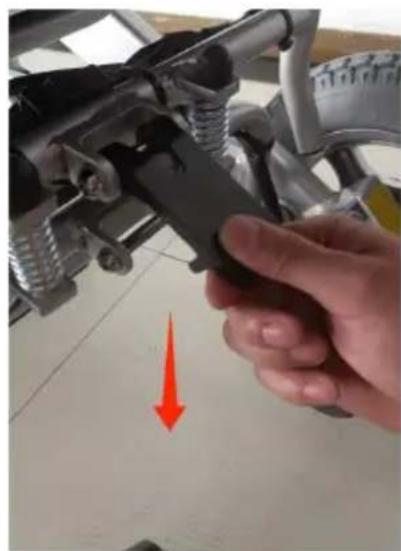
Image 1 Image 2
Fauteuil roulant pliable
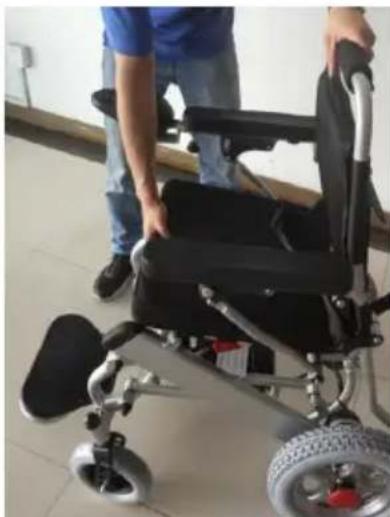
Image 3 Image 4
Image 5 Image 6
Image 7 Image 8
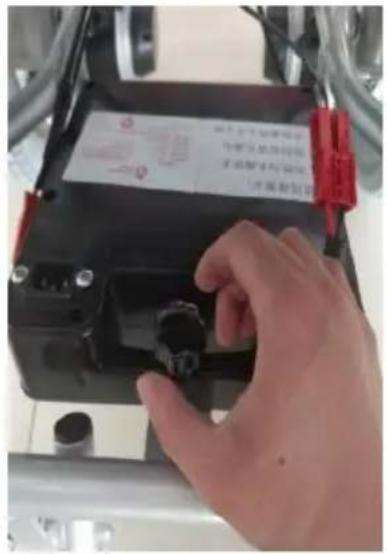
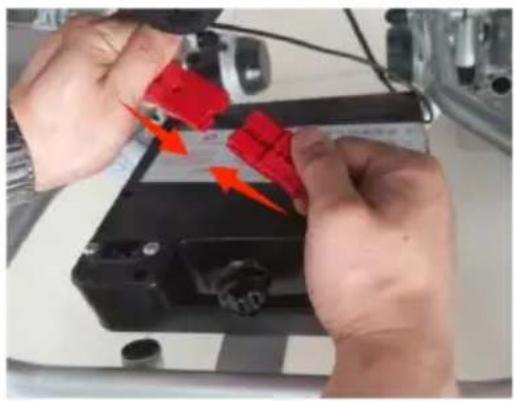
Image 9 Image 10 Image 11
Repose-pieds
Image 12
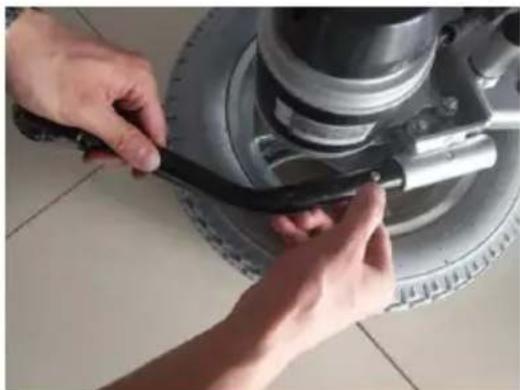
Image 13 Image 14
Accoudoir rabattable
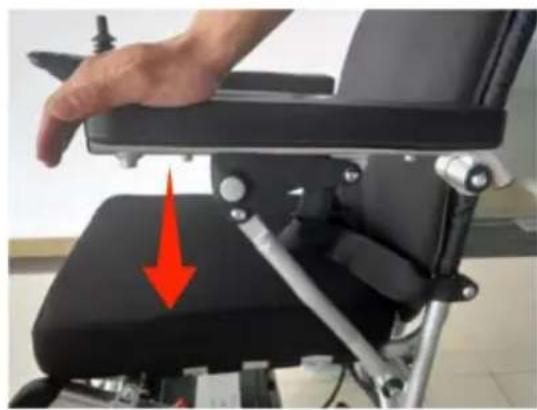
Image 15 Image 16
et droit (image
18). Image 17
Image 18

Condition de stockage:
Unit 5 Albert Edward House, The Pavilio
Preston, United Kingdom
Fabriqué en Chine
VEVOR®
TOUGH TOOLS, HALF PRICE
www.vevor.com/support
VEVOR®
TOUGH TOOLS, HALF PRICE
We continue to be committed to provide you tools with competitive price. "Save Half", "Half Price" or any other similar expressions used by us only represent estimate of savings you might benefit from buying certain tools with us compared top brands and does not necessarily mean to cover all categories of tools offered are kindly reminded to verify carefully when you are placing an order with us actually saving half in comparison with the top major brands.
VEVOR®
TOUGH TOOLS, HALF PRICE
MODELL: JRWD6010

NEED HELP? CONTACT US!
Have product questions? Need technical support? Please feel fr contact us:
Technical Support and E-Warranty Certificate www.vevor.com/support
This is the original instruction, please read all manual instruction carefully before operating. VEVOR reserves a clear interpretation user manual. The appearance of the product shall be subject to product you received. Please forgive us that we won't inform you there are any technology or software updates on our product.
Vorwort
Produktleistung
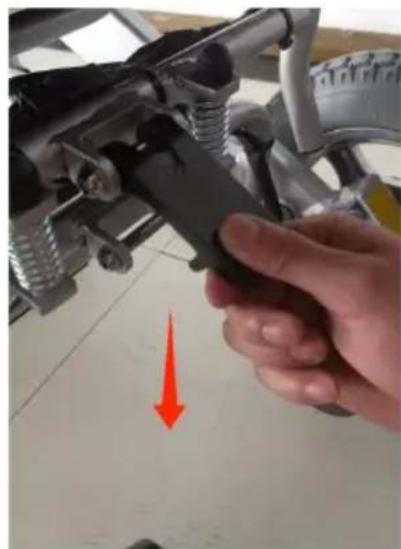
Bild 1 Bild 2
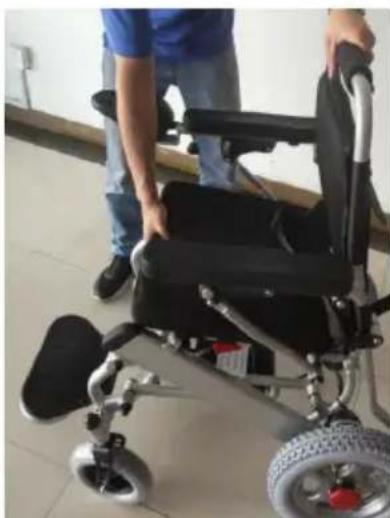
Bild 3 Bild 4
Controller installieren
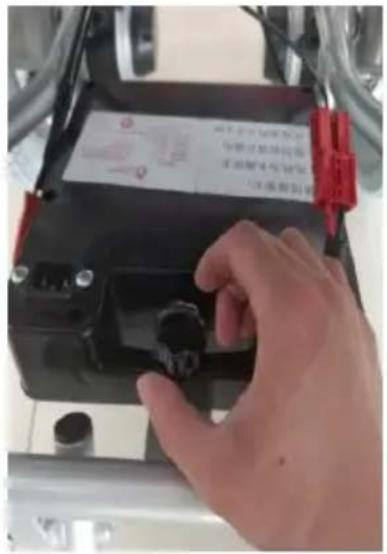
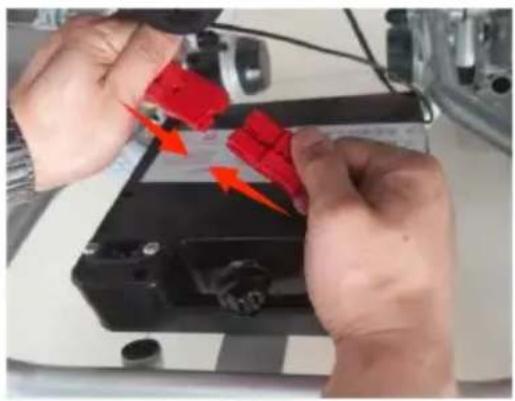
Bild 12
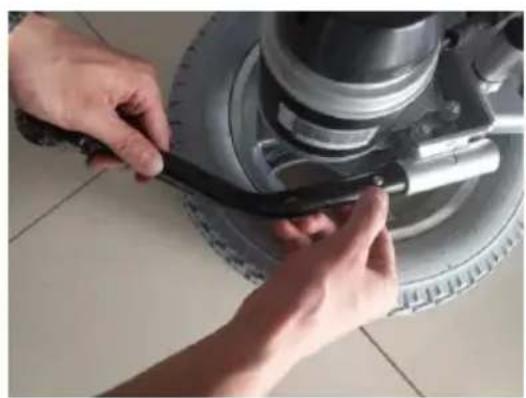
Bild 13 Bild 14
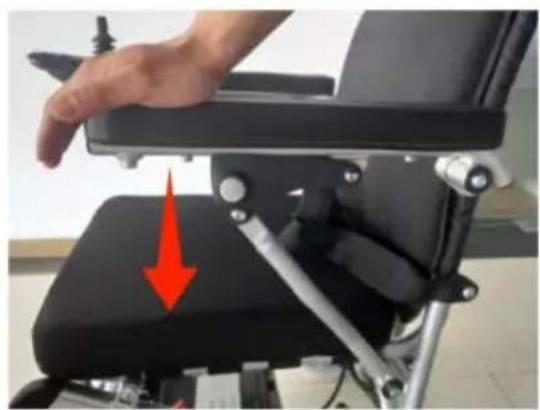
Bild 15 Bild 16
Controller-Nutzung
Stromschalter

- ELECTIRC WHEEL CHAIRS
- OPERATING INSTRUCTIONS
- VEVOR®
- NEED HELP? CONTACT US
- PREFACE
- WARNING SYMBOL
- PRODUCT PERFORMANCE
- SAFETY INSTRUCTIONS
- MAIN SECURITY FEATURES
- DRIVING NOTICE
- ACCOMPANIED BY CAREGIVERS OR AVOID DRIVING IN THESE CONDITIONS
- PRECAUTIONS FOR UPHILL AND DOWNHILL
- PRECAUTIONS FOR THE CAREGIVERS
- OTHER NOTICE
- REPAIR AND REFIT
- KEEP DRY
- SERVICE LIFE
- ELECTROMAGNETIC COMPATIBILITY
- NOTE
- USAGE AND OPERATION
- ADJUSTMENT OF WHEELCHAIR
- UNFOLD WHEELCHAIR
- FOLD WHEELCHAIR
- INSTALL CONTROLLER
- INSTALL AND REPLACE BATTERY
- INSTALL BATTERY
- FOOTPLATE
- INSTALL AND DISMANTLE ANTI-TIPPER
- ARMREST FLIP-UP
- SWITCH BETWEEN MANUAL MODE AND ELECTRIC MODE
- BATTERY AND CHARGER
- CHARGER TECHNICAL DATA
- USAGE OF CHARGER
- TYPE 2 (CHARGE THROUGH CONTROLLER)
- THE USAGE AND MAINTENANCE OF BATTERY
- SYSTEM DIAGNOSE
- CONTROLLER
- CONTROLLER PANEL
- CONTROLLER USAGE
- POWER SWITCH
- SLEEP MODE
- SPEED ADJUSTMENT
- HORN BUTTON
- BATTERY POWER GAUGE
- USE OF JOYSTICK
- MAINTENANCE
- CLEAN AND BATTERY MAINTENANCE
- CLEAN WHEELCHAIR
- WHEELS
- BATTERY
- WHEELCHAIR MALFUNCTION AND CHECKING
- CHECK STEP
- MAINTENANCE CHECKING
- WARRANTY ISSUES WARRANTY CONTENTS
- WARRANTY DOES NOT COVER IN THESE CONDITIONS
- MAINTENANCE ARE NOT APPLICABLE WHEN FOLLOWING HAPPENS
- THE FOLLOWING FEES ARE NOT COVERED
- CUSTOMERS PAY ATTENTION FOLLOWING CAUTIONS
- WARRANTY ACCEPTABLE
- WARRANTY VALID
- OTHERS
- STORAGE CONDITION
- APPLICATION RANGE
- CONTRAINDICATION
- MADE IN CHINA
- TOUGH TOOLS, HALF PRICE
- PRÉFACE
- FAUTEUIL ROULANT PLIABLE
- REPOSE-PIEDS
- ACCOUDOIR RABATTABLE
- CONDITION DE STOCKAGE
- VORWORT
- PRODUKTLEISTUNG
- CONTROLLER INSTALLIEREN
- CONTROLLER-NUTZUNG
- STROMSCHALTER
Brand : Vevor
Model : JRWD6010
Category : Wheelchair