F904 - Fan Vevor - Free user manual and instructions
Find the device manual for free F904 Vevor in PDF.


User questions about F904 Vevor
0 question about this device. Answer the ones you know or ask your own.
Ask a new question about this device
Download the instructions for your Fan in PDF format for free! Find your manual F904 - Vevor and take your electronic device back in hand. On this page are published all the documents necessary for the use of your device. F904 by Vevor.
USER MANUAL F904 Vevor
Affordable. Reliable. Home Improvement.
SOLAR FAN
MODEL:F904
Technical Support and E-Warranty Certificate
www.vevor.com/support
VEVOR
SOLAR FAN
Affordable. Reliable. Home Improvement.
MODEL:F904
natural_image
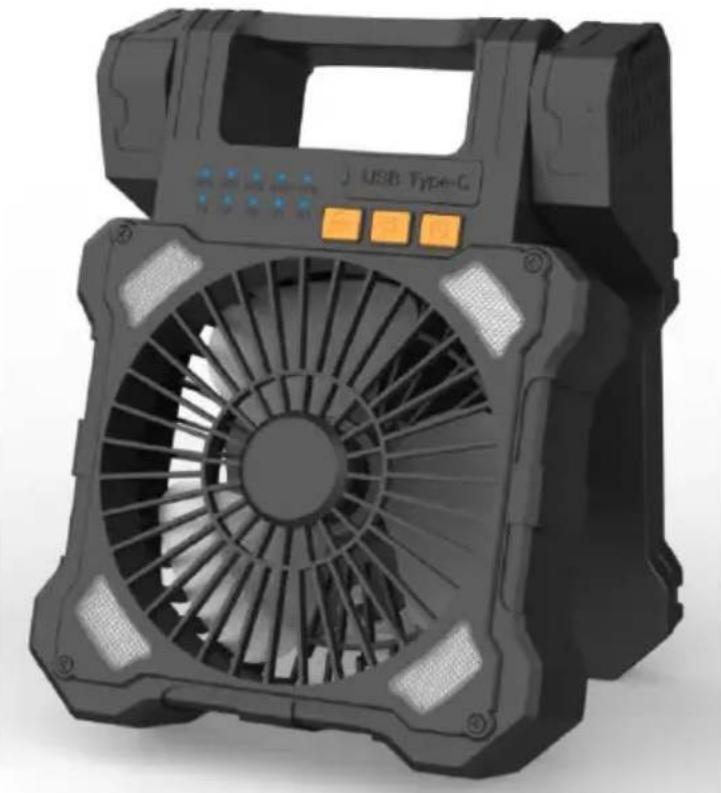
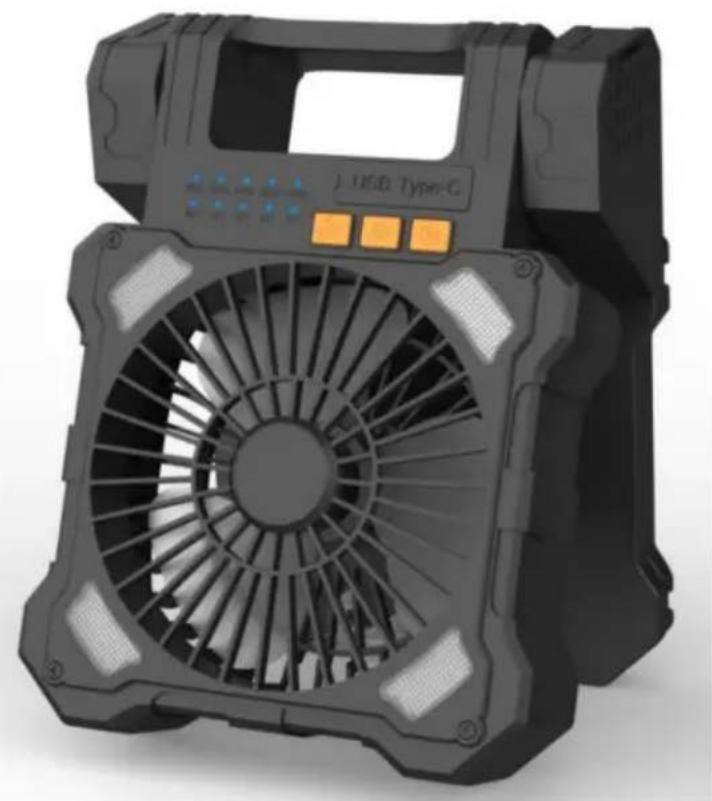
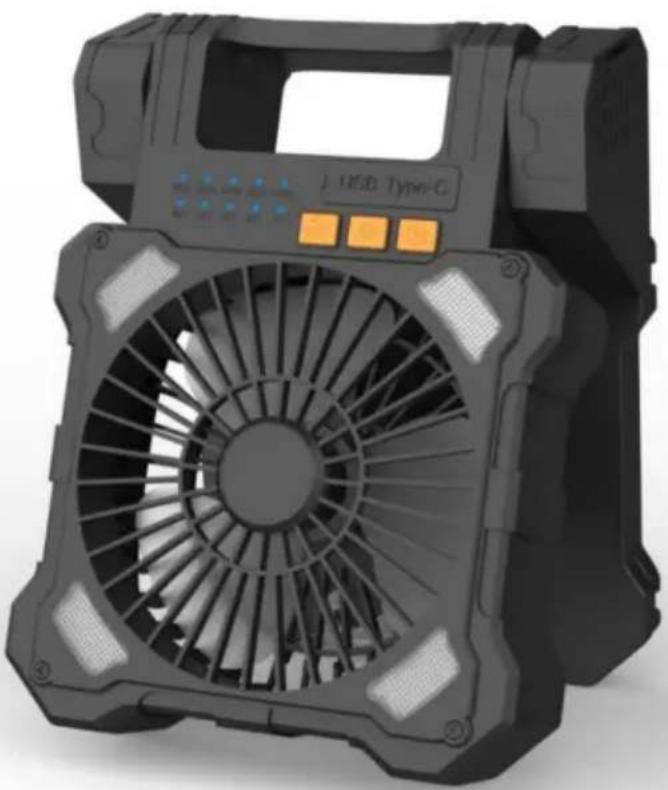
3D rendering of a black USB Type-G air conditioner fan with control buttons (no text or symbols on the device itself)This is the original instruction, please read all manual instructions care before operating. VEVOR reserves a clear interpretation of our user manual. The appearance of the product shall be subject to the product received. Please forgive us that we won't inform you again if there are technology or software updates on our product.
INSTRUCTIONS
Thank you very much for choosing this solar fan. Please read all of instructions before using it. The information will help you achieve the b possible results.
SAVE THIS MANUAL
| Model | F904 |
| Weight | 1030 g |
| Maximum Power | 11W |
| Operating Voltage | 3.0V~4.2V |
| Power supply parameters | 5V 2A |
PACKING LIST
Fan x 1, User Manual x 1, Type-C Cable x1
FAN MODES
FAN MODES
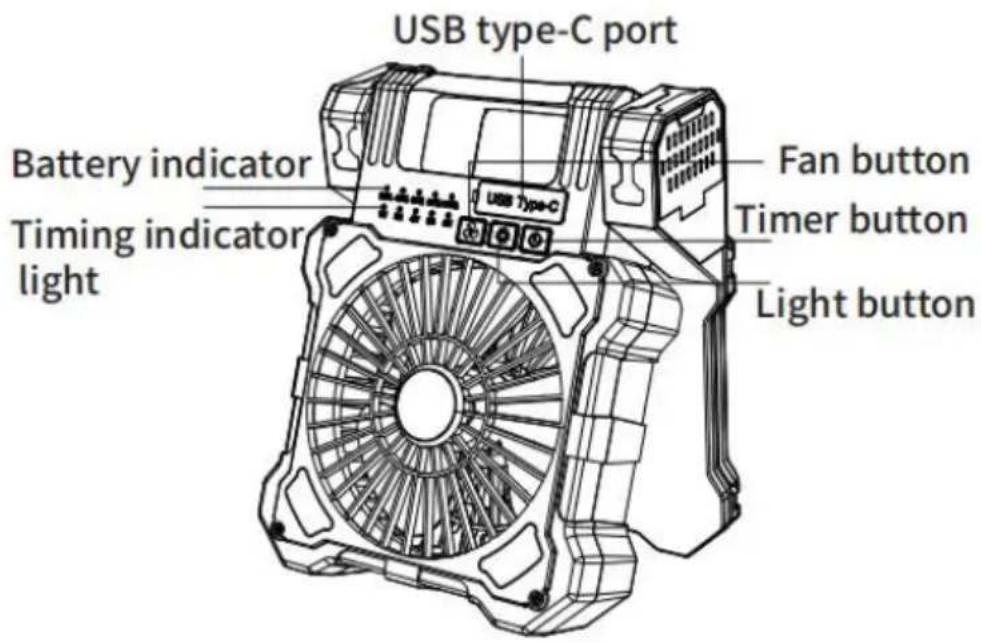
- Press the fan gear button to turn on the lowest wind speed of the
- Press the second fan gear button to turn on the second middle will speed.
- Press the fan gear button for the third time to turn on the third w speed.
- Press the fan gear button for the fourth time to turn on the fourth speed.
- Press the fan gear button for the fifth time to turn on the highest speed.
- Long press the fan gear button for more than 3 seconds to turn c
LIGHT MODES
- Press the first lighting gear button, the minimum brightness of the light lamp.
- Press the lighting gear button for the second time, and the light with medium brightness.
- Press the lighting gear button for the third time, the light is in third
- Press for the fourth time to turn off the light function.
PRODUCT CHARGING AND USB PORT
A. TYPE-CHARGING
-
To charge the fan, please connect the Type-C charging port in the accessory to charge.
-
The charging indicator will flash blue as the battery charges.
B.USB EMERGENCY CHARGING
- There is a USB output port and a Type-C charging port in the du
- Plug the USB end of the supplied charging cable into the USB p device and the other end into the charging port of the hand set to the handset.
C.SOLAR CHARGING
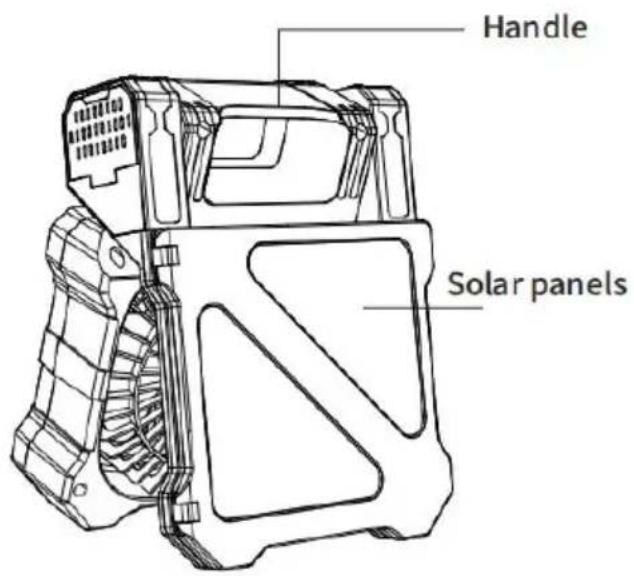
- Put the front of the solar panel in the sun to allow it to charge a efficiently as possible.
- The charging indicator lights up when the solar panel is charging.
- Please note that the solar power mode is mainly used for battery maintenance.
TIMER
When the fan is running
- The first time you press the timing gear button, turn on the timing
- Press the timer button for the second time to turn on the timer f
- Press the timer button for the third time to turn on the timer for
- Press the timer button for the fourth time to turn on the timer for
- Press the timer button for the fifth time to turn on the timer for
- Press the sixth time to close the time function.
- Long press to turn on/off the mosquito killing heating function.
POWER INDICATOR/TIMER DISPLAY
The fan has 5 battery indicator lights 5 battery indicator lights are or indicate battery charge: C>80%
4 battery indicator lights are on to indicate battery charge: 80%>C>60
3 battery indicator lights are on: 60%>C>40%
2 battery indicator lights are on:40%>C>20%
1 battery indicator light is on 20%>C>3%.
The fan has 5 gear indicators (together with the power indicator).
Click the first time, the power indicator lights up at 20%, indicating this is in gear 1.
Click the second time, the power indicator lights up at 40%, indicating fan is in gear 2.
Click the third time, the power indicator lights up at 65%, indicating it is in gear 3.
Click the fourth time, the power indicator lights up at 80%, indicating fan is in gear 4.
Click the fifth time, the power indicator lights up at 100%, indicating is in gear 5.
There are 5 indicator lights at regular intervals Timing 1st gear: 1h in light on
Timing 2nd gear: 2h indicator light turns on
Timing 3rd gear: 4h indicator light on
Timing 4th gear: 6h indicator light on
Timing 5th gear: 8h indicator light on
POWER PROTECTION
- When there is overload or short circuit inside the product, the prote chip can cut off the power supply to protect the battery from damage
- When the battery voltage is lower than 2.5V, the protection chip can off the source to protect the battery from over-discharge damage.
- When the battery voltage is lower than 3.0V, The light flashes and machine turns off automatically.
Note: the charging voltage should not exceed 5V, and the charging cu should not exceed 2A.
SAFETY INSTRUCTIONS
-
Do not insert your hands or foreign objects into the air inlet and
-
Do not use the product in a humid environment.
- Do not disassemble, alter or repair the product by yourself.
- Do not charge the product with an adapter that exceeds the specified voltage when charging. Do not charge the product with an adapter that exceeds the specified voltage.
- Do not use the product in a fire environment.
- Do not charge or use the product on flammable surfaces such as carpets.
- When the product is used for the first time or left unused for mo 60 days, please recharge the battery again.
- When using the product, please do not over-discharge the battery, may reduce the Do not over-discharge the battery when in use, as this reduce the service life of the battery in the machine, or even damage rechargeable battery in the product.
9 Do not use alcohol or other corrosive liquid to clean the product. - Avoid direct light from the flashlight to your eyes.
Manufacturer: Shanghaimuxinmuyeyouxiangongsi
Address: Shuangchenglu 803nong11hao1602A-1609shi, baoshanqu, shanghai 200000 CN.
Imported to AUS: SIHAO PTY LTD. 1 ROKEVA STREETEASTWOOD NSW 2122 Australia
Imported to USA: Sanven Technology Ltd. Suite 250, 9166 Anaheim Place, Rancho Cucamonga, CA 91730
| UK | REP |
YH CONSULTING LIMITED. C/O YH Consultin Limited Office 147, Centurion House, London Road, Staines-upon-Thames, Surrey, TW18 4A>
| EC | REP |
Technical Support and E-Warranty Certificate www.vevor.com/support
VEVOR
Affordable. Reliable. Home Improvement.
VENTILATEUR SOLAIRE
MODÈLE : F904
Affordable. Reliable. Home Improvement.
MODÈLE : F904
natural_image
3D rendering of a black USB Type-G air conditioner fan with control buttons and ventilation slots (no text or symbols visible)YH CONSULTING LIMITED. A/S YH Consulting
Route, Staines-upon-Thames, Surrey, TW18 4AX
E-CrossStu GmbH
Mainzer Landstr.69,
Affordable. Reliable. Home Improvement.
SOLARVENTILATOR
MODELL:F904
www.vevor.com/support
VEVOR
SOLARVENTILATOR
Affordable. Reliable. Home Improvement.
MODELL:F904
natural_image
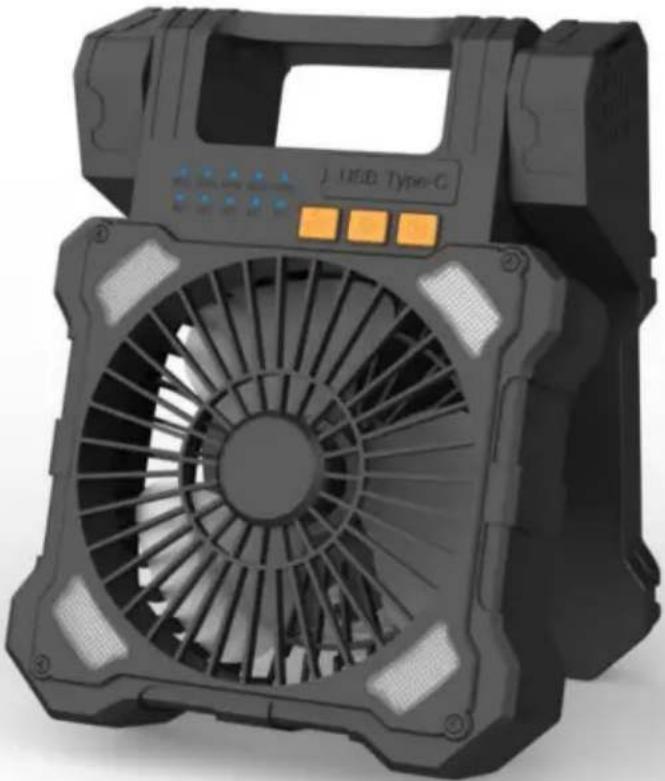
3D rendering of a black J USB Type-C air conditioner fan with control buttons (no text or symbols visible)YH CONSULTING LIMITED. C/O YH Consulting Limited Office 147, Centurion House, London Straße, Staines-upon-Thames, Surrey, TW18 4AX
Affordable. Reliable. Home Improvement.
VENTILATORE SOLARE
MODELLO:F904
www.vevor.com/support
VEVOR
VENTILATORE SOLARE
Affordable. Reliable. Home Improvement.
MODELLO:F904
natural_image
3D rendering of a black J USB Type-G air conditioner fan with control buttons (no text or symbols on the device itself)Importato in AUS: SIHAO PTY LTD. 1 ROKEVA STREETEASTWOOD
Nuovo Galles del Sud 2122 Australia
Strada, Staines-upon-Thames, Surrey, TW18 4AX
Affordable. Reliable. Home Improvement.
VENTILADOR SOLAR
MODELO:F904
Affordable. Reliable. Home Improvement.
MODELO:F904

natural_image
3D rendering of a black USB Type-G air conditioner fan with control buttons and ventilation slots (no text or symbols visible)YH CONSULTING LIMITADA. A/C YH Consulting
Carretera, Staines-upon-Thames, Surrey, TW18 4AX
E-CrossStu GmbH
Mainzer Landstr.69,
Affordable. Reliable. Home Improvement.
WENTYLATOR SŁONECZNY
MODEL:F904
Affordable. Reliable. Home Improvement.
MODEL:F904
natural_image
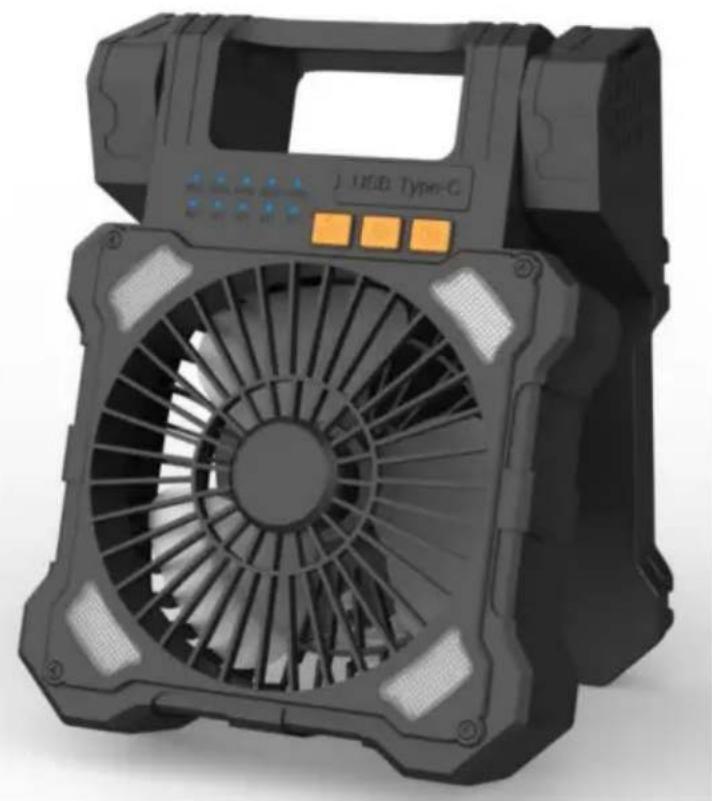
3D rendering of a black industrial fan with control panel and orange buttons (no visible text or symbols)YH CONSULTING LIMITED. C/O YH Consulting Biuro Limited 147, Centurion House, Londyn Droga, Staines-upon-Thames, Surrey, TW18 4AX
| Przedstaw ciel UE |
E-CrossStu GmbH Mainzer Landstr.69, 60329 Frankfurt nad Menem.

Affordable. Reliable. Home Improvement.
ZONNE-VENTILATOR
MODEL:F904
www.vevor.com/support
VEVOR
ZONNE-VENTILATOR
Affordable. Reliable. Home Improvement.
MODEL:F904
natural_image
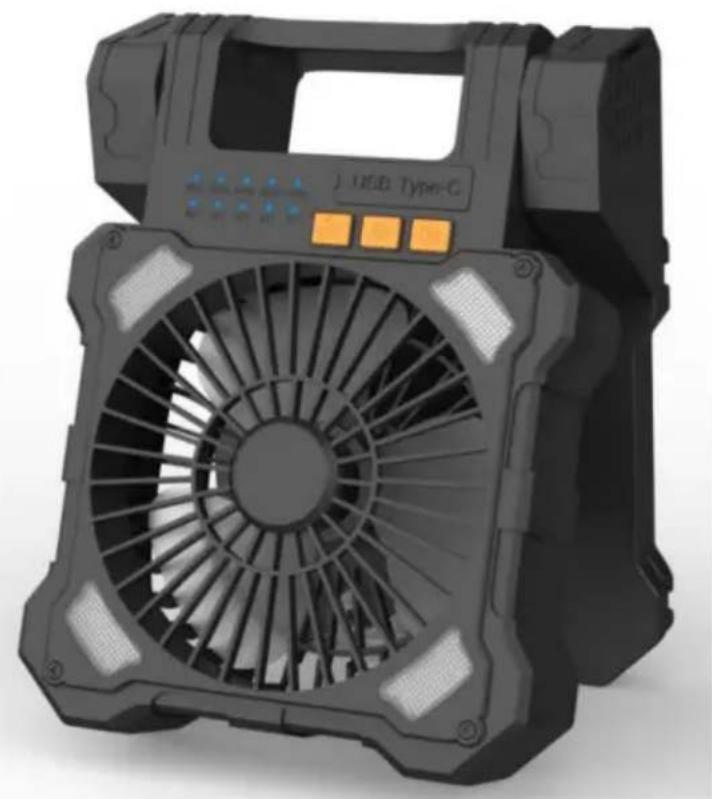
3D rendering of a black J USB Type-G device fan with control buttons and ventilation slots (no text or symbols on the fan itself)YH CONSULTING LIMITED. C/O YH Consulting
Beperkt kantoor 147, Centurion House, Londen
Weg, Staines-upon-Thames, Surrey, TW18 4AX
E-CrossStu GmbH
Mainzer Landstr.69, 60329
Frankfurt am Main.

Technische ondersteuning en e-garantiecertificaat www.vevor.com/support
VEVOR
Affordable. Reliable. Home Improvement.
SOLFÄKTARE
MODELL: F904
www.vevor.com/support
VEVOR
SOLFÄKTARE
Affordable. Reliable. Home Improvement.
MODELL: F904
natural_image
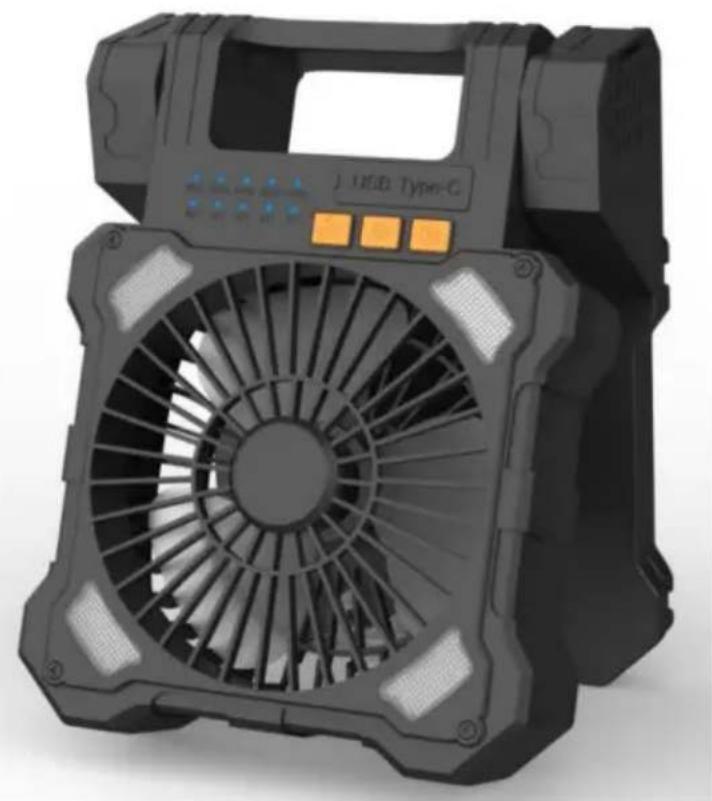
3D rendering of a black USB Type-G air conditioner fan with control buttons and ventilation slots (no text or symbols visible)YH CONSULTING LIMITED. C/O YH Consulting
Limited Office 147, Centurion House, London
Road, Staines-upon-Thames, Surrey, TW18 4AX
| EC | REP |
E-CrossStu GmbH
Mainzer Landstr.69,
60329 Frankfurt am Main.