
F907 - Fan Vevor - Free user manual and instructions
Find the device manual for free F907 Vevor in PDF.
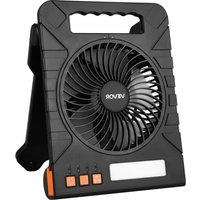


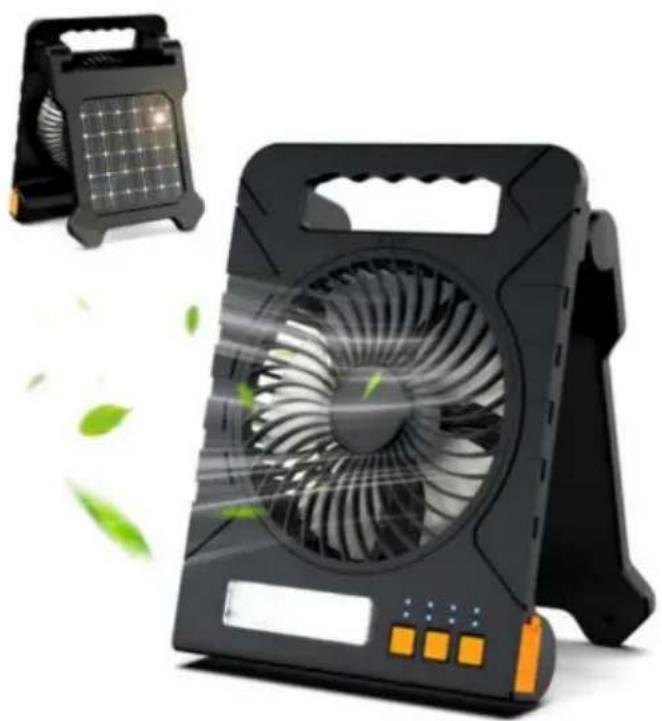
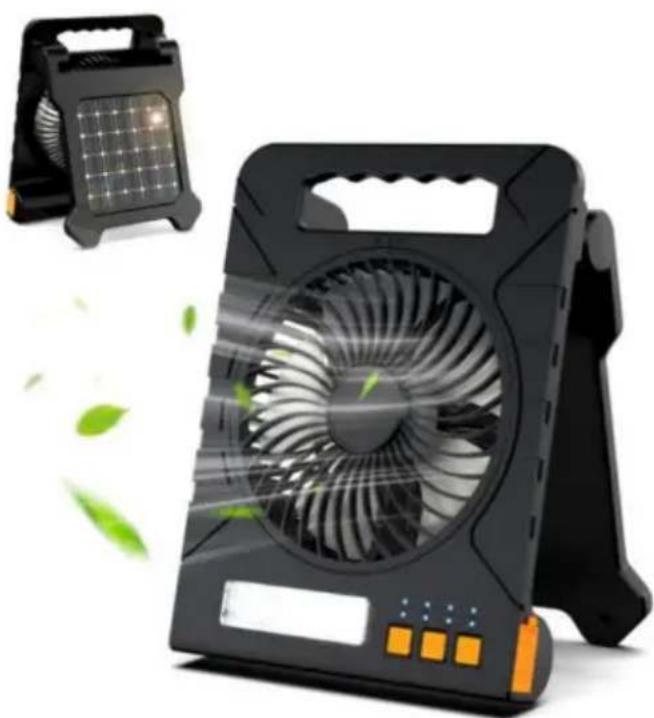
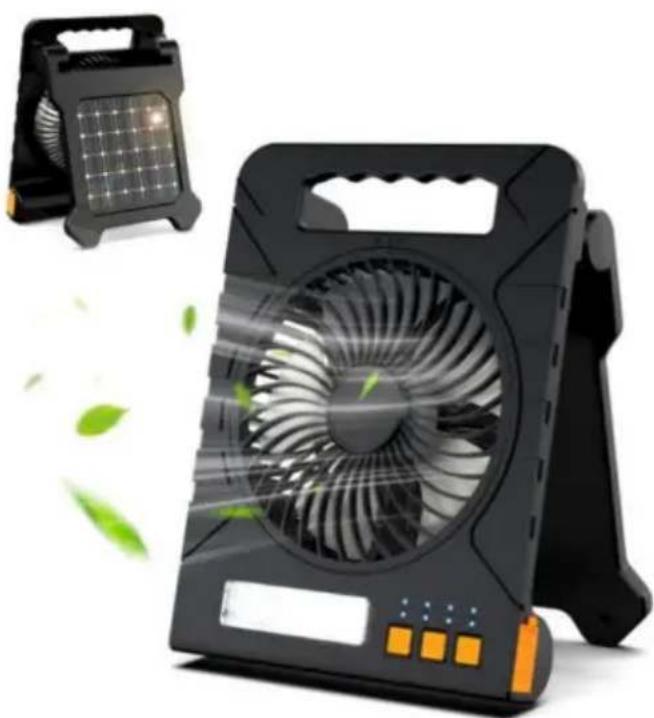
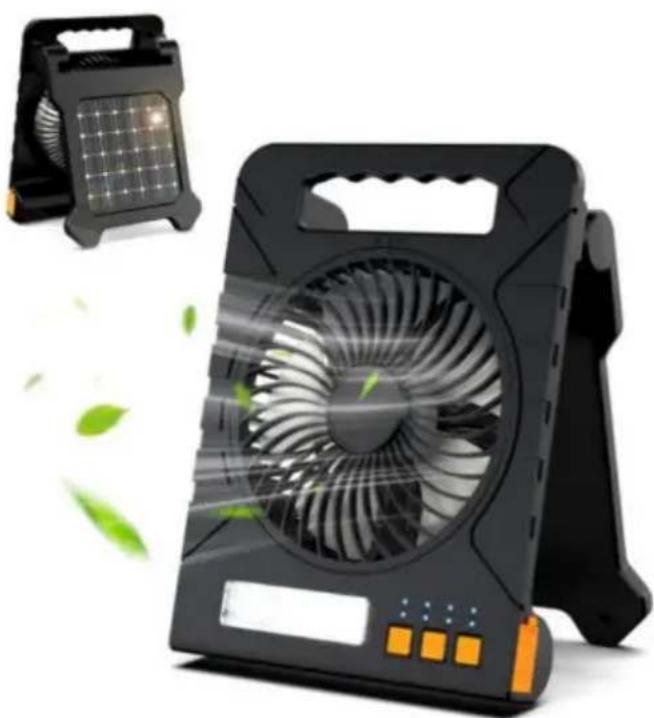
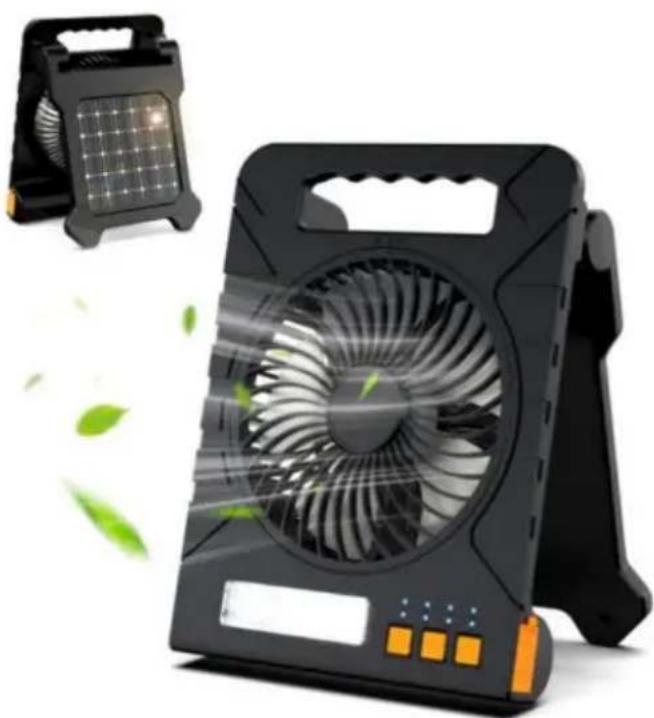
| Product type | Solar portable fan with lamp |
| Brand | Vevor |
| Model | F907 |
| Weight | 850 g |
| Maximum power | 10 W |
| Operating voltage | 3.0 V ~ 4.2 V |
| Power supply | 5 V / 2 A (via USB-C port) |
| Charging types | USB-C, solar, emergency charge (USB-A) |
| Number of speeds | 4 fan speeds |
| Built-in lighting | 3 lighting modes + strobe light (long press) |
| Timer | 1 h / 2 h / 3 h / 4 h |
| Battery indicator | 4 LEDs (color): >75%, 50-75%, 25-50%, 3-25%, flashing <3% |
| Battery protection | Overcharge, short circuit, and overdischarge protection |
| Removable front grille | Yes (unscrew and rotate) |
| Care and cleaning | Do not use alcohol or corrosive liquid; clean with a dry cloth |
| Safety | Do not insert objects, avoid moisture, do not disassemble, do not expose to fire, do not charge on flammable surface |
| Package contents | Fan, USB-C cable, user manual |
| Warranty | Electronic warranty certificate available at www.vevor.com/support |
Frequently Asked Questions - F907 Vevor
User questions about F907 Vevor
0 question about this device. Answer the ones you know or ask your own.
Ask a new question about this device
Download the instructions for your Fan in PDF format for free! Find your manual F907 - Vevor and take your electronic device back in hand. On this page are published all the documents necessary for the use of your device. F907 by Vevor.
USER MANUAL F907 Vevor
Affordable. Reliable. Home Improvement.
SOLAR FAN
MODEL: F907
Technical Support and E-Warranty Certificate
www.vevor.com/support
MODEL: F907
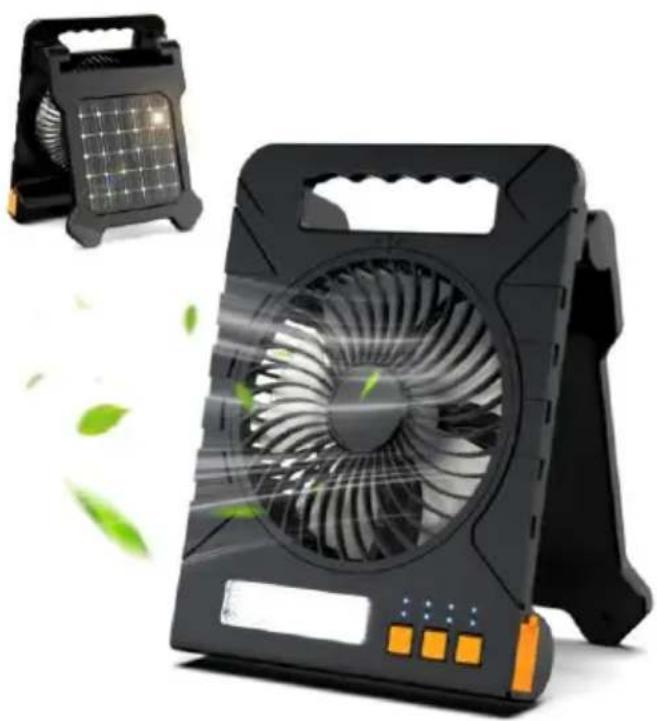
This is the original instruction. Please read all manual instructions carefully before operating. VEVOR reserves a clear interpretation of the user manual. The appearance of the product shall be subject to the product you received. Please forgive us that we won't inform you again if there are any technology or software updates on our product.
INSTRUCTIONS
Thank you very much for choosing this solar fan. Please read all of the instructions before using it. The information will help you achieve the best possible results.
SAVE THIS MANUAL
| Model | F907 |
| Weight | 850 g |
| Maximum Power | 10W |
| Operating Voltage | 3.0V~4.2V |
| Power supply parameters | 5V 2A |
PACKING LIST
Fan x 1, User Manual x 1, Type-C Cable x 1
FAN MODES
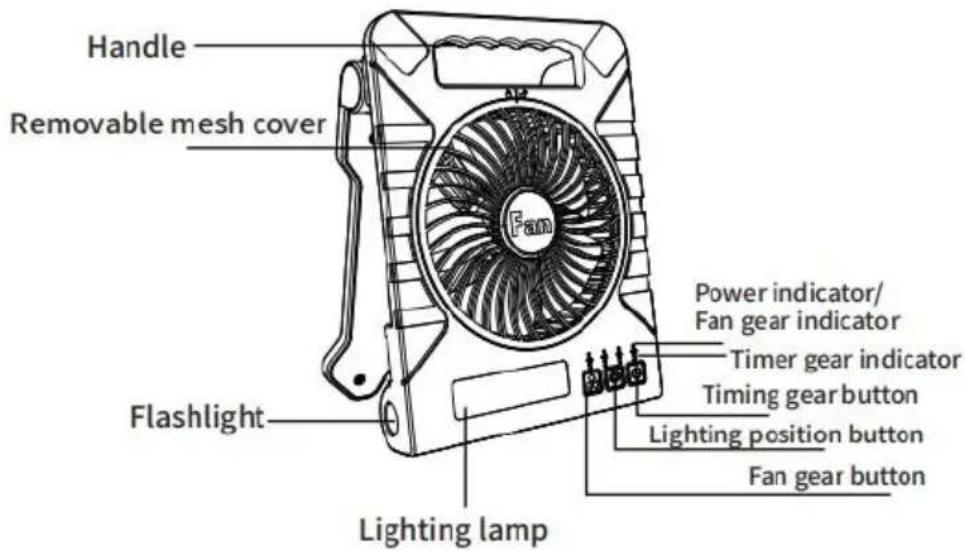
- Press the fan gear button to turn on the lowest wind speed of the
- Press the second fan gear button to turn on the second middle wind speed.
- Press the fan gear button for the third time to turn on the third speed.
- Press the fan gear button for the fourth time to turn on the highest speed. 5. Long press the fan gear button for more than 3 seconds to turn off.
LIGHT MODES
- Press the light gear button for the first time to turn on the first gear.
- Press the light gear button for the second time to turn on the second gear.
- Press the light gear button for the third time to turn on the third gear.
- Press the light gear button for the fourth time to turn off the light.
- Long press the light gear button for more than 3 seconds to turn on the side light.
PRODUCT CHARGING AND USB PORT
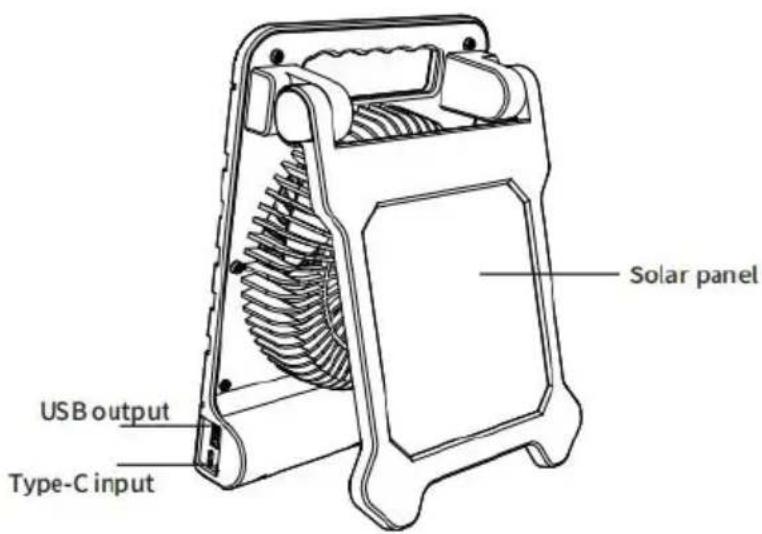
A. TYPE-C CHARGING
- To charge the fan, please connect the Type-C charging port in the accessory to charge.
- The charging indicator will flash blue as the battery charges.
B. USB EMERGENCY CHARGING
1. There is a USB output port and a Type-C charging port in the dual. 2. Plug the USB end of the supplied charging cable into the USB port of the device and the other end into the charging port of the handset.
C. SOLAR CHARGING
- Place the front of the solar panel in direct sunlight to ensure it charges as efficiently as possible.
- The charging indicator light turns on when the solar panel is charging.
- Please note that solar power mode is primarily intended for battery maintenance.
TIMER
- Press the timer button once to set the timer for 1 hour.
- Press the timer button a second time to set the timer for 2 hours.
- Press the timer button a third time to set the timer for 3 hours.
- Press the timer button a fourth time to set the timer for 4 hours.
- Press it a fifth time to turn off the timer function.
POWER INDICATOR / TIMER DISPLAY
The fan has 4 power indicator lights:
4 power indicator lights on: battery power > 75% 3 power indicator lights on: 75% > battery power > 50% 2 power indicator lights on: 50% > battery power > 25% 1 power indicator light on: 25% > battery power > 3%
When the first power indicator light flashes, it means the battery power is 3%.
The fan has 4 speed indicators (along with the power indicator). With the first click, 25% of the power indicator lights up, indicating fan speed 1.
On the second click, 50% of the power indicator lights up, indicating speed 2.
The third click, 75% of the power indicator lights up, indicating fans
Click the fourth time, the power indicator will light up at 100% , which means the fan is on speed 4.
POWER PROTECTION
- When there is overload or short circuit inside the product, the protech chip can cut off the power supply to protect the battery from damage
- When the battery voltage is lower than 2.5V, the protection chip can off the source to protect the battery from over-discharge damage.
- When the battery voltage is lower than 3.0V , The light flashes and machine turns off automatically.
Note: the charging voltage should not exceed 5V, and the charging cu should not exceed 2A.
FRONT GRILL PROTECTION
1.Unscrew the back screw 2. Turn the front mesh cover clockwise to open the front mesh cove 3. Turn the front cover counter clockwise to close the front mesh co
A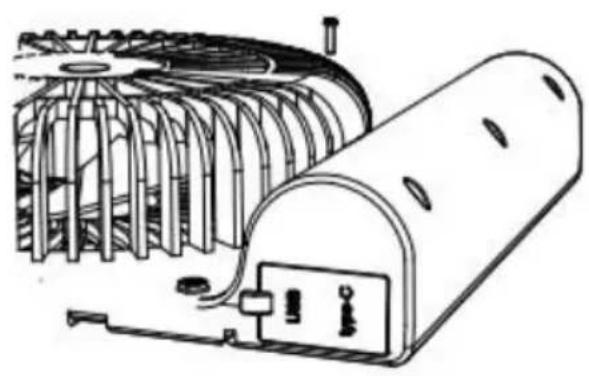
B
SAFETY INSTRUCTIONS
- Do not insert your hands or foreign objects into the air inlet and
- Do not use the product in a humid environment.
- Do not disassemble, alter or repair the product by yourself.
- Do not charge the product with an adapter that exceeds the specified voltage.
- Do not use the product in a fire environment.
- Do not charge or use the product on flammable surfaces such as carpets.
- When the product is used for the first time or left unused for more than 60 days, please recharge the battery again.
- When using the product, please do not over-discharge the battery, as this may reduce the service life of the battery in the machine, or even damage the rechargeable battery in the product. Do not use alcohol or other corrosive liquid to clean the product.
- Avoid direct light from the flashlight to your eyes.
Manufacturer: Shanghaiuxinmuyeyouxianggsi
Address: Shuangchenglu 803nong11hao1602A-1609shi, baoshanqu, shanghai 200000 CN.
Imported to AUS: SIHAO PTY LTD. 1 ROKEVA STREETEASTWOOD NSW 2122 Australia
Imported to USA: Sanven Technology Ltd. Suite 250, 9166 Anaheim Place, Rancho Cucamonga, CA 91730
| UK | REP |
YH CONSULTING LIMITED. C/O YH Consultin Limited Office 147, Centurion House, London Road, Staines-upon-Thames, Surrey, TW18 4A
| EC | REP |
Technical Support and E-Warranty Certificate www.vevor.com/support
VEVOR
SOLAR FAN
MODEL: F907
SOLAR FAN
MODEL: F907
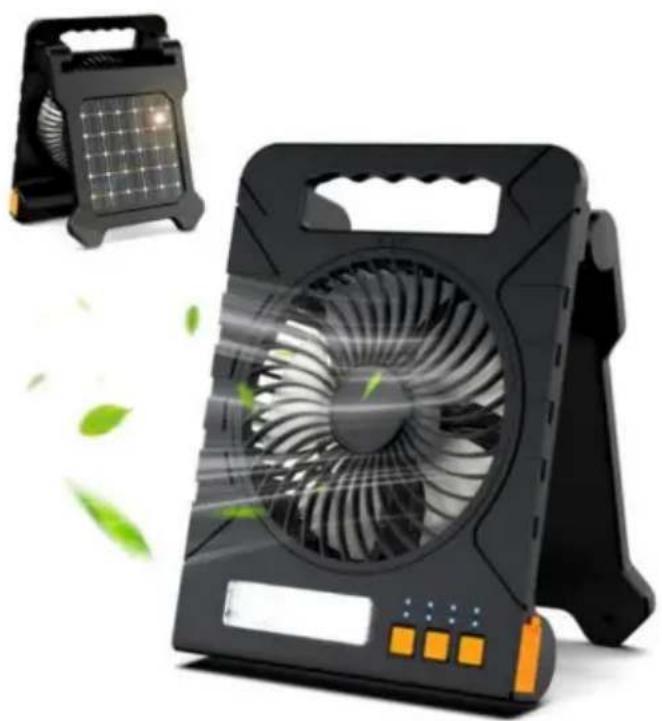
SOLAR FAN
MODEL: F907
www.vevor.com/support
VEVOR
SOLAR FAN
MODEL: F907
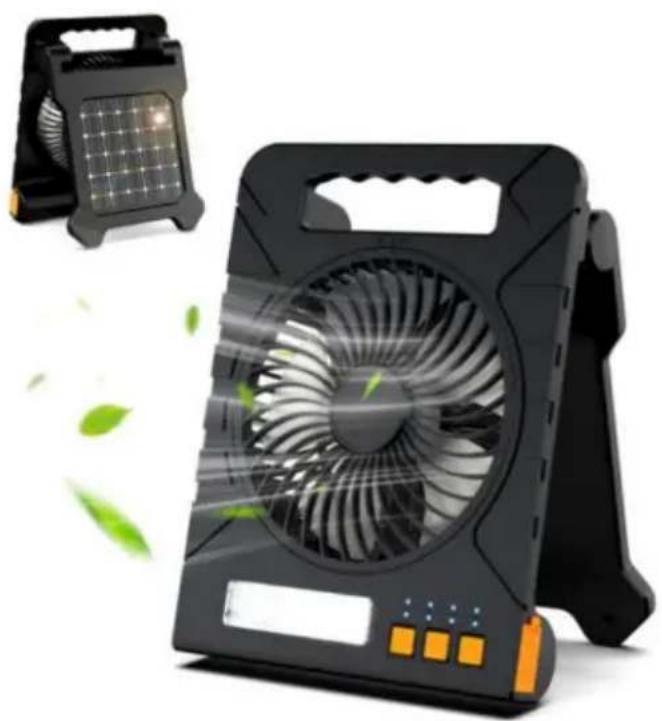
YH CONSULTING LIMITED. C/O YH Consulting Limited Office 147, Centurion House, London Street, Staines-upon-Thames, Surrey, TW18 4AX
SOLAR FAN
MODEL: F907
www.vevor.com/support
VEVOR
SOLAR FAN
MODEL: F907
Imported in AUS: SIHAO PTY LTD. 1 ROKEVA STREET EASTWOOD
New South Wales 2122 Australia
SOLAR FAN
MODEL: F907
Technical support and electronic warranty certificate www.vevor.com/support
VEVOR
SOLAR FAN
MODEL: F907
YH CONSULTING LIMITED. A/C YH Consulting
Road, Staines-upon-Thames, Surrey, TW18 4AX
E-CrossStu GmbH
Mainzer Landstr. 69,
SOLAR FAN
MODEL: F907
SOLAR FAN
MODEL: F907
YH CONSULTING LIMITED. C/O YH Consulting
Office Limited 147, Centurion House, London
Droga, Staines-upon-Thames, Surrey, TW18 4AX
E-CrossStu GmbH
Mainzer Landstr.69,
60329 Frankfurt am Main.

Affordable. Reliable. Home Improvement.
SOLAR FAN
MODEL: F907
Technical support and e-warranty certificate www.vevor.com/support
VEVOR
Affordable. Reliable. Home Improvement.
SOLAR FAN
MODEL: F907
Affordable. Reliable. Home Improvement.
SOLAR FAN
MODEL: F907
www.vevor.com/support
VEVOR
Affordable. Reliable. Home Improvement.
SOLAR FAN
MODEL: F907
YH CONSULTING LIMITED. C/O YH Consulting Limited Office 147, Centurion House, London Road, Staines-upon-Thames, Surrey, TW18 4AX

Brand : Vevor
Model : F907
Category : Fan