
HS-18-ACC - Fan Vevor - Free user manual and instructions
Find the device manual for free HS-18-ACC Vevor in PDF.
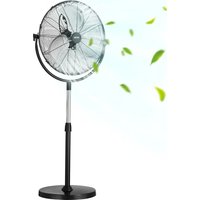


| Brand | Vevor |
| Model | HS-18-ACC |
| Product Type | Pedestal fan (standard fan) |
| Blade Diameter | 45 cm (18 inches) |
| Number of Speeds | 3 speeds (common estimate) |
| Oscillation | Yes, automatic oscillation |
| Height Adjustment | Yes, via telescopic tube |
| Power Supply | 220-240 V ~ 50 Hz |
| Power | 110 W |
| Main Material | ABS plastic and metal |
| Net Weight | Approximately 4.5 kg |
| Dimensions (H x W x D) | Approximately 130 x 45 x 45 cm (assembled) |
| Power Cord Length | Approximately 1.5 m |
| Protective Grille | Removable front and rear grilles |
| Noise Level | Approximately 55 dB (at maximum speed) |
| Maintenance | Clean with a damp cloth and mild soap |
| Safety | Overheat protection and auto shut-off in case of tipping |
| Spare Parts | Grilles, blades, motor, column, base available from the manufacturer |
| Warranty | Electronic warranty certificate available at www.vevor.com/support |
Frequently Asked Questions - HS-18-ACC Vevor
User questions about HS-18-ACC Vevor
0 question about this device. Answer the ones you know or ask your own.
Ask a new question about this device
Download the instructions for your Fan in PDF format for free! Find your manual HS-18-ACC - Vevor and take your electronic device back in hand. On this page are published all the documents necessary for the use of your device. HS-18-ACC by Vevor.
USER MANUAL HS-18-ACC Vevor
Technical Support and E-Warranty Certificate www.vevor.com/support
STANDARD FAN
MODEL: BT-HIF18A/HS-18-ACC/ BT-HIF20A
We continue to be committed to provide you tools with competitive price. "Save Half", "Half Price" or any other similar expressions used by us only represents an estimate of savings you might benefit from buying certain tools with us compared to the major top brands and does not necessarily mean to cover all categories of tools offered by us. You are kindly reminded to verify carefully when you are placing an order with us if you are actually Saving Half in comparison with the top major brands.
VEVOR®
TOUGH TOOLS, HALF PRICE
STANDARD FAN
MODEL:BT-HIF18A/HS-18-ACC/ BT-HIF20A
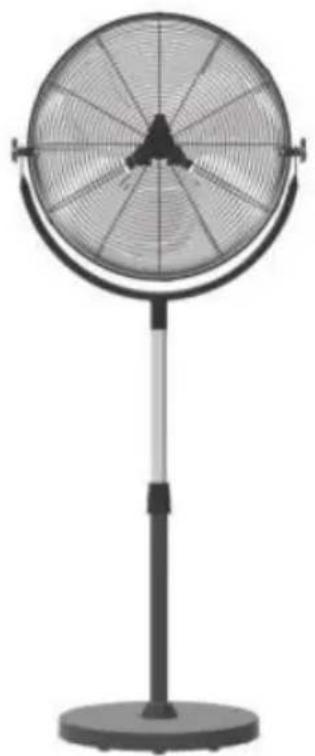
NEED HELP? CONTACT US!
Have product questions? Need technical support? Please feel free to contact us:
Technical Support and E-Warranty Certificate www.vevor.com/support
This is the original instruction, please read all manual instructions carefully before operating. VEVOR reserves a clear interpretation of the user manual. The appearance of the product shall be subject to the product you received. Please forgive us that we won't inform you again if there are any technology or software updates on our product.
SAFETY PRECAUTIONS
 WARNING WARNING | Improper operation may cause personal injury. Improper operation may cause damage to the machine. Improper operation may cause others object damage. |
 | The symbol indicates that the user should pay his attention to and pay attention to the drawing show situation to be noted, and the left figure shows ' of electric shock" |
 | Disconnect the fan when moving from one location another. |
 | Do not use a power supply that does not meet voltageThe use of non compliant power supplies can ca electric shock. |
 | If the machine emits smoke, odor, motor noise a abnormal conditions, Please do not use it. It may fire or electric shock |
 | Do not disassemble, repair or rectify the machine use. Doing so may result in fire or electric shock personal injury |
 | BE CAREFUL |
 | DO NOT use fan in window. Rain may create e hazard. |
 | Do not damage or arbitrarily change the original cord, and do not bend, forcibly pull, bind or pres thepower cord under heavy objects. This will damage the power cord, electric leakage fire or electric shock |
  | If the machine is not used for a long time, plea the power cord from the socketThe connection socket must be installed with leak protection switch device |
 | Never insert fingers, pencils, or any other object the guard when fan is running. |
 | When the power cord is unplugged from the socket, the plug should be unplugged. Do not put power cord to forcibly pull the wire, which may cause damage to the wire and lead to leak electric shock |
 | Disconnect the fan when removing grills for clean not leave the fan running unattended. |
 | This appliance is not intended for use by person (including children) with reduced physical, sensory mental capabilities, or lack of experience and knowledge, unless they have been supervision or instruction concerning use of the appliance by responsible for their safety.Children should be supervised to ensure that they play with the appliance.If the supply cord is damaged, it must be replaced manufacturer, its service agent or similarly qualified persons in order to avoid a hazard.When the appliance is not in use and before cleaning, unplug the appliance from the outlet firstly. |
PRODUCT DESCRIPTION
TECHNICAL PARAMETER
| Model | BT-HIF18A | HS-18-ACC | BT-HIF20A |
| Voltage | 120V~60Hz | 220-240V~50Hz | 120V~ 60Hz |
| Power | 110W | 110W | 140W |
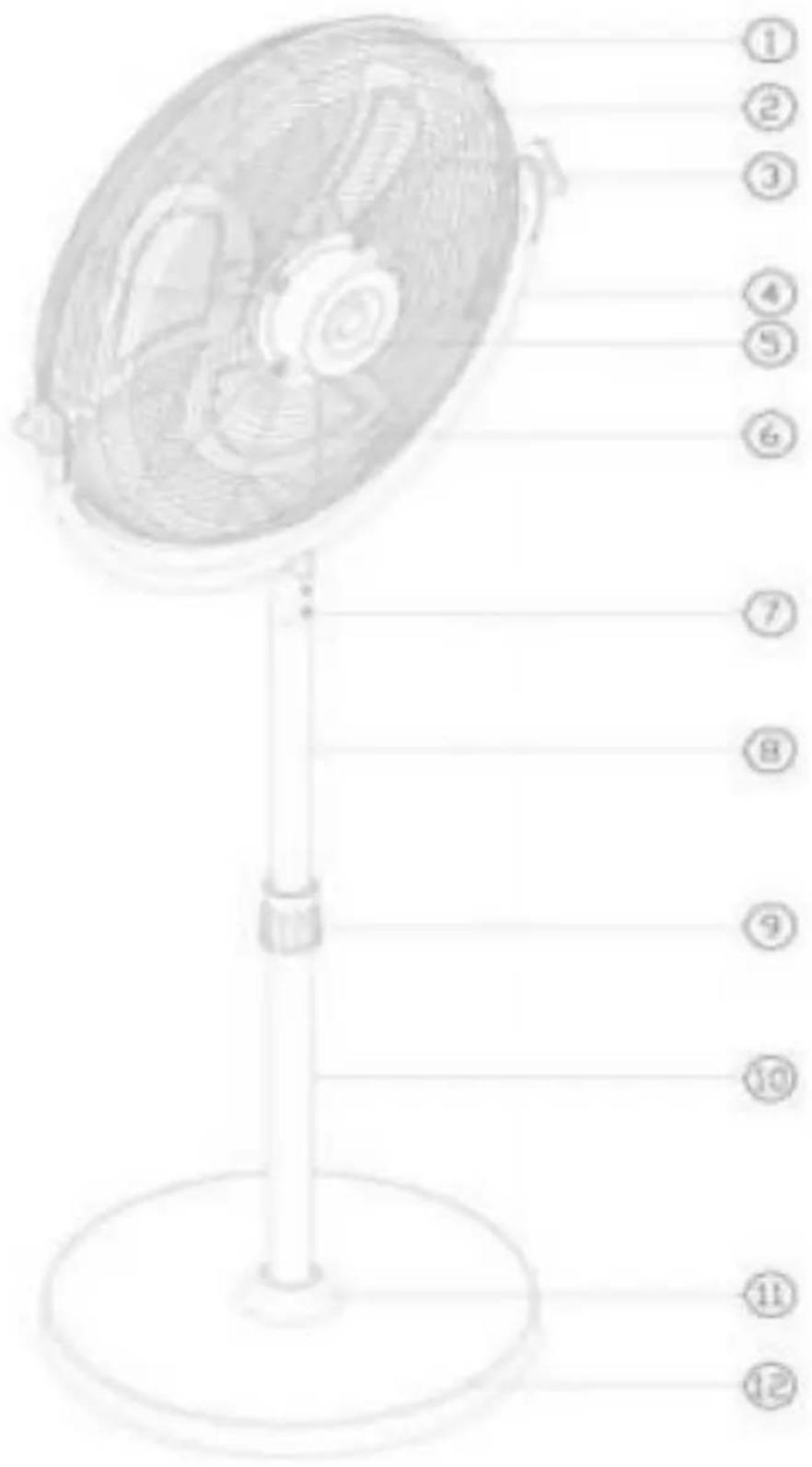
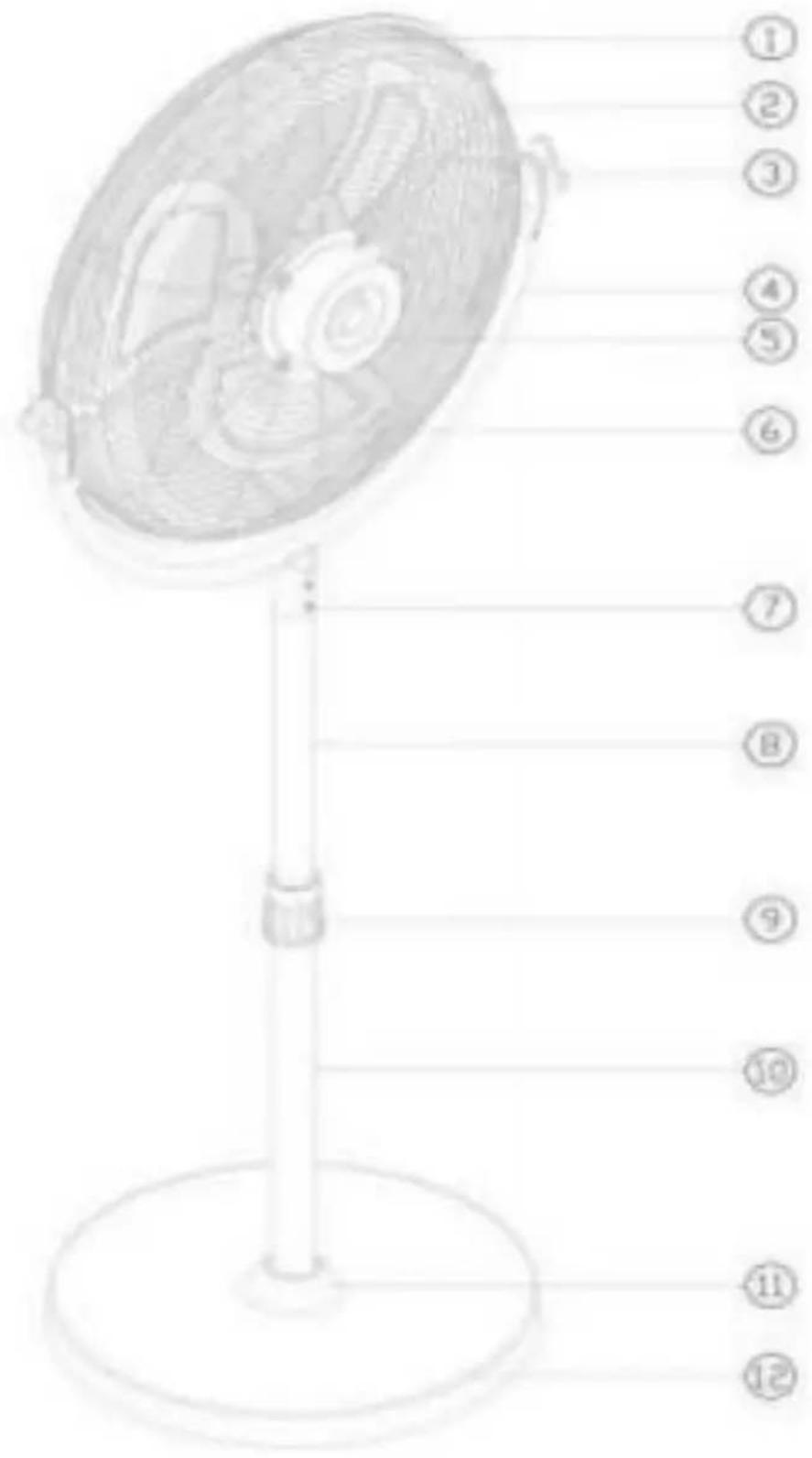
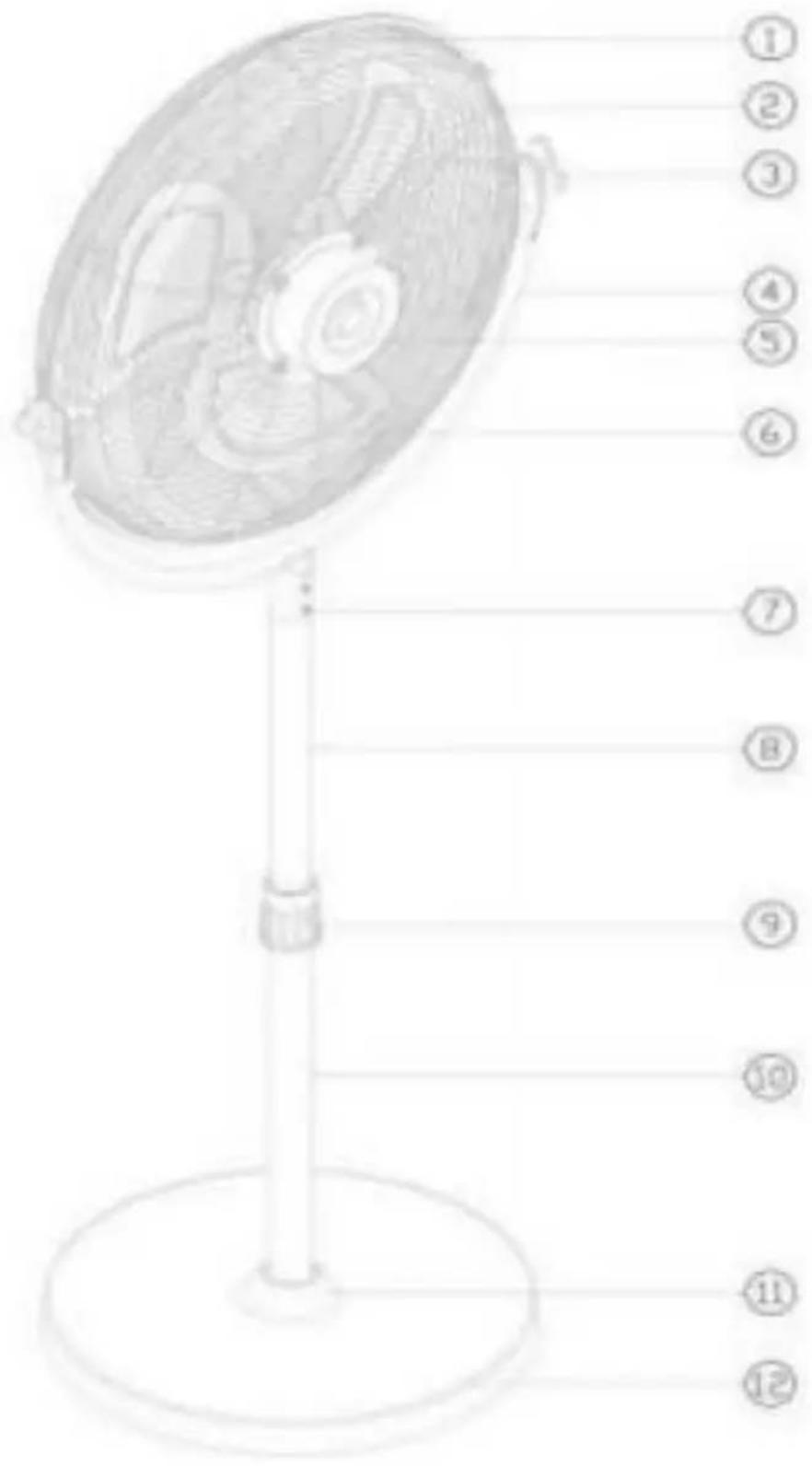
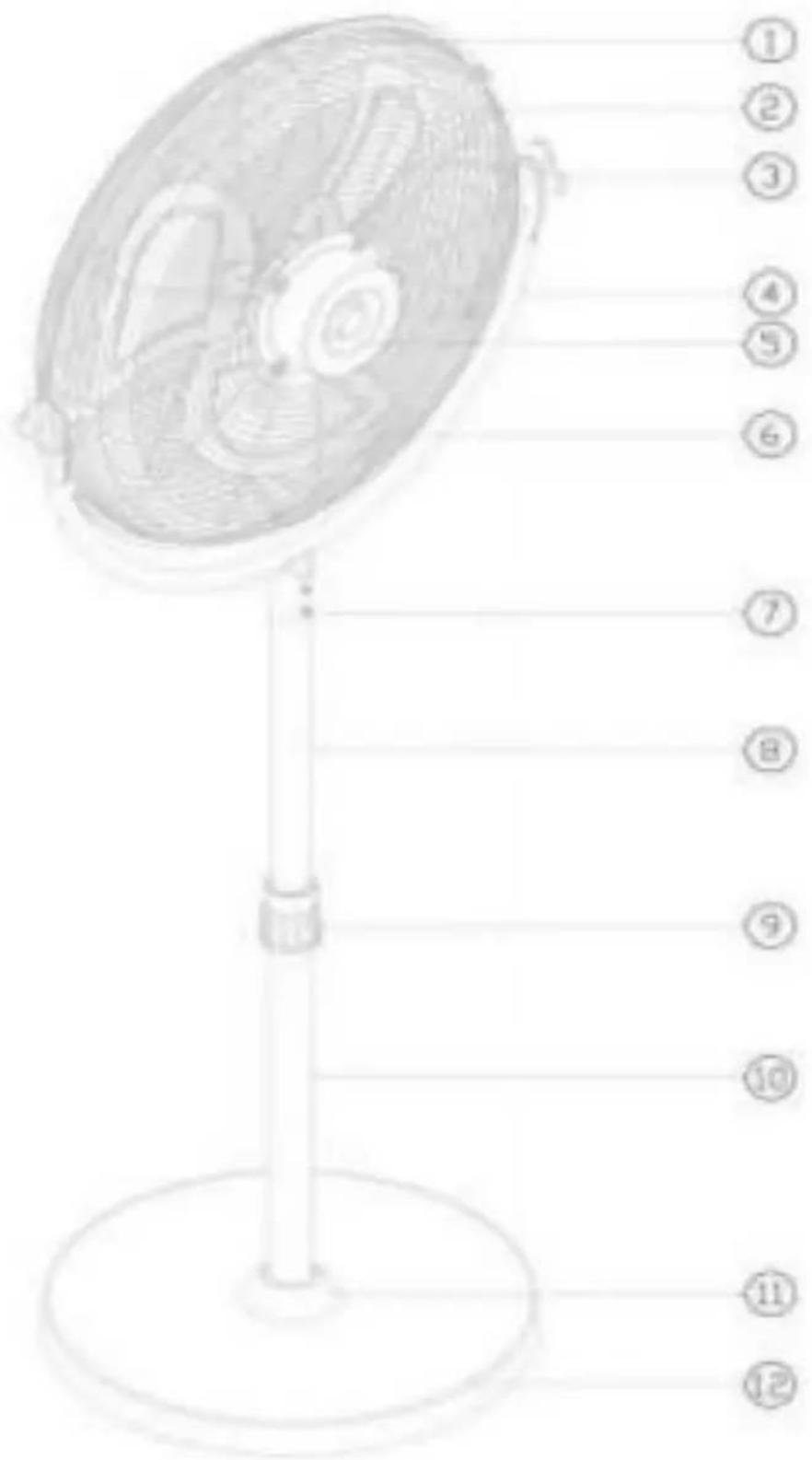
PRODUCT STRUCTURE DIAGRAM
INSTALLATION
* TIPS! Prepare tools in advance:
Cross screwdriver;
Industrial Wall Fan PARTS LIST:
| NO | PARTS | Quantity | NO | PARTS | Quantity |
| 1 | Front Grille | 1 | 7 | screws | 2 |
| 2 | Rear Grille | 1 | 8 | Lifting rods | 1 |
| 3 | Hand screws | 2 | 9 | Tighten the nut | 1 |
| 4 | Bracket tube | 1 | 10 | Column tubes | 1 |
| 5 | Motor | 1 | 11 | Decorative piece | 1 |
| 6 | Fan blade | 1 | 12 | Base | 1 |
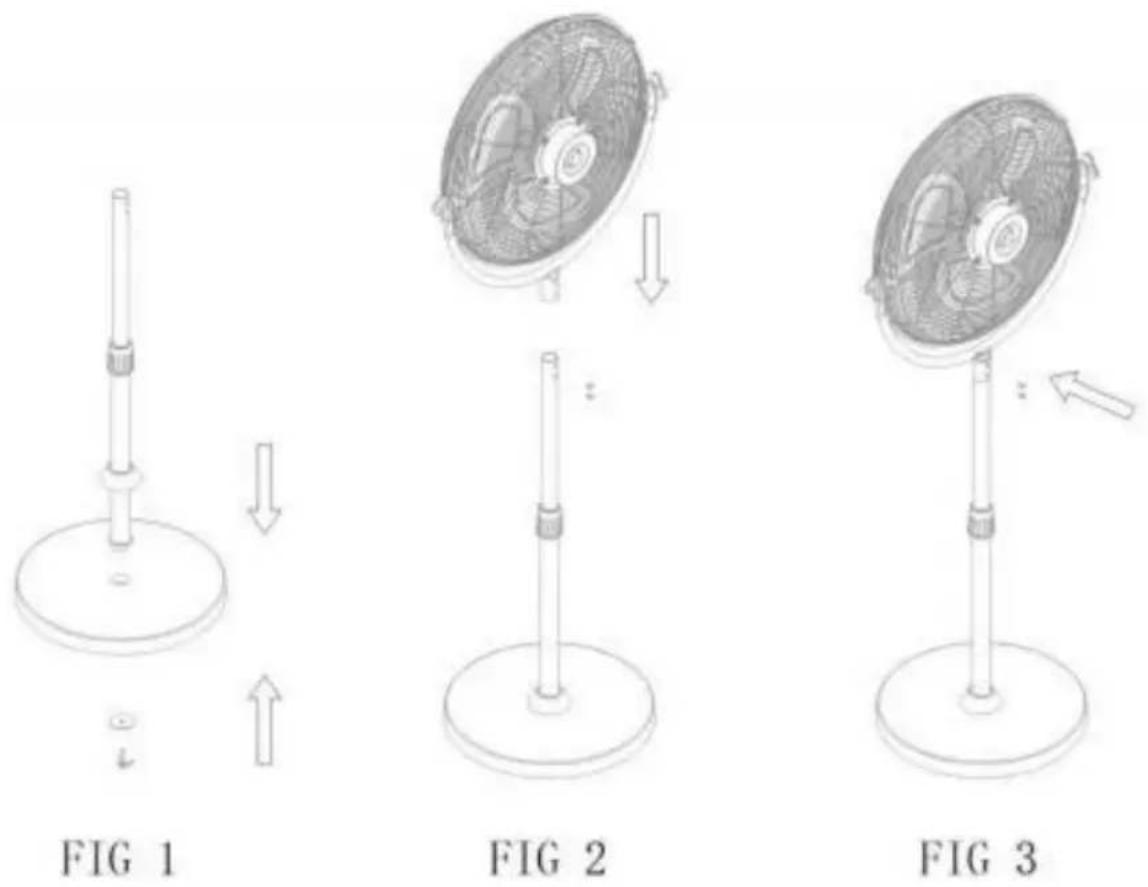
Installation method: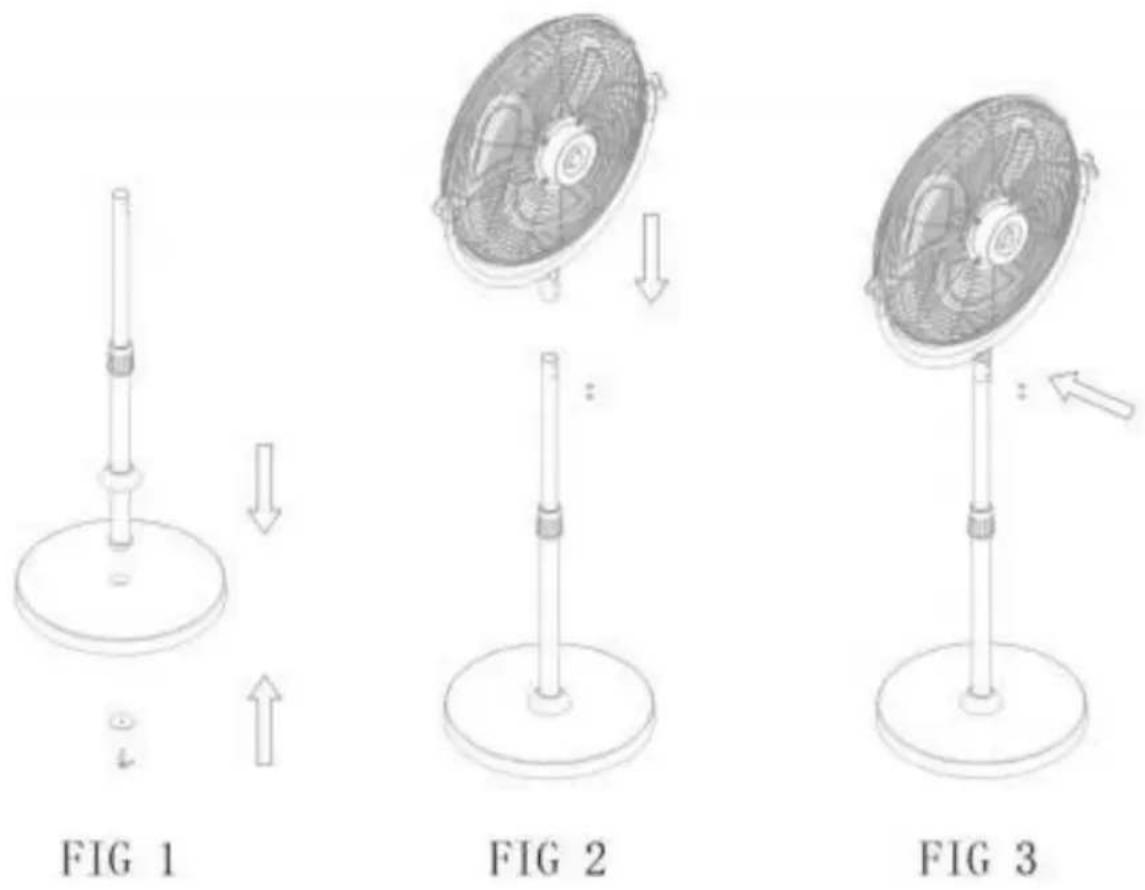
Step: Fan installation
1). Plug the column tube assembly into the base and tighten the hair screws, shown in Figure 1; 2). Attach the fan head assembly to the column tube, shown in Figure 2 3). Lock the column tube screws, shown in Figure 3.
CLEANING
- Be sure to unplug from the electrical supply source before cleaning.
- Plastic parts should be cleaned with mild soap and damp cloth or sponge. Thoroughly remove soap film with clean water.
- Be sure not to get water or other liquid into the motor.
TROUBLE SHOOTING
Q: Excessive noise
A:1. It is normal that there is noise during operation. If too loud, please the fan to lower speed.
- Check if the blade is installed properly.
Q: Fan does not operate
A: 1. Make sure the fan is connected to a powered electrical outlet. 2. Clean the blade regularly.
VEVOR®
TOUGH TOOLS, HALF PRICE
Technical Support and E-Warranty Certificate
www.vevor.com/support
VEVOR®
TOUGH TOOLS, HALF PRICE
NEED HELP? CONTACT US!
INSTALLATION
www.vevor.com/support
VEVOR®
TOUGH TOOLS, HALF PRICE
PRODUCT STRUCTURE DIAGRAM
INSTALLATION
www.vevor.com/support
VEVOR®
TOUGH TOOLS, HALF PRICE
NEED HELP? CONTACT US!
PRODUCT STRUCTURE DIAGRAM
INSTALLATION
NEED HELP? CONTACT US!
INSTALLATION
* TIPS! Tools
Installation method:
Step: Fan installation
NEED HELP? CONTACT US!
PRODUCT STRUCTURE DIAGRAM
www.vevor.com/support
VEVOR®
TOUGH TOOLS, HALF PRICE
PRODUCT STRUCTURE DIAGRAM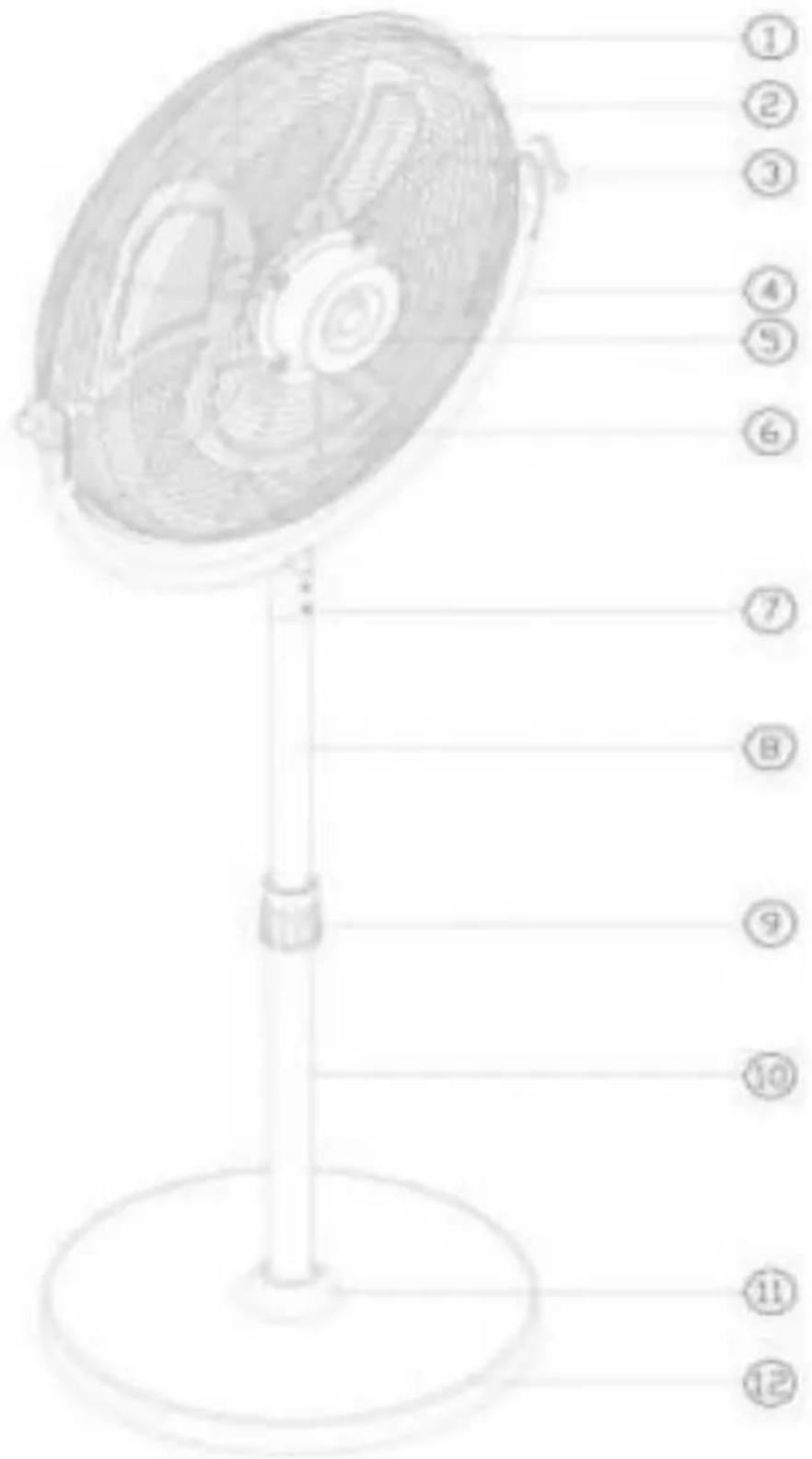
INSTALLATION
INSTALLATION
Brand : Vevor
Model : HS-18-ACC
Category : Fan