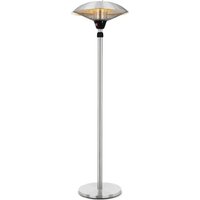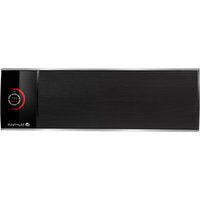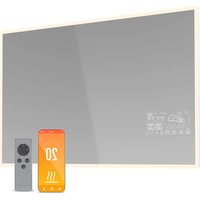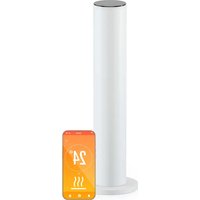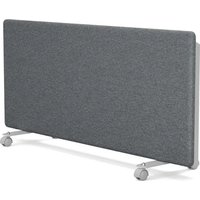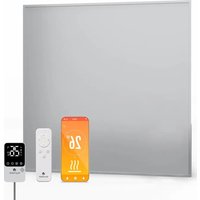
RadiantSmart - Heating Blumfeldt - Free user manual and instructions
Find the device manual for free RadiantSmart Blumfeldt in PDF.


User questions about RadiantSmart Blumfeldt
0 question about this device. Answer the ones you know or ask your own.
Ask a new question about this device
Download the instructions for your Heating in PDF format for free! Find your manual RadiantSmart - Blumfeldt and take your electronic device back in hand. On this page are published all the documents necessary for the use of your device. RadiantSmart by Blumfeldt.
USER MANUAL RadiantSmart Blumfeldt
natural_image
Abstract green circular logo with three curved segments (no text or symbols)
natural_image
Abstract green circular logo with two leaf-like shapes on top and bottom (no text or symbols)
natural_image
Abstract green circular logo with three leaf-like shapes forming a Y-shape (no text or symbols)text_image
QR code image containing encoded data, no visible human-readable textINHALT
Technische Daten 3
natural_image
Simple line drawing of a rectangular enclosure with three vertical cylindrical tanks and an attached electrical outlet connected to the top panel (no text or symbols)natural_image
Pure electrical circuit lines without any symbolstext_image
QR code with a green logo in the center, likely linking to a digital service or website.
text_image
QR code with green logo in center, likely linking to a digital service or websitenatural_image
Symbol of a trash bin crossed with a diagonal line, no text or numbers presentBerlin Brands Group UK Limited PO Box 42
272 Kensington High Street
London, W8 6ND
Großbritannien
Congratulations on purchasing this equipment. Please read this manual carefully and take care of the following hints to avoid damages. Any failure caused by ignoring the items and cautions mentioned in the instruction manual are not covered by our warranty and any liability. Scan the QR code to get access to the latest user manual and other information about the product.
text_image
QR code image containing encoded data, no visible human-readable textCONTENTS
Technical Specifications 19
Safety Instructions 20
Installation 22
Controls Overview 24
Operation 25
Device Control by Smartphone 27
Product Information 29
Product Information 30
Disposal Considerations 31
Declaration of Conformity 31
TECHNICAL SPECIFICATIONS
| Article number 10046 | 416 10046418 | |
| Power supply 230V~ / | 50 Hz | |
| Power 360 W 600 W | ||
| Size 60x60 60x100 | ||
| Mounting wall | ||
| WLANFrequencyMax. radio-frequencypower | 2.400–2.4835 GHz<20 dBm | |
Accessories
| 10046417 Extension for 10046416 |
| 10046419 Extension for 10046418 |
SAFETY INSTRUCTIONS
- Check that the voltage indicates on the data plate corresponds with that of the local network before connecting the appliance to the mains power supply.
- If the supply cord is damaged, it must be replaced by a qualified engineer in order to avoid a hazard.
- The heater must not be positioned directly under the power socket.
- Keep furniture, curtains and other flammable material at least 1 meter away from the appliance.
- Keep out of reach of children and do not allow them to operate this appliance.
- This appliance is intended for household use only and should not be used for industrial purposes.
- Do not operate this appliance after a malfunction or after being damaged in any way.
- Repairs to electrical appliances should only be performed by a qualified electrician.
- Improper repairs may place user at serious risk.
- Do not run the mains cable under carpets, rugs, etc.
- Do not allow the mains cable to hang over sharp edges or come in contact with hot surfaces.
- In order to avoid overheating, do not cover the heater.
- Do not use this heater with a programmer, timer, separate remote control system or any other device that switches the heater on automatically, since a fire risk exists if the heater is covered or positioned incorrectly.
- Never immerse the product in water or any other liquid for any reasons.
- Do not use this heater in the immediate surroundings of a bath, a shower or a swimming pool.
- Do not use the appliance outdoors.
- Do not use if you have wet hands.
- Never use the appliance on or near hot surfaces.
- If the supply cord is damaged, it must be replaced by the manufacturer, its service agent or similarly qualified persons in order to avoid a hazard.
- Before cleaning the appliance, make sure it is unplugged from the power and that it is completely cooled.
- Do not clean the appliance with abrasive chemicals.
- Never use accessories that are not recommended or supplied by the manufacturer. It could cause danger to the user or damage to the appliance.
- This device may be only used by children 8 years old or older and persons with limited physical, sensory and mental capabilities and / or lack of experience and knowledge, provided that they have been instructed in use of the device by a responsible person who understands the associated risks.
- Children of less than 3 years should be kept away unless continuously supervised.
- Children aged from 3 years and less than 8 years shall only switch on/off the appliance provided that it has been placed or installed in its intended normal operating position and they have been given supervision or instruction concerning use of the appliance in a safe way and understand the hazards involved. Children aged from 3 years and less than 8 years shall not plug in, regulate and clean the appliance or perform user maintenance.
- Children should be supervised to ensure that they do not play with the appliance.
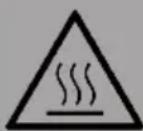
CAUTION
Risk of burns! Some parts of this product can become very hot and cause burns. Particular attention has to be given where children and vulnerable people are present.
- Always ensure the heater is plugged into a suitable socket, one that is tested for outdoor use.
- To disconnect heater, turn controls to OFF, then remove plug from socket. Do not unplug by pulling on the power cable.
- Always unplug the unit and ensure the unit is completely cold before moving, cleaning or storing.
- This heater is intended for domestic use only and should not be used commercially for contract purposes. Any alternative use, not recommended by the manufacturer, may result in fire, electric shock, or injury to persons.
- The use of attachments on the heater is not recommended.
- The heater must not be located immediately below a socket outlet.
- Do not use this heater with a programmer, timer, separate remote-control system or any other device that switches the heater on automatically, since a fire risk exists if the heater is covered or position incorrectly.
- Do not use this heater in the immediate surroundings of a bath, a shower or a swimming pool.
INSTALLATION
Assemble the socket plug
Take the socket plug out from the accessory box, and connect it to the socket at the back of the heater, please refer to below picture.
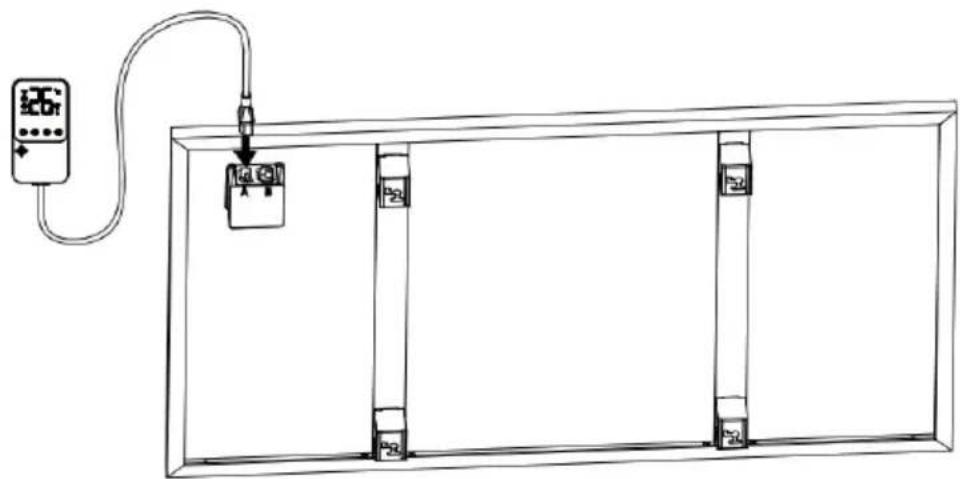
natural_image
Simple line drawing of a rectangular enclosure with vertical supports and a connected electrical outlet (no text or symbols)Connecting with additional panel
If you bought one or more additional panels, the additional panels could be connected in series. Please refer to below pictures to connect the cables and plugs.
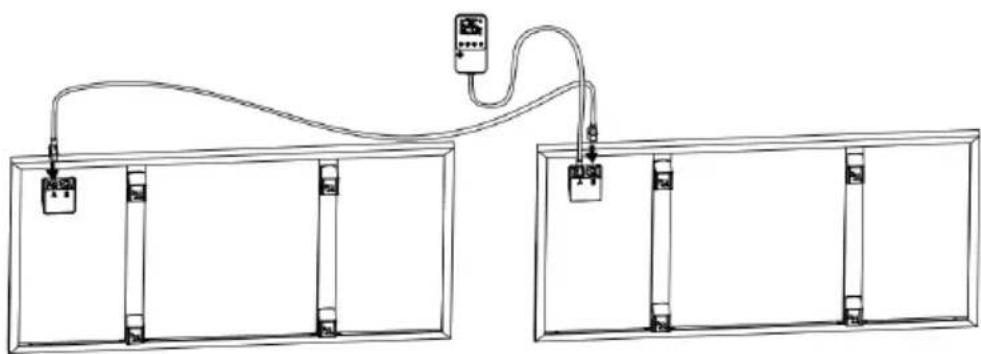
natural_image
Pure electrical circuit lines without any symbolsWall mounting instruction
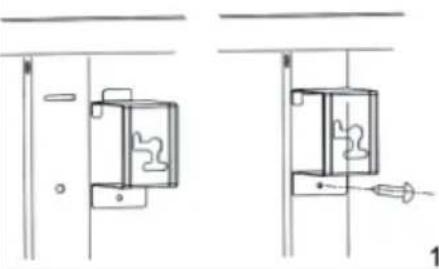 |  2 2 | |
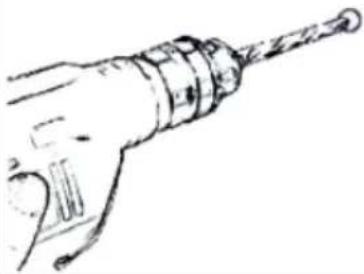
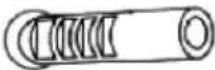
| Taking out the 4 x metal wall mounting brackets and 4 x metal screws for wall mounting brackets from attachment, fix these brackets onto the back of the product. | Mark the positions of the four holes to be drilled on the wall, and drill the holes with the drill bit. Make sure the distance between each holes is same as the round holes on the wall mounting brackets. | |
 |  | |
| 3 | 4 | |
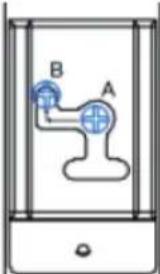 | ||
| 5 | ||
| Lift the heater and aim the four round holes on the brackets at back of the heater to the 4 screws on the wall, and slide the screw from Position A to Position B by moving the heater slightly. | ||
Socket plug control
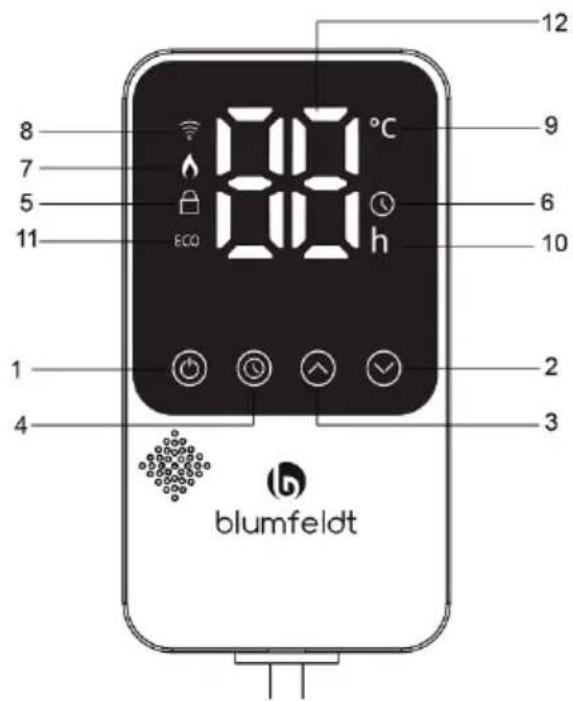
text_image
8 7 5 11 ECO 88 °C h 12 9 6 10 2 3 4 blumfeldtOperating part (buttons)
1 ON/OFF
2 Temp./Timer DOWN button - long press to deactivate the child lock
3 Temp./Timer UP button
- long press to activate the child lock
4 Setting program
Display part
5 Child lock
6 Timer
7 Heating indicator light
8 WLAN indicator light
9 Temperature mode light
10 Timer mode light
11 ECO indicator light (open window function)
12 Display of temperature /timer
Remote control
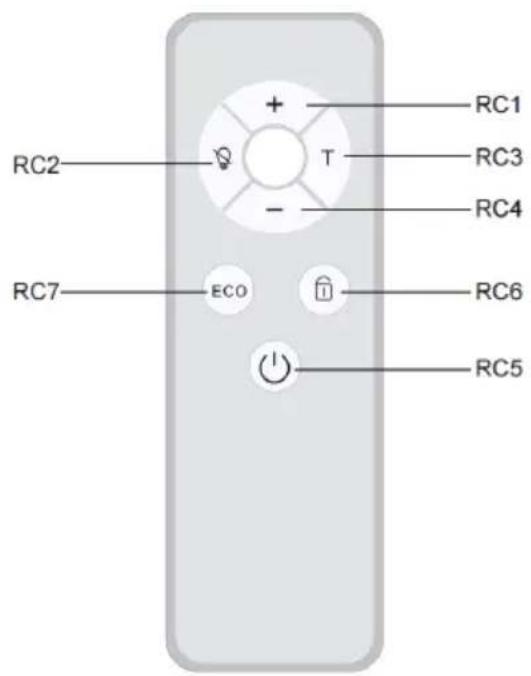
text_image
RC1 RC2 T RC3 RC4 RC7 ECO RC6 RC5RC1 "+" increase temperature
RC2 Screen Off
RC3 "T" Timer
RC4 "-" decrease temperature
RC5 ON/OFF
RC6 Child Lock
RC7 ECO mode
OPERATION
- Insert the socket plug into socket to power on, the buzzer will sound once, displaying --, the 📞on will flash, and it will be in standby mode. After connecting to the app, the 📞on remains lit.
- Short press the 📄 button: The display shows the current ambient temperature and the temperature mode icon is on.
There is a default target temperature of 25^ C. When the ambient temperature is higher than or equal to the target temperature, the device will not heat. When the ambient temperature is less than the target temperature by 1^ C, the device is heats and the heating indicator light is on.
-
Press + or - to adjust the temperature. From 5–50 °C, the two digits flash for 5 times without any operation, then confirm and display the return to ambient temperature.
-
Press the 📄utton once. The icons a lights up. Set a timed shutdown, and press k to set the time from 0 to 24 hours. After setting, flash 5 times to enter the countdown and shut down. After setting up, switch to displaying the ambient temperature. The icon on, but the light is off.
-
To activate the child lock, long press the button for a few seconds. To deactivate the child lock long press the button or through the remote control or through the app. will light up when locked.
-
When the greenhouse drops by more than 5 °C within 10 minutes, the energy-saving mode is activated (the product automatically stops heating). The icon ECOI be light on. Need to shut down and restart to heat up (defined as ECO, achieved through remote control buttons or APP).
-
Mobile app control. Long press the 📄 button to forcibly disconnect the connected app and the icon 📋 ill flash again. After connecting to the app, the 📋 icon remains lit.
-
During the power on process of the product, if there is no operation for 5 minutes, the screen will automatically turn off or press the screen off button on the remote control to turn off the display. When using the APP and pressing any button on the remote control and panel, it will automatically light up.
DEVICE CONTROL BY SMARTPHONE
If you integrate the device into your home WiFi, you can conveniently operate it via the associated Blumfeldt app. The app not only allows you to remotely control the device via your smartphone, but also gives you access to recipes and additional information.
Follow these steps to connect your smartphone to your Blumfeldt device:
- Download the Blumfeldt app first by scanning the QR code with your smartphone (see below), or download it directly from App Store or Google Play.
- Make sure your smartphone is connected to the same WiFi network that your Blumfeldt device is to be connected to.
- Open the Blumfeldt app.
- Sign in to your account. If you do not have an account, sign up in the Blumfeldt app.
- Follow the instructions from the app.
App Download
Use the scan function of your smartphone to scan the QR code and save the app on your smartphone.
Note: The app provides further information on how to use the app and help on how to connect to your device as soon as you open it for the first time.
iOS Android

text_image
QR code with a green logo in the center, likely linking to a digital service or website.
text_image
QR code with a green logo in the center, likely linking to a digital service or website.Troubleshooting connection problems
If your Blumfeldt device cannot be found in the WLAN, check the following:
- The device is not plugged in. Make sure that your device is plugged into an electric socket.
- The device is not in pairing mode. Make sure that the WiFi indicator (LED) on the smart device control panel is blinking as described in the 'Reset WiFi settings' instruction of your smart device (instructions are usually available on device connection process).
- The WiFi access point does not operate on 2.4 GHz. Make sure that your access point operates on 2.4 GHz band and you have a separate SSID on 2.4 GHz band. If you are not sure about the operating band of your access point, please contact your internet provider company.
Important: please note that if your WiFi router is dual band - operating on both 2.4 GHz and 5 GHz band - you need to separate the SSIDs for each band and use the 2.4 GHz SSID for connection.
- Firewall settings of your WiFi network; the firewall setting of your WiFi network may not allow the Blumfeldt app to configure the WiFi settings on your smart device. Please make sure that you are not using a public WiFi network, e.g. airports, dormitories, companies, etc.
- Different credentials used in smartphone and the app. Make sure that the WiFi credentials entered in the Blumfeldt app are the same as the ones that your smartphone is connected to.
Following the above mentioned points, if your smart device still fails to connect to the app, please contact us via email for support: appsupport@go-bbg.com
PRODUCT INFORMATION
| Model identifier: 10046416 | |||||
| Item Symbol Value Unit Type of heat input, for electric storage local space heaters | |||||
| Heat output | |||||
| Nominal heat output | P_nom | 0.36 kW Manual heat control | charge control, with integrated thermostat | No | |
| Minimum heat output (indicative) | P_min | 0.36 kW Manual heat control | charge control with room and/or outdoor temperature feedback No | ||
| Maximum continuous heat output | P_max | 0.36 kW Electronic heat control | charge control with room and/or outdoor temperature feedback No | ||
| Auxiliary electricity consumption | Fan assisted heat output | No | |||
| At nominal heat output | el_max | N/A kW Type of heat output/room temperature control (select one) | |||
| At minimum heat output | el_min | N/A kW Single stage heat output and no room temperature control | No | ||
| In standby mode | el_SB | 0.26 W Two or more manual stages, no room temperature control | No | ||
| With mechanic thermostat room temperature control | No | ||||
| With electronic room temperature control No | |||||
| Electronic room temperature control plus day timer No | |||||
| Electronic room temperature control plus week timer | Yes | ||||
| Other control options (multiple selections possible) | |||||
| Room temperature control, with presence detection No | |||||
| Room temperature control, with open window detection | Yes | ||||
| with distance control option | Yes | ||||
| with adaptive start control | No | ||||
| with working time limitation | Yes | ||||
| with black bulb sensor | No | ||||
| Contact details | Chal-Tec GmbH, Wallstraße 16, 10179, Berlin, Germany | ||||
PRODUCT INFORMATION
| Model identifier: 10046418 | |||||
| Item Symbol Value Unit Type of heat input, for electric storage local space heaters | |||||
| Heat output | |||||
| Nominal heat output | P_nom | 0.60 kW Ma | Manual heat ch | charge control, with integrated thermostat | No |
| Minimum heat output (indicative) | P_min | 0.60 kW Ma | Manual heat ch | charge control with room and/or outdoor temperature feedback No | |
| Maximum continuous heat output | P_max | 0.60 kW E | Electronic heat | charge control with room and/or outdoor temperature feedback No | |
| Auxiliary electricity consumption Fan assisted heat output No | |||||
| At nominal heat output | el_max | N/A kW Type of heat output/room temperature control (select one) | |||
| At minimum heat output | el_min | N/A kW Single stage heat output and no room temperature control | No | ||
| In standby mode | el_SB | 0.26 W Two or more manual stages, no room temperature control | No | ||
| With mechanic thermostat room temperature control | No | ||||
| With electronic room temperature control No | |||||
| Electronic room temperature control plus day timer | No | ||||
| Electronic room temperature control plus week timer | Yes | ||||
| Other control options (multiple selections possible) | |||||
| Room temperature control, with presence detection | No | ||||
| Room temperature control, with open window detection | Yes | ||||
| with distance control option | Yes | ||||
| with adaptive start control | No | ||||
| with working time limitation | Yes | ||||
| with black bulb sensor | No | ||||
| Contact details | Chal-Tec GmbH, Wallstraße 16, 10179, Berlin, Germany | ||||
DISPOSAL CONSIDERATIONS
natural_image
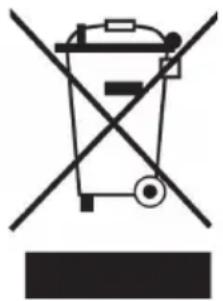
Symbol of a trash bin crossed with a diagonal line, no text or numbers presentIf there is a legal regulation for the disposal of electrical and electronic devices in your country, this symbol on the product or on the packaging indicates that this product must not be disposed of with household waste. Instead, it must be taken to a collection point for the recycling of electrical and electronic equipment. By disposing of it in accordance with the rules, you are protecting the environment and the health of your fellow human beings from negative consequences. For information about the recycling and disposal of this product, please contact your local authority or your household waste disposal service.
This product contains batteries. If there is a legal regulation for the disposal of batteries in your country, the batteries must not be disposed of with household waste. Find out about local regulations for disposing of batteries. By disposing of them in accordance with the rules, you are protecting the environment and the health of your fellow human beings from negative consequences.
DECLARATION OF CONFORMITY

Manufacturer:
Chal-Tec GmbH, Wallstrasse 16, 10179 Berlin, Germany.
Importer for Great Britain:
Berlin Brands Group UK Limited PO Box 42
272 Kensington High Street
London, W8 6ND
United Kingdom
Hereby, Chal-Tec GmbH declares that the radio equipment type Radiant Smart is in compliance with Directive 2014/53/EU. The full text of the EU declaration of conformity is available at the following internet address: use.berlin/10046416
For Great Britain: Hereby, Chal-Tec GmbH declares that the radio equipment type Radiant Smart is in compliance with the relevant statutory requirements. The full text of the declaration of conformity is available at the following internet address: use.berlin/10046416
Chère cliente, cher client,
text_image
QR code image containing encoded data, no visible human-readable textCONTENU
natural_image
Simple line drawing of a rectangular enclosure with three vertical cylindrical tanks and an attached electrical outlet connected to the top panel (no text or symbols)natural_image
Pure electrical circuit lines without any symbolsInstructions de montage mural
INFORMATIONS SUR LE PRODUIT
INFORMATIONS SUR LE PRODUIT
natural_image
Symbol of a trash bin crossed with a diagonal line, no text or numbers presentIf there is a legal regulation for the disposal of electrical and electronic devices in your country, this symbol on the product or on the packaging indicates that this product must not be disposed of with household waste. Instead, it must be taken to a collection point for the recycling of electrical and electronic equipment. By disposing of it in accordance with the rules, you are protecting the environment and the health of your fellow human beings from negative consequences. For information about the recycling and disposal of this product, please contact your local authority or your household waste disposal service.
This product contains batteries. If there is a legal regulation for the disposal of batteries in your country, the batteries must not be disposed of with household waste. Find out about local regulations for disposing of batteries. By disposing of them in accordance with the rules, you are protecting the environment and the health of your fellow human beings from negative consequences.
DECLARATION OF CONFORMITY

Manufacturer:
Chal-Tec GmbH, Wallstrasse 16, 10179 Berlin, Germany.
Importer for Great Britain:
Berlin Brands Group UK Limited PO Box 42
272 Kensington High Street
London, W8 6ND
United Kingdom
Hereby, Chal-Tec GmbH declares that the radio equipment type Radiant Smart is in compliance with Directive 2014/53/EU. The full text of the EU declaration of conformity is available at the following internet address: use.berlin/10046416
For Great Britain: Hereby, Chal-Tec GmbH declares that the radio equipment type Radiant Smart is in compliance with the relevant statutory requirements. The full text of the declaration of conformity is available at the following internet address: use.berlin/10046416
Gentile cliente,
text_image
QR code image containing encoded data, no visible human-readable textINDICE
natural_image
Simple line drawing of a rectangular enclosure with three vertical cylindrical tanks and an attached electrical outlet connected to the top panel (no text or symbols)natural_image
Pure electrical circuit lines without any symbolsnatural_image
Symbol of a trash bin crossed with a diagonal line, no text or numbers presentBerlin Brands Group UK Limited PO Box 42
272 Kensington High Street
London, W8 6ND
United Kingdom