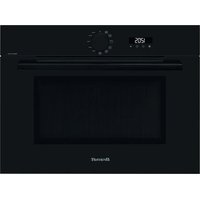
BKC7154BB - Oven BRANDT - Free user manual and instructions
Find the device manual for free BKC7154BB BRANDT in PDF.


| Product type | Combination microwave oven |
| Brand | Brandt |
| Model | BKC7154BB |
| Dimensions (W x H x D) | 592 x 447 x 547 mm (built-in) |
| Weight | Approximately 25 kg |
| Power supply | 220-240 V, 16 A, 50 Hz |
| Maximum microwave power | 1000 W |
| Cooking modes | Microwave, Pulsed grill, Grill, Convection heat, Auto defrost, Cooking guide |
| Additional functions | Timer, Key lock (child safety), Turntable stop, Smart Assist |
| Supplied accessories | Anti-tilt safety grid, Multi-purpose enamelled dish (drip tray), Glass turntable with drive |
| Cleaning and maintenance | Regular cleaning with a damp sponge and mild soap; do not use abrasive products, metal scrapers or steam cleaners |
| Safety | Key lock (child safety); hot surfaces indicated; automatic stop not specified |
| Spare parts and repairability | Use only certified original spare parts; intervention by a qualified professional |
| General information | Label Origine France Garantie (France Guarantee of Origin); consumer service available |
Frequently Asked Questions - BKC7154BB BRANDT
User questions about BKC7154BB BRANDT
0 question about this device. Answer the ones you know or ask your own.
Ask a new question about this device
Download the instructions for your Oven in PDF format for free! Find your manual BKC7154BB - BRANDT and take your electronic device back in hand. On this page are published all the documents necessary for the use of your device. BKC7154BB by BRANDT.
USER MANUAL BKC7154BB BRANDT
natural_image
Black-and-white photo of a bowl with leaf garnish, blurred bowls in background (no text or symbols)INSTRUCTIONS UTILISATEUR FR
FOUR
natural_image
Line drawing of a microwave oven with control panel and digital display (no text or symbols)
BVCert.6011825
Chère Cliente, Cher Client,

IMPORTANT :
RACCORDEMENT ÉLECTRIQUE
natural_image
Technical line drawing of a metal rack structure with no text or symbols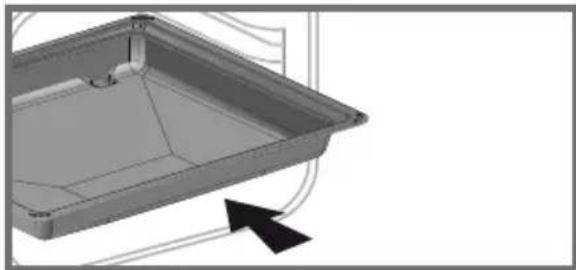
natural_image
3D CAD model of a rectangular tray or enclosure with internal structure and mounting points, shown with an arrow indicating direction (no text or symbols present)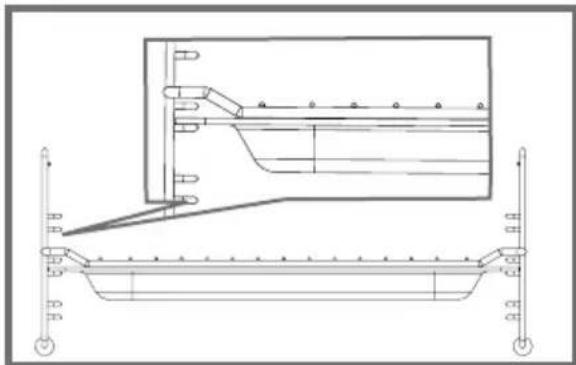
natural_image
Technical line drawing of a structural frame with support pillars and internal components (no text or symbols)LES ACCESSOIRES
- Les gradins
natural_image
Line drawing of a ladder with wheels and a circular component, no text or symbols presentnatural_image
Technical diagram showing a mechanical assembly with two circular components and a magnified inset view of a cylindrical component (no text or symbols)RÉGLAGES
- Mise à l'heure
RELATIONS CONSOMMATEURS
natural_image
Black-and-white photo of a bowl with leaf garnish, blurred bowls in background (no text or symbols)NÁVOD K POUŽITÍ CS
natural_image
Line drawing of a microwave oven with control panel and digital display (no text or symbols)
ELEKTRICKÉ PŘIPOJENÍ
natural_image
Technical line drawing of a rectangular metal tray or rack structure with no text or symbols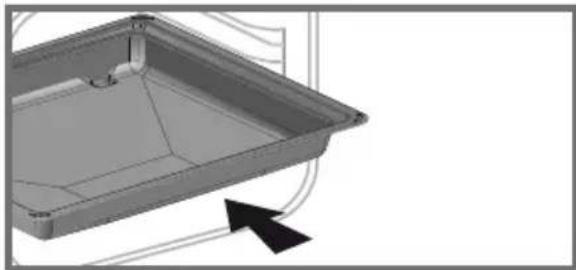
natural_image
3D CAD model of a rectangular tray or enclosure with internal structure and mounting points, shown with an arrow indicating direction (no text or symbols)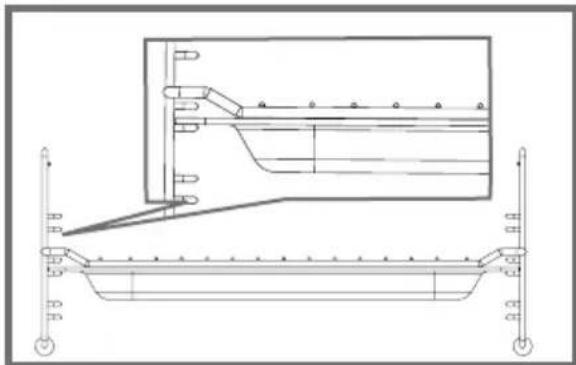
natural_image
Technical line drawing of a structural beam with support structures and an inset view (no text or symbols)PŘÍSLUŠENSTVÍ
- Stojany
natural_image
Line drawing of a ladder-like structure with wheels and a circular component, no text or symbols present- Gramofon
natural_image
Technical line drawing of a mechanical assembly with two circular components and a magnified inset showing internal components (no text or symbols)NASTAVENÍ
• Nastavení času
natural_image
Black-and-white photo of a bowl with leaf garnish, blurred bowls in background (no text or symbols)BRUGERVEJLEDNING DA
OVN
natural_image
Line drawing of a microwave oven with control panel and digital display (no text or symbols)
Kære kunde,
ELEKTRISK TILSLUTNING
natural_image
Technical line drawing of a rectangular metal rack or tray structure (no text or symbols)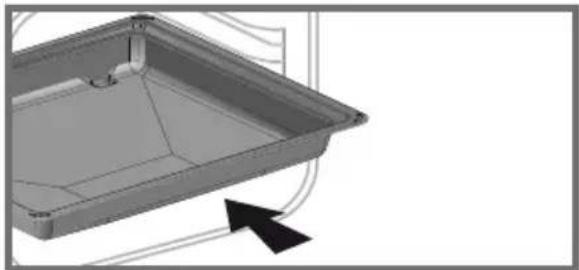
natural_image
3D CAD model of a rectangular tray or enclosure with internal structure and mounting holes, shown with an arrow indicating direction (no text or symbols)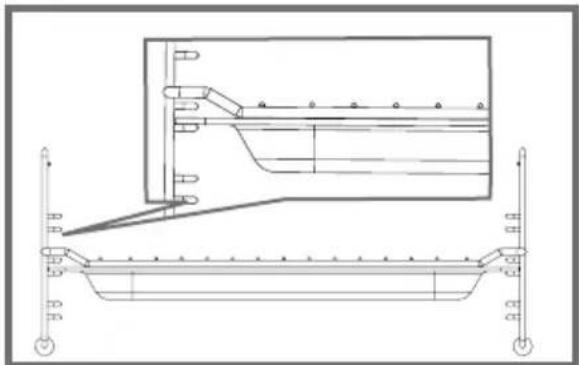
natural_image
Technical line drawing of a structural support frame with an inset showing internal components (no text or symbols)TILBEH∅R
- Standene
natural_image
Line drawing of a ladder with wheels and a circular component, no text or symbols presentnatural_image
Technical diagram showing a mechanical assembly with two circular components and a magnified inset of a cylindrical component (no text or symbols)INDSTILLINGER
- Tidsindstilling
B: Kommerciel reference
C: Tjenesten reference
H: serienummer
ORIGINALE DELE
Ved service skal du kun anmode om, at der anvendes certificerede originale reservedele.

PRAESTATIONSPR∅VNING
natural_image
Black-and-white photo of a bowl with leaf garnish, blurred bowls in background (no text or symbols)natural_image
Line drawing of a microwave oven with control panel and digital display (no text or symbols)
natural_image
Technical line drawing of a rectangular metal rack or tray structure (no text or symbols)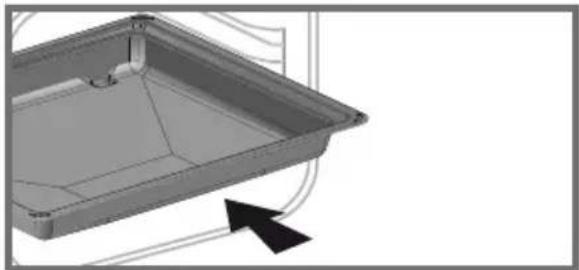
natural_image
3D CAD model of a rectangular tray or container with internal structure and mounting holes, shown with an arrow indicating direction (no text or symbols)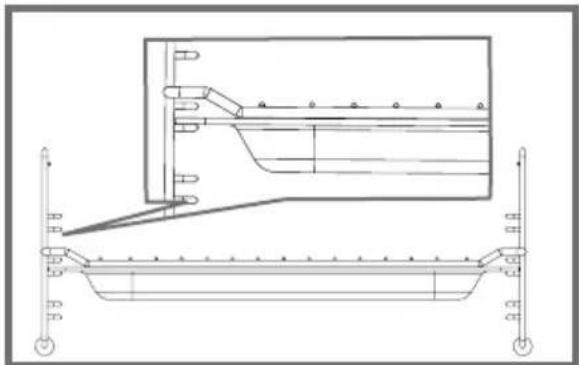
natural_image
Technical line drawing of a mechanical assembly with no visible text or symbolsDAS ZUBEHÖR
• Die Tribünen
natural_image
Line drawing of a ladder-like structure with wheels and a circular component, no text or symbols present• Die Drehscheibe
natural_image
Technical diagram showing a mechanical assembly with two circular components and a magnified inset view of a mechanical component (no text or symbols)EINSTELLUNGEN
natural_image
Black-and-white photo of a bowl with mint leaf garnish, blurred bowls in background (no text or symbols)USER INSTRUCTIONS EN
OVEN
natural_image
Line drawing of a microwave oven with control panel and digital display (no text or symbols)
Dear Customer,
You have just acquired a BRANDT product and we would like to thank you.
We have designed and made this product with you, your lifestyle and your requirements in mind so that it meets your expectations. We have devoted our know-how, our innovative spirit and the passion that has been guiding us for over 60 years.
In an effort to ensure that our products meet your requirements in the best possible way, our Customer Relations department is at your disposal, to answer all your questions and to listen to all your suggestions.
Visit our website www.brandt.com where you will find our latest innovations, as well as useful and complementary information.
BRANDT is delighted to assist you every day and hopes you get the most out of your purchase.

BVCert.6011825
The label "Origine France Garantie" assures the consumer the traceability of a product by giving a clear and objective indication of the source. Brandt brand is proud to affix this label on products from our French factories based in Orléans and Vendôme.
⚠️ Important: Before using your appliance, read this user guide carefully to familiarise yourself more quickly with its operation.
Safety instructions .... 4
ENVIRONMENT AND ENERGY SAVING ....7
Environment 7
installing your appliance 8
Choosing a location and installing the appliance ....8
Electrical connection 9
Description of your appliance 10
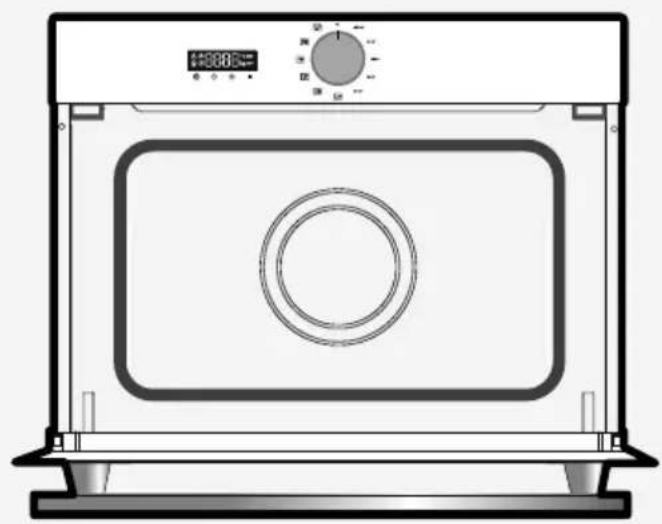
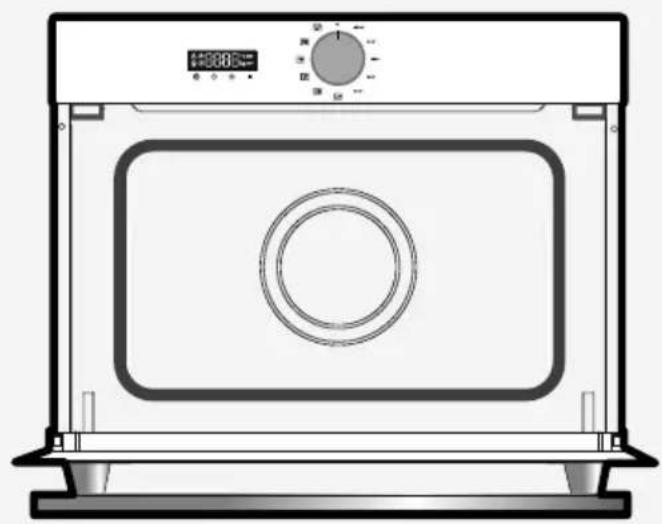
Overview of the oven ....10
Display and control buttons 10
Operating principle 11
Accessories 11
Using your appliance 13
Settings 13
Settings menu 14
The cooking modes 15
Starting a cooking process 16
Automatic functions ...... 16
Traditional cooking functions 17
Using the traditional cooking functions 18
Caring for your appliance 19
Cleaning the interior and exterior 19
Anomalies and solutions....19
After-sales service 20
Servicing 20
COOKING AID 21
Functionality tests 21
IMPORTANT SAFETY INSTRUCTIONS - READ CAREFULLY AND RETAIN FOR FUTURE USE.
This user guide is available for download on the brand's website.

When you receive the appliance, unpack it or have it unpacked immediately. Check its general appearance. Make a note of any reservations on the delivery slip and keep a copy.
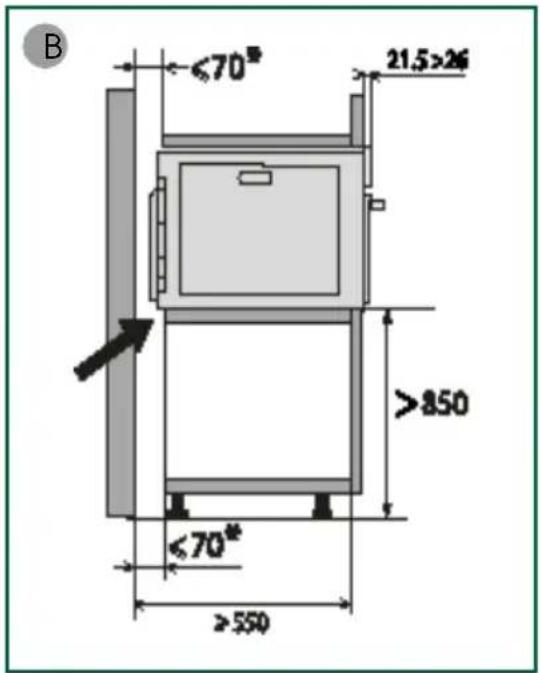
This appliance must be installed more than 850mm up off the ground.
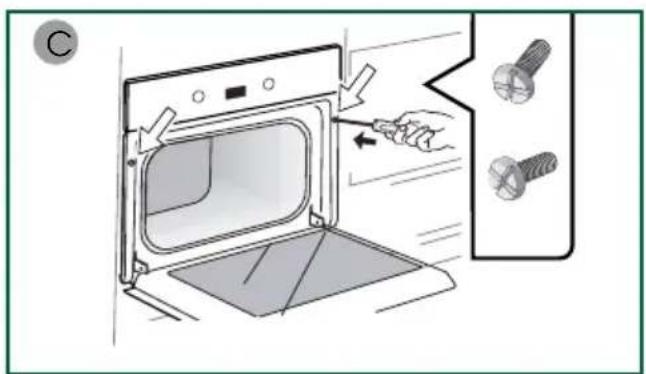
— In order to avoid overheating, the appliance must not be installed behind a decorative door. — Centre the oven in the unit so as to ensure a minimum distance of 10 mm between the appliance and the surrounding unit The material of the unit supporting the appliance must be heat-resistant (or covered with a heat-resistant material). For greater stability, attach the oven to the unit with 2 screws through the holes provided on the side panels.
It must be possible to disconnect the appliance from the power supply, either using a plug or by fitting a switch on the fixed wiring system in accordance with installation rules.

The electrical plug mustn accessible after installa-
— If the power cable is damaged, it should be replaced by the manufacturer, its after-sales service department or by a similarly qualified person in order to avoid danger.

WARNING:
It is dangerous for anyone other than a qualified person to perform maintenance or repairs that requires the removal of the cover providing protection against exposure to microwave power.
— This appliance is designed to cook with the door closed.
— This appliance is designed to be used for domestic and similar applications such as: kitchen areas for the staff of shops, offices and other professional premises; farms;
use by clients of hotels, motels and other residential type establishments; guest house type environments.
— This appliance may be used by children aged 8 years and older, and by persons with impaired physical sensorial or mental capacities, or without experience or knowledge, if they are supervised or have received prior instructions on how to use the appliance safely and have understood the risks involved.
— Children must not be allowed to play with the appliance. Cleaning and maintenance operations must not be carried out by children without supervision.
— Children must be supervised to prevent them from playing with the appliance.

WARNING :
The appliance and its accessible parts become hot during use. Be careful not to touch the heating elements inside the oven. Children under 8 years old must not be allowed near it unless they are supervised at all times.
If the appliance is being used in combination mode, it is recommended that children only use the oven under adult supervision due to the temperatures generated.
— Only use utensils suitable for usage in microwave ovens.
Metal food and beverage containers are not permitted for microwave cooking.
— The microwave oven is designed to heat food and drinks.
Drying food or linen or heating cushions, slippers, sponges, wet linen and other similar items may cause injury, risk of inflammation or fire.

WARNING:
Liquids and other foods must not be heated in sealed containers, as they may explode.
— While heating food items in plastic or paper containers, monitor the micro-wave's contents, since there is a risk of spontaneous combustion.
— If smoke appears, stop or unplug the oven and leave the door closed to smother any flames that may appear.
— Heating beverages in the microwave oven can cause the sudden and/or delayed splattering of boiling liquid, so care must be taken when handling their containers.
— The contents of baby bottles and baby food jars must be stirred or rearranged and the temperature must be checked before consumption, so as to prevent burning.
— It is not recommended to heat eggs in their shells or whole hardboiled eggs in a microwave oven, as they may explode, even after cooking has ended.
— It is recommended that you clean your oven regularly and to remove any food build-up.
— If the appliance is not cleaned regularly, its surface could become damaged, permanently affecting the appliance's lifespan and possibly causing a safety hazard.

WARNING:
If the door or door seal is damaged, the oven should not be used until it has been repaired by an authorised person.
— Do not use abrasive cleaning products or hard metal scrapers for cleaning the oven's glass door, as they could scratch the surface and cause the glass to shatter.
— Do not use a steam cleaner.
— Only allow children to use the oven without supervision if
adequate instructions have been given so that the child is able to use the oven safely and understands the dangers of incorrect use.
ENVIRONMENT
This appliance's packaging can be recycled. Recycle and help protect the environment by disposing of packaging in local waste containers designed for this purpose.
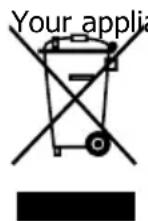
ance also contains a lot of
recyclable material. This logo indicates that used appliances must not be mixed with other waste.
Appliance recycling organised by your manufacturer is carried out under optimum conditions, in accor-
dance with European Directive on the disposal of waste electrical and electronic equipment.
Contact your local authority or retailer for information on used appliance collection points close to your home.
We thank you for your help in protecting the environment.
CHOICE OF LOCATION AND BUILDING IN
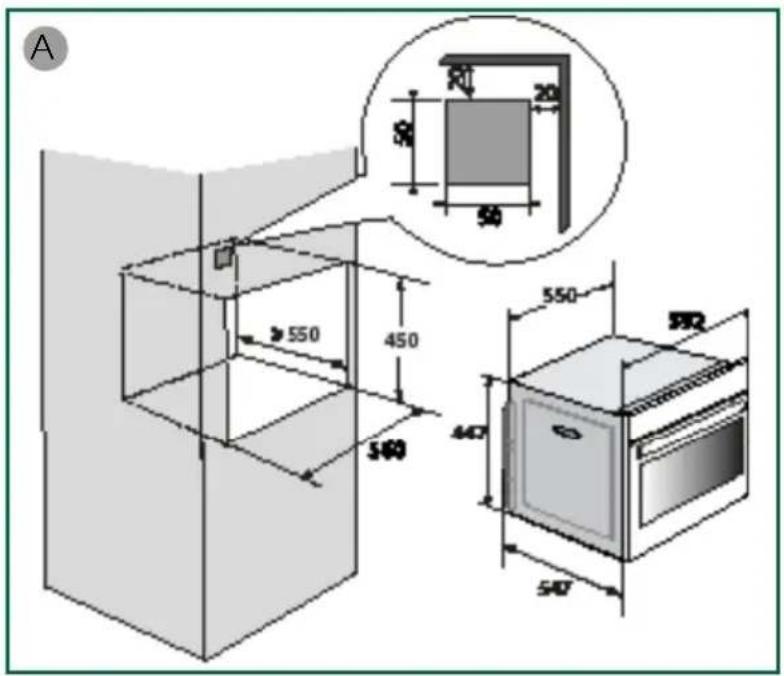
Centre the oven in the unit so as to ensure a minimum distance of 10 mm between the appliance and the surrounding unit. The material of the unit supporting the appliance must be heat-resistant (or covered with a heat-resistant material).
Drill a 2 mm diameter hole in the cabinet panel to avoid splitting the wood.
For greater stability, attach the oven to the unit with 2 screws through the holes provided on the side panels (fig. C).

Warning:
Installation should only be performed by installers and qualified technicians.

WARNING
This appliance must be installed more than 850 mm up off the ground. This appliance may be installed in a cabinet column, as indicated on the installation diagram (fig. A). Caution: if the back of the cabinet is open, the space between the wall and the surface on which the oven rests must be no more than 70 mm* (fig. B).
ELECTRICAL CONNECTION
- the electrical installation has sufficient voltage (220-240 Volts\~ 16 Amps),
If the electrical installation in your home requires any changes in order to connect your appliance, contact a professional electrician.
During maintenance operations, the appliance must be unplugged from the electrical grid; fuses must be switched off or removed.

CAUTION:
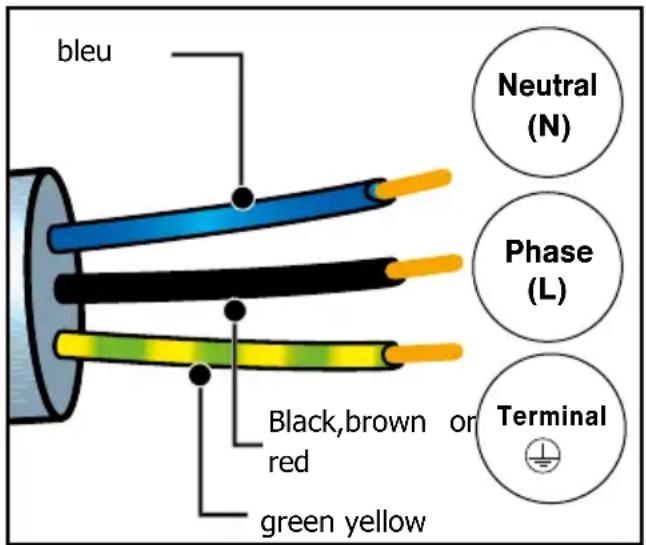
The safety wire (green-yellow) is connected to the appliance's terminal and must be connected to the installation's earth.
If the oven malfunctions in any way, unplug the appliance or remove the fuse corresponding to the sector where the oven is hooked up.

CAUTION:
We cannot accept liability for any accident or incident resulting from non-existent, defective or incorrect grounding.
- Before using for the first time

Do not use your appliance immedia- (wait approximately 1 to 2 hours)
after moving it from a cold location to a hot location, as the condensation may cause a malfunction.
DESCRIPTION OF THE OVEN
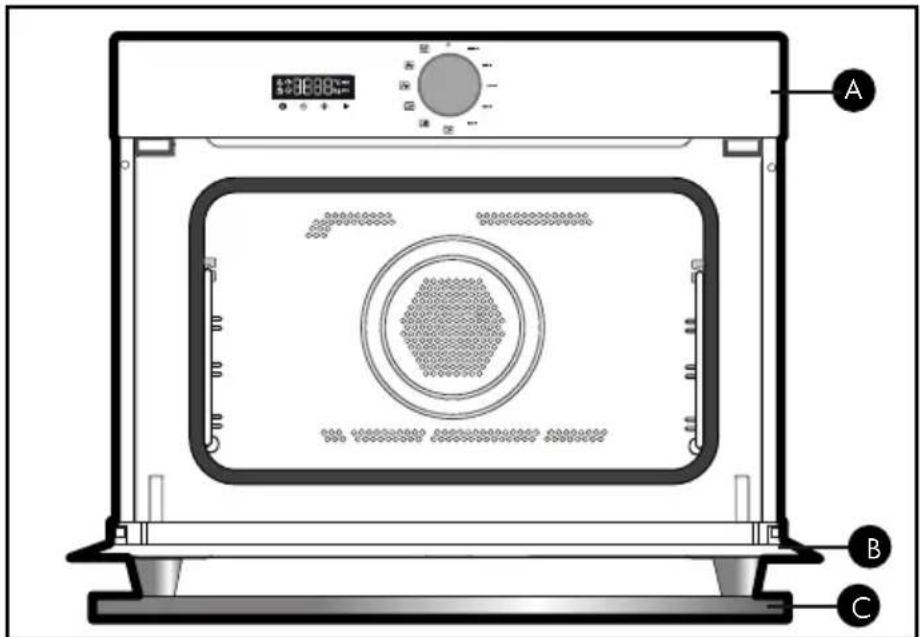
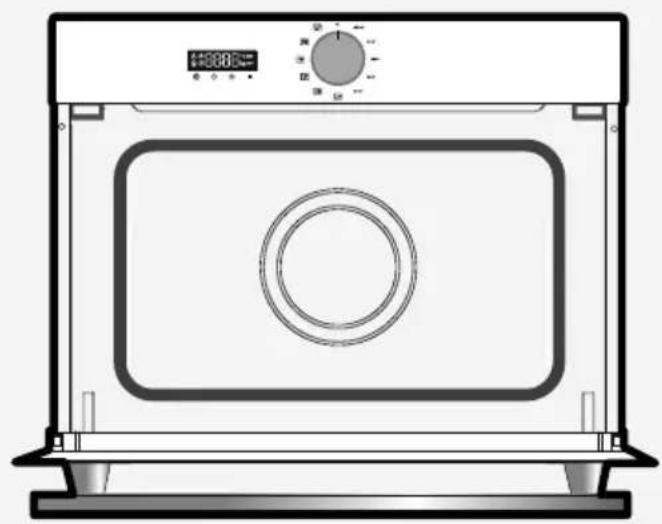
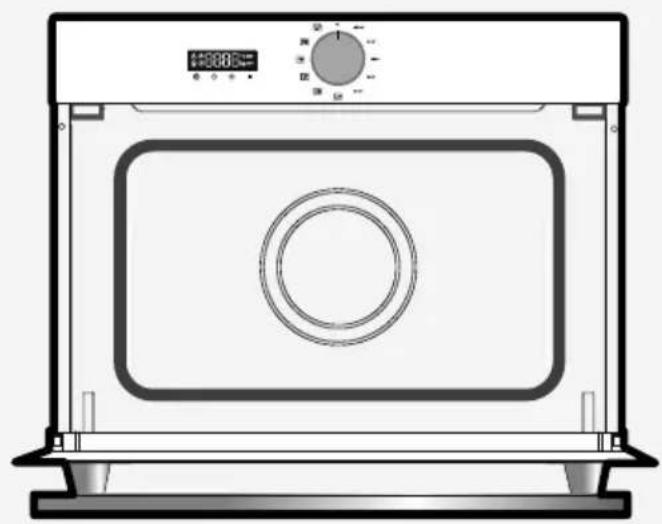
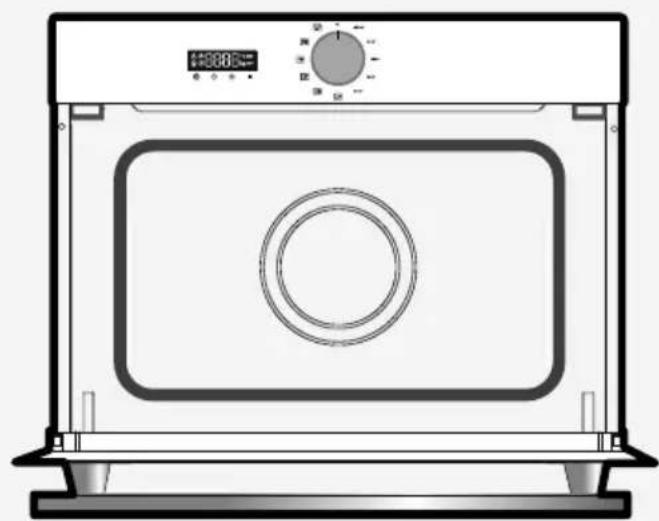
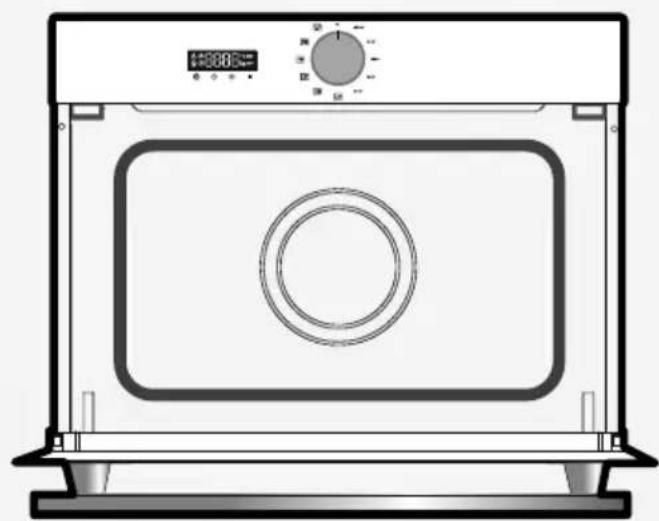
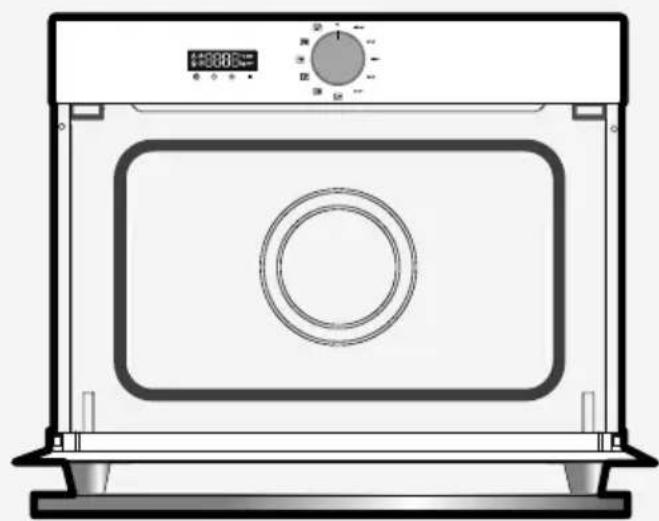
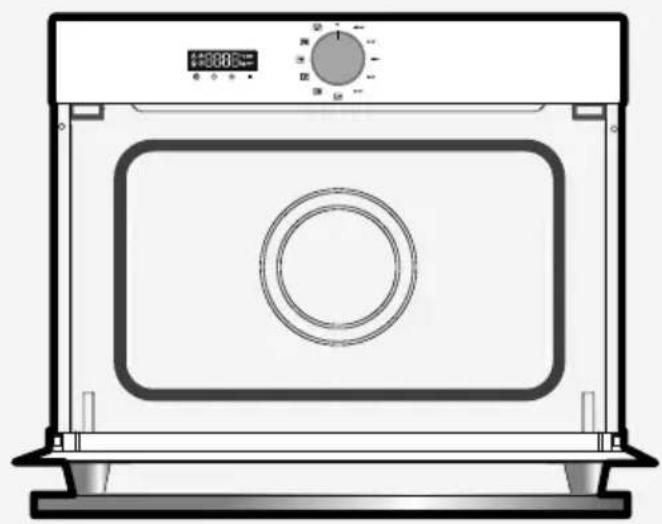
A Control panel
B Door
© Handle
DISPLAY AND BUTTONS
- Display
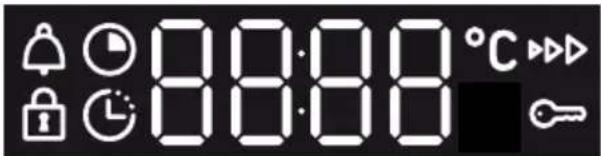
Cooking time
End of cooking
Keypad lock
Minute Minder
g Weight indicator
°C Temperature indicator
- Buttons
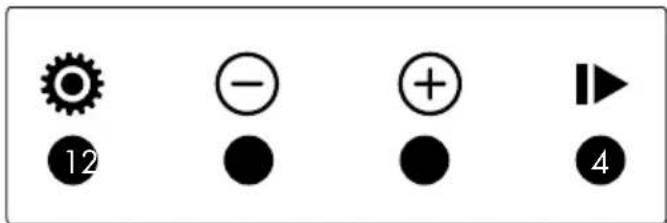
1 Time & Duration Setting/Menu
2 - button
3 + button
4 Start/Cancel
OPERATING PRINCIPLES
Microwaves used for cooking are electromagnetic waves. They are commonly found in our environment in the form of radio waves, light, or infrared radiation.
Their frequency is in the 2450 MHz band.
This is how they work:
• They are reflected by metals.
• They pass through any other material.
• They are absorbed by water, fat and sugar molecules.
When food is exposed to microwaves, this results in a rapid agitation of its molecules, which makes the food heat up.
The depth of penetration of the waves into the food is about 2.5 cm. If the food is thicker, cooking at its centre occurs by conduction just like traditional cooking.
In essence, microwaves are simply causing a thermal change inside the food and are therefore not harmful to health.
LES ACCESSOIRES
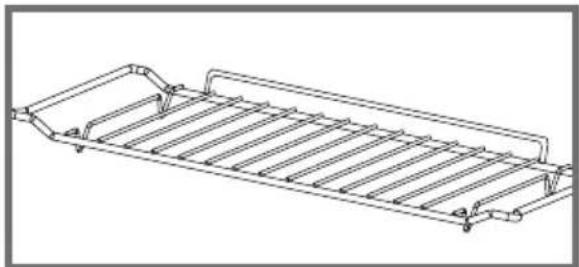
• The grill rack
Allows you to toast, brown or grill. The grill rack must never be used with other metal containers in microwave, grill + microwave or fan + microwave mode. However, you can heat food in an aluminium tray by isolating it from the rack using a plate.
- Multi-purpose tray, drip tray, 45 mm
It can be used half filled with water for boiling food with fan heat. It can serve as a cooking dish.

Note:
Make sure to centre the drip pan in the side racks so that the airflow does not change.
- The grill rack + Multi-purpose tray, drip tray, 45 mm
To roast and save the cooking juices, place the grill rack on the drip tray, 45 mm.
natural_image
Technical line drawing of a rectangular metal rack or tray structure (no text or symbols)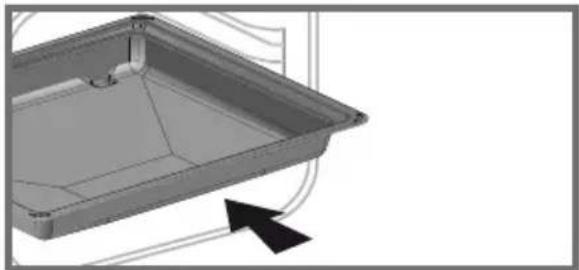
natural_image
3D CAD model of a rectangular tray or container with internal structure and mounting points, shown with an arrow indicating direction (no text or symbols)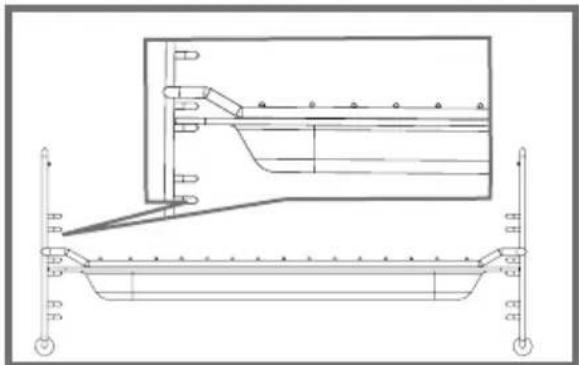
natural_image
Technical line drawing of a mechanical assembly with no visible text or symbolsACCESSORIES
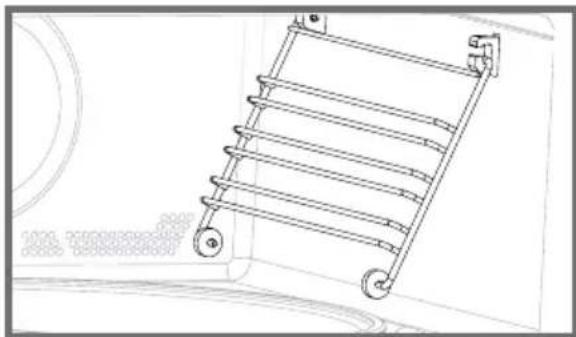
- The shelf runners
2 shelf supports allow you to use the rack at 3 heights.
natural_image
Line drawing of a ladder with wheels and a circular component, no text or symbols present- The turntable plate
The turntable plate allows even cooking of the food without having to handle it.
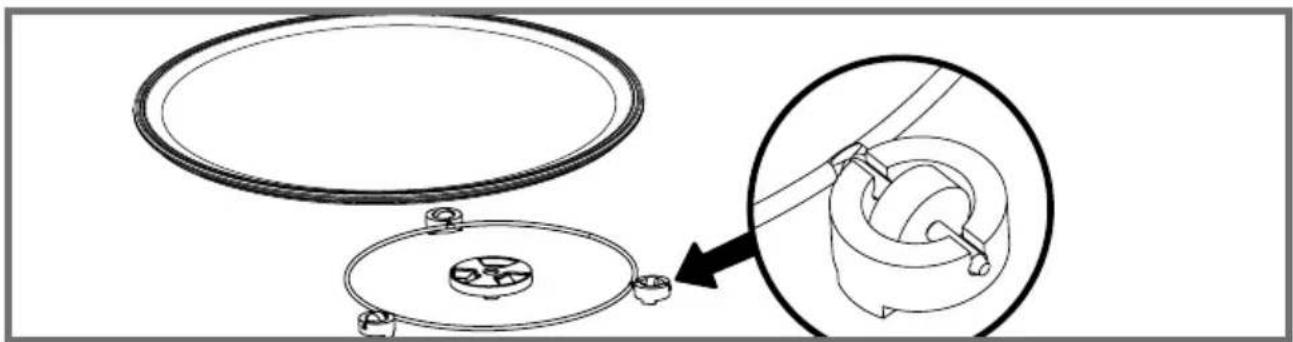
It rotates in both directions. If it does not rotate, verify that all components are properly positioned. It can be used as a cooking dish. To remove it, take hold of it by using the access areas in the cavity. The turntable allows the glass plate to turn.
If you remove the turntable, avoid getting water in the motor shaft hole.
Do not forget to put the turntable, the roller frame and the glass turntable plate back in.
Do not attempt to manually turn the glass plate as this may damage the drive system. If it does not turn properly, check that there is nothing underneath the plate stopping it from turning.
If the plate is set to the stop position, large dishes can be placed on the entire surface of the oven. In this case you will need to manually turn the container or mix its contents mid-program.
natural_image
Technical diagram showing a mechanical assembly with two circular components and a magnified inset view of a rotating component (no text or symbols)SETTINGS
- Time setting
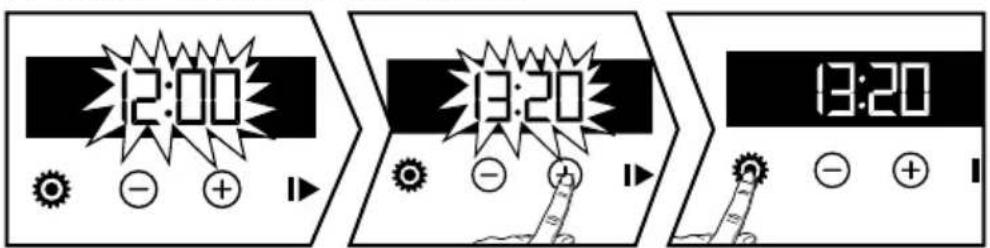
On power-up the display flashes at 12:00.
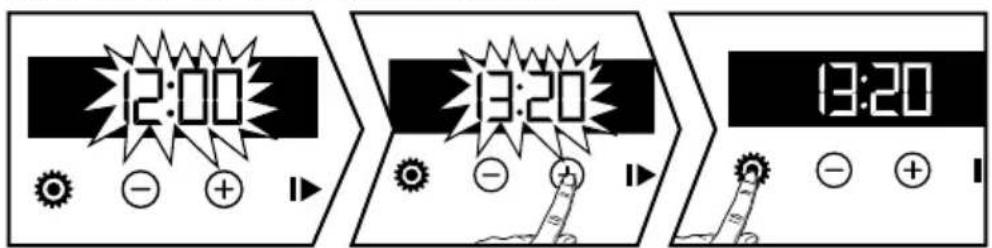
Set the time with the + or - key. Confirm with the Ⓧ. In the event of a power failure the time will flash.
- Changing the time
The function selector must be in position 0.
Press the key ⚙ the symbol ♦ appears press again ⚙
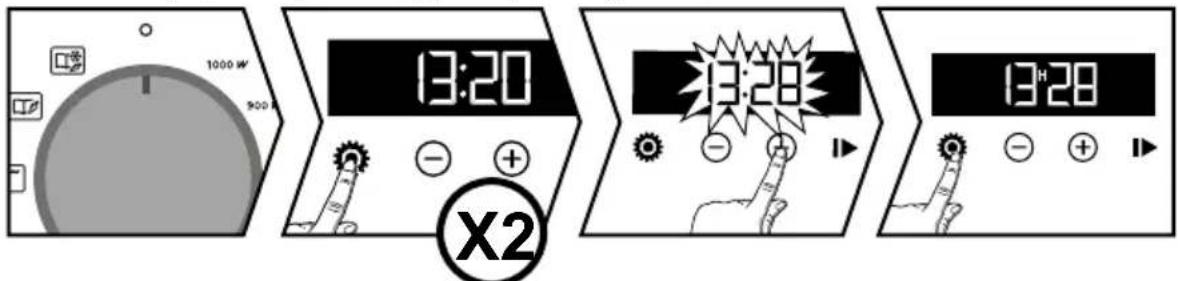
Adjust the time setting with the + or - key. Confirm with the Ⓧ. The recording of the adjusted time is automatic after a few seconds.
- Timer
This function can only be used when the oven is switched off.

Press the Ⓧ the symbol ♦ appears. The timer flashes.
Set the timer with the + and - keys. Press the Ⓧ to confirm, the countdown starts. When the time has elapsed, a signal sounds. To stop it, press any key.
The time will reappear in the display.
Note: You can change or cancel the timer setting at any time. To cancel go back to the timer menu and set to 00:00.
- Keypad lock (child lock)
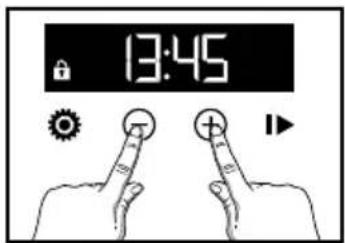
Press the + and - keys simultaneously until the symbol is displayed 🔒 on the display. To unlock it, press the + and - keys simultaneously until the symbol 🔒 disappears from the screen.
SETTINGS MENU
You can intervene in various parameters of your oven:
Press the Ⓧ Press and hold the button for a few seconds until "MENU" is displayed to enter the settings mode. Press the Ⓧ to scroll through the different settings.
Use the + and - keys to activate or deactivate the different parameters, see table below:
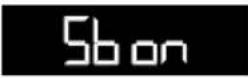 | Activate/deactivate key beeps |
 | Switching the display to standby :ON position, the display is switched off after 90 seconds.OFF position, display brightness is reduced after 90 seconds. |
 | Activate/deactivate demo setting |
To exit the "MENU" press again ⚙.
TURNTABLE STOP
If you feel that the size of your dish prevents it from rotating properly, program the turntable stop function during cooking.
Press the ⚙ and - to stop the rotation of the tray. A beep confirms the stop.
To restart it, press the ⚙️ and - simultaneously. A beep confirms the rotation of the tray.and - simultaneously. A beep confirms the rotation of the tray.
COOKING MODES
1000W :
Rapid heating of drinks, water and dishes containing large amounts of liquid.
Cooking foods with a high water content (soups, sauces, tomatoes, etc.).
900W :
Cooking of fresh or frozen vegetables.
700W :
Cooking fish and shellfish.
Cooking dried vegetables over a low heat. Reheating or cooking fragile egg-based foods.
500W :
Slow cooking of dairy products and jams.
200W :
Defrosting pastries containing cream.
TRADITIONAL COOKING MODES

GRILL PULSE
The pulse grill function allows you to obtain a crispy finish on your roasts and poultry and to cook your legs and ribs without preheating. The cooking process is carried out alternately by the upper element and by the air circulation propeller.
The cooking temperature can be adjusted from 50^ C to 200^ C.

GRILL
The grill function allows you to cook and brown foods such as gratins and meats. It can be used before or after cooking, depending on the recipe.
There are 4 levels of grilling: from 1 to 4, ranging from low to very high.

REVOLVING HEAT
With the convection function, you can cook and brown food just like in a conventional oven. Cooking is carried out by the heating element at the bottom of the oven and by the air circulation propeller.
The cooking temperature can be adjusted from 50^ C to 220^ C.

CULINARY GUIDE
The "Taste Guide" function selects the appropriate cooking parameters for you according to the food to be prepared and its weight.

AUTOMATIC DEFROSTING
Automatic defrost by weight function
Defrosting frozen food in your microwave saves you a lot of time.
• UTILISATION DE LA FONCTION MICRO-ONDES
- Starting a cooking process
Turn the function selector to choose the desired power.
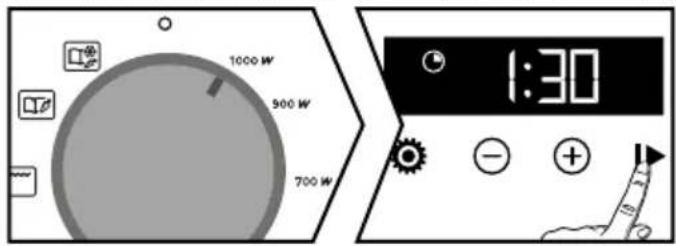
The display flashes. A cooking time is displayed according to the selected power level. Confirm with the ▶, The cooking process starts and the time is counted down. You can change the cooking time with the + and - keys.
- Changing the end time of cooking
Select a firing. Change the time if necessary. Press the ⚙, the end-of-cooking symbol flashes to indicate that the setting is possible.
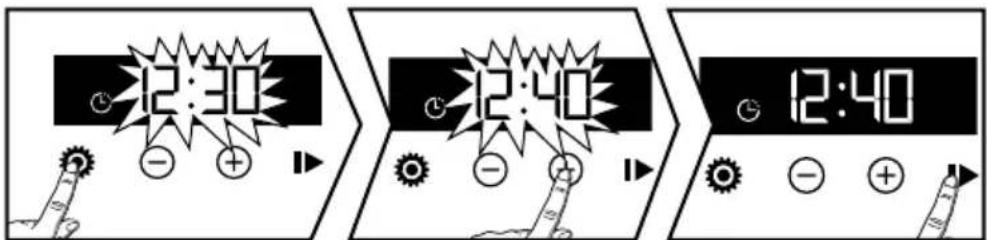
You can change the end of cooking time with the + and - keys. Confirm with ▶.
FONCTIONS AUTOMATIQUES
The automatic functions select for you the appropriate cooking parameters according to the food to be prepared and its weight. Select a pre-programmed food from the following list:
: Culinary Guide
The "Culinary Guide" function ☐the "Cooking guide" function selects the appropriate cooking parameters for you according to the food to be prepared and its weight. Select the "Cooking guide" function. You must choose a pre-programmed food from the following list:
P01: Fresh fibrous vegetables
P02: Fresh vegetables
P03: Frozen vegetables
P04: Poultry
P05: Beef
P06: Fish
P07: Fresh pizza
P08: Frozen pizza (FctGrill MO)
P09: Frozen pizza (Fct Combi)
P10: Prepared fresh dish (Fct MO)
P11: Prepared frozen dish
P12: Prepared fresh dish (Fct Combi)
P13: Savoury pie
P14: Quiche
• AUTOMATIC FUNCTIONS

AUTOMATIC DEFROSTING FUNCTIONS
The automatic defrosting functions select for you the appropriate cooking parameters according to the food to be prepared and its weight. Select a pre-programmed food from the following list:
P01 : Defrosting of meat, poultry and ready meals*.
P02 : Defrosting fish*.
P03 : Defrosting bread*.
* These positions do not allow a delayed start.
Halfway through the cooking time, the oven will beep and display "TURN" to tell you to turn your food. Turn the function selector to the automatic function of your choice.
Enter the weight of the food with + and - (in steps of 50g) then confirm by pressing. The oven starts. By pressing ☑ the end-of-cooking setting is accessed (see chapter Delayed cooking).

• USE OF THE TRADITIONAL COOKING FUNCTIONS
- Starting a cooking process
Select a traditional cooking function.
Your oven recommends a temperature that you can change with the + and - keys. Confirm with▶ The cooking process starts immediately.
The temperature indicator flashes until the set temperature is reached.

• USE OF THE TRADITIONAL COOKING FUNCTIONS
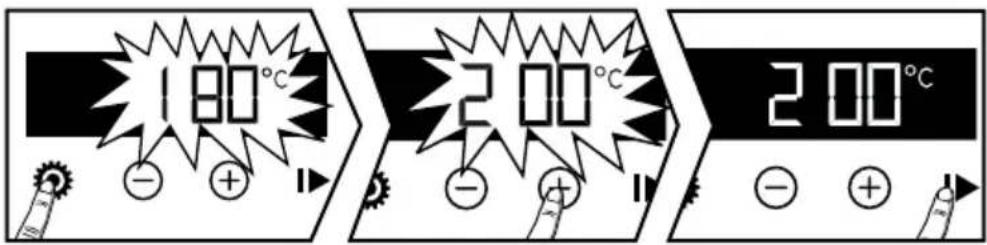
- Changing the temperature
To set the temperature, press the Ⓞ
Adjust the temperature with the + and - keys. Confirm with key
The oven heats up, the cooking function flashes. A series of beeps sounds when the oven reaches the selected temperature.
- Changing the end time of cooking
Press the button twice ⚙, The cooking time display flashes to indicate that the setting is possible. Set the cooking time with the + and - keys. Confirm with key ▶

Your oven is equipped with the "SMART ASSIST" function which, when programming a time, recommends a cooking time that can be modified according to the selected cooking mode.

This function is deactivated by default. To activate it, go to the settings menu (see settings section).
| COOKING FUNCTION | ADVICE TIME |
| PULSE GRILL | 15 min |
| MEDIUM GRILL | 7 min |
| REVOLVING HEAT | 30 min |
• INTERIOR - EXTERIOR CLEANING
CLEANING THE CAVITY
It is recommended to clean the oven regularly and to remove any food deposits from inside and outside the appliance. Use a damp, soapy sponge. If the door or door seal is damaged, the oven should not be used until it has been repaired by a competent person. If the oven smells or is dirty, boil water with lemon juice or vinegar in a cup for 2 minutes and clean the walls with a little washing-up liquid.

CAUTION
Do not use scouring agents, abrasive sponges or metal scrapers to clean the oven glass door, as this may scratch the surface and cause the glass to shatter.
• ANOMALIES AND SOLUTIONS
The oven does not heat up.
Check whether the oven is connected properly or whether the fuse in your installation is not out of order. Increase the selected temperature.
The oven lamp does not work.
Contact the service department. Check if the oven is connected properly.
The cooling fan continues to run when the oven is switched off.
This is normal, the fan can run for up to 1 hour after cooking to lower the temperature inside and outside the oven. If the temperature exceeds one hour, contact the After Sales Service.
INTERVENTIONS
Any work on your device must be carried out by a qualified professional who is the brand owner. When you call, in order to facilitate the handling of your request, bring the complete references of your device (commercial reference, service reference, serial number). This information is on the nameplate.
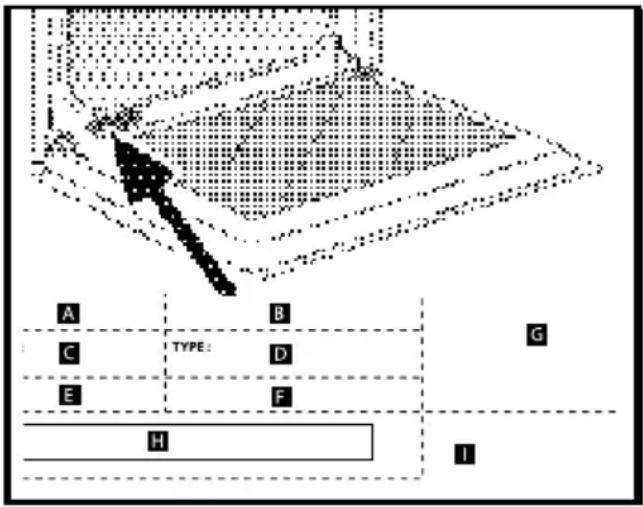
B: Commercial reference
C: Service reference
H: Serial number
GENUINE PARTS
When having work carried out, insist on the use of genuine, certified spare parts only.

- FUNCTION PERFORMANCE TESTS
Function performance tests according to IEC/EN/NF EN 60705;
The International Electrotechnical Commission, SC.59K, has established a standard for comparative performance tests carried out on various microwave ovens.
We recommend the following for this appliance:
| Test Load | Approx time | Power level selector | Containers / Tips | |
| Egg cream (12.3.1) | 1000 g | 16 - 18 min | 500 W | Pyrex 227On the turntable plate |
| 750 g | 13 - 15 min | Pyrex 220On the turntable plate | ||
| Savoy cake (12.3.2) | 475 g | 6 - 7 minutes | 700 W | Pyrex 827On the turntable plate |
| Meat loaf (12.3.3) | 900 g | 14 min. 700 W | Pyrex 838Cover with cling film.On the turntable plate | |
| Defrosting meat (13.3) | 500 g | 11 - 12 min 200 W | On the turntable plate | |
| Defrosting raspberries (B.2.1) | 250 g | 6 - 7 minutes | 200 W | On a flat plateOn the turntable plate |
| Potato gratin (12.3.4) | 1100 g | 23 - 25 min | Medium grill + 700 W | Pyrex 827On the turntable plate |
| Chicken (12.3.6) | 1200 g | 24 - 26 min | High grill + 500 W | Place on the grill rack + drip tray, 45 mm. Insert at level 1 from the bottomTurn at half-time |
| 35 - 40 min | Fan-assisted 200°C + 200 W | In an enamelled earthenware dishPlace on the grill rack inserted at level 1 from the bottom | ||
| Cake (12.3.5) | 700 g | 20 min. | Fan-assisted 220°C + 200 W | Pyrex 828Place on the grill rack at level 1 |
Brandt
natural_image
Black-and-white photo of a bowl with mint leaf garnish, blurred bowls in background (no text or symbols)KÄYTTÖOHJEET FI
UUNI
natural_image
Line drawing of a microwave oven with control panel and digital display (no text or symbols)
Hyvä asiakas,
SÄHKÖLIITÄNTÄ
natural_image
Technical line drawing of a rectangular metal rack or tray structure (no text or symbols)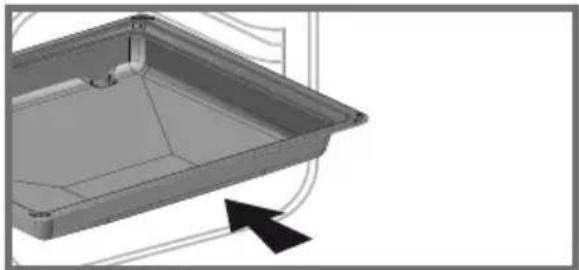
natural_image
3D CAD model of a rectangular tray or container with internal structure and mounting holes, shown with an arrow indicating direction (no text or symbols)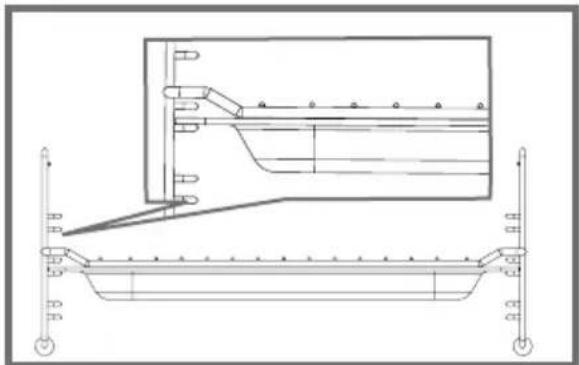
natural_image
Technical line drawing of a structural support frame with an inset showing internal components (no text or symbols)LISÄVARUSTEET
- Valkaisuaineet
natural_image
Line drawing of a ladder-like structure with wheels and a circular component, no text or symbols present• Levysoitin
natural_image
Technical line drawing of a mechanical assembly with two circular components and a magnified inset showing internal components (no text or symbols)ASETUKSET
AUTOMAATTISET TOIMINNOT
• AUTOMAATTISET TOIMINNOT

- KYPSENNYSAJAN PÄÄTTYMISAJAN MUUTTAMINEN
UUNI EI LÄMPENE.
natural_image
Black-and-white photo of a bowl with leaf garnish, blurred bowls in background (no text or symbols visible)ISTRUZIONI PER L'UTENTE IT
FORNO
natural_image
Line drawing of a microwave oven with control panel and digital display (no text or symbols)
Gentile cliente,
The diagrams determine the dimensions of a piece of furniture that will accommodate your oven. This appliance can be installed in a column (fig. A and B). To do this, pre-drill a hole of 2 mm in the wall of the cabinet to prevent the wood from splintering. Secure the oven with the 2 screws (2).

ATTENZIONE:
natural_image
Technical line drawing of a rectangular metal rack or tray structure (no text or symbols)• Teglia multiuso, leccarda 45 mm
natural_image
3D CAD model of a rectangular tray or container with internal structure and mounting holes, shown with an arrow indicating direction (no text or symbols)
NOTA:
natural_image
Technical line drawing of a structural support frame with an inset showing internal components (no text or symbols)ACCESSORI
• I ripiani
natural_image
Line drawing of a ladder-mounted rack with wheels, mounted on a wall (no text or symbols)natural_image
Technical diagram showing a mechanical assembly with two circular components and a magnified inset of a rotating component (no text or symbols)REGOLAZIONI
natural_image
Black-and-white photo of a bowl with leaf garnish, blurred bowls in background (no text or symbols)natural_image
Line drawing of a microwave oven with control panel and digital display (no text or symbols)
Geachte klant,
ELEKTRISCHE VERBINDING
natural_image
Technical line drawing of a rectangular metal rack or tray structure (no text or symbols)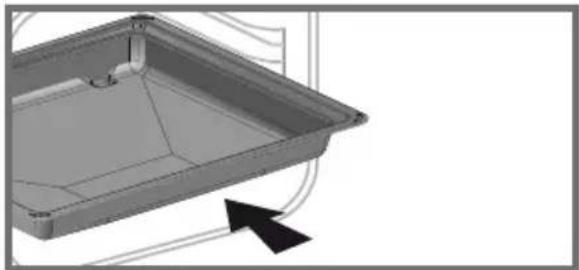
natural_image
3D CAD model of a rectangular tray or container with internal structure and mounting holes, shown with an arrow indicating direction (no text or symbols)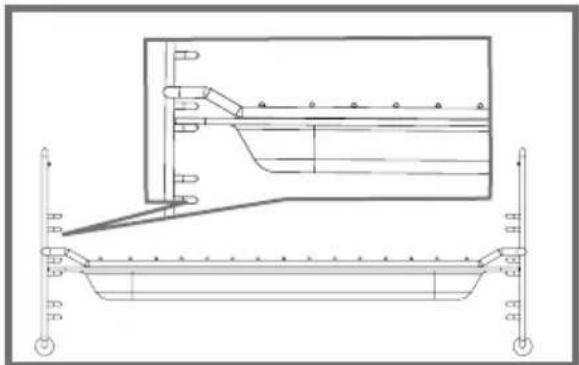
natural_image
Technical line drawing of a mechanical assembly with no visible text or symbolsTOEBEHOREN
- De stands
natural_image
Line drawing of a ladder with wheels and a circular component, no text or symbols presentnatural_image
Technical diagram showing a mechanical assembly with two circular components and a magnified inset view of a cylindrical component (no text or symbols)INSTELLINGEN
- Tijdsinstelling
natural_image
Black-and-white photo of a bowl with leaf garnish, blurred bowls in background (no text or symbols)BRUKERINSTRUKSJONER NO
STEKEOVN
natural_image
Line drawing of a microwave oven with control panel and digital display (no text or symbols)
Kjære klient,
RACCORDEMENT ÉLECTRIQUE
natural_image
Technical line drawing of a rectangular metal rack or tray structure (no text or symbols)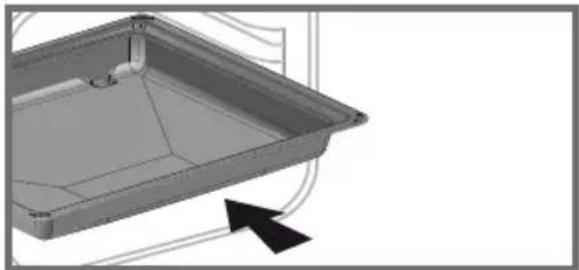
natural_image
3D CAD model of a rectangular tray or enclosure with internal structure and mounting holes, shown with an arrow indicating direction (no text or symbols)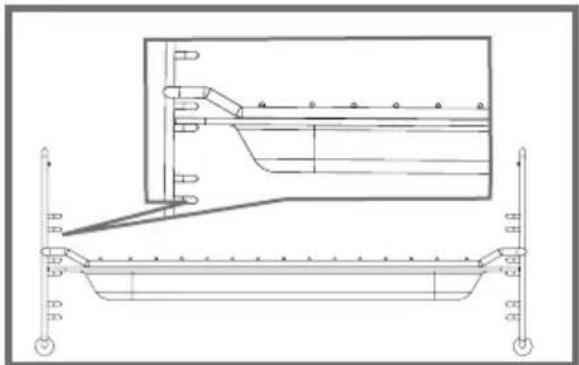
natural_image
Technical line drawing of a mechanical assembly with no visible text or symbolsTILBEH∅RET
- Bleachers
natural_image
Line drawing of a ladder with wheels and a circular component, no text or symbols present- Platespilleren
natural_image
Technical line drawing of a mechanical assembly with two circular components and a magnified inset showing internal components (no text or symbols)INNSTILLINGER
- Stille inn tiden
Trykk på tasten ⚙ symbolot ♦vises. Timeren blinker.
P10: Fersk tilberedt rett (Fct MO)
P11: Tilberedt frossenmat
P12: Fersk tilberedt rett (Fct Combi)
B: Kommersiell referanse
C: Servicereferanse
H: Serienummer
EKTE DELER
natural_image
Black-and-white photo of a bowl with leaf garnish, blurred bowls in background (no text or symbols)INSTRUKCJE UŻYTKOWNIKA PL
PIEKARNIK
natural_image
Line drawing of a microwave oven with control panel and digital display (no text or symbols)
Drogi Kliencie,
WYBÓR MIEJSCA INSTALACJI I WBUDOWANIA
natural_image
Technical line drawing of a rectangular metal tray or rack structure with no text or symbols
natural_image
3D CAD model of a rectangular tray or container with internal structure and mounting holes, shown with an arrow indicating direction (no text or symbols)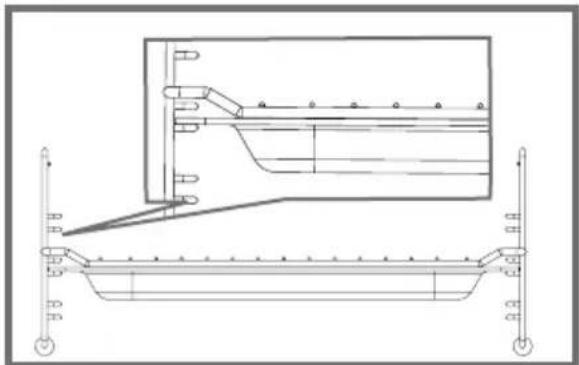
natural_image
Technical line drawing of a structural support frame with an inset showing internal components (no text or symbols)AKCESORIA
- Trybuny
natural_image
Line drawing of a ladder with wheels and a circular component, no text or symbols present- Gramofon
natural_image
Technical diagram showing a mechanical assembly with two circular components and a magnified inset of a cylindrical component (no text or symbols)USTAWIENIA
• Ustawianie czasu
natural_image
Black-and-white photo of a bowl with leaf garnish, blurred bowls in background (no text or symbols)UŽÍVATELŠKÉ POKYNY SK
RÚRA
natural_image
Line drawing of a microwave oven with control panel and digital display (no text or symbols)
Vážený klient,
ELEKTRICKÉ ZAPOJENIE
natural_image
Technical line drawing of a metal rack structure with no text or symbols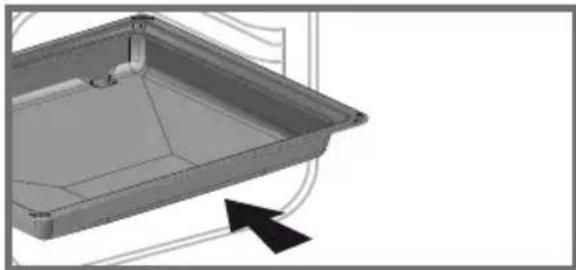
natural_image
3D CAD model of a rectangular tray or enclosure with internal structure and mounting points, shown with an arrow indicating direction (no text or symbols)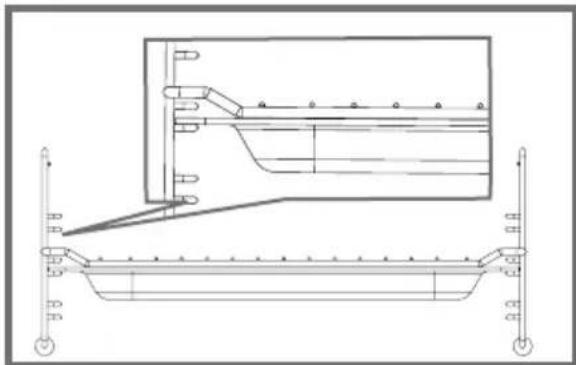
natural_image
Technical line drawing of a structural beam with support structures and an inset view (no text or symbols)PRÍSLUŠENSTVO
• Tribúny
natural_image
Line drawing of a ladder with wheels and a circular component, no text or symbols present- Gramofón
natural_image
Technical line drawing of a mechanical assembly with two circular components and a magnified inset showing internal components (no text or symbols)NASTAVENIE
• Nastavenie času
Po zapnutí začne displej blikat' o 12:00.
B: Obchodný odkaz
C: Odkaz na službu
H: Sériové číslo
ORIGINÁLNE DIELY
natural_image
Black-and-white photo of a bowl with leaf garnish, blurred bowls in background (no text or symbols)NAVODILA ZA UPORABO SV
PEČICA
natural_image
Line drawing of a microwave oven with control panel and digital display (no text or symbols)
Spoštovana stranka,
Pravkar ste kupili izdelek BRANDT in zahvaljujemo se vam za zaupanje, ki nam ga izkazujete.
ELEKTRIČNI PRIKLJUČEK
1 Nastavite čas in trajanje/meni
② Dotiki -
③ + gumb
4 Premor pri odhodu
PRINCIP DELOVANJA
natural_image
Technical line drawing of a rectangular metal rack or tray structure (no text or symbols)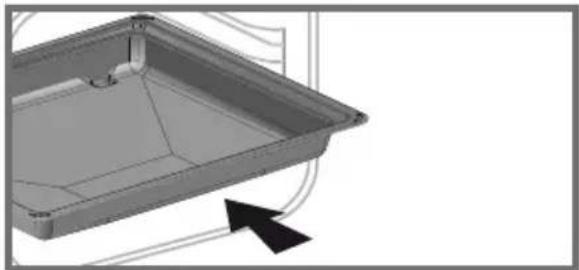
natural_image
3D CAD model of a rectangular tray or container with internal structure and mounting holes, shown with an arrow indicating direction (no text or symbols)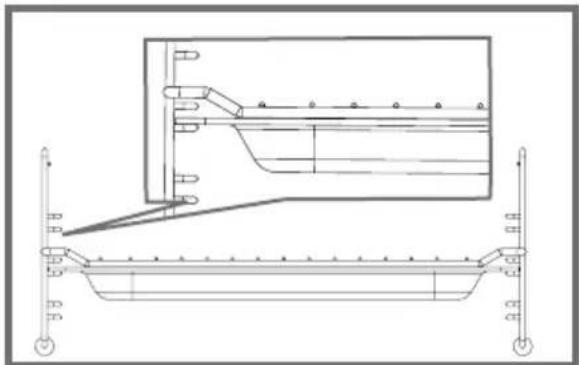
natural_image
Technical line drawing of a mechanical assembly with no visible text or symbolsDODATKI
• Belila
natural_image
Line drawing of a ladder with wheels and a circular component, no text or symbols present- Gramofon
natural_image
Technical line drawing of a mechanical assembly with two circular components and a magnified inset showing internal components (no text or symbols)NASTAVITVE
• Nastavitev časa
Pritisnite tipko simbol se pojavi. Časovnik utripa.

- RACCORDEMENT ÉLECTRIQUE
- LES ACCESSOIRES
- - Les gradins
- RÉGLAGES
- - Mise à l'heure
- RELATIONS CONSOMMATEURS
- ELEKTRICKÉ PŘIPOJENÍ
- PŘÍSLUŠENSTVÍ
- - Stojany
- - Gramofon
- NASTAVENÍ
- • Nastavení času
- ELEKTRISK TILSLUTNING
- TILBEH∅R
- - Standene
- INDSTILLINGER
- - Tidsindstilling
- ORIGINALE DELE
- PRAESTATIONSPR∅VNING
- DAS ZUBEHÖR
- • Die Tribünen
- • Die Drehscheibe
- EINSTELLUNGEN
- IMPORTANT SAFETY INSTRUCTIONS - READ CAREFULLY AND RETAIN FOR FUTURE USE.
- WARNING :
- WARNING:
- ENVIRONMENT
- CHOICE OF LOCATION AND BUILDING IN
- WARNING
- ELECTRICAL CONNECTION
- CAUTION:
- DESCRIPTION OF THE OVEN
- DISPLAY AND BUTTONS
- - Display
- - Buttons
- OPERATING PRINCIPLES
- • The grill rack
- - Multi-purpose tray, drip tray, 45 mm
- Note:
- - The grill rack + Multi-purpose tray, drip tray, 45 mm
- ACCESSORIES
- - The shelf runners
- - The turntable plate
- SETTINGS
- - Time setting
- - Changing the time
- - Timer
- - Keypad lock (child lock)
- SETTINGS MENU
- TURNTABLE STOP
- COOKING MODES
- 1000W :
- 900W :
- 700W :
- 500W :
- 200W :
- TRADITIONAL COOKING MODES
- GRILL PULSE
- GRILL
- REVOLVING HEAT
- CULINARY GUIDE
- AUTOMATIC DEFROSTING
- Automatic defrost by weight function
- FONCTIONS AUTOMATIQUES
- • AUTOMATIC FUNCTIONS
- AUTOMATIC DEFROSTING FUNCTIONS
- • USE OF THE TRADITIONAL COOKING FUNCTIONS
- - Starting a cooking process
- • INTERIOR - EXTERIOR CLEANING
- CLEANING THE CAVITY
- CAUTION
- • ANOMALIES AND SOLUTIONS
- The oven does not heat up.
- The oven lamp does not work.
- The cooling fan continues to run when the oven is switched off.
- INTERVENTIONS
- GENUINE PARTS
- - FUNCTION PERFORMANCE TESTS
- Brandt
- SÄHKÖLIITÄNTÄ
- LISÄVARUSTEET
- - Valkaisuaineet
- • Levysoitin
- ASETUKSET
- AUTOMAATTISET TOIMINNOT
- • AUTOMAATTISET TOIMINNOT
- - KYPSENNYSAJAN PÄÄTTYMISAJAN MUUTTAMINEN
- UUNI EI LÄMPENE.
- ATTENZIONE:
- • Teglia multiuso, leccarda 45 mm
- NOTA:
- ACCESSORI
- • I ripiani
- REGOLAZIONI
- ELEKTRISCHE VERBINDING
- TOEBEHOREN
- - De stands
- INSTELLINGEN
- - Tijdsinstelling
- TILBEH∅RET
- - Bleachers
- - Platespilleren
- INNSTILLINGER
- - Stille inn tiden
- EKTE DELER
- WYBÓR MIEJSCA INSTALACJI I WBUDOWANIA
- AKCESORIA
- - Trybuny
- USTAWIENIA
- • Ustawianie czasu
- ELEKTRICKÉ ZAPOJENIE
- PRÍSLUŠENSTVO
- • Tribúny
- - Gramofón
- NASTAVENIE
- • Nastavenie času
- ORIGINÁLNE DIELY
- ELEKTRIČNI PRIKLJUČEK
- PRINCIP DELOVANJA
- DODATKI
- • Belila
- NASTAVITVE
- • Nastavitev časa
Brand : BRANDT
Model : BKC7154BB
Category : Oven