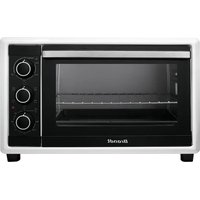
BXE5532W - Oven BRANDT - Free user manual and instructions
Find the device manual for free BXE5532W BRANDT in PDF.


Pick your language and provide your email: we'll send you a specifically translated version.
| Product type | Built-in oven |
| Brand | Brandt |
| Model | BXE5532W |
| Color | White |
| Dimensions (W x H x D) | 59.5 cm x 59.5 cm x 56 cm |
| Volume | 72 liters |
| Total power | 2800 W |
| Power supply | 230 V / 50 Hz |
| Energy class | A+ |
| Cooking functions | Fan forced, natural convection, grill, bottom heat, defrost |
| Cleaning | Pyrolytic (self-cleaning) |
| Door type | Cool door with removable glass |
| Child safety | Door lock and programming safety |
| Display | Touch LED screen |
| Timer | With programmable automatic shut-off |
| Repairability index | 7.0 / 10 |
| Included accessories | Grid, drip tray, cooking probe |
| Net weight | 35 kg |
| Warranty | 2 years (parts and labor) |
Frequently Asked Questions - BXE5532W BRANDT
How to install my Brandt BXE5532W oven?
Installation must be carried out by a qualified professional. Ensure the location is well ventilated and the oven is level. Plug into a 230V grounded outlet.
What are the exact dimensions of the oven?
The dimensions are 59.5 cm in width, 59.5 cm in height, and 56 cm in depth. Allow a built-in space of 60x60x57 cm.
How to use the pyrolytic function?
Remove accessories, close the door, select the Pyrolytic program (about 3 hours). The oven reaches high temperature to burn off residues. Once finished, wipe away the ashes with a damp cloth.
What to do if the oven does not heat up?
Check that the oven is properly plugged in and that the circuit breaker has not tripped. Make sure the door is properly closed. If the problem persists, contact customer service.
How to clean the glass door?
Use a non-abrasive glass cleaner and a soft cloth. For deep cleaning, you can remove the inner glass (refer to the manual).
Can I use silicone molds?
Yes, silicone molds are compatible. Place them on the grid and do not exceed the maximum temperature indicated by the mold manufacturer.
How to set the timer?
Use the +/- buttons on the touch screen to program the cooking time. Press Start to begin the countdown. The oven turns off automatically.
What does error code E01 mean?
Error code E01 generally indicates a temperature probe problem. Contact technical support for diagnosis.
How to replace the oven bulb?
Unplug the oven. Remove the glass cover of the bulb using a screwdriver. Replace the bulb (300°C, G9) with an identical one. Reinstall the cover.
What accessories are provided?
The oven comes with a metal grid, an enameled drip tray, and a meat probe.
User questions about BXE5532W BRANDT
0 question about this device. Answer the ones you know or ask your own.
Ask a new question about this device
No questions yet. Be the first to ask one.
Download the instructions for your Oven in PDF format for free! Find your manual BXE5532W - BRANDT and take your electronic device back in hand. On this page are published all the documents necessary for the use of your device. BXE5532W by BRANDT.