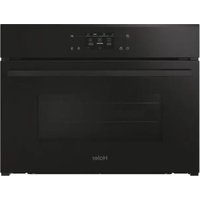
H4MWID49C6NQB - Microwave Oven HAIER - Free user manual and instructions
Find the device manual for free H4MWID49C6NQB HAIER in PDF.


| Brand | Haier |
| Model | H4MWID49C6NQB |
| Type | Built-in microwave oven |
| Power supply | 220-240 V ~ 50 Hz |
| Maximum microwave power | 900 W |
| Microwave power levels | 5 (150, 300, 450, 600, 900 W) |
| Cooking functions | Microwave, Natural convection, Convection + fan, Multi-level, Grill, Grill + fan, Roast, Combinations (microwave + heat), Defrost, Popcorn, Air fry, Dehydrate, Yogurt, Proving, Keep warm |
| Connectivity | Wi-Fi (IEEE 802.11 b/g/n), Bluetooth (BR/EDR, BLE) |
| Remote control | Yes, via hOn app |
| Child lock | Yes (screen lock) |
| Cavity lighting | Bulb, energy efficiency class G |
| Included accessories | Plate, metal rack, side supports, glass turntable for microwave, wired cooking probe |
| Cleaning | Manual (damp cloth and mild detergent) |
| Spare parts and repairability | Available via Haier technical service |
| Warranty | According to manufacturer's conditions |
Frequently Asked Questions - H4MWID49C6NQB HAIER
User questions about H4MWID49C6NQB HAIER
0 question about this device. Answer the ones you know or ask your own.
Ask a new question about this device
Download the instructions for your Microwave Oven in PDF format for free! Find your manual H4MWID49C6NQB - HAIER and take your electronic device back in hand. On this page are published all the documents necessary for the use of your device. H4MWID49C6NQB by HAIER.
USER MANUAL H4MWID49C6NQB HAIER
Haier.com
Qingdao Haier Intelligent Cooking Appliances Co., Ltd No.236, QianWanGang Road Huangdao District, Qingdao, Shandong, China.
English
Čestína
Deutsch
Français
Italiano
Nederlands
Slovenčina
Magyar
WELCOME
Thank you for choosing our product. To ensure your safety and get the best results, please read this manual carefully, including the safety instructions, and keep it for future reference.
Before installing the oven note the serial number, which you might need for repairs. Check for any damage during transportation and consult a technician if you're unsure before using it. Keep packaging materials away from children.
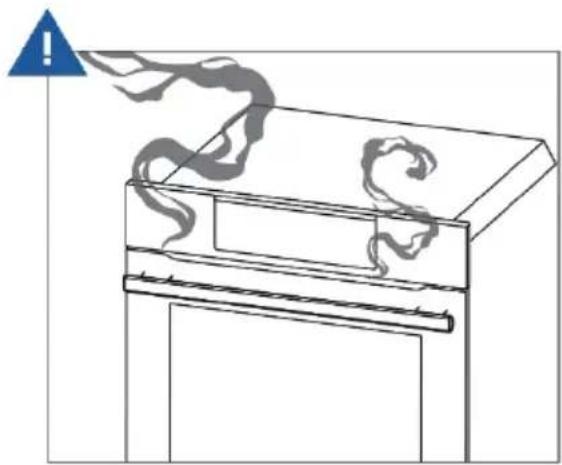
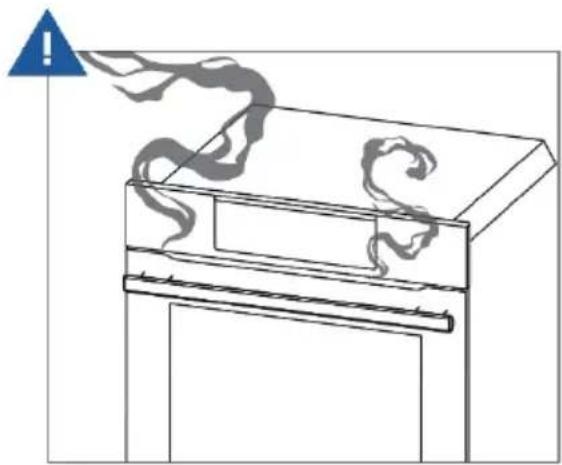
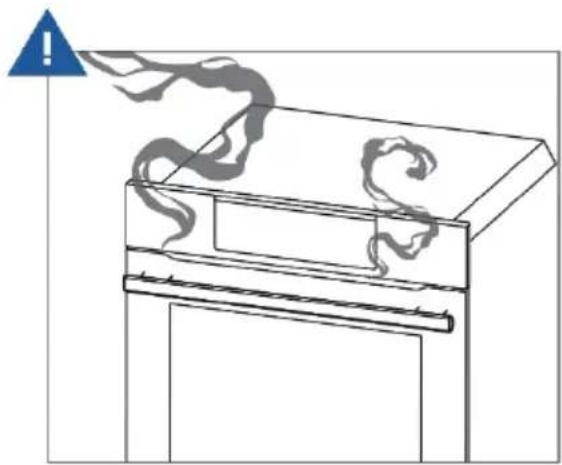
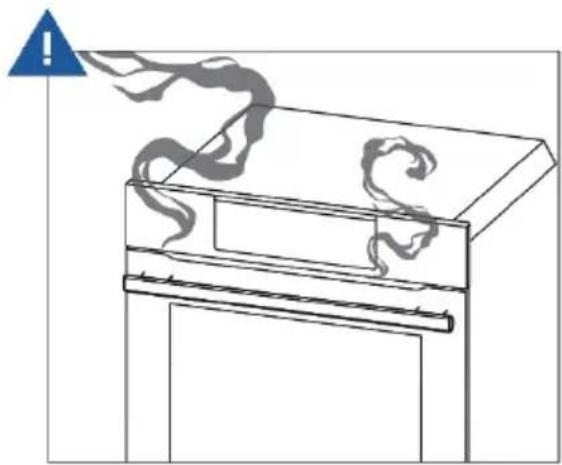
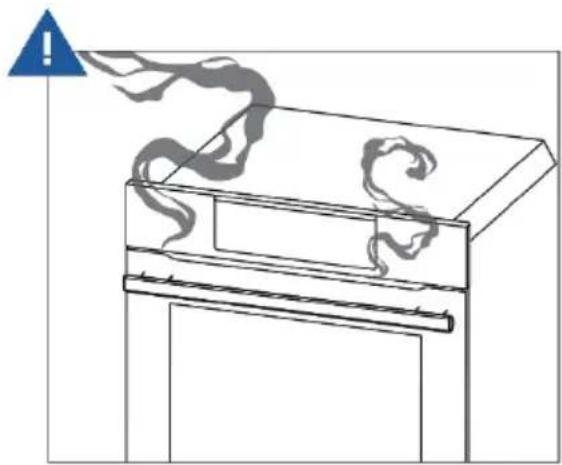
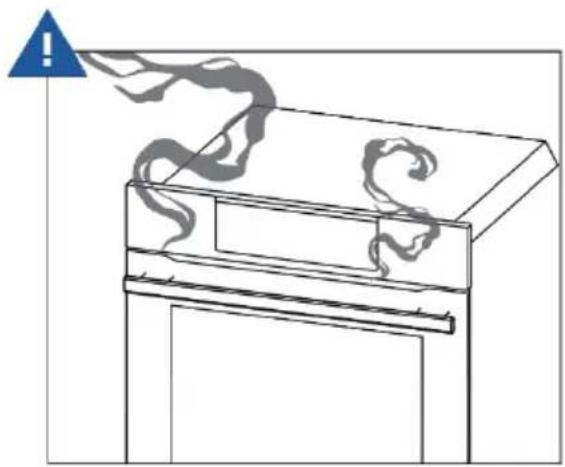
When you first turn on the oven, you might notice some smoke. Don't worry, just wait for the smoke to clear before using the oven.
NOTE: Please note that the oven's features and accessories may vary depending on the model you purchased.
SUMMARY
1.SAFETY INFORMATION
2.PRODUCT INTRODUCTION
2.1. Overview of the product
2.2. Accessories
2.3. Control panel
2.4. Connectivity
3. BEFORE STARTING
3.1. Information to start
3.2. Preliminary cleaning
3.3. First Usage
3.4. Additional Settings
4. OPERATION OF PRODUCT
4.1. How the product works
4.2. Cooking functions
5. COOKING GUIDELINES
5.1. Everyday cooking table
6. CARE AND CLEANING
6.1. General recommendations
6.2. Cleaning the oven
6.3. Demo
7. TROUBLE SHOOTING
8. ENVIRONMENTAL PROTECTION & DISPOSAL
8.1. Appliance disposal
8.2. Saving and respecting the environment
9. INSTALLATION
1.SAFETY INFORMATION
IMPORTANT SAFETY INSTRUCTIONS READ CAREFULLY AND KEEP FOR FUTURE REFERENCE
WARNING: To reduce the risk of fire, electrical shock, injury to persons or damage when using the appliance, follow the important safety instructions listed below. Read all the instructions before use. Use only for its intended purpose as described in these instructions.
General
- This product has been designed for use in a domestic (residential) environment. This product is not designed for any commercial use. Any commercial use by the customer will affect this product's manufacturer's warranty.
- This appliance is intended to be used in household and similar applications such as:
- staff kitchen areas in shops, offices and other working environments
- farm houses
- by clients in hotels, motels and other residential environments
-
bed and breakfast type environments
-
Household appliances are not intended to be played with by children.
- Do not leave children alone. Children should not be left alone or unattended in the area where the appliance is in use. They should never be allowed to sit or stand on any part of the appliance.
- HOT CONTENTS CAN CAUSE SEVERE BURNS. DO NOT ALLOW CHILDREN TO USE THE MICROWAVE. Use caution when removing hot items.
- When the appliance is operated in the combination mode, children should only use the oven under adult supervision due to the temperatures generated.
-
Accessible parts may become hot during use. Young children should be kept away.
-
Children of less than 8 years old must be kept away from the appliance unless continuously supervised. This appliance can be used by children aged from 8 years and above, and persons with reduced physical, sensory or mental capabilities or lack of experience and knowledge, if they have been given supervision or instruction concerning the use of the appliance in a safe way and they understand the hazards involved. Cleaning and user maintenance shall not be done by children without supervision.
- Do not place heavy objects on the oven door.
- Do not let aluminum foils and food probes touch the heating elements.
- Only use the temperature probe recommended for this oven.
- Do not operate your appliance by means of an external timer or separate remote control system.
- Placement of oven shelves: always position shelves in the desired location while the oven is cool (before preheating). If a shelf must be removed while the oven is hot, do not let the oven mitts or potholder contact hot heating elements in the oven or the base of the oven.
- The appliance and its accessible parts become hot during use. Care should be taken to avoid touching heating elements.
- Do not use rough or abrasive materials or sharp metal scrapers to clean the oven door glasses, as they can scratch the surface and cause the glass to shatter.
- Do not heat unopened food containers. They can build up pressure that may cause the container to burst and result in injury.
- Disconnect the appliance from the mains electricity supply before carrying out any work or maintenance on it.
Installation
- Ensure your appliance is properly installed and grounded by a qualified technician in accordance with the provided installation instructions.
- This appliance is intended to be built-in.
• Install or locate this appliance only in accordance with the provided
installation instructions.
- Do not install or operate the appliance if it is damaged or not working properly. If you receive a damaged product, contact your dealer or installer immediately.
- The appliance must not be installed behind a decorative door in order to avoid overheating.
- Do not mount this appliance over a sink.
- This oven is not approved or tested for marine use.
- Do not store this appliance outdoors. Do not use this near a swimming pool, near a sink or in similar locations.
- Do not immerse cord or plug in water. Do not let cord hang over edge of table or counter. Keep cord away from heated surfaces.
- The electrical installation of the oven should be equipped with an emergency switch, which switches off the whole appliance from the mains supply in an emergency. The distance between the contacts of the emergency switch must be at least 3mm.
- Do not cover or block any openings on the appliance.
• Take care – some edges are sharp.
Electrical warnings
- IF THE MICROWAVE OVEN IS PROVIDED BY THE MANUFACTURER WITHOUT PLUG: THE APPLIANCE MUST NOT BE CONNECTED TO THE POWER SOURCE USING PLUG OR SOCKETS, BUT MUST BE DIRECTLY CONNECTED TO THE SUPPLY MAINS. The connection to the power source must be carried out by a suitably qualified professional. In order to have an installation compliant to the current safety legislation the oven must be connected only placing an omnipolar breaker, with contact separation compliant to the requirements for overvoltage category III, between the appliance and the power source. The omnipolar breaker must bear the maximum connected load and must be in line with current legislation. The yellow-green earth cable should not be interrupted by the breaker. The omnipolar breaker used for the connection must be easily accessible when the appliance is installed. The connection to the power source must be carried out by a suitably qualified professional considering
the polarity of the microwave oven and of the power source. The disconnection must be achieved incorporating a switch in the fixed wiring in accordance with the wiring rules.
- IF THE MICROWAVE OVEN IS PROVIDED BY THE MANUFACTURER WITH PLUG:
- The socket must be suitable for the load indicated on the tag and must have ground contact connected and in operation. The earth conductor is yellow-green in color. This operation should be carried out by a suitably qualified professional. In case of incompatibility between the socket and the appliance plug, ask a qualified electrician to substitute the socket with another suitable type. The plug and the socket must be conformed to the current norms of the installation country. Connection to the power source can also be made by placing an omnipolar breaker, with contact separation compliant to the requirements for overvoltage category III, between the appliance and the power source that can bear the maximum connected load and that is in line with current legislation. The yellow-green earth cable should not be interrupted by the breaker. The socket or omnipolar breaker used for the connection should be easily accessible when the appliance is installed. The disconnection may be achieved by having the plug accessible or by incorporating a switch in the fixed wiring in accordance with the wiring rules.
- If the power cable is damaged, it should be substituted with a cable or special bundle available from the manufacturer or by contacting the customer service department.
- Failure to comply with the above can compromise the safety of the appliance and invalidate the warranty.
- The microwave oven must be switched off before removing the removable parts. After cleaning, reassemble them according the instructions.
- The use of any electrical appliance implies the observance of some fundamental rules:
- do not pull on the power cable to disconnect the appliance from the power source;
- do not touch the appliance with wet or damp hands or feet;
- in general the use of adaptors, multiple sockets and extension cables is not recommended;
- in case of malfunction and /or poor operation, switch off the appliance and do not tamper with it.
- ENSURE THAT AN ELECTRICIAN OR QUALIFIED TECHNICIAN MAKES THE ELECTRICAL CONNECTIONS. The power supply to which the oven is connected must conform with the laws in force in the country of installation. The manufacturer accepts no responsibility for any damage caused by the failure to observe these instructions. The oven must be connected to an electrical supply with an earthed wall outlet or a disconnector with multiple poles, depending on the laws in force in the country of installation. The electrical supply should be protected with suitable fuses and the cables used must have a transverse section that can ensure correct supply to the oven.
- CONNECTION. The oven is supplied with a power cable that should only be connected to an electrical supply with 220-240 Vac power between the phases or between the phase and the neutral. Before the oven is connected to the electrical supply, it is important to check power voltage indicated on the gauge and the setting of the disconnector. The grounding wire connected to the oven's earth terminal must be connected to the earth terminal of the power supply.
- ⚠ WARNING : Before connecting the oven to the power supply, ask a qualified electrician to check the continuity of the power supply's earth terminal. The manufacturer accepts no responsibility for any accidents or other problems caused by failure to connect the oven to the earth terminal or by an earth connection that has defective continuity.
- Before carrying out any work on the electrical section of the appliance, it must be disconnected from the mains electricity supply.
- Connection to a good ground wiring system is absolutely essential and mandatory.
• Alterations to the domestic wiring system must only be made by a
qualified electrician.
NOTE: as the oven could require maintenance work, it is advisable to keep another wall socket available so that the oven can be connected to this if it is removed from the space in which it is installed. The power cable must only be substituted by technical service staff or by technicians with equivalent qualifications.
Servicing
- User servicing: do not repair or replace any part of the appliance unless specifically recommended in this guide. All other servicing should be done by a Haier trained and supported service technician.
- WARNING: If the door or door seals are damaged, the oven must not be operated until it has been repaired by a trained person.
- If the microwave oven light fails, contact a Haier trained and supported service technician or Customer Care.
Fire hazard
- Do not use adapters, reducers, or branching devices to connect this appliance to the mains power supply.
- The microwave oven is intended for heating food and beverages. Drying of food or clothing and heating or warming pads, slippers, sponges, damp cloths and similar may lead to risk of injury, ignition or fire.
- Do not overcook food. Carefully attend appliance when paper, plastic or other combustible materials are placed inside the microwave oven to facilitate cooking.
- Remove wire twist-ties from paper or plastic bags before placing in microwave.
- If materials inside the microwave oven should ignite, keep microwave oven door closed, turn microwave oven off and disconnect the power cord or shut off power at the fuse or circuit breaker panel.
- Do not use the cavity for storage purposes. Do not leave paper products, cooking utensils or food in the cavity when not in use.
- Utensils should be checked to ensure that they are suitable for use
in microwave ovens.
- When heating food in plastic or paper containers, check the oven frequently due to the possibility of ignition.
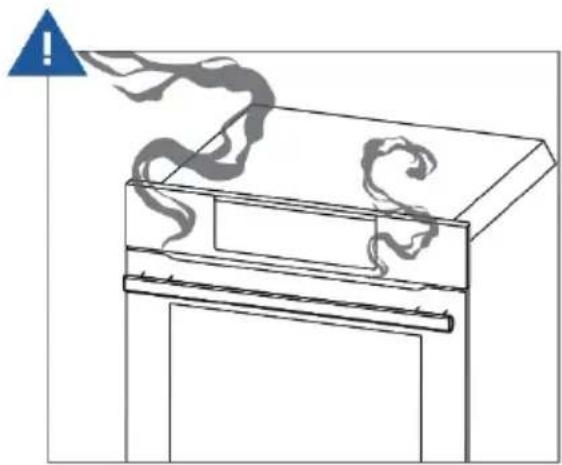
- If smoke is observed, switch off or unplug the appliance and keep the door closed in order to stifle any flames.
- During and after use, do not touch, or let clothing or other flammable materials contact any interior area of the oven; allow sufficient time for cooling first.
- In case of fire, smother the flame or use a dry chemical or foam type extinguisher.
- Use only dry oven mitts or potholders. Moist or damp potholders on hot surfaces could result in burns from steam. Do not let potholders touch hot areas or heating elements. Do not use a towel or a bulky cloth for a potholder. It could catch fire.
Food safety
- Safe food handling: leave food in the oven for as short a time as possible before and after cooking. This is to avoid contamination by organisms which may cause food poisoning. Take particular care during warm weather.
Cleaning
- The oven must be cleaned periodically and all food residues must be removed.
- Failure to keep the oven clean could cause deterioration of the surfaces that could reduce the life of the appliance and cause dangerous conditions.
- Do not use oven cleaners, harsh/abrasive cleaning agents, waxes, or polishes. No commercial oven cleaner, oven liner, or protective coating of any kind should be used in or around any part of the oven. Do not use harsh/abrasive cleaners, scourers or sharp metal scrapers to clean the oven door glass since they scratch the surface, which may result in the glass shattering.
- Avoid using products containing chlorine, acids or abrasives, especially for cleaning painted parts. In addition, avoid using acid or
alkaline substances.
- Do not spray water or use a steam cleaner to clean any part of the oven. Use only slightly damp cloths.
Microwave cooking
- Do not attempt to operate this microwave with the door open. This can result in harmful exposure to microwave energy. It is important not to damage or tamper with the safety interlocks.
- Do not place any object between the microwave oven and the door or allow soil or cleaner residue to accumulate on sealing surfaces.
- Do not operate the microwave oven if it is damaged. It is particularly important that the microwave oven door closes properly and that there is no damage to the: (1) door (bent), (2) hinges and latches (broken or loosened), (3) door seals and sealing surfaces.
- Do not repair or replace any part of the appliance unless specifically recommended in this guide. All other servicing should be done by a Haier trained and supported service technician.
- If the door seals are damaged, the oven must not be operated until it has been repaired by a competent person.
- It is hazardous for anyone other than a competent person to carry out any service or repair operation that involves the removal of a cover which gives protection against exposure to microwave energy.
- Do not operate microwave functions while the oven is empty.
- Eggs in their shells and whole hard-boiled eggs should not be heated in microwave ovens since they may explode, even after microwave heating has ended.
- The contents of feeding bottles and baby food jars are to be stirred or shaken and the temperature is to be checked before consumption, in order to avoid burns.
- Microwave heating of beverages can result in delayed eruptive boiling, therefore care has to be taken when handling the container.
- Liquids, such as water, coffee or tea are able to be overheated beyond the boiling point without appearing to be boiling. Visible bubbling or boiling when the container is removed from the microwave oven is not always present. THIS COULD RESULT IN VERY
HOT LIQUIDS SUDDENLY BOILING OVER WHEN A SPOON OR OTHER UTENSIL IS INSERTED INTO THE LIQUID.
- Do not overheat liquid. To avoid delayed boiling when heating liquids, always put a spoon in the container. Beverages containing spoons should be placed in the center of the oven. Metal components must stay at least 2 cm from the walls of the oven and the inside of the door. Sparks could damage the inside of the glass door. Stir the liquid both before and halfway through heating it.
- Do not use straight-sided containers with narrow necks. Use a wide-mouthed container.
- After heating, allow the container to stand in the microwave oven for at least 20 seconds before removing the container.
- Use extreme care when inserting a spoon or other utensil into the container.
- WARNING: Liquids and other foods must not be heated in sealed containers since they are liable to explode.
- Only use utensils that are suitable for use in microwave ovens.
Unsuitable dishware
- The baking tray must be removed when using the microwave mode. It can be used with convection functions and combined functions.
- Never turn on the microwave oven before you have put in the food. The only exception allowed is testing dishware.
- Only use plates and crockery that are microwave safe.
- Never heat food covered in tin foil.
- Use only bakeware approved for oven use. Follow the manufacturer's instructions.
- Metallic containers for food and beverage are not allowed during microwave cooking.
Pacemakers
- Most pacemakers are shielded from interference from electronic products, including microwaves. However, patients with pacemakers may wish to consult their physicians if they have concerns.
Arcing
- Arcing can occur during both speed cooking and microwave cooking. If you see arcing, press CANCEL/OFF and correct the problem. Arcing is the microwave term for sparks in the oven. Arcing is caused by:
• Metal or foil touching the side of the oven. - Metal cookware or the wire oven rack used during either speed cook or microwave cooking.
- Metal such as twist-ties, poultry pins, or gold rimmed dishes in the oven.
• Recycled paper towels containing small metal pieces being used in the oven.
Note:
- Microwave functions tend to generate water vapour condensation of water on the door may occur. It is an expected behavior.
- All the functions require the door to be closed in order to operate. If the door is opened, the UI will ask you to close the door before restarting the cooking process.
- The household appliance is equipped with a temperature management system that can result in acoustic variations during and after use. These variations are an integral part of the cooling process and ensure the best product performance. The cooling process can be accelerated by opening the door after cooking is complete.
2.PRODUCT INTRODUCTION
2.1. Overview of the product
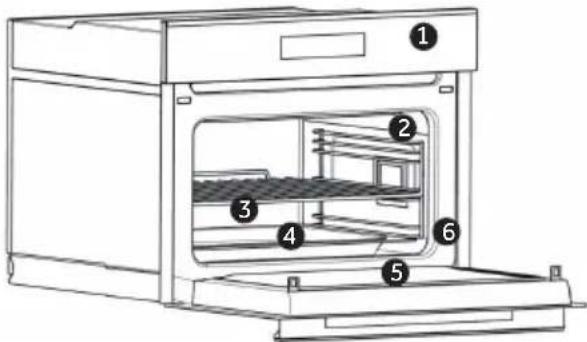
- Control panel
- Lateral wire grids
- Metal grids
- Tray
- Oven door
- Serial number & QR Code
natural_image
Empty white rectangle with a thin black border (no text or symbols)Write here your serial number for future reference
2.2. Accessories
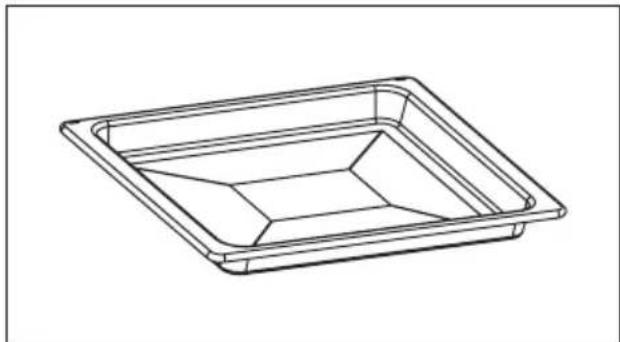
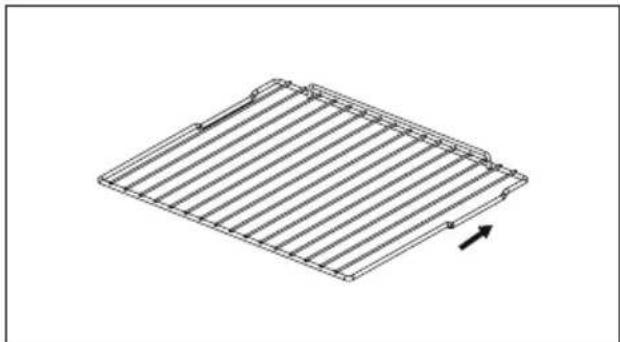
Tray Metal grid
natural_image
Line drawing of a rectangular tray with internal compartments (no text or symbols)Collects residues that drip when cooking food on the grills.
natural_image
Isometric line drawing of a rectangular metal grate with vertical slats and an arrow indicating direction (no text or symbols)Holds baking trays and plates.
*Push into the oven as indicated by the arrow. Notch (a) should face downwards and it is the resting position to prevent the inadvertent withdrawal.
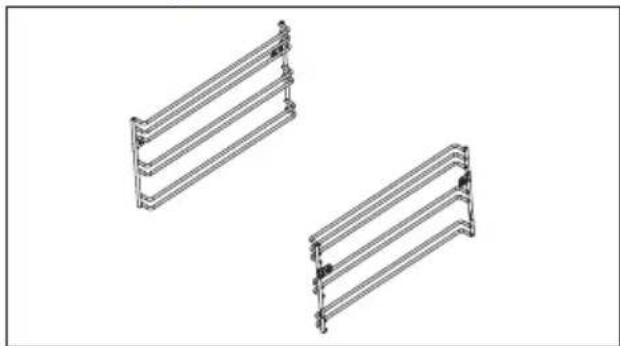
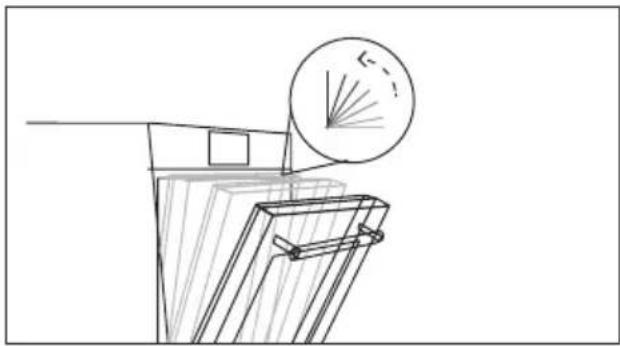
Lateral wire grids Soft close
natural_image
Two identical metal frame structures arranged side by side, no text or symbols present.Located on both sides of the oven cavity, holds metal grills and drip pans.
natural_image
Technical line drawing of a mechanical component with a circular inset showing a cross-section view (no text or symbols)Hinges which ensure an automatic soft and smooth movement during the closing phase of the oven door.
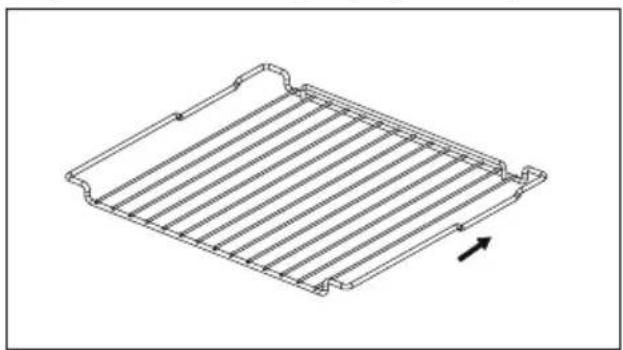
Step down wire shelf (only if present*)
natural_image
Technical line drawing of a rectangular metal grate or rack structure with a directional arrow indicating rotation (no text or symbols)Holds the glass tray.
*Push into the oven as indicated by the arrow. Notch (a) should face downwards and it is the resting position to prevent the inadvertent withdrawal.
MW glass tray (only if present*)
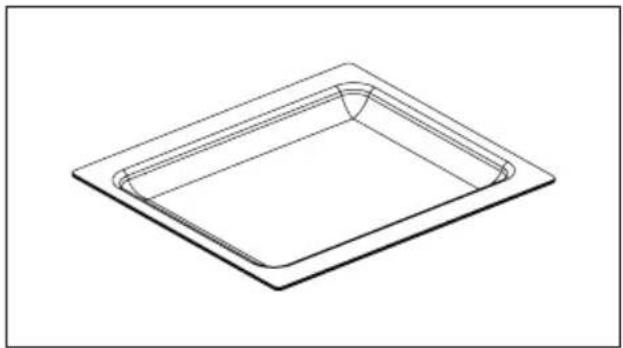
natural_image
Isometric line drawing of a rectangular tray or container with a curved top edge (no text or symbols)Holds baking trays and plates.
*Can be used in Microwave function.
Grill rack/Boil rack (only if present*)
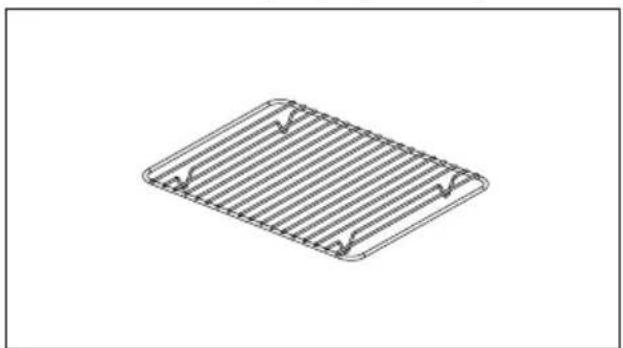
natural_image
Isometric line drawing of a rectangular plate with horizontal slats and corner notches (no text or symbols)Holds baking trays and plates.
*Used together with glass tray.
Wired meat probe (only if present)
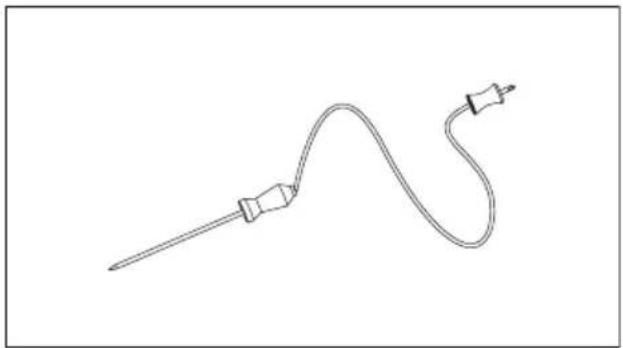
natural_image
Line drawing of a medical or laboratory probe with a curved tube and connector (no text or symbols)Measures the internal temperature of food during cooking.
WARNINGS:
- Do not preheat or start cooking before properly inserting the meat probe.
- Do not try to insert the meat probe in frozen food.
EN: Oven trays and grids are not suitable for direct contact with food. Please use suitable cookware or baking paper.
Wired Meat probe
How to use Probe:
- Plug the probe to the oven and insert the probe into the food.
- When the probe is plugged, only the dedicated functions are available.
-
Try to set probe with an existing set duration, press √ to confirm.
-
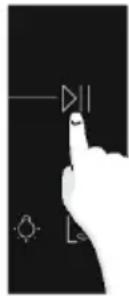
Set probe target temperature and tap ▷ to confirm. From this moment, the oven will use the Probe's data to monitor the internal temperature.
-
Once the desired internal temperature is reached, the alarm sounds and the oven turns off. Carefully remove the Probe from the food.
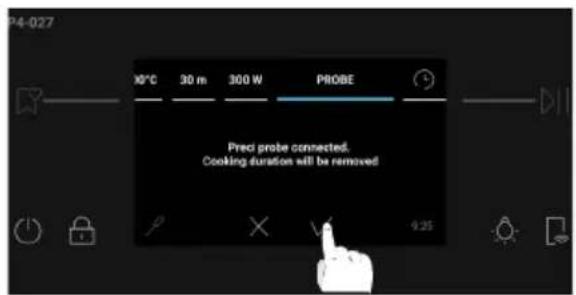
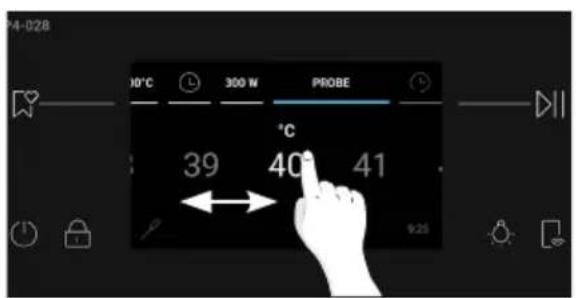
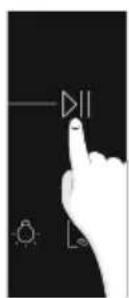
NOTE: When the probe is not in use, please close the rubber cover of the probe hole to prevent unexpected materials from entering, affecting the probe's service life or causing misdetections.
Cooking tips
- The internal temperature of meat will continue to rise by a few degrees after you have removed it from the oven, so allow for this in your calculations. After cooking, cover and let the meat rest for 15 to 20 minutes.
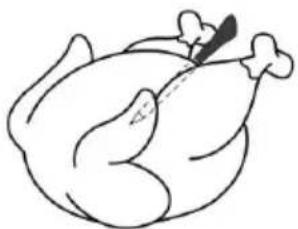
- When cooking meat, insert the sensor horizontally into the center of the thickest part. The thicker the meat, the longer it will take to cook, so it is important that the tip of the sensor is measuring the temperature of the meat at its thickest point. Make sure the tip of the sensor is not protruding out of the meat, and does not touch bone, fat or gristle, as these will heat up more quickly than the lean meat.
natural_image
Simple line drawing of a roasted chicken (no text or symbols)- The temperatures given onscreen are recommendations only. Results will depend on the quality and composition of the food.
2.3. Control panel

- On/Off
- Child Lock
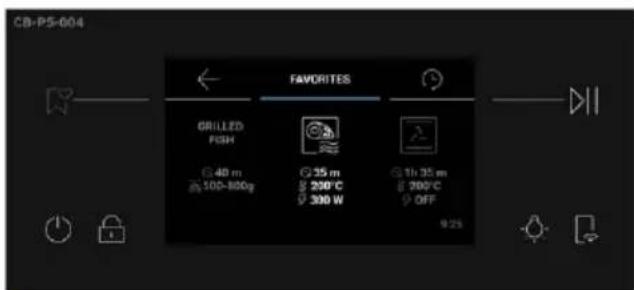
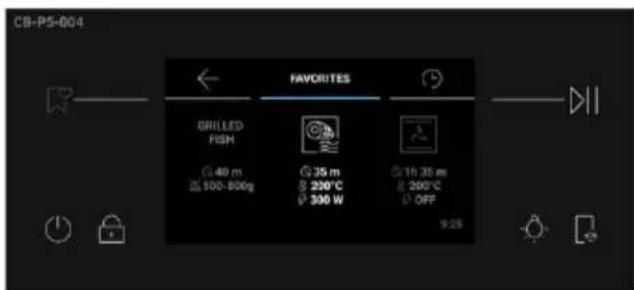
- Favorites
4.Start/Pause
5.Light
6.Remote Control
MAIN FUNCTIONS
| Symbol Function Description | ||
 | On/Off Press to turn on/off the oven. | |
 | Child Lock | Press and hold for 3 seconds to lock the screen and prevent unwanted use by minors. |
 | Favorites Press to access the Favorites menu. | |
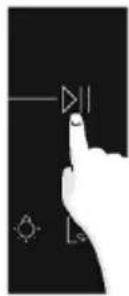
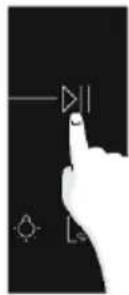
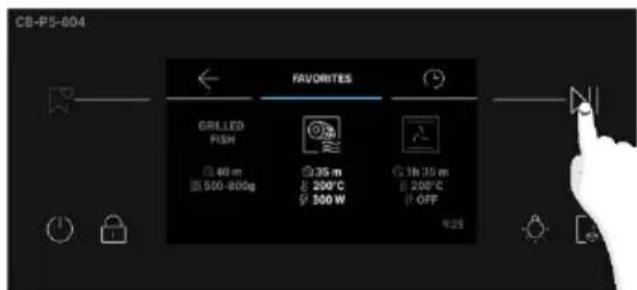
 | Start/Pause Press to Start/Pause cooking or to confirm the functions. | |
 | Light | Press to turn on/off the oven cavity light.The appliance is provided with a bulb whose lighting efficiency class is G. |
 — — | Remote Control | Press and hold the button for 3 seconds to activate remote control, after pairing the oven with the hOn app (through the application). |
2.4. Connectivity
Wireless parameters
| Technology Wi-Fi Bluetooth | ||
| Standard IEEE 802 11 b/g/n Bluetooth v 2, BR/EDR, BLE | ||
| Frequency Band(s) [MHz] 2401÷2483 2402÷2480 | ||
| Maximum Power [mW] 100 10 |
Product information for networked equipment
Power consumption of the product in networked standby if all wired network ports are connected, and all wireless network ports are activated: 2,0 W.
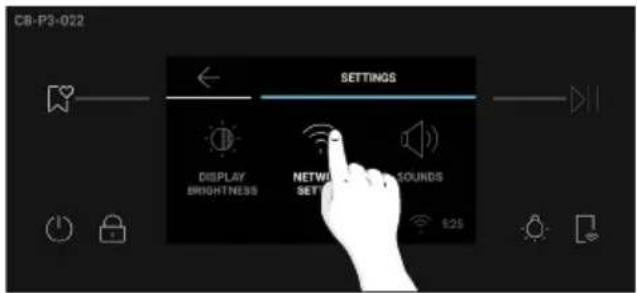
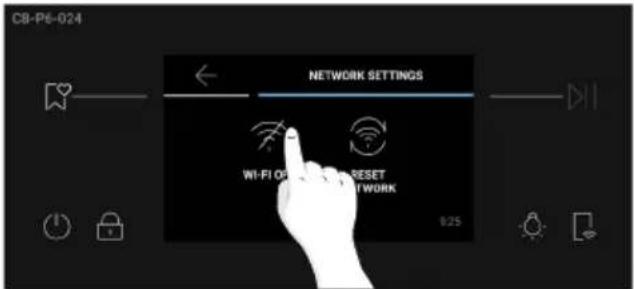
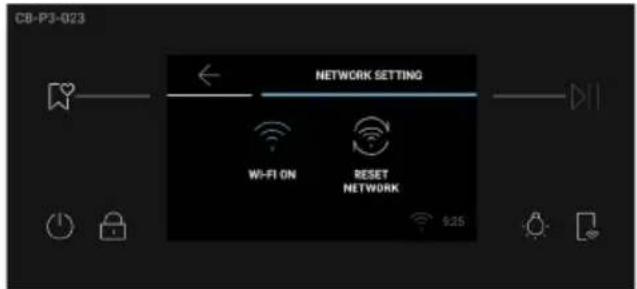
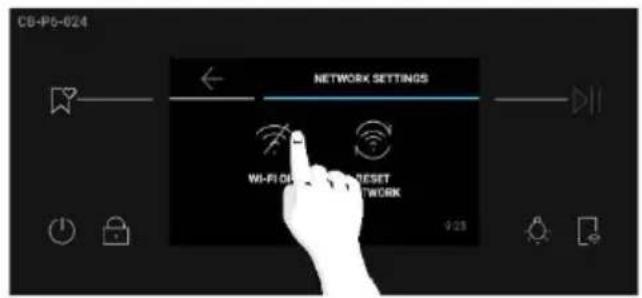
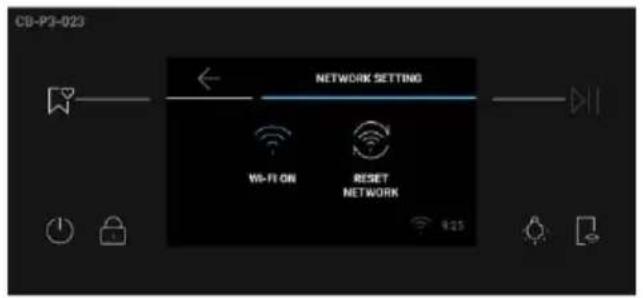
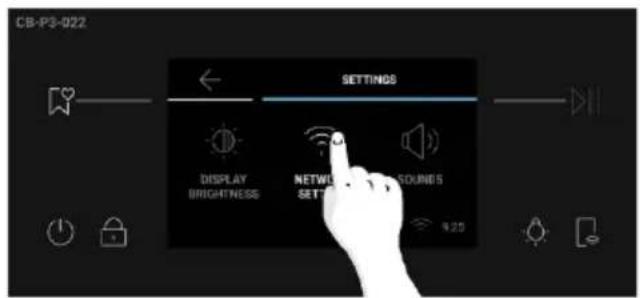
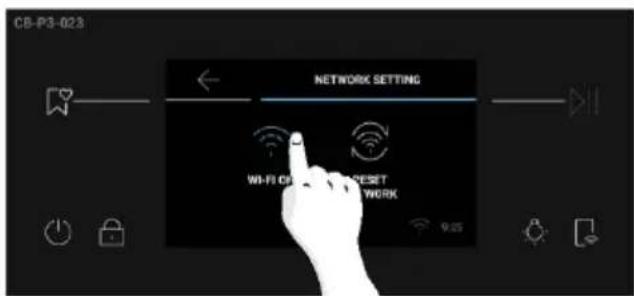
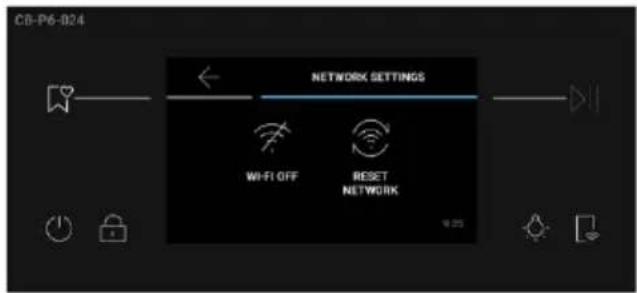
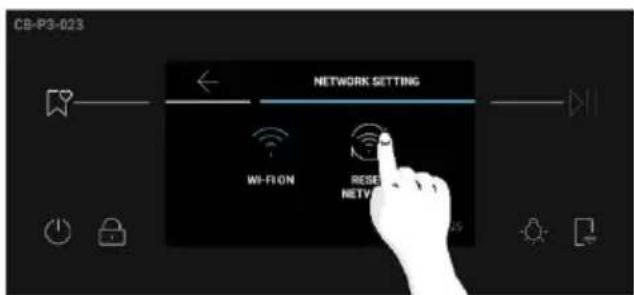
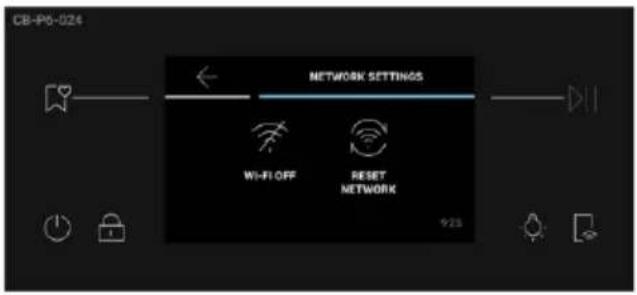
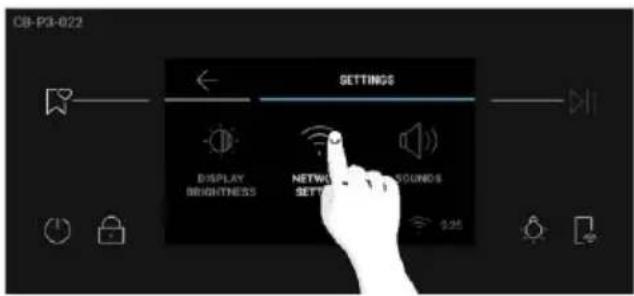
How to activate wireless network port:
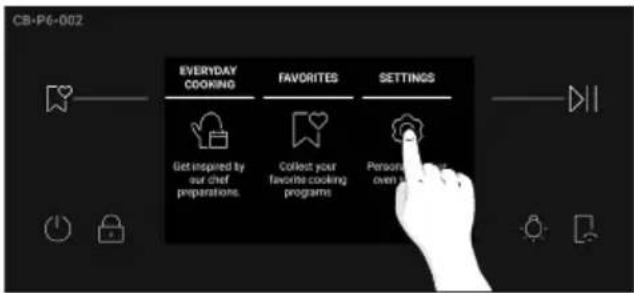
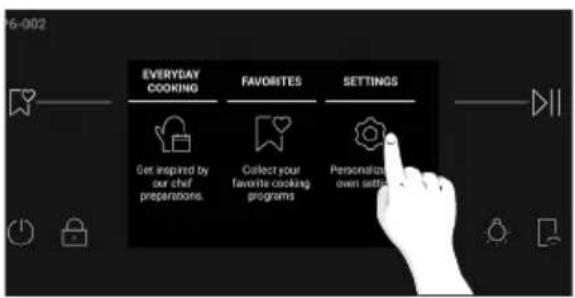
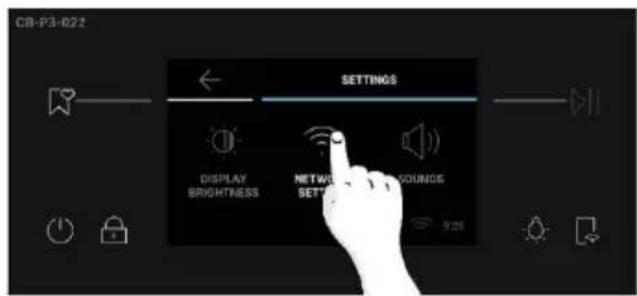
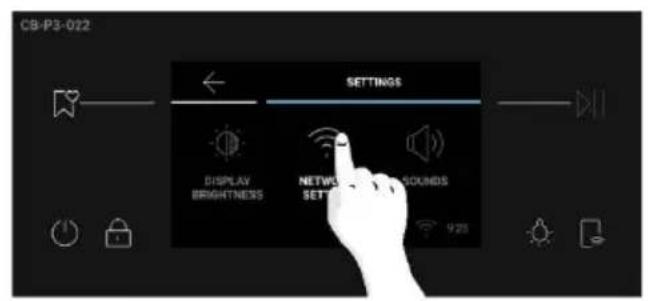
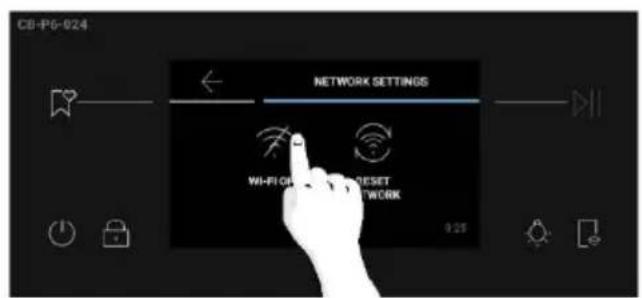
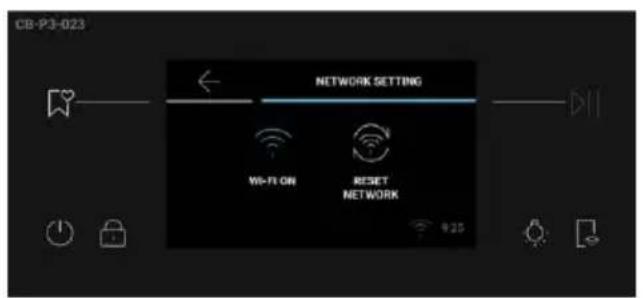
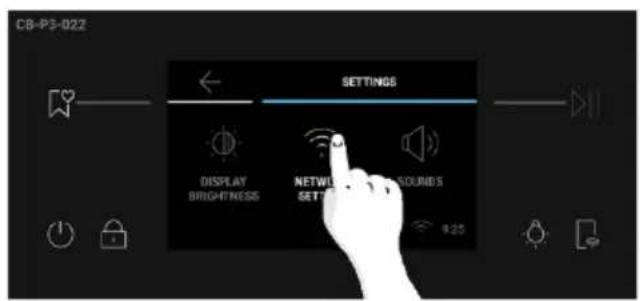
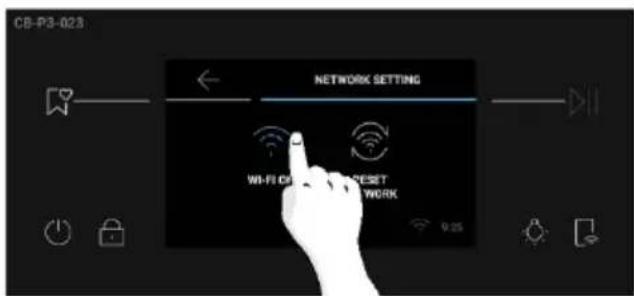
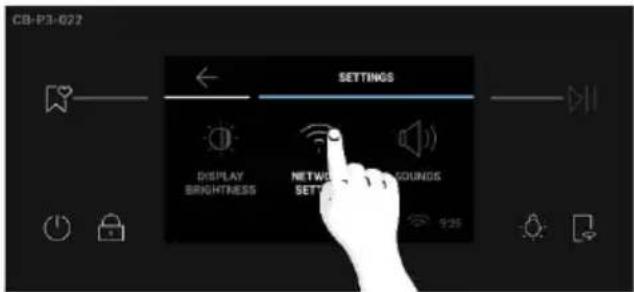
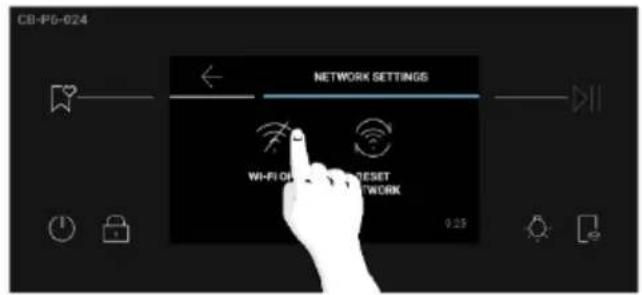
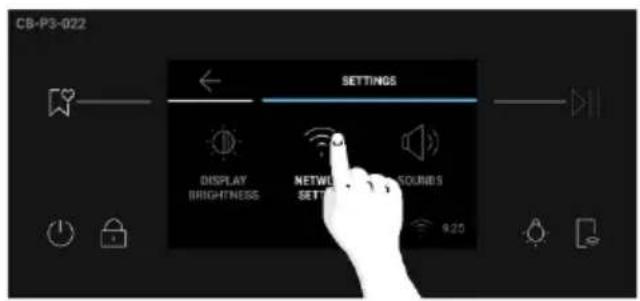
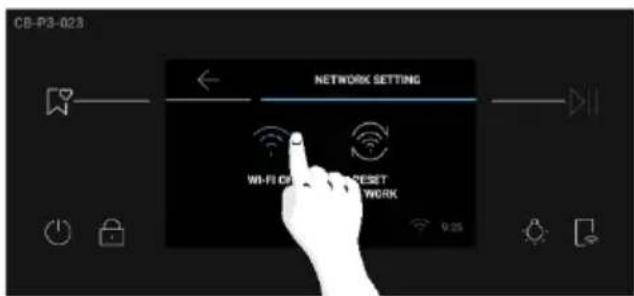
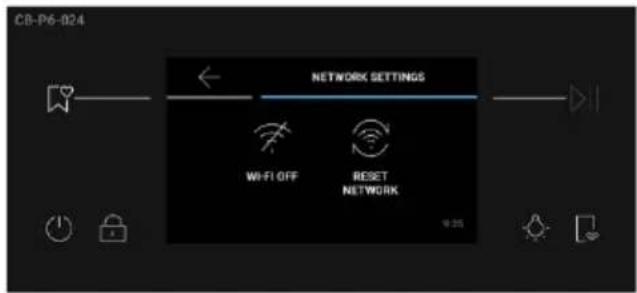
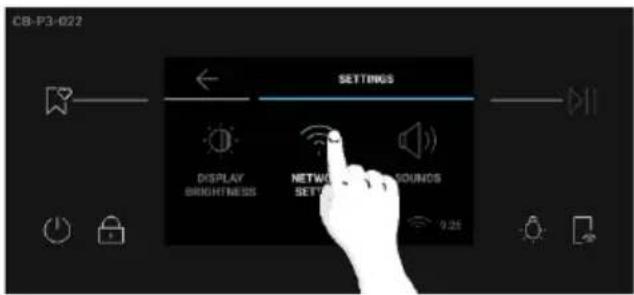
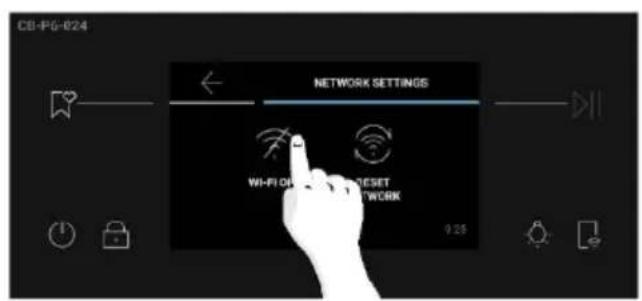
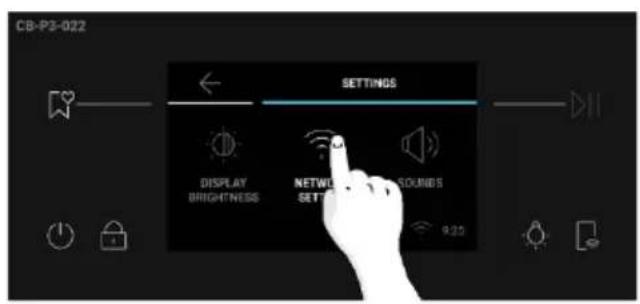
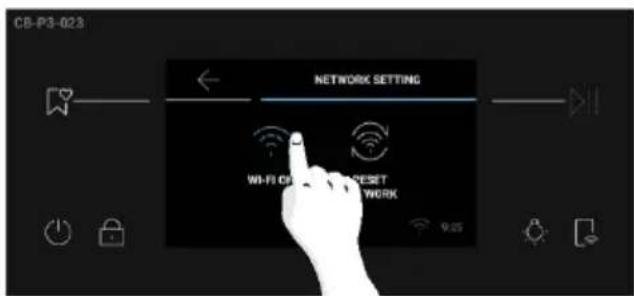
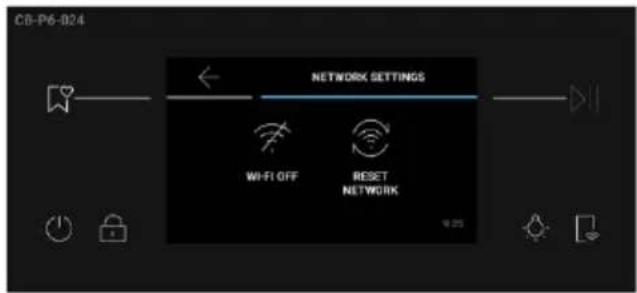
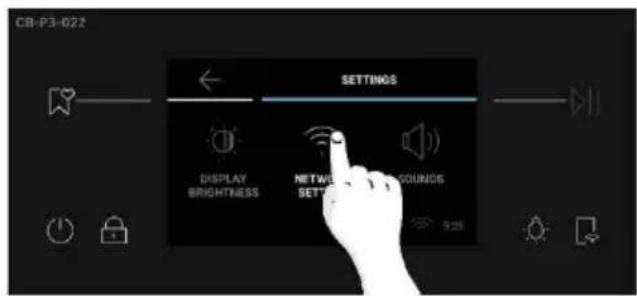
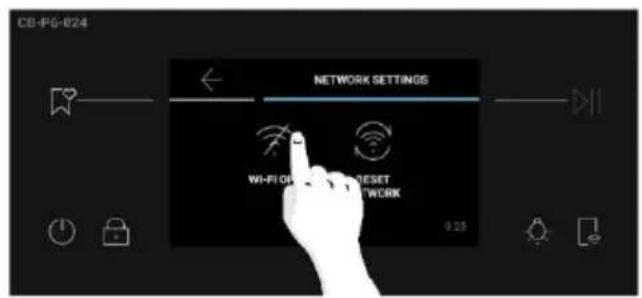
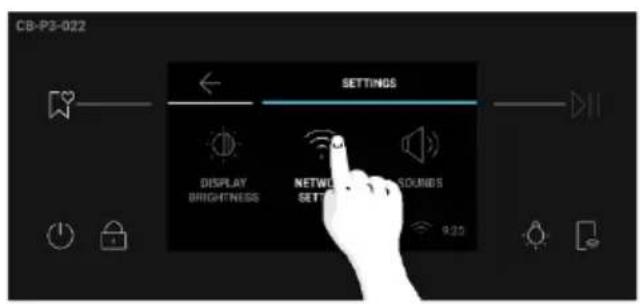
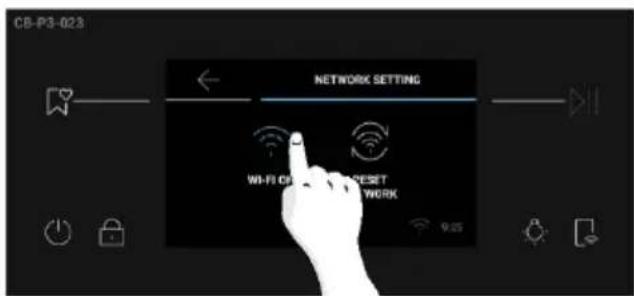
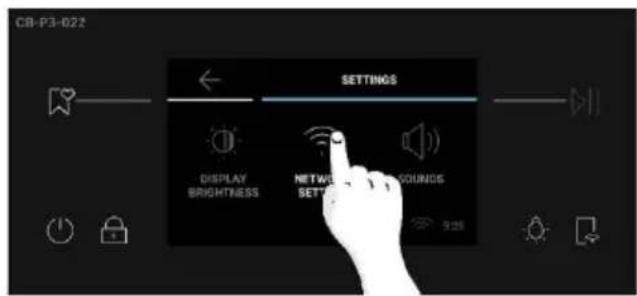
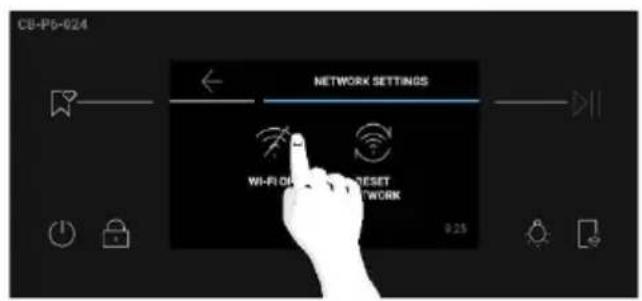
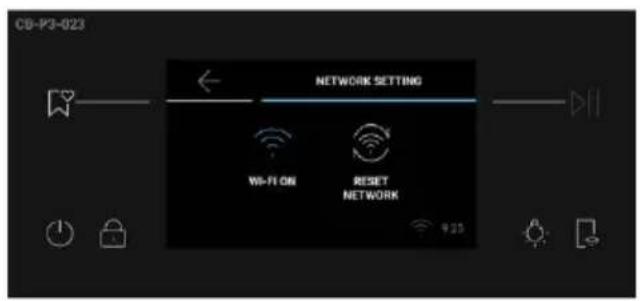
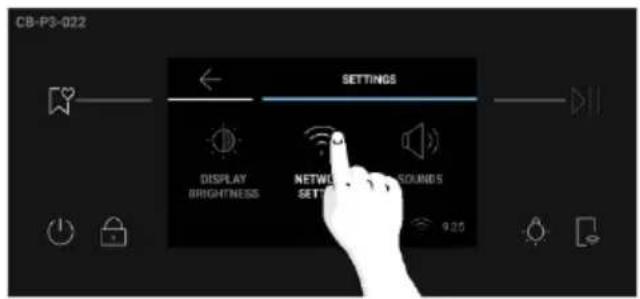
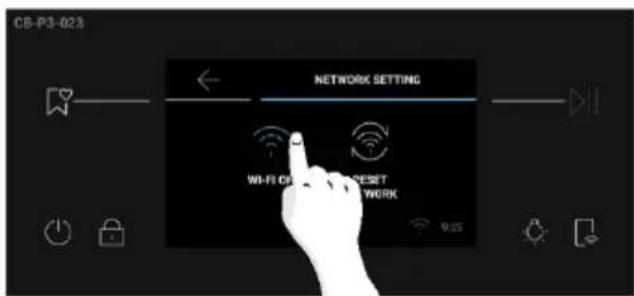
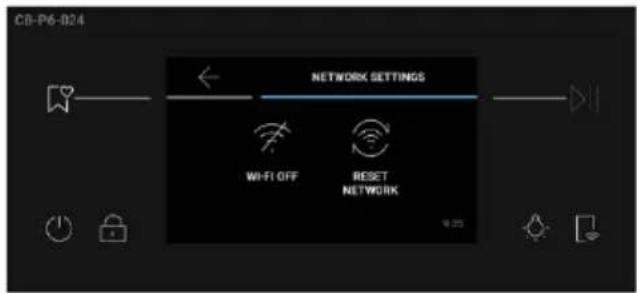
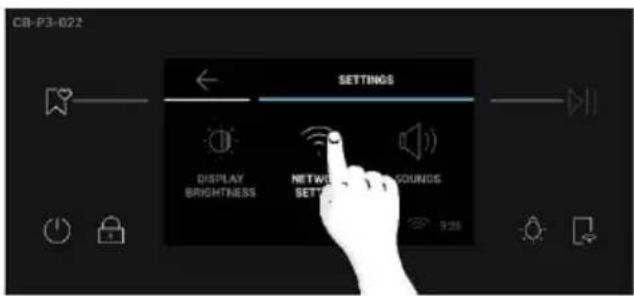
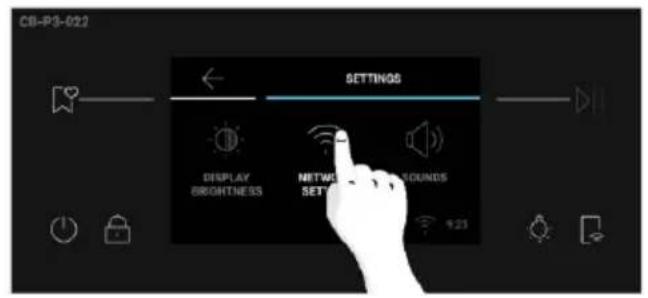
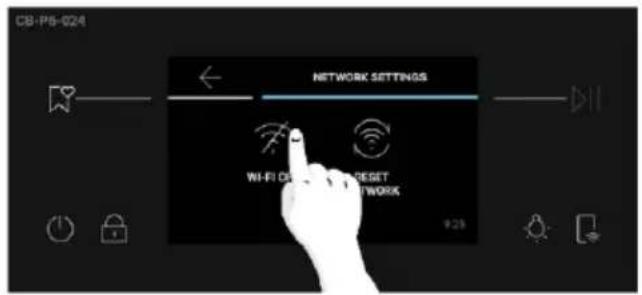
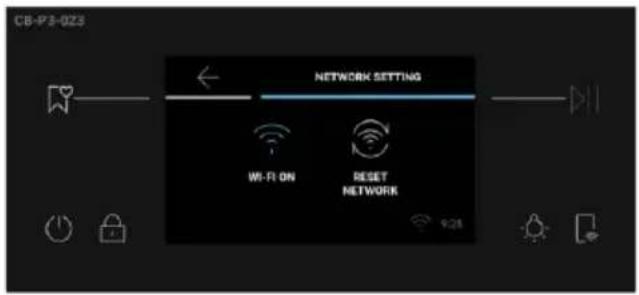
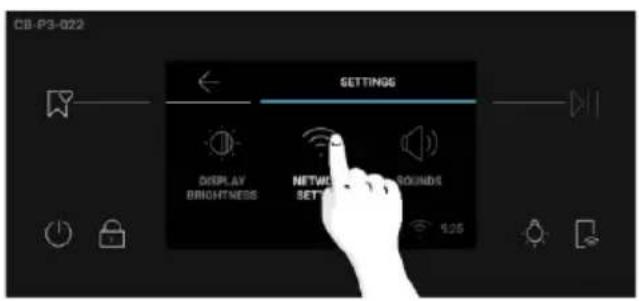
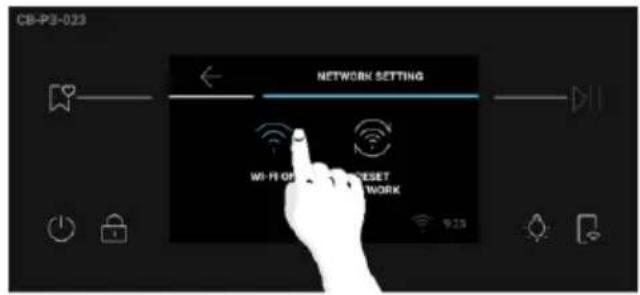
Press "Settings" on the Home Carousel, then press on "Network Settings". Toggle Wi-Fi OFF to turn on the Wi-Fi.
How to deactivate wireless network port:
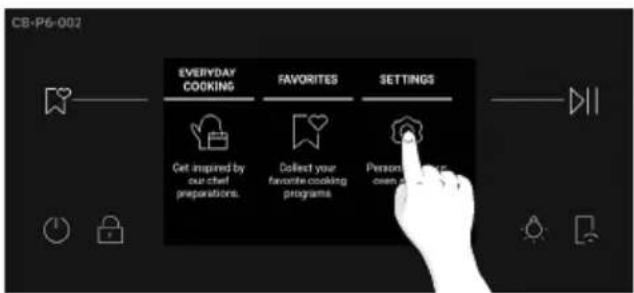
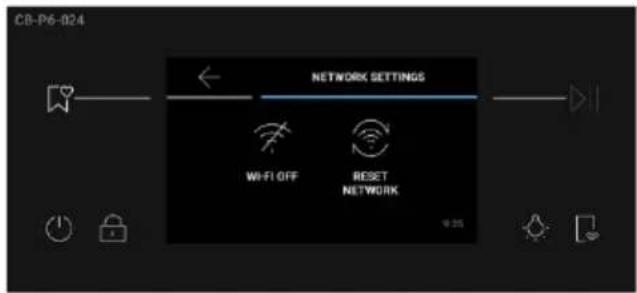
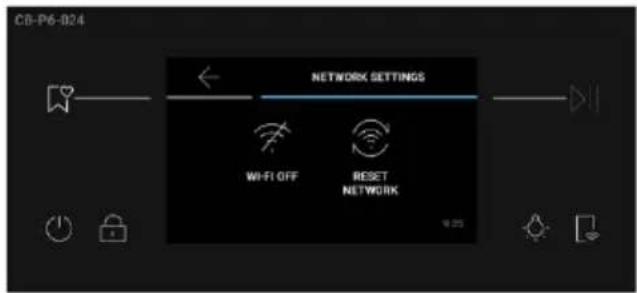
Press "Settings" on the Home Carousel, then press on "Network Settings". Toggle Wi-Fi ON to turn off the Wi-Fi.
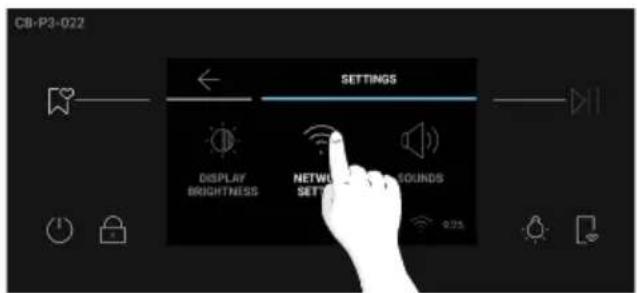

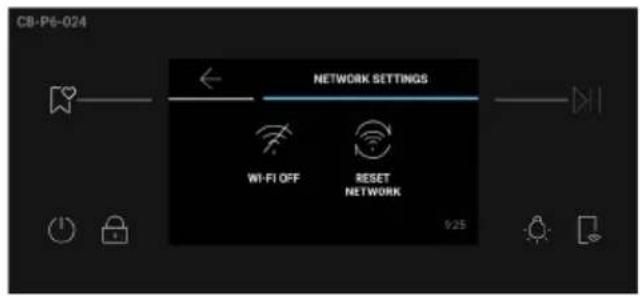
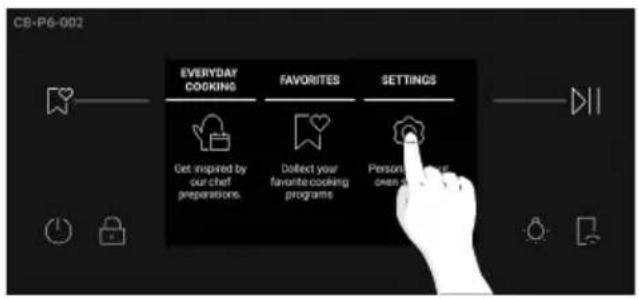
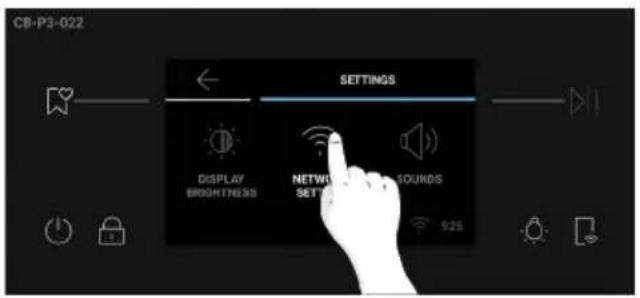
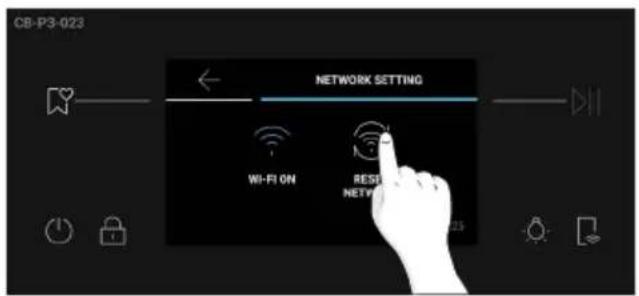
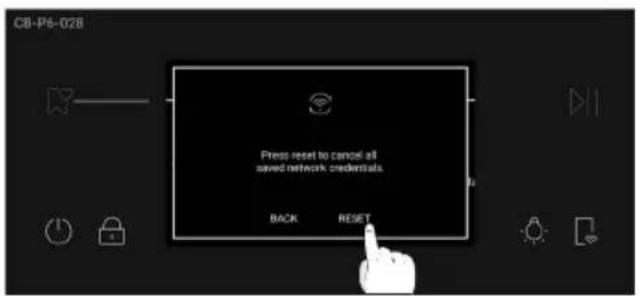
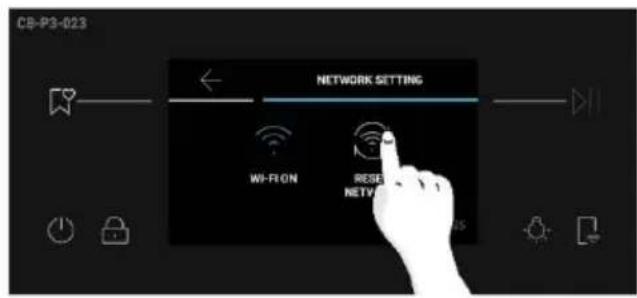
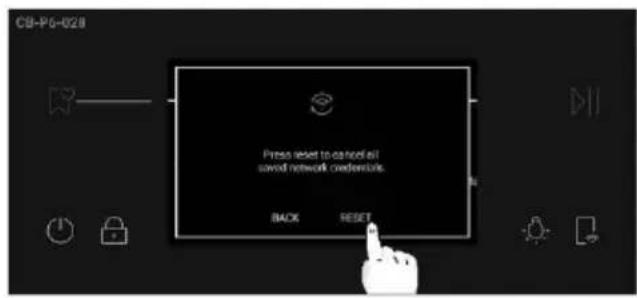
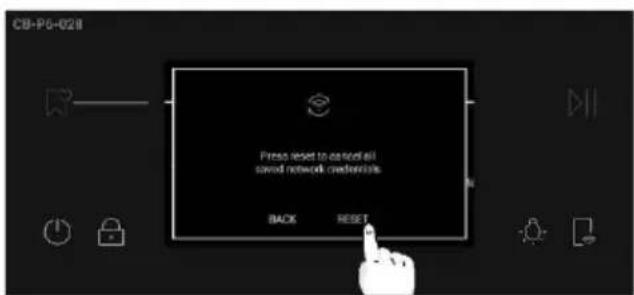
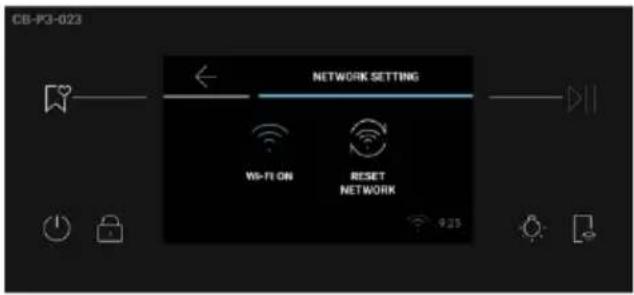
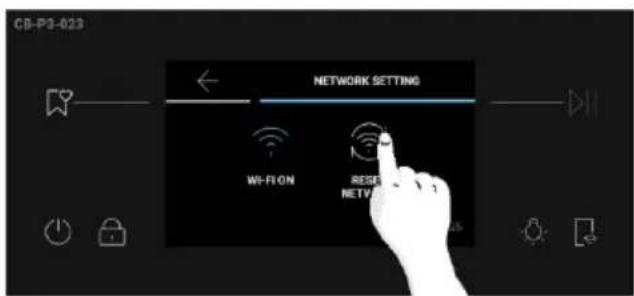
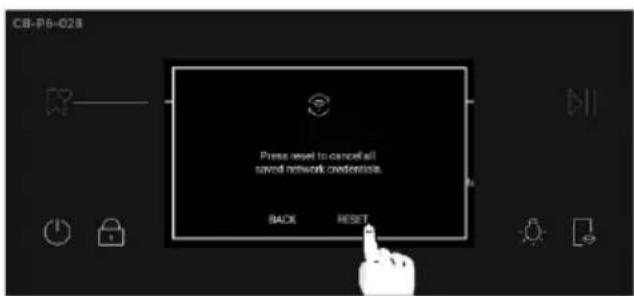
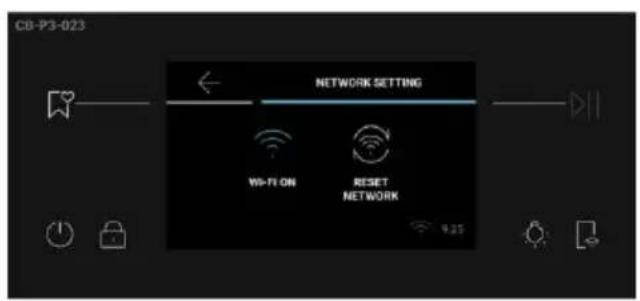
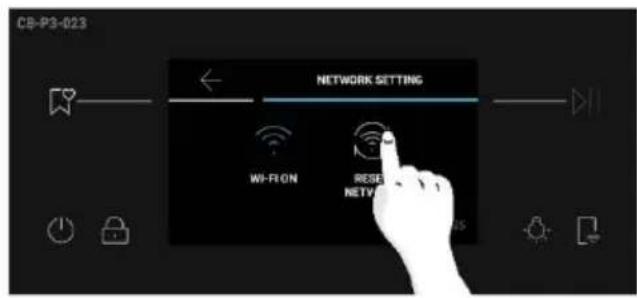
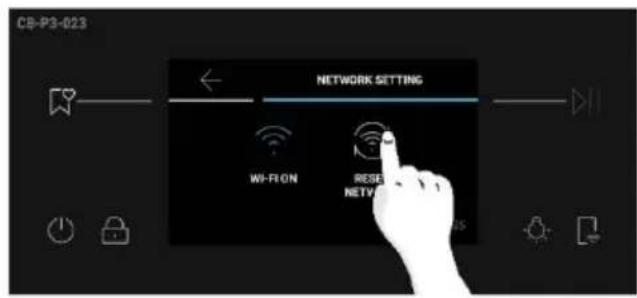
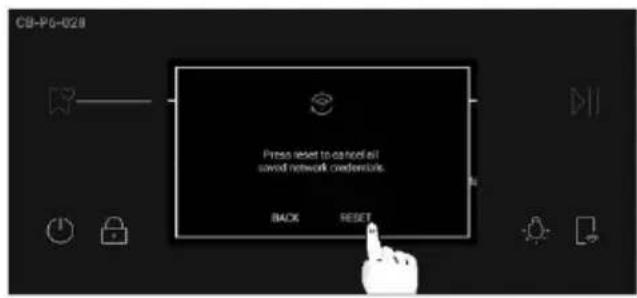
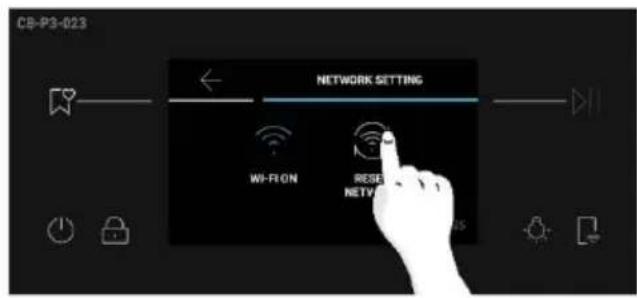
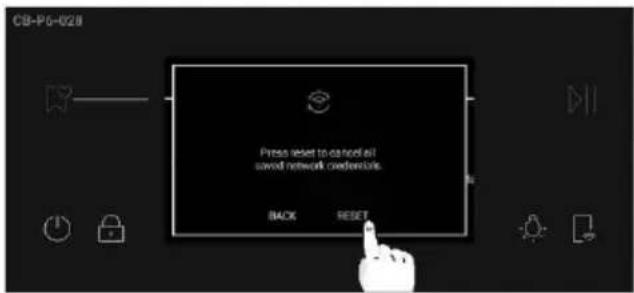
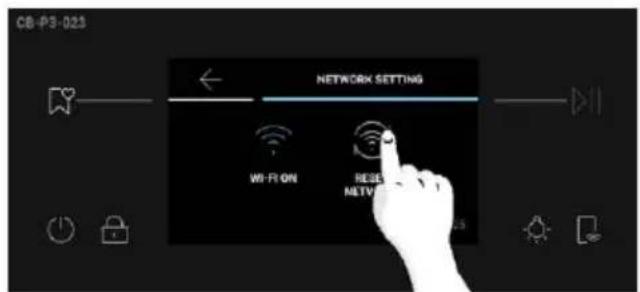
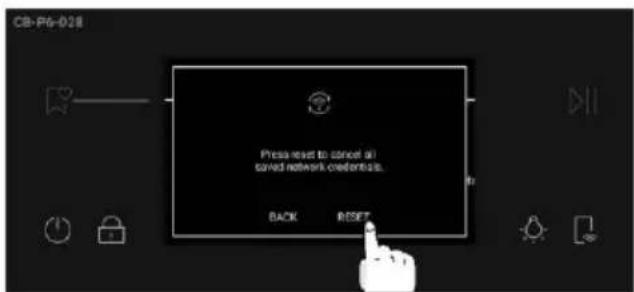
How to reset network:
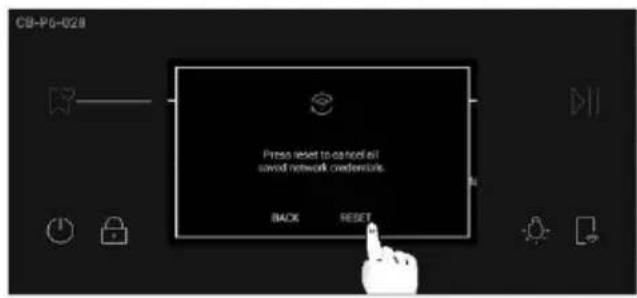
- Press Settings on the Home Carousel, then press Network Settings;
- Press "Reset Network" (only enabled if the appliance has already been paired);
- Confirm pop-up message by pressing on "Reset".
Hereby, Qingdao Haier Intelligent Cooking Appliances Co., Ltd declares that the radio equipment is in compliance with Directive 2014/53/EU and with the relevant statutory requirements for the UK market. The full text of the declaration of conformity is available at the following internet address: www.haier.com
HOW TO INTERACT WITH THE APP
Your appliance may be connected to your home wireless network and operated remotely using the app. Connect your appliance to ensure it stays up to date with the latest software and features.
Getting started
- Ensure your home Wi-Fi network is turned on.
- You will be given step by step guidance on both your appliance and mobile device.
- It may take up to 10 minutes to connect your oven.
- For further guidance and troubleshooting, please refer to the app.
Download on your smartphone.


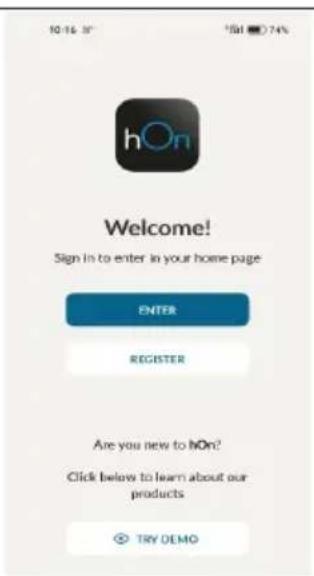
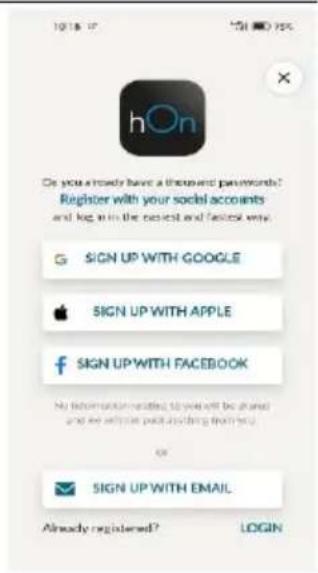
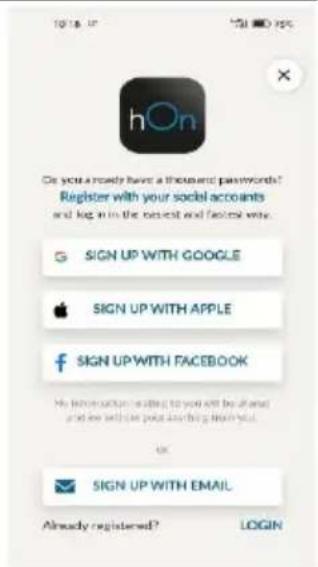
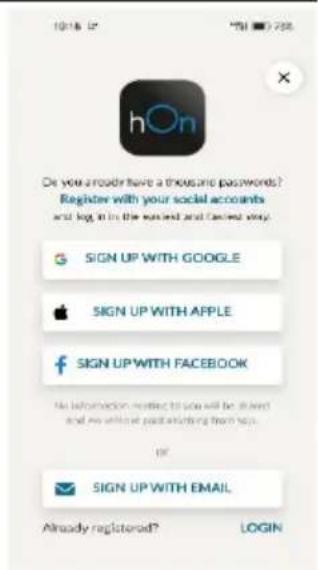
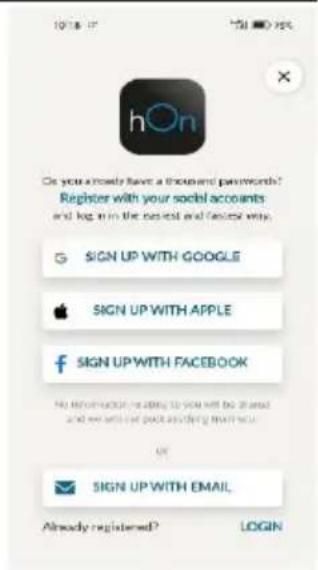
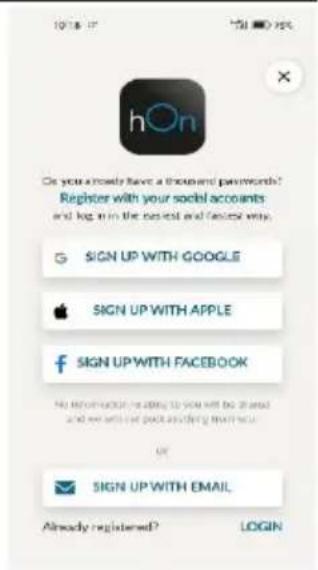
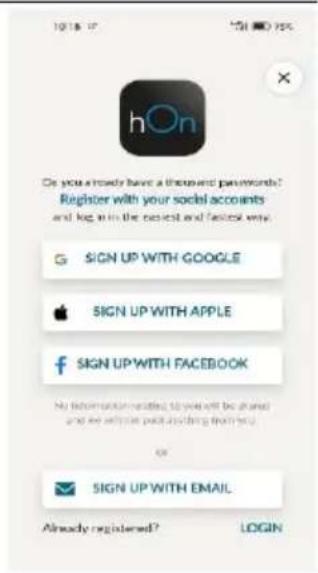
NEW USER REGISTRATION
- Click on "Register"
- You can register through social accounts or sign up with your personal email

QUICK PAIR ENROLLMENT
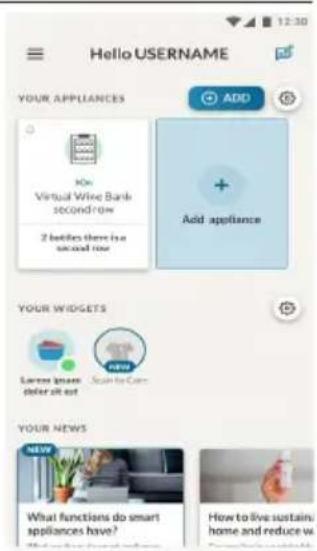
Step 1
- Select "Add appliance".
Step 2
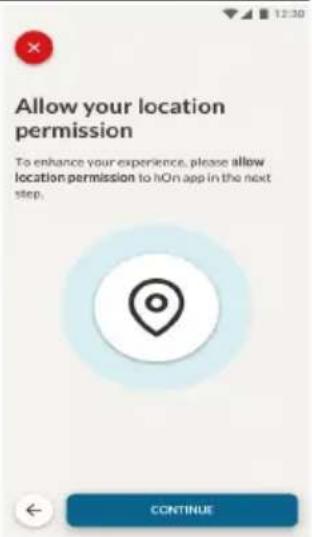
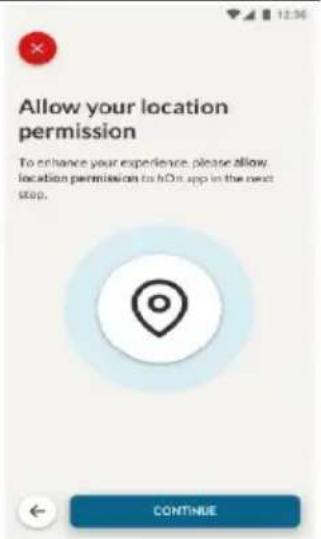
- Allow your location permission.
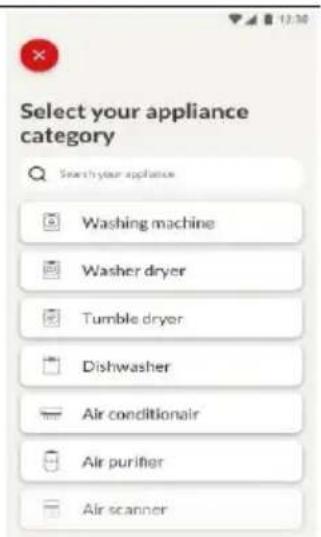
Step 3
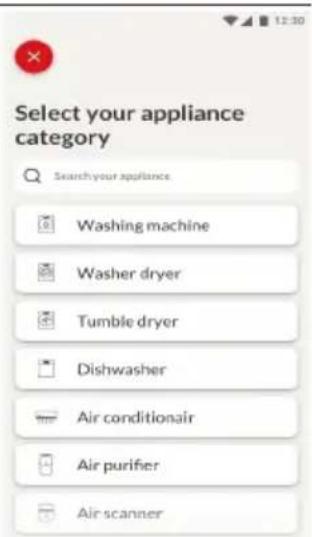
- Select microwave from the appliance category.
Step 4
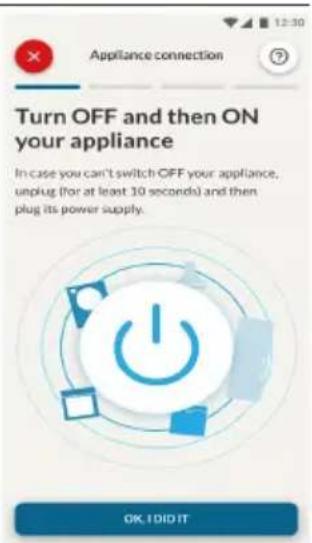
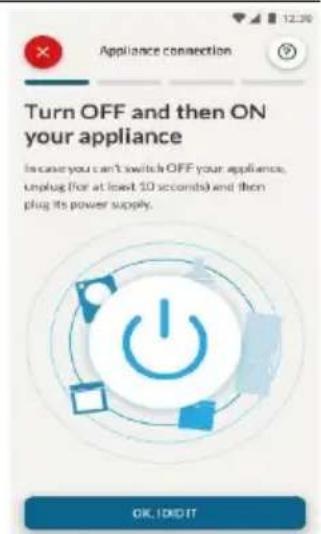
- Turn on your appliance; if it is already on, turn it off and on again.
Step 5
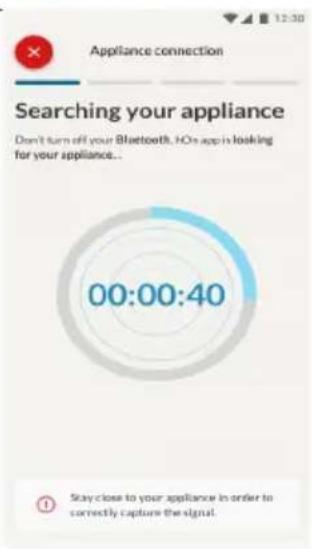
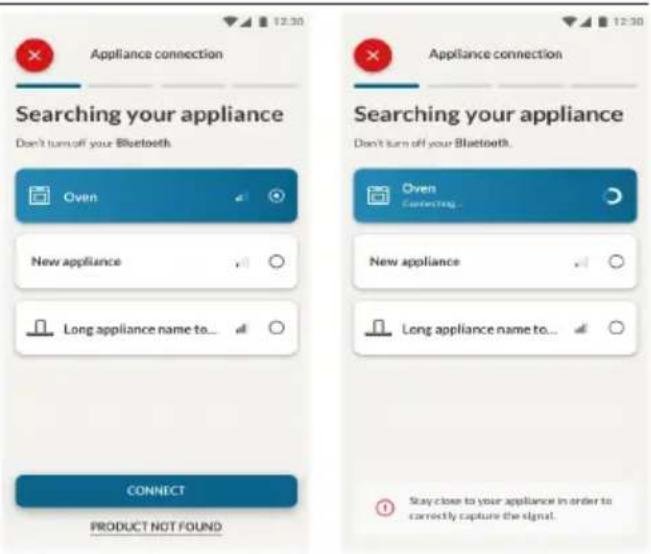
• After turning on, the hOn app will start searching for your home appliance.
Step 6.1-6.2
- Select your home appliance, tap on "connect" and wait a few seconds.
Step 7
- Your Oven will be found and you can control it through hOn.
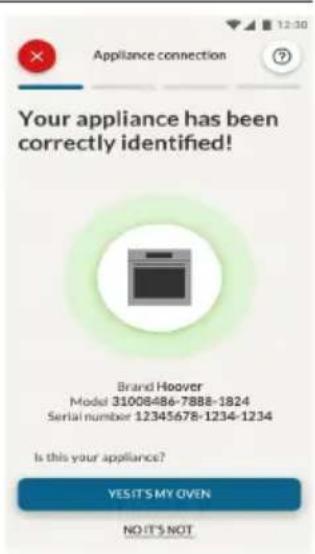
The Remote Control offers numerous advantages for users, enhancing convenience, efficiency, and the overall cooking experience, by giving the capability to control the product directly from both the appliance and hOn App.
This function allows you, through your device, to enjoy various features, such as: instant or scheduled start of recipes or cooking programs already available in the app both with the probe and without; real-time monitoring of the progress of your recipes; adjustment of the cooking parameters in use; management and monitoring of the cooking process through the Preci Probe. The Remote Control can be activated exclusively when the product is enrolled.
You can also stop the cooking program remotely using the app by clicking the 'STOP' Button on the device display. The oven will automatically stop the cooking.
When Remote Control is ON, you can start/stop and monitor cooking programs and recipes both directly from the App and from the appliance. If the Remote Control is switched OFF after a cooking program has already started, the program can be stopped only from the oven.
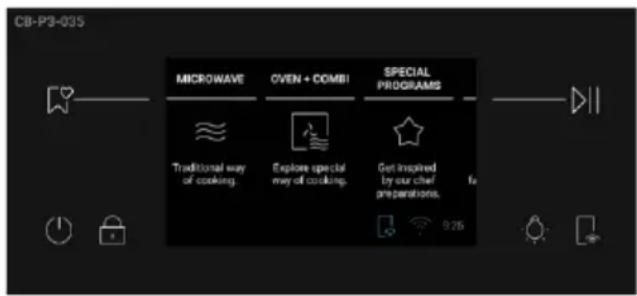
How to activate Remote Control:
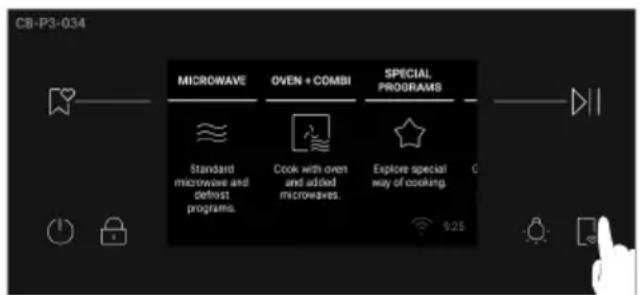
- From Home Carousel, press ☐ in the bottom right corner;
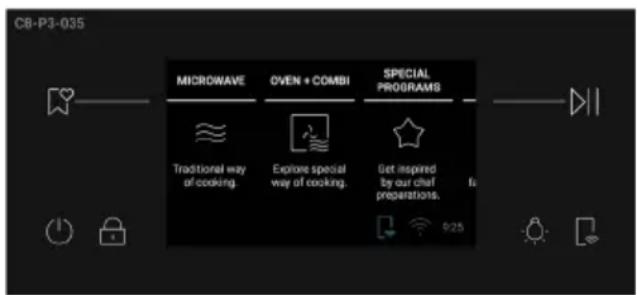
2."Remote Control ON" icon will be shown at the bottom of screen; - Access the App, select a program and let the cooking start. During the process it is possible to control and change the program parameters from both product and App.
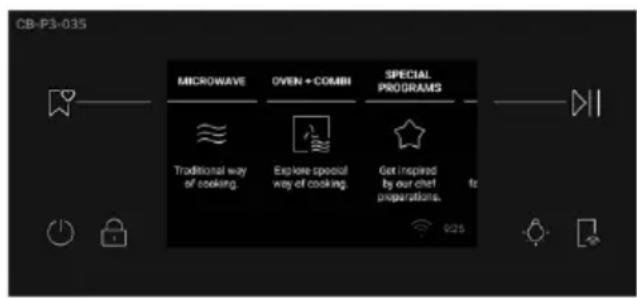
How to deactivate Remote Control:
- When Remote Control is active, press ☐ to switch if off;
2."Remote Control ON" icon will disappear.
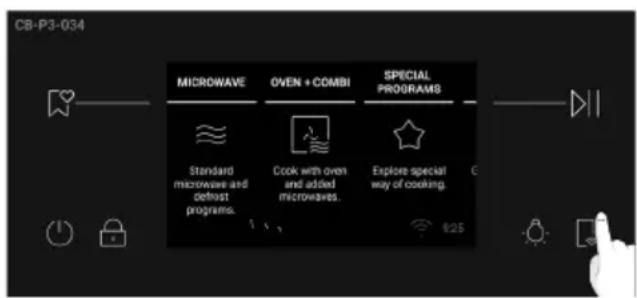
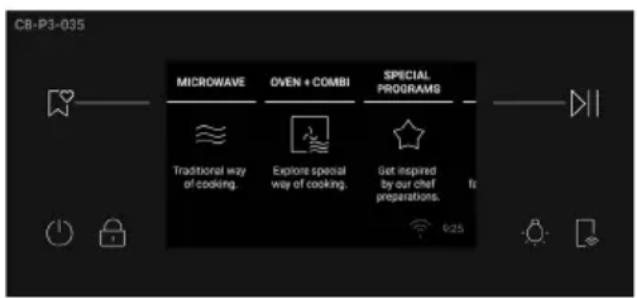
You can also stop the cooking program remotely using the App by clicking the "STOP" button on the device display. The oven will automatically stop the cooking.
NOTE: Please note that the oven's features and accessories may vary depending on the model you purchased.
OVER THE AIR UPDATE (OTA)
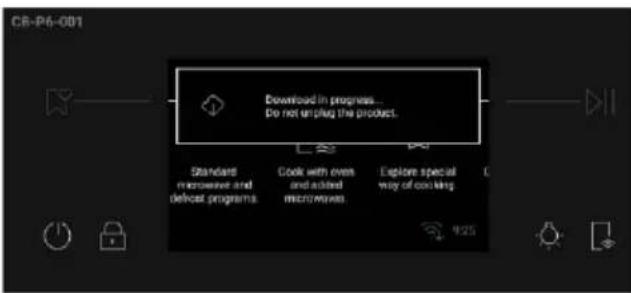
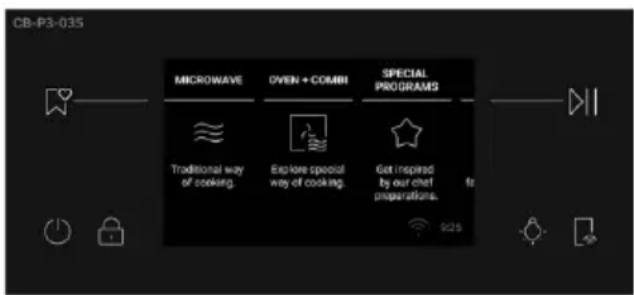
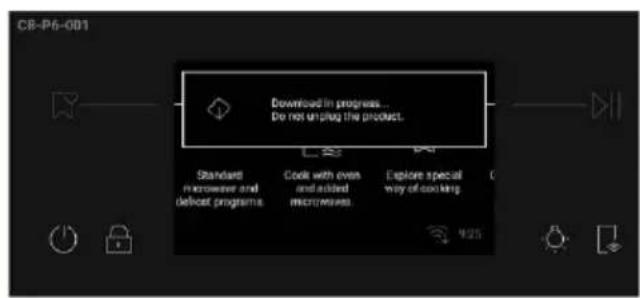
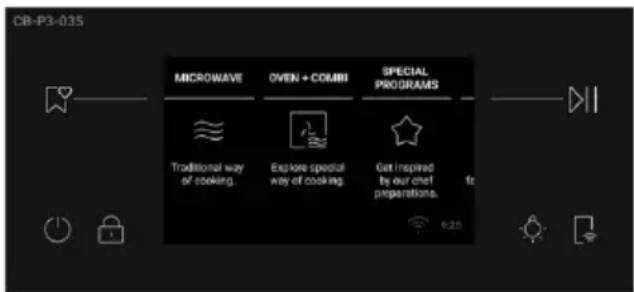
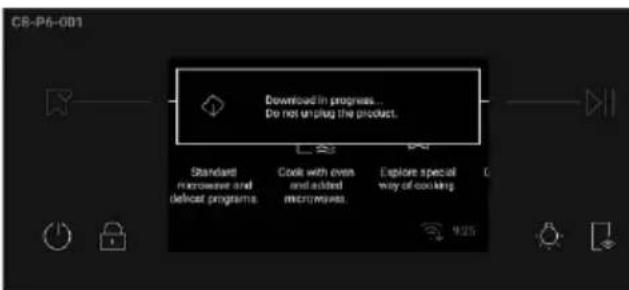
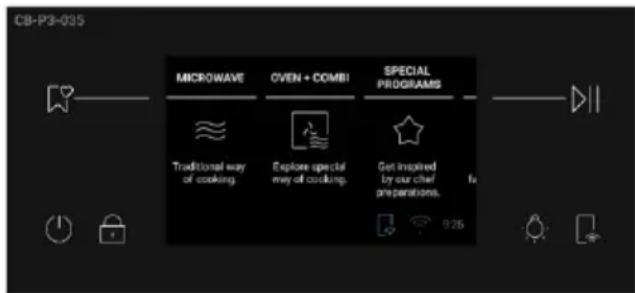
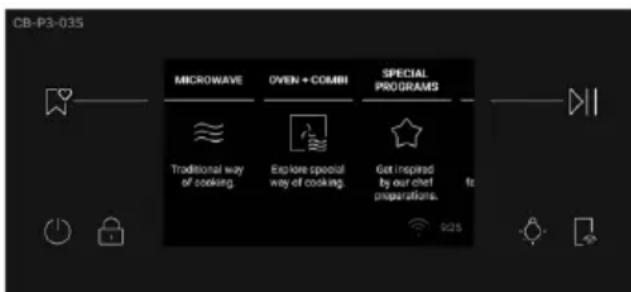
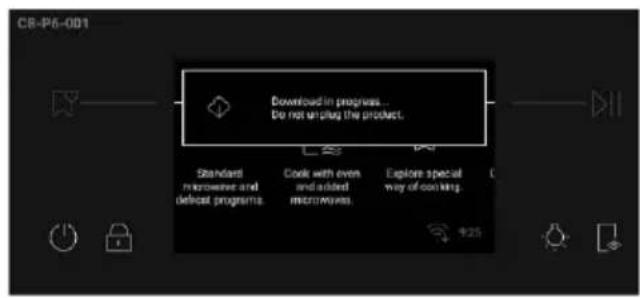
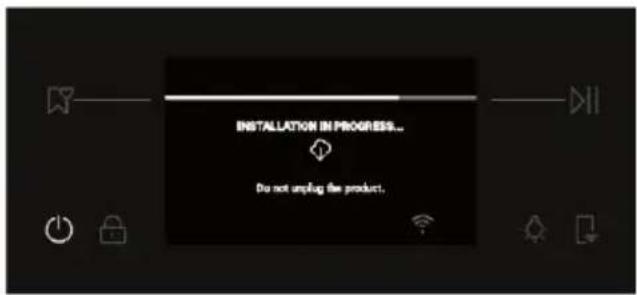
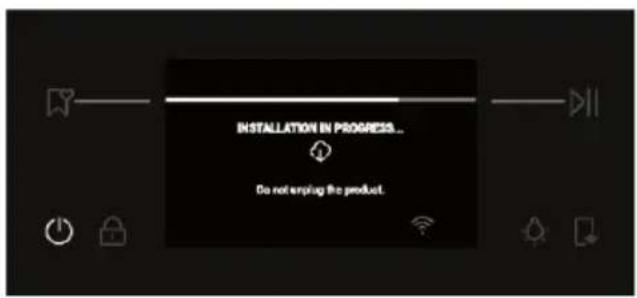
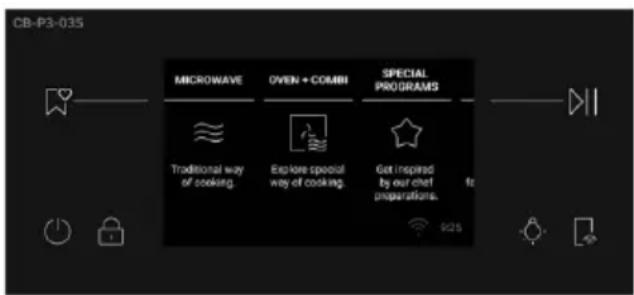
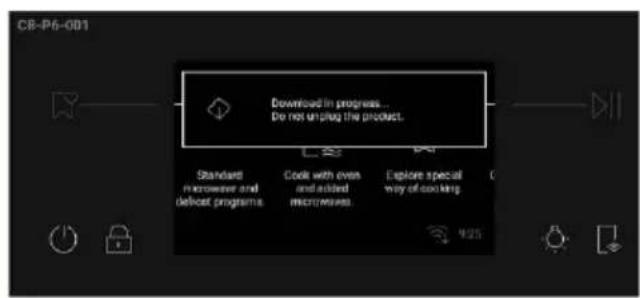
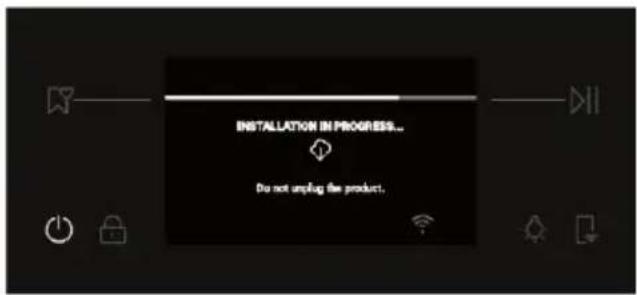
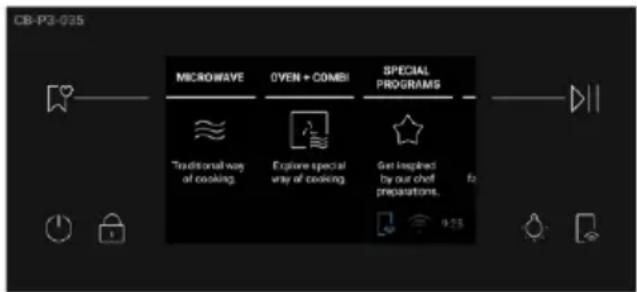
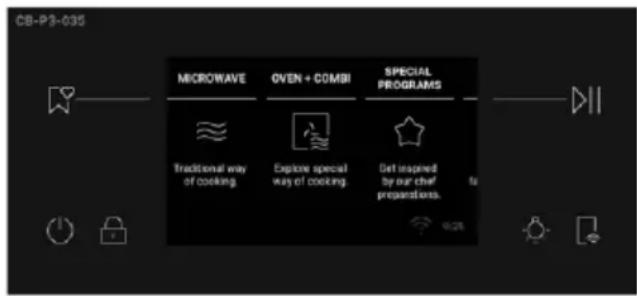
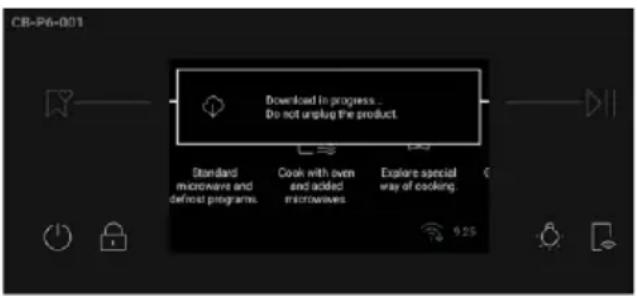
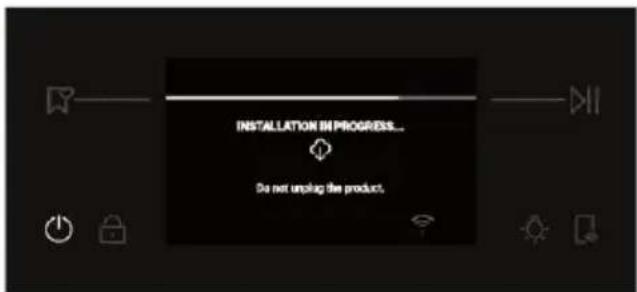
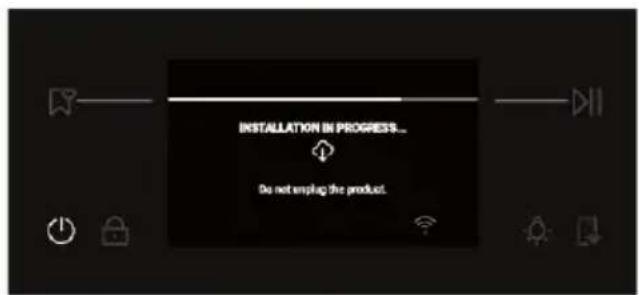
The oven is provided with an over the air update function that will ensure the product software maintenance and it is recommended every time to guarantee the updated oven functionality, which is enabled as soon as the product is enrolled in app. When an update is available and the oven is connected, you will be notified through a pop-up message on the display.
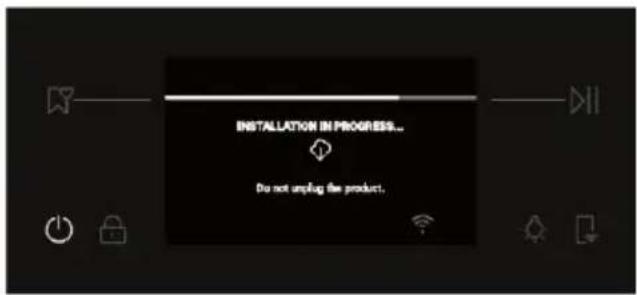
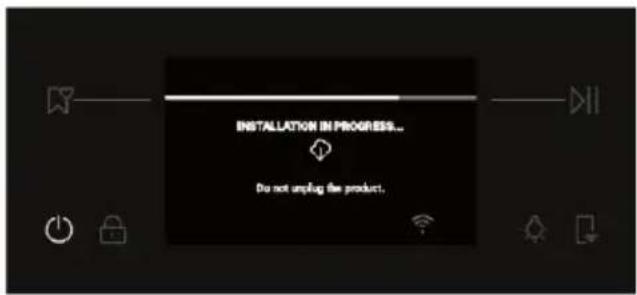
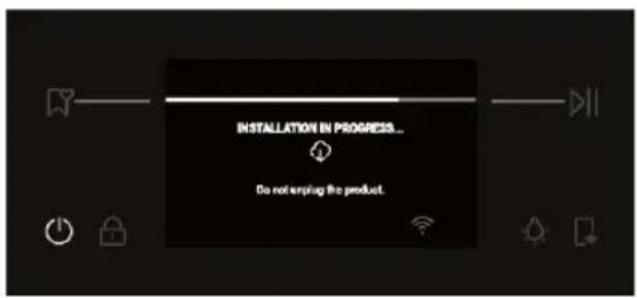
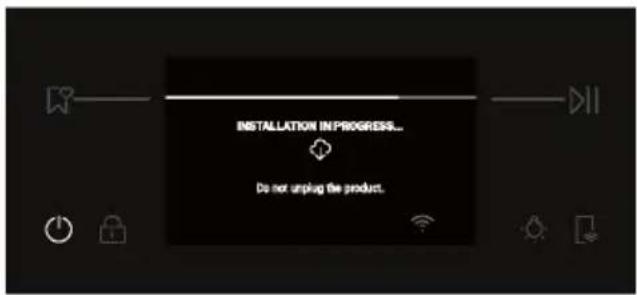
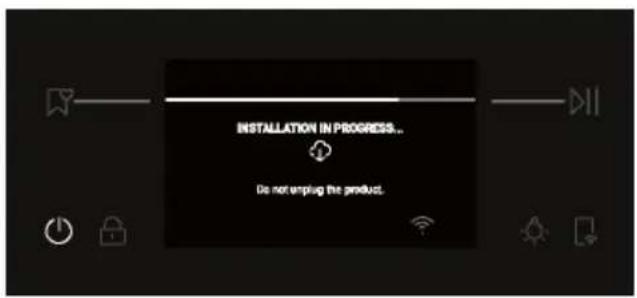
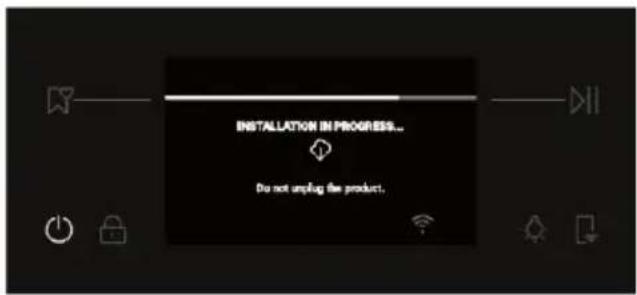
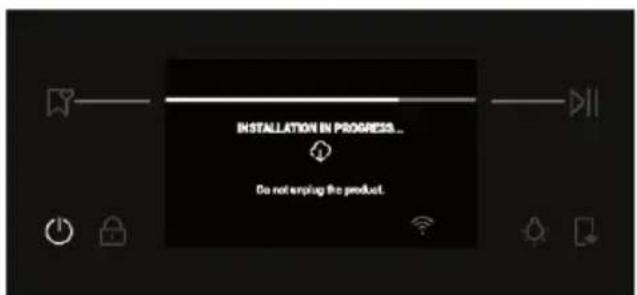
The OTA process will be done in 2 steps.
- SOFTWARE DOWNLOAD – During this process, that may take around 2 hours, it is possible to use the oven to cook but hOn App will not be available.
- By selecting "Proceed", the update will start downloading and the Wi-Fi icon with a blue arrow will remain visible until the end of download. To switch off the display during this time, remote control shall be activated before pressing ON/OFF button, otherwise the download process will be interrupted.
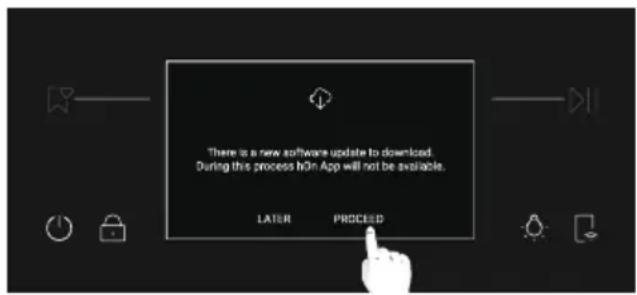
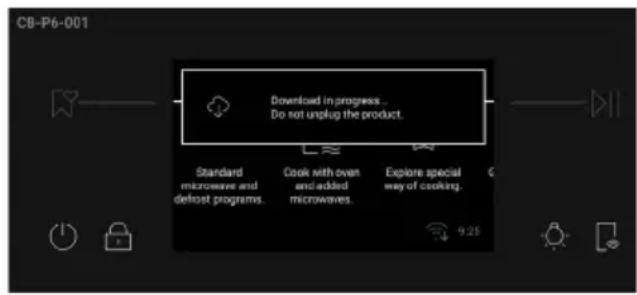
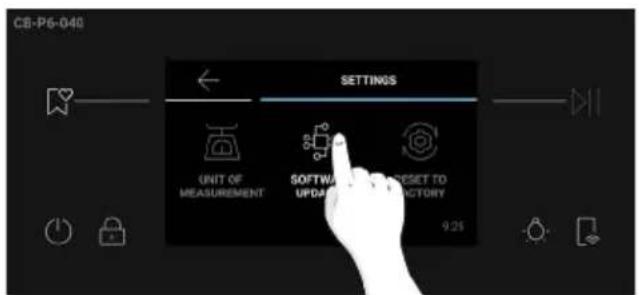
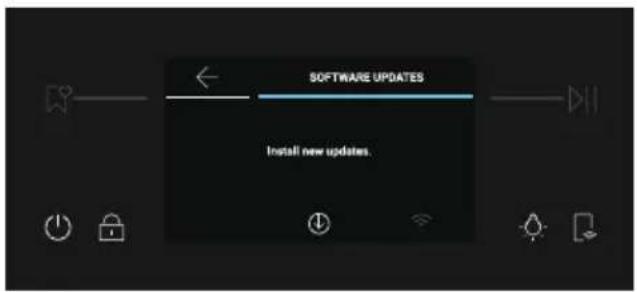
- By selecting "Later", it is possible to start the process by entering "Software Updates" in the Settings menu.
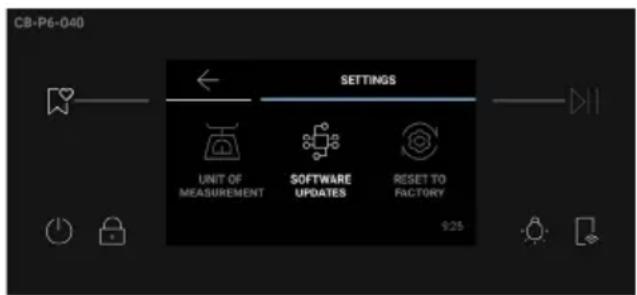
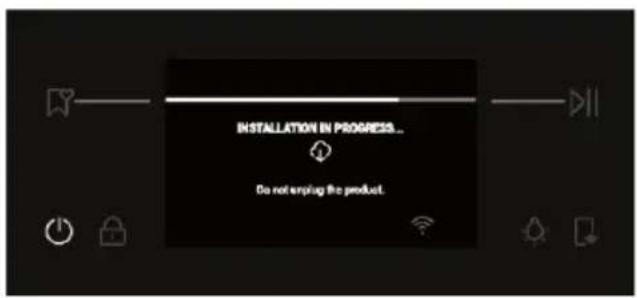
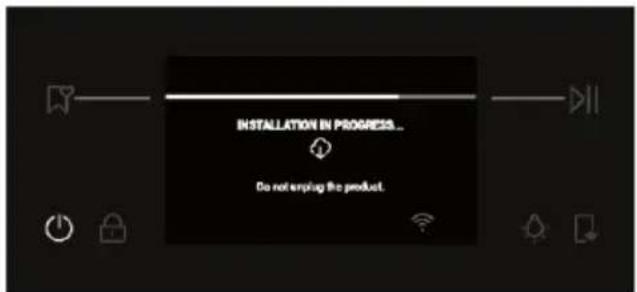
- INSTALLATION – During this process, that may take around 2 hours, it is possible to use the oven to cook but hOn App will not be available.
- By tapping "Proceed", the update will be installed.
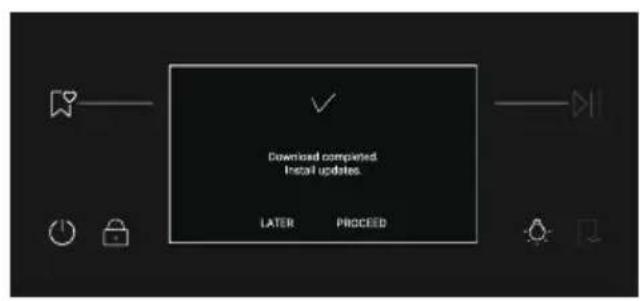
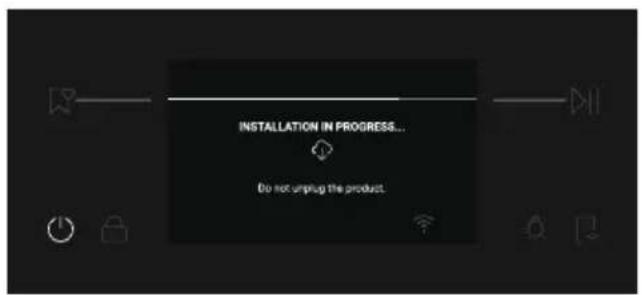
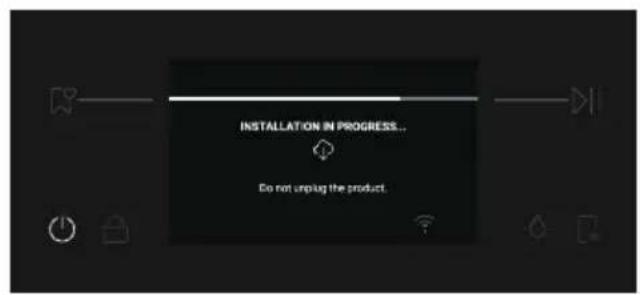
- By selecting "Later", it is possible to start the process by entering "Software Updates" in the Settings menu.
3. BEFORE STARTING
3.1. Information to start
How illumination works
The oven cavity is illuminated by one or more light bulbs, which are activated when the appliance door is opened. For almost all cooking programs, the lighting comes on as soon as the oven is started. The light may turn off automatically after a certain time depending on the function for energy saving.
How cooling fans work
When running the baking, microwave and combination function, both the axial flow fan (microwave) and the cross flow fan start simultaneously.
When only the baking function is running and both cooling fans are turned off simultaneously when both of the following conditions are met:
- There is no heating program running
- The temperature inside the cavity drops to ≤ 110^
When running the microwave or combination function, both cooling fans will be turned off simultaneously when both of the following conditions are met:
- Run without heating/microwave program for more than 5 minutes
- The temperature inside the cavity drops to ≤ 110^
How door works
When operating the oven, microwave, and combination functions, opening the door:
- If the door is opened before the mode is running, click the start button and the mode will not run until the door is closed.
- If the door is opened during mode operation, the mode immediately stops and prompts "close the door" until the door is closed and start icon is pressed.
For delayed start mode, the door must be closed before starting.
3.2. Preliminary cleaning
Conditioning
- Condition your oven before using it for cooking for the first time by turning it on for 1h at maximum temperature.
- Ensure all packaging has been removed from the oven and place all shelves in the oven.
• There may be a small amount of smoke during conditioning. Ensure the kitchen is well ventilated.
After conditioning
- Wait for the oven to cool completely.
- Wipe oven with a damp cloth and mild detergent.
- Dry with a clean, lint-free cloth.
- Wash all accessories and wipe inside the oven with a solution of hot water and washing up liquid.
3.3. First Usage
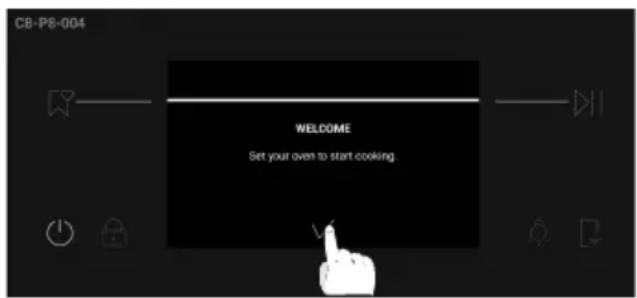
When the appliance is switched on for the first time, the initial step is to select the language, unit of measurement, set time of day.
First, a welcome message will appear on the display. To continue, press √
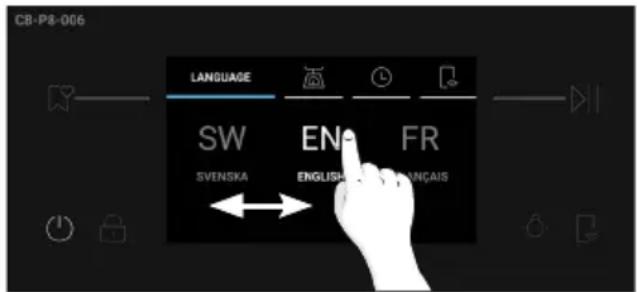
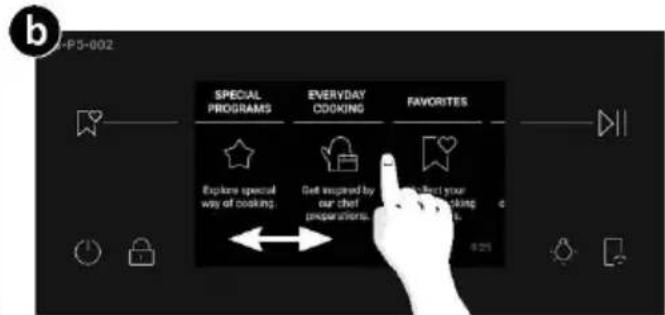
- SELECT THE LANGUAGE: A carousel menu will be shown. Scroll the carousel horizontally to select the desired language. Tap on the language of choice to go to the next step.
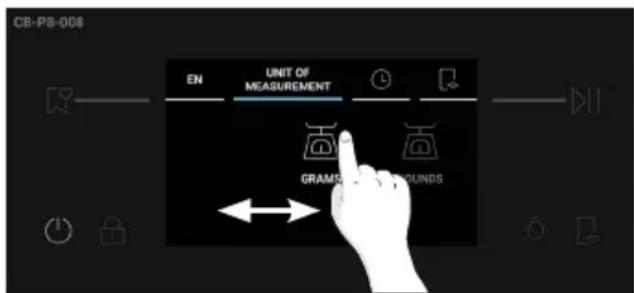
- SELECT THE UNIT OF MEASUREMENT: Both icons are available and a default is pre-selected, select one to go to the next step.
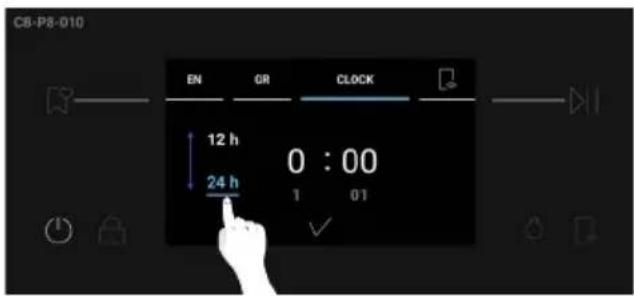
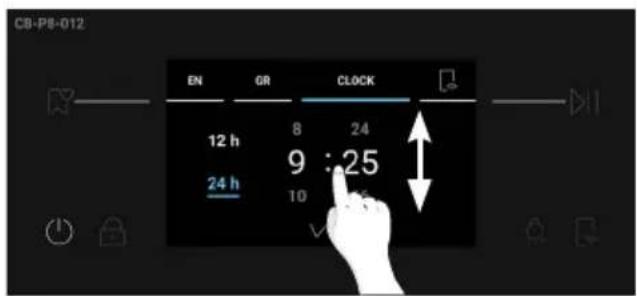
- SET THE TIME: The display will show the preset time '0:00' in the preset 24h time format. To change the time format, press 12h / 24h on the left side of the screen. To set the time, scroll the numbers vertically.
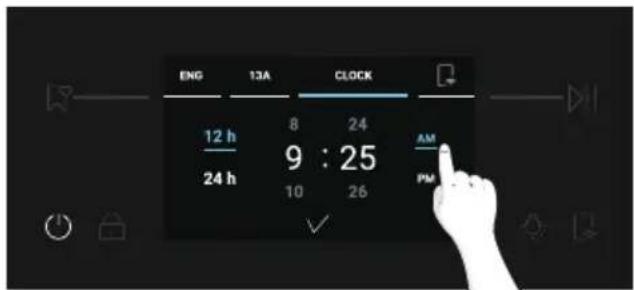
If you selected the 12h time format, also press on AM / PM to select the time of day. To confirm your choice, press on √.
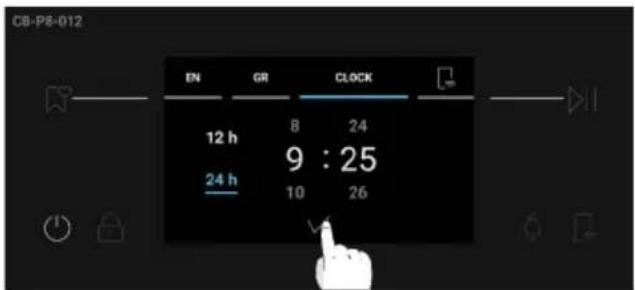
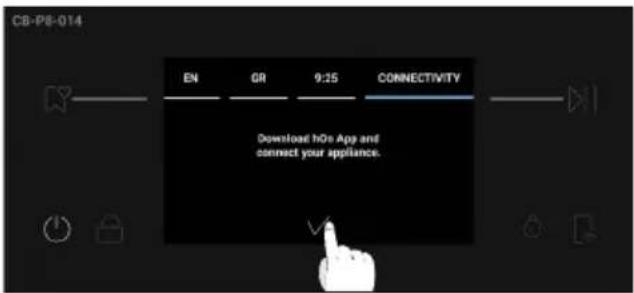
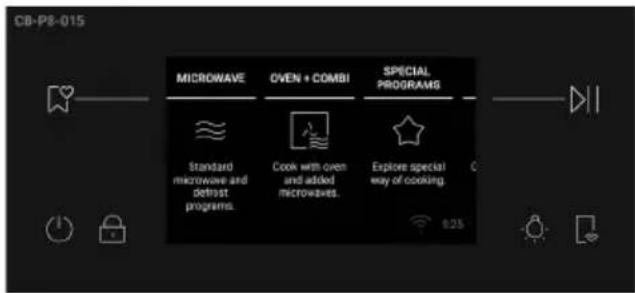
After adjusting the initial settings, a pop-up message about pairing information will appear. Press √ to confirm and go to the Home carousel menu.
3.4. Additional Settings
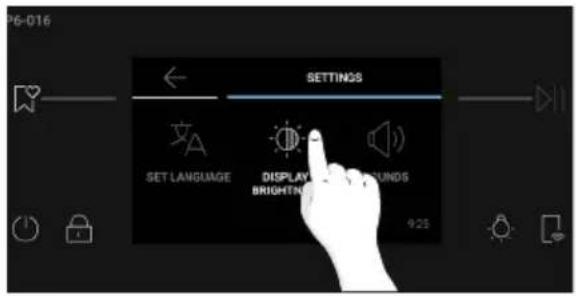
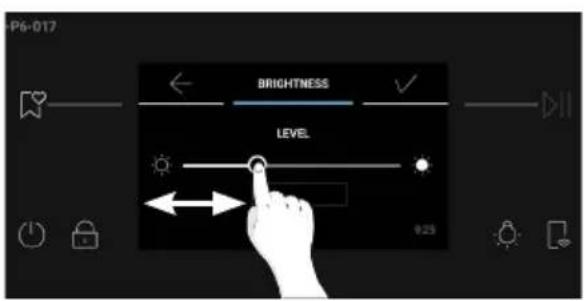
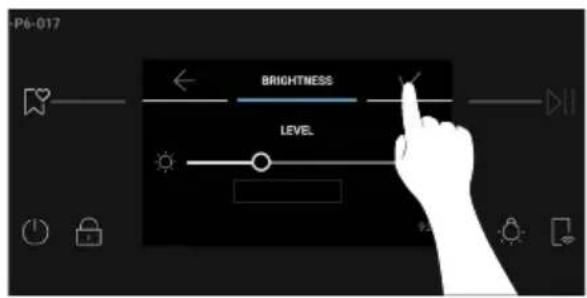
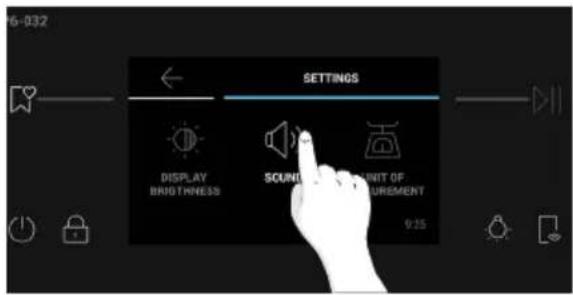
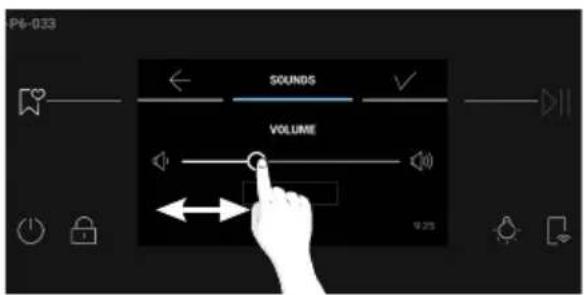
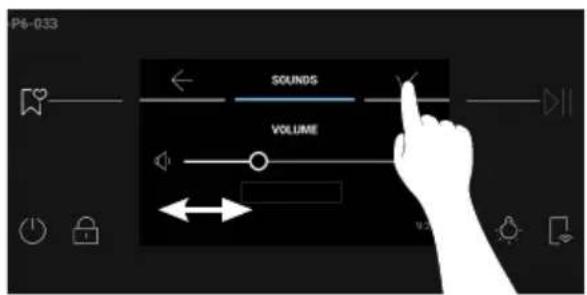
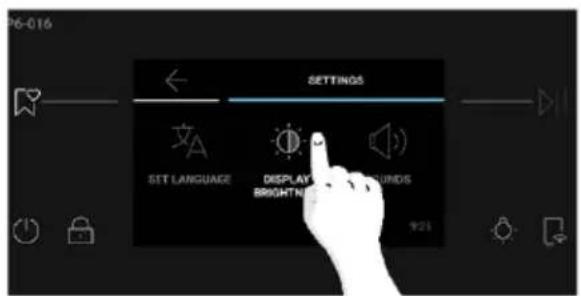
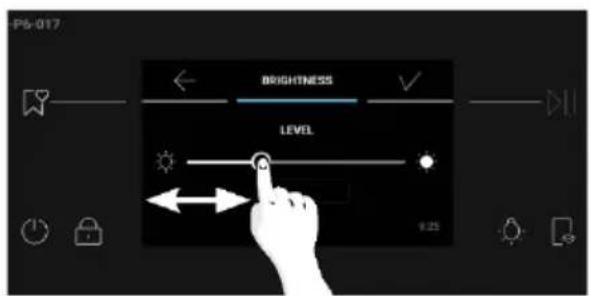
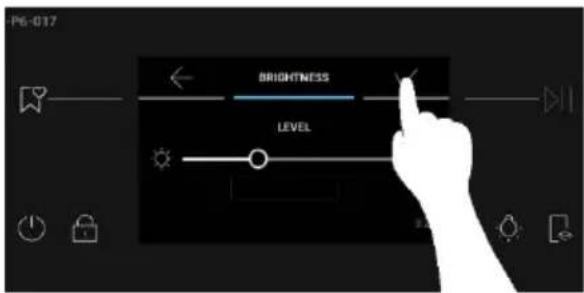
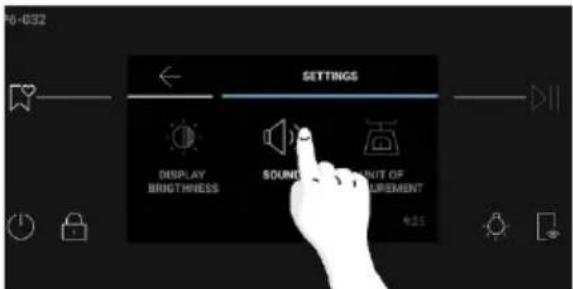
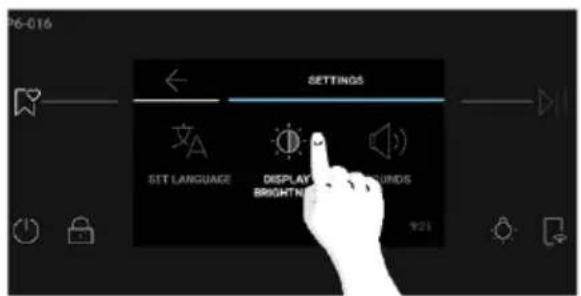
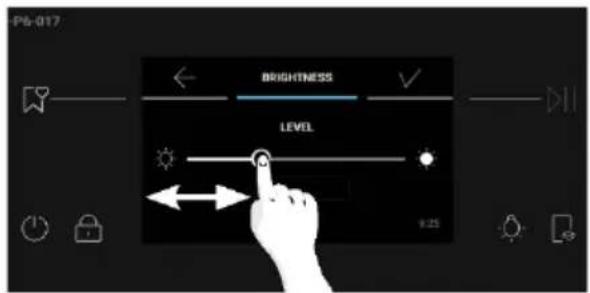
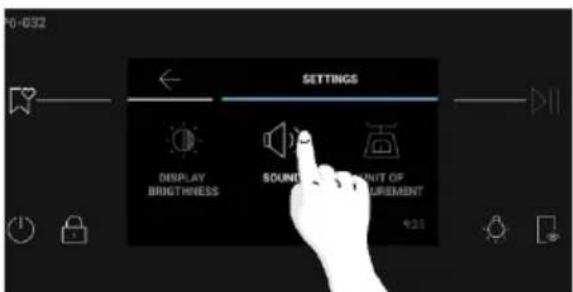
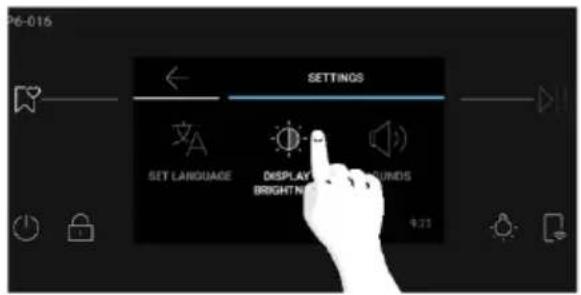
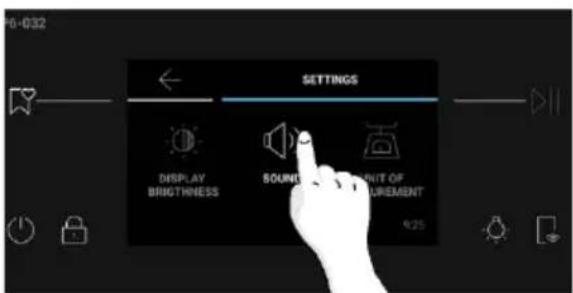
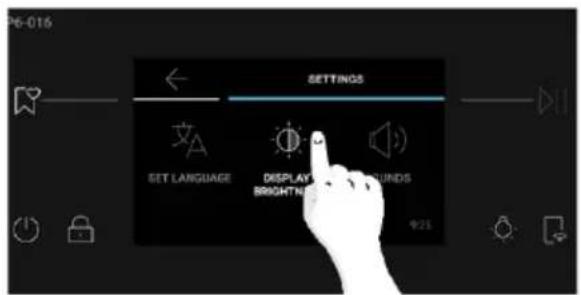
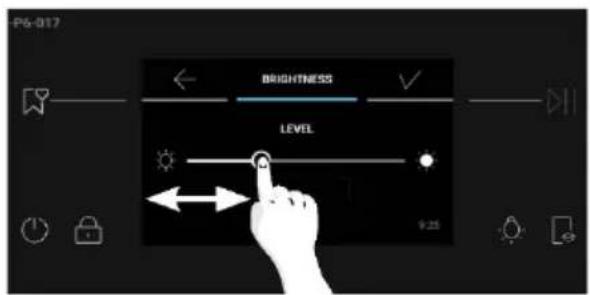
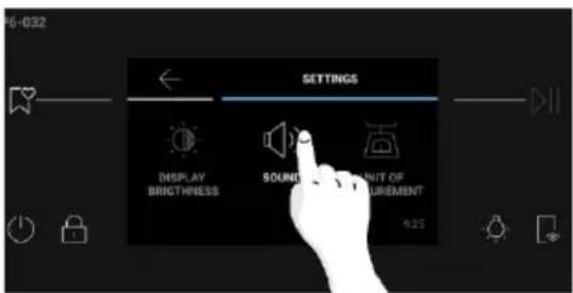
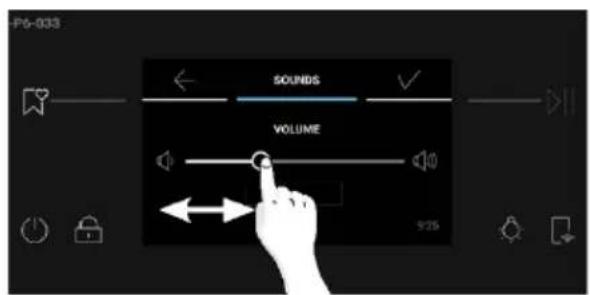
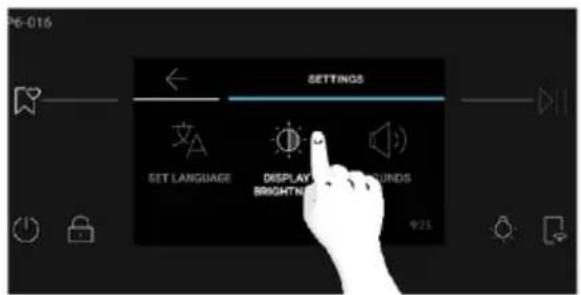
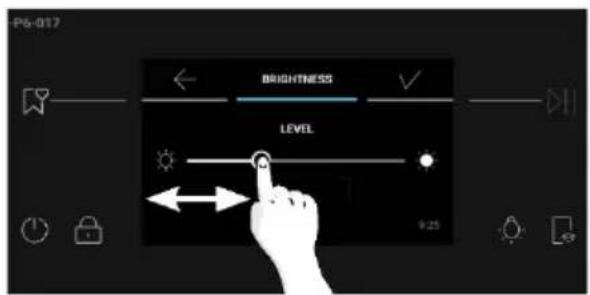
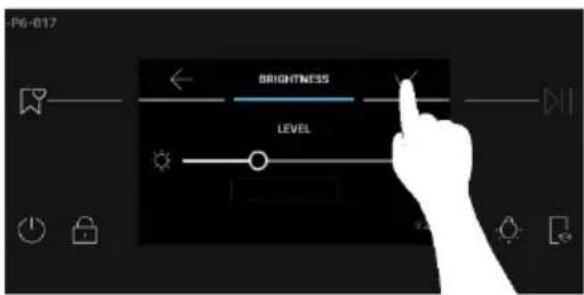
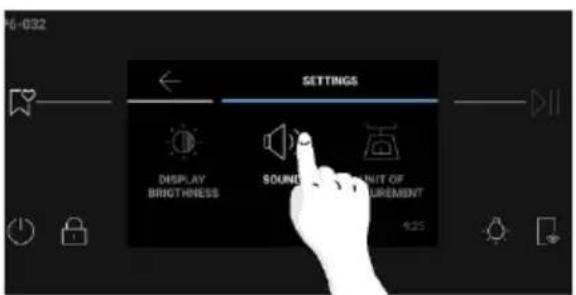
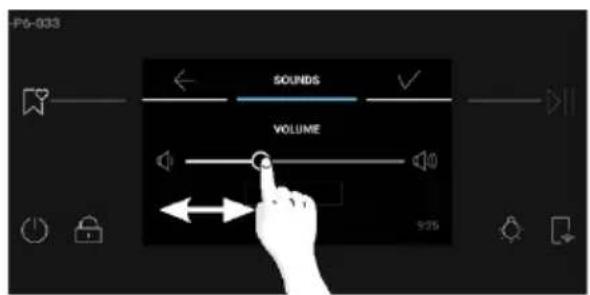
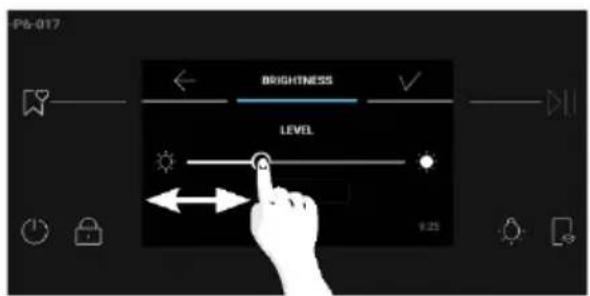
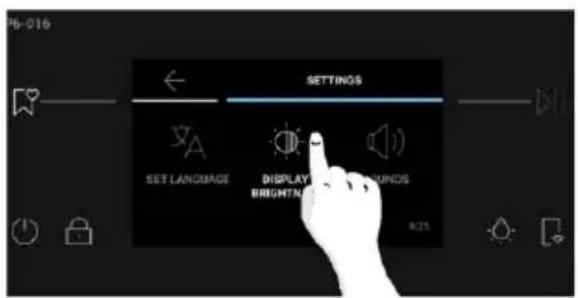
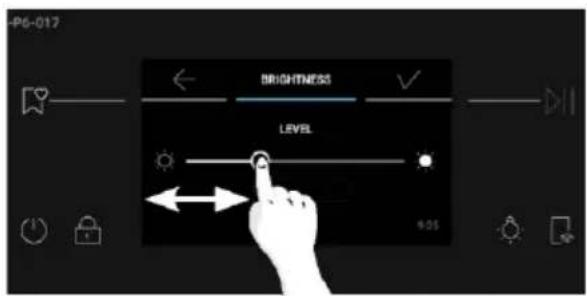
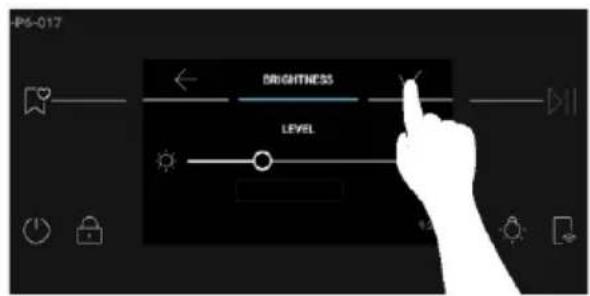
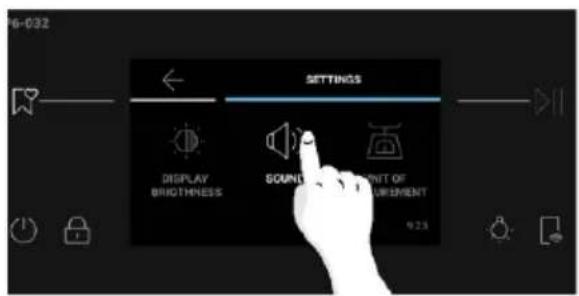
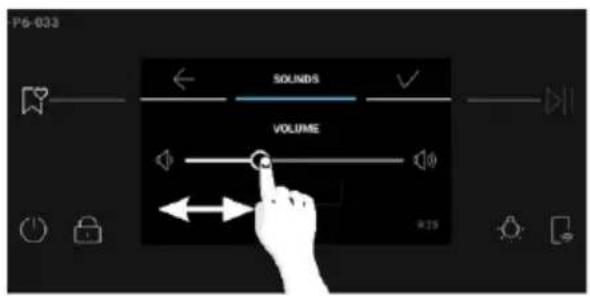
Brightness and Sound levels can be adjusted by the user in the Settings section.
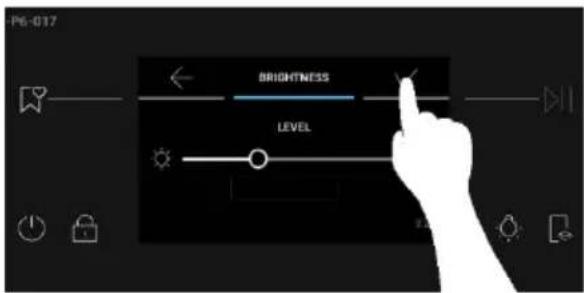
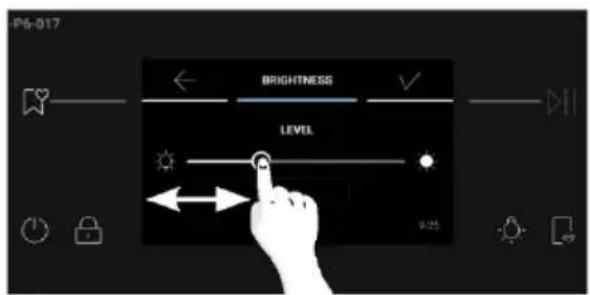
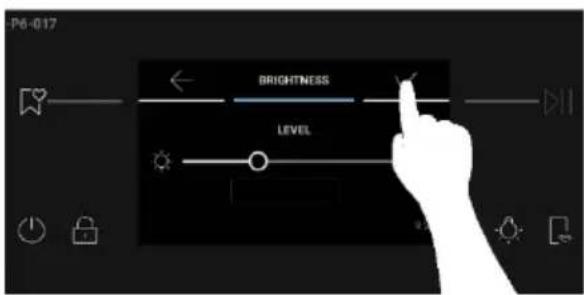
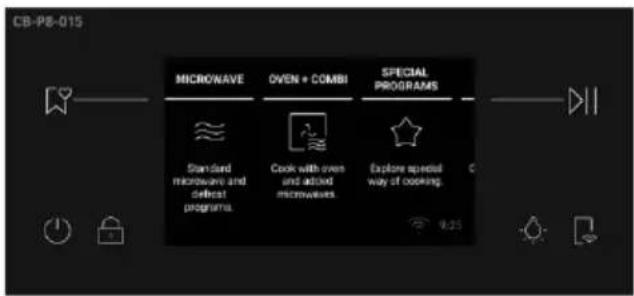
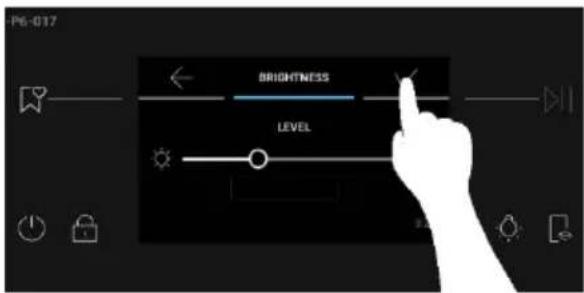
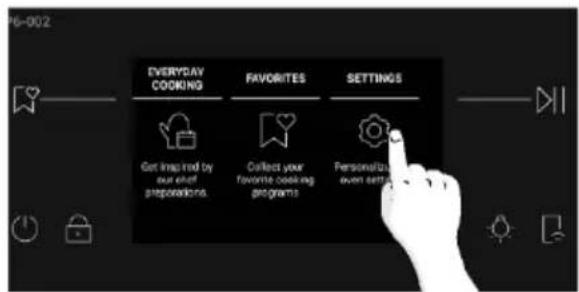
- BRIGHTNESS: From the Home carousel, press "Settings". Scroll the Settings menu horizontally and press on "Display Brightness". Scroll the slider horizontally to adjust brightness. Press to confirm.
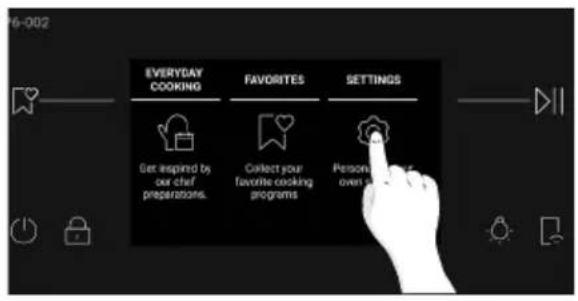
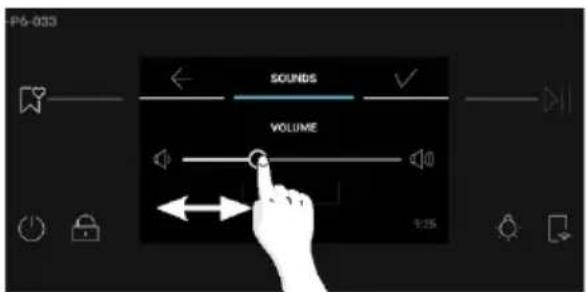
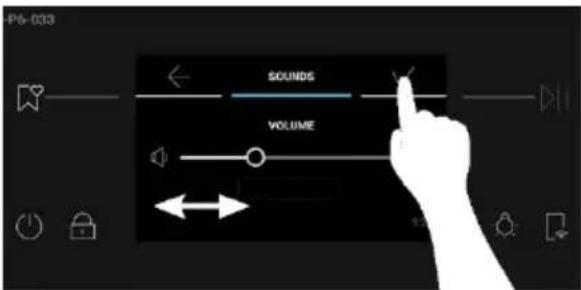
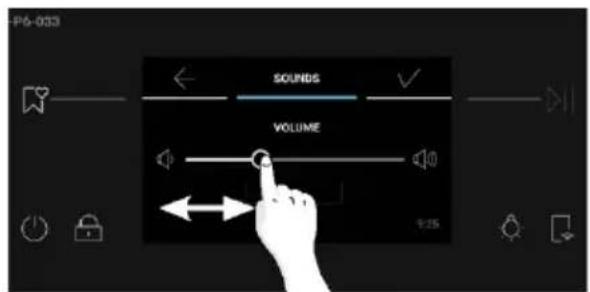
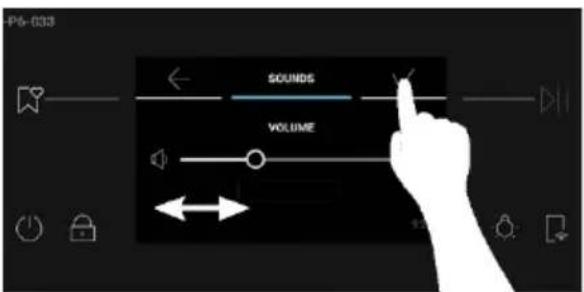
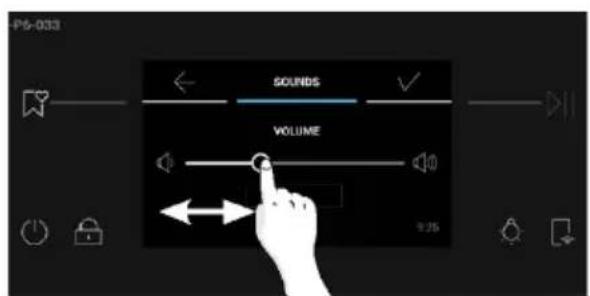
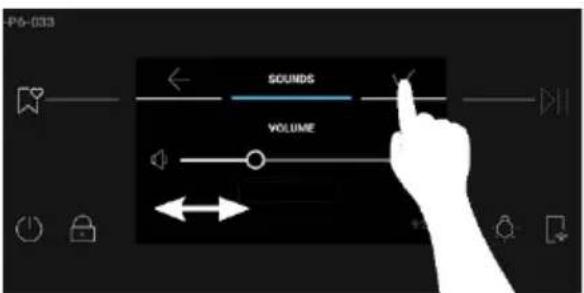
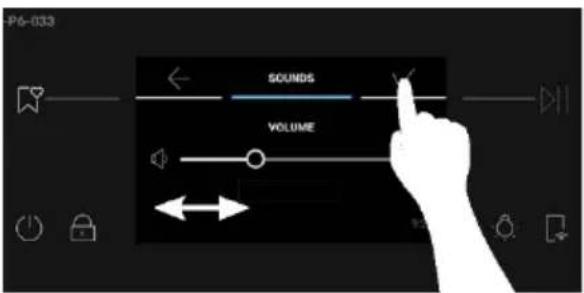
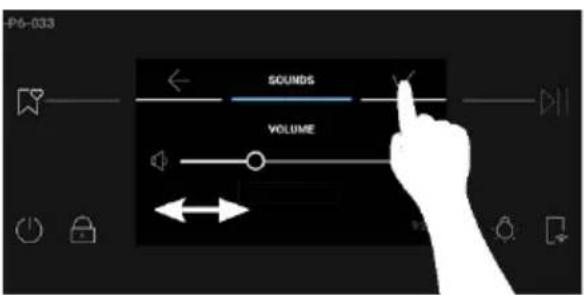
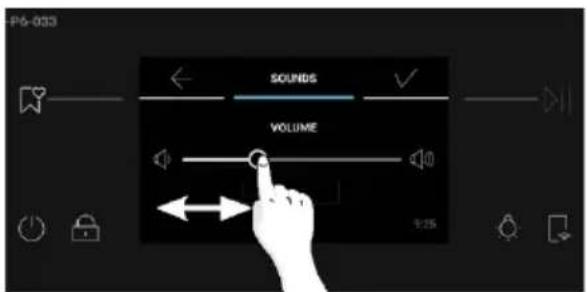
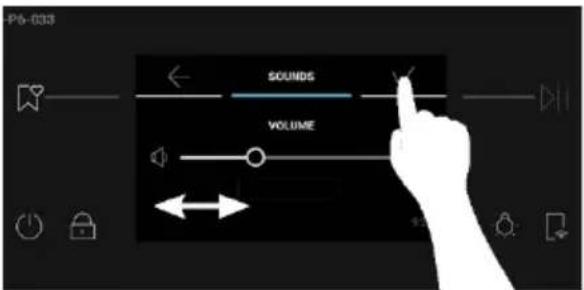
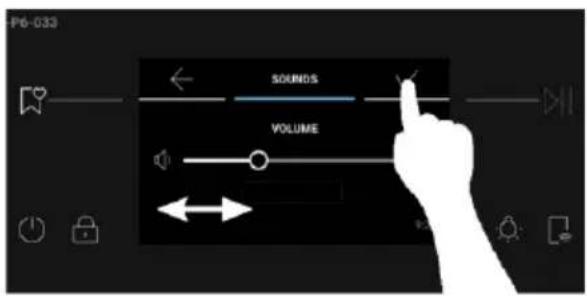
- SOUND: From the Home carousel, press "Settings". Scroll the Settings menu horizontally and press on "Sounds". Scroll the slider left and right to adjust the sound volume. Press √ to confirm.
4. OPERATION OF PRODUCT
4.1. How the Product Works
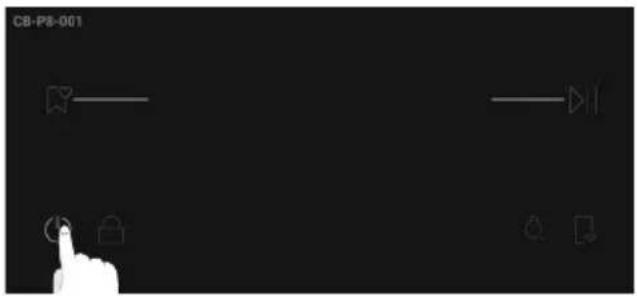
- SWITCHING ON/OFF THE OVEN: To switch the oven ON/OFF, long press the ON/OFF button.
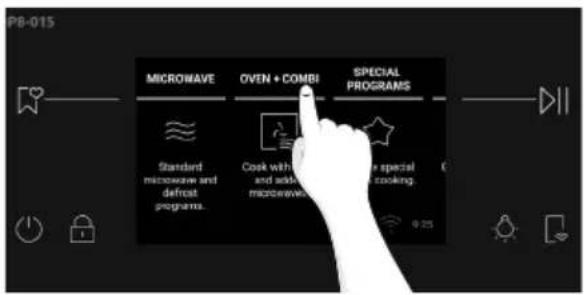
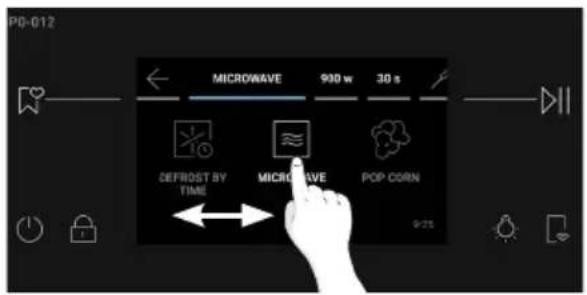
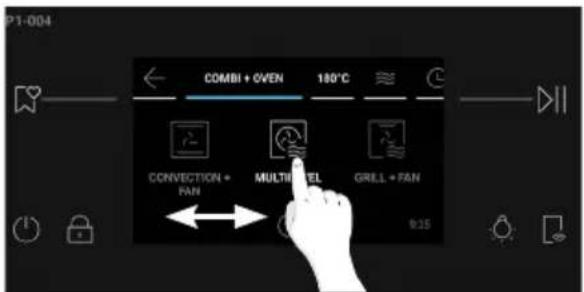
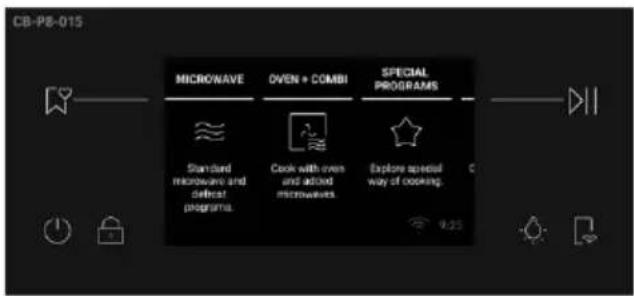
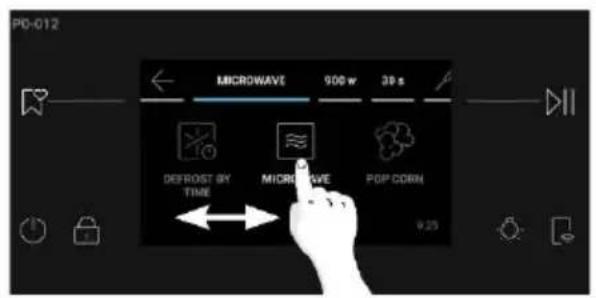
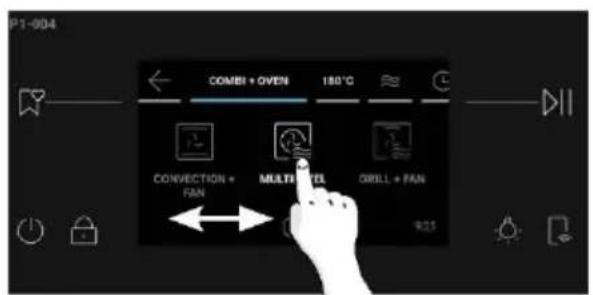
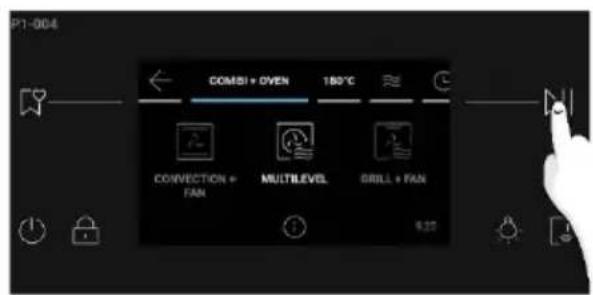
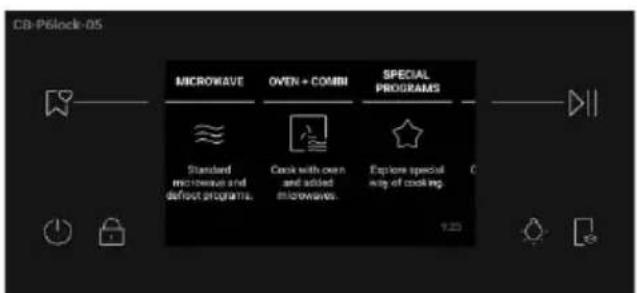
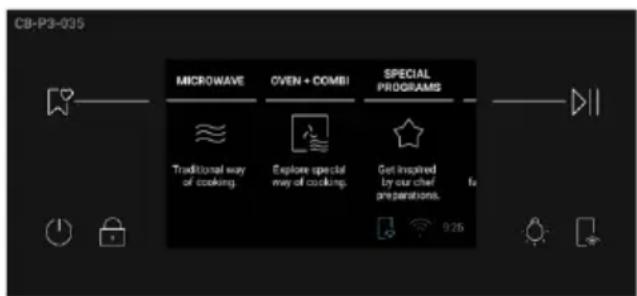
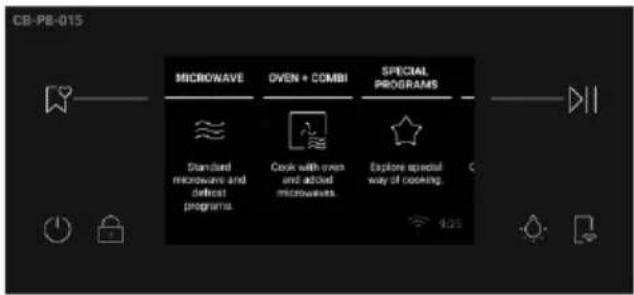
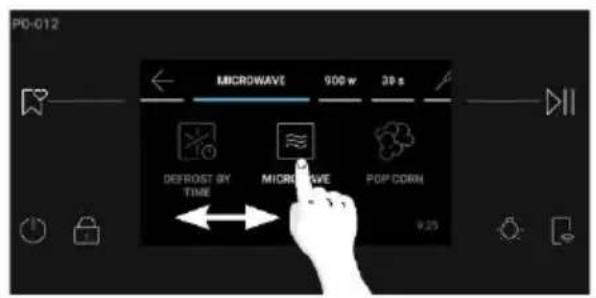
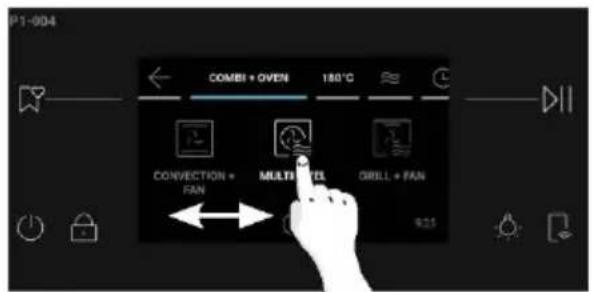
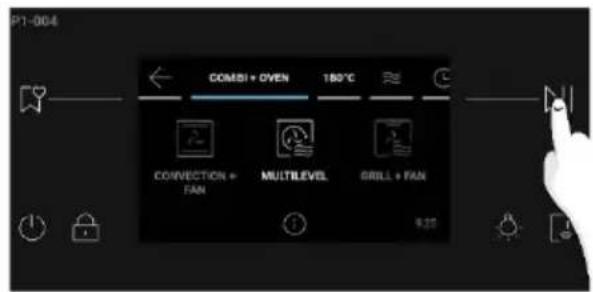
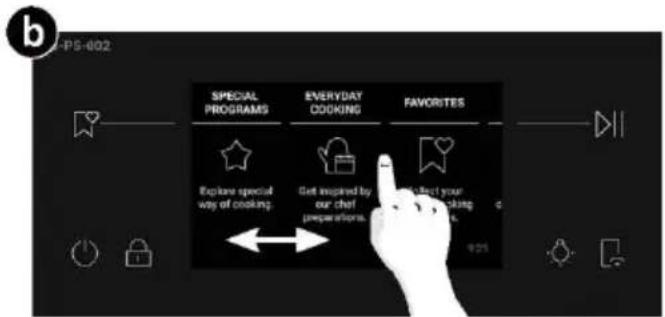
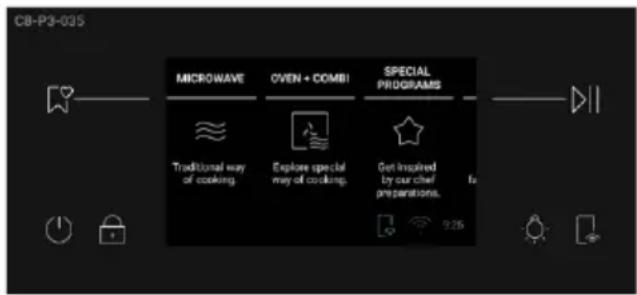
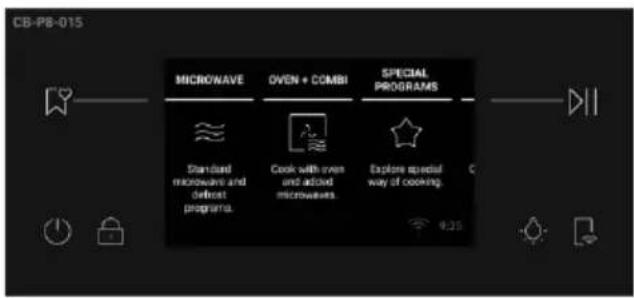
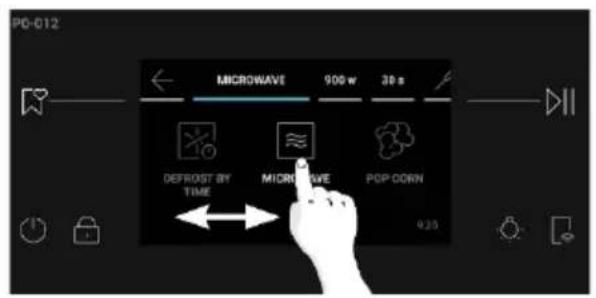
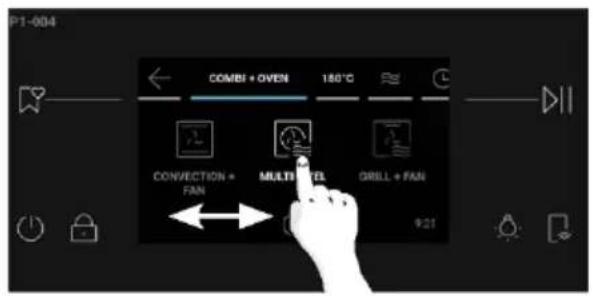
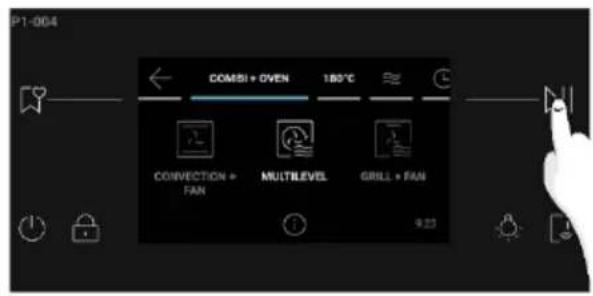
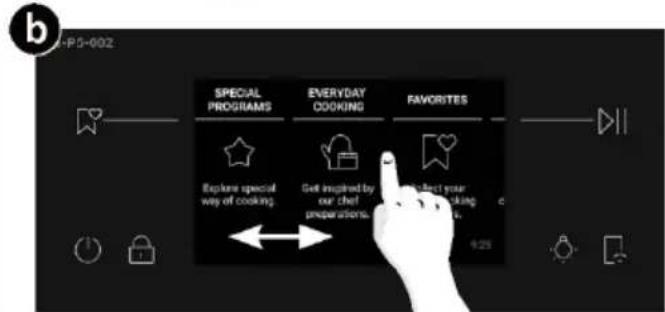
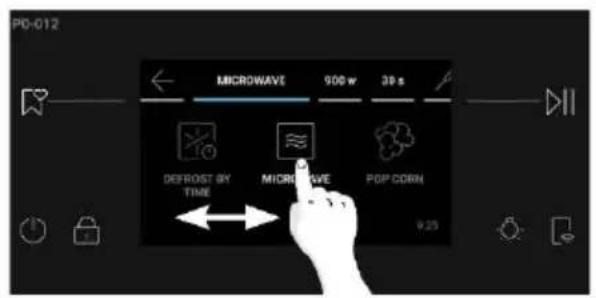
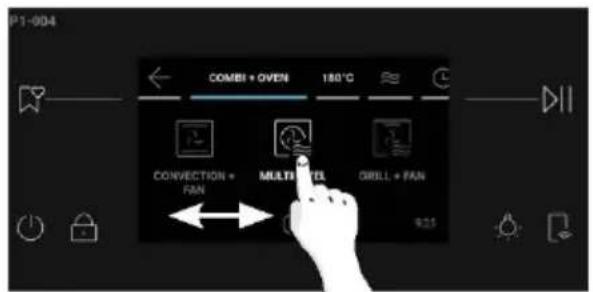
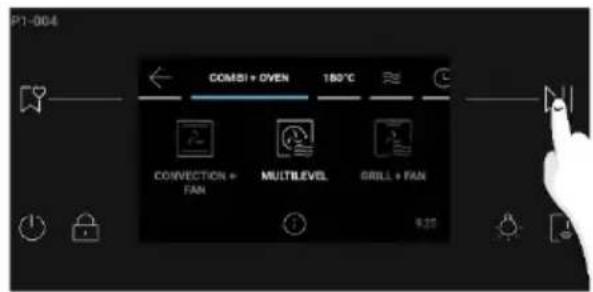
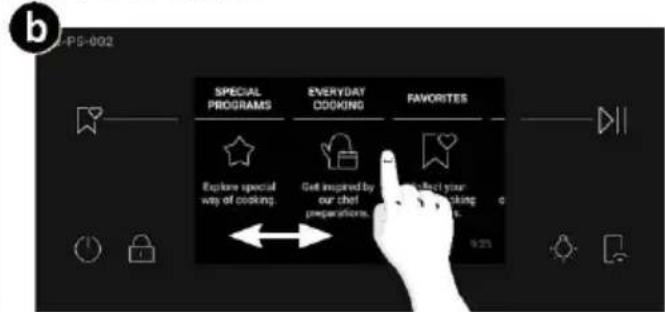
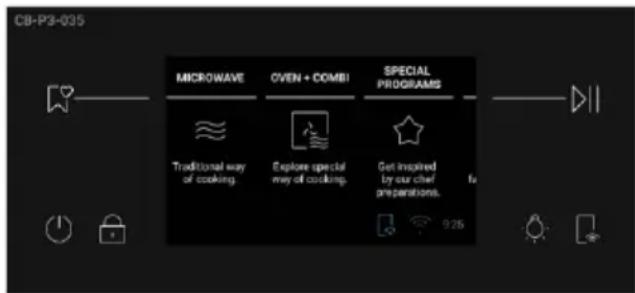
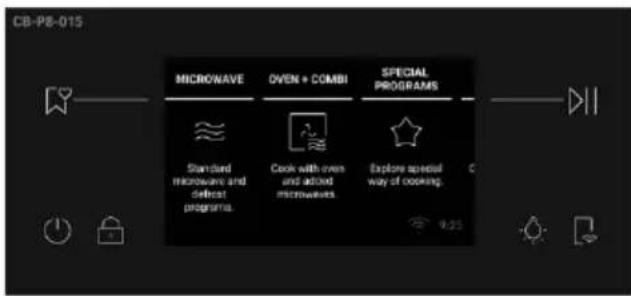
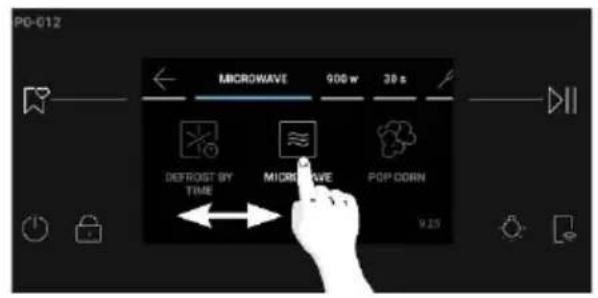
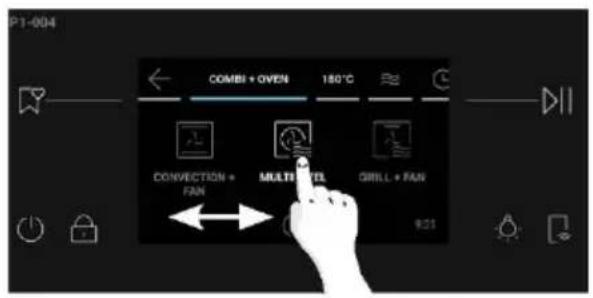
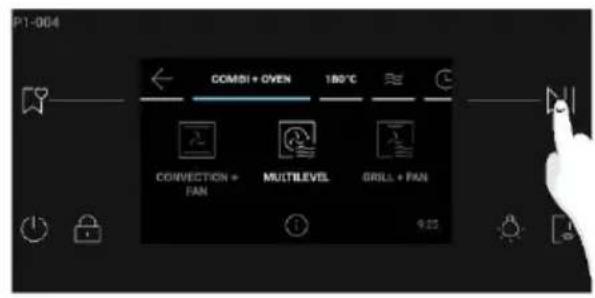
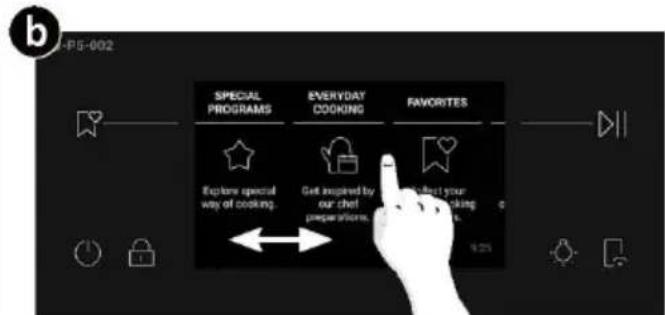
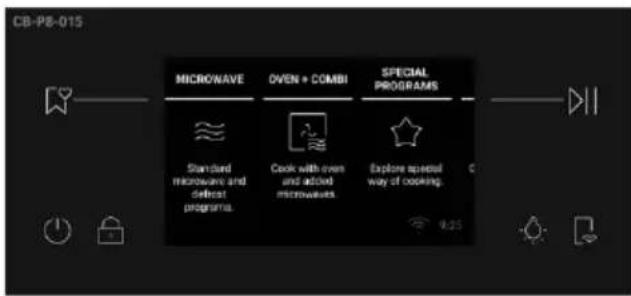
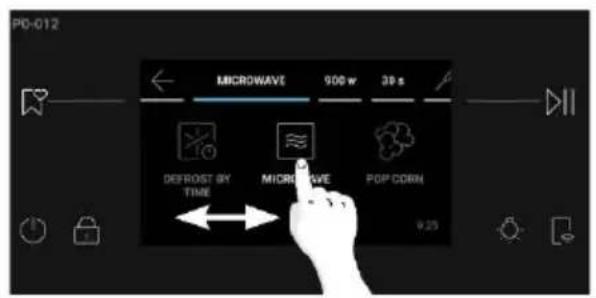
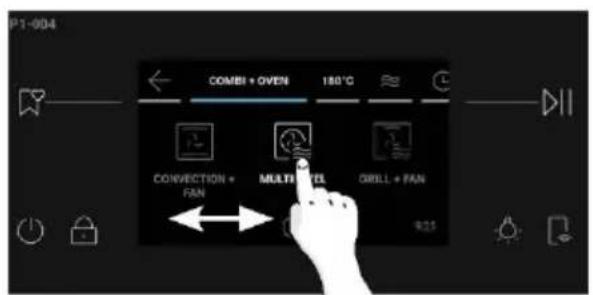
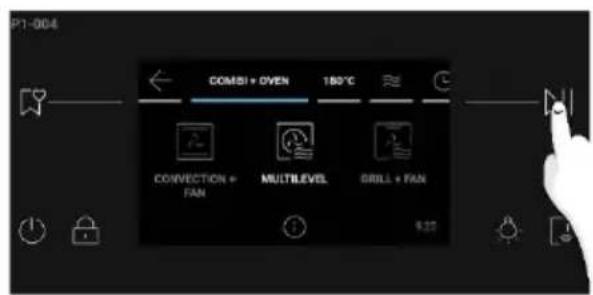
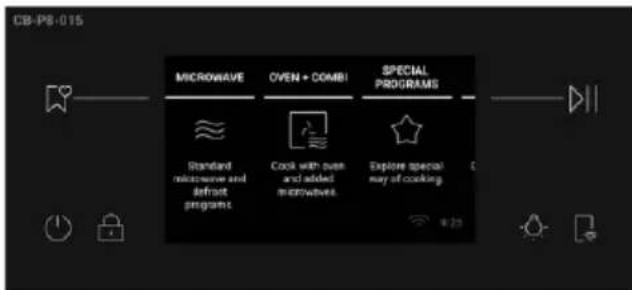
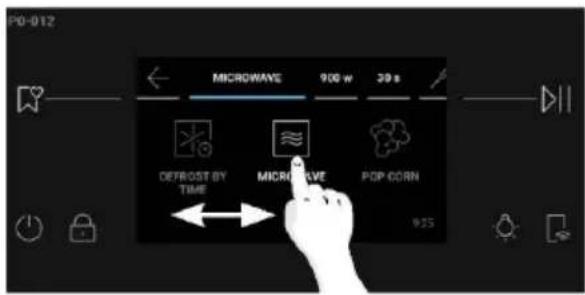
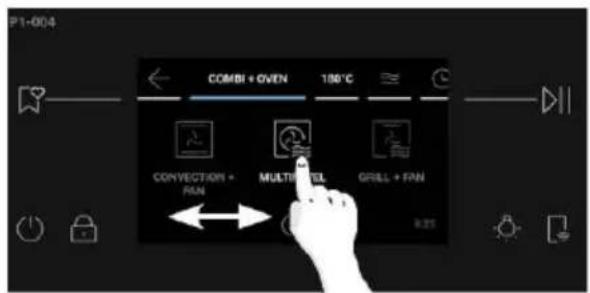
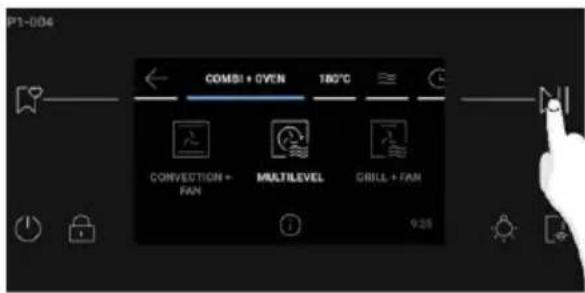
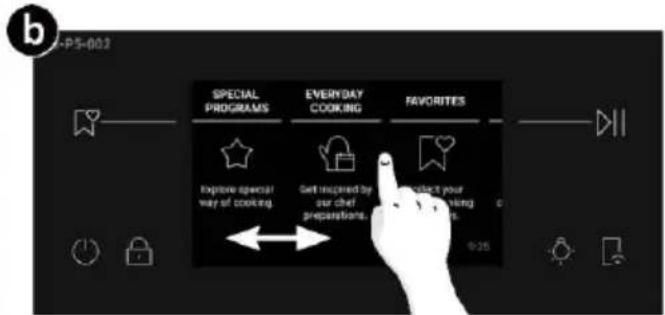
- SET COOKING FUNCTION: To select a cooking function, press "Microwave" or "OVEN+COMBI" from the Home carousel menu. Scroll the carousel horizontally until you reach the desired function. Press center icon or parameter value to go to next step or press >> to start cooking at the default parameters for the selected cooking function.
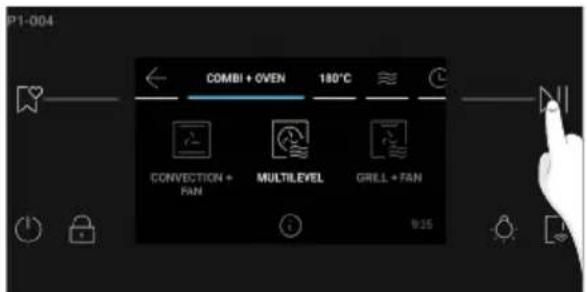
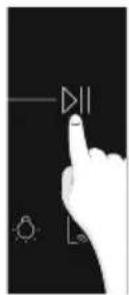
- SET TEMPERATURE/POWER LEVEL: Press the temperature indicated next to function on the carousel. Scroll horizontally to select the desired temperature/power level. Press || to confirm.
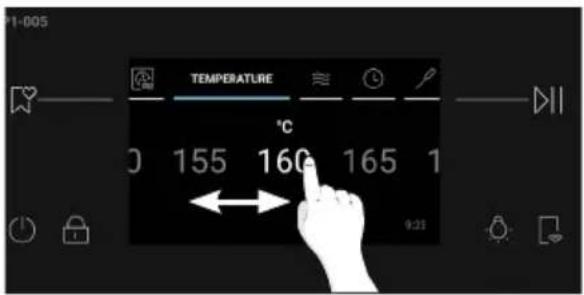
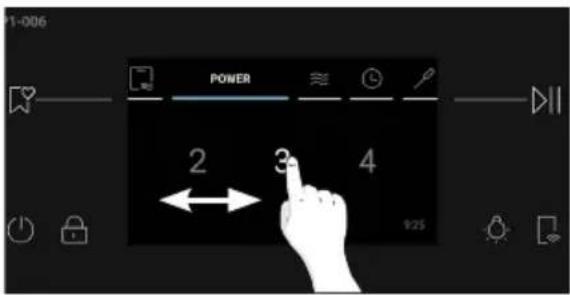
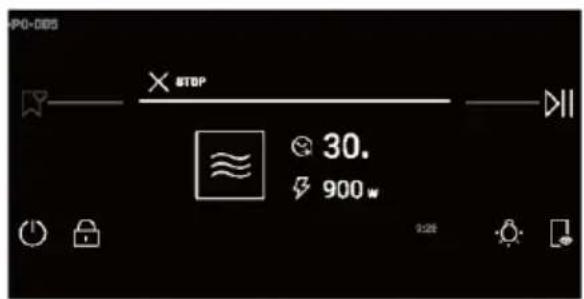
- SET WATT: For Microwave and Combi Functions, press the power indicated next to the function on the carousel (e.g. 900 W). Scroll horizontally to select the desired Watt.
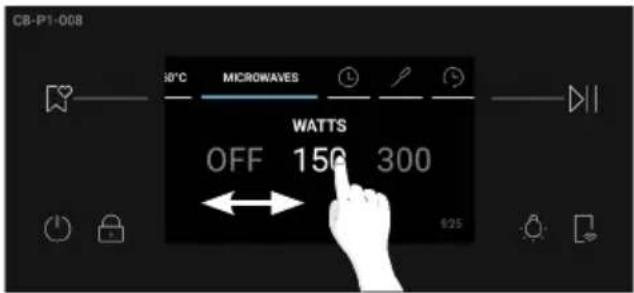
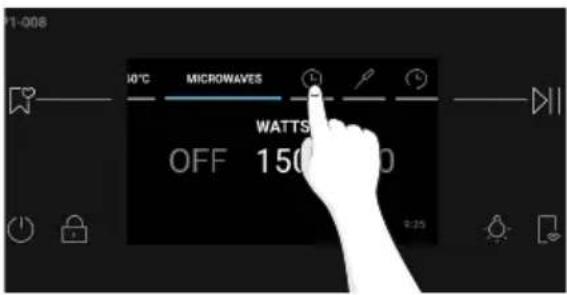
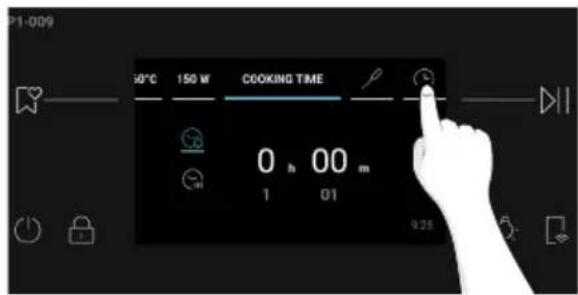
- SET DURATION: Access the Time menu by pressing Ⓤ on the carousel. The user can enter the following settings:
a.Minute Minder
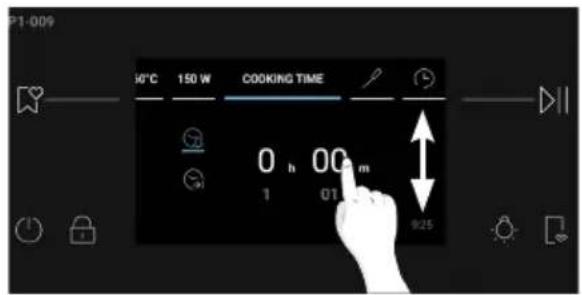
This function allows the user to set a reminder for the cooking time. After pressing Ⓤ on the carousel, the Minute Minder icon 🔒 is switched on by default. Scroll the numbers vertically to adjust the time, then press ▷□ to confirm.
b.Auto-off
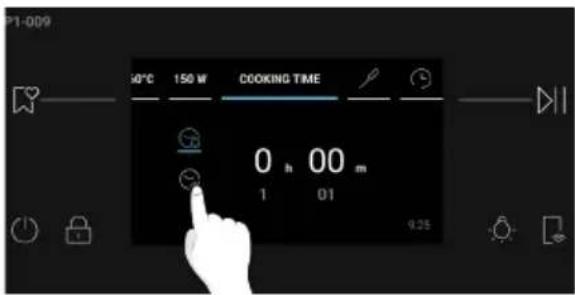
Auto-Off makes the oven automatically turn off after the set reminder. This function is switched off by default and needs to be activated on demand by the user.
Press Ⓧ to activate Auto-Off. Scroll the numbers vertically to adjust the time, then press ▷|| to confirm.
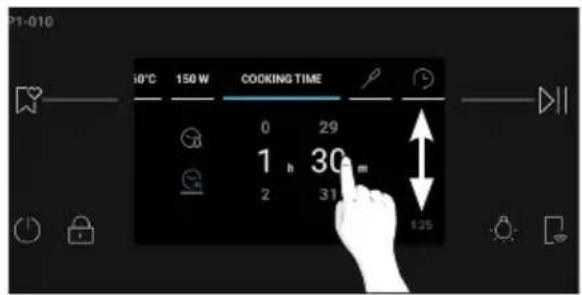
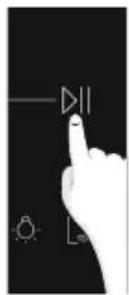
c.Delay Start
Press Ⓤ to set Delay Start. Scroll horizontally to set the desired time, then press ▷|| to confirm.
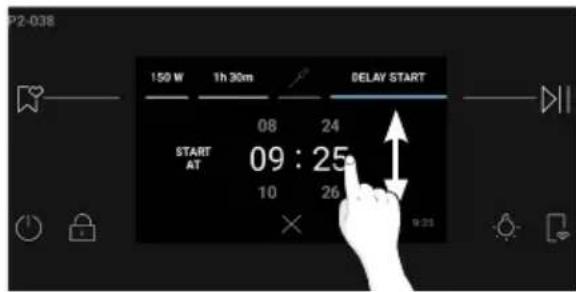
NOTE: Delay Start is activable only after setting Cooking Duration and it is not available when the Preci Probe is set. When using Delay Start, the cooking duration will be automatically converted to Auto-Off.
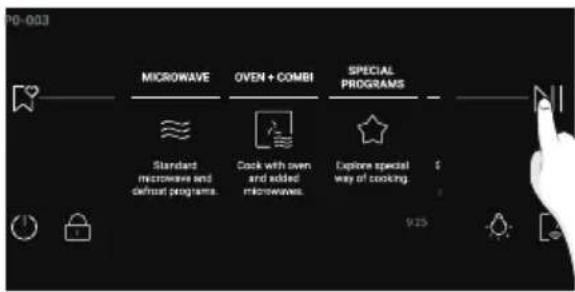
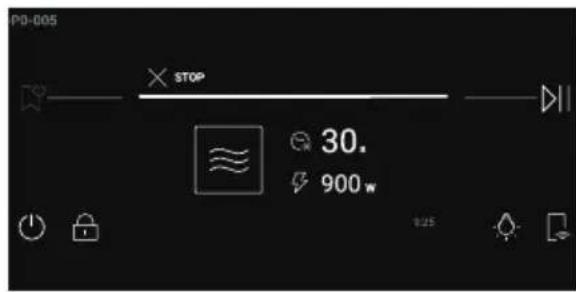
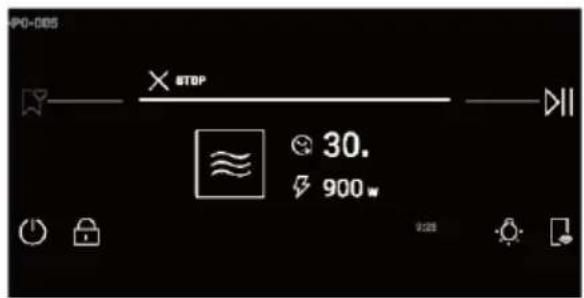
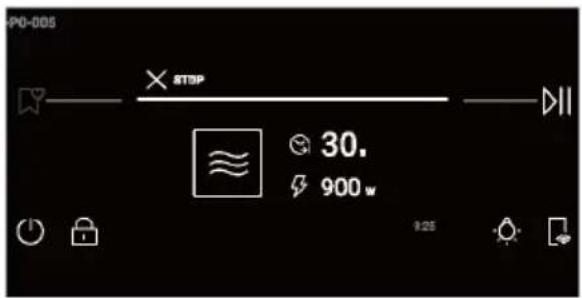
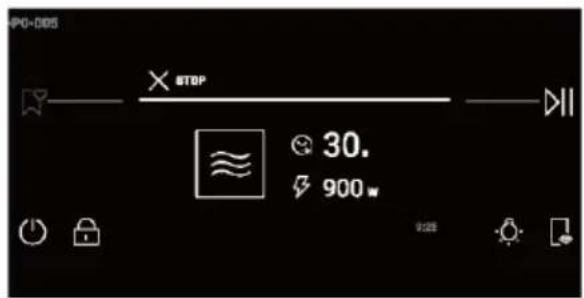
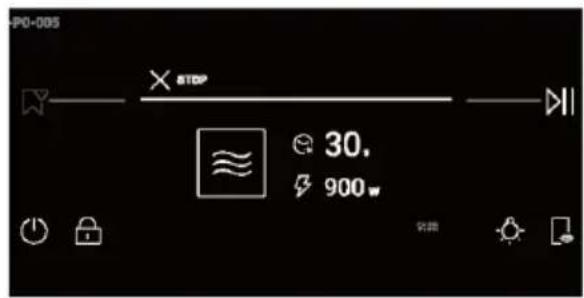
- MICROWAVE JET START: Ater inserting the food into the oven and closing the door, you can start immediately a 30s microwave cycle at maximum power (900 W) simply by pressing the Start button. Cooking time can be further edited directly on the display.
ADDITIONAL FUNCTIONS

Light
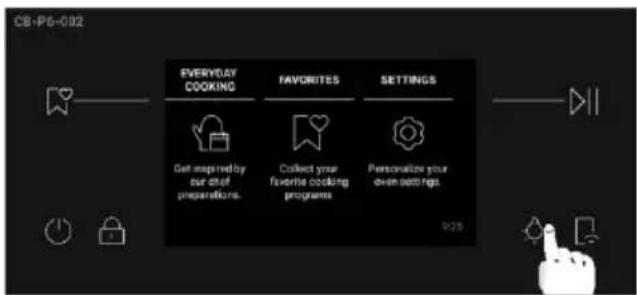
To switch the cavity light ON/OFF, press ⚙ on the control panel.
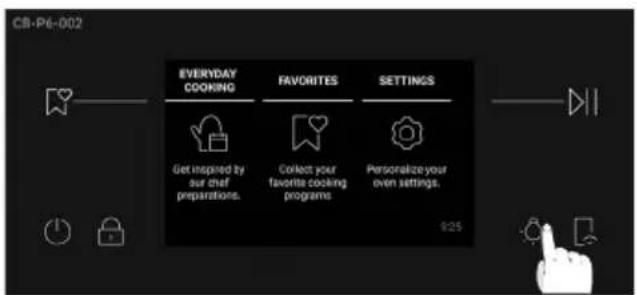
NOTE: The cavity light is OFF by default during general navigation processes. While a process is ongoing, the light will be switched ON by default.

Child Lock
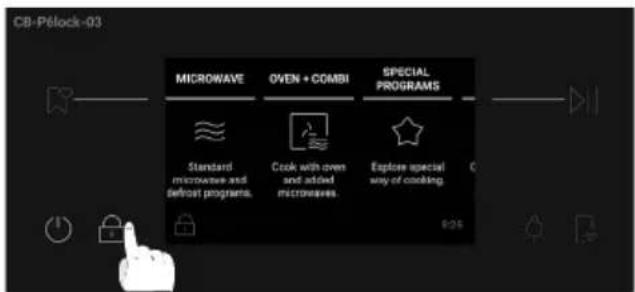
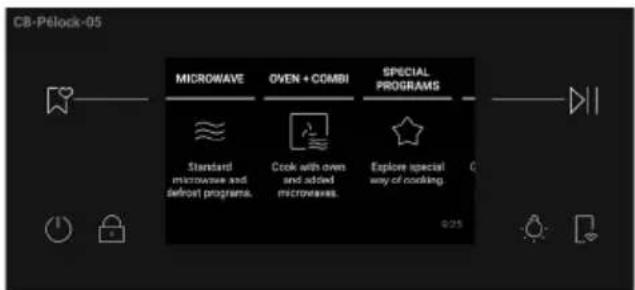
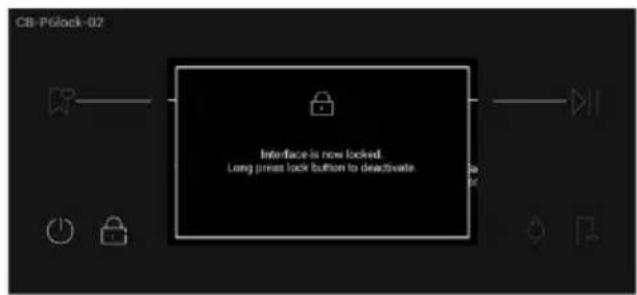
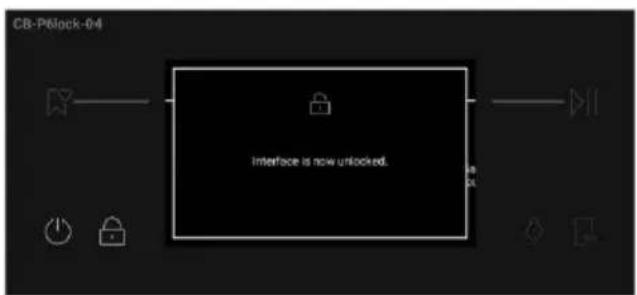
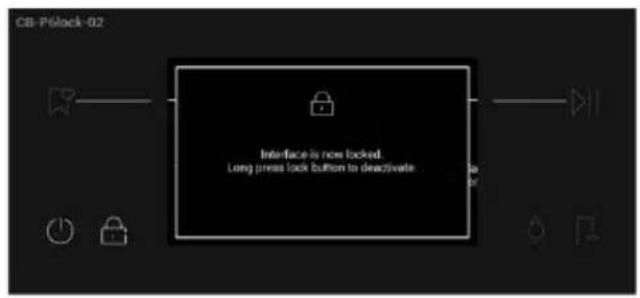
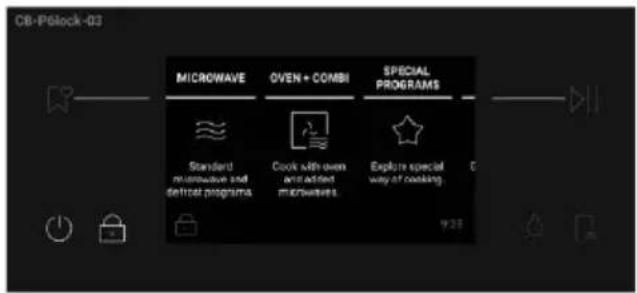
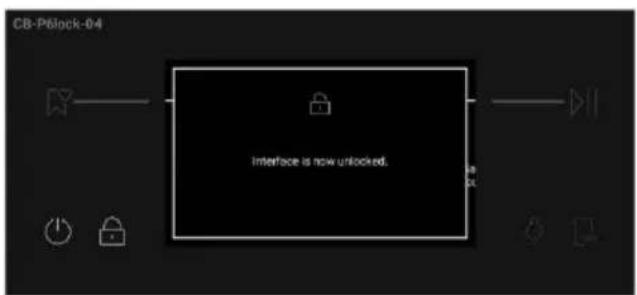
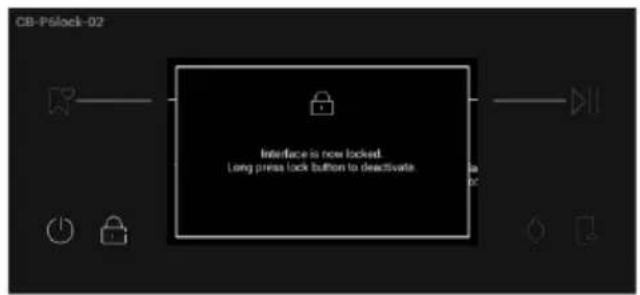
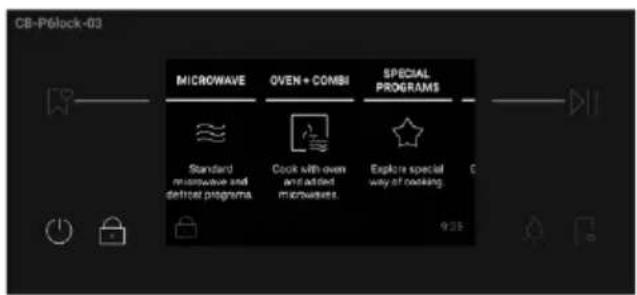
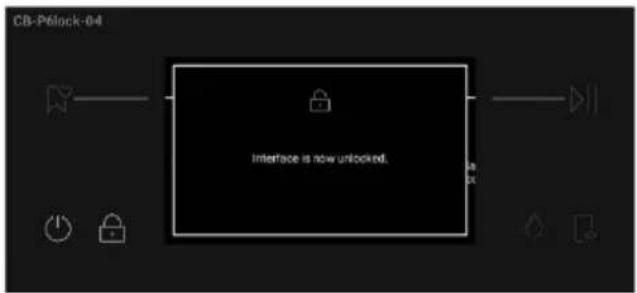
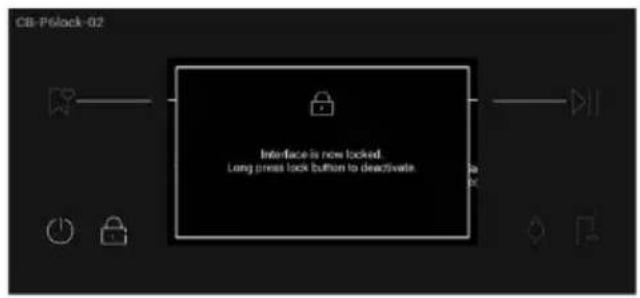
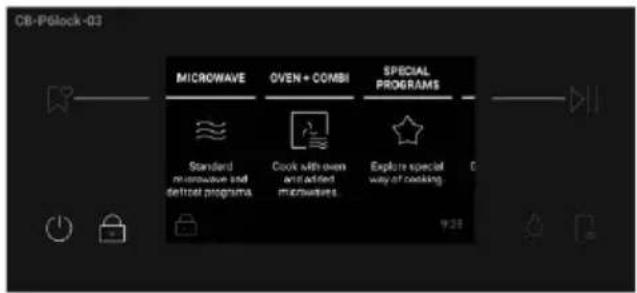
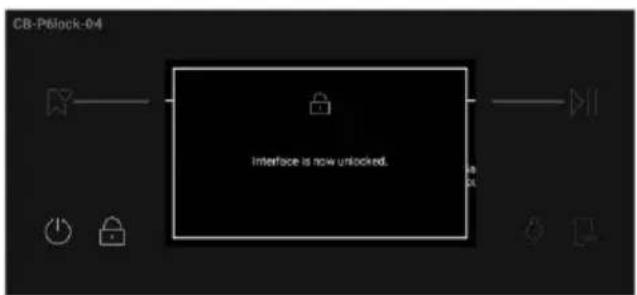
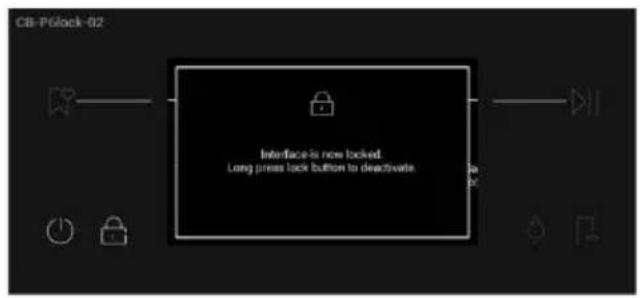
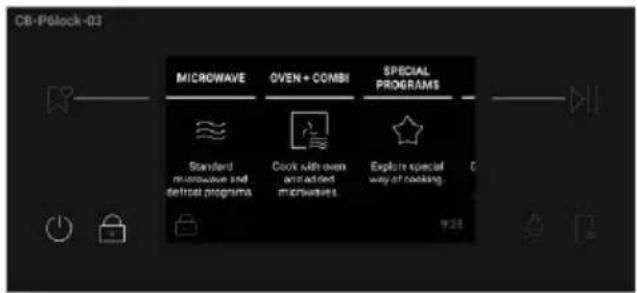
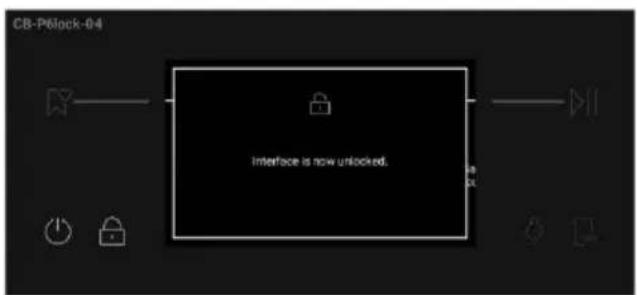
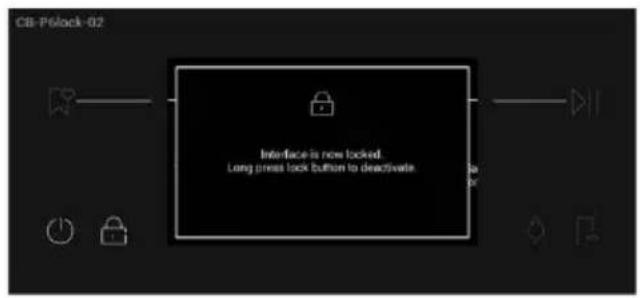
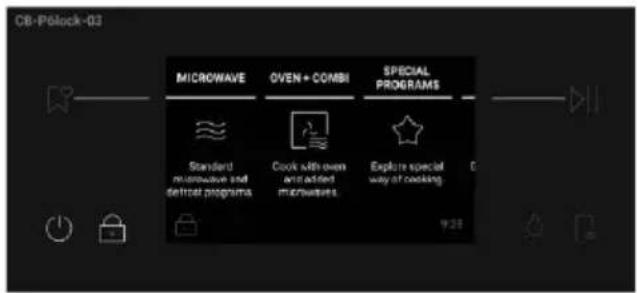
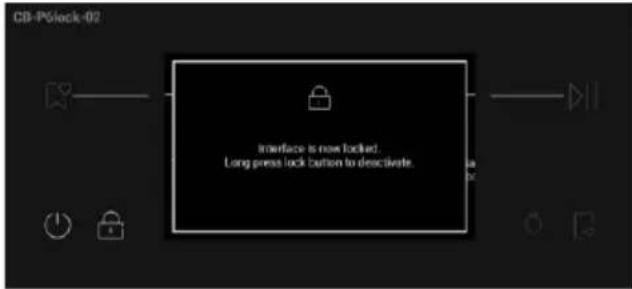
This function allows you to lock the screen to prevent any unwanted use by minors. To activate the screen lock, long press 🔒. A pop-up message will be shown for a few seconds. When Child Lock is on, all the buttons will be disabled except for ON/OFF and Child Lock.

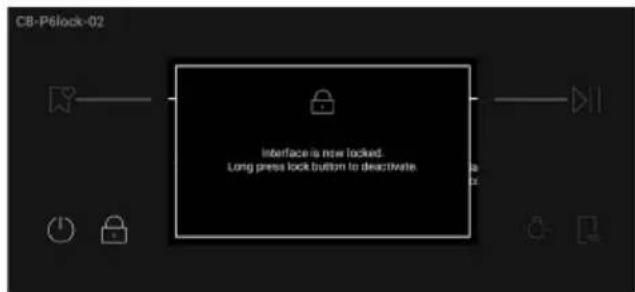
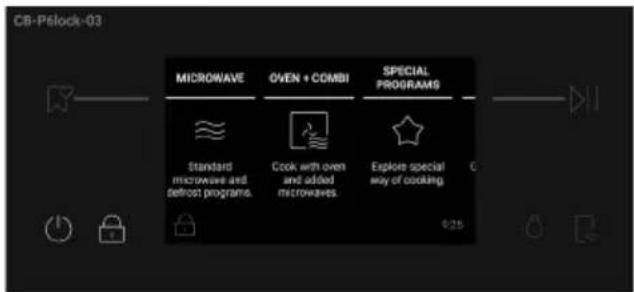
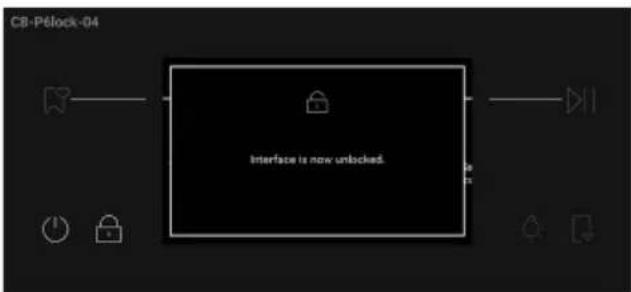
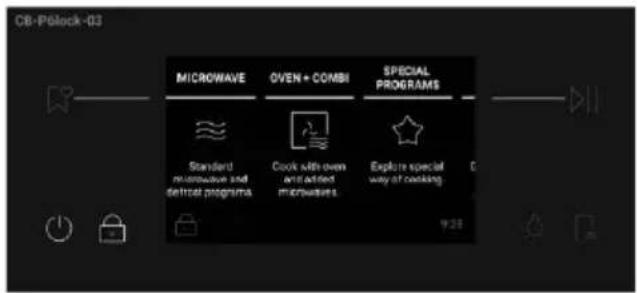
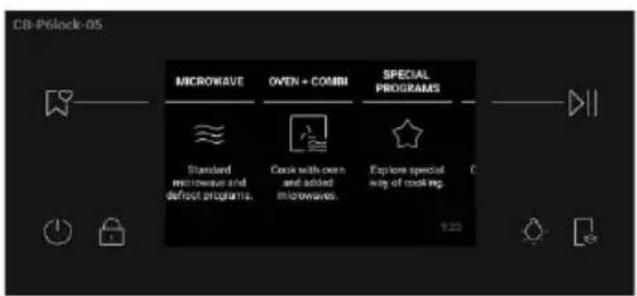
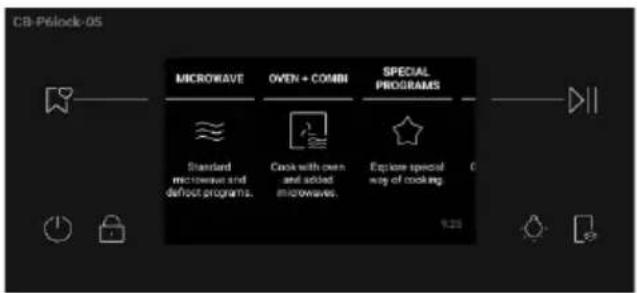
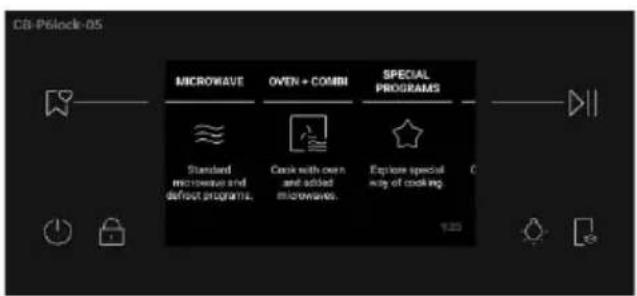
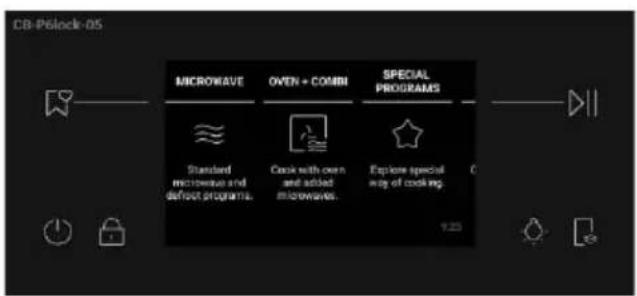
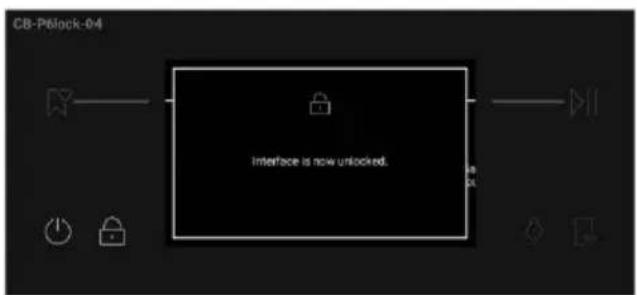
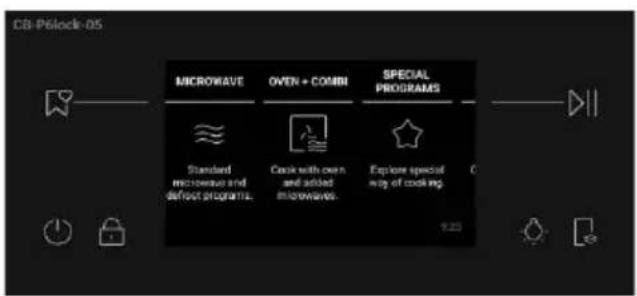
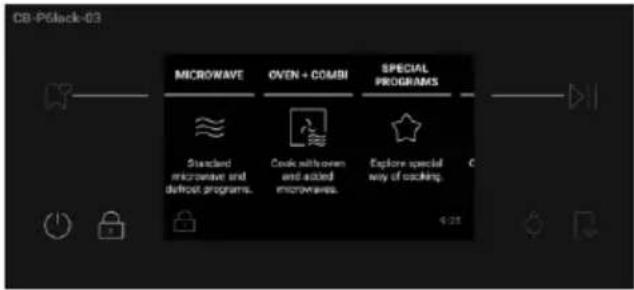
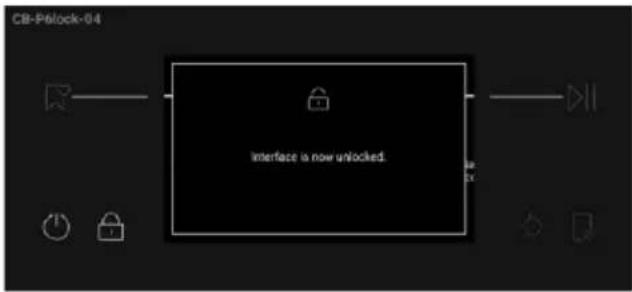
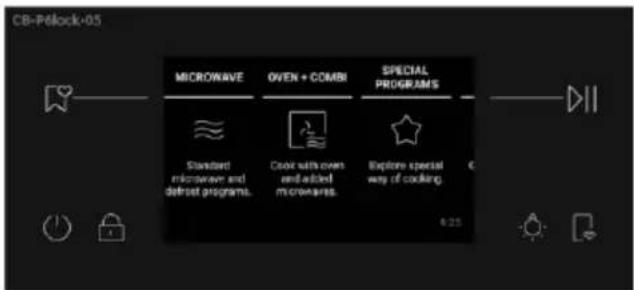
To unlock the screen, long press 📋 again. A pop-up message will be shown for a few seconds, or you can tap anywhere on the screen to hide it. The display will unlock and resume to the previous screen.
flowchart
graph TD
    A["Interface is now unlocked."] --> B["CB-Pélock-04"]
    B --> C["Button icon"]
    B --> D["Button icon"]
    B --> E["Button icon"]
    B --> F["Button icon"]
4.2. Cooking functions
Standard functions
| Symbol Function | Default values Range | Shelf position | Preheat Suggestions | |
 | Microwave | MW: 900WMW: 150 W - 900 W | L1 No | |
 | Conventional | T: 180°CT: 50 -250°C | L1-L2 Yes | |
 | Conventional + Fan | T: 160°CT: 50 -250°C | L1-L2 Yes | |
 | Multilevel | T: 160°CT: 50 -250°C | L2 Yes | |
 | Grill | L: 5L: 1-5 | L4 No | |
 | Grill + Fan | T: 180°CT: 50 -250°C | L2 Yes | |
 | Roast | T: 180°CT: 50 -250°C | L1-L2 No | |
 | Multilevel + Microwave | MW: 300W/T: 160°CMW: 150 - 300W/T: 50°-230°C | L2 Yes | |
 | Grill + Fan + Microwave | MW: 300W/T: 180°CMW: 150 - 300W/T: 50 - 230°C | L2 Yes | |
 | Grill +Microwave | MW: 300W/ L: 5 MW: 150 - 300W/ T: 1 - 5 | L4 No | |
 | Roast +Microwave | MW: 300W T: 175°C MW: 150 - 300W/ T: 50 - 230°C | L1-L2 Yes | Ideal for roasting meats, searing the juices while cooking the inside with the help of microwave. |
 | Defrost by time | MW: 150W - | L1 No | Ideal to defrost frozen food. |
 | Defrost by weight | MW: 150W - | L1 | No |
 | Popcorn | MW: 900W MW: 150 W - 900 W | L1 No | Ideal to make popcorn. |
Special functions
| Symbol Function | Default values Range | Shelf position | Preheat Suggestions | |
 | Air Fry | T: 200°CT: 50 - 250°C | L2 No | |
 | Dehydrate | T: 60°CT: 35 - 100°C | L2 No | |
 | Yogurt | T: 40°CT: 40°C | L2 No | |
 | Leavening | T: 35°CT: 35°C | L2 No | |
 | Keep Warm | T: 75°CT: 45 - 90°C | - | No |
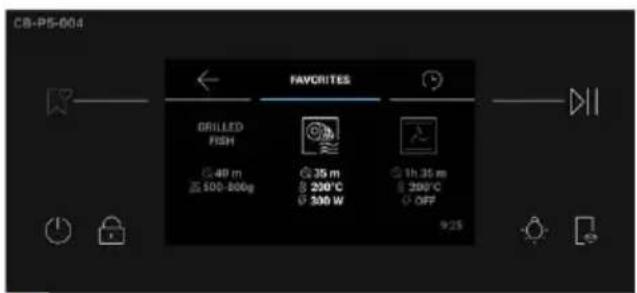
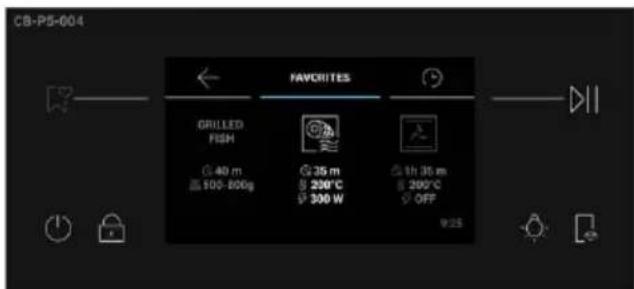
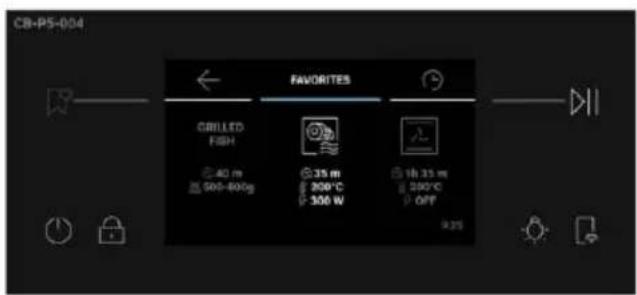
Save recipes as Favorites:
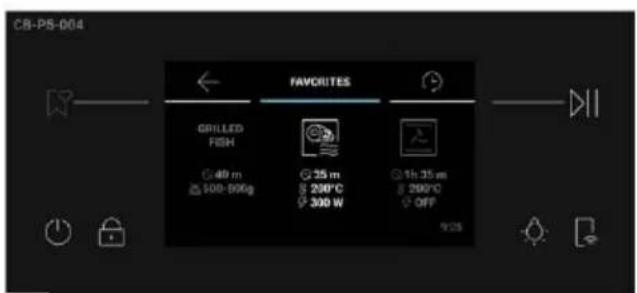
You can save a recipe in the Favorites menu directly from the oven, at the end of any cooking program, by pressing “Save in Favorites” on the display. This button will be shown after the “Enjoy Your Plate” message.
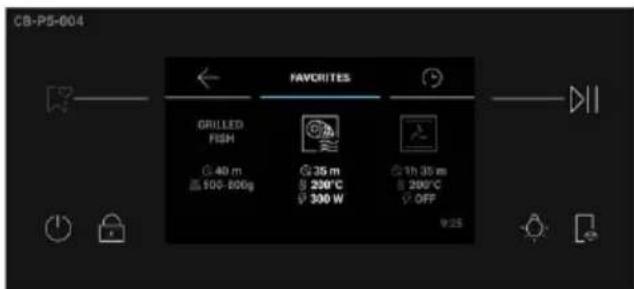
Favorite recipes can be later accessed from the Favorites menu.
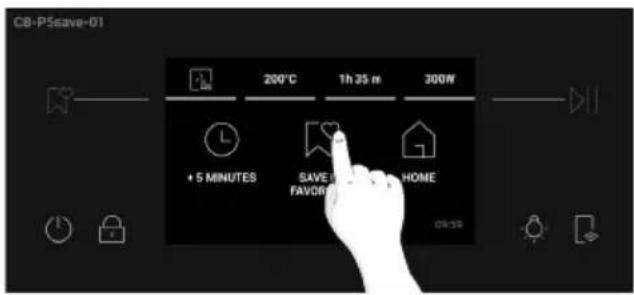
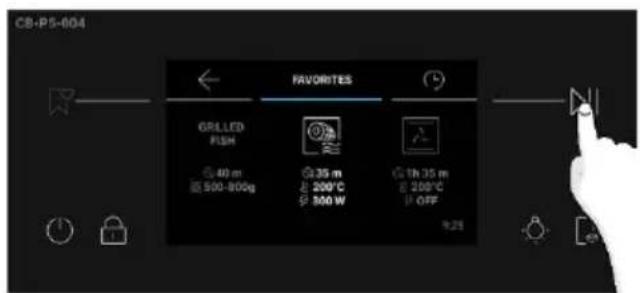
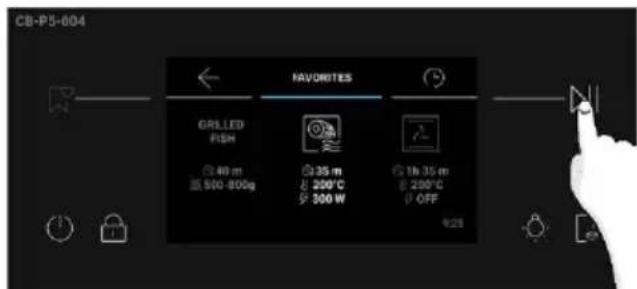
How to access Favorites menu from the oven:
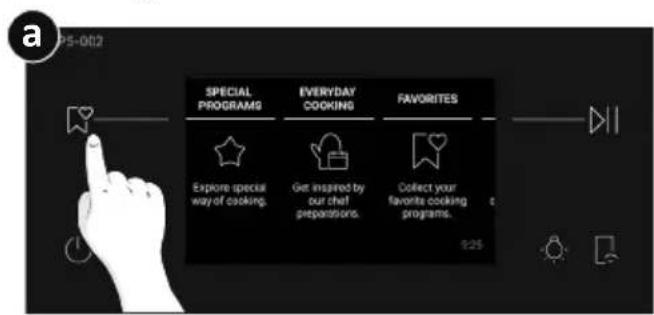
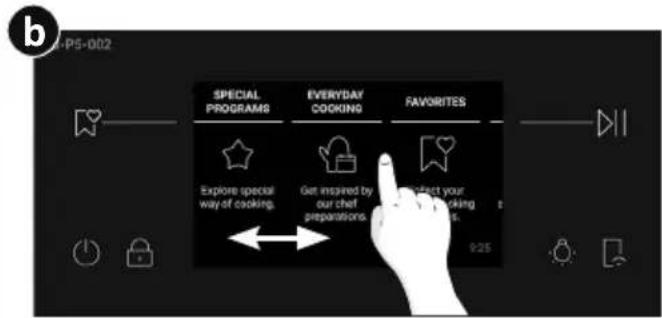
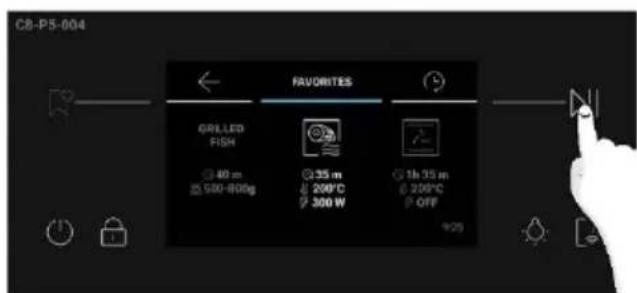
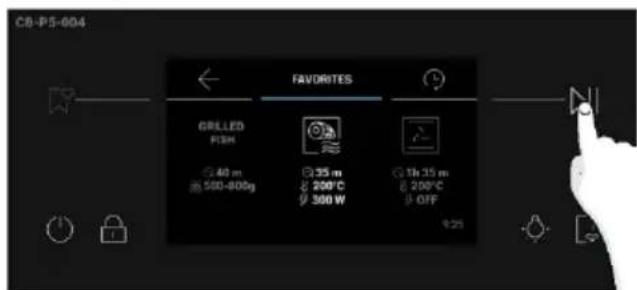
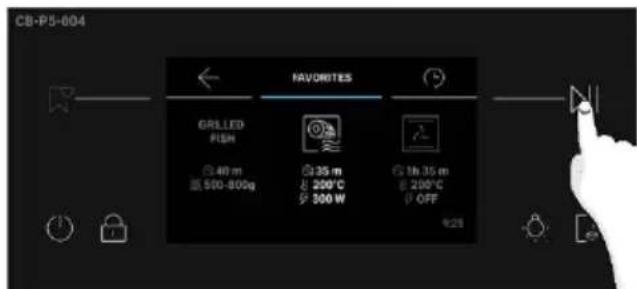
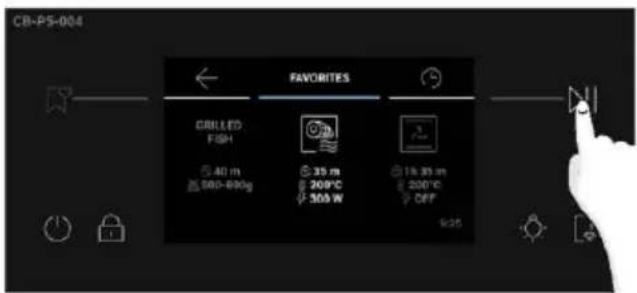
Press 🎧 on the display. Alternatively, scroll the Home carousel until you reach Favorites and press on it. The Favorites menu will be displayed, and you can scroll through the previously saved recipes. The recipes saved directly from the oven will be shown first; the recipes saved through the Jolly function will be shown at the end of the carousel. Once you have reached the desired recipe, press ▷|| to let the cooking start.
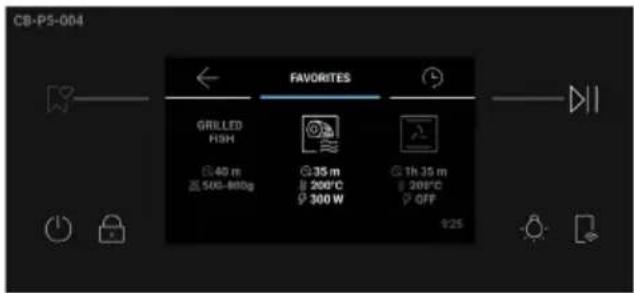

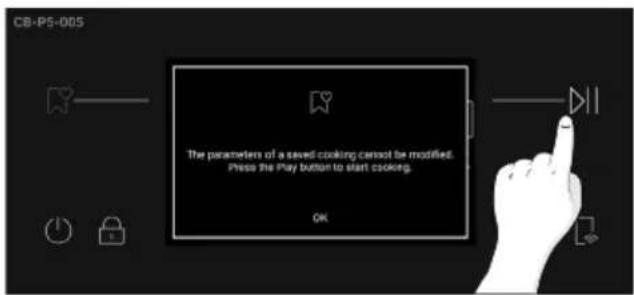
NOTE: Settings like Cooking Duration and Temperature cannot be changed for recipes saved as Favorites. If you click on the recipe in the Favorites menu, a pop-up message will appear. Press "OK" to go back to the carousel, or press >> to confirm your choice and let the cooking start.
5.1. Everyday cooking table
| Symbol | Description Recipe | Cooking Program | Preheat | Meat Probe | Cooking position | Servings | Accessory | Heat Feel temperature (°C) | Default setting (°C & W) | Cooking time after preheat (min) | |
 | PASTA,BREAD AND PIZZA | Pasta baked | Grill +Fan +Microwave | Yes Yes | L4 1 tray | Baking dish on grid | 90°C 200°C+300W 30 min | ||||
| Tray pizza | Conventional | Yes No L2 | 1 tray | Baking tray | -250°C | 20 - 30 min | |||||
| Multilevel Yes | No L1 - | L3 >1 tray | Baking tray | -230°C | 30 - 40 min | ||||||
| Focaccia | Convection + Fan | Yes No | L2 1 tray | Baking tray | -220°C | 20 min | |||||
| Multilevel Yes | No L1 - | L3 >1 tray | Baking tray | -180°C | 20 min | ||||||
| Fresh lasagna and cannelloni | Multilevel + Microwave | Yes Yes | L2 1 tray | Baking dish on grid | 90°C 200°C+300W 30 min | ||||||
| Multilevel + Microwave | Yes No | L1 - | L3 >1 tray | Baking dish on grid | - | 200°C+300W | 35 min | ||||
| Frozen pizza | Multilevel + Microwave | Yes | No | L2 | 1 tray | Grid | - | 200°C+300W | 15 min | ||
| Multilevel | Yes | No | L1 - L3 | >1 tray | Grid | - | 200°C | 20 min | |||
| Round Pizza | Multilevel + Microwave | Yes No | L2 1 tray | Baking tray | - | 200°C+150W | 15 min | ||||
| Bread | Conventional | Yes Yes L2 | 1 tray | Baking tray | 90°C | 200°C | 40 min | ||||
| MEAT AND POULTRY | Roast Pork | Roast +Microwave | Yes Yes | L2 | 500g - 800g | Baking dish on grid | 65°C - 80°C | 180°C+300W 50 min | |||
| Roast +Microwave | Yes Yes | L2 | 800g - 1000g | Baking dish on grid | 65°C - 80°C | 180°C+300W 65 min | |||||
| Roast +Microwave | Yes Yes | L2 | 1000g - 1500g | Baking dish on grid | 65°C - 80°C | 180°C+300W 80 min | |||||
| Roast Beef | Roast +Microwave | Yes Yes | L2 | 500g - 800g | Baking dish on grid | 55°C - 68°C | 200°C+150W 40 min | ||||
| Roast +Microwave | Yes Yes | L2 | 800g - 1000g | Baking dish on grid | 55°C - 68°C | 200°C+150W 55 min | |||||
| Roast +Microwave | Yes Yes | L2 | 1000g - 1500g | Baking dish on grid | 55°C - 68°C | 200°C+150W 65 min | |||||
| Pot Roast | Multilevel + Microwave | Yes Yes | L2 | 500g - 800g | Baking dish on grid | 70°C - 85°C | 180°C+300W 90 min | ||||
| Multilevel + Microwave | Yes Yes | L2 | 800g - 1000g | Baking dish on grid | 70°C - 85°C | 180°C+300W 150 min | |||||
| Multilevel + Microwave | Yes Yes | L2 | 1000g - 1500g | Baking dish on grid | 70°C - 85°C | 180°C+300W 180 min | |||||
| Deboned Thigh of Lamb | Roast +Microwave | Yes Yes | L2 | 500g - 800g | Baking tray | 60°C - 70°C | 180°C+300W 40 min | ||||
| Roast +Microwave | Yes Yes | L2 | 800g - 1000g | Baking tray | 60°C - 70°C | 180°C+300W 60 min | |||||
| Roast +Microwave | Yes Yes | L2 | 1000g - 1500g | Baking tray | 60°C - 70°C | 180°C+300W 90 min | |||||
| Pork Ribs | Multilevel + Microwave | Yes Yes | L3 | 500g - 800g | Baking tray | 70°C - 90°C | 180°C+300W 40 min | ||||
| MEAT AND POULTRY | Pork Ribs | Multilevel + Microwave | Yes Yes | L3 | 800g - 1000g | Baking tray | 70°C - 90°C | 180°C+300W 60 min | |||
| Multilevel + Microwave | Yes Yes | L3 | 1000g - 1500g | Baking tray | 70°C - 90°C | 180°C+300W 90 min | |||||
| Roast Chicken | Grill + Fan +Microwave | Yes Yes | L2 | 500g - 800g | Baking tray | 75°C - 85°C | 220°C+300W 40 min | ||||
| Grill + Fan +Microwave | Yes Yes | L2 | 800g - 1000g | Baking tray | 75°C - 85°C | 220°C+300W 50 min | |||||
| Grill + Fan +Microwave | Yes Yes | L2 | 1000g - 1500g | Baking tray | 75°C - 85°C | 220°C+300W 60 min | |||||
| Stuffed Chicken | Grill + Fan +Microwave | Yes Yes | L2 | 500g - 800g | Grid 75°C - 85°C | 200°C+300W 40 min | |||||
| Grill + Fan +Microwave | Yes Yes | L2 | 800g - 1000g | Grid 75°C - 85°C | 200°C+300W 50 min | ||||||
| Grill + Fan +Microwave | Yes Yes | L2 | 1000g - 1500g | Grid 75°C - 85°C | 200°C+300W 60 min | ||||||
| Meatloaf | Multilevel + Microwave | Yes Yes | L2 | 500g - 800g | Baking tray | 68°C - 75°C | 170°C+300W 30 min | ||||
| Multilevel + Microwave | Yes Yes | L2 | 800g - 1000g | Baking tray | 68°C - 75°C | 170°C+300W 40 min | |||||
| Multilevel + Microwave | Yes Yes | L2 | 1000g - 1500g | Baking tray | 68°C - 75°C | 170°C+300W 50 min | |||||
| Sausages | Grill + Fan +Microwave | Yes No | L4 | 500g - 800g | Grid - 200°C+300W 30 min | ||||||
| Grill + Fan +Microwave | Yes No | L4 | 800g - 1000g | Grid - 200°C+300W 40 min | |||||||
| MEAT AND POULTRY | Sausages | Grill + Fan +Microwave | Yes No | L4 | 1000g - 1500g | Grid - 200°C+300W | 50 min | ||||
| Chicken legs | Grill + Fan +Microwave | Yes No | L3 | 500g - 800g | Baking tray | - 200°C | -150W 40 min | ||||
| Grill + Fan +Microwave | Yes No | L3 | 800g - 1000g | Baking tray | - 200°C | -150W 50 min | |||||
| Grill + Fan +Microwave | Yes No | L3 | 1000g - 1500g | Baking tray | - 200°C | -150W 60 min | |||||
| FISH AND SEA FOOD | Fish fillet | Multilevel + Microwave | Yes Yes | L2 | 200g - 500g | Baking tray | 65°C 150°C+150W 10 min | ||||
| Multilevel + Microwave | Yes Yes | L2 | 500g - 800g | Baking tray | 65°C 150°C+150W 20 min | ||||||
| Multilevel + Microwave | Yes Yes | L2 | 800g - 1200g | Baking tray | 65°C 150°C+150W 25 min | ||||||
| Fish en Papillote | Multilevel + Microwave | Yes No | L2 | 200g - 500g | Baking tray | - 200°C | -150W 25 min | ||||
| Multilevel + Microwave | Yes No | L2 | 500g - 800g | Baking tray | - 200°C | -150W 35 min | |||||
| Multilevel + Microwave | Yes No | L2 | 800g - 1200g | Baking tray | - 200°C | -150W 45 min | |||||
| Whole Fish | Multilevel + Microwave | Yes Yes | L2 | 200g - 500g | Baking tray | 65°C 180°C+150W 30 min | |||||
| Multilevel + Microwave | Yes Yes | L2 | 500g - 800g | Baking tray | 65°C 180°C+150W 40 min | ||||||
| Multilevel + Microwave | Yes Yes | L2 | 800g - 1200g | Baking tray | 65°C 180°C+150W 50 min | ||||||
| Baked Fish Stew | Multilevel + Microwave | Yes Yes | L3 | 200g - 500g | Grid 65°C 200°C+150W 25 min | ||||||
| Multilevel + Microwave | Yes Yes | L3 | 500g - 800g | Grid 65°C 200°C+150W 35 min | |||||||
 | FISH AND SEA FOOD | Baked Fish Stew | Multilevel + Microwave | Yes Yes | L3 | 800g - 1200g | Grid 65°C | 200°C+150W | 45 min | ||
| Salt-baked Fish | Conventional + Fan | Yes No | L2 | 200g - 500g | Baking tray | -200°C | 45 min | ||||
| Conventional + Fan | Yes No | L2 | 500g - 800g | Baking tray | -200°C | 60 min | |||||
| Conventional + Fan | Yes No | L2 | 800g - 1200g | Baking tray | -200°C | 75 min | |||||
| Frozen fish | Multilevel + Microwave | Yes No | L2 | 200g - 500g | Baking tray | -150°C | 300W 25 min | ||||
| Multilevel + Microwave | Yes No | L2 | 500g - 800g | Baking tray | -150°C | 300W 35 min | |||||
| Multilevel + Microwave | Yes No | L2 | 800g - 1200g | Baking tray | -150°C | 300W 40 min | |||||
| Fish Skewers | Multilevel + Microwave | Yes No | L4 | 200g - 500g | Baking tray | -180°C | 150W 20 min | ||||
| Multilevel + Microwave | Yes No | L4 | 500g - 800g | Baking tray | -180°C | 150W 30 min | |||||
| Multilevel + Microwave | Yes No | L4 | 800g - 1200g | Baking tray | -180°C | 150W 40 min | |||||
| Stuffed Squid | Multilevel + Microwave | Yes Yes | L3 | 200g - 500g | Baking dish on grid | 70°C 180°C+300W 15 min | |||||
| Multilevel + Microwave | Yes Yes | L3 | 500g - 800g | Baking dish on grid | 70°C 180°C+300W 25 min | ||||||
| Multilevel + Microwave | Yes Yes | L3 | 800g - 1200g | Baking dish on grid | 70°C 180°C+300W 35 min | ||||||
 | SAVOURY TARTS & PIES | Savoury Puff Pastries | Multilevel + Microwave | Yes No | L2 1 tray | Baking tray | -180°C | 150W 25 min | |||
| Multilevel Yes No L1 - L3 >1 tray | Baking tray | -190°C | 40 min | ||||||||
| SAVOURY TARTS & PIES | Soufflés Multilevel Yes No | L1 - L3 >1 tray | Molds on baking tray | - 190°C | 35 min | ||||||
| Savoury Tart | Multilevel + Microwave | Yes No | L2 1 tray | Tart pan on grid | - 180°C | 300W 60 min | |||||
| Multilevel Yes No L1 - L3 >1 tray | Tart pan on grid | - 180°C | 75 min | ||||||||
| Vegetable Flan | Grill + Fan +Microwave | Yes No | L3 1 tray | Molds on baking tray | - 180°C | 300W 30 min | |||||
| Vegetable Flan | Multilevel Yes No L1 - L3 >1 tray | Molds on baking tray | - 180°C | 40 min | |||||||
| Mini tartlets | Conventional Yes No L2 | 1 tray | Molds on baking tray | - 200°C | 20 min | ||||||
| Multilevel Yes No L1 - L3 >1 tray | Molds on baking tray | - 200°C | 35 min | ||||||||
| VEGETABLES | Ratatouille | Multilevel + Microwave | Yes No | L3 | 500g - 800g | Baking dish on grid | - 200°C | 300W 20 min | |||
| Multilevel + Microwave | Yes No | L3 | 800g - 1000g | Baking dish on grid | - 200°C | 300W 30 min | |||||
| Multilevel + Microwave | Yes No | L3 | 1000g - 1200g | Baking dish on grid | - 200°C | 300W 40 min | |||||
| Baked Potatoes | Grill + Fan +Microwave | Yes No | L2 | 500g - 800g | Baking tray | - 200°C | 300W 30 min | ||||
| Grill + Fan +Microwave | Yes No | L2 | 800g - 1000g | Baking tray | - 200°C | 300W 40 min | |||||
| Grill + Fan +Microwave | Yes No | L2 | 1000g - 1500g | Baking tray | - 200°C | 300W 50min | |||||
| Vegetables au Gratin | Grill + Fan +Microwave | Yes No | L4 | 500g - 800g | Baking dish on grid | - 200°C | 300W 30 min | ||||
| Grill + Fan +Microwave | Yes No | L4 | 800g - 1000g | Baking dish on grid | - 200°C | 300W 35 min | |||||
 | VEGETABLES | Vegetables au Gratin | Grill + Fan +Microwave | Yes No | L4 | 1000g - 1500g | Baking dish on grid | -200°C | 300W 40min | ||
| Vegetables en Papillote | Multilevel + Microwave | Yes No | L2 | 500g - 800g | Baking tray | -200°C | 300W 20min | ||||
| Multilevel + Microwave | Yes No | L2 | 800g - 1000g | Baking tray | -200°C | 300W 30min | |||||
| Multilevel + Microwave | Yes No | L2 | 1000g - 1200g | Baking tray | -200°C | 300W 40min | |||||
| Roasted Vegetables | Grill + Fan +Microwave | Yes No | L4 | 500g - 800g | Baking tray | -210°C | 300W 30 min | ||||
| Grill + Fan +Microwave | Yes No | L4 | 800g - 1000g | Baking tray | -210°C | 300W 40min | |||||
| Grill + Fan +Microwave | Yes No | L4 | 1000g - 1200g | Baking tray | -210°C | 300W 55 min | |||||
| Stuffed Vegetables | Grill + Fan +Microwave | Yes No | L2 | 500g - 800g | Baking tray | -180°C | 300W 30 min | ||||
| Grill + Fan +Microwave | Yes No | L2 | 800g - 1000g | Baking tray | -180°C | 300W 45 min | |||||
| Grill + Fan +Microwave | Yes No | L2 | 1000g - 1200g | Baking tray | -180°C | 300W 60 min | |||||
| Parmiglana | Grill + Fan +Microwave | Yes No | L3 | 500g - 800g | Baking dish on grid | -200°C | 300W 20 min | ||||
| Grill + Fan +Microwave | Yes No | L3 | 800g - 1000g | Baking dish on grid | -200°C | 300W 30 min | |||||
| Grill + Fan +Microwave | Yes No | L3 | 1000g - 1200g | Baking dish on grid | -200°C | 300W 40 min | |||||
 | Sweet Bakery | Butter biscuits | Conventional | Yes No L3 | 1 tray | Baking tray | -170°C | 30 min | |||
| Multilevel Yes No L1 - L3 >1 tray | Baking tray | -150°C | 40 min | ||||||||
| Sweet Bakery | Sweet Brioche Buns | Conventional | Yes No L3 | 1 tray | Baking tray | - 180°C | 25 min | ||||
| Multilevel Yes No L1 - | L3 >1 tray | Baking tray | - 160°C | 30 min | |||||||
| BAKED FRUIT | Grill + Fan +Microwave | Yes No | L2 1 tray | Baking tray | - 200°C | 300W 20 min | |||||
| Multilevel Yes No L1 - | L3 >1 tray | Baking tray | - 200°C | 30 min | |||||||
| Fruit tart | Multilevel + Microwave | Yes No | L1 1 tray | Tart pan on grid | - 180°C | 150W 30 min | |||||
| Multilevel Yes No L1 - | L3 >1 tray | Tart pan on grid | - 180°C | 45 min | |||||||
| Mille-feuille | Multilevel + Microwave | Yes No | L2 1 tray | Baking tray | - 180°C | 150W 20 min | |||||
| Multilevel Yes No L1 - | L3 >1 tray | Baking tray | - 180°C | 25 min | |||||||
| Muffins | Conventional | Yes No L3 | 1 tray | Baking tray | - 165°C | 30 min | |||||
| Multilevel Yes No L1 - | L3 >1 tray | Baking tray | - 160°C | 40 min | |||||||
| Sponge Cake | Conventional | Yes No L2 | 1 tray | Springform pan | - 150°C | 35 min | |||||
| Multilevel Yes No L1 - | L3 >1 tray | Springform pan | - 150°C | 45 min | |||||||
| Strudel | Multilevel + Microwave | Yes No | L2 1 tray | Baking tray | - 180°C | 150W 45 min | |||||
| Leavened Cake with Diced Fruit | Conventional | Yes No L2 | 1 tray | Cake tin on grid | - 170°C | 60 min | |||||
| Rice Pie | Multilevel + Microwave | Yes No | L3 1 tray | Tart pan on grid | - 180°C | 150W 20 min | |||||
| Cheesecake | Conventional | Yes No L2 | 1 tray | Springform pan | - 150°C | 60 min | |||||
Attention
- Microwave functions
Place food in the oven before pressing start. Microwave functions tend to generate water vapour - condensation of water on the door may occur, it is an expected behavior.
- Microwave and convection functions
Place food in the oven when prompted.
- Convection functions
Wait for the oven to preheat before you begin cooking. Some functions do not need to preheat. For those functions the dial halo will remain red throughout cooking. Place food in the oven when ready to start cooking. All the functions require the door to be closed in order to operate. If the door is opened, the UI will ask you to close the door before restarting the cooking process.
- Rapid preheat
To reach the set temperature quickly, some functions have a rapid preheat stage that uses all elements. To prevent burning, wait until the oven has reached temperature before placing food in the oven.
- Delayed cook
The grill element may come on while the oven is heating up. Position food on a lower shelf or cover to prevent burning as the oven heats up.
When using DELAYED COOK we do not recommend using GRILL, FAN GRILL or AIR FRY.
- Food safety
Leave food in the oven for as short a time as possible before and after cooking.
- Ensure meat is fully defrosted before cooking.
- Rest meat after cooking to allow the internal temperature to continue to rise.
- High risk foods such as fish should reach a minimum internal temperature of 63 – 70°C and poultry and minced meat should reach 75 - 85°C.
6.1. General recommendations
Regular cleaning can extend the lifecycle of your appliance. Wait for the oven to cool before carrying out manual cleaning.
• After each use of the oven, a minimum of cleaning will help keep the oven perfectly clean.
- Do not line the oven walls with aluminium foil or single-use protection available from stores. Aluminium foil or any other protection, in direct contact with the hot enamel, risks melting and deteriorating the enamel of the insides.
- In order to prevent excessive dirting of your oven and the resulting strong smokey smells, we recommend not using the oven at very high temperature. It is better to extend the cooking time and lower the temperature a little.
- In addition to the accessories supplied with the oven, we advise you only use dishes and baking moulds resistant to very high temperatures.
6.2. Cleaning the oven
- Glass part
Clean the glass oven window with absorbent kitchen towel after every use. For stubborn stains, use a detergent-soaked sponge, wrung out, and then rinse with water.
- Oven window seal
If dirty, the seal can be cleaned with a damp sponge.
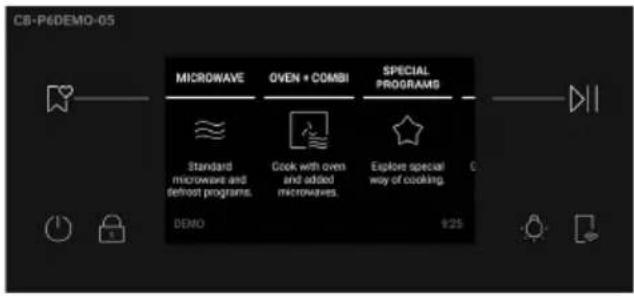
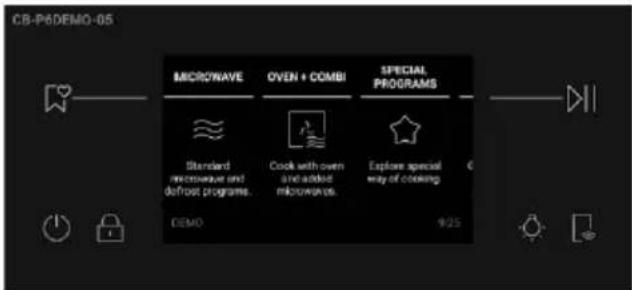
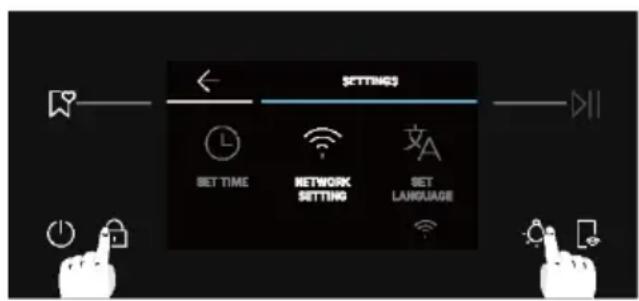
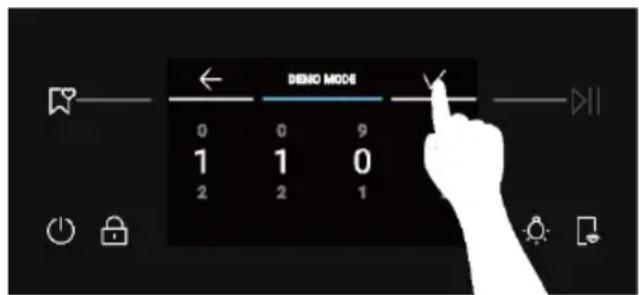
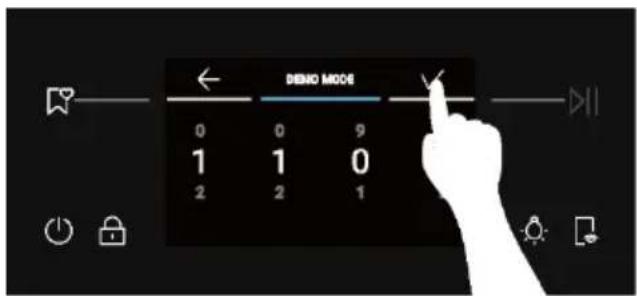
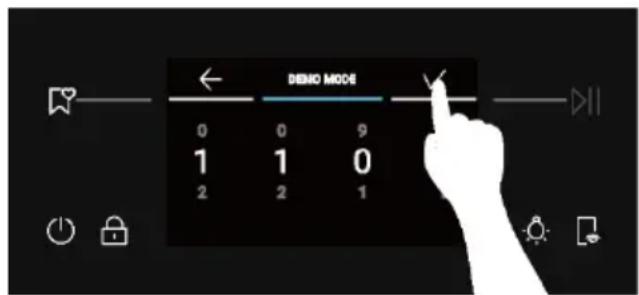
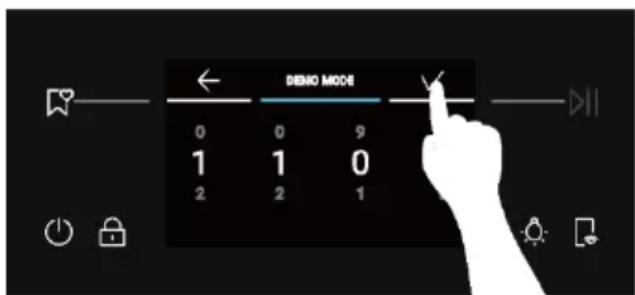
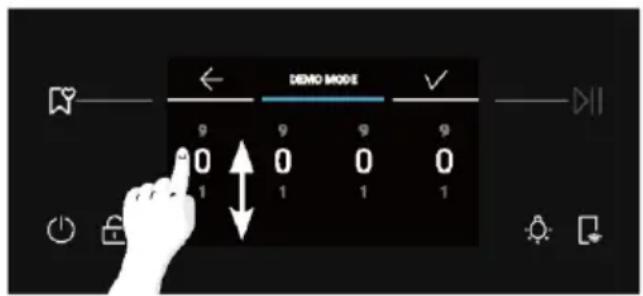
6.3. Demo mode
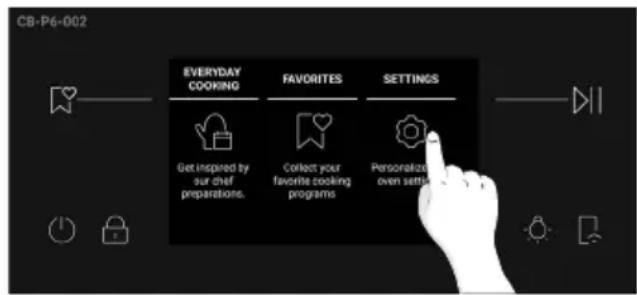
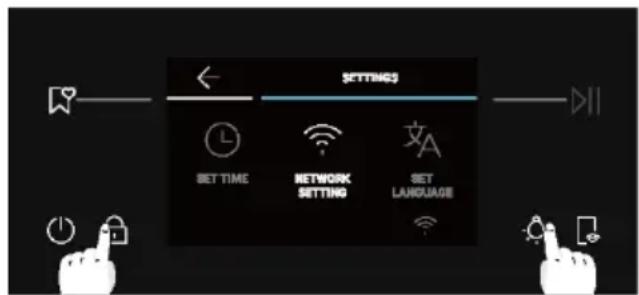
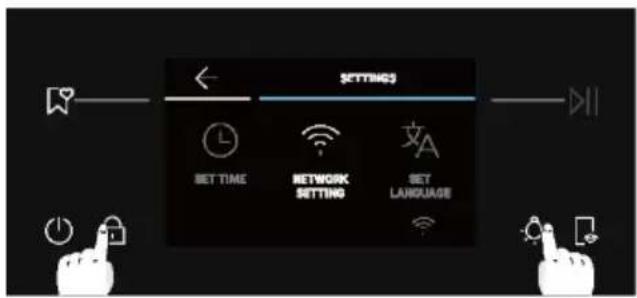
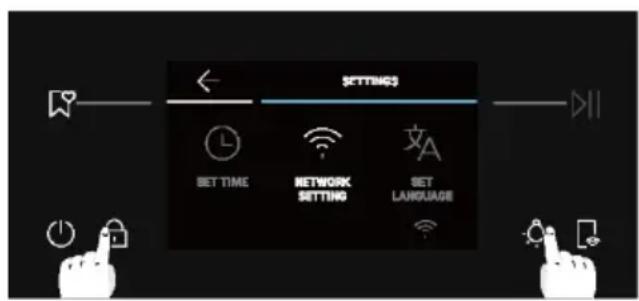
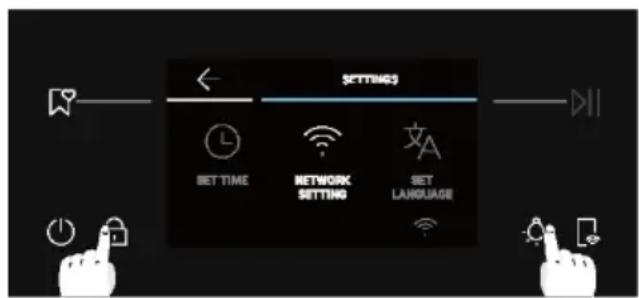
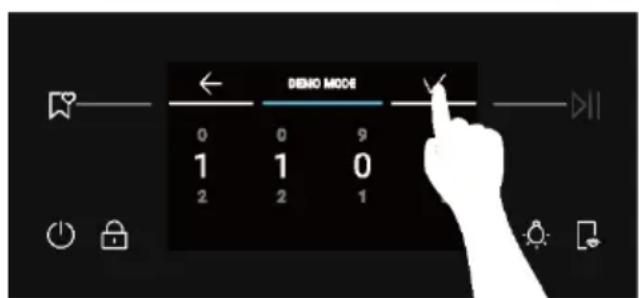
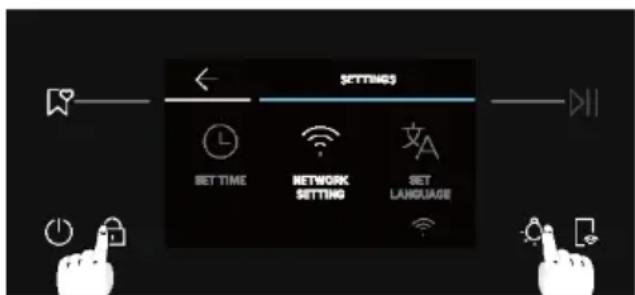
- From the Home Carousel, select Settings.
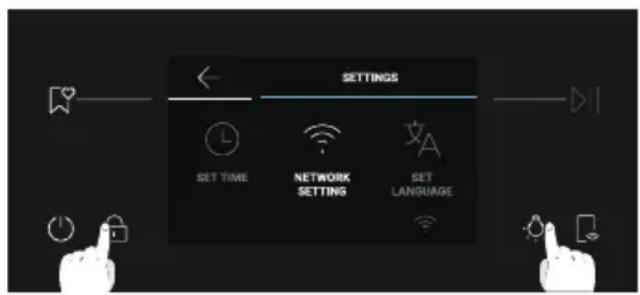
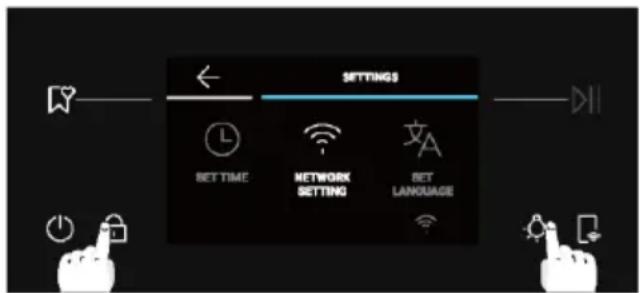
- Once in the Settings menu, long press 🔒 and ⚙ at the same time.
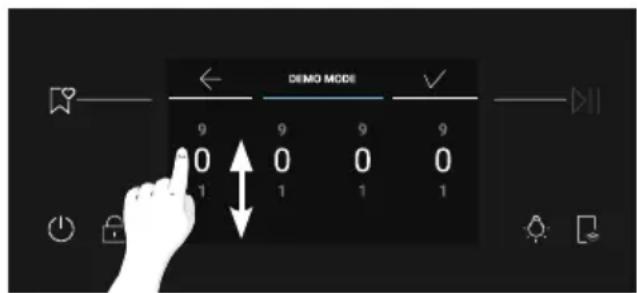
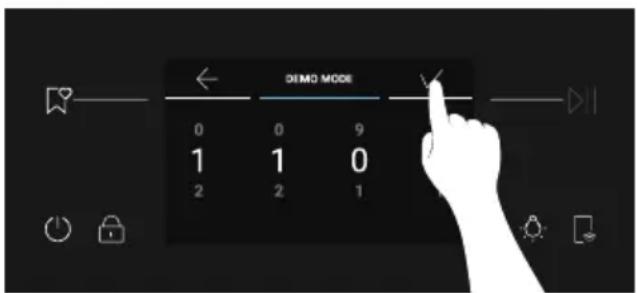
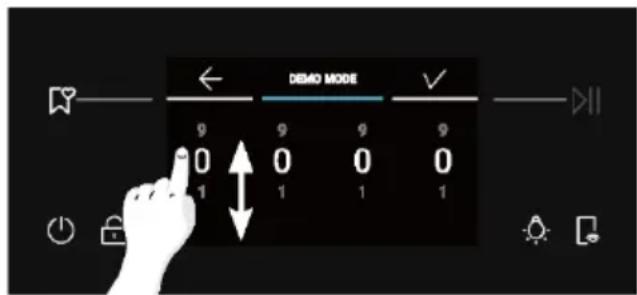
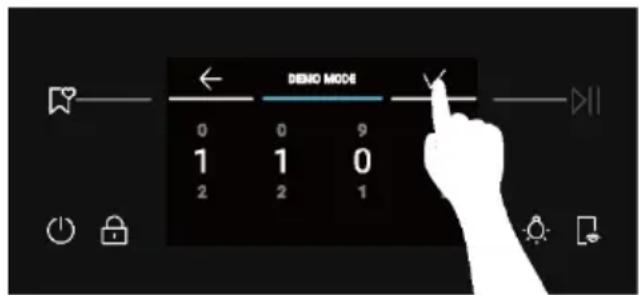
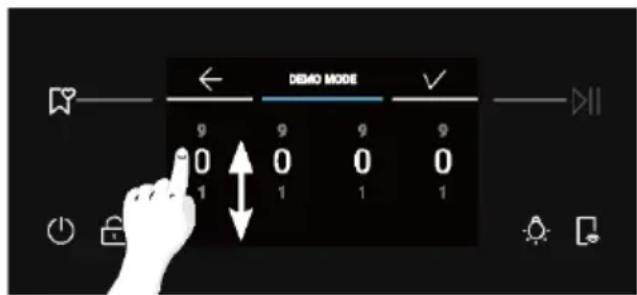
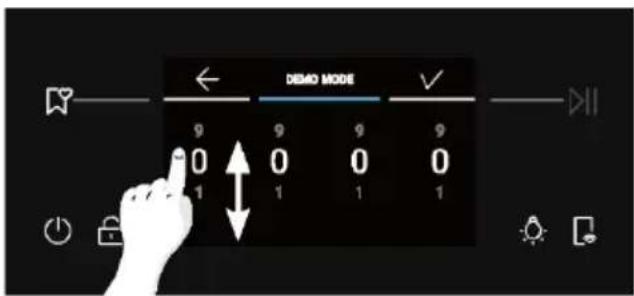
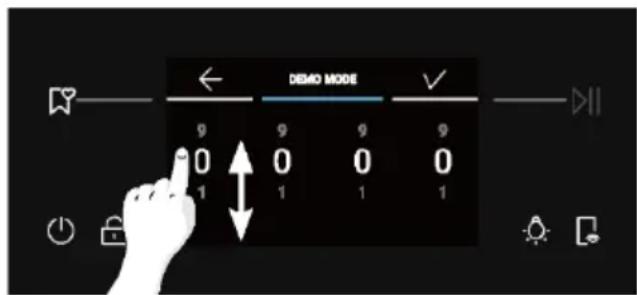
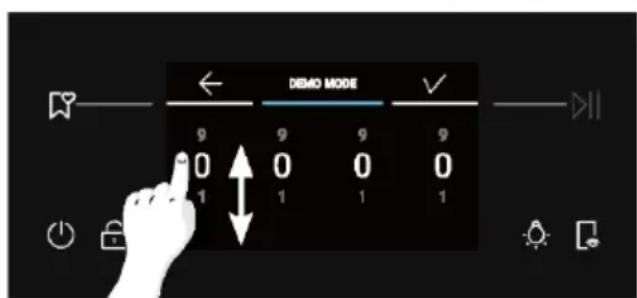
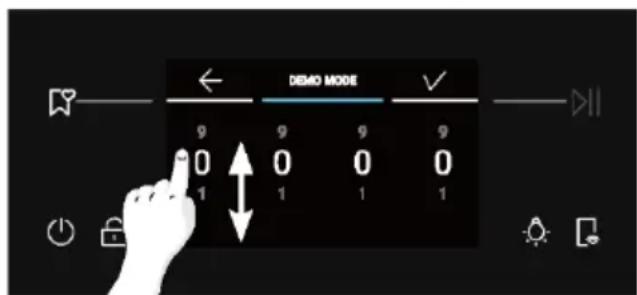
- Scroll the numbers vertically to enter the password 1100, then press to confirm.
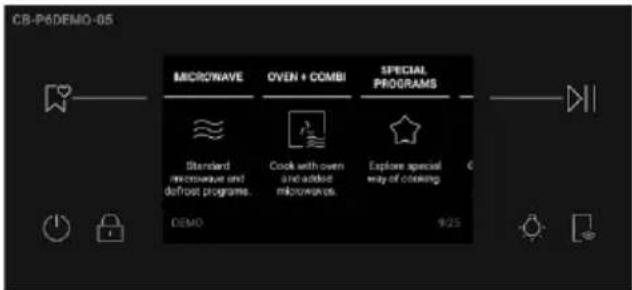
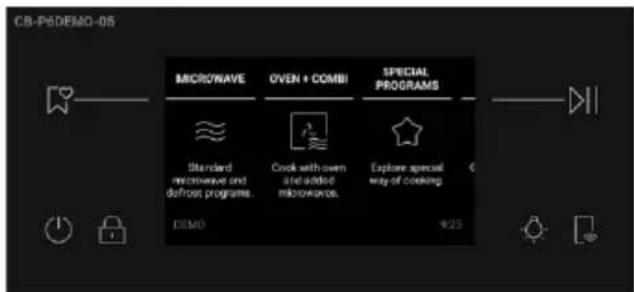
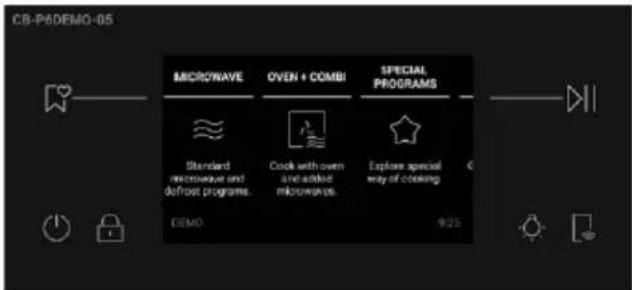
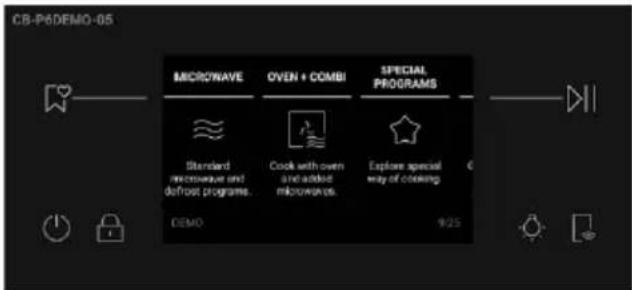
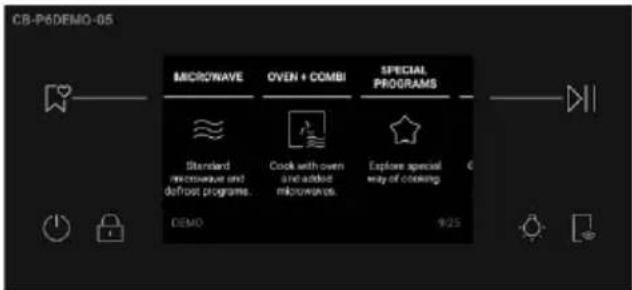
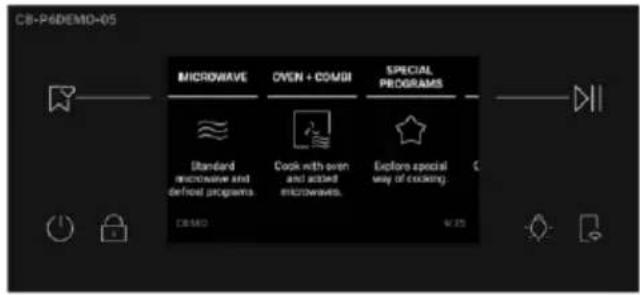
- The display will resume to the Home Carousel in Demo Mode.
- To exit the Demo Mode, repeat the same steps.
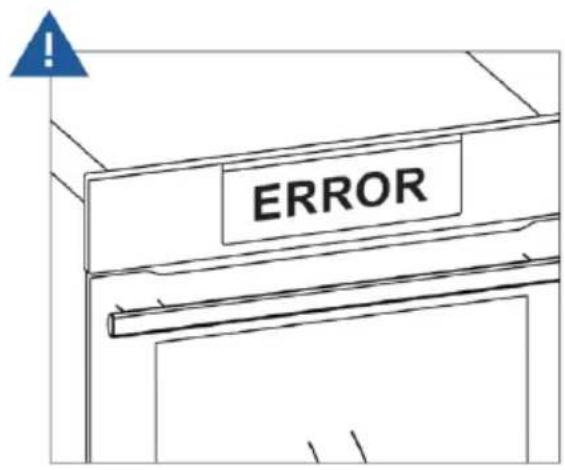
7. TROUBLE SHOOTING
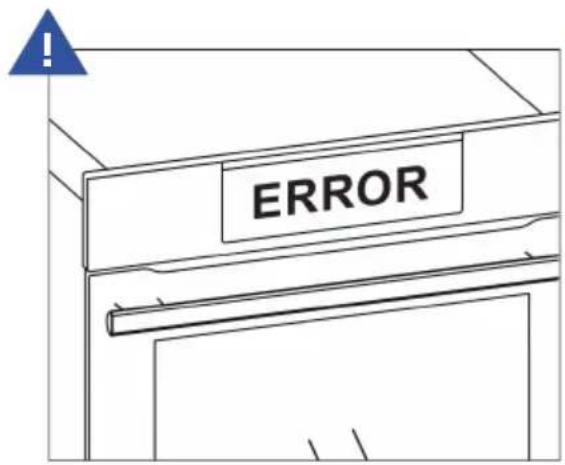
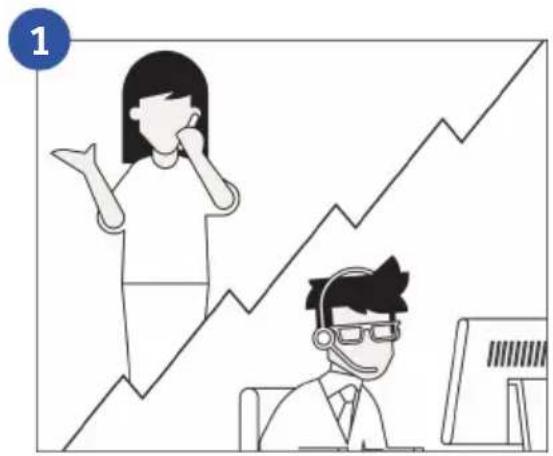
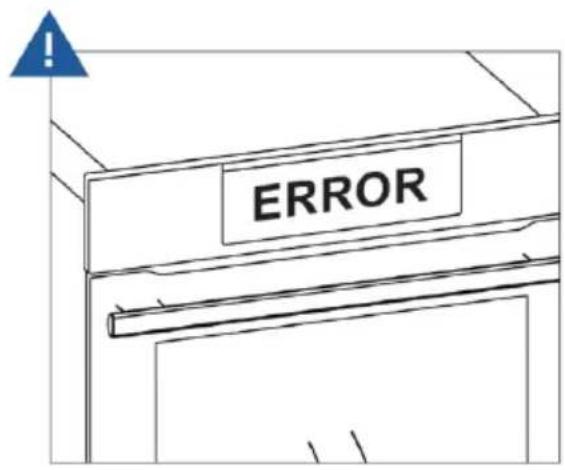
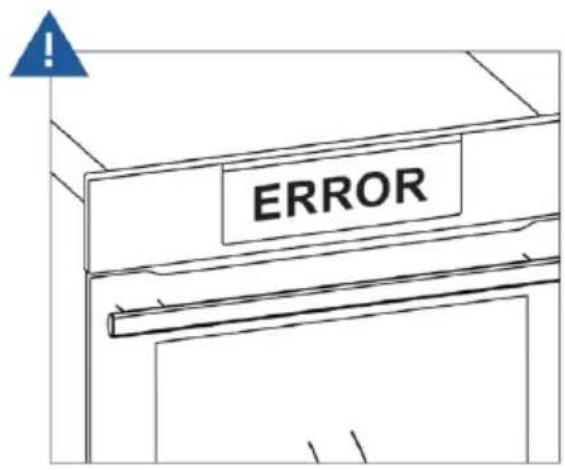
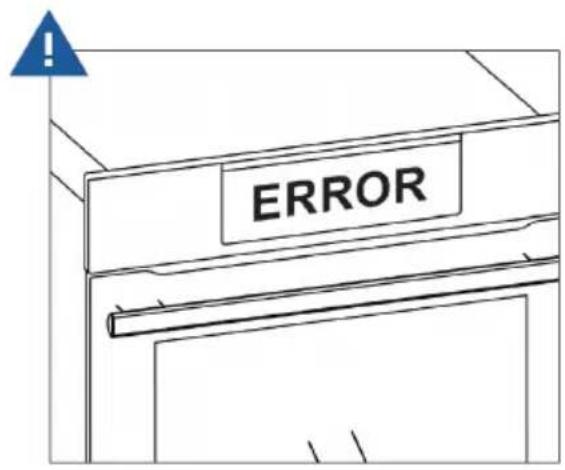
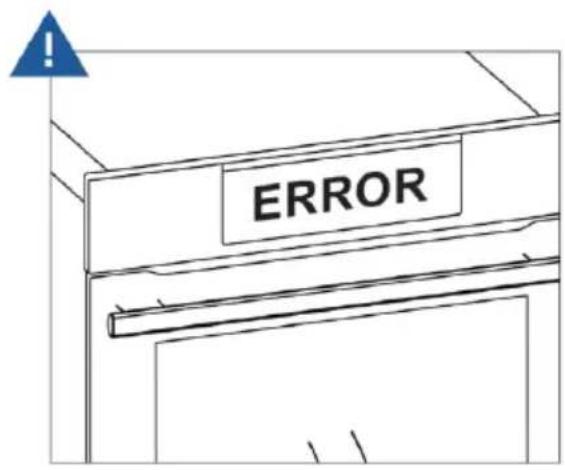
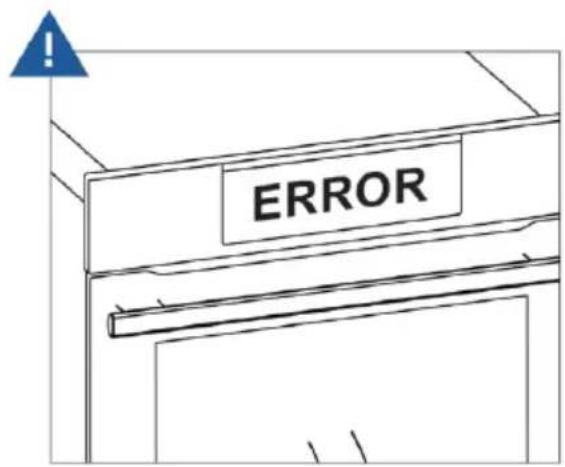
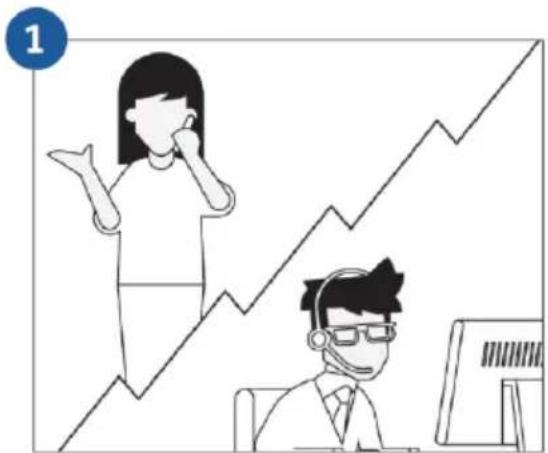
Error
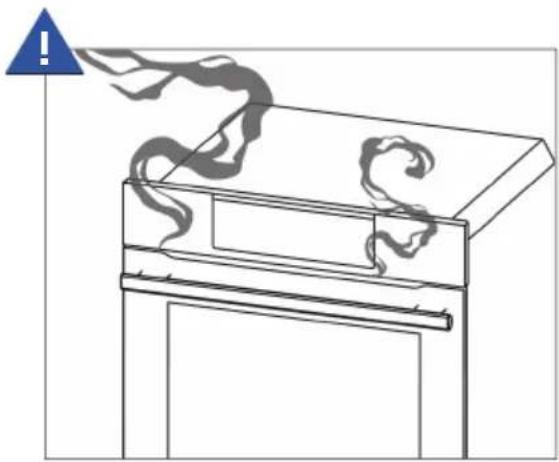
Smoke
natural_image
Illustration of a window with smoke rising from a tray, no text or symbols present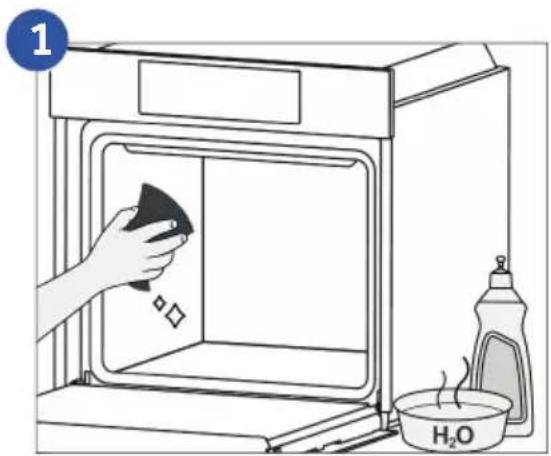
8. ENVIRONMENTAL PROTECTION & DISPOSAL
8.1. Appliance disposal
natural_image
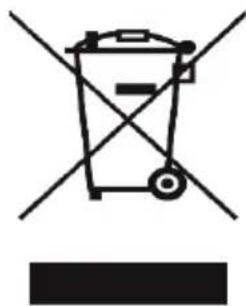
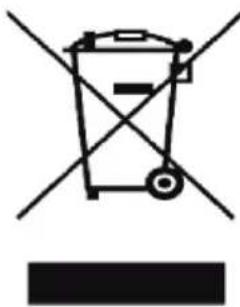
Simple line drawing of a trash bin with crossed lines indicating no waste or discharge (no text or symbols)This appliance is labelled in accordance with European Directive 2012/19/EU regarding electric and electronic appliances (WEEE). The WEEE contain both polluting substances (that can have a negative effect on the environment) and base elements (that can be reused). It is important that the WEEE undergo specific treatments to correctly remove and dispose of the pollutants and recover all the materials. Individuals can play an important role in ensuring that the WEEE do not become an environmental problem; it is essential to follow a few basic rules:
- the WEEE should not be treated as domestic waste; - the WEEE should be taken to dedicated collection areas managed by the town council or a registered company.
In many countries, domestic collections may be available for large WEEEs. When you buy a new appliance, the old one can be returned to the vendor who must accept it free of charge as a one-off, as long as the appliance is of an equivalent type and has the same functions as the purchased appliance.
8.2. Saving and respecting the environment
Where possible, avoid pre-heating the oven and always try to fill it.
Open the oven door as infrequently as possible, because heat from the cavity disperses every time it is opened. For a significant energy saving, switch off the oven between 5 and 10 minutes before the planned end of the cooking time, and use the residual heat that the oven continues to generate. Keep the seals clean and in order, to avoid any heat dispersal outside of the cavity. If you have an electric contract with an hourly tariff, the "delayed cooking" programme makes energy saving more simple, moving the cooking process to start at the reduced tariff time slot.
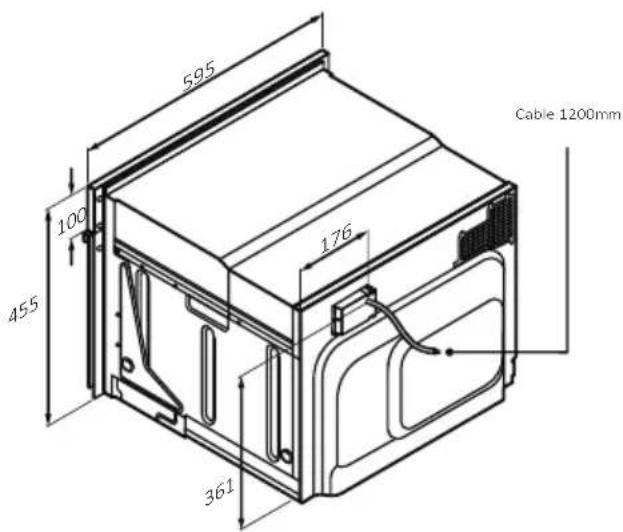
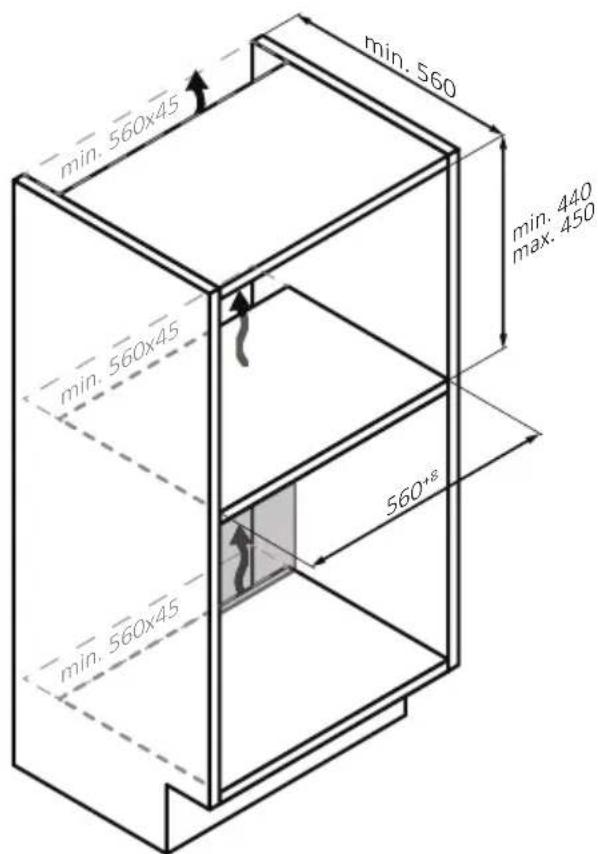
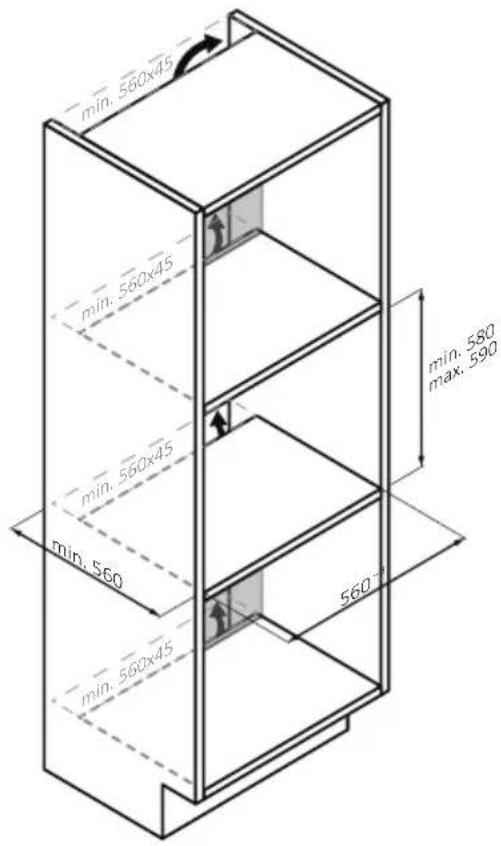
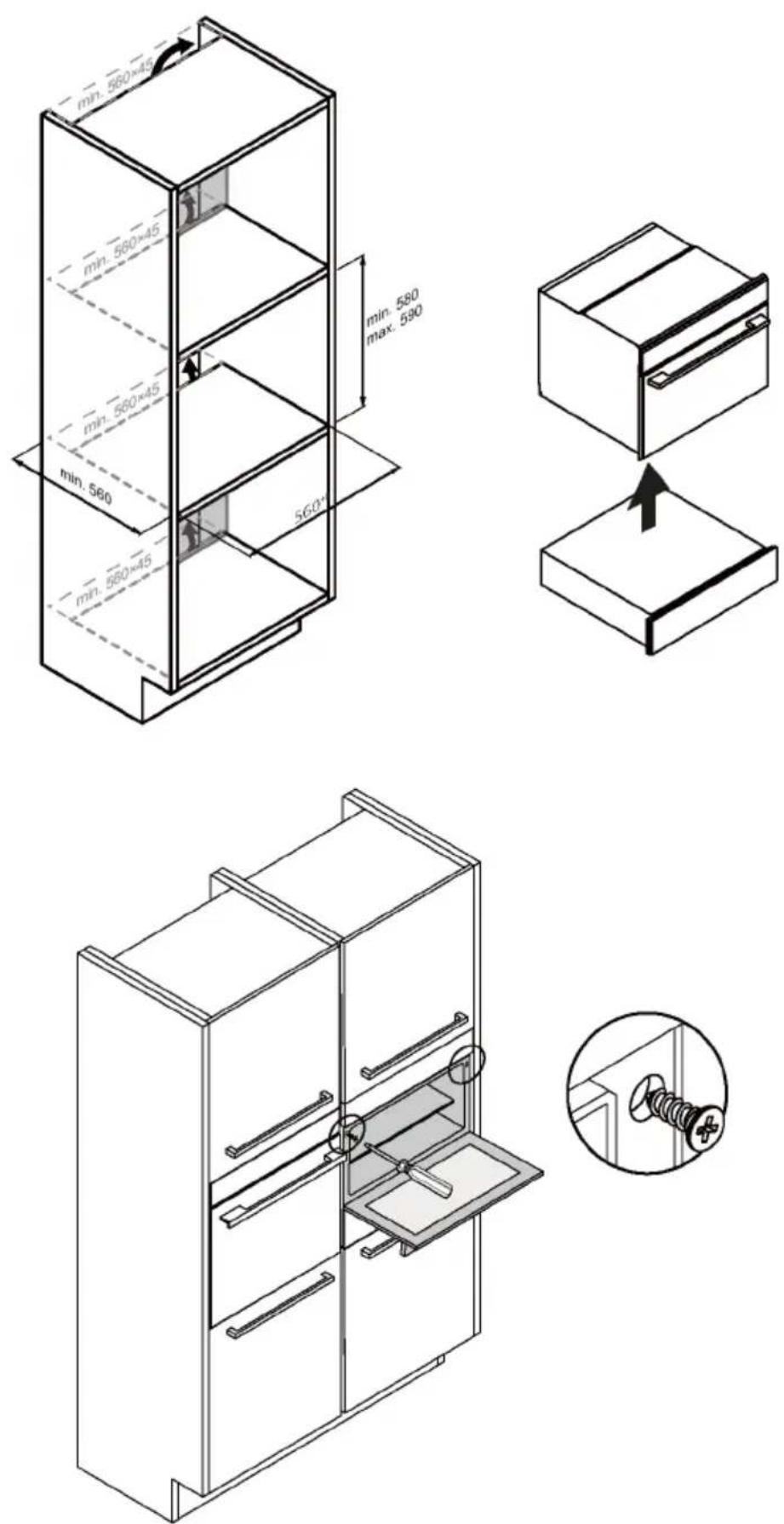
9. INSTALLATION

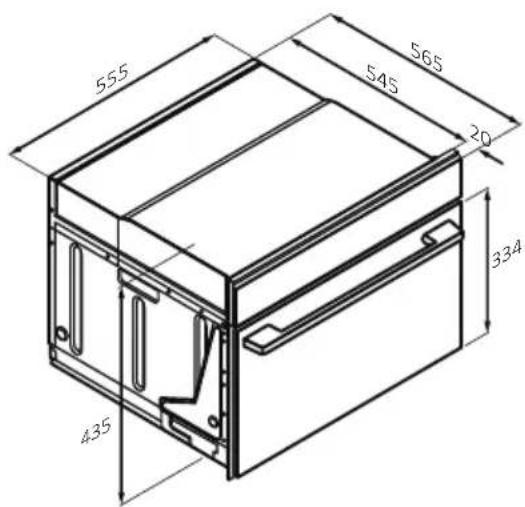
NOTE:
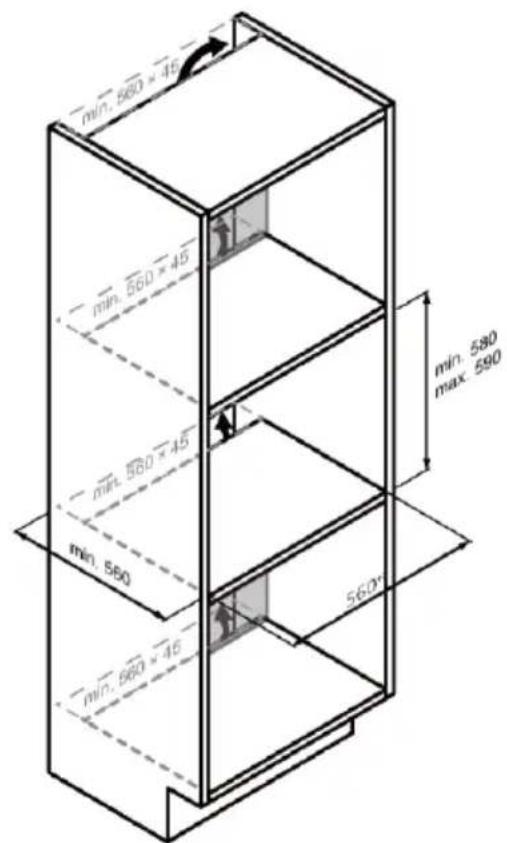
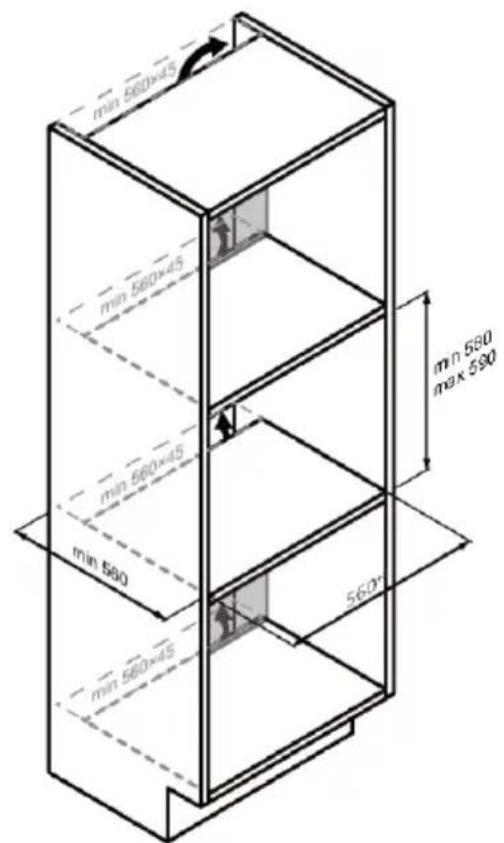
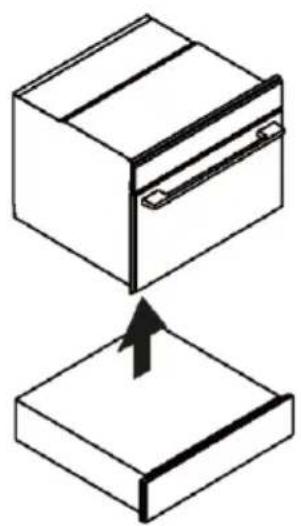
It is not recommended to install the oven under cooktop.
If this is necessary, be sure to leave a large enough gap for the cooktop according to the manufacturer's instructions.
natural_image
Isometric line drawing of a rectangular box with a side clip and two clamps (no text or symbols)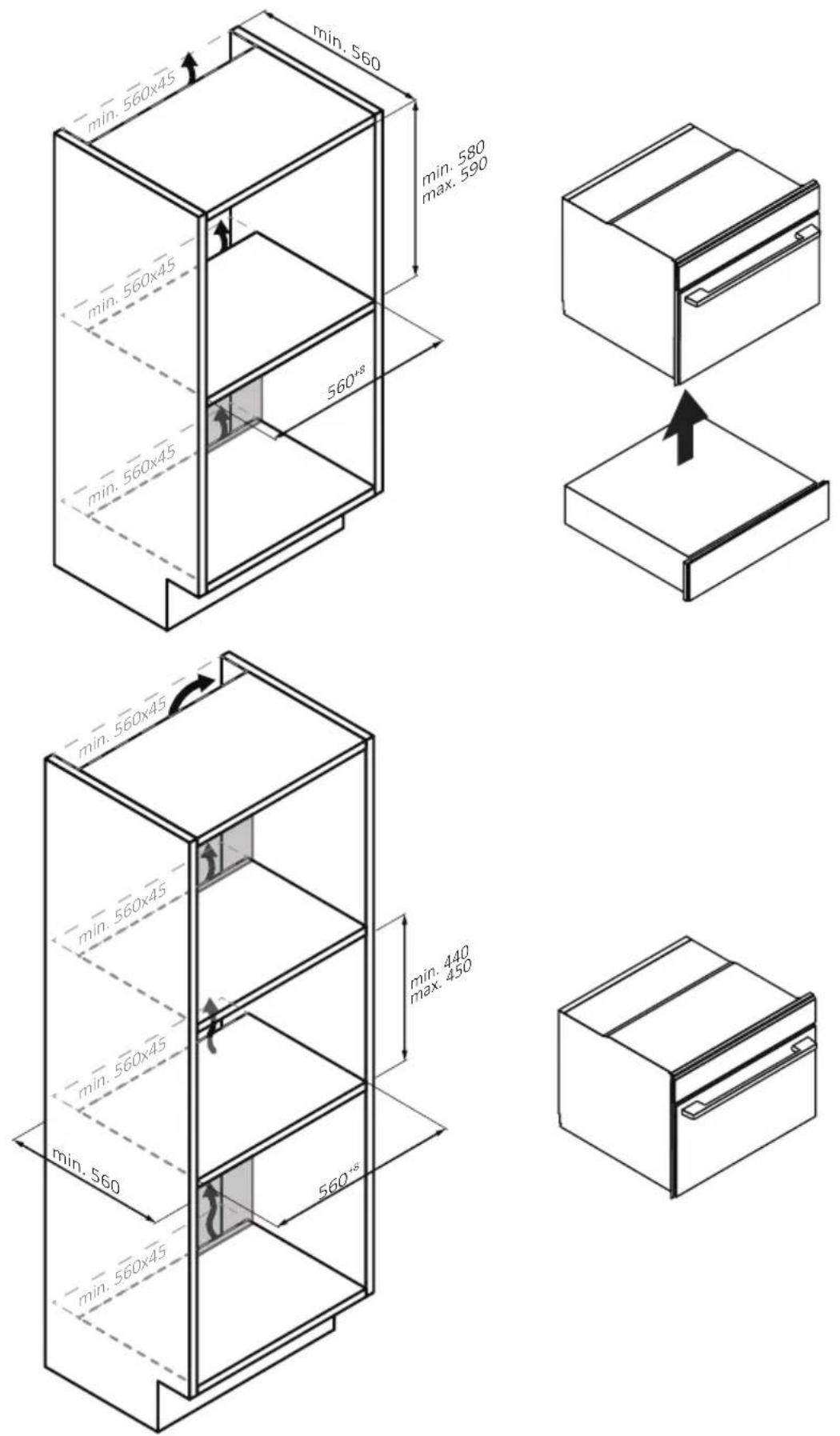
natural_image
Diagram showing two 3D box-like structures with an arrow indicating a transformation or assembly (no text or symbols present)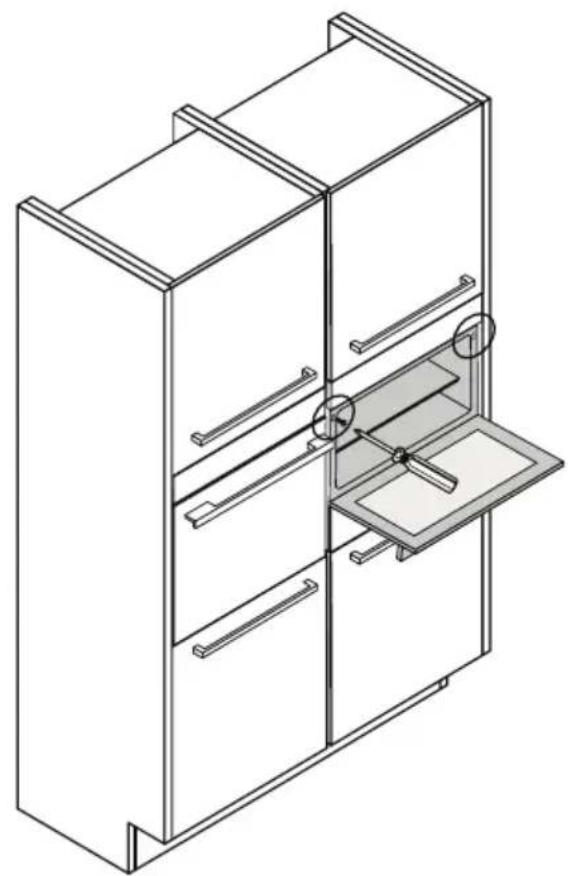
natural_image
Isometric line drawing of a multi-level cabinet with drawers and a tray, no text or symbols present
natural_image
Simple line drawing of a screw with a plus button, enclosed in a circle (no text or symbols)VÍTEJTE
natural_image
Empty white rectangle with black border (no text or symbols)natural_image
Line drawing of a square container with internal geometric patterns (no text or symbols)natural_image
Isometric line drawing of a rectangular grid structure with an arrow indicating direction (no text or symbols)natural_image
Two identical metal frame structures arranged side by side, no text or symbols visible.natural_image
Line drawing of a window with a circular inset showing a fan or pointer (no text or symbols)natural_image
Isometric line drawing of a rectangular metal tray with vertical slats and a directional arrow (no text or symbols)natural_image
Isometric line drawing of a square frame with a small curved top edge (no text or symbols)natural_image
Isometric line drawing of a rectangular plate with horizontal grooves and a curved top (no text or symbols)natural_image
Line drawing of a medical or laboratory probe with a curved tube and connector (no text or symbols)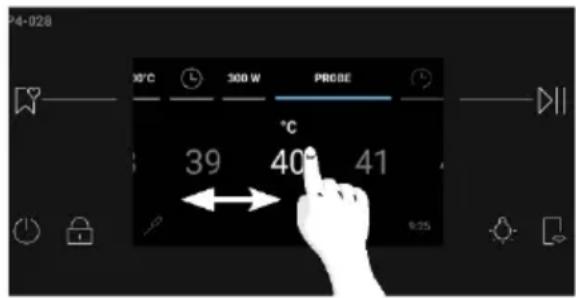
natural_image
Simple line drawing of a roasted chicken (no text or symbols)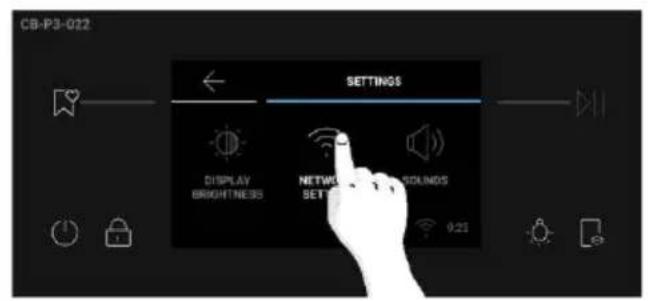
Jak resetovat sít:
RYCHLÉ PÁROVÁNÍ S REGISTRACÍ
Krok 1
Krok 2
Krok 3
Krok 4
Krok 5
Kroky 6.1–6.2
Krok 7
DÁLKOVÉ OVLÁDÁNÍ
4. OVLÁDÁNÍ SPOTŘEBIČE
DALŠÍ FUNKCE

Světlo
4.2. Funkce pečení
Standardní funkce
5. POKYNY PRO PEČENÍ
5.1. Tabulka Everyday Cooking
7. ŘEŠENÍ PROBLÉMŮ
Chyba
Kouř
natural_image
Illustration of a fire extinguisher with smoke rising from its chimney (no text or symbols)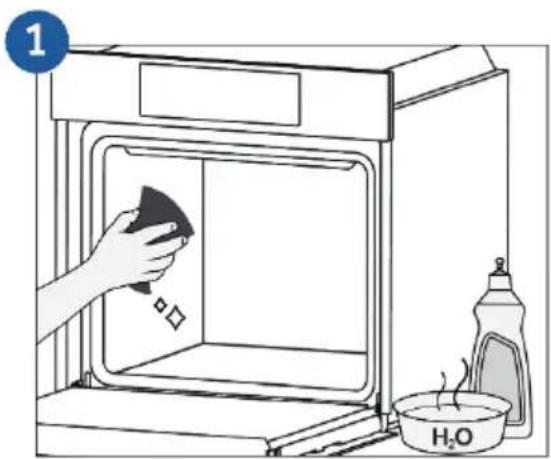
8. OCHRANA ŽIVOTNÍHO PROSTŘEDÍ A LIKVIDACE
natural_image
Simple line drawing of a trash bin with crossed lines indicating no waste or discharge (no text or symbols)POZNÁMKA:
Nedoporučuje se instalovat troubu pod varnou desku.
natural_image
Isometric line drawing of a rectangular box with internal compartments (no text or symbols)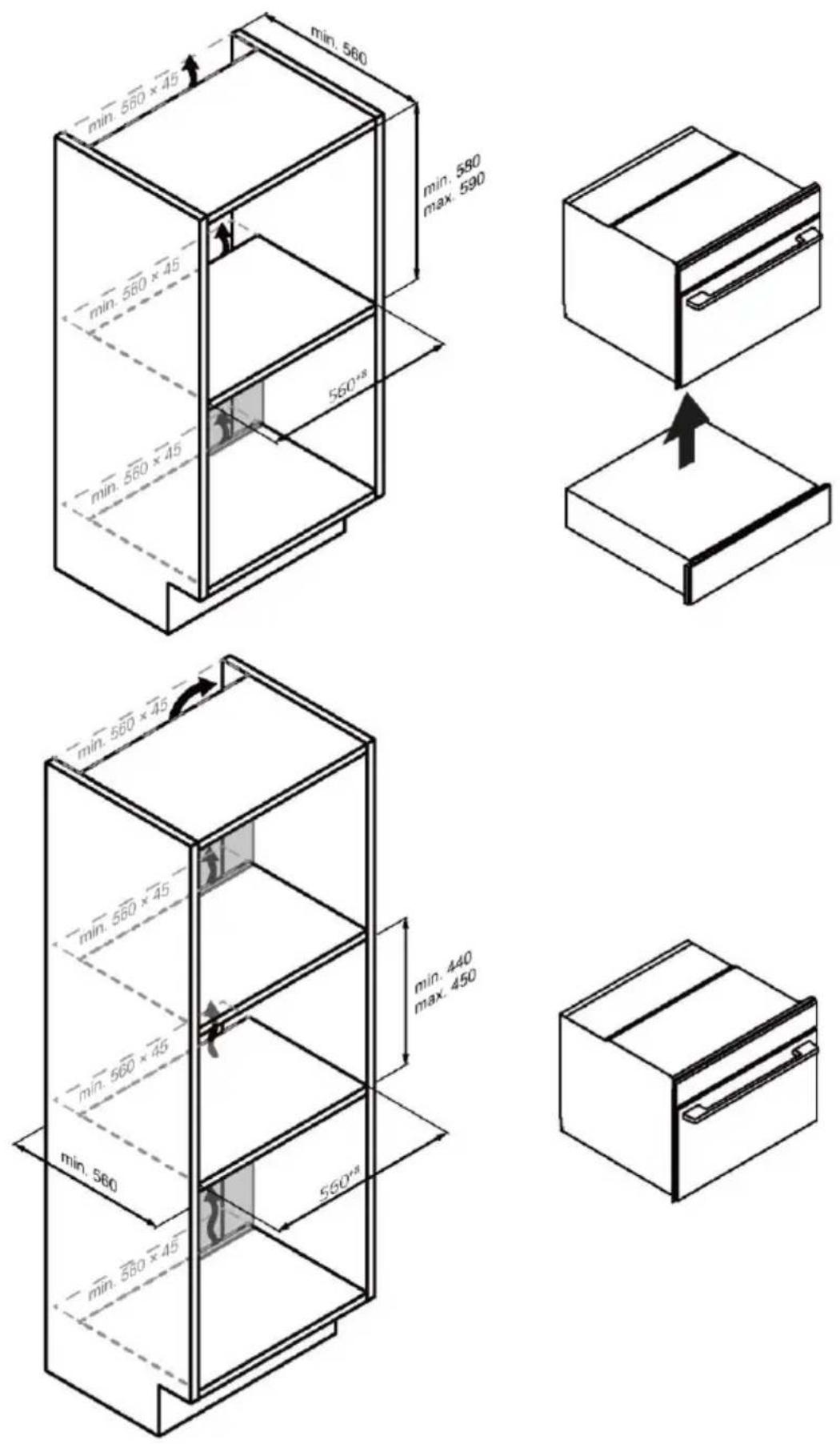
natural_image
Diagram showing two 3D box shapes with internal strips and an arrow indicating a process or transformation (no text or symbols)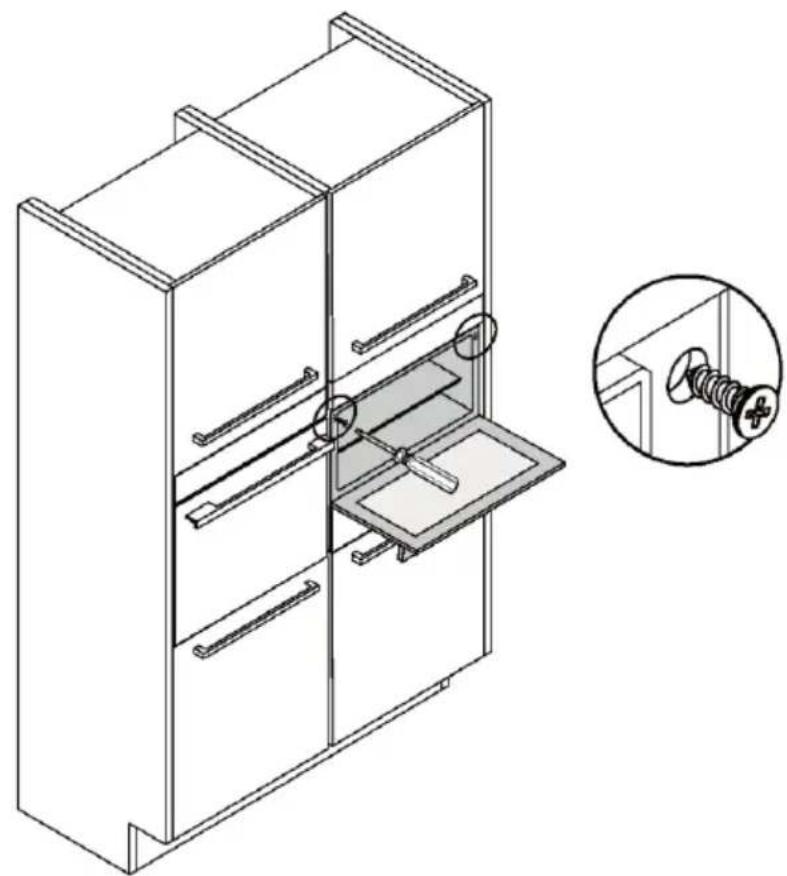
natural_image
Technical line drawing of a cabinet with internal compartments and a magnified inset showing a screw (no text or symbols)WILLKOMMEN
2.2. Zubehör
natural_image
Empty white rectangle with black border (no text or symbols)natural_image
Line drawing of a rectangular tray with internal compartments (no text or symbols)natural_image
Isometric line drawing of a rectangular metal grate with horizontal slats and an arrow indicating direction (no text or symbols)natural_image
Two identical metal frame structures with parallel supports, shown in isometric view (no text or symbols)natural_image
Sketch of a wooden door with a circular inset showing a radial pattern (no text or symbols)natural_image
Line drawing of a rectangular metal tray with horizontal slats and a directional arrow (no text or symbols)natural_image
Isometric line drawing of a square container with a small triangular top (no text or symbols)natural_image
Isometric line drawing of a rectangular plate with horizontal grooves and a central slot (no text or symbols)natural_image
Line drawing of a medical or laboratory probe with a curved tube and connector (no text or symbols)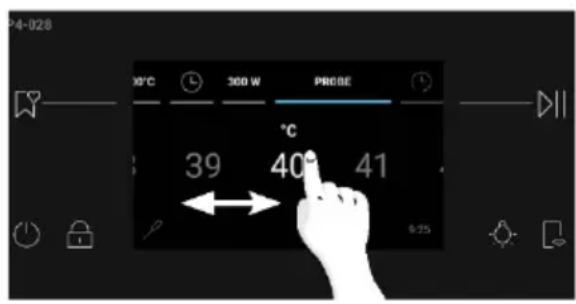

natural_image
Simple line drawing of a roasted chicken (no text or symbols)2.3. Bedienfeld

Schritt 2
Schritt 3
Schritt 4
Schritt 5
Schritt 6.1-6.2
Schritt 7
FERNSTEUERUNG
OVER THE AIR UPDATE (OTA)
WEITERE FUNKTIONEN
Beleuchtung
4.2. Garfunktionen
Standardfunktionen
7. FEHLERBEHEBUNG
Fehler
Rauch
natural_image
Illustration of a fire extinguisher with smoke rising from its chimney (no text or symbols)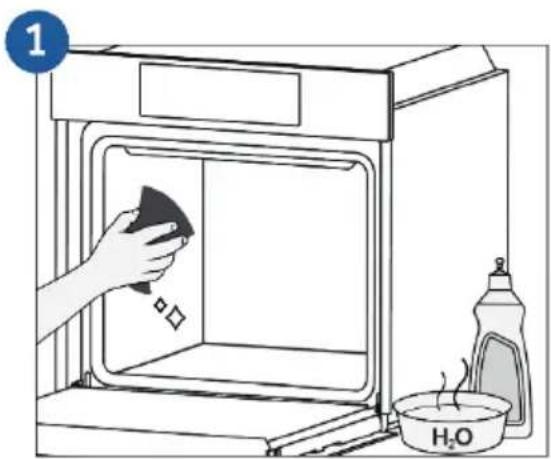
natural_image
Simple line drawing of a trash bin with crossed lines indicating no waste or discharge (no text or symbols)i HINWEIS:
natural_image
Diagram showing two 3D box shapes with internal strips and an arrow indicating a process or transformation (no text or symbols)
natural_image
Technical line drawing of a cabinet with internal compartments and a magnified inset showing a screw (no text or symbols)BIENVENUE
natural_image
Empty white rectangle with black border (no text or symbols)natural_image
Line drawing of a rectangular tray with internal compartments (no text or symbols)natural_image
Isometric line drawing of a rectangular metal grate with horizontal slats and an arrow indicating direction (no text or symbols)natural_image
Two identical metal frame structures arranged side by side, no text or symbols visiblenatural_image
Hand-drawn sketch of a mechanical component with a circular inset showing radial lines (no text or symbols)natural_image
Line drawing of a rectangular metal tray with horizontal slats and a directional arrow (no text or symbols)natural_image
Simple line drawing of a rectangular tray or container with rounded edges and a small triangular cutout on top (no text or symbols)natural_image
Isometric line drawing of a rectangular plate with horizontal grooves and a central slot (no text or symbols)natural_image
Line drawing of a medical or laboratory probe with a curved tube and connector (no text or symbols)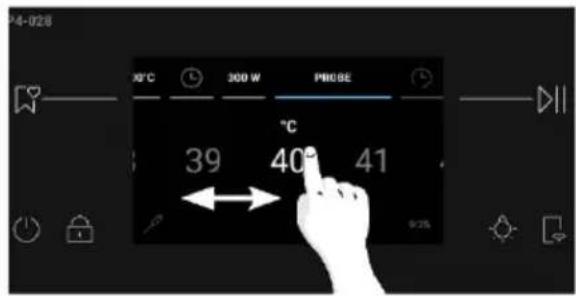
natural_image
Simple line drawing of a roasted chicken (no text or symbols)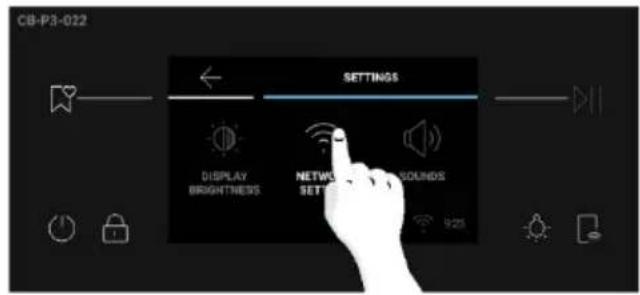
COMMENT INTERAGIR AVEC L'APPLICATION
APPAIRAGE RAPIDE
Étape 1
Étape 2
Étape 3
Étape 4
Étape 5
Étape 6.1-6.2
Étape 7
CONTRÔLE À DISTANCE
4. FONCTIONNEMENT DU PRODUIT
FONCTIONS SUPPLÉMENTAIRES

Éclairage
7. DÉPANNAGE
Erreur
Fumée
natural_image
Illustration of a fire extinguisher with smoke rising from its chimney (no text or symbols)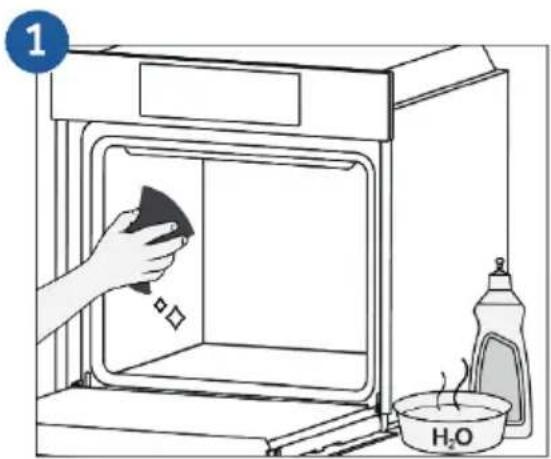
8. PROTECTION DE L'ENVIRONNEMENT ET ÉLIMINATION
natural_image
Simple line drawing of a trash bin with crossed lines indicating no waste or discharge (no text or symbols)i REMARQUE :
natural_image
Isometric line drawing of a rectangular box with a side tab and a clip (no text or symbols)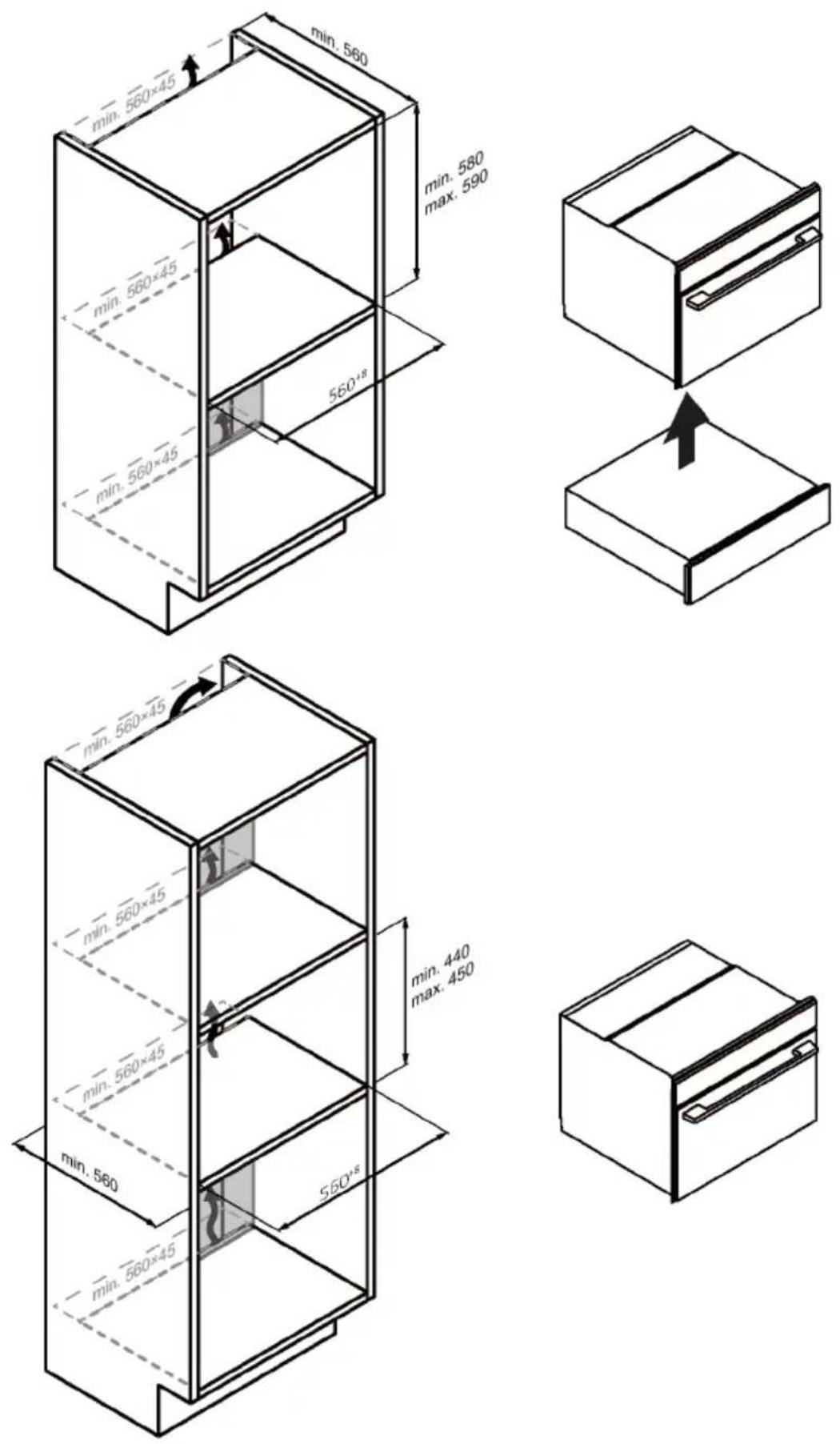
BENVENUTI
natural_image
Empty white rectangle with black border (no text or symbols)natural_image
Line drawing of a rectangular tray with internal compartments (no text or symbols)natural_image
Isometric line drawing of a rectangular grid structure with an arrow indicating direction (no text or symbols)natural_image
Two identical metal frame structures arranged side by side, no text or symbols present.natural_image
Line drawing of a window frame with a circular inset showing a fan or pointer (no text or symbols)natural_image
Line drawing of a rectangular metal tray with horizontal slats and a directional arrow (no text or symbols)natural_image
Isometric line drawing of a square frame with a small curved top surface (no text or symbols)natural_image
Isometric line drawing of a rectangular plate with horizontal grooves and a curved edge (no text or symbols)natural_image
Line drawing of a medical or laboratory probe with a curved tube and connector (no text or symbols)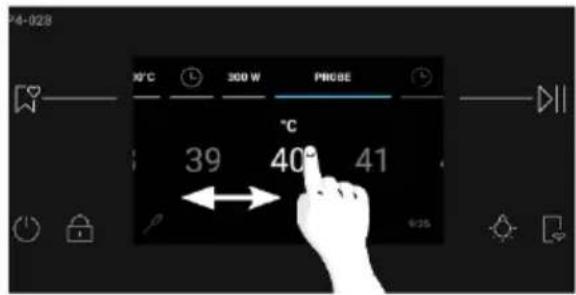
natural_image
Simple line drawing of a roasted chicken (no text or symbols)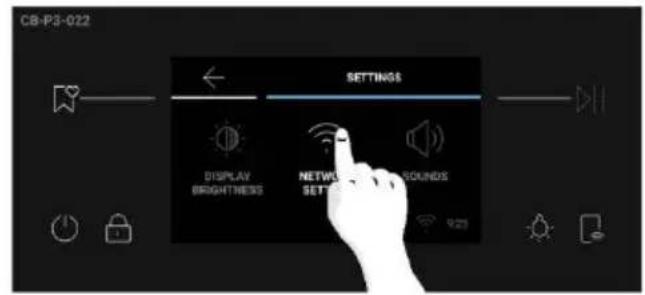
Passo 2
Passo 3
Passo 4
Passo 5
Passo 6.1-6.2
Passo 7

CONTROLLO DA REMOTO

FUNZIONI AGGIUNTIVE

Illuminazione
5.1. Tabella Everyday Cooking
7. SOLUZIONE DEI PROBLEMI
Errore
Fumo
natural_image
Illustration of a fire extinguisher with smoke rising from its chimney (no text or symbols)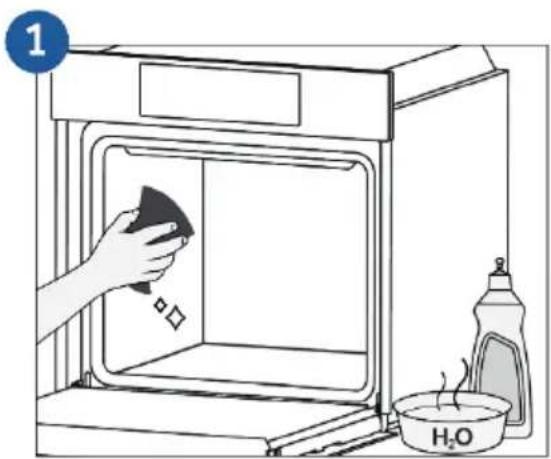
natural_image
Simple line drawing of a trash bin with crossed lines indicating no waste or discharge (no text or symbols)
9. INSTALLAZIONE

NOTA:
natural_image
Isometric line drawing of a rectangular box with internal horizontal lines and a clip (no text or symbols)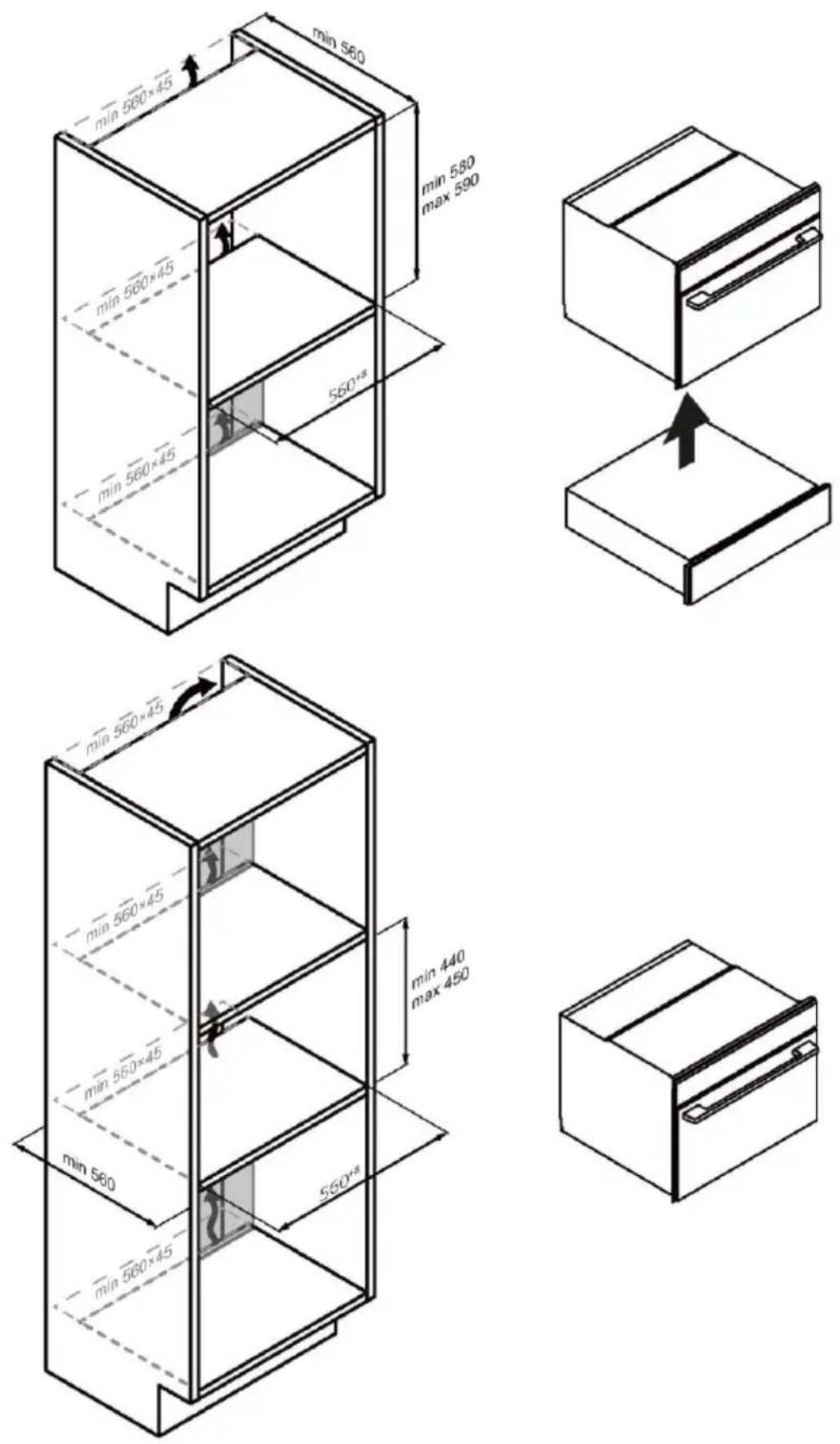
natural_image
Diagram showing two 3D box arrangements with an arrow indicating a process or transformation (no text or symbols present)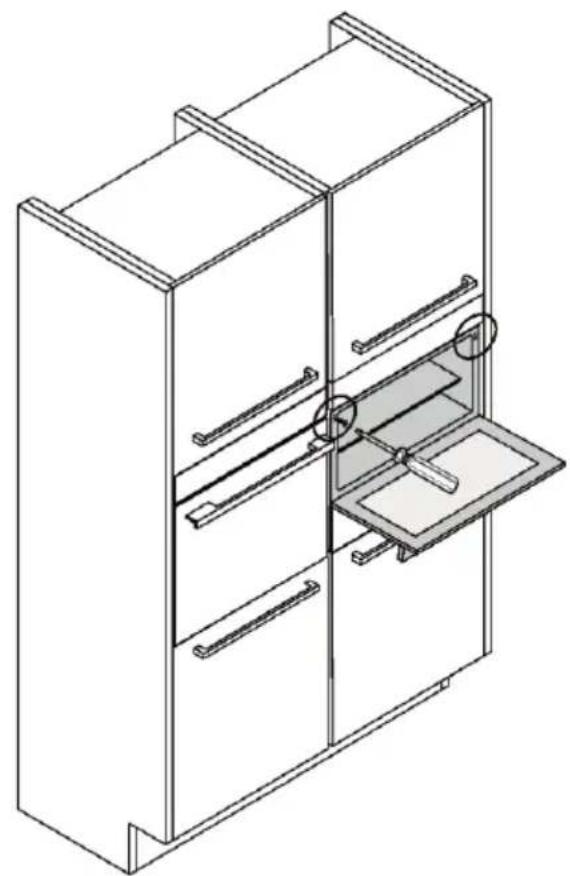
natural_image
Isometric line drawing of a multi-level cabinet with drawers and a tray, no text or symbols present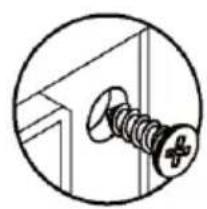
natural_image
Simple line drawing of a screw with a plus symbol, enclosed in a circular frame (no text or labels)WELKOM
2. PRODUCTINTRODUCTIE
4. WERKING VAN HET PRODUCT
2. PRODUCTINTRODUCTIE
2.2. Accessoires
natural_image
Empty white rectangle with black border (no text or symbols)natural_image
Line drawing of a rectangular tray with internal compartments (no text or symbols)natural_image
Isometric line drawing of a rectangular metal grate or rack structure with an arrow indicating direction (no text or symbols)natural_image
Two identical metal frame structures arranged side by side, no text or symbols visiblenatural_image
Line drawing of a window frame with a circular inset showing a fan or pointer (no text or symbols)natural_image
Isometric line drawing of a rectangular metal tray with horizontal slats and a directional arrow (no text or symbols)natural_image
Isometric line drawing of a square frame with a small triangular cutout at the top center (no text or symbols)natural_image
Isometric line drawing of a rectangular plate with horizontal grooves and a curved top (no text or symbols)natural_image
Line drawing of a medical or laboratory probe with a curved tube and connector (no text or symbols)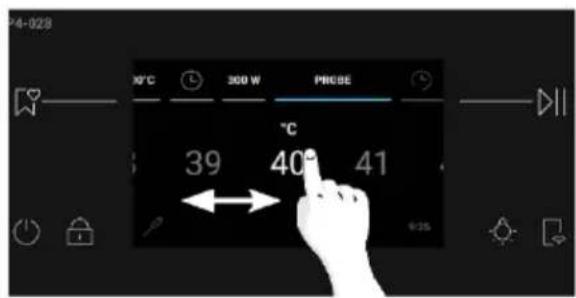
natural_image
Simple line drawing of a roasted chicken (no text or symbols)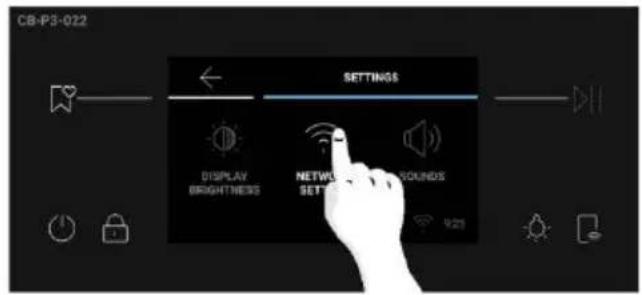

SNELLE KOPPELING
Stap 1
Stap 2
Stap 3
- Selecteer de magnetron in de apparaatcategorie.
Stap 4
Stap 5
Stap 6.1–6.2
Stap 7

4. WERKING VAN HET PRODUCT
natural_image
Hand pointing at a digital interface with icons (no text or symbols)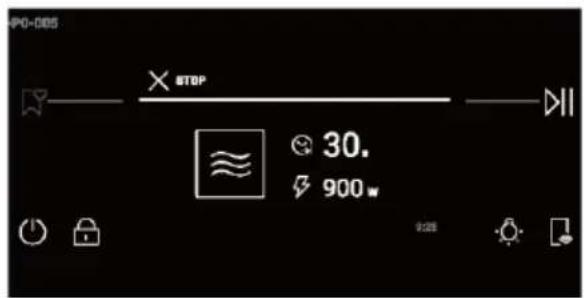
EXTRA FUNCTIES

Verlichting
©
5.1. Tabel Everyday Cooking
7. PROBLEMEN OPLOSSEN
Fout
Rook
natural_image
Diagram of a device emitting smoke or vapor, with a warning triangle and warning symbol (no text labels)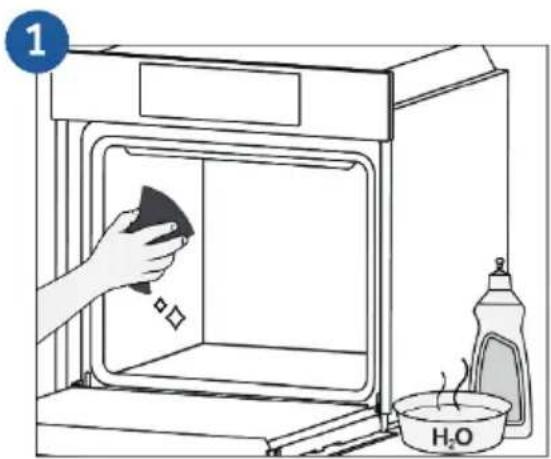
natural_image
Simple line drawing of a trash bin with crossed lines indicating no waste or restriction (no text or symbols)9. INSTALLATIE
OPMERKING:
natural_image
Diagram showing two 3D box shapes with internal strips and an arrow indicating a process or transformation (no text or symbols)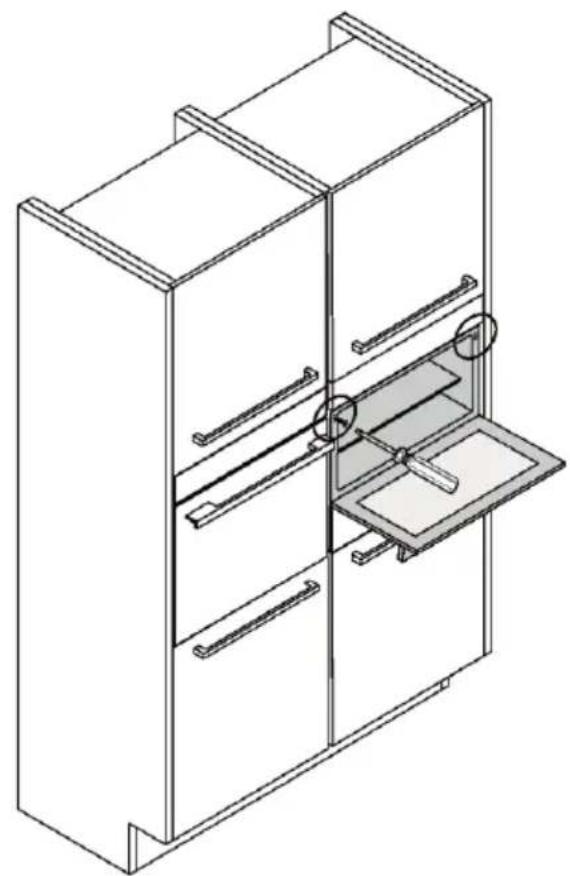
natural_image
Isometric line drawing of a multi-level refrigerator with drawers and a drawer (no text or symbols)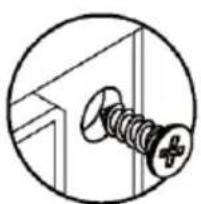
natural_image
Simple line drawing of a screw with a plus symbol, enclosed in a circular frame (no text or labels)VITAJTE
natural_image
Empty white rectangle with black border (no text or symbols)natural_image
Line drawing of a rectangular tray with internal compartments (no text or symbols)natural_image
Isometric line drawing of a rectangular grid structure with an arrow indicating direction (no text or symbols)Drží plechy a formy na pečenie.
natural_image
Two identical metal frame structures arranged side by side, no text or symbols visiblenatural_image
Line drawing of a window with a circular inset showing a fan or pointer (no text or symbols)natural_image
Line drawing of a rectangular metal tray with horizontal slats and a directional arrow (no text or symbols)natural_image
Isometric line drawing of a square container with a small triangular top (no text or symbols)Drží plechy a formy na pečenie.
natural_image
Isometric line drawing of a rectangular plate with horizontal grooves and a central slot (no text or symbols)Pojme plechy na pečenie a taniere.
natural_image
Line drawing of a medical or laboratory probe with a curved tube and two connectors (no text or symbols)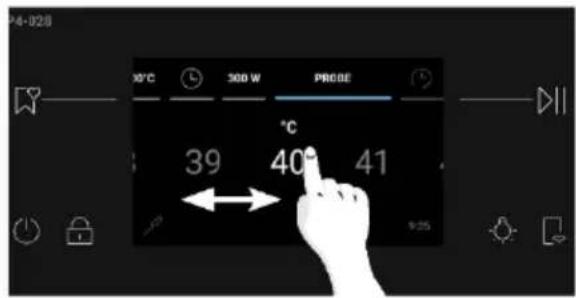
natural_image
Simple line drawing of a roasted chicken (no text or symbols)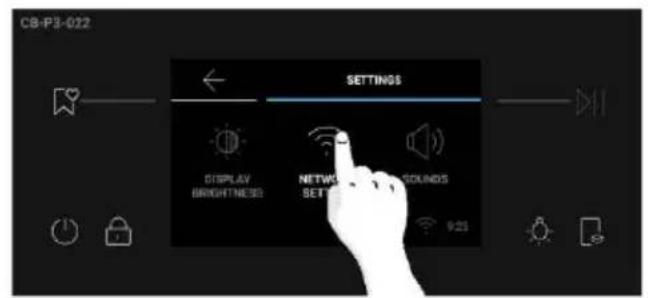
Ako resetovat' siet:
AKO KOMUNIKOVAŤ S APLIKÁCIOU
RÝCHLE PÁROVANIE
Krok 1
Krok 2
- Povol'te povolenie polohy.
Krok 3
Krok 4
- Zapnite spotrebič. Ak už je zapnutý, vypnite ho a znova zapnite.
Krok 5
Krok 6.1 - 6.2
Krok 7
DIAŁKOVÉ OVLÁDANIE


- ZVUK: Na voliči na domovskoj obrazovke stlačte „Nastavenia“. Posúvajte sa vodorovne po ponuke Nastavenia a stlačte „Zvuky“. Posúvaním posúvača doľava a doprava upravte hlasitost zvuku. Stlačte tlačidlo na potvrdenie.

4. OBSLUHA SPOTREBIČA

ĎALŠIE FUNKCIE

Svetlo
Ak chcete zapnút/vypnút osvetlenie priestoru, stlačte na ovládacom paneli.

5. KUCHÁRSKA PRÍRUČKA
5.1. Tabul'ka pre Everyday Cooking
7. RIEŠENIE PROBLÉMOV
Chyba
Dym
natural_image
Diagram of a device emitting smoke or vapor, with a warning triangle and warning symbol (no text labels)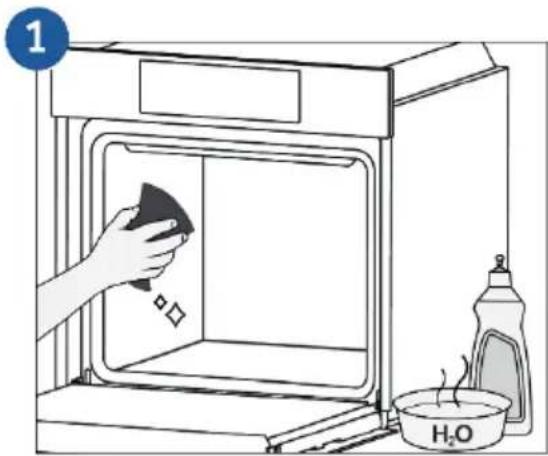
8. OCHRANA ŽIVOTNÉHO PROSTREDIA A LIKVIDÁCIA SPOTREBIČA
8.1. Likvidácia spotrebiča
natural_image
Simple line drawing of a trash bin with crossed lines indicating no waste or discharge (no text or symbols)natural_image
Diagram showing two 3D box shapes with internal strips and an arrow indicating a process or transformation (no text or symbols)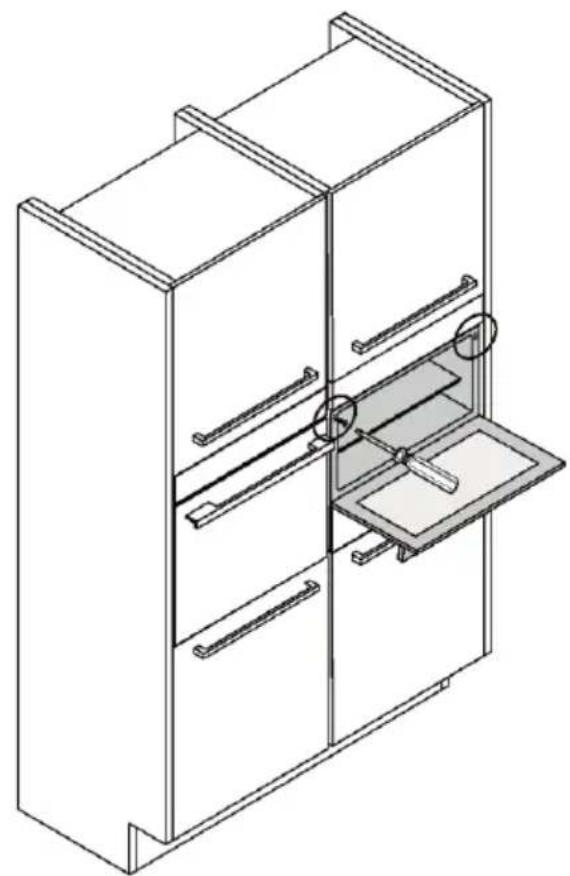
natural_image
Isometric line drawing of a multi-level cabinet with drawers and a drawer, no text or symbols present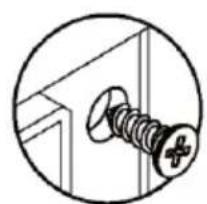
natural_image
Simple line drawing of a screw with a plus symbol, enclosed in a circle (no text or labels)ÜDVÖZÖLJÜK
natural_image
Empty white rectangle with a thin black border (no text or symbols)natural_image
Line drawing of a square container with internal compartments (no text or symbols)natural_image
Isometric line drawing of a rectangular metal grate or rack structure with an arrow indicating direction (no text or symbols)natural_image
Two identical metal frame structures arranged side by side, no text or symbols present.natural_image
Sketch of a window frame with a circular inset showing light rays (no text or symbols)natural_image
Isometric line drawing of a rectangular metal grate or rack structure with a directional arrow indicating rotation (no text or symbols)natural_image
Isometric line drawing of a rectangular plate with horizontal slats and four corner holes (no text or symbols)natural_image
Isometric line drawing of a square frame with rounded corners and a small curved top edge (no text or symbols)natural_image
Line drawing of a medical or laboratory probe with a curved tube and two connectors (no text or symbols)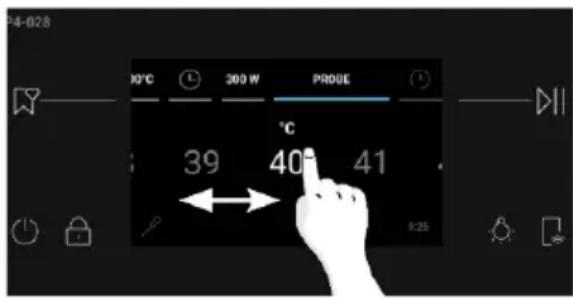
natural_image
Simple line drawing of a roasted chicken (no text or symbols)2.3. Vezérlőpanel

flowchart
graph LR
    A["3"] --> B[" "]
    B --> C["4"]
    D["1"] --> E["2"]
    F["5"] --> G["6"]
ÚJ FELHASZNÁLÓ REGISZTRÁLÁSA

GYORS PÁROSÍTÁS
1. lépés
2. lépés
3. lépés
4. lépés
5. lépés
6.1-6.2. lépés
7. lépés
TÁVVEZÉRLŐ
4. A TERMÉK MÚKÖDÉSE
TOVÁBBI FUNKCIÓK

Világítás

7. HIBAELHÁRÍTÁS
Hiba
Füst
natural_image
Simple line drawing of a cabinet with smoke rising from top, no text or symbols present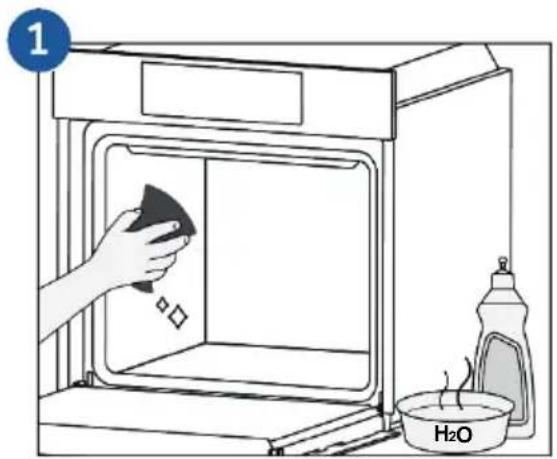
natural_image
Simple line drawing of a trash bin with crossed lines indicating no waste or discharge (no text or symbols)9. TELEPÍTÉS
MEGJEGYZÉS:
natural_image
Diagram showing two 3D box shapes with an arrow indicating a transformation or assembly (no text or symbols present)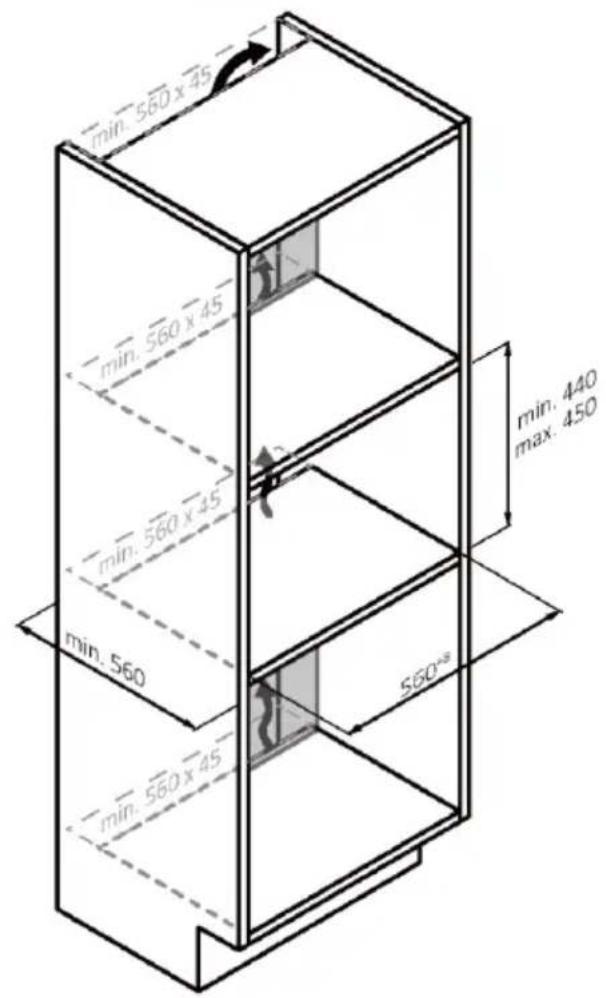
natural_image
Simple line drawing of a 3D box with a slot and handle (no text or symbols)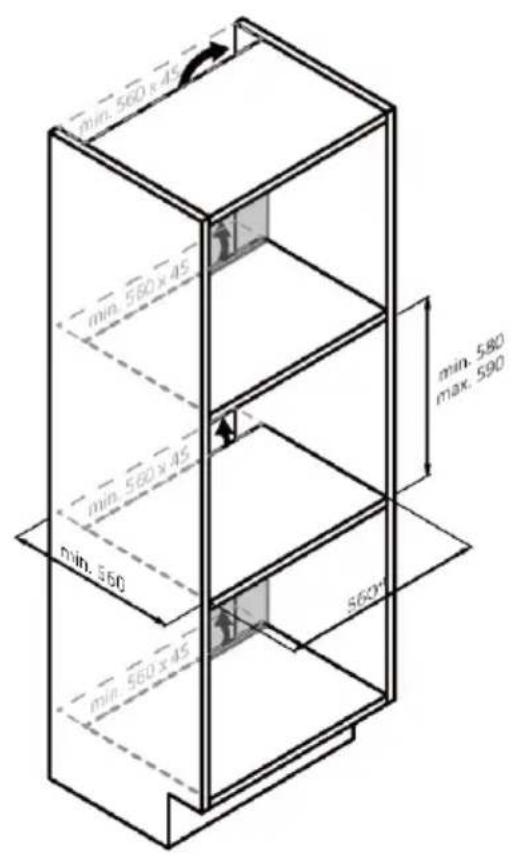
natural_image
Diagram showing two 3D blocks with internal lines and an arrow indicating a process or transformation (no text or symbols)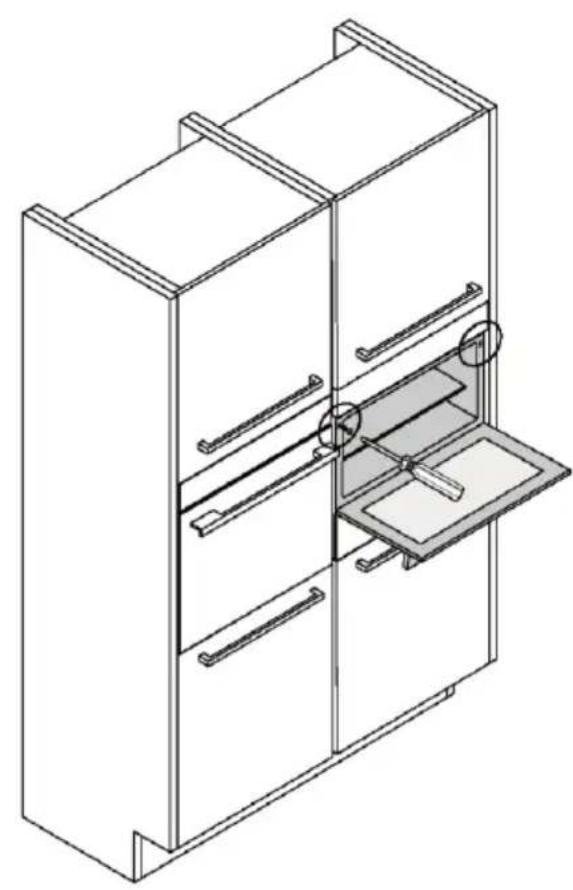
natural_image
Isometric line drawing of a multi-level cabinet with drawers and a drawer, no text or symbols present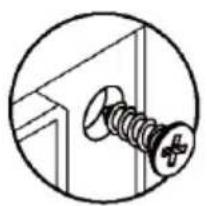
natural_image
Simple line drawing of a screw with a cross mark, enclosed in a circular frame (no text or symbols)Haier
0290500817


- WELCOME
- SUMMARY
- 1.SAFETY INFORMATION
- 2.PRODUCT INTRODUCTION
- BEFORE STARTING
- OPERATION OF PRODUCT
- COOKING GUIDELINES
- CARE AND CLEANING
- TROUBLE SHOOTING
- ENVIRONMENTAL PROTECTION & DISPOSAL
- INSTALLATION
- General
- Installation
- Electrical warnings
- Servicing
- Fire hazard
- Food safety
- Cleaning
- Microwave cooking
- Unsuitable dishware
- Pacemakers
- Arcing
- Note:
- Overview of the product
- Accessories
- Tray Metal grid
- Lateral wire grids Soft close
- WARNINGS:
- Wired Meat probe
- How to use Probe:
- Cooking tips
- Control panel
- MAIN FUNCTIONS
- Connectivity
- Wireless parameters
- Product information for networked equipment
- How to activate wireless network port:
- How to deactivate wireless network port:
- How to reset network:
- HOW TO INTERACT WITH THE APP
- Getting started
- NEW USER REGISTRATION
- QUICK PAIR ENROLLMENT
- Step 1
- Step 2
- Step 3
- Step 4
- Step 5
- Step 6.1-6.2
- Step 7
- How to activate Remote Control:
- How to deactivate Remote Control:
- OVER THE AIR UPDATE (OTA)
- Information to start
- How illumination works
- How cooling fans work
- How door works
- Preliminary cleaning
- Conditioning
- After conditioning
- First Usage
- Additional Settings
- How the Product Works
- a.Minute Minder
- b.Auto-off
- c.Delay Start
- ADDITIONAL FUNCTIONS
- Light
- Child Lock
- Cooking functions
- Save recipes as Favorites:
- How to access Favorites menu from the oven:
- Attention
- - Microwave functions
- - Microwave and convection functions
- - Convection functions
- - Rapid preheat
- - Delayed cook
- - Food safety
- General recommendations
- Cleaning the oven
- - Glass part
- - Oven window seal
- Demo mode
- Appliance disposal
- Saving and respecting the environment
- VÍTEJTE
- Jak resetovat sít:
- RYCHLÉ PÁROVÁNÍ S REGISTRACÍ
- Krok 1
- Krok 2
- Krok 3
- Krok 4
- Krok 5
- Kroky 6.1–6.2
- Krok 7
- DÁLKOVÉ OVLÁDÁNÍ
- OVLÁDÁNÍ SPOTŘEBIČE
- DALŠÍ FUNKCE
- Světlo
- Funkce pečení
- POKYNY PRO PEČENÍ
- ŘEŠENÍ PROBLÉMŮ
- OCHRANA ŽIVOTNÍHO PROSTŘEDÍ A LIKVIDACE
- POZNÁMKA:
- WILLKOMMEN
- Zubehör
- Bedienfeld
- Schritt 2
- Schritt 3
- Schritt 4
- Schritt 5
- Schritt 6.1-6.2
- Schritt 7
- FERNSTEUERUNG
- WEITERE FUNKTIONEN
- Beleuchtung
- Garfunktionen
- FEHLERBEHEBUNG
- i HINWEIS:
- BIENVENUE
- COMMENT INTERAGIR AVEC L'APPLICATION
- APPAIRAGE RAPIDE
- Étape 1
- Étape 2
- Étape 3
- Étape 4
- Étape 5
- Étape 6.1-6.2
- Étape 7
- CONTRÔLE À DISTANCE
- FONCTIONNEMENT DU PRODUIT
- FONCTIONS SUPPLÉMENTAIRES
- Éclairage
- DÉPANNAGE
- PROTECTION DE L'ENVIRONNEMENT ET ÉLIMINATION
- i REMARQUE :
- BENVENUTI
- Passo 2
- Passo 3
- Passo 4
- Passo 5
- Passo 6.1-6.2
- Passo 7
- CONTROLLO DA REMOTO
- FUNZIONI AGGIUNTIVE
- Illuminazione
- SOLUZIONE DEI PROBLEMI
- INSTALLAZIONE
- NOTA:
- WELKOM
- PRODUCTINTRODUCTIE
- WERKING VAN HET PRODUCT
- Accessoires
- SNELLE KOPPELING
- Stap 1
- Stap 2
- Stap 3
- Stap 4
- Stap 5
- Stap 6.1–6.2
- Stap 7
- EXTRA FUNCTIES
- Verlichting
- PROBLEMEN OPLOSSEN
- INSTALLATIE
- OPMERKING:
- VITAJTE
- Ako resetovat' siet:
- AKO KOMUNIKOVAŤ S APLIKÁCIOU
- RÝCHLE PÁROVANIE
- Krok 6.1 - 6.2
- DIAŁKOVÉ OVLÁDANIE
- OBSLUHA SPOTREBIČA
- ĎALŠIE FUNKCIE
- Svetlo
- KUCHÁRSKA PRÍRUČKA
- RIEŠENIE PROBLÉMOV
- OCHRANA ŽIVOTNÉHO PROSTREDIA A LIKVIDÁCIA SPOTREBIČA
- Likvidácia spotrebiča
- ÜDVÖZÖLJÜK
- Vezérlőpanel
- ÚJ FELHASZNÁLÓ REGISZTRÁLÁSA
- GYORS PÁROSÍTÁS
- lépés
- lépés
- lépés
- lépés
- lépés
- 6.1-6.2. lépés
- lépés
- TÁVVEZÉRLŐ
- A TERMÉK MÚKÖDÉSE
- TOVÁBBI FUNKCIÓK
- Világítás
- HIBAELHÁRÍTÁS
- TELEPÍTÉS
- MEGJEGYZÉS:
- Haier
Brand : HAIER
Model : H4MWID49C6NQB
Category : Microwave Oven