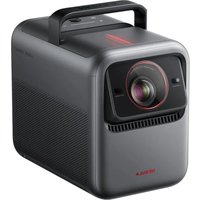
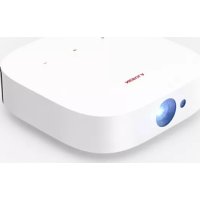
X1 - Projector NEBULA - Free user manual and instructions
Find the device manual for free X1 NEBULA in PDF.


| Product Type | Projector |
| Brand | NEBULA |
| Model | X1 |
| Throw Ratio | 0.9:1 to 1.5:1 (optical zoom) |
| Max Image Size | 300 inches |
| Projection Distance | 1.2 to 10 meters depending on size |
| Auto Image Adjustment | Yes (focus, keystone, spatial adaptation) |
| Operating System | Built-in Smart TV (Google TV) |
| Wireless Connectivity | Wi-Fi 2.4/5 GHz, Bluetooth 5.0 |
| HDMI Ports | 2 (including 1 with eARC) |
| USB Ports | USB-A and USB-C |
| Audio Output | Optical audio, built-in speaker |
| Voice Assistant | Google Assistant (via remote) |
| Wireless Casting | Google Cast, screen mirroring (NEBULA Cast app for iOS, Google Home app for Android) |
| Bluetooth Speaker Mode | Yes |
| Power Supply | AC adapter (DC input) |
| Remote Control | Yes, with AAA batteries |
| Laser Safety | Class 1 (IEC 60825-1:2014), RG1 (IEC 62471-5:2015) |
| Operating Temperature | 0°C to 35°C |
| Ceiling Mount | Possible (M4 mounts, min. screw length 6 mm) |
Frequently Asked Questions - X1 NEBULA
User questions about X1 NEBULA
0 question about this device. Answer the ones you know or ask your own.
Ask a new question about this device
Download the instructions for your Projector in PDF format for free! Find your manual X1 - NEBULA and take your electronic device back in hand. On this page are published all the documents necessary for the use of your device. X1 by NEBULA.
USER MANUAL X1 NEBULA
natural_image
Line drawing of a NEBULA portable radio device with front panel and speaker grille (no text or symbols on body)NEBULA X1 Quick Start Guide

App
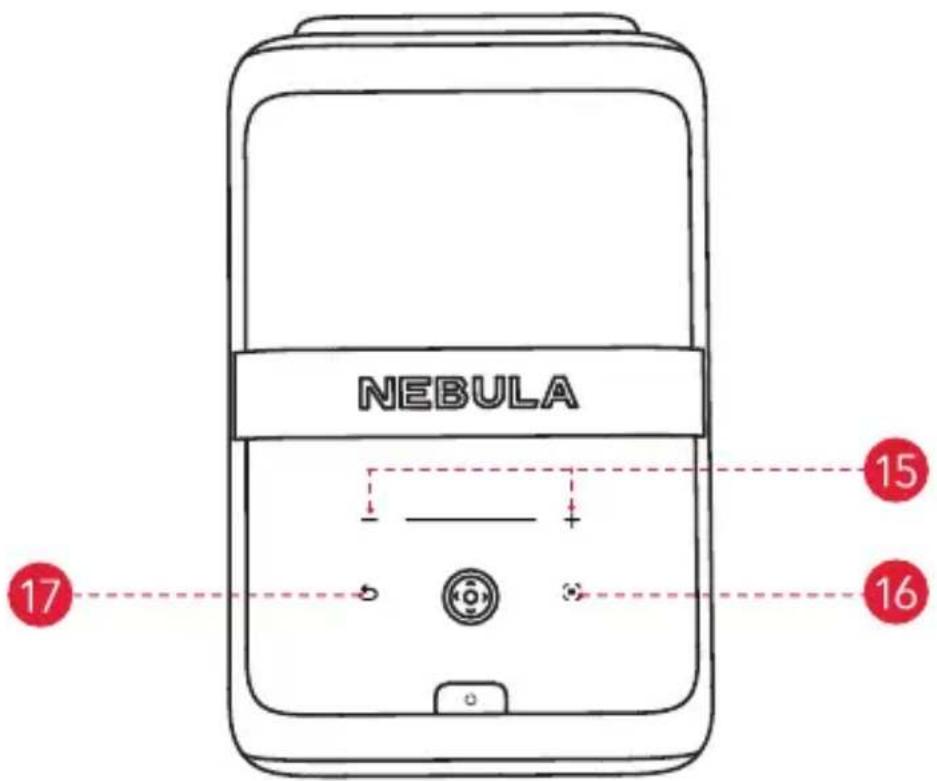
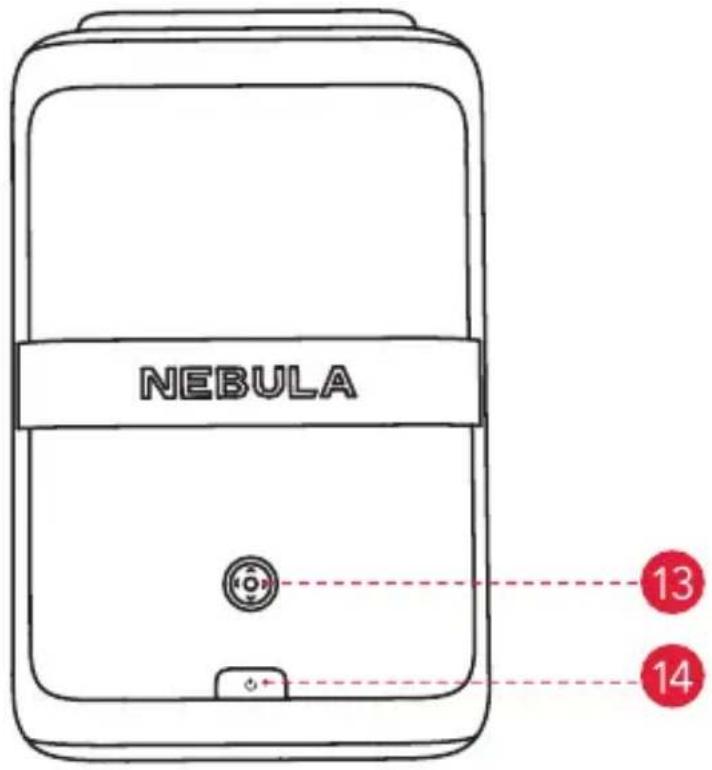
The touch-sensitive panel will light up when the projector is on.
4. Bottom View
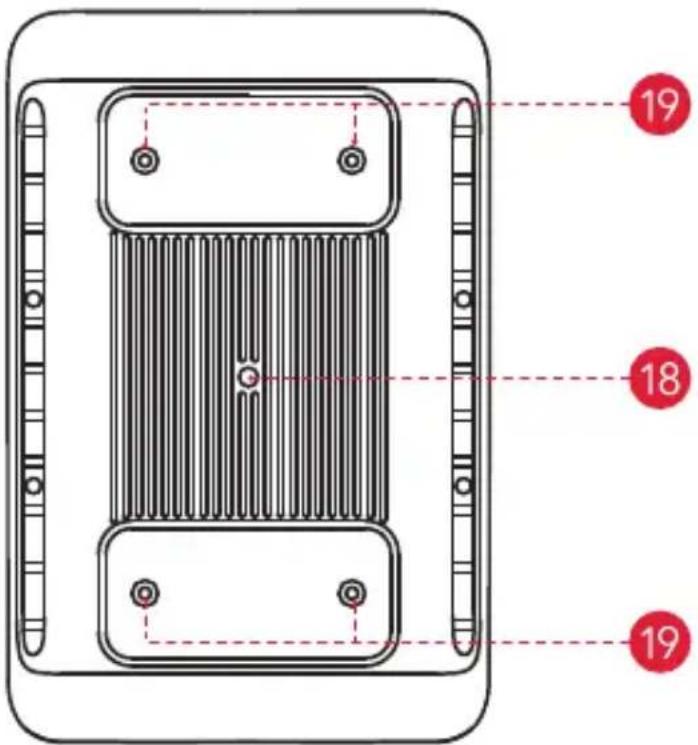
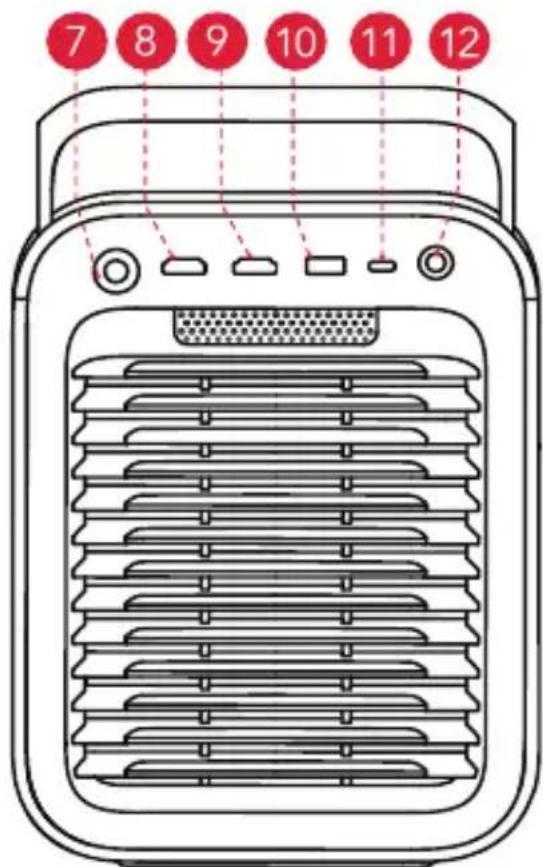
| 1 | Electronic Fully-Automated Micro Gimbal | ||
 | Handle USB-C |  | |
 | Lens Audio/Optical |  | |
 | Speaker Navigation & Selection |  | |
 | Illuminance and Image Sensors Pc |  | Button |
 | ToF (Time of Flight) Sensor Volume |  | trol |
 | DC IN Auto Image Adjustment |  | |
 | HDMI 1 Return Button |  | |
 | HDMI 2 (eARC) 1/4" Tripod Mount |  | |
 | USB-A |  | 4 M4 Mounts for Ceiling Mounting(Recommended MinimumBolt Length : 6mm) |
5. Remote Control
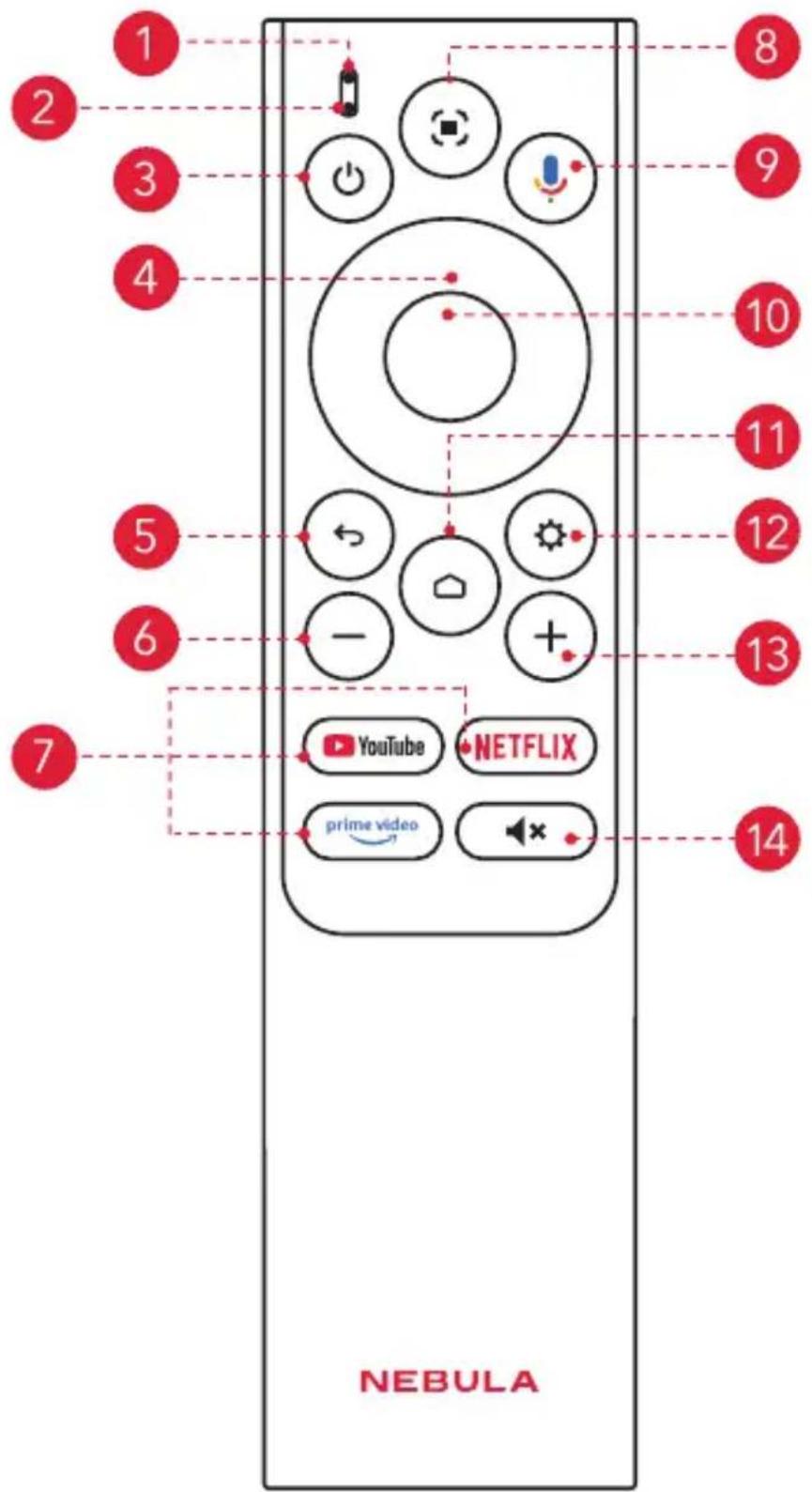
1 Status Indicator
2 Microphone
3 Power
- Press to power on / off, switch to standby mode, or wake up.
4 Navigation
• Control the cursor on the screen.
5 Return
- Return to previous page.
6 Volume Down
- Press to reduce volume.
7 Streaming Apps
- Press to open YouTube, Netflix, or Prime Video.
8 Auto Image Adjustment
- Press to enable auto image adjustment.
- Long press to perform manual adjustment.
9 Google Assistant
- Press and hold to talk to Google Assistant.
10 Confirm
- Press to select, pause, or resume.
11 Home
- Press to go to the home page.
12 Settings
- Press to go to settings.
13 Volume Up
- Press to increase volume.
14 Mute
- Press to mute / unmute the sound.
Getting Started
1. Placement
Place this device on a stable, flat surface, and point it squarely toward the projection surface. For best results, the projection surface should be white. This projector features an optical zoom lens that allows you to adjust the throw ratio of your projector from 0.9:1 to 1.5:1.
| Recommended Distancebetween Device and Projection Surface | |||
| 60" 120" 150" 300" | |||
| 1.2 - 2.0 m(3.9 - 6.6 ft) | 2.4 - 4.0 m(7.9 - 13.1 ft) | 3.0 - 5.0 m(9.8 - 16.4 ft) | 6.0 - 10 m(19.7 - 32.8 ft) |
2. Prepare Remote Control
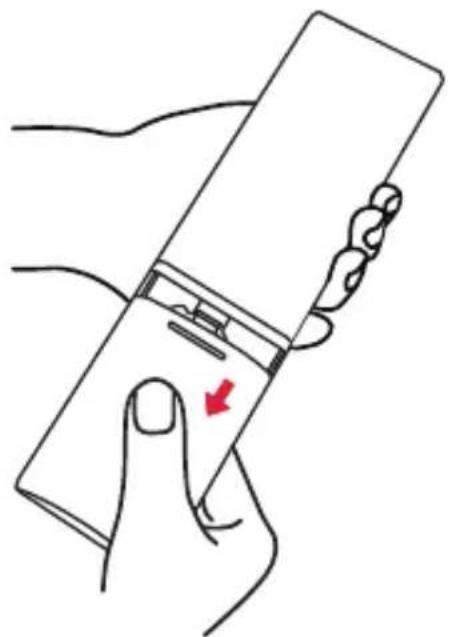
natural_image
Line drawing of a hand holding a rectangular device with a red arrow indicating the left side (no text or symbols present)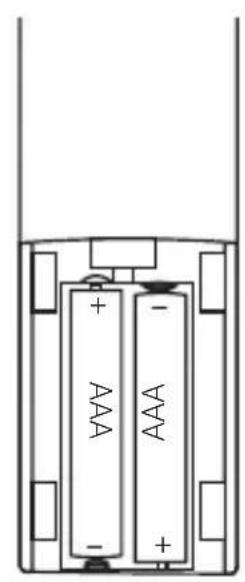
natural_image
Diagram of two batteries with positive and negative charge indicators, no text or symbols present① Slide down to open the battery compartment.
② Insert two AAA batteries, matching the polarity (+ / -) as indicated.
3. Connect to Power
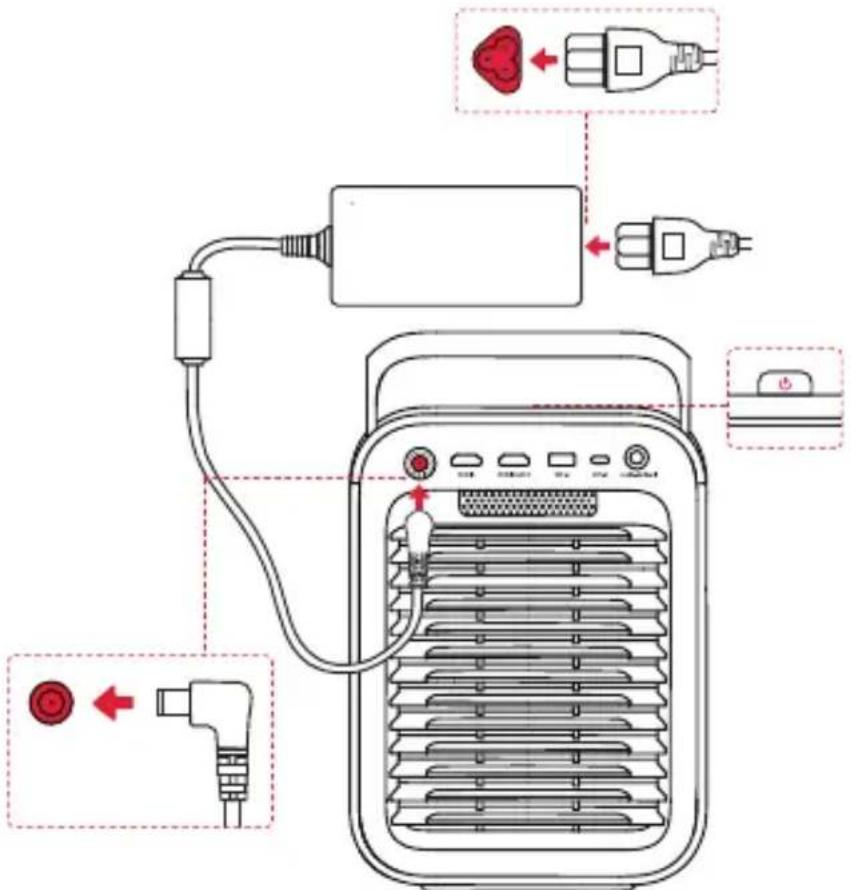
Plug the cord into the adapter. Then connect the projector to the power supply. When successfully connected to the power supply, the power button on the projector will turn red.
4. Power On / Off
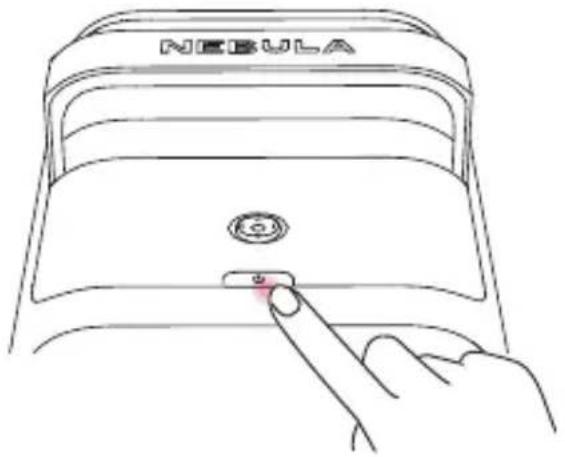
natural_image
Line drawing of a hand pressing a button on a NEBULA device (no text or symbols on the device itself)• Power On: Press the power button once.

When the projector is powered on, the power button will turn steady white.
- Power Off:
① Press and hold the power button for 3 seconds (wait for the on-screen prompt).
② Confirm power off with the navigation button or wait 15 seconds for automatic power off.
- Standby Mode: Short press the power button to enter standby mode.
5. Control the Projector with the NEBULA Connect App
Download the NEBULA Connect app to control the projector using a smartphone.
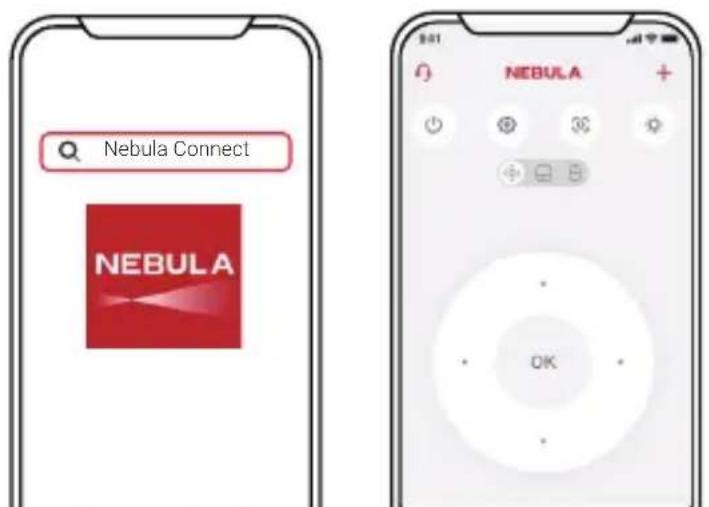
Easily control your projector via the NEBULA Connect app on your smartphone.
6. Network Settings
Use the following methods to connect the projector to a wireless network.
① Press the Settings button on the remote, and turn on Wi-Fi.
② Open NEBULA Connect app, select your projector model, then go to Settings and turn on Wi-Fi.
Google Cast
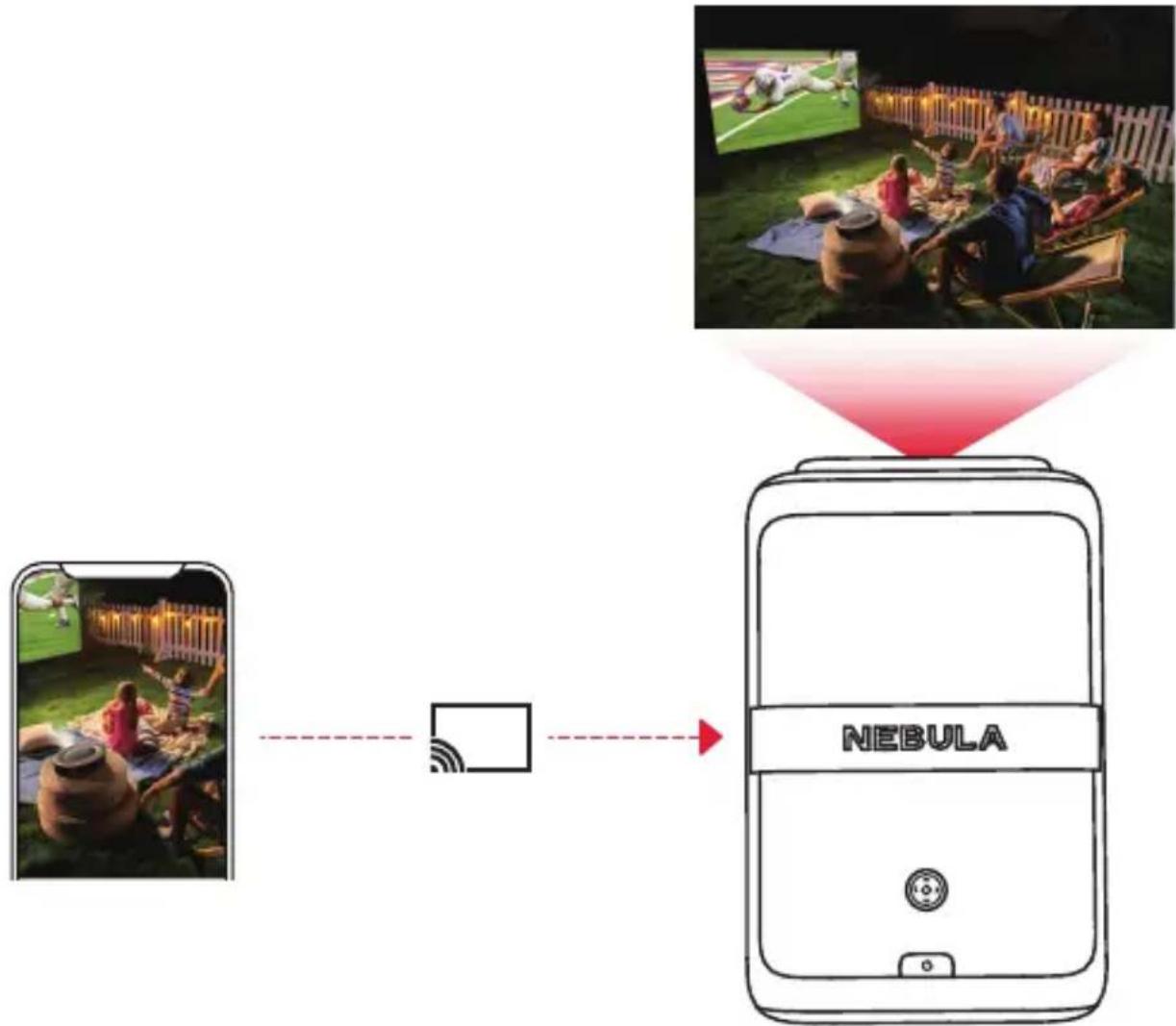
You can wirelessly cast photos, videos, and music from your phone or tablet to your projector.
① Make sure the projector and your phone are connected to the same wireless network.
② Play a video on your streaming app and then tap the cast icon on the screen.
③ Select "NEBULA X1" to play the content on your projector.
flowchart
graph TD
    A["Smartphone"] --> B["Social Ball"]
    B --> C["NEBULA Device"]
    D["Image of 2000s: Sports ball in field"] --> E["Play sports ball on table"]
    E --> F["Play 2000s: Football in fence"]
    style A fill:#f9f,stroke:#333
    style B fill:#ccf,stroke:#333
    style C fill:#cfc,stroke:#333
    style D fill:#fcc,stroke:#333
    style E fill:#cff,stroke:#333
    style F fill:#ffc,stroke:#333

Certain content may be unavailable due to copyright restrictions. In this case, you can install the app on your projector to stream content.
Wireless Screen Mirroring
You can mirror your phone's screen on your projector.
To enable screen mirroring, please make sure the projector and your phone are connected to the same wireless network.
For iOS devices:
① Download and open the NEBULA Cast app on your device.
② Open your device's control center and tap "Screen Mirroring."
③ Click on "NEBULA X1" in the device list.
For Android devices:
① Open the Google Home app and select "NEBULA X1."
② Tap "Cast My Screen" to start casting.

Copyrighted and DRM-protected content from streaming services like Netflix and Disney+ cannot be mirrored.
Bluetooth Speaker Mode
The projector can also be used as a Bluetooth speaker.
① Go to All Settings > Display & Sound > Sound > Turn on the Bluetooth Speaker Mode to switch your Nebula projector from Projector mode to Bluetooth Speaker mode. Alternatively, you can go to Dashboard > Sound > Turn on the Bluetooth Speaker Mode.
② Enable Bluetooth on your smartphone and select NEBULA X1.
Pairing a Remote and Bluetooth Accessories
You can connect external Bluetooth accessories to your projector including speakers, headphones, and keyboards.
① Go to Settings > Remotes & Accessories > Pair Accessory.
② Put your Remote or Bluetooth accessory into pairing mode.
③ Select the device that you want to connect to.
Using the Electronic Micro Gimbal
natural_image
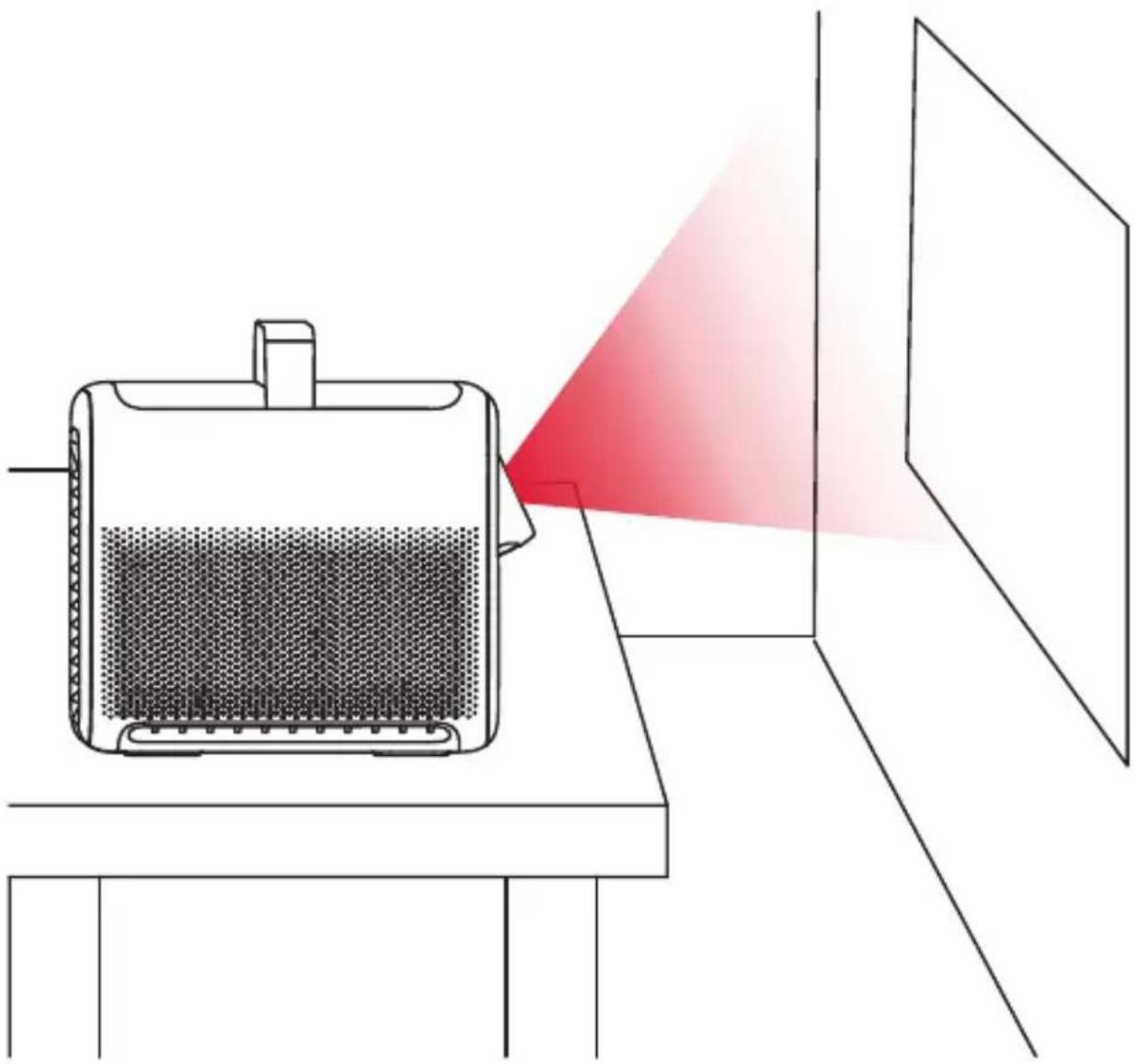
Diagram of a device emitting heat from a red laser beam to a screen, with no visible text or symbols.The built-in micro gimbal adjusts the projected image position automatically during Screen Fit and Spatial Adaptation.
For precise vertical image adjustments, you can adjust manually under Settings > Projector > Move & Zoom.

Please do not manually push or adjust the micro gimbal, and keep your fingers away from the micro gimbal during operation.
Playing Video from HDMI / USB Devices
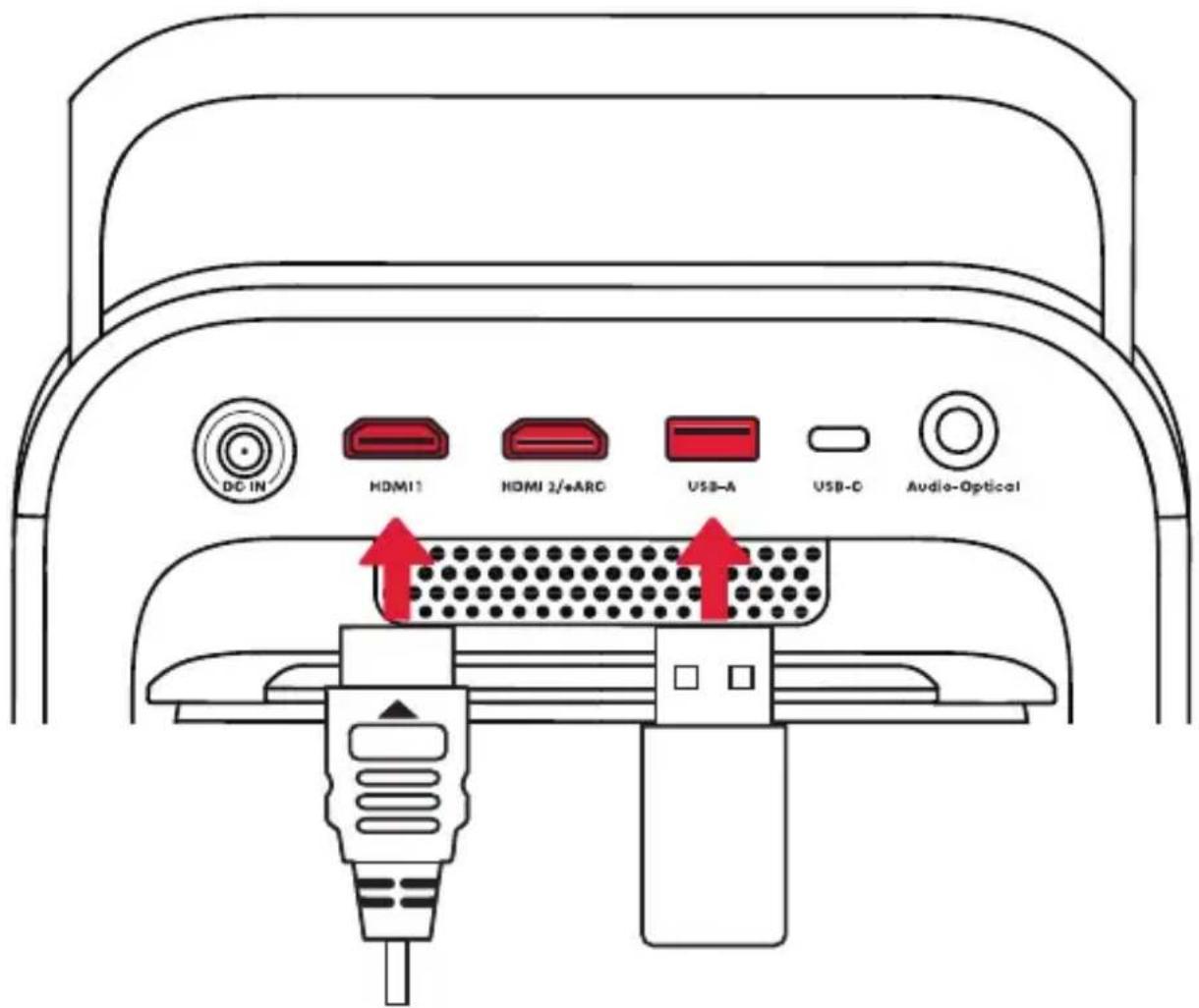
This projector supports connections with various HDMI playback devices such as TV sticks, TV boxes, DVD players, set-top boxes (STB), game consoles, and more.
With this projector, you can also enjoy music, video, and pictures on a USB storage device (not included).
When using a USB flash drive, ensure that the USB drive is in FAT32 format.

The HDMI 2 (eARC) port supports the connection of sound systems for audio return capabilities.
Note: You may need to change the connection mode in your sound system settings to eARC.
Using Spatial Adaptation
natural_image
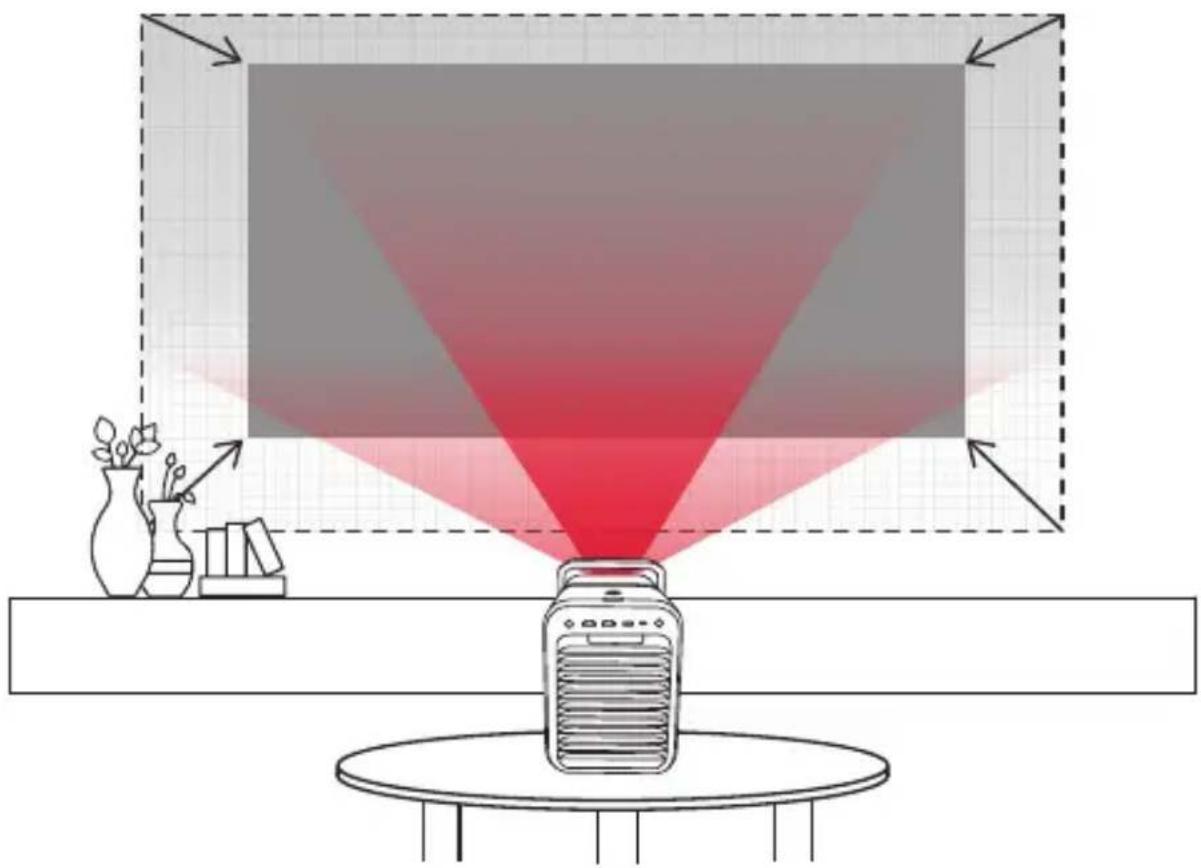
Diagram showing a red laser beam projecting onto a device, with a vase and bookshelf nearby (no text or symbols)The projector will scan the projection surface and automatically adjust the screen size and position for best results.
Go to Settings > Projector > Spatial Adaptation > Start Spatial Adaptation to find the optimal projection position for your space.
Using Spatial Recall
Save the current screen size, position, and wall color adaptation settings. Next time the projector is placed in a similar position, you can quickly restore the saved settings.
Go to Settings > Projector > Spatial Recall.

For best results with Spatial Recall, ensure the projector is placed close to its original position.
Important Safety Instructions
- Unless specifically indicated that it is safe to do so in the user guide or instruction manual, do not use this device in an environment that exceeds the recommended low or high temperature.
- Unless specifically indicated that it is safe to do so in the user guide or instruction manual, avoid exposing your device to direct sunshine or excessively wet environments.
- The suitable temperature for the equipment is 0^ to 35^ (32°F to 95°F) for the projector.
- The suitable temperature for the equipment is 113^ / 45^ maximum for the remote.
- When supplying, please place the equipment in an environment that has a normal room temperature and good ventilation.
- The power supply should be installed near the equipment and for pluggable equipment, the socket-outlet must be easily accessible.
- Before you make or change any connections, ensure that all devices are disconnected from the power outlet.
- Possibly hazardous optical radiation emitted from this product may be harmful to the eyes. Do not stare at operating beam.
- Do not open the enclosure of the product. When the enclosure of the product is damaged, please do not use it anymore.
- Please ensure that you only use the adapter provided by the manufacturer. Using an unauthorized adapter may be dangerous and violate the Terms of Use and the product warranty.
- Laser inside, be aware of the risk of skin or corneal burns.
- Do not open the enclosure of laser module inside the product.
- When the enclosure of laser module inside the product is damaged, please do not use it anymore.
- Potential hazards may exist during lamp or product servicing.
- Service shall be performed only by authorized, trained servicing, trained servicing personnel.
- Do not use the equipment in any way other than described herein in order to avoid personal injury or property damage.
- User should comply with the laws and regulations of the corresponding countries and regions where the equipment is located (used), abide by professional ethics, pay attention to safety obligations, and strictly prohibit the use of our products or equipment for any illegal purposes. Our company will not be responsible for any violators' legal liability under any circumstances.
Remote controller

CAUTION: RISK OF EXPLOSION IF BATTERY IS REPLACED BY AN INCORRECT TYPE. DISPOSE OF USED BATTERIES ACCORDING TO THE INSTRUCTIONS.

ATTENTION : RISQUE D'EXPLOSION SI LA BATTERIE EST REMPLACÉE PAR UN TYPE INCORRECT. JETEZ LES BATTERIES USAGÉES CONFORMÉMENT AUX INSTRUCTIONS.

This product complies with the radio interference requirements of the European Community.
Declaration of Conformity
Hereby, Anker Innovations Limited. declares that this device is in compliance with the essential requirements and other relevant provisions of Directive 2014/53/EU. For the Declaration of Conformity, visit the website: https://support.seenebula.com/s/articleRecommend?type=DownLoad&secondType=doc
Statement of Compliance
Hereby, Anker Innovations Limited declares that this device is in compliance with The Product Security and Telecommunications Infrastructure (Security Requirements for Relevant Connectable Products) Regulations 2023. For the Statement of Compliance, visit the Web site https://uk.seenebula.com/psti-relat-ed.
RF exposure information
The Maximum Permissible Exposure (MPE) level has been calculated based on a distance of d = 20 cm between the device and the human body. To maintain compliance with RF exposure requirement, use product that maintain a 20 cm distance between the device and human body.
Frequency bands and power as below
| Function Bands | Operation Frequency | Max.Power | |
| Bluetooth (Projector) 2 | 4 GHz 2402-2480 MHz 17.26 dBm | ||
| WIFI (Projector) | 2.4 GHz 2412-2472 MHz 17.84 dBm | ||
| 5 GHz | 5150-5250 MHz 18.17 dBm | ||
| 5250-5350 MHz 18.09 dBm | |||
| 5470-5725 MHz 19.85 dBm | |||
| 5725-5850 MHz 12.91 dBm | |||
| Bluetooth (Remote Control) | 2.4 GHz 2402-2480 MHz 3.63 dBm | ||
5150\~5350 MHz can be used indoors only.
| AT | BE | BG | HR | CY | CZ | DK | |
| EE | FI | FR | DE | EL | HU | IE | |
| IT | LV | LT | LU | MT | NL | PL | |
| PT | RO | SK | SI | ES | SE | UK |
The following importer is the responsible party(contact for EU matters):
The following importer is the responsible party (contact for UK matters):
Anker Technology (UK) Limited I GNR8, 49 Clarendon Road, Watford, Hertfordshire, WD17 1HP, United Kingdom

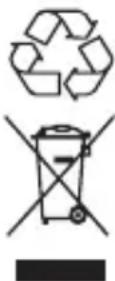
This product is designed and manufactured with high quality materials and components, which can be recycled and reused.
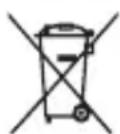
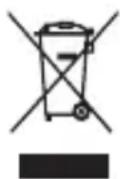
This symbol means the product must not be discarded as household waste, and should be delivered to an appropriate collection facility for recycling. Proper disposal and recycling helps protect natural resources, human health and the environment. For more information on disposal and recycling of this product, contact your local municipality, disposal service, or the shop where you bought this product.

Notice (United States of America)
FCC Statement
This device complies with Part 15 of the FCC Rules. Operation is subject to the following two conditions: (1) this device may not cause harmful interference, and (2) this device must accept any interference received, including interference that may cause undesired operation.
Warning: Changes or modifications not expressly approved by the party responsible for compliance could void the user's authority to operate the equipment.
Note: This equipment has been tested and found to comply with the limits for a Class B digital device, pursuant to Part 15 of the FCC Rules. These limits are designed to provide reasonable protection against harmful interference in a residential installation.
This equipment generates uses and can radiate radio frequency energy and, if not installed and used in accordance with the instructions, may cause harmful interference to radio communications. However, there is no guarantee that interference will not occur in a particular installation. If this equipment does cause harmful interference to radio or television reception, which can be determined by turning the equipment off and on, the user is encouraged to try to correct the interference by one or more of the following measures: (1) Reorient or relocate the receiving antenna. (2) Increase the separation between the equipment and receiver. (3) Connect the equipment into an outlet on a circuit different from that to which the receiver is connected. (4) Consult the dealer or an experienced radio/TV technician for help.
FCC Radio Frequency Exposure Statement
(Projector) The device has been evaluated to meet general RF exposure requirements. The device can be used in fixed/mobile exposure condition. The min separation distance is 20cm.
(Remote Control) According to the Federal Communications Commission (FCC) Radiation Exposure Statement, the device has low power and does not require calculation of RF exposure. This device can be used without restrictions under portable exposure conditions.
Notice: Shielded cables
All connections to other computing devices must be made using shielded cables to maintain compliance with FCC regulations.
FCC ID:2AOKB-D2351
The following importer is the responsible party
Company Name: Fantasia Trading LLC
Address: 5350 Ontario Mills Pkwy, Suite 100, Ontario, CA 91764
Telephone:1-800-988-7973
5150\~5350 MHz can be used indoors only.
Notice (Canada)
IC Statement
This device complies with Industry Canada licence-exempt RSS standard(s). Operation is subject to the following two conditions:
(1) this device may not cause interference, and(2) this device must accept any interference, including interference that may cause undesired operation of the device." Le présent appareil est conforme aux CNR d'Industrie Canada applicables aux appareils radio exempts de licence. L'exploitation est autorisée aux deux conditions suivantes:
(Projector)When using the product, maintain a distance of 20cm from the body to ensure compliance with RF exposure requirements.
(Remote Control) According to the Industry Canada (IC) Radiation on Exposure Statement, the device has low power and does not require calculation of RF exposure.
5150\~5250 MHz can be used indoors only.
• RG1 IEC 62471-5:2015
• Complies with IEC 60825-1:2014 Class 1 and IEC62471-5:2015 Risk Group 1.
- Potential hazards may exist during lamp or product servicing.
• Service shall be performed only by authorized, trained servicing personnel.
- Do not open the enclosure of the product.
- When the enclosure of the product is damaged, don't use it anymore.
- Do not open the enclosure of laser module inside the product.
- When the enclosure of laser module inside the product is damaged, don't use it anymore.
- Laser inside. Be aware of the risk of skin or corneal burns.
HDMI™
HIGH-DEFINITION MULTIMEDIA INTERFACE
The Adopted Trademarks HDMI, HDMI High-Definition Multimedia Interface, and the HDMI Logo are trademarks or registered trademarks of HDMI Licensing Administrator, Inc. in the United States and other countries.

AUDIO

VISION
Dolby, Dolby Audio, Dolby Vision, and the double-D symbol are trademarks of Dolby Laboratories Licensing Corporation. Manufactured under license from Dolby Laboratories. Confidential unpublished works Copyright © 1992-2024 Dolby Laboratories. All rights reserved.

Bluetooth®
The Bluetooth® word mark and logos are registered trademarks owned by the Bluetooth SIG, Inc. and any use of such marks by Anker Innovations Limited is under license. Other trademarks and trade names are those of their respective owners.
Auf einen Blick
1. Frontansicht
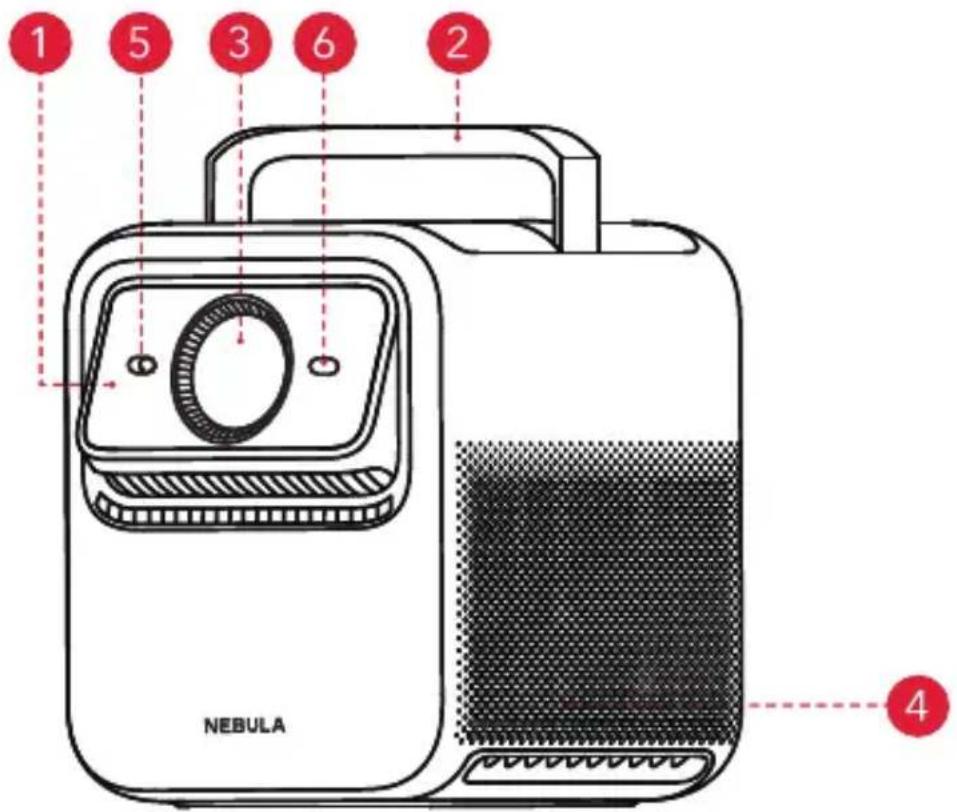
2. Rückansicht
3. Ansicht von oben

natural_image
Line drawing of a hand holding a smartphone with a red arrow pointing to the screen (no text or symbols)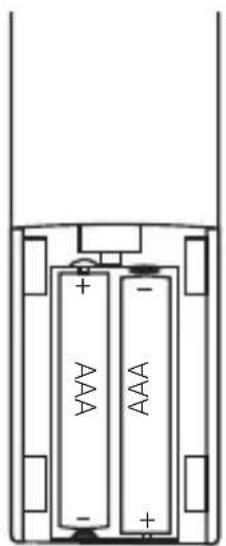
flowchart
graph TD
    A["Smartphone with outdoor games"] -->|dashed arrow| B["Social Media Interface"]
    C["NEBULA Device"] -->|red dashed arrow| B
    D["Image of children playing outdoors"] --> E["Play still in the sky"]

natural_image
Diagram showing a device emitting a red light beam from a screen to a table, with no visible text or symbols.natural_image
Diagram showing a red laser beam projecting onto a device with a lamp, surrounded by decorative items (no text or symbols)Anker Technology (UK) Limited I GNR8, 49 Clarendon Road, Watford, Hertfordshire, WD17 1HP, United Kingdom
flowchart
graph TD
    A["Smartphone with food items"] --> B["Social Media Interface"]
    C["NEBULA Device"] --> B
    B --> D["Image of outdoor games at night"]

natural_image
Diagram of a portable heater emitting heat from a red laser beam to a screen, with no text or symbols present.natural_image
Illustration of a red laser beam projecting onto a device on a table, with no visible text or symbols.Anker Technology (UK) Limited I GNR8, 49 Clarendon Road, Watford, Hertfordshire, WD17 1HP, United Kingdom
natural_image
Line drawing of a hand holding a rectangular device with a red arrow indicating the left side (no text or symbols present)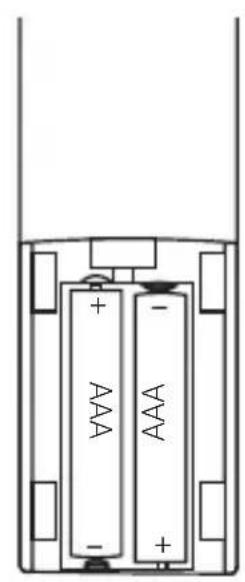
natural_image
Diagram of two batteries with positive and negative charge indicators, no text or symbols presentnatural_image
Line drawing of a hand pressing a button on a NEBULA device (no text or symbols on the device itself)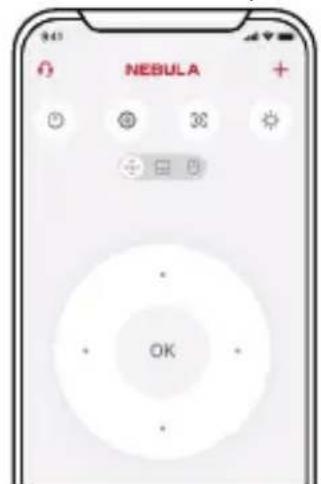
flowchart
graph TD
    A["Smartphone with outdoor games"] --> B["Social Ball"]
    B --> C["NEBULA Device"]
    D["Outdoor Football Court"] --> C
    style A fill:#f9f,stroke:#333
    style C fill:#bbf,stroke:#333

natural_image
Diagram of a device emitting heat from a red laser beam to a screen, with no visible text or symbols.natural_image
Diagram showing a red laser beam projecting onto a device, with a vase and bookshelf nearby (no text or symbols)Anker Technology (UK) Limited I GNR8, 49 Clarendon Road, Watford, Hertfordshire, WD17 1HP, United Kingdom

natural_image
Line drawing of a hand holding a smartphone with a red arrow indicating the touch point (no text or symbols present)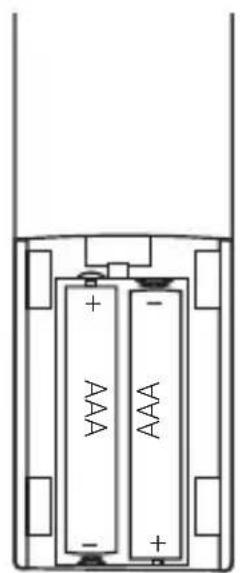
natural_image
Diagram of two batteries with one fully open, showing internal structure and polarity indicators (no text or symbols)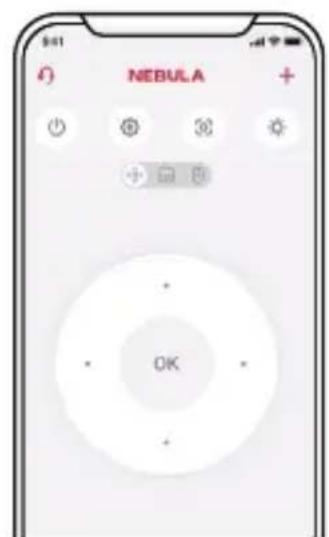
flowchart
graph TD
    A["Smartphone with outdoor games"] -->|Wireless Signal| B["NEBULA Device"]
    C["Image of children playing soccer in the background"] -->|Signal Transmission| B
    style A fill:#f9f,stroke:#333
    style B fill:#ccf,stroke:#333
Bluetooth ∪ ∪ ∪ ∪ ∪ ∪ ∪ ∪ ∪ ∪ ∪ ∪ ∪ ∪ ∪ ∪ ∪ ∪ ∪ ∪ ∪ ∪ ∪ ∪ ∪ ∪ ∪ ∪ ∪ ∪ ∪ ∪ ∪ ∪ ∪ ∪ ∪ ∪ ∪ ∪ ∪ ∪ ∪ ∪ ∪ ∪ ∪ ∪ ∪ ∪ ∸
natural_image
Line drawing of a device emitting heat from a red laser beam to a screen, with no text or symbols present.natural_image
Diagram showing a red laser beam projecting onto a device on a table, with a vase and plant nearby (no text or symbols).CONFORMÉMENT AUX INSTRUCTIONS
PAP 22
Raccolta Carta

support@seenebula.com support@anker.com (日本) support.mea@seenebula.com (For Middle East and Africa Only) support.india@anker.com (India) ced-cn@anker.com (中国) support.kr@anker.com (한국)

+1 (800) 988-7973 (US/Canada) +44 (0) 1604 936 200 (UK) +49 (0) 69 9579 7960 (DE) 03 4455 7823 (日本) +86 400 0550 036 (中国) +82 1666-8470 (한국) +971 8000320817 (UAE) +966 8008500030 (KSA) +965 22069086 (Kuwait) +20 8000000826 (Egypt) +90 (850) 460 1414 (Türkiye) +8 (800) 511-86-23 (Россия) 000-8000-504-414 (India)
© Anker Innovations Limited. All rights reserved.
Unit 56, 8th Floor, Tower 2, Admiralty Centre, 18 Harcourt Road, Hong Kong NEBULA and the NEBULA logo are trademarks of Anker Innovations Limited, registered in the United States and other countries.
Model: D2351
- NEBULA X1 Quick Start Guide
- Bottom View
- Remote Control
- Getting Started
- Placement
- Prepare Remote Control
- Connect to Power
- Power On / Off
- Control the Projector with the NEBULA Connect App
- Network Settings
- Google Cast
- Wireless Screen Mirroring
- For iOS devices:
- For Android devices:
- Bluetooth Speaker Mode
- Pairing a Remote and Bluetooth Accessories
- Using the Electronic Micro Gimbal
- Playing Video from HDMI / USB Devices
- Using Spatial Adaptation
- Using Spatial Recall
- Important Safety Instructions
- Remote controller
- Declaration of Conformity
- Statement of Compliance
- RF exposure information
- Notice (United States of America)
- FCC Statement
- FCC Radio Frequency Exposure Statement
- Notice: Shielded cables
- FCC ID:2AOKB-D2351
- 5150\~5350 MHz can be used indoors only.
- Notice (Canada)
- IC Statement
- HDMI™
- Bluetooth®
- Auf einen Blick
- Frontansicht
- Rückansicht
- Ansicht von oben
- Bluetooth ∪ ∪ ∪ ∪ ∪ ∪ ∪ ∪ ∪ ∪ ∪ ∪ ∪ ∪ ∪ ∪ ∪ ∪ ∪ ∪ ∪ ∪ ∪ ∪ ∪ ∪ ∪ ∪ ∪ ∪ ∪ ∪ ∪ ∪ ∪ ∪ ∪ ∪ ∪ ∪ ∪ ∪ ∪ ∪ ∪ ∪ ∪ ∪ ∪ ∪ ∸
Brand : NEBULA
Model : X1
Category : Projector