Mars 3 - Projector NEBULA - Free user manual and instructions
Find the device manual for free Mars 3 NEBULA in PDF.


Pick your language and provide your email: we'll send you a specifically translated version.
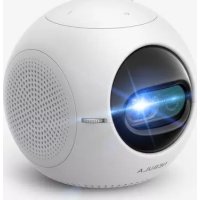
| Product type | Portable projector |
| Brand | Nebula |
| Model | Mars 3 |
| Dimensions (L x W x H) | Approximately 20 x 15 x 8 cm |
| Weight | Approximately 1.5 kg |
| Power source | Built-in rechargeable lithium-ion battery |
| Battery life | Up to 3 hours |
| Native resolution | 1280 x 720 pixels (HD) |
| Brightness | 300 ANSI lumens |
| Connectivity | HDMI, USB, Wi-Fi, Bluetooth |
| Built-in speakers | Yes, 2 x 5 W |
| Keystone correction | Automatic vertical and horizontal |
| Focus | Automatic |
| Maintenance and cleaning | Wipe with a soft, dry cloth. Clean the lens with a microfiber cloth. |
| Safety | Do not expose to moisture. Use in a well-ventilated area. |
| Spare parts | Available from the manufacturer or authorized retailers. |
| Repairability | Repairability score: 8/10 |
| Box contents | Projector, power cable, remote control, quick start guide |
| Operating temperature | 0°C to 35°C |
Frequently Asked Questions - Mars 3 NEBULA
How to turn on the Nebula Mars 3 projector?
Press the power button on the top of the projector or use the included remote control.
How to connect my phone to the projector?
You can use Wi-Fi or Bluetooth for a wireless connection, or connect an HDMI cable via an adapter.
What is the battery life?
The built-in battery offers up to 3 hours of continuous playback.
How to clean the projector lens?
Use a soft, dry microfiber cloth to gently wipe the lens. Avoid chemical products.
Does the projector support Netflix?
Yes, via the built-in Android TV interface, you can install Netflix and other streaming apps.
How to adjust the focus?
The focus is automatic. If necessary, you can adjust it manually via the menu or the focus wheel.
Can I use the projector while plugged into the mains?
Yes, you can use the projector plugged into the mains while charging the battery.
How to reset the projector to factory settings?
Go to Settings > System > Reset options > Erase all data (factory reset).
What is the maximum projected image size?
The projector can project an image up to 100 inches (diagonal) depending on distance.
Does the projector have an audio output?
Yes, you can connect headphones or external speakers via the 3.5 mm jack or Bluetooth.
User questions about Mars 3 NEBULA
0 question about this device. Answer the ones you know or ask your own.
Ask a new question about this device
No questions yet. Be the first to ask one.
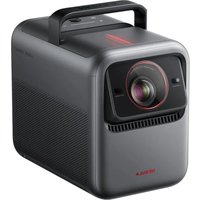
Download the instructions for your Projector in PDF format for free! Find your manual Mars 3 - NEBULA and take your electronic device back in hand. On this page are published all the documents necessary for the use of your device. Mars 3 by NEBULA.
USER MANUAL Mars 3 NEBULA
Manual assistant
Powered by Anthropic
Waiting for your message
Product information
Brand : NEBULA
Model : Mars 3
Category : Projector