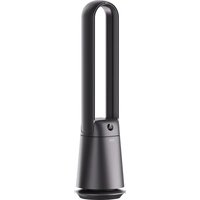
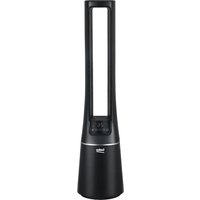
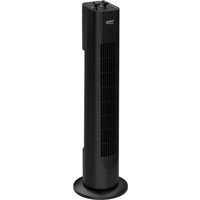
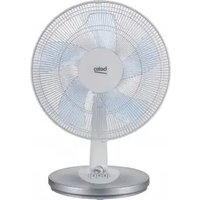
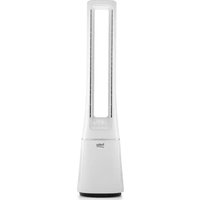
USER MANUAL EBA 5000 B BEKO
Please read this user manual first!
Dear Customer,
Thank you for choosing a Beko product. We hope you get the best results from your product, which has been manufactured with high quality and state-of-the-art technology. Therefore, please read this entire user manual and all other accompanying documents carefully before using the product, and keep it for future reference. If you pass the product on to someone else, give them the user manual as well. Follow all warnings and information in the user manual.
Meanings of the symbols
The following symbols are used in various sections of this manual:

Important information or useful hints about usage.

Warning for hazardous situations with regard to life and property.

Electrical insulation class
1 Important safety and environmental instructions
This section includes safety instructions that will help ensure protection from risks of personal injury or material damage. Failure to follow these instructions shall void the warranty.
1.1 General safety
- This appliance complies with international safety standards.
- This appliance can be used by children aged 8 years and above and persons with reduced physical, sensory, or mental capabilities, or lack of experience and knowledge, if they have been given supervision or instruction concerning use of the appliance in a safe way and understand the hazards involved. Children shall not play with the appliance. Cleaning and user maintenance shall not be made by children without supervision.
- If the instructions state that the guard has to be removed for cleaning purposes, the instructions shall state the substance of the following: Ensure that the fan is switched off from the supply mains before removing the guard.
- Be extremely careful when using the device near children and people with limited physical, emotional, or mental capacity.
- Do not leave the appliance unattended while it is in use.
- Do not use the appliance if the power cord or the appliance is damaged. Contact authorized service.
- Do not insert anything into the device while it is running.
- Unplug the appliance before changing its location.
1 Important safety and environmental instructions
- Before connecting it to power and mounting its parts, dry the product and all its parts.
- Do not use this product outdoors or in the bathroom.
- Do not use the device near a window. Exposure to rain can create the risk of electric shock.
- This appliance is intended to be used in household and similar applications such as:
- Staff kitchen areas in shops, offices, and other working environments;
- Farm houses;
- By clients in hotels, and other residential type environments;
- Bed and Breakfast type environments.
- This device cannot be used in open areas such as camping sites and similar places.
- We shall not be held responsible or accept warranty claims for damages arising from misuse or inconvenient transportation of the product.
- Do not disassemble the product. We shall not accept warranty claims for damages due to misuse.
• Always use the appliance on a balanced, flat, clean, dry, and non-slip surface.
- This appliance should not be operated together with an external timer or a separate remote control system.
- Please read the instruction manual carefully before operating the device, which contains important information such as placement, use, and maintenance.
- Contact the authorized service before destroying your device.
1 Important safety and environmental instructions
- This appliance conforms to the valid safety standards; therefore, in order to prevent any danger, when the appliance or the power cable is damaged, they must be repaired or replaced by the authorized service. Faulty or insufficient repairing procedures might cause dangers and risks to the user.
- Make sure that your mains power supply is in conformity with the information given on the rating plate of the appliance. The only way to disconnect the appliance from the power supply is to unplug it.
- Connect the appliance to a grounded socket.
- Do not use it if the power cable or the product is damaged.
- Do not use this product with an extension cable.
- Do not touch the appliance or its plug when your hands are damp or wet.
- Place the product so that it can always reach the electrical outlet.
- Do not immerse the device into water to clean it.
- For additional protection, this appliance should be connected to a household appliances residual current appliance with a maximum nominal current of 30 mA.
- In order to prevent the power cable from getting damaged, make sure that it doesn't get stuck, twisted or rub against sharp surfaces. Keep the power cable away from hot surfaces and open flame.
- Make sure that the power cable doesn't accidentally get unplugged or someone doesn't trip over the cable during the operation of the appliance.
1 Important safety and environmental instructions
- If there is a breakdown after using the product, unplug it. • Always unplug the appliance before cleaning and never clean it while the appliance is being used.
- WARNING! When positioning the appliance, ensure the supply cord is not trapped or damaged.
- Never operate any part of this appliance on or near hot surfaces such as gas stoves, electric stoves or heated ovens or place it on these surfaces.
- Never use the appliance at or near the places where there are explosive or inflammable atmosphere or materials.
- Place the this appliance in a shady area away from the electronics and valuables such as TV, CD player or music system.
- Do not cover or block the product with any material.
- Flammable items or products that contain flammable gases (e.g., spray) as well as explosive materials should never be kept near the appliance.
- Place the device in accordance with the instructions to avoid hazards due to imbalance.
- It should be at least 30 cm away from heat sources such as stoves, ovens, heater cores, and electric ovens, and should not be kept under direct sunlight.
- This device is designed for use in homes and workplaces.
- Suffocation hazard! Keep all packaging materials away from children.
- Do not use the appliance for purposes other than its intended use.
1 Important safety and environmental instructions
- Do not use any part of the device as a support or stepping tool.
1.2 Compliance with the WEEE Directive and Disposing of the Waste Product:
This product complies with EU WEEE Directive (2012/19/EU). This product bears a classification symbol for waste electrical and electronic equipment (WEEE).
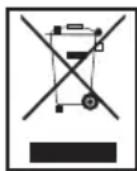
This symbol indicates that this product shall not be disposed with other household wastes at the end of its service life. Used device must be returned to official collection point for recycling of electrical and electronic devices. To find these collection systems please contact to your local authorities or retailer where the product was purchased. Each household performs important role in recovering and recycling of old appliance. Appropriate disposal of used appliance helps prevent potential negative consequences for the environment and human health.
1.3 Compliance with RoHS Directive
The product you have purchased complies with EU RoHS Directive (2011/65/EU). It does not contain harmful and prohibited materials specified in the Directive.

Packaging materials of the product are manufactured from recyclable materials in accordance with our National Environment Regulations. Do not dispose of the packaging materials together with the domestic or other wastes. Take them to the packaging material collection points designated by the local authorities.
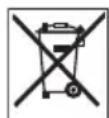
This symbol on rechargeable batteries/batteries or on the packaging indicates that the rechargeable battery/battery may not be disposed of with regular household rubbish. For certain rechargeable batteries/batteries, this symbol may be supplemented by a chemical symbol. Symbols for mercury (Hg) or lead (Pb) are provided if the rechargeable batteries/batteries contain more than 0.0005% mercury or more than 0.004% lead.
Rechargeable batteries/batteries, including those which do not contain heavy metal, may not be disposed of with household waste. Always dispose of used batteries in accordance with local environmental regulations. Make enquiries about the applicable disposal regulations where you live.
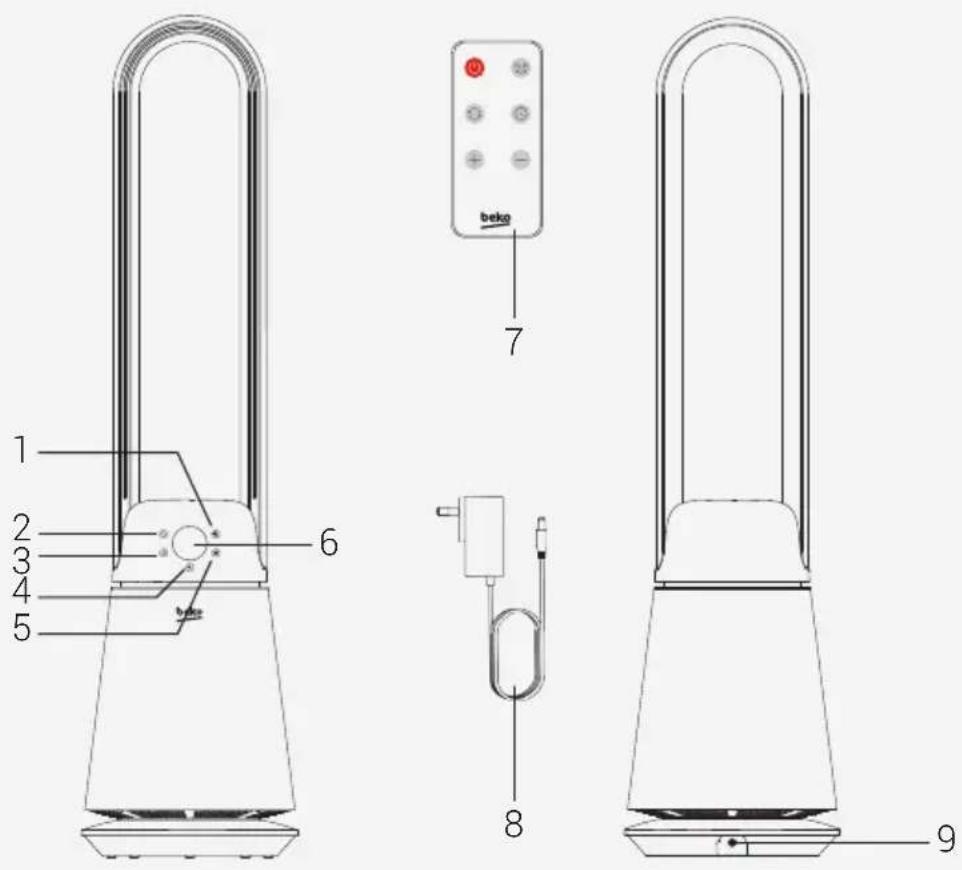
2.1 Control and parts
- Speeds button
- Mode button
- Timer button
- On/Off button
- Oscillation button
- Display
- Remote control
- Power adapter
- Power adapter interface
2.2 Technical data
Working Voltage: 24V ---
Rated power: 36 W
Noise: ≤58 dBA
Adapter
Input: 100V-240V~50/60Hz
1.5A
Output: 24V 1.5A
Technical and design modifications reserved.
Values stated on the markings on the product or in the printed materials supplied with the product are the values obtained in laboratory in accordance with relevant standards. Such values may vary depending on the usage of the product and the ambient conditions.
2 Overview
| Technical and design modifications reserved. |
| Made in P.R.C. |
| Model no: EBA 5000 B | |
| Rated power 36W | |
| Electrical insulation class: II |
| Parameter of external power supply |
| Manufacturer: | Foshan Shunde Guanyuda Power Supply Co.,Ltd |
| Model Identifier GM42-240150-2D | |
| Input Voltage 100V-240V~ | |
| Input Frequency 50Hz/60Hz | |
| Input Current 1.5A | |
| Output Voltage 24.0 V DC | |
| Output Current 1.5A | |
| Output Power 36 W | |
| Average active efficiency ≥ % 88.99% |
| Efficiency at low load (10%) ≥ % 86.74% |
| No-load power consumption ≤ 0.075W |
| Information |
| Description Symbol Value | Unit | | |
| Maximum fan flow rate | F | 21 | m3/min. |
| Fan power input | P | 36 | W |
| Service value | SV | 0.58 | (m3/mnn.)/W |
| Standby power consumption | PSB | 0.5 | W |
| Fan sound power level | LWA | 58 | dB(A) |
| Maximum air velocity | C | 2.0 | meters/sec |
| Measurement standard for service value | EN/IEC 60879:2019; |
| Contact details for obtaining more information | Arcelik A.S. Sutluce, Karaagac Cad. 2-6, 34445 Beyoglu Istanbul Turkey |
3 Installation
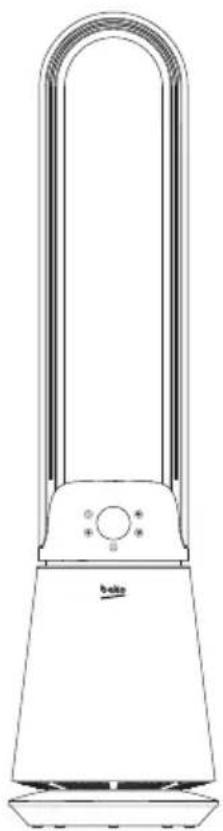
3.1 Device installation
Remove all packaging material and all transport bracing from the device.
For a safe and trouble-free running of the device, choose the installation location which meets the following requirements:
- The floor should be firm, flat and horizontal.
- Do not place the unit in a hot, wet or very humid environment. The socket must be easily accessible so that the mains connection cable can be easily disconnected if necessary. • Temperature range: from 0 to +40 °C • Air humidity (no condensation): 5–75%
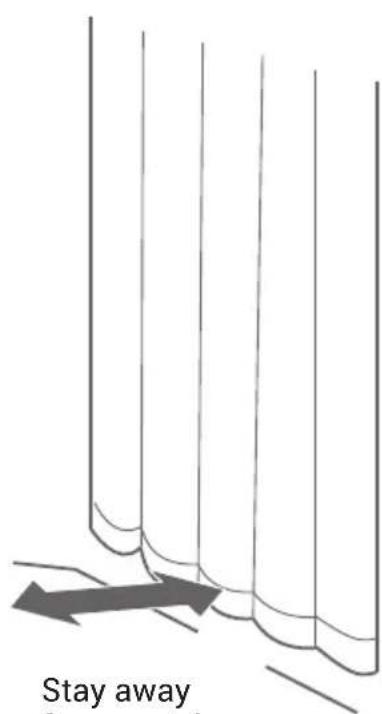
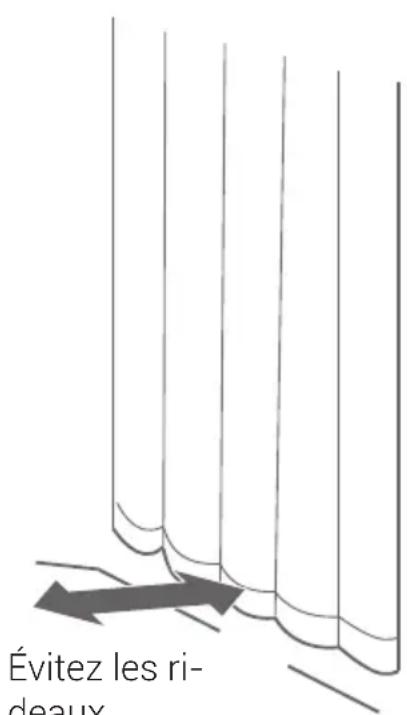
Stay away from curtains
4 Use
4.1 Control and display panel
Standby mode
Connect the jack plug of the mains cable to the unit and plug the mains adapter into a socket. The unit is now supplied with power. A short beep sounds.
| Button Function description |
 | On/Off buttonIn the standby state, press the power button to start the fan.The default gear is 3.Press it again to shut down. |
 | Speeds buttonTo change the fan speeds, press the button repeatedly until the desired speed (1-20) is shown on the display. |
 | Oscillation buttonPress this key to switch the swing(left&right) angle in turn: 30°,60°,90°,120° ,Off. |
 | MODEFan power control, otomatic mode control. |
 | Timer buttonPress the timer button to set 1-8-0 hours.After the timer function is set, other functions can be used normally.When the device is turned off, the timing setting is also canceled.01H-02H-03H-04-05H-06H-07H-08H-00H |

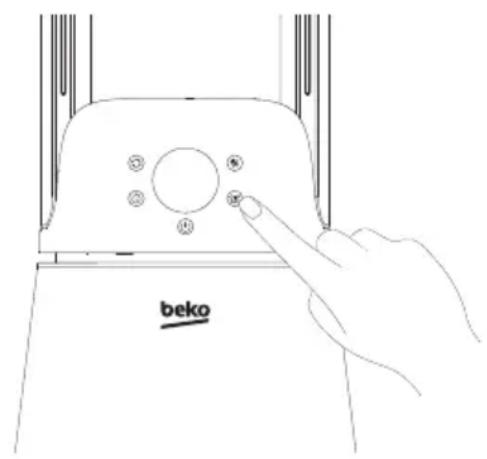
The keys have a signal tone feedback.
4 Use
4.2 Remote control
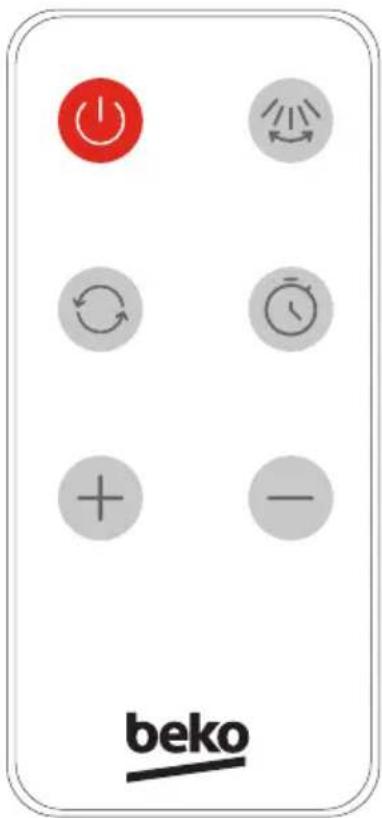
| Button Function description |
| On/Off button:In the standby state, press the power button to start the fan.The default gear is 3. Press it again to shut down. |
| Swing buttonPress this key to switch the swing(left&right) angle in turn:30°,60°,90°,120°,Off. |
| + | Press the "+" button on the remote control to increase the air volume. |
| - | Press the "-" button to decrease the air volume |
 | Mode buttonPress this key to switch the air modes in turn: Strong air-speed mode, Sleep Mode,Natural air-speed mode, Exit mode.Strong mode: “-” pair speed becomes the highest.Sleep mode: “-” The maximum speed in sleep mode is level 10. The wind speed will gradually drop from Speed 10 to Speed 2 over a period of 4 hours. After that it will keep running at Speed 2. This is repeated until level 2 is reached.Natural mode: “-” Simulation of natural wind.The speed is reduced or increased by 4 levels of the set ventilation level.Note: The lowest speed that can be set in natural mode is therefore level 5 and the highest speed is level 16.Press the Air speed key to exit the current Air mode. |
 | Timer buttonPress the timer button to set 1-8-0 hours.After the timer function is set, other functions can be used normally.When the device is turned off, the timing setting is also canceled.01H-02H-03H-04-05H-06H-07H-08H-09NOTE: A small dot flashes at the bottom right of the display to simulate the timer. |
Remove the insulation sheet before use.
4 Use
4.3 How to replace the battery?
Battery replacement method: as shown in the figure
- Hold down the buckle to open the slot;
- Load the battery, pay attention to the direction of the battery;
- Insert the slot back into the remote control.
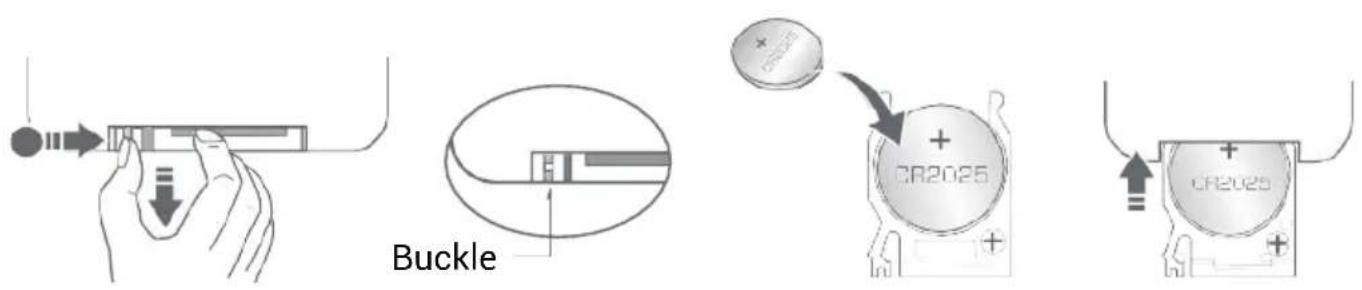

Do not charge this battery. If it is not used for a long time, please take out the battery. Keep out of reach of children. If swallowed, seek medical attention.
- This fan may respond to the remote control of other devices.
- If you use the remote control of this fan, other devices may respond.
This is due to the overlapping frequencies of the remote control. There is no quality problem in the product itself. To avoid misuse, keep the remote control away from other electrical devices during operation.
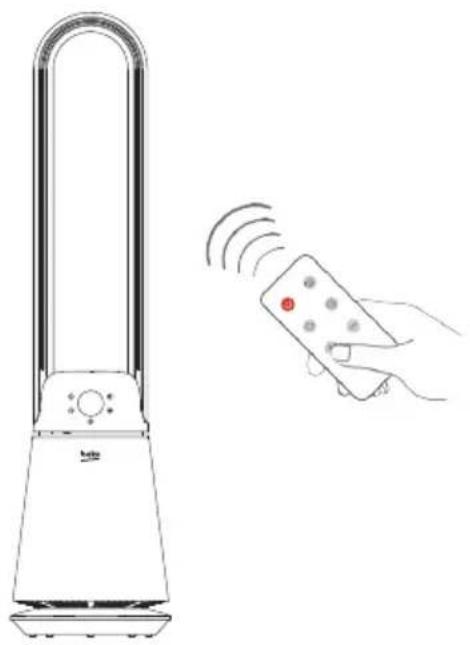

The remote control should be directed towards the display to maximize the remote control signal.
5 Cleaning and maintenance
Switch off and unplug the appliance before cleaning it.

WARNING: Never use gasoline, solvent, abrasive cleaning agents, metal objects or hard brushes to clean the appliance.

WARNING: The fan requires little maintenance. Do not try to fix it by yourself. Refer it to qualified service personnel if service is needed.
5.1 Cleaning
Object Surface
Please gently wipe the fan surface with a dry soft cloth. If the surface of the fan is dirty, it can be diluted with neutral detergent and then wiped with a soft cloth.
Air Inlet Air Outlet
Please use a soft brush or a vacuum cleaner to clean the dust at the air inlet and outlet. Too much dust may affect the use of the fan. Please clean it in time when there is less dust.
Power Adapter
Please clean the power adapter with a dry soft cloth.
5.2 Storage
- If you do not intend to use the appliance for a long time, store it carefully.
- Unplug the appliance.
- Keep the appliance out of the reach of children.
5.3 Handling and transportation
- During handling and transportation, carry the appliance in its original packaging. The packaging of the appliance protects it against physical damages.
- Do not place heavy loads on the appliance or on the packaging. The appliance may get damaged.
- Dropping the appliance may render it non-operational or cause permanent damage.
6 Troubleshooting
Operation of your appliance can lead to errors and malfunctions. The following tables contain possible causes and notes for resolving an error message or malfunction. It is recommended to read the table below carefully in order to save your time and money that may cost for calling to the service center.
| Problem Cause Solution | | |
| The machine does not work properly after installed | The power cable is not plugged in or has poor contact. | Make sure the plug is properly inserted into the socket. |
| The switch on the body is not turned on. | Turn on the switch on the body. |
| The remote does not work | The battery needs replacing. | Replace the battery. |
| The remote is being used more than 5m away from the fan. | Use the remote closer to the fan and make sure it is pointing directly at the display panel. |