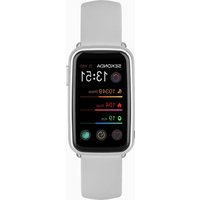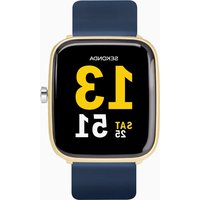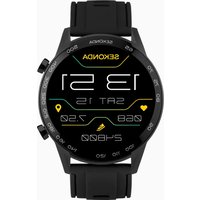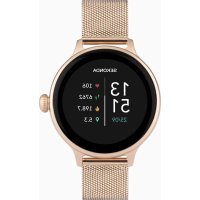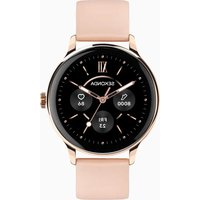
Flex Plus 40667 - Smartwatch Sekonda - Free user manual and instructions
Find the device manual for free Flex Plus 40667 Sekonda in PDF.


| Product type | Smartwatch |
| Brand | Sekonda |
| Model | Flex Plus 40667 |
| Display | Capacitive touch AMOLED 1.28 inches |
| Resolution | 416 x 416 pixels |
| Processor | RTL8773-VP |
| RAM | 128 KB |
| Storage | 128 MB |
| Connectivity | Bluetooth 5.0 |
| Battery | Lithium-Ion 3.7 V / 230 mAh |
| Compatible systems | iOS 12.0 and later, Android 7.1 and later |
| Water resistance | IP68 (immersion up to 1.5 m for 30 min max) |
| Sensors | Heart rate, blood oxygen |
| Main functions | Calls, notifications, activity tracking (steps, distance, calories), 18 sports modes, sleep, weather, alarms, stopwatch, timer, music control, photo shutter |
| Strap | Removable and interchangeable (width 20 mm) |
| Power supply | Magnetic charger (5V / 1A) |
| Maintenance | Avoid exposure to salt water and chemicals; dry after contact with water |
| Safety | Do not disassemble; avoid extreme heat; not for medical use |
| Spare parts and repairability | 20 mm straps available; user repair not recommended |
| General information | Manual downloadable at notice-facile.com |
Frequently Asked Questions - Flex Plus 40667 Sekonda
User questions about Flex Plus 40667 Sekonda
0 question about this device. Answer the ones you know or ask your own.
Ask a new question about this device
Download the instructions for your Smartwatch in PDF format for free! Find your manual Flex Plus 40667 - Sekonda and take your electronic device back in hand. On this page are published all the documents necessary for the use of your device. Flex Plus 40667 by Sekonda.
USER MANUAL Flex Plus 40667 Sekonda
SEKONDA FLEX PLUS SMART WATCH INSTRUCTIONS (40664, 40665, 40666, 40667) WEARING YOUR SMART WATCH
For the best data accuracy, please follow these guidelines while wearing your watch.
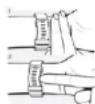
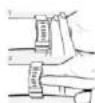
Position your watch approximately two finger-widths from your hand.
- For a comfortable fit, adjust the strap or bracelet to allow a finger width between it and your wrist.
POWERING ON YOUR SMART WATCH
-
Remove the printed screen protector. Below this is an additional screen protector. It is advised that you keep this on your watch to protect it from wear and tear.
-
To turn your smart watch on press and hold the button for 5 seconds.- If the watch doesn't power on, connect the magnetic charging cable to the back of the watch, and leave it to charge for at least 10 minutes before trying again.
When charging, use a standard USB power source with an output of 5V = 1A or above. Before charging, make sure the charging contacts are clean and free of moisture.
DOWNLOAD AND INSTALL THE APP
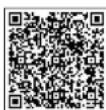
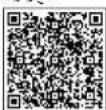
To download the Sekonda Smart app please scan the QR code using your smartphone camera, or search for "Sekonda Smart" in the app store on your smartphone.
The SEKONDA SMART app is compatible with the following smartphones: - Android (version 7.1 and above)
Apple iOS (version 12.0 and above)
CONNECT YOUR SMART WATCH TO THE APP
- Open the app and scroll down to read and accept the Terms of Service.
- Tap either "Sign In" or "Guest" to continue without creating an account.
-
On the next screen you can enter your personal information and goals such as your step count target.
-
The app will then prompt to search for devices to connect to. - Your watch has a unique Bluetooth name beginning with "Sekonda" followed by letters and/or numbers. You can find your watch's Bluetooth name by swiping down from the home screen, tapping on the cog icon, then going to System > System version.
-
Select the correct Bluetooth name from the list on the app to connect to your smart watch.
The watch will display the correct time after pairing is successful.
SYNCHRONISE DATA WITH THE APP
- After your watch is paired with the app you can synchronise data the watch has recorded.
Please sync your app daily to avoid loss of recorded data. Data on the watch is reset at midnight every day.
To sync your data, connect to the app. On the home screen, swipe down to sync data with the watch. "Syncing" will be displayed at the top of the page.
For the app to function correctly please take notice of the following:
- Do not pair the watch directly with the Bluetooth in your phone's settings.
Always pair the watch through the app.
-
Do not turn off Bluetooth in your phone's settings.
-
If you would like to receive notifications from the app, you must accept the app's permissions.
SET UP
On your Smart Watch:
-
Swipe down from the home screen. Several quick settings can be accessed from this screen.
-
Tap the sun icon to adjust the brightness setting. Settings above level 3 will reduce battery life significantly.
-
Tap the watch icon on the right to turn on/off the always on display.- Tap the moon icon to turn on/off Do Not Disturb mode. Your watch will turn off notifications and vibration.
-
Tap the battery icon to turn on/off power saving mode. Please note this will disconnect the Bluetooth connection to your phone.
-Tap the cog icon to access the full settings list.
-Tap "Language" to change the language setting.
-
Tap "screen display"
-
Tap on "Screen time" to set how long the screen will stay on for. The screen can be set to stay awake for a maximum of 30 seconds. - Tap on "Turn wrist wake" to set how long the screen will stay on for after you turn your wrist.
-
Tap "Vibration&Ring", then "Vibration" to set the strength of the vibration that will be used for notifications. Tap "Mode" to switch between Mute, Vibration, and Vibration&Ring modes.
-
Tap "Always on" to set the display to stay on for a longer amount of time. Choose from 5/10/15/20mins, or Always On. The always on display is for essential use only. Please also note that having the screen time set to longer will consume the battery life more quickly.
Tap "Time setting" to manually set the time on the watch and choose between 12hr and 24hr display.
On the SEKONDA SMART app:
- Open the app and navigate to the menu by tapping on the watch icon in the bottom right of the screen.
Set which notifications you would like to receive on your watch: - Select "Message push" to set which notifications you would like to be displayed on your smart watch.
OTHER SETTINGS
- Frequent contacts - Add up to 10 frequent contacts by tapping the plus (+) icon in the top right. These contacts will be stored on your smart watch for easy access. To delete a contact, in the app swipe left on a contact name and tap the red delete button. Health monitoring - Turn on to allow your watch to monitor your heart rate and blood oxygen at all times.
- Gesture control - With this on, the screen of your watch will wake up when you turn your wrist.
- Find watch - tap this and your watch will vibrate and chime to help you find it. Press the button on your watch to stop it.
- Camera - use your watch as a remote shutter for taking photographs.
- Drink water reminder - Set up your watch to give you reminders at set intervals.
- Sedentary reminder - Set up your watch to give you reminders at set intervals.
- Left hand or right hand - select which wrist you wear your watch on.
- Do not disturb - Your watch will turn off notifications and vibration for the set time period.
CONNECTING MULTIPLE WATCHES TO ONE PHONE You can create separate profiles for different people and switch between these when using the app.
- Tap on the person icon in the top left.
- Tap on "Family", then tap on the + icon in the top right. The "Add a family member" screen will appear. Enter the required details then tap "Bind device". - The app will search for nearby devices. Select the correct Bluetooth name from the list. You may need to tap "More" to view the full list.
- Once paired, you will have the option to switch to this user's profile. Up to 3 additional family accounts can be added.
- To delete an account, swipe left on it and tap the red delete button.
USING YOUR SMART WATCH THE SMART WATCH INTERFACE From the home screen
- Swipe right to display the function list - phone call, frequent contacts, call records, daily activity, sports, sports record, heart rate, sleep, blood oxygen, message, weather, alarms, female care, relax, calendar, calculator, stopwatch, timer, music, camera, time setting, find phone, and setting. Swipe up and down to scroll through the list and tap a function to select it. - Swipe left for quick access to daily activity, heart rate, sleep, weather, music, and sports. When you reach the plus icon (+) tap on this to enter "function editing" where you can edit which functions can be viewed by swiping left from the home screen.
- Swipe down to view the settings screen. (See the "Set up" section for more detail.) This screen also shows the battery level. - Swipe up to view new messages/notifications.
BUTTON
- Press the button to wake up the screen.
- Within any menu, press the button to return to the home screen.
To turn your Smart Watch on/off hold the button down for 5 seconds.
CHANGING YOUR WATCH DIAL STYLE
- On the home screen (the screen displaying the clock) of your watch, press and hold on the middle of the screen. - Swipe left or right to choose a dial style and tap to select it.
DOWNLOADING MORE DIAL STYLES
- Open the app and tap the watch face icon in the bottom middle of the screen.
Here you can browse different dial designs.
- To select a dial and add it to your watch, select the dial and then tap "Push".- Make sure your watch is close to your phone. The app will display "Syncing..." for a few seconds while data is transferred. - The new dial will then be displayed on your watch.
ADDING A PHOTO TO YOUR WATCH DIAL
-
Open the app and tap the watch face icon in the bottom middle of the screen.
-
Tap "Div" at the top of the screen, then tap the Image of the watch.
-
You will be given the option to take a photo or access the album within your phone to select an existing photo.
-
You can select the colour the time/date will be displayed in. Under "Time Position", select whether you would like the time/date to be positioned at the top, bottom, or centre of the dial. - Tap "Push" to add the dial to your watch.
FUNCTIONS
Phone Call - Brings up the keypad to dial a phone number.
Frequent contacts - Select from your frequent contacts to place a phone call. - See the "Set up" section for instructions detailing how to add contacts.
Call records - Shows your call history of your last 10 call records.
Daily Activity - The watch will display the user's total number of steps, the distance walked, and calories burned for the current day. The data will be cleared at midnight every day.
- You can also access the daily activity screen by swiping left from the home screen.
Sports - In this mode you can select from 18 sports modes to record data during the activity.
-
Data that is recorded can include time, heart rate, steps and calories burned, depending on which activity is selected.
-
While in a sports mode, swipe left to lock the screen or end the session.
Full sports list: walking, running, hiking, elliptical, rope skipping, rowing machine, indoor cycling, yoga, fitness, tennis, HIIT, dance, pilates, indoor run, football, cricket, basketball, stair stepper.
Sports record - Shows your sports activity history for the day.
Heart Rate - When this is selected, the watch will begin to measure your heart rate.
The watch will vibrate when it has finished measuring.
Sleep - The watch will display your total sleep time for the previous night, including the total time of deep sleep and light sleep. Scroll down to view sleep data for the last 7 days.
The watch will measure sleep times between 21:30 - 12:00 the next day.
Blood Oxygen - When this is selected, the watch will begin to measure your blood oxygen.
The watch will vibrate when it has finished measuring.
Message - When connected to your phone via Bluetooth, notifications from your phone will be sent to your watch. View new messages/notifications here. - Make sure to accept the permissions for push notifications on your phone for this to function correctly.
Weather - After your watch has been connected to the app, it will display local weather information.
- Scroll down to see the weather for the upcoming week.
To update the weather information, synchronise the watch with the app. Please make sure location permissions are turned on within your phone's settings.
Alarms - View your current alarms or set new alarms. You can set up to 5 alarms.
- You can also turn on/off any existing alarm settings from this watch menu. To edit or delete an alarm, tap on it.
Female Care - In the app, scroll down on the home screen and tap
"Female Care".
-
Enteryour details to set up this function.
-
This can then be viewed from your smart watch menu. Please choose "female" when setting up your profile for this function to appear.
Relax - Select one minute or two minutes. Tap to start.
The watch will guide your breathing for the duration of the time selected.
Calendar
Calculator
Stopwatch
Timer - Select from the pre-set timer options or scroll down and tap the plus (+) to set up your own timer.
- The watch will vibrate when it reaches the end of the countdown.
Music - With your phone connected via Bluetooth, music can be controlled through the watch interface.
- Play/pause and skip through tracks with the on-screen icons.
Adjust the volume of the music playing from your phone with the + / -
Find phone - After the watch has been connected to your phone via
Bluetooth, selecting this option will cause the phone to vibrate and beep so that it can be easily located. Setting
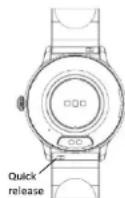
CHANGING THE STRAP - The strap on the smart watch is removable and interchangeable with other 20mm watch straps. - Turn the watch over and locate the quick release as pictured. - Push the quick release pin away from the watch to separate the strap from the watch.
SAFETY AND CARE INSTRUCTIONS
International Protection Rating (Water Resistance) Your smart watch is IP68 rated, meaning it has complete protection from the ingress of dust, and is protected from continuous immersion in water up to a depth of 1.5 metres for a maximum of 30 minutes. Please note that salt water or certain chemicals in water may damage or weaken the watch seals, especially with repeated exposure.
To ensure your watch stays in good functioning condition it is recommended that you:
- Do not press the buttons while your watch is submerged.
- Do not use the watch when swimming, diving, or snorkelling. - Do not attempt to charge the watch while it is wet.
Please note that the watch's touch screen will not function while submerged in water.
If your watch is exposed to water, always dry it fully with a soft cloth. If your watch is exposed to any other liquids such as salt water, swimming pool water, soapy water, perfume, sunscreen, hand sanitiser, cosmetics, or other chemical products; wash it with clean water and dry it fully with a soft cloth.
The watch's functionality may be affected if these instructions are not followed.
- Do not attempt to disassemble your smart watch. This may cause a safety hazard, could damage your watch, and/or affect the water resistance.
- Do not use hair dryers, blowers, or any other heated equipment to dry your watch
- Do not operate your watch near radiators or heat sources.
This could cause damage to your watch. - Do not place heavy objects or exert strong pressure on your smart watch.
- Avoid using the watch in extremely high or low temperature environments. - Avoid using the watch in high humidity environments. This could affect the water resistance of the watch.
- Protect your smart watch from long exposure to direct sunlight.
Please note that the measurement results of this device are for reference only and are not intended for medical use. Users should always follow the advice of their doctor or other trusted medical professional.
When using your Smart Watch on aeroplanes, in hospitals, or near medical electronic systems please follow the authority standards and be aware that wireless signals transmitted could impact the functionality of sensitive electronics.
PRODUCT SPECIFICATION
Model Sekonda
40664,40665,40666,40667
CPU RTL8773-VP
Memory RAM 128KB + Storage 128Mb
Capacitive touch screen 1.28" AMOLED
416*416 resolution
Bluetooth version 5.0
Battery Lithium-ion 3.7V/230mAh
Compatible Operating Systems iOS 12.0 and above, Android 7.1 and
above Water Resistance IP68
How to unpair your smart watch from your phone
- Open the app and navigate to the menu by tapping on the icon in the top
left of the screen. - Tap on "Device"
Tap "Unpair". The app will ask if you wish to unpair the watch. Tap "OK" to do so.
How to restore your watch to factory settings
To clear all data from your watch and restore it to factory settings please
swipe down on the home screen of your watch and tap on the cog to
enter the settings menu.
In this menu select "System", then "Reset".
If for any reason you need to return your watch to us, please restore your
Smart Watch to factory settings before sending it.
Arabic
### SEKONDA FLEX PLUS (40664, 40655, 40666, 4067)
y
w#
1 1
jssii jss
aaiy
15 15 15 15 15 15 15 15 15 15 15 15 15 15 15 15 15 15 15 15 15 15 15 15 15 15 15 15 15 15 15 15 15 15 000000000000000000000000000000000000000000000000000000
1234567890123456789012345678901234567890123456789012345678901234567890123456789012345678901234567890123456789
y
Sekonda Smart"
{d1.71jyj1j0
IOS {120 120 jyj1j0
yillil 1
aaii aiee eae eae eae eae eae eae eae eae eae eae eae eae eae eae eae eae eae eae eae eae eae eae eae eae eae eae eae eae eae eae eae eae eae eae
10.2.15 10.2.16 10.2.17
100000000000000000000000000000000000000000000000000000000000
a<
Jauu Jauu Jauu Jauu Jauu Jauu Jauu
y j 1
gaiy gaiy gaiy gaiy gaiy gaiy gaiy gaiy gaiy gaiy gaiy gaiy gaiy gaiy gaiy
Jnnnnae nnne nnnnne ne nnnnne nnnnne nnnnne nnnnne nnnnne nnnnne nnnnne nnnnne nnnnne nnnnne nnnnne nnnnne nnnnne nnnnne nnnnne nnnnne nnnnne nnnnne nnnnne nnnnne nnnnne nnnnne nnnnne nnnnne nnnnne nnnnnee
y 1
y
2.5 1
yue 1 yue 2 yue 3 yue 4 yue 5
Jaaa aaaeaaeeaaeeaaeeaaeeaaeeaaeeaaeeaaeeaaeeaaeeaaeeaaeeaaeeaaeeaaeeaaeeaaeeaaeeaaeeaaeeaaeeaaeeaaeeaaeeaaeeaaeeaaeeaaeeaaeeaaeeaaeeaaeeaaeeaaeeaaeeaaeeaaeeaaeeaaeeaaeeaaeeaaeeaaeeaaeeaaeeaaeeaaeeaaeeaaeeaaeeaa
y 10000000000000000000000000000000000000000000000000000000000000000000000000
a 30 12
yj1yj1
5/10/15/20 10
12 10 jolj,1yjgai jai jai jai jai jai jai jai jai jai jai jai jai jai jai jai jai jai jai jai jai jai jai jai jai jai jai jai jai jai jai jai jai jai jai jai jai jai jai jai jai jai jai jai jai jai
(1)
10 4 5 6 7 8 9 10
y j 10000000000000000000000000000000000000000000000000000000000
100 100 100 100 100 100 100 100 100 100 100 100 100 100 100 100 100 100 100 100 100 100 100 100
yall 1
y 1
y
aaii aie gai iiaai nannn aaii -gai iai aaii 1
y
gaa aagaaa aagaaa aagaaa aagaaa
paaee aae eae ee aeae eae eae
y
a
a a a a a a a a a a a a a a a a a a a a a a a a a a a a a a a a a a a a a a a a a a a a a a a a a a a a a a
aee aee eae aee aee aee
aai aiee eae
a 1000000000000000000000000000000000000000
2ailll p1y 10000000000000000000000000000000000000000000000000000000
daiyue yue jia jia jia liang liang qiu - - - - - - - - - - - - - - - - - - - - - - - - - -
m = 311
A
y
jai dai aie 1 jylyi yai puiy.
paii dai ayiy iay jay Jaiyai -yai gaiyai
j 100
Lalalalalalalalalalalalalalalalalalalalalal
iL
()
Aaannnnae P68: aennnnn ennnnne nnnnne nnne ne annnee
C

aill aill yol Jauy jaii
a aaa aaa aaa aaa aaa aaa aaa aaa aaa
e aae ae eae ae ae ae ae ae ae ae ae ae ae ae ae ae ae ae ae ae ae ae ae ae ae ae ae ae ae ae ae ae ae ae ae ae ae ae ae ae ae ae ae ae ae ae ae ae ae ae ae ae ae ae ae ae ae ae ae ae ae ae ae ae ae ae ae ae ae ae ae ae ae ae ae ae ae ae ae ae ae ae ae ae ae ae ae ae ae ae ae ae aaee
a
e 1
0.51 2.5x4
1
SECONDSKA MOUNT 曹詠元國國國國國國國國國國國國國國國國國國國國國國國國國國國國國國國國國國國國國國國國國國國國國國國國國國國國國國國國國國國國國國國國國國國國國國國國國國國國國國國國國國國國國國國國國國國國國國國國國國国
“-”“-”“-”“-”“-”“-”“-”“-”“-”“-”“-”“-”“-”“-”“-”“-”“-”“-”“-”“-”“-”“-”“-”“-”“-”“-”“-”“-”“-”“-”“-”“-”“-”“-”
Mehilal vaeehbal - 8epy m, haoa kniln prn noe eelk kre Aor
-伊苏普克班可和之
伊克萨克的克萨克亚克斯卡亚夫亚夫亚夫亚夫亚夫亚夫亚夫亚夫亚夫亚夫亚夫亚夫亚夫亚夫亚夫亚夫亚夫亚夫亚夫亚夫亚夫亚夫亚夫亚夫亚夫亚夫亚夫亚夫亚夫亚夫亚夫亚夫亚夫亚夫亚夫亚夫亚夫亚夫亚夫亚夫亚夫亚夫亚夫亚夫亚夫亚夫亚夫亚夫亚夫亚夫亚
Aaramak-ekmimntydaoninotn 2
c
中
Tahmam - 10-5e Tae TAHmR bokkumr mo nse uunn aonnnne kukl kueh 2000000000000000000000000000000000000000000000000000000000
安贝士尔达尼利斯卡
Ssnti - kuku-ke mamwamse shtaikpe paoan se konokc hoyan pe, chdi ictarqk ske k mamwamse shtaikat kni nkiyirnir kkiya jia saekutl
ACCENSIONDELLO SMART WATCH
-Android version 7.1 e successive)
-Apple iOS (version 12 e successive)
CONNNECTION TUI SMART WATCH ALL APP
S-0-2-5-5-5-5-5-5-5-5-5-5-5-5-5-5-5-5-5-5-5-5-5-5-5-5-5-5-5-5-5-5-5-5-5-5-5-5-5-5-5-5-5-5-5-5-5-5-5-5-5-5-
PII Lityum Lyon 3.7V/230mAh