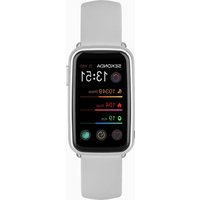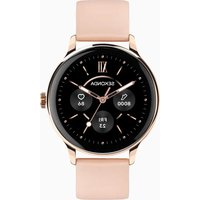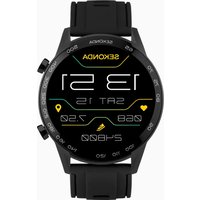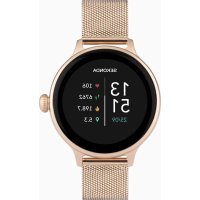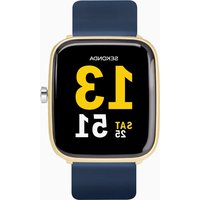
Motion 30050 - Smartwatch Sekonda - Free user manual and instructions
Find the device manual for free Motion 30050 Sekonda in PDF.


| Product type | Smartwatch |
| Brand | Sekonda |
| Model | Motion 30050 |
| Processor | RTL8762C (ARM Cortex-M0 53 MHz) |
| Memory | 128 KB RAM + 64 MB ROM |
| Display | Capacitive touch, 1.4 inches, 240x240 resolution |
| Bluetooth | Version 5.0 |
| Battery | Lithium-ion 3.7V / 160 mAh |
| Battery life | Approximately 5 to 7 days depending on usage |
| Water resistance | IP68 (up to 1.5 m for 30 minutes) |
| Strap | Removable, 22 mm width |
| App | HitFit Pro (Android 5.1+ / iOS 10.0+) |
| Sensors | Accelerometer, heart rate monitor, temperature sensor |
| Main functions | Activity tracking, sleep, heart rate, temperature, sports, weather, music, notifications, stopwatch, relaxation, phone finder |
| Charging | Magnetic USB charging, charging time ~2 hours |
| Weight | Approximately 50 g |
| Dimensions | Approximately 42 x 42 x 11 mm |
| Care and cleaning | Wipe with a soft cloth; rinse with clear water after exposure to chemicals; do not use a hair dryer |
| Safety | Do not use for diving; do not charge when wet; avoid extreme temperatures |
| Spare parts and repairability | Interchangeable strap (22 mm); battery not user-replaceable |
Frequently Asked Questions - Motion 30050 Sekonda
User questions about Motion 30050 Sekonda
0 question about this device. Answer the ones you know or ask your own.
Ask a new question about this device
Download the instructions for your Smartwatch in PDF format for free! Find your manual Motion 30050 - Sekonda and take your electronic device back in hand. On this page are published all the documents necessary for the use of your device. Motion 30050 by Sekonda.
USER MANUAL Motion 30050 Sekonda
GETTING STARTED (30009, 30010, 30013, 30014, 30015, 30050, 30053, 30054)
CHARGE YOUR SMARTWATCH
- Charge your smartwatch by connecting the magnetic USB cable provided and charge your watch for at least two hours before first use.
TURN ON YOUR SMARTWATCH
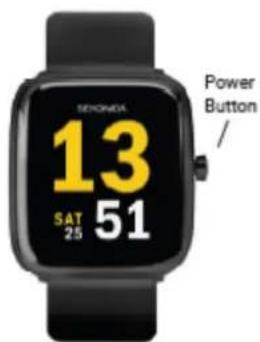
- Press and hold the button for 5 seconds to turn your smart watch on.
The home screen of the watch will be displayed. - From the home screen, swipe to the right to access the menu screen. From here you can tap on any of the function icons to enter the related menu.
- The screen will turn off when your smart watch is not in use. To wake up the screen press the power button.
- With 'turn wrist to wake' (gesture control) turned on, the screen will also wake up when you turn your wrist. This can be turned on/off within the app.

(power button)
DOWNLOAD AND INSTALL THE APP
- To download the app
please search for "HitFit Pro"
from your app store.
- Or scan the appropriate QR
code using your smartphone
camera or QR code reader app.
The HitFit Pro app will work on
the following smartphones:
Android (version 5.1 and above)
Apple iOS (version 10.0 and above)
CONNECT YOUR SMARTWATCH TO THE APP
-
Open the app and go to the menu by tapping on the icon in the top left of the screen.
-
Tap on "Device" to search for nearby devices. Make sure your phone has Bluetooth turned on.
-
Your watch has a unique Bluetooth name beginning with "Sekonda" followed by letters and/or numbers. You can find your watch's Bluetooth name by swiping down from the home screen,
tapping on the cog symbol, then going to System > System version.
Here you will see the Bluetooth name under "BLE name"
- Select the correct Bluetooth name from the list to connect to your smart watch.
SYNCHRONISE DATA WITH THE APP
- After your watch is paired with the app you can synchronise data the watch has recorded.
- Please sync your app daily to avoid loss of recorded data. Data on the watch is reset at midnight every day.
- To sync your data, connect to the app. On the home screen, swipe down to sync data with the watch. "Syncing" will be displayed at the top of the page.
SETUP
Open the app and navigate to the menu by tapping on the icon in the top left of the screen.
Set which notifications you would like to receive on your watch.
- Under "Device", select "Message push" to set which notifications you would like to be displayed on your smart watch.
OTHER SETTINGS:
Expand the menu below "Device" to view more settings.
- Watch alarm - you can set up to five alarms.
Find watch - tap this and your watch will vibrate to help you find it. - Hydration reminder - Set up your watch to give you reminders at set intervals.
- Sedentary reminder - Set up your watch to give you reminders at set intervals.
-
Camera - use your watch as a remote shutter for taking photographs.
-
Heart rate monitor - Turn on to allow your watch to monitor your heart rate at all times.
- Gesture control – With this on, the screen of your watch will wake up when you turn your wrist.
- Left hand or right hand - select which wrist you wear your watch on.
FOR THE APP TO FUNCTION CORRECTLY
PLEASE TAKE NOTICE OF THE FOLLOWING:
- Do not pair the watch directly with the Bluetooth in your phone's settings. Always pair the watch through the app.
- Do not turn off Bluetooth in your phone's settings.
- If you would like to receive notifications from the app, you must accept the app's permissions.
USING YOUR SMARTWATCH
THE SMARTWATCH INTERFACE
- Swipe right to display the function list – daily activity, temperature, heart rate, message, sports, sleep, weather, music, relax, timer, find phone, settings. Swipe up and down to scroll through the list and tap a function to select it.
Power
Button
App store
Google Play
-
Swipe left for quick access to daily activity, sports, heart rate and temperature. Keep swiping left to view other functions.
-
Swipe down to show a screen where you can access the timer, brightness settings, settings, and do not disturb mode. There is also a symbol showing the
battery level on this screen.
- Swipe up to view new messages/notifi cations. Swipe up again to view heart rate data. Swipe up again to view daily activity data.
BUTTONS
- Press the button to wake up the screen.
- Within any menu, press the button to return to the home screen.
- To turn your smartwatch on or off hold the button down for 5 seconds. Alternatively, swipe up from the home screen, tap the settings option and select System, then Shut down.
CHANGING YOUR WATCH DIAL STYLE
- On the home screen (the screen displaying the clock) of your watch, press and hold on the middle of the screen.
- Swipe left or right to choose a dial style and tap to select it.
DOWNSLOADING MORE DIAL STyles:
- Open the app and tap the watch face icon in the bottom right of the screen.
- Here you can browse different dial designs.
- To select a dial and add it to your watch, tap it and then tap "Push".
- Make sure your watch is close to your phone. The app will display "Syncing..." for a few seconds while data is transferred.
- The new dial will then be displayed on your watch.
ADDING A PHOTO TO YOUR WATCH DIAL:
- Open the app and tap the watch face icon in the bottom right of the screen and tap the "DIY" option.
-
Tap on the watch face at the top of the page. You will be given the option to take a photo or access the album within your phone to select an existing photo.
-
Under "Colour" you can select white or black to change the time/ date colour.
- Select whether you would like the time/date to be positioned at the top, bottom, or center of the dial.
- Tap "Push" to add the dial to your watch.
FUNCTIONS
Swipe right to access the menu. The watch will display a list of the below functions. Scroll up or down and tap to select an option.
DAILY ACTIVITY:
- The watch will display the user's total number of steps, the distance walked, and calories burned for the current day. The data will be cleared at midnight every day.
- You can also access the daily activity screen by swiping left from the home screen.
TEMPERATURE:
- When this is selected, the watch will begin to measure your temperature.
- The top measurement shows your surface skin temperature.
- The bottom measurement shows your body temperature. Your watch will take 60 seconds to measure this.
- Please note that to accurately measure body temperature the room temperature must be between 18 - 30^ .
HEART RATE:
- When this is selected, the watch will begin to measure your heart rate.
- The watch will vibrate when it has finished measuring.
MESSAGE:
-
When connected to your phone via Bluetooth, notifications from your phone will be sent to your watch. View new messages/notifications here.
-
Make sure to accept the permissions for push notifications on your phone for this to function correctly.
SPORTS:
- In this mode you can select from walking, running, climbing, riding or basketball, to record data during the activity.
- Data that is recorded can include time, heart rate, steps and calories burned, depending on which activity is selected.
- Press the lower button to end the recording of data.
SLEEP:
- The watch will display your total sleep time for the previous night, including the total time of deep sleep and light sleep.
- The watch will measure sleep times between 21:30-12:00 the next day.
WEATHER:
- After your watch has been connected to the HitFit Pro app, it will display local weather information.
- Scroll down to see weather for the upcoming week.
- To update the weather information, synchronise the watch with the app. Please make sure location permissions are turned on within your phone's settings
MUSIC:
- With your phone connected via Bluetooth, music can be selected through the watch interface.
- Volume of the music playing from your phone can be adjusted through the watch interface.
RELAX:
- Select one minute or two minutes. Tap to start.
- The watch will guide your breathing for the duration of the time selected.
TIMER:
- Tap to start the timer. Tap again to pause the timer.
FIND PHONE:
- After the watch has been connected to your phone via Bluetooth, selecting this option will cause the phone to vibrate and beep so that it can be easily located.
- You can also access this option by swiping down from the home screen.
SETTINGS
LANGUAGE:
- Set your language preference.
SCREEN DISPLAY:
- Changed dial.
- Brightness - set the brightness of the watch screen.
- Screen time - set how long the screen stays awake for.
- Turn wrist wake – set how long the screen stays awake for when you turn your wrist. This setting must be turned on within the app (gesture control).
DO NOT DISTURB:
- Enter into do not disturb mode.
VIBRATION:
- Set the vibration level.
SYSTEM:
- System version - view Bluetooth name, software and UI version.
- Shut down.
- Reset - clear all data from the watch.
CHANGING THE STRAP
- The strap on your smartwatch is removable and interchangeable
with other 22mm watch straps.
- Turn the watch over and locate the quick release.
- Slide the quick release across to separate
the strap from the watch.
SAFETY AND CARE INSTRUCTIONS
INTERNATIONAL PROTECTION RATING (WATER RESISTANCE):
Your smart watch is IP68 rated, meaning it has complete protection
from the ingress of dust, and is protected from continuous immersion
in water up to a depth of 1.5metres for a maximum of 30 minutes.
Please note that salt water or certain chemicals in water may damage
or weaken the watch seals, especially with repeated exposure.
To ensure your watch stays in good functioning condition it is
recommended that you:
- Do not press the buttons while your watch is submerged.
- Do not use the watch when swimming, diving, or snorkelling.
- Do not attempt to charge the watch while it is wet.
Please note that the watch's touch screen will not function while
submerged in water. If your watch is exposed to water, always dry it
fully with a soft cloth.
If your watch is exposed to any other liquids such as
salt water, swimming pool water, soapy water, perfume,
sunscreen, hand sanitiser, cosmetics, or other chemical
products; wash it with clean water and dry it fully with a
soft cloth.
The watch's functionality may be affected if these
instructions are not followed.
- Do not attempt to disassemble your smart watch.
This may cause a safety hazard, could damage your
watch, and/or affect the water resistance.
- Do not use hair dryers, blowers, or any other heated equipment to dry your watch. Don't operate your watch near radiators or heat sources. This could cause damage to your watch.
- Do not place heavy objects or exert strong pressure on your smart watch.
- Avoid using the watch in extremely high or low temperature environments.
- Avoid using the watch in high humidity environments. This could affect the water resistance of the watch.
- Protect your smart watch from long exposure to direct sunlight. Please note that the measurement results of this device are for reference only and are not intended for medical use. Users should always follow the advice of their doctor or other trusted medical professional.
When using your smart watch on aeroplanes, in hospitals, or near medical electronic systems please follow the authority standards and be aware that wireless signals transmitted could impact the functionality of sensitive electronics.
PRODUCT SPECIFICATION
Model Sekonda
CPU RTL8762C
ARM Cortex-M0 53MHz
Memory RAM 128KB + ROM 64Mb
Capacitive touch screen 1.4" square screen 240^240 screen
Bluetooth version 5.0
Battery Lithium-ion 3.7V/160mAh
HOW TO UNPAIR YOUR SMARTWATCH FROM YOUR PHONE
- Open the app and navigate to the menu by tapping on the icon in the top left of the screen.
- Tap on "Device" then "Unpair". The app will ask if you wish to unpair the watch. Tap "Action" to do so.
HOW TO RESTORE YOUR WATCH TO FACTORY SETTINGS
- To clear all data from your watch and restore it to factory settings please swipe right on the home screen of your watch and navigate to "Setting".
- In this menu select "System", then "Reset".
If for any reason you need to return your watch to us, please restore your smartwatch to factory settings before sending it.
(30054·30053·30050·30015·30014·30013·30010·30009)
4.54 all sllw j
-
Jie 1e jie cie Iw oai sile w jil
J511
A. B . B. C. D. E.
- 15 5 0al jllge Jaiuai
aill icuL jaiil.
-
Lelina
Lia jia. aaiilai iuiu
aii bll cii jy jie ai
aallll aallll
Sillalalalalalalalalalalalalalalal
aIi11 1y.
ailll jiebcilal.
(1)
Lai jai li li bao
jSj jSajla.
gill
( k + 1) ( k + 2) = 1
a 1
-
" HitFit Pro"
yololl lalibill jio jao.
QR
sill 111
a aaii iiaii jorjis g1 jssll
Jaua HitFit Pro
a.slls a.slll sall
(5.1
iOS(10.0
aill aill lclu
"Skonda" 150000000000000000000000000000000000000000000000000000000000000000
pail 1< pail jll Jai jy jie jill.
"JnssyBLE"
- pui 222 Bluetooth 1j j Juaaiaai all n 245 aclw.
jill jill jil
- Clll laiol jao kay. gbi billy cie Lw n jai aclll calw.
- 100000000000000000000000000000000000000000000000
aai jll aai l 1c. qui billy Jaiil aiol jai 1e "aiol jall" iRg, aiai Iiilaiol jai 1aiial
aiy jill Jldn aolall jail gill
dclw lglg jzj jzjjj
"Jlalil Jll "Jlalil 22.1"Jlalil
G
y
Cgaaa aal yla 12c
Lgic jzll g lscuol iclcjgi g g jai - aclll jc
aclllie yssy sclw y sclw y -eall b y j
aLl 15 15 15 15 15 15 15 15 15 15 15 15 15 15 15 15 15 15 15 15 15 15
Jyallblay 2e jc e1 Jnss slicw pnnl - JyolSll
- 1
C 1
- 1
sloane roe loiee
- clie la aai jisall paaal jial - gail all g sall
J
S OBC = S COD + S BOC - S BOC
- 1
gill 10n aclnl n jyla.
Bluetooth
- 1
gill ci j
a.sill icicw plssnil
a.511 a.e.Ll a.51,
- 1
aagaae aee
aillll Jaae
aaiiie aiibgic biinol.
0
lai bili jiao
Jg
- aellwll gssuall cglbs sccs! aeell jae
i 1
J 111 1
- jlll l l 12
auii
a
- 1
a
·
.
ell 60 eell
-
30-18 2n jnn nn n
i#
- 1
waii jie gii iie aelljig
allwj:
- aie 1a i jaiyjui
Lia 1
- 1
j
C
- 1
y 1
Lilil Jn wglj jll jbiol.
aaii iil 1111 1111 1111 1111
12:00-21:30 acllll 12:00-21:30 acllll lglg
HitFit Pro.
aalg 1
a 1
49 = 2 :
aagall jk
- 150000000000000000000000000000000000000000000000000
-111 1.
- 1111111111111111
- 1
aill 1
- 1
aaii i 1
algea 10000000000000000000000000000000000000
a a a a a a a a a a a a a a a a a a a a a a a a a a
S OBC = S COD + S_ BOC
A
-
- aEaIaIe gabua-e gabll.
30 laaal j1.5 gac clall
a a a a a a a a a a a a a a a a a a a a a
Siall jywlqwol, aelll pil
aie
jdy
- dclw joc elj jjglc biai Y.
- jwai j wai j aiwl l ie aiwl prinui 2.
aIy aLlJy
a
laalagaoeall aieo
LacI Lalab
jolll jolllg oall alalll plao aall oall
g jaiyjaiy5 algo g jiaqni ci jinssn o j nll pao jn aaii
1 p 1
auii juaia
1
Culokill
iSill icicu ciui Uy
i j k l a d e g h i o
clll iia glae aie jilil gol
- 5
sio w jllc lwo Jaiy Y. sllw 122
clicu clls
- 15
ai a ai
aill aiaia 1 aaii j 12 cii 12 acllll alil
1
- jSao 13, aIall ay sb yI cy Ii 11
cllll aolw aglae j
- 3
J jglalgwljaiy
aill 12
4g 1
1
gai jj 1
iiie 1
e 1
aulll 1, jy
iiill 1
125
yjssalllllll,RTL8762C
M053
64+128
240*240 1.4 a
5.0
160/3.7
a
- 50 gall ai ggyi ale jail Jdx jia aill all jaiil gill
auii juii i
- jj 1 cllll jie jciis! Lao gbiill lllw. "jj 1 cllll" jil
ailllll 1
Gaaal 1ol 1o!
- ellie 10
1 1
jolldl"p."pulill" jial aaioll oia
Lgaleal
Lg 1s
SYNCHRONISER LES DONNÉES AVEC L'APPLICATION
Chalukhoon Paur, Sfokoon Bhi Saikoy Ho Jaayogni
Jab Aap Apani klae gumata. yeh ho saokat
Eep k 10iTcR cAul/6d kayra gayai
(
Euy daiunlloe kre Aor Eesrtae kre
·伊普 2
Hietotipokot pr"
Aapke eep sot
·
Aupanen Smaatotfoon kafu npoyogkuroke koo
Kekmara yaa kya aar koidr riey
Hietotipot pro eep pkr kam kreng
Ninmabalilkivit rmaatefo
E 5.1
Apple iOS (Sahedekar 10.0 4
Aepnni rmaeovac k oepse so kneck
·
五
- Ahsa - Pahs ke dibvabis 3 3 3 3 3 3 3 3 3 3 3 3 3 3 3 3 3 3 3 3 3 3 3 3 3 3 3 3 3 3 3 3 3 3 3 3 3 3 3 3 3 3 3 3
Fonm
Chudzi Hefur Difun Aghri Ralat Ko Reirseet Ho Jatiti He
Aapnni chui kai aayal STYLE bduel rha
- Aapoki hohm sckoN (dui prudit kranne vallai
- chunefek kayya Aay sammy/loty koyahr reynan aoh
Suhurshia Aorr deshaahal sambhini nirdesha
Aotarayoy Suroa Reritg (Jol priror):
Aapakki smpaet chdi IP68 reetod he, yanni iisampeur
Chulke Prdvshara, Aorir nirntar vishajn rse suhrikitrt h
Achikl 30 mnnr 1.5 mnt r k i gahrae tck panni me
Kpuyah a hayan d k k a r a p ani y pa ani me m ojuud k c h r s aoyan n uok saan npohc a sak te
ya chdi kki sioi keo kmajor k r de, vshopokr bar- -bar Eaeksaipoi jsr
yeh suiinshit kkrneke liepk Aapki chdi Aokki kayshol syit me rhe
AhnuRasA kaJatie kAp:
- Jābā Ḥāpakī āchūdi pānni mē ādūbī hī o tō bāt n N dūbāa
- teTARAKI, gOeTAtarOAreriy yA rEeKefLinga KReTe SAmay Chduo Ka UApuyogn N K
·嘎贝尼吉蒂尼哈王阿普瓦斯克阿克阿
kuPuya yan d k hdi k o t c sfo n t b kam n hi kere g
Pana n i me 2023 1000
POŁACZ SWOJ SMARTWATCH Z APLIKACJA
ABY APLIKACJA DZIAŁAŁA PRAWIDŁOWO
PROSZE ZWROCI C UWAGE NA NASTEPUJACE INFORMACJE:
MIEDZYNARODOWY KLASA OCHRONY (WODOOPORNOSC):
CARREGUE SEU SMARTWATCH
USANDO SEU SMARTWATCH
A INTERFACE DO SMARTWATCH
- No实用性, no use of the product.
Pil Lityum-iyon 3,7V/160mAh
SMARTWATCH'UNUZUN TELEFONUNUZLA EŞLEŞMESİN NASIL KALDIRIRSINIZ