GC712D34 - Electric grill TEFAL - Free user manual and instructions
Find the device manual for free GC712D34 TEFAL in PDF.


User questions about GC712D34 TEFAL
0 question about this device. Answer the ones you know or ask your own.
Ask a new question about this device
Download the instructions for your Electric grill in PDF format for free! Find your manual GC712D34 - TEFAL and take your electronic device back in hand. On this page are published all the documents necessary for the use of your device. GC712D34 by TEFAL.
USER MANUAL GC712D34 TEFAL
natural_image
Exterior view of a Tefel 5 grater with control panel and orange scroll (no readable text or symbols beyond branding)Mode d'emploi - Instructies voor gebruik Bedienungsanleitung - Instructions for use - Brugsvejledning Bruksanvisning - Käyttöohjeet - Bruksanvisning Instrucciones de uso - Manual de instruções - Οδηγίες χρήσης
FR CONSIGNES DE SÉCURITÉ PRÉCAUTIONS IMPORTANTES
text_image
Diagram showing a box being processed with a device, labeled 'TRAM' and 'R', indicating a process or operation.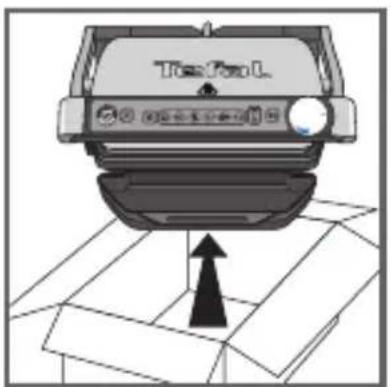
text_image
TopFun L1
natural_image
Illustration of a hand pressing down on a mechanical component (no text or symbols visible)2
natural_image
Close-up of a car Top/Top/L device with a highlighted component (no text or symbols visible)3
natural_image
Illustration of a handheld device with a black handle and a white top, labeled 'OK' (no other text or symbols)4
text_image
Illustration showing hands pouring liquid from a container into a cloth, with a crossed-out prohibition symbol above.5
natural_image
Illustration of a hand pressing down on a mechanical component (no text or symbols visible)6
text_image
Diagram showing hand holding plug to switch electrical socket, with no visible text or symbols7
text_image
Hand pointing at a computer interface with icons for function, navigation, and display8
text_image
Hand pointing at a control panel with icons for alarm, power, and display9 10
natural_image
Illustration of two fingers pressing down on a keyboard (no text or symbols visible)text_image
Hand pointing at a control panel with icons and a circular gauge showing 'OK' and 'OK' text11 12
text_image
4-7 minutes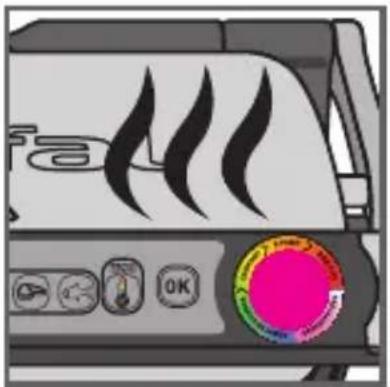
natural_image
Illustration of a portable air conditioner unit with flame icons and a pink circular button (no text or symbols)13
natural_image
Close-up of a mechanical device with a curved arrow indicating rotation or movement (no visible text or symbols)14 15
natural_image
Close-up of a mechanical component with a curved pipe or spring being inserted, showing motion direction (no text or symbols)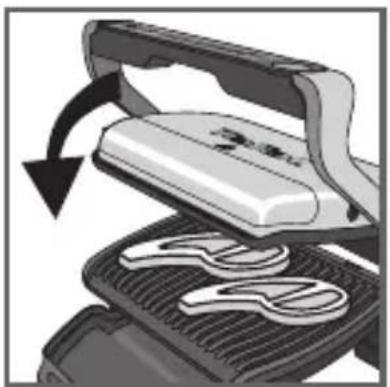
natural_image
Illustration of a grating machine with a handle and blade, showing a rotating blade and blade assembly (no text or symbols)16 17
text_image
PRETAX READY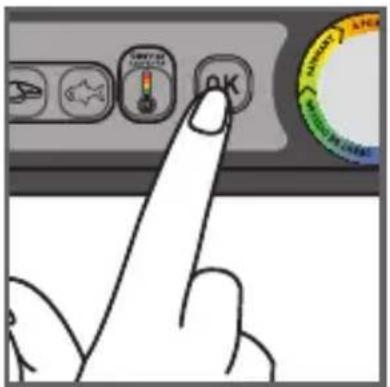
text_image
Hand pointing at a control panel with icons and a circular gauge showing 'OK' and 'CHANGE'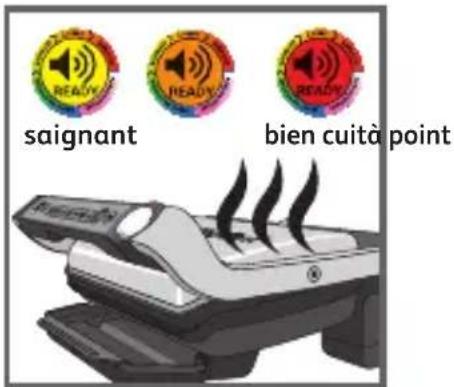
text_image
signant bien cuità point18
1415
text_image
Diagram showing three 'READY' circular icons above a ribbon, indicating status or notification of an electronic device.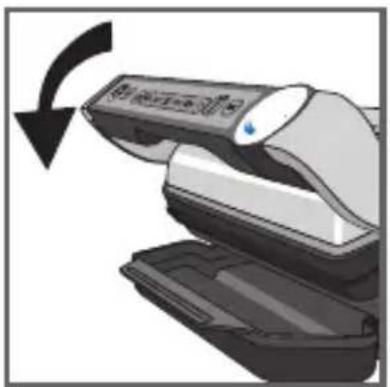
natural_image
Illustration of a printer with a scroll wheel and a blue indicator light, showing a black curved arrow indicating rotation (no text or symbols present)21
19-20
natural_image
Illustration of a hand using a tool to lift a device, showing mechanical components and motion arrows (no text or symbols)22 23
natural_image
Illustration of a steamer machine with steam rising, accompanied by a stopwatch and pointer (no text or symbols)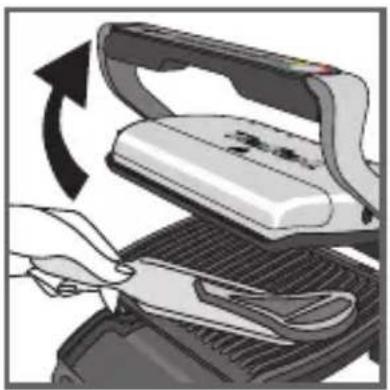
natural_image
Illustration of a hand using scissors to cut a flatboard with a rotating arrow indicating rotation (no text or symbols)24
natural_image
Illustration of a steam machine with control panel and red circular highlight (no text or symbols)25
text_image
Hand pointing at a computer control interface with icons for settings, navigation, and app icons26 27
natural_image
Illustration of a hand holding an electrical outlet with a right-hand rule arrow (no text or symbols)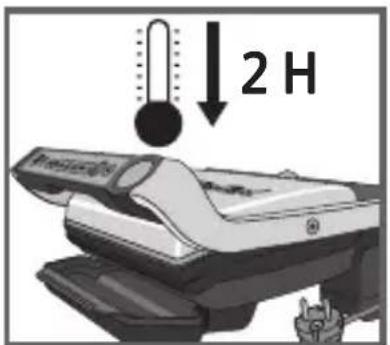
text_image
2 H28
natural_image
Two-step diagram showing a grating machine with heat exchanger and a storage unit (no text or symbols)29 30
text_image
Diagram illustrating a hand using a grater with a crossed-out grid, symbolizing no heat or noise in the grater.31 32
natural_image
Two-panel illustration: left shows hands cleaning a small object with textured surface; right shows hand washing a washing machine with a crossed-out fork (no text or symbols)33 34
natural_image
Illustration of a car parked inside a storage unit with a hand holding a device (no text or symbols visible)35
warmhouden
(ongeveer 30')
KNIPPEREND ROOD
text_image
Diagram showing a box being processed with a device, labeled in Chinese.Z
text_image
TopFun L1
natural_image
Illustration of a hand pressing down on a car intake manifold (no text or symbols visible)2
text_image
Top Panel3
natural_image
Illustration of a handheld electronic device with a black and white casing, labeled 'OK' (no other text or symbols)4
2 Warmhouden
text_image
Illustration showing a hand pouring liquid from a bottle into a cloth, with a crossed-out prohibition symbol above.5
natural_image
Illustration of a hand pressing down on a mechanical component (no text or symbols visible)6
text_image
Diagram showing hand holding plug to switch electrical socket, with no visible text or symbols7
text_image
Hand pointing at a computer control interface with icons for Start, Save, Delete, and Reset buttons8
natural_image
Illustration of a steam-burning grater with visible steam rising from the side (no text or symbols)text_image
Hand pointing at a control panel with icons for 'HVAC/VEAC/HEA' and buttons, likely from a computer interface.9 10
natural_image
Illustration of two fingers pressing down at a keyboard (no text or symbols visible)text_image
Hand pointing at a control panel with icons and a circular badge showing 'OK' and 'SAR' text.11 12
text_image
4-7 Minuten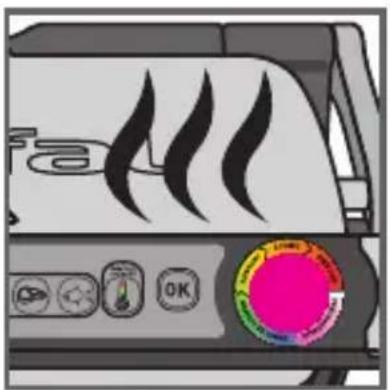
natural_image
Illustration of a portable heater with flame icons and a circular control panel (no readable text or symbols)13
natural_image
Close-up of a mechanical device with a curved arrow indicating rotation or movement (no text or symbols visible)14 15
natural_image
Diagram showing a mechanical component with a curved internal structure and an arrow indicating motion (no text or symbols present)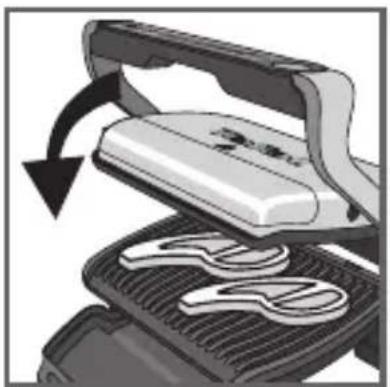
natural_image
Illustration of a grating machine with a handle and blade, showing internal components and motion arrows (no text or symbols)16 17
text_image
SMO READY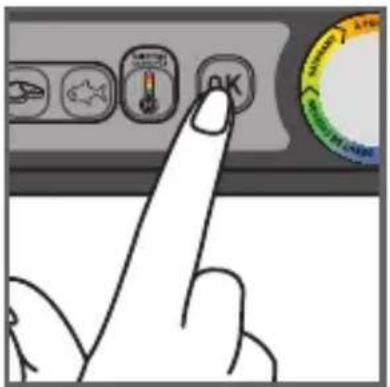
text_image
Hand pointing at a control panel with icons and a circular gauge showing 'OK' and 'SUNVER' text.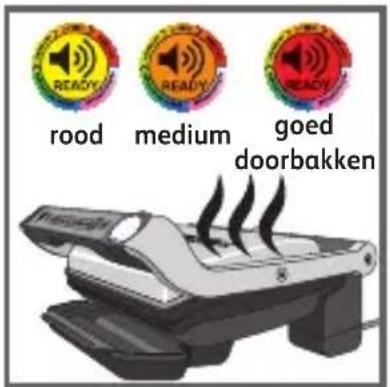
text_image
Diagram illustrating a device with three 'READY' circular indicators and an arrow indicating rotation or movement.19 20
text_image
Diagram showing three 'READY' circular markers above a ribbon, indicating status or notification of an electronic device.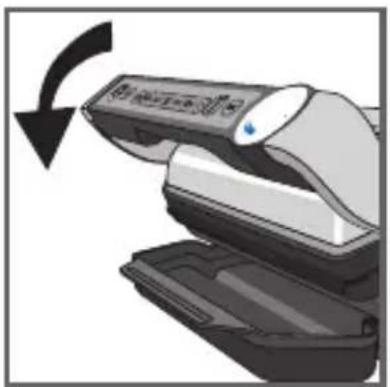
natural_image
Illustration of a medical device with a black arrow indicating rotation (no text or symbols)21
natural_image
Illustration of a hand using a tool to lift a device, showing mechanical components and motion arrows (no text or symbols)22 23
natural_image
Illustration of a portable printer with steam rising, accompanied by a stopwatch and dotted lines (no text or symbols)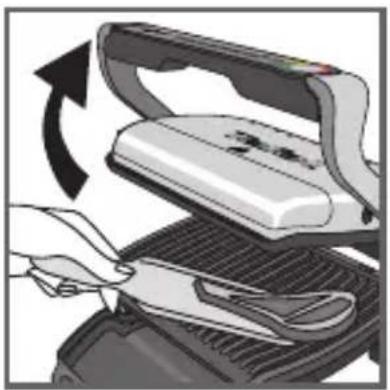
natural_image
Illustration of a hand using scissors to cut a flat iron on a grater (no text or symbols visible)24
natural_image
Illustration of a steam stove with control buttons and a red circular indicator light (no text or symbols)25
natural_image
Hand inserting a plug into an electrical outlet (no text or symbols visible)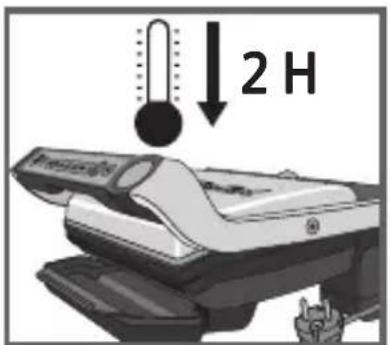
text_image
2 H28
natural_image
Close-up of a car's side panel showing heat distribution and airflow direction (no text or symbols)29 30
natural_image
Illustration of a computer with an open lid and keyboard, showing a mechanical component inside a window (no text or symbols)
natural_image
Illustration of a hand washing with a grater and a crossed-out fork (no text or symbols)31 32
natural_image
Illustration of a hand cleaning a textured object from a mechanical device (no text or symbols visible)33 34
text_image
Safety warning symbol showing a hand using a showerhead to stop a water pump, crossed out by a diagonal line.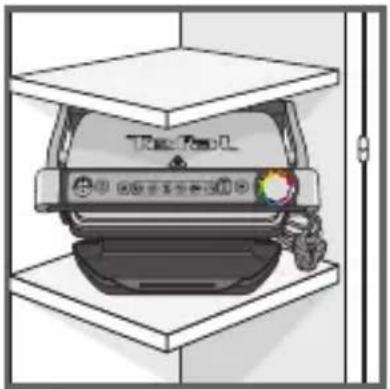
natural_image
Illustration of a car inside a storage unit with a hand holding a device (no text or symbols visible)35
• For all in Michigan, a long time of the 10th class of the 25th class of 31, a long time of the 40th class of the 50th class of the 60th class of the 70th class of the 80th class of the 90th class of the 100th class of the 110th class of the 120th class of the 130th class of the 140th class of the 150th class of the 160th class of the 170th class of the 180th class of the 190th class of the 200th class of the 210th class of the 220th class of the 230th class of the 240th class of the 250th class of the 260th class of the 270th class of the 280th class of the 290th class of the 300th class of the 310th class of the 320th class of the 330th class of the 340th class of the 350th class of the 360th class of the 370th class of the 380th class of the 390th class of the 400th class of the 410th class of the 420th class of the 430th class of the 440th class of the 450th class of the 460th class of the 470th class of the 480th class of the 490th class of the 500th class of the 510th class of the 520th class of the 530th class of the 540th class of the 550th class of the 560th class of the 570th class of the 580th class of the 590th class of the 600th class of the 610th class of the 620th class of the 630th class of the 640th class of the 650th class of the 660th class of the 670th class of the 680th class of the 690th class of the 700th class of the 710th class of the 720th class of the 730th class of the 740th class of the 750th class of the 760th class of the 770th class of the 780th class of the 790th class of the 800th class of the 810th class of the 820th class of the 830th class of the 840th class of the 850th class of the 860th class of the 870th class of the 880th class of the 890th class of the 900th class of the 910th class of the 920th class of the 930th class of the 940th class of the 950th class of the 960th class of the 970th class of the 980th class of the 990th class of the 1000th class.
text_image
Tide/Recall 100% 送检器及连接器①DE
text_image
Top Fuel L1
natural_image
Illustration of a hand pressing down on a mechanical component (no text or symbols visible)2
natural_image
Close-up of a car Top/Top/L device with a highlighted component (no text or symbols visible)3
natural_image
Illustration of a handheld device with a black handle and a white top, labeled 'OK' (no other text or symbols)4
natural_image
Illustration of a steam-burning hot dog (no text or symbols)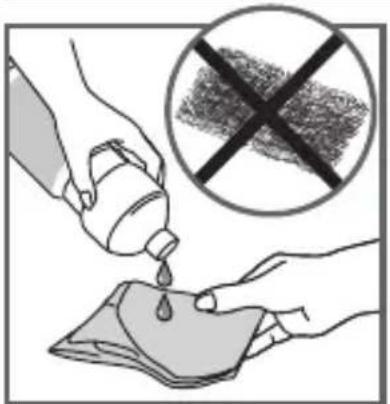
text_image
Illustration showing a hand pouring liquid from a bottle into a cloth, with a crossed-out prohibition symbol above.5
natural_image
Hand pressing down on a mechanical component (no text or symbols visible)6
text_image
Diagram showing hand holding plug to switch inside an electrical outlet, with a crossed-out rope symbol below indicating no iron wire.7
text_image
Hand pointing at a computer control interface with icons for battery, keyboard, and mouse8
text_image
Hand pointing at a control panel with icons for 'Control Panel', 'OK', and 'Reset' buttons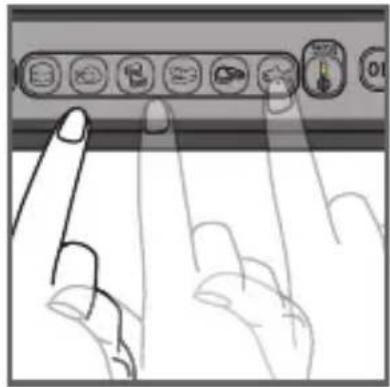
natural_image
Illustration of two fingers pressing down on a keyboard (no text or symbols visible)9 10
text_image
Hand pointing at a control panel with icons and a circular progress indicator showing 'OK' and 'SARAY'11 12
text_image
4-7 Minuten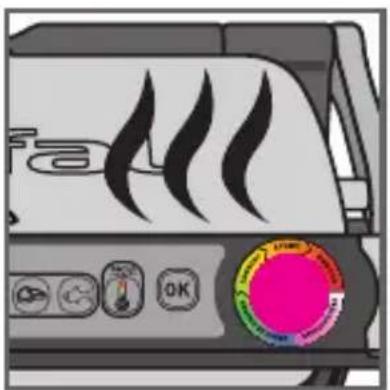
natural_image
Illustration of a portable air conditioner unit with flame icons and a circular control knob (no text or symbols)13
natural_image
Close-up of a mechanical device with a curved arrow indicating rotation or movement (no visible text or symbols)14 15
natural_image
Close-up of a mechanical component with a curved arrow indicating motion or force (no text or symbols visible)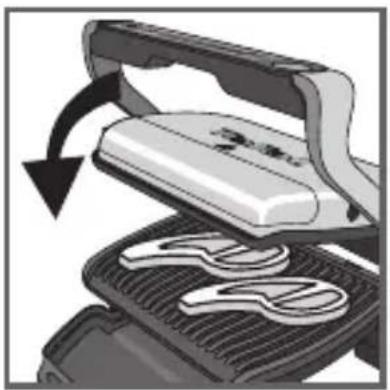
natural_image
Illustration of a grating machine with a handle and blade, showing mechanical components and motion arrows (no text or symbols)16 17
text_image
Rearable READY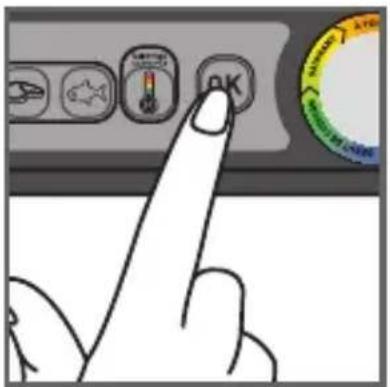
text_image
Hand pointing at a control panel with icons and a circular gauge showing 'OK' and 'SAR' labels
text_image
Diagram showing three speaker icons labeled 'READY', 'READY', and 'READY' with an arrow indicating rotation or movement around a device component.19 20
text_image
Diagram illustrating a ribbon being processed with three colorful 'READY' circular markers above it, indicating a process or operation.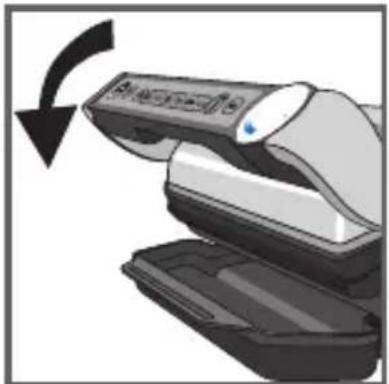
natural_image
Illustration of a hand holding a remote control device with a black arrow indicating clockwise motion (no text or symbols)21
19-20
natural_image
Illustration of a hand using a power tool to lift a device, showing mechanical components and motion direction (no text or symbols)22 23
natural_image
Illustration of a portable steam machine with motion lines and a stopwatch above it (no text or symbols)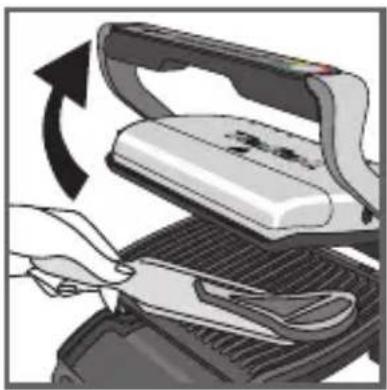
natural_image
Illustration of a hand using a power iron to cut a grater with a knife, showing the process (no text or symbols)24
natural_image
Illustration of a steam stove with control panel and red starburst icon (no text or symbols)25
natural_image
Hand inserting a plug into an electrical outlet, showing power and wiring (no text or symbols)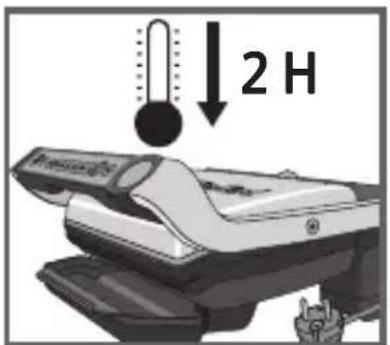
text_image
2 H28
natural_image
Close-up of a car's air vent with cooling fins and exhaust pipe (no text or symbols visible)29 30
natural_image
Diagram showing a device with a lid and base, interacting with a grid-patterned chamber (no text or symbols)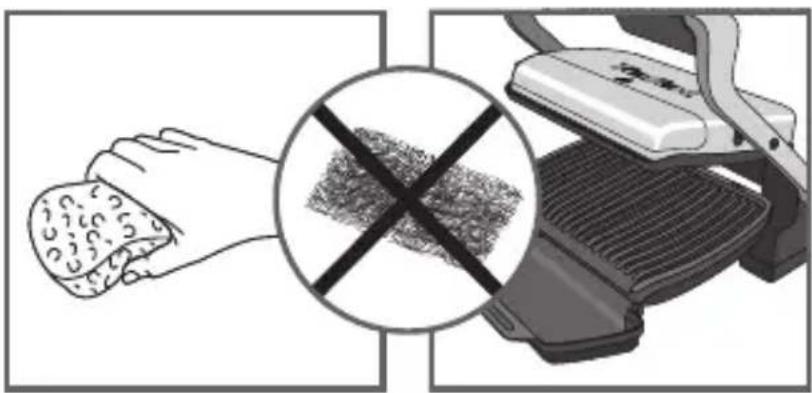
natural_image
Illustration showing a hand holding food with a crossed-out black cross symbol, next to a grater (no text or symbols present)31 32
natural_image
Illustration of a hand cleaning a small object on a device (no text or symbols visible)33 34
text_image
Safety warning symbol showing a hand holding a valve above a device with crossed-out lines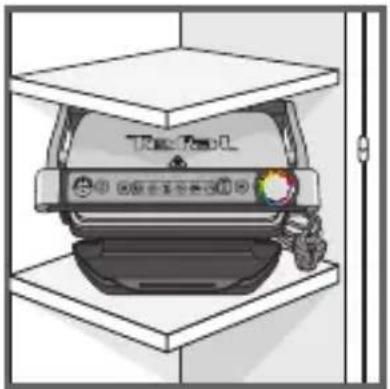
SAFETY INSTRUCTIONS IMPORTANT SAFEGUARDS

Use, maintenance and product installation guidelines: for your own safety, please read through all paragraphs of the instruction manual including the associated pictograms.
- This appliance is intended for indoor, domestic household use only. It is not intended to be used in the following applications, and the guarantee will not apply for:
- staff kitchen areas in shops, offices and other working environments;
- farm houses;
- by clients in hotels, motels and other residential type environments;
- bed and breakfast type environments.
- Before first use remove all packaging materials, stickers and accessories from the inside and the outside of the appliance.
- This appliance is not intended for use by persons (including children) with reduced physical, sensory or mental capabilities, or lack of experience and knowledge, unless they have been given supervision or instruction concerning use of the appliance by an adult responsible for their safety. Children should be supervised to ensure that they do not play with the appliance, and do not use as a toy.
- This appliance can be used by children aged from 8 years and above and persons with reduced physical, sensory or mental capabilities or lack of experience and knowledge if they have been given supervision or instruction concerning use of the appliance in a safe way and understand the hazards involved. Cleaning and user maintenance shall not be made by children unless they are older than 8 and supervised.
- Keep the appliance and its cord out of reach of children less than 8 years.
- Never leave the appliance unattended when in use.
- Accessible surface temperatures can be high when the appliance
is operating. Never touch the hot surfaces of the appliance.
- This appliance is not intended to be operated by means of an external timer or separate remote-control system.
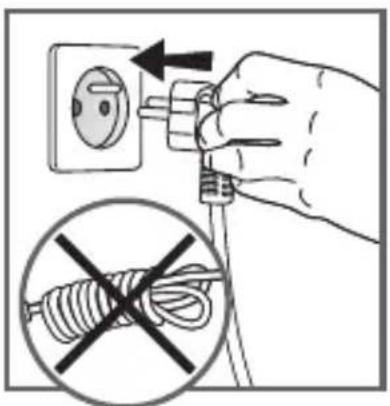
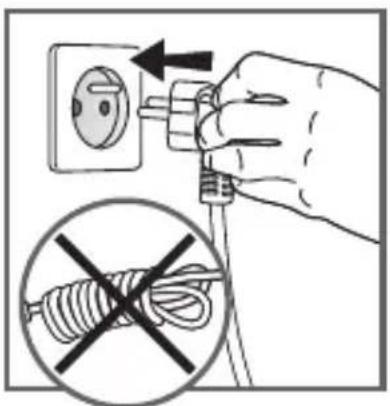
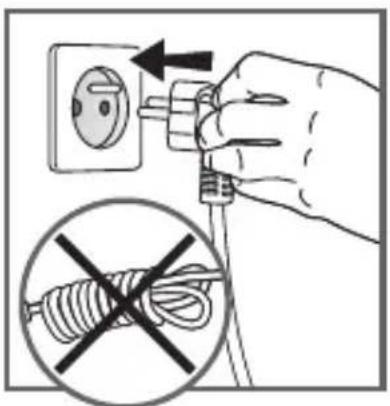
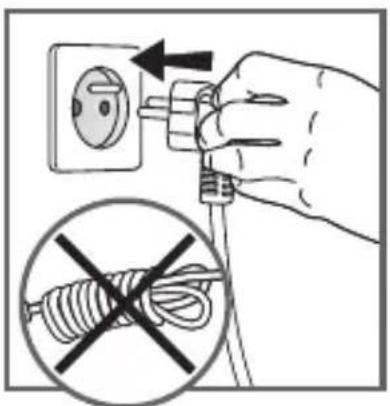
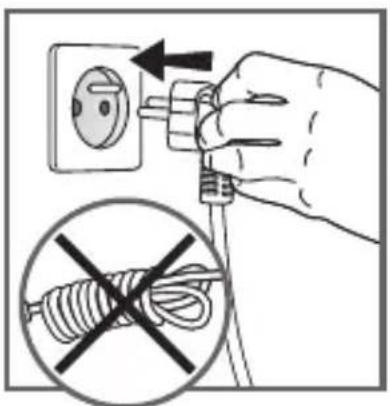
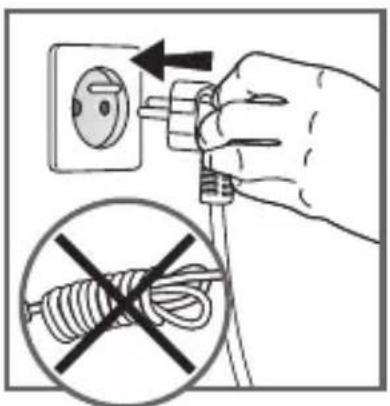
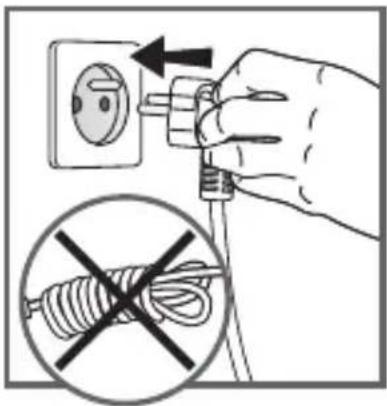
- Fully unwind the power cord before plugging in the appliance.
- If the power supply cord is damaged, it must be replaced by the manufacturer or its after sales service in order to avoid any danger.
- Do not use an extension lead. If you accept liability for doing so, only use an extension lead which is in good condition, has a plug with an earth connection and is suited to the power rating of the appliance. Take all necessary precautions to prevent anyone tripping over an extension cord.
• Always plug the appliance into an earthed socket. - Make sure that the electric power supply is compatible with the power rating and voltage indicated on the bottom of the appliance.
- Use a sponge, hot water and washing up liquid to clean the cooking plates.
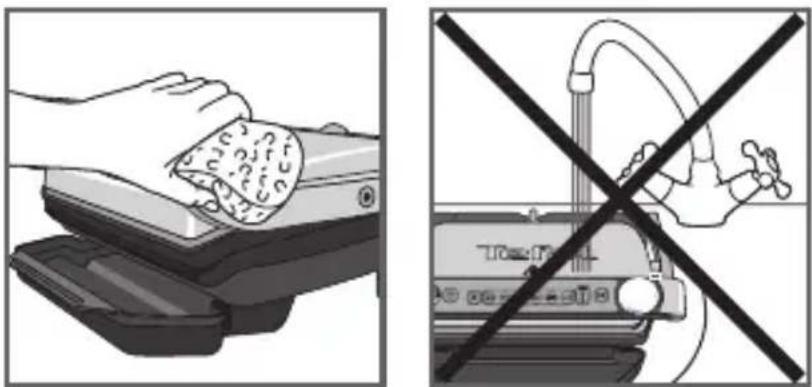
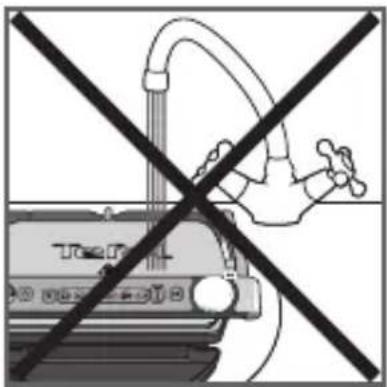
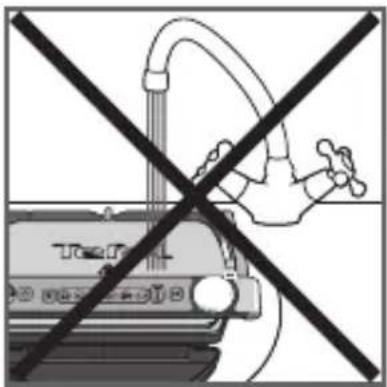
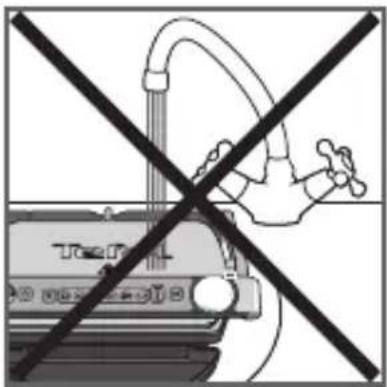
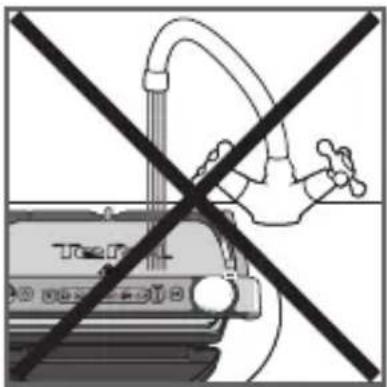
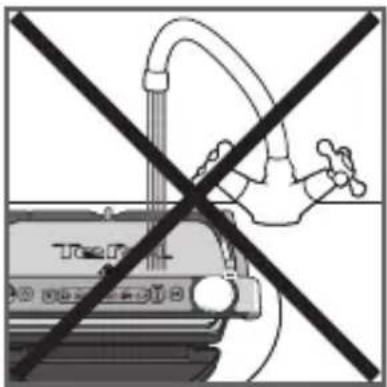
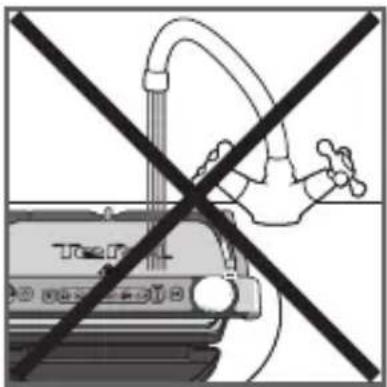
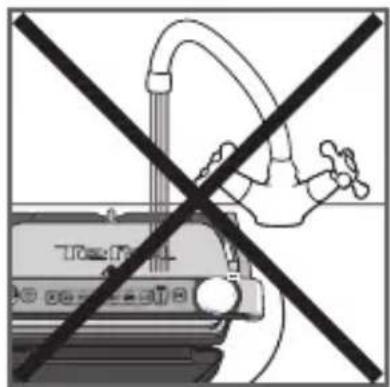
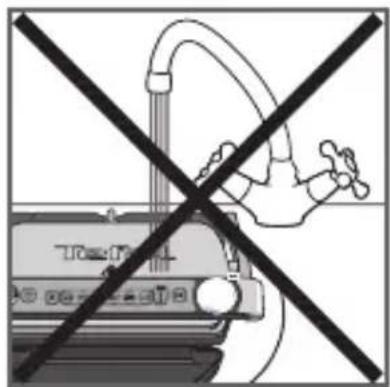
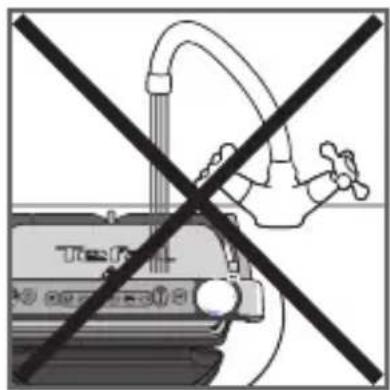
- Never immerse the appliance, its power cord or plug in water or any other liquid.
WARNING: Do not heat or pre-heat without the 2 cooking plates inside the grill.
Do
- Read the instructions carefully, common to different versions depending on the accessories supplied with your appliance, and keep them within reach.
- If an accident occurs, rinse the burn immediately with cold water and call a doctor if necessary.
- Before first use, wash the plates (see paragraph 5), pour a little cooking oil onto the plates and wipe with a soft cloth or paper kitchen towel.
- Position the power cord carefully, whether an extension is used or not, so that guests can move freely around the table without tripping over it.
- Cooking fumes may be dangerous for animals which have a particularly sensitive respiratory system, such as birds. We advise bird owners to keep them away from the cooking area.
• Always keep the appliance out of the reach of children. - Check that both faces of the plate are clean before use.
- To prevent damage to the plates, only use them on the appliance for which they were designed (e.g., do not place in an oven, on the gas ring or electric hot-plate, etc.).
- Ensure that the plates are stable, well positioned and correctly clipped to the appliance. Only use the plates provided with the appliance or bought from an Approved Service Centre.
• Always use a wooden or plastic spatula to avoid damaging the cooking plates. - Only use parts or accessories provided with the appliance or bought from an Approved Service Centre. Do not use them for other appliances or intention.
Do not
- Do not use the appliance outside.
- Never leave the appliance unattended when plugged in or in use.
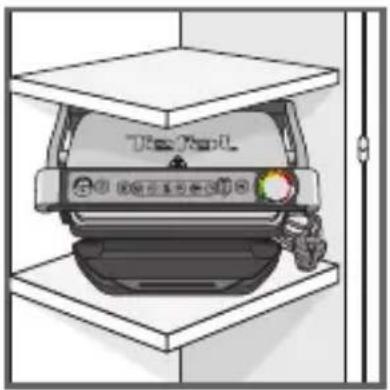
- To prevent the appliance from overheating, do not place it in a corner or below a wall cupboard.
- Never place the appliance directly on a fragile surface (glass table, tablecloth, varnished furniture, etc.) or on a soft surface such as a tea-towel.
- Never place the appliance under a cupboard attached to a wall or a shelf or next to inflammable materials such as blinds, curtains or wall hangings.
- Never place the appliance on or near hot or slippery surfaces; the power cord must never be close to or in contact with hot parts of the appliance, close to a source of heat or resting on sharp edges.
- Do not place cooking utensils on the cooking surfaces of the appliance.
- Never cut food directly on the plates,
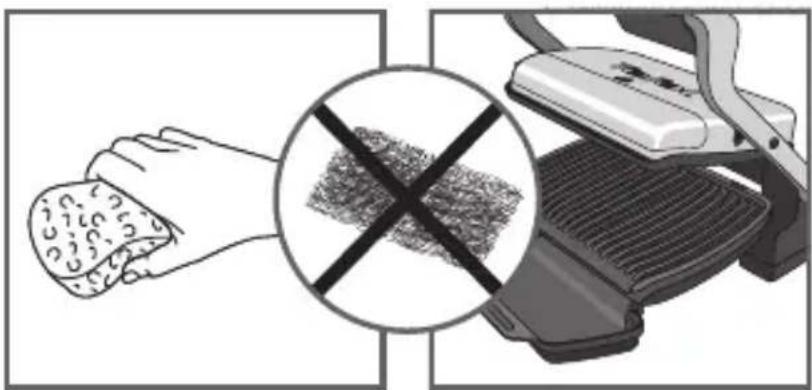
- Do not use metal scouring pads, abrasive wire wool or harsh scouring powder as this may damage the nonstick coating.
- Do not move the appliance when in use.
- Do not carry the appliance by the handle or metallic wires.
- Never run the appliance empty.
- Do not use aluminium foil or other objects between the plate and the food being cooked.
- Do not remove the grease collection tray while cooking. If the grease collection tray becomes full when cooking: let the appliance cool down before emptying.
- Do not place the hot plate on a fragile surface or under water.
- To preserve the non-stick properties of the coating, avoid excessive pre-heating with the appliance empty.
- The plates should never be handled when hot.
- Do not cook food in aluminium foil.
- To avoid spoiling your appliance, do not use flambé recipes in connection with it at any time.
- Do not place a sheet of aluminum or any other object between the plates and the heating element.
- Never heat or cook whilst the grill is open.
- Never heat up the appliance without the cooking plates.
Tips/information
- Thank you for buying this appliance, which is intended for domestic use only.
- For your safety, this appliance complies with the applicable standards and regulations - Low voltage directive - Electromagnetic compatibility - The environment - Materials in contact with food.
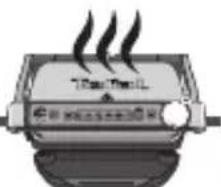
- On first use, there may be a slight odour and a little smoke during the first few minutes.
- Our company has an ongoing policy of research and development and may modify these products without prior notice.
- Do not consume foodstuff that comes into contact with the parts marked with logo
- If the food is too thick, the safety system will stop the appliance from working.

Environment
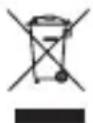
Environment protection first!
① Your appliance contains valuable materials which can be recovered or recycled. Leave it at a local civic waste collection point.
text_image
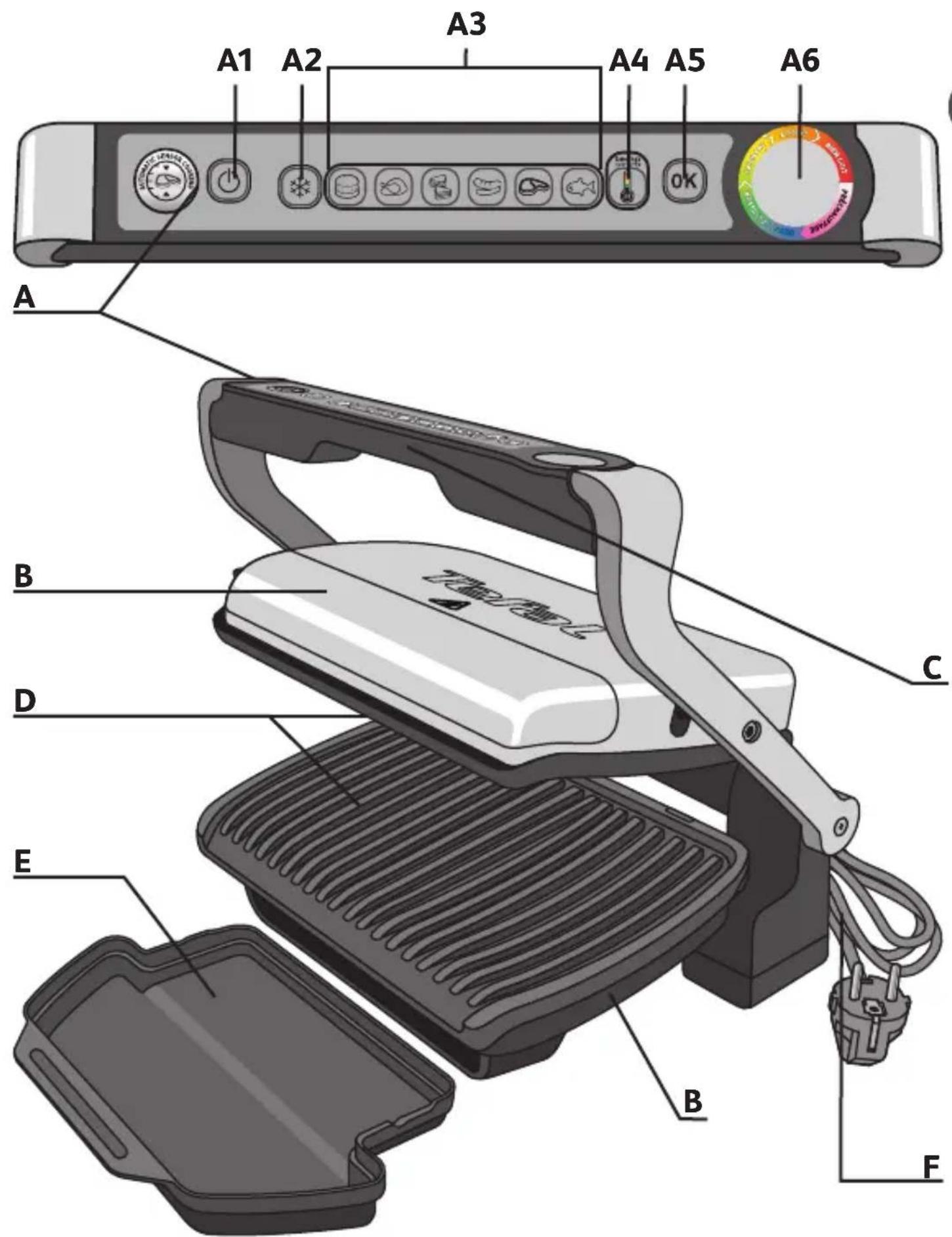
A1 A2 A3 A4 A5 A6 A B C D E B F
Description
A Control panel A4
4 temperature settings in manual mode; see specific manual mode in the quick start guide
C Handle
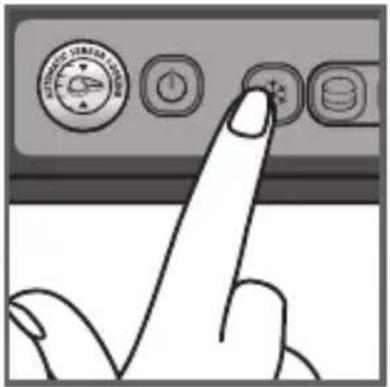
A1 On/off button
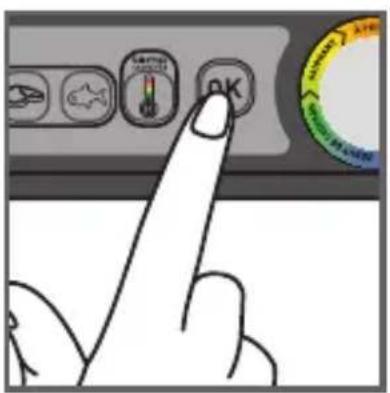
A5 OK button
D Cooking plates
A2 Frozen food mode
A6 Cooking level indicator
E Drip tray
A3 Cooking programs
B Body
F Power cord
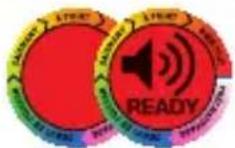
Colour guide for diodes (LEDs)
preheating
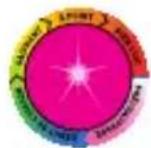
PURPLE FLASHING Wait.
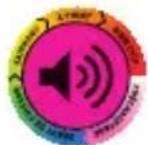
SOLID PURPLE End of preheating Waiting for food.
starting of cooking
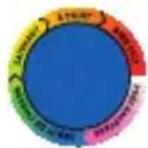
BLUE Starting of cooking.
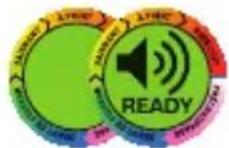
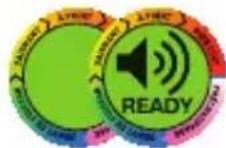
While cooking is in progress, the appliance will beep to signal the user that "rare" (yellow) will soon be reached.
GREEN
cooking - ready to eat
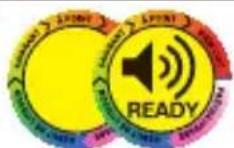
YELLOW "Rare" cooking.
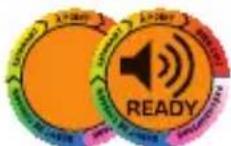
ORANGE "Medium" cooking.
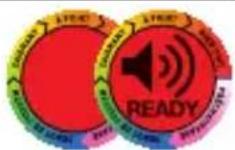
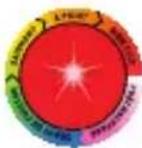
RED "Well done" cooking.
keep warm "30' approximately"
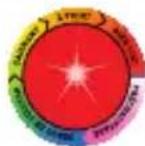
RED FLASHING
SOLID GREEN Manual function is selected or activated automatically, see the "Troubleshooting Guide" on page 56.
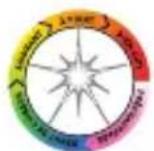
WHITE FLASHING Refer to "Trouble shooting guide". Contact customer services
Guide of automatic cooking programs

Burger

Poultry

Red meat

Panini / Sandwich


Fish

Pork/sausages/lamb
Manual mode: a traditional grill for manual operation, including 4 different temperature settings (from 110°C to 275°C)
1 Setting
text_image
Diagram showing a box being processed with a device, labeled in Chinese.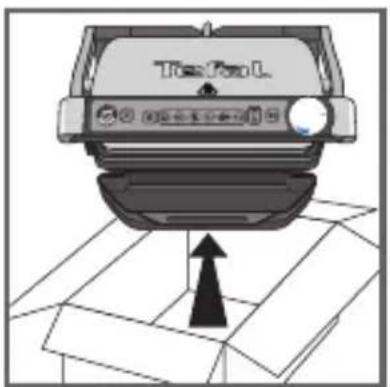
text_image
TopFun L1
natural_image
Illustration of a hand pressing down on a car intake manifold (no text or symbols visible)2
text_image
Top/Bottom3
natural_image
Illustration of a handheld device with a black handle and display screen, labeled 'OK' (no other text or symbols)4
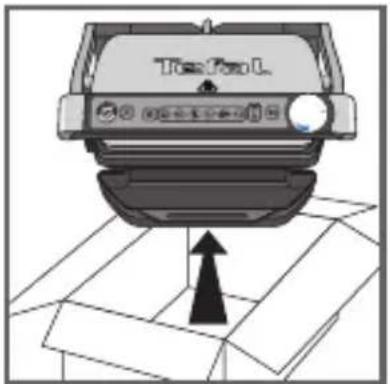
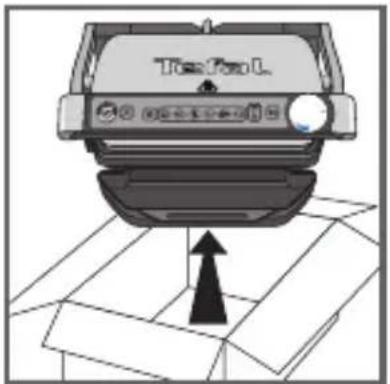
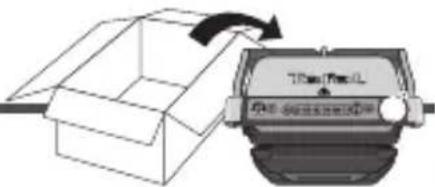
1 Remove all packaging materials, stickers and accessories from the inside and the outside of the appliance.
The colour sticker on the cooking level indicator can be changed, according to the language. You can replace it with the one on the inside of the packaging.
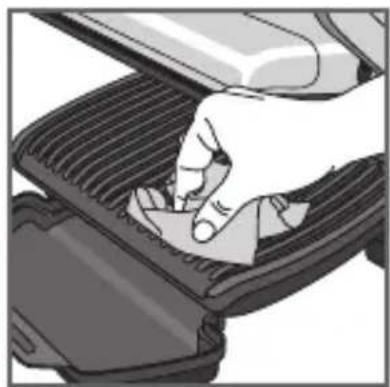
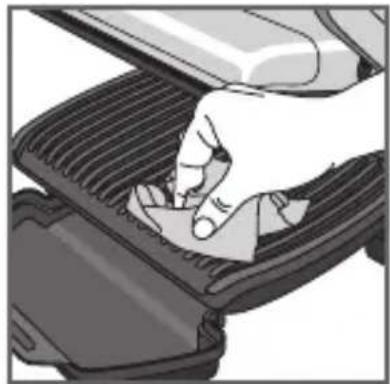
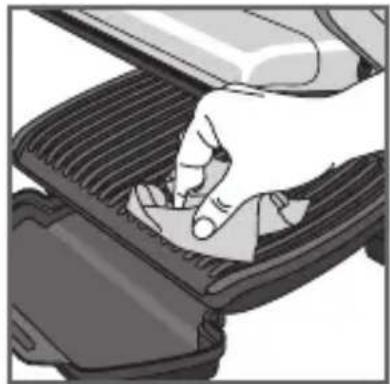
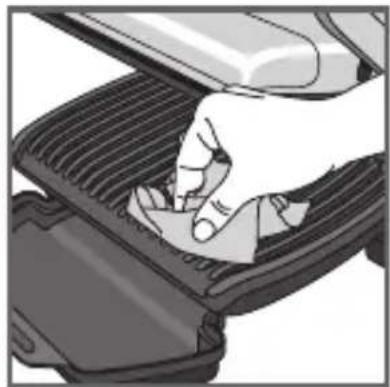
2 Before using for the first time, thoroughly clean the plates with warm water and a little dishwashing liquid, rinse and dry thoroughly.
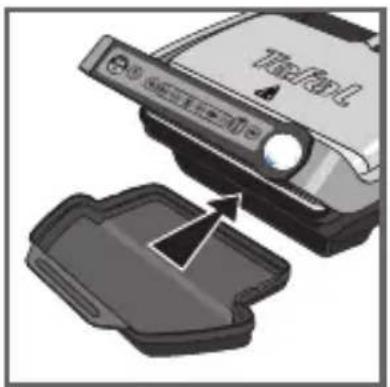
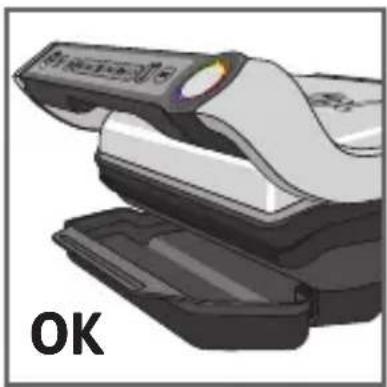
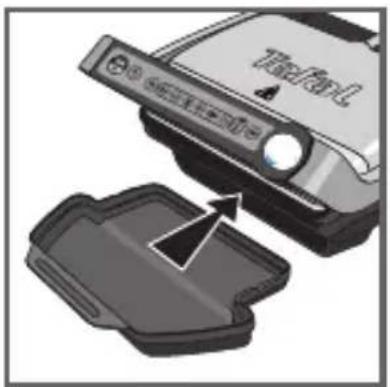
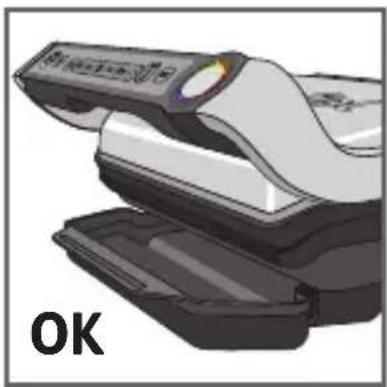
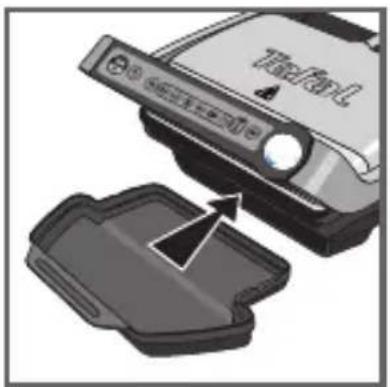
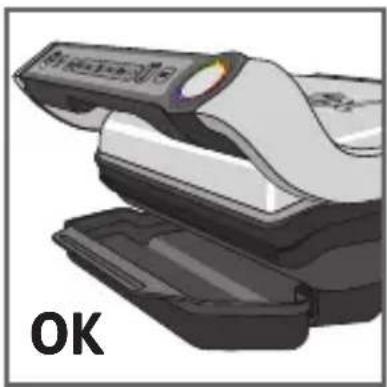
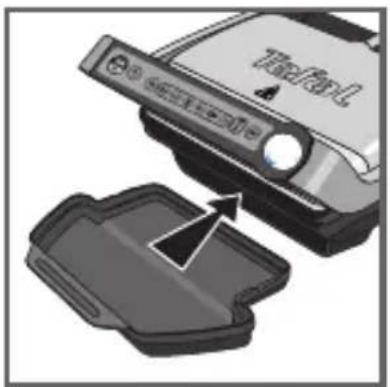
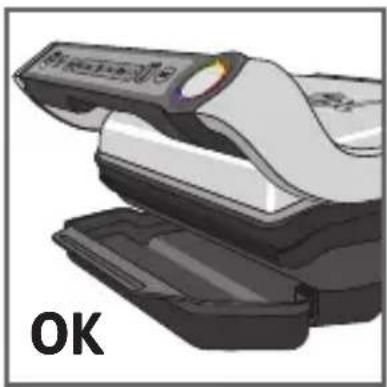
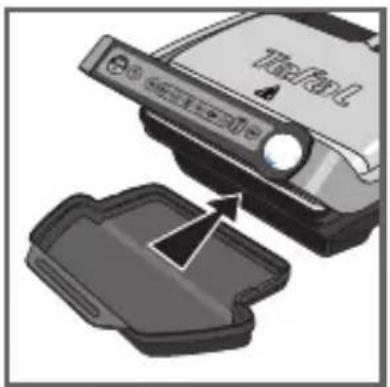
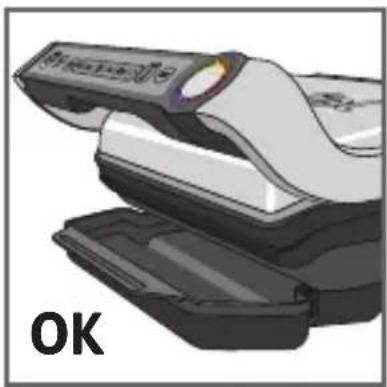
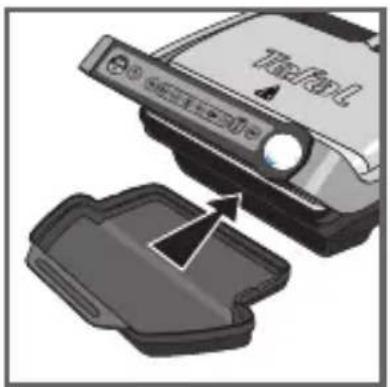
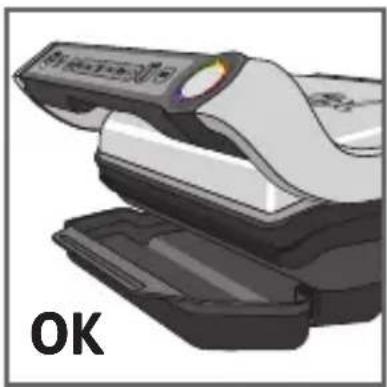
3-4
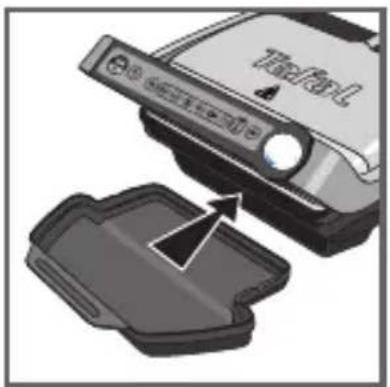
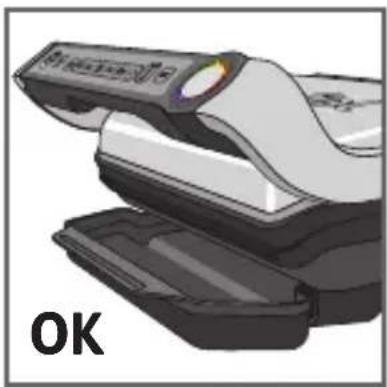
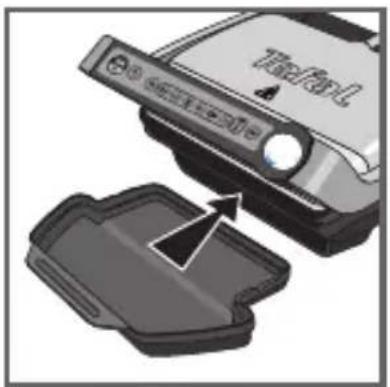
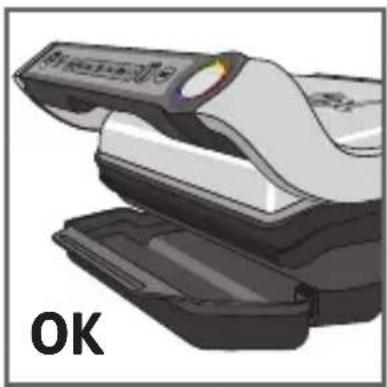
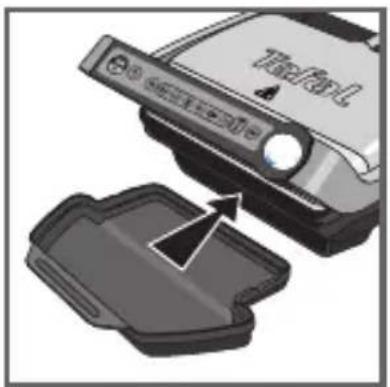
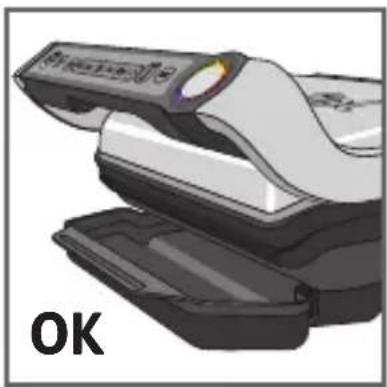
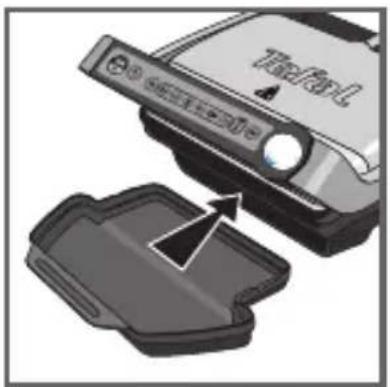
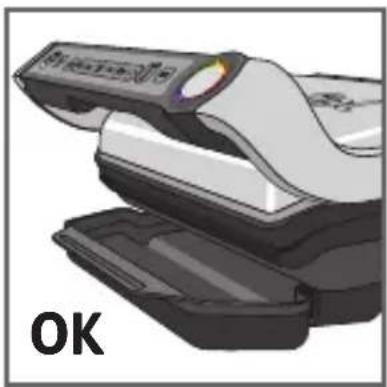
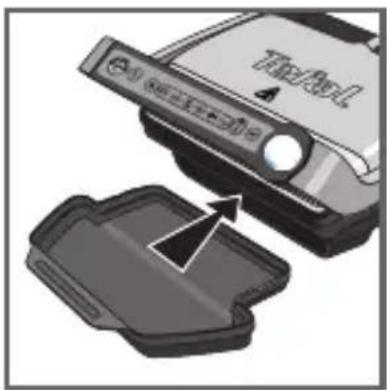
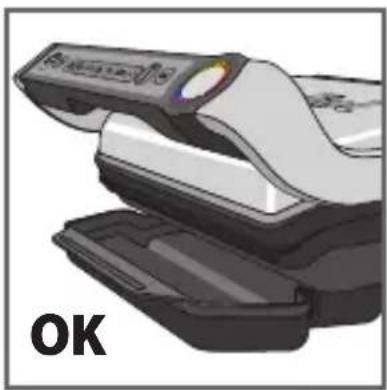
Position the removable drip tray at the front of the appliance.
2 Pre-heating
natural_image
Illustration of a toaster with steam rising from the side (no text or symbols)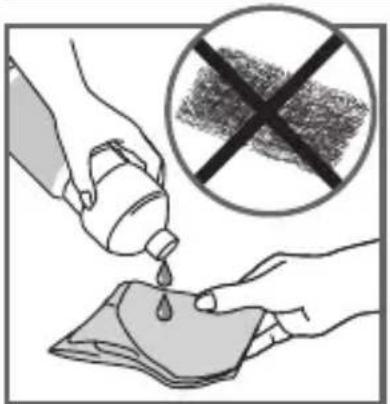
text_image
Illustration showing a hand pouring liquid from a bottle into a cloth, with a crossed-out prohibition symbol above.5
natural_image
Hand pressing down on a mechanical component (no text or symbols visible)6
text_image
Diagram showing hand holding plug to switch electrical socket, with no visible text or symbols7
text_image
Hand pointing at a computer control panel with icons for settings, battery, and buttons8
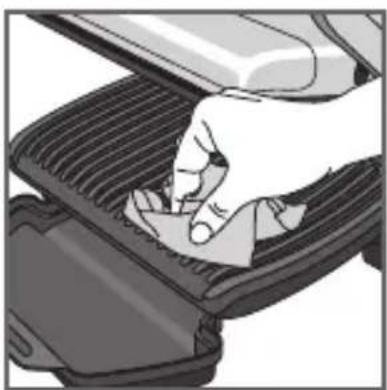
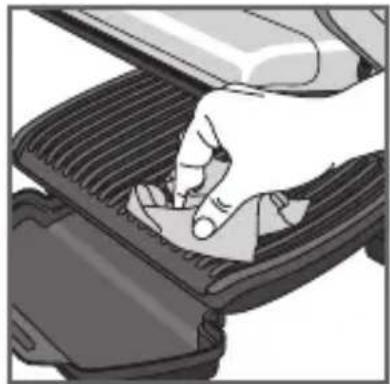
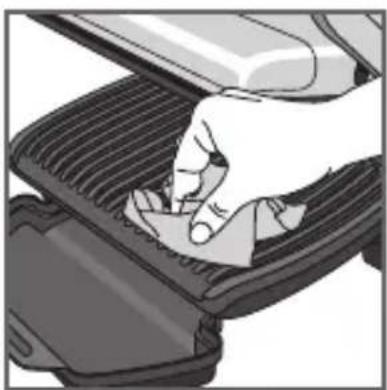
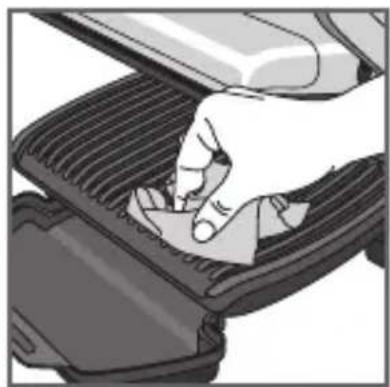
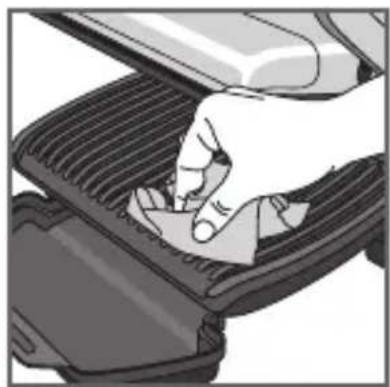
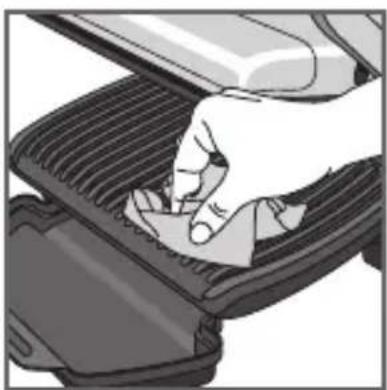
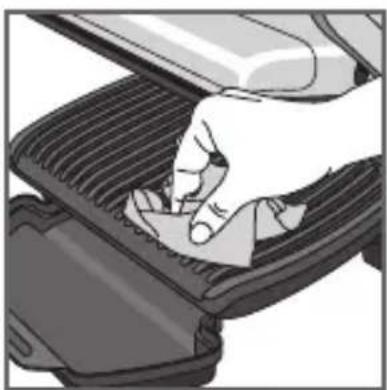
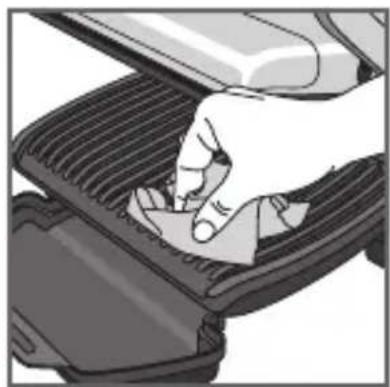
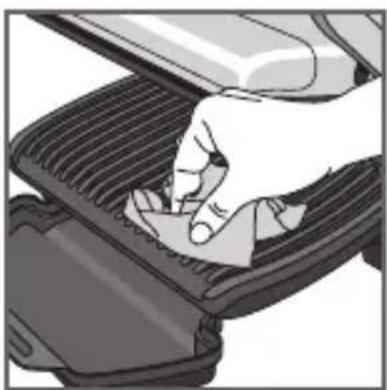
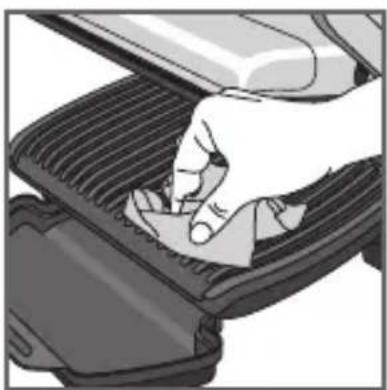
5 For the best results you may wipe the cooking plates using a paper towel dipped in a little cooking oil, to improve the non-stick release.
5bis Make sure that the upper and lower plates are correctly positioned in the product. Do not activate pre-heating without the plates.
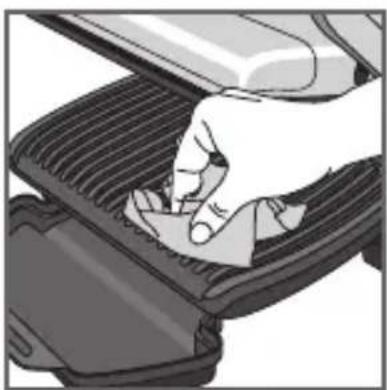
6 Remove any surplus oil using a clean kitchen paper towel.
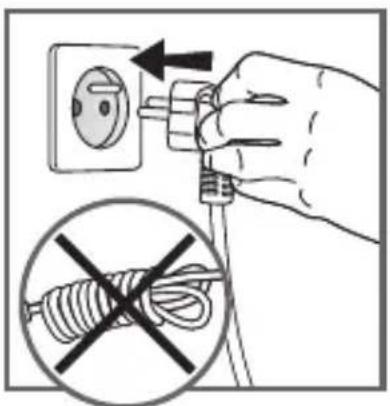
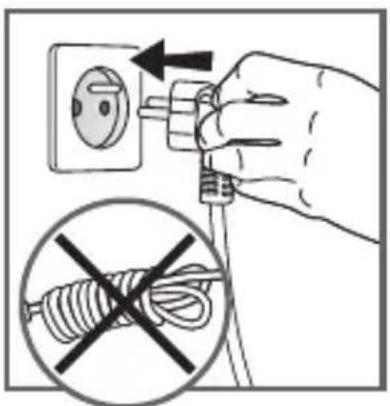
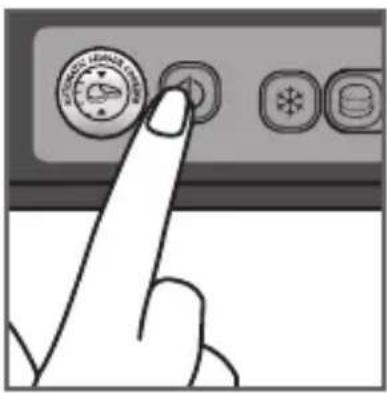
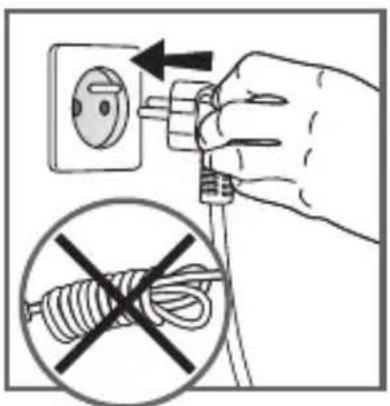
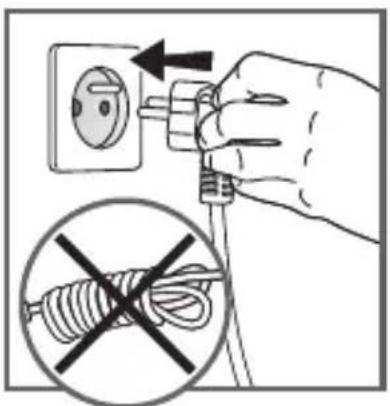
7 Plug your appliance into the mains power supply. (Note that the cord should be completely extended).
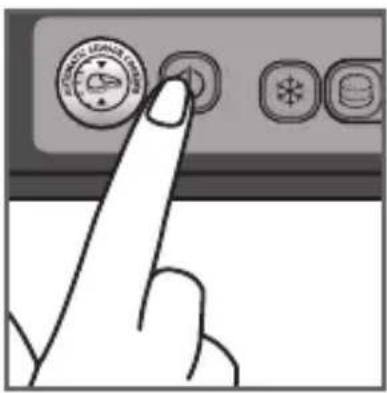
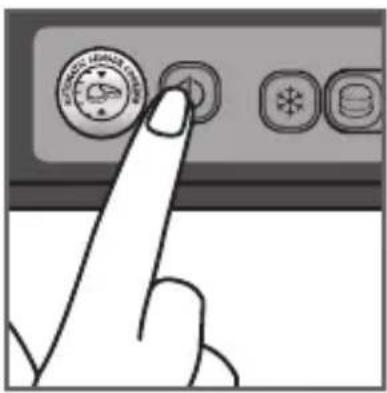
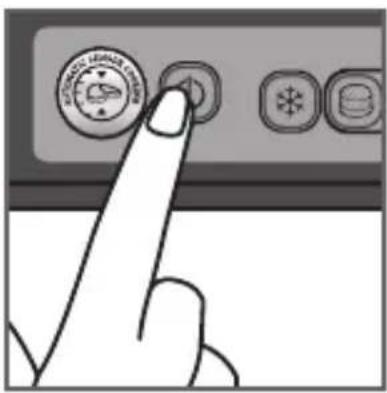
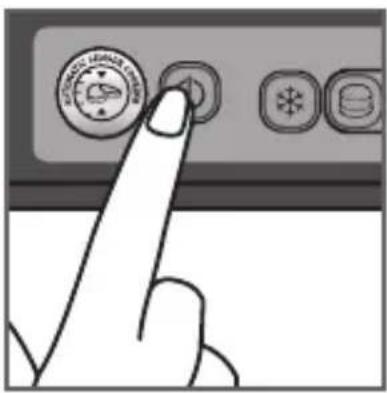
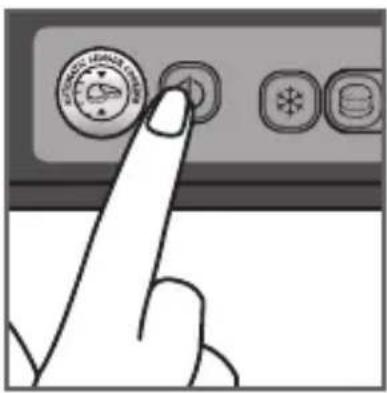
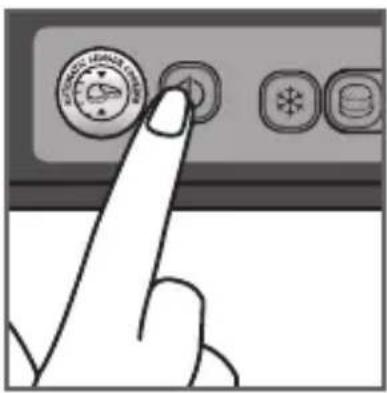
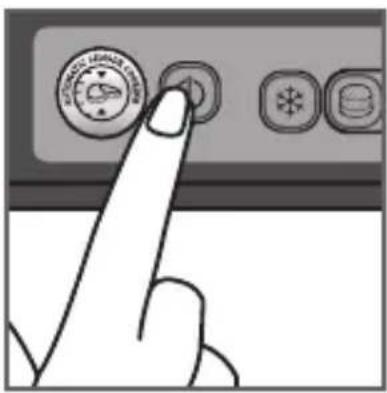
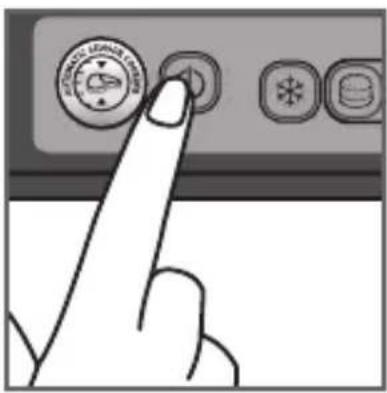
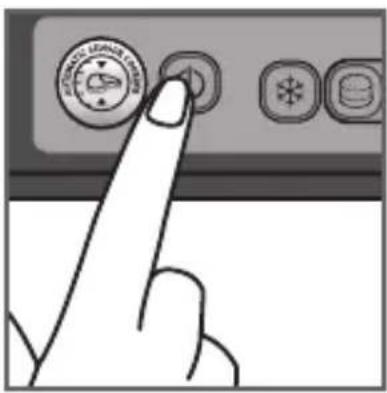
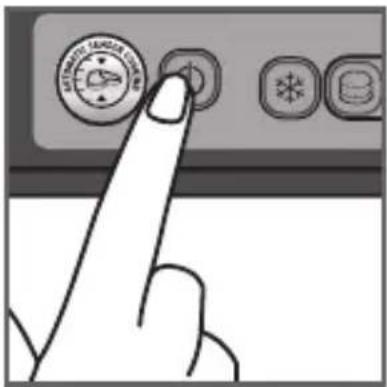
8 Press the switch.

text_image
Hand pointing at a control panel with icons for alarm, power, and battery status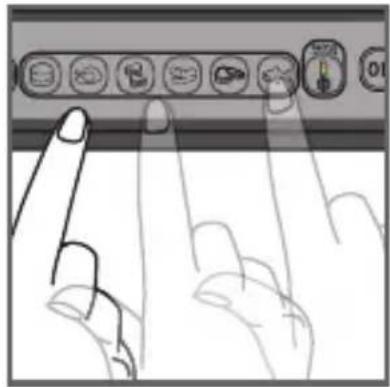
natural_image
Illustration of two fingers interacting with a control panel (no text or symbols visible)9 10
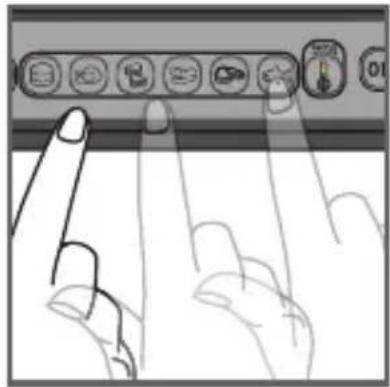
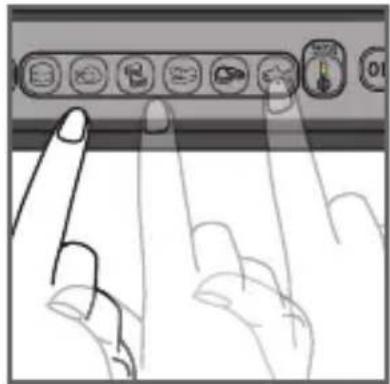
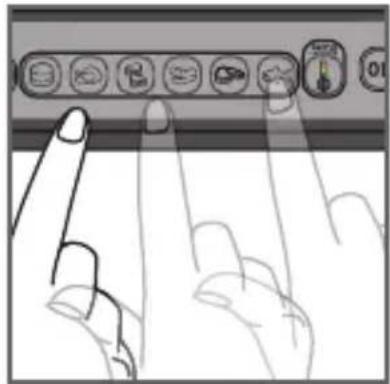
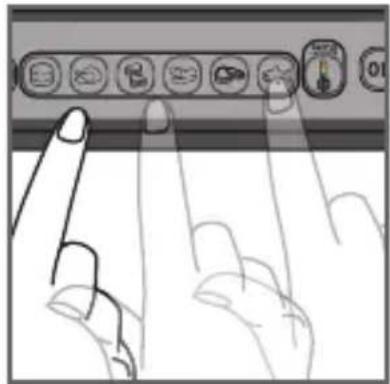
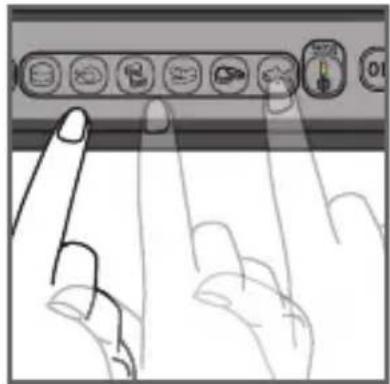
9 If the food you wish to cook is frozen, press the corresponding button.
10 Select the appropriate cooking mode according to what type of food you wish to cook.
6 automatic cooking programmes and manual mode that feature four different temperature settings
 | Select this cooking program if you want to cook burgers. |  | Select this cooking program if you want to cook red meat. |
 | Select this cooking program if you want to cook poultry. |  | Select this cooking program if you want to cook fish. |
 | Select the cooking program if you want to cook a panini/Sandwich. |  | If you select Manual mode, the indicator light will be green and you will be able to manually adjust the cooking time. Manual mode includes 4 different temperature settings (green, yellow, orange and red).See the relevant quick start guide. |
 | Select this cooking program if you want to cook pork/sausage/lamb. |  |
If you are uncertain about what cooking mode to use for other foods because it is not listed above, please refer to the “Cooking table for out of program food” page 57.
text_image
Hand pointing at a control panel with icons and a circular dial showing 'OK' text11 12
text_image
4-7 minutes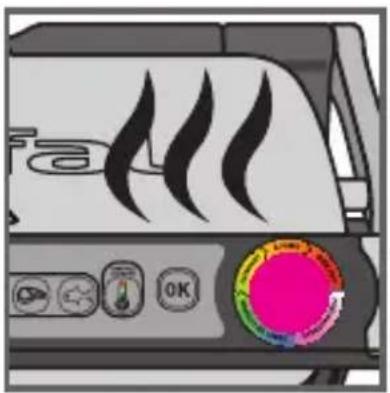
natural_image
Illustration of a toaster front panel with flame icons and a circular control knob (no readable text or symbols)13
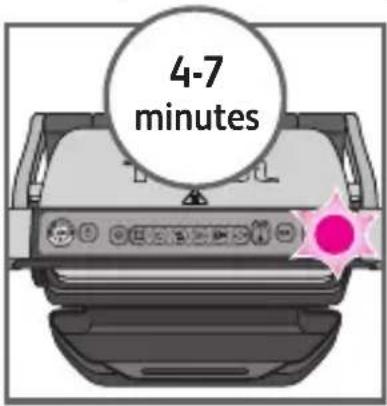
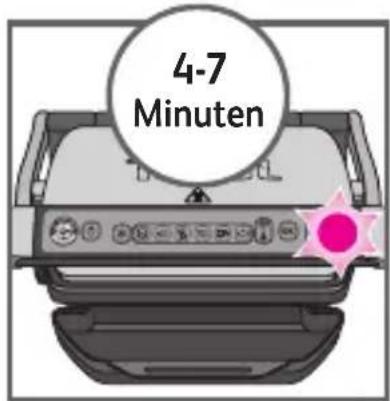
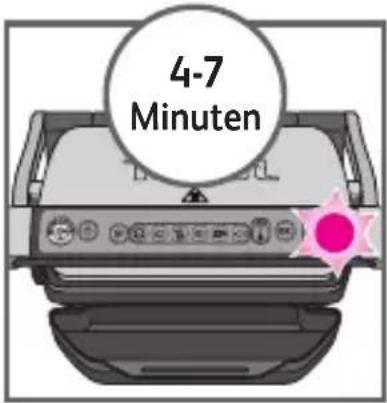
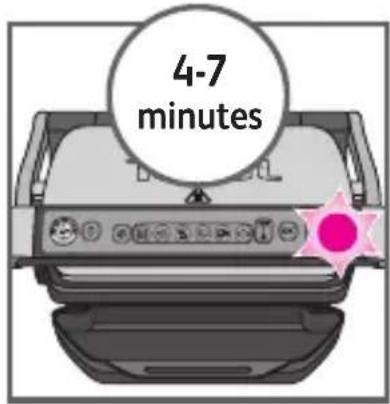
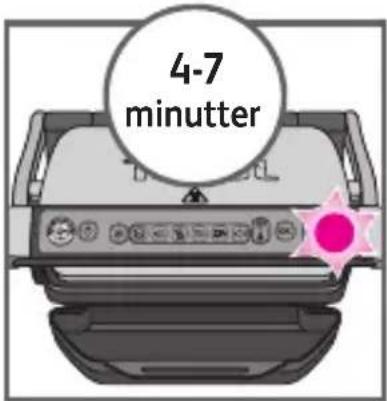
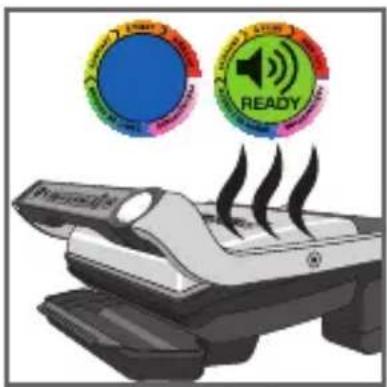
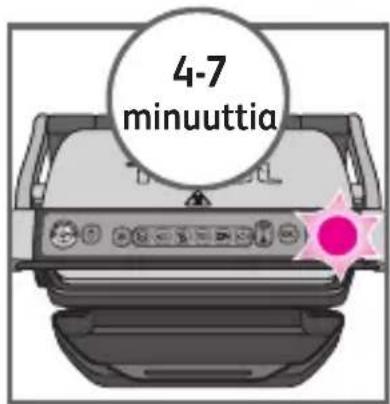
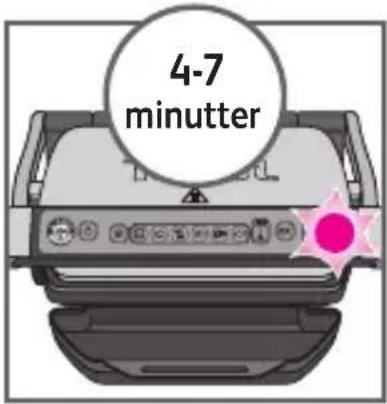
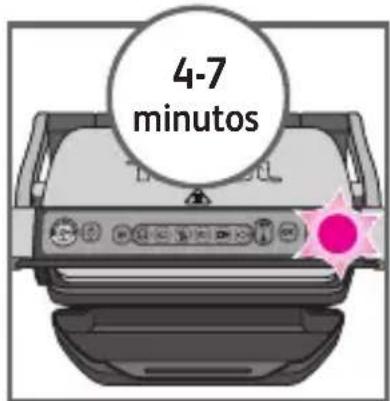
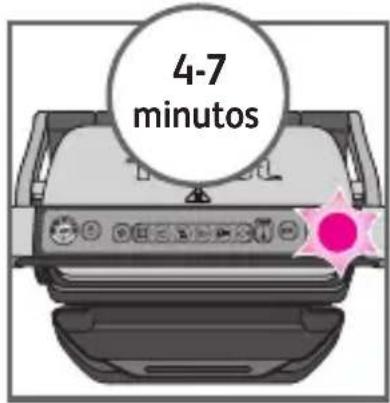
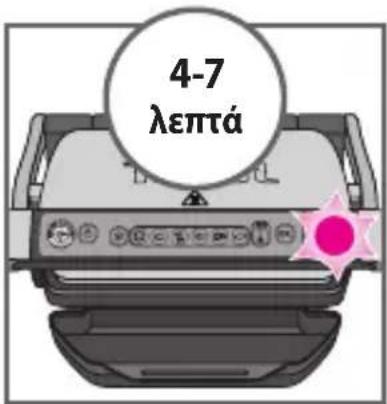
11 Press the "OK" button: the appliance starts pre-heating and the cooking level indicator flashes purple.
NB: If you have selected the wrong program, return to stage 8.
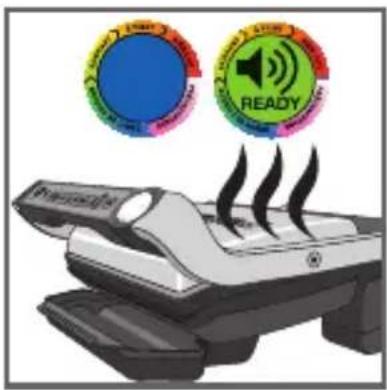
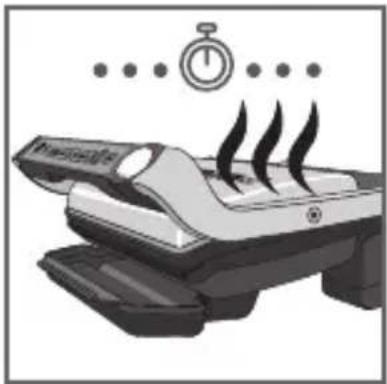
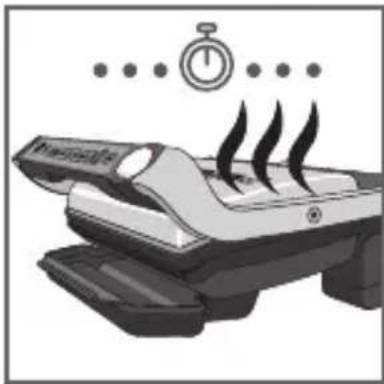
12 Wait for 4-7 minutes.
13 An audible tone is heard and the cooking level indicator stops flashing purple the pre-heating mode is complete.
Comments: At the end of pre-heating, if the appliance remains closed, the safety system will turn off the appliance.
3 Cooking
natural_image
Close-up of a mechanical device with a curved arrow indicating rotation or movement (no visible text or symbols)14 15
natural_image
Close-up of a mechanical component with a curved pipe or spring being inserted, showing motion direction (no text or symbols)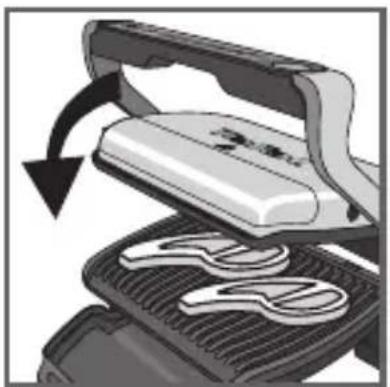
natural_image
Illustration of a grater being cut with a black arrow indicating rotation (no text or symbols)16 17
text_image
POTATO READY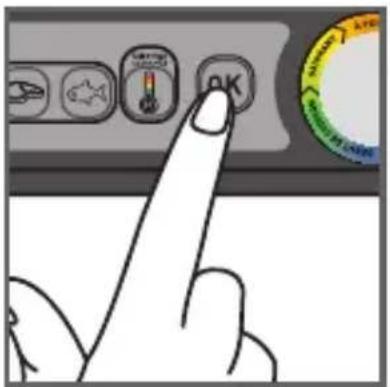
text_image
Hand pointing at a control panel with icons and a circular gauge showing 'OK' and 'SARANT' text.
text_image
rare well-donemedium18
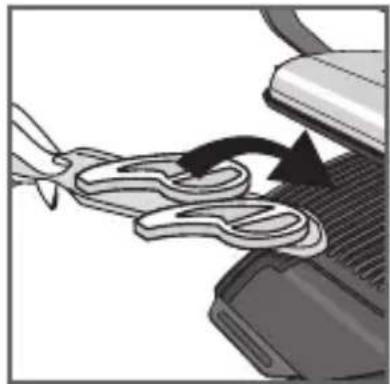
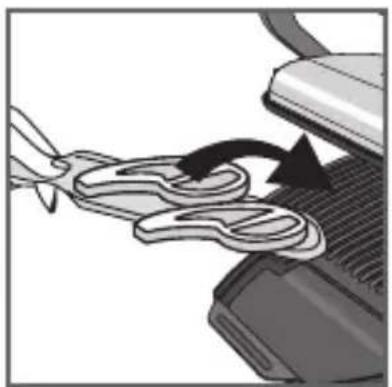
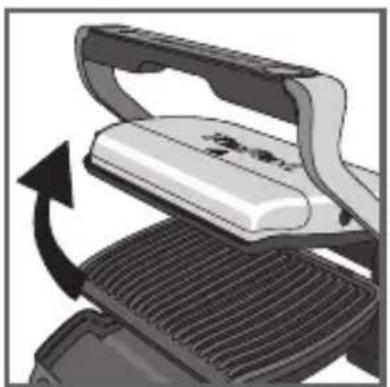
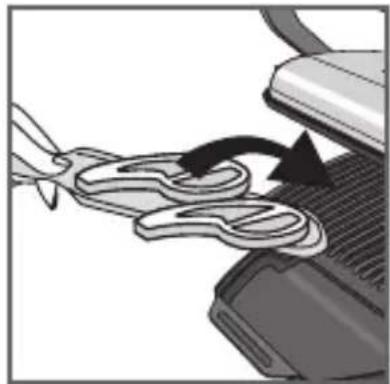
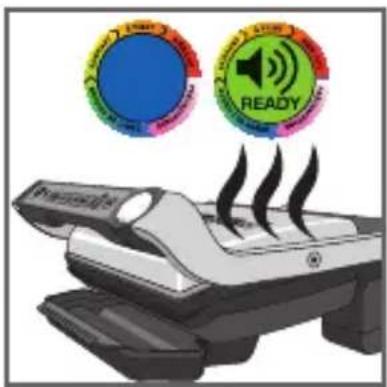
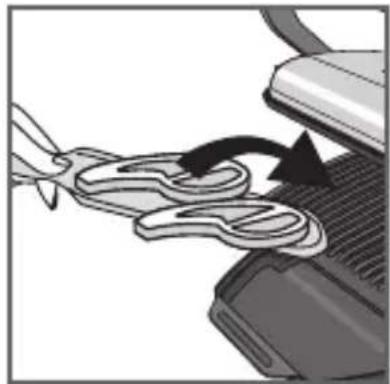
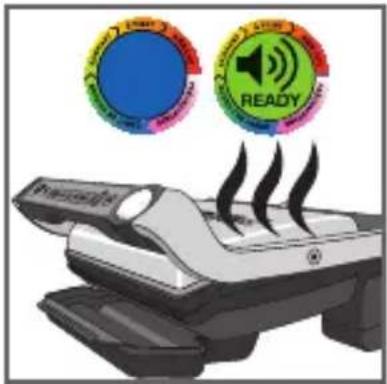
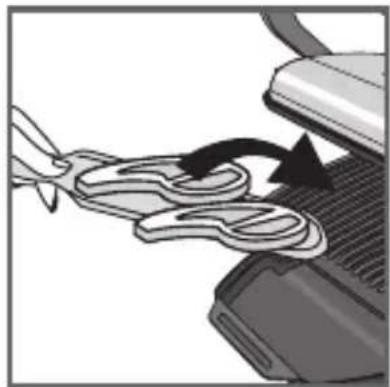
14-15 After pre-heating, the appliance is ready for use.
Open the grill and place the food on the cooking plate.
Comments: if the appliance remains open for too long, the safety system will turn off the appliance automatically.
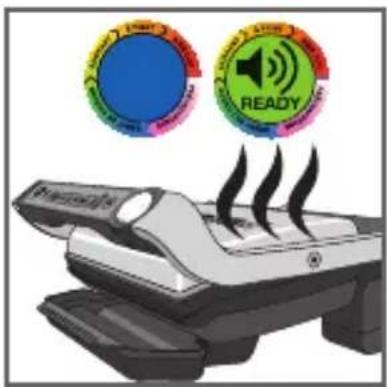
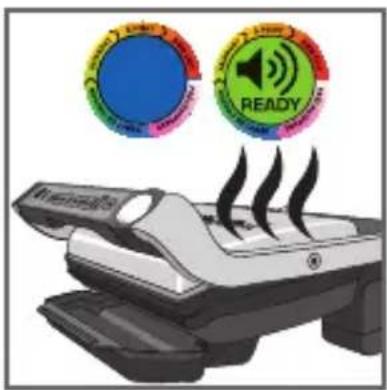
16-17 The appliance automatically adjusts the cooking cycle (time and temperature) according to the food thickness and quantity.
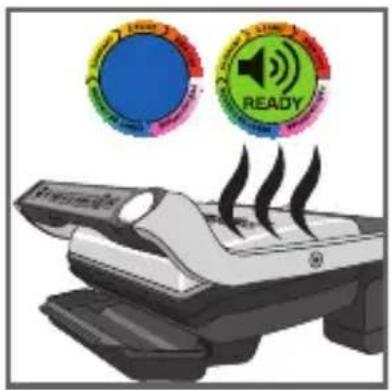
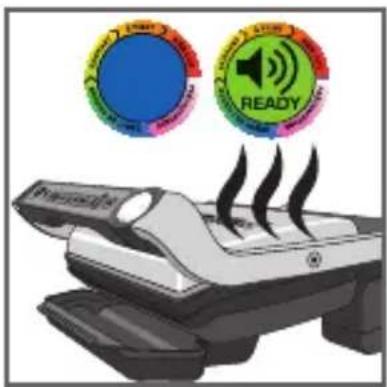
Close the appliance to start the cooking cycle. The cooking level indicator turns blue and then becomes green to indicate the cooking is in progress (for the best results do not open or move your food during the cooking process).
While cooking is in progress, a beep alerts the user each time a certain level of cooking is attained (e.g. rare/yellow).
Note: for thinly-cut food, close the device and wait for the button « OK » to begin blinking and the indicator light to become « solid purple ». Then press « OK » to enable the appliance to recognise the food to be cooked and launch the cooking programme.
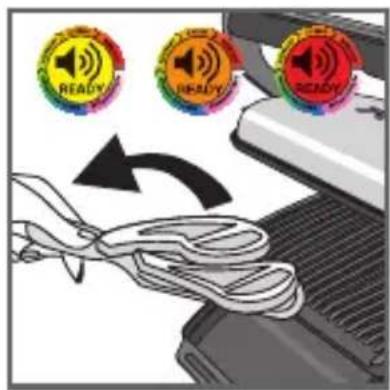
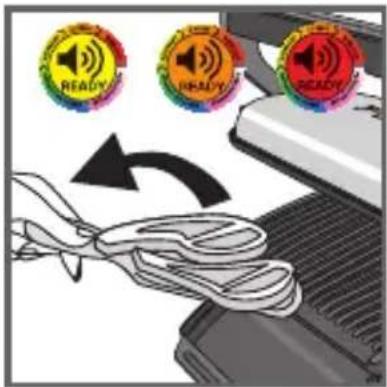
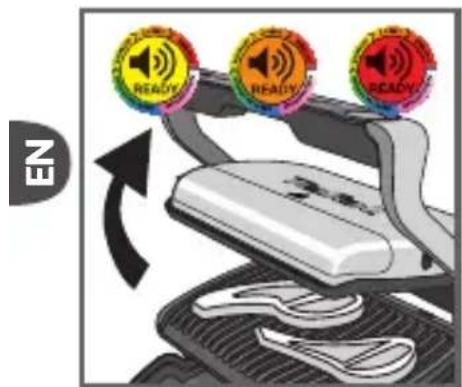
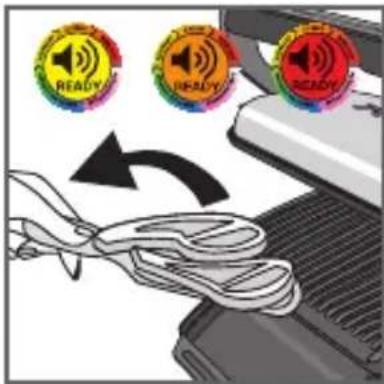
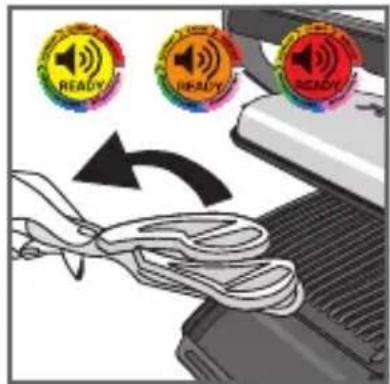
18 According to the degree of cooking, the indicator light changes color. When the indicator light is yellow with a beep, your food is rare, when the indicator light is orange with a beep, your food is medium and when the indicator light is red, your food is well done.
N.B.: if you like your meat very rare, remove the meat when the cooking level indicator turns green.
Please note, especially on meat, it is normal that cooking result vary depending on type, quality and origin of food.

text_image
NE READY READY READY19 20
text_image
Diagram showing three 'READY' circular icons above a ribbon, indicating status or notification of the device.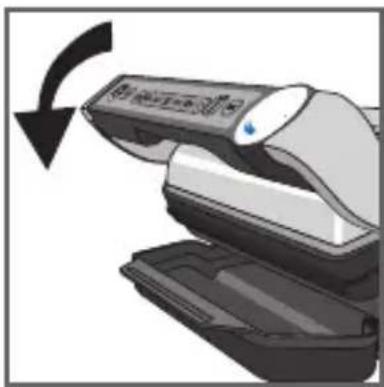
natural_image
Illustration of a hand holding a device with a scroll, showing a black curved arrow indicating rotation (no text or symbols present)21
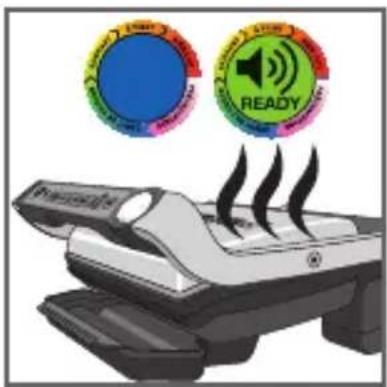
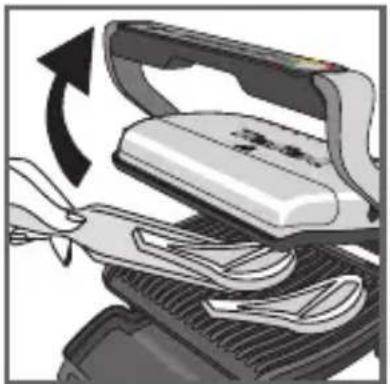
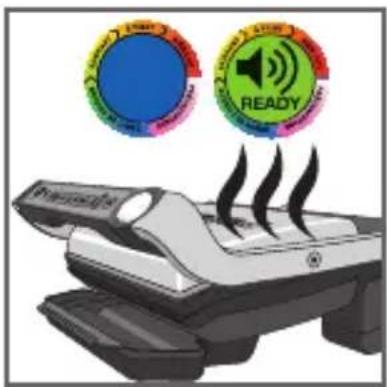
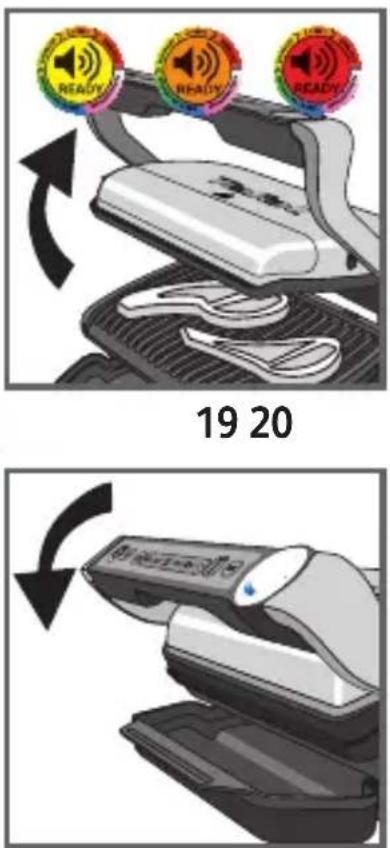
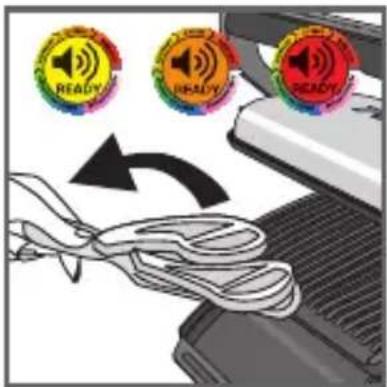
19-20 When the color corresponding to your choice of cooking level appears, open the appliance and remove your food.
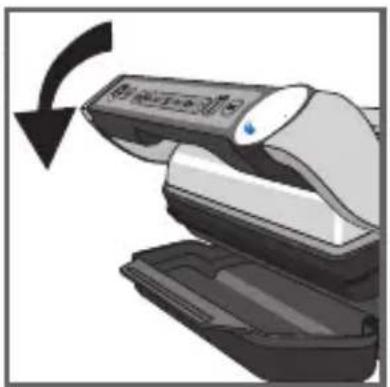
21 Close the appliance. The control panel will light up and set itself to 'choice of program' mode.
Comment: the security system will turn off automatically if no program selection is made.
Cooking larger quantities of food
If you wish to cook larger quantities, preheat the appliance again (see section 2. "Preheating", starting from point 9), even if cooking the same type of food.
Cooking larger quantities of food:
Once your first batch of food has finished cooking:
- Make sure that the appliance is closed and no remnants of food remain inside.
- Select the correct cooking mode or programme (this step is necessary even if the cooking mode is the same as for the foods you have just finished cooking).
- Press the button "OK" to begin preheating. While preheating, the light indicating the level of cooking will blink purple.
- Once preheating is complete, the appliance will beep and the indicator light will stop blinking purple.
- The appliance is ready to use once preheating is complete. Open the grill lid and place the food inside the appliance.
Important:
- Please note that preheating is required for each new quantity of food to be cooked.
4 Comments
natural_image
Illustration of a hand using a tool to lift a flat iron, showing mechanical components and motion direction (no text or symbols)22 23
natural_image
Illustration of a portable steamer with steam rising, accompanied by a stopwatch and motion lines (no text or symbols)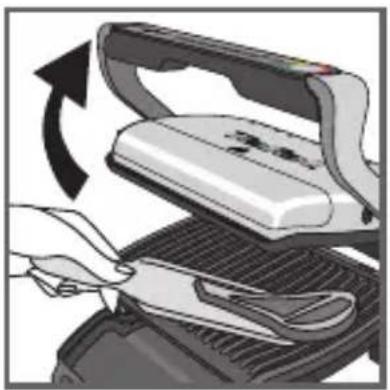
natural_image
Illustration of a hand using scissors to cut a flat iron on a grater, with an arrow indicating rotation (no text or symbols present)24
natural_image
Illustration of a steam stove with control panel and red starburst icon (no text or symbols)25
Reminder: before activating preheating, make sure that the appliance is closed and no remnants of food remain inside.
- Then wait for preheating to finish before opening the grill and placing food inside.
Note: if the new pre-heating cycle is activated immediately after the end of the preceding cycle, the pre-heating time will be reduced.
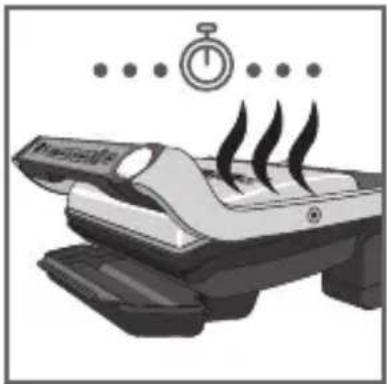
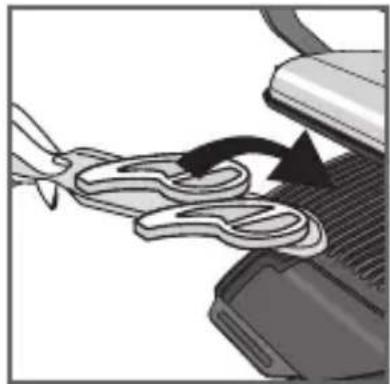
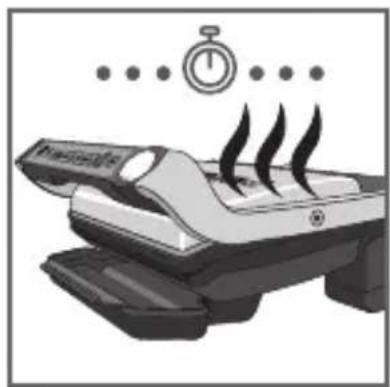
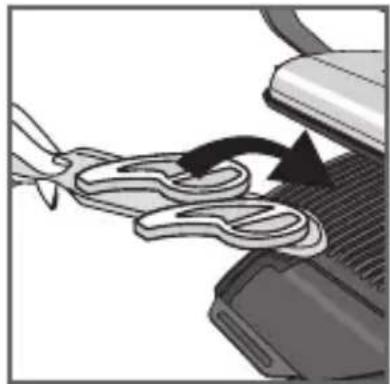
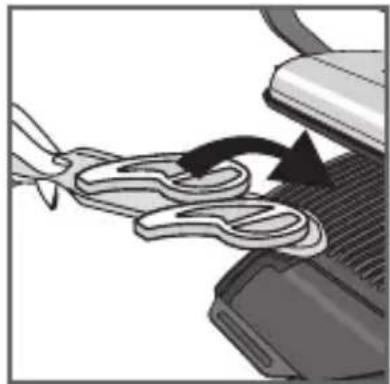
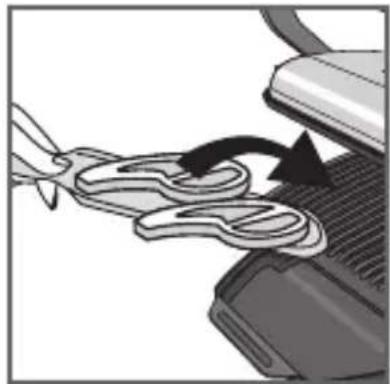
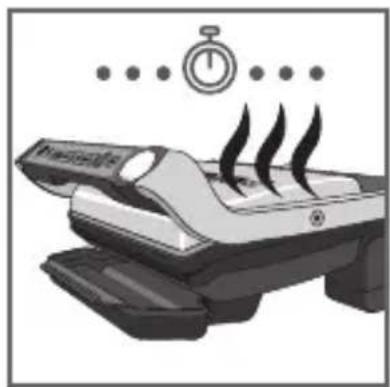
22-23-24
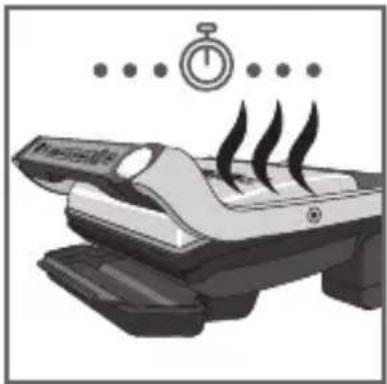
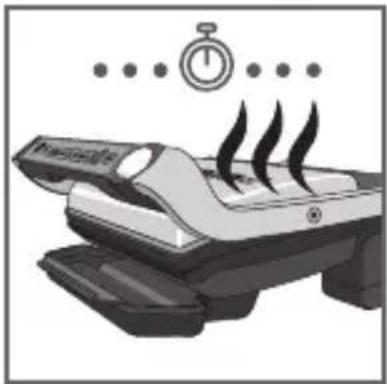
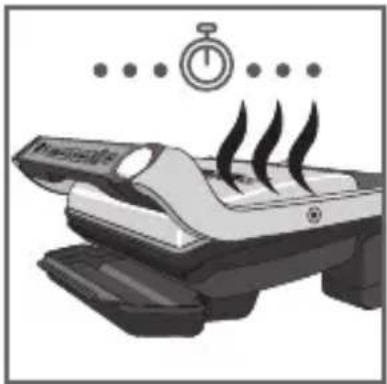
If you want to cook food to different personal tastes, open the grill and remove the food when it has reached the desired level and then close the grill and continue cooking the other food. The program will continue its cooking cycle until it reaches the 'well done' level.
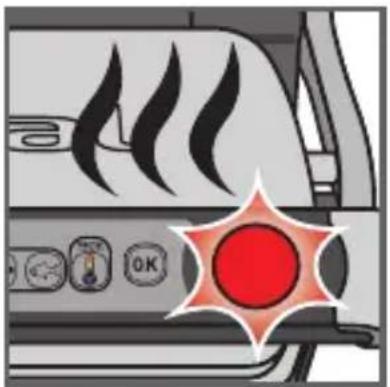
25 Keep warm function
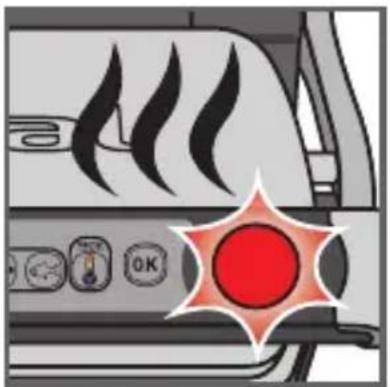
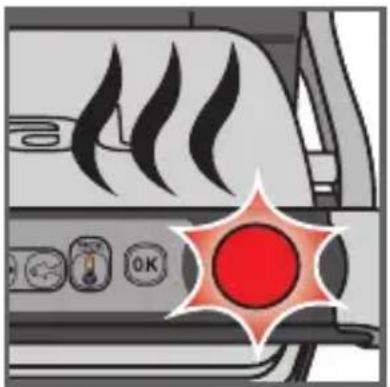
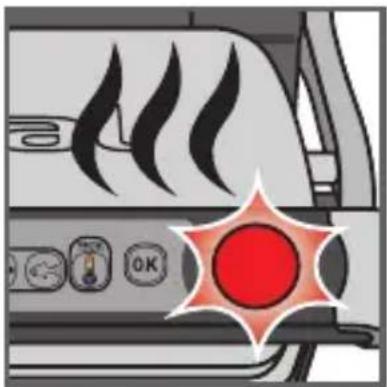
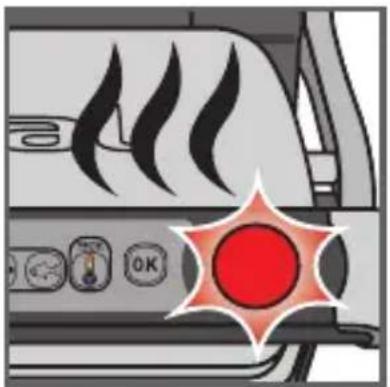
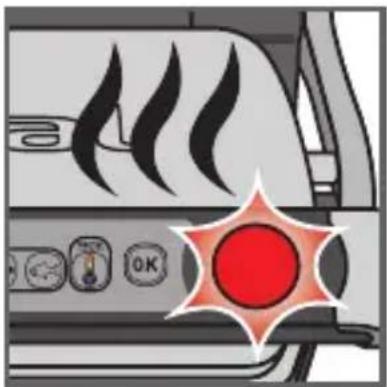
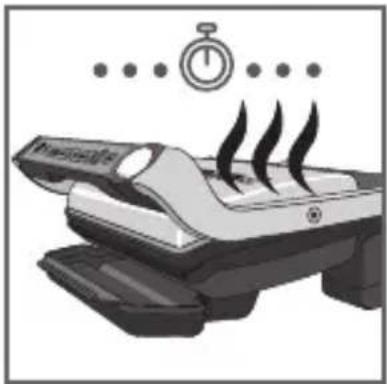
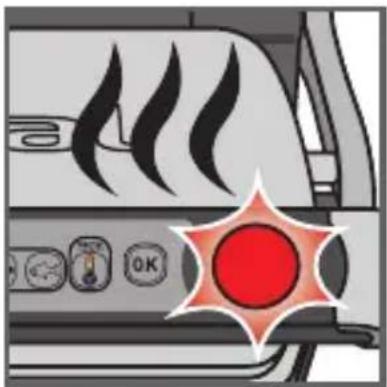
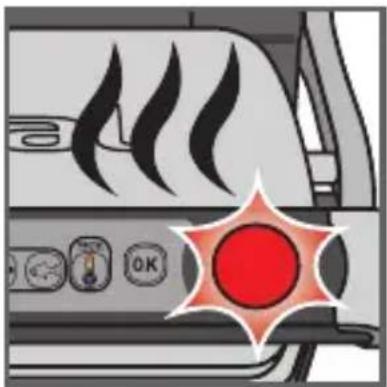
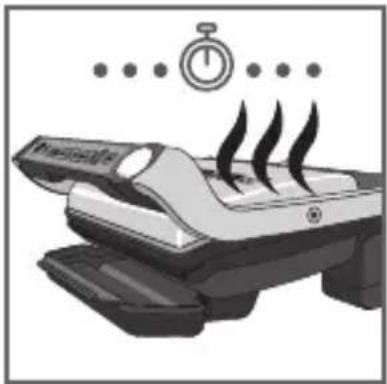
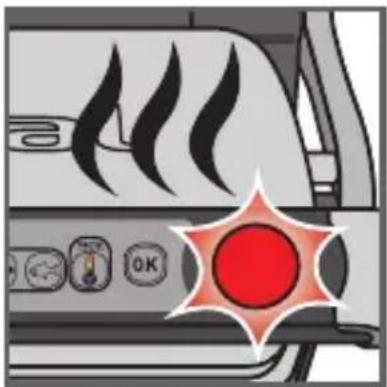
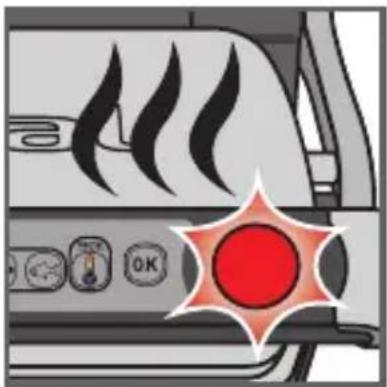
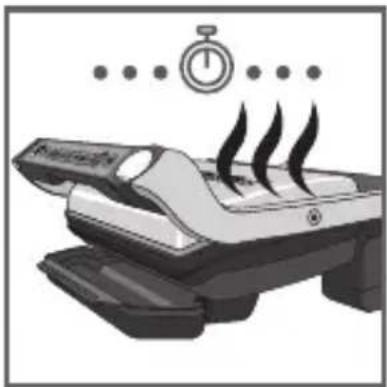
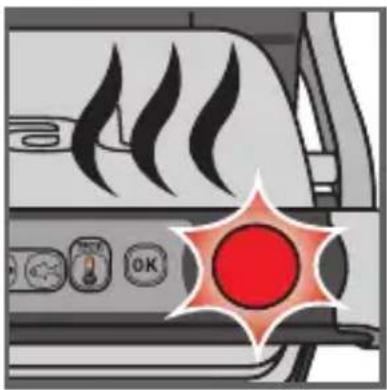
Once cooking is finished, the appliance automatically activates the keep warm function, the indicator light turns red and the device begins to beep every 20 seconds. If food is left on the grill, it will continue to cook while the cooking plates cool. You may deactivate the beep by pressing the button "OK".
Note: the security system will power off the appliance automatically after a certain period of time
Second cooking
If you wish to cook other foods, please refer to section 21.
5 Cleaning and maintenance
Z
text_image
Hand pointing at a computer control panel with icons and labels, showing a mouse icon on the left button.26 27
natural_image
Hand inserting a plug into an electrical outlet, showing power line direction (no text or symbols)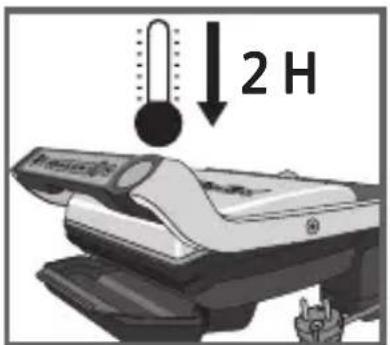
text_image
2 H28
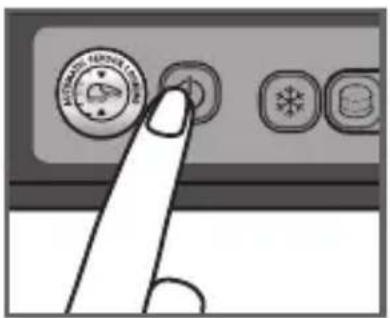
26 Press the on/off button to turn off the appliance.
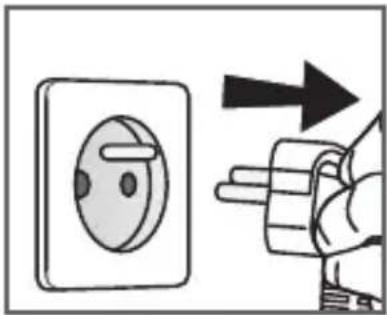
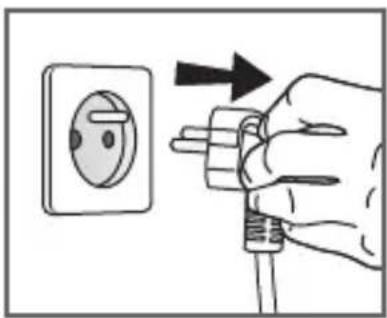
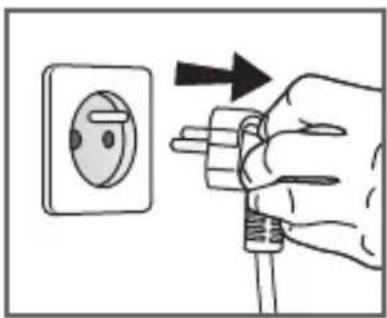
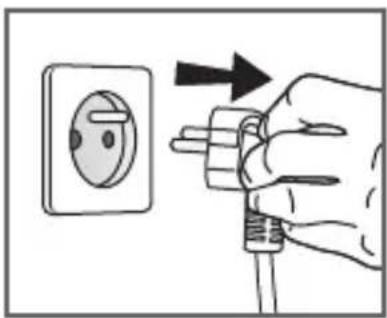
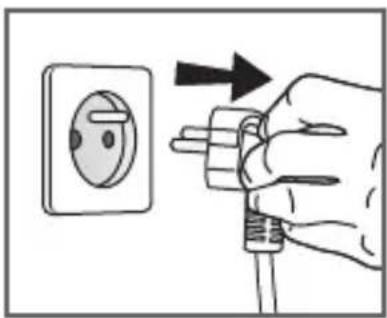
27 Unplug grill from wall outlet.
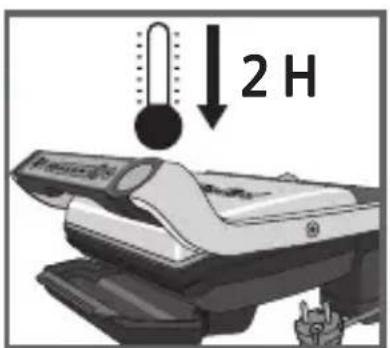
28 Allow to cool for at least 2 hours.
To avoid accidental burns, allow grill to cool thoroughly before cleaning.
natural_image
Close-up of a car's side panel showing airflow or heat distribution (no text or symbols visible)29 30
natural_image
Diagram showing a computer monitor with an open lid and a mesh cover, no text or symbols present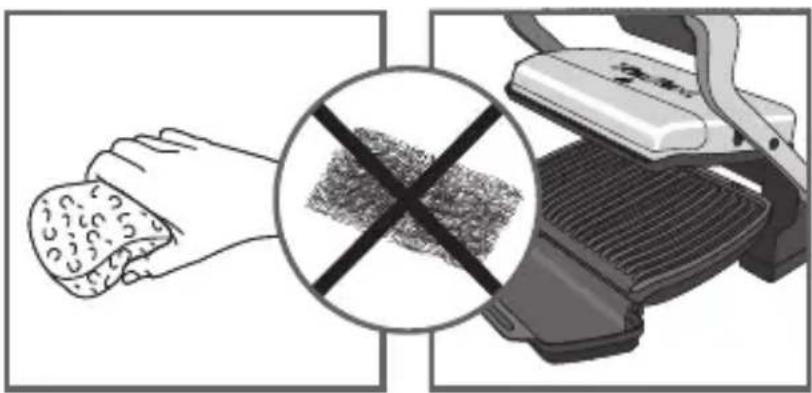
natural_image
Illustration showing a hand holding food and a grater with a crossed-out grid pattern (no text or symbols)31 32
natural_image
Illustration of a hand cleaning a small object on a device (no text or symbols visible)33 34
text_image
Safety warning symbol with crossed black lines and a hand holding a valve, indicating no hazard or caution against the device.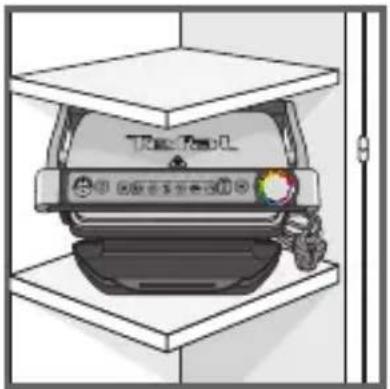
natural_image
Illustration of a car parked inside a storage unit with a hand holding the vehicle (no text or symbols visible)35
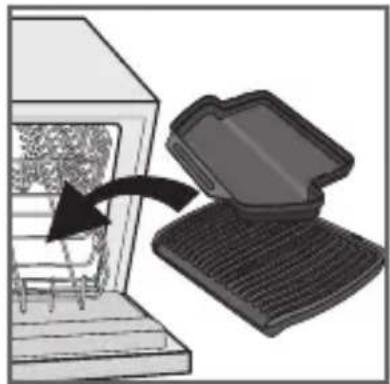
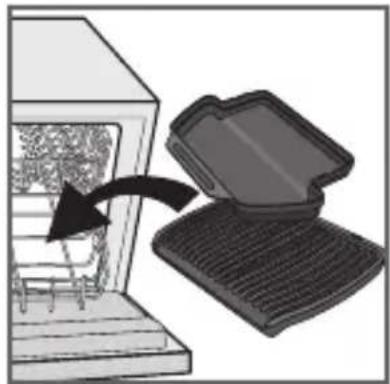
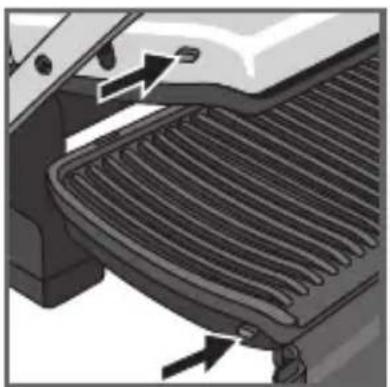
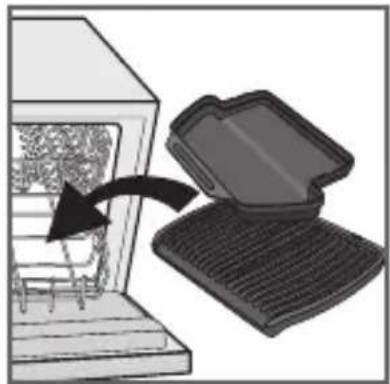
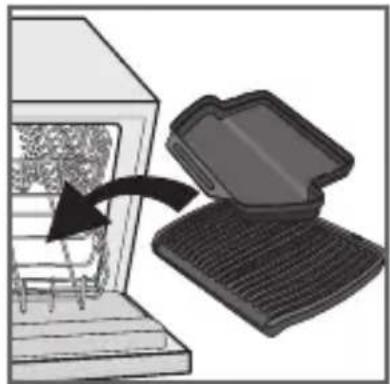
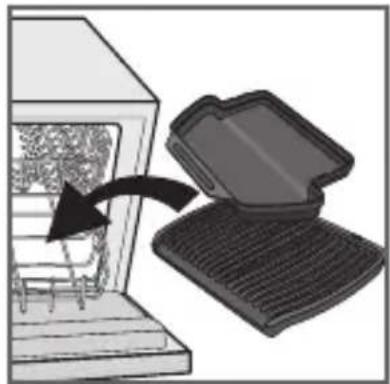
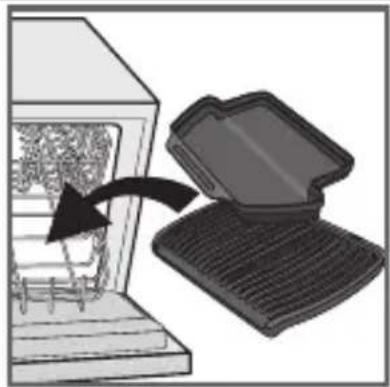
29 Before cleaning, unlock and remove the plates to prevent damage to the cooking surface.
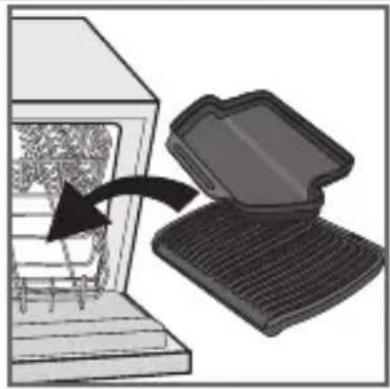
30 The appliance and its cord cannot be placed in the dishwasher. The heating elements, visible and accessible parts, should not be cleaned after removing the plates. If they are very dirty, wait until the appliance has completely cooled down and clean them with a dry cloth.
31-32
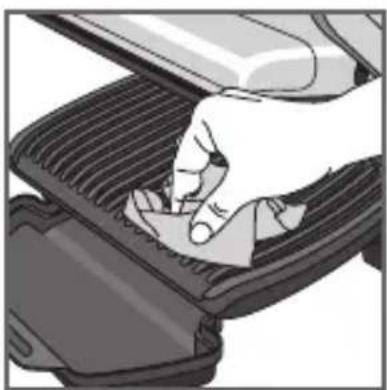
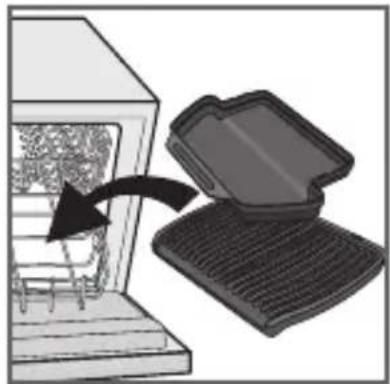
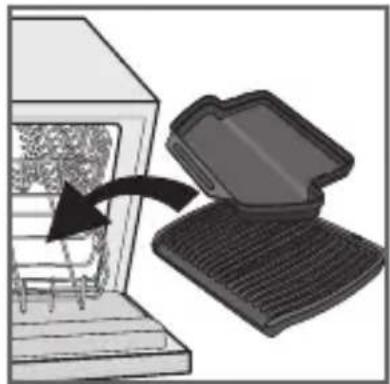
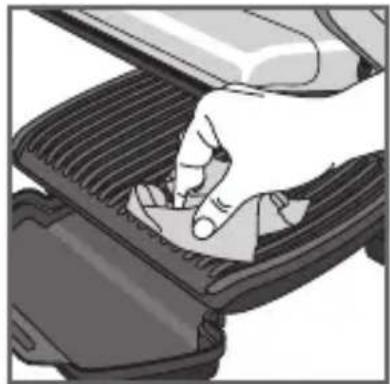
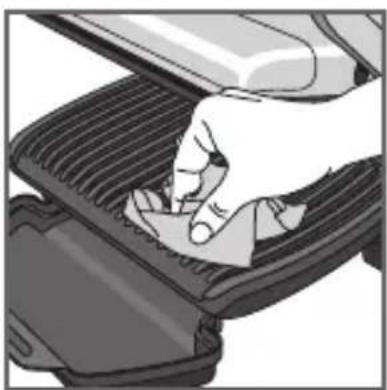
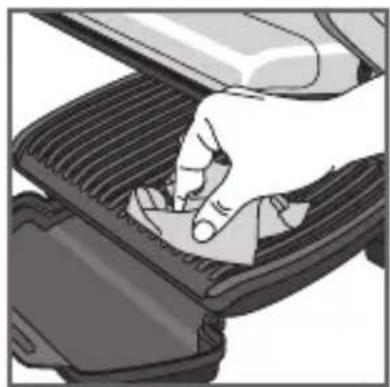
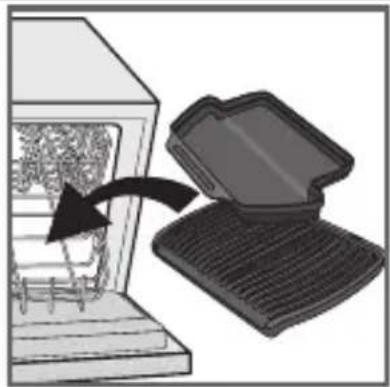
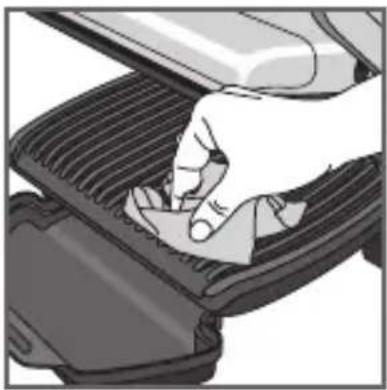
If you do not wish to wash the cooking plates in the dishwasher, use hot water and a little washing up liquid to clean, then rinse thoroughly to remove any residue. Wipe them carefully with a paper towel.
Do not use metal scouring pads, steel wool or abrasive cleaners to clean any part of the grill, use only nylon or non-metallic cleaning pads.
Drain the juice drip tray and wash it in mild soapy water, then dry thoroughly with a paper towel.
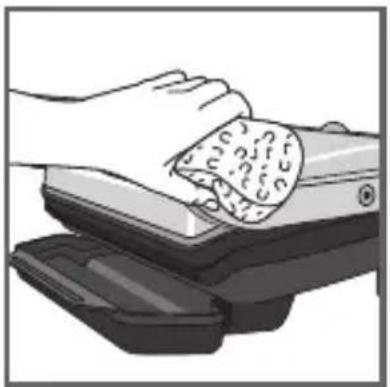
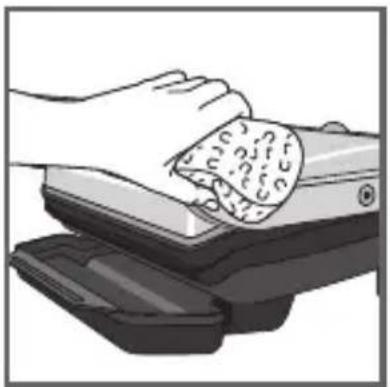
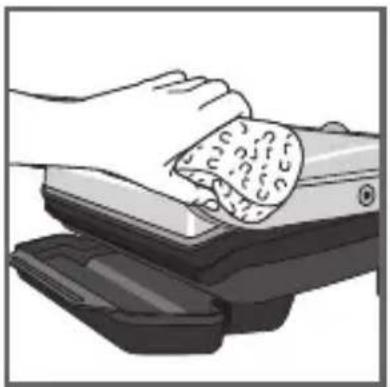
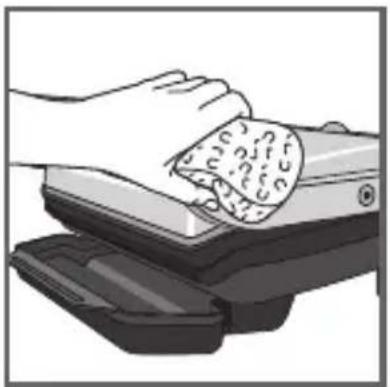
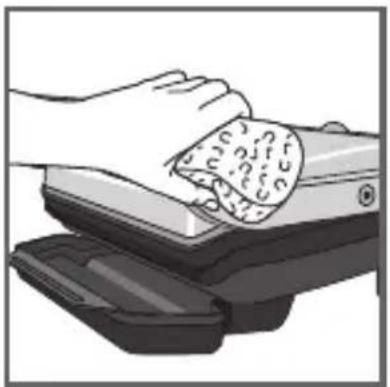
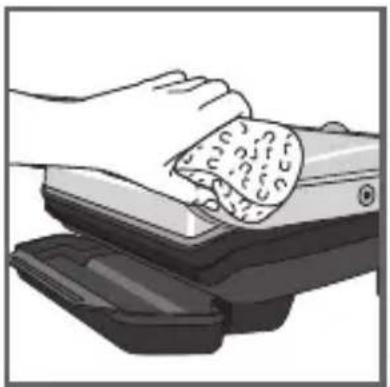
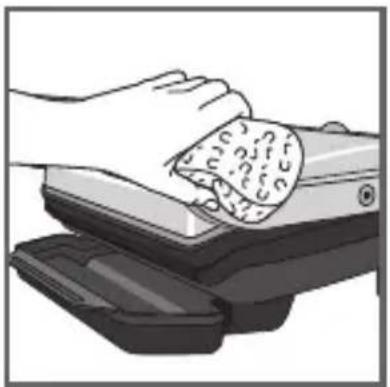
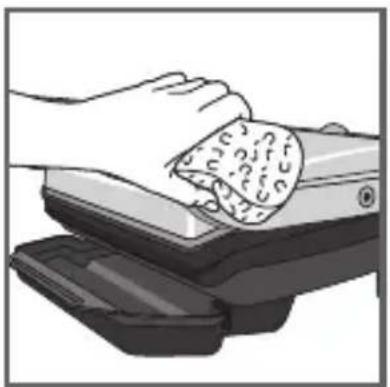
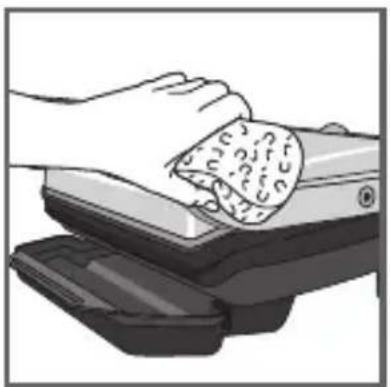
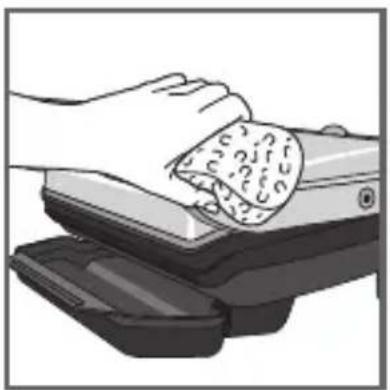
33 To clean the grill cover, wipe with a warm, wet sponge and dry with a soft, dry cloth.
34 Do not immerse the body of grill in water or any other liquid.
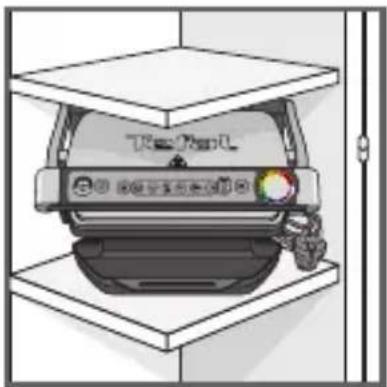
35 Always make sure grill is clean and dry before storing.
Any repairs must be carried out by an approved service representative.
Troubleshooting guide

| Problem | Cause Solution | |
| Button activated+ Indicator light solid green+ Button blinking | Switching on the appliance or starting an automatic cooking cycle with food between plates and without preheating(manual mode is automatically activated). | 2 possible options:- Choose the temperature setting by pressing the button and then press OK. Allow to cook, but you must monitor the cooking (manual mode).- stop the appliance, remove the food, close the appliance properly, re-program the appliance and wait until end of preheating. |
| The appliance stops during the cycle of pre-heating or cooking. | The appliance has been kept open for too long while cooking.The appliance has been idle too long after the end of warm up or keep warm. | Disconnect the appliance from the outlet and leave for 2-3 mins., restart the process. The next time you use the appliance, make sure you open and close it quick for best cooking results. If the problem occurs again contact your local Tefal customer service. |
| The indicator light will blink white+ Button / blinking+ Intermittent beeping | Appliance failure.Appliance stored or used in a room that is too cold. | Disconnect and reconnect your appliance and immediately restart a preheat cycle. If the problem persists, contact your Customer Service. |
| The device does not beep. | ||
| After preheating, I placed the food inside and closed the appliance,but the indicator light stays purple and cooking does not begin. | The quantity of food inside the appliance is greater than 4 cm. | The quantity of food should not exceed 4 cm. |
| The grill was not opened completely when placing the food inside. | Open the grill completely and close it again. | |
| The appliance does not detect food inside The quantity of food is insufficient, "OK" is blinking. | Confirm cooking activation by pressing the button | |
| The appliance will activate in manual mode+ The indicator light will blink red. | Preheating time was cut short. | Monitor the cooking periodically (for use in manual mode).OrStop the grill, remove food, close the grill, select the new cooking programme you wish to use and wait for the preheating cycle to finish. |
| The indicator light will blink white+ Button blinking+ Continuous beeping | Appliance failure. Unplug the appliance and contact customer service. | |
Tip, especially for meat: the cooking results on the preset programs may vary depending on origin, cut and quality of the food being cooked, the programs have been set and tested for good quality food. Similarly, the thickness of the meat must be taken into account during cooking; you should not cook foods with a thickness greater than 4 cm.
Cooking Guide (automatic programs)
| Dedicated program | Cooking level color indicator | ||
 |  |  | |
| Red meat | Rare | Medium | Well-done |
| Burger Rare Medium Well-done | |||
| Panini / Sandwich | Lightly cooked | Browned | Crispy |
| Fish | Lightly cooked | Medium | Well-done |
| Poultry Well cooked | |||
| Pork / Sausages / Lamb | Well cooked | ||
Tips: if you want your meat to be very rare (blue), you may use

Cooking Guide (including Manual Mode)
| Food | Cooking program | Cooking level | |||
 |  |  | |||
| rare medium | well-done | ||||
| Bread | Slices of bread, toasted sandwiches | ||||
| Burger: (after pre-cooking the meat) | |||||
| Meat & Poultry | Pork fillet (boneless), pork belly | ||||
| Lamb (boneless) | |||||
| Frozen chicken nuggets | |||||
| Pork belly | |||||
| Slice of ham to be cooked | |||||
| Marinated chicken breast | |||||
| Duck breast | |||||
| Fish | Whole trout | ||||
| Shelled prawns | |||||
| King prawns (with and without shells on) | |||||
| Tuna steak | |||||
| Manual modeSee the quick start guide for manual mode | Grilled fruits and vegetables (should be cut to the same size and thickness) | 4 different temperature settings | |||
For frozen food, press before selecting your program.
VIGTIGE SIKKERHEDSANVISNINGER OG FORHOLDSREGLER

text_image
Diagram showing a box being processed with a device, labeled in Chinese.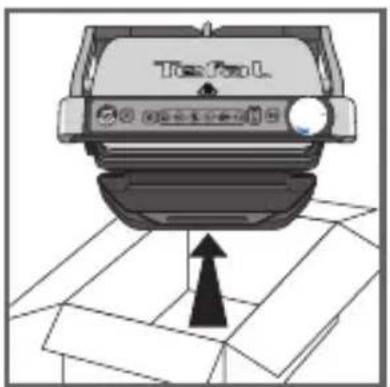
text_image
TopFun L1
natural_image
Illustration of a hand pressing down on a mechanical component (no text or symbols visible)2
natural_image
Close-up of a car Top/Top/L device with a highlighted cover area (no readable text or symbols)3
natural_image
Illustration of a handheld electronic device with a black handle and display screen, labeled 'OK' (no other text or symbols)4
natural_image
Illustration of a steam-burning hot dog (no text or symbols)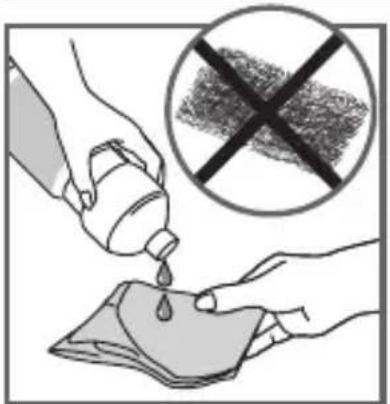
text_image
Illustration showing a hand pouring liquid from a bottle into a cloth, with a crossed-out prohibition symbol in the background.5
natural_image
Hand pressing down on a mechanical component (no text or symbols visible)6
text_image
Diagram showing hand holding plug to switch electrical outlet, with no visible text or symbols7
text_image
Hand pointing at a computer control interface with icons for security, data, and storage8
natural_image
Illustration of two fingers pressing down on a keyboard (no text or symbols visible)9 10
text_image
Hand pointing at a control panel with icons and a circular progress chart showing 'OK' and 'Sensitivity to Change'11 12
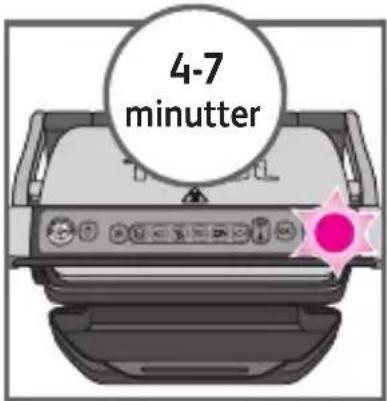
text_image
4-7 minutter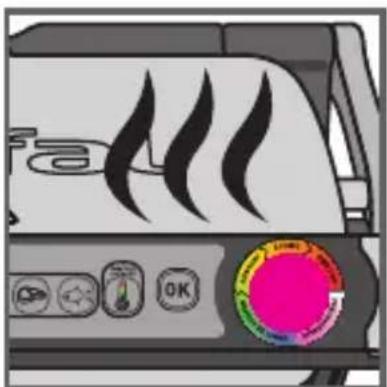
text_image
fa OK13
11 Tryk på knappen "OK". Apparatet begynder nu at varme op, og indikatoren for tilberedningstype blinker lilla.
natural_image
Diagram of a grater with a curved arrow indicating rotation or movement (no text or symbols present)14 15
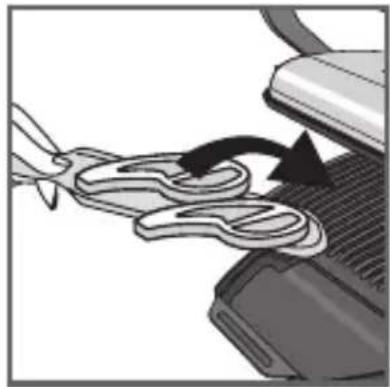
natural_image
Close-up of a mechanical component with a curved pipe or spring being inserted, showing motion direction (no text or symbols)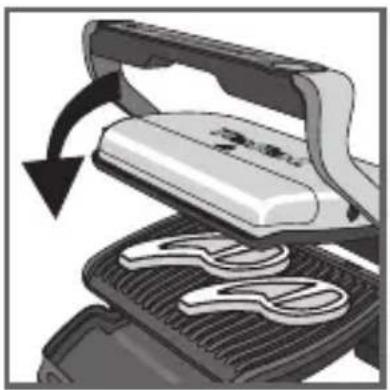
natural_image
Illustration of a grating machine with a handle and blade, showing internal components and motion arrows (no text or symbols)16 17
text_image
PRETAX READY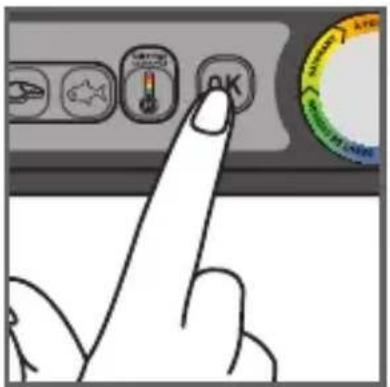
text_image
Hand pointing at a control panel with icons and a circular gauge showing 'OK' and 'SARANT' labels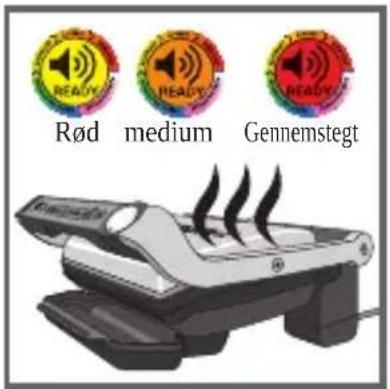
text_image
Rød medium Gennemstegt18
14-15
text_image
Diagram showing three 'READY' circular icons above a device with a ribbon, indicating a process or operation.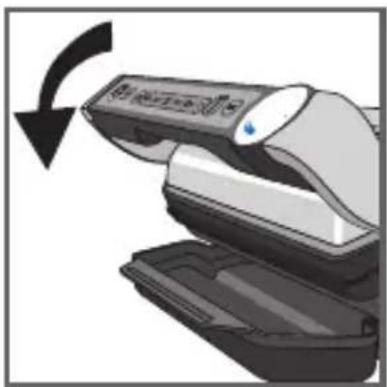
natural_image
Illustration of a printer or scanner with a scroll wheel and a blue indicator light, showing a black curved arrow indicating rotation (no text or symbols present)21
19-20
natural_image
Illustration of a hand using a tool to lift a mechanical device, showing a curved arrow indicating rotation (no text or symbols present)22 23
natural_image
Illustration of a steamer machine with steam rising, accompanied by a stopwatch and motion lines (no text or symbols)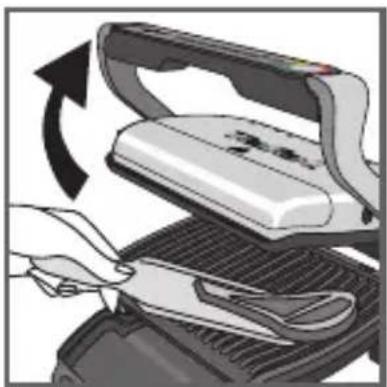
natural_image
Illustration of a hand using a power iron to cut a tray with a knife, showing mechanical components and motion direction (no text or symbols)24
natural_image
Illustration of a steam stove with control panel and red starburst icon (no text or symbols)25
natural_image
Hand inserting a plug into an electrical outlet (no text or symbols visible)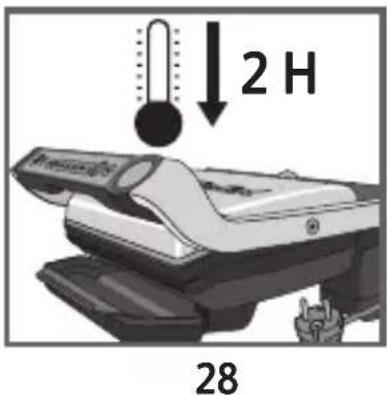
text_image
2 H 28natural_image
Close-up of a car's air vent with cooling fins and exhaust pipe (no text or symbols visible)29 30
natural_image
Diagram showing a device with an open lid and a curved arrow pointing to a textured surface inside a chamber (no text or symbols)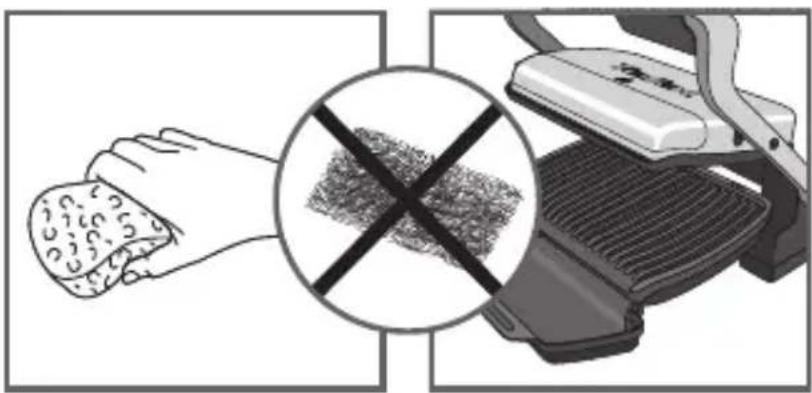
text_image
Diagram illustrating a hand using a grater with a crossed-out mark, symbolizing the use of a grater.31 32
natural_image
Illustration of a hand cleaning a textured object from a mechanical device (no text or symbols visible)33 34
text_image
Safety warning symbol with crossed black lines and a hand holding a faucet above a device labeled 'Treader'.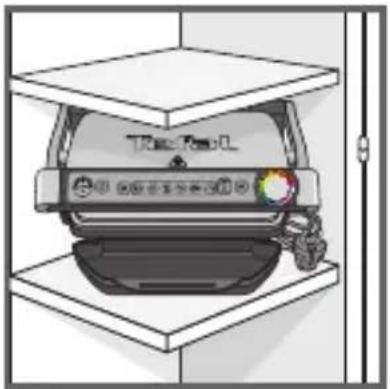
ORANGE Tillagningsgraden "Rosa"
RÖD Tillagningsgraden "Genomstekt"
natural_image
Illustration of a hand pressing down on a gridded metal component (no text or symbols visible)2
natural_image
Close-up of a car Top/Top/L device with a highlighted component (no readable text or symbols)3
natural_image
Illustration of a handheld electronic device with a black handle and display screen, labeled 'OK' (no other text or symbols)4
natural_image
Illustration of a steaming hot dogon with steam rising (no text or symbols)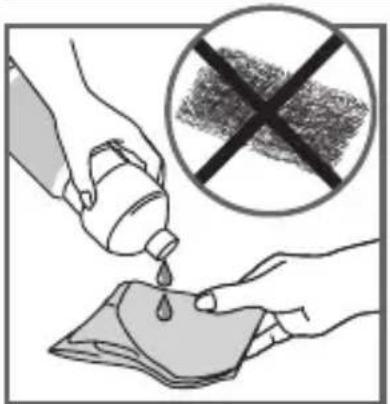
text_image
Illustration showing a hand pouring liquid from a container into a cloth, with a crossed-out prohibition symbol in the background.5
natural_image
Illustration of a hand pressing down on a mechanical component (no text or symbols visible)6
text_image
Diagram showing hand holding plug to switch electrical outlet, with no visible text or symbols7
text_image
Hand pointing at a computer control interface with icons for settings, navigation, and buttons8
text_image
Hand pointing at a control panel with icons for 'VAC/VEAC/VEAC' and function buttons9 10
natural_image
Illustration of two fingers pressing down at a control panel with icons (no text or symbols)text_image
Hand pointing at a control panel with icons and a circular progress bar showing 'OK' and 'Sensitivity to the Internet'.11 12
text_image
4-7 minutter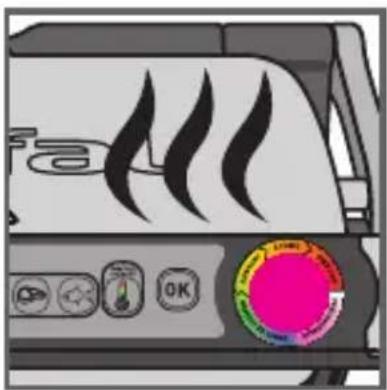
text_image
Diagram of a portable device with flame icons and a color-coded control panel showing text and symbols.13
natural_image
Diagram of a grater with a curved arrow indicating rotation (no text or symbols present)14 15
natural_image
Close-up of a mechanical component with a curved pipe or spring being inserted, showing motion direction (no text or symbols)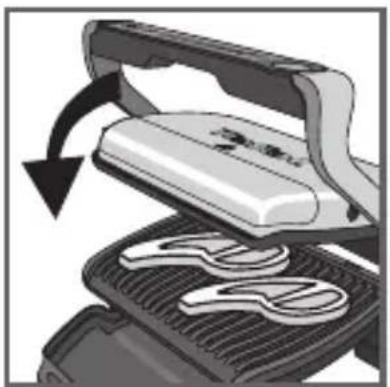
natural_image
Illustration of a grating machine with a handle and blade, showing internal components (no text or symbols)16 17
text_image
PREMISE READY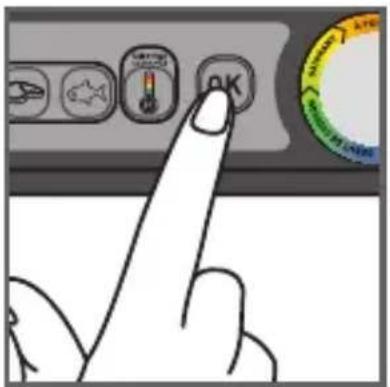
text_image
Hand pointing at a control panel with icons and a circular gauge showing 'OK' and 'SARANT' labels
text_image
rare well-donemedium18
14-15
text_image
Diagram showing three 'READY' circular markers above a ribbon, indicating status or notification of an electronic device.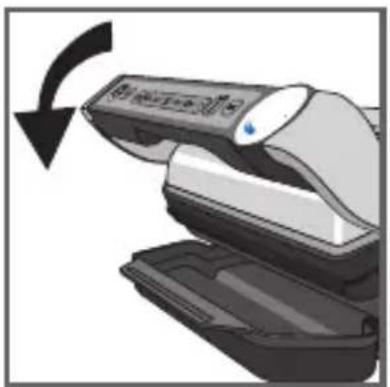
natural_image
Illustration of a medical device with a black arrow indicating rotation (no text or symbols)21
19-2
natural_image
Illustration of a hand using a tool to lift a white iron on a textured surface, with an arrow indicating rotation (no text or symbols present)22 23
natural_image
Illustration of a steamer machine with steam rising, accompanied by a stopwatch and dotted lines (no text or symbols)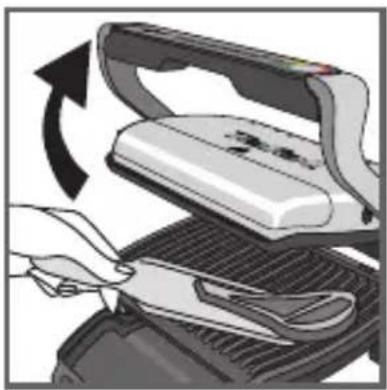
natural_image
Illustration of a hand using a knife to cut a flatboard on a grater, with an arrow indicating rotation (no text or symbols present)24
natural_image
Illustration of a steam stove with control panel and red circular highlight (no text or symbols)25
text_image
Hand pointing at a computer control panel with icons and labels, showing a mouse icon on the left button.26 27
natural_image
Hand inserting a plug into an electrical outlet, showing power and wiring (no text or symbols)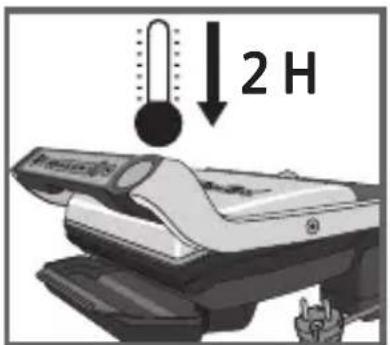
text_image
2 H28
text_image
Diagram showing a thermometer and a car with Chinese text labels, indicating temperature measurement or status.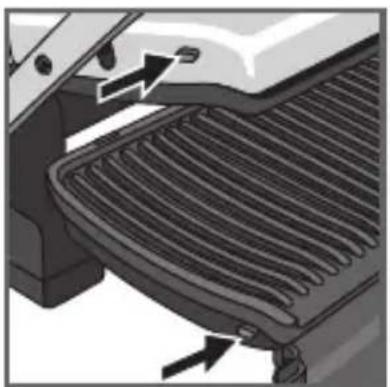
natural_image
Close-up of a car's air vent with cooling fins and exhaust pipe (no text or symbols visible)29 30
natural_image
Diagram showing a device being placed into a storage unit with an open lid (no text or symbols present)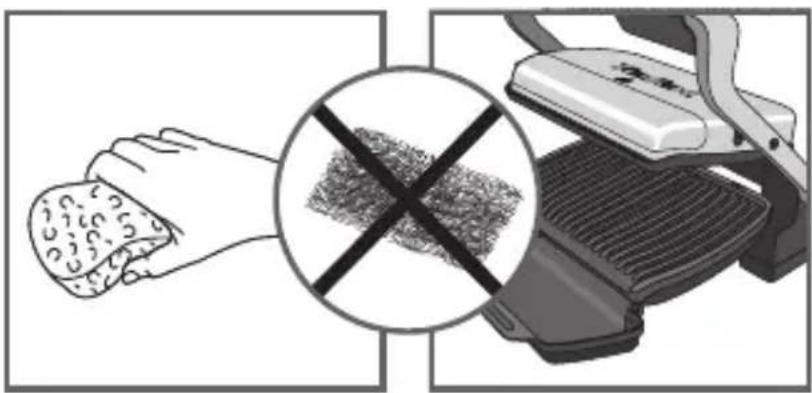
natural_image
Illustration showing a hand holding food with a crossed-out grid pattern, next to a grater (no text or symbols)31 32
natural_image
Illustration of a hand cleaning a textured object from a mechanical device (no text or symbols visible)33 34

text_image
Safety warning symbol showing a hand holding a valve above a device with 'Tread' label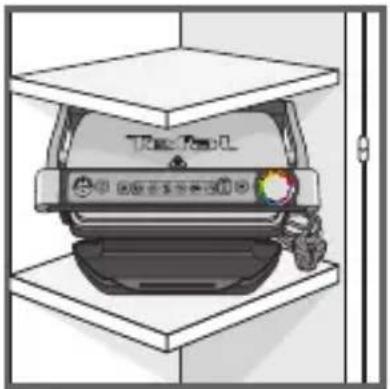
natural_image
Illustration of a car parked inside a storage unit with a door open (no text or symbols visible)35
text_image
Diagram showing a box being processed with a device, labeled in Chinese.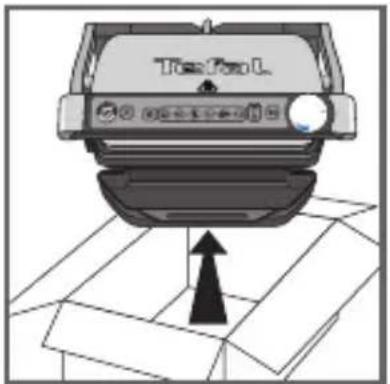
text_image
TopFun L1
natural_image
Illustration of a hand pressing down on a mechanical component (no text or symbols visible)2
natural_image
Close-up of a car Top/Top/L device with a highlighted component (no readable text or symbols)3
natural_image
Illustration of a handheld electronic device with a black handle and display screen, labeled 'OK' (no other text or symbols)4
natural_image
Illustration of a toaster with steam rising from the side (no text or symbols)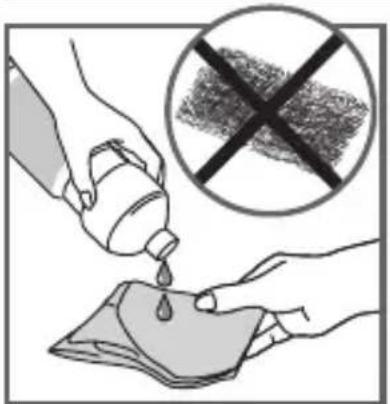
text_image
Illustration showing a hand pouring liquid from a bottle into a cloth, with a crossed-out prohibition symbol in the background.5
natural_image
Hand pressing down on a mechanical component (no text or symbols visible)6
text_image
Diagram showing hand holding plug to switch electrical outlet, with no visible text or symbols7
text_image
Hand pointing at a computer control interface with icons for settings, battery, and buttons8
text_image
Hand pointing at a control panel with icons for 'VAC/VEAC/VEAC' and function buttons9 10
natural_image
Illustration of two fingers pressing down at a keyboard (no text or symbols visible)text_image
Hand pointing at a control panel with icons and a circular gauge showing 'OK' and 'SAR' labels11 12
natural_image
Diagram of a grater with a curved arrow indicating rotation or movement (no text or symbols present)14 15
natural_image
Close-up of a mechanical component with a curved pipe or spring being inserted, showing motion direction (no text or symbols)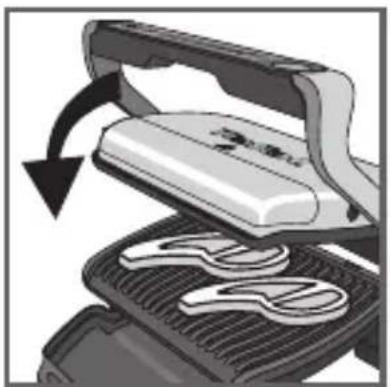
natural_image
Illustration of a grating machine with a handle and blade, showing internal components (no text or symbols)16 17
text_image
PRETAX READY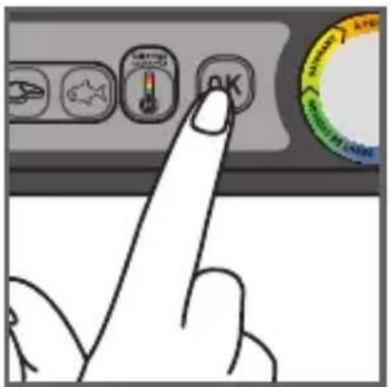
text_image
Hand pointing at a control panel with icons and a circular gauge showing 'OK' and 'SARANT' labels
text_image
rare well-donemedium18
14-15
text_image
Diagram showing three 'READY' circular markers above a device with an arrow indicating rotation or change, likely illustrating a system or process.19 20
text_image
Diagram showing a hand holding a cord with three colorful 'READY' speaker icons above it, indicating a process or operation.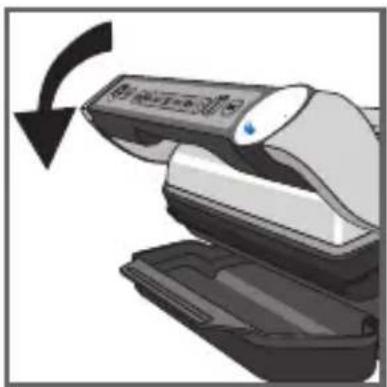
natural_image
Illustration of a device being processed with a black arrow indicating rotation (no text or symbols present)21

19-20
natural_image
Illustration of a toaster with steam rising from its side (no text or symbols)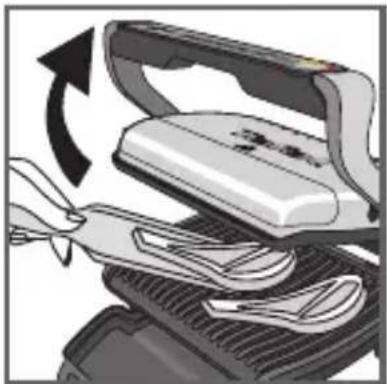
natural_image
Illustration of a hand using a tool to lift a white iron on a textured surface, with an arrow indicating rotation (no text or symbols present)22 23
natural_image
Illustration of a steamer machine with steam rising, accompanied by a stopwatch and dotted lines (no text or symbols)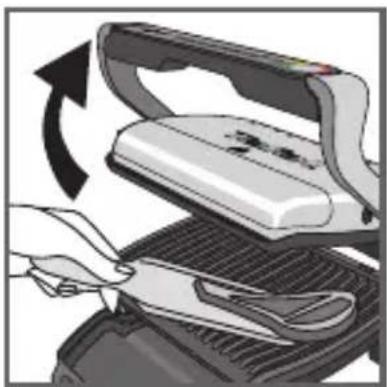
natural_image
Illustration of a hand using a power iron to cut a surface, showing blade and handle (no text or symbols)24
natural_image
Illustration of a steam stove with control panel and red starburst icon (no text or symbols)25
text_image
Hand pointing at a computer control panel with icons and labels, showing a mouse icon on the left button.26 27
natural_image
Hand inserting a plug into an electrical outlet, showing power and wiring (no text or symbols)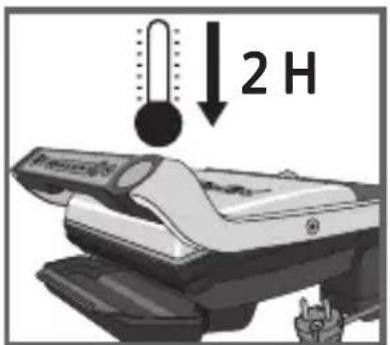
text_image
2 H28
natural_image
Close-up of a car's air vent with cooling fins and exhaust pipe (no text or symbols visible)29 30
natural_image
Diagram showing a computer monitor with an open lid and a keyboard inserted, indicating the process (no text or symbols present)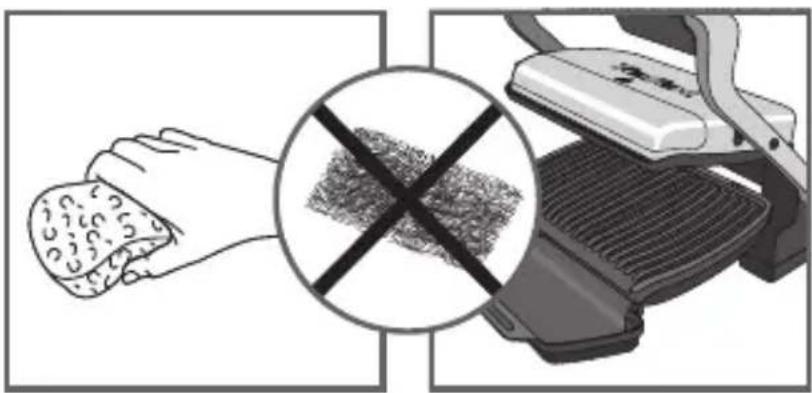
text_image
Diagram illustrating a hand using a grater with a crossed-out mark, symbolizing the use of a grater.31 32
natural_image
Illustration of a hand cleaning a textured object from a mechanical device (no text or symbols visible)33 34
text_image
Safety warning symbol with crossed black lines and a hand holding a faucet above a device labeled 'Treader'.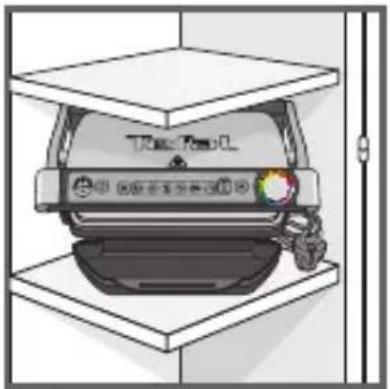
text_image
Tearbox 中国证券报备忘录版35
BLÅ Steking starter.
GR∅NN
text_image
Diagram showing a box being processed with a device, labeled in Chinese.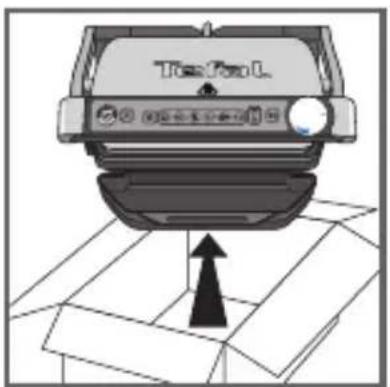
text_image
TopFun L1
natural_image
Illustration of a hand pressing down on a mechanical component (no text or symbols visible)2
natural_image
Close-up of a car Top/Top/L device with a highlighted component (no readable text or symbols)3
natural_image
Illustration of a handheld electronic device with a black handle and display screen, labeled 'OK' (no text or symbols on the device itself)4
1 All emballasje, klistremerker eller diverse tilbehør i og utenpå apparatet, må fjernes. Avhengig av språk, kan fargemerkelappen som er festet til stekeindikatoren byttes ut med en annen som du finner i apparatets emballasje.
2 Før apparatet tas i bruk første gang, fjern platene og vask dem nøye med varmt vann og oppvaskmiddel. Skyll og tørk godt.
3-4
Anbring fettskuffen foran apparatet.

2 Forvarming
natural_image
Illustration of a toaster with steam rising from the side (no text or symbols)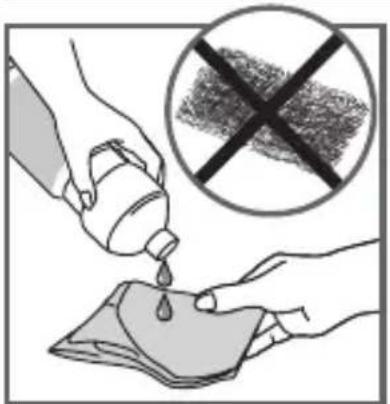
text_image
Illustration showing a hand pouring liquid from a bottle into a cloth, with a crossed-out prohibition symbol above.5
natural_image
Hand pressing down on a mechanical component (no text or symbols visible)6
text_image
Diagram showing hand holding plug to switch electrical socket, with no visible text or symbols7
text_image
Hand pointing at a computer control interface with icons for battery, keyboard, and mouse8
text_image
Hand pointing at a control panel with icons for 'Control Panel', 'Reset', and 'Save' buttons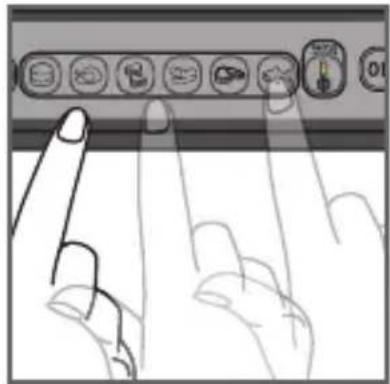
natural_image
Illustration of two fingers interacting with a control panel (no text or symbols visible)9 10
9 Hvis maten som skal stekes er frossen, trykk på tilsvarende knapp.
text_image
Hand pointing at a control panel with icons and a circular progress indicator showing 'OK' and 'SAR' text.11 12
text_image
4-7 minutter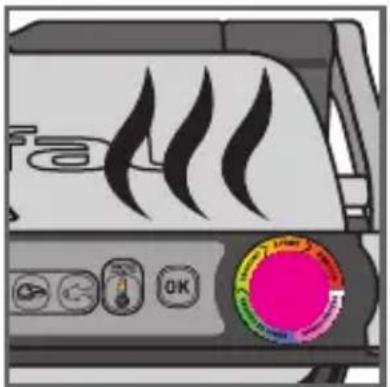
natural_image
Illustration of a toaster with steam blades and control buttons (no readable text or symbols)13
natural_image
Diagram of a grater with a curved arrow indicating rotation or movement (no text or symbols present)14 15

natural_image
Close-up of a mechanical component with a curved pipe or spring being inserted, showing motion direction (no text or symbols)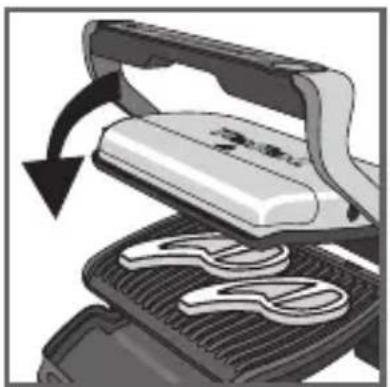
natural_image
Illustration of a grating machine with a handle and rotating blade (no text or symbols)16 17
text_image
PREMISES READY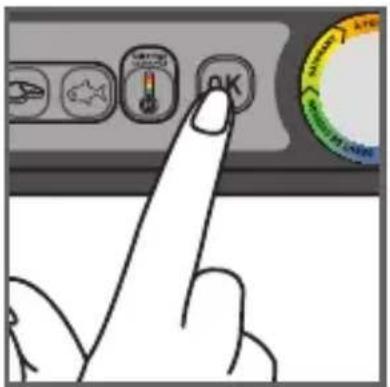
text_image
Hand pointing at a control panel with icons and a circular gauge showing 'OK' and 'SARANT' labels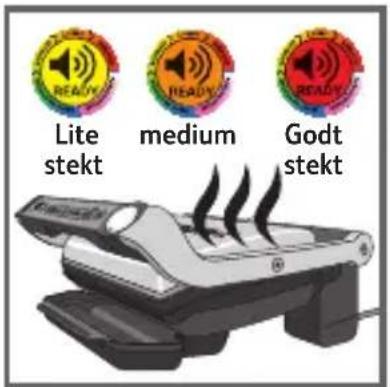
text_image
Lite stekt medium Godt stekt18
14-15
text_image
Diagram showing three 'READY' circular icons above a ribbon, indicating status or notification of an electronic device.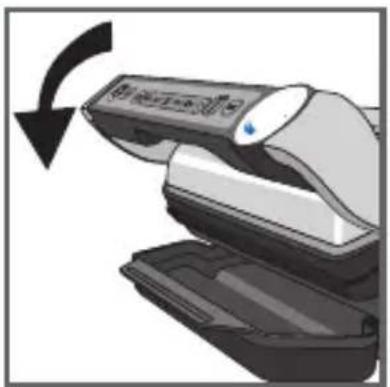
natural_image
Illustration of a printer with a scroll and arrow indicating rotation (no text or symbols)21
text_image
19 2019-20
natural_image
Illustration of a portable stove with steam rising from its side (no text or symbols)
natural_image
Illustration of a hand using a tool to lift a mechanical device, showing a curved arrow indicating rotation (no text or symbols present)22 23
natural_image
Illustration of a steamer machine with steam rising, accompanied by a stopwatch and motion lines (no text or symbols)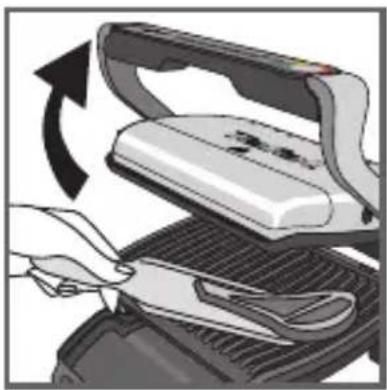
natural_image
Illustration of a hand using a tool to cut a flatboard with an arrow indicating rotation (no text or symbols present)24
natural_image
Illustration of a steam stove with control panel and red starburst icon (no text or symbols)25
text_image
Hand pointing at a computer control panel with icons and labels, showing a mouse icon on the left button.26 27
natural_image
Hand inserting a plug into an electrical outlet, showing power and wiring (no text or symbols)
text_image
2 H28
natural_image
Close-up of a car's air vent with cooling fins and exhaust pipe (no text or symbols visible)29 30
natural_image
Diagram showing a device being placed on a platform with an open lid, no text or symbols present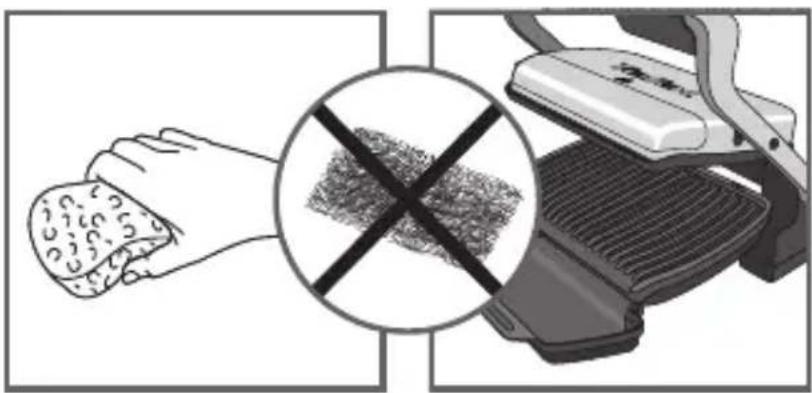
natural_image
Illustration showing a hand holding food with a crossed-out grid pattern, next to a grater (no text or symbols)31 32
natural_image
Illustration of a hand cleaning a small object on a machine (no text or symbols visible)33 34
text_image
Safety warning symbol with crossed black lines and a hand holding a faucet above a device labeled 'Treadmill'.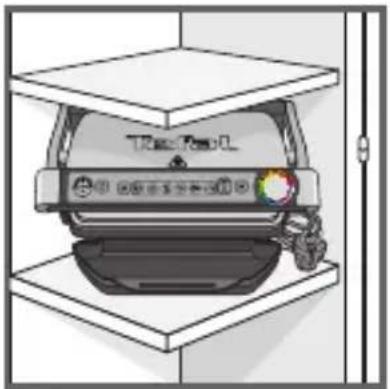
natural_image
Illustration of a car parked inside a storage stand, no text or symbols visible35
text_image
Diagram showing a box being processed with a device, labeled in Chinese.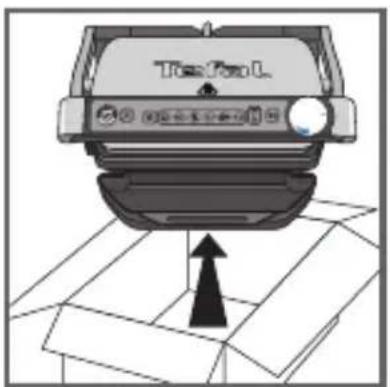
text_image
TopFun L1
natural_image
Illustration of a hand pressing down on a mechanical component (no text or symbols visible)2
natural_image
Close-up of a car Top/Top/L device with a highlighted component (no readable text or symbols)3
natural_image
Illustration of a handheld electronic device with a black and white casing, labeled 'OK' (no other text or symbols)4
text_image
Illustration showing a hand pouring liquid from a bottle into a cloth, with a crossed-out prohibition symbol above.5

natural_image
Illustration of a hand pressing down on a mechanical component (no text or symbols visible)6
text_image
Diagram showing installation of a power outlet with a hand holding a plug, accompanied by a prohibition symbol over coiled wires.7
text_image
Hand pointing at a computer control interface with icons for function, navigation, and display8
text_image
Hand pointing at a control panel with icons for 'Control Panel', 'Reset', and 'Save' buttons9 10
natural_image
Illustration of two fingers interacting with a control panel (no text or symbols visible)text_image
Hand pointing at a control panel with icons and a circular progress indicator showing 'OK' and 'SAR' text.11 12
text_image
4-7 minutos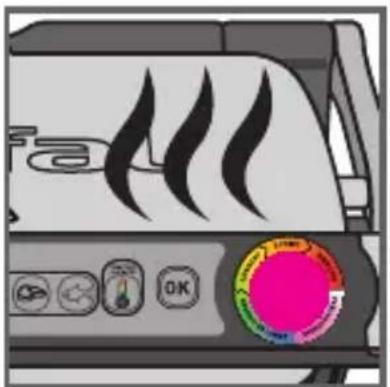
natural_image
Illustration of a portable air conditioner with flame icons and control buttons (no readable text or symbols)13
natural_image
Close-up of a mechanical device with a curved arrow indicating rotation or movement (no text or symbols visible)14 15
natural_image
Close-up of a mechanical component with a curved internal structure and an arrow indicating motion (no text or symbols)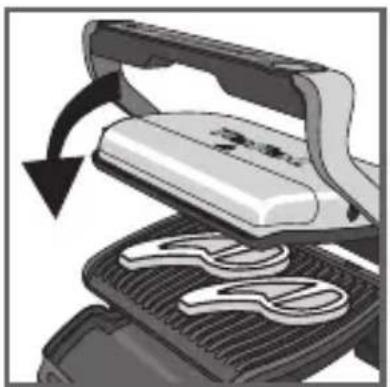
natural_image
Illustration of a grater being cut with a downward arrow indicating rotation (no text or symbols)16 17

text_image
PRETAX READY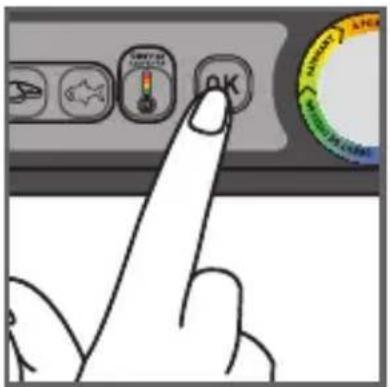
text_image
Hand pointing at a control panel with icons and a circular gauge showing 'OK' and 'CHANGE'
text_image
Diagram showing three 'READY' speaker icons interacting with a device, with an arrow indicating cable or cable movement.
natural_image
Illustration of a printer with a scroll wheel and a blue indicator light, showing a black curved arrow indicating rotation (no text or symbols present)21
19-20
natural_image
Illustration of a toaster with steam rising from the side (no text or symbols)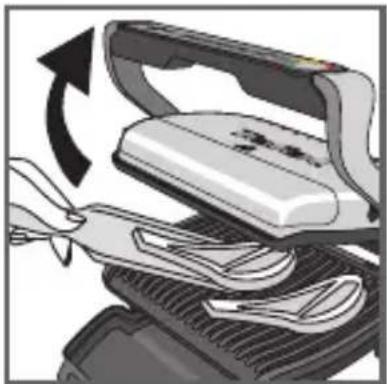
natural_image
Illustration of a hand using a tool to lift a white iron or iron piece, with an arrow indicating rotation (no text or symbols present)22 23
natural_image
Illustration of a portable steam machine with motion lines and a stopwatch above it (no text or symbols)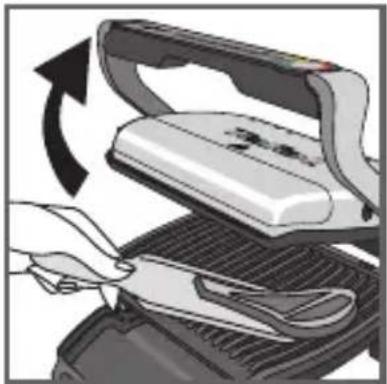
natural_image
Illustration of a hand using a power iron to cut a surface, showing blade and handle (no text or symbols)24
natural_image
Illustration of a steam stove with control panel and red starburst icon (no text or symbols)25
natural_image
Illustration of a hand holding a wall-mounted electrical socket next to an arrow indicating right-hand rule (no text or symbols present)natural_image
Close-up of a car's roof drain with visible heat dissipation and ventilation slots (no text or symbols)29 30
natural_image
Illustration of a computer monitor with an open lid and a gear mechanism, showing internal components (no text or symbols)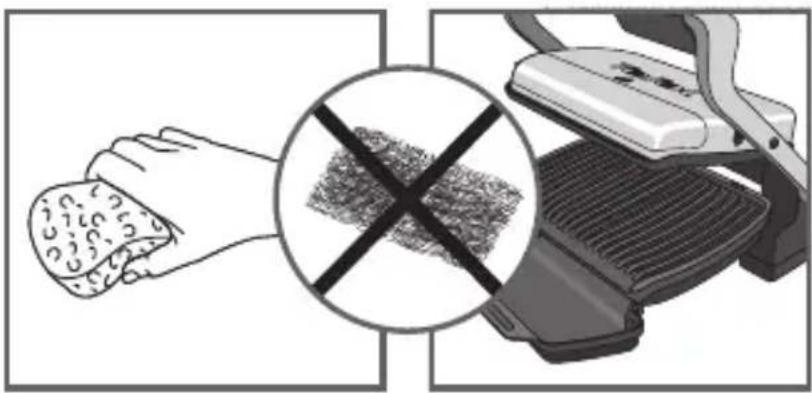
text_image
Diagram showing a hand using a textured tool to cut a surface, with a crossed-out cross symbol indicating no wear or damage.31 32
natural_image
Illustration of a hand cleaning a textured object from a mechanical device (no text or symbols visible)33 34
text_image
Treadmill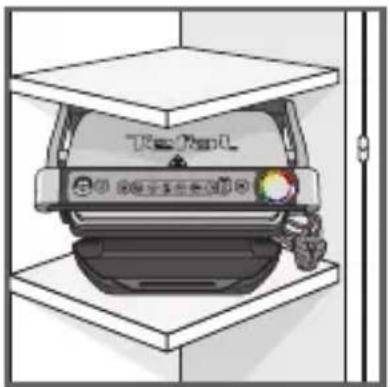
natural_image
Illustration of a car parked in a storage lot with a vehicle on top (no text or symbols visible)35
text_image
Diagram showing a box being processed with a device, labeled in Chinese.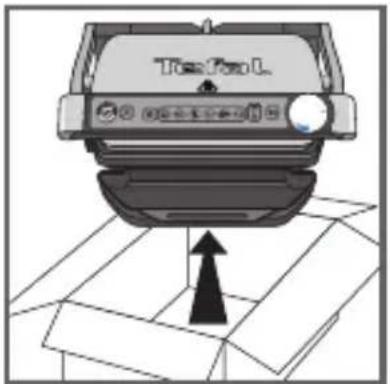
text_image
Top Fuel L1
natural_image
Illustration of a hand pressing down on a car intake manifold (no text or symbols visible)2
natural_image
Close-up of a car's front panel showing the logo and a magnified view of its cover (no text or symbols visible)3
natural_image
Illustration of a handheld electronic device with a black handle and display screen, labeled 'OK' (no text or symbols on the device itself)4
text_image
Illustration showing a hand pouring liquid from a bottle into a cloth, with a crossed-out prohibition symbol above.5
natural_image
Illustration of a hand pressing down on a mechanical component (no text or symbols visible)6
text_image
Diagram showing hand connecting a socket to a plug with an arrow indicating direction, plus a crossed-out rope symbol below.7
text_image
Hand pointing at a computer control interface with icons for function, navigation, and display8
text_image
Hand pointing at a control panel with icons for 'Control Panel', 'Reset', and 'Save' buttons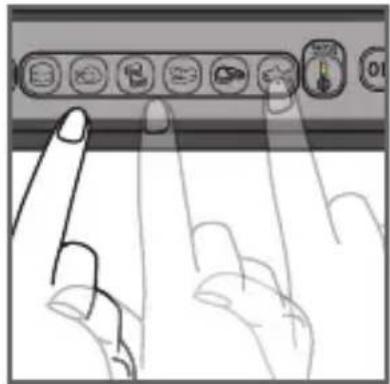
natural_image
Illustration of two fingers pressing down on a keyboard (no text or symbols visible)9 10
text_image
Hand pointing at a control panel with icons and a circular dial showing 'OK' text11 12
text_image
4-7 minutos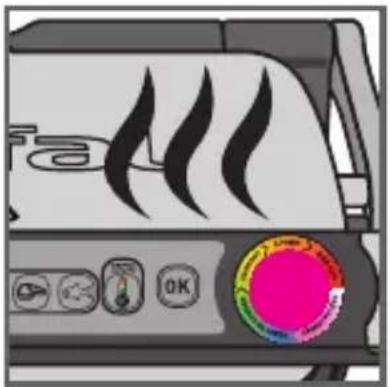
natural_image
Illustration of a portable air conditioner unit with flame icons and a circular control knob (no text or symbols)13
natural_image
Close-up of a mechanical device with a curved arrow indicating rotation or movement (no text or symbols visible)14 15
natural_image
Close-up of a mechanical component with a curved pipe or spring being inserted, showing motion direction (no text or symbols)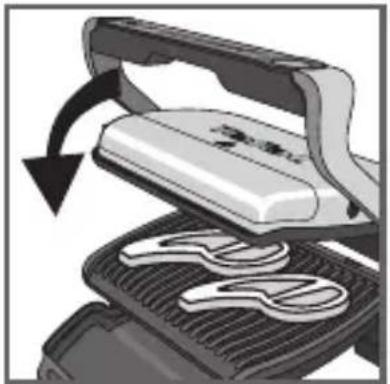
natural_image
Illustration of a grating machine with a handle and blade, showing mechanical components and motion arrows (no text or symbols)16 17
text_image
PANANA READY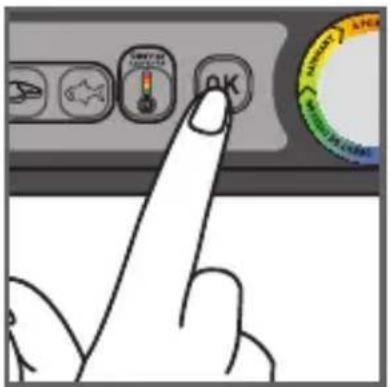
text_image
Hand pointing at a control panel with icons and a circular gauge showing 'OK' and 'CHANGE'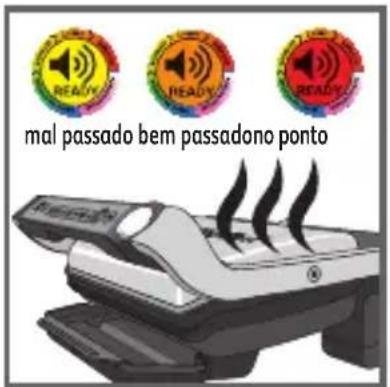
text_image
Diagram showing a hand holding a cord with three colorful 'READY' speaker icons above it, indicating a process or operation.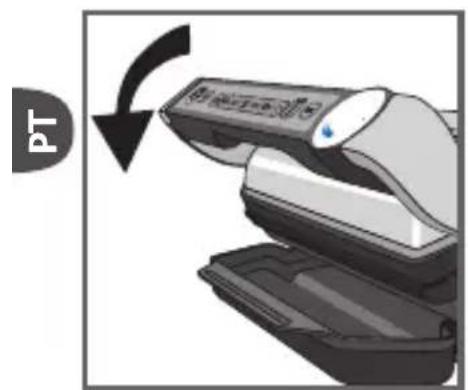
natural_image
Illustration of a hand holding a device with a circular arrow indicating rotation (no text or symbols)21
19-20
natural_image
Illustration of a toaster with steam rising from the side (no text or symbols)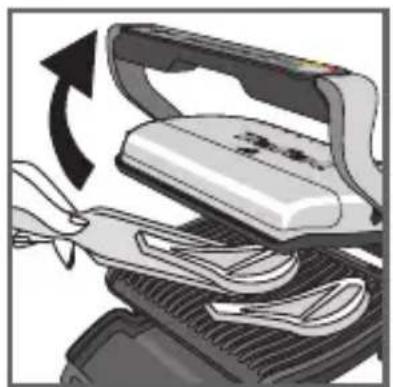
natural_image
Illustration of a hand using a tool to lift a white electronic device, showing mechanical components and a curved arrow indicating rotation (no text or symbols present)22 23
natural_image
Illustration of a portable printer with steam rising, accompanied by a stopwatch and dotted lines (no text or symbols)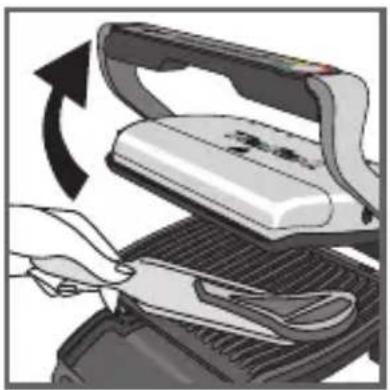
natural_image
Illustration of a hand using scissors to cut a flat iron on a grater, with an arrow indicating rotation (no text or symbols present)24
natural_image
Illustration of a steam stove with control buttons and a red circular indicator light (no text or symbols)25
natural_image
Illustration of a hand holding a wall-mounted electrical socket next to an arrow indicating right-hand rule (no text or symbols present)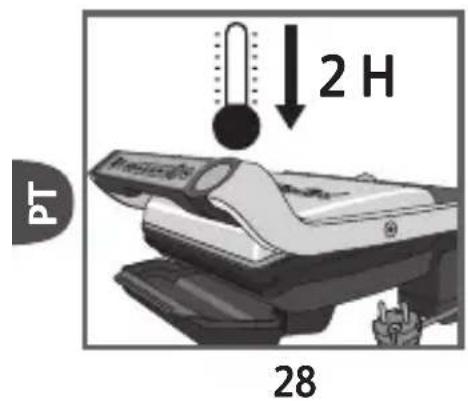
text_image
PT 2 H 28natural_image
Close-up of a car's roof drain with visible heat dissipation and ventilation slots (no text or symbols)29 30
natural_image
Illustration of a computer monitor with an open lid and a scroll, showing internal components (no text or symbols)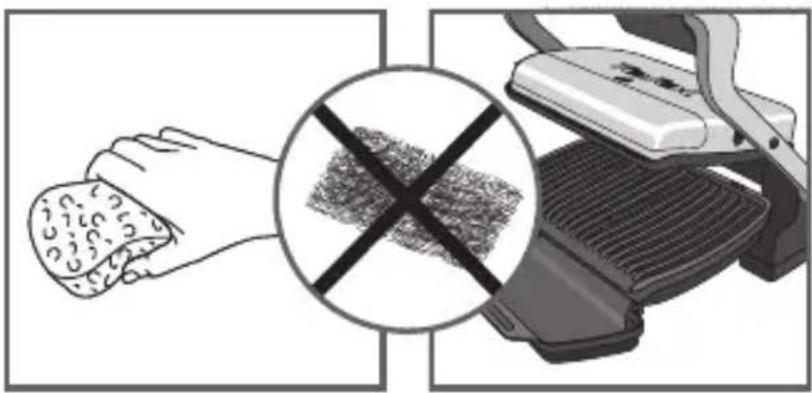
text_image
Diagram showing a hand using a textured tool to clean or remove a textured surface, with a crossed-out circle highlighting the defect.31 32
natural_image
Illustration of a hand cleaning a textured object from a mechanical device (no text or symbols visible)33 34
text_image
Warning symbol with crossed-out hand and water pump, indicating no hazard or caution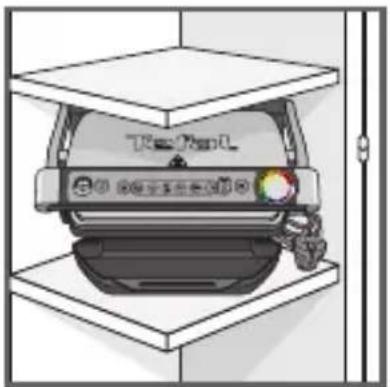
natural_image
Illustration of a car parked in a storage bay with a hand holding the trunk (no text or symbols visible)35
text_image
Diagram showing a box being opened with a device labeled 'TBA' and a circular button, indicating a process or operation.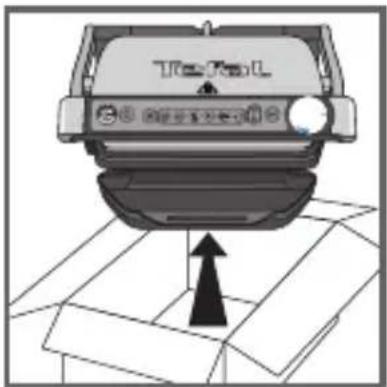
natural_image
Top-down view of a car with a traffic light indicator and an upward arrow, placed on a grid-patterned surface (no text or symbols)1
natural_image
Hand pressing down on a mechanical component (no text or symbols visible)2
text_image
Top/4513
natural_image
Illustration of a printer with no visible text or symbols on the device itself4
text_image
Illustration showing a hand pouring liquid from a container into a cloth, with a crossed-out prohibition symbol in the background.5
natural_image
Hand pressing down on a car grille (no text or symbols visible)6
text_image
Diagram showing hand holding electrical socket connected to a plug, with no visible text or symbols7
text_image
METHETRIC SANSOUR SERVICE8
text_image
Hand pointing at a control panel with icons for 'Control Panel', 'Reset', and 'Save' buttons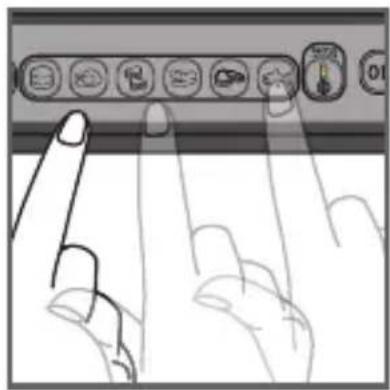
natural_image
Illustration of two fingers pressing down at a keyboard (no text or symbols visible)9 10
text_image
Hand pointing at a control panel with icons and a circular gauge showing a score or score.11 12
natural_image
Diagram of a mechanical device with a curved arrow indicating rotation or movement (no text or symbols present)14 15
natural_image
Close-up of a mechanical component with a curved arrow indicating motion or force (no text or symbols visible)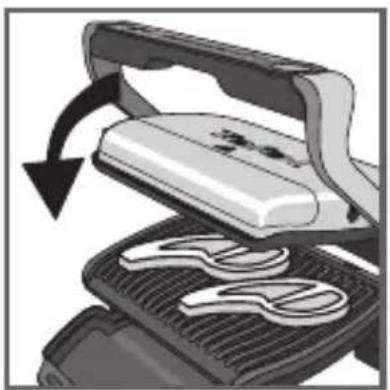
natural_image
Illustration of a frying pan with a handle and blade, showing a rotating press mechanism (no text or symbols)16 17
text_image
Diagram showing a device emitting exhaust heat, with circular indicators labeled 'READY' and 'Non-READY'.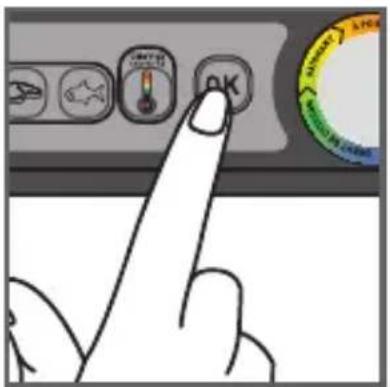
text_image
Hand pointing at a control panel with icons and a circular gauge showing 'OK' and 'CHANGE'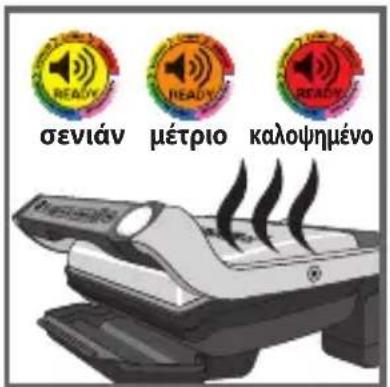
natural_image
Illustration of a toaster with steam rising from its side (no text or symbols)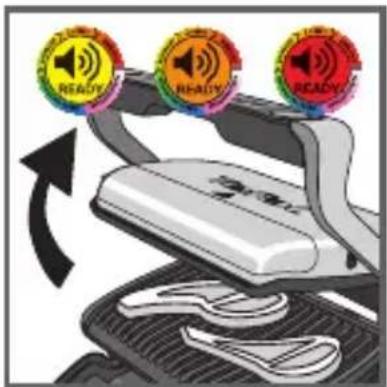
text_image
Diagram showing three circular 'READY' buttons on a device with an arrow indicating rotation or change, overlaid on a mechanical component.19 20
text_image
Diagram illustrating a process with three circular 'READY' badges and an arrow indicating flow or transformation, possibly related to product or quality inspection.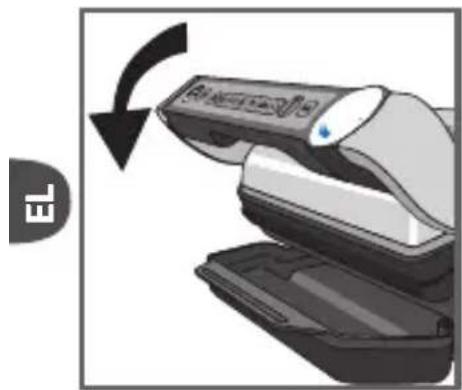
natural_image
Illustration of a hand holding a remote control device with a scroll arrow indicating rotation (no text or symbols)21
natural_image
Illustration of a toaster with steam rising from its side (no text or symbols)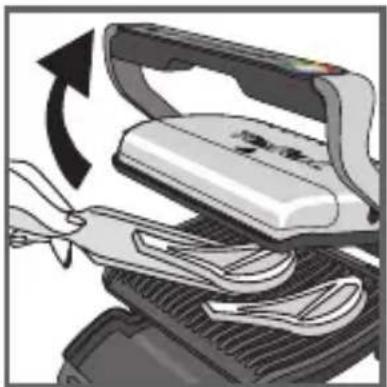
natural_image
Illustration of a hand using scissors to lift a flatboard with a curved arrow indicating rotation (no text or symbols)22 23
natural_image
Illustration of a steam machine with motion lines and a stopwatch above it (no text or symbols)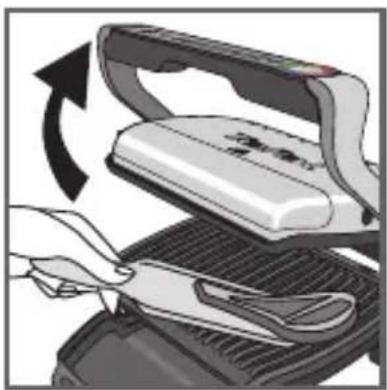
natural_image
Illustration of a hand using scissors to cut a flat iron on a grater (no text or symbols visible)24
natural_image
Illustration of a steam machine with control buttons and a red circular indicator light (no text or symbols)25
natural_image
Illustration of a hand holding a wall-mounted power socket next to an electrical outlet, with an arrow indicating direction (no text or symbols)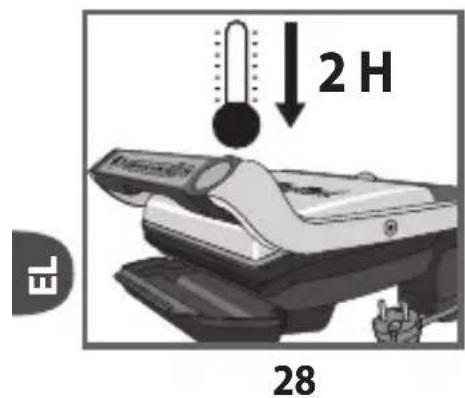
text_image
2 H EL 28text_image
Diagram showing a thermometer and a device with Chinese labels, indicating temperature measurement or testing process.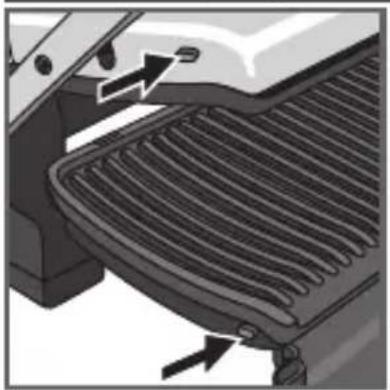
natural_image
Close-up of a car's grille and roof structure with directional arrows indicating movement (no text or symbols)29 30
natural_image
Illustration of a computer with an open lid and keyboard, showing a stepwise increase in the screen (no text or symbols present)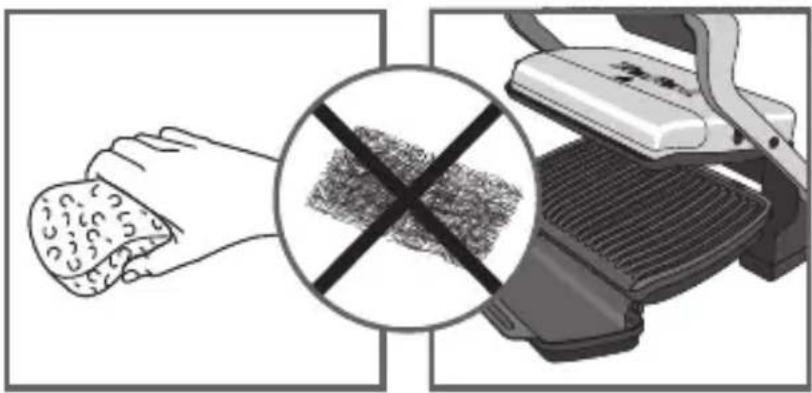
natural_image
Illustration of a hand holding food with a crossed-out black-and-white grid pattern, next to a grater (no text or symbols)31 32
natural_image
Illustration of hands cleaning a textured object from a mechanical device (no text or symbols visible)33 34
text_image
Warning symbol with crossed-out black line and hand holding a device, indicating no liability or prohibition