
SS-3460 - Lawn mower Sogo - Free user manual and instructions
Find the device manual for free SS-3460 Sogo in PDF.
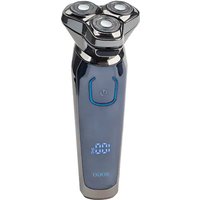


| Product type | Electric shaver / Trimmer |
| Brand | Sogo |
| Model | SS-3460 |
| Dimensions (L x W x H) | 160 x 60 x 60 mm |
| Weight | 175 g |
| Power supply | Rechargeable battery (Lithium-ion) |
| Charging voltage | 5V / 1A |
| Charging time | 1 hour |
| Battery life | 60 to 90 minutes |
| Operating temperature | 0 to 40°C |
| Shaver head | 3D floating, 3 blades |
| Pop-up trimmer | Yes, for sideburns and mustache |
| LED display | Remaining battery life (max 60 min), charging indicator, cleaning alert |
| Travel lock | Yes, activate by holding power button for 3 seconds |
| Washable | Yes, shaver head washable under water |
| Included accessories | USB cable, cleaning brush, protective cap |
| Spare parts | Replaceable complete shaver head (blades and foils) |
| Safety | Travel lock, auto-off after 15 min of continuous use |
| After-sales service | www.sogosat.com - 0034 902 222 161 |
Frequently Asked Questions - SS-3460 Sogo
User questions about SS-3460 Sogo
0 question about this device. Answer the ones you know or ask your own.
Ask a new question about this device
Download the instructions for your Lawn mower in PDF format for free! Find your manual SS-3460 - Sogo and take your electronic device back in hand. On this page are published all the documents necessary for the use of your device. SS-3460 by Sogo.
USER MANUAL SS-3460 Sogo
Rechargeable Cordless Shaver
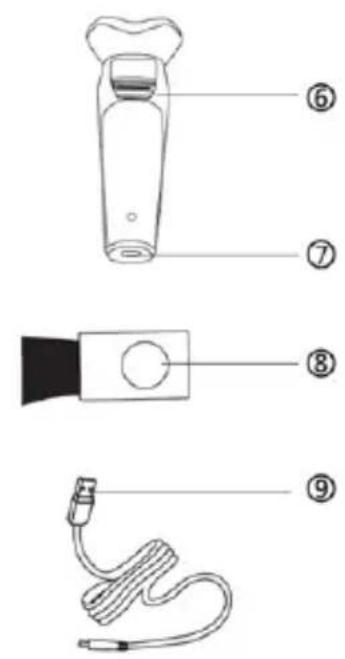
Know Your Unit
- This instruction manual can also be downloaded from our web page www.sogo.es
- Do not press the razor head too hard to your skin when shaving.
- Close supervision is necessary when this razor is used by children or invalids
- Keep the shaver in a place that children can’t reach to avoid misuse
- Use only the supplied USB cable to charge the shaver • After the shaving, please put the protective cap on the cutter head to prevent the cutter head from being damaged
- Never put the razor in direct sunlight or store in a package at
a temperature above 60°C/140°F
- When you attach the razor head assembly on razor unit after cleaning, make sure that the three buckles on the razor
- Please disconnect the charging power before cleaning the razor
- Be careful when cleaning the razor cutter head to avoid scratching your hands
- If you find that the razor head is damaged, stop using immediately and replace the razor head with a new one to avoid damaging your skin
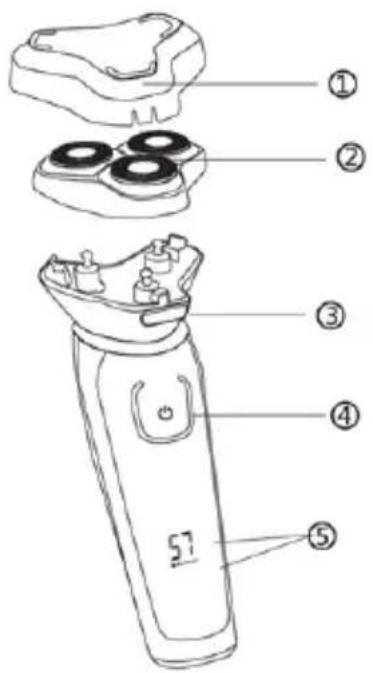
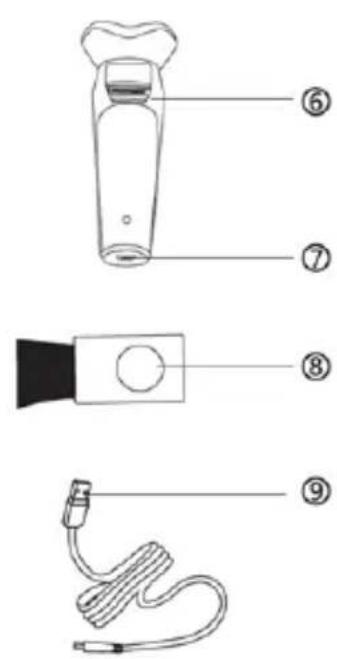
Know Your Unit
- Protective Cap
- Razor Head Assembly
- Razor Head Assembly Release Button
- On/Off Switch
- LED Display
- Pop-up Trimmer
- USB Charge Jack
- Cleaning Brush
- USB Charge Cable
| LED DISPLAY DESCRIPTION | |
 | Battery available time display in minutes, the maximum display number is 60 minutes. The number flashes and increments while charging |
 | Travel lock: This feature prevents the razor from starting unexpectedly, by default this function is off. |
 | When a blocking occurs, or used for 15 minutes continuously, this icon flashes to remind you that you need to clean the shaver |
 ! ! | The icon lights up when charging flashes when the available time is 5 minutes to remind you need to chargeThis icon flashes to remind you that cleaning is required because a lot of hair has affected the performance of the razor |
Specifications:
Charging Voltage: 5V/1A
Charging Time: 1h
Working Time: 60 ~ 90 Minutes
Working Temperature: 0 ~ 40°C / 32 ~ 104°F
Product Size: 160 x 60 x 60 mm
Weight: 175g
Before Charging:
Charging for the first time or not used for a long time, please charge the razor for more than 8 hours.
Charging at temperatures below 0°C / 32°F or higher than 40°C / 104°F adversely affects the lifetime of the battery. The charging indicator lights up when the battery power available time drops to 5 minutes, which means the battery is running low and needs to be charged.
Charging:
- The razor is charged via a USB cable. Please connect the razor with the USB cable to any standard DC 5V output ports such as USB wall charger, PC/Laptop, car charger, power-bank, etc. Only use the supplied USB cable.
Please NOTE: no USB charger plug is included.
- The charging indicator lights up and the battery power indicator will start to flash and increment the charge percentage.
- It takes about an hour for the razor to be fully charged. When the LED indicator shows 60, it indicates that it is fully charged.
How to use the razor
- Turn on the razor, move the razor in straight or circular motion along the direction of the beard's growth.
- Stretch your skin with a free hand so that the razor can easily reach the shorter beard and shave smoothly. The 3D floating head can follow the contours of your face for a precise shave. DO NOT press too hard to avoid damage to the skin while shaving.
- Turn off the razor.
- Attach the protective cap to the razor to protect the shaver heads.
Trimming – to groom sideburns and moustache:
- Turn on the razor.
- Push the trimmer slide switch down.
- Hold the trimmer and move it downward smoothly along the sideburns to complete the trimming.
- Turn off the razor, then press the trimmer down.
How to use the travel lock feature.
This is a very useful feature that prevents the razor from unexpected starting in your bag when you are traveling.
Lock: Press and hold the On/Off switch for 3 seconds while the razor is off to turn on this feature.
Unlock: Press and hold the On/Off switch for 3 seconds again while the razor is off to unlock for shaving.
Please note: This feature will only take effect once it is enabled. It will not be valid after unlocking. If you still need this feature after shaving, turn it on before putting the razor in the bag.
Cleaning:
Make sure the shaver is turned off and not connected to the USB cable for charging before cleaning.
Weekly cleaning:
- Clean the head assembly with the brush.
- Press the head release button to remove the head assembly from the razor unit.
- Brush the inside of the housing and the razor head assembly.
- Put the head assembly back on the razor, making sure the three snaps on the head assembly are fully engaged with the razor. This razor is washable; you can rinse it under the tap.
Deep Cleaning (after two months of use)
- Press the head release button to remove the head assembly from the razor.
- Brush the inside of the razor unit.
- Press down and turn the wheel of the frame counterclockwise, remove the frame and clean it with a brush.
- Remove only one blade and razor net at a time, then brush and wash them.
- Please do not mix up all blades and razor nets; it may slightly affect shaving performance.
- Brush the slots of the razor head for optimum performance. The razor head assembly should be cleaned in a degreasing liquid.
- Put the blade into the razor net, slide the razor net back into the frame, making sure the blade is correctly loaded into the track of the razor net.
- Repeat the process for the other two blades and razor nets.
- Attach the frame back on the razor head assembly, press down and turn the wheel clockwise until it locks into place.
- Attach the razor head assembly back on the razor, making sure the three snaps on the head assembly are fully engaged with the razor.
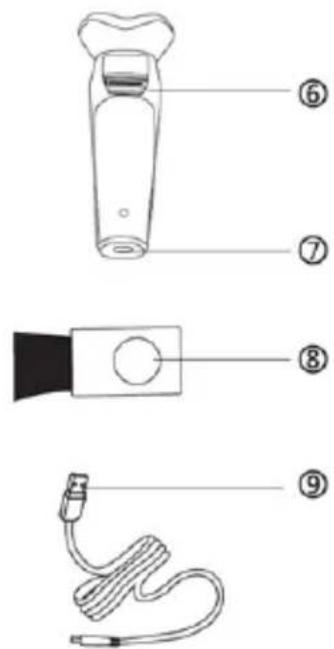
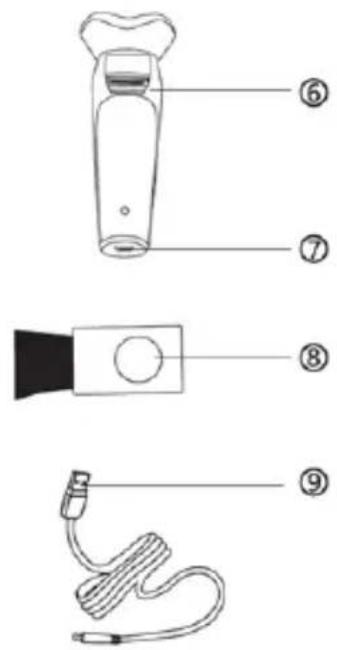
Know your unit
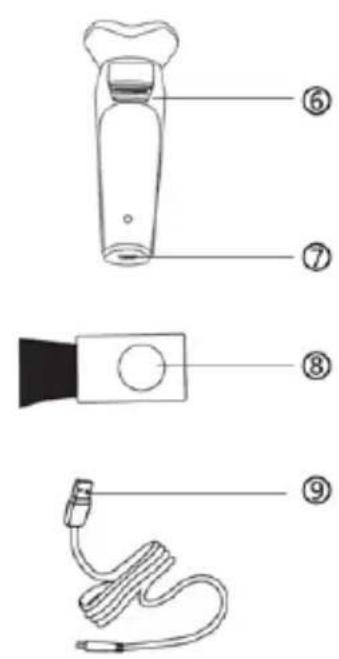
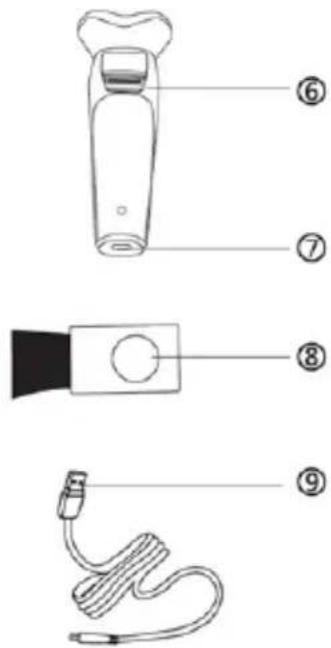
Know your unit
DECLARATION OF CONFORMITY
This device complies with Electromagnetic Compatibility Directive 2014/30/EU, Directive 2015/863/UE on the restriction of the use of certain hazardous substances in electrical and electronic equipment and Directive 2009/125/EC on the eco-design requirements applicable to energy-related products.
DECLARATION OF CONFORMITY
This symbol means that in case you wish to dispose of the product once its working life has ended, take it to an authorised waste agent for the selective collection of waste electrical and electronic equipment (WEEE).

Imported by:
Sanysan Appliances S.L, NIF: B98753056, C/ Barcas 2, 2
46002 Valencia, Spain
Product made in P.R.C. – Designed by SOGO based on the European Quality Standards
Customer Service: www.sogosat.com / sogosat@sogosat.com / 0034 902 222 161
SOGO®
Human Technology
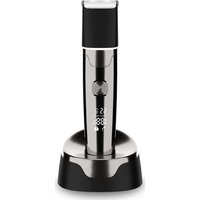
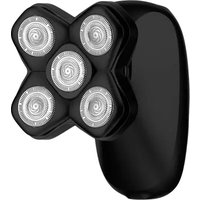
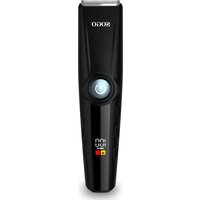
Brand : Sogo
Model : SS-3460
Category : Lawn mower