
SS-380 - Scale Sogo - Free user manual and instructions
Find the device manual for free SS-380 Sogo in PDF.
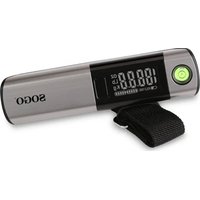


| Product Type | Electronic travel scale (luggage scale) |
| Brand | Sogo |
| Model | SS-380 |
| Power Supply | CR2032 3V button cell battery included |
| Weight Units | KG, LB, OZ (switchable) |
| Weighing Capacity | 50 kg / 110 lb |
| Accuracy | Built-in bubble level with auto-lock (display 'HOLD') |
| Measuring Tape | Built-in, 102 cm (40 inches) |
| Auto-off | After 60 seconds of inactivity |
| Display | Digital screen with progress bar (20 kg) |
| Indicators | Low battery 'LO', overload 'Err' |
| Functions | On/off, tare, reset, unit change |
| Maintenance and Cleaning | Soft dry cloth; do not use chemical or abrasive cleaners |
| Safety | Do not exceed 50 kg; use horizontally; avoid shocks |
| Spare Parts | CR2032 battery (commercially available) |
| Repairability | Contact after-sales service (www.sogosat.com) |
| General Information | Compliant with European directives (EMC and RoHS); made in China; imported by Sanysan Appliances |
Frequently Asked Questions - SS-380 Sogo
User questions about SS-380 Sogo
0 question about this device. Answer the ones you know or ask your own.
Ask a new question about this device
Download the instructions for your Scale in PDF format for free! Find your manual SS-380 - Sogo and take your electronic device back in hand. On this page are published all the documents necessary for the use of your device. SS-380 by Sogo.
USER MANUAL SS-380 Sogo
Dear user, thank you for choosing this electronic hand-held luggage scale. This product gives you the correct weight and size information of your travel luggage and helps you to avoid paying excessive charges for overweight baggage. To make full use of this product, ensure its accuracy, and give it a long service life, please read this manual carefully before using it.
IMPORTANT
• Always read the instruction book carefully before using.
• This manual can be downloaded from our web page www.sogo.com
- Keep these instructions for future reference.
Technical Information
Measuring range: 1 - 50kg (2 - 110 lb)
Graduation: 10g (0.22 lb)
Measuring tape measurement range:
102cm (40 inches)
Weight Units: Switching between KG /LB/OZ
Power Supply Mode: Works with a single button battery of type CR2032 of 3V (included)
Power Saving Mode: The Scale will auto power off after 60 seconds of no activity.
Low Battery Indicator: digital display shows "LO"
Overload Warning: digital display shows "Err"
Battery change instructions
This product is provided with one 3V lithium battery, and in order to keep using for the long time make sure that you use high quality alkaline lithium battery.
How to change the battery: Open the back lid of the unit, remove the battery, replace with the new one and close the lid. Important: Make sure to place the negative pole to the inside and the positive pole visible on the outside.
Note: Don't dispose the batteries like a normal garbage, follow the local guidelines to dispose them or you can find disposal containers in your nearby supermarkets or electronics shops.
Power On/Power Off
Press the only button to power on after pulling out the insulation sheet. The button contains four functions, i.e., power on, power off, tare and reset.
- Power On: Press the button for 3 seconds to enter into the working mode.
- Reset: In the state of HOLD, short press the button to reset the unit to enter into the factory settings.
- Tare: Use this to remove the weight of the container or an empty bag in case you wish to weigh only the inside contents. Press the button to remove the tare weight which you got during weighing.
- Power Off: When the screen shows "0.00", short press the power button and unit will power off. Note: The unit will also power off on its own by default if no activity is detected for 60 sec.
Unit switch
- After changing the battery and turning on the device, the default unit of readings is in "KG".
- The weighing unit can be switched while turning on the device.
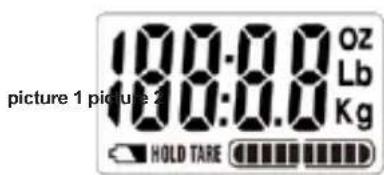
- Press the power button when the device is off. When the display screen turns on (picture 1), press the power button again to switch among KG/LB/OZ and keep pressing until you get your desired weighing unit.
- After selecting the unit, it will automatically shift to service mode.
Leveling:
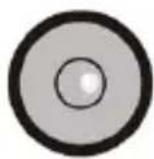
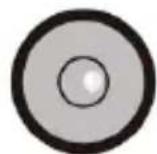
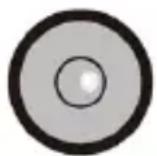
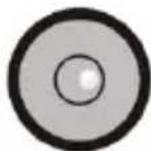
This product has an integrated horizontal bubble level system to provide the most accurate and precise weight. Leveling the scale can enhance weighing accuracy. According to this, the bubble (picture 2) must be moved to the central position of the bubble leveler when weighing. When the bubble moves to the central position, the display shows the word "HOLD" and that is when the weight stops changing, meaning the weight data is locked.
Overweight alarm
The product has an overweight alarm function for airline luggage. There is a progress bar divided into ten sections on the lower part of the screen (picture 3). Each section represents "2KG". When all ten sections light up, it means the weight has reached "20KG", and the progress bar starts to blink to give an alarm (picture 4).

picture 3 picture 4
Built-in measuring tape
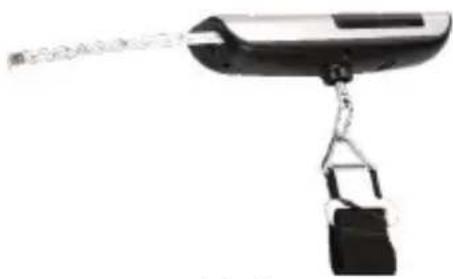
This unit is also provided with a built-in 1 meter long steel measurement tape (measuring in centimeters and inches) (picture 5). This is to facilitate consumers to measure whether the hand carry luggage is as per the regulations of the airline/train company regulations or exceeds them. It saves you from any potential trouble at the airport/train check-in desk even before you leave your home.
picture 5
Fault Treatment
When the screen only displays 4 digits, press the button for a while and "CRL" will display, then "20.00" will flash. That indicates that the scale enters the factory setting state, or you can remove the battery directly and reinstall the battery to make the scale enter the working mode.
Note:
- Make sure to keep the scale in the horizontal position when weighing, otherwise the accuracy of weighing will be affected.
- Weighing capacity of the scale is 50KG /110LB. Do not weigh any article / bag more than this weight, otherwise the scale might get damaged. When the screen displays "Err" sign means it is already overweight. When this situation arrives immediately unhook the belt and let it be for a while before start weighing again.
- Do not hit or press the scale to avoid damage.
- Do not use any chemical or abrasive cleaners to clean the scale.
- When "1" is displayed on the screen, it indicates that the battery is low and needs to be replaced with a new battery.
- When the screen displays "Lo", the battery power is low and the battery needs to be replaced.
- If you do not use the scale for a long time, remove the battery and keep it safe for future use.
Technical information
Measuring range: 1 - 50 kg (2 - 110 lb)
Graduation: 10 g (0.22 lb)
Leveling
image 5
Leveling
Fault treatment
Error handling
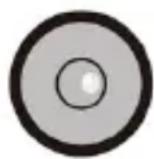
Leveling
DECLARATION OF CONFORMITY
This device complies with Electromagnetic Compatibility
Directive 2014/35/CE, and Directive 2015/863 UE on the restriction of the use of certain hazardous substances in electrical and electronic equipment.
DECLARATION OF CONFORMITY
This symbol means that in case you wish to dispose of the product once its working life has ended, take it to an authorized waste agent for the selective collection of waste electrical and electronic equipment (WEEE).

Imported by:
Sanysan Appliances S.L, NIF: B98753056, C/ Barcas 2, 2
46002 Valencia, Spain Product made in P.R.C. – Designed by SOGO based on the European Quality Standards Customer Service: www.sogosal.com / sogosal@sogosal.com / 0034 902 222 161
Brand : Sogo
Model : SS-380
Category : Scale