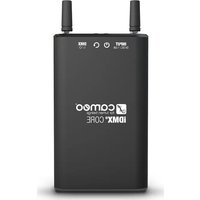
iDMX CORE - Electronic converter Cameo - Free user manual and instructions
Find the device manual for free iDMX CORE Cameo in PDF.


| Brand | Cameo |
| Model | iDMX CORE |
| Reference | CLIDMXCORE |
| Product Type | Wi-Fi to W-DMX Converter |
| Category | DMX Accessory |
| Control | USITT DMX512, iDMX Controller app (iOS/Android) |
| Wi-Fi Range | Up to 15 m |
| W-DMX Range | Up to 300 m |
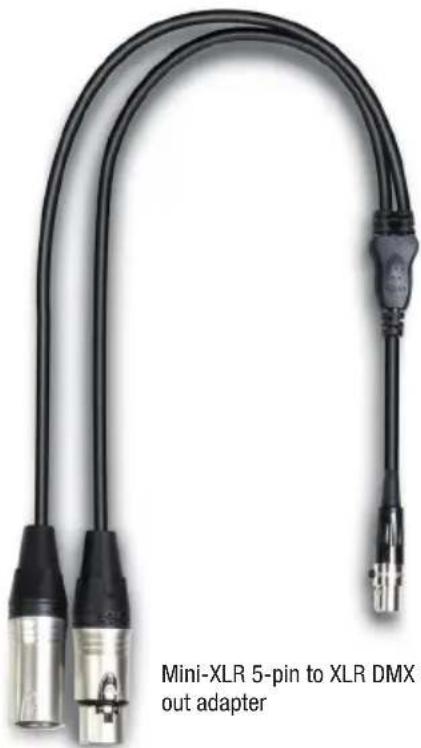
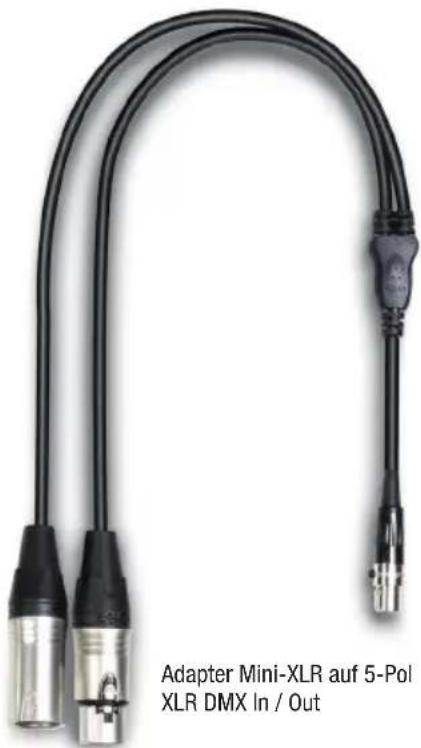
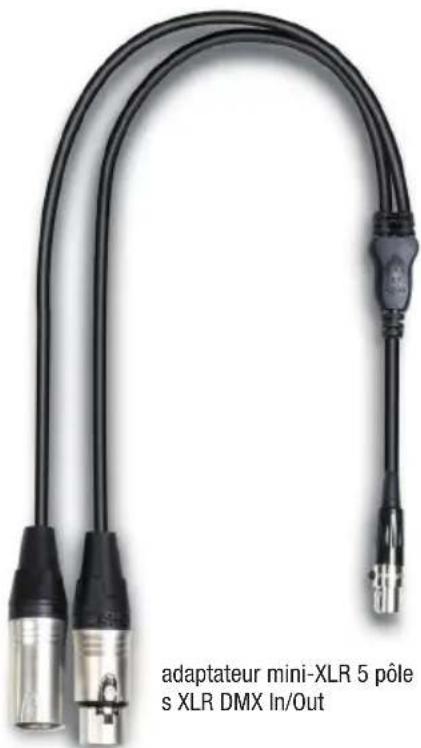
| DMX Input | Mini-XLR (Y adapter cable 3-pin and 5-pin XLR included) |
| DMX Output | Mini-XLR (Y adapter cable 3-pin and 5-pin XLR included) |
| Wi-Fi Network | 2.4 GHz (channel 2 or 11) |
| W-DMX Network | 2.4 GHz |
| Power Supply | Built-in LG lithium-ion battery (non-removable), charging 5 V / 1.6 A via micro-USB |
| Battery Life | Up to 8 hours (100% charge state) |
| Charging Time | Approx. 6 hours (100%) |
| Battery Protection | Overcharge and deep discharge protection |
| Dimensions (antennas included) | 85 x 170.5 x 25 mm |
| Weight (without accessories) | 0.34 kg |
| Ambient Temperature (operation) | -10 °C to +40 °C |
| Atmospheric Humidity | 0% - 80% (non-condensing) |
| Housing Material | Aluminum |
| Cooling | Convection |
| Included Accessories | Padded bag, power supply, USB cable, 2 Y adapter cables, 2 antennas |
| Maintenance | Use a dry cloth for cleaning |
| Repairability | Repairs only by authorized personnel; fuse replaceable with identical model |
Frequently Asked Questions - iDMX CORE Cameo
User questions about iDMX CORE Cameo
0 question about this device. Answer the ones you know or ask your own.
Ask a new question about this device
Download the instructions for your Electronic converter in PDF format for free! Find your manual iDMX CORE - Cameo and take your electronic device back in hand. On this page are published all the documents necessary for the use of your device. iDMX CORE by Cameo.
USER MANUAL iDMX CORE Cameo
iDMX® CORE
WIFI TO W-DMX™ CONVERTER
CLIDMXCORE
Free App


CONTENTS / INHALTSVERZEICHNIS / CONTENU / CONTENIDO / TREŚĆ / CONTENUTO
ENGLISH
PREVENTIVE MEASURES 3
INTRODUCTION
4
CONNECTIONS, OPERATING AND DISPLAY ELEMENTS 5
ACCESSORIES INCLUDED 6
TECHNICAL DATA 7
MANUFACTURER'S DECLARATIONS 7
COMMUNICATION SHEET IDMIX® CORE 39
DEUTSCH
SICHERHEITSHINWEISE
9
EINFÜHRUNG
10
ACCESSOIRES INCLUS 18
CARACTÉRISTIQUES TECHNIQUES 19
DÉCLARATIONS DU FABRICANT 19
COMMUNICATION SHEET IDMX® CORE 39
ESPAÑOL
We have designed this product to operate reliably over many years. Please read this User's Manual carefully, so that you can begin making optimum use of your Cameo Light product quickly. Learn more about Cameo Light on our website WWW.CAMEOLIGHT.COM.
PREVENTIVE MEASURES
- Please read these instructions carefully.
- Keep all information and instructions in a safe place.
- Follow the instructions.
- Observe all safety warnings. Never remove safety warnings or other information from the equipment.
- Use the equipment only in the intended manner and for the intended purpose.
- Use only sufficiently stable and compatible stands and/or mounts (for fixed installations). Make certain that wall mounts are properly installed and secured. Make certain that the equipment is installed securely and cannot fall down.
- During installation, observ e the applicable safety regulations for your country.
- Never install and operate the equipment near radiators, heat registers, ovens or other sources of heat. Make certain that the equipment is always installed so that is cooled sufficiently and cannot overheat.
-
Never place sources of ignition, e.g., burning candles, on the equipment.
-
Ventilation slits must not be blocked.
-
This appliance is designed exclusively for indoor use, do not use this equipment in the immediate vicinity of water (does not apply to special outdoor equipment - in this case, observe the special instructions noted below). Do not expose this equipment to flammable materials, fluids or gases.
-
Make certain that dripping or splashed water cannot enter the equipment. Do not place containers filled with liquids, such as vases or drinking vessels, on the equipment.
-
Make certain that objects cannot fall into the device.
-
Use this equipment only with the accessories recommended and intended by the manufacturer.
-
Do not open or modify this equipment.
-
After connecting the equipment, check all cables in order to prevent damage or accidents, e.g., due to tripping hazards.
-
During transport, make certain that the equipment cannot fall down and possibly cause property damage and personal injuries.
-
If your equipment is no longer functioning properly, if fluids or objects have gotten inside the equipment or if it has been damaged in anot her way, switch it off immediately and unplug it from the mains outlet (if it is a powered device). This equipment may only be repaired by authorized, qualified personnel.
-
Clean the equipment using a dry cloth.
-
Comply with all applicable disposal laws in your country. During disposal of packaging, please separate plastic and paper/cardboard.
-
Plastic bags must be kept out of reach of children.
FOR EQUIPMENT THAT CONNECTS TO THE POWER MAINS:
-
CAUTION: If the power cord of the device is equipped with an earthing contact, then it must be connected to an outlet with a protective ground. Never deactivate the protective ground of a power cord.
-
If the equipment has been exposed to strong fluctuations in temperature (for example, after transport), do not switch it on immediately. Moisture and condensation could damage the equipment. Do not switch on the equipment until it has reached room temperature.
-
Before connecting the equipment to the power outlet, first verify that the mains voltage and frequency match the values specified on the equipment. If the equipment has a voltage selection switch, connect the equipment to the power outlet only if the equipment values and the mains power values match. If the included power cord or power adapter does not fit in your wall outlet, contact your electrician.
-
Do not step on the power cord. Make certain that the power cable does not become kinked, especially at the mains outlet and/or power adapter and the equipment connector.
-
When connecting the equipment, make certain that the power cord or power adapter is always freely accessible. Always disconnect the equipment from the power supply if the equipment is not in use or if you want to clean the equipment. Always unplug the power cord and power adapter from the power outlet at the plug or adapter and not by pulling on the cord. Never touch the power cord and power adapter with wet hands.
-
Whenever possible, avoid switching the equipment on and off in quick succession because otherwise this can shorten the useful life of the equipment.
-
IMPORTANT INFORMATION: Replace fuses only with fuses of the same type and rating. If a fuse blows repeatedly, please contact an authorised service centre.
-
To disconnect the equipment from the power mains completely, unplug the power cord or power adapter from the power outlet.
-
If your device is equipped with a Volex power connector, the mating Volex equipment connector must be unlocked before it can be removed. However, this also means that the equipment can slide and fall down if the power cable is pulled, which can lead to personal injuries and/or other damage. For this reason, always be careful when laying cables.
-
Unplug the power cord and power adapter from the power outlet if there is a risk of a lightning strike or before extended periods of disuse.
-
The device must only be installed in a voltage-free condition (disconnect the mains plug from the mains).
-
Dust and other debris inside the unit may cause damage. The unit should be regularly serviced or cleaned (no guarantee) depending on ambient conditions (dust etc., nicotine, fog) by qualified personnel to prevent overheating and malfunction.
-
Please keep a distance of at least 0.5 m to any combustible materials.
-
Power cables to power multiple devices must have a cross-section of at least 1.5 mm ^2 . Within the EU, the cables must correspond to H05VV-F, or similar. Suitable cables are offered by Adam Hall. With these cables, you can connect multiple devices via the power OUT connection to the power IN connection of an additional device. Make sure that the total current consumption of all connected devices does not exceed the specified value on all connected devices (label on the device). Make sure to keep power cable connections as short as possible.
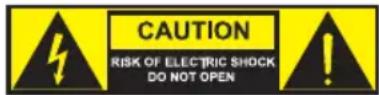
CAUTION:
To reduce the risk of electric shock, do not remove cover (or back). There are no user serviceable parts inside. Maintenance and repairs should be exclusively carried out by qualified service personnel.
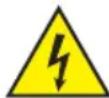
The warning triangle with lightning symbol indicates dangerous uninsulated voltage inside the unit, which may cause an electrical shock.

The warning triangle with exclamation mark indicates important operating and maintenance instructions.
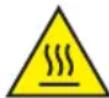
The housing surface of the spotlight can heat up to temperatures as high as 70 °C in regular use. Ensure that it is not possible to come into contact with the housing unintentionally. Always allow sufficient time for the lamp to cool down before dismantling, carrying out maintenance work or charging etc.

Warning! This device is designed for use below 2000 metres in altitude.

Warning! This product is not intended for use in tropical climates.
INTRODUCTION
Wireless lighting control with iOS and Android devices is right at your fingertips with the iDMX® CORE WiFi and W-DMXTM box. The battery-operated device has been specifically designed to work with the iDMX® controller app from Cameo. It contains a W-DMXTM transmitter with a range of up to 300 m, working in the 2.4 GHz range. 3 and 5-pin DMX inputs and outputs enable use with DMX lighting consoles and wireless control of conventional DMX spotlights via WiFi. The powerful internal lithium-ion battery from LG lasts for up to 8 hours. Operating time of the iDMX® CORE can be extended as required with external power banks. An integrated battery management system protects the battery against overcharging and deep discharge and ensures long battery life. Mains adapter/charger with USB cable, 2 x DMX Y-cables and a soft carrying case are supplied.
CONNECTIONS, OPERATING AND DISPLAY ELEMENTS
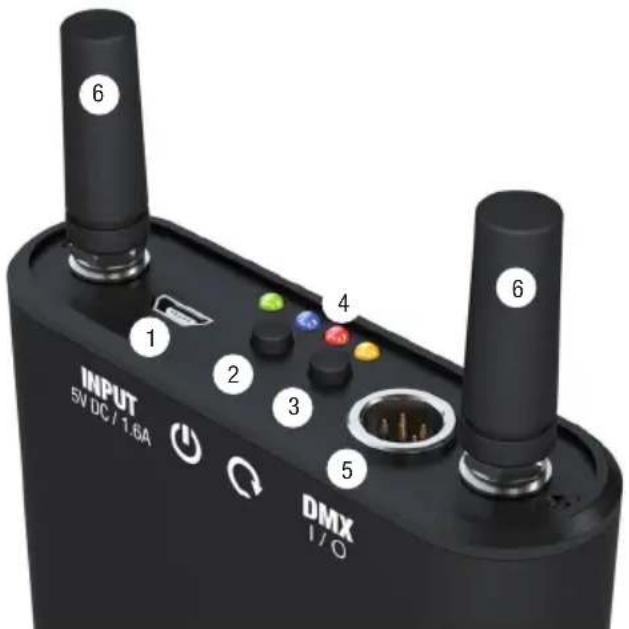
1 INPUT
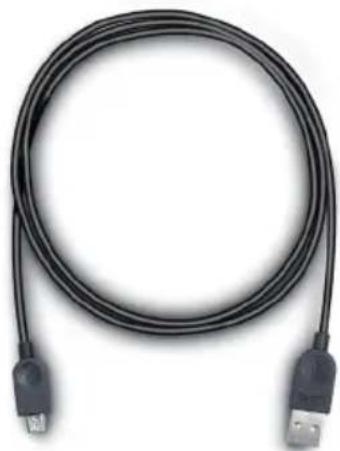
Micro-USB socket for charging the internal battery (charging voltage 5V DC/1.6A, power supply and USB cable included) and connecting a power bank (external 5V battery pack). If the internal battery is charging, the battery charge status LED flashes approximately every 2 seconds. When the battery is fully charged, the flashing stops and the green LED remains constantly lit.
2 ON/OFF BUTTON
Press and hold the button for approximately 3 seconds to turn the device on or off.
3 MULTI-FUNCTION BUTTON
W-DMX: To pair with a W-DMX receiver or W-DMX-compatible spotlights, activate W-DMX on the receiver and reset the receiver module (follow instructions for the W-DMX receiver). Press and hold the W-DMX button on the iDMX CORE transmitter for about 3 seconds to automatically pair with the W-DMX receiver. Repeat the procedure to pair the iDMX CORE with other previously paired W-DMX receivers. The connection to the already paired devices remains unaffected.
Conversion of the signal source: To convert the signal source from WiFi to DMX and vice versa, press the button 2 times in quick succession (double click). The blue or red indicator LED displays which of the two signal sources is enabled.
4 DISPLAY LEDs
Dual LED (green/red): indicates the charge status of the battery. If the battery is charging, the LED flashes approximately every 2 seconds. When the battery is fully charged, the flashing stops and the green LED remains constantly lit. If the battery charge status is between 50% and 100%, the LED lights up green. If the battery charge status is between 20% and 50%, the LED lights up orange, and if it is less than 20%, it lights up red. Connect the charger or a power bank immediately.
Blue LED: indicates WiFi status. If WiFi is selected as signal source and data is being transferred from the iDMX controller app, the LED lights up constantly. If the LED flashes about every 2 seconds, no data is being transferred from the iDMX app via WiFi. After turning on the device, the blue LED flashes for a short time at a frequency of about 3 Hz (rapid flashing), indicating that the WiFi parameters are being initialised.
Red LED: indicates DMX status. If DMX is selected as the signal source and there is a DMX signal, the LED lights up constantly. If the LED flashes approximately every 2 seconds, there is no DMX signal. After turning on the device, the red LED flashes for a short time at a frequency of about 3 Hz (rapid flashing), indicating that the network parameters are being initialised.
Orange LED: indicates W-DMX status. After the pairing process with a W-DMX-compatible receiver has been started (see point 3), the orange LED flashes for 5 seconds at a frequency of about 3 Hz. After 5 seconds, the LED lights up constantly. When unpairing a W-DMX receiver, the LED flashes once per second (unpairing via iDMX® controller app).
5 DMX I/O
Connection socket for a DMX IN/OUT Y-adapter cable (1 x 3-pin version and 1 x 5-pin version included).
6 WIFI AND W-DMX ANTENNAS
Removable screw-in antennas for sending and receiving W-DMX and WiFi signals.
FACTORY RESET: To reset the device to factory settings, press and hold buttons #2 and #3 simultaneously for about 10 seconds.
PLEASE NOTE:
When operating the iDMX CORE WiFi to W-DMX converter in the vicinity of a 2.4 GHz WLAN network, interference may occur on the WLAN network. In the event of this happening, move to a 5 GHz WLAN network if possible.
The Cameo iDMX® controller app is available for iOS and Android devices and can be downloaded free of charge from the product page for the device at WWW.CAMEOLIGHT.COM.
ACCESSORIES INCLUDED
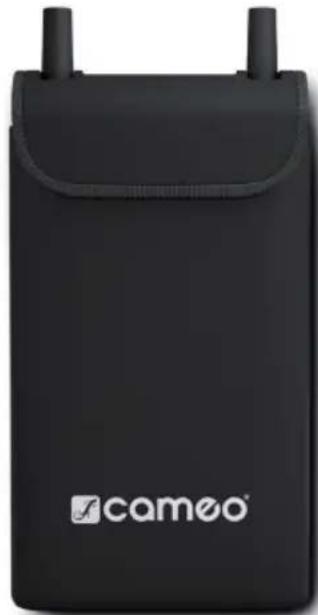
natural_image
Black foam phone case with two earphones and a 'camoo' logo on the front (no additional text or symbols visible)Padded case
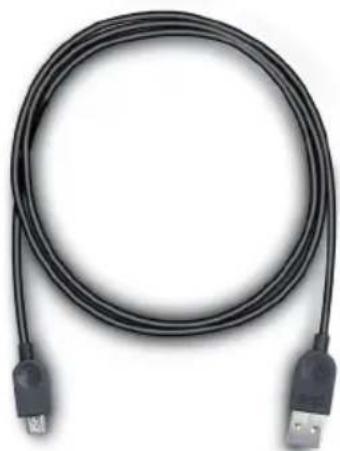
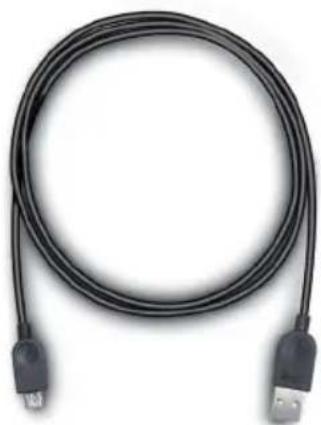
USB cable
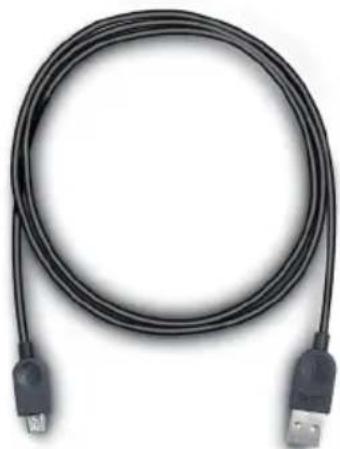
natural_image
Coiled black cable with two USB connectors (no text or symbols visible)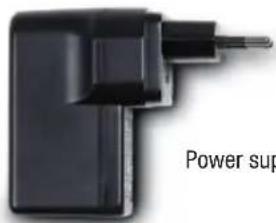
Power supply
natural_image
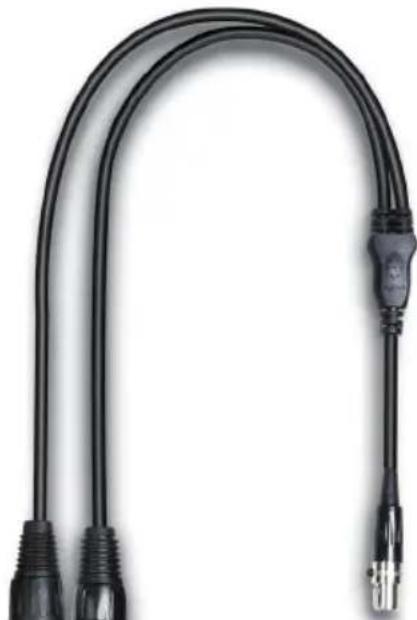
Close-up of a black U-shaped cable with two connectors and a connector pin (no text or symbols visible)Mini-XLR 3-pin to XLR DMX in/out adapter
TECHNICAL DATA
Product number: CLIDMXCORE
| Product Type: DMX accessories | |
| Type: WiFi to W-DMXTMconverter | |
| WiFi network: 2.4 GHz (channel 2 or 11) | |
| WiFi range: Up to 15 m | |
| W-DMXTMnetwork: 2.4 GHz | |
| W-DMXTMrange: Up to 300 m | |
| DMX input: Mini-XLR (1 X Y-adapter cable 3-pin XLR & 1 x 5-pin XLR Y-adapter cable included) | |
| DMX output: Mini-XLR (1 X Y-adapter cable 3-pin XLR & 1 x 5-pin XLR Y-adapter cable included) | |
| Control: USITT DMX512, iDMX controller app Android & IOS | |
| Operating controls: Power, W-DMXTM | |
| Display elements: Battery status, WiFi status, DMX status, W-DMXTMStatus | |
| Connections: | 1 x micro-USB charging socket, 2 x antenna, DMX |
| Charging voltage: | 5V, 1.6A (power supply and USB cable included) |
| Battery type: | LG Lithium-ion (integrated, non-removable) |
| Battery life (100% charge status): | Up to 8 hours |
| Battery power: | 24 Wh |
| Battery charge time: | Approx 6 hours (100%) |
| Battery protection: | Protection against overloading and deep discharge |
| Ambient temperature (in operation): | -10°C to +40°C |
| Humidity: | 0-80% (non-condensing) |
| Housing material: | Aluminum |
| Housing color: | Black |
| Housing cooling: | Convection |
| Dimensions (including antennas): | 85 x 170.5 x 25mm |
| Weight: | 0.34 kg (without accessories) |
| Additional features: | Padded case, power supply, USB cable, 2 x Y-adapter cables, 2 x antennas included |
MANUFACTURER'S DECLARATIONS
MANUFACTURER'S WARRANTY & LIMITATIONS OF LIABILITY
You can find our current warranty conditions and limitations of liability at: https://cdn-shop.adamhall.com/media/pdf/Manufacturers-Declarations-CAMEO_DE_EN_ES_FR.pdf. To request warranty service for a product, please contact Adam Hall GmbH, Adam-Hall-Str. 1, 61267 Neu Anspach / Email: Info@adamhall.com / +49 (0)6081 / 9419-0.

CORRECT DISPOSAL OF THIS PRODUCT
(valid in the European Union and other European countries with a differentiated waste collection system)
This symbol on the product, or on its documents indicates that the device may not be treated as household waste. This is to avoid environmental damage or personal injury due to uncontrolled waste disposal. Please dispose of this product separately from other waste and have it recycled to promote sustainable economic activity. Household users should contact either the retailer where they purchased this product, or their local government office, for details on where and how they can recycle this item in an environmentally friendly manner. Business users should contact their supplier and check the terms and conditions of the purchase contract. This product should not be mixed with other commercial waste for disposal.
FCC STATEMENT
Changes or modifications not expressly approved by the party responsible for compliance could void the user's authority to operate the equipment. This device complies with Part 15 of the FCC Rules. Operation is subject to the following two conditions:
(1) This device may not cause harmful interference, and
(2) This device must accept any interference received, including interference that may cause undesired operation
NOTE: This equipment has been tested and found to comply with the limits for a Class B digital device, pursuant to Part 15 of the FCC Rules. These limits are designed to provide reasonable protection against harmful interference in a residential installation. This equipment generates, uses and can radiate radio frequency energy and, if not installed and used in accordance with the instructions, may cause harmful interference to radio communications. However, there is no guarantee that interference will not occur in a particular installation. If this equipment does cause harmful interference to radio or television reception, which can be determined by turning the equipment off and
on, the user is encouraged to try to correct the interference by one or more of the following measures:
- Reorient or relocate the receiving antenna.
- Increase the separation between the equipment and receiver.
- Connect the equipment into an outlet on a circuit different from that to which the receiver is connected.
- Consult the dealer or an experienced radio/TV technician for help.
CE Compliance
Adam Hall GmbH states that this product meets the following guidelines (where applicable):
R&TTE (1999/5/EC) or RED (2014/53/EU) from June 2017
Low voltage directive (2014/35/EU)
EMV directive (2014/30/EU)
RoHS (2011/65/EU)
The complete declaration of conformity can be found at www.adamhall.com.
Furthermore, you may also direct your enquiry to info@adamhall.com.
DEUTSCH
natural_image
Black foam backpack with 'cameo' branding and two side necks (no additional text or symbols visible)gepolsterte Tasche
USB Kabel
natural_image
Coiled black cable with two USB connectors (no text or symbols visible)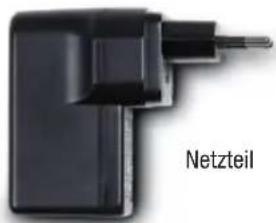
Netzteil
natural_image
Black foldable phone device with two antenna ports and 'camoo' branding on front (no additional text or symbols visible)sac matelassé
câble USB
natural_image
Coiled black cable with two USB connectors (no text or symbols visible)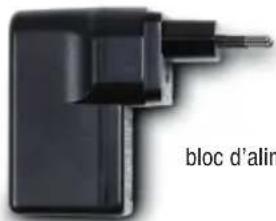
bloc d'alimentation
(Valid in the European Union and other European countries with waste separation)
natural_image
Black rectangular device with two top tabs and a 'camoo' logo on the front (no additional text or symbols visible)Bolsa acolchada
Cable USB
natural_image
Coiled black cable with two USB connectors (no text or symbols visible)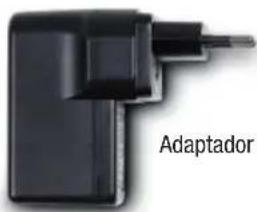
natural_image
Black portable electronic device labeled 'camoo' with antenna port (no additional text or symbols visible)natural_image
Coiled black cable with two USB connectors (no text or symbols visible)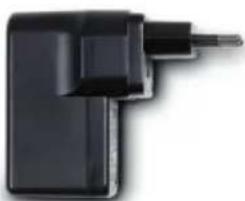
natural_image
Close-up of a black mechanical component with a pointed tip and rectangular body (no visible text or symbols)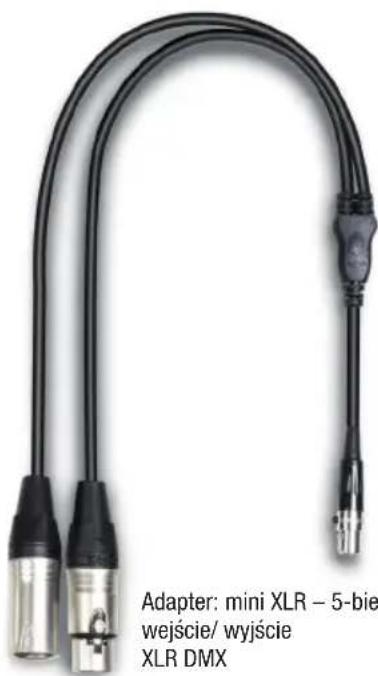
natural_image
Black wireless router device with a vertical antenna and control buttons (no visible text or symbols)Transceiver W-DMX™
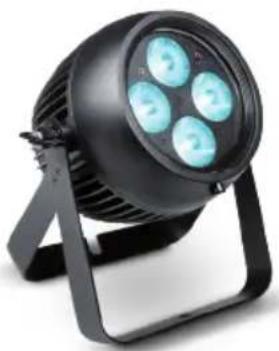
natural_image
Black adjustable lighting fixture with four circular light sources mounted on a stand (no text or symbols visible)Any W-DMXTM Fixture (i.e. CAMEO ZENIT B60)
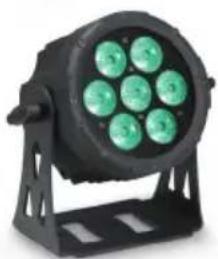
natural_image
Black circular light fixture with green LED array mounted on a support frame (no text or symbols visible)Other DMX Fixtures (i.e. CAMEO FLAT PRO 7)
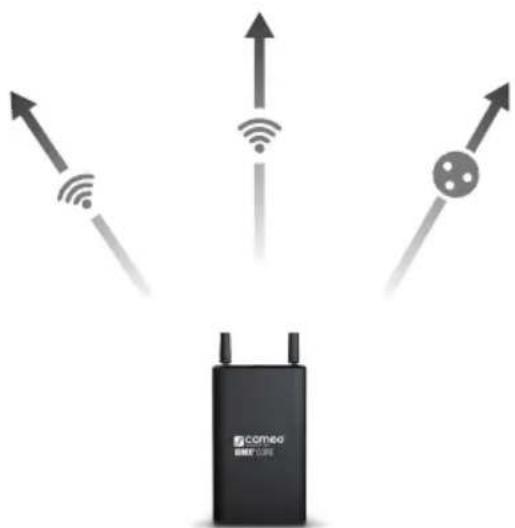
iDMX® CORE
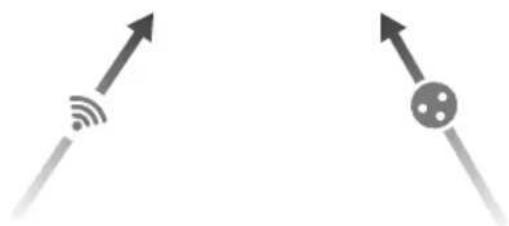
natural_image
Two gray arrows pointing upward, one with signal waves and the other with a dot pattern (no text or symbols)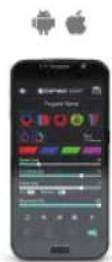
iDMX® Controller App
natural_image
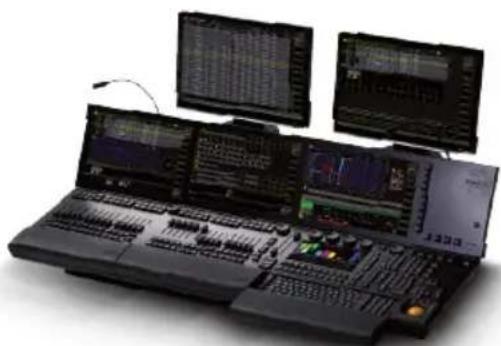
Black audio workstation with multiple monitors displaying multiple video and audio interface panels (no visible text or labels)DMX Light Controller


- CONTENTS / INHALTSVERZEICHNIS / CONTENU / CONTENIDO / TREŚĆ / CONTENUTO
- ENGLISH
- DEUTSCH
- ESPAÑOL
- PREVENTIVE MEASURES
- FOR EQUIPMENT THAT CONNECTS TO THE POWER MAINS:
- CAUTION:
- INTRODUCTION
- CONNECTIONS, OPERATING AND DISPLAY ELEMENTS
- INPUT
- ON/OFF BUTTON
- MULTI-FUNCTION BUTTON
- DISPLAY LEDs
- DMX I/O
- WIFI AND W-DMX ANTENNAS
- PLEASE NOTE:
- TECHNICAL DATA
- MANUFACTURER'S DECLARATIONS
- MANUFACTURER'S WARRANTY & LIMITATIONS OF LIABILITY
- CORRECT DISPOSAL OF THIS PRODUCT
- FCC STATEMENT
- CE Compliance
Brand : Cameo
Model : iDMX CORE
Category : Electronic converter