AC1028 - Industrial controller IFM - Free user manual and instructions
Find the device manual for free AC1028 IFM in PDF.


| Product type | Industrial automation (AS-i controller) |
| Brand | IFM |
| Model | AC1028 |
| Dimensions (H x W x D) | 131 x 62 x 124 mm |
| Weight | Approximately 500 g |
| Power supply | 24 V DC (20...30 V), SELV |
| Power consumption | Not specified, typical < 10 W |
| Programming interface | RS232C, baud rate 4800 to 115200, max distance 20 m |
| Fieldbus interface | Profibus-DP, baud rate 9600 to 12 Mbaud, up to 31 controllers per segment |
| Number of AS-i masters | 2 (according to AS-i version 2.1) |
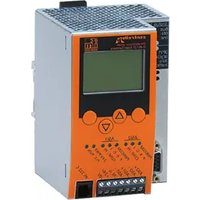
| Display | Screen with contrast adjustment, navigation keys |
| LED indicators | PWR/COM, PROJ, CONF/PF, PROFIBUS |
| Protection | IP20 |
| Mounting | On 35 mm profile rail |
| Operating temperature | 0 to 60 °C (estimate) |
| Main functions | AS-i control, signal preprocessing, standalone controller, Profibus-DP gateway, integrated PLC (CoDeSys) |
| Maintenance and cleaning | Dust with a dry cloth. Avoid moisture and solvents. |
| Safety | Disconnect power before connecting. Do not connect negative potentials to each other or to FE ground. Use a SELV power supply. |
| Spare parts and repairability | Contact IFM for repairs. Spare parts not specified. |
Frequently Asked Questions - AC1028 IFM
User questions about AC1028 IFM
0 question about this device. Answer the ones you know or ask your own.
Ask a new question about this device
Download the instructions for your Industrial controller in PDF format for free! Find your manual AC1028 - IFM and take your electronic device back in hand. On this page are published all the documents necessary for the use of your device. AC1028 by IFM.
USER MANUAL AC1028 IFM
natural_image
Line drawing of a server rack with ports, connectors, and socket (no text or symbols)Function and features
- The controller _e integrates one or two AS-i masters (AC1027/AC1028, both in accordance with the AS-i version 2.1), a mini controller and a Profibus DP interface.
The Profibus DP interface is compatible with the Profibus DP interface of the AS-i controllers AC1005/AC1006. It must be configured using the file "ifm300AB.gsd".
- It controls the exchange of data to the sensor/actuator level
- processes the peripheral data in the integrated processor (signal preprocessing)
- works as stand-alone controller with exchange of data to the PC (visualisation)
PLC programs of the controllers AC1005/AC1006 for signal pre-processing with Asisys must be converted for AC1027/AC1028 and CoDeSys.
- communicates with the higher control level (in the gateway mode)
Programming interface RS232C
• Baud rate 4800 to 115,200 baud
- Max. distance between controller e and host: 20 m
- Potential separation from the controller e power supply
- Programming cable E70320 for connection to host required
Profibus-DP interface
• Baud rate 9600 to 12 MBaud
- Max. distance between controller e and host: depending on the baud rate
- Potential separation from the controller e power supply
- Up to 31 controllers connected in parallel per segment
- Pin connection: pin 3: signal B, pin 8: signal A
Installation
Fix the controller _e onto a 35 mm rail. The protection rating of the unit is IP20, therefore it should be mounted in a protected location (e.g. control cabinet).

Ensure a condensation-free environment. Avoid excessive dust, vibration and shock. The air circulation through the vents must not be impeded.
Avoid installation in direct vicinity of frequency inverters.
Electrical connection

Disconnect the installation from power. Connect the unit as indicated on the terminals. Never connect the minus potentials to each other or the minus potentials to the FE connection. Ensure an electrically save ground connection between AS-i controller _e (terminal FE) and ground of the unit.
Supply the controller _e with a 24 V DC voltage (20...30 V PELV), e.g. from the 24 V power supply DN2011 of ifm electronic. The connection is made to the terminals +24 V and 0 V.
Operating and indicating elements
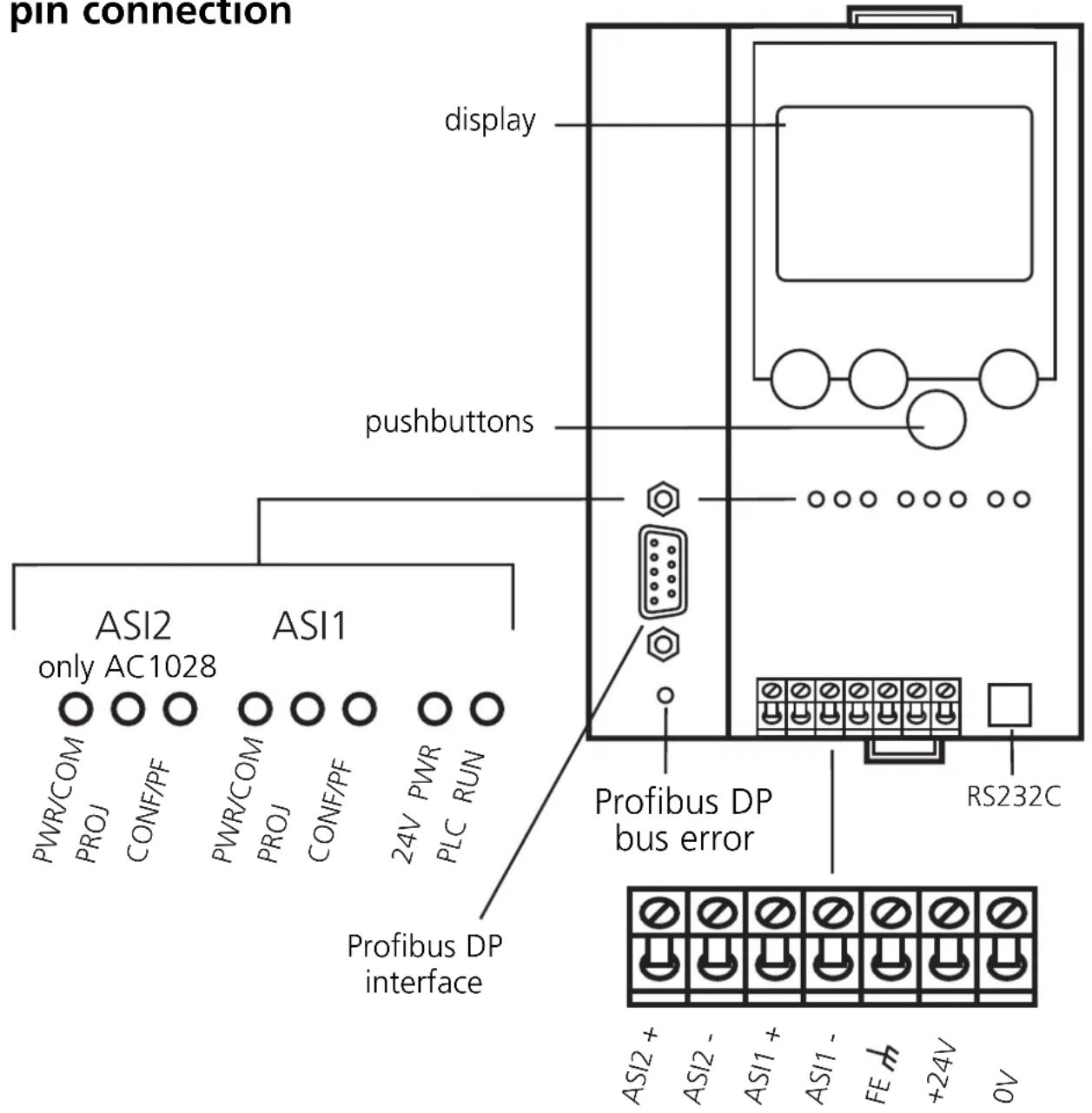
Information concerning the state of the master (AC1027)/masters/AC1028) and the connected system is given via three diagnostic LEDs on the controller _e .
- LED PWR/COM lights: AS-i voltage present, at least one slave was detected
- LED PWR/COM flashes: AS-i voltage present, but no slave was detected correctly
- LED PROJ lights: Projection mode active, the configuration monitoring is deactivated
- LED PROJ flashes: Projection mode active, changeover to protected mode not possible as a slave with the address 0 is connected
- LED CONF/PF lights: Projected and current configuration do not match
- LED CONF/PF flashes: Periphery fault on at least one connected slave
• LED PROFIBUS lights: Bus error Profibus DP
LED indicators and pin connection
Contrast setting
The contrast can be directly changed by simultaneously pressing the right button and the -button (too bright) or the -button (too dark).
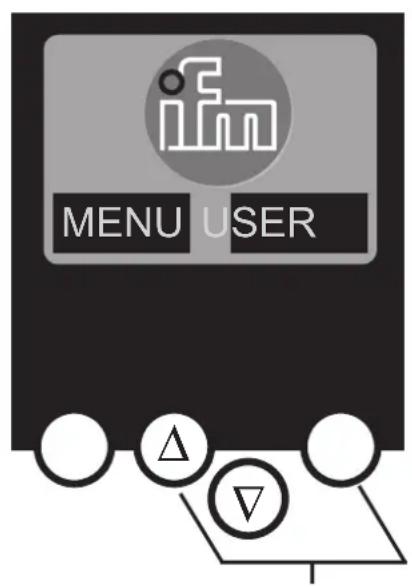
increase contrast

decrease contrast
Operation
To operate an AS-i system a special AS-i power supply is required (e.g. AC1216). The AS-i power supply supplies the yellow AS-i cable with energy and implements a data decoupling to the voltage regulator of the power supply. Standard switched-mode power supplies would consider the AS-i data signals as interference signals and suppress them.

Disconnect the power supply before connecting the controller _e .

The AS-i system is operated ungrounded. AS-i + and AS-i - are to be symmetrical to the ground potential of the installation. Ensure a low resistance connection of the symmetry point of the AS-i power supply (terminal shield) to the ground of the installation.
Menu overview
Open the main menu by pressing the left button "MENU" in the start display.
To navigate within a menu point press the button or .
Press the buttons simultaneously to switch between the German and English menu.
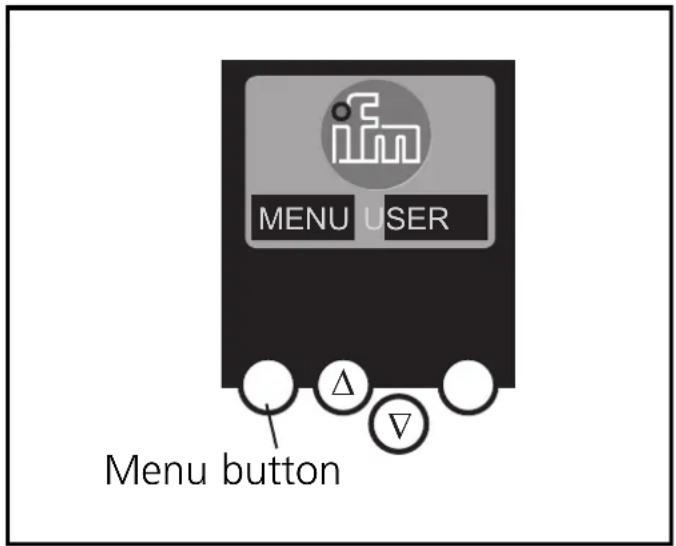
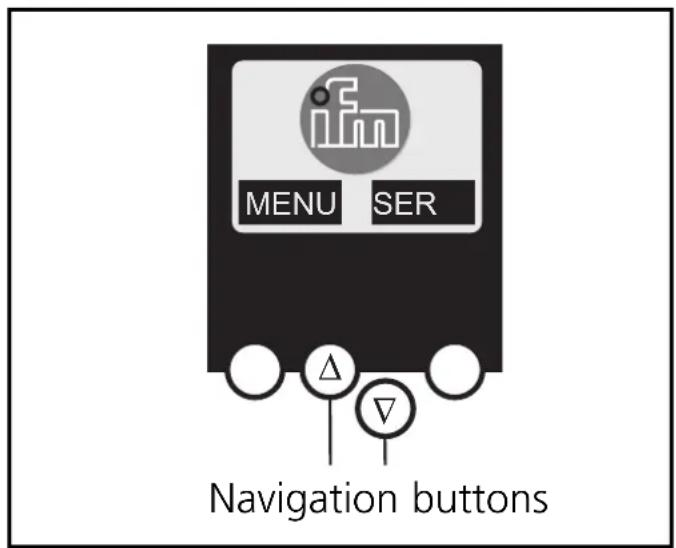
Menu navigation
O Slave lists (Checking of the addresses of the connected AS-i slaves)
∇ List of the detected AS-i slaves (LDS)
∇ List of the projected AS-i slaves (LPS)
∇ List of the activated AS-i slaves (LAS)
∇ List of the AS-i slaves with periphery fault (LPF)
O Address slave (Programming of the correct addresses in the connected AS-i slaves)
∇ Readdressing of an AS-i slave connected to the controller _e
∇ Automatic addressing of new AS-i slaves to the next free address (easy startup)
O Quick setup (Summary of the menu points required for a basic configuration)
∇ Reading of the current AS-i configuration (config all)
∇ Setting of the fieldbus connection (optional)
O System setup (Setting of the controller e device)
∇ Baud rate of the serial programming interface
∇ IP address of the Ethernet programming interface (optional)
∇ Input of the password to enable changes in the system configuration
∇ Update of the controller _e firmware (special programming software required)
O System info (Device information)
∇ Hardware and firmware version numbers of this controller e
∇ Serial number of this controller e
∇ Current / maximum PLC cycle time
O PLC setup (Using the integrated PLC is optional)
∇ Activation or deactivation of the gateway mode (no PLC used)
∇ Start or stop of the PLC in the controller _e (if used)
O PLC info (Display of the user program name, author, date)
O Master setup (AS-i master flags)
∇ Reading of the current AS-i configuration (config all)
∇ Changeover to the projection mode: configuration of the AS-i system
∇ Changeover to the protected mode: standard mode (the master monitors the configuration)
∇ Deactivation of the automatic AS-i slave addressing in the protected mode
∇ Deactivation of the AS-i reset when exiting the projection mode
∇ Display of the config error counter of the connected AS-i system
∇ Reset of the config error counter
∇ Display of the percentage fault rate of the connected AS-i system
O Slave setup (Details about the connected AS-i slaves)
∇ Digital or analogue inputs/outputs of the connected AS-i slaves
∇ Current and projected parameters of the connected AS-i slaves
∇ Current and projected I/O and ID codes of the connected AS-i slaves
∇ Message faults in the communication to the connected AS-i slaves
O Fieldbus setup(The different fieldbus interfaces are optional)
∇ Input of the slave address of the controller _e in the higher-level fieldbus
∇ Further inputs depending on the higher-level fieldbus
O Fieldbus data (optional)
∇ Display of the data cyclically transmitted via the fieldbus
- Raccordement des broches: broche 3: signal B, broche 8: signal A