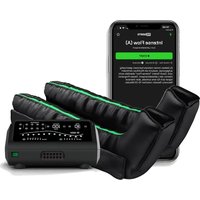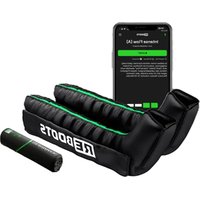
GO Lite - Massage device Reboots - Free user manual and instructions
Find the device manual for free GO Lite Reboots in PDF.


User questions about GO Lite Reboots
0 question about this device. Answer the ones you know or ask your own.
Ask a new question about this device
Download the instructions for your Massage device in PDF format for free! Find your manual GO Lite - Reboots and take your electronic device back in hand. On this page are published all the documents necessary for the use of your device. GO Lite by Reboots.
USER MANUAL GO Lite Reboots
1 Connect the hose set and cuffs
Attach the hose cuff plugs to the connectors on the leg cuffs. Make sure that the longest hose is connected to the foot chamber. Connect the remaining hoses one after the other to the chamber near the hip. The darker coloring of the plugs and connectors will help you to follow the correct connection order.
Connect the hose set to the control unit
There are two clips on the side of the multi-plug. In order to connect the multi-plug and the device to one another, you must press the clips. The multi-plug can then be plugged into the device. The cable must be removed in the same way after use.
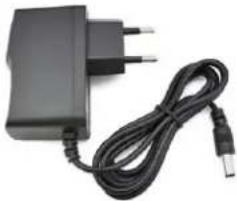
3 Connect the power cable to the control unit
The device can be operated either plugged or not plugged in, provided the battery is charged accordingly. You can also plug the device into an electrical outlet using the power cable to charge the battery during use.

Fully charge your Reboot's Go Life device before using it for the first time (The display on the device no longer flashes). Use the device for the first applications with the charger connected to retract the battery.

OPERATION
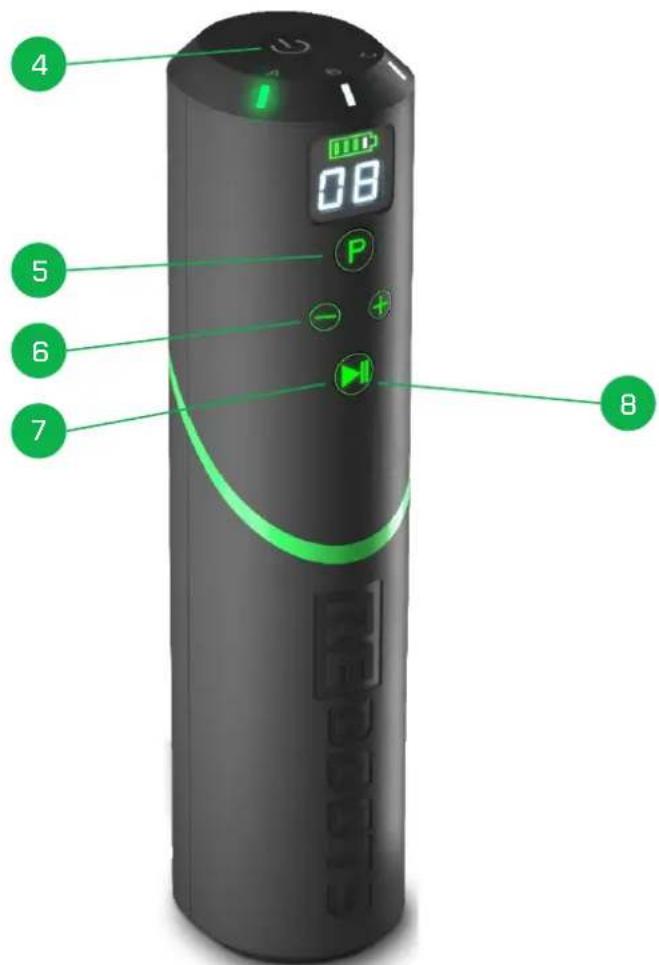
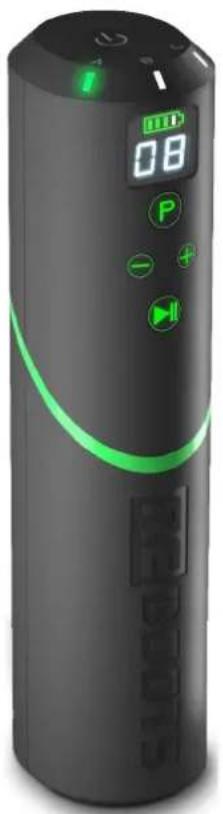
4 TURNOFN DEVICE On the top you will find an On/Off switch. Press and hold down the switch for 3 seconds to turn the device on or off. If you are not able to turn on the device, then battery is probably discharged. Use the included power cable to recharge the device.
5 SELECT PROGRAM Program A is selected by default. Press the "P" button to switch between programs A, B, and C.
6 SELECTING PRESSURE SETTING Pressure level 8 is selected by default. By pressing the ^+ or - buttons you can adjust the pressure level between 1 and 16. By pressing and holding the desired button, you can move through the pressure selection options faster.
7 PLAY/PAUSE Start your program and pressure selection by pressing the "Play/Pause" button.
Tip: if you press the "Play/Pause" button while a program is running, you will pause the program for 2 minutes. If after these 2 minutes you do not press "Play" again, the device will stop the program and air will be released from the chambers.
8 STOP PROGRAM In order to stop a program and let air escape, press the "Play/ Pause" button for 3 seconds.
EN 15
PROGRAMMES /GUIDE
Maximum recovery for maximum performance: In order to achieve the best possible results when using the device for recovery, you should pay particular attention to the following points:
USAGE AREAS
You can use Reboots to either recover after exercising as well as to relax before a training session by loosening up your muscles. You can set different priorities depending on the program.
DURATION AND FREQUENCY
The optimal usage period is for 30 to 50 minutes after a training session. If you are using Reboot to loosen up your muscles before training, then a session can be 10 to 20 minutes in length. There is no prescribed maximum duration or frequency. In general, as long as the operation feels good, you may continue using Reboot.
After exercising, it is best to use Rehoots at a medium to high pressure level. Before exercising, you can use Rehoots at a medium pressure level. As long as you feel comfortable with the device operation, you may advance to higher pressure levels or longer usage periods. We recommend approaching the optimal application pressure gradually. A higher setting doesn't always achieve the maximum results: You should never experience discomfort or pain when using the device for recovery.
You can find additional information on how to correctly use the device and select programs and other settings online in our usage guide. https://reboot.com/pages/knowledge-base/reboot-s-guide
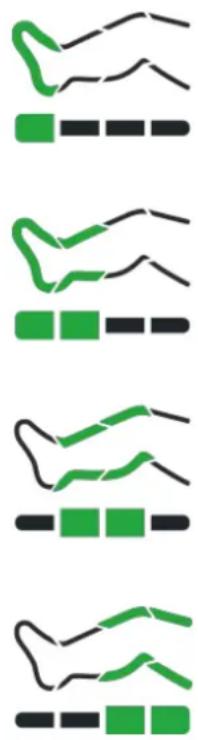
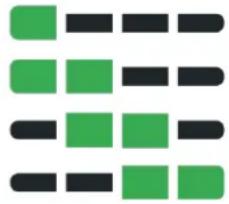
Sample Sequence for Programme
A Intense Flow

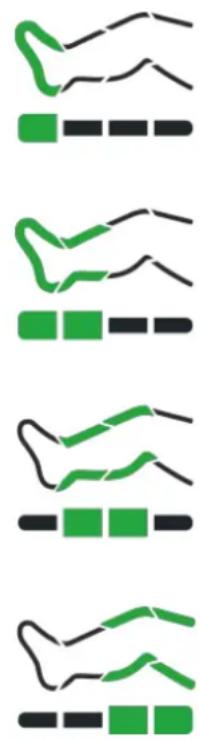
A Intense Flow
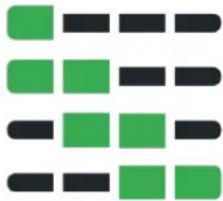
Several chambers always remain inflated at the same time, which prevents backflow. This is why the "Intense Flow" setting also helps to remove lactate quite intensively. This program is suitable for a quick but intensive recovery session of between 10-20 minutes.
C Impulse
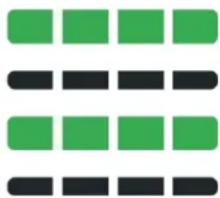
"Impulse" is intended for 20-30 minute sessions. Since all chambers are pumped up at the same time in a pulsed manner, "Pulse" maximizes the number of possible compression cycles in a given time.
B Intense
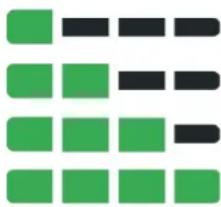
The continuous pressure of Program B prevents backflow. Therefore, Program B is primarily intended to remove lactate for approx. 20-30 minutes. As a beginner, you should build up to this program slowly and only after you have first used Program A for a while.
IP Initial Phase
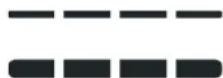
Before your chosen program/sequence starts, you should make sure that the leg cuffs are optimally adapted to your legs and fit ergonomically. To do this, all chambers are filled with air at the same time for 2 minutes. Then your program/sequence starts. The feature will only be activated for a single session directly after starting the control unit, and it can only be reactivated again by restarting the device.

Do not interrupt the initial phase by changing the program or switching off the device. Otherwise, chamber pressure may accumulate and make it uncomfortable for you.
CONTROL YOUR DEVICE WIRELESSLY WITH THE REBOOTS APP
DOWNLOAD THE REBOOTS APP
Download our Reboot apps from the iOS AppStore or Google Play.
OPEN THE REBOOTS APP
Open the app and choose your preferred onboarding option.
SWITCH ON YOUR REBOOTS LITE CONTROL UNIT
Pairing will start automatically. Confirm the pairing on your smartphone. If nothing happens, please check your settings on your smartphone.
ESTABLISHED
You can now put your control unit aside since you can now operate it via our app. You can use the app to set the duration of the program, among other things. By creating your own sequences, you can automate usage routines to be used before or after training or competitions.
You can find out more information about the Rehoots app at https://reshoots.com/app, which will direct you to our website.
FUNCTIONS THAT CAN ONLY BE CONTROLLED WITH THE APP (FROM VERSION 2.0 ONWARDS)
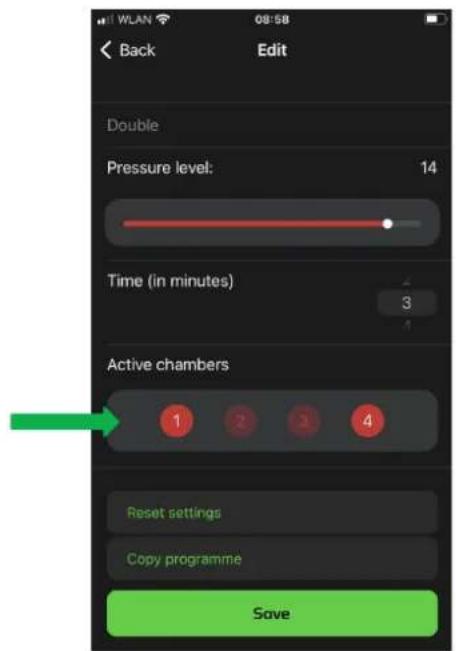
DEACTIVATION OF INDIVIDUAL AIR CHAMBERS
Sensitive areas can be excluded from the massage. By default, all compression chambers are activated. If you want to exclude certain chambers from the massage, you can do this here. Simply press the symbol of the desired chamber and confirm your selection.
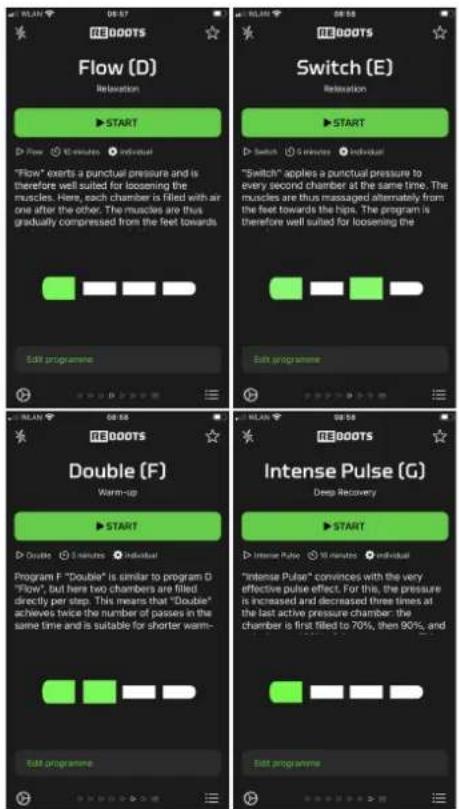
FOUR ADDITIONAL MASSAGE PROGRAMMES
Choose from four additional programmes to diversify your regeneration and optimise your sequences.
PACKAGE CONTENTS
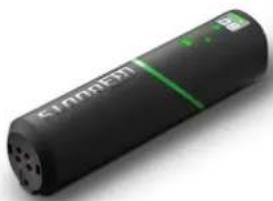
Control Unit Power cable
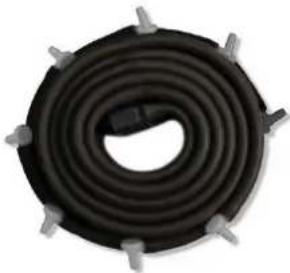
multi-plug hose set
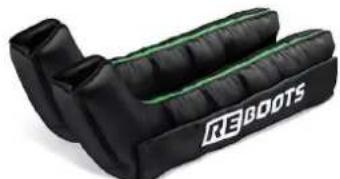

leg cuffs (boots or pants)
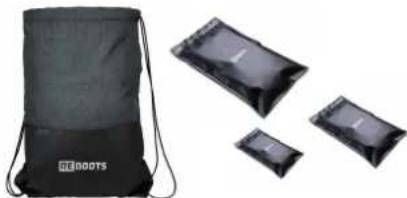
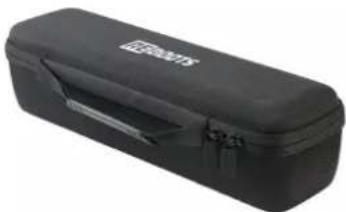
Gym bag & Zipper bags Softcase
INDIVIDUALISING YOUR REBOOTS PANTS 2.0
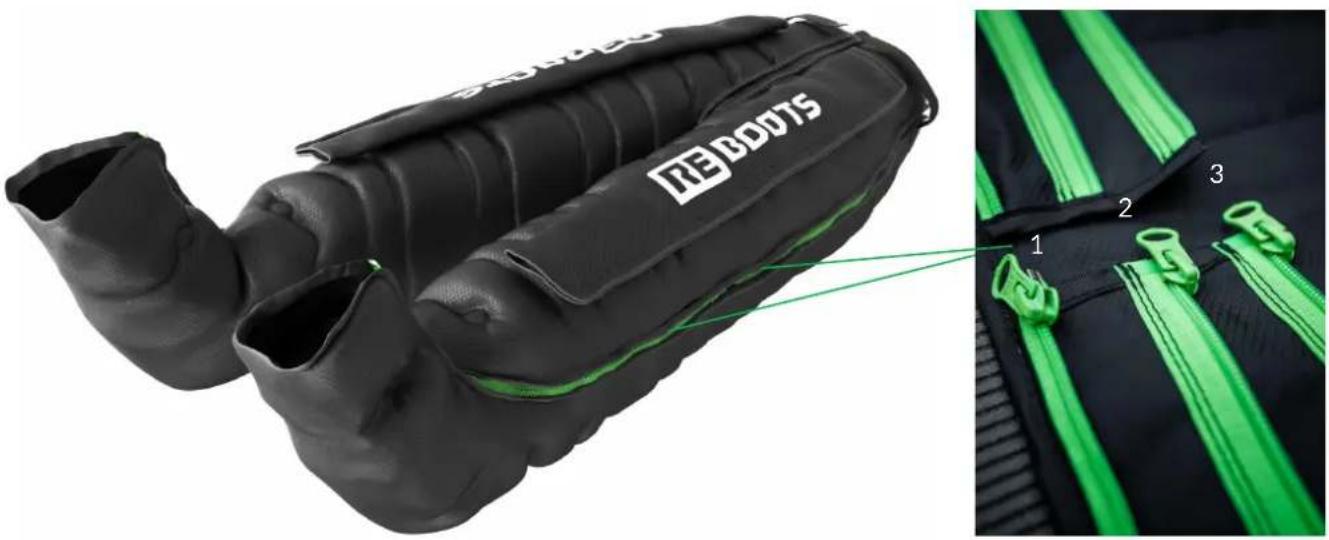
THE THREE ZIPPERS
Position 1 = outer zipper = narrowest position = for low leg circumferences
Position 2 = middle zipper = middle position = for medium leg circumferenc
Position 3 = inner zipper = widest position = for large leg circumferences
There are separate zippers for thighs and lower legs, so you can adjust the trousers very individually.
If none of the possible settings fits exactly, you can create further size gradations with our extensions. Just have a look in our shop.
| Number of programmes 3 (+4) | |
| number of air pillows 4 | |
| Weight [in kg]-0,7 | |
| Rated power output [in VA] 14 | |
| Charger [in Hz] 50 / 60 | |
| Charger voltage [in V] AC110-240 | |
| session time [in min] 120 | |
| Pump capacity [in l/min] 8 | |
| Pressure performance [in mmHg] 30-180 | |
| Dimension [in cm] 25 x 6 x 7 | |
| Protection class II/ | ☐ |
| Temperature range [in °C](operation & storage) | 10-40 |
| Humidity [in %](operation & storage) | 30-85 |
| Battery:·Charging time / running time [in min] | 50 /120 |
| ·Type | Li-ion |
| ·Model number | 18600 |
| ·Voltage | 11.1 V |
| ·Capacity | 1600 mAh |
| ·Amount of stored current | 17.7 Wh |
| Radio frequency 2.4 GHz |
SAFETY INSTRUCTIONS
Keep these operating instructions in a safe place! Do not disassemble or burn the unit. Repairs to the control unit may only be carried out by specialists authorised by Wellcosan GmbH, otherwise the warranty may be voided. In case of damage to the unit, pull out the mains plug and switch off the unit. Also disconnect the mains plug and switch it off if the unit has come into contact with water or other liquids. Do not use the unit in damp rooms. Ensure that the unit is standing securely. Do not subject Reboots Go Lite and especially the built-in battery to shocks or throw them. The unit must not be covered by other objects during operation. Make sure that the hoses do not twist or kink during use and storage. Keep the unit away from sources of heat (e.g. direct sunlight, radiators and others). When you are not using the unit, the unit must be switched off. The unit switches itself off after 10 minutes of inactivity.
WARRANTY
We grant 24 months on the control unit. In the event of a malfunction, it may be necessary to send the unit in for inspection. In this case, please ensure that the shipping carton is appropriately padded in order to avoid possible transport damage. Unfortunately, no warranty claims can be made for defects that are due to improper shipping. Warranty conditions: Insofar as there is a legal obligation to provide a warranty, either a replacement will be provided free of charge or the manufacturer will be given the opportunity to rectify the defect, to the exclusion of the right to rescission or reduction. Should the rectification of defects fail despite several attempts or should a replacement unit also be afflicted with a defect for which the manufacturer is responsible, the customer shall be entitled to rescission or reduction.
When not in use and/or when the battery is fully charged, also unplug the appliance from the mains. Always unplug the appliance from the mains before cleaning. Never push or pierce the built-in battery. Keep Reboots Go Lite away from children or persons who have not been instructed in its use.

With the CE marking, the manufacturer or importer confirms the conformity of the product with the applicable EC directives and compliance with the "essential requirements" specified therein.
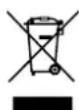
This marking on the unit means that you must not dispose of it in normal household waste at the end of its service life. Please have it disposed of by an electronic waste disposal company.
Warranty exclusion: Excluded from the warranty are defects caused by forcible damage, improper operation, external force or third party modification and repair measures, such as defects caused by incorrectly dimensioned or short-circuited fuses or defects attributable to normal wear and tear. Warranty requirement: The warranty claim exists only in conjunction with the original proof of purchase (invoice). Therefore, keep the purchase receipt in a safe place.
If you have any problems or questions when using the system, please do not hesitate to contact us at +49 (0)6664/919642 or service@wellcosan.de.
LIABILITY DISCLAIMER
Reboots Recovery Tech should ideally only be used after consultation with your doctor. Possible contraindications may include: Decompensated heart failure, cardiac output disorders with water in the legs, inflammation of the treated areas of the body, known or suspected leg vein thrombosis, phlebitis and arterial disease, gangrene, dermatitis, arteriosclerosis or venous circulatory disorders, open, untreated or infected wounds and injuries, for leg pain, skin lesions, acute inflammation, malignant tumours, pulmonary oedema, hypertension, extensive thrombophlebitis, thrombosis or suspected thrombosis, erysipelas, severe uncontrolled hypertension, acute soft tissue trauma of the extremities, neuropathy or occlusive processes in the lymphatic drainage system. Purpose: Reboots Recovery Tech is designed to help you feel better and relax.
Please charge the battery only with the enclosed charger.
NOTICE: Reboots Recovery Tech is not a medical device and is not intended for self-treatment. If you are unsure, please consult your doctor.
MANUFACTURER:
https://reboot.com/pages/knowledge-base/reboot-sguide

A Intense Flow
C Impulse
OUVRIR L'APPLICATION REBOOTS