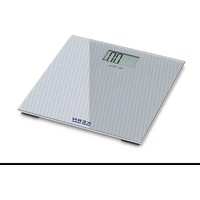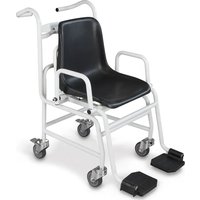
MCD 300K-1 - Scale Kern - Free user manual and instructions
Find the device manual for free MCD 300K-1 Kern in PDF.


| Product type | Medical chair scale |
| Brand | Kern |
| Model | MCD 300K-1 |
| Maximum capacity | 300 kg |
| Readability | 0.1 kg |
| Reproducibility | 0.1 kg |
| Linearity | ±0.1 kg |
| Weighing units | kg |
| Power supply | 6 batteries 1.5 V AA |
| Dimensions (W x D x H) | 625 x 990 x 985 mm |
| Weighing platform dimensions | 500 x 360 x 370 mm |
| Net weight | 20 kg |
| Operating temperature | +10°C to +40°C |
| Maximum humidity | 80 % (non-condensing) |
| Functions | Weighing, tare, HOLD function, BMI calculation, adjustable auto-off |
| Display | LCD with symbols (GROSS, NET, ZERO, STABLE, BMI, HOLD, battery) |
| Maintenance | Cleaning with non-corrosive disinfectant (e.g. 70% isopropanol) |
| Safety | Wheel locking brakes, do not use for transport, avoid overload |
| Compliance | EU/EC declaration available online |
| Warranty | According to terms of the manual (excluding misuse, opening, fall) |
| Included accessories | Assembled scale, user manual |
Frequently Asked Questions - MCD 300K-1 Kern
User questions about MCD 300K-1 Kern
0 question about this device. Answer the ones you know or ask your own.
Ask a new question about this device
Download the instructions for your Scale in PDF format for free! Find your manual MCD 300K-1 - Kern and take your electronic device back in hand. On this page are published all the documents necessary for the use of your device. MCD 300K-1 by Kern.
USER MANUAL MCD 300K-1 Kern
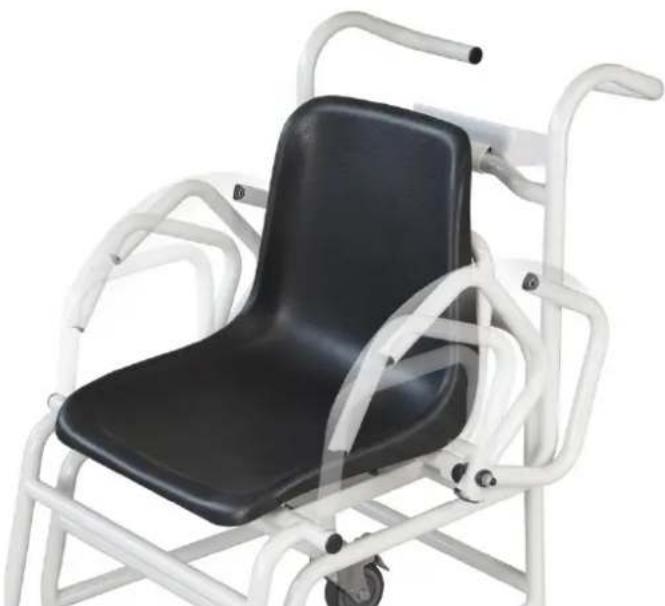
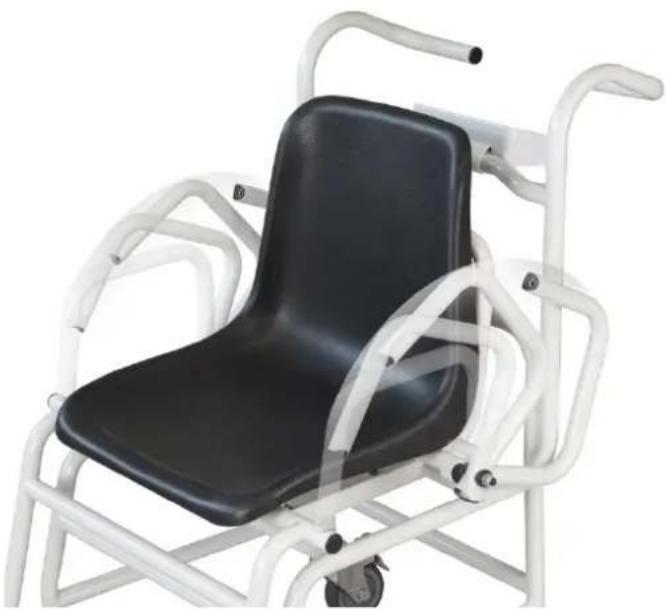
Operating manual Chair scale
natural_image
White mobile medical mobility chair with black seat and wheels, no visible text or symbols
Further language versions you will find online under www.kern-sohn.com/manuals
text_image
Technical diagram of a device with labeled parts including a digital display and internal wiring, shown from top and side views.natural_image
Close-up of a mechanical cuestioner with a white shaft and gray wheels (no text or symbols visible)Feststellbremse
natural_image
Close-up of white industrial stairs with black and white mechanical components (no text or symbols visible)Fußstützen
natural_image
White and black mobility chair with adjustable armrest and wheels (no text or symbols visible)text_image
KERN MCD TARE →0← F BMI HOLD ON OFFtext_image
Three pictograms showing a person in different positions: one on a walker, one on a cart, and one on a push-up, each with a red prohibition sign.natural_image
Close-up of a mechanical device with blue and white wheels and a white cylindrical component (no visible text or symbols)natural_image
Interior view of a white electronic device showing internal components and wiring (no text or symbols visible)2 Declaration of conformity .... 3
3 Appliance overview 4
3.1 Overview of display....6
3.2 Keyboard overview 7
4 Basic Information (General)....8
4.1 Proper use 8
4.2 Improper Use 9
4.3 Warranty 9
4.4 Monitoring of Test Resources 9
5 Basic Safety Precautions.... 10
5.1 Pay attention to the instructions in the Operation Manual 10
6 Transport and storage.... 10
6.1 Testing upon acceptance....10
6.2 Packaging / return transport....10
7 Unpacking, Setup and Commissioning 11
7.1 Place of installation / place of operation....11
7.2 Unpacking....11
7.3 Scope of delivery 11
7.3.1 Roller 12
7.3.2 Levelling 12
7.4 Battery operation 13
8 Operation.... 14
8.1 Weighing....14
8.2 Taring 15
8.3 HOLD function 15
8.4 Calculation of the Body Mass Index....16
8.4.1 Classification of BMI values 17
8.5 Automatic switch-off function „Auto Off“ 17
9 Menu 18
9.1 Navigation in the menu....18
9.2 Menu overview....19
10 Error messages.... 20
11 Servicing, maintenance, disposal 20
11.1 Cleaning 20
11.2 Cleaning / disinfecting....21
11.3 Servicing, maintenance....21
11.4 Disposal....21
12 Instant help.... 21
13 Adjustment 22
2 MCD-BA-e-1710
1 Technical data
| KERN | MCD 300K-1 |
| Readability (d) 0.1 kg | |
| Weighing range (max) 300 kg | |
| Reproducibility 0.1 kg | |
| Linearity ± 0.1 kg | |
| Recommended adjustment weight (Class) | 300 kg(M1) |
| Weighing Units kg | |
| Warm-up time 10 min | |
| Electric Supply | Battery: 6 x 1.5 V AA |
| Operating temperature | +10°C ... + 40°C |
| Humidity of air | max. 80 % (not condensing) |
| Dimensions (B x D x H) mm | 625 x 990 x 985 |
| Dimensions Weighing surface | 500 x 360 x 370 |
| Weight kg (net) | 20 |
2 Declaration of conformity
The current EC/EU Conformity declaration can be found online in:
www.kern-sohn.com/ce
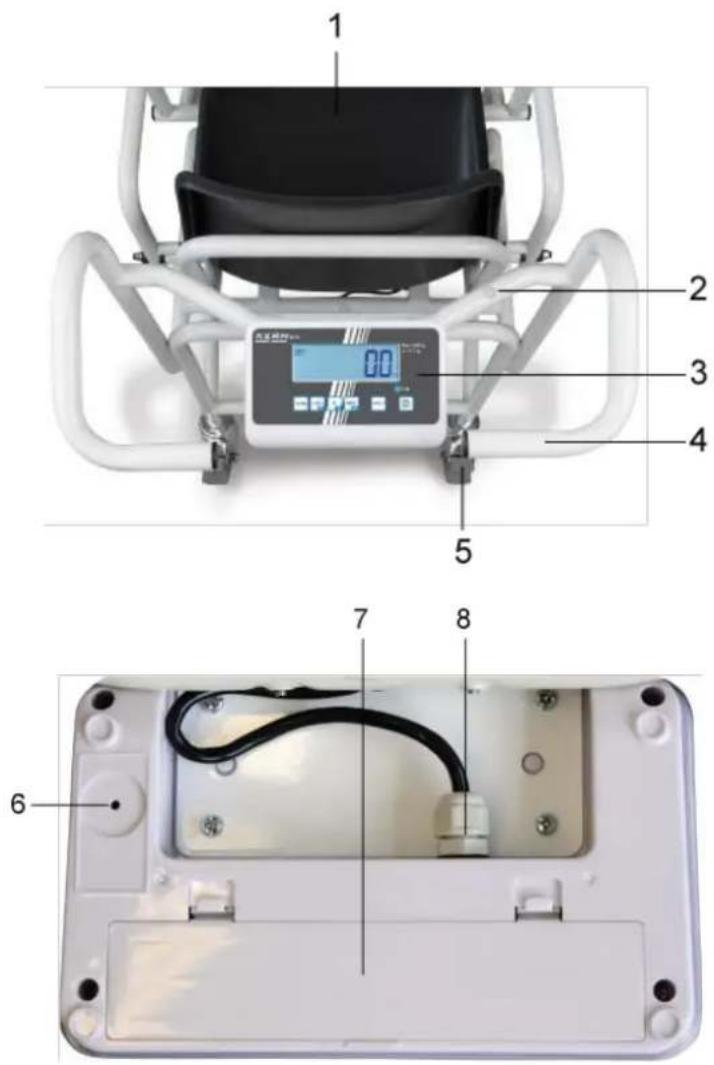
3 Appliance overview
text_image
Technical diagram of a device with labeled parts including a digital display and internal wiring, shown in two views.- Seat pan
- Bubble level
- Display Unit
- Manipulations
- Parking brake
- Adjustment switch
-
Battery compartment
-
Connection cable "Display - Chair"
Details:
natural_image
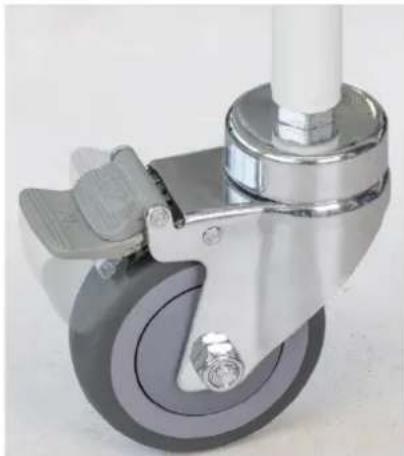
Close-up of a mechanical cuestioner with wheels and handle (no text or symbols visible)Parking brake
(please lock at every weighing process)
natural_image
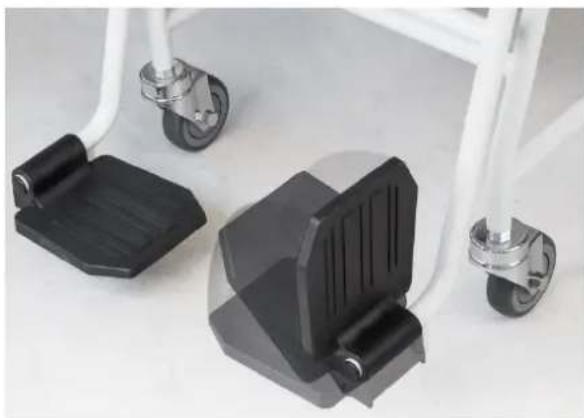
Close-up of white and black mechanical legs with attached wheels, no visible text or symbolsFoot rests
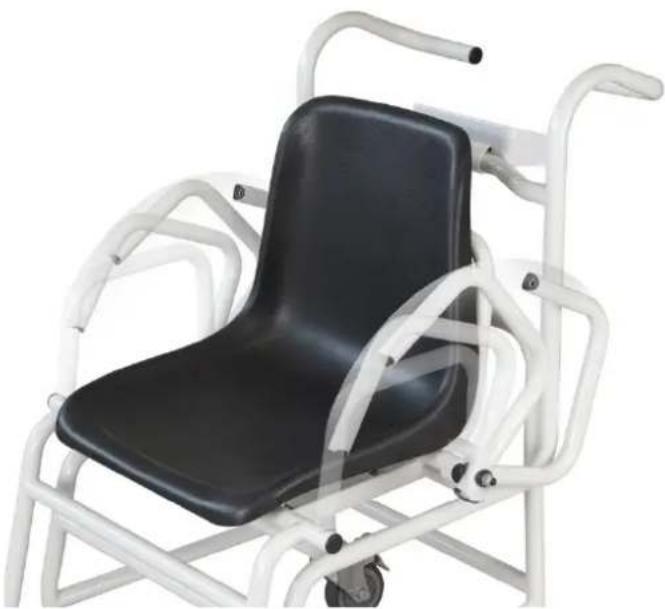
natural_image
White and black mobile phone chair with adjustable armrest and wheels (no text or symbols visible)Folding arm rests
3.1 Overview of display
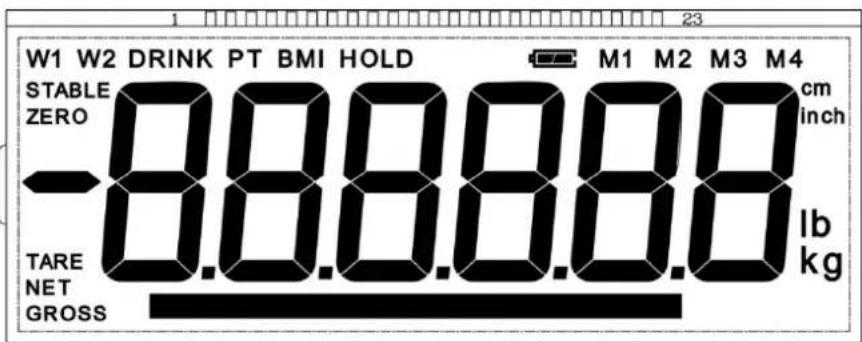
text_image
W1 W2 DRINK PT BMI HOLD M1 M2 M3 M4 STABLE ZERO cm ZERO inch -8.8.8.8.8 lb TARE NET kg GROSS kg| Display | Designation | Description |
| GROSS | Gross weight display | Lights up during indication of the gross weight |
| NET | Net weight display | Lights up during indication of the net weightIlluminated after weighing scale was tared |
| ZERO | Zeroing display | Should the balance not display exactly zero despite empty scale pan, press the button. Your balance will be set to zero after a short standby time. |
| STABLE | Stability display | Scales are in a steady state |
| BMI | Body Mass Index | Is actively displayed during active BMI function |
| HOLD | HOLD function | Is displayed with active hold functionLights when the voltage drops below the prescribed minimum. |
| Battery symbol | Lights when the battery capacity is almost exhausted.Lights when the battery is fully charged. |
3.2 Keyboard overview
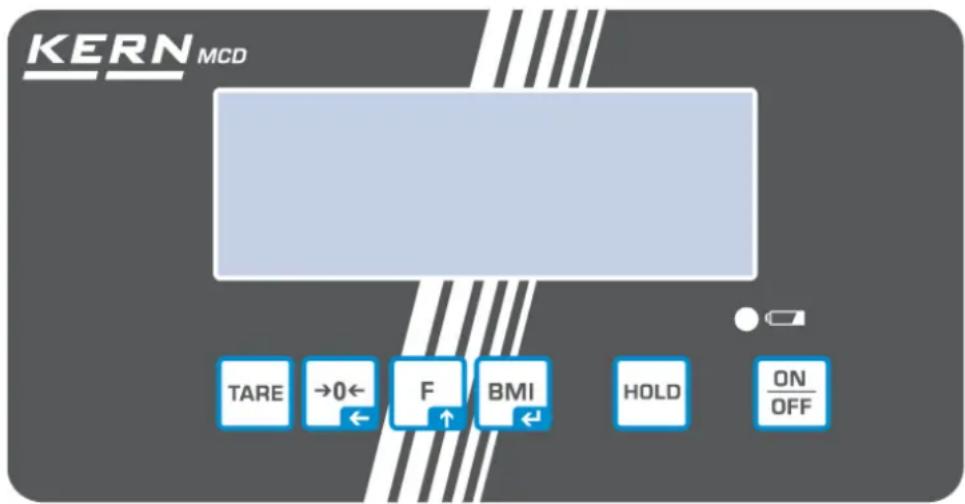
text_image
KERN MCD TARE →0← F BMI HOLD ON OFFButton Designation Function
ON/OFF button Turn on/off
HOLD button Hold function
BMI key Calculation of the Body Mass Index
In menu:
- Confirm selection
For numeric entry:
- Confirm numerical value
Function key In menu:
- Call up menu
- Select menu items
For numeric entry:
- Increase numerical value

Zero setting key Weighing scale will be reset to „0.0“
For numeric entry:
- Change decimal place

TARE key Tare balance
4 Basic Information (General)
4.1 Proper use
These scales are used to determine weight of people sitting at rest,
The person should be weighed carefully and have contact with the center of the seat, sit and stay calm.
As soon as a stable weighing value is reached the weighing value can be read.
The scales are designed for long-term usage.
Determination of the body weight.
Use as „non-standalone weighing scale“, that is, a person sits carefully onto the seating surface’s centre. Once a steady display value is shown, you can read the weight value.

The instruments shall only be used by people who can sit still.
The balances should be checked for correct condition prior to each utilisation by a person familiar with proper operation of the balance.

text_image
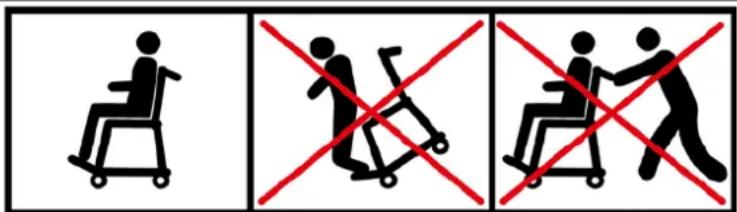
Three pictograms showing a person in a wheelchair, a crossed-out person, and a crossed-out person on a stroller, all marked with red prohibition signs.- As long as the person is sitting on the chair scales, the wheel brakes must be locked without fail.
- Do not step onto the foot rests when stepping or leaving the chair scales!
- The chair scales may not be used for the transport of people!
4.2 Improper Use
Do not use these scales for dynamic weighing processes.
No permanent load on the seat area. This may damage the measuring system.
Impacts and overloading exceeding the stated maximum load (max) of the seating surface, minus a possibly existing tare load, must be strictly avoided. This could cause damage to the balance.
Never operate balance in explosive environment. The serial version is not explosion protected. It should be noted that a flammable mixture of anesthetics and oxygen or laughing gas may occur.
Do not modify the construction of the scales. This may lead to incorrect weighing results, safety-related faults and destruction of the balances.
The balances may only be used according to the described conditions. Other areas of use must be released by KERN in writing.
The balance cannot be used to determine a body weight in practice of medicine.
4.3 Warranty
Warranty claims shall be voided in case
- Our conditions in the operation manual are ignored
■ The appliance is used outside the described uses
■ Modification or opening of appliances
■ Mechanical damage and damage caused by media, liquids,
■ Natural wear and tear - The appliance is improperly set up or incorrectly electrically connected
■ The measuring system is overloaded - Dropping of scales
4.4 Monitoring of Test Resources
In the framework of quality assurance the measuring-related weighing properties of the balances and, if applicable, the testing weight, must be checked regularly. The responsible user must define a suitable interval as well as type and scope of this test. Information is available on KERN's home page (www.kern-sohn.com) with regard to the monitoring of balance test substances and the test weights required for this. In KERN's accredited DKD calibration laboratory test weights and balances may be calibrated (return to the national standard) fast and at moderate cost.
5 Basic Safety Precautions
5.1 Pay attention to the instructions in the Operation Manual

→ Carefully read this operation manual before setup and commissioning, even if you are already familiar with KERN balances.

6 Transport and storage
6.1 Testing upon acceptance
When receiving the appliance, please check packaging immediately, and the appliance itself when unpacking for possible visible damage.
6.2 Packaging / return transport

Keep all parts of the original packaging for a possibly required return.
⇒ Only use original packaging for returning.
Prior to dispatch disconnect all cables and remove loose/mobile parts.
→ Reattach possibly supplied transport securing devices.
→ Secure all parts against shifting and damage.
7 Unpacking, Setup and Commissioning
7.1 Place of installation / place of operation
The balances are designed in a way that reliable weighing results are achieved in common conditions of use. You will work accurately and fast, if you select the right location for your balance.
On the installation site observe the following:
■ Place scales on a stable, even surface
- Avoid extreme heat as well as temperature fluctuation caused by installing next to a radiator or in the direct sunlight;
- Protect the balance against direct draughts due to open windows and doors;
- Avoid jarring during weighing;
- Protect the balance against high humidity, vapours and dust;
- Do not expose the device to extreme dampness for longer periods of time. Non-permitted condensation (condensation of air humidity on the appliance) may occur if a cold appliance is taken to a considerably warmer environment. In this case, acclimatize the disconnected appliance for ca. 2 hours at room temperature.
- Avoid static charge of the balance and of the person to be weighed.
- Avoid contact with water.
Major display deviations (incorrect weighing results) may be experienced should electromagnetic fields (e.g. due to mobile phones or radio equipment), static electricity accumulations or instable power supply occur. In that case, the location must be changed.
7.2 Unpacking
Remove the individual components of the balance or the complete balance from the packaging with care and install at the intended location. When using the power pack, ensure that the power cable does not produce a risk of stumbling.
7.3 Scope of delivery
■ Balance, completely assembled
- Operating manual
7.3.1 Roller

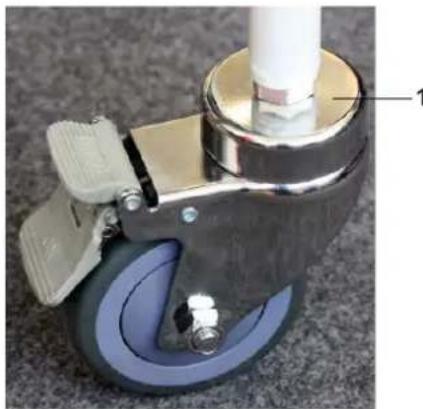
natural_image
Close-up of a mechanical device with blue wheels and a white cylindrical component (no visible text or symbols)Check regularly if these nuts (1) are securely tightened and the brakes/wheels are in good working order.
7.3.2 Levelling
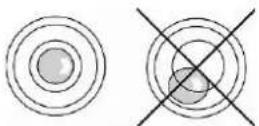
→ Level balance with foot screws until the air bubble of the water balance is in the prescribed circle.
→ Check levelling regularly.
7.4 Battery operation
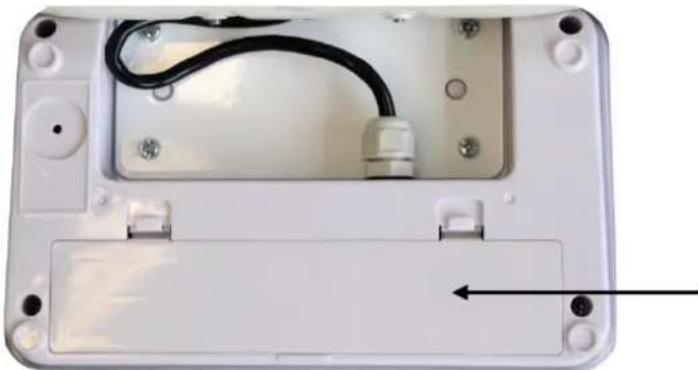
natural_image
Interior view of a white electronic device casing with visible wiring and mounting holes (no text or symbols)Open battery compartment cover at the lower side of the display unit and insert 6 x 1.5 V AA- batteries according to the example below. Lock again the battery compartment cover. If the batteries are empty, in the balance display appears the symbol . Change batteries. To save the battery, the balance switches off automatically.
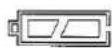
Capacity of batteries exhausted.
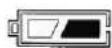
Batteries will soon be flat.
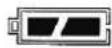
Batteries completely loaded
Insert batteries:
| Remove battery compartment cover |  |
| Connect battery retainer as per illustration to the contact of the housing | 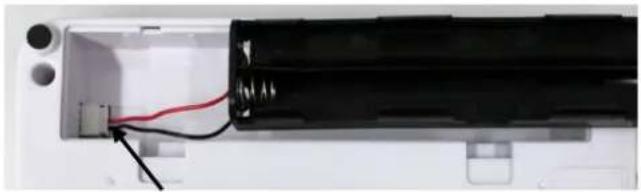 |
| Insert battery retainer | 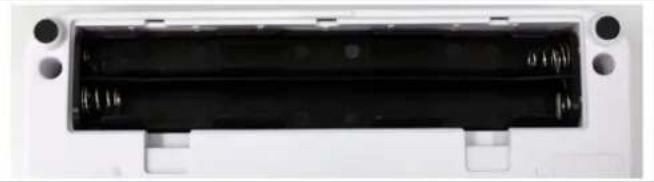 |
| Insert batteries in the battery container and lock it with battery compartment cover. | 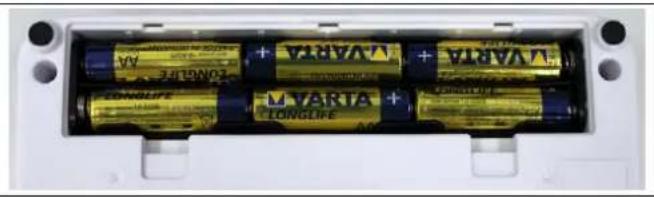 |
8 Operation
8.1 Weighing

→ Start balance by pressing

The balance will carry out a self-test
The scales are ready for operation as soon as the weight display for "0.0 kg" has appeared.

■ However, you can reset the weighing scale to zero by pressing
→ Seat person in the centre of the seat pan.
⇒ Fold down the foot rests and place the patient's feet on the respective foot rest.
→ Wait for stability display "STABLE", then read the weighing result.
→ Once the weighing process is completed fold up the foot rests.

- If a person is heavier than the maximum weighing range, "OL" (overload) will appear on the display screen.
8.2 Taring
The tare weight of any preloads can be deducted by pressing a button so that the actual weight of the person is displayed in subsequent weighings.
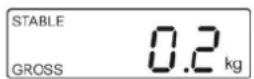
(example)
⇒ Put object (such as towel or padding) on the seating pan.
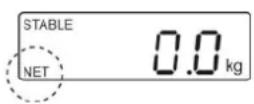
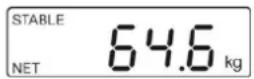
(example)
⇒ Press , the zero display appears.
⇒ „NET” is shown at the bottom on the left.
Seat person in the centre of the seat pan. Wait until the standstill display „STABLE“ appears, then read the weighing result.

- When the balance is unloaded the saved taring value is displayed with negative sign.
- To delete the stored tare value, unload the balance and press

8.3 HOLD function
The balance has an integrated standstill function (mean value calculation). This allows correct weighing determination of a person although the latter is not keeping still on the seat surface.
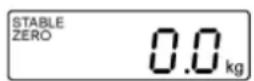
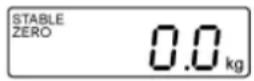
→ Start balance by pressing OFF Wait for stability display „STABLE to appear.

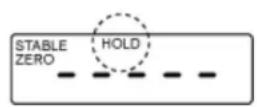
⇒ Press , in the display „----“ will appear and the „HOLD“ symbol appears.
→ Have person sit in the centre of the chair.
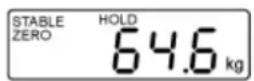
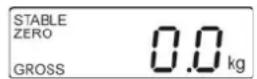
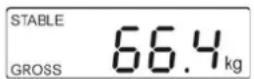
⇒ After a short time the stability display „STABLE“ appears and the weighing value of the person is displayed and „frozen“.
(example)
After unloading the balance, the weighing value remains displayed for approx. 10 seconds, than the balance changes automatically into the weighing mode.
The „HOLD“ symbol disappears.
i
There is no average value calculation in the event of too much movement.
8.4 Calculation of the Body Mass Index
You need to know a person's body height before you can calculate the BMI for that person. This should be known.
→ Start balance by

⇒ Allow the person to sit onto the chair
→ Wait for stability display „STABLE to appear.
→ Press

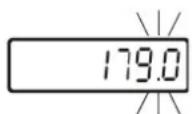
The most recently entered body height will be shown with the enable digit flashing.
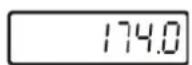
⇒ To enter body height, press the
→ Confirm the value entered with

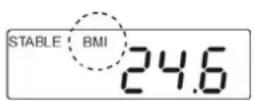
The weighing scale is now in BMI mode and the BMI symbol will be appear and the kg display disappear.
The calculated BMI value will be displayed.
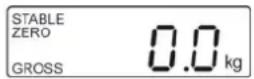
→ Return to weighing mode using
The BMI symbol will disappear and the kg display will reappear.


- Reliable calculation of BMI is restricted to a body height of 100 cm to 200 cm and a weight of >10 kg.
- If weighing has to take place under unsteady conditions, you can be stabilise the display by applying the Hold function.
8.4.1 Classification of BMI values
Weight classification for adults over 18 years of age using the BMI in accordance with WHO, 2000 EK IV and WHO 2004.
| Categorie BMI (kg/m) | ^2) Risk of diseases associated with overweight | |
| Underweight | < 18.5 | Low |
| Normal weight | 18.5 – 24.9 | Average |
| Overweight | ≥ 25.0 | |
| Pre-adipose | 25.0 – 29.9 | A bit high |
| Adipose degree I | 30.0 – 34.9 | Increased |
| Adipose degree II | 35.0 – 39.9 | High |
| Adipose degree III | ≥ 40 | Very high |
8.5 Automatic switch-off function „Auto Off“
The weighing scale will switch off automatically after the allotted time as long as neither the display unit nor the weighing surface is operated.
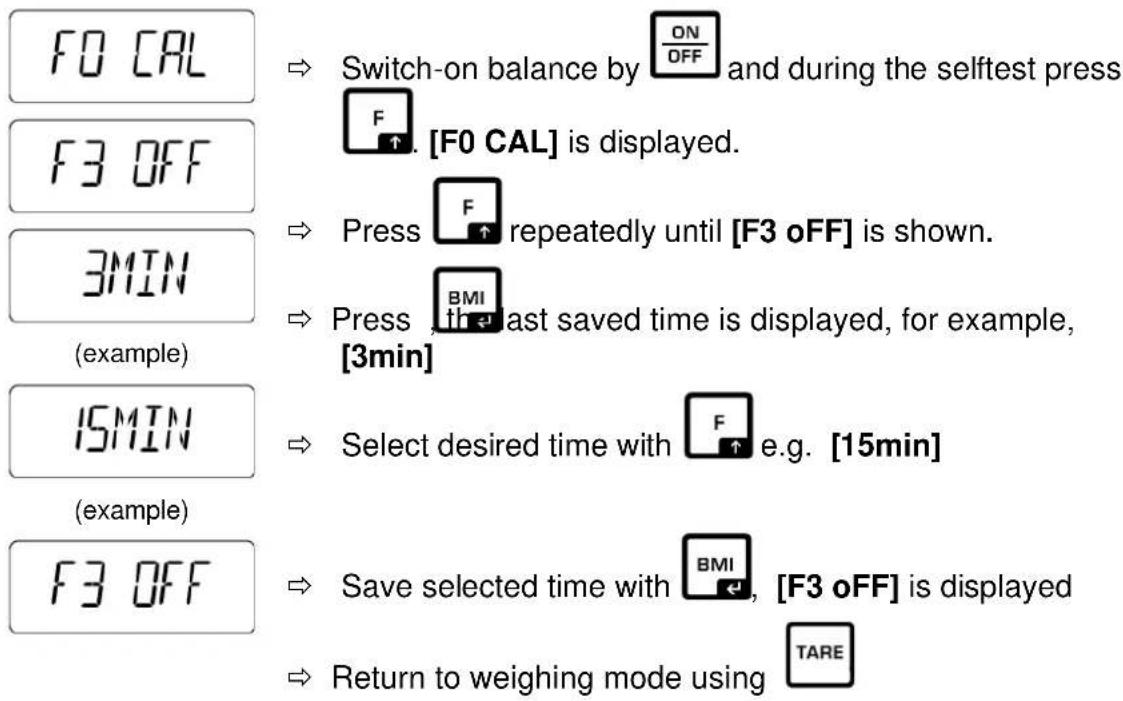
text_image
F0 CAL F3 OFF 3MIN (example) 15MIN (example) F3 OFF Switch-on balance by ON OFF and during the selftest press [F0 CAL] is displayed. Press F repeatedly until [F3 oFF] is shown. Press BMI last saved time is displayed, for example, [3min] Select desired time with F e.g. [15min] Save selected time with BMI, [F3 oFF] is displayed Return to weighing mode using TARE| [oFF 3] | Weighing system will be turned off after 3 min. |
| [oFF 5] | Weighing system will be turned off after 5 min. |
| [oFF 15] | Weighing system will be turned off after 15 min. |
9 Menu
9.1 Navigation in the menu
| Call up menu | ⇒ In weighing mode, press F and the first function [F1 oFF] will be displayed. |
| Select function | ⇒ With help of F, the individual functions can be selected one after the other. |
| Change settings | Confirm selected function by  . The current setting will be displayed.Select desired setting by . The current setting will be displayed.Select desired setting by  and confirm with the balance returns to the menu. and confirm with the balance returns to the menu. |
| Exit menu/Return to weighing mode | Press, the balance will return to weighing mode. |
9.2 Menu overview
| Function | Settings | Description |
| F0 CALAdjustment | Adjustment | |
| F1 CAP | d 0, d 0.0, d 0.00,d 0.000, d 0.0000 | Capacity |
| F3 OFFAutomatic cutoutAuto Off | oFF 3 | Automatic shutdown after 3 min. |
| oFF 5 | Automatic shutdown after 5 min. | |
| oFF 15 | Automatic shutdown after 15 min. | |
| F4 GRAGravity | Gravity | |
| F5 COM | not documented | |
10 Error messages
Display
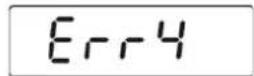
Description
Zero range exceeded
(on start-up or when pressing the 0 key)
- Load on weighing pan
- Excess load, during zero setting of weighing scale
- Incorrect adjusting process
- Fault on load cell
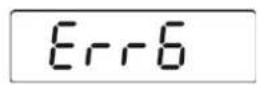
Value outside the A/D converter range
- Damaged weighing cell
- Damaged electronics
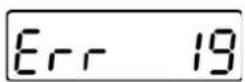
Unable to initialise zero point
• Measuring cell defective / overloaded
- Object on weighing pan / contact
• Transport safety device has not been removed
- Main board defective
OL or ----
Overload
- Unload, switch off and adjust the balance
----or „0“
Underload
- Unload, switch off and adjust the balance
Should other error messages occur, switch balance off and then on again. If the error message remains inform manufacturer.
11 Servicing, maintenance, disposal
11.1 Cleaning

Before any maintenance, cleaning and repair work disconnect the appliance from the operating voltage.
11.2 Cleaning / disinfecting
Clean weighing platform (such as seat pan) as well as casing with household detergents or commercially available disinfectants, e.g. 70% isopropanol. We recommend a disinfectant suitable for wiping disinfection. Please follow manufacturer's instructions.
Do not use abrasive or aggressive cleaners such as spirits or alcohol or similar as they might damage the high-quality surface.
11.3 Servicing, maintenance
The appliance may only be opened by trained service technicians who are authorized by KERN.
Disconnect the scales before opening.
11.4 Disposal
Disposal of packaging and appliance must be carried out by operator according to valid national or regional law of the location where the appliance is used.
12 Instant help
In case of a fault in the program sequence, the balance should be shortly switched off. The weighing process must then be restarted from the beginning.
| Failure: | Possible causes: |
| The displayed weight does not glow. | The balance is not switched on.The mains supply connection has been interrupted (mains cable not plugged in/faulty).Power supply interrupted.Battery inserted incorrectly or empty.No battery inserted. |
| The displayed weight is permanently changing | Draught/air movementTable/floor vibrationsThe seating surface is in contact with foreign bodies or is not correctly positioned.Electromagnetic fields / static charging (choose different location/switch off interfering device if possible) |
The weighing result is obviously incorrect
■ The display of the balance is not at zero.
■ Adjustment is no longer correct.
- Great fluctuations in temperature.
■ The balance is on an uneven surface.
- Electromagnetic fields / static charging (choose different location/switch off interfering device if possible)
Should other error messages occur, switch balance off and then on again. If the error message remains inform manufacturer.
13 Adjustment
As the acceleration value due to gravity is not the same at every location on earth, each display unit with connected weighing plate must be coordinated - in compliance with the underlying physical weighing principle - to the existing acceleration due to gravity at its place of location (only if the weighing system has not already been adjusted to the location in the factory). This adjustment process must be carried out for the first commissioning, after each change of location as well as in case of fluctuating environment temperature. To receive accurate measuring values it is also recommended to adjust the display unit periodically in weighing operation.

- Prepare the required adjustment weight. The adjustment weight to be applied depends on the capacity of a weighing scale, see chap. 1. Carry out adjustment as closely as possible to admissible maximum load of weighing scale. Info about test weights can be found on the Internet at: http://www.kern-sohn.com.
- Observe stable environmental conditions. For warm-up time required for stabilisation see chpt 1.
Procedure:
 | ⇒ 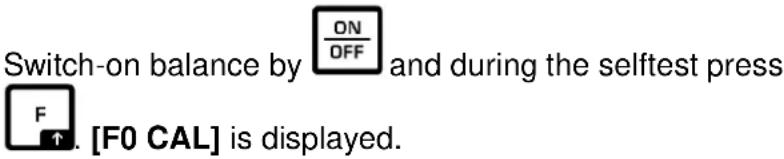 |
 | ⇒ Press  [CAL] will be displayed [CAL] will be displayed |
 | ⇒ Press  again, [ULOAD] will be displayed. again, [ULOAD] will be displayed. |
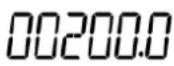 | → Wait for stability display, then press  , an adjustment weight will be displayed. The right digit flashes. Or confirm , an adjustment weight will be displayed. The right digit flashes. Or confirm  |
 | → Place a corresponding adjustment weight, wait for stability display and confirm by  |
 | → [----] will be shortly displayed, followed by [F0 CAL] The adjustment is now finished. Should an error occur, repeat adjustment. |

KERN MCD
Version 1.0 2017-10
natural_image
Close-up of a metallic and gray industrial-style vehicle wheel with a handle (no text or symbols visible)natural_image
Close-up of a white bicycle pedal mechanism with black and gray components, no visible text or symbolsRepose-pieds
natural_image
White and black medical mobility chair with adjustable armrest (no text or symbols visible)text_image
KERN MCD TARE →0← F BMI HOLD ON OFFnatural_image
Close-up of a mechanical device with blue wheels and a white cylindrical component (no visible text or symbols)natural_image
Interior view of a white electronic device casing showing internal components and wiring (no text or symbols visible)natural_image
Interior view of a battery pack with four different colored batteries (no visible text or symbols)8 Fonctionnement
8.1 Pesage