MGD 100K-1S05 - Scale Kern - Free user manual and instructions
Find the device manual for free MGD 100K-1S05 Kern in PDF.


User questions about MGD 100K-1S05 Kern
0 question about this device. Answer the ones you know or ask your own.
Ask a new question about this device
Download the instructions for your Scale in PDF format for free! Find your manual MGD 100K-1S05 - Kern and take your electronic device back in hand. On this page are published all the documents necessary for the use of your device. MGD 100K-1S05 by Kern.
USER MANUAL MGD 100K-1S05 Kern
natural_image
Digital kitchen scale with a digital display showing 0.0 mm, no text or symbols on the device itself.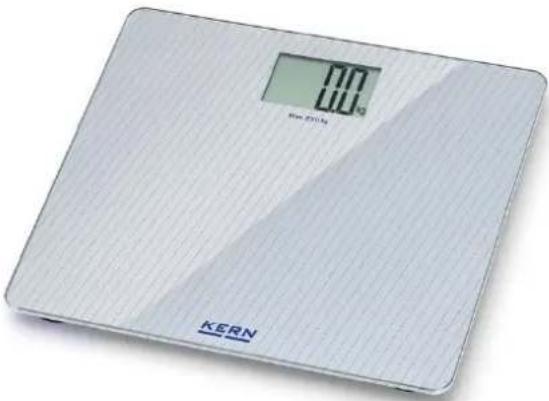
natural_image
Digital kitchen digital scale with a digital display showing 100g, no visible text or symbols on the device itself.GB Further language versions you will find online under www.kern-sohn.com/manuals
natural_image
Simple line drawing of a trash bin with two crossed lines (no text or symbols)1 Technical data 2
2 Declaration of conformity 2
3 Basic Information (General) 3
3.1 Proper use.... 3
3.2 Improper Use.... 3
3.3 Warranty 3
4 Basic Safety Precautions.... 3
4.1 Pay attention to the instructions in the Operation Manual 3
5 Transport and storage 4
5.1 Testing upon acceptance.... 4
5.2 Packaging....4
6 Unpacking, Installation and Commissioning 4
6.1 Installation Site, Location of Use.... 4
6.2 Unpacking 4
6.3 Battery operation....5
6.4 Switching the units....5
7 Using the balance....6
8 Servicing, maintenance, disposal 6
8.1 Cleaning 6
8.2 Servicing, maintenance....6
8.3 Disposal....6
9 Error message 7
10 Instant help....7
1 Technical data
| KERN | MGD 100K-1 | MGD 200K-1L |
| Readability (d) | 0.1 kg | 0.1 kg |
| Weighing range (max) | 180 kg | 250 kg |
| Accuracy | +- 0.5% +- 0.1kg | |
| Height of digits (mm) | 40 | 50 |
| Weighing Units | kg, lb | |
| Stabilization time | 2 sec. | |
| Operating temperature | -10°C .... + 40°C | |
| Humidity of air | max. 80 % (not condensing) | |
| Battery | 2 x CR2032Operating period: 100 hAuto-Off: 10 sec. | 3 x 1.5 V AAAOperating period: 100 hAuto-Off: 10 sec. |
| Dimensions (B x D x H) mm | 300 x 300 x 19 | 380 x 330 x 27 |
| Material weighing platform | Glass | |
| Weight kg (net) | 1.5 | 2.0 |
2 Declaration of conformity
The current EC/EU Conformity declaration can be found online in:
www.kern-sohn.com/ce
3 Basic Information (General)
3.1 Proper use
The balance you purchased is intended to determine the weighing value of material to be weighed. It is intended to be used as a “non-automatic balance”, i.e. the material to be weighed is manually and carefully placed in the centre of the weighing plate. As soon as a stable weighing value is reached, the weighing value can be read.
3.2 Improper Use
- Our balances are non-automatic balances and not provided for use in dynamic weighing processes. However, the balances can also be used for dynamic weighing processes after verifying their individual operative range, and here especially the accuracy requirements of the application.
- Do not leave permanent load on the weighing plate. This may damage the measuring system.
- Impacts and overloading exceeding the stated maximum load (max) of the balance, minus a possibly existing tare load, must be strictly avoided. Balance may be damage by this.
- Never operate the balance in explosive environment. The serial version is not explosion protected.
- The structure of the balance may not be modified. This may lead to incorrect weighing results, safety-related faults and destruction of the balance.
- The balance may only be used according to the described conditions. Other areas of use must be released by KERN in writing.
3.3 Warranty
Warranty claims shall be voided in case:
- Our conditions in the operation manual are ignored
- The appliance is used beyond the described uses
- The appliance is modified or opened
- Mechanical damage or damage by media, liquids, natural wear and tear
- The appliance is improperly set up or incorrectly electrically connected
- The measuring system is overloaded
4 Basic Safety Precautions
4.1 Pay attention to the instructions in the Operation Manual
Attention:
Stepping on the edge of the weighing plate may cause tilting of balance or fall of person.

→ Carefully read this operation manual before setup and commissioning, even if you are already familiar with KERN balances.
5 Transport and storage
5.1 Testing upon acceptance
When receiving the appliance, please check packaging immediately, and the appliance itself when unpacking for possible visible damage.
5.2 Packaging
Keep all parts of the original packaging in case you need to return the appliance. Only use original packaging for returning.
6 Unpacking, Installation and Commissioning
6.1 Installation Site, Location of Use
The balances are designed in a way that reliable weighing results are achieved in common conditions of use.
You will work accurately and fast, if you select the right location for your balance.
On the installation site observe the following:
- Place the balance on a firm, level surface.
- Avoid extreme heat as well as temperature fluctuation caused by installing next to a radiator or in the direct sunlight.
- Protect the balance against direct draughts due to open windows and doors.
- Avoid jarring during weighing.
- Protect the balance against high humidity, vapours and dust.
- Do not expose the device to extreme dampness for longer periods of time. Non-permitted condensation (condensation of air humidity on the appliance) may occur if a cold appliance is taken to a considerably warmer environment. In this case, acclimatize the disconnected appliance for ca. 2 hours at room temperature.
- Avoid static charge of goods to be weighed or weighing container.
- Do not operate in areas with hazard of explosive material or in potentially explosive atmospheres due to materials such as gasses, steams, mists or dusts.
- Keep away chemicals (such as liquids or gasses), which could attack and damage the balance inside or from outside.
- In the event of the occurrence of electromagnetic fields, static charges (e.g., when weighing / counting plastic parts) and unstable power supply, large display deviations (incorrect weighing results, as well as damage to the scale) are possible. Change location or remove source of interference.
6.2 Unpacking
Take the whole balance out of their packaging and place them at the intended position. In addition to the scales, delivery also includes operating instructions.
6.3 Battery operation
"LO" on the display indicates that the battery load status is low. Replace batteries as quickly as possible with a new set.
If the balance is not used for a longer time, take out the batteries and store them separately. Leaking battery liquid could damage the balance.
6.4 Switching the units
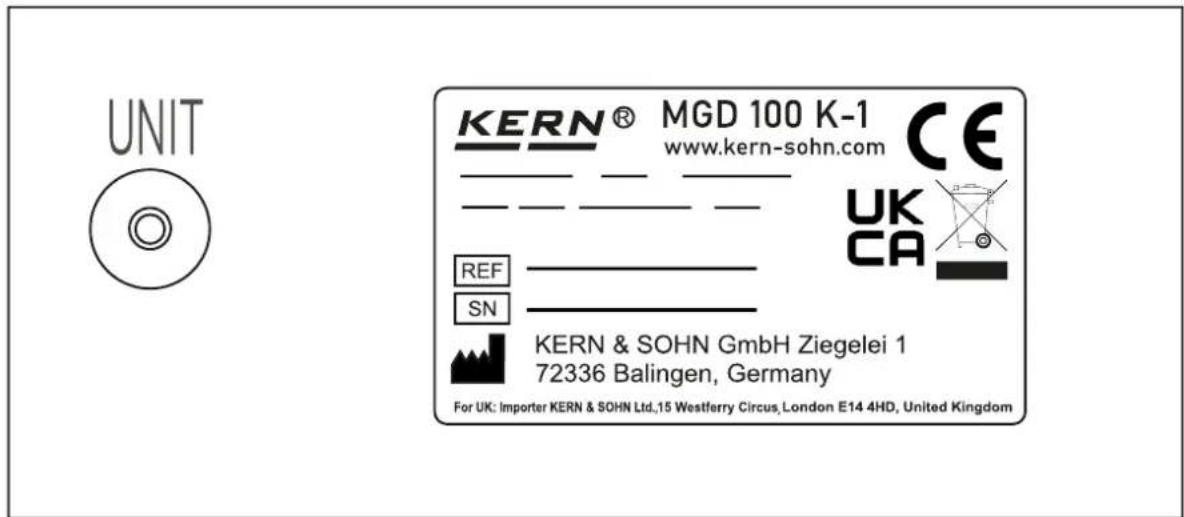
There is a button on the back of the scale which can be used to switch the units between kg and lb when the scale is switched on.
text_image
UNIT KERN® MGD 100 K-1 www.kern-sohn.com CE UK CA REF SN KERN & SOHN GmbH Ziegelei 1 72336 Balingen, Germany For UK: Importer KERN & SOHN Ltd.,15 Westferry Circus, London E14 4HD, United Kingdom7 Using the balance
⇒ The weighing process requires that the person stands on the weighing plate in a way that provides even weight distribution over the entire weighing plate.
⇒ The display will be flashing during the weighing process.
When the weighing value is stable, the weight of the person can be read.
⇒ The weighing value will be shown for approx. 10 seconds, after which the scales will turn off automatically.
Remark: The typical weight of a person will vary over the day, and equally from one day to the next. Minor weight variations are considered normal.
8 Servicing, maintenance, disposal
8.1 Cleaning
Do not use aggressive cleaning agents (solvents or similar) but only a damp cloth with mild soapsuds, or household cleaner. Ensure that no liquid gets inside the unit and rub with a soft, dry cloth.
Loose dirt can be removed carefully with a brush or hand-held vacuum cleaner.
Balance must not be tilted or rotated for cleaning, as damage may occur.
Remove dirt immediately.
8.2 Servicing, maintenance
The appliance may only be opened by trained service technicians who are authorized by KERN.
8.3 Disposal
Disposal of packaging and appliance must be carried out by operator according to valid national or regional law of the location where the appliance is used.
9 Error message
"Err" on the display indicates that the weighing range has been exceeded. Please take the weight off the scales.
10 Instant help
Help:
Fault
The displayed weight is permanently changing
The weighing result is obviously incorrect
Possible cause
- Draught/air movement
• Table/floor vibrations - Weighing plate has contact with other objects
-
Electromagnetic fields / static charging (choose different location/switch off interfering device if possible)
-
The display of the balance is not at zero
- Great fluctuations in temperature.
- Electromagnetic fields / static charging (choose different location/switch off interfering device if possible)
If the error message remains inform manufacturer.
KERN MGD
Version 1.1 2024-04