
Black800 5K - Camera BRAUN - Free user manual and instructions
Find the device manual for free Black800 5K BRAUN in PDF.
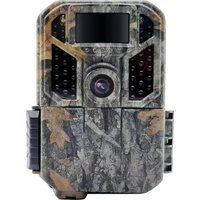


| Product type | Surveillance camera / Trail camera |
| Dimensions | 122 x 94 x 72 mm |
| Power supply | 6 AA 1.5V batteries (alkaline or lithium) or external 9V DC power |
| Maximum photo resolution | 48 MP |
| Maximum video resolution | 5K at 30 fps |
| Viewing angle | 102° |
| Infrared illumination range | 20 m |
| Trigger distance | 20 m |
| PIR detection angle | 90° |
| Trigger time | 0.6 s |
| Built-in screen | 2.0" color |
| External storage | microSD card up to 512 GB (class 10) |
| Waterproof rating | IP66 |
| Operating temperature | -20 °C to 60 °C |
| Standby battery life | Up to 12 months (with lithium batteries) |
| Operating modes | Photo, Video, Photo+Video, Time-lapse |
| Audio recording | Yes (on/off) |
| Security | Password protection (4 digits) |
| Maintenance and cleaning | Gently clean the PIR sensor by blowing; do not wipe to avoid scratches |
| Repairability | Repair only by authorized technician; do not disassemble the housing |
| Available languages | French, English, German, Spanish, Italian, Dutch, etc. (14 languages) |
Frequently Asked Questions - Black800 5K BRAUN
User questions about Black800 5K BRAUN
0 question about this device. Answer the ones you know or ask your own.
Ask a new question about this device
Download the instructions for your Camera in PDF format for free! Find your manual Black800 5K - BRAUN and take your electronic device back in hand. On this page are published all the documents necessary for the use of your device. Black800 5K by BRAUN.
USER MANUAL Black800 5K BRAUN

BRAUN®
GERMANY
Introduction
- Format memory card

BRAUN®
GERMANY
Introduction
Congratulations on the purchase of your new device. You have selected a high-quality product. The operating instruction is one constituent of this product. It contains important information about safety, use and disposal.
Before using the product, familiarize yourself with all operating and safety instructions. Use this product only as described and only for the specified areas of application.
Intended Use
This device is intended only for recording digital photos and videos, particularly for observing wildlife.
If the camera is placed outdoors, the changes in the weather could lead to error record.
Safety
Please read below safety precautions carefully before using the camera.
- Do not try to disassemble the product case. Only authorized technician can repair the product.
- The camera will be hot after long-time use.
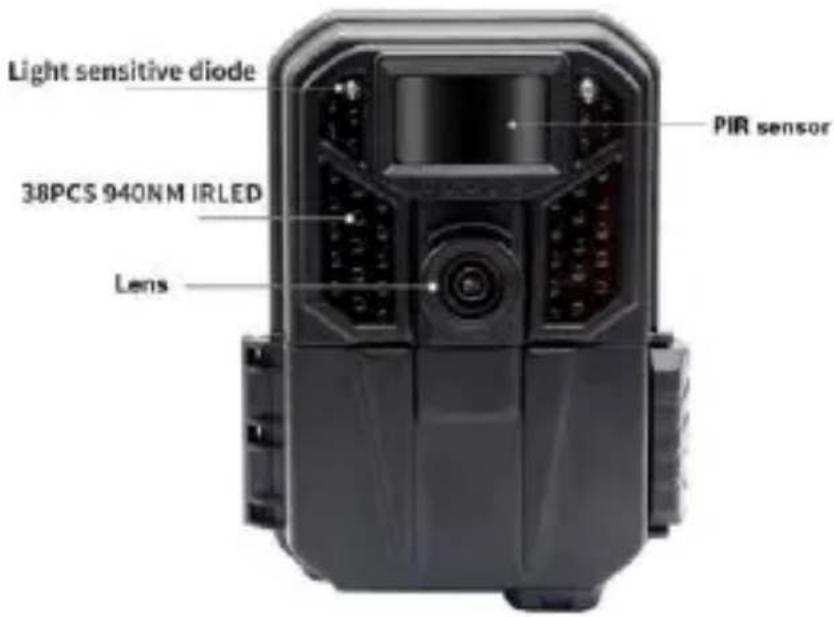
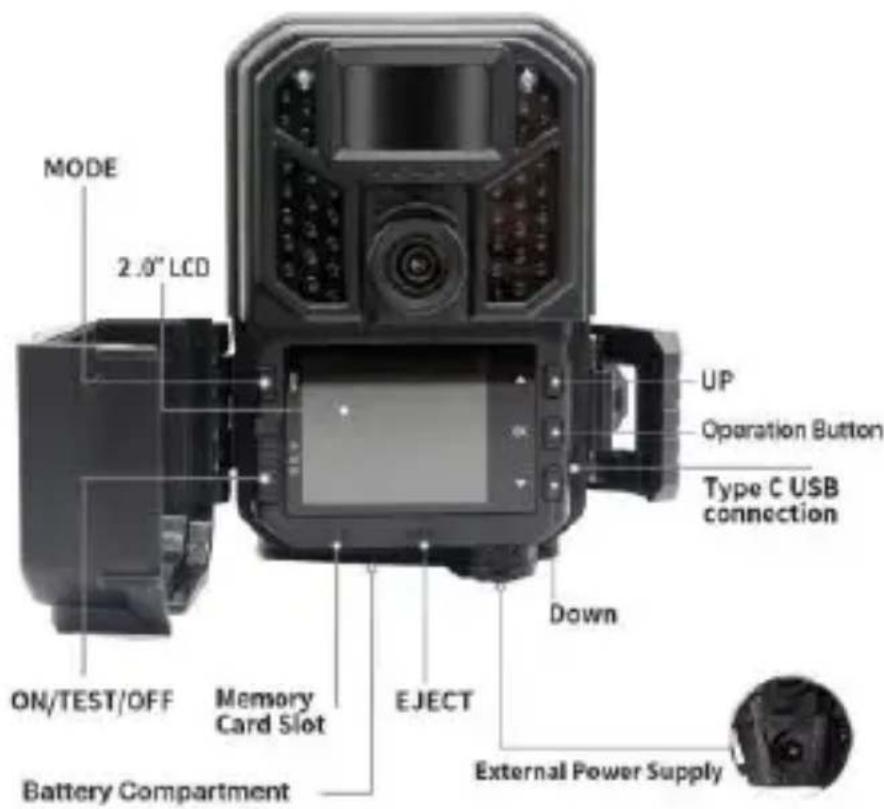
CAMERA OVERVIEW
SIMPLE TO USE
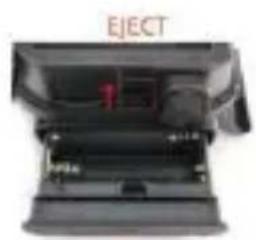
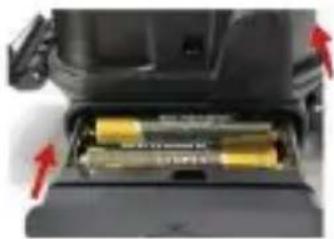
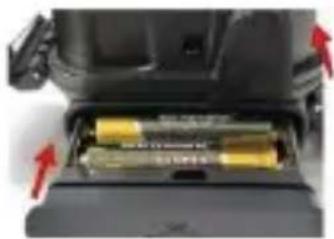
- Pull EJECT Button to eject battery compartment
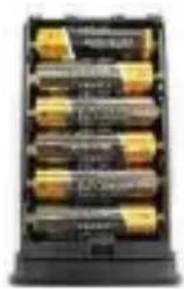
- Install 6PCS 1.5V AA batteries
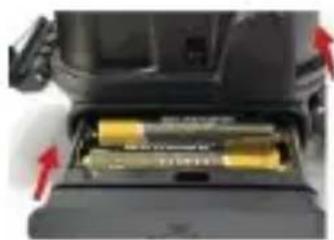
- Insert battery compartment
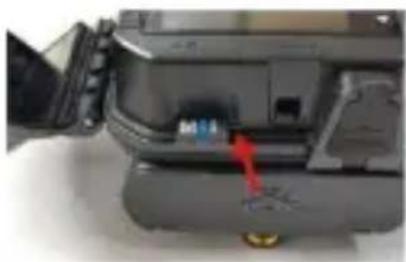
- Insert Micro SD card
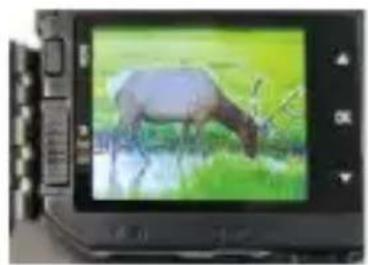
5. Switch camera to TEST mode
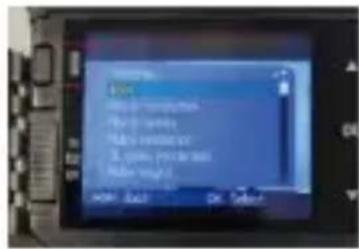
- Press MODE button to enter Menu
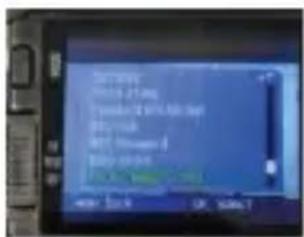
- Format memory card
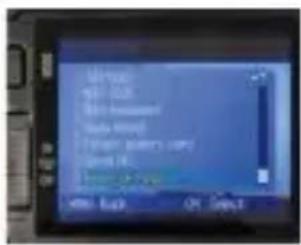
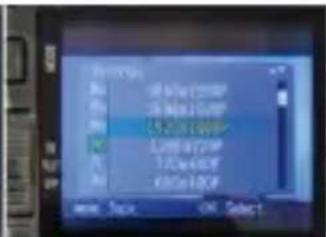
- Reset Settings
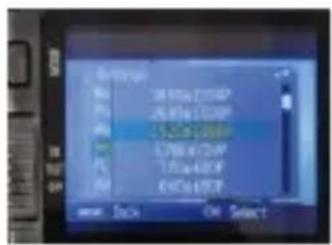
- Program settings
10. Switch camera to ON mode to use
1. IMPORTANT NOTES
1.1. About Batteries
Requires 6PCS 1.5V AA Alkaline or Lithium batteries.
We recommend the use of Energizer AA Lithium batteries in this camera to obtain maximum battery life.
Do not mix old and new batteries.
Do not mix battery type.
Rechargeable NiMH AA batteries can be used, but are NOT recommended as the lower voltage (generally 1.2V) they produce can cause night recording issues, and you also may have to replace them frequently.
Remove batteries when the camera is NOT in use.
1.2. About Micro SD Card
Requires a standard-size micro SDXC/SDHC memory card (max capacity 512GB, Class 10).
Before use, please format the memory card in the camera in case the memory card may not work with your camera.
Please gently remove the protective films on the front of the camera to get the best
performance, especially the protective films attached to the PIR motion sensor may cause promotion detection performance, even no capture.
2. INTRODUCTION
- High quality pictures 48MP still photos
- Real 4K@30FPS video clips with audio, 5K@30FPS max.
-1080P slow motion videos
Clear night vision, flash range of 20m, the camera is equipped with 38pcs high performance infrared no glow 940nm LED that function as a flash (invisible to human and animal eyes)
- Wide view angle 102°
- Easy to use/program with well-designed operation buttons
- Built-in 2 inch color screen, easy to program, review pictures and videos on the screen.
- Two working modes: Infrared trigger and Time lapse target time recording
- Fast trigger time - approx. 0.6s, Fast recovery time - 0.2s
- Long trigger distance up to 20m, Detection Angle 90°
- Info strip on each capture: Date, Time, Temperature & Moon Phase, Cycle Storage, Time Lapse, Password Protection
- Built for any climate - IP66, Operation Temperature: -20\~60°C
- Support Micro SD/SDHC/SDXC memory card, max capacity 512GB
- Extremely long in-field battery life of up to 12 months in a stand-by state with 6 AA 1.5V batteries (batteries are not included)
3. PARTS AND CONTROLS
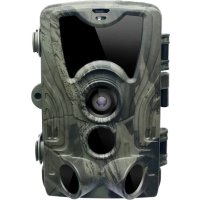
The camera is equipped with 38pcs high-efficiency infrared LED, LED Indicator, Lens, and PIR Sensor.
TIP : During use, if the black PIR sensor cover is dirty, it does not affect the performance.
If you must clean it, please try to blow it off or pick out the dirt very lightly. Do not try to wipe it, which may cause more scratches. Due to the reliability design of the PIR sensor, scratches do not reduce the PIR detection performance.
4. CAMERA OPERATION
The power switch has three operational modes: "OFF", "ON", and "TEST".
| Power Switch | Functions |
| “OFF” Mode | 1. install/ replace the batteries2. insert a Micro SD card3. connect to an external device or a power source |
| “ON” Mode | 1. Display the working mode, count down 5 seconds and start working |
| “TEST” Mode | 1. Set up the camera2. Manual shooting-Press the UP key, then press OK to record videos and press OK to stop.-Press the DOWN key, then press SHOT to take photo.3. Playback, press Mode and select Playback and OK. |
5. ADVANCED SETTINGS
| Parameter | Settings(Bold =default) | Description |
| Playback | Playback photo or video on camera | Press OK twice to enter Playback, press Up/Down buttons to read files Under Playback mode, press menu to delete or write protect the photos or videos. |
| Mode | Photo + Video, Photo, Video | Select whether photos or video clips are taken.Photo + Video: camera will take a photo first, then start recording video. |
| Photo Resolution | 48MP, 30MP, 24MP, 16MP, 12MP, 8MP, 5MP | Select a desired resolution for photos. Higher resolution produces better quality photos but creates larger files that take more of the micro SD card capacity. Larger files require a longer time to write to the SD card, which will slightly slow the shutter speed. |
| Photo Series | 1, 2, 3 | Select the number of photos taken in sequence per trigger. |
| Video Resolution | 5K@30fps; 4K@30fps; 2.7K@30fps; 1080P@120fps; 1080P Slow Motion@30fps; 1080P@60fps; 1080P@30fps; | Select video resolution. Higher resolution produces better quality videos but creates larger files that take more of the micro SD card capacity. |
| Video Length | 5 seconds, 5-59 sec., 1-5 min., programmable | Select video recording length. Note: It is highly recommended to set the night video length to less than 30 seconds as the IR LEDs will consume more battery power for recordings during night. |
| Beep Sound | On/Off | Turn the sound when pressing a button On/Off. |
| Audio Recording | On/Off | Select On will record video with sound. |
| Stamp | On/Off | Date, time, moon phase will be printed on the photo or video. |
| IR Brightness | HighLight/Normal/Economics | IR LED brightness can be programmed. |
| PIR Sensitivity | High/Normal/Low | Select the sensitivity of the PIR sensor. Temperature affects sensitivity. The High setting is suitable when the ambient temperature is warm, or you want to capture distant objects or capture more. The Middle/Low setting is helpful in cold weather.Note: this option is invalid if the Mode is set as “Time Lapse” |
| PIR Interval | 5 seconds, 5-59 sec; 1-60 min programmable | Select the shortest length of time that the camera will wait until it responds to any subsequent triggers from the PIR sensor after an animal is first detected. During the selected interval, the camera will not take pictures/videos. This prevents the memory card from filling up with too many redundant images.Note: This option is invalid if the Mode is set as “Time Lapse”. |
| Time-Lapse | On/Off | Camera can be set with fixed trigger time, from 30--59 sec., 1-59 min., or 1-24 hrs., instead of PIR trigger. |
| Target recording time1/2 | On/Off | Target recording time can be programmed at any time from 00:00 to 23:59. |
| Password Protection | On/Off | Set up a 4-digit password to protect your camera from unauthorized users. |
| Temperature Unit | Celsius/Fahrenheit | Select whether the temperature is displayed in Celsius or Fahrenheit on the recordings. |
| FormatMemoryCard | On/Off | All files will be deleted after formatting the SD card. It's highly recommended that you format the SD card if it has been used previously on other devices.Caution: make sure the wanted files on the SD card have been backed up first! |
| ResetSettings | On/Off | Selecting Yes will return all your previous settings back to the manufacturer's default. |
| CycleStorage | On/Off | Selecting the On option will cause the oldest files to be overwritten with new captures when the SD card reaches its capacity. With the Off option selected, the camera will stop capturing images once the SD card is full. |
| Language | English, German, Danish, Finnish, Swedish, Spanish, French, Italian, Dutch, Japanese, Czech, Slovak, Polish | Multi languages available for customers to set the preferred using language. |
6. INSTALLATION
If you want to mount the camera on a wall.
- Mark the installation position using the metal plate and drill holes in the wall.
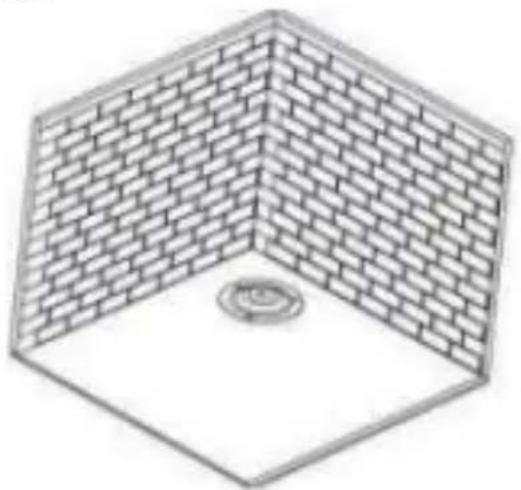
- Insert the white anchors into the holes.
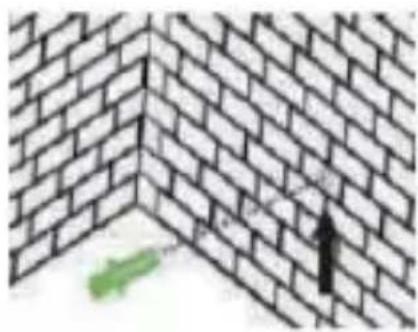
Attach the mounting bracket as shown in the picture.
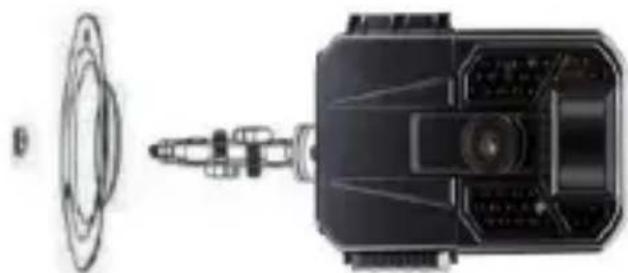
Place the camera in the chosen position and secure it with screws.
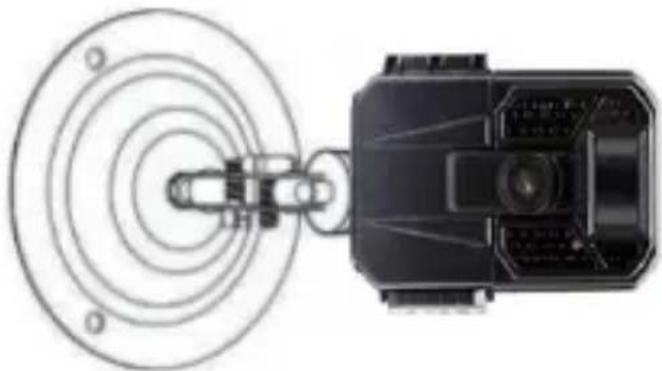
If you want to mount the camera on a tree.
- Thread the installation strap through the support on the back of the camera.
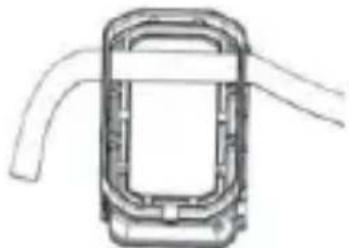
- Position the camera at the base of the tree.
- Go to the other side of the tree, thread the strap through the buckles as shown in the picture.
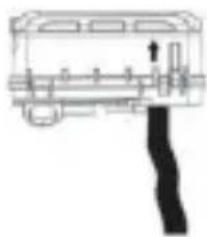
- Adjust the position of the camera, then tighten the belt.
- If you are concerned that the camera might fall, you can also use the Fixation Kit and the Installation Belt together to ensure that the camera is securely fixed in the correct position.
PRECAUTIONS FOR USE
Please read all safety notes and helpful tips before using the camera. Safety Notes
- The device is only designed for wildlife observation, hunting, and security monitoring. Do not use it for any other purpose.
- Do not immerse the camera in water.
- Do not disassemble the camera. Please feel free to contact our customer service for help.
- Do not use a different type of power source, as it may result in fire or electric shock.
- Always switch off the camera and remove the batteries after use.
- Always disconnect the power supply during a thunderstorm or lightning.
- Never subject the LCD display to heavy shocks, as it may damage the screen and cause liquid to leak from inside. In case of contact with eyes or skin, rinse with plenty of water immediately and seek medical attention.
Helpful Tips
- Place the device on an even surface or a stable stand. If you want to mount the camera on a tree trunk, install it using the premium-quality mounting hardware or strap designed for this camera.
- Operate the camera in a well-ventilated area.
- To prevent damage, never subject the camera to heavy shocks and do not shake or drop it.
- The device is not intended for use by children. Keep it out of the reach of children.
Note:
- Switch off the camera before inserting or removing the Micro SD Card. Do not insert or remove the SD card when the power switch is in the "ON" position.
- Camera only operates after installing a Micro SD Card.
FAQ
If your camera does not seem to be functioning properly or if you are having photo/video quality issues, please check if you are using the latest firmware, and check the Troubleshooting/FAQ section.
Q: Camera won't power up
Make sure that you have installed six 1.5V new batteries in the battery compartment, filling all battery spaces with no "gaps". Make sure that the batteries are installed correctly, observing proper polarity. Always place the negative (flat) end of each battery in contact with the spring side of its slot inside the camera. Or install the batteries again to check if the camera can power up.
We recommend using new 6 high-quality 1.5V Alkaline or Lithium AA batteries. In some cases, the new batteries might be defective, even would be no power, it would be quite good if you have meter to measure the batteries voltage to double check. Rechargeable AA batteries are NOT recommended as the lower voltage they produce can cause operational issues. The worst case is that the camera can't be powered up.
Q: The camera takes great daytime pictures, but nighttime pictures are all black.
Manually take pictures at low lighting place (such as a dark room indoors). Review the pictures on the camera screen or your computer, if they are still all black, send the version and the black pictures to our support email for further assistance.
Q: The camera takes continuous images of no subject
A camera has what is known as a "False Trigger" if the PIR sensor thinks that there is motion and heat in front of the camera lens when there is no subject in the image. These "False Triggers" are the result of placing the camera in an environment where there is motion associated with tree branches creating motion in front of the camera or an area where there is high heat in the foreground and any motion from wind could set off the camera. Setting a camera up over water is also a potential cause for this issue. To remedy this situation:
Try moving the camera to an area that does not have any of these issues or try changing the sensor level on the menu settings.
If the camera continues to take images when there is no subject in them, try placing the camera in an inside environment and aiming at a location where there is no motion.
If the camera continues to show issues, then there is probably an electronic component issue. If this is the case, please contact our customer service to send the camera back for repair.
Q: Battery life is shorter than expected
Battery life will vary with operating temperature and the number of images taken over time. Typically, the camera will be able to capture several thousand images before the batteries die.
Check to make sure you have used new batteries. We recommend using six good quality Lithium AA 1.5V batteries in all cameras to obtain maximum battery life.
Make sure that you are using a good quality name-brand SD card in your camera. Our experience indicates that poor-quality SD cards can sometimes reduce your camera battery life.
| Mode | Photo Video Photo+Video |
| Photo resolution | 48MP/30MP/24M/16MP/12MP/8MP/5MP |
| Video resolution | 5K@30fps; 4K@30fps; 2.7K@30fps; 1080P@120fps; 1080P Slow motion @30fps; 1080P@60fps; 1080P@30fps; |
| File format | JPG & MOV. |
| Photo Series | 1-3, programmable |
| Lens | Focal Length=4.9mm F/NO=1.6 View Angle=102° |
| Video Length | 5-59 sec, 1-5 min programmable |
| Audio Recording | On/Off |
| PIR Interval | 5-59 sec; 1-60 min programmable |
| PIR sensitivity | High/Normal/Low |
| IR Brightness | High/Normal/Eco |
| Serial No. | Off/On, 6 digit numbers or 26 alphabets |
| Date & Time | Year/Mon/Day; Hr/Min/Sec |
| Loop Recording | On/Off |
| Beep Sound | On/Off |
| Memory Card Format | No/Yes |
| Language | English, German, Danish, Finnish, Swedish, Spanish, French, Italian, Dutch, Japanese, Czech, Slovak, Polish |
| Password Protection | Off/On, 4 digit numbers or 26 alphabets |
| Factory Reset | No/Yes |
| Version Info | Support |
| External memory | Micro SD card up to 512GB |
| Range of IR flash | 20 m |
| Triggering distance | 20 m |
| Detection angle of PIR sensors | 90° |
| Triggering time | 0.6 seconds |
| Effective shooting distance | Daytime:1m-infinitive;Night time:1m-20m |
| Built-in Microphone | Yes |
| Built-in Speaker | Yes |
| Auto power off (when switch is in TEST position) | Auto power off in 1 minute while no keypad controlling |
| Interface | External: USB-C; Micro SD Card slot; 9V CC power jack |
| Power supply | Batteries: 6 x 1.5V AA batteriesExternal power supply 9V 1ADC jack 5.5*2.1mm |
| Standby time | Up to 12 months |
| Waterproof | IP66 |
| Operating temperature | -20°C to +60°C |
| Dimension | 122*94*72mm |
| Accessories list | USB-C cable, user manual, wall mount,screws, strap |
Privacy Policy
In every country, legal data protection rules apply. As these rules may vary per country, please contact the appropriate authorities to learn about the latest privacy policy in your country. In any case kindly note:
- Do not observe public areas such as sidewalks, roads, parking lots, etc.
- Never observe your staff.
- Respect the general right of privacy.
- Do not publish pictures showing individuals without having their permission. Do not publish pictures showing identifiable automobile license plates.
- Make aware of the observed areas with a sign and inform your neighbors and visitors if necessary.

CE MARKING
The CE marking complies with the European standards and indicates that the product meets the requirements of the applicable EU directives. The complete declaration of conformity can be found on our website www.braun-phototechnik.de directly on the product page.

BRAUN®
GERMANY
Introduction
- Install 6 AA 1.5 V batteries
CE MARKING

BRAUN®
GERMANY
Introduction
- 1080P slow motion video

BRAUN®
GERMANY
Introduction
- Install 6 AA 1.5 V batteries
- Reset settings
- Program settings
- BRAUN®
- GERMANY
- INTRODUCTION
- INTENDED USE
- SAFETY
- CAMERA OVERVIEW
- SIMPLE TO USE
- IMPORTANT NOTES
- ABOUT BATTERIES
- ABOUT MICRO SD CARD
- PARTS AND CONTROLS
- CAMERA OPERATION
- ADVANCED SETTINGS
- INSTALLATION
- PRECAUTIONS FOR USE
- HELPFUL TIPS
- NOTE
- FAQ
- Q: CAMERA WON'T POWER UP
- Q: THE CAMERA TAKES GREAT DAYTIME PICTURES, BUT NIGHTTIME PICTURES ARE ALL BLACK
- Q: THE CAMERA TAKES CONTINUOUS IMAGES OF NO SUBJECT
- Q: BATTERY LIFE IS SHORTER THAN EXPECTED
- PRIVACY POLICY
- CE MARKING
Brand : BRAUN
Model : Black800 5K
Category : Camera