
Scouting Cam Black550 - Camera BRAUN - Free user manual and instructions
Find the device manual for free Scouting Cam Black550 BRAUN in PDF.
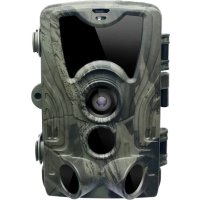


| Product type | Trail camera (surveillance camera) |
| Brand | Braun |
| Model | Scouting Cam Black550 |
| Dimensions | 135 x 90 x 76 mm |
| Weight | 314 g (without batteries) |
| Power supply | 8 AA batteries (alkaline recommended) or 6 V DC power adapter |
| Standby battery life | Up to 6 months |
| Screen | 2 inches |
| Photo resolution | 24, 20, 16, 12, 8, 5, 3, 1 MP |
| Video resolution | 2.7K, 1080p, 720p, 480p |
| Detection angle | 120° |
| Detection distance | 20 m |
| Trigger speed | 0.5 second |
| Illuminator LED | 940 nm (invisible) |
| Waterproof rating | IP65 |
| Operating temperature | -20 °C to +70 °C |
| Memory card | microSD up to 256 GB (Class 10 recommended) |
| File formats | Photo: JPEG, Video: AVI |
| Operating modes | Photo, Video, Photo+Video, Timelapse |
| Capture interval | 5 seconds to 60 minutes |
| Detection sensitivity | Low, Medium, High |
| Special functions | Timestamp, Password protection, Endless capture (overwrite), Target recording (timer) |
| Maintenance | Clean with a soft dry cloth. Do not use chemicals. Protect from excessive moisture. |
| Safety instructions | Do not immerse in water. Keep away from fire. Use quality alkaline batteries. Do not mix new and old batteries. |
| Spare parts and repairability | Parts not provided. For repair, contact Braun customer service. |
Frequently Asked Questions - Scouting Cam Black550 BRAUN
User questions about Scouting Cam Black550 BRAUN
0 question about this device. Answer the ones you know or ask your own.
Ask a new question about this device
Download the instructions for your Camera in PDF format for free! Find your manual Scouting Cam Black550 - BRAUN and take your electronic device back in hand. On this page are published all the documents necessary for the use of your device. Scouting Cam Black550 by BRAUN.
USER MANUAL Scouting Cam Black550 BRAUN
Scouting Cam BLACK550
User Manual
Some Tips Before Everything
Some Tips Before Everything
♦ After you turn the switch from "TEST" to "ON", you will observe a countdown from 15s to 1s, then the screen will shut down. This is completely normal. You can walk in front of the camera to check if it takes photos and videos. ♠ Do not dip the camera in water. ♠ The camera can work under up to +70°C but please keep the camera far enough from fire to protect the batteries. ♠ Alkaline batteries are recommended because alkaline batteries are able to provide strong and stable power to the camera. ♠ Please don't mix old batteries and new batteries. ♠ If a DC 6V power adapter is used to supply the camera with power, please make sure there are no batteries in the camera in order to prevent overcharge.
1. Structure
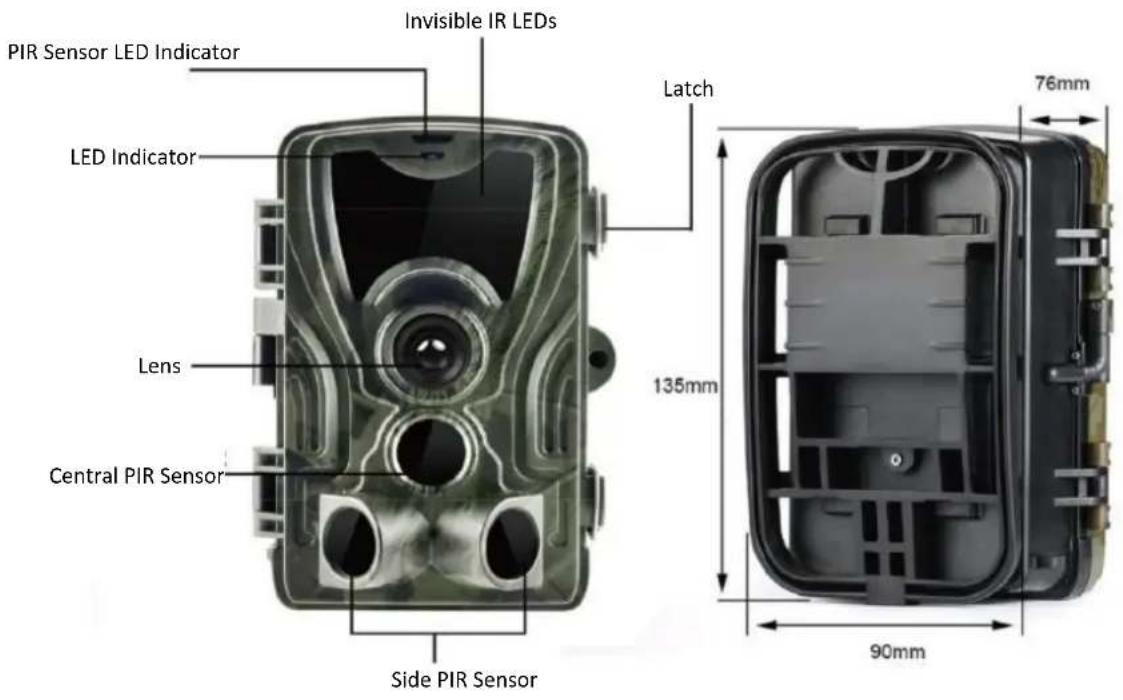
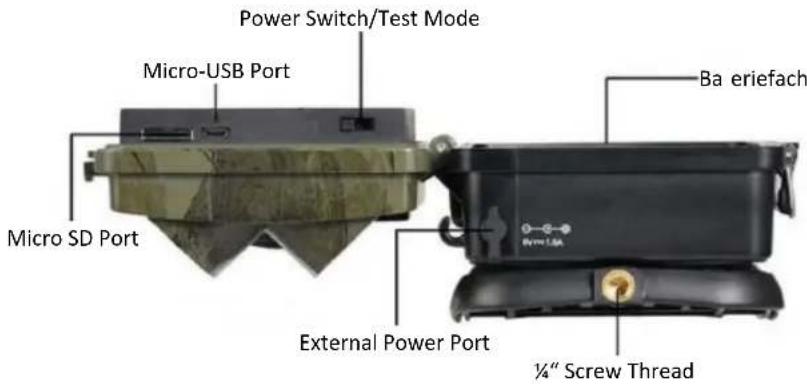
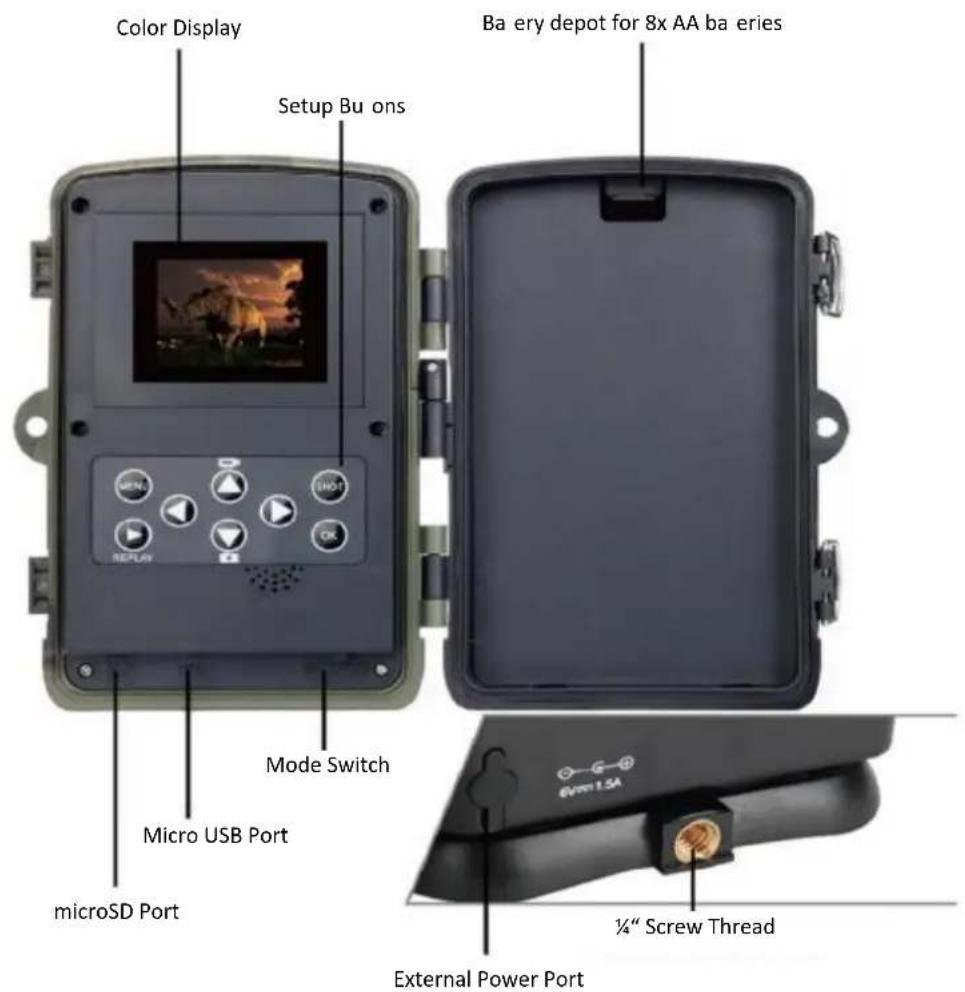
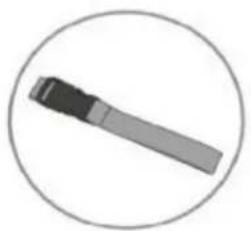
Mounting Strap
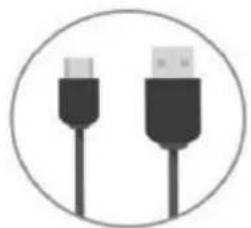
USB Cable
2. Parameter
| Photo Resolu on | 24/20/16/12/8/5/3/1 MP |
| Video Resolu on | 2.7K@20fps/1080p,720p,480p@30fps |
| PIR Detec on Angle | 120° |
| PIR Detec on Distance | 20 m |
| IR-LEDs | 940 nm (invisible) |
| Trigger Time | 0.5 s |
| Waterproof Level | IP65 |
| Working Temperature | -20°C - 70°C |
| Storage Medium | microSD (max. 256 GB) |
| Power Supply | Ba eries/External Power Adapter |
| Ba ery Type | 8x AA Ba eries |
| Working Voltage | 6 V |
| External Power Supply | DC 6 V/1.5A |
| Standby Time | Up To 6 Months |
| Photo File Format | JPEG |
| Video File Format | AVI |
| Display Size | 2" |
| Dimensions | 135 x 90 x 76 mm |
| Weight | 314 g |
3. Function
| Mode | You can choose the working mode | Photos (default) Videos Photos & Videos |
| Photo Resolu on | You can choose the photo resolu on | 24 MP 20 MP 16 MP 12 MP 8 MP 5 MP 3 MP 1 MP |
| Photo Series | You can set the photo quan ty when the camera is ac vated | 1 Photo (default) 2 Photos in series 3 Photos in series 10 Photos in series |
| Video Resolu on | You can choose the video resolu on | 2688*1520P 1920*1080P 1280*720P 720*480P 848*480P 640*480P |
| Video Length | You can choose the length of the video | 3 seconds up to 10 minutes max. |
| Audio Recording | You can decide if you want the camera to record sounds | On (default) O |
| Shot Lag | The me interval between each PIR trigger(1) | 5 seconds (default) up to 60 minutes max. |
| Side Mo on Sensors | You can turn the Side Mo on Sensors ON / OFF | ON / OFF |
| Sensi vity Mo on Sensors | You can adjust the sensi vity of the mo on detec on sensors. | Low Middle (default) High |
| Target Recording Time(2) | You can set the camera to record between a certain period | On (to set the period) O (default) |
| Time Lapse | Set up me lapse mode and the length of the lapse | On / O (default) |
| Language | Choose your preferred Language | English(default), German, Dansk, |
| Suomi, Swedish, Spanish, French, Italian, Dutch, Portuguese, Chinese, Japanese, Hungarian, Greek, Ces na, Norsk | ||
| Endless Capture | If Endless Capture mode is on, the camera won't stop recording when the memory card is full but will delete the oldest videos or photos to keep recording con nuously | On O (default) |
| Time & Date | To set me and date. You can also choose the me format (24h or 12h) and the date format (dd/mm/yyyy, yyyyMMdd or mm/dd/yyyy) | Set Time & Date Time Format Date Format |
| Photo Stamp | To choose if there will be me and date on the photo | Time & Date (default) Date O |
| Password Protec on | Set up a password to secure your camera | On O (default) |
| Format Memory Card | Decision with cau on! You will lose all of the data on the memory card if you decide to format it | Yes No (default) |
| Serial NO | To set up the serial number of the camera (3) | On O (default) |
| Reset Se ngs | Reset all the se ngs to the original se ngs | Yes No (default) |
| Version | Version of the system |
(1) For example, you set the video length of 1 minute and the shot lag of 30 seconds. When the camera detects an animal, it will start to record a video which is 1 minute. However, the camera will not detect continuously. When the video is
done, the camera will not detect immediately. It will detect again 30 seconds after the video in order to save battery.
(2) "Target Recording Time" is equivalent to a Timer. The camera only works within the set time period. (3) If you use several cameras at the same time and you want to recognize which camera took which photos and videos, setting up a serial number could help you. The serial number will be visible on the bottom right of the photos and videos.
FAQ
- I can't turn on my camera!
✓ Please check the voltage of the batteries. ✓ Please check if the polarity of the batteries is correct. ✓ Please re-install the batteries.
- My camera is not taking photos or recording videos!
✓ Please check if the microSD card is Class 10. ✓ Check if the microSD card works normally with other devices. ✓ Format the microSD card via the camera settings.
- The camera doesn't detect anything!
✓ Please make sure that the camera is not behind glass. ✓ Please check the setting in the menu to adjust the detection sensibility of the camera and then try again.
- Why doesn't the camera record during the night but it works well during daytime?
✓ Please check the battery level of the camera. If the battery is low (1/3 of the full battery), the night vision function will automatically shut down. Please change the batteries then the night vision function will work again.
- My "Target Recording Time" function doesn't work!
✓ Please check if you have also turned on the "Time Lapse" function and deactivate it if necessary.
✓ Format the TF card.
- The camera does not detect any subject.
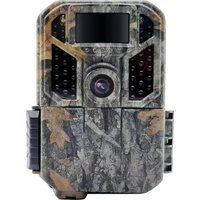
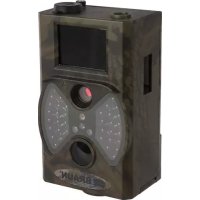
Brand : BRAUN
Model : Scouting Cam Black550
Category : Camera