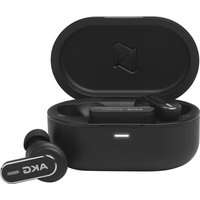
N9 Hybrid - Earphones AKG - Free user manual and instructions
Find the device manual for free N9 Hybrid AKG in PDF.


| Product Type | Hybrid wireless headset with active noise cancellation |
| Brand | AKG |
| Model | N9 Hybrid |
| Speaker | 40 mm / 1.57 inch dynamic |
| Weight | 281 g / 0.62 lb |
| Power supply | Lithium-ion battery 1050 mAh / 3.8 V, charging via USB-C (5 V) |
| Charging time | 3 hours (0 to 100%) |
| Bluetooth battery life (without ANC) | Up to 100 hours |
| Bluetooth battery life (with ANC) | Up to 55 hours |
| 2.4 GHz battery life (without ANC) | Up to 85 hours |
| 2.4 GHz battery life (with ANC) | Up to 45 hours |
| AUX battery life (with ANC) | Up to 40 hours |
| Frequency response | 10 Hz - 40 kHz |
| Impedance | 32 ohms |
| Bluetooth version | 5.3 |
| Connectivity | Bluetooth, 2.4 GHz wireless (dongle), USB-C, AUX audio input (cable) |
| Main features | Active noise cancellation (ANC), Ambient Aware, TalkThru, SilentNow, VoiceAware, Smart Talk, Multipoint (2 devices) |
| Controls | Physical buttons, AKG Headphones app |
| Compatibility | Android 6.0+, Windows 10 v1803+, iOS (via Bluetooth), PC/Mac |
| Operating temperature | Max 45 °C |
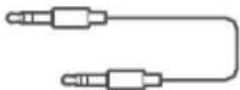
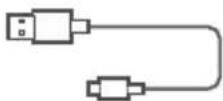
| Included accessories | Wireless USB dongle (model N9HYBRIDTM), USB-C cable, AUX audio cable (assumed) |
| Care and cleaning | Clean with a soft, dry cloth. Do not use harsh chemicals. |
| Safety | Complies with SAR standards (head: 0.403 W/kg, body: 0.154 W/kg for dongle) |
| Warranty and repairability | Consult the AKG website for service and spare parts options. |
Frequently Asked Questions - N9 Hybrid AKG
User questions about N9 Hybrid AKG
0 question about this device. Answer the ones you know or ask your own.
Ask a new question about this device
Download the instructions for your Earphones in PDF format for free! Find your manual N9 Hybrid - AKG and take your electronic device back in hand. On this page are published all the documents necessary for the use of your device. N9 Hybrid by AKG.
USER MANUAL N9 Hybrid AKG
natural_image
Line drawing of a pair of outdoor headphones with earbuds and control buttons (no text or symbols)AKG
Zoom Certified
BC
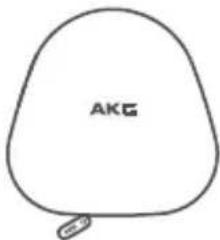
01 WHAT'S IN THE BOX

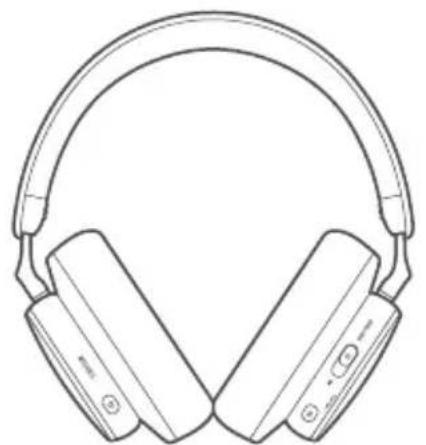
natural_image
Line drawing of a pair of outdoor headphones with earbuds and buttons (no text or symbols)
(2.4GHz)


SCAN ME
02
APP


AKG HEADPHONES


Get even more control and personalization of your listening experience with this free app.

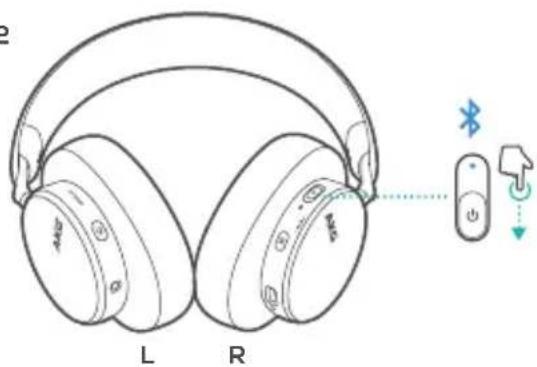
03 POWER ON & CONNECT

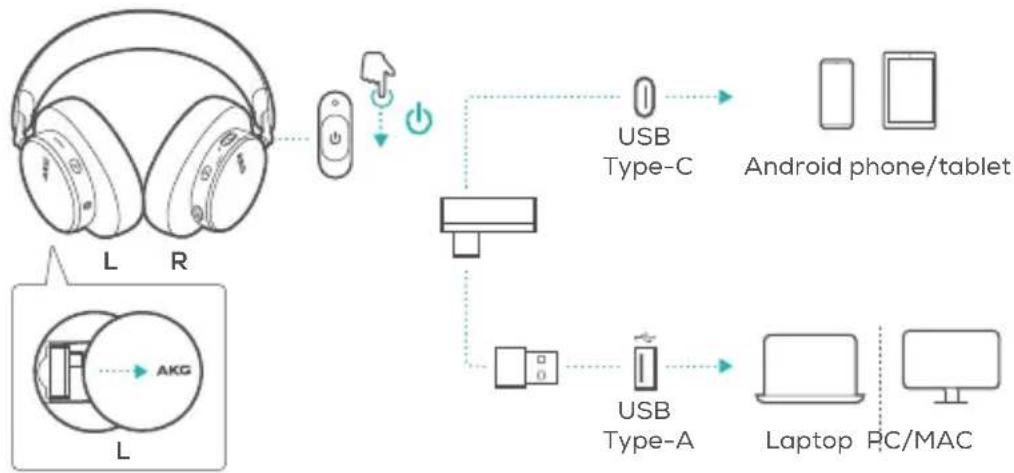
flowchart
graph TD
    A["Headphones"] --> B["Radio"]
    B --> C["USB Type-C"]
    C --> D["Android phone/tablet"]
    A --> E["L"]
    E --> F["Analog System"]
    F --> G["USB Type-A"]
    G --> H["Laptop"]
    H --> I["PC/MAC"]
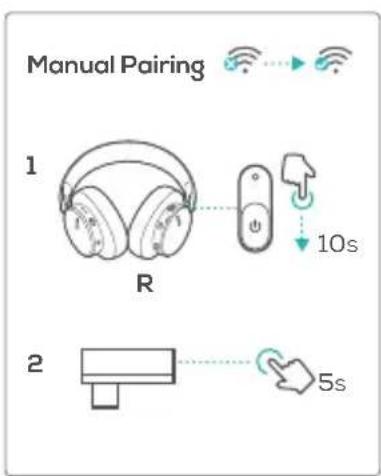
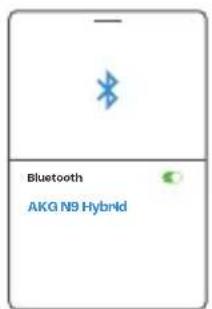
04 POWER ON & CONNECT

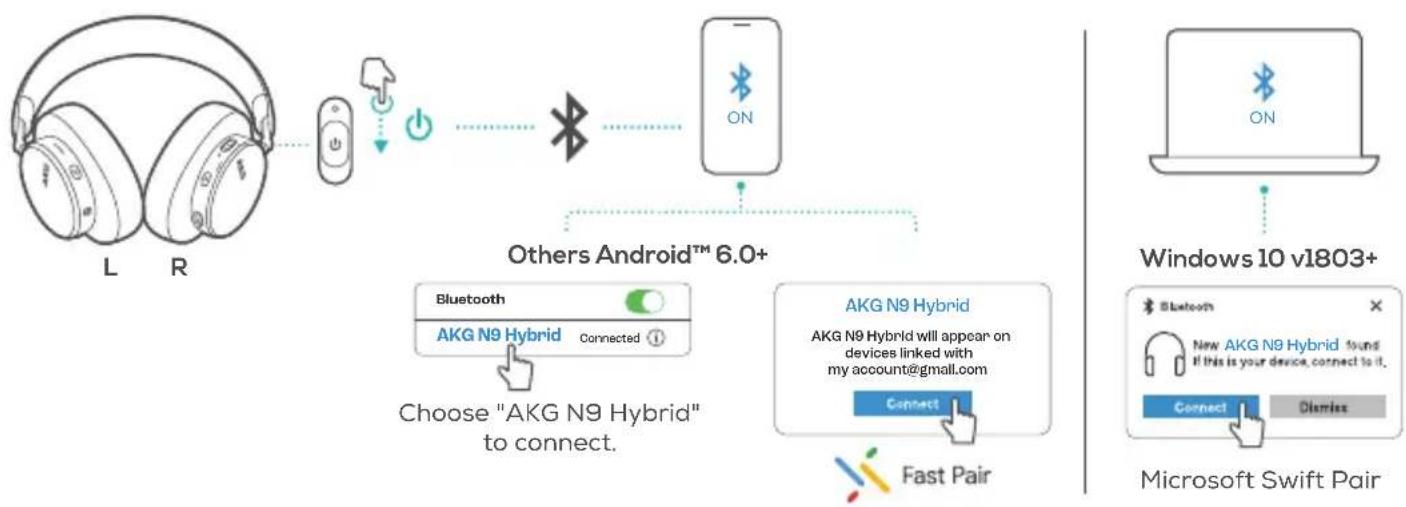
flowchart
graph TD
    A["L"] --> B["R"]
    B --> C["Power"]
    C --> D["Switch"]
    D --> E["Bluetooth"]
    E --> F["Others Android™ 6.0+"]
    F --> G["Bluetooth"]
    G --> H["AKG N9 Hybrid Connected"]
    H --> I["Choose "AKG N9 Hybrid" to connect."]
    F --> J["AKG N9 Hybrid"]
    J --> K["Connect"]
    K --> L["Fast Pair"]
    M["Windows 10 v1803+"] --> N["Microsoft Swift Pair"]
    N --> O["Connect"]
    N --> P["Dismiss"]
05 MULTI-POINT CONNECTION

1
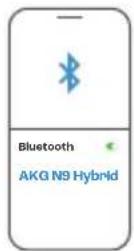
2
3
(Maximum 2 devices)
06
FIRST TIME SETUP ON PC

natural_image
Silhouette of a person wearing headphones, head tilted upward (no text or symbols)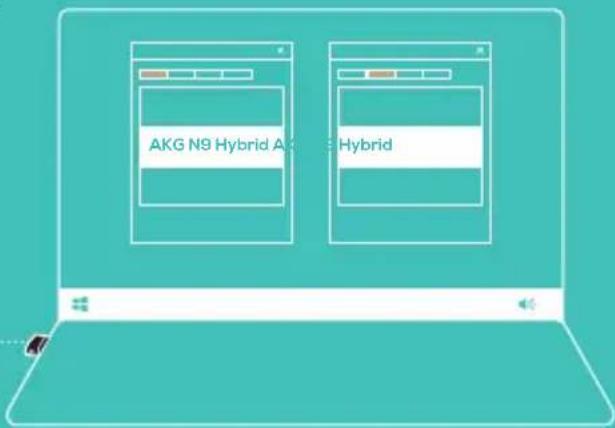
Go to "Sound Settings" -> "Sound Control Panel". Then select "AKG N9 Hybrid" as the default device in the "Playback" and "Recording" tabs.

07 DUAL SOURCE SWITCHING

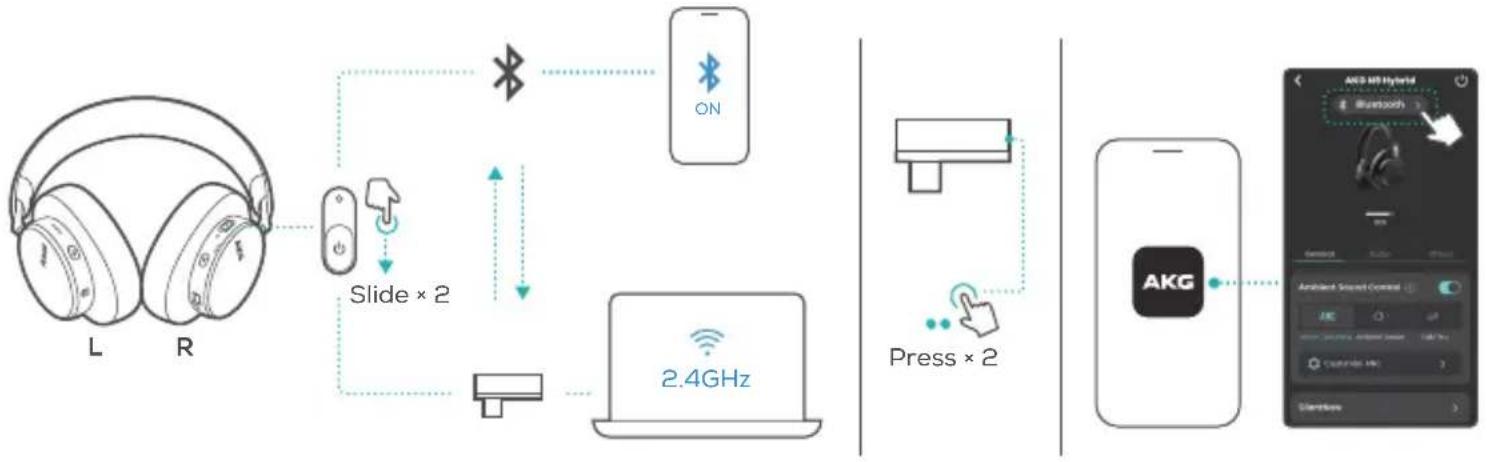
flowchart
graph LR
    A["L headphones"] --> B["Slide × 2"]
    B --> C["2.4GHz"]
    C --> D["手机"]
    D --> E["ON"]
    E --> F["Bluetooth"]
    F --> G["LED Device"]
    G --> H["Press × 2"]
    H --> I["手机"]
    I --> J["AKG"]
    J --> K["AI/AR Hybrid"]
08
CONTROLS
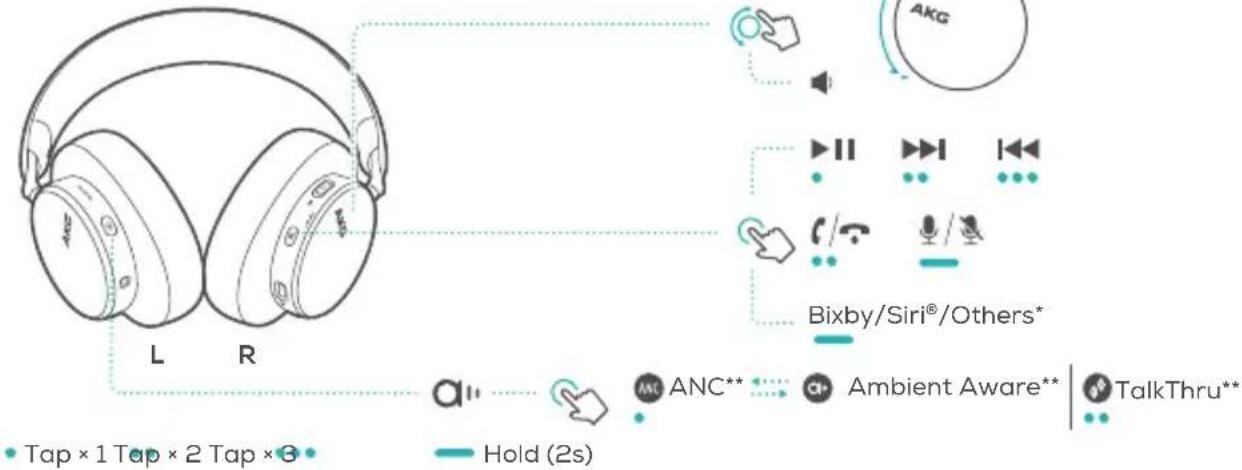
* Available in Bluetooth mode only
** Enable advance controls by connecting your AKG N9 HYBRID to AKG Headphones app AKG.

AUTO PLAY/PAUSE


natural_image
Back view of a person wearing headphones with musical notes floating around (no text or symbols)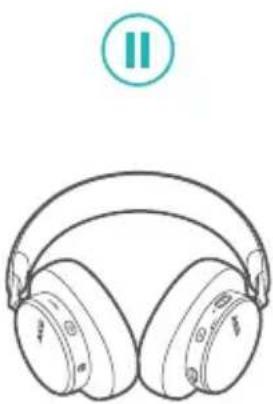
natural_image
Line drawing of a pair of headphones with a circular button labeled 'II' above (no text or symbols on the headphones themselves)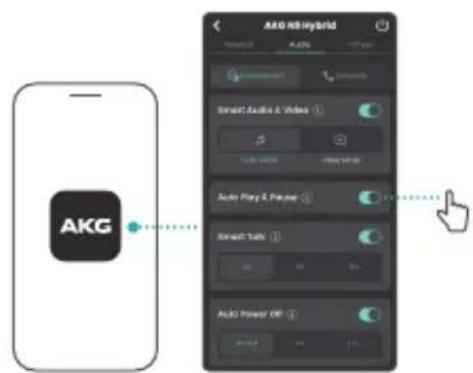
10 WIRED LISTENING MODE

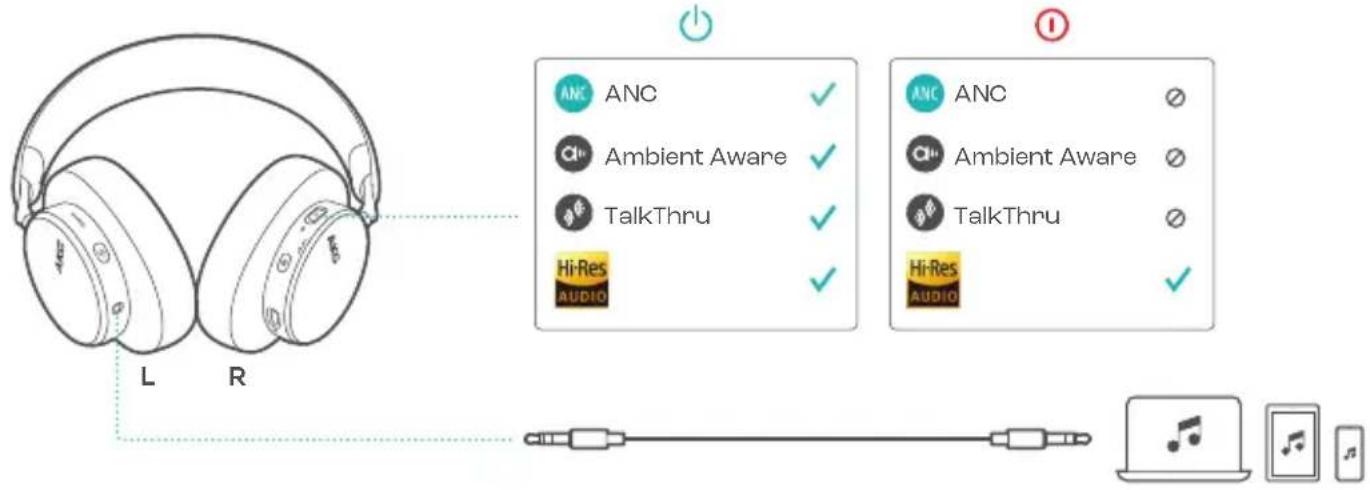
11 SILENTNOW

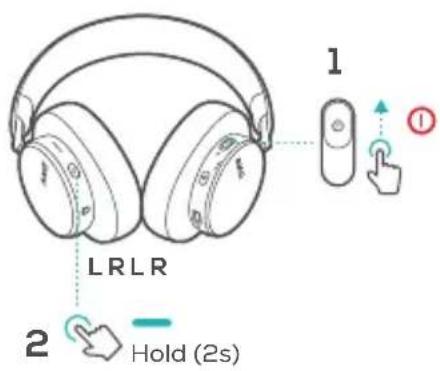
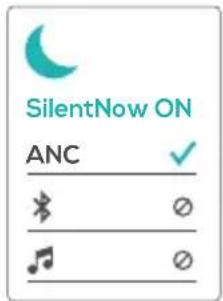
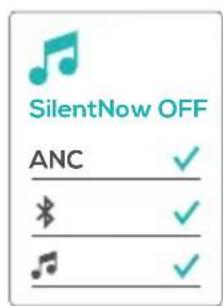
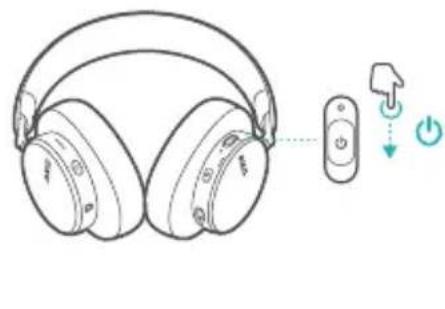
natural_image
Line drawing of a pair of headphones connected to a remote control with directional arrows indicating playback and power (no text or symbols)12 VOICEAWARE

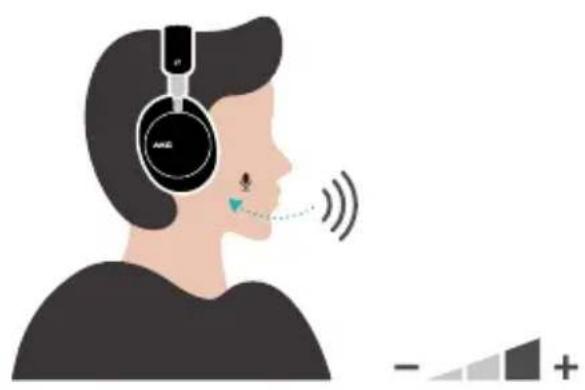
natural_image
Illustration of a person wearing headphones with sound waves, showing earphones and a small object near the mouth (no text or symbols)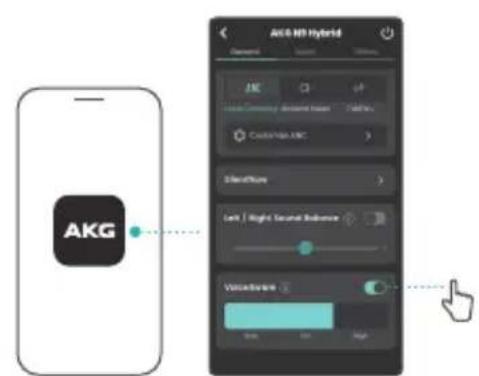
13
SMART TALK

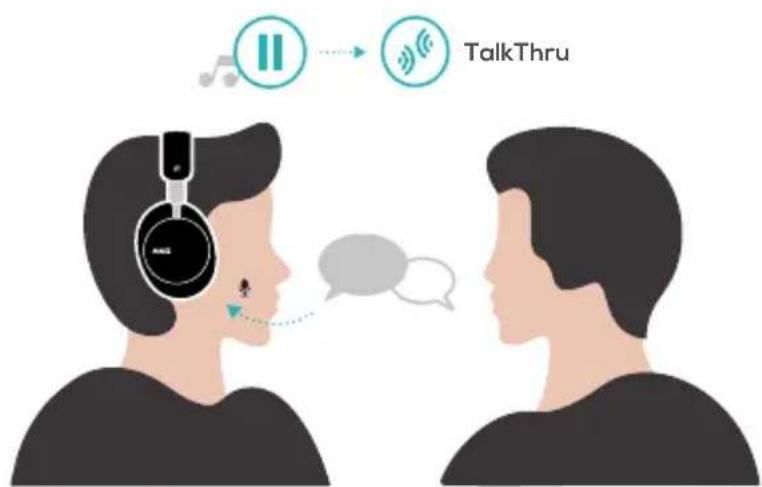
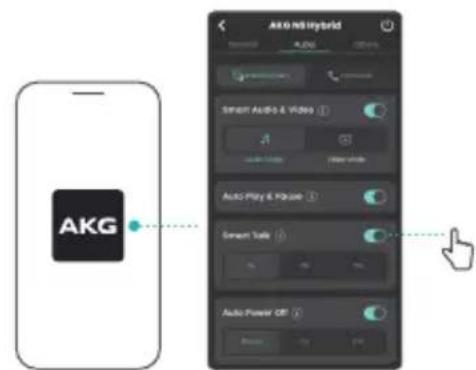

14 DO MORE WITH THE APP

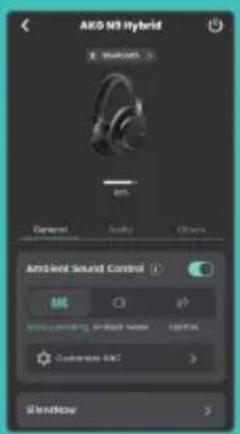
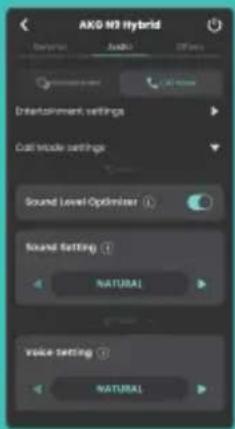
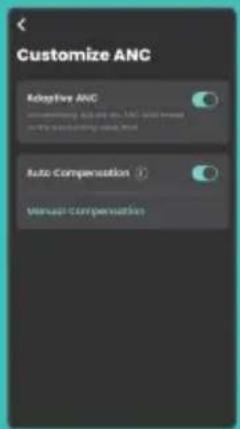

AKG HEADPHONES

15 CHARGING

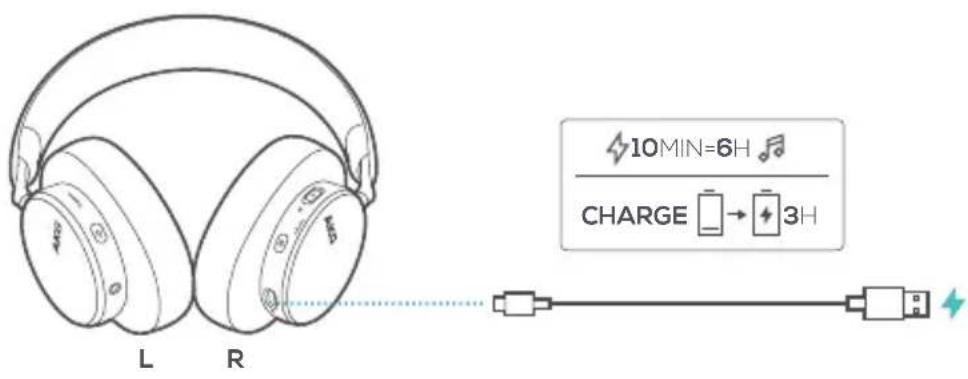
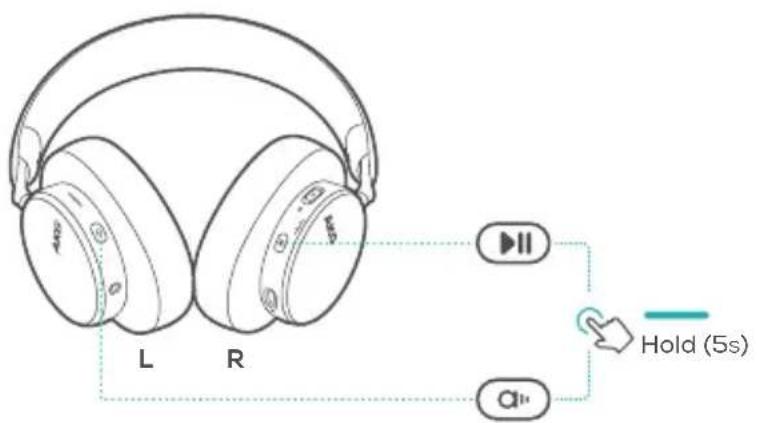
16 FACTORY RESET

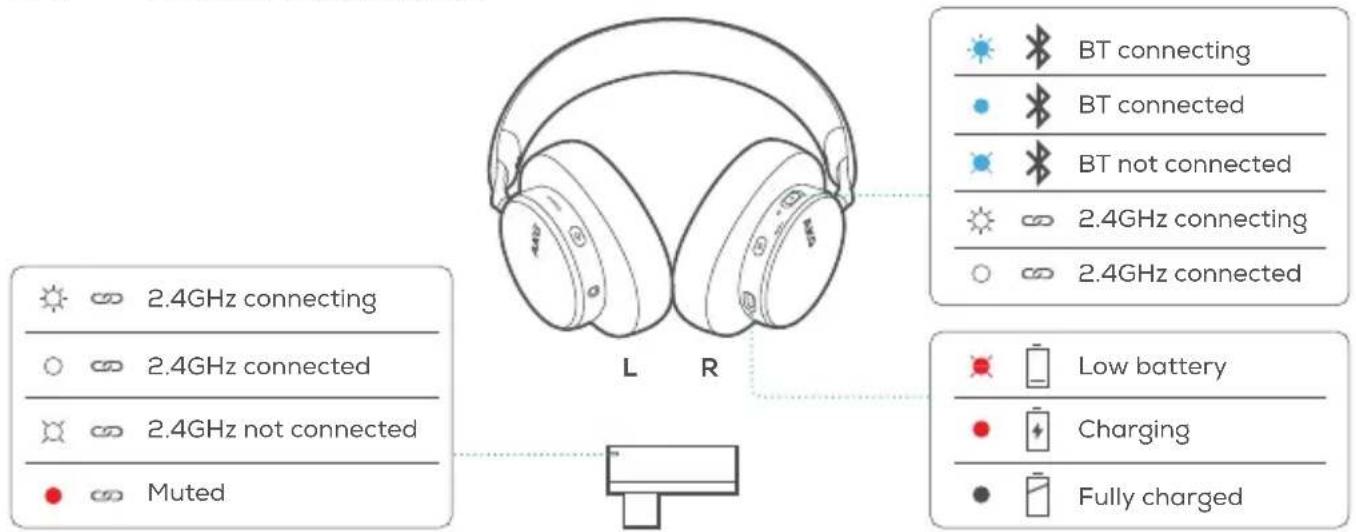
17 LED BEHAVIORS

18 TECH SPEC
Model: N9 HYBRID
Driver size: 40 mm/1.57" Dynamic Driver
Power supply: 5V
1A
Max input power: 30 mW
Weight:
281 g/0.62 lbs
Battery type: Lithium-ion battery (1050 mAh/ 3.8V)
Charging time: 3 hrs from empty
Music playtime with BT on and ANC off: Up to 100 hrs
Music playtime with BT on and ANC on: Up to 55 hrs
Music playtime with 2.4G on and ANC off: Up to 85 hrs
Music playtime with 2.4G on and ANC on: Up to 45 hrs
Music playtime with AUX and ANC on: Up to 40 hrs
Talk time with ANC on (BT): Up to 35 hrs
Talk time with ANC on (2.4G): Up to 30 hrs
Frequency response (Passive): 10 Hz - 40 kHz
Frequency response (Active): 10 Hz - 40 kHz
Microphone frequency response: 20 Hz - 16 kHz
Impedance: 32 ohm
Sensitivity: 98 dB SPL@1 kHz
Maximum SPL: 95 dB
Microphone sensitivity: -38 dBV/Pa@1 kHz
Bluetooth version: V5.3
Bluetooth profile version: A2DP V1.4, AVRCP V1.6.2, HFP V1.8
Bluetooth transmitter frequency range: 2.4 GHz - 2.4835 GHz
Bluetooth transmitter power: <11 dBm (EIRP)
Bluetooth transmitter modulation: GFSK, π/4-DQPSK, 8DPSK
2.4GHz Wireless carrier frequency: 2.4 GHz – 2.4835 GHz
2.4GHz Wireless transmitter power: <9 dBm (EIRP)
2.4GHz Wireless modulation : GFSK
Maximum operation temperature: 45°C
FR
01 CONTENU DE LA BOÎTE 02 APPLICATION
01 HVAD ER DER I AESKEN
02 APPEN
14 G∅R MERE MED APPEN
15 Oplader
16 NÜLSTIL INDSTILLINGER
17 LED-SYMBOLER
2.4 GHz forbinder
2.4 GHz forbundet
Bluetooth-Version: V5.3
Bluetooth-Profilversion: A2DP V1.4, AVRCP V1.6.2, HFP V1.8
Bluetooth-
Andare in "Sound Settings"
"Sound Control Panel" (Pannello
05 MEERPUNTVERBINDING
(Maximaal 2 apparaten)
06 INSTALLEREN OP EEN PC
"Sound Control Panel
(Geluidscontrolepaneel)".
Selecteer "AKG N9 Hybrid"
04 SLA PA OG KOBLE TIL
Andre
Velg «AKG N9 Hybrid» for å koble til. Android™ 6.0+
Windows 10 v1803+
Microsoft Swift Pair
05 FLERPUNKTSTILKOBLING
(Maks. 2 enheter)
06 F∅RSTE GANGS OPPSETT
PÂPC
AKG Headphones app 📋
09 AUTOMATISK AVSPILLING/
PAUSE
10 KABLET LYTTEMODUS
11 SILENTNOW
SilentNow PÅ
SilentNow AV
12 VOICEAWARE
13 SMART TALK
14 GJ∅R MER MED APPEN
15 LADER
16 FABRIKKTILBAKESTILLING
17 LED-ATFERD
2.4 GHz kobler til
2.4 GHz tilkoblet
Control Panel" (Panel sterowania
01 DETTA FINNS I LÄDAN
02 APP
06 INSTALLATION, FÖRSTA
GÄNG PÄ PC
Gå till "Sound Settings"
"Sound Control Panel" (Ses Kontrol
Ambient Aware (Ortam
Farkındalığı)**
TalkThru**
入 "Sound Control Panel"
(音量控制面板)。
然后在“Playback”
(播放) 和 “Recording”
(录音) 选项卡中选
择“AKG N9 Hybrid”作为
默认设备。
07双信号源切换
滑动|按一次
08 控制
Bixby/Siri®/其他*
ANC(主动降噪)**
Ambient Aware (环境感
知)**
TalkThru(自由通话)**
按一次|按住
*仅在蓝牙模式下可用
**将AKGN9HYBRID连接
14 KEGUNAAN LAIN APLIKASI
15 PENGISIAN DAYA
16 SETELAN PABRIK
17 POLA LED
범위:2.4GHz\~2.4835GHz
"AKG N9 Hybrid" "Playback"
07 circuit: circuit circuit circuit circuit circuit circuit circuit circuit circuit circuit circuit circuit circuit circuit circuit circuit circuit circuit circuit circuit circuit circuit circuit circuit circuit circuit circuit circuit circuit circuit circuit circuit circuit circuit circuit circuit circuit circuit circuit circuit circuit circuit circuit circuit circuit circuit circuit circuit circuit circuit circuit circuit circuit circuit circuit circuit circuit circuit circuit circuit circuit circuit circuit circuit circuit circuit circuit circuit circuit circuit circuit circuit circuit circuit circuit circuit circuit circuit circuit circuit circuit circuit circuit circuit circuit circuit circuit circuit circuit circuit circuit circuit circuit circuit circuit circuit circuit circuit circuit circuitircuit
@&:
ජාජ්යි අංකශ | විජ්
08 08:25
Bixby/Siri*/32 [ɔp:*
ANC**
Ambient Aware**
TalkThru**
උංඩ | අංංඩ්ංඩ
| BT OY NIPATN NIPATN 17 | NIPATN NIPATN 09 | NIPATN NIPATN 06 | HE | |
| 55 TPs | :OYATN ANC-1 | 2.4GHz-2 GHz | NIPATN SILENTNOW | "Sound Settings" "Sound Settings" |
| 85 TPs | :OYATN ANC-1 2.4GHz | 2.4GHz-2 GHz | SILENTNOW 10 | Sound" <-(OYATN) |
| 45 TPs | :OYATN ANC-1 2.4GHz | 2.4GHz | SILENTNOW 11 | "Control Panel" |
| 40 TPs | :OYATN ANC-1 | (“OYATN”) BT -2 GHz | SILENTNOW | "Control Panel" |
| 35 TPs | :OYATN ANC-1 | (“OYATN”) BT | VOICEWARE 12 | "Control Panel" |
| 30 TPs | :OYATN ANC-1 | (“OYATN”) BT -2 GHz | SMART TALK 13 | "Control Panel" |
| 30 Hz | :(2.4GHz) | (“OYATN”) BT | (“OYATN”) BT | "Control Panel" |
| 10 Hz-40 kHz | :(2.4GHz) | (“OYATN”) BT | (“OYATN”) BT | "Control Panel" |
| 10 Hz-40 kHz | :(2.4GHz) | (“OYATN”) BT | (“OYATN”) BT | "Control Panel" |
| 20 Hz - 16 kHz | :OYATN ANC-1 | (“OYATN”) BT | (“OYATN”) BT | "Control Panel" |
| 32 ohm | :OYATN ANC-1 | (“OYATN”) BT | (“OYATN”) BT | "Control Panel" |
| 98 dB SPL@1 kHz | :OYATN ANC-1 | (“OYATN”) BT | (“OYATN”) BT | "Control Panel" |
| 95 dB | :OYATN ANC-1 | (“OYATN”) BT | (“OYATN”) BT | "Control Panel" |
| -38 dBV/Pa@1 kHz | :OYATN ANC-1 | (“OYATN”) BT | (“OYATN”) BT | "Control Panel" |
| V5.3 | :Bluetooth 2.4 GHz - 2.4835 GHz | N9 HYBRID | :OYATN | "Control Panel" |
| A2DP V1.4, AVRCP V1.6.2, HFP V1.8 | :Bluetooth 2.4 GHz - 2.4835 GHz | 5 V = 1 A | :OYATN | "Control Panel" |
| :Bluetooth 2.4 GHz - 2.4835 GHz | (“OYATN”) 30 | :OYATN | "Control Panel" | |
| :Bluetooth 2.4 GHz - 2.4835 GHz | (“OYATN”) 30 | :OYATN | "Control Panel" | |
| <11 dBm (EIRP) | :Bluetooth 2.4 GHz - 2.4835 GHz | (“OYATN”) 30 | :OYATN | "Control Panel" |
| GFSK, π/4-DQPSK, 8DPSK | :Bluetooth 2.4 GHz - 2.4835 GHz | (“OYATN”) 30 | :OYATN | "Control Panel" |
| 2.4 GHz - 2.4835 GHz | :Bluetooth 2.4 GHz - 2.4835 GHz | (“OYATN”) 30 | :OYATN | "Control Panel" |
| <9 dBm (EIRP) | :2.4GHz | (“OYATN”) 30 | :OYATN | "Control Panel" |
| GFSK | :2.4GHz | (“OYATN”) 30 | (“OYATN”) 30 | (“OYATN”) 30 |
| 45°C | :2.4GHz | (“OYATN”) 30 | (“OYATN”) 30 | (“OYATN”) 30 |

To protect battery lifespan, fully charge at least once every 3 months. Battery life will vary due to usage patterns and environmental conditions.
FR pour protéger la vie de la batterie, chargez-la complètement au moins une fois tous les 3 mois. La durée de vie de la batterie varie en fonction des modes d'utilisation et des conditions environnementales.
DA For at optimere batteriets levetid skal du oplade fuldt ud mindst en gang i kvartalet. Batteriets levetid afhænger af brugsmønstre og omgivelser.
DE Lade zum Schutz des Akkus diesen mindestens einmal alle 3 Monate vollständig auf. Die Akkulebensdauer kann aufgrund von Nutzungsverhalten und Umgebungsbedingungen variieren.
EL Για να προστατεύσετε τη διάρκεια ζωής της μπαταρίας, φορτίστε την πλήρως τουλάχιστον μία φορά κάθε 3 μήνες. Η ζωής της μπαταρίας ποικίλλει ανάλογα με τη χρήση και τις περιβαλλοντικές συνθήκες.
ES Para proteger la duración de la batería, cárgala completamente al menos una vez cada 3 meses. La duración de la batería depende de los patrones de uso y las condiciones ambientales.
FI Akun käyttöiän turvaamiseksi, lataa täyteen ainakin kerran 3 kuukauden välein. Akun käyttöikä vaihtelee käyttötapojen ja ympäristöolosuhteiden mukaan.
HU Az akkumulátor élettartamának védelme érdekében teljesen töltse fel 3 havonta legalább egyszer. Az akkumulátor élettartama a használattól, és a környezeti feltételektől függ.
IT Per preservare la durata della batteria, effettuare una carica completa almeno una volta ogni 3 mesi. La durata della batteria varia a seconda del tipo di utilizzo e delle condizioni ambientali.
NL Voor een optimale levensduur de batterij minstens om de 3 maanden volledig opladen. De levensduur van de batterij is afhankelijk van gebruikspatronen en omgevingscondities.
NO For å beskytte batteriets levetid må det lades helt opp minst én gang hver 3. måned. Batteriets levetid vil variere etter bruksmønster og omgivelsesforhold.
PL Aby zachować czas eksploatacji akumulatora, należy go ładować co najmniej raz na trzy miesiące. Żywotność akumulatora zależy od sposobu jego użycia i warunków otoczenia.
PT-BR Para garantir a durabilidade da bateria, carregue-a totalmente pelo menos uma vez a cada três meses. A vida útil da bateria depende dos padrões de uso e das condições do ambiente.
SV För att förbättra batteriets livslängd ska det laddas det fullt minst en gång var tredje månad. Batteriets livslängd varierar beroende på användning och miljöförhållanden.
TR Pil ömrünü uzatmak için en az 3 ayda bir tam olarak şarj edin. Pil ömrü kullanım şekline ve çevresel şartlara bağlı olarak değişiklik gösterebilir.
RU Чтобы продлить срок службы аккумулятора, полностью заряжайте его по меньшей мере раз в 3 месяца. Срок службы аккумулятора зависит от способов использования и условий окружающей среды.
The SAR limit of Canada (C) is 1.6 W/kg averaged over one gram of tissue. Device types: (IC: 6132A-AKGN9H) has also been tested against this SAR limit According to this standard, the highest SAR value reported during product certification for head use is 0.403 W/Kg.
The device was tested for typical bodily operations where the product was kept 0 mm from the head. To maintain compliance with IC RF exposure requirements, use accessories that maintain a separation distance of 0mm between the user's head and the back of the headset. The use of belt clips, holsters and similar accessories shall not contain metal parts in its assembly. Use of accessories that do not meet these requirements may not comply with IC RF exposure requirements and should be avoided.
IC RF Exposure Information and Statement for USB Wireless Dongle
The SAR limit of Canada (C) is 1.6 W/kg averaged over one gram of tissue. Device types: (IC: 6132A-AKGN9HTM) has also been tested against this SAR limit According to this standard, the highest SAR value reported during product certification for body use is 0.154 W/Kg.
Head operation
The device was subjected to a typical head manipulation test. In order to comply with RF exposure requirements, a minimum separation distance of 0cm must be maintained between the users' ear and the product (including the antenna). Head exposure that do not meet these requirements may not meet RF exposure requirements and should be avoided. Use only the supplied or approved antenna.
IC: 6132A-AKGN9H
Body operation
The device was tested for typical bodily operations where the product was kept with 5 mm distance attaching away from the body. Non-compliance with the above restrictions may result in violation of IC RF exposure guidelines. Use only the supplied or approved antenna.
IC: 6132A-AKGN9HTM
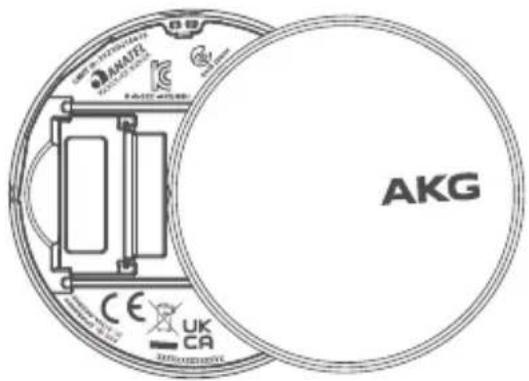
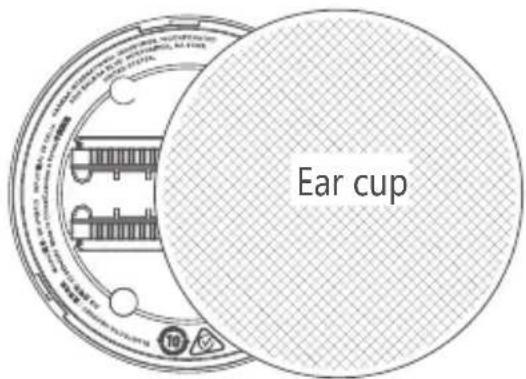
Compliance Information on Ear Cup
Front view Back view
WARNING
DO NOT ATTEMPT TO OPEN, SERVICE, OR DISASSEMBLE THE BATTERY | DO NOT SHORT CIRCUIT | MAY EXPLODE IF DISPOSED OF IN FIRE | RISK OF EXPLOSION IF BATTERY IS REPLACED BY AN INCORRECT TYPE | DISPOSE OR RECYCLE USED BATTERIES ACCORDING TO THE INSTRUCTIONS
해당무선설비는전파혼신가능성이있으므로인명안전과관련된서비스는할수없음.



The Bluetooth ^® word mark and logos are registered trademarks owned by Bluetooth SIG, Inc. and any use of such marks by HARMAN International Industries, Incorporated is under license. Other trademarks and trade names are those of their respective owners.

Product specifications and app screens are subject to change without notice.
HP_AKG N9 HYBRID_QSG_Global_SOP_V10

- WHAT'S IN THE BOX
- AKG HEADPHONES
- POWER ON & CONNECT
- POWER ON & CONNECT
- MULTI-POINT CONNECTION
- 06
- FIRST TIME SETUP ON PC
- DUAL SOURCE SWITCHING
- 08
- CONTROLS
- AUTO PLAY/PAUSE
- WIRED LISTENING MODE
- SILENTNOW
- ✓
- VOICEAWARE
- 13
- SMART TALK
- DO MORE WITH THE APP
- CHARGING
- FACTORY RESET
- LED BEHAVIORS
- TECH SPEC
- FR
- CONTENU DE LA BOÎTE 02 APPLICATION
- HVAD ER DER I AESKEN
- APPEN
- LED-SYMBOLER
- MEERPUNTVERBINDING
- SLA PA OG KOBLE TIL
- FLERPUNKTSTILKOBLING
- F∅RSTE GANGS OPPSETT
- PÂPC
- AUTOMATISK AVSPILLING/
- PAUSE
- KABLET LYTTEMODUS
- GJ∅R MER MED APPEN
- FABRIKKTILBAKESTILLING
- LED-ATFERD
- DETTA FINNS I LÄDAN
- APP
- INSTALLATION, FÖRSTA
- KEGUNAAN LAIN APLIKASI
- PENGISIAN DAYA
- SETELAN PABRIK
- POLA LED
- To protect battery lifespan, fully charge at least once every 3 months. Battery life will vary due to usage patterns and environmental conditions.
- IC RF Exposure Information and Statement for USB Wireless Dongle
- Head operation
- IC: 6132A-AKGN9H
- Body operation
- IC: 6132A-AKGN9HTM
- Compliance Information on Ear Cup
- WARNING
Brand : AKG
Model : N9 Hybrid
Category : Earphones