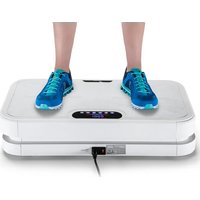
Vibration Plate 900 Smart - Vibratory plate Skandika - Free user manual and instructions
Find the device manual for free Vibration Plate 900 Smart Skandika in PDF.


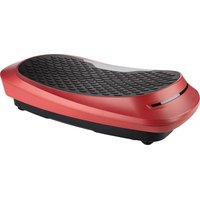
| Product type | Vibration plate |
| Brand | Skandika |
| Model | Vibration Plate 900 Smart |
| Dimensions (L x W x H) | Approx. 72 x 45 x 15 cm |
| Net weight | Approx. 23 kg |
| Power supply | 220-240 V, 50/60 Hz |
| Motor power | 200 W + 200 W |
| Maximum user weight | 120 kg |
| Vibration modes | Oscillation and linear |
| Frequency levels | 60 levels (oscillation: 5-15 Hz, linear: 3-10 Hz) |
| Automatic programs | 4 programs (P1, P2, P3, P4) with variable intervals |
| Control | Touch panel, infrared remote control, Bluetooth® app |
| Connectivity | Bluetooth® for control and music |
| Built-in speakers | Yes, for music playback from smartphone/tablet |
| Maximum session duration | 10 minutes recommended |
| Maintenance | Clean with a soft, slightly damp cloth |
| Included accessories | Remote control, 2 resistance bands, power cord, instruction manual |
| Safety | Not suitable for children, pregnant women, or people with medical conditions without medical advice |
| Warranty | 24 months against manufacturing defects |
| Customer service | info@skandika.com, MAX Trader GmbH, Germany |
Frequently Asked Questions - Vibration Plate 900 Smart Skandika
User questions about Vibration Plate 900 Smart Skandika
0 question about this device. Answer the ones you know or ask your own.
Ask a new question about this device
Download the instructions for your Vibratory plate in PDF format for free! Find your manual Vibration Plate 900 Smart - Skandika and take your electronic device back in hand. On this page are published all the documents necessary for the use of your device. Vibration Plate 900 Smart by Skandika.
USER MANUAL Vibration Plate 900 Smart Skandika
GB Assembly instructions and user guide
CE
RoHS
WARNUNG
natural_image
Circular diagram with concentric rings and a central circular object, no text or symbols present.Safety Information....11
Cleaning and maintenance....12
Scope of delivery....12
Features 12
Control panel operation....13
SKANDIKA app / Transfer via Bluetooth ^® 13
Connection with the remote control....14
Remote control operation....15
Replacing the battery 15
Auto programs....16
Technical specifications....16
Guarantee conditions 17
Visit our website for further information
www.skandika.com
Scan the QR code with your smartphone
WARNING
To reduce risk of injury, read and understand this instruction manual before using the vibration plate! This machine is intended for home use only in accordance with the instructions provided in this manual. Read the instruction manual carefully before using this device and keep the instruction manual for future use.
Safety Information
• Not suitable for children or pregnant woman!
- Only use this unit according to the intended purpose and as directed in the
- instruction manual.
- Only use the unit in enclosed spaces. Only use in dry environment.
- Never use the unit if it is damaged.
- Do not jump on the device.
- Place the device on a solid, level and moisture-resistant surface only.
- Switch the device off and unplug after use.
- Before using the machine to exercise, always do stretching exercises to properly warm up.
- Increase speed intensity and duration gradually.
- Only one person at a time should use the machine.
- If the user experiences dizziness, nausea, pain or any other abnormal symptoms, STOP the workout at once. CONSULT A PHYSICIAN IMMEDIATELY.
- If you are a beginner or if you have health problems with the heart, the neurologic system, circulatory disturbances or orthopedic problems, first consult your doctor before use.
- Stop using the machine immediately if you feel tired, uncomfortable or dizzy.
- Uninterrupted usage should not last longer than 10 minutes.
- This device is not designed to be used by persons with limited physical, sensory or mental abilities or by persons with insufficient experience and/or knowledge, unless under observation by a person responsible for their safety or unless they have been instructed in the use of the device.
This device is ideal for
- Muscle building
- General fitness
- Endurance
- Muscle relaxation
In order to maximize the benefits of this machine, always remember the following points:
- In order to achieve the desired results, use this device continuously. Only long-term use ensures the achievement of your desired goals.
- Using your Vibration Plate will provide you with several benefits, it will improve your physical fitness, tone muscle and in conjunction with a calorie controlled diet help you lose weight.
- Do not use this device directly after meals or drinks.
- We recommend exercising only once a day for max. 10 minutes.
- Remember to always start from the lowest speed setting and then increase the speed step by step.
- It is more effective to increase the intensity of the vibration during exercise, rather than increase the time.
Cleaning and maintenance
- Make sure that the unit is switched off and the power plug is unplugged from the outlet.
- Clean the appliance with a soft, damp cloth. Do not use any aggressive substances for cleaning, such as scouring cream or other detergents, as these may damage the surfaces.
- Never carry, pull or rotate the unit by the mains cable and never pinch the cable between other objects.
- Do not attempt to repair the unit yourself in the event of any defects. Only have repairs carried out by authorized service points.
Scope of delivery
- Vibration plate
- Remote control
- 2 x resistance bands
- Power cord
• Instruction manual
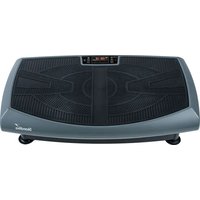
Features
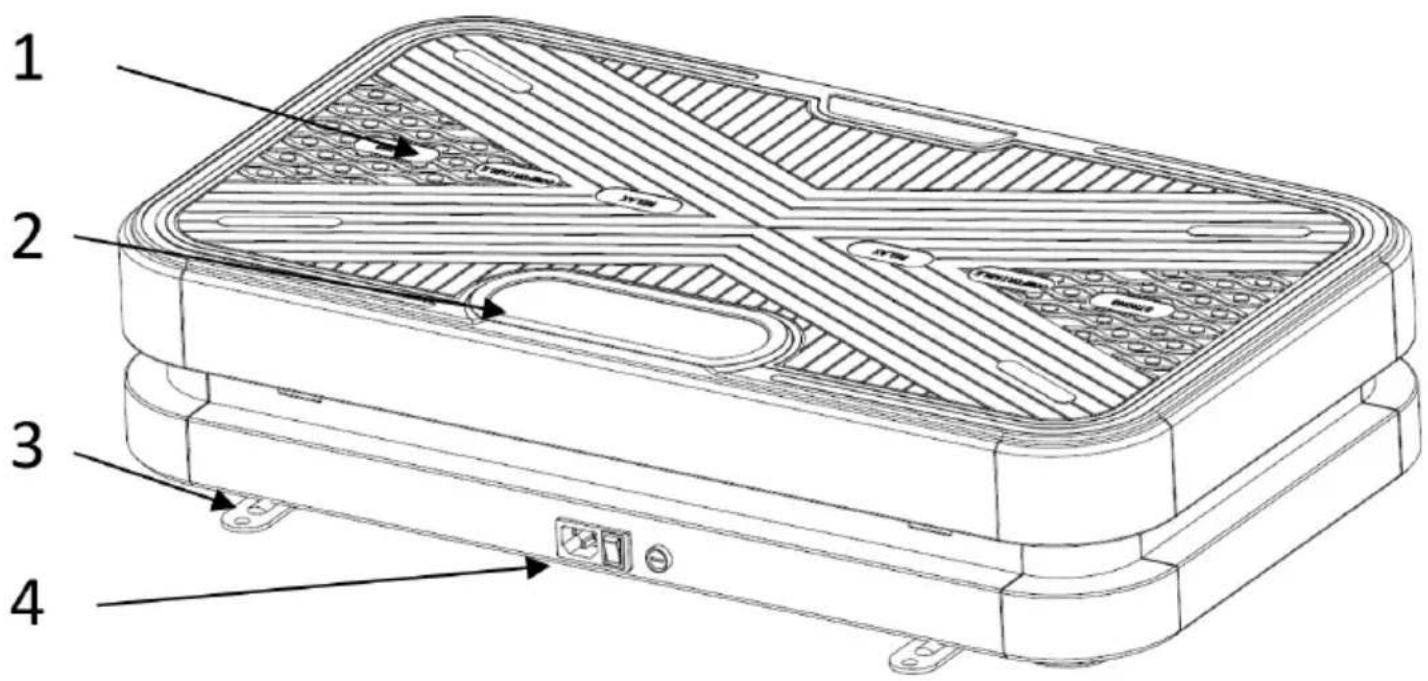
- Platform
- Control panel
- Exercise band hook
- Power plug & switch
Control panel operation
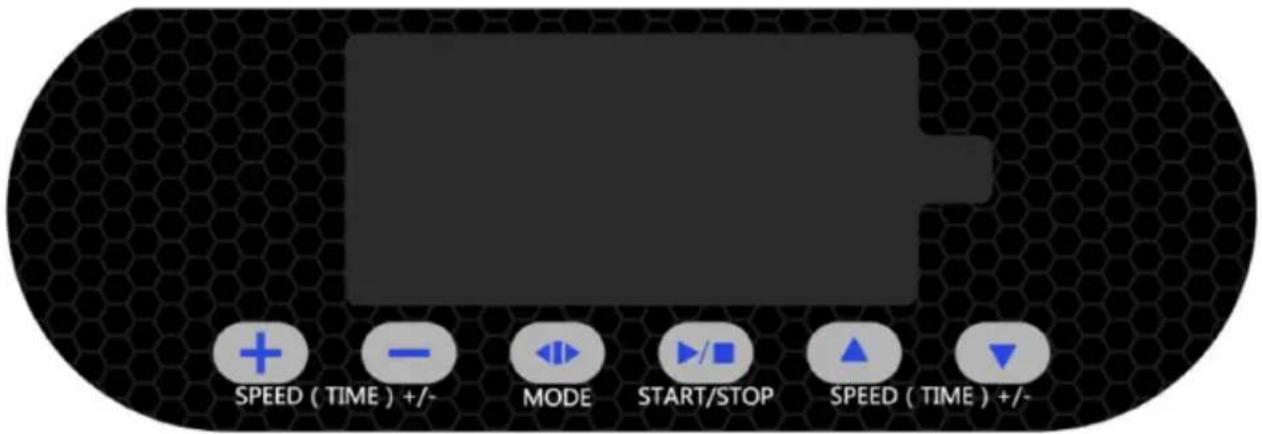

- T
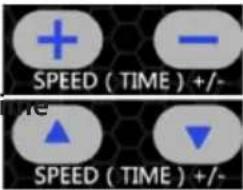
The default time is 10 minutes.
Press the buttons to adjust the time before workout.
2.0
Press the buttons to adjust the oscillation speed during workout.
Oscillation frequencies:
Level 1: 5 Hz
Level 2-49: 5.15 Hz - 12.2 Hz in steps of 0.15 Hz
Level 50: 12.5 Hz
Level 51-60: 12.75 Hz - 15 Hz in steps of 0.25 Hz
- Li
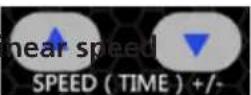
Press the buttons to adjust the linear speed during workout. Frequencies:
Level 1: 3 Hz
Level 2-51: 3.1 Hz - 8 Hz in steps of 0.1 Hz
Level 52-56: 8.2 Hz - 9 Hz in steps of 0.2 Hz
Level 57-60: 9.25 - 10 Hz in steps of 0.25 Hz
- Mode
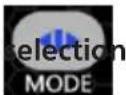
M = user mode
P1\P2\P3\P4 = auto programs.
In user mode, speed and time need to be adjusted; in auto program, speed and time are automatically controlled.
- Start/

Press START/STOP-button to run or stop the appliance.
SKANDIKA app / Transfer via Bluetooth®
the new SKANDIKA app enables the pairing of your smartphone / tablet with the vibration plate SKANDIKA 900 Smart via Bluetooth®. You may control the device with either one of these devices and have your training results right at hand.
Please perform the following steps to properly install the app:
- Please search the SKANDIKA app in the App store (for iPhone ^ , iPad ^ / iPod touch ^ ) or in Google Play store (for Android ^ ). Important: Required versions: iOS 8.0 or higher resp. Android 7.0 or higher.
- Download the app.
- Make sure that Bluetooth ^® is ENABLED on your smartphone / tablet.
- Press the Bluetooth ^® icon in the App to initiate the connection to your device: "SKANDIKA" will appear as available device. In case you have other Bluetooth ^® devices in your environment, make sure to select the correct source.
- After reconfirming "SKANDIKA", you will receive a message that pairing was successful.
- You may now control the training device with your smart device (manual and automatic mode). The SKANDIKA remote control is obsolete in this case.
- You may now select time and intensity of the oscillating and linear vibrations (manual mode). The top part of the App displays the time, used calories and vibrations. Press the START button to begin or end the workout.
- In automatic mode, you may select program 1 to 4 and set the time. The top part of the App displays the time, used calories and type of vibration (linear / oscillating). Press the START button to begin or end the workout.
- Select "History" in the menu to retrieve the results for a day / month or year. The training time (in minutes) and the used calories* for each period will be displayed.
*Calories value only to be regarded as an estimation, not as an exact or medical value.
- Select "About us" to learn more about us and our sporty vision and get to know one of our renowned top athletes.
Bluetooth®-transmission for music:
In order to listen to music from the speakers of the device via your smartphone or tablet, search for the vibration plate („Skandika music“) through the Bluetooth® settings of your mobile device. Then connect both devices (pairing). You can control the volume with your smartphone/tablet.
Connection with the remote control
The included remote control is already connected to your device and is directly ready for use (with inserted battery). After exchanging the battery or in case of buying a replacement remote control it is necessary to connect the remote control to your device (pairing) before use.
Therefore please follow these steps:
- Insert battery in remote control.
- Press „Start/Stop“ button right away.
- Press any button on remote control.
- Press „Start/Stop“ button again.
-
The remote control should now be functionable.
-
Use two fingers and press and hold the buttons „+“ and „-“ simultaneously, until a beep tone is emitted.
Remote control operation
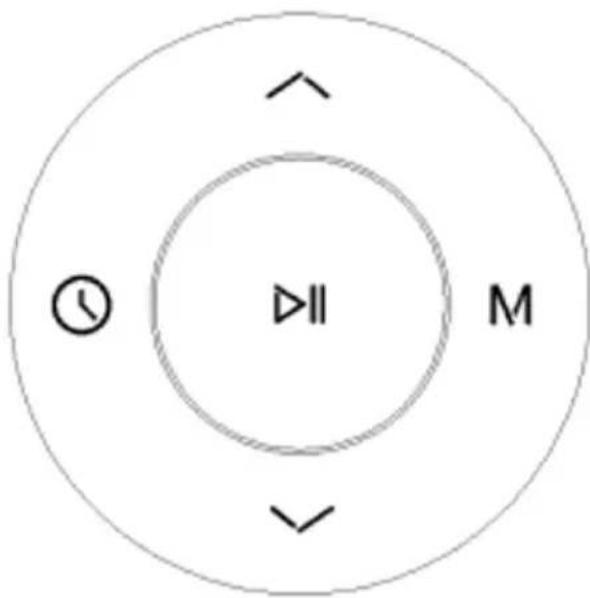
1.

Before workout: Time selection.
During workout: Linear speed increase.
2.

Before workout: Mode selection.
During workout: Linear speed decrease.
-
Oscillation speed increase.
-
Oscillation speed decrease.
-
Star/Stopp-button.
The effective transmitting range of the remote control is 2.5 meters.
Align the infrared emitter of the controller to the receiving window on the display of the unit for best results.
flowchart
graph TD
    A["↑"] --> B["○"]
    C["↓"] --> D["II"]
    E["M"] --> F["↓"]

Replacing the battery
natural_image
Circular diagram with concentric rings and a central circular object, no text or symbols present.-
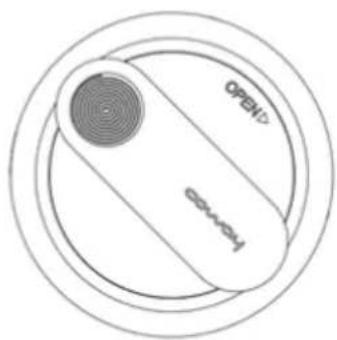
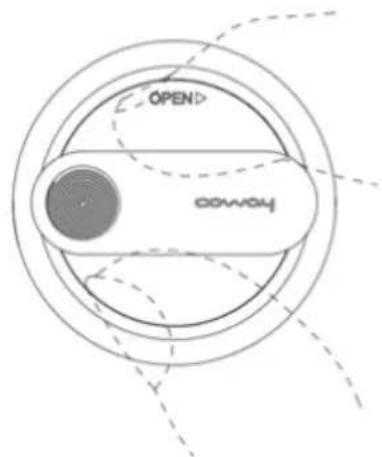
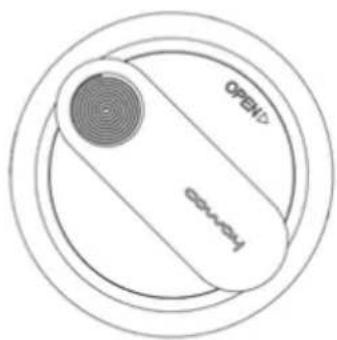
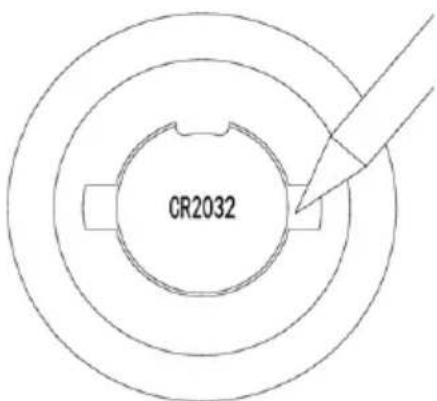
Remove the rear cover of the remote control by rotating it in clockwise direction.
-
Take out the battery and replace with a new one (type CR2032).
-
Put the cover back and rotate it anticlockwise to fix it.
-
The remote control may be fixed on your clothes (e.g. shirt or pants) using the clip on the backside.
Auto programs
Technical specifications
Dimensions: approx. 72 x 45 x 15 cm
Weight: approx. 23 kg
Frequency: 50/60 Hz
Motor power: 200 W + 200 W
Maximum user weight: 120 kg
Guarantee conditions
For our devices we provide a warranty as defined below.
- In accordance with the following conditions (numbers 2-5) we repair defect or damage to the device free of charge, if the cause is a manufacturing defect. Therefore, these defects / damages need to be reported to us without delay after appearance and within the warranty period of 24 months after delivery to the end user. The warranty does not cover parts, which easily break (e.g. glass or plastic). The warranty does not cover slight deviations of the product, which are insignificant for usability and value of the device and damage caused by chemical or electrochemical effects and damages caused by penetration of water or generally force majeure damage.
- The warranty achievement is the replacement or repair of defective parts, depending on our decision. The cost of material and labor will be borne by us. Repairs at customer site cannot be demanded. The proof of purchase along with the date of purchase and / or delivery is required. Replaced parts become our property.
- The warranty is void if repairs or adjustments are made, which are not authorized by us or if our devices are equipped with additional parts or accessories that are not adapted to our devices. Furthermore, the warranty is void if the device is damaged or destroyed by force majeure or due to environmental influences and in case of improper handling / maintenance (e.g. due to non-observance of the instruction manual) or mechanical damages. The customer service may authorize you to replace or repair defective parts after telephone consultation. In this case, the warranty is not void.
- Warranty services do not extend the warranty period nor do they initiate a new warranty period.
- Further demands, especially claims for damages which occurred outside the device, are excluded as long as a liability is not obligatory legal.
- Our warranty terms - which cover the requirements and scope of our warranty conditions - do not affect the contractual warranty obligations of the seller.
- Parts of wear and tear are not included in the warranty.
- The warranty is void if not used properly or if used in gyms, rehabilitation centers and hotels. Even if most of our units are suitable for a professional use, this requires a separate agreement.
Environmental protection
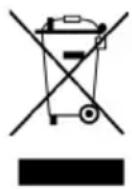
At the end of its life cycle, this product must not be disposed of with household waste but must be taken to a collection unit for the recycling of electric and electronic equipment. The symbol on the product, the instructions for use or the packaging express mention of this. The basic materials can be recycled as specified on the labelling.
When recycling the materials and finding other utilisation for used equipment, you are making a significant contribution towards protecting our environment. Ask at your council about the respective local disposal sites.
For service, accessories and spare parts, please contact: info@skandika.com
Service centre: MAX Trader GmbH, Wilhelm-Beckmann-Straße 19, 45307 Essen, Germany
In accordance with our policy of continual product improvement, we reserve the right to make technical and visual changes without notice.
Contenu
AVERTISSEMENT
natural_image
Circular diagram with concentric rings and a central circular object, no text or symbols present.ADVERTENCIA
natural_image
Circular diagram with concentric rings and a central circular object, no text or symbols present.
- WARNUNG
- WARNING
- Safety Information
- This device is ideal for
- In order to maximize the benefits of this machine, always remember the following points:
- Cleaning and maintenance
- Scope of delivery
- Features
- Control panel operation
- SKANDIKA app / Transfer via Bluetooth®
- Bluetooth®-transmission for music:
- Connection with the remote control
- Remote control operation
- Replacing the battery
- Technical specifications
- Guarantee conditions
- Environmental protection
- Contenu
- AVERTISSEMENT
- ADVERTENCIA
Brand : Skandika
Model : Vibration Plate 900 Smart
Category : Vibratory plate