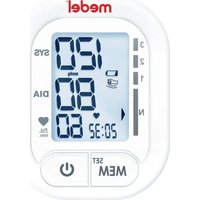
Soft TMB-1581-S - Sphygmomanometer Medel - Free user manual and instructions
Find the device manual for free Soft TMB-1581-S Medel in PDF.


| Product Type | Wrist Blood Pressure Monitor |
| Brand | Medel |
| Model | Soft TMB-1581-S |
| Dimensions | 85 x 67 x 23 mm (without cuff) |
| Weight | Approx. 104 g (without batteries) |
| Power Supply | 2 AAA batteries |
| Measurement Method | Oscillometric |
| Pressure Measurement Range | 0 to 299 mmHg (0 to 39.9 kPa) |
| SYS Measurement Range | 60 to 230 mmHg (8.0 to 30.7 kPa) |
| DIA Measurement Range | 40 to 130 mmHg (5.3 to 17.3 kPa) |
| Pulse Measurement Range | 40 to 199 beats/min |
| Pressure Accuracy | ±3 mmHg (±0.4 kPa) |
| Pulse Accuracy | ±5% |
| Compatible Wrist Circumference | 13.5 to 21.5 cm |
| Display | VA LCD digital 32x45 mm |
| Memory | 60 records with date and time |
| Functions | Excessive movement detection, irregular heartbeat detection, blood pressure level indicator (WHO) |
| Degree of Protection | IP22 |
| Applied Part Classification | Type BF |
| Operating Conditions | Temperature: +5°C to +40°C, relative humidity 15% to 90% |
| Storage Conditions | Temperature: -20°C to +60°C, relative humidity ≤93% |
| Included Accessories | Cuff, storage case, 2 AAA batteries, user manual |
| Care and Cleaning | Clean with a soft, dry cloth; do not immerse; do not machine wash the cuff |
| Safety | Do not use on wounds, pregnant women, or implant wearers; emergency stop via START/STOP button; automatic deflation at 300 mmHg |
| Spare Parts and Repairability | Contact the manufacturer or an authorized center for repair; do not open yourself |
| General Information | Compliant with MDD 93/42/EEC; typical cuff lifespan: 10,000 times |
Frequently Asked Questions - Soft TMB-1581-S Medel
User questions about Soft TMB-1581-S Medel
0 question about this device. Answer the ones you know or ask your own.
Ask a new question about this device
Download the instructions for your Sphygmomanometer in PDF format for free! Find your manual Soft TMB-1581-S - Medel and take your electronic device back in hand. On this page are published all the documents necessary for the use of your device. Soft TMB-1581-S by Medel.
USER MANUAL Soft TMB-1581-S Medel
MEDEL SOFT
Model: TMB-1581-S
1
2
3
4
A
B
C
D
E
F
G
H
|
5
A
B
C
D
6
A
B
7
A
B
C
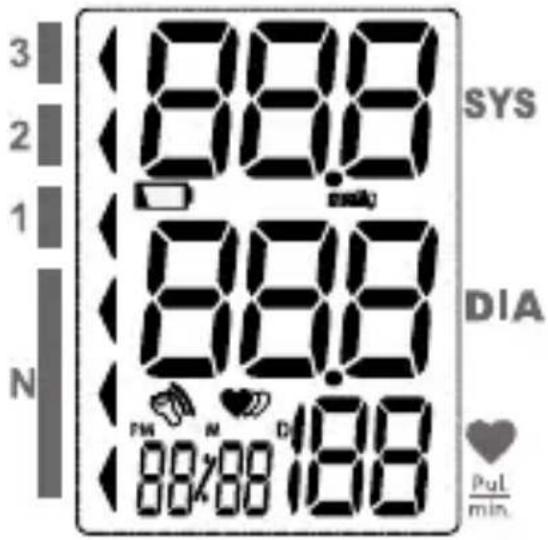
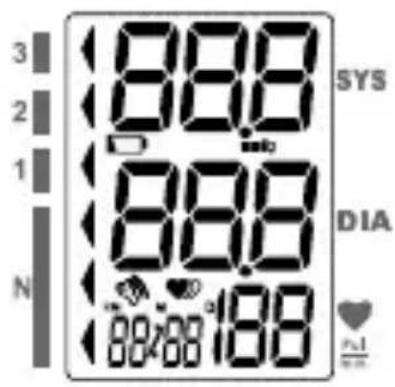
SIMBOLO SUL DISPLAY (PIC. 3)
DISPLAY SYMBOL (PIC. 3)
| SYMBOL DESCRIPTION EXPLANATION | ||
| SYS | Systolic blood pressure High blood pressure | |
| DIA | Dystolic blood pressure Low blood pressure | |
 | Pulse display Pulse in bests per minutes | |
 | Excessive Body Motion Detector | Motion may result in an inaccurate measurement |
 | Low battery Batteries are running low and need to be replaced | |
 | mmHg (1 mmHg=0.133kPa)Measurement unit the blood pressure | |
 | Irregular heartbeat Detects an irregular heartbeat during measurement. | |
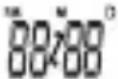 | Current time Month/Day/Year,Hour: Minute | |
 | Blood pressure level indicator | Indicate the blood pressure level |
 | Heartbeat Month/Day/Year,Hour: Minute | |
INTRODUCTIONS
Dear customer,
Thank you for choosing one of our products. Our name stands for high-quality, thoroughly tested products. Please read these instructions for use carefully and keep them for later use, be sure to make them accessible to other users and observe the information they contain.
With kind regards,
Your Medel team
INDICATIONS FOR USE
Medel Soft is a digital monitor intended for use in measuring blood pressure and heartbeat rate with a wrist circumference ranging from 13.5cm to 21.5 cm (about 5½"-8½").
It is intended for adult indoor use only.
CONTRAINDICATION
-
The device should not be used by any person who may be suspected of, or is pregnant.
-
The device is not suitable for use on patients with implanted, electrical devices, such as cardiac pacemakers, defibrillators.
MEASUREMENT PRINCIPLE
This product uses the Oscillometric Measuring Method to detect blood pressure. Before every measurement, the unit establishes a “zero point” equivalent to the atmospheric pressure. Then it starts inflating the cuff. Meanwhile, the unit detects pressure oscillation generated by beat-to-beat pulsatile, which is used to determine the systolic pressure and diastolic pressure as well as pulse rate.
SAFETY INFORMATION
The signs below might be in the user manual, labeling or other component. They are the requirement of standard and using.
 | Symbol for “THE OPERATION GUIDE MUST BE READ” |  | Symbol for “TYPE BF APPLIED PARTS” |
 | Symbol for “COMPLIES WITH MDD 93/42/EEC REQUIREMENTS” |  | Symbol for “ENVIRONMENT PROTECTION - Electrical waste products should not be disposed of with household waste. Please recycle where facilities exist. Check with your local authority or retailer for recycling advice” |
 | Symbol for “MANUFACTURER” | ||
 | Symbol for “SERIAL NUMBER” |  | Symbol for “DIRECT CURRENT” |
 | Symbol for “RECYCLE” | EC REP | Symbol for “Authorised Representative in the European Community |
 | Symbol for “MANUFACTURE DATE” | Caution: These notes must be observed to prevent any damage to the device. | |
 | The Green Dot is the license symbol of a European network of industry-funded systems for recycling the packaging materials of consumer goods. |

ATTENTION!
This device is intended for adult use in homes only.
* The device is not suitable for use on neonatal patients, pregnant women, patients with implanted, electrical devices, patients with pre-eclampsia, premature ventricular beats, atrial fibrillation, peripheral disease and patients undergoing intravascular therapy or arterio-venous shunt or people who received a mastectomy. Please consult your doctor prior to using the unit if you suffer from illnesses.
* The device is not suitable for measuring the blood pressure of children. Ask your doctor before using it on older children.
* The device is not intended for patient transport outside a healthcare facility.
* The device is not intended for public use.
* This device is intended for no-invasive measuring and monitoring of arterial blood pressure. It is not intended for use on extremities other than the wrist or for functions other than obtaining a blood pressure measurement.
* Do not confuse self-monitoring with self-diagnosis. This unit allows you to monitor your blood pressure. Do not begin or end medical treatment without asking a physician for treatment advice.
* If you are taking medication, consult your physician to determine the most appropriate time to measure your blood pressure. Never change a prescribed medication without consulting your physician.
* Do not take any therapeutic measures on the basis of a self measurement. Never alter the dose of a medicine prescribed by a doctor. Consult your doctor if you have any question about your blood pressure.
* When the device was used to measure patients who have common arrhythmias such as atrial or ventricular premature beats or atrial fibrillation, the best result may occur with deviation. Please consult your physician about the result.
* Warning: Do not apply the cuff over a wound; otherwise it can cause further injury.
*Do not inflate the cuff on the same limb which other monitoring ME equipment is applied around simultaneously, because this could cause temporary loss of function of those simultaneously-used monitoring ME equipment.
*On the rare occasion of a fault causing the cuff to remain fully inflated during measurement, open the cuff immediately. Prolonged high pressure (cuff pressure > 300mmHg or constant pressure >15mmHg for more than 3 minutes) applied to the wrist may lead to an ecchymosis.
*Please check that operation of the device does not result in prolonged impairment of patient blood circulation.
* When measurement, please avoid compression or restriction of the connection tubing.
* The device cannot be used with HF surgical equipment at the same time.
* The ACCOMPANYING DOCUMENT shall disclose that the SPHYGMOMANOMETER was clinically investigated according to the requirements of ISO 81060-2:2013.
* To verify the calibration of the AUTOMATED SPHYGMOMANOMETER, please contact the manufacturer.
* This device is contraindicated for any female who may be suspected of, or is pregnant. Besides providing
inaccurate readings, the effects of this device on the fetus are unknown.
* Too frequent and consecutive measurements could cause disturbances in blood circulation and injuries.
* This unit is not suitable for continuous monitoring during medical emergencies or operations. Otherwise, the patient's wrist and fingers will become anaesthetic, swollen and even purple due to a lack of blood.
* When not in use, store the device in a dry room and protect it against extreme moisture, heat, lint, dust and direct sunlight. Never place any heavy objects on the storage case.
* This device may be used only for the purpose described in this booklet. The manufacturer cannot be held liable for damage caused by incorrect application.
*This device comprises sensitive components and must be treated with caution. Observe the storage and operating conditions described in this booklet.
* The maximum temperature that the applied part can be achieved is 42.5°C while the environmental temperature is 40°C.
* The equipment is not AP/APG equipment and not suitable for use in the presence of a flammable anesthetic mixture with air of with oxygen or nitrous oxide.
* Warning: No servicing/maintenance while the ME equipment is in use.
* The patient is an intended operator.
* The patient can measure data and change batteries under normal circumstances and maintain the device and its accessories according to the user manual.
* To avoid measurement errors, please avoid the condition of strong electromagnetic field radiated interference signal or electrical fast transient/burst signal.
* The blood pressure monitor and the cuff are suitable for use within the patient environment. If you are allergic to polyester, nylon or plastic, please don't use this device.
* During use, the patient will be in contact with the cuff. The materials of the cuff have been tested and found to comply with requirements of ISO 10993-5:2009 and ISO 10993-10:2010. It will not cause any potential sensitization or irritation reaction.
* If you experience discomfort during a measurement, such as pain in the wrist or other complaints, press the START/STOP button to release the air immediately from the cuff. Loosen the cuff and remove it from your wrist.
* If the cuff pressure reaches 40 kPa (300 mmHg), the unit will automatically deflate. Should the cuff not deflate when pressures reaches 40 kPa (300 mmHg), detach the cuff from the wrist and press the START/STOP button to stop inflation.
* Before use, make sure the device functions safely and is in proper working condition. Check the device, do not use the device if it is damaged in any way. The continuous use of a damaged unit may cause injury, improper results, or serious danger.
* Do not wash the cuff in a washing machine or dishwasher!
* The service life of the cuff may vary by the frequency of washing, skin condition, and storage state. The typical service life is 10000 times.
* It is recommended that the performance should be checked every 2 years and after maintenance and repair, by retesting at least the requirements in limits of the error of the cuff pressure indication and air leakage (testing at least at 50mmHg and 200mmHg).
* Manufacturer will make available on request circuit diagrams, component part lists, descriptions, calibration instructions, etc., to assist to service personnel in parts repair.
* The operator shall not touch output of batteries and the patient simultaneously.
Cleaning :Dust environment may affect the performance of the unit. Please use the soft cloth to clean the whole unit before and after use. Don't use any abrasive or volatile cleaners.
* The device doesn't need to be calibrated within two years of reliable service.
* If you have any problems with this device, such as setting up, maintaining or using, please contact the SERVICE PERSONNEL of Transtek. Don't open or repair the device by yourself in the event of malfunctions. The device must only be serviced, repaired and opened by individuals at authorized sales/service centers.
* Please report to Transtek if any unexpected operation or events occur.
* Keep the unit out of reach of infants, young children or pets to avoid inhalation or swallowing of small parts. It is dangerous or even fatal.
* Be careful to strangulation due to cables and hoses, particularly due to excessive length.
* At least 30 min required for ME equipment to warm from the minimum storage temperature between uses until it is ready for intended use. At least 30 min required for ME equipment to cool from the maximum storage temperature between uses until it is ready for intended use.
* This equipment needs to be installed and put into service in accordance with the information provided in the ACCOMPANYING DOCUMENTS:
* Wireless communications equipment such as wireless home network devices, mobile phones, cordless telephones and their base stations, walkie-talkies can affect this equipment and should be kept at least a distance d away from the equipment. The distance d is calculated by the MANUFACTURER from the 80MHz to 5.8 GHz column of Table 4 and Table 9 of IEC 60601-1-2:2014, as appropriate.
* Please use ACCESSORIES and detachable partes specified/ authorised by MANUFACTURE. Otherwise, it may cause damage to the unit or danger to the user/patients.
* There is no luer lock connectors are used in the construction of tubing, there is a possibility that they might be inadvertently connected to intravascular fluid systems, allowing air to be pumped into a blood vessel.
* Please use the device under the environment which was provided in the user manual. Otherwise, the performance and lifetime of the device will be impacted and reduced.
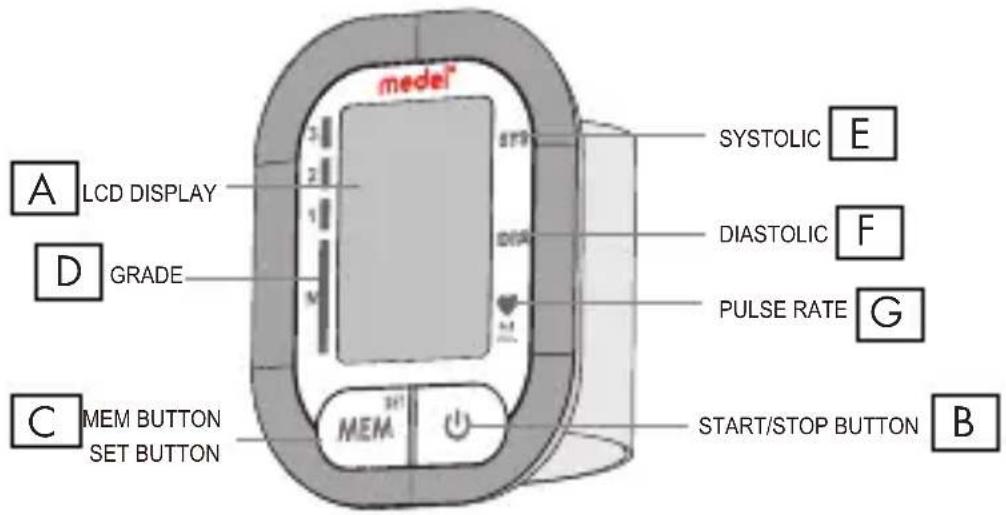
1. BLOOD PRESSURE MONITOR COMPONENT (PIC. 1)
A. LCD Display
B. Start / Stop button
C. Memory button / Set button (MEM)
D. Hypertension grade indicator
E. Systolic blood pressure
F. Diastolic blood pressure
G.Pulse rate
COMPONENT LIST OF PRESSURE MEASURING SYSTYEM:
- PCBA;
- Air Pipe;
- Pump;
- Valve;
- Cuff.
LIST OF ACCESSORIES:
- Wrist blood pressure monitor
- Storage case
- 2 x AAA batteries
- User manual
2. BEFORE YOU START
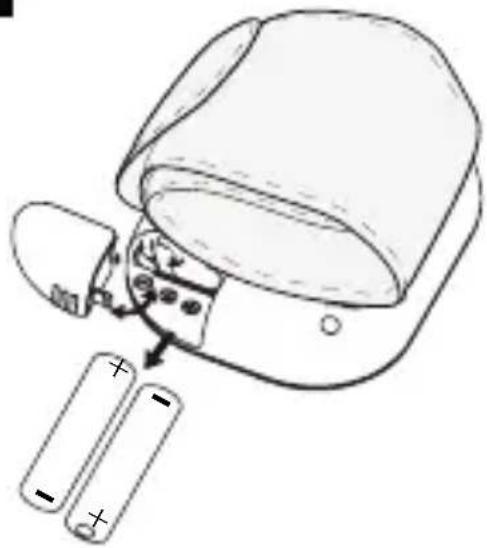
2.1 INSTALLING AND REPLACING THE BATTERIES (PIC. 2)
Slide off the battery cover.
Install the batteries by matching the correct polarity, as show pic. 2.
Always use the correct battery type (2 x AAa batteries).
Replace the battery cover.
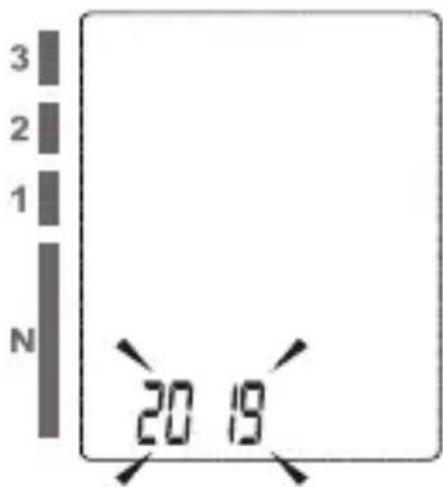
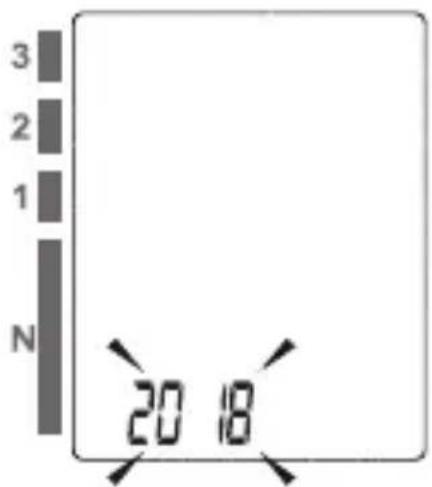
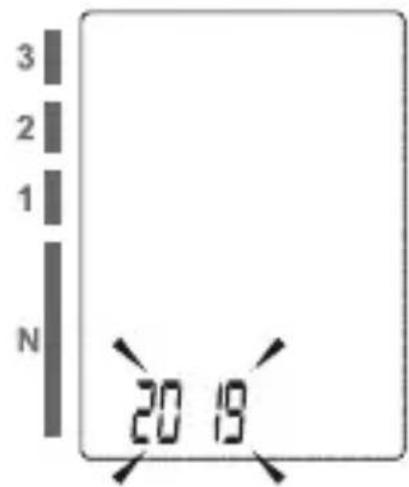
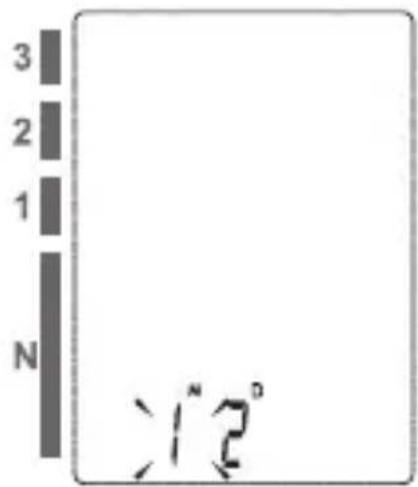
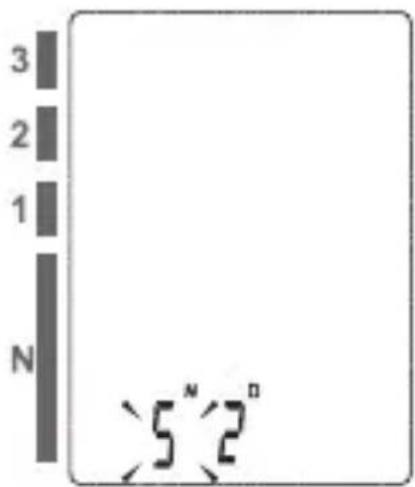
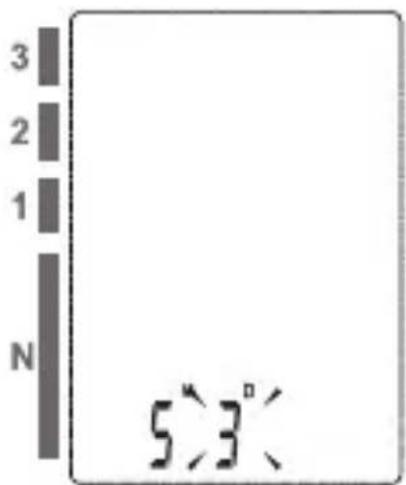
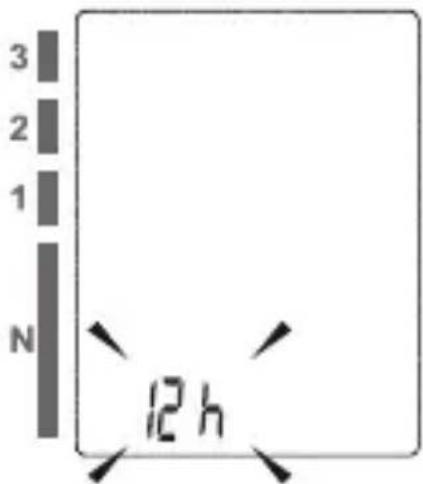
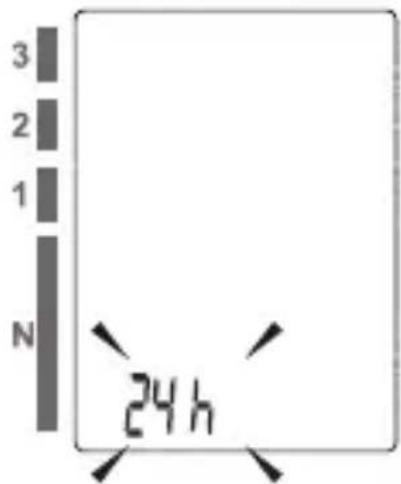
2.2 SETTING DATE, TIME AND MEASUREMENT UNIT (PIC. 4)
It is important to set the clock before using your blood pressur monitor, so that a time stamp can be assigned to each record that is stored in the memory. (year: 2018 - 2058, time format: 12H/24H)
- When the monitor is off, hold pressing "MEM" button for about 3 seconds to enter into setting mode. The blinking numeral represents [YEAR] (pic. 4.A)
- Press the "MEM" button to change the [YEAR]. Each press will increase the numeral by one in a cycling manner (pic. 4.B).
- When you get the right year, press "START/STOP" button to confirm your selection and it will turn to the next step (pic. 4.C) (pic.4.D).
- Repeat step 2 and 3 to confirm [MONTH] and [DAY]
- (pic. 4.E) (pic. 4.F)
- Repeat step 2 and 3 to confirm the time formate [12H] and [24H] (pic. 4.G) (pic. 4.H)
- Repeat step 2 and 3 to confirm [HOUR] and [MINUTE] (pic. 4.1)
Replace the batteries whenever the below happen
•The □ +Lo shows
• The display is dim.
•The display does not light up

CAUTION
• Do not use new and used batteries together.
Do not use different types of batteries together.
• Do not dispose the batteries in fire. Batteries may explode or leak.
- Remove batteries if the device is not likely to be used for some time.
- Worn batteries are harmful to the environment. Do not dispose with daily garbage.
- Remove the old batteries from the device following your local recycling guidelines.
2.3 TIE THE CUFF
- Remove all accessories (watch, bracelet, etc) from your wrist. If your physician has diagnosed you with poor circulation in your wrist, use the other one.
- Roll or push up your sleeve to expose the skin.
- Apply the cuff to your wrist with your palm facing up.
- Position the edge of the cuff about 1cm\~1.5cm from wrist joints.
- Fasten the wrist cuff around your wrist, leaving no extra room between the cuff and your skin. If the cuff is too loose, the measurement will not be accurate.
- Sit comfortably with your tested wrist resting on a flat surface. Place your elbow on a table so that the cuff is at the same level as your heart. Turn your palm upwards. Sit upright in a chair, and take 5-6 deep breaths.
- Patients with Hypertension: The middle of the cuff should be at the level of the right atrium of the heart; Before starting measurement, please sit comfortably with legs uncrossed, feet flat on the floor, back and wrist supported. Rest for 5 minutes before measuring.
Wait at least 3 minutes between measurements. This allows your blood circulation to recover. Take the measurement in a silent room. The patient must relax as much as possible and do not move and talk during the measurement procedure.
The cuff should maintain at the same level as the right atrium of the heart. Do not cross your legs and keep your feet on the ground. Keep your back against the backrest of the chair. For a meaningful comparison, try to measure under similar conditions. For example, take daily measurements at approximately the same time, on the same wrist, or as directed by a physician.

2.4 START THE MEASUREMENT
-
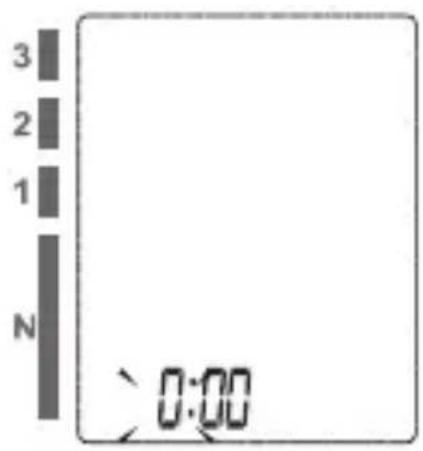
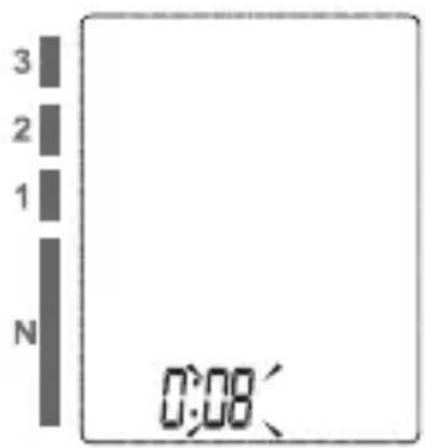
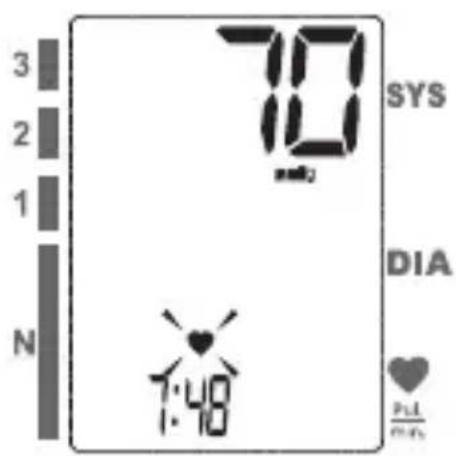
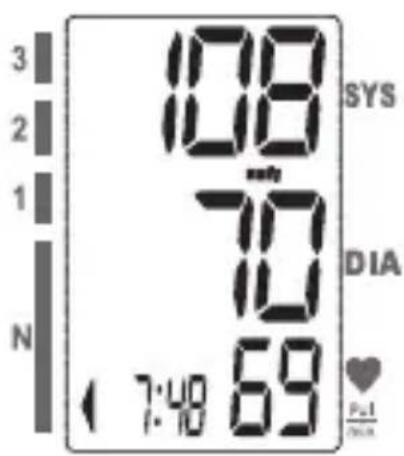
When the monitor is off, press "START/STOP" button to turn on the monitor, and it will finish the whole measurement (pic. 5.A) (pic. 5.B).
-
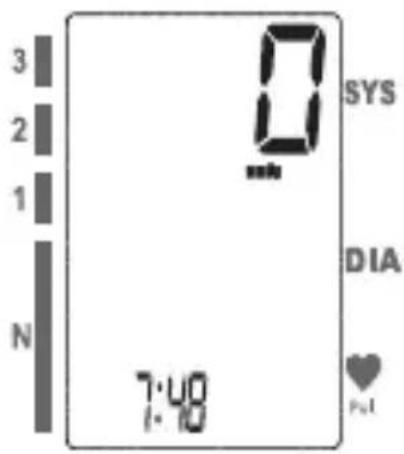
Press "START/STOP" button to power off, otherwise it will turn off within 1 minute (pic. 5.C) (pic. 5.D).
3. DATA MANAGEMENT
-
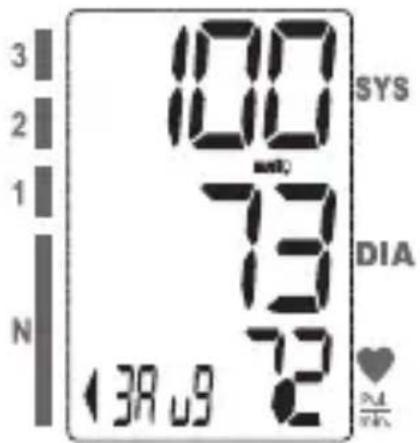
When the monitor is off, press "MEM" button to show the average value of the latest three measurement records. If the records are less than 3 groups, it will display the latest record instead (pic. 6. A).
-
Press "MEM" button again, it will display the latest measu-
rement result, date and time. Press "MEM" button again, it will display the next record, and so on. During the process of displaying the results, if there is no operation, the blood pressure monitor will turn off in one minute. Or you can press "START/STOP" button to turn it off. (pic. 6.B).
V5
It means the total records is 5, the current No. is No. 1.
5.4
The corresponding date is May 14 th .
8:15
The corresponding time is 8:16.
CAUTION
The most recent record (1) is shown first. Each new measurement is assigned to the first (1) record. All other records are pushed back one digit (e.g., 2 becomes 3, and so on), and the last record (60) dropped from the list.
If you did not get the correct measurement, you can delete all results by followings steps below.
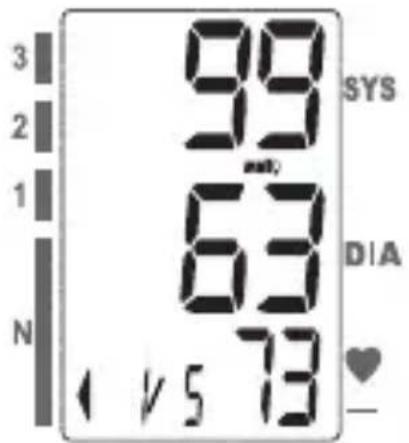
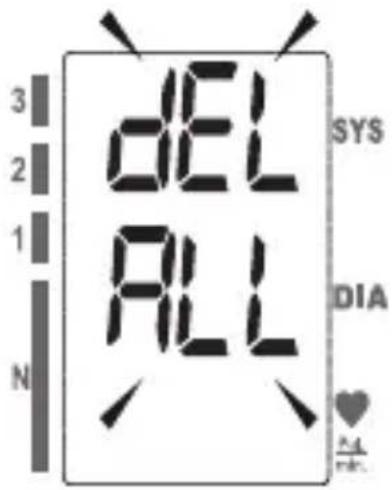
- Hold pressing "MEM" button for 3 seconds when the monitor is in the memory recall mode, the "dEL All" will flash on the display (pic. 7.A).
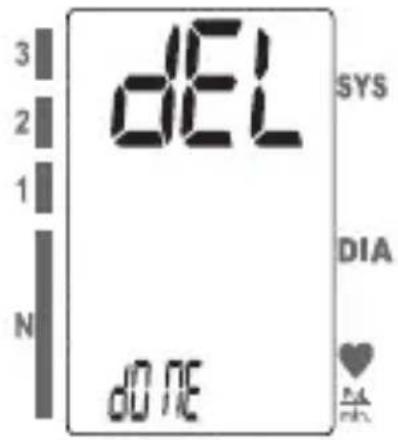
- Press "MEM" to confirm deleting, the LCD displays "dEL donE" and the monitor will turn off (pic. 7.B).
Note: To exit out of delete mode without deleting any records, press START/STOP button before pressing "MEM" to confirm any delete commands.
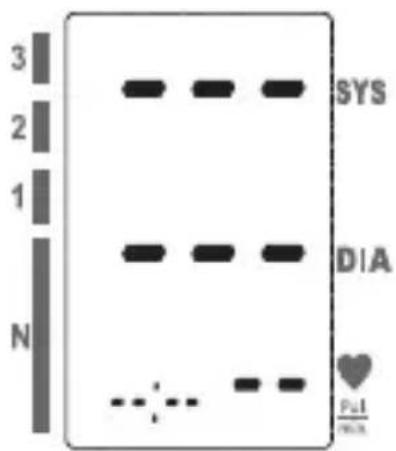
- If there is no record, the right display will show (pic. 7.C).
4. INFORMATION FOR USER
4.1 MAINTENANCE
To obtain the best performance, please follow the instructions below.
- Put in a dry place and avoid the sunshine
- Avoid immersing it in the water. Clean it with a dry cloth in case.
- Avoid shaking and collision.
- Avoid dusty environment and unstable temperature surround-
ding.
- Use the slightly damp cloth to remove the dirt.
- Avoid washing the cuff.
5. ABOUT BLOOD PRESSURE
5.1 WHAT ARE SYSTOLIC PRESSURE AND DIASTOLIC PRESSURE?
When ventricles contract and pump blood out of the heart, blood pressure reaches its maximum value, the highest pressure in the cycle is known as systolic pressure.
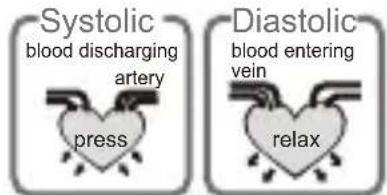
When the heart relaxes between heartbeats, the lowest blood pressure is diastolic pressure.
5.2 WHAT IS THE STANDARD BLOOD PRESSURE CLASSIFICATION?
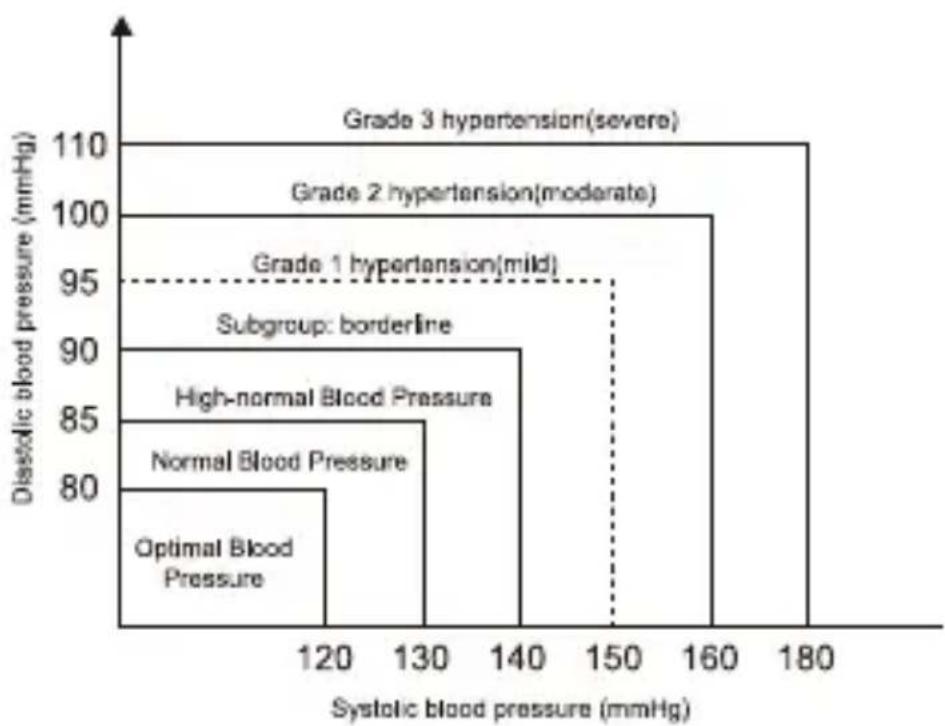
The blood pressure classification published by World Health Organization (WHO) and International Society of Hypertension (ISH) in 1999 is as follows:
| Blood Level pressure (mmHg) | Optimal Normal Mild Moderate Severe Normal | |||||
| SYS | <120 | 120~129 | 130~139 | 140~159 | 160~179 | >180 |
| DIA | <80 | 80~84 | 85~89 | 90~99 | 100~109 | >110 |
5.3 IRREGULAR HEARTBEAT DETECTOR
An irregular heartbeat is detected when a heartbeat rhythm varies while the device is measuring systolic pressure and diastolic pressure. During each measurement, blood pressure monitor will keep a record of all the pulse intervals and calculate the average value of them. If there are two or more pulse intervals, the difference between each interval and the average is more than the average value of ±25% , or there are four or more pulse intervals, the difference between each interval and the average is more than the average value of ±15% , then the irregular heartbeat symbol will appear on the display with the measurement result.
5.4 WHY DOES MY BLOOD PRESSURE FLUCTUATE THROUGHOUT THE DAY?
-
Individual blood pressure varies multiple times everyday. It is also affected by the way you tie your cuff and your measurement position, so please take the measurement under the same conditions.
-
If the person takes medicine, the pressure will vary more.
-
Wait at least 3 minutes for another measurement.
6. ERROR MESSAGE MALFUNCTION
PROBLEM SYMPTOM CHECK THIS REMEDY
| No power | Display is dim or will not light up. | Batteries are exhausted. | Replace with new batteries |
| Batteries are inserted incorrectly. | Insert the batteries correctly | ||
| Low batteries | Show on the display | Batteries are low. | Replace with new batteries |
| Error message | E1 shows | The cuff is not secure. | Refasten the cuff and then measure again. |
| E 2 shows The cuff is very tight | Refasten the cuff and then measure again. | ||
| E 3 shows | The pressure of the cuff is excess. | Relax for a moment and then measure again. | |
| E 10 or E 11 shows | The monitor detected motion, talking,or the pulse is too poor while measuring. | movement can affect the measurement. Relax for a moment and then measure again. | |
| E 20 shows | The measurement process does not detect the pulse signal. | Loosen the clothing on the arm and then measure again. | |
| E 21 shows | Measure incorrectly. | Relax for a moment and then measure again. | |
| EExx,shows on the display. | A calibration error occurred. | Retake the measurement.If the problem persists,contact the retailer or our customer service department for further assistance. Refer to the warranty for contact information and return instructions. | |
| Warning message | “out” shows | Out of measurement range | Relax for a moment. Refasten the cuff and thenmeasure again. If the problem persists, contact your physician. |
7. SPECIFICATION
| Power supply | Battery powered mode: 2*AAA batteries |
| Display mode | Digital LCD V.A.32mmx45mm |
| Measurement mode | Oscillographic testing mode |
| Measurement range | Rated cuff pressure:0mmHg~299mmHg(0kPa ~ 39.9kPa)Measurement pressure:SYS: 60mmHg~230mmHg (8.0kPa~30.7kPa)DIA: 40mmHg~130mmHg (5.3kPa~17.3kPa)Pulse value: (40-199)beat/minute |
| Accuracy | Pressure:5°C-40°C within±3mmHg(0.4kPa)Pulse value:±5% |
| Working condition | A temperature range of :+5°C to +40°CA relative humidity range of 15% to 90%, non-condensing,but not requiring a water vapour partial pressure greater than 50 hPaAn atmospheric pressure range of : 700 hPa to 1060 hPa |
| Storage & transportation condition | Temperature:-20°C to +60°CA relative humidity range of ≤ 93%, non-condensing,at a water vapour pressure up to 50hPa |
| Measurement perimeter of the upper arm | About 13.5cm-21.5cm |
| Weight | Approx.104g(Excluding the batteries) |
| External dimensions | Approx.85mm×67mm×23mm(Excluding the cuff) |
| Attachment | 2*AAA batter ies,user manual,PP case |
| Mode of operation | Continuous operation |
| Degree of protection Type | BF applied part |
| Device Classification | Internally Powered ME Equipment |
| IP Classification | IP22: The first number 2: Protected against solid foreign objects of 12.5mm Φ and greater. The second number: Protected against vertically falling water drops when enclosure titled up to 15°. Vertically falling drops shall have no harmful effects when the enclosure is titled at any angle up to 15° on either side of the vertical. |
| Software Version | A01 |
WARNING: No modification of this equipment is allowed.
8.WARRANTY CONDITIONS
- The device is guaranteed for 5 years from the date of original purchase against any defect in materials or workmanship.
- The warranty consists in the replacement and/or repair, free of charge, of originally defective components.
- The warranty does not cover the accessories supplied and the parts subject to normal wear and tear. The device may only be repaired by authorised technical service centres.
- The appliance must be sent to MEDEL CUSTOMER SERVICE for repairs.
- The transport costs shall be borne by the user.
- Any repair out of warranty shall be borne by the user. The warranty lapses if the device has been tampered with, if the defect was caused by improper use or in case the damage is not due to the manufacturer (accidental fall, incorrect transport etc.).
- The warranty does not involve any direct or indirect damages of any kind to people or property during the period of inefficiency of the product.
- The warranty is valid from the date of purchase certified by the receipt or invoice.
9. REFERENCE TO STANDARD
9.1 COMPLIED LIST
| Risk management | EN ISO 14971:2012 / ISO 14971:2007 Medical devices - Application of risk management to medical devices |
| Labeling | EN ISO 15223-1:2016 / ISO 15223-1:2016 Medical devices. Symbols to be used with medical device labels, labelling and information to be supplied. Part 1 : General requirements |
| User manual | EN 1041:2008 Information supplied by the manufacturer of medical devices |
| General Requirements for Safety | EN 60601-1:2006+A1:2013/ IEC 60601-1:2005+A1:2012 Medical electrical equipment - Part 1: General requirements for basic safety and essential performanceEN 60601-1-11:2015/ IEC 60601-1-11:2015 Medical electrical equipment - Part 1-11: General requirements for basic safety and essential performance - Collateral standard: Requirements for medical electrical equipment and medical electrical systems used in the home healthcare environment |
| Electromagnetic compatibility | EN 60601-1-2:2015/ IEC 60601-1-2:2014 Medical electrical equipment - Part 1-2: General requirements for basic safety and essential performance - Collateral standard: Electromagnetic disturbances - Requirements and tests |
| Performance requirements | EN ISO 81060-1:2012 Non-invasive sphygmomanometers - Part 1: Requirements and test methods for non-automated measurement typeEN 1060-3:1997+A2:2009 Non-invasive sphygmomanometers - Part 3: Supplementary requirements for electro-mechanical blood pressure measuring systemsIEC 80601-2-30:2009+A1:2013 Medical electrical equipment-Part 2-30: Particular requirements for the basic safety and essential performance of automated non-invasive sphygmomanometers |
| Clinical investigation | EN 1060-4:2004 Non-invasive sphygmomanometers - Part 4: Test procedures to determine the overall system accuracy of automated non-invasive sphygmomanometersISO 81060-2:2013 Non-invasive sphygmomanometers - Part 2: Clinical validation of automated measurement type |
| Usability | EN 60601-1-6:2010+A1:2015/IEC 60601-1-6:2010+A1:2013 Medical electrical equipment - Part 1-6: General requirements for basic safety and essential performance - Collateral standard: UsabilityIEC 62366-1:2015 Medical devices - Part 1: Application of usability engineering to medical devices |
| Software life-cycle processes | EN 62304:2006/AC: 2008 / IEC 62304: 2006+A1:2015 Medical device software - Software life-cycle processes |
| Bio-compatibility | ISO 10993-1:2009 Biological evaluation of medical devices-Part 1: Evaluation and testing within a risk management processISO 10993-5:2009 Biological evaluation of medical devices - Part 5: Tests for in vitro cytotoxicityISO 10993-10:2010 Biological evaluation of medical devices - Part 10: Tests for irritation and skin sensitization |
10 ♥ EMC Guidance
1) This product needs special precautions regarding EMC and needs to be installed and put into service according to the EMC information provided,
and this unit can be affected by portable and mobile RF communications equipment.
2)* Do not use a mobile phone or other devices that emit electromagnetic fields, near the unit. This may result in incorrect operation of the unit.
3)Caution: This unit has been thoroughly tested and inspected to assure proper performance and operation!
4)* Caution: This machine should not be used adjacent to or stacked with other equipment and that if adjacent or stacked use is necessary, this machine should be observed to verify normal operation in the configuration in which it will be used.
Table 1
| Guidance and manufacturer's declaration – electromagnetic emissions | ||
| The device is intended for use in the electromagnetic environment specified below. The customer or the user of the device should assure that it is used in such an environment. | ||
| Emissions test Electromagnetic Compliance - guidance | ||
| RF emissionsCISPR 11 | Group 1 | The device uses RF energy only for its internal function. Therefore, its RF emissions are very low and are not likely to cause any interference in nearby electronic equipment. |
| RF emissionsCISPR 11 | Class B | The device is suitable for use in all establishments, other than domestic and those directly connected to the public low-voltage power supply network that supplies buildings used for domestic purposes. |
| Harmonic emissionsIEC 61000-3-2 | Class A | |
| Voltage fluctuations/flicker emissionsIEC 61000-3-3 | Complies | |
Table 2
| Guidance and manufacturer's declaration - electromagnetic immunity | |||
| The device is intended for use in the electromagnetic environment specified below. The customer or the user of the device should assure that it is used in such an environment. | |||
| Immunity test | IEC 60601 test level | Compliance level | Electromagnetic environment - guidance |
| Electrostatic discharge (ESD)IEC 61000-4-2 | ±8 kV contact±15 kV air | ±8 kV contact±15 kV air | Floors should be wood, concrete or ceramic tile. If floors are covered with synthetic material, the relative humidity should be at least 30%. |
| Electrical fast transient/burstIEC 61000-4-4 | power supply lines:±2 kVinput/output lines:±1 kV | power supply lines:±2 kV | Mains power quality should be that of a typical commercial or hospital environment. |
| SurgeIEC61000-4-5 | line(s) to line(s): ±1 kVline(s) to earth: ±2 kV100 kHz repetition frequency | line(s) to line(s): ±1 kV100 kHz repetition frequency | Mains power quality should be that of a typical commercial or hospital environment. |
| Voltage dips, short interruptions and voltage variations on power supply input linesIEC 61000-4-11 | 0%UT: 0.5 cycleAt 0°, 45°, 90°, 135°,180°,225°,270° and 315°0%UT; 1 cycle and70%UT; 25/30 cyclesSingle phase: at 0°0% UT; 300 cycle | 0% UT; 0.5 cycleAt 0°, 45°, 90°, 135°,180°,225°,270° and 315°0% UT; 1 cycle and70% UT; 25/30 cyclesSingle phase: at 0°0% UT;300 cycle | Mains power quality should be that of a typical commercial or hospital environment. |
| Power frequency(50Hz/60Hz)magnetic fieldIEC 61000-4-8 | 30 A/m50Hz/60Hz | 30 A/m50Hz/60Hz | Power frequency magnetic fields should be at levels characteristic of a typical location in a typical commercial or hospital environment. |
| NOTE U T is the a.c. mains voltage prior to application of the test level. | |||
Table 3
| Guidance and manufacturer's declaration - electromagnetic immunity | ||||
| The device is intended for use in the electromagnetic environment specified below. The customer or the user of the device should assure that it is used in such an environment. | ||||
| Immunity test | IEC 60601Test level | Compliancelevel | Electromagnetic environment - guidance | |
| Conducted RFIEC 61000-4-6 | 150 kHz to80 MHz:3 Vrms6Vrms (in ISMand amateurradio bands)80% Am at 1kHz | 150 kHz to80 MHz:3 Vrms6Vrms (in ISMand amateurradio bands)80% Am at 1kHz | Portable and mobile RF communications equipment should be used no closer to any part of the device, including cables, than the recommended separation distance calculated from the equation appropriate for the frequency of the transmitter.Recommended separation distances: d=0.35 ; d=1.2 | |
| Radiated RFIEC 61000-4-3 | 10V/m, 80% Amat 1kHz | 10V/m, 80% Amat 1kHz | 80 MHz to 800 MHz: d=1.2 800 MHz to 2.7 GHz: d=2.3 | where, P is the maximum output power rating of the transmitter in watts (W) according to the transmitter manufacturer, d is the recommended separation distance in meters (m). Field strengths from fixed RF transmitters, as determined by an electromagnetic site surveya should be less than the compliance level in each frequency range. b Interference may occur in the vicinity of equipment marked with the following symbol: |
| NOTE 1 A t 80 MHz and 800 MHz, the higher frequency range applies.NOTE 2 T these guidelines may not apply in all situations. Electromagnetic propagation is affected by absorption and reflection from structures, objects and people. | ||||
| a Field strengths from fixed transmitters, such as base stations for radio (cellular / cordless)telephones and land mobile radios, amateur radio, AM and FM radio broadcast and TV broadcast cannot be predicted theoretically with accuracy. To assess the electromagnetic environment due to fixed RF transmitters, an electromagnetic site survey should be considered. If the measured field strength in the location in which the device is used exceeds the applicable RF compliance level above, the device should be observed to verify normal operation. If abnormal performance is observed, additional measures may be necessary, such as re-orienting or relocating the device. b Over the frequency range 150 kHz to 80 MHz, field strengths should be less than 3V/m . | ||||
Table 4
| Recommended separation distances between portable and mobile RF communications equipment and the device. | |||
| The device is intended for use in an electromagnetic environment in which radiated RF disturbances are controlled. The customer or the user of the device can help prevent electromagnetic interference by maintaining a minimum distance between portable and mobile RF communications equipment (transmitters) and the device as recommended below, according to the maximum output power of the communications equipment. | |||
| Rated maximum output power of transmitter (W) | Separation distance according to frequency of transmitter (m) | ||
| 150 kHz to 80 MHz 8 0 d = 3.5 | MHz to 800 MHz =d1.2 | 800 MHz to 2.7 GHz 2.3= | |
| 0.01 | 0.12 0.12 | 0.23 | |
| 0.1 | 0.38 | 0.38 | 0.73 |
| 1 | 1.2 | 1.2 | 2.3 |
| 10 | 3.8 | 3.8 | 7.3 |
| 100 | 12 | 12 | 23 |
| For transmitters rated at a maximum output power not listed above, the recommended separation distance d in metres (m) can be estimated using the equation applicable to the frequency of the transmitter, where P is the maximum output power rating of the transmitter in watts (W) according to the transmitter manufacturer.NOTE 1 At 80 MHz and 800 MHz, the separation distance for the higher frequency range applies.NOTE 2 These guidelines may not apply in all situations. Electromagnetic propagation is affected by absorption and reflection from structures, objects and people. | |||
Table 5
| Guidance and manufacturer's declaration - electromagnetic immunity | |||||||
| The device is intended for use in the electromagnetic environment specified below. The customer or the user of the device, should assure that it is used in such an environment. | |||||||
| Radiated RF IEC61000-4-3 (Test specifications for ENCLOSURE PORT IMMUNITY to RF wireless communications equipment) | Test Frequency (MHz) | Band a) (MHz) | Service a) | Modulation b) Modulation b) (W) | Modulation b) (W) | Distance (m) | IMMUNITY TEST LEVEL (V/m) |
| 385 | 380-390 | TETRA 400 | Pulse modulation b) 18Hz | 1.8 | 0.327 | ||
| 450 430 | 470 | GMRS 460, FRS 460 | FM c) ± 5kHz deviation 1kHz sine | 20.328 | |||
| 710 704 | 787 | LTE Band 13, 17 | Pulse modulation b) 217Hz | 0.20.39 | |||
| 745 | |||||||
| 780 | |||||||
| 810 | 800-960 | GSM 800/900, TETRA 800, iDEN 820, CDMA 850, LTE Band 5 | Pulse modulation b) 18Hz | 2 | 0.328 | ||
| 870 | |||||||
| 930 | |||||||
| 1720 | 1700-1990 | GSM 1800; CDMA 1900 GSM 1900; DECT; LTE Band 1, 3, 4,25; UMTS | Pulse modulation b) 217Hz | 2 | 0.328 | ||
| 1845 | |||||||
| 1970 | |||||||
| 2570 | Bluetooth, WLAN, 802.11 b/g/n, RFID 2450, LTE Band 7 | Pulse modulation b) 217 Hz | 2 | 0.32824 | 50 2400- | ||
| 5240 | 5100-5800 | WLAN 802.11 a/n | Pulse modulation b) 217 Hz | 0.2 | 0.39 | ||
| 5500 | |||||||
| 5785 | |||||||
| NOTE If necessary to achieve the IMMUNITY TEST LEVEL, the distance between the transmitting antenna and the ME EQUIPMENT or ME SYSTEM may be reduced to 1 m. The 1 m test distance is permitted by IEC 61000-4-3. | |||||||
| a) For some services, only the uplink frequencies are included.b) The carrier shall be modulated using a 50% duty cycle square wave signal.c) As an alternative to FM modulation, 50% pulse modulation at 18 Hz may be used because while it does not represent actual modulation, it would be worst case. | |||||||
| The MANUFACTURER should consider reducing the minimum separation distance, based on RISK MANAGEMENT, and using higher IMMUNITY TEST LEVELS that are appropriate for the reduced minimum separation distance. Minimum separation distances for higher IMMUNITY TEST LEVELS shall be calculated using the following equation: E = 6/d Where P is the maximum power in W, d is the minimum separation distance in m, and E is the IMMUNITY TEST LEVEL in V/m. | |||||||
SYMBOLE D'AFFICHAGE (FIG. 3)
2. 4. COMMENCEZ LA MESURE
SÍMBOLO PANTALLA (IMA. 3)
1. COMPONENTĂ TENSIOMETRU (FIG. 1)
2.4 POCZĄTEK POMIARU
Guangdong Transtek Medical Electronics Co., Ltd. Zone A, No.105, Dongli Road, Torch Development District, Zhongshan, 528437 Guangdong, China
ECRE MDSS - Medical Device Safety Service GmbH Schiffgraben 41, 30175 Hannover-Germany
Distributed by: Medel International Srl Via Villapizzone 26 - 20156 Milano / Italy
CE0123


- Medel soft
- Model: TMB-1581-S
- Introductions
- Indications for use
- Contraindication
- Measurement principle
- Safety information
- Attention
- Blood pressure monitor component (pic. 1)
- Component list of pressure measuring systyem
- List of accessories
- Before you start
- 2.1 Installing and replacing the batteries (pic. 2)
- 2.2 Setting date, time and measurement unit (pic. 4)
- It is important to set the clock before using your blood pressur monitor, so that a time stamp can be assigned to each record that is stored in the memory. (year: 2018 - 2058, time format: 12H/24H)
- Caution
- 2.3 TIE the cuff
- 2.4 Start the measurement
- Data management
- Information for user
- 4.1 Maintenance
- About blood pressure
- 5.1 What are systolic pressure and diastolic pressure
- 5.2 What is the standard blood pressure classification
- 5.3 Irregular heartbeat detector
- 5.4 WHY does my blood pressure fluctuate throughout the day
- Error message malfunction
- Specification
- 8.WARRANTY conditions
- Reference to standard
- 9.1 Complied list
- 10 ♥ Emc guidance
- Commencez la mesure
- Símbolo pantalla (ima. 3)
- Componentă tensiometru (fig. 1)
- 2.4 Początek pomiaru
Brand : Medel
Model : Soft TMB-1581-S
Category : Sphygmomanometer