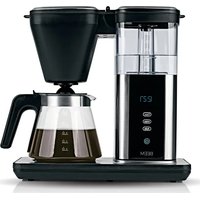
DIRECT-BREW - Coffee machine BEEM - Free user manual and instructions
Find the device manual for free DIRECT-BREW BEEM in PDF.


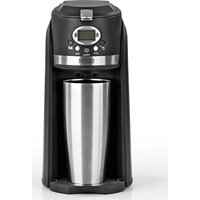
| Brand | BEEM |
| Model | DIRECT-BREW |
| Product type | Filter coffee machine |
| Article reference | 02275 |
| Model number | CMI153TE-GS |
| Supply voltage | 220-240 V, 50-60 Hz |
| Power | 1550 W |
| Protection class | I |
| Water tank capacity | 4 to 10 cups (approx. 125 ml per cup) |
| Glass carafe capacity | Approx. 1.25 litres |
| Main functions | Coffee preparation with delayed start, Aroma function (extended brewing), automatic keep-warm (40 min), automatic shut-off |
| Display | 24h clock, timer indicator, CLEANING descaling reminder |
| Anti-drip device | Yes |
| Care and cleaning | Regular cleaning of filter holder and carafe in dishwasher, descaling with descaler (recommended every 2 to 6 weeks or every 80 brews) |
| Safety | Automatic shut-off in case of overheating, protection against water splashes, hot surface indicator |
| Included accessories | Filter holder, glass carafe with lid, instruction manual |
| Intended use | Household use only, for ground coffee |
| Warranty | Statutory warranty, excludes improper use, scale build-up, unauthorised repairs |
Frequently Asked Questions - DIRECT-BREW BEEM
User questions about DIRECT-BREW BEEM
0 question about this device. Answer the ones you know or ask your own.
Ask a new question about this device
Download the instructions for your Coffee machine in PDF format for free! Find your manual DIRECT-BREW - BEEM and take your electronic device back in hand. On this page are published all the documents necessary for the use of your device. DIRECT-BREW by BEEM.
USER MANUAL DIRECT-BREW BEEM
Operating instructions
Mode d'emploi
On the fold-out page you will find all the illustrations that are referred to in these operating instructions. Open up the page before reading the operating instructions.
FR
15 Items Supplied
15 Device Overview
15 Key
16 Information About Your Operating Instructions
16 Explanation of the Symbols
16 Explanation of the Signal Words
16 Intended Use
17 Safety Notices
20 Before Initial Use
20 Set-Up and Connection
21 Handling and Operation
21 Time
21 Filling the Water Tank
21 Pouring In Coffee Powder
21 Drip Stop
22 "Aroma" Function
22 Keep-Warm Function
22 Preparation
22 Making Coffee with a Preset Time
23 Deactivating the Preset Time
23 Cleaning and Care
23 Descaling
24 Storage
24 Disposal
25 Troubleshooting
26 Warranty and Limitations of Liability
26 Technical Data
Items Supplied
- Filter coffee machine
- Filter insert
Glass jug with lid - Operating instructions
Check the items supplied for completeness and the components for transport damage. If you find any damage, do not use the device but contact our customer service department.
Remove all packaging materials and any possible protective films and transport protection. Never remove the rating plate and any possible warnings.
Device Overview
Key
(Picture A) - Device and Accessories
Water tank lid
2 Filter compartment lid
3 Filter compartment
4 Glass jug with lid
5 Filter insert
6 Drip stop
7 Hotplate
8 Control panel
9 Fill-level indicator
10 Water tank
(Picture B) - Control Panel
11 CLEANING - Cleaning reminder indicator
12 - Timer activated indicator
13 Time
14 TIMER - Set time and programme timer
15 AROMA - Switch "Aroma" function on/off
16 AUTO - Activate/deactivate timer
17 - Start / stop
Key numbers are shown as follows: (I)
Picture references are shown as follows: (Picture A)
Displays are shown as follows: 12:00
Operating fields are shown as follows: AUTO
Congratulations!
Dear Customer,
We are delighted that you have chosen this filter coffee machine.
If you have any questions about the device and about spare parts/accessories, contact the customer service department via our website: www.beem.de
Information About Your Operating Instructions
Before using the device for the first time, please read through the operating instructions carefully and keep them for future reference. If the device is given to someone else, it should always be accompanied by these operating instructions. The manufacturer and importer do not accept any liability if the information in these operating instructions is not complied with.
Explanation of the Symbols

Danger symbols: These symbols indicate risks of injury (e.g. from electricity or fire). Read through the associated safety notices carefully and follow them.

Supplementary information

Caution: hot surfaces!

Suitable for use with food.

Read operating instructions before use!

Alternating current
Explanation of the Signal Words
Signal words indicate hazards if the associated notices are not followed.
DANGER - high risk, results in serious injury or death
WARNING - medium risk, may result in serious injury or death
CAUTION - low risk, may result in minor or moderate injury
NOTICE - may result in risk of damage to material
Intended Use
- This device is only intended to be used to make coffee using coffee powder.
- The device is for personal use only and is not intended for commercial or domestic-like applications, e.g. in hotels, bed and breakfasts, offices, staff kitchens or similar places.
- The device should only be used as described in the operating instructions. Any other use is deemed to be improper.
Safety Notices

WARNING: Note all safety notices, instructions, illustrations and technical data provided with this device.
Failure to follow the safety notices and instructions may result in electric shock, fire and / or injuries.
- This device may be used by children aged 8 and over and by people with reduced physical, sensory or mental abilities or a lack of experience and/or knowledge if they are supervised or have received instruction on how to use the device safely and have understood the dangers resulting from failure to comply with the relevant safety precautions.
Children must not play with the device. - Cleaning and user maintenance must not be carried out by children, unless they are older than 8 years of age and are supervised.
- Children younger than 8 years of age and animals must be kept away from the device and the connecting cable.

CAUTION: hot surfaces!
The device and the accessories are very hot during and shortly after use. While the device is in operation, only ever touch the handle and the control panel. Allow the device to cool down completely before it is cleaned.
- Never exceed the maximum fill level (10 cups). If the water tank is overfilled, the glass jug could overflow.
- Never immerse the device and the connecting cable in water or other liquids and ensure that these components cannot fall into water or become wet.
- The device is not designed to be operated with an external timer or a separate remote control system.
-
The device must always be disconnected from the mains when it is left unattended and before assembling, disassembling, filling or emptying the water tank or cleaning.
-
Do not make any modifications to the device. Do not replace the connecting cable yourself. If the device or the connecting cable are damaged, they must be replaced or repaired by the manufacturer, customer service department or authorised distributors in order to avoid any hazards.
- It is essential to follow the instructions in the "Cleaning and Care" chapter.

DANGER - Danger of Electric Shock
- Use the device only in closed rooms.
- Do not use the device in rooms with high humidity.
- If the device falls into water while it is connected to the mains power, switch off the power supply immediately! Only after this should you pull the device out of the water.
- Never touch the device and the connecting cable with wet hands when the device is connected to the mains power.
- Make sure that the steam which emerges does not come into contact with electrical devices and equipment containing electrical components.

WARNING - Danger of Injury
- Keep the packaging material away from children and animals. There is a danger of suffocation!
Danger of scalding from heat, hot steam or condensation!
- Avoid coming into contact with the rising steam. Do not open the lid of the device during the brewing process.
- Do not move the device during the brewing process.
-
Be careful when removing the filter insert or permanent filter after operating the device. There may still be hot water remaining in / on the filter insert or permanent filter! Always allow the filter insert and the permanent filter to cool down first before they are removed / cleaned.
-
Make sure that the connecting cable does not present a trip hazard. The connecting cable should not hang down from the surface on which the device is placed in order to prevent the device from being pulled down.
- Make sure that the connecting cable is kept out of the reach of small children and animals. There is a danger of strangulation!

WARNING - Danger of Fire
- Do not connect the device along with other consumers (with a high wattage) to a multiple socket in order to prevent overloading and a possible short circuit (fire).
- Do not operate the device in the vicinity of combustible materials. Do not place any combustible materials (e.g. cardboard, paper, wood or plastic) in or on the device.
- Do not cover the device during operation.
NOTICE - Risk of Damage to Material and Property
- Switch off the device and pull the mains plug out of the plug socket if an error occurs during operation, when there is a power cut or before a thunderstorm.
- When you pull it out of the plug socket, always pull on the mains plug and never the mains cable!
- Never pull or carry the device by the connecting cable.
Regularly check the glass jug for scratches or cracks. Do not use the glass jug if it is damaged. - Do not place the glass jug down on a hot stove.
- Do not pour very cold water into the glass jug or the hot water tank.
- Protect the device from other heat sources, fire, sub-zero temperatures, persistent moisture and impacts.
- Never place any heavy objects on the device or the connecting cable.
- Use only original accessories from the manufacturer in order to guarantee that there is no interference that may prevent the device from working and to avoid possible damage.
Before Initial Use
- Wipe the device with a clean, damp cloth. Clean the glass jug (4) and filter insert (5) with detergent and warm water.
- Set up the device and connect it (see the "Set-Up and Connection" chapter).
- Before you enjoy your first coffee, we recommend that you carry out a trial run without coffee powder to remove any possible production residues on the device and in the water system. To do this, follow the instructions in the "Handling and Operation" and "Preparation" chapters.

When the device is first used, production-related additives may cause a small amount of smoke and / or an odour to be produced. This is normal and not a device defect.
- Repeat this process twice. Do not drink this water!
- Clean the device and accessories (see the "Cleaning and Care" chapter).
Set-Up and Connection
PLEASE NOTE!
- Only connect the device to a plug socket that is properly installed. The plug socket must also be readily accessible after connection so that the connection to the mains can quickly be isolated. The mains voltage must match the technical data of the device.
- Do not use the device in conjunction with extension cables.
- Lay the connecting cable in such a way that it does not become squashed or bent and does not come into contact with hot surfaces (also applies to the hot surfaces of the device!).
-
Do not place the device below kitchen wall units or similar cupboards. The rising steam could cause damage to them!
-
Fully unwind the connecting cable.
- Place the device on the kitchen unit or another dry, solid, flat, heat-resistant and splash-proof work surface. Ensure there is sufficient clear space on all sides (at least 20 cm to the sides and 30 cm above).
- Plug the mains plug into a plug socket. You will hear a beep. The control panel (8) and display light up.
Handling and Operation
Time
As soon as the mains plug is plugged into a plug socket, the control panel (8) and the display turns on and the time 12:00 flashes (13). The clock has a 24-hour time format (AM / PM).
- Set the hours by touching the field TIMER (14).
- After a few seconds, the minutes display flashes. Set the minutes by touching the field TIMER.

The time is saved until a new time is set or the device has been disconnected from the power supply. To enter the time setting mode, touch the filed TIMER for about 3 seconds.
Filling the Water Tank
I. Open the water tank lid (I).
2. Pour the quantity of water required for the number of cups you want (maximum 10 cups) into the water tank (10). Only ever use water to make coffee; do not pour milk or other liquids into the water tank!
3. Close the water tank lid.

All of the water in the water tank is always used.
Pouring In Coffee Powder
- Open the filter compartment lid (2).
- Insert the filter insert (5) into the filter compartment (3).
- Insert a coffee filter (size 1x4) into the filter insert.
- Add the quantity of coffee powder you want to the filter directly. We recommend one level coffee measuring spoon or one heaped teaspoon for each 125 ml cup.
- Close the filter compartment lid.
Drip Stop
The device has a drip stop (6) which prevents water from dripping out of the filter compartment (3) when the glass jug (4) is removed from the device.
When the device is in operation, the glass jug with the lid placed on it must be placed beneath the filter compartment. The lid of the glass jug pushes the drip stop on the filter insert (5) upwards and the coffee can flow from the coffee filter through the lid into the glass jug.

During the brewing process, the glass jug must not be removed from the device for longer than 30 seconds as otherwise the permanent filter could overflow.
"Aroma" Function
The brewing time can be extended with the "Aroma" function. The extended brewing time will give your coffee a more intense flavour.
Touch the AROMA field (15), the field flashes. If the brewing process is then started, the field continues flashing and the "Added Flavour" function is switched on.
Please Note! The "Added Flavour" function switches off automatically after each brewing process.
Keep-Warm Function
The device has an automatic keep-warm function. The hotplate remains switched on for approx. 40 minutes after each brewing process.
If the keep-warm function is to be ended before this, touch the field () (17).
Preparation
PLEASE NOTE!
- The device should only be used if it has been correctly assembled! Before each use, check whether the filter insert and the permanent filter are inserted correctly and whether the water tank is filled correctly!
- Do not operate the device without water. If this does happen, the device switches off automatically. In this case, allow the device to cool down before water is poured in and the device is used again.
- Never use the device without a suitable jug below the coffee outlet.
I. Prepare the coffee machine (see the "Handling and Operation" chapter).
2. Touch the field (17) to start the brewing process. The operating fields go out, apart from the field (1) (and the field AROMA (15), if activated). Hot water is poured over the coffee powder to brew it.
After the end of the brewing process you will hear three beeps and all operating fields are displayed again. The glass jug can then be removed.

To end the brewing process prematurely, touch the field again.
The brewing process is aborted.
Making Coffee with a Preset Time

To make coffee with a preset time, the clock needs to be set (see the "Handling and Operation" chapter - "Time").
- Prepare the coffee machine (see the previous chapter).
-
Touch the field AUTO (16) for approx. 5 seconds, the time indicator (13) and the indicator (12) on the display flash.
-
Use the TIMER field (14) to set first the hour and then the minute of the start time you want (see the "Handling and Operation" chapter - "Time") and confirm this entry by touching the field AUTO. The indicator lights up constantly on the display. The preset time is activated. Once the preset time is reached, the device switches on automatically. Thendant flashes on the display.
Deactivating the Preset Time
To deactivate the preset time, touch the AUTO field (16). The set time is displayed and the indicator Q (12) flashes. Touch the AUTO field again for approx. 2 - 3 seconds, the indicator Q goes out and the programming is deactivated. However, the preset time is retained and can be reactivated at any time until a new preset time is programmed in or the device has been disconnected from the power supply.
Cleaning and Care
PLEASE NOTE!
-
Do not use any toxic, corrosive or abrasive cleaning agents or scouring sponges to clean the device. These may damage the surfaces.
-
Dispose of the coffee filter and if necessary empty the glass jug (4).
- Clean the filter insert (5) and the glass jug after every use with detergent and warm water, or in the dishwasher.
- Wipe down the inside and outside of the housing with a damp cloth. If necessary, use a little detergent to remove more intense soiling.
- Check the connecting cable regularly for any damage.
Dscaling
Limescale deposits have an adverse effect not only on the quality of the coffee and the water, but they also cause power losses and shorten the lifespan of the device. The thicker a limescale layer is, the more difficult it is to remove.
We therefore recommend regularly removing limescale deposits with a descending agent in accordance with the water quality and how often the device is used (approx. every 2 - 6 weeks).
The first indications that descending is required are a large amount of steam being produced and slower brewing of the coffee.
In addition, the device reminds you to perform descending after roughly 80 brewing processes by showing CLEANING (11) on the display.
For descending we recommend the BEEM Premium Descaler Concentrate. The efficient, food-safe and environmentally friendly BEEM Premium Descaler Concentrate is available from selected specialist stockists, via our website www.beem.de or from our customer service department on request.
Dscaling with the BEEM Premium Descaler Concentrate
I. Fill the water tank (10) up to the MAX marking with a concentrate/water solution of no more than 1:20 (we recommend mixing 50ml of concentrate with 1 litre of water).
2. Place the glass jug (4) under the coffee outlet.
3. Touch the field (17) for approx. 3 seconds. CLEANING (11) flashes above the time indicator and the descending process starts.
4. The descaler liquid is boiled at regular intervals. When the water tank is empty, the device switches off and CLEANING goes out on the display. This process takes roughly 15 minutes.

To end the descending programme prematurely, touch the field for approx. 3 seconds. The device switches off and CLEANING goes out on the display.
- Empty the glass jug and place it back under the coffee outlet.
- To rinse the device, allow two tankfuls (10 cups) of clear water to run through it.
- Thoroughly clean all accessories (see the "Cleaning and Care" chapter).
The device is now descaled and ready to be used again.
Storage
Disconnect the device from the mains power when it is not going to be used for a prolonged period. Clean the device again if necessary (see the "Cleaning and Care" chapter) and let it dry completely.
Store the device and all accessories in a dry, clean, frost-free place that is protected from direct sunlight and cannot be accessed by children or animals.
Disposal

Dispose of the packaging material in an environmentally friendly manner so that it can be recycled.

The adjacent symbol (crossed-out bin underlined) means that used devices should not be disposed of in the domestic waste, but should instead be taken to special collection and return systems.
Owners of used devices from private households can take them free of charge to the collection points of the public waste disposal authorities or the disposal points which are set up by manufacturers and distributors under the Electrical Equipment Act. Businesses which market electrical and electronic devices are also obliged to take back used devices.
Troubleshooting
If the device does not work properly, check whether you are able to rectify the problem yourself. If the problem cannot be solved with the steps that are listed, contact our customer service department.

Do not attempt to repair an electrical device yourself!
| Problem Possible cause Fix | ||
| The device does not switch on. / The control panel (8) does not light up. | The mains plug is not inserted correctly in the plug socket. | Correct the fit of the mains plug. |
| The plug socket is defective. Try another plug socket. | ||
| There is no mains voltage. | Check the fuse of the mains connection. | |
| The fuse in the fuse box is triggered. | Too many devices connected to the same circuit. | Reduce the number of devices in the circuit. |
| The brewing process is not started. | There is no / not enough water in the water tank (10). | Fill the water tank with a sufficient amount of water. |
| Water runs out of the device. | There is too much water in the water tank (10). | Do not overfill the water tank! |
| The glass jug (4) was removed from the device during the brewing process and as a result there is too much water in the coffee filter. | During the brewing process, remove the glass jug from the device for no more than 30 seconds. | |
| The coffee powder used is too finely ground and the water is unable to pass through the coffee filter. | Use coffee powder with a coarser grind. | |
| The coffee runs very slowly into the glass jug (4). | The drip stop (6) is blocked. | Clean the filter insert (5) with drip stop. |
| The device is furred up. Descale the device. | ||
| The coffee powder used is too finely ground. | Use coffee powder with a coarser grind. | |
| Too much coffee powder used. Do not overfill the coffee filter. | ||
| A large amount of steam is produced in the brewing process. | The device is furred up. Descale the device. | |
| During use, an unpleasant smell is detected. | The device is being used for the first time. | A smell often develops when new devices are first used. The smell should disappear once the device has been used several times. |
| The device has previously been descaled. | Rinse out the device with fresh water. | |
Warranty and Limitations of Liability
The warranty does not cover faults caused by incorrect handling, calcification, damage or attempted repairs. The same applies to normal wear and tear.
We do not accept any liability for damage or consequential damage resulting from:
- failure to follow the operating instructions
- non-designated use
- improper or unsuitable handling
- repairs which are not carried out properly
- unauthorised modifications
- use of outside parts or spare parts
- use of unsuitable additional parts or accessories

Keep the original packaging during the warranty period of the device so that the device can be properly packaged up if it needs to be returned. The warranty claim will lapse if any damage is caused during transport.
Technical Data
Article number: 02275
Model number: CMI153TE-GS
Voltage supply: 220 - 240V 50 - 60Hz
Power: 1550 W
Protection class:
Capacity of water tank: 4 - 10 cups (approx. 125 ml per cup)
Capacity of glass jug: approx. 1.25 litres
ID of operating instructions: Z 02275 M BE V2.1 0522 mh


All rights reserved.
Composition
28Vue generale de I'appareil
28 Légende
Chere cliente, cher client,
Attention: surfaces chaudes!

Calls to German landlines are subject to your provider's charges.
- FR
- ITEMS SUPPLIED
- DEVICE OVERVIEW
- KEY
- (PICTURE A) - DEVICE AND ACCESSORIES
- (PICTURE B) - CONTROL PANEL
- CONGRATULATIONS
- INFORMATION ABOUT YOUR OPERATING INSTRUCTIONS
- EXPLANATION OF THE SYMBOLS
- EXPLANATION OF THE SIGNAL WORDS
- INTENDED USE
- SAFETY NOTICES
- WARNING: NOTE ALL SAFETY NOTICES, INSTRUCTIONS, ILLUSTRATIONS AND TECHNICAL DATA PROVIDED WITH THIS DEVICE
- CAUTION: HOT SURFACES
- DANGER - DANGER OF ELECTRIC SHOCK
- WARNING - DANGER OF INJURY
- DANGER OF SCALDING FROM HEAT, HOT STEAM OR CONDENSATION
- WARNING - DANGER OF FIRE
- NOTICE - RISK OF DAMAGE TO MATERIAL AND PROPERTY
- BEFORE INITIAL USE
- SET-UP AND CONNECTION
- PLEASE NOTE
- HANDLING AND OPERATION
- TIME
- FILLING THE WATER TANK
- POURING IN COFFEE POWDER
- DRIP STOP
- AROMA" FUNCTION
- KEEP-WARM FUNCTION
- PREPARATION
- MAKING COFFEE WITH A PRESET TIME
- DEACTIVATING THE PRESET TIME
- CLEANING AND CARE
- DSCALING
- DSCALING WITH THE BEEM PREMIUM DESCALER CONCENTRATE
- STORAGE
- DISPOSAL
- TROUBLESHOOTING
- DO NOT ATTEMPT TO REPAIR AN ELECTRICAL DEVICE YOURSELF
- WARRANTY AND LIMITATIONS OF LIABILITY
- TECHNICAL DATA
- COMPOSITION
Brand : BEEM
Model : DIRECT-BREW
Category : Coffee machine