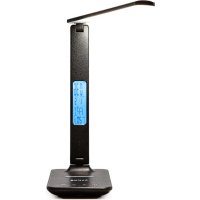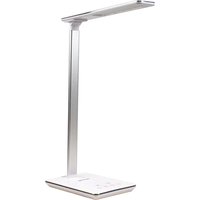
OW-390202 - Battery charger Huslog - Free user manual and instructions
Find the device manual for free OW-390202 Huslog in PDF.


User questions about OW-390202 Huslog
0 question about this device. Answer the ones you know or ask your own.
Ask a new question about this device
Download the instructions for your Battery charger in PDF format for free! Find your manual OW-390202 - Huslog and take your electronic device back in hand. On this page are published all the documents necessary for the use of your device. OW-390202 by Huslog.
USER MANUAL OW-390202 Huslog
natural_image
Black adjustable desk lamp with a white LED and black base (no text or symbols visible)-WODA I INNE PŁ YNY-
natural_image
Line drawing of a device with a plug inserted into a tray, connected to a smartphone screen (no text or symbols)natural_image
Line drawing of a smartphone connected to a device via cable (no text or symbols)USB desk lamp with inductive charger
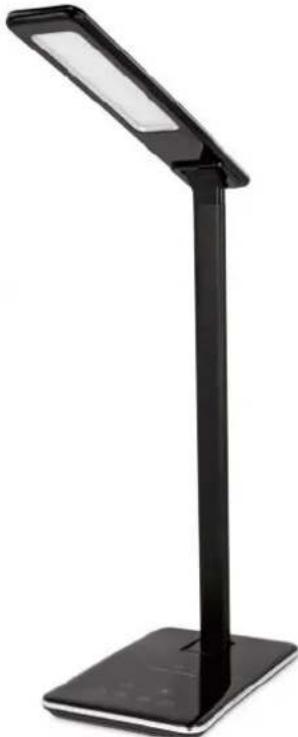
natural_image
Black adjustable desk lamp with LED and stand (no text or symbols visible)Equipment delivery location:
mPTech Sp. z o.o. Krakowska street 119 50-428 Wrocław Poland
Designed in Poland Made in China
Manufacturer:
mPTech Sp. z o.o. Nowogrodzka street 31 00-511 Warsaw Poland
Helpline: (+48 71) 71 77 400
E-mail: pomoc@mptech.eu www.myphone-mobile.com
TABLE OF CONTENTS
- Safety of use 10
- Technical specification....11
2.1 Technical data 11
2.2 Package contents....11
- Start-up - power connection....11
- Construction of the device....12
4.1 General appearance of the lamp 12
4.2 Power panel (back of lamp stand) 12
4.3 Touch panel 13
- Use of the appliance....13
5.1 Lamp use 13
5.2 USB charging 13
5.3 Wireless charging....14
-
Troubleshooting....14
-
Maintenance of the device....15
- Correct disposal of used equipment....15
- The use of the manual....16
- Warranty 16
- Declaration of conformity with European Union Directives......16
1. Safety of use
Warning! Do not immerse the device in water or other liquids while cleaning or using it.
Electric shock hazard! Do not touch the electrical device if it has fallen into water or has been flooded. Immediately disconnect the electrical power from the socket to which the device is connected and disconnect the USB cable or the power adapter from the socket.
Check the USB cable regularly for damage. If it is damaged, it must be replaced with a USB cable of the same specification.
Warning! Do not look at the device's LEDs for too long. LED light can cause eye damage or irritation. Do not look at the light source with any optical devices that focus on light rays.

Warning! Danger of electric shock! The light source contained in this luminaire shall only be replaced by the manufacturer or his service agent or a similar qualified person.
-SAFETY-
Please read these tips carefully. Failure to follow these instructions may be dangerous or illegal.
The manufacturer is not responsible for the consequences of situations caused by improper use of the device or failure to comply with the following recommendations.
-DO NOT RISK-
Do not switch on the device when the use of electronic devices is prohibited or if it might cause interference or danger. Always abide by any kinds of prohibitions, regulations and warnings conveyed by the staff of the entity where you wish to use the device. Do not use the device near flammable fabrics.
-QUALIFIED SERVICE-
This product may only be repaired by qualified service personnel of the manufacturer or by an authorised service centre. Repair of the device by an unqualified service or by an unauthorised service centre, as well as unauthorised modifications on your own, may damage the device and void the warranty.
—PHYSICALLY OR MENTALLY DISABLED PEOPLE AND CHILDREN—
This device is not a toy. Keep the device, its accessories and packaging out of reach of children. Cables and plastic packaging may wrap around the child's neck or be swallowed, resulting in suffocation or choking. This device should not be operated by people (including children) with limited physical or mental abilities, as well as by people with no earlier experience in operation of electronic equipment. They may use the device only under supervision of people responsible for their safety.
-WATER AND OTHER LIQUIDS-
Protect the device from water and other liquids. Avoid using the device in environments with high humidity like kitchens or bathrooms. Water particles may cause moisture to appear in the device, which adversely affects the electronics and may cause damage to the product.
-SURROUNDINGS-
The cable should be positioned and secured in such a way that it cannot be trodden on, damaged and pulled by the device from the place where it is laid. The device should not work in dusty conditions - it may cause the deposition of particles on the components, which may damage the product. Avoid operating the device in an environment with high humidity and do not expose it to direct action of water or other liquids, as this may damage the product. Avoid using the device in highly sunlit places and near heat sources (heaters, cookers, fan heaters, etc.), as they may damage the housing and electronics. Avoid operating the device near devices that generate magnetic fields.
2. Technical specification
2.1 Technical data
| USB desk lamp with inductive charger | |
| Model | OW-390202 |
| Lot number | 613105 |
| Luminaire | LED module (LEDs non-replaceable), 54 pcs |
| LED module power | 5 W |
| Colour temperature | 2700 – 6500 K (4 possible settings) |
| Power supply output | 5 V = 3 A |
| USB charging | 5 V = 0,5 A |
| Wireless charging | max 5 W |
| Control method | Touch panel |
| Induction operation max range | 6 mm |
| Weight | 383 g |
| Power supply input | 100-240 V~, 50/60 Hz, 0,5 A |
| Power supply output | 5 V = 3 A, 15 W |
| Power supply model number | CHYA050300VUEU |
2.2 Package contents
- USB desk lamp with inductive charger
- USB cable 5V = 3A, length: 1 m
- USB power supply
- User manual

If any of the above items is missing or damaged, please contact your dealer.

We advise you to keep the packaging in case of a possible complaint.
You can download the user manual from the following internet address:
https://huslog.eu/
Or by scanning the QR code:
3. Start-up – power connection
After taking the device and its power supply unit out of the packaging, make sure that none of the components are damaged.
Do not plug in a power supply unit whose housing or cable looks damaged - this can cause an electric shock! Use only power supply and cables approved by the manufacturer. Use of unapproved power supplies and cables can cause the appliance to explode or damage the unit. All damages resulting from improper handling are not covered by the warranty.
Connect the included USB cable to the USB power supply, then connect the microUSB plug of the cable to the device's power socket, and connect the mains plug to the mains socket.
4. Construction of the device
4.1 General appearance of the lamp
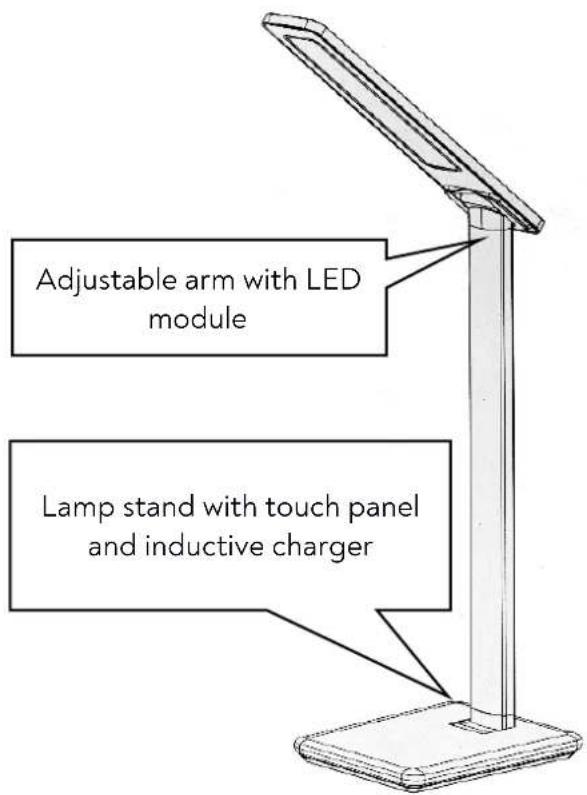
text_image
Adjustable arm with LED module Lamp stand with touch panel and inductive charger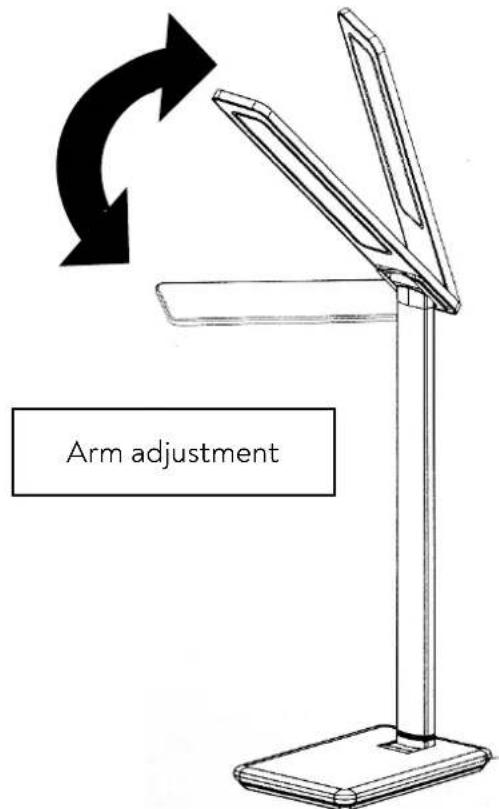
text_image
Arm adjustment4.2 Power panel (back of lamp stand)
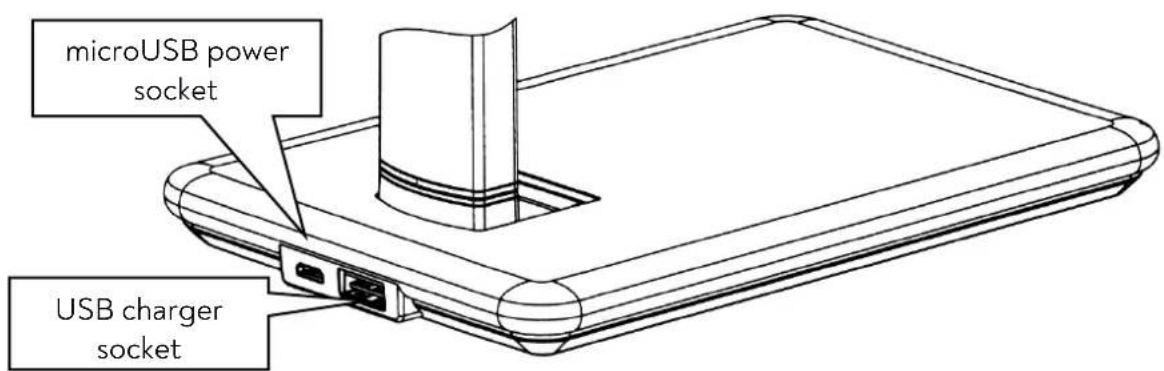
text_image
microUSB power socket USB charger socket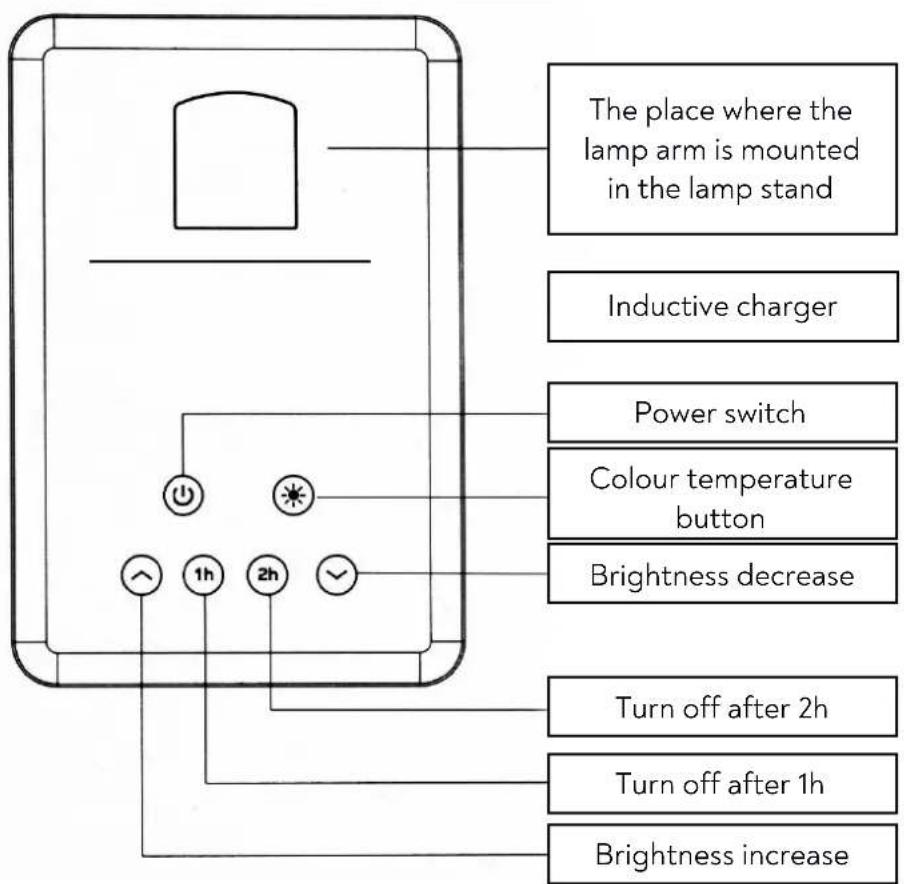
text_image
The place where the lamp arm is mounted in the lamp stand Inductive charger Power switch Colour temperature button Brightness decrease Turn off after 2h Turn off after 1h Brightness increase5. Use of the appliance
5.1 Lamp use
To turn on the lamp, touch the power button. Touch it again to turn the lamp off. The and buttons allow you to smoothly adjust the brightness level. By touching the button, you can choose one of the four available colour temperature settings. The lamp has a timer function - switching off with a delay. To use it, touch the for one hour or the button for the two-hour switch-off delay. Activation of the timer will be indicated by highlighting the appropriate button in blue.
5.2 USB charging
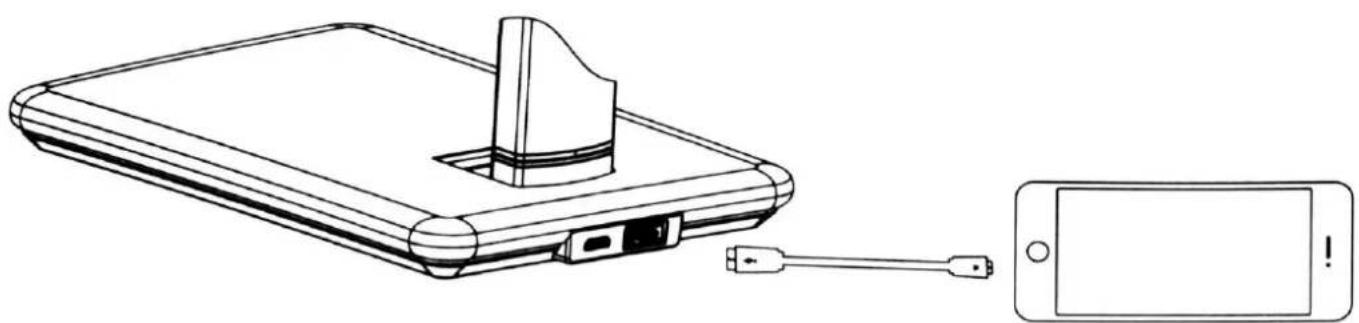
To use the built-in USB charger, connect an additional USB cable (not included) to the USB port located on the rear panel of the device. Connect the other end of the cable to the device you want to charge. The charging process will start automatically.
natural_image
Line drawing of a device with a plug inserted into a base, connected to a smartphone (no text or symbols present)5.3 Wireless charging
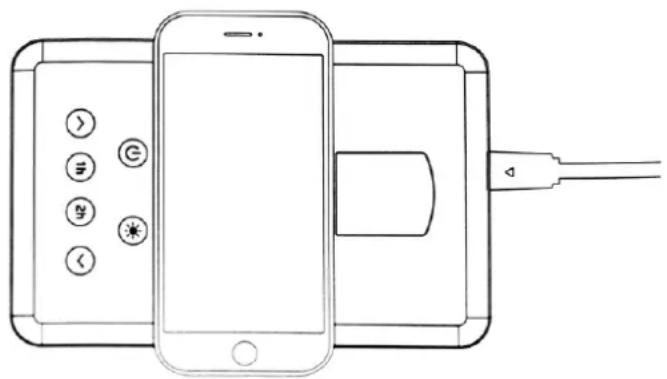
To use the built-in inductive charger, place your Qi-compatible device on the lamp stand above the touchpad as shown below. The charging process will start automatically.
natural_image
Line drawing of a smartphone connected to a device via cable (no text or symbols)In rare cases, it may be necessary to place the device being charged in a different position. In this scenario, follow the instructions that come with the device.
6. Troubleshooting
Check the tips below if you experience any problems with your device.
| The device cannot be turned on | Check if the USB adapter is connected to the mains and to the lamp.Check if the wires, plugs and the sockets are not damaged.The USB power supply used probably does not have the appropriate technical parameters (USB 5 V = 3 A). |
| USB charging does not work | Check if the USB cable used for charging is not damagedThe USB power supply used probably does not have the appropriate technical parameters (USB 5 V = 3 A). |
| Inductive charging does not work | Check if the induction operation range is not exceeded (e.g. by using additional housings on the device being charged). Check if the device is compatible with the Qi standard.The USB power supply used probably does not have the appropriate technical parameters (USB 5 V = 3 A). |
| The device turns itself off after some time, the light flashes | The USB power supply used probably does not have the appropriate technical parameters (USB 5 V = 3 A).Please, use the provided power supply. |
| The device does not turn on after unplugging the power cord | The lamp does not have a built-in battery and does not work without a power supply. The lamp cannot be charged. Connect the lamp to a power supply with appropriate technical parameters (USB 5 V = 3 A). |
| If the problem was not solved, please contact the manufacturer's service. | |
7. Maintenance of the device
To extend the service life of the device:
- Keep the device and its accessories out of reach of children.
- Avoid contact between the unit and liquids, as these can damage the electrical parts of the unit.
- Avoid very high temperatures for it can shorten the life of device electronic components, melt the plastic parts and destroy the battery.
Do not try to disassemble the device. Tampering with the device in an unprofessional manner may cause serious damage to the device or destroy it completely. - For cleaning use only a dry cloth. Never use any agent with a high concentration of acids or alkalis.
- Use the original accessories only. Violation of this rule may result in an invalidation of the warranty.

The packaging of the device can be recycled in accordance with local regulations.
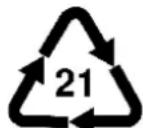
Symbol for cardboard (packing material)
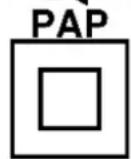
The symbol denotes a device of protection class II with double insulation. Devices of this class are characterized by reinforced insulation that provides protection against direct and indirect contact. In addition to the basic insulation, additional n is also used (applies to the driver).
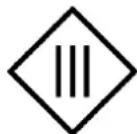
The symbol denotes a device of protection class III (applies to the lamp)
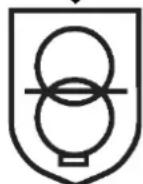
Short-circuit proof safety transformer (conditionally or unconditionally).

Independent equipment
driver
Power polarity (plus inside, minus outside).
8. Correct disposal of used equipment
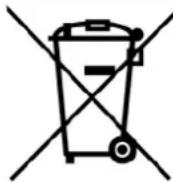
The device is marked with a crossed-out garbage bin, in accordance with the European Directive 2012/19/EU on used electrical and electronic Equipment (Waste Electrical and Electronic equipment - WEEE). Products marked with this symbol should not be disposed of or dumped with other household waste after a period of use. The user is obliged to get rid of used electrical and electronic equipment by delivering it to designated recycling point in which dangerous waste are being recycled. Collecting this type of waste in designated locations, and the actual process of their recovery contribute to the protection of natural resources. Proper disposal of used electrical and electronic equipment is beneficial to human health and environment. To obtain information on where and how to dispose of used electrical and electronic
equipment in an environmentally friendly manner user should contact their local government office, the waste collection point, or point of sale, where the equipment was purchased.
9. The use of the manual
Without prior written consent of the manufacturer, no part of this manual may be photocopied, reproduced, translated or transmitted in any form or by any means, electronic or mechanical, including photocopying, recording or storing in any systems of storing and sharing information.
All brand names and product names are trademarks or registered trademarks of their respective companies.
10. Warranty
The product is covered by a 3-year warranty from the date of sale of the product. In the case of a defect, the product should be returned to the store where it was purchased, with the proof of purchase. The product should be complete and preferably packed in its original packaging.
11. Declaration of conformity with European Union Directives
mPTech Ltd. hereby declares that the type of radio equipment of OW-390202 complies with Directive 2014/53/EU. The full text of the EU Declaration of Conformity is available at the following Internet address:
https://huslog.eu/