OneBlade Face + Body QP2630 - Body groomer PHILIPS - Free user manual and instructions
Find the device manual for free OneBlade Face + Body QP2630 PHILIPS in PDF.


User questions about OneBlade Face + Body QP2630 PHILIPS
0 question about this device. Answer the ones you know or ask your own.
Ask a new question about this device
Download the instructions for your Body groomer in PDF format for free! Find your manual OneBlade Face + Body QP2630 - PHILIPS and take your electronic device back in hand. On this page are published all the documents necessary for the use of your device. OneBlade Face + Body QP2630 by PHILIPS.
USER MANUAL OneBlade Face + Body QP2630 PHILIPS
natural_image
Black-and-white photo of a Philips One-Clush electric toothbrush (no visible text or symbols on body)
natural_image
Simple line drawing of an open book with a grid on the left and a closed page on the right, no text or symbols present.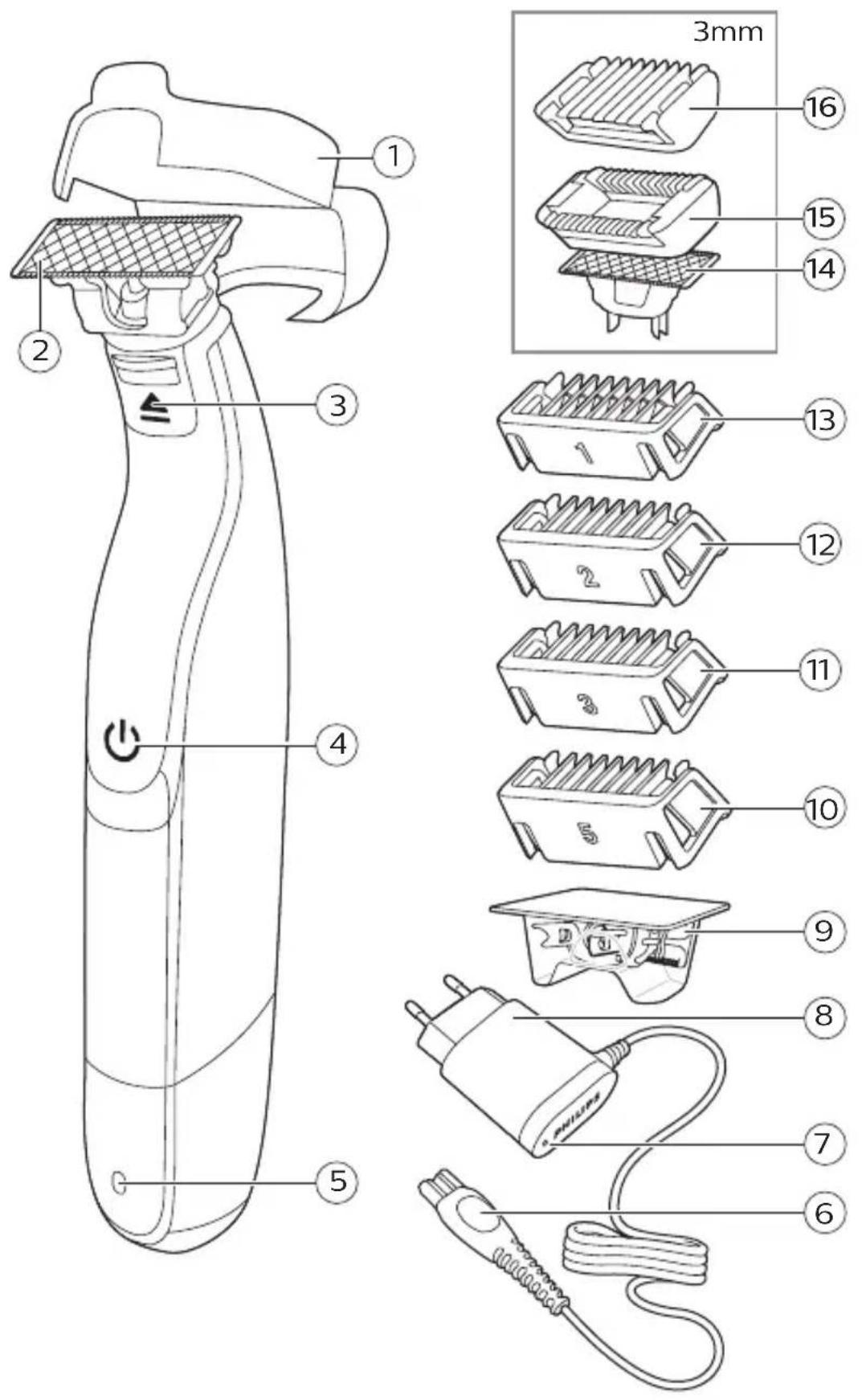
text_image
1 2 3 4 5 3mm 16 15 14 13 12 11 10 9 8 7 6English 6
Dansk 27
Deutsch 48
Español 71
Français 93
Italiano 116
Nederlands 139
Norsk 161
Português 181
Suomi 204
Svenska 225
Türkçe 246
Ελληνικα 266
English
Introduction
Congratulations on your purchase and welcome to Philips! To fully benefit from the support that Philips offers, register your product at www.philips.com/welcome.
General description (Fig. 1)
1 Protection cap
2 Face blade
3 Blade release slide
4 On/off button
5 Battery status indicator (QP2630 only)
6 Small plug
7 Battery charge indicator (QP2620 only)
8 Supply unit (QP2630: adapter type HQ850. QP2620: adapter type A00390.)
9 Replacement blade (specific types only)
10 Click-on stubble comb 5mm
11 Click-on stubble comb 3mm
12 Click-on stubble comb 2mm (QP2630 only)
13 Click- on stubble comb 1mm
14 Body blade
15 Sensitive skin guard
16 Body comb 3mm
Important safety information
Read this important information carefully before you use the appliance and its accessories and save it for future reference. The accessories supplied may vary for different products.
Danger
natural_image
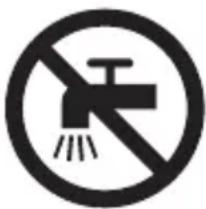
Prohibition sign of a faucet with diagonal line and raindrops (no text)- Keep the supply unit dry.
Warning
- To charge the battery, only use the detachable supply unit provided with the appliance. For the type number of the original supply unit, please see 'General description' in the manual.
- The supply unit contains a transformer. Do not cut off the supply unit to replace it with another plug, as this causes a hazardous situation.
- This appliance can be used by children aged from 8 years and above and persons with reduced physical, sensory or mental capabilities or lack of experience and knowledge if they have been given supervision or instruction concerning use of the appliance in a safe way and understand the hazards involved. Children shall not play with the appliance. Cleaning and user maintenance shall not be made by children without supervision.
- Always unplug the appliance before you clean it under the tap.
- Always check the appliance before you use it. Do not use the appliance if it is damaged, as this may cause injury. Always replace a damaged part with one of the original type.
- Do not open the appliance to replace the rechargeable battery.
Caution
natural_image
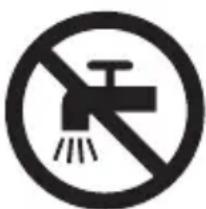
Prohibition sign showing a faucet with a diagonal line and a showerhead, no text present- Never immerse the charging stand in water and do not rinse it under the tap.
- Do not use the supply unit in or near wall sockets that contain an electric air freshener to prevent irreparable damage to the supply unit.
- Only use this appliance for its intended purpose as shown in the user manual.
- For hygienic reasons, the appliance should only be used by one person.
- Never use water hotter than 60°C to rinse the appliance.
- Never use compressed air, scouring pads, abrasive cleaning agents or aggressive liquids such as petrol or acetone to clean the appliance.
Electromagnetic fields (EMF)
This Philips appliance complies with all applicable standards and regulations regarding exposure to electromagnetic fields.
General
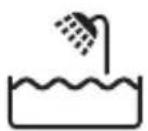
- This appliance is waterproof. It is suitable for use in the bath or shower and for cleaning under the tap. For safety reasons, the appliance can therefore only be used without cord.
- The supply unit is suitable for mains voltages ranging from 100 to 240 volts.
- The supply unit transforms 100-240 volts to a safe low voltage of less than 24 volts.
Charging
Charge the appliance before first use and when the display indicates that the battery is almost empty.
QP2630: Charging takes approx. 4 hours.
QP2620: Charging takes approx. 8 hours.
A fully charged appliance has an operating time of up to 60 minutes (QP2630) or 45 minutes (QP2620).
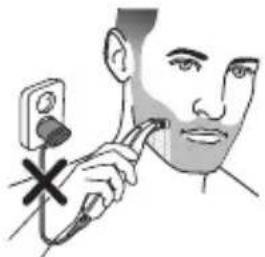
Note: This appliance can only be used without cord.
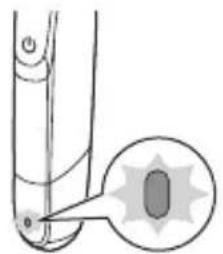
Battery status indicator QP2630:
natural_image
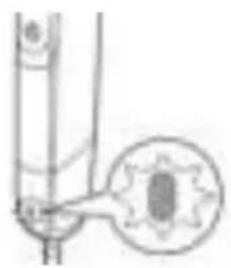
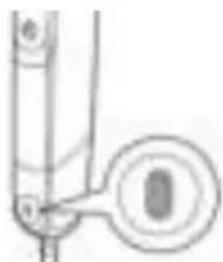
Diagram of a mechanical joint or bracket with an inset showing a star-shaped feature (no text or symbols)When the battery status indicator flashes orange, the battery is almost empty.
natural_image
Pure mechanical diagram showing a lever and pivot point without any text or symbolsWhen the appliance is charging, the battery status indicator light flashes green.

natural_image
Pure mechanical diagram showing a lever and pivot (no text or symbols)When the battery is fully charged, the battery status indicator lights up green continuously.
Approx. 30 minutes after the battery is fully charged or when you disconnect the appliance from the wall socket, the light of the battery status indicator switches off automatically.
Battery status indicator QP2620:
The battery status is indicated by the performance of the appliance. When the appliance starts working more slowly, the battery is almost empty and needs to be charged for optimal performance.
Charging with the supply unit
natural_image
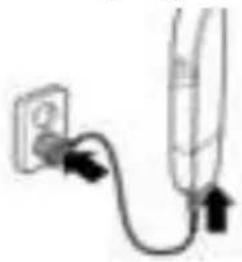
Simple line drawing of a plug and plug with a cable, no text or symbols present1 Insert the small plug into the appliance and put the supply unit in the wall socket.
QP2620 only: The battery charge indicator on the adapter lights up continuously, when the appliance is connected to the wall socket.
2 After charging, remove the supply unit from the wall socket and pull the small plug out of the appliance.
Using the appliance
Your appliance comes with 2 blades. Use one blade for your face only and the other blade for your body.
The face blade and the stubble combs are for use on facial hair. It is not intended for shaving, edging or trimming hairs on lower body parts or scalp hair.
The body blade and body comb are for use on body parts below the neck.
12 English
natural_image
Illustration of a person using a medical or cosmetic tool to apply face care (no text or symbols present)The body blade with the skin guard attached are for use on sensitive body areas.
Note: This appliance can only be used without cord.
- Use the appliance with the face blade to trim, edge or shave facial hair (beard, moustache and sideburns). Shave for a smooth result, trim with the stubble comb to obtain a certain length and edge to create perfect edges and sharp lines.
- Use the appliance with the body blade to trim and/or shave your body hair. Shave your chest without the skin guard or body comb for a smooth result, shave your sensitive areas (e.g. groin, armpits) with the skin guard, use the body comb to trim your body.
- Take your time when you first start to use the appliance. You have to acquire practice with the appliance.
Switching the appliance on and off
natural_image
Simple line drawing of a button with an arrow pointing to the center (no text or symbols)1 To switch on the appliance, press the on/off button once.
2 To switch off the appliance, press the on/off button once.
Face
Shaving
Warning: Before you use the appliance, always check the blade for damage or wear. If the blade is damaged or worn, do not use the appliance, as injury may occur. Replace a damaged blade before you use the appliance (see chapter ‘Replacement’).
Shaving tips and tricks
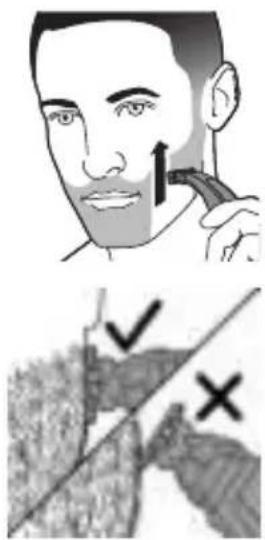
- Make sure that the blade is in full contact with the skin by placing it flat on the skin.
- For the best result, move the appliance against the grain.
- Make long strokes while pressing lightly.
- You can use the appliance dry or wet with gel or foam. You can even use the appliance in the shower.
- Shaving a clean beard and face gives the best results.
Shaving
1 Switch on the appliance.
2 Place the blade on the skin and move the appliance up or against the grain in long strokes while you press it lightly.
text_image
Medical illustration showing a person applying a toothbrush to another person's mouth, with checkmark and cross symbols indicating inspection or validation.Note: Make sure you hold the surface of the blade flat against your skin.
3 Switch off and clean the appliance after every use (see 'Cleaning and maintenance').
Edging
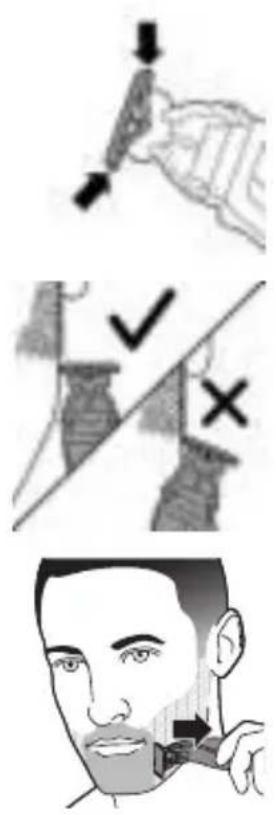
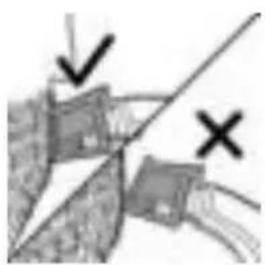
You can also use both edges of the blade to create sharp lines and perfect edges. Hold the appliance in such a way that the blade is perpendicular to the skin and one of its edges touches the skin. This allows more precise detailing of sideburns and the area around the mouth and nose.
English
natural_image
Diagram showing a mechanical or electrical component with two marked points (✓ and ×), no readable text or symbols present.1 To create sharp edges and lines, you can use either edge of the blade.
2 Switch on the appliance.
3 Place the edge of the blade perpendicular onto the skin.
- Make straight strokes while applying gentle pressure.
4 Switch off and clean the appliance after every use (see 'Cleaning and maintenance').
Trimming
Trimming tips
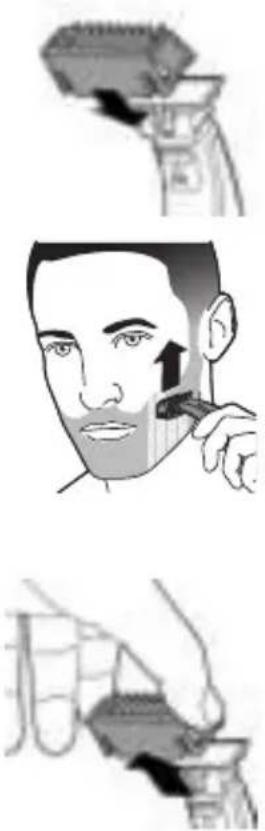
- Always make sure that the tips of the click-on stubble comb point in the direction in which you move the appliance.
- Make sure that the flat part of the comb is always in full contact with the skin to obtain an even trimming result.
- Since hair grows in different directions, you need to move the appliance in different directions as well (upward, downward or across).
- Trimming is easier when the skin and hair are dry.
Trimming combs
The click-on stubble combs allow you to trim hair to different lengths.
Body
- QP2630 come with 4 click-on stubble combs: 5mm, 3mm, 2mm and 1mm.
- QP2620 comes with 3 click-on stubble combs: 5mm, 3mm and 1mm.
Start with the 5mm comb to acquire practice with this appliance.
The indication on each comb corresponds to the hair length in millimeters.
Trimming with comb
1 Place the comb onto the blade, with the teeth of the comb pointing upwards. Note: Always trim in the direction of the teeth of the comb. This will give you the best results.
2 Switch on the appliance.
3 Place the comb onto the skin and move the appliance in the direction of the teeth of the comb.
Note: For the best result, move it against the grain.
4 Switch off and clean the appliance after every use (see 'Cleaning and maintenance').
5 To remove the comb, hold it on both sides and pull it off the blade.
- For hygienic reasons, only use the body blade for trimming and shaving your body.
- For body trimming and shaving, make sure hair is clean and dry as wet hair tends to stick to the body and, when shaving sensitive areas, always use the skin guard.
English
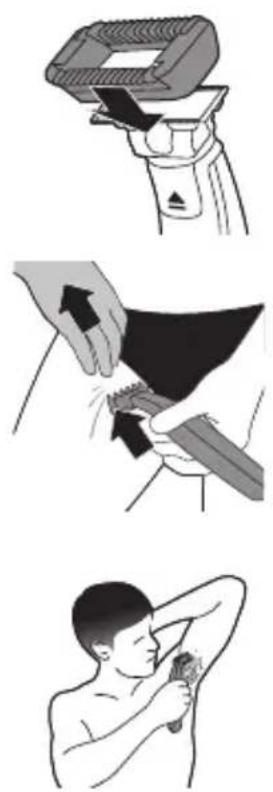
- Since all hairs do not grow in the same direction, you may want to try different trimming positions (i.e. upwards, downwards, or across). Practice is best for optimum results.
- For the best result, move the appliance against the grain.
- Make long strokes while pressing lightly.
- Use the appliance dry or wet with gel or foam, even in the shower.
- Shaving a clean body gives the best results.
Shaving with skin guard
For optimal performance, use the skin guard only on sensitive areas (for example the scrotum and armpits).
1 Hold the skin guard on both sides and press onto the blade.
2 Switch the appliance on.
3 Place the skin guard onto the skin and stretch the skin with your free hand. Move the appliance upwards slowly, against the grain.
- When using the appliance on your armpits, raise your arm and put your hand on the back of your head to stretch the skin.
- Regularly remove cut hair from the guard. If a lot of hair has accumulated in the guard, remove it from the appliance and blow and/or shake out the hairs.
4 Switch off and clean the appliance after each use.
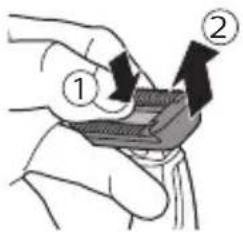
text_image
Diagram showing two labeled steps of a mechanical or electrical component, with arrows indicating direction and numbered annotations.5 To remove the skin guard, put one finger under the edge of the guard and press on the blade with your thumb.
Shaving without skin guard
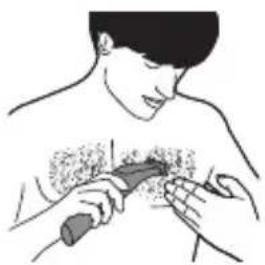
The body blade without the skin guard allows you to shave hair on your body below the neckline (for example the chest) with a smooth result.
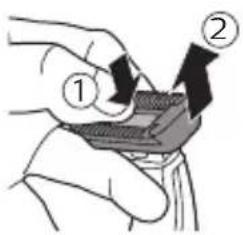
text_image
Diagram showing two labeled arrows pointing to a mechanical component, with numbered annotations ① and ② indicating directional movement.1 To remove the skin guard, put one finger under the edge of the guard and press with your thumb on the blade.
2 Switch the appliance on.
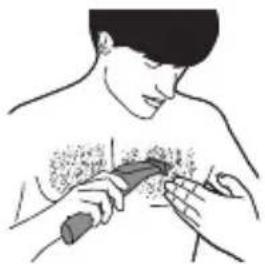
natural_image
Illustration of a person receiving a medical or therapeutic procedure on a patient's chest (no text or symbols present)3 Place the blade on the skin and move the appliance against the grain in long strokes while pressing lightly. Stretch the skin with your free hand.
Note: Make sure you hold the surface of the blade flat against your skin.
- When you use the appliance on your armpits, raise your arm and put your hand on the back of your head to stretch the skin.
4 Switch off and clean the appliance after every use.
Trimming with body comb
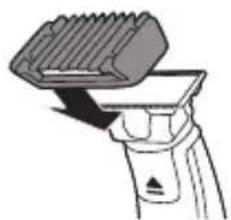
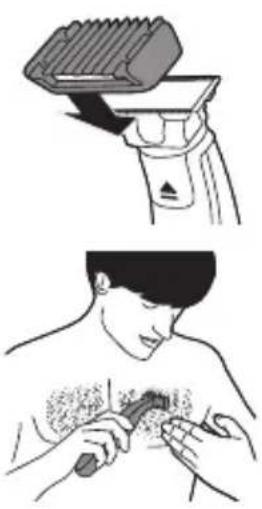
The 3mm (1.8in.) body comb allows you to trim hair on your body below the neckline (for example chest, armpits, scrotum).
natural_image
Diagram of a hairbrush with a brush tip, showing blade and handle (no text or symbols)1 Hold the body comb on both sides and press onto the blade.
2 Switch the appliance on.
natural_image
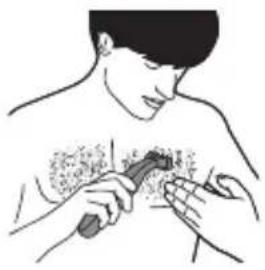
Illustration of a person receiving a medical or therapeutic procedure on a chest (no text or symbols present)3 Place the comb onto the skin and stretch the skin with your free hand. Move the appliance upwards slowly, against the grain.
- When you use the appliance on your armpits, raise your arm and put your hand on the back of your head to stretch the skin. - Regularly remove cut hair from the guard. If a lot of hair has accumulated in the guard, remove it from the appliance and blow and/or shake out the hairs.
4 Switch off and clean the appliance after each use.
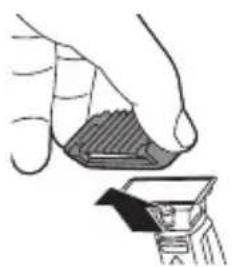
5 To remove the comb, hold it on both sides and pull it off the blade.
natural_image
Illustration of a hand holding a small object with a shaded area, alongside a close-up of a mechanical component (no text or symbols visible)Cleaning and maintenance
Clean the appliance after every use.
Caution: Never use compressed air, scouring pads, abrasive cleaning agents or aggressive liquids such as petrol or acetone to clean the appliance.
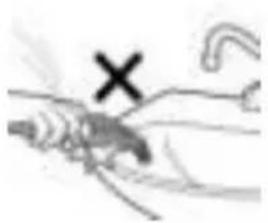
Caution: Do not tap the appliance against a surface to remove water from it, as this may cause damage. Replace the blade if it is damaged.
natural_image
Illustration of a hand holding an object with a cross mark and curved line (no text or symbols)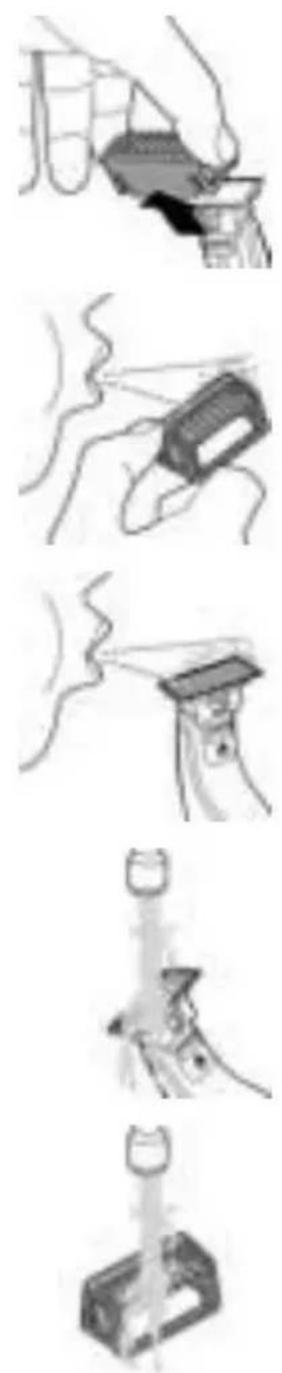
Cleaning the appliance
1 Remove the comb from the blade. Always turn the appliance off before putting on or taking off combs.
2 If a lot of hairs have accumulated on the comb, first blow them off.
3 If a lot of hairs have accumulated on the appliance, first blow them off.
4 Switch on the appliance and rinse the blade with lukewarm water.
Caution: Do not dry the blade with a towel or a tissue as this may cause damage.
5 Rinse the combs with lukewarm water.
6 Carefully shake off excess water and let all parts air dry completely.
Note: The blade is fragile. Handle it carefully. Replace the blade if it is damaged.
Storage
natural_image
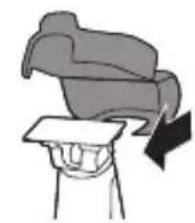
Illustration of a person holding a folded garment with a black arrow indicating downward motion (no text or symbols)Always attach the protection cap on the blade to protect the blade from damage during travelling or storage.
We advise you to let the appliance and its attachments dry before you store them for the next use.
1 Place the protection cap onto the edge of the blade.
natural_image
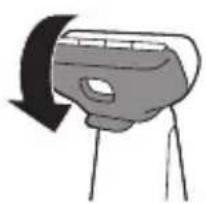
Simple line drawing of a camera with an arrow indicating rotation (no text or symbols)2 Close the protection cap.
- Attach the body comb on the body blade to protect the blade from damage.
Replacement
Usage indicator
natural_image
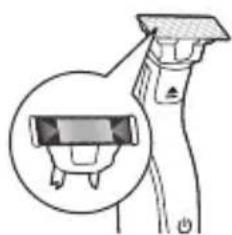
Illustration of a spray gun with a magnified inset showing the internal components (no text or symbols)For optimal cutting and gliding performance, we advise you to replace the blade every 4 months, when it no longer provides the shaving or trimming results you expect.
The blade is equipped with a usage indicator. A green bar will gradually appear on the blade as you use it. When it is highly visible, it is recommended to replace your blade for the best OneBlade experience. Always replace the blade with original Philips blade.
Depending on your usage behavior, the exact lifetime of the blade could be longer or shorter.
Similar to a manual blade, the blade becomes blunt over time, which results in increased hair pulling and reduced cutting performance.
Replacing the blade
text_image
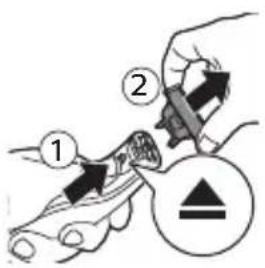
Diagram showing a hand holding a tool with labeled parts and a warning symbol1 Switch off the appliance.
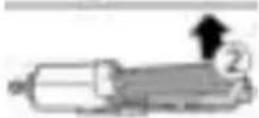
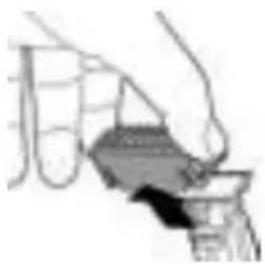
2 Push the blade release slide upwards carefully, and hold the blade on both sides to remove the blade. This will prevent the blade from flying off the handle.
natural_image
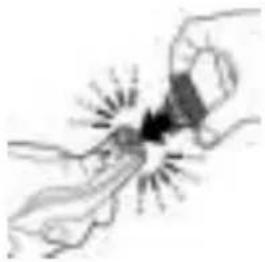
Illustration of two hands holding a small object with radiating lines, no text or symbols present3 Hold the new blade on its sides and press it onto the handle ('click').
Note: When you hear a click, the new blade is placed correctly and ready for use.
Ordering accessories
To buy accessories or spare parts, visit www.shop.philips.com/service or go to your Philips dealer. You can also contact the Philips Consumer Care Center in your country (see the international warranty leaflet for contact details).
The following parts are available:
- Model QP210 Philips Replacement Blade, 1-Pack
- Model QP220 Philips Replacement Blade, 2-Pack
- Model QP610 Philips Body replacement pack
- Model QP620 Philips Face and Body replacement pack.
Recycling
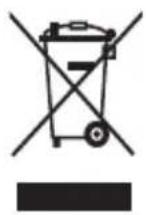
- This symbol means that this product shall not be disposed of with normal household waste (2012/19/EU).
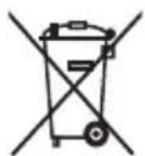
- This symbol means that this product contains a built-in rechargeable battery which shall not be disposed of with normal household waste (2006/66/EC). Please take your product to an official collection point or a Philips service center to have a professional remove the rechargeable battery.
- Follow your country's rules for the separate collection of electrical and electronic products and rechargeable batteries. Correct disposal helps prevent negative consequences for the environment and human health.
Removing the rechargeable battery
Only remove the rechargeable battery when you discard the product.
Before you remove the battery, make sure that the product is disconnected from the wall socket and that the battery is completely empty.
Take any necessary safety precautions when you handle tools to open the product and when you dispose of the rechargeable battery.
1 Disconnect the appliance from the mains and let the appliance run until the motor stops.
2 Remove the blade from the appliance.
natural_image
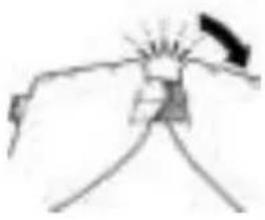
Simple line drawing of a mechanical or electrical component with no text or symbols3 Remove the bottom of the appliance by bending it downwards and pull it off.
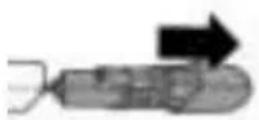
4 Take out the battery compartment by separating the bottom part from the top part.
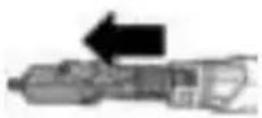
5 Separate the battery section from the bottom part.
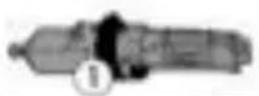
6 Lift the battery out of the inner body with the screwdriver. The battery is connected with double-sided tape.
Warning: Be careful, the battery strips are very sharp.
Warranty and support
If you need information or support, please visit www.philips.com/support or read the international warranty leaflet.
Guarantee restrictions
The blade is not covered by the terms of the international guarantee because it is subject to wear.
Troubleshooting
This chapter summarizes the most common problems you could encounter with the appliance. If you are unable to solve the problem with the information below, visit www.philips.com/support for a list of frequently asked questions or contact the Consumer Care Center in your country.
Problem Possible cause Solution
| The appliance does not charge when it is connected to the mains. | The appliance has to be switched off when you charge it. | Switch off the appliance. |
| I cannot switch on the appliance when it is connected to the mains. | You cannot use the appliance when it is charging. You can only use the appliance without cord. | Disconnect the appliance from the mains before use. |
| The appliance does not work anymore. | The rechargeable battery is empty. | Charge the appliance (see chapter ‘Charging’).QP2630, QP2530: During charging, the battery charge indicator flashes.QP2630, QP2520: During charging, the charge indicator on the adapter lights up. If the battery charge indicator does not flash or light up, check whether there is a power failure or if the wall socket is live. If there is no power failure and the wall socket is live but the battery charge indicator still does not flash or light up, take the appliance to your dealer or a Philips service center. |
Problem Possible cause Solution
| The blade is blocked by dirt. | Switch on the appliance and rinse the blade under the tap with warm water. | |
| Hold the blade in a cup with warm water (60°C and no hotter) for approx.30 seconds. | ||
| The appliance doesn't cut hairs anymore. | The blade is placed on the handle incorrectly. | Push the blade onto the appliance until you hear a click. |
| The blade is damaged or worn. | Replace the blade with a new one. See chapter ‘Replacement’. | |
| The appliance makes a strange noise. | The blade is damaged or worn. | Replace the blade with a new one. See chapter ‘Replacement’. |
| The blade is placed onto the handle incorrectly. | Remove and reattach the blade. Push it onto the appliance until you hear a click. | |
| The blade is blocked by dirt. | Remove the blade and clean it thoroughly. | |
| The appliance doesn't function optimally anymore. | The blade is blocked by dirt. | Remove the blade and clean it thoroughly. |
| The blade is subject to wear and therefore its performance decreases over time. | Replace the blade with a new one. See chapter ‘Replacement’. |
Problem Possible cause Solution
| The blade is a delicate part of the appliance and can easily be damaged. If the blade is damaged, it may not function optimally anymore. | Replace the blade with a new one. See chapter ‘Replacement’. |
Introduktion
natural_image
No smoking sign with faucet symbol (no text)natural_image
Prohibition sign showing a faucet with a diagonal line and a showerhead, no text presentnatural_image
Diagram of a mechanical component with a highlighted circular feature (no text or symbols)natural_image
Pure mechanical component diagram without any text, numbers, or symbolsFor at indikere, at apparatet oplades, blinker batteristatusindikatoren grønt.
natural_image
Pure mechanical component diagram without any text, numbers, or symbolsnatural_image
Simple line drawing of a plug and bulb connected to a vertical tube (no text or symbols)natural_image
Illustration of a person using a medical or CT scanner to address face with a cross mark (no text or symbols present)natural_image
Simple line drawing of a lightning bolt inside a curved pipe (no text or symbols)text_image
Medical illustration showing a person applying a toothbrush to a skin with checkmark and cross symbols indicating inspection or treatment.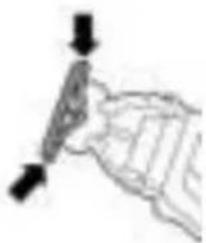
natural_image
Simple line drawing of a hand holding a tool with arrows indicating direction (no text or symbols)text_image
Image showing a diagonal line with checkmark and cross symbols, possibly indicating approval or rejection actions.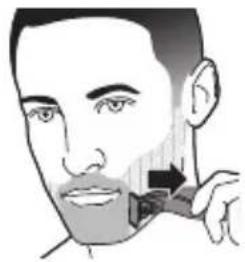
natural_image
Illustration of a person's face with a toothbrush applying product to the lower lip (no text or symbols)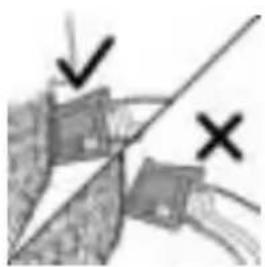
natural_image
Diagram showing a hand holding a device with a diagonal line and two marked points (no text or symbols present)text_image
Illustration showing two steps of hair cutting: step 1 with a tool and step 2 with an arrow, and step 2 with a magnified view of the person's mouth.natural_image
Illustration showing a hairdryer and a person using a tool on their shirt (no text or symbols present)natural_image
Illustration of a hand holding a small object with a shaded area, alongside a close-up of a tool or device (no text or symbols visible)natural_image
Illustration of a hand holding an insect, with a black 'X' mark and curved line (no text or symbols)natural_image
Simple line drawing of a hand holding a container with a handle, no text or symbols presentnatural_image
Simple line drawing of a person's head with a curved object above their head, showing a downward arrow (no text or symbols)natural_image
Simple line drawing of a camera with an arrow indicating rotation (no text or symbols)natural_image
Illustration of a hairdryer with a magnified inset showing the brush tip (no text or symbols)text_image
Diagram showing a hand holding a tool with labeled parts, including numbered callouts and a warning symbol.natural_image
Illustration of a hand holding a small object with radiating lines, no text or symbols presentnatural_image
Simple line drawing of a mechanical or electrical component with no text or symbolsnatural_image
No smoking sign with faucet symbol (no text)natural_image
Prohibition sign showing a faucet without raindrops, enclosed in a circle (no text)natural_image
Diagram of a mechanical joint or connector with an inset showing a star-shaped feature (no text or symbols)natural_image
Pure mechanical diagram showing a lever and gear mechanism without any text or symbolsnatural_image
Pure mechanical component diagram without any text, numbers, or symbolsnatural_image
Simple line drawing of a medical device with a power outlet and cable (no text or symbols)natural_image
Illustration of a person using a handheld device to apply facial features (no text or symbols present)natural_image
Simple line drawing of a door with a black arrow pointing to the center (no text or symbols)text_image
Medical illustration showing a person applying a toothbrush to another person's lower face with checkmark and cross symbols indicating inspection or verification.natural_image
Diagram showing two intersecting lines with arrows and symbols (no readable text or labels)natural_image
Simple line drawing of a mechanical component or tool with no visible text or symbolsnatural_image
Illustration of a person applying a toothbrush to their face (no text or symbols)natural_image
Illustration of a hand pouring liquid into a container (no text or symbols visible)Körper
text_image
Diagram showing two hands holding a component with numbered arrows indicating direction or movementtext_image
Diagram showing two labeled steps of a mechanical or electrical component, with arrows indicating direction and components.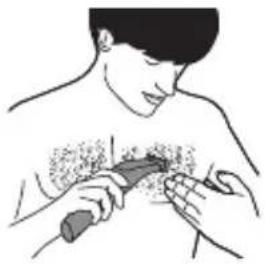
natural_image
Illustration of a person performing a medical or therapeutic procedure on another person's neck (no text or symbols present)natural_image
Diagram of a hairbrush with a lever mechanism (no text or symbols)natural_image
Illustration of a person receiving a medical or therapeutic procedure on a chest (no text or symbols present)natural_image
Illustration of a hand holding a small object with a magnified view below (no text or symbols)natural_image
Illustration of a hand holding an insect with a cross mark, no text or symbols presentnatural_image
Illustration of a hand holding a folded paper or sheet with a downward arrow indicating compression (no text or symbols)natural_image
Simple line drawing of a camera with an arrow indicating rotation (no text or symbols)natural_image
Illustration of a hairdryer with a magnified inset showing the brush tip (no text or symbols)text_image
Diagram showing a hand holding a tool with labeled parts and directional arrows, including a warning symbol.natural_image
Illustration of two hands holding a small object with radiating lines, no text or symbols presentnatural_image
Simple line drawing of a mechanical or electrical component with no visible text, numbers, or symbols.natural_image
Prohibition sign of a faucet crossed out, no text or symbols presentnatural_image
Prohibition sign of a faucet without any text or symbolsnatural_image
Diagram of a mechanical component with a highlighted circular feature and starburst pattern (no text or symbols)natural_image
Pure mechanical diagram showing a lever and gear mechanism without any text or symbolsnatural_image
Pure mechanical diagram showing a lever and pivot (no text or symbols)natural_image
Simple line drawing of a plug inserted into a device (no text or symbols)natural_image
Illustration of a person using a medical or CT scanner to apply facial care (no text or symbols present)natural_image
Simple line drawing of a lightning bolt inside a curved pipe (no text or symbols)text_image
Medical illustration showing a person applying a toothbrush to another person's mouth, with checkmark and cross symbols indicating inspection or validation.natural_image
Simple line drawing of a hand holding a pen or stylus (no text or symbols)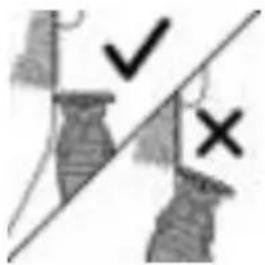
text_image
Image showing a diagonal line with checkmark and cross symbols, possibly indicating approval or rejection actions.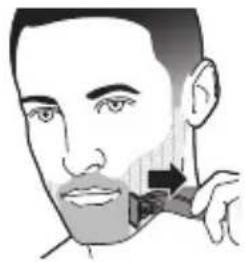
natural_image
Illustration of a person applying a toothbrush to their cheek (no text or symbols)natural_image
Simple line drawing of a mechanical component or tool with no visible text or symbols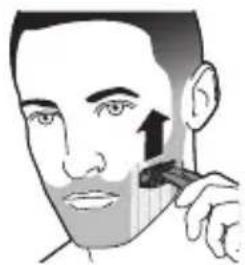
natural_image
Illustration of a person applying a toothbrush to their face (no text or symbols)
natural_image
Illustration of a hand holding a container with a lid, no visible text or symbolsCuerpo
natural_image
Illustration showing two steps of hairpin application: top view with a brush and tool, bottom view with hands holding a cloth (no text or symbols)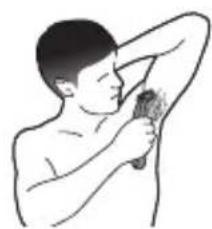
natural_image
Illustration of a person performing a hand massage or exercise on the shoulder (no text or symbols present)text_image
Diagram showing two labeled steps of a mechanical or electrical component being inserted into a device, with arrows indicating direction.text_image
Diagram showing two hands holding a device with labeled arrows indicating process steps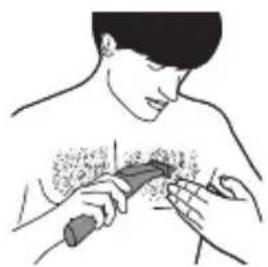
natural_image
Illustration of a person receiving a medical or therapeutic procedure on another person's torso (no text or symbols present)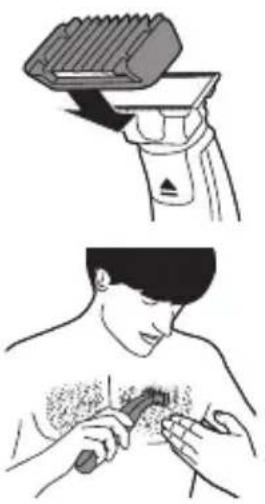
natural_image
Illustration showing a hairdryer cutting a shirt and a person applying a product to their chest (no text or symbols present)natural_image
Illustration of a hand holding a small object with a magnified view of a mechanical component (no text or symbols)natural_image
Illustration of a hand holding an insect, with a cross mark and curved lines indicating movement or inspection (no text or symbols)natural_image
Simple line drawing of a boat hull with no text or symbolsnatural_image
Simple line drawing of a hand holding a rectangular object with radiating lines (no text or symbols)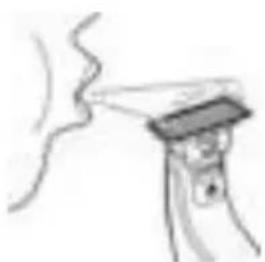
natural_image
Simple line drawing of a hand holding a device with a screen (no text or symbols)natural_image
Simple line drawing of a mechanical component or tool (no text or symbols)natural_image
Simple line drawing of a mechanical component or bracket (no text or symbols)natural_image
Illustration of a person lifting a large object with a downward arrow (no text or symbols)natural_image
Simple line drawing of a camera with an arrow indicating rotation (no text or symbols)natural_image
Illustration of a spray gun with a magnified inset showing a component detail (no text or symbols)text_image
Diagram showing a hand holding a tool with labeled parts and directional arrows, including a warning symbol.natural_image
Simple line drawing of a hand holding a small object with radiating lines (no text or symbols)natural_image
Simple line drawing of a mechanical or electrical component with no visible text, numbers, or symbols.natural_image
Prohibition sign showing a faucet without spraying water, enclosed in a circle (no text)natural_image
No smoking sign with a faucet symbol (no text)natural_image
Diagram of a mechanical joint or stem with a magnified inset showing a star-shaped feature (no text or symbols)natural_image
Pure mechanical diagram showing a lever and gear assembly without any text or symbolsnatural_image
Pure mechanical diagram showing a lever and pivot (no text or symbols)natural_image
Simple line drawing of a medical device with an electrical outlet and cable (no text or symbols)natural_image
Illustration of a person using a tool to apply facial care or facial examination (no text or symbols present)natural_image
Simple line drawing of a button with an arrow, no text or symbols presenttext_image
Medical illustration showing a person applying a toothbrush to another person's mouth, with checkmark and cross symbols indicating inspection or validation.natural_image
Diagram showing two intersecting lines with arrows and symbols (no readable text or labels)natural_image
Simple line drawing of a mechanical component or tool with no visible text or symbolsnatural_image
Illustration of a person applying a toothbrush to their face (no text or symbols)natural_image
Simple line drawing of a hand holding a small object, possibly a container or tool, with no visible text or symbols.Corps
natural_image
Diagram of a mechanical device with a handle and lever mechanism (no text or symbols)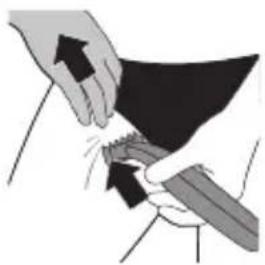
natural_image
Illustration of hands performing a medical or surgical procedure on a dark object, with arrows indicating direction (no text or symbols present)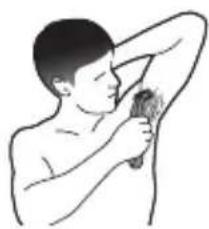
natural_image
Illustration of a person brushing their chest with a tooth (no text or symbols)text_image
Diagram showing two hands holding a device with labeled arrows indicating motion or force direction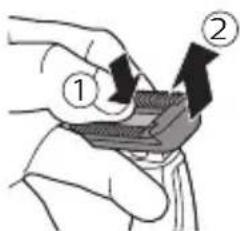
text_image
Diagram showing two labeled steps of a mechanical or electrical component being inserted into a device, with arrows indicating direction.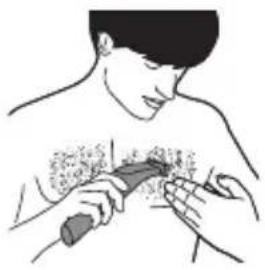
natural_image
Illustration of a person receiving a medical or surgical procedure with a tool on another person's chest (no text or symbols present)natural_image
Illustration showing a hairbrush cutting the brush and brushing a person's face (no text or symbols present)natural_image
Illustration of a hand holding a small object with a magnified view of the object (no text or symbols)natural_image
Illustration of a hand holding an insect, with a black 'X' mark and curved lines indicating movement or pressure (no text or symbols)natural_image
Illustration of a hand pouring liquid into a container (no text or symbols visible)natural_image
Illustration of a hand holding a chair with a curved arrow indicating motion (no text or symbols)natural_image
Simple line drawing of a mechanical component with a curved arrow indicating rotation (no text or symbols)2 Fermez la protection.
natural_image
Illustration of a hairdryer with a magnified inset showing the brush tip (no text or symbols)text_image
Diagram illustrating a medical procedure with labeled steps and a corresponding microscopic image showing vascular or vascular structure.natural_image
Simple line drawing of a mechanical or electrical component with no text or symbolsnatural_image
No smoking sign with a faucet symbol (no text)natural_image
Prohibition sign of a faucet without any text or symbolsnatural_image
Diagram of a mechanical component with a highlighted circular feature (no text or symbols)natural_image
Pure mechanical diagram showing a lever and gear assembly without any text or symbolsnatural_image
Pure mechanical diagram showing a lever and pivot (no text or symbols)natural_image
Simple line drawing of a plug and plug with a connecting rod (no text or symbols)text_image
Diagram showing facial recognition or facial dissection with a magnifying glass and X mark indicating false positive detection.natural_image
Simple line drawing of a button with an arrow pointing to the left side (no text or symbols)text_image
Medical illustration showing a person applying a toothbrush to another person's lower face with checkmark and cross symbols indicating inspection or validation.text_image
Technical diagram showing a hand holding a tool with an arrow and checkmark, alongside a crosshair symbol indicating incorrect or incorrect action.natural_image
Illustration of a person applying a toothbrush to their face (no text or symbols)natural_image
Diagram showing two mechanical components with directional arrows and a diagonal line, no readable text or symbols present.natural_image
Simple line drawing of a mechanical component with a downward arrow indicating force or direction (no text or symbols)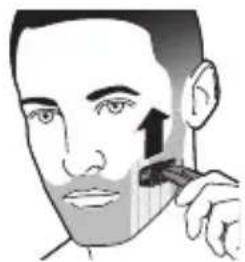
natural_image
Illustration of a person applying a toothbrush to their face (no text or symbols)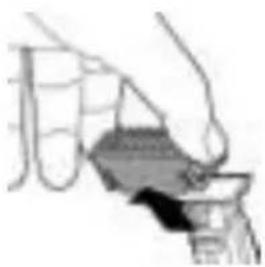
natural_image
Illustration of a hand holding a container with a lid, no visible text or symbolsCorpo
text_image
Diagram showing two labeled steps of a mechanical or electrical component, with arrows indicating direction and components.text_image
Diagram showing two labeled arrows pointing to a component, with numbered annotations ① and ② indicating directional movement.natural_image
Illustration of a person receiving medical or therapeutic treatment with a tool on another person (no text or symbols present)natural_image
Illustration showing a hairbrush cutting the brush and brushing a person's chest area (no text or symbols)natural_image
Illustration of a hand holding a small object with a shaded area, alongside a magnified view of a mechanical component (no text or symbols)natural_image
Illustration of a hand holding an insect, with a cross mark and curved lines indicating movement or inspection (no text or symbols)natural_image
Simple line drawing of a boat hull with no text or symbolsnatural_image
Simple line drawing of a hand holding a rectangular object with radiating lines (no text or symbols)natural_image
Simple line drawing of a hand holding a device with a wavy line extending from it (no text or symbols)natural_image
Simple line drawing of a mechanical component or tool (no text or symbols)natural_image
Pure mechanical component diagram without any text, numbers, or symbolsnatural_image
Illustration of a person's arm holding a chair with a downward arrow indicating compression (no text or symbols)natural_image
Simple line drawing of a camera with an arrow indicating rotation (no text or symbols)natural_image
Diagram of a hairdryer with a magnified inset showing the head area (no text or symbols)text_image
Diagram showing a hand holding a tool with labeled parts, including numbered callouts and a warning symbol.natural_image
Illustration of two hands holding a small object with radiating lines, no text or symbols presentnatural_image
Simple line drawing of a mechanical or electrical component with no visible text, numbers, or symbols.
natural_image
Prohibition sign of a faucet with diagonal line and raindrops (no text)natural_image
Prohibition sign of a faucet without any text or symbolsnatural_image
Diagram of a mechanical component with a highlighted circular feature (no text or symbols)natural_image
Pure mechanical diagram showing a lever and gear assembly without any text or symbolsnatural_image
Pure mechanical component diagram without any text, numbers, or symbolsnatural_image
Simple line drawing of a medical device with an electrical outlet and tubing (no text or symbols)natural_image
Illustration of a person using a medical or diagnostic tool to address facial features (no text or symbols present)natural_image
Simple line drawing of a mechanical component with a black arrow pointing to a power button (no text or symbols)text_image
Medical illustration showing a person applying a toothbrush to another person's mouth, with checkmark and cross symbols indicating detection or validation.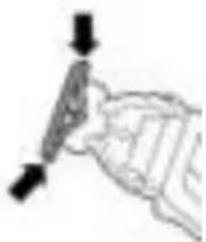
natural_image
Simple line drawing of a hand holding a tool, no text or symbols presenttext_image
Image showing a diagonal line with checkmark and cross symbols, possibly indicating approval or rejection actions.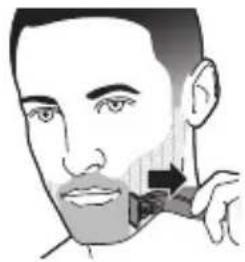
natural_image
Illustration of a person applying a toothbrush to their cheek (no text or symbols)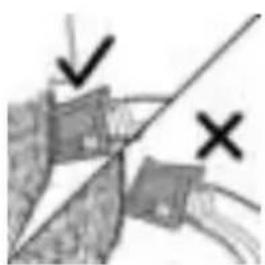
natural_image
Abstract diagram with geometric shapes and arrows, no readable text or symbolsnatural_image
Simple line drawing of a mechanical device with a lever and handle (no text or symbols)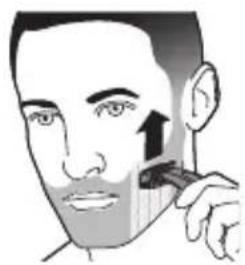
natural_image
Illustration of a person applying a toothbrush to their face (no text or symbols)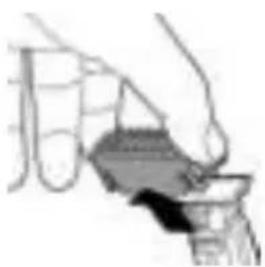
natural_image
Illustration of a hand holding a small object, possibly a container or tool, with no visible text or symbols.Lichaam
text_image
Diagram showing two labeled steps of a mechanical or electrical component being inserted into a device, with arrows indicating direction.text_image
Diagram showing two labeled steps of a mechanical or electrical component being inserted into a housing, with arrows indicating direction.natural_image
Illustration showing a hairbrush cutting down the jaw and brushing teeth on a person's chest (no text or symbols)natural_image
Illustration of a hand holding a small object with a magnified view of the object (no text or symbols)natural_image
Illustration of a mosquito biting a curved object with a cross mark (no text or symbols)natural_image
Simple line drawing of a staircase with stairs and steps (no text or symbols)natural_image
Simple line drawing of a hand holding a device with a curved line above, no text or symbols present.natural_image
Simple line drawing of a person using a handheld device to interact with a wall-mounted device (no text or symbols)natural_image
Simple line drawing of a mechanical component or tool (no text or symbols)natural_image
Pure mechanical component diagram without any text, numbers, or symbolsnatural_image
Illustration of a person lifting a large object with a downward arrow (no text or symbols)natural_image
Simple line drawing of a camera with an arrow indicating rotation (no text or symbols)2 Sluit de beschermkap.
natural_image
Diagram of a hairdryer with a magnified inset showing the brush tip (no text or symbols)text_image
Diagram showing a hand holding a tool with labeled parts and directional arrows, including a warning symbol.natural_image
Illustration of a hand holding a small object with radiating lines, no text or symbols presentnatural_image
Simple line drawing of a stick figure with arms and legs, no text or symbols present
natural_image
No sign depicting a faucet with a diagonal line, crossed out by a diagonal line (no text or symbols)natural_image
Prohibition sign showing a faucet crossed out by a diagonal line, indicating no pollution or water release.natural_image
Diagram of a mechanical component with a highlighted circular feature (no text or symbols)natural_image
Pure mechanical diagram showing a lever and gear assembly without any text or symbolsFor å indikere at apparatet lader, vil indikatorlysene for batteristatus blinke grønt.
natural_image
Pure mechanical component diagram without any text, numbers, or symbolsNår batteriet er fulladet, vil indikatorlyset for batteristatus lyse konstant grönt.
natural_image
Simple line drawing of a plug and cable with arrows indicating connection (no text or symbols)natural_image
Illustration of a person applying facial care to the lower face using a tool (no text or symbols present)natural_image
Simple line drawing of a button with an arrow, no text or symbols presentAnsikt
natural_image
Illustration of a person applying a toothbrush to their face (no text or symbols)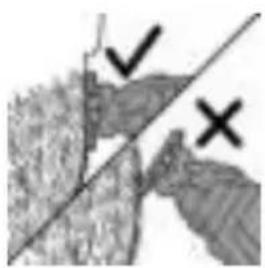
natural_image
Close-up of a hand holding a plant with a diagonal line crossing through, marked by checkmark and cross symbols (no readable text)Merk: Sørg for at du holder overflaten av bladet flatt mot huden.
text_image
Medical or instructional illustration showing three steps: surgical tool, checkmark/minus/× symbol, and facial hair cutting.natural_image
Diagram showing two labeled points (✓ and ✗) with a diagonal line intersecting them, no readable text or symbols present.natural_image
Simple line drawing of a mechanical device with a handle and lever (no text or symbols)1 Sett kammen på bladet, med tennene på kammen pekende oppover.
natural_image
Illustration of a person applying a toothbrush to their face (no text or symbols)natural_image
Illustration of a hand holding a container with a lid, no visible text or symbolsnatural_image
Illustration of a handheld device with a handle and control knob (no text or symbols)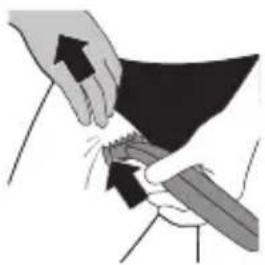
natural_image
Illustration of hands performing a medical or surgical procedure on a dark object, with arrows indicating direction (no text or symbols present)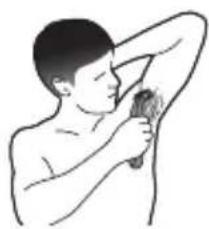
natural_image
Line drawing of a person performing a neck massage or physical therapy (no text or symbols)3 Plasser hudbeskyttelsen inntil huden, og strekk huden med den ledige hånden. Beveg apparatet sakte oppover, mot hårets vekstretning.
text_image
Diagram showing two labeled steps of a mechanical or electrical component being inserted into a component, with arrows indicating direction.text_image
Diagram showing two labeled steps of a mechanical or electrical component, with arrows indicating direction and numbered annotations.3 Sett bladet på huden og beveg apparatet mot retningen håret vokser i, med lange strykebevegelser og lett trykk. Strekk huden med den ledige hånden.
natural_image
Illustration of a person performing a medical or therapeutic procedure with a tool on another person (no text or symbols present)Merk: Sørg for at du holder overflaten av bladet flatt mot huden.
172 Norsk
natural_image
Illustration showing a hair styling technique: top panel shows a hairbrush cutting a tooth with a brush, bottom panel shows a person applying a tooth to their chest area (no text or symbols)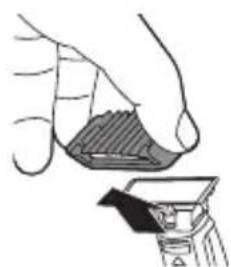
natural_image
Illustration of a hand holding a small container with a lid, alongside a close-up of a container (no text or symbols)natural_image
Illustration of a shrimp being held with a cross mark, no text or symbols presentRengjøre apparatet
natural_image
Illustration of a hand holding a container with a lid, no text or symbols visiblenatural_image
Simple line drawing of a hand holding a device with wires (no text or symbols)natural_image
Simple line drawing of a hand holding a device with a curved line above it (no text or symbols)natural_image
Two technical diagrams showing mechanical components or tools, no visible text or symbols4 Slå så på apparatet og skyll bladet med lunket vann.
natural_image
Illustration of a person lifting a chair with a downward arrow indicating motion (no text or symbols)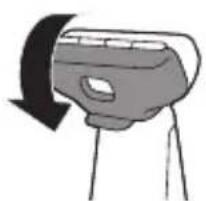
natural_image
Simple line drawing of a hand holding a device with a curved arrow indicating rotation (no text or symbols)2 Lukk beskyttelsesdekselet.
natural_image
Diagram of a spray gun with a magnified inset showing the internal components (no text or symbols)text_image
Diagram showing a hand holding a tool with labeled parts and directional arrows, including a triangle symbol.natural_image
Illustration of hands using a tool to interact with a black tool, no text or symbols presentnatural_image
Simple line drawing of a mechanical or electrical component with no text or symbolsnatural_image
Two mechanical components with arrows indicating motion, no visible text or symbols6 Løft batteriet ut av den indre delen med skrujernet. Batteriet er koblet til med dobbeltsidig tape.
natural_image
Prohibition sign of a faucet without any text or symbolsnatural_image
Prohibition sign showing a faucet crossed out by a diagonal line, indicating no fire or water discharge (no text present)natural_image
Diagram of a mechanical component with a highlighted circular feature and arrow, no text or symbols presentnatural_image
Pure mechanical diagram showing a lever and gear mechanism without any text or symbolsnatural_image
Pure mechanical diagram showing a lever and pivot (no text or symbols)natural_image
Simple line drawing of a plug inserted into a cylinder (no text or symbols)text_image
Diagram showing facial anatomy with a magnifying glass and X mark indicating a specific area or point of interest.natural_image
Simple line drawing of a lightning bolt inside a curved pipe (no text or symbols)text_image
Medical illustration showing a person applying a toothbrush to a tooth with checkmark and cross symbols indicating inspection or validation.natural_image
Abstract geometric diagram with diagonal lines and shapes, no readable text or symbolsnatural_image
Simple line drawing of a mechanical component or tool with no visible text or symbolsnatural_image
Illustration of a person applying a toothbrush to their face, showing the brush tip and facial area (no text or symbols)natural_image
Simple line drawing of a hand holding a container with a handle, no text or symbols present192 Português
Corpo
natural_image
Diagram of a handheld device with a handle and control panel (no text or symbols)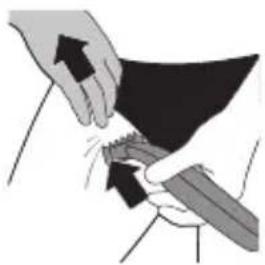
natural_image
Illustration of hands performing a medical or surgical procedure on a dark object, with arrows indicating direction (no text or symbols present)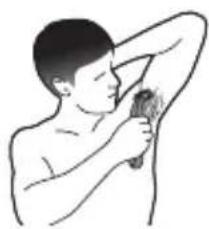
natural_image
Illustration of a person brushing their chest with a toothbrush (no text or symbols)text_image
Diagram showing two labeled steps of a mechanical or electrical component being inserted into a component, with arrows indicating direction.text_image
Diagram showing two hands holding a device with labeled arrows indicating process steps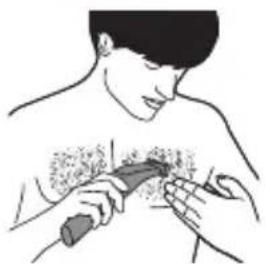
natural_image
Illustration of a person receiving a medical or surgical procedure with a tool on another person (no text or symbols present)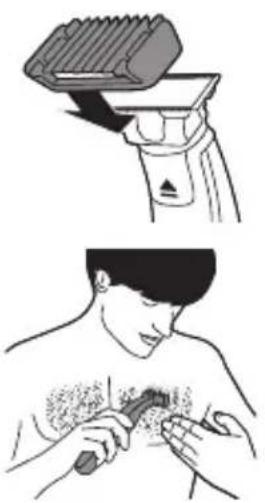
natural_image
Illustration showing a hairdryer cutting down and a person applying a toothed product to their chest (no text or symbols)natural_image
Illustration of a hand holding a small object with a shaded area, alongside a magnified view of a tool or device (no text or symbols visible)natural_image
Illustration of a mosquito vector with a cross mark, no text or symbols presentnatural_image
Simple line drawing of a hand pouring liquid into a container (no text or symbols)Limpeza do aparelho
natural_image
Simple line drawing of a hand holding a device with a probe, no text or symbols presentnatural_image
Three hand-drawn illustrations showing a device with a handle, a close-up of its grip, and a base device (no text or symbols)natural_image
Simple line drawing of a hand holding a chair with a downward arrow indicating motion (no text or symbols)natural_image
Simple line drawing of a camera with an arrow indicating rotation (no text or symbols)natural_image
Illustration of a hairdryer with a magnified inset showing the brush tip (no text or symbols)text_image
Diagram showing a hand holding a tool with numbered parts and a warning symbol, likely illustrating a procedure or instruction.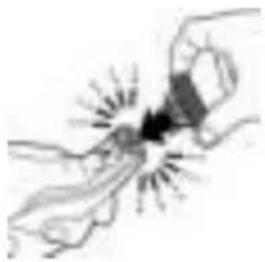
natural_image
Illustration of a hand holding a small object with radiating lines, no text or symbols presentEncomendar acessórios
natural_image
Simple line drawing of a mechanical or electrical component with no text or symbolsnatural_image
Prohibition sign of a faucet with diagonal line and raindrops (no text)natural_image
Prohibition sign showing a faucet with a diagonal line and raindrops, no text presentnatural_image
Diagram of a mechanical component with a highlighted circular feature and a small inset showing a star-like shape (no text or symbols)natural_image
Pure mechanical component diagram without any text, numbers, or symbolsnatural_image
Pure mechanical diagram showing a lever and pivot (no text or symbols)natural_image
Simple line drawing of a plug and cable with arrows indicating direction (no text or symbols)text_image
Diagram showing facial recognition with a medical device and a cross mark indicating false rejectionnatural_image
Simple line drawing of a lightning bolt inside a U-shaped container (no text or symbols)text_image
Medical illustration showing a person applying a toothbrush to another person's mouth, with checkmark and cross symbols indicating inspection or validation.natural_image
Diagram showing a hand holding a device with a diagonal line and two marked points (no text or symbols present)natural_image
Illustration showing two-step hairpin application: top shows a brush applying material to a clip, bottom shows a hand holding a tool with a black object (no text or symbols)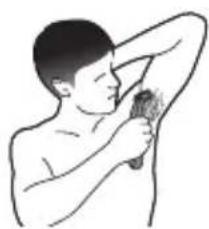
natural_image
Illustration of a person brushing their arm with a brush (no text or symbols)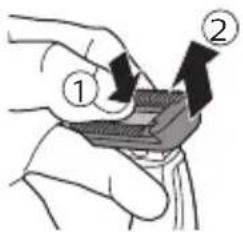
text_image
Diagram showing two labeled steps of a mechanical or electrical component being inserted into a device, with arrows indicating direction.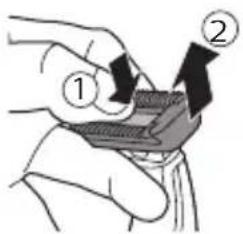
text_image
Diagram showing two labeled arrows pointing to a device component, with numbered annotations ① and ② indicating directional movement.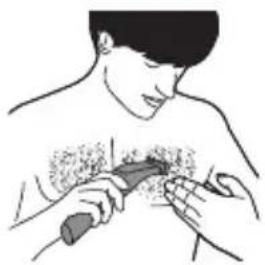
natural_image
Illustration of a person receiving chest compressions with a tool (no text or symbols)natural_image
Illustration showing a hairdryer and a person applying a toothbrush to their chest (no text or symbols present)natural_image
Illustration of a hand holding a small object with a shaded area, alongside a magnified view of a mechanical component (no text or symbols)Puhdistus ja huolto
natural_image
Illustration of a hand holding an insect, with a cross mark and curved lines indicating movement or inspection (no text or symbols)natural_image
Simple line drawing of a person climbing stairs (no text or symbols)natural_image
Simple line drawing of a hand holding a flashlight with wires (no text or symbols)natural_image
Simple line drawing of a hand holding a spray gun, no text or symbols presentnatural_image
Simple line drawing of a mechanical component or tool (no text or symbols)natural_image
Pure mechanical component diagram without any text, numbers, or symbolsnatural_image
Simple line drawing of a person's head with a curved object above their head, no text or symbols present.natural_image
Simple line drawing of a camera with an arrow indicating rotation (no text or symbols)2 Sulje suojus.
natural_image
Illustration of a hairdryer with a magnified inset showing the brush tip (no text or symbols)text_image
Diagram showing two hands operating a tool with numbered annotations and a warning symbolnatural_image
Illustration of two hands holding a small object with radiating lines, no text or symbols presentnatural_image
Simple line drawing of a mechanical or electrical component with no text or symbolsnatural_image
Prohibition sign showing a faucet crossed out by a diagonal line, indicating no fire or water discharge (no text present)natural_image
Prohibition sign showing a faucet with a diagonal line and a showerhead, no text presentnatural_image
Diagram of a mechanical joint or bracket with a highlighted circular feature (no text or symbols)natural_image
Pure mechanical component diagram without any text, numbers, or symbolsnatural_image
Pure mechanical component diagram without any text, numbers, or symbolsnatural_image
Simple line drawing of a medical device with an outlet and tubing (no text or symbols)text_image
Diagram showing facial landmark detection with a magnifying glass and X mark indicating false positive ratenatural_image
Simple line drawing of a lightning bolt inside a curved pipe (no text or symbols)text_image
Medical illustration showing a person applying a toothbrush to another person's mouth, with checkmark and cross symbols indicating detection or approval.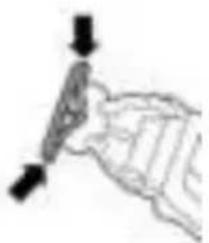
natural_image
Simple line drawing of a hand holding a pen or stylus (no text or symbols)text_image
Image showing a checkmark and an X symbol over a document, likely indicating approval or rejection.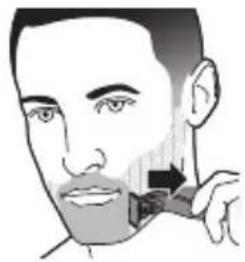
natural_image
Illustration of a person applying a toothbrush to their cheek (no text or symbols)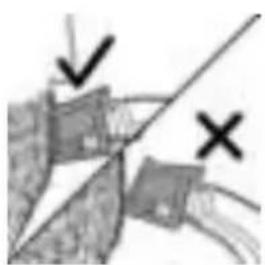
natural_image
Abstract diagram with geometric shapes and arrows, no readable text or symbolsnatural_image
Simple line drawing of a mechanical component or tool with no visible text or symbols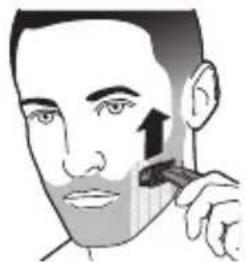
natural_image
Illustration of a person applying a toothbrush to their face (no text or symbols)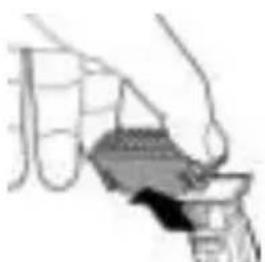
natural_image
Illustration of a hand holding a small object, possibly a container or tool, with no visible text or symbols.Kropp
Trimma med kam
text_image
Medical illustration showing two steps of a procedure: first with hand placement, second with close-up of hands holding a device and cleaning a tissue.natural_image
Diagram of a hairdryer tool with a handle and lever mechanism (no text or symbols)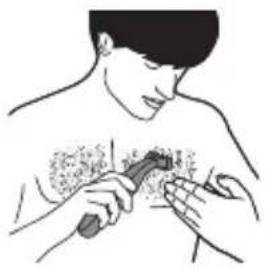
natural_image
Illustration of a person receiving a medical or therapeutic procedure on a chest (no text or symbols present)natural_image
Illustration of a hand holding a small object with a shaded area, alongside a close-up of a mechanical component (no text or symbols visible)natural_image
Illustration of a hand holding an insect with a cross mark and curved appendage (no text or symbols)
natural_image
Illustration of a hand holding a tray with a downward arrow indicating motion (no text or symbols)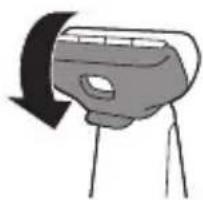
natural_image
Simple line drawing of a camera with an arrow indicating rotation (no text or symbols)natural_image
Illustration of a spray gun with a magnified inset showing the internal components (no text or symbols)text_image
Diagram showing a hand holding a tool with labeled parts, including numbered callouts and a warning symbol.natural_image
Illustration of two hands holding a small object with radiating lines, no text or symbols presentnatural_image
Simple line drawing of a mechanical or electrical component with no text or symbolsnatural_image
Prohibition sign showing a faucet crossed out by a diagonal line, indicating no fire or water discharge (no text present)natural_image
No smoking sign with faucet symbol (no text)natural_image
Diagram of a mechanical component with a highlighted circular feature (no text or symbols)natural_image
Pure mechanical diagram showing a lever and gear assembly without any text or symbolsnatural_image
Pure mechanical component diagram without any text, numbers, or symbolsnatural_image
Simple line drawing of a plug inserted into a bulb connected to a vertical tube (no text or symbols)natural_image
Illustration of a person applying facial care to the lower face using a medical device (no text or symbols present)natural_image
Simple line drawing of a button with an arrow, no text or symbols presenttext_image
Medical illustration showing a person applying a toothbrush to another person's mouth, with checkmark and cross symbols indicating inspection or validation.natural_image
Simple line drawing of a mechanical component or tool (no text or symbols)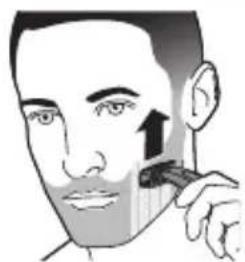
natural_image
Illustration of a person applying a toothbrush to their cheek area (no text or symbols)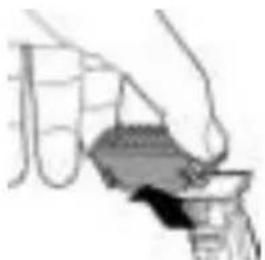
natural_image
Illustration of a hand pouring liquid into a container (no text or symbols visible)text_image
Diagram showing two labeled steps of a mechanical or electrical component, with arrows indicating direction of movement.text_image
Diagram showing two labeled steps of a mechanical or electrical component being inserted into a component, with arrows indicating direction.natural_image
Illustration showing a hairdryer and a person applying a toothbrush to their chest (no text or symbols present)natural_image
Illustration of a hand holding a small object with a shaded area, alongside a magnified view of a mechanical component (no text or symbols)Temizlik ve bakım
natural_image
Illustration of a hand holding an insect, with a cross mark and curved lines indicating movement or inspection (no text or symbols)natural_image
Simple line drawing of a hand holding a container with a handle (no text or symbols)Cihazın temizliği
natural_image
Simple line drawing of a hand holding a flashlight with wires (no text or symbols)natural_image
Simple line drawing of a hand holding a device with a wavy line extending from it (no text or symbols)natural_image
Simple line drawing of a mechanical component or tool (no text or symbols)natural_image
Pure mechanical component diagram without any text, numbers, or symbolsnatural_image
Illustration of a person's head with a curved object above their head, showing a black arrow indicating direction (no text or symbols)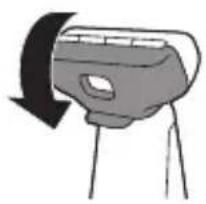
natural_image
Simple line drawing of a camera lens mounted on a tripod, with no text or symbols present.natural_image
Illustration of a hairdryer with a magnified inset showing the brush tip (no text or symbols)text_image
Diagram showing a hand holding a tool with labeled parts, including numbered callouts and a warning symbol.natural_image
Illustration of two hands holding a small object with radiating lines, no text or symbols presentnatural_image
Simple line drawing of a mechanical or electrical component with no visible text, numbers, or symbols.natural_image
No smoking sign with faucet symbol (no text)natural_image
Prohibition sign of a faucet without any text or symbolsnatural_image
Diagram of a mechanical component with a highlighted circular feature and starburst pattern (no text or symbols)natural_image
Pure mechanical component diagram without any text, numbers, or symbolsnatural_image
Pure mechanical component diagram without any text, numbers, or symbolsnatural_image
Simple line drawing of a medical device with an electrical outlet and tubing (no text or symbols)natural_image
Illustration of a person using a tool to apply facial contour or pressure technique (no text or symbols present)natural_image
Simple line drawing of a lightning bolt inside a vehicle (no text or symbols)text_image
Medical illustration showing a person applying a toothbrush to another person's lower view with checkmark and cross symbols indicating inspection or validation.natural_image
Abstract diagram with geometric shapes and symbols (no readable text or labels)natural_image
Simple line drawing of a mechanical component or tool (no text or symbols)natural_image
Illustration of a person applying a toothbrush to their face (no text or symbols)natural_image
Illustration of a hand pouring liquid into a container (no text or symbols visible)natural_image
Diagram of a handheld device with a handle and lever mechanism (no text or symbols)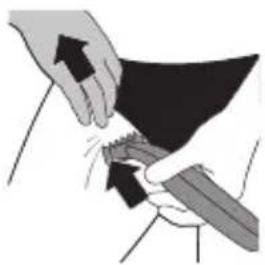
natural_image
Illustration of hands performing a medical or surgical procedure on a dark object, with arrows indicating direction (no text or symbols present)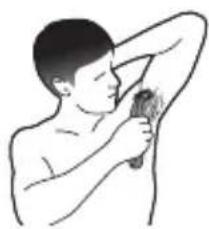
natural_image
Illustration of a person brushing their chest with a toothbrush (no text or symbols)text_image
Diagram showing two hands holding a card with arrows indicating direction, labeled ① and ②.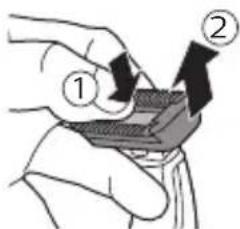
text_image
Diagram showing two labeled steps of a mechanical or electrical component with directional arrows indicating motion.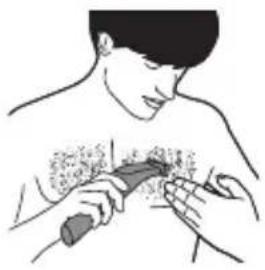
natural_image
Illustration of a person receiving a medical or surgical procedure with a tool on another person's chest (no text or symbols present)natural_image
Diagram of a hairbrush with a brush applying material to a clip (no text or symbols)natural_image
Illustration of a hand holding a small object with a striped pattern, alongside a close-up of a mechanical component (no text or symbols)natural_image
Illustration of a hand holding an insect, with a black 'X' mark and curved lines indicating movement or interaction (no text or symbols)natural_image
Illustration of a hand pouring liquid into a container (no text or symbols visible)natural_image
Simple line drawing of a mechanical component with a downward arrow indicating motion (no text or symbols)natural_image
Simple line drawing of a mechanical component with a curved arrow indicating rotation (no text or symbols)natural_image
Illustration of a hairdryer with a magnified inset showing the brush tip (no text or symbols)text_image
Diagram showing a hand holding a tool with labeled parts 1 and 2, and a warning symbol indicating absence of text.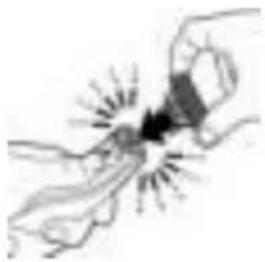
natural_image
Illustration of a hand holding a small object with radiating lines, no text or symbols presentnatural_image
Simple line drawing of a stick figure with arms and legs, no text or symbols present75% recycled paper
75% papier recyclé