
DMW-SFU3A - Software license & extension PANASONIC - Free user manual and instructions
Find the device manual for free DMW-SFU3A PANASONIC in PDF.
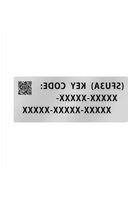


| Product Type | Software License & Extension |
| Brand | Panasonic |
| Model | DMW-SFU3A |
| Compatible Cameras | DC-GH6, DC-GH7 (as of June 2024) |
| Activated Functions | ARRI LogC3 (logarithmic gamma conforming to ARRI LogC3) |
| Box Contents | 1 bag containing a key code, 1 installation manual and license agreement |
| Activation Method | Online via the activation code generation site |
| System Requirements | Computer with internet access, memory card formatted in the camera |
| Required Firmware Version | DC-GH6: 3.0 or later |
| Activation Site | https://eww.pavc.panasonic.co.jp/enhance/ActivationTop/en |
| Key Code | Unique, non-reissuable; store in a safe place |
| Security | Do not open the bag before accepting the license agreement; keep the code secure |
| Warranty | No express or implied warranty (see license agreement) |
| Repairability | Key code required during repair; contact customer service if issues occur |
| Maintenance | Store in a dry place, away from heat and humidity |
| Manual Format | PDF, 72 pages, multilingual (FR, DE, EN, etc.) |
| Publication Year | 2024 |
| Manufacturer | Panasonic Entertainment & Communication Co., Ltd. |
Frequently Asked Questions - DMW-SFU3A PANASONIC
User questions about DMW-SFU3A PANASONIC
0 question about this device. Answer the ones you know or ask your own.
Ask a new question about this device
Download the instructions for your Software license & extension in PDF format for free! Find your manual DMW-SFU3A - PANASONIC and take your electronic device back in hand. On this page are published all the documents necessary for the use of your device. DMW-SFU3A by PANASONIC.
USER MANUAL DMW-SFU3A PANASONIC
Please read the "Read before opening the bag containing the key code" (P2) carefully before using this product.
Upgrade Software Key
Read before use
Thank you for purchasing this Panasonic product.
This is an upgrade software key that enables the extended functions of the digital camera.
- One upgrade software key can activate the software of only one camera.
Package contents
A bag containing a key code, 2 Installation Guide, Software Licensing Agreement (this leaflet)

Read before opening the bag containing the key code
- The key code cannot be reissued. Keep it in a safe place.
- Before opening the bag containing the key code, check the compatible model.
- Before opening the bag containing the key code, read the "Software Licensing Agreement" carefully.
- If you take the tape off the bag containing the key code to open it, you are considered to have agreed to the terms in the Software Licensing Agreement.
- The product cannot be returned once you take the tape off the bag containing the key code to open it.
- A computer with Internet access is required to use this product.
After agreeing to the above statements, take the tape off the bag containing the key code, remove the key code from inside, and activate the software.
Compatible model (As of June 2024)
Compatible model: DC-GH6/DC-GH7
- For information about the latest compatible models, refer to the support site below.
https://panasonic.jp/support/global/cs/dsc/download/index3.html (This Site is English only.)
Notes for repair
When requesting a repair, be sure to inform us of the key code along with a description of the repair request.
The key code is required to repair the camera after activation.
- If the extended functions are not available after the repair, reactivate the software.
- If the software cannot be reactivated or if an error occurs, contact the Customer Support.
Contents
Read before use. 2
Software Licensing Agreement. 4
Activation procedure. 6
Extended functions 9
Software Licensing Agreement
Caution: Be sure to read the Software License Agreement before opening the bag containing the key code.
Thank you for purchasing this Panasonic product. Before opening the bag containing the key code packaged with this product, please read the Software Licensing Agreement below.
After agreeing to the terms of the Software Licensing Agreement, go to the activation code generation site and generate the "activation key". The activation key you have generated will allow you to use this software.
Note that by opening the bag containing the key code, you are considered to have agreed with the terms of the Software License Agreement. The Software License Agreement is a legally binding agreement between you and Panasonic (hereinafter referred to as the Agreement). It is also proof that you have been granted a license to use the Software by Panasonic under the law. Any user of the software shall be bound by this Agreement as "you" or "user" of this Agreement.
Activation code generation site:
https://eww.pavc.panasonic.co.jp/enhance/ActivationTop/en
(This Site is English only.)
■ Article 1 License
The users obtain the license of the software (i.e. the software loaded in the main device which can be activated using the activation key and the activation key packaged with this product), but the copyright or intellectual property right of the software does not transfer to the users.
■ Article 2 Usage Device
The software may be used on a single device loaded with the software and not on any other devices.
■ Article 3 Reverse Engineering, Decompiling or Disassembly
The Software is provided to you as is, and Panasonic makes no express or implied warranties whatsoever with respect to the Software. You shall not reverse engineer, decompile, or disassemble the Software. Panasonic or any of its distributors or dealers shall not be bound by warranty for any defects in the Software or damage to you caused by your reverse engineering, decompiling, or disassembly of the Software. If you are imposed any damage form such your reverse engineering, decompiling, or disassembly of the Software, Panasonic and Affiliates shall not provide any warranty, indemnification and/or compensation thereto. "Affiliate" means company or other legal entity which: (a) is Controlled by Panasonic; (b) Controls Panasonic; or (c) is under common Control with Panasonic. "Control" means that more than fifty percent (50%) of the shares or ownership interest representing the voting right for the election of directors or persons performing similar functions for such a corporation, company or entity that are owned or controlled, directly or indirectly, by the controlling entity. Such corporation, company or entity shall be deemed to be an Affiliate so long as such ownership or control exists.
■ Article 4 No Warranty
The Software will be provided "as is" basis. Panasonic and Affiliates does not provide any expressed, implied and/or legal warranty and/or indemnification regarding any defect of the Software (including but not limited to any accuracy, completeness, safety, merchantability,
effectiveness, quality, fitness for a particular purpose and for registrations, defect related to security, defect, error, bug, problem, damage of data and infringement) for user. Panasonic does not have any liability for users to provide the Software not including such defects. If user's use of the software and/or user's behavior related to this agreement bring any damage for Panasonic and/or Affiliates, user shall warrant and indemnify Panasonic, and/or Affiliates and hold Panasonic and Affiliates harmless, from such damage. User shall settle any dispute between user and any third parties: (i) which are caused by use of the Software; and/or (ii) which are caused by breach of this agreement by user, on user's liability and user's cost. Panasonic and Affiliates does not have any liability for user's damage, cost and payment caused by user's use of the Software and user's behavior related to this agreement. This Article shall not be applied if user will be damaged by Panasonic's intentional breach and/or Panasonic's breach caused by gross negligence. Panasonic's cumulative liability regarding breach of this agreement and tort for user shall be: (i) limited only to direct damages and does not include any indirect and consequential damage and lost profit regardless of whether Panasonic can predict it or not; and (ii) actual payment by user to Panasonic in accordance with this agreement or 10,000 (ten thousand) yen whichever is higher.
■ Article 5 Changes to Specifications
Panasonic may change the information in the specifications and related documents for the Software without prior notice in the future.
Panasonic will update the Software for the purpose of bug fixes, improvement, modification, addition and/or enhancement of security functions. Such updates may add, remove and/or change the function of the Software. Such updates shall be performed by Panasonic on its sole discretion and such updates may be necessary condition for use of the Software. In this case: (i) if user request to continue to use the Software, user shall perform the updates immediately; or (ii) if user does not request to continue to use the Software, user shall suspend and destroy the Software immediately. Panasonic's liability regarding quality decline of the Software caused by any update (including but not limited to function removal or new bug occurrence) shall be limited only to the extent set forth in the Article "No Warranty".
■ Article 6 Export Control
You shall comply with all laws and regulations related to export control at home and abroad with respect to the Software.
■ Article 7 Change Of Party
Panasonic may assign and transfer the rights, obligations, and status of licensor under this agreement to an assignee, if Panasonic assigns and/or transfers the business related to this agreement by business assignment, merger, and/or company split, or any other situation at its sole discretion.
■ Article 8 Governing Law
This document shall be governed by and construed and enforced in accordance with the laws of Japan, without regard to its conflict of law provisions.
■ Article 9 Agreed Jurisdiction
Any dispute arising out of or in relation to this document shall be subject to the exclusive jurisdiction of the Osaka District Court.
■ Article 10 Priority Of Japanese Language Version
If a Japanese language version of this agreement is attached herewith, such version shall prevail over this version.
Activation procedure
Use the procedure below to activate the extended functions.
- A memory card that can be used in the camera will be required to activate the software. (Hereafter referred to as "card")
1. Check the firmware version (001y)H6
Check the firmware version of the camera.
Select the menu.

button → [Setup] → [Others] → [Firmware Version]
- Firmware versions that support the software key
DC-GH6
3.0 or higher
- For the latest information on the firmware or to download/update the firmware, visit the following support website:
https://panasonic.jp/support/global/cs/dsc/ (This Site is English only.)
2. Export the device information
Export the device information from the camera.
1 Insert the card into the camera.
- Insert a card formatted with the camera.
2 Select the menu.

button → [Setup] → [Setting] → [Activate] → [Export Serial Code]
- If a screen for selecting the card slot is displayed, select the card slot to export to.
- Confirmation screen is displayed. It is executed when [Yes] is selected.
- The device information (file name: SERIAL.LST) will be saved to the "PRIVATE\PANA_GRP\PAVC\LUMIX\ACTV" folder on the card.
3. Acquire the activation code
Acquire an activation code from the site that generates it.
- The supplied key code is required to acquire an activation code.
Agree to the Software Licensing Agreement, and remove the key code from its bag.
1 Insert the card containing the device information into a PC connected to the Internet. 2 Using a browser on the PC, access the activation code generation site, and follow the on-screen instructions to acquire an activation code.
Activation code generation site:
https://eww.pavc.panasonic.co.jp/enhance/ActivationTop/en
(This Site is English only.)
- The activation code (file name: ACTIVE.LST) will be saved to the
"PRIVATE\PANA_GRP\PAVC\LUMIX\ACTV" folder on the card.
- If another "ACTIVE.LST" file is already stored in the
"PRIVATE\PANA_GRP\PAVC\LUMIX\ACTV" folder on the card, the new file may overwrite it and be saved. Before saving the new file, confirm that there is no "ACTIVE.LST" file in the above folder.
4. Import the activation code
Import the activation code to the camera to enable the extended functions.
1 Insert the card containing the activation code into the camera. 2 Select the menu.

button →



[Setting]
[Activate]

import Activation Code]
- If a screen for selecting the card slot is displayed, select the card slot to import from.
- Confirmation screen is displayed. It is executed when [Yes] is selected.
- A message will be displayed, prompting you to turn off and on the camera. Turn off the camera, and then turn it on.
Extended functions
Checking the extended functions
The activated extended functions can be viewed on the camera's screen.
Select the menu.

button →


[Setting] →
[Activate] → [Activation List]
- The activated extended functions are displayed.
ARRI LogC3
[ARRI LogC3] is added to [Photo Style].
[ARRI LogC3] is a setting for log video that conforms to the gamma curve from the LogC3 specification offered by ARRI.
- ARRI is a registered trademark of Arnold & Richter Cine Technik GmbH & Co. Betriebs KG.
How to use the extended functions
Refer to the operating instructions for the camera for information on how to use the extended functions.
The extended functions are explained in the "Operating Instructions / Owner's Manual" (HTML format/PDF format).
Refer to the following URL:
DC-GH6
https://panasonic.jp/support/dsc/oi/GH6/index.html
DC-GH7:
https://panasonic.jp/support/dsc/oi/GH7/index.html
© Panasonic Entertainment & Communication Co., Ltd. 2024
Printed in China
The software can be used only on the single device on which it is loaded, and not on any other devices.
Article 3. Reverse engineering, decompilation, or disassembly
The software is provided to you "as is", and Panasonic gives no express or implied warranties with respect to the software. Reverse engineering, decompilation, or disassembly of the software is prohibited.
Panasonic Corporation and its affiliates or distributors or sales agents are not liable for any defects in the software or for any damages incurred by you as a result of reverse engineering, decompilation, or disassembly of the software. If you incur any damages as a result of reverse engineering, decompilation, or disassembly of the software, Panasonic and its affiliates will not provide any warranties, compensation for damages, or indemnification in this regard.
"Affiliate" means a company or other legal entity that: (a) controls Panasonic; (b) is controlled by Panasonic; or (c) is under common control with Panasonic. "Control" means that more than fifty percent (50%) of the shares or equity interests, representing the right to vote for directors or other analogous functions of such corporation, company, or legal entity, are owned or controlled directly or indirectly by the controlling entity. Such corporation, company, or legal entity is considered an Affiliate as long as such ownership or control exists.
Article 4. Disclaimer of Warranties
The software is provided on an "as is" basis. Panasonic and its affiliated companies do not provide the user with any explicit or implied warranties or compensation for damages with respect to any defects in the software (including, but not limited to, accuracy, completeness, reliability, safety, fitness for a particular purpose, registration, defects related to safety, improper processing, malfunction, error, problem, data corruption, and violation). Panasonic has no obligations to the user to provide software without such defects. If, due to the user's use of the software, the user causes damage to Panasonic or its affiliated companies in connection with this agreement, the user shall guarantee Panasonic and its affiliated companies compensation for damages, and also indemnify Panasonic and its affiliated companies from such damages. The user is obligated to resolve, at their own responsibility and expense, any disputes between themselves and any third parties: (i) arising from the use of the software; or (ii) caused by the user's violation of this agreement. Panasonic and its affiliated companies shall not be liable for damages, expenses, or payments to the user caused by the user's use of the software or the user's conduct in connection with this agreement. This article shall not apply if the user causes damage as a result of intentional misconduct or gross negligence on the part of Panasonic. The total liability of Panasonic to the user with respect to violations of this article is: (i) limited solely to direct damages and does not include any indirect or consequential damages or lost profits, regardless of whether Panasonic could foresee such damages or not; and (ii) shall not exceed the total amount actually paid by the user to Panasonic Corporation under this agreement or 10,000 (ten thousand) yen, whichever is greater.
Article 5. Changes to Technical Specifications
Panasonic may update the software in the technical specifications and accompanying documentation without prior notice. Panasonic will update the software to correct errors, improve, modify, or add functions for enhancing usability and safety. Such updates may add, delete, or change functions of the software. These updates are performed at Panasonic's discretion, and they may be a necessary condition for using the software. In such a case: (i) if the user continues to use the software, or (ii) if the user does not continue to use the software, the user must immediately stop and destroy the software. Panasonic's liability for degradation of software quality caused by any update (including, but not limited to, deletion of functions or introduction of new errors) is limited only to the extent stated in the "Disclaimer of Warranty" section.
Article 6. Export Control
You must comply with all laws and regulations regarding the export control of software in your country and abroad.
Article 7. Assignment
Panasonic may assign or transfer its rights, obligations, and status as licensor under this agreement, if Panasonic assigns or transfers its business related to this agreement through merger, acquisition, or division of companies, or in any other situation at its discretion.
Article 8. Governing Law
This document is governed, interpreted, and applied in accordance with the laws of Japan, without regard to conflict of law rules.
Article 9. Dispute Resolution
Any dispute arising in connection with this document shall be subject to the exclusive jurisdiction of the Osaka District Court.
Article 10. Precedence of Japanese Version
If a Japanese version of this Agreement is provided, that version shall take precedence.
Activation Procedure
To activate the extended functions, perform the procedure described below.
- Activation of the software requires a card that can be used in the camera. (Hereinafter referred to as "card")
1. Select the version of the built-in software (DC-GH6 only)
[ARRI LogC3]
(DC-GH6)
3.0
DC-GH6
:
https://panasonic.jp/support/global/cs/dsc/
.2
1rnnnnae
1
1
1Jus Jz no Lg
aaiil j
2
[1]←[1]←[b]←[d]
A
Lgic 111 111 111 111 111 111 111 111
[ae] jiiie iie iiill g yjg 1
(SERIAL.LST:)
"PRIVATE\PANA_GRP\PAVC\LUMIX\ACTV"
Panasonic 5k 7 1 1 1 1 1 1 1 1 1 1 1 1 1 1 1 1 1 1 1 1 1 1 1 1 1 1 1 1 1 1 1 1 1 1 1 1 1 1 1 1 1 1 1 1 1 1 1 1 1 1 i
6dla
1
.
Panasonic 4
#
gaii 9
15u g aabaaasauaal uauus
a 10 sla
aill oie 0iil aill 0iill 0iill 0iill 0iill 0iill 0iill 0iill 0iill 0iill
211 1
- UPGRADE SOFTWARE KEY
- READ BEFORE USE
- PACKAGE CONTENTS
- READ BEFORE OPENING THE BAG CONTAINING THE KEY CODE
- COMPATIBLE MODEL (AS OF JUNE 2024)
- NOTES FOR REPAIR
- WHEN REQUESTING A REPAIR, BE SURE TO INFORM US OF THE KEY CODE ALONG WITH A DESCRIPTION OF THE REPAIR REQUEST
- CONTENTS
- SOFTWARE LICENSING AGREEMENT
- ARTICLE 1 LICENSE
- ARTICLE 2 USAGE DEVICE
- ARTICLE 3 REVERSE ENGINEERING, DECOMPILING OR DISASSEMBLY
- ARTICLE 4 NO WARRANTY
- ARTICLE 5 CHANGES TO SPECIFICATIONS
- ARTICLE 6 EXPORT CONTROL
- ARTICLE 7 CHANGE OF PARTY
- ARTICLE 8 GOVERNING LAW
- ARTICLE 9 AGREED JURISDICTION
- ARTICLE 10 PRIORITY OF JAPANESE LANGUAGE VERSION
- ACTIVATION PROCEDURE
- CHECK THE FIRMWARE VERSION (001Y)H
- EXPORT THE DEVICE INFORMATION
- ACQUIRE THE ACTIVATION CODE
- IMPORT THE ACTIVATION CODE
- EXTENDED FUNCTIONS
- CHECKING THE EXTENDED FUNCTIONS
- SELECT THE MENU
- ARRI LOGC
- HOW TO USE THE EXTENDED FUNCTIONS
- ARTICLE 3. REVERSE ENGINEERING, DECOMPILATION, OR DISASSEMBLY
- ARTICLE 4. DISCLAIMER OF WARRANTIES
- ARTICLE 5. CHANGES TO TECHNICAL SPECIFICATIONS
- ARTICLE 6. EXPORT CONTROL
- ARTICLE 7. ASSIGNMENT
- ARTICLE 8. GOVERNING LAW
- ARTICLE 9. DISPUTE RESOLUTION
- ARTICLE 10. PRECEDENCE OF JAPANESE VERSION
- SELECT THE VERSION OF THE BUILT-IN SOFTWARE (DC-GH6 ONLY)
- DLA
- GAII
- A 10 SLA
Brand : PANASONIC
Model : DMW-SFU3A
Category : Software license & extension