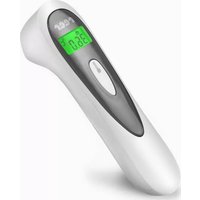
Colour SoftTemp 98050 - Thermometer Reer - Free user manual and instructions
Find the device manual for free Colour SoftTemp 98050 Reer in PDF.


| Product Type | 3-in-1 Non-Contact Infrared Medical Thermometer |
| Brand | Reer |
| Model | Colour SoftTemp 98050 |
| Dimensions | 144 x 39 x 40 mm |
| Net Weight | Approx. 76 g |
| Power Supply | 2 AAA alkaline batteries 1.5 V (included) |
| Body Temperature Range | 32.0 °C to 42.9 °C (89.6 °F - 109.2 °F) |
| Object/Ambient Temperature Range | 0 °C to 99.9 °C (32.0 °F - 211.8 °F) |
| Body Measurement Accuracy | ±0.2 °C (±0.4 °F) between 36.0 °C and 39.0 °C |
| Measurement Units | °C or °F (selectable) |
| Measurement Distance | 1 to 3 cm from the area to measure |
| Measurement Duration | Approx. 1 second |
| Memory | Last 25 measurements |
| Display | LCD screen with color backlight (green, orange, red) |
| Audible Signal | Can be disabled |
| Fever Alarm | Yes, by screen color and beep |
| Positioning LED | Yes, can be disabled |
| Auto Power Off | Approx. 15 seconds after last measurement |
| Care and Cleaning | Clean sensor with a cotton swab dipped in alcohol; housing with a soft dry cloth |
| Safety | Do not immerse, do not open, keep out of reach of children (batteries) |
| Warranty | By the retailer; keep proof of purchase |
| General Information | Private use, not professional; complies with medical standards |
Frequently Asked Questions - Colour SoftTemp 98050 Reer
User questions about Colour SoftTemp 98050 Reer
0 question about this device. Answer the ones you know or ask your own.
Ask a new question about this device
Download the instructions for your Thermometer in PDF format for free! Find your manual Colour SoftTemp 98050 - Reer and take your electronic device back in hand. On this page are published all the documents necessary for the use of your device. Colour SoftTemp 98050 by Reer.
USER MANUAL Colour SoftTemp 98050 Reer

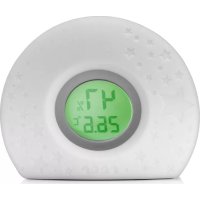
Colour SoftTemp / 3in1 contactless infrared clinical thermometer

Measurement mode: Object/ambient temperature
Measured value
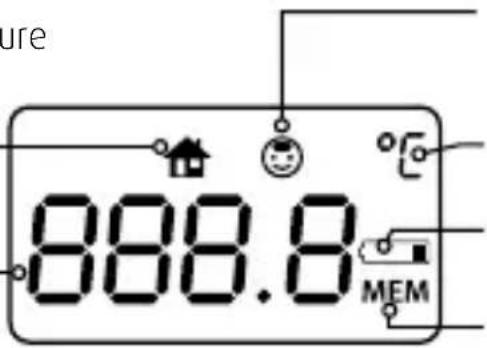
Measurement mode: Body temperature
Measuring units
Battery status icon
Memory icon
Colour SoftTemp 3in1 contactless infrared clinical thermometer

The innovative reer thermometer lets you determine your body temperature reliably and within seconds by taking a measurement at the temple. Contactless temperature measurement guarantees safe and hygienic measurement and reduces the risk of transmission of viruses or other pathogens.
A backlit display and switchable signal tone allow you to measure your child's temperature at night in the dark without waking them.
IMPORTANT! READ CAREFULLY BEFORE USE RETAIN FOR FUTURE REFERENCE.
Table of contents
Technical data
Safety instructions
Scope of delivery
Before first use
Troubleshooting
Cleaning and care advice
Warranty/Copyright information
Environmental protection
Technical data
Dimensions: 144 x 39 x 40 mm
Material: Plastic
Output/nominal voltage: 0,27W / 3V
Type of battery: 2 x 1.5V AAA batteries (included in delivery)
Measuring range:
Body temperature (temple): 32,0 °C - 42,9 °C (89,6 °F - 109,2 °F)
Object/ambient temperature: 0 °C - 99,9 °C (32,0 °F - 211,8 °F)
Measuring accuracy:
Body temperature: ±0,2°C(±0,4°F) , 36,0°C(96.8°F)-39,0°C(102,2°F)
± 0, 3 ^ ° C (± 0, 5 ^ ° F), 3 2, 0 ^ ° C (8 9. 6 ^ ° F) - 3 5, 9 ^ ° C (9 6. 6 ^ ° F)
± 0, 3 ^ ° C (± 0, 5 ^ ° F), 3 9, 1 ^ ° C (1 0 2. 4 ^ ° F) - 4 2, 9 ^ ° C (1 0 9. 2 2 ^ ° F)
Object temperature: ± 4°C ( ± 7.2°F ), 0°C (32°F) - 4,9°C (40.8°F)
± 1 ^ ° C (± 2 ^ ° F), 5 ^ ° C (4 1 ^ ° F) - 6 0 ^ ° C (1 4 0 ^ ° F)
± 4 ^ ° C (± 7, 2 ^ ° F), 6 0, 1 ^ ° C (1 4 0. 1 ^ ° F) - 1 0 0 ^ ° C (2 1 2 ^ ° F)
Measuring units: Centigrade (°C) and Fahrenheit (°F)
Measuring distance: 1 - 3 cm to measuring point
Measuring time: approx. 1 second
Measured value memory: 25 measurements
Measuring display: Liquid crystal display (LCD)
with backlight
Acoustic signal: switchable on/off
Automatic switch-off: approx. 15 seconds following last measurement
Net weight: approx. 76g
Protection class: IP22
Operating conditions: 10 °C - 40°C (50°F - 104 °F) ambient temperature,
15 % - 95 % relative humidity,
86 - 106 KPa air pressure
Storage conditions: -25 °C - 55 °C (-3 °F - 131 °F) ambient temperature,
15% - 93% RH relative humidity

Safety instructions


Please read the following points through carefully and follow the instructions before using the device.
Danger
- Avoid bringing the battery and/or electrical connection contacts on the unit into contact with metal objects.
- Keep the battery out of the reach of children. Risk of swallowing!
- If batteries have leaked, use chemical resistant protective gloves and protective glasses.
- In case of high fever or unclear measurement results, always seek advice from a doctor.
- The infrared technology your reer thermometer uses is perfectly safe. Although it's not harmful to look through the lens while the temperature is being measured, this is not recommended.
Warning
- Check the unit for visible damage before each use. If you detect any damage, do not use the unit.
- Avoid extreme heat and direct sunlight.
- Do not subject the device to physical shocks.
- The unit must not be opened, as this may cause an electric shock. If a unit does not work correctly, please do NOT try to fix the problem yourself. Please contact your dealer regarding any problems.
- To avoid the risk of electric shock and/or fire hazard, do not submerge the unit or the plug in water, other fluids or flammable cleaning materials.
- The unit is not waterproof and must therefore not be submerged in water or directly exposed to any liquids.
Caution
- Please use the article only for its intended purpose.
- Use the device exclusively at home for its intended purpose. This device is not intended for commercial use.
- This product is not a toy! Children must not play with the appliance.
- Do not use the unit outdoors.
- Remove all packaging material before use.
- Avoid dirt and damage to the measurement sensor's lens.
- The measured core body temperature (measured rectally) can be significantly higher than the surface temperature (measured at the temple), depending on the course of the fever.
- A measurement of the core body temperature using a rectal clinical thermometer is recommended:
- if the measurement result is surprisingly low
• for newborns within the first 100 days
- for children under the age of 3 who have a compromised immune system or if a fever does or does not occur where a fever would or would not be expected.
Scope of delivery
- 1 x thermometer
- 2 x AAA alkaline batteries
- 1 x instruction manual

Start-up
Before using your thermometer, make sure that its sensor is free of dirt. A dirty sensor can lead to incorrect measurement results.
Inserting batteries
The batteries must be inserted into the thermometer before it can be used.
-
Open the battery compartment on the underside of the unit.
-
Insert the batteries. 3.
Close the battery compartment.
Note: Do not use different battery types or combine new and used batteries. Batteries must be inserted with the correct polarity.
Measurement of body temperature
The thermometer has been designed to measure the body temperature above the eyebrows, measured at the point between the forehead and temple. Measuring elsewhere on the body can result in inaccurate measurement data.
- Before each measurement, make sure that the sensor is clean. If this is not the case, please clean the sensor according to the instructions on page 31.
- Check if the forehead is wet (cool skin effect). It must be completely dry.
- Make sure that the temples are free of any dirt and cosmetics. Avoid taking measurements on any scars that may be present.
• Vasoconstrictive drugs can influence the measured value. - Portable and mobile communication devices can also affect the device.
- Wait at least 30 minutes before using following any sporting activities, bathing or eating.

- If possible, do not use the thermometer outdoors, but only in closed rooms. External influences such as wind and outdoor temperature can influence the measurement result.
- If the device is to be used in an extreme-temperature environment, store it at room temperature for at least an hour before taking any measurements.
- Holding the thermometer in the hand for too long before taking the measurement will cause the device to heat up. This can cause a false measurement result to be given.
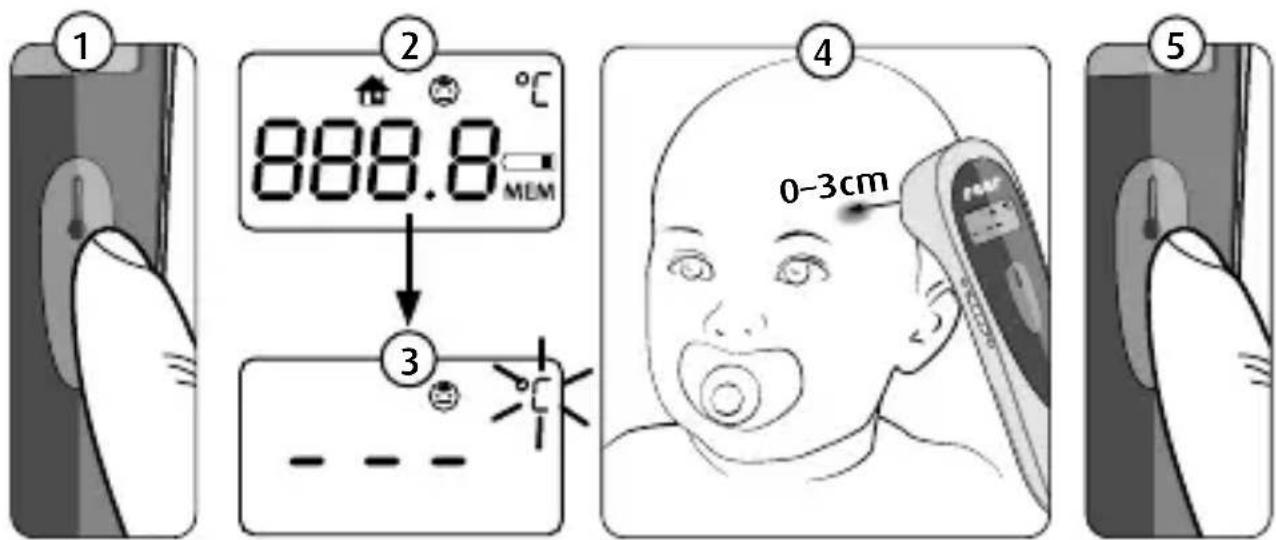
1) Set the regulator to body temperature measurement. Set the regulator to body temperature measurement. Switch the thermometer on by briefly pressing the On/Off button.
2) The backlight and start sequence are displayed.
3) The display shows a dashed line with the flashing temperature unit.
4) Position the thermometer on your child's temple at a maximum distance of 3 cm. The positioning LED helps you to determine the correct measuring point.
5) Press the On/Off key as soon as the temperature sign °C or °F flashes. Read the temperature.

Fever alarm
The thermometer has a built-in optical indicator to warn you in case of elevated body temperature. The coloured display shows you the temperature range that is to be estimated.
| Temperature Display Measured body temperature | Signal tone (Beep) | ||
| <32°C / 89.6°F LO | too low 1x long | ||
| 32,1 °C – 37,4°C / 89,6 °F – 99,5 °F | green | normal 1x long | |
| 37,5°C – 37,9°C / 99,5 °F – 100,2 °F | orange | elevated 1x long | |
| 38 °C – 42,9°C / 100,4 °F – 109,22 °F | red | high 6 x short | |
| >42.9°C / 109.22°F Hi | too high 6 x short | ||
If the device's LED lights up red during temperature measurement, body temperature should be kept under constant observation and medical advice sought in case of any uncertainty.
The use of the device does not in any way replace examination by a doctor. In case of high fever or unclear measurement results, always seek advice from a doctor.

Measurement mode: Object/ambient temperature
If possible, the measurement of liquids should take place from outside the vessel to avoid any condensation forming on the sensor. The warning indicator is switched off in this mode. The display is constantly lit in green.
The object/ambient temperature mode shows only the exposure temperature of the surface/room temperature, and does not provide any indication of body temperature. This measurement mode cannot therefore be used to measure fever.
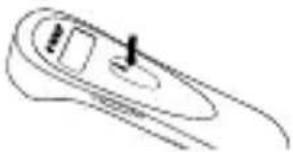
Set the regulator to object measurement ⏻. Follow steps 1 to 3 as for body temperature measurement. Point the thermometer at the desired object and press the measure button. Read the measured temperature on the display.
Setting functions
You can adjust the thermometer according to your own particular needs. To do so, follow these instructions.
| Memory function: | |
 | 1. Make sure that the thermometer is switched off. |
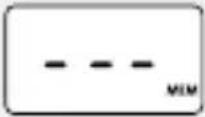 | 2. Press and hold the On/Off button for approx. 2 seconds, until the display shows “MEM”. |


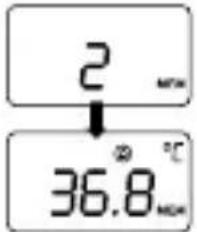
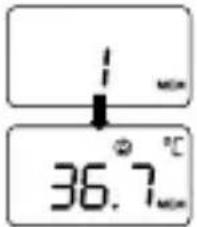 | 3. Press the On/Off button to scroll through the last 25 measurement values.4. The thermometer starts with the last measured temperature at number 1.5. When the memory is full, the oldest value is automatically deleted and the newest value is saved.6. The display lights up in the respective display colours of green, orange and red, as long as it is a body temperature measurement that is being displayed. |
 | |
| 7. To exit the menu item, leave the thermometer alone for approx. 10 seconds, until it automatically turns itself off. | |
 | 8. To erase the memory, remove the batteries from the unit.9. Press and hold the On/Off button while simultaneously replacing the batteries, until the display shows “- - -”. |
| Change temperature scale | |
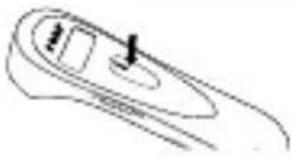 | 1. Make sure that the thermometer is switched off. |
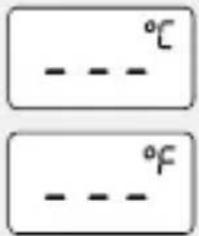 | 2. Press and hold the On/Off button for approx. 8 seconds, until the display shows °C or °F.3. Press the On/Off button again to choose between °C and °F.4. Press and hold the On/Off button again for approx. 3 seconds to save your selection. |
| Switch positioning LED on or off: The positioning LED helps you determine the measuring point more precisely. | |
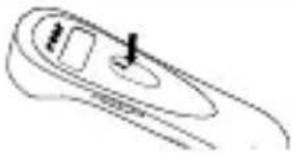 | 1. Make sure that the thermometer is switched off. |
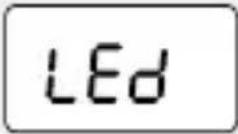 | 2. Press and hold the On/Off button for approx. 10 seconds, until the display shows “LED”.3. Press the On/Off button again to turn the positioning LED on or off.4. Press and hold the On/Off button again for approx. 3 seconds to save your selection. |
| Sound mode: selecting signal tone or mute | |
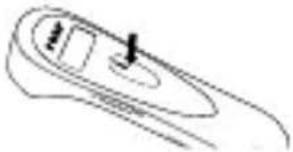 | 1. Make sure that the thermometer is switched off. |
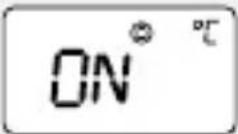 | 2. Press and hold the On/Off button for approx. 12 seconds, until the display shows ON or OFF.3. Press the On/Off button again to choose OFF (mute) or ON (signal tone).4. Press and hold the On/Off button again for approx. 3 seconds to save your selection. |
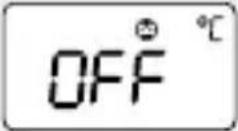 | |

Troubleshooting

| Problem/symbol Possible cause Action | ||
| Unit won’t switch on. Batteries are dead. Batteries are wrongly inserted. | Insert new batteries.Check the position and polarity of the batteries. | |
| Incorrect or fluctuating temperature values | Sensor dirty/ broken. Check the measurement sensor and if necessary clean it. | |
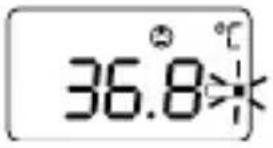 | Low battery level, measurements are still possible. | Replace the batteries soon. |
 | The temperature is outside the measurement range. | Check the controller settings ☐ or ☑ If the problem persists, leave the thermometer alone for a few minutes before taking any further measurements. |
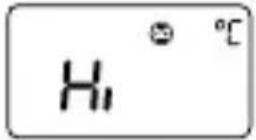 | Measured body temperature exceeds 42.9 °C (109.2 °F). | Check whether you are using the correct measuring mode (body temperature/ object temperature). Repeat the measurement. Make sure the measurement sensor is positioned correctly. |
 | Measured object/ ambient temperature exceeds 100 °C (212 °F). | |
 | Measured body temperature is below 32 °C (89.6 °F). | Check whether you are using the correct measuring mode (body temperature/ object temperature). Repeat the measurement. Make sure the measurement sensor is positioned correctly. |
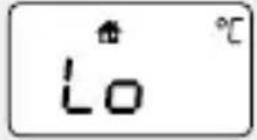 | Measured object/ ambient temperature is below 0 °C (3 °F). | |
Cleaning and care advice
The sensor is the most sensitive part of the infrared thermometer. Be careful not to touch or scratch the surface of the measurement sensor. In case of dirt, carefully and gently rub the sensor using a cotton swab soaked in alcohol or mild cleaning agent (e.g. strongly diluted washing-up liquid). Do not use any aggressive


cleaning agents on the sensor. Clean the housing and display using a soft, dry cloth or an alcohol pad. The device is not waterproof and must therefore not be allowed to be immersed in water or directly exposed to moisture. Remove the batteries from the unit if it is to be out of use for a longer period. This product does not require any special maintenance. Any repairs made to the unit must be carried out by a qualified professional.
Metrological control
As a rule, checking the thermometer's precision is not required. For devices used in Germany for medical practice, the Medical Products Operator Ordinance of 29 June 1998 (in the version announced on 21 August 2002, last amended by Article 4 of the law of 29 July 2009) requires metrological control after 2 years.
Legal basis for placing on the market in the EU
The manufacturer has been certified by the EU notified body TÜV SÜD Produkt Service GmbH in line with the 93/42/EEC Directive on Medical Devices. This device complies with the European standard EN60601-1-2 for electromagnetic compatibility and ASTM E 1965 "Standard Specification for Infrared Thermometers for Intermittent Determination of Patient Temperature".
This product complies with the following standards for medical electrical equipment:
• IEC 60601-1-2:2014
- IEC 60601-1:2012
• ISO 80601-2-56: 2009
- IEC 61000-4-2
- IEC 61000-4-8
- IEC 61000-4-3
Legend
The following symbols are used in the user manual, on the packaging and on the type plate of the device and the accessory:
| Caution | |
| Permitted storage and transport temperature and air humidity | |
| Permitted operating temperature and air humidity | |
| Manufacturer | |
| Observe the user manual | |
| Application part type BF | |
| Disposal according to the Waste Electrical and Electronic Equipment EC directive | |
| Batch designation | |
| IP22 | Protection against entry of solid foreign bodies with a diameter of >12.5 mm. Protection against dripping water with a 15° incline. |
| CE0123 | The CE marking certifies conformity with the basic requirements of the 93/42/EEC guidelines for medical products. |

Warranty
Please retain your receipt, the user manual and part number. Warranty claims or claims from promises of guarantee must be processed by the dealer. The technical specification, instructions and characteristics of the product described herein have been compiled to the best of our knowledge and belief and are correct at the time of printing. Any instructions provided by reer should be correct and authoritative. Nevertheless, reer does not accept liability for potential errors in this document and reserves the right to make changes to the product design and/or specifications without prior notice.
Disposal instructions

Batteries must be disposed of properly. Battery collection containers are available free of charge in stores that sell batteries and at municipal collection points.
At the end of its useful life, please dispose of the device properly via a municipal collection point for electrical waste.


Affichage :
EC REP Company Address
CE 0123
SHANGHAI INTERNATIONAL HOLDING CORP. GMBH (EUROPE) EIFESTRASSE 80, 20537 HAMBURG, GERMANY

SHENZHEN AEON TECHNOLOGY CO., LTD. RM6H02, BLOCK 27-29, TIAN-XIA IC INDUSTRIAL PARK, MAJIALONG, NO.133 OF YIYUAN ROAD, NAN-TOU STREET, NANSHAN DISTRICT, SHENZHEN, PEOPLE'S REPUBLIC OF CHINA
Vertrieb & Kundendienst: // Verkoop en klantenservice:// Distribution et service à la clientèle :// Distribuzione e servizio di assistenza:// Comercialización y servicio técnico:
reer GmbH • Muehlstr. 41 • 71229 Leonberg • Germany • www.reer.de
Rev. 015019
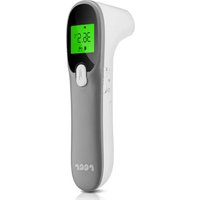
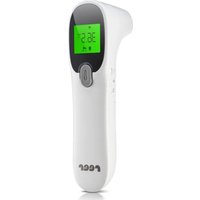

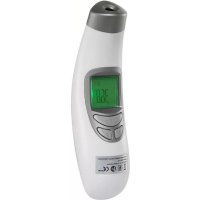
- COLOUR SOFTTEMP 3IN1 CONTACTLESS INFRARED CLINICAL THERMOMETER
- IMPORTANT! READ CAREFULLY BEFORE USE RETAIN FOR FUTURE REFERENCE
- TABLE OF CONTENTS
- TECHNICAL DATA
- MEASURING RANGE
- MEASURING ACCURACY
- SAFETY INSTRUCTIONS
- DANGER
- WARNING
- CAUTION
- SCOPE OF DELIVERY
- START-UP
- INSERTING BATTERIES
- MEASUREMENT OF BODY TEMPERATURE
- FEVER ALARM
- MEASUREMENT MODE: OBJECT/AMBIENT TEMPERATURE
- SETTING FUNCTIONS
- TROUBLESHOOTING
- CLEANING AND CARE ADVICE
- METROLOGICAL CONTROL
- LEGAL BASIS FOR PLACING ON THE MARKET IN THE EU
- LEGEND
- WARRANTY
- DISPOSAL INSTRUCTIONS
- AFFICHAGE
Brand : Reer
Model : Colour SoftTemp 98050
Category : Thermometer