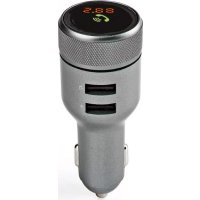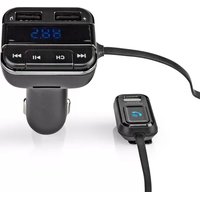
CATR123BK - Hi-fi system NEDIS - Free user manual and instructions
Find the device manual for free CATR123BK NEDIS in PDF.


| Brand | Nedis |
| Model | CATR123BK |
| Product type | FM audio transmitter for car |
| FM transmission frequency | 87.6 - 107.9 MHz |
| Bluetooth version | 5.0 |
| Supported Bluetooth profiles | A2DP, AVRCP, HFP |
| Microphone | Professional with noise cancellation |
| Voice command | Siri, Google Assistant |
| Hands-free calling | Yes |
| LED display | 0.8 inches |
| USB charging port | 5.0 V / 2.4 A |
| USB music port | 5.0 V / 1.0 A |
| Micro SD card slot | Up to 32 GB |
| Supported audio file formats | MP3, WMA, FLAC |
| Power supply | 12 V DC (car auxiliary socket) |
| Intended use | Bluetooth audio streaming to car FM radio, hands-free calling, device charging |
| Safety | Do not expose to water, excessive heat; use only in a vehicle |
| Care and cleaning | Clean with a dry cloth; do not immerse |
| Spare parts and repairability | Repair only by a qualified technician |
| General information | Manual available in multiple languages; declaration of conformity on nedis.com |
Frequently Asked Questions - CATR123BK NEDIS
User questions about CATR123BK NEDIS
0 question about this device. Answer the ones you know or ask your own.
Ask a new question about this device
Download the instructions for your Hi-fi system in PDF format for free! Find your manual CATR123BK - NEDIS and take your electronic device back in hand. On this page are published all the documents necessary for the use of your device. CATR123BK by NEDIS.
USER MANUAL CATR123BK NEDIS
FM Audio Transmitter
for playing music through your car radio
CATR123BK
natural_image
Line drawing of a handheld electronic device with a digital display and cable (no text or symbols)EN Quick start guide 4
DE Kurzanleitung 8
FM Audio Transmitter CATR123BK

For more information see the extended manual online: ned.is/catr123bk
Intended use
The Nedis CATR123BK is a FM Transmitter that transmits Bluetooth ^® audio signal over a selected FM frequency that can be received by any FM car radio.
The product is intended for making hands-free calls and the integrated USB charging port can be used to charge any device.
The product is not intended for professional use.
The product is exclusively intended for use in a vehicle with an auxiliary power outlet.
Any modification of the product may have consequences for safety, warranty and proper functioning.
Specifications
| Product FM Audio Transmitter | |
| Article number CATR123BK | |
| FM transmitting frequency 87.6 - 107.9 MHz | |
| Bluetooth® version 5.0 | |
| Bluetooth® frequency range 2402 - 2480 MHz | |
| Maximum transmit power 4 dBm | |
| Bluetooth® profiles A2DP, AVRCP, HFP | |
| Pro microphone with noise cancelling | Yes |
| Voice control Siri, Google Assistant | |
| Hands-free calling Yes | |
| LED display 0.8 inch | |
| USB charging output 5.0 V / 2.4 A | |
| USB music output 5.0 V / 1.0 A | |
| MicroSD card slot Up to 32 GB | |
| File format support MP3, WMA, FLAC | |
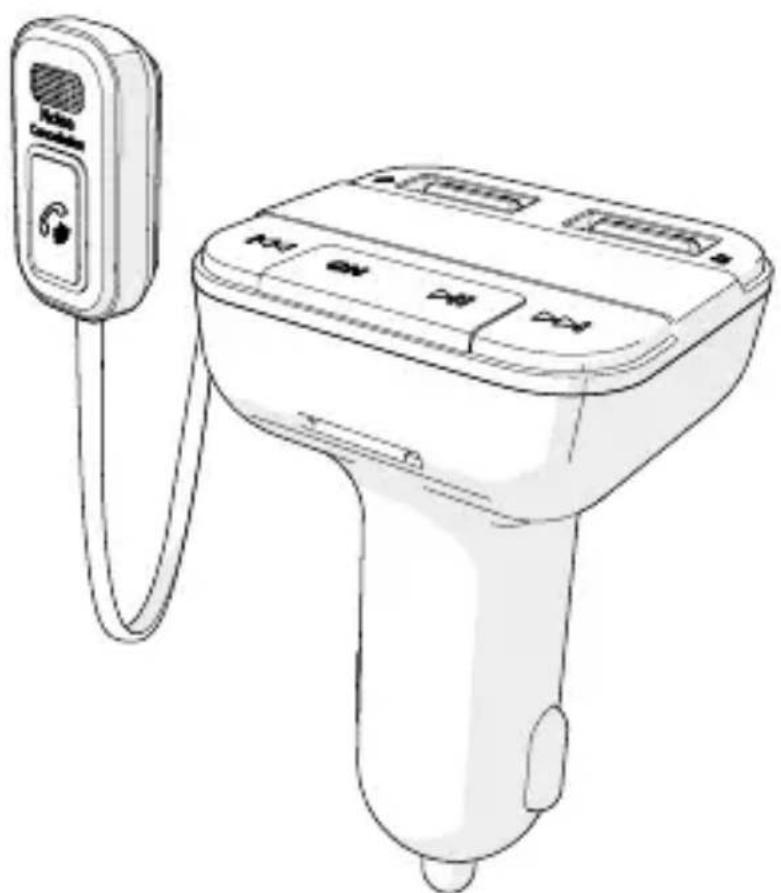
Main parts (image A)
1 'Hook and loop' sticker
2 Pro microphone with noise canceling
3 Call button
4 Previous button
5 Frequency button
6 USB charging port (2.4 A)
7 USB music port (1.0 A)
8 LED display
9 Next button
10 Play / pause button
11 MicroSD card slot
12 Auxiliary power plug
Safety instructions
WARNING
- Ensure you have fully read and understood the instructions in this document before you install or use the product. Keep this document for future reference.
- Only use the product as described in this document.
- Do not use the product if a part is damaged or defective. Replace a damaged or defective product immediately.
- Do not drop the product and avoid bumping.
- This product may only be serviced by a qualified technician for maintenance to reduce the risk of electric shock.
- Do not expose the product to water or moisture.
- Disconnect the product from the power source and other equipment if problems occur.
- Do not expose the product to direct sunlight, naked flames or heat.
- Do not place the product near heat sources, this can damage the product.
- Do not expose the product to very hot or very cold temperatures or drastic changes in temperature or humidity.
- Do not immerse the product in water for cleaning.
- Some wireless products may interfere with implantable medical devices and other medical equipment, such as pacemakers, cochlear implants and hearing aids. Consult the manufacturer of your medical equipment for more information.
- Be careful when using the product while driving. Always focus your attention on the road.
Installing the product (image B)
-
Plug the auxiliary power plug A 12 into an auxiliary power outlet. The LED display A 8 shows the voltage of the battery of the car first and shows "BT" to indicate Bluetooth pairing mode is active second.
-
Attach the pro microphone with noise cancelling A 2 to your car dashboard. Use A 1.
If the car battery voltage is lower than 12 V, the display will flash. The product can still work well, but the car may have trouble starting the engine at a voltage lower than 11.8 V. The product will not function at a voltage lower than 8 V. Fully charge the car battery before using the product again.
Pair with Bluetooth
- Enable Bluetooth on the device you want to pair.
- Select "CATR123BK" from the list of available Bluetooth devices on your device.
- If asked, enter the pairing code '0000'.
If the product has already been paired with another device, make sure that device is switched off or Bluetooth is disabled.
When the product has lost connection to the Bluetooth source, it will automatically reconnect when back in range and switched on.
Connect to FM radio
- Tune your car radio to an unused FM frequency.
- Press the frequency button A 5 until A 8 shows the FM frequency.
- Use the previous button A 4 and next button A 9 to tune the product to the same frequency as your car radio.
Select a frequency that is not occupied by a radio station to avoid signal disturbance.
Playing music
To stream music from the product to the FM radio, choose one of the following options:
- Play music directly from the mobile device that is connected to the product via Bluetooth.
- Insert a microSD card (not included) into the microSD card slot A 11.
- Insert a USB flash drive that contains audio files into the USB music port (1.0 A) A 7.
Music from the MicroSD card or USB flash drive plays automatically.
Press the play / pause button A 10 for 2 seconds to switch between USB flash drive mode, SD card mode and Bluetooth mode.
Controlling the music
- Press A 10 to play or pause music.
- Press A 9 to skip to the next song.
- Press A 4 to go back to the previous song.
- Press and hold A 9 to increase the volume.
- Press and hold A 4 to decrease the volume.
If you receive a call while playing music, the product automatically switches to the phone call.
Activating voice assistant
- Press and hold A 3 for 3 seconds to activate the voice assistant on your mobile phone (Siri or Google Assistant).
Making phone calls
Noise cancelling activates automatically, during a phone call.
- To answer an incoming call, press A 3.
- During a call, press and hold A 3 for 3 seconds to switch to private mode.
- To end a call, press A 3.
- To ignore a call, press and hold A 3 for 3 seconds.
- To quickly redial the last called number, double press A 3.
Charging your devices
- Connect your device with a USB cable (not included) to the USB charging port (2.4 A) A 6 or A 7 to charge the device.
The product automatically starts charging when you switch on the car engine.
Declaration of Conformity
We, Nedis B.V. declare as manufacturer that the product CATR123BK from our brand Nedis ^® , produced in China, has been tested according to all relevant CE standards and regulations and that all tests have been passed successfully. This includes, but is not limited to the RED 2014/53/EU regulation.
The complete Declaration of Conformity (and the safety datasheet if applicable) can be found and downloaded via: nedis.com/CATR123BK#support
For additional information regarding the compliance, contact the customer service:
Web: www.nedis.com
E-mail: service@nedis.com
Nedis B.V., de Tweeling 28
5215 MC 's-Hertogenbosch, the Netherlands

Kurzanleitung
FM Audio-Transmitter CATR123BK

Transmissor áudio FM CATR123BK

5215 MC 's-Hertogenbosch, the Netherlands
FM audioadó CATR123BK

5215 MC 's-Hertogenbosch, the Netherlands

Rýchly návod
7 Port de muzică USB (1,0 A)
8 Afişaj cu LED
9 Buton următor